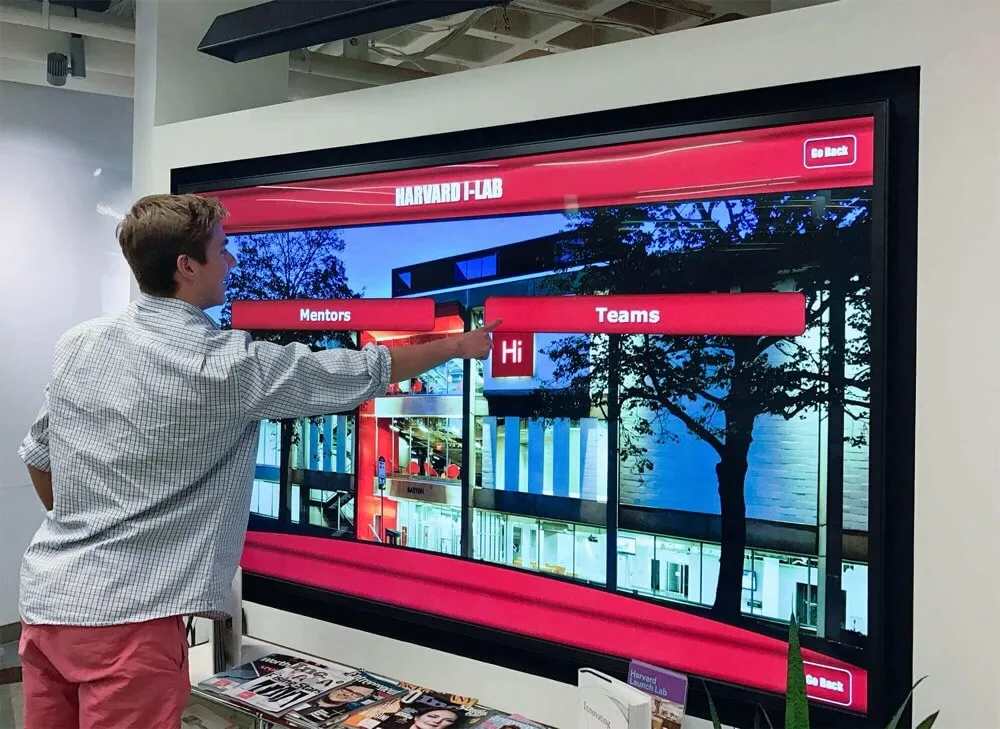




Schools investing in digital hall of fame displays near their front offices face a practical question that goes beyond selecting the right technology: who actually handles the physical installation, mounting, electrical work, and network setup required to get these systems operational?
The installation process involves multiple technical disciplines—professional mounting to ensure safe display placement, electrical work to provide proper power, network configuration for content management, and careful coordination to minimize disruption in high-traffic areas like front offices where first impressions matter most. Understanding who manages each aspect helps schools plan realistic timelines, allocate appropriate budgets, and ensure installations proceed smoothly without unexpected complications.
This guide examines the complete installation ecosystem for school digital recognition displays, clarifying which professionals handle specific tasks, what schools can manage internally versus requiring outside expertise, and how to coordinate successful implementations in front office areas where installations must maintain professional aesthetics while accommodating daily operational requirements.
Most schools discover that digital hall of fame installation requires coordination between specialized professionals rather than a single individual or company managing every aspect. The specific team composition depends on project scope, school technical capabilities, existing infrastructure, and vendor service models.
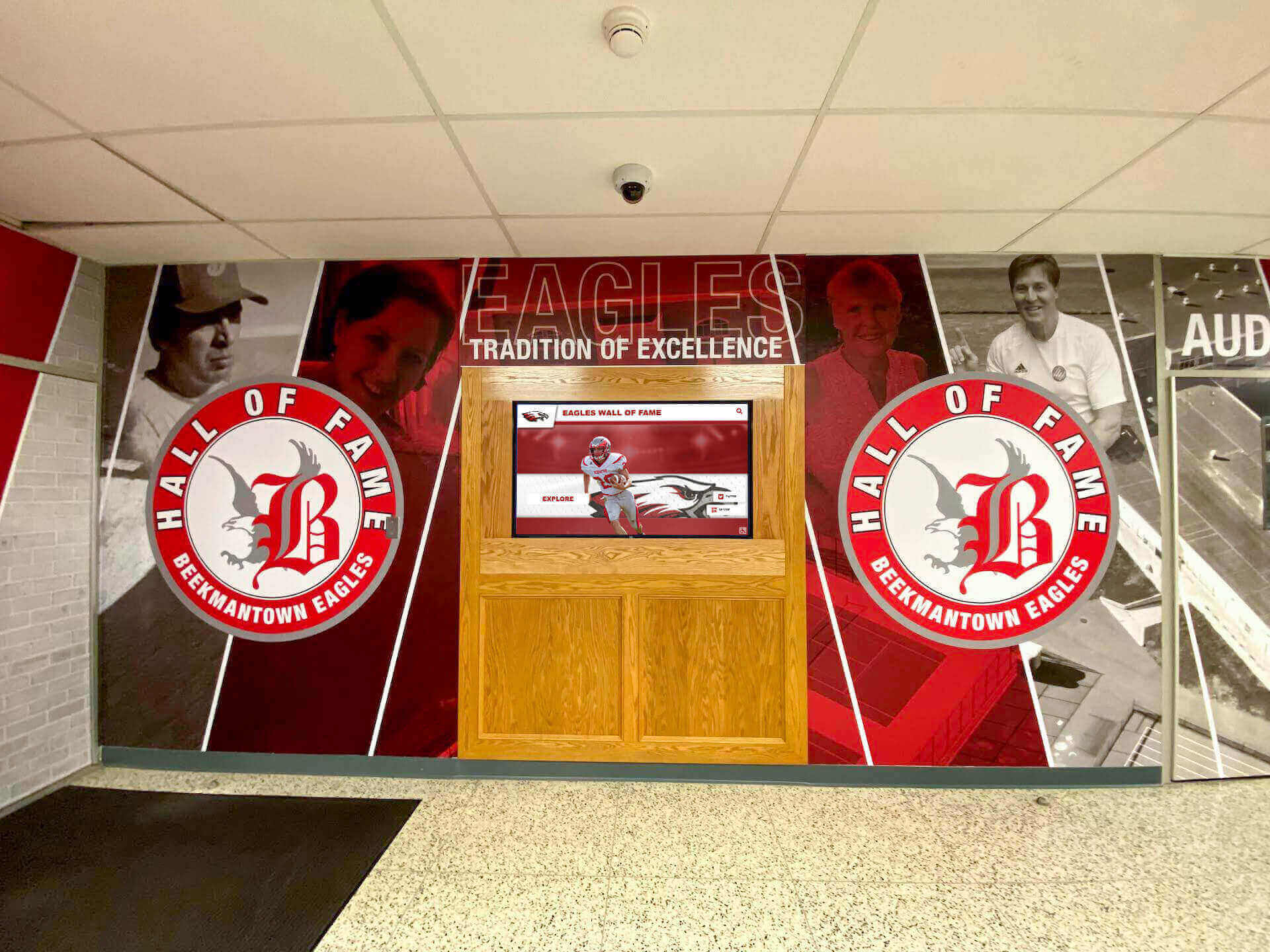
Professional installations integrate displays smoothly into front office and lobby areas
Primary Installation Coordinator: The Display Vendor
The digital recognition platform vendor typically serves as the primary installation coordinator, managing the overall process even when multiple specialists handle specific technical tasks.
Vendor Installation Services
Professional recognition platform providers offer varying levels of installation support based on school needs and technical complexity.
Comprehensive Installation Packages
Full-service vendors provide:
- Site assessment and planning evaluating locations and technical requirements
- Coordination services managing all contractors and technical specialists
- Project management maintaining timelines and communication
- Technical configuration setting up software and content management systems
- Staff training ensuring confident operation after installation
- Post-installation support addressing any issues during initial operation
Solutions like Rocket Alumni Solutions typically include installation coordination as part of their service packages, ensuring schools work with a single point of contact rather than managing multiple vendors independently for different installation aspects.
Technical Requirements Assessment
Professional vendors conduct pre-installation evaluations determining:
- Wall structure and mounting capability at proposed locations
- Electrical capacity and outlet proximity
- Network connectivity options and bandwidth
- Environmental factors like lighting and viewing angles
- ADA compliance and accessibility requirements
- Integration with existing school systems and infrastructure
This assessment phase identifies potential challenges early, preventing mid-installation surprises that delay projects or require expensive modifications to original plans.
White-Glove Installation Services
Some vendors offer turnkey installation managing every aspect internally without requiring schools to coordinate separate contractors.
Benefits of Comprehensive Services
White-glove installation provides:
- Single point of accountability for all installation aspects
- Pre-vetted installation teams experienced with specific display systems
- Warranty protection covering entire installation rather than fragmented coverage
- Faster completion with coordinated teams working in sequence
- Quality assurance ensuring installations meet vendor standards
- Reduced school burden eliminating project management requirements
Schools particularly value comprehensive services when installing multiple displays simultaneously or working in challenging locations where coordination complexity increases with the number of separate contractors involved.
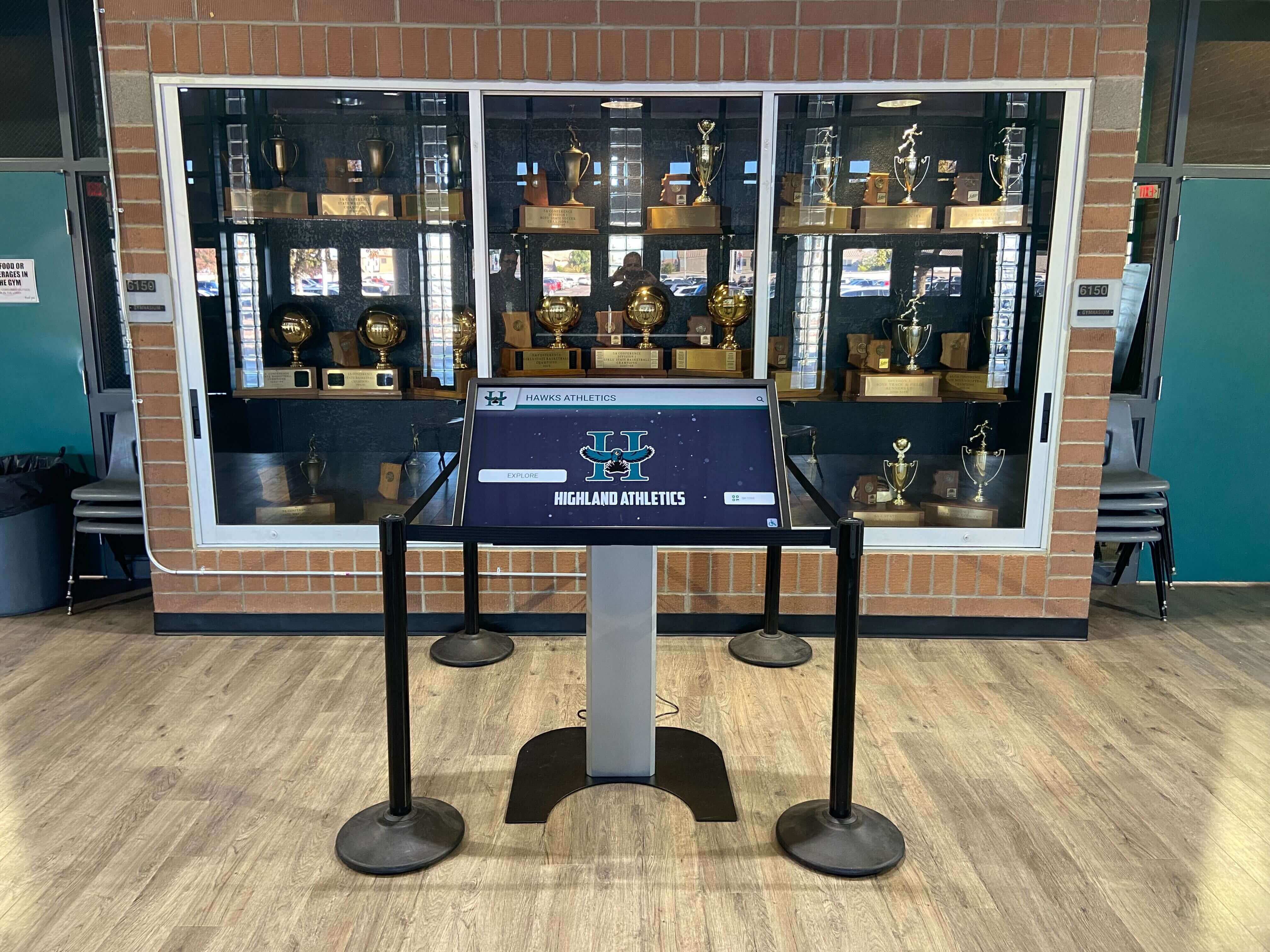
Professional installation ensures displays integrate cleanly with existing recognition areas
Display Mounting: Professional AV Installation Technicians
Physical mounting represents a critical installation phase requiring specialized expertise to ensure displays remain securely attached to walls while maintaining professional appearance and proper functionality.
Certified Mounting Specialists
Commercial display mounting differs substantially from residential TV installation due to display weight, security requirements, and institutional liability considerations.
Professional Mounting Requirements
Qualified installers provide:
- Load calculation and structural assessment determining appropriate mounting methods
- Commercial-grade mounting hardware rated for continuous operation and institutional use
- Secure installation techniques preventing theft or accidental dislodgment
- Cable management systems concealing wiring for professional aesthetics
- Precise leveling and positioning ensuring optimal viewing angles
- ADA compliance verification maintaining required accessibility standards
Schools should ensure mounting contractors carry appropriate liability insurance and demonstrate experience with commercial installations rather than primarily residential work, as institutional requirements differ substantially from home mounting projects.
Mounting Location Considerations for Front Offices
Front office installations present unique mounting challenges requiring careful planning.
Location-Specific Factors
Front office mounting must address:
- High traffic patterns with displays positioned away from doorways and hallway intersections
- Viewing height optimization for both standing adults and seated visitors
- Line of sight considerations ensuring visibility from reception areas and waiting spaces
- Glare management positioning displays away from windows and overhead lighting
- Professional aesthetics integrating displays with existing architecture and finishes
- Operational clearance maintaining adequate space for display interaction without blocking traffic
Professional installers familiar with school lobby design considerations understand how to position displays for maximum engagement while respecting the functional requirements of busy administrative areas.
Wall Type Compatibility
Different wall constructions require specialized mounting approaches.
Common Wall Types in Schools
Mounting strategies vary based on:
- Concrete block walls requiring masonry anchors and specific drill bits
- Drywall over steel studs needing stud location and appropriate fasteners
- Brick or stone facades requiring careful drilling to prevent cracking
- Wood frame construction offering simpler mounting but less common in institutional buildings
- Glass or curtain wall systems potentially requiring floor stands rather than wall mounting
- Historic structures necessitating preservation-appropriate mounting techniques
Experienced installers assess wall construction during site visits rather than attempting installation without understanding substrate characteristics, preventing damage and ensuring secure mounting.

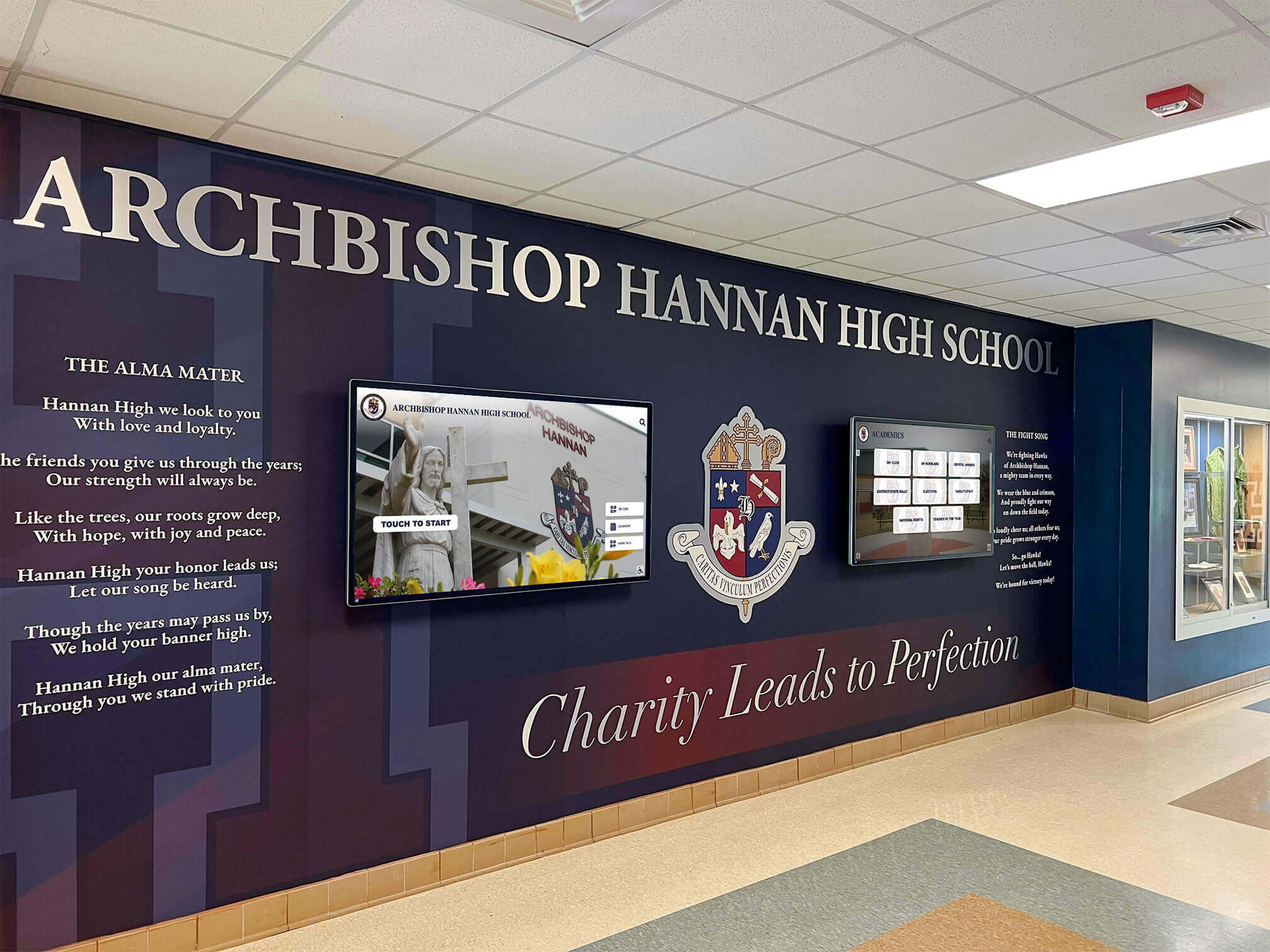
Proper mounting integrates displays with school architecture and branding
Electrical Work: Licensed Electricians
Power supply for digital displays typically requires licensed electrician involvement to ensure code compliance and safe installation.
Professional Electrical Requirements
Most jurisdictions require licensed electricians for institutional electrical work regardless of apparent simplicity.
Electrical Installation Scope
Licensed electricians handle:
- Outlet installation at display mounting locations when existing outlets are unavailable
- Circuit assessment verifying adequate capacity for additional loads
- Code compliance ensuring installations meet national and local electrical codes
- Conduit installation running protective conduit for exposed wiring
- Grounding verification confirming proper electrical grounding for equipment protection
- Surge protection installing appropriate power conditioning for sensitive electronics
Schools should never attempt DIY electrical work or allow unqualified staff to perform installations, as liability issues, code violations, and safety concerns far outweigh any perceived cost savings from avoiding professional electricians.
Power Planning for Front Office Displays
Front office locations often present electrical challenges requiring advance planning.
Common Electrical Considerations
Front office installations may require:
- New circuits when existing circuits already operate at capacity
- Relocated outlets moving power sources to less visible locations
- Dedicated circuits preventing display disruption if other devices trip breakers
- Backup power coordination integrating displays with emergency power systems if critical
- Wire concealment routing power cables through walls or conduit for professional appearance
- Switch control enabling displays to be powered on/off remotely or on schedules
Professional electricians coordinate these requirements with mounting specialists to ensure power outlets end up in locations that support clean cable management rather than requiring visible extension cords or exposed wiring that compromise professional aesthetics.
Schools implementing interactive kiosk systems should discuss power requirements during initial vendor conversations to understand whether standard outlets suffice or specialized electrical work becomes necessary.
Electrical Timeline and Coordination
Electrical work often determines overall installation schedules due to code requirements and inspector availability.
Scheduling Considerations
Electrical installations require:
- Advance scheduling as licensed electricians often book weeks ahead
- Permit acquisition for new circuits or substantial modifications
- Inspection coordination scheduling required inspections before closing walls
- School schedule consideration minimizing disruption during instructional hours
- Testing and verification confirming proper operation before mounting expensive displays
Vendors experienced with school installations build appropriate electrical timelines into project schedules rather than discovering electrical delays during installation weeks.
Professional installations include proper electrical work supporting reliable operation
Network Setup: IT Staff or Network Contractors
Network connectivity enables cloud-based content management, remote updates, and integration with school systems, requiring configuration by qualified network professionals.
School IT Department Role
Schools with established IT departments often handle network connectivity internally rather than requiring outside contractors.
IT Department Responsibilities
Internal IT staff typically manage:
- Network drops running Ethernet cables from switches to display locations
- WiFi configuration setting up wireless connectivity if hardwired connections aren’t practical
- VLAN assignment placing displays on appropriate network segments
- Firewall configuration allowing required cloud service connectivity
- IP addressing assigning static or reserved DHCP addresses to displays
- Network security implementing appropriate access controls and monitoring
- Bandwidth allocation ensuring adequate network capacity for multimedia content
Schools should involve IT departments early in planning rather than treating network connectivity as an afterthought, as network infrastructure availability and policies significantly impact installation timelines and display capabilities.
External Network Contractors
Schools lacking internal IT capacity may engage network contractors for installation support.
Network Contractor Services
Professional network installers provide:
- Cable installation running structured cabling to display locations
- Switch configuration setting up network ports and VLAN assignments
- Wireless access point installation adding WiFi capacity if needed for display connectivity
- Network testing verifying connectivity and bandwidth adequacy
- Documentation recording network configuration for future reference
- Ongoing support providing assistance if network issues arise post-installation
Vendors familiar with digital signage network requirements can specify exactly what network connectivity displays require, enabling IT staff or contractors to configure appropriate access.
Network Security Considerations
School networks require security policies that balance display functionality with overall network protection.
Security Configuration Requirements
Displays need network policies addressing:
- Outbound connectivity to cloud content management platforms
- Content delivery for images, videos, and software updates
- Remote management allowing vendor support access when needed
- Traffic filtering blocking inappropriate content categories
- Device authentication verifying displays before allowing network access
- Monitoring integration tracking display network usage and status
IT departments should work with display vendors to understand specific connectivity requirements before installation, preventing post-installation troubleshooting of network access issues that delay display activation.
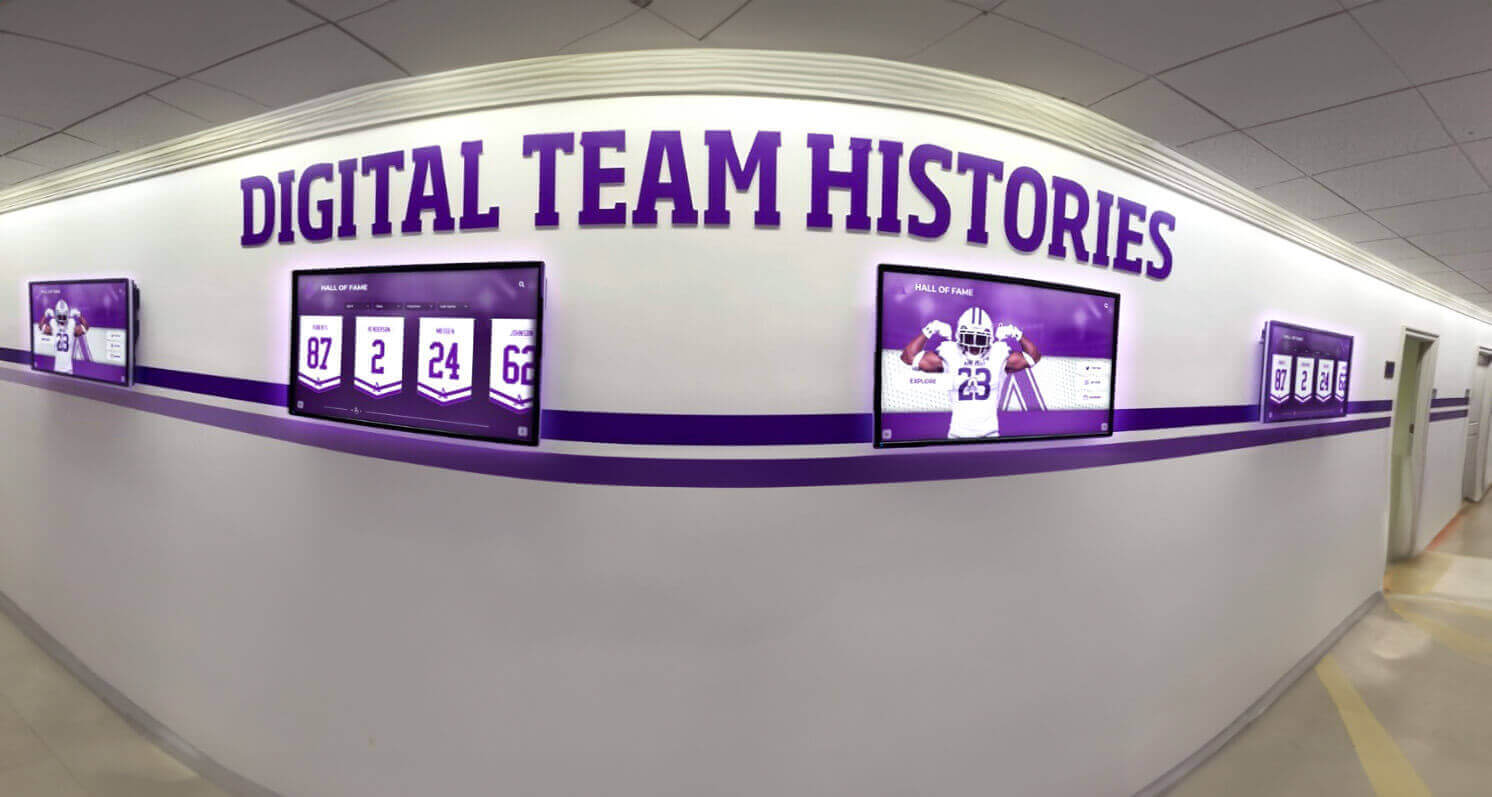
Network connectivity enables centralized content management across multiple displays
Content Setup: Vendor Onboarding Teams
Physical installation represents only one aspect of getting displays operational—content configuration and initial population require dedicated support from recognition platform specialists.
Initial Content Development
Displays need populated content before they become functional recognition systems rather than blank screens.
Content Onboarding Services
Professional vendors provide:
- Template customization adapting display layouts to school branding and preferences
- Historical data migration importing existing achievement records into the new system
- Media optimization processing photos and videos for optimal display performance
- Category structure organizing recognition into logical sections and navigation
- User account setup creating administrative accounts with appropriate permissions
- Integration configuration connecting displays with school systems when applicable
Schools implementing athletic hall of fame displays particularly value comprehensive onboarding support that prevents empty displays after installation while staff learns content management systems.
Staff Training Programs
Successful installations include training ensuring school staff can confidently manage content after vendors complete setup.
Training Components
Comprehensive training covers:
- Content management interface navigation and basic operations
- Adding new honorees with complete profiles and media
- Editing existing content updating information as circumstances change
- Publishing workflows reviewing content before making it visible
- Template customization adjusting layouts for specific recognition needs
- Media management uploading, organizing, and optimizing images and videos
- Troubleshooting addressing common issues without requiring vendor support
Professional recognition platforms like Rocket Alumni Solutions design management interfaces specifically for school administrators rather than requiring technical expertise, but training ensures staff feel confident using all available features rather than limiting themselves to basic functionality.
Training Delivery Methods
Vendors offer training through:
- Live in-person sessions during installation
- Virtual training via video conference
- Recorded tutorial videos for reference
- Written documentation and guides
- Email and phone support for questions
- Periodic refresher sessions as needed
- User communities for peer learning
Schools should clarify training availability when evaluating vendors, as ongoing support significantly impacts long-term success more than initial installation quality.

Intuitive interfaces enable staff to manage content confidently after training
Project Management and Coordination
Successful installations require coordination between multiple specialists, school schedules, and operational requirements.
Vendor Project Management
Professional recognition platform providers typically assign dedicated project managers coordinating all installation aspects.
Project Management Responsibilities
Coordinators handle:
- Timeline development establishing realistic schedules considering all dependencies
- Contractor coordination scheduling mounting, electrical, and network specialists
- School liaison communicating with administrators about progress and requirements
- Problem resolution addressing issues quickly to prevent timeline delays
- Quality verification ensuring all work meets standards before completion
- Documentation providing records of installation details and configuration
Schools benefit from working with vendors offering dedicated project management rather than requiring administrators to coordinate multiple contractors independently while managing regular responsibilities.
School Administrative Involvement
Even with comprehensive vendor services, schools need staff involvement during planning and installation.
School Responsibilities
Administrators typically handle:
- Access coordination providing building access for contractors during installation
- Location approval confirming specific mounting positions meet school needs
- Stakeholder communication informing staff and community about upcoming installations
- Historical content gathering achievement information for initial content population
- IT coordination facilitating vendor communication with network administrators
- Schedule accommodation identifying optimal installation timing minimizing disruption
Schools implementing new school building recognition displays during construction often find coordination simpler when working with general contractors already managing multiple trades simultaneously.
Installation Timeline Expectations
Understanding realistic timelines helps schools plan appropriately and set accurate expectations.
Typical Installation Phases
Complete projects generally require:
- Planning and assessment (1-2 weeks): Site evaluation and technical planning
- Equipment procurement (2-4 weeks): Hardware ordering and shipping
- Electrical preparation (1-2 weeks): Outlet installation and circuit work if needed
- Network preparation (1 week): Cable installation and configuration
- Display mounting (1-2 days): Physical installation and connection
- Software configuration (1 week): System setup and content population
- Training and handoff (1 day): Staff training and final verification
Overall timelines from initial vendor contact to operational displays typically span 6-10 weeks for straightforward installations, with complex projects involving multiple displays or challenging locations potentially requiring additional time.
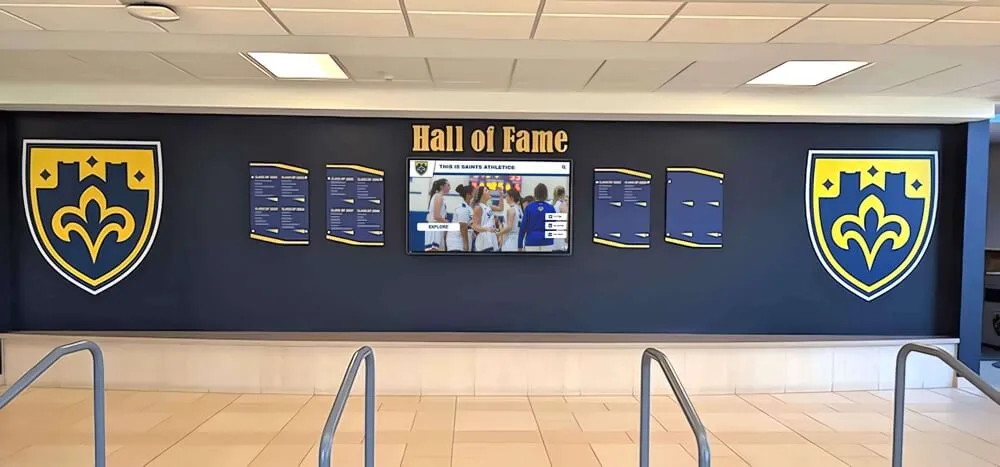
Coordinated installation results in polished recognition displays integrating with school design
Front Office-Specific Installation Considerations
Front office locations present unique requirements affecting installation planning and execution.
Minimizing Operational Disruption
Front offices remain operational during school hours, requiring careful installation planning.
Disruption Management Strategies
Professional installers employ:
- After-hours scheduling completing noisy or disruptive work outside school hours
- Weekend installation avoiding weekday interruption of administrative functions
- Phased approach completing preparation work separately from final installation
- Temporary barriers protecting work areas while maintaining office accessibility
- Communication protocols informing office staff about installation schedules and impacts
- Contingency planning preparing alternative approaches if unexpected issues arise
Schools appreciate vendors who understand front office operations and proactively minimize disruption rather than treating installations as pure technical projects without considering organizational context.
Professional Appearance Standards
Front offices serve as first-impression spaces for visitors requiring exceptional installation quality.
Aesthetic Requirements
Front office installations demand:
- Concealed wiring with no visible cables or conduit detracting from clean appearance
- Precise alignment ensuring displays are perfectly level and positioned
- Finished surfaces repairing and painting any wall damage from installation
- Coordinated design integrating displays with existing furniture and finishes
- Professional mounting using commercial-grade hardware rather than residential approaches
- Clean completion removing all installation debris and protecting surrounding areas
Professional installers treat front office installations as showcase projects rather than purely functional implementations, understanding these locations represent schools to visitors and community members forming impressions based partially on installation quality.
Visitor Engagement Optimization
Front office displays should engage waiting visitors without interfering with operational functions.
Placement Optimization
Effective positioning considers:
- Waiting area visibility ensuring displays are visible from seating areas
- Counter clearance maintaining adequate workspace for reception staff
- Traffic flow positioning displays where visitors naturally look without blocking movement
- Interaction accessibility enabling comfortable touchscreen use without crowding
- Supervision sight lines allowing staff to monitor display use if needed
- Sound management configuring audio appropriately for office environments
Schools implementing school history displays in front offices find these installations serve dual purposes: engaging visitors while reinforcing institutional identity and values through visible celebration of achievement.
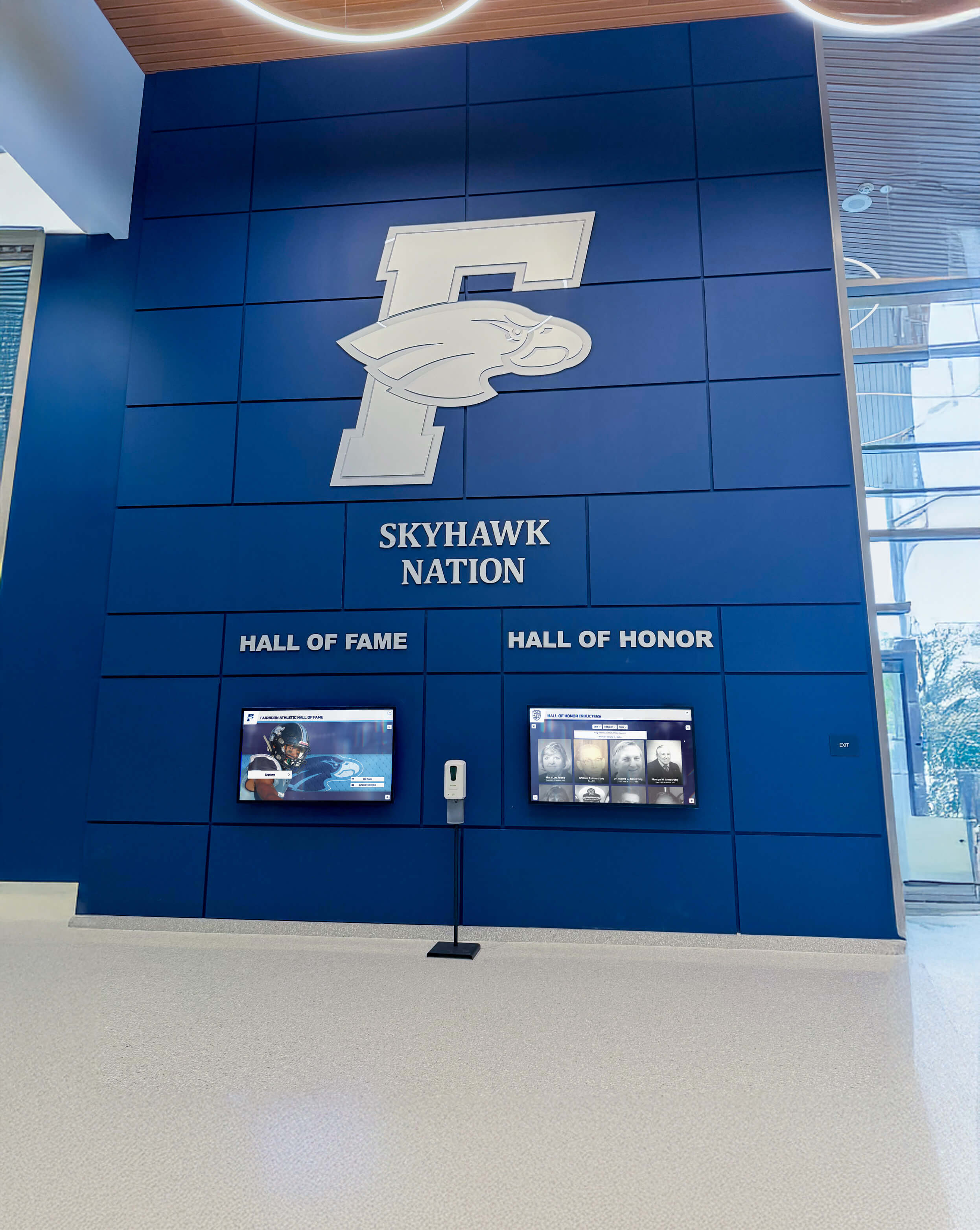
Front office installations welcome visitors while celebrating school achievements
Self-Installation vs. Professional Services
Some schools consider self-installation to reduce costs, requiring careful evaluation of capabilities and risks.
When Self-Installation May Be Feasible
Limited scenarios exist where schools can successfully manage installations internally.
Self-Installation Requirements
Schools need:
- Qualified internal staff with mounting, electrical, and network expertise
- Appropriate tools and equipment including commercial mounting hardware
- Liability insurance covering potential installation failures or injuries
- Time availability for staff to dedicate to installation projects
- Vendor support willing to provide technical guidance during self-installation
- Simple installations without complex electrical or structural requirements
Most schools discover that true self-installation proves impractical when accounting for all requirements, particularly liability concerns and staff time diversion from regular responsibilities.
Risks of Inadequate Installation
Improper installation creates substantial problems outweighing cost savings from avoiding professional services.
Common Installation Failures
Inadequate installations result in:
- Display damage from improper mounting or handling
- Safety hazards from insecure mounting or electrical issues
- Warranty voidance as manufacturers exclude coverage for improper installation
- Liability exposure if displays fail and cause injury or property damage
- Professional appearance suffering from visible wiring or poor positioning
- Functionality problems from incorrect network configuration or power issues
- Costly repairs fixing problems from initial improper installation
Schools should view professional installation as investment protection rather than optional expense, as quality installation ensures displays function reliably and safely throughout their operational lifespan.
Hybrid Approaches
Some schools successfully manage certain installation aspects internally while engaging professionals for specialized requirements.
School vs. Contractor Responsibilities
Practical divisions include:
- Schools handle: Network configuration using existing IT staff
- Contractors handle: Electrical work and display mounting
- Schools handle: Content population and staff training
- Contractors handle: Initial system configuration and setup
- Schools handle: Ongoing content management and updates
- Contractors handle: Hardware maintenance and repairs
This hybrid approach reduces costs while ensuring critical safety and quality elements receive professional attention, though schools should confirm vendor support for partial self-installation before assuming this remains an option.
Ongoing Maintenance and Support
Installation represents the beginning rather than the end of the vendor-school relationship.
Hardware Maintenance Services
Commercial displays require periodic maintenance ensuring reliable long-term operation.
Maintenance Requirements
Displays need:
- Screen cleaning removing dust and fingerprints without damaging touchscreens
- Connection verification checking power and network cables remain secure
- Software updates installing operating system and application patches
- Component testing confirming touchscreen responsiveness and display quality
- Preventive inspection identifying potential issues before failures occur
- Repair coordination addressing hardware failures quickly
Some vendors include maintenance services in subscription agreements while others offer optional maintenance contracts, requiring schools to clarify arrangements during initial purchasing rather than discovering gaps after installation.
Technical Support Access
Schools need reliable support when issues arise or questions develop about content management.
Support Services
Comprehensive support includes:
- Phone and email support for troubleshooting and questions
- Remote access capability allowing technicians to diagnose issues without site visits
- Knowledge base resources with self-service troubleshooting guides
- Ticket tracking systems managing issue resolution through completion
- Escalation procedures involving specialized technicians for complex problems
- Regular check-ins proactively monitoring display performance and school satisfaction
Professional recognition platform providers distinguish themselves through support quality and responsiveness as much as initial product features, making support evaluation critical during vendor selection.
Schools implementing digital hall of fame systems should request customer references specifically addressing vendor responsiveness and support quality rather than relying solely on sales promises or marketing materials.
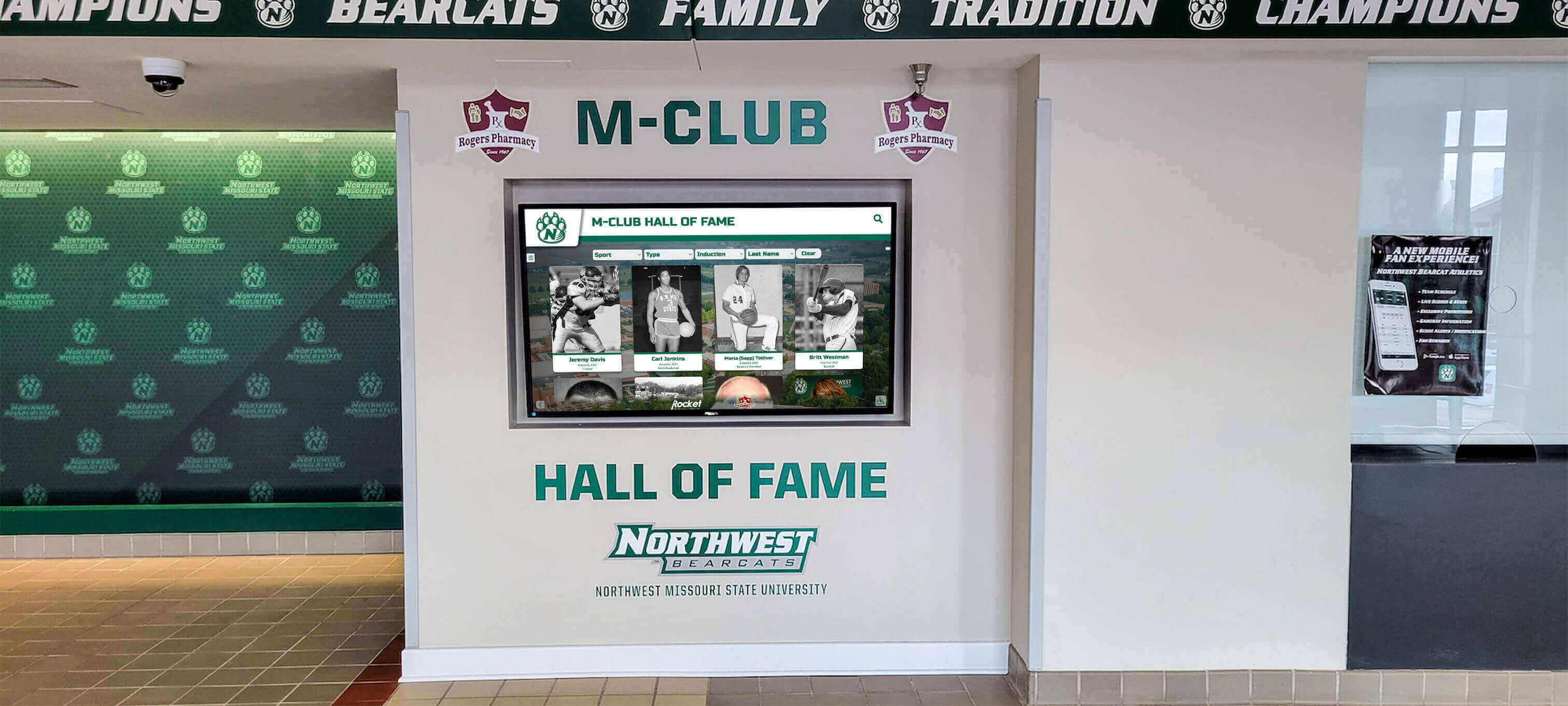
Professional installations include ongoing support ensuring displays remain fully functional
Cost Considerations for Professional Installation
Understanding installation costs helps schools budget appropriately and avoid surprises.
Typical Installation Cost Components
Complete installation expenses include multiple elements beyond display hardware.
Installation Budget Items
Schools should budget for:
- Display hardware including screens, media players, and mounting brackets
- Professional mounting labor for secure display installation
- Electrical work if new outlets or circuits become necessary
- Network infrastructure if cable installation or equipment becomes necessary
- Vendor services including project management and onboarding
- Content development for initial population of historical achievements
- Staff training ensuring confident content management capability
- Contingency allowance for unexpected requirements discovered during installation
Comprehensive quotes from vendors should itemize all costs rather than providing single numbers without clear breakdowns, enabling schools to understand what they’re purchasing and where potential savings might exist through school-provided services.
Installation Included vs. Additional Services
Vendor pricing models vary regarding installation inclusion.
Pricing Structures
Vendors may offer:
- Installation included in platform subscriptions or initial setup fees
- Installation as add-on with base pricing excluding professional services
- Regional variations with installation costs varying by location
- Volume discounts reducing per-display costs for multiple simultaneous installations
- Tiered options offering basic, standard, and white-glove installation levels
Schools should clarify exact installation service scope during initial vendor conversations rather than assuming particular services are included, as definitions of “turnkey installation” vary substantially between vendors.
Comparing Total Cost of Ownership
Evaluating complete costs beyond initial installation provides clearer investment pictures.
Long-Term Cost Factors
Total ownership costs include:
- Initial hardware and installation as one-time investments
- Subscription fees for cloud platforms and content management
- Content updates if schools engage external services rather than managing internally
- Maintenance contracts for hardware support and repairs
- Electricity costs for continuous display operation
- Network capacity if displays require bandwidth upgrades
- Training refreshers for new staff managing content
Schools implementing donor recognition displays often discover that total five-year costs prove lower than anticipated when comparing against ongoing traditional recognition expenses including plaques, engraving, and installation labor.
Selecting the Right Installation Partner
Choosing qualified professionals significantly impacts installation success and long-term satisfaction.
Vendor Evaluation Criteria
Schools should assess potential vendors across multiple dimensions beyond product features.
Key Evaluation Factors
Important considerations include:
- Educational specialization working primarily with schools rather than general businesses
- Installation experience with documented successful school projects
- Geographic coverage providing local installation support or national networks
- Licensing and insurance carrying appropriate coverage for institutional work
- Reference availability connecting with similar schools about their experiences
- Support quality offering responsive assistance after installation
- Financial stability ensuring vendor viability for long-term relationships
Schools benefit from requesting multiple vendor proposals enabling comparison of approaches, costs, and service levels rather than selecting the first option discovered.
Questions to Ask Installation Vendors
Specific questions reveal vendor capabilities and approaches.
Critical Installation Questions
Schools should ask:
- What exactly is included in your installation services?
- Who performs the actual mounting, electrical, and network work?
- How do you coordinate with school IT departments?
- What happens if problems arise during installation?
- How long does typical installation take from start to finish?
- What preparation do you need from schools before installation?
- How do you minimize disruption in high-traffic areas like front offices?
- What training do you provide for content management?
- What ongoing support is available after installation?
- Can you provide references from similar schools?
Vendors willing to answer these questions directly demonstrate transparency and confidence, while evasive responses may indicate potential issues warranting closer investigation.
Red Flags in Vendor Selection
Certain warning signs suggest potential problems with vendor capabilities or business practices.
Warning Indicators
Schools should watch for:
- Pressure tactics rushing decisions without adequate evaluation time
- Unclear pricing with vague quotes and reluctance to itemize costs
- Limited references unable to provide contact information for satisfied customers
- Generic approaches treating school installations like basic commercial signage
- Poor communication with slow responses or unclear explanations
- Unrealistic promises guaranteeing immediate installation or problem-free operation
- Minimal support offering only basic assistance after installation
Professional vendors understand that schools make considered decisions involving multiple stakeholders and appreciate thorough evaluation rather than attempting to circumvent proper vetting processes.
Planning Your Installation Project
Successful installations begin with comprehensive planning addressing all requirements and stakeholder needs.
Creating Installation Timelines
Realistic schedules account for all necessary steps and potential delays.
Timeline Development Process
Schools should:
- Define objectives clarifying what success looks like for your installation
- Identify stakeholders determining who needs involvement in planning and approval
- Assess current infrastructure understanding existing electrical and network capabilities
- Select optimal timing choosing installation windows minimizing operational disruption
- Establish milestones breaking projects into manageable phases with clear deliverables
- Build contingency time allowing for unexpected complications or delays
- Communicate schedules keeping all stakeholders informed about timing and expectations
Comprehensive planning prevents rushed installations leading to quality compromises or operational disruption schools later regret.
Coordinating with School Schedules
Educational calendars significantly impact installation timing and approach.
Scheduling Considerations
Schools should plan around:
- Summer breaks offering extended installation windows without operational disruption
- Holiday periods providing shorter installation opportunities
- Testing weeks avoiding disruption during critical assessment periods
- Special events preventing installation interference with ceremonies or activities
- Semester transitions minimizing impact on regular instruction
- Staff availability ensuring key personnel are available for coordination
Professional vendors familiar with educational environments understand these scheduling constraints and build appropriate flexibility into project timelines rather than demanding installations during inconvenient periods.
Ready to explore professional installation services for digital recognition displays in your school’s front office or lobby areas? Talk to our team to discuss comprehensive installation coordination handling all technical aspects while minimizing disruption to your daily operations, or learn more about digital hall of fame implementation strategies ensuring your recognition displays deliver maximum impact from day one.































