




WCAG-compliant recognition displays ensure that every member of your school community—regardless of visual, auditory, motor, or cognitive abilities—can fully access and engage with the achievements, honors, and stories that define your institution’s excellence. As schools increasingly adopt digital displays to celebrate students, alumni, and donors, accessibility compliance has shifted from optional consideration to legal requirement and moral imperative.
Yet many educational institutions implement recognition technology without fully understanding Web Content Accessibility Guidelines (WCAG) requirements. Touchscreens positioned too high exclude wheelchair users. Color-coded achievement categories become meaningless to colorblind visitors. Interactive features lack keyboard navigation alternatives. Video tributes play without captions. These accessibility barriers don’t just violate federal regulations—they communicate that certain community members’ experiences and participation matter less.
This comprehensive guide explores practical strategies for implementing digital recognition displays that meet WCAG 2.1 Level AA standards while creating inclusive environments where all students, families, and visitors can fully experience your institution’s celebration of achievement.
Accessible recognition displays represent more than regulatory compliance—they embody educational institutions’ commitment to inclusion, equity, and the fundamental principle that celebrating achievement means ensuring everyone can participate in that celebration. Schools that prioritize accessibility create recognition environments where technology enhances rather than limits participation.

Modern recognition displays designed with accessibility standards ensure all community members can engage with achievement celebrations
Understanding WCAG Standards for Digital Recognition Displays
Web Content Accessibility Guidelines provide the framework for creating digital experiences accessible to people with diverse abilities and disabilities.
WCAG Compliance Levels and School Requirements
Educational institutions must understand the applicable standards and their legal obligations:
WCAG Conformance Levels
- Level A: Minimum accessibility requirements addressing the most significant barriers
- Level AA: Standard target for most institutions, addressing the majority of accessibility concerns
- Level AAA: Highest and most comprehensive accessibility standards, though not always fully achievable
For schools, WCAG 2.1 Level AA represents the practical standard that balances comprehensive accessibility with implementation feasibility. This level addresses the accessibility needs of the vast majority of users while remaining achievable with current technology and reasonable resource allocation.
Legal Requirements for Schools
- Section 504 of the Rehabilitation Act requires accessibility in federally-funded programs
- Americans with Disabilities Act (ADA) mandates equal access to public accommodations
- Section 508 standards apply to technology procured with federal funds
- State accessibility laws may impose additional requirements beyond federal minimums
According to the U.S. Department of Education Office for Civil Rights, schools must ensure that digital content, including recognition displays, provides equal access to educational programs and activities. Failure to meet accessibility standards can result in civil rights complaints, loss of federal funding, and litigation.
Schools implementing digital donor recognition displays must verify that vendors can demonstrate WCAG 2.1 Level AA compliance with documented accessibility testing results.
The Four WCAG Principles Applied to Recognition Displays
WCAG organizes accessibility requirements around four foundational principles known as POUR:
1. Perceivable
All information must be presentable to users in ways they can perceive:
- Visual content requires text alternatives for screen readers
- Color cannot be the only method of conveying information
- Text must meet minimum contrast ratios against backgrounds
- Audio content requires captions and transcripts
- Content remains accessible when enlarged up to 200% without loss of functionality
For recognition displays, this means achievement categories can’t rely solely on color coding, donor levels need clear text labels beyond just different hues, and profile photos require descriptive alt text.
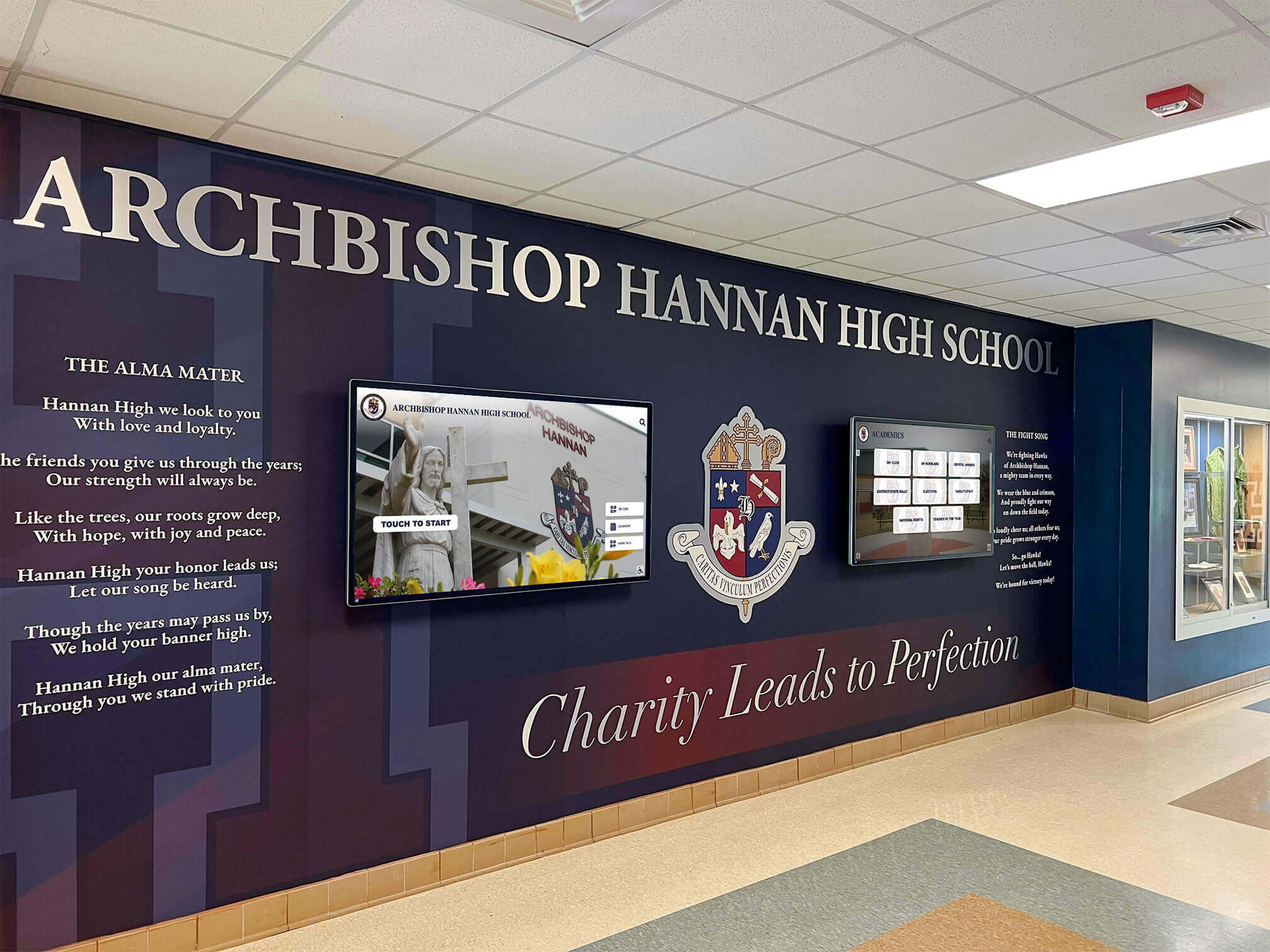
Recognition displays integrated at appropriate heights with clear visual hierarchies support accessibility requirements
2. Operable
Interface components must be operable by all users:
- All functionality must be available via keyboard for those who cannot use touchscreens
- Users need sufficient time to read and interact with content
- Content doesn’t flash in ways that could trigger seizures
- Clear navigation helps users find content and understand their location
- Multiple input methods beyond just touch should be supported
Recognition displays should provide alternative navigation methods, adjustable timing for rotating content, and predictable interaction patterns.
3. Understandable
Information and interface operation must be comprehensible:
- Text remains readable and understandable at appropriate reading levels
- Content appears and operates in predictable ways
- Input assistance helps users avoid and correct mistakes
- Abbreviations and specialized terms are defined or avoided
For school recognition, this means avoiding jargon, providing clear instructions for interactive features, and ensuring navigation patterns remain consistent across different display sections.
4. Robust
Content must work reliably across diverse technologies and assistive devices:
- Markup uses valid HTML semantics that assistive technologies can interpret
- Compatibility with current and future assistive technologies is maintained
- Platform updates don’t break accessibility features
- Content remains accessible across different devices and screen sizes
Schools should work with vendors who demonstrate commitment to maintaining accessibility as technology evolves, not just meeting standards at initial deployment.
Explore comprehensive approaches to accessible recognition in digital display services and touchscreen solutions.
Critical Accessibility Requirements for School Recognition Displays
Translating WCAG principles into specific implementation requirements ensures your recognition displays serve all users effectively.
Visual Accessibility Standards
Visual accessibility addresses the needs of users with low vision, colorblindness, or complete vision loss.
Color Contrast Requirements
WCAG 2.1 Level AA mandates minimum contrast ratios between text and backgrounds:
- 4.5:1 contrast ratio for normal text (less than 18pt regular or 14pt bold)
- 3:1 contrast ratio for large text (18pt and larger or 14pt bold and larger)
- 3:1 contrast ratio for graphical objects and user interface components
For recognition displays, this means:
- Achievement names in light gray on white backgrounds fail accessibility standards
- Donor recognition levels shown in pastels against light backgrounds create barriers
- Interactive buttons and navigation elements need sufficient contrast to be perceivable
Text Size and Scaling
Accessible displays must support text resizing without loss of content or functionality:
- Base text should start at minimum 16-18pt for general readability
- All content and functionality must remain available when text is scaled to 200%
- Responsive design ensures layouts adapt rather than break at different sizes
- Fixed-size text containers that truncate content when enlarged violate accessibility standards
Schools implementing student achievement displays should test all content at various zoom levels to verify readability.
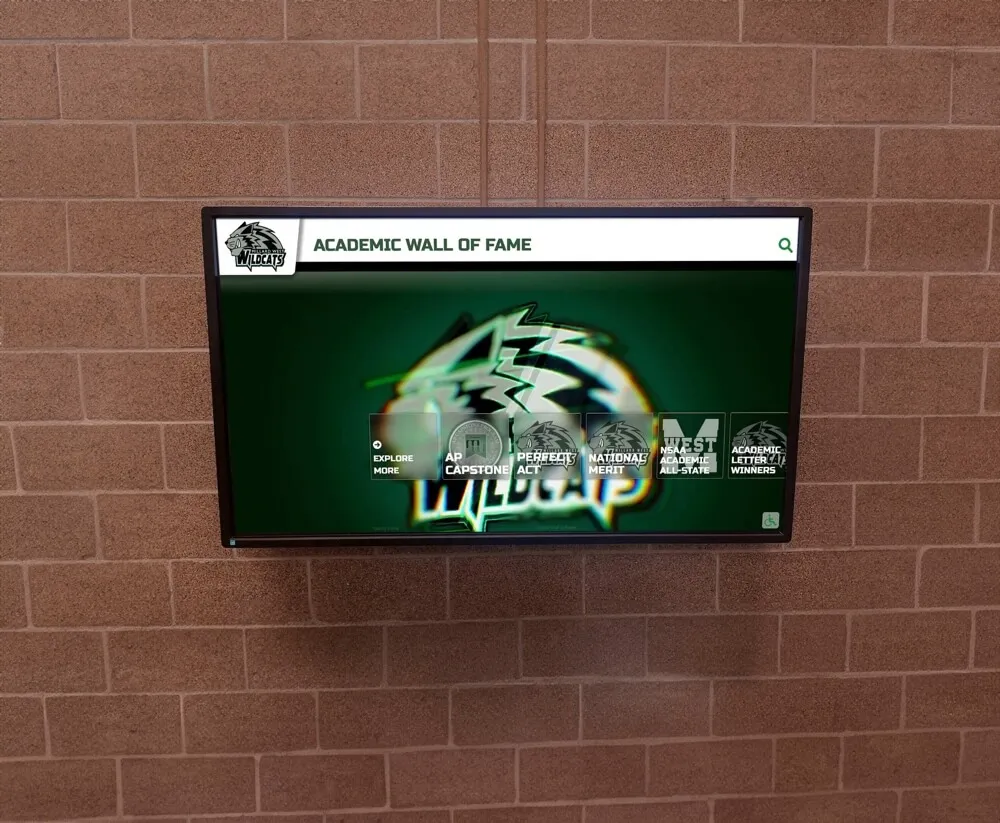
High-contrast designs ensure recognition content remains readable for users with varying visual abilities
Alternative Text for Images
Every image, photo, and graphic element requires descriptive alternative text:
- Student profile photos need descriptions like “Maya Rodriguez, Class of 2025 valedictorian”
- Achievement icons require text equivalents: “National Merit Scholar badge”
- Donor wall graphics need meaningful descriptions beyond “donor photo”
- Decorative images can use empty alt text (alt="") but substantive images must describe content
Screen readers announce these descriptions, enabling visually impaired users to understand the recognition content that sighted users see visually.
Color-Independent Information Design
Information cannot be conveyed by color alone:
- Achievement levels shown only through color coding (gold/silver/bronze) exclude colorblind users
- Donor recognition tiers need text labels, not just different-colored backgrounds
- Interactive states (hover, selected, active) require visual indicators beyond color change
- Charts and graphs need patterns, labels, or textures in addition to color differentiation
Approximately 8% of males and 0.5% of females have some form of color vision deficiency—affecting millions of students, families, and visitors who interact with school recognition displays.
Physical Accessibility Standards
Physical accessibility ensures users with mobility limitations can access and operate recognition displays.
Mounting Height and Reach Ranges
ADA standards specify precise requirements for accessible placement:
- Operable controls: Maximum 48 inches above the floor for forward reach
- Display viewing area: Optimal range between 36-48 inches from floor for seated viewing
- Clear floor space: Minimum 30x48 inch clear space in front of interactive displays
- Knee and toe clearance: Required underneath displays for wheelchair users to approach closely
Wall-mounted displays positioned at standing adult eye level (60+ inches) become effectively invisible to wheelchair users and young students.
Touch Target Size and Spacing
Interactive elements must be large enough for users with limited fine motor control:
- Minimum touch target size: 44x44 pixels (approximately 9mm square)
- Target spacing: At least 8 pixels separation between clickable elements
- Large clickable areas: Labels, not just small icons, should be interactive
- Avoid precision-dependent gestures: Swipes and long-presses should have simpler alternatives
Small, closely-spaced navigation buttons create barriers for users with tremors, limited dexterity, or conditions affecting motor control.
Interaction and Navigation Accessibility
Accessible interaction design ensures users can control displays using various input methods.
Keyboard and Alternative Navigation
All functionality must be operable without requiring a touchscreen:
- Complete keyboard navigation support for users who cannot use touch interfaces
- Visible focus indicators showing which element currently has keyboard focus
- Logical tab order following visual layout and content structure
- Keyboard shortcuts for common actions (returning to home, searching, etc.)
Schools should verify that recognition displays include physical keyboard ports or Bluetooth connectivity options for users who need alternative input methods.
Timing and Motion Control
Users need adequate time to read and interact with content:
- No automatic timeouts during user interaction sessions
- Adjustable timing for rotating content, slideshows, or auto-advancing displays
- Pause, stop, and hide controls for moving, blinking, or scrolling content
- Motion animation can be reduced or eliminated for users with vestibular disorders
Auto-advancing donor recognition slideshows that change every 5 seconds prevent many users from reading content before it disappears.
Learn about accessible digital recognition in digital donor walls and interactive displays.
Multimedia Accessibility for Recognition Content
Recognition displays increasingly incorporate video, audio, and interactive multimedia requiring specific accessibility considerations.
Video and Audio Content Requirements
Multimedia content must include alternatives for users with sensory disabilities.
Captions and Transcripts
All audio content requires text alternatives:
- Synchronized captions for video tributes, achievement highlights, and recorded ceremonies
- Transcripts providing full text of audio content for standalone audio elements
- Speaker identification in multi-person videos
- Sound effect descriptions when sounds convey important information
A video tribute to a distinguished alumnus without captions excludes deaf and hard-of-hearing community members from that recognition experience.
Audio Descriptions
Video content with important visual elements requires audio description tracks:
- Narration describing visual content during natural pauses in audio
- Description of text, graphics, or visual demonstrations shown on screen
- Identification of speakers when not obvious from audio alone
- Explanation of visual context necessary to understand content
For recognition displays showing achievement highlight videos, audio descriptions help blind users understand the visual accomplishments being celebrated.
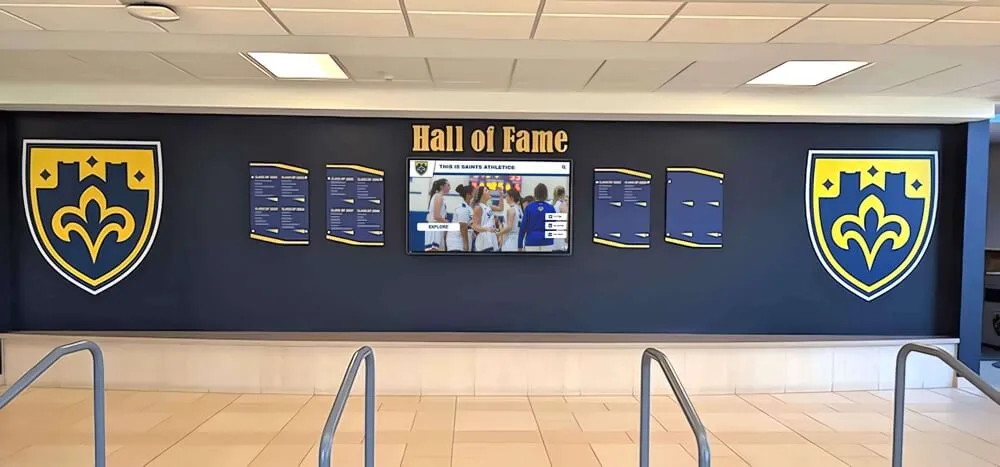
Comprehensive recognition displays integrate multiple content types requiring diverse accessibility features
Media Player Controls
Accessible media players provide necessary user controls:
- Keyboard-operable play, pause, stop, and volume controls
- Visible focus indicators on all control buttons
- Caption toggle controls clearly labeled and keyboard accessible
- Volume controls separate from system volume for user preference
- Playback speed adjustment options for users who need slower presentation
Interactive Feature Accessibility
Advanced recognition features require careful accessibility implementation.
Search and Filter Functionality
Accessible search helps all users find specific recognition content:
- Keyboard-navigable search fields with clear focus indicators
- Search suggestions and autocomplete features compatible with screen readers
- Filter controls labeled with explicit text, not just icons
- Search results announced to screen reader users
- Clear feedback when searches return no results
Schools implementing searchable digital trophy walls should ensure all search and filtering features work with keyboard-only navigation.
Forms and Input Fields
Recognition displays with guest book features, pledge forms, or feedback collection need accessible form design:
- Clear labels explicitly associated with each input field
- Error messages that specifically identify problems and suggest corrections
- Required fields clearly marked before users encounter errors
- Sufficient time for form completion without automatic timeouts
- Confirmation screens clearly announcing successful submission
Cognitive and Learning Accessibility
Accessibility extends beyond sensory and physical disabilities to include cognitive and learning differences.
Clear Communication and Readability
Content design affects comprehension for users with various cognitive abilities.
Plain Language and Reading Level
Accessible recognition displays use clear, direct language:
- Active voice and straightforward sentence structures
- Specialized terminology defined when first introduced
- Abbreviations spelled out or avoided when possible
- Reading level appropriate for intended audience
- Bulleted lists for complex information rather than dense paragraphs
Recognition content written at graduate school reading level excludes many community members including younger students, family members with limited English proficiency, and individuals with learning disabilities.
Consistent Navigation and Predictable Behavior
Cognitive accessibility requires predictable, consistent design:
- Navigation elements in the same locations across different screens
- Similar functions using consistent visual design and interaction patterns
- Breadcrumb trails or other wayfinding indicators showing user location
- Clear headings establishing content hierarchy and structure
- Undo functions for accidental selections or navigation
Users with cognitive disabilities, memory impairments, or learning differences particularly benefit from predictable, consistent interfaces that reduce cognitive load.
Error Prevention and Recovery
Accessible systems help users avoid mistakes and recover gracefully when errors occur:
- Confirmation screens before irreversible actions
- Clear “back” or “cancel” options always available
- Suggestions for correcting input errors
- Multiple pathways to reach the same content
- Forgiving search that handles misspellings and variations
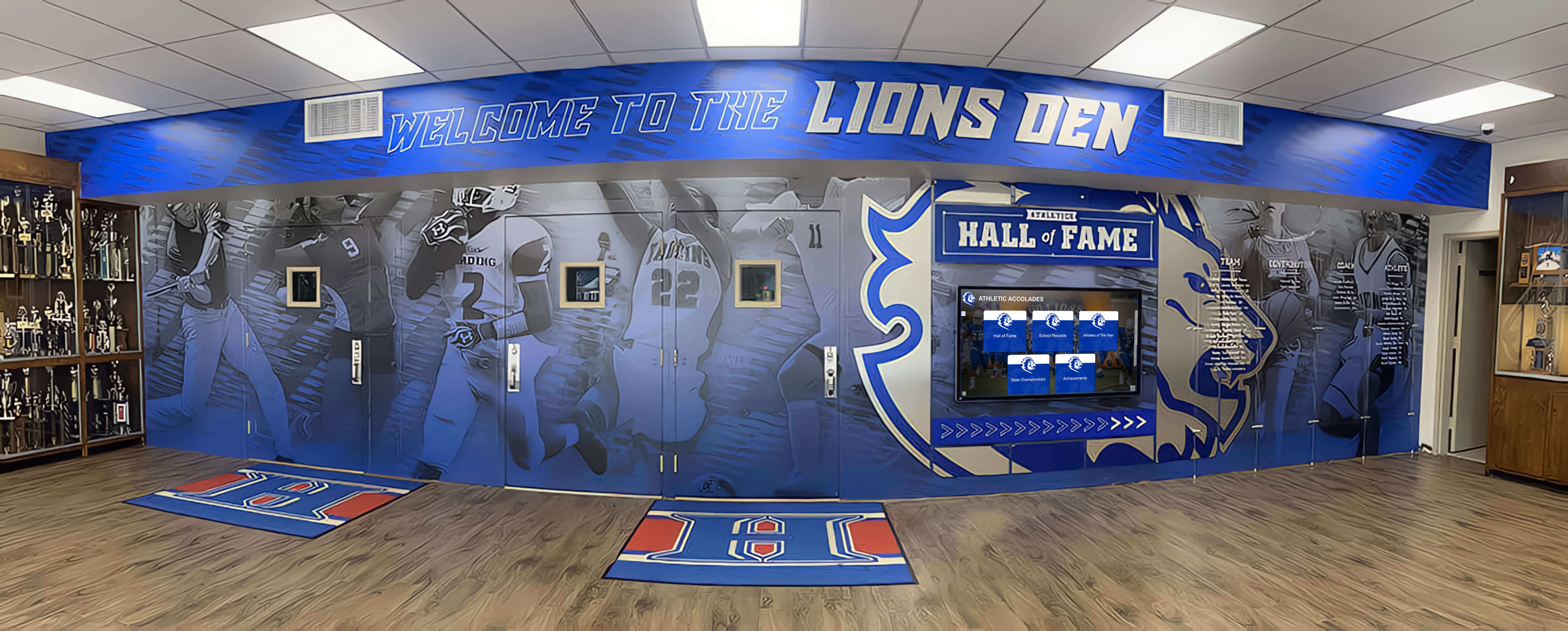
Well-designed recognition environments integrate digital and physical elements with clear wayfinding and navigation
Implementation Strategies for WCAG-Compliant Recognition Displays
Creating accessible recognition systems requires intentional planning, vendor selection, and ongoing maintenance.
Vendor Selection and Procurement Requirements
Accessibility should be a primary criterion in vendor selection, not an afterthought.
Requesting Accessibility Documentation
Schools should require vendors to provide:
- VPAT (Voluntary Product Accessibility Template): Standardized documentation of WCAG compliance
- Third-party accessibility audit results: Independent verification of accessibility claims
- Remediation timelines: Commitment to addressing identified accessibility gaps
- Accessibility roadmap: Plans for maintaining compliance as standards evolve
- Training materials: Resources for maintaining accessibility after implementation
Vendors claiming accessibility compliance without providing documentation should be approached with skepticism.
Contractual Accessibility Guarantees
Purchase agreements should include binding accessibility requirements:
- Specific WCAG 2.1 Level AA conformance requirements written into contracts
- Remediation obligations if accessibility issues are discovered post-installation
- Regular accessibility testing and reporting requirements
- Update commitments ensuring continued compliance as standards evolve
- Financial remedies for non-compliance with accessibility specifications
Explore turnkey solutions with built-in accessibility features in digital hall of fame pricing and setup comparisons.
Accessibility Testing and Validation
Comprehensive testing verifies that recognition displays meet accessibility standards in practice, not just in theory.
Automated Testing Tools
Automated accessibility scanners identify common issues:
- WAVE (Web Accessibility Evaluation Tool): Browser extension identifying accessibility errors
- axe DevTools: Comprehensive automated testing integrated into development workflows
- Pa11y: Command-line tool for automated accessibility testing
- Lighthouse: Google’s accessibility audit tool integrated into Chrome DevTools
While automated tools catch approximately 30-40% of accessibility issues, they represent an essential first step in accessibility validation.
Manual Testing Procedures
Human testing identifies issues automated tools cannot detect:
- Keyboard-only navigation testing: Verifying all functionality without mouse or touch
- Screen reader testing: Using NVDA, JAWS, or VoiceOver to experience content as blind users do
- Color contrast verification: Manual checking of all text and graphical elements
- Zoom and magnification testing: Verifying functionality at 200% zoom levels
- Cognitive load assessment: Evaluating clarity, consistency, and comprehension
User Testing with People with Disabilities
The most valuable accessibility validation comes from users with disabilities:
- Recruit students, staff, and community members with various disabilities
- Observe actual usage patterns and document frustration points
- Gather feedback on usability beyond technical compliance
- Involve accessibility consultants with lived disability experience
- Conduct iterative testing as displays are updated and modified
Staff Training and Ongoing Maintenance
Accessibility requires organizational commitment extending beyond initial implementation.
Content Creator Training
Staff creating recognition content need accessibility knowledge:
- Writing effective alternative text for images and graphics
- Creating properly-structured headings and semantic HTML
- Ensuring color contrast in custom graphics and designs
- Providing captions and transcripts for multimedia content
- Testing content accessibility before publication
Accessibility Champions
Designating specific individuals with accessibility oversight responsibilities:
- Point person for accessibility questions and concerns
- Regular accessibility audits of recognition content
- Vendor liaison for accessibility issues requiring technical remediation
- Advocate for accessibility in planning and decision-making
- Professional development in evolving accessibility standards
Continuous Improvement Process
Accessibility is ongoing work, not a one-time achievement:
- Regular accessibility audits on quarterly or annual schedules
- User feedback mechanisms for reporting accessibility barriers
- Budget allocation for accessibility remediation and improvements
- Review of new content and features for accessibility compliance
- Monitoring of WCAG standard updates and emerging best practices
Learn about comprehensive accessible recognition approaches in donor recognition wall design.
Creating Truly Inclusive Recognition Environments
Technical WCAG compliance represents the foundation, but truly inclusive recognition extends beyond minimum standards.
Universal Design Principles
Universal design creates environments usable by all people without need for adaptation.
Flexible Use and Multiple Pathways
Inclusive recognition provides various ways to access the same content:
- Digital displays complemented by printed materials for those who prefer or need physical formats
- Mobile-responsive web versions accessible on personal devices
- Telephone hotlines or QR codes linking to accessible digital versions
- Physical recognition elements (plaques, traditional displays) alongside digital installations
- Multiple navigation methods accommodating different preferences and abilities
Explore comprehensive recognition approaches in school hallway decoration ideas.
Equitable Experience Quality
Accessible alternatives should provide equivalent experiences, not lesser versions:
- Audio descriptions that capture the emotional impact of visual content, not just clinical details
- Alternative text that conveys the significance of images, not just literal descriptions
- Accessible interfaces as visually appealing and engaging as standard versions
- Equal content depth in accessible formats, not abbreviated versions
- Simultaneous availability of accessible features, not delayed releases
Cultural and Linguistic Accessibility
True accessibility includes cultural and linguistic inclusion:
Multilingual Content Support
Schools with diverse communities should consider:
- Recognition content available in languages spoken by families
- Translation quality sufficient to convey honor and significance
- Right-to-left text support for Arabic, Hebrew, and similar languages
- Character encoding supporting diverse alphabets and scripts
- Cultural adaptation beyond literal translation

Recognition displays in diverse institutional settings require adaptable accessibility features
Culturally Responsive Design
Recognition displays should reflect the communities they serve:
- Diverse representation in example content and imagery
- Sensitivity to cultural differences in achievement celebration
- Inclusive language avoiding assumptions about family structures, backgrounds, or identities
- Customizable content allowing personal cultural expression in profiles
- Recognition of diverse achievement types valued across different cultures
The Business and Mission Case for Accessible Recognition
Beyond compliance requirements, accessibility creates institutional benefits.
Expanded Audience Reach
Accessible displays serve more community members effectively:
- Aging alumni with vision or hearing changes can engage with recognition content
- Family members with disabilities can fully participate in celebrating student achievements
- Prospective students with disabilities see institutional commitment to inclusion
- Community members with temporary injuries or situational limitations benefit from accessible design
- International visitors using translation tools benefit from properly-structured content
Improved Usability for All Users
Accessibility features benefit everyone, not just users with disabilities:
- High-contrast text is easier for all users to read in bright lobby lighting
- Captions benefit users in noisy environments or situations requiring audio muting
- Keyboard navigation speeds interaction for power users
- Clear language and simple navigation reduce confusion for all users
- Consistent, predictable interfaces reduce learning curves
Enhanced Institutional Reputation
Accessibility demonstrates institutional values:
- Visible commitment to inclusion and equity
- Leadership in educational technology best practices
- Risk mitigation reducing potential for discrimination complaints
- Competitive advantage in attracting diverse students, faculty, and donors
- Alignment with educational mission of serving all learners
Discover how accessibility enhances recognition impact in digital vs. physical displays compared.
Common Accessibility Pitfalls and How to Avoid Them
Understanding frequent accessibility failures helps schools prevent these issues.
Inaccessible PDF Documents
Many schools create PDF recognition materials without accessibility:
Problems:
- Scanned images of text that screen readers cannot interpret
- Missing document structure (headings, lists, reading order)
- Forms without proper field labels and tab order
- Images lacking alternative text descriptions
Solutions:
- Create PDFs from accessible source documents, not scans
- Use PDF creation tools that support accessibility tagging
- Add document structure through PDF accessibility features
- Provide HTML versions as alternatives to complex PDFs
Auto-Playing Media Without Controls
Recognition displays that automatically play videos or audio create barriers:
Problems:
- Interferes with screen readers, making content incomprehensible
- Startles users sensitive to unexpected sounds or motion
- Provides no way to pause, stop, or control volume
- Auto-advances before users can read or understand content
Solutions:
- Default to paused state requiring user activation
- Provide prominent, accessible play/pause controls
- Include volume controls separate from system settings
- Allow users to turn off auto-play features permanently
Icon-Only Navigation
Buttons and controls using only icons without text labels create confusion:
Problems:
- Icon meanings are not universal or obvious to all users
- Screen readers cannot announce button purposes
- Users with cognitive disabilities struggle to remember icon meanings
- Cultural differences affect icon interpretation
Solutions:
- Include text labels with all icons
- Use ARIA labels for screen reader accessibility when text is hidden
- Test icon comprehension with diverse users
- Provide help text explaining navigation on first use
Inaccessible Touchscreen-Only Design
Displays requiring touchscreen interaction exclude users with motor disabilities:
Problems:
- No keyboard or alternative input method support
- Touchscreens mounted beyond wheelchair user reach
- Precision gestures impossible for users with tremors or limited dexterity
- No physical controls for users who cannot use touch interface
Solutions:
- Provide keyboard navigation for all functionality
- Install displays at accessible heights with clear floor space
- Support large touch targets and simple gestures
- Include physical control options (buttons, keyboards) as alternatives
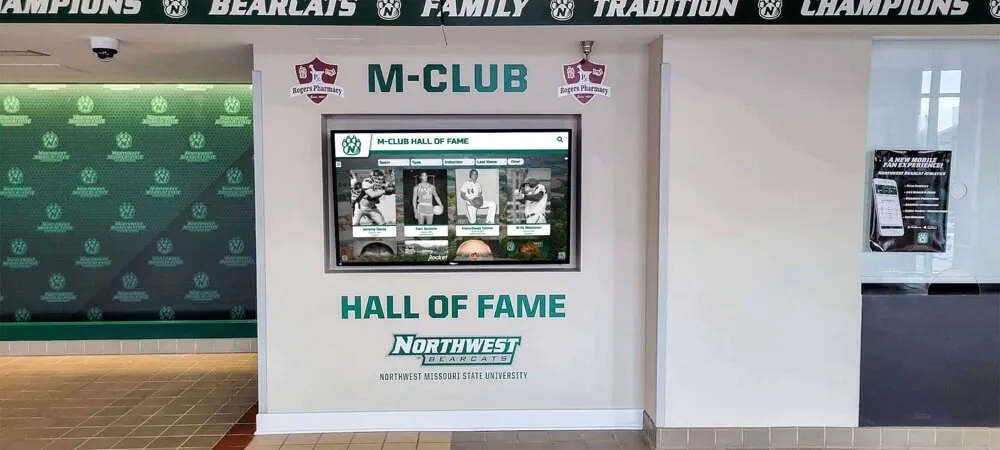
Recognition displays positioned at accessible heights with clear navigation support diverse user needs
Future-Proofing Accessibility in Recognition Technology
Accessibility standards and technology continue evolving, requiring forward-looking approaches.
Emerging Accessibility Technologies
New technologies create additional accessibility opportunities:
- Voice control: Natural language interaction for users who cannot use keyboards or touchscreens
- AI-powered alt text: Automated image description generation improving with machine learning
- Real-time captioning: Automatic speech recognition creating captions for live content
- Personalization APIs: User-controlled interface adaptations for individual accessibility needs
- Augmented reality: Additional information layers accessible through personal devices
WCAG 3.0 and Evolving Standards
The next generation of accessibility guidelines will introduce changes:
- Shift from pass/fail criteria to scoring systems measuring accessibility quality
- Increased focus on cognitive accessibility and user testing
- Expanded guidance for emerging technologies like AR/VR
- Greater emphasis on accessibility for users with multiple disabilities
- Updated requirements reflecting modern web technologies and interaction patterns
Schools should work with vendors committed to staying current with evolving standards rather than meeting only today’s minimum requirements.
Building Organizational Accessibility Culture
Sustainable accessibility requires institutional commitment:
- Accessibility considerations in all technology procurement decisions
- Professional development ensuring staff understand accessibility importance
- Student involvement in accessibility testing and advocacy
- Budget allocation for ongoing accessibility improvements
- Leadership modeling commitment to inclusion and accessibility
Conclusion: Accessibility as Educational Imperative
WCAG-compliant recognition displays represent far more than regulatory checkbox compliance. When schools ensure that all students, families, alumni, and community members can fully access and engage with achievement celebrations, they send a powerful message: everyone belongs, every achievement matters, and our community values inclusion.
The educational mission centers on creating environments where all students can learn, grow, and succeed. Recognition displays celebrating that success must embody those same values. Technical accessibility—proper contrast ratios, keyboard navigation, captions, and alternative text—creates the foundation. But true accessibility extends to the recognition philosophy itself: celebrating diverse achievements, honoring varied pathways to success, and ensuring technology enhances rather than limits participation.
Schools implementing accessible recognition technology make strategic investments that:
- Expand engagement across diverse constituencies
- Demonstrate institutional values through concrete action
- Reduce legal and compliance risks
- Improve usability for all community members
- Create recognition environments that truly serve everyone
Every student deserves to see their achievements celebrated in ways they can fully experience. Every family deserves to share in that celebration regardless of ability. Every donor or alumnus deserves recognition they can access. WCAG compliance makes that promise real.
As your school plans recognition technology upgrades, accessibility should drive decisions from initial vendor selection through ongoing content creation. The slightly higher initial investment in accessible systems pays dividends through broader engagement, reduced remediation costs, and recognition environments that truly serve your entire community.
Create Truly Accessible Recognition Displays for Your School
Ready to implement WCAG-compliant digital recognition that celebrates achievement while ensuring accessibility for all community members? Rocket Alumni Solutions provides touchscreen recognition displays built with accessibility at the foundation—meeting WCAG 2.1 Level AA standards while delivering engaging, inclusive experiences that celebrate your students, alumni, and donors.
Our accessible recognition solutions include keyboard navigation, screen reader compatibility, high-contrast designs, adjustable timing controls, and comprehensive multimedia accessibility—ensuring every member of your community can fully participate in celebrating achievement. From initial accessibility audit through ongoing compliance support, we help schools create recognition environments where technology enhances inclusion.
Contact us today to discuss your accessible recognition display needs and discover how WCAG-compliant technology can expand engagement across your entire educational community.































