




Schools, universities, athletic programs, and organizations implementing digital recognition displays face a fundamental responsibility: ensuring these systems remain accessible to every community member regardless of vision, hearing, mobility, or cognitive abilities. WCAG 2.2 AA compliance provides the internationally recognized standard for digital accessibility, establishing specific technical requirements that make touchscreen displays, web-based recognition platforms, and interactive content usable by people with diverse abilities and assistive technology needs.
Web Content Accessibility Guidelines (WCAG) 2.2, published by the World Wide Web Consortium (W3C) in October 2023, represents the current benchmark for digital accessibility across websites, applications, and interactive systems. The AA conformance level balances comprehensive accessibility with practical implementation feasibility, making it the standard adopted by educational institutions, government agencies, and organizations committed to inclusive design without requiring extreme modifications that characterize AAA level criteria.
For digital recognition systems displaying athletic achievements, academic honors, donor contributions, and institutional history, accessibility compliance ensures students with visual impairments can explore hall of fame content through screen readers, athletes with mobility limitations can interact comfortably with touchscreen interfaces positioned at appropriate heights, and community members with cognitive differences can navigate complex recognition databases through clear organizational structures and predictable interaction patterns.
This comprehensive guide examines WCAG 2.2 success criteria across all three conformance levels—A, AA, and AAA—explaining the importance of each requirement for digital recognition displays and touchscreen systems serving educational institutions and community organizations.
Digital accessibility represents more than regulatory compliance or legal risk mitigation. When schools and organizations implement recognition systems meeting WCAG 2.2 AA standards, they demonstrate institutional values prioritizing inclusion, expand recognition reach to previously underserved community members, and create better user experiences benefiting everyone regardless of ability status through clearer interfaces, more logical navigation, and improved content organization.

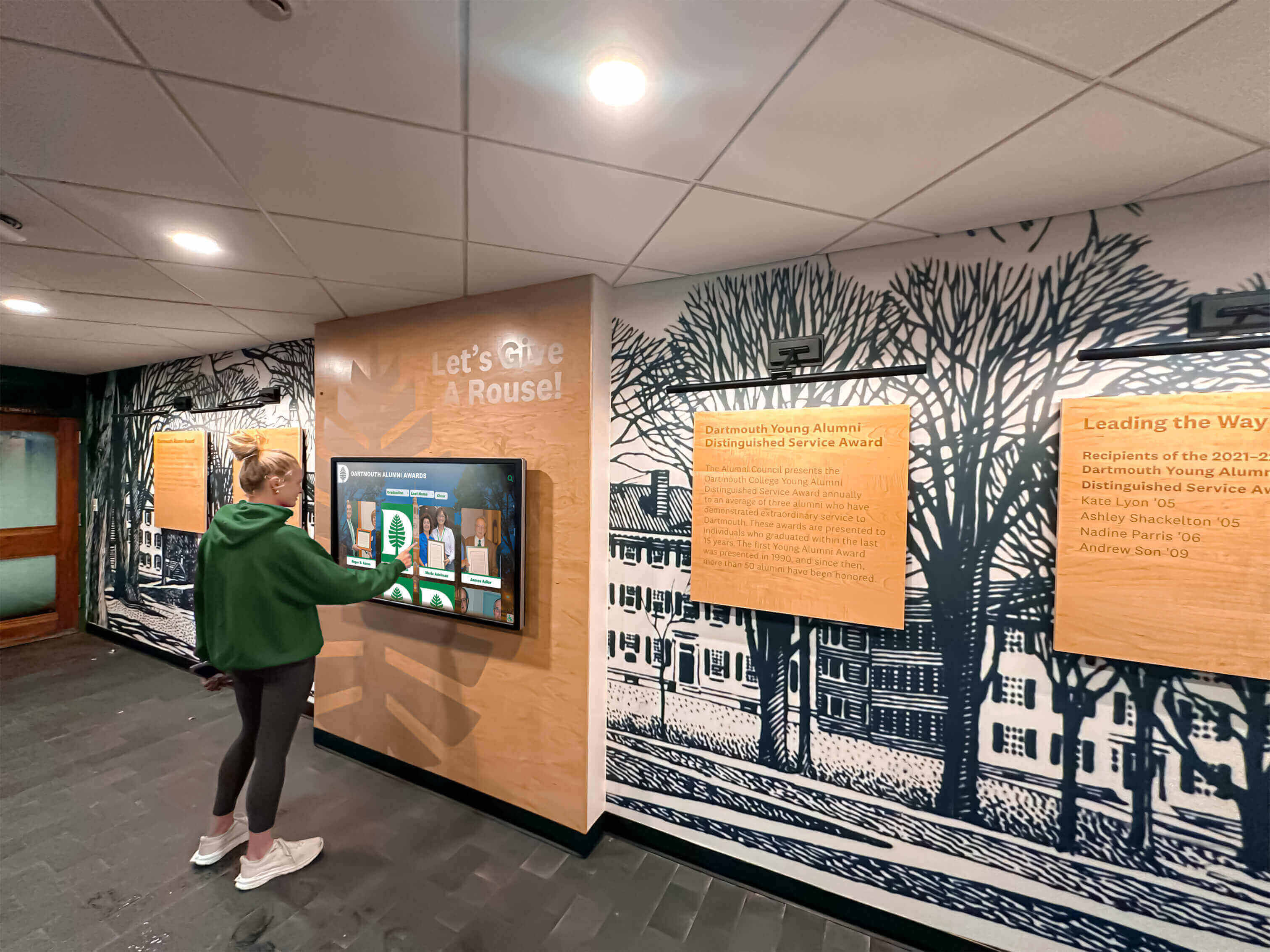
Accessible touchscreen displays enable all community members to explore institutional recognition regardless of vision, mobility, or cognitive abilities
Understanding WCAG 2.2 Conformance Levels
WCAG organizes accessibility requirements into three conformance levels reflecting increasing comprehensiveness and implementation complexity: Level A addresses the most fundamental accessibility barriers, Level AA adds important accessibility improvements forming the practical standard for most organizations, and Level AAA represents the highest accessibility level requiring extensive modifications suitable for specialized contexts but typically impractical for general implementation.
Level A: Foundation Accessibility Requirements
Level A success criteria address the most severe accessibility barriers that completely prevent people with disabilities from using digital content. These requirements represent the minimum acceptable accessibility standard—content failing to meet Level A criteria remains fundamentally inaccessible to significant portions of the population regardless of assistive technology capabilities.
Level A criteria include foundational requirements like providing text alternatives for images, ensuring keyboard accessibility for all interactive functions, maintaining sufficient color contrast for text readability, and creating logical content structures that assistive technologies can interpret correctly. Digital recognition displays failing to meet these basic requirements exclude users with disabilities entirely rather than merely creating inconvenient or suboptimal experiences.
Level AA: Practical Comprehensive Accessibility
Level AA conformance adds meaningful accessibility improvements beyond Level A foundations, addressing additional barriers while remaining practically achievable for most organizations through thoughtful design and appropriate technical implementation. Educational institutions, government agencies, and organizations committed to inclusive digital experiences typically adopt Level AA as their accessibility target.
For digital recognition systems, Level AA requirements include improved color contrast ratios ensuring readability in diverse lighting conditions, better keyboard navigation supporting efficient interaction without mouse or touch input, stronger content structure and labeling enabling screen reader users to understand complex interfaces, and responsive design ensuring content remains usable at different text sizes and viewport dimensions.
Most accessibility regulations and institutional policies mandate Level AA conformance. The Americans with Disabilities Act (ADA) as interpreted through recent court decisions, Section 508 of the Rehabilitation Act governing federal agency technology, and international accessibility laws including the European Accessibility Act all reference WCAG Level AA as the practical standard organizations must meet to ensure equal access for people with disabilities.
Level AAA: Enhanced Accessibility for Specialized Needs
Level AAA represents the most comprehensive accessibility standard, including requirements that may be impossible to satisfy for certain content types or impractical for general implementation due to resource requirements or functional limitations. While Level AAA conformance remains desirable when achievable, most organizations target Level AA as their primary accessibility goal while selectively implementing specific Level AAA criteria where practical and beneficial.
For recognition displays, certain Level AAA requirements like providing sign language interpretation for all video content, implementing extended audio descriptions with frequent detailed narration, or ensuring extremely high 7:1 contrast ratios may be impractical or unnecessary for typical implementations. However, specific Level AAA criteria including consistent help mechanisms, stronger focus visibility, and generous target size requirements can improve experiences meaningfully when resources permit.
WCAG 2.2 Level A Success Criteria: Foundation Accessibility
Level A criteria establish minimum accessibility requirements preventing complete exclusion. Digital recognition displays must satisfy these fundamental standards to remain usable by people with disabilities through assistive technologies.
1.1.1 Non-text Content (Level A)
Requirement Overview
All non-text content including images, graphics, icons, buttons, and multimedia must provide text alternatives conveying equivalent information or functionality for users who cannot see visual elements.
Importance for Digital Recognition Displays
Recognition systems display athlete photos, championship images, trophy graphics, team logos, and institutional emblems throughout interfaces. For blind users navigating through screen readers, these images remain invisible without descriptive text alternatives.
Proper implementation requires:
- Descriptive alt text for athlete portraits identifying individuals, sports, years, and achievements
- Functional labels for icon buttons enabling navigation, search, filtering, and content actions
- Text descriptions for championship photos explaining visible context, celebrations, and defining moments
- Appropriate handling of decorative graphics that can be hidden from assistive technologies
- Meaningful alternatives for graphs, charts, and statistical visualizations presenting data visually
When schools implement solutions like Rocket Alumni Solutions for digital recognition, ensuring comprehensive alt text for all recognition photos and interface elements enables blind students, alumni, and community members to explore hall of fame content independently through screen readers rather than requiring sighted assistance.
Accessible interfaces with proper text alternatives enable students with diverse abilities to explore recognition content independently
1.2.1 Audio-only and Video-only (Prerecorded) (Level A) / 1.2.2 Captions (Prerecorded) (Level A) / 1.2.3 Audio Description or Media Alternative (Prerecorded) (Level A)
Multimedia Accessibility Requirements
Championship highlight videos, coach interviews, athletic achievement compilations, and historical footage require specific accessibility accommodations: captions for deaf users, transcripts providing complete audio information as text, and audio descriptions narrating visual content for blind viewers.
Recognition Display Implications
Schools presenting championship moments through video highlights must provide synchronized captions identifying speakers, conveying important audio including crowd reactions and commentary, and communicating context not evident from visuals alone. Transcripts should document complete video content enabling users to access information without watching videos directly.
For blind users, audio descriptions explaining visual content—championship-winning plays, athlete celebrations, trophy presentations—ensure they receive equivalent information about defining moments captured through video documentation.
1.3.1 Info and Relationships (Level A) / 1.3.2 Meaningful Sequence (Level A)
Structural Accessibility Requirements
Information structures and relationships conveyed through visual presentation must also be programmatically determinable, enabling assistive technologies to communicate content organization logically to users who cannot perceive visual layouts.
Digital Recognition Applications
Athletic records organized visually in tables, achievement categories presented through tab interfaces, and hierarchical relationships between team championships and individual athlete contributions must use proper semantic HTML structure. Screen readers rely on heading levels, list markup, and table relationships to help users understand content organization and navigate efficiently.
Recognition displays presenting athlete profiles with structured information—statistics, awards, years, positions—should implement proper markup ensuring assistive technologies convey relationships correctly rather than presenting information as meaningless streams of disconnected text.
When content appears in specific visual sequences important for understanding—chronological championship timelines, season progression charts, career statistics evolution—reading order in underlying code must match logical visual order ensuring screen reader users receive information in sensible sequences.
1.4.1 Use of Color (Level A) / 1.4.2 Audio Control (Level A)
Color and Audio Requirements
Color cannot serve as the only visual means for conveying information, indicating actions, prompting responses, or distinguishing elements. Users with color vision deficiencies or using monochrome displays must access equivalent information through additional cues.
Recognition System Implementations
Interactive elements using color coding—red for championship years, blue for individual awards, green for academic achievements—must supplement color with text labels, icons, or patterns ensuring users unable to perceive color differences can distinguish categories successfully.
Audio content playing automatically for longer than three seconds must include control mechanisms enabling users to pause, stop, or adjust volume independently from system settings. Recognition displays with background audio or automatic video playback should implement accessible controls or avoid automatic playback entirely.
2.1.1 Keyboard (Level A) / 2.1.2 No Keyboard Trap (Level A)
Keyboard Accessibility Foundation
All interactive functionality must operate through keyboard interfaces without requiring specific timing for individual keystrokes, and keyboard focus must never become trapped in elements preventing navigation to other page sections.
Touchscreen Recognition Display Considerations
While recognition displays emphasize touchscreen interaction, many users with motor disabilities, blind users navigating through screen readers, and those unable to use touch interfaces rely on keyboard alternatives including external keyboards, switch devices, and specialized input methods.
Properly implemented systems enable complete interaction through keyboard navigation including browsing athlete profiles, searching recognition databases, filtering content by categories, and accessing detailed information without requiring touchscreen capability. Focus indicators show clearly which element currently receives keyboard input, and all interactive elements remain reachable through logical tab order.
Digital recognition platforms extending beyond physical displays to web-based access must prioritize keyboard accessibility ensuring students with motor disabilities, screen reader users, and those preferring keyboard navigation can explore recognition content through standard accessibility interfaces rather than requiring proprietary input methods.
Explore keyboard accessibility approaches in interactive touchscreen displays school recognition guide demonstrating inclusive interface design.
2.2.1 Timing Adjustable (Level A) / 2.2.2 Pause, Stop, Hide (Level A)
Time Limit and Moving Content Requirements
Users must be able to adjust, extend, or disable time limits except for real-time events, and moving, blinking, scrolling, or auto-updating content must provide controls enabling users to pause, stop, or hide animations.
Recognition Display Applications
Touchscreen interfaces implementing session timeouts returning to home screens after inactivity periods must warn users before timeouts occur, allowing session extensions through simple actions. Users with motor or cognitive disabilities may require additional time to explore content, read information, or complete search interactions without facing forced session terminations.
Rotating featured athlete carousels, scrolling achievement lists, or animated statistic displays must include pause controls enabling users to stop movement for careful examination without content constantly changing before they finish reading.
2.3.1 Three Flashes or Below Threshold (Level A)
Seizure Prevention Requirements
Content must not contain elements flashing more than three times per second or flashes must remain below general flash and red flash thresholds to prevent triggering photosensitive seizures.
Video and Animation Safety
Championship videos, animated graphics, and visual effects in recognition displays must avoid rapid flashing content that could trigger seizures in photosensitive individuals. Video editing and motion graphics must consider flash threshold requirements throughout development.
2.4.1 Bypass Blocks (Level A) / 2.4.2 Page Titled (Level A) / 2.4.3 Focus Order (Level A) / 2.4.4 Link Purpose (In Context) (Level A)
Navigation and Structure Requirements
Mechanisms must enable users to bypass repeated content blocks, pages must have descriptive titles, keyboard focus order must be logical and preserve meaning, and link purposes must be determinable from link text or surrounding context.
Recognition Interface Design
Digital displays with consistent headers, navigation menus, and search interfaces appearing across multiple screens should implement skip links enabling screen reader users to bypass repeated elements and access main recognition content directly.
Each recognition screen—athlete profile, championship summary, statistical leaderboard—requires distinct descriptive titles enabling users to understand current location within recognition systems and distinguish between similar pages.
Interactive elements receive focus in logical order matching visual presentation, and links labeled “Learn More” or “View Profile” include sufficient context through surrounding text or ARIA labels ensuring screen reader users understand destination before activating links.
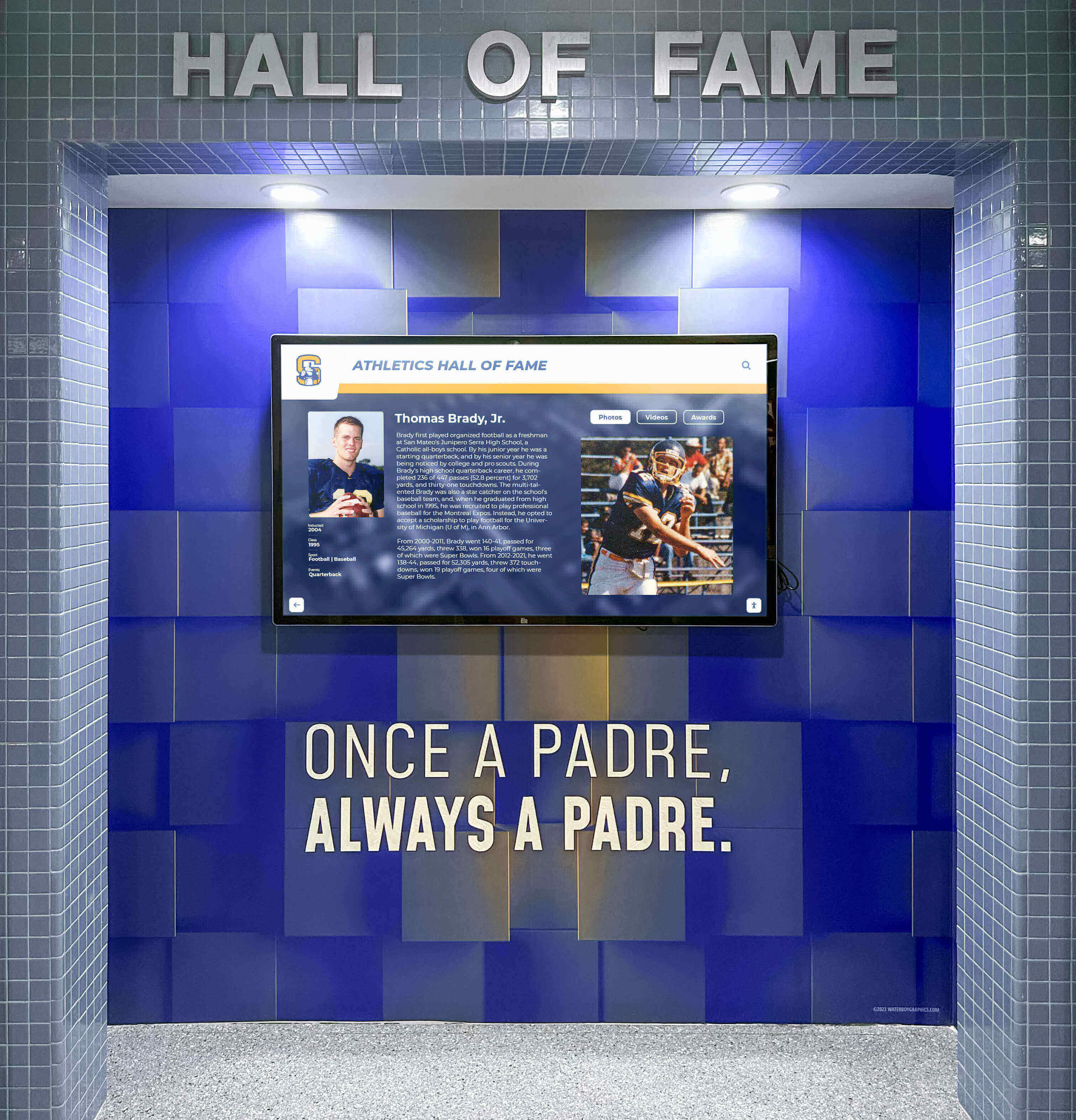
Wall-mounted recognition displays integrate accessibility features including keyboard navigation, screen reader support, and logical focus order
2.5.1 Pointer Gestures (Level A 2.1 and 2.2) / 2.5.2 Pointer Cancellation (Level A 2.1 and 2.2) / 2.5.3 Label in Name (Level A 2.1 and 2.2) / 2.5.4 Motion Actuation (Level A 2.1 and 2.2)
Advanced Interaction Accessibility
WCAG 2.1 introduced criteria addressing touchscreen and pointer interactions. Functionality requiring multipoint or path-based gestures must also operate through single-pointer alternatives, pointer activation actions must be cancelable, user interface components with visible text labels must include corresponding programmatic names, and functionality triggered through device motion must also operate through user interface components.
Touchscreen Recognition System Requirements
Recognition displays requiring pinch-to-zoom gestures, complex swipe paths, or multi-finger interactions must provide simple alternative methods—zoom buttons, directional navigation arrows, tap-based selection—ensuring users with limited dexterity or using assistive technologies can access equivalent functionality.
Touch actions completing on up-events rather than down-events enable users to cancel actions by moving fingers away before releasing, preventing accidental activations common for users with tremors or limited motor control.
Buttons displaying “Search” text labels must include “Search” in programmatic names recognized by voice control software and assistive technologies, ensuring speech recognition users can activate controls through visible labels without guessing alternative command syntax.
3.1.1 Language of Page (Level A)
Language Declaration Requirements
The default human language of each page must be programmatically determinable, enabling assistive technologies including screen readers to load appropriate pronunciation rules and language-specific presentation.
Recognition Platform Implementation
Recognition displays and web-based platforms must declare primary language through HTML lang attributes. Schools serving multilingual communities may implement multiple language versions requiring appropriate language declarations ensuring assistive technologies render content correctly for different language contexts.
3.2.1 On Focus (Level A) / 3.2.2 On Input (Level A)
Predictable Behavior Requirements
User interface components receiving focus must not initiate context changes automatically, and changing form control settings must not cause automatic context changes unless users receive advance warning.
Recognition Interface Stability
Keyboard navigation through athlete profiles, search filters, or category selections should not trigger automatic page navigation or major interface changes when elements receive focus. Users must deliberately activate controls through explicit actions—pressing Enter, clicking buttons—to initiate navigation ensuring predictable behavior for screen reader users navigating sequentially through content.
Search filters, category dropdowns, and sorting controls should not submit automatically when values change. Users should adjust multiple criteria before explicit submission preventing confusing automatic updates disrupting exploration.
3.3.1 Error Identification (Level A) / 3.3.2 Labels or Instructions (Level A)
Form Accessibility Requirements
Input errors must be identified clearly through text descriptions, and form elements requiring user input must provide labels or instructions explaining purposes and expected formats.
Search and Interaction Forms
Recognition displays implementing search functionality, feedback forms, or interactive filtering must identify input errors clearly with text messages explaining problems specifically—“Please enter at least 3 characters for search” rather than generic “Invalid input” messages.
Search fields require clear labels identifying purposes, and complex filtering interfaces should provide instructions explaining available options, required formats, or interaction methods ensuring users understand how to access recognition content successfully.
WCAG 2.2 Level AA Success Criteria: Practical Comprehensive Accessibility
Level AA criteria extend foundation requirements with additional accessibility improvements forming the practical standard for most organizations committed to inclusive digital experiences.
1.2.4 Captions (Live) (Level AA) / 1.2.5 Audio Description (Prerecorded) (Level AA)
Improved Multimedia Accessibility
Live audio content in synchronized media requires captions, and prerecorded video content requires audio descriptions providing narration for important visual information not evident from soundtrack alone.
Recognition Event Coverage
Schools live-streaming induction ceremonies, championship celebrations, or recognition events must provide real-time captions enabling deaf community members to participate remotely. Professional captioning services or automated tools with human review ensure caption accuracy for important ceremonial events.
Historical championship videos, career highlight reels, and documentary-style recognition content should include audio description tracks narrating important visual elements—game-winning plays, celebration reactions, trophy presentations—ensuring blind users receive equivalent information about visual recognition content.
Learn about multimedia approaches in digital recognition for inclusive content strategies.
1.3.4 Orientation (Level AA 2.1 and 2.2) / 1.3.5 Identify Input Purpose (Level AA 2.1 and 2.2)
Responsive Design and Form Automation
Content must not restrict display to single orientations unless specific orientation proves essential, and input fields collecting user information must identify purposes programmatically enabling browsers to assist users with automatic form completion.
Recognition Platform Flexibility
Digital recognition platforms accessible through tablets, smartphones, and desktop computers must function properly in both portrait and landscape orientations unless specific layouts require particular orientations for usability. Users with mounted devices or physical disabilities may be unable to rotate devices, requiring content to adapt flexibly.
Search forms, feedback submissions, or user registration interfaces should implement autocomplete attributes identifying field purposes—name, email, organization—enabling browsers to suggest previously entered information reducing typing burden for users with motor disabilities or cognitive limitations.
1.4.3 Contrast (Minimum) (Level AA) / 1.4.4 Resize Text (Level AA) / 1.4.5 Images of Text (Level AA)
Visual Presentation Requirements
Text and images of text must maintain minimum contrast ratios—4.5:1 for normal text, 3:1 for large text—against backgrounds. Text must resize up to 200% without assistive technology while maintaining readability and functionality. Text within images should be avoided except for logos or where specific presentation proves essential.
Recognition Display Visual Design
Athlete names, statistics, achievement descriptions, navigation labels, and interactive button text must provide sufficient contrast ensuring readability for users with low vision or color vision deficiencies in typical display lighting conditions and various viewing angles.
Recognition content must remain fully readable and functional when users increase text size through browser zoom or text scaling settings, accommodating users with low vision who require larger text for comfortable reading without horizontal scrolling or content overlap obscuring information.
Using actual text rather than text rendered within images enables flexible resizing, maintains contrast regardless of zoom level, and ensures screen readers access text content. Championship year graphics, award labels, and statistical presentations should use scalable HTML text with CSS styling rather than text embedded within images.

Commercial-grade recognition displays implement proper contrast ratios and scalable text ensuring readability for users with low vision
1.4.10 Reflow (Level AA 2.1 and 2.2) / 1.4.11 Non-text Contrast (Level AA 2.1 and 2.2) / 1.4.12 Text Spacing (Level AA 2.1 and 2.2) / 1.4.13 Content on Hover or Focus (Level AA 2.1 and 2.2)
Improved Visual Accessibility
Content must reflow to single-column layout at 320 CSS pixel viewport width without horizontal scrolling, user interface components and graphical objects must provide 3:1 minimum contrast against adjacent colors, content must remain readable when users adjust text spacing properties, and content appearing on hover or focus must be dismissible, hoverable, and persistent.
Recognition System Responsive Design
Digital recognition platforms must function properly on narrow smartphone viewports, automatically reflowing content to single-column layouts without requiring horizontal scrolling that creates accessibility barriers for users with low vision using screen magnification.
Interactive buttons, search icons, navigation controls, and graphical elements must provide 3:1 contrast against adjacent colors ensuring users with low vision can perceive interface controls and interactive elements clearly.
Recognition content must accommodate users applying custom stylesheets increasing line height, letter spacing, word spacing, or paragraph spacing for improved readability, maintaining functionality without text overlap or content truncation obscuring information.
Tooltip-style content revealing additional athlete information on hover or focus must remain visible until users dismiss it, must be hoverable allowing users to move pointer over revealed content, and must persist enabling examination without disappearing prematurely.
2.4.5 Multiple Ways (Level AA) / 2.4.6 Headings and Labels (Level AA) / 2.4.7 Focus Visible (Level AA)
Navigation and Structure Improvements
Multiple ways must be available to locate pages within website sets, headings and labels must describe topics or purposes clearly, and keyboard focus indicators must be visible when user interface components receive focus.
Recognition Platform Navigation
Digital recognition platforms should provide multiple access methods—searchable databases by name, browsing by year or category, alphabetical directories, filtering by sport or achievement type—ensuring users with different preferences, abilities, and search strategies can locate recognition content through methods matching their needs and cognitive approaches.
Section headings labeling content areas—“Championship Years,” “Statistical Leaders,” “Individual Honors”—and form labels identifying input purposes must describe content clearly, enabling screen reader users to understand page structure and navigate efficiently through recognition databases.
Keyboard focus indicators showing which athlete profile, navigation link, or interactive element currently receives keyboard input must remain clearly visible through prominent visual styling including borders, outlines, background color changes, or other indicators ensuring keyboard-only users track their position confidently while navigating recognition content.
2.4.11 Focus Not Obscured (Minimum) (Level AA 2.2 only)
Focus Visibility Assurance
When user interface components receive keyboard focus, the component must not be entirely hidden by author-created content, ensuring keyboard users can always see which element currently receives focus even with sticky headers or overlays.
Recognition Interface Implementation
Touchscreen displays with persistent navigation headers, search bars, or institutional branding elements must not obscure content receiving keyboard focus as users navigate through athlete profiles or recognition databases. Focus scrolling or interface adjustments should ensure focused elements remain at least partially visible at all times.
2.5.7 Dragging Movements (Level AA 2.2 only) / 2.5.8 Target Size (Minimum) (Level AA 2.2 only)
Advanced Interaction Accessibility
Functionality operated through dragging movements must also operate through single pointer activation without dragging, and interactive targets must meet minimum size requirements—at least 24×24 CSS pixels—except for specific exceptions.
Touchscreen Recognition Requirements
Recognition interfaces implementing drag-to-reorder functionality, swipe-to-navigate carousels, or drag-and-drop filtering must provide alternative single-tap methods enabling users with limited dexterity or using assistive technologies to access equivalent functionality without complex gestures.
Interactive elements including navigation buttons, search icons, filter controls, and athlete profile links should meet minimum 24×24 pixel target sizes ensuring users with limited motor control, tremors, or using touch screens with limited precision can activate controls successfully without frustration from missed touches activating adjacent elements accidentally.
Discover accessibility considerations in athletic hall of fame creation guide for inclusive system design.
3.1.2 Language of Parts (Level AA)
Multilingual Content Support
The human language of each passage or phrase differing from page default language must be programmatically determinable, enabling assistive technologies to render foreign language content with appropriate pronunciation.
Recognition Content Internationalization
Schools serving multilingual communities may include recognition content featuring names, quotes, or descriptions in multiple languages. When athlete profiles include Spanish language quotes, French institution names, or other non-English text within primarily English content, proper language markup ensures screen readers apply correct pronunciation rules rather than attempting English pronunciation of foreign language text.
3.2.3 Consistent Navigation (Level AA) / 3.2.4 Consistent Identification (Level AA)
Predictable Interface Requirements
Navigation mechanisms repeated across multiple pages must occur in consistent relative order, and components with identical functionality must be identified consistently throughout platforms.
Recognition System Consistency
Navigation menus, search interfaces, and category filters appearing across different recognition sections should maintain consistent positioning and organization, enabling users to develop efficient interaction patterns without relearning interface layouts when exploring different content areas.
Search icons, home buttons, filtering controls, and other functional elements should use consistent visual styling, labels, and alternative text throughout recognition systems, ensuring users recognize familiar functions immediately without confusion from inconsistent identification.
3.3.3 Error Suggestion (Level AA) / 3.3.4 Error Prevention (Legal, Financial, Data) (Level AA)
Improved Error Handling
When input errors are detected automatically and correction suggestions are known, those suggestions must be provided to users unless doing so would jeopardize security or purpose. For forms causing legal commitments, financial transactions, or user data modifications, submissions must be reversible, checked for errors with correction opportunities, or confirmed before finalization.
Recognition Form Interactions
Search interfaces detecting invalid query formats should provide specific correction guidance—“Search requires at least 3 characters” or “Year must be between 1950 and 2026”—enabling users to fix problems quickly without guessing correct formats.
User submission forms for recognition nominations, profile updates, or feedback should implement verification steps confirming submissions before committing changes, enabling users to review and correct information before finalizing potentially public content.
3.3.8 Accessible Authentication (Minimum) (Level AA 2.2 only)
Authentication Accessibility
Cognitive function tests must not be required for authentication steps unless tests provide alternative methods, mechanisms support assistive technology, or tests recognize objects.
Administrative Access Design
Recognition platform content management systems requiring administrative authentication should avoid CAPTCHA challenges or complex cognitive puzzles that create barriers for users with cognitive disabilities. Alternative authentication methods including email confirmation, biometric options, or assistive technology-friendly challenges ensure administrators with disabilities can access management functions.
4.1.2 Name, Role, Value (Level AA)
Programmatic Interface Requirements
For all user interface components, name and role must be programmatically determinable, states, properties, and values settable by users must be programmatically determinable, and notification of changes to these items must be available to assistive technologies.
Recognition Interface Semantic Implementation
Interactive elements throughout recognition displays must use proper HTML elements or ARIA roles enabling assistive technologies to identify purposes, communicate current states, and provide appropriate interaction methods. Search buttons must be identified programmatically as buttons, expandable athlete profile sections must communicate expanded/collapsed states, and checkbox filters must announce checked/unchecked status as users interact with recognition databases.
Learn about implementation approaches in digital hall of fame ultimate buying guide for schools.
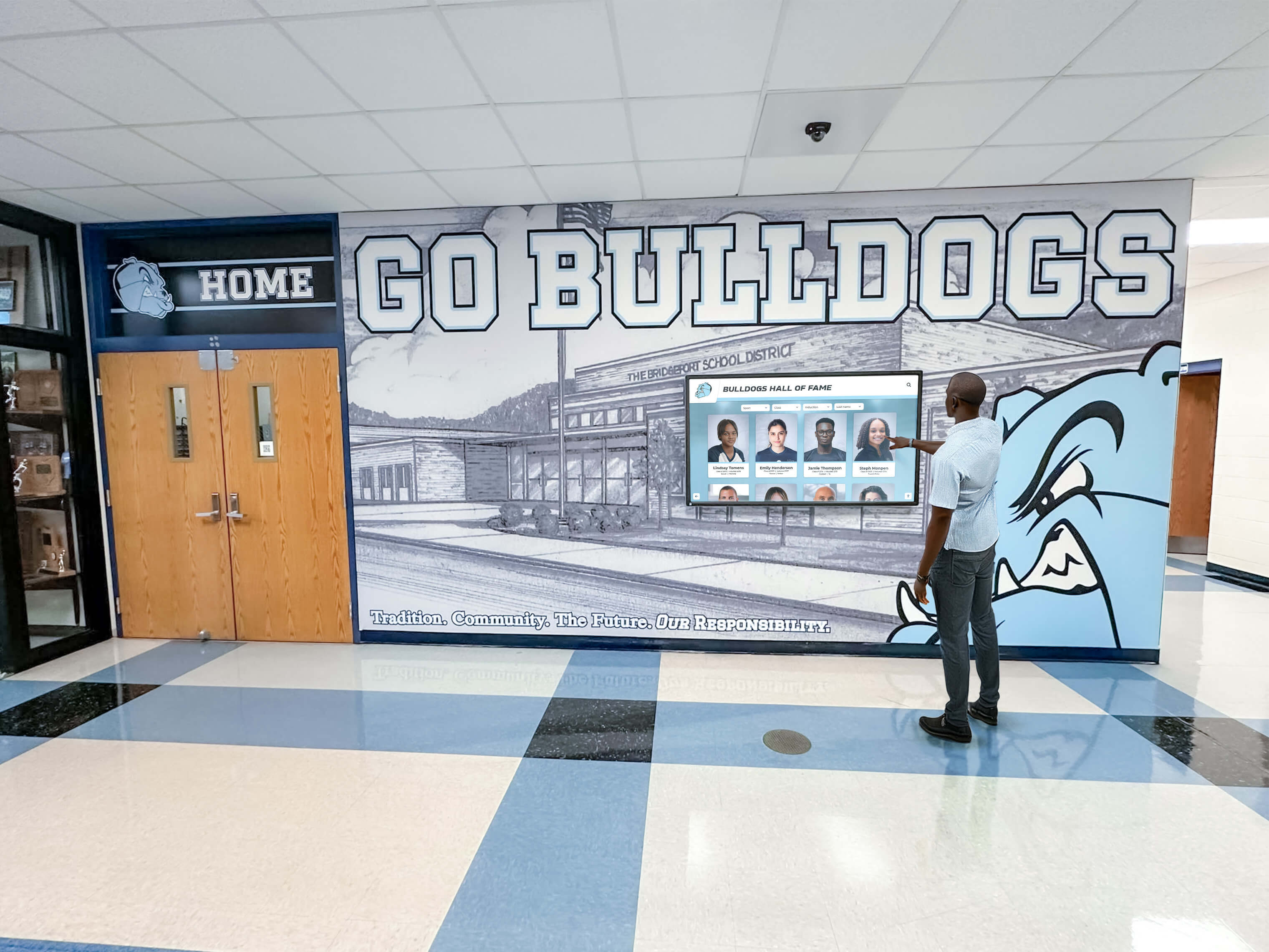
Properly coded interfaces with semantic HTML and ARIA attributes enable assistive technologies to communicate functionality to users with disabilities
WCAG 2.2 Level AAA Success Criteria: Advanced Specialized Accessibility
Level AAA represents the highest accessibility conformance level, including requirements that may be impractical for general implementation but beneficial when resources and contexts allow selective adoption.
1.2.6 Sign Language (Prerecorded) (Level AAA) through 1.2.9 Audio-only (Live) (Level AAA)
Comprehensive Multimedia Accessibility
Level AAA multimedia criteria include sign language interpretation for prerecorded videos, extended audio descriptions with pauses inserted for complete visual information narration, complete text alternatives serving as media equivalents, and live audio captions.
Recognition Video Enhancement
While Level AAA video requirements may exceed practical resource availability for typical recognition implementations, schools prioritizing maximum accessibility might provide sign language interpretation windows within championship videos, extended audio descriptions including detailed play-by-play narration, or complete transcripts serving as standalone alternatives to video content.
1.3.6 Identify Purpose (Level AAA 2.1 and 2.2)
Programmatic Purpose Identification
The purpose of user interface components, icons, and regions must be programmatically determinable, enabling personalization supporting users with cognitive disabilities through symbol sets, simplified interfaces, or customized presentations.
Adaptive Interface Support
Recognition platforms implementing Level AAA purpose identification enable assistive technologies to substitute icons with symbols matching users’ preferences, simplify complex interfaces by hiding non-essential elements, or adapt presentations for users with cognitive disabilities through standardized purpose identification.
1.4.6 Contrast (Enhanced) (Level AAA)
Maximum Contrast Requirements
Text and images of text must provide 7:1 contrast ratio for normal text and 4.5:1 for large text, significantly exceeding Level AA 4.5:1 and 3:1 requirements.
High-Visibility Recognition Design
Schools implementing high-contrast design themes for recognition displays benefit users with low vision more significantly through improved text visibility in various lighting conditions including bright sunlight, indirect lighting, and viewing from oblique angles common with wall-mounted displays.
2.1.3 Keyboard (No Exception) (Level AAA)
Comprehensive Keyboard Accessibility
All content functionality must operate through keyboard interfaces without requiring specific timings for individual keystrokes, with no exceptions allowed unlike Level A criteria permitting exceptions for functions depending on path of user movement.
Complete Keyboard Recognition Access
While touchscreen-optimized gestures like pinch-zoom or drawing may inherently require pointer input, Level AAA implementations provide keyboard-only alternatives enabling complete recognition system operation without any functionality requiring touch interaction.
2.4.8 Location (Level AAA) / 2.4.9 Link Purpose (Link Only) (Level AAA) / 2.4.10 Section Headings (Level AAA)
Improved Navigation Clarity
Information about user location within website sets must be available, link purposes must be identifiable from link text alone without surrounding context, and section headings should organize content throughout pages.
Recognition Platform Navigation Enhancement
Breadcrumb navigation trails showing current location within recognition hierarchies—“Home > Athletes > Basketball > 2023 Championship Team”—help users understand position within complex databases.
Link text like “John Smith basketball profile” provides complete context without requiring surrounding text, enabling screen reader users navigating link lists to understand destinations independently.
Comprehensive section headings throughout lengthy athlete biographies, statistical compilations, or championship narratives enable efficient navigation through structured content.
2.4.12 Focus Not Obscured (Enhanced) (Level AAA 2.2 only) / 2.4.13 Focus Appearance (Level AAA 2.2 only)
Maximum Focus Visibility
No part of focused user interface component should be hidden by author-created content, and focus indicators must meet specific visibility requirements including minimum area, contrast ratio, and change in appearance.
High-Visibility Focus Implementation
Stronger focus visibility through prominent indicators including thick borders, high-contrast backgrounds, or animated attention-getting effects ensures maximum keyboard navigation clarity for users with low vision or attention difficulties.
2.5.5 Target Size (Level AAA 2.1 and 2.2)
Larger Target Sizing
Interactive targets should be at least 44×44 CSS pixels, significantly exceeding Level AA 24×24 pixel minimum requirements.
Generous Touch Target Design
Recognition displays implementing 44×44 pixel minimum targets throughout interfaces provide significantly improved usability for users with motor disabilities, older adults with declining motor control, and anyone using touchscreens requiring generous activation areas for accurate interaction.
Explore target sizing approaches in touchscreen software complete guide for accessible interface design.
3.1.3 Unusual Words (Level AAA) through 3.1.6 Pronunciation (Level AAA)
Content Clarity Enhancement
Mechanisms must be available for identifying specific definitions of unusual words, expanded forms of abbreviations, explanations of difficult text, and pronunciation information for ambiguous words.
Recognition Content Accessibility
Athletic terminology, statistical abbreviations, institutional jargon, and technical terms appearing in recognition content might benefit from glossary definitions, expanded abbreviations on first use, or pronunciation guides for unusual names ensuring comprehension for users with cognitive disabilities or unfamiliar with athletic contexts.
3.3.5 Help (Level AAA) / 3.3.6 Error Prevention (All) (Level AAA)
Improved User Support
Context-sensitive help must be available, and for forms requiring information submission, reversible submissions, error checking, or confirmation should be available.
Recognition System Assistance
Comprehensive help systems providing context-specific guidance for search strategies, filtering techniques, or navigation methods support users with cognitive disabilities or unfamiliar with recognition platform interactions.
Robust error prevention for all user submissions—not just legal or financial transactions—through multi-step confirmation workflows protects all users from accidental submissions requiring support to correct.
3.3.9 Accessible Authentication (Enhanced) (Level AAA 2.2 only)
Maximum Authentication Accessibility
Cognitive function tests must not be required for authentication unless alternative methods exist or tests recognize objects.
Administrative Accessibility
Recognition management systems implementing passwordless authentication, biometric options, or simplified verification processes beyond Level AA minimum requirements provide maximum accessibility for administrators with cognitive disabilities managing recognition content.
Implementing WCAG 2.2 AA Compliance for Digital Recognition Systems
Understanding accessibility requirements represents the first step. Practical implementation requires systematic approaches addressing technical, content, and organizational considerations throughout recognition system development, deployment, and ongoing management.
Selecting Accessible Recognition Platforms
Platform Evaluation Criteria
Organizations implementing digital recognition displays should prioritize platforms designed with accessibility built into foundational architecture rather than attempting to retrofit accessibility features into systems designed without inclusive design consideration.
Rocket Alumni Solutions Accessibility Commitment
Purpose-built recognition platforms like Rocket Alumni Solutions implement WCAG 2.2 AA standards throughout system design, ensuring:
- Semantic HTML markup providing proper structure for assistive technologies
- Keyboard navigation support throughout all interactive functions
- Appropriate ARIA attributes communicating dynamic content changes
- Color contrast meeting WCAG requirements throughout default themes
- Responsive design supporting diverse viewport sizes and text scaling
- Alternative text workflows prompting proper image descriptions during content upload
- Form validation providing clear error messages and correction guidance
- Accessible media player controls for championship videos and multimedia content
Choosing platforms with accessibility integrated reduces implementation complexity compared to generic digital signage requiring extensive customization achieving comparable accessibility levels.
Content Accessibility Workflows
Systematic Accessible Content Creation
Content management workflows should embed accessibility requirements throughout recognition content development rather than treating accessibility as optional enhancement or final review step.
Image Alternative Text Process
- Require alt text fields during photo upload preventing publication without descriptions
- Provide alt text guidelines specific to recognition contexts—athlete identification, achievement description, visual context
- Review uploaded content periodically ensuring alt text quality and descriptive adequacy
- Update historical content progressively adding proper alternatives to legacy recognition lacking descriptions
Video Accessibility Requirements
- Budget caption creation costs alongside video production for championship highlights and recognition content
- Implement caption quality review ensuring accuracy, timing, and speaker identification
- Consider audio description for videos where visual information proves essential for understanding
- Provide transcripts offering complete alternatives for users preferring text over video consumption
Document Accessibility Standards
- Use proper heading structure organizing lengthy biography or achievement content
- Implement descriptive link text explaining destinations without generic “click here” labels
- Maintain sufficient color contrast throughout custom design elements and themed content
- Structure statistical tables properly using header cells enabling screen reader users to understand data relationships

Integrated recognition environments combine traditional display elements with accessible digital systems serving all community members
Physical Accessibility Considerations
Touchscreen Installation Standards
Physical installation significantly impacts usability for people with mobility disabilities, wheelchair users, and others with physical limitations affecting display interaction.
ADA-Compliant Mounting Heights
- Position touchscreen displays with centers at 48 inches maximum height above floor for forward approach accessibility
- Ensure 30-inch minimum clear floor space in front of displays accommodating wheelchair approach
- Avoid placement in narrow corridors or alcoves restricting wheelchair maneuvering
- Provide adequate reach ranges ensuring all interactive elements remain within maximum reach heights
- Consider angle adjustments optimizing visibility for seated users and standing viewers simultaneously
Alternative Access Methods
- Implement companion web-based access enabling exploration from personal devices for users unable to approach physical displays comfortably
- Provide QR codes linking to mobile-optimized versions enabling exploration from seated positions
- Consider companion kiosks at varied heights serving different user populations throughout facilities
- Ensure adequate lighting without glare obscuring content visibility for users with low vision
Discover mounting approaches in digital donor walls complete guide addressing physical accessibility requirements.
Testing and Validation Methods
Comprehensive Accessibility Assessment
Systematic testing reveals accessibility barriers requiring correction before public deployment and throughout ongoing content updates.
Automated Testing Tools
- Run automated accessibility scanners identifying technical violations including missing alt text, contrast issues, and structural problems
- Implement continuous integration testing catching accessibility regressions during platform updates
- Monitor third-party content integrations ensuring embedded elements maintain accessibility standards
Manual Testing Procedures
- Conduct keyboard-only navigation testing verifying all functionality operates without mouse or touch input
- Test with screen readers including JAWS, NVDA, and VoiceOver ensuring proper content announcement and logical navigation
- Evaluate color contrast using tools verifying text visibility against background colors throughout interfaces
- Test text resizing ensuring content remains readable and functional at 200% zoom levels
User Testing with People with Disabilities
- Engage actual users with diverse disabilities testing recognition systems and providing feedback
- Conduct usability sessions with blind users, people with motor disabilities, and individuals with cognitive differences
- Implement feedback addressing real-world accessibility barriers beyond technical compliance requirements
- Establish ongoing accessibility advisory relationships ensuring sustained inclusive design commitment
Legal, Regulatory, and Policy Considerations
WCAG 2.2 AA compliance protects organizations from legal risk while fulfilling ethical obligations to ensure equal access for community members with disabilities.
Legal Requirements and Obligations
Americans with Disabilities Act (ADA) Implications
Courts increasingly interpret ADA Title II (public entities) and Title III (public accommodations) as requiring digital accessibility. While ADA itself doesn’t specify technical standards, Department of Justice guidance and court decisions reference WCAG 2.0/2.1 Level AA as relevant accessibility standards, with WCAG 2.2 representing current best practice.
Educational institutions receive federal funding fall under Section 504 of the Rehabilitation Act requiring accessible technology, and K-12 schools must ensure assistive technology access under Individuals with Disabilities Education Act (IDEA) provisions.
Section 508 Standards
Federal agencies and federally funded programs must comply with Section 508 requiring accessible information technology. Section 508 standards reference WCAG 2.0 Level AA as the technical standard for web-based content and applications.
Schools receiving federal funding through programs like Title I, special education grants, or other federal sources face Section 508 obligations ensuring technology purchases including digital recognition systems meet accessibility requirements.
Institutional Accessibility Policies
Developing Recognition System Standards
Organizations should establish formal accessibility policies addressing digital recognition system requirements:
- Mandate WCAG 2.2 Level AA conformance for all new recognition system implementations
- Require accessibility evaluation as standard component of technology procurement processes
- Establish content accessibility standards covering image alternatives, video captions, and document structure
- Define roles and responsibilities for maintaining accessibility throughout content lifecycle
- Implement remediation timelines for addressing identified accessibility barriers in existing systems
- Provide accessibility training for content managers, administrators, and technical staff
- Create reporting mechanisms enabling community members to request accessibility accommodations or report barriers
Procurement and Vendor Requirements
Accessible Technology Acquisition
Technology purchase processes should incorporate accessibility evaluation preventing inadvertent acquisition of inaccessible systems requiring expensive remediation or replacement.
Vendor Accessibility Documentation
Request Voluntary Product Accessibility Templates (VPATs) documenting WCAG 2.2 conformance levels for recognition platforms under consideration. VPATs provide standardized accessibility conformance claims enabling objective comparison between competing solutions.
Evaluate vendor accessibility roadmaps, support resources, and update commitments ensuring chosen platforms maintain accessibility through ongoing improvements rather than degrading over time through neglected updates.
Contractual Accessibility Requirements
Include accessibility conformance requirements in procurement contracts with remediation obligations when vendors fail to meet committed accessibility standards. Specify conformance testing procedures, remediation timelines, and consequences for non-compliance protecting organizations from accessibility liabilities.
Benefits Beyond Compliance: Universal Design Value
WCAG compliance delivers value extending far beyond legal risk mitigation, improving experiences for all users through clearer interfaces, more logical organization, and better content quality.
Improved User Experience for Everyone
Universal Design Principles
Accessibility features benefit broader audiences than only users with identified disabilities:
- Keyboard navigation benefits power users preferring keyboard shortcuts for efficient interaction
- Video captions assist viewers in sound-sensitive environments, non-native language speakers, and anyone in noisy settings
- Clear heading structure helps all users scan content quickly identifying relevant sections
- Sufficient color contrast improves readability in bright sunlight, on lower-quality displays, and for aging users with declining vision
- Descriptive link text clarifies destinations helping all users understand navigation options
- Logical focus order creates predictable interactions reducing confusion for all users
- Generous touch targets reduce frustration from missed taps for users with imperfect motor control
Improved Content Quality
Accessibility-Driven Content Improvement
Accessibility requirements elevate content quality through structured approaches benefiting all content consumers:
- Alternative text requirements force careful consideration of image purposes and content ensuring meaningful photo selection
- Caption creation prompts content review improving video editing quality and audio clarity
- Heading structure requirements impose logical organization improving scannability and comprehension
- Link text standards encourage descriptive labeling clarifying navigation throughout recognition systems
- Error message requirements prompt clear communication helping all users correct problems quickly
Organizational Values Demonstration
Inclusion Signal
Accessible recognition systems demonstrate institutional values prioritizing inclusion, equity, and community service for all members regardless of ability status. This values alignment strengthens organizational culture, enhances reputation, and signals commitment to comprehensive excellence beyond athletic or academic achievement alone.
Students with disabilities, family members with accessibility needs, and community advocates recognize organizations implementing genuinely accessible systems versus those providing minimal compliance grudgingly. This recognition influences institutional perception, enrollment decisions, donor relationships, and community support affecting outcomes beyond accessibility alone.
Explore comprehensive approaches in digital hall of fame complete guide for accessible recognition systems.
Conclusion: Accessible Recognition Systems Serve All Community Members
WCAG 2.2 AA compliance ensures digital recognition displays, touchscreen systems, and web-based platforms remain accessible to all community members regardless of vision, hearing, motor, or cognitive abilities. By implementing Level A foundation requirements preventing complete exclusion, Level AA practical improvements forming comprehensive accessibility standards, and selectively adopting beneficial Level AAA criteria where practical, schools and organizations create recognition systems serving entire communities inclusively.
Organizations implementing accessible recognition systems through platforms like Rocket Alumni Solutions demonstrate values prioritizing inclusion while fulfilling legal obligations, reducing litigation risk, and creating better user experiences benefiting everyone through clearer interfaces, more logical organization, and higher content quality. Accessibility represents opportunity rather than burden—chance to expand recognition reach, strengthen community connections, and demonstrate institutional commitment to serving all members equitably.
Implement Accessible Digital Recognition Systems
Discover how Rocket Alumni Solutions provides WCAG 2.2 AA compliant digital recognition platforms ensuring all community members can explore athletic achievements, academic honors, and institutional history regardless of abilities. Our accessible touchscreen displays and web-based platforms serve diverse users through inclusive design built into foundational architecture.
Book a demoSystematic accessibility implementation requires technical expertise, content management discipline, and sustained organizational commitment throughout recognition system lifecycles. From initial platform selection prioritizing built-in accessibility through ongoing content creation maintaining quality standards and regular testing validating continued compliance, accessible recognition represents ongoing practice rather than one-time checklist completion.
The strategies, requirements, and best practices explored throughout this comprehensive guide provide frameworks for implementing WCAG 2.2 AA compliant digital recognition systems celebrating achievement inclusively while fulfilling legal obligations and demonstrating institutional values. Students, athletes, alumni, donors, and community members with disabilities deserve equal recognition access, and organizations implementing accessible systems honor that principle through concrete technical commitments translating abstract inclusion values into practical reality.
Your recognition systems should celebrate every community member’s achievements accessibly. Through thoughtful implementation of WCAG 2.2 AA standards, selection of accessible platforms, systematic accessible content creation, and sustained testing ensuring continued compliance, organizations create recognition experiences serving all users equitably while preserving institutional legacy comprehensively.
Ready to implement accessible digital recognition meeting WCAG 2.2 AA standards? Explore how purpose-built platforms designed with accessibility integrated throughout architecture enable compliant recognition systems celebrating achievement inclusively across your entire community while reducing implementation complexity compared to retrofitting accessibility into systems designed without inclusive design consideration.































