




Virtual school tour videos have transformed from pandemic necessity to essential marketing tools that prospective families now expect before scheduling in-person visits. Today’s parents research schools the same way they shop for homes—watching multiple video tours, comparing facilities virtually, and forming strong impressions before ever stepping on campus. A well-crafted virtual tour video doesn’t just showcase buildings and classrooms; it tells your school’s story, demonstrates your culture in action, and gives families the confidence to choose your institution.
Traditional approaches to school tours—limited to weekday scheduling, dependent on volunteer availability, and constrained to showing only what’s physically accessible during a single visit—cannot match the reach, convenience, and storytelling power of video content available 24/7 to families across the globe. Meanwhile, schools without professional virtual tours cede marketing advantage to competitors whose polished video content dominates search results and social media feeds.
This comprehensive guide provides evidence-based strategies for creating virtual school tour videos that authentically represent your institution, engage prospective families emotionally, and convert viewers into enrolled students through thoughtful planning, production techniques, and strategic distribution that extends your reach far beyond traditional recruitment boundaries.
Creating effective virtual school tour videos requires more than simply walking through hallways with a camera—it demands strategic storytelling that balances authentic representation with persuasive marketing, technical execution that maintains professional quality standards, and distribution approaches that ensure the right families discover your content at the right moment in their decision-making journey.

Professional video production elevates virtual tours from simple documentation to compelling marketing assets
Why Virtual School Tour Videos Matter More Than Ever
Before investing in video production, schools benefit from understanding how virtual tours function within modern enrollment funnels and family decision-making processes.
The Changed Landscape of School Selection
The way families choose schools has fundamentally shifted over the past five years, with digital research playing increasingly central roles in processes that once relied almost exclusively on word-of-mouth recommendations and in-person visits.
Research-First Family Behavior
Modern prospective families conduct extensive online research before making initial contact with schools. Studies of enrollment behavior show that families typically consume 5-7 pieces of digital content before requesting information or scheduling tours—with video content ranking among the most influential formats.
This means your virtual tour video often serves as first impression, initial screening tool, and primary decision-making input for families who may never have heard of your school through traditional channels. Schools without compelling video content effectively become invisible during critical early research phases when families build consideration sets.
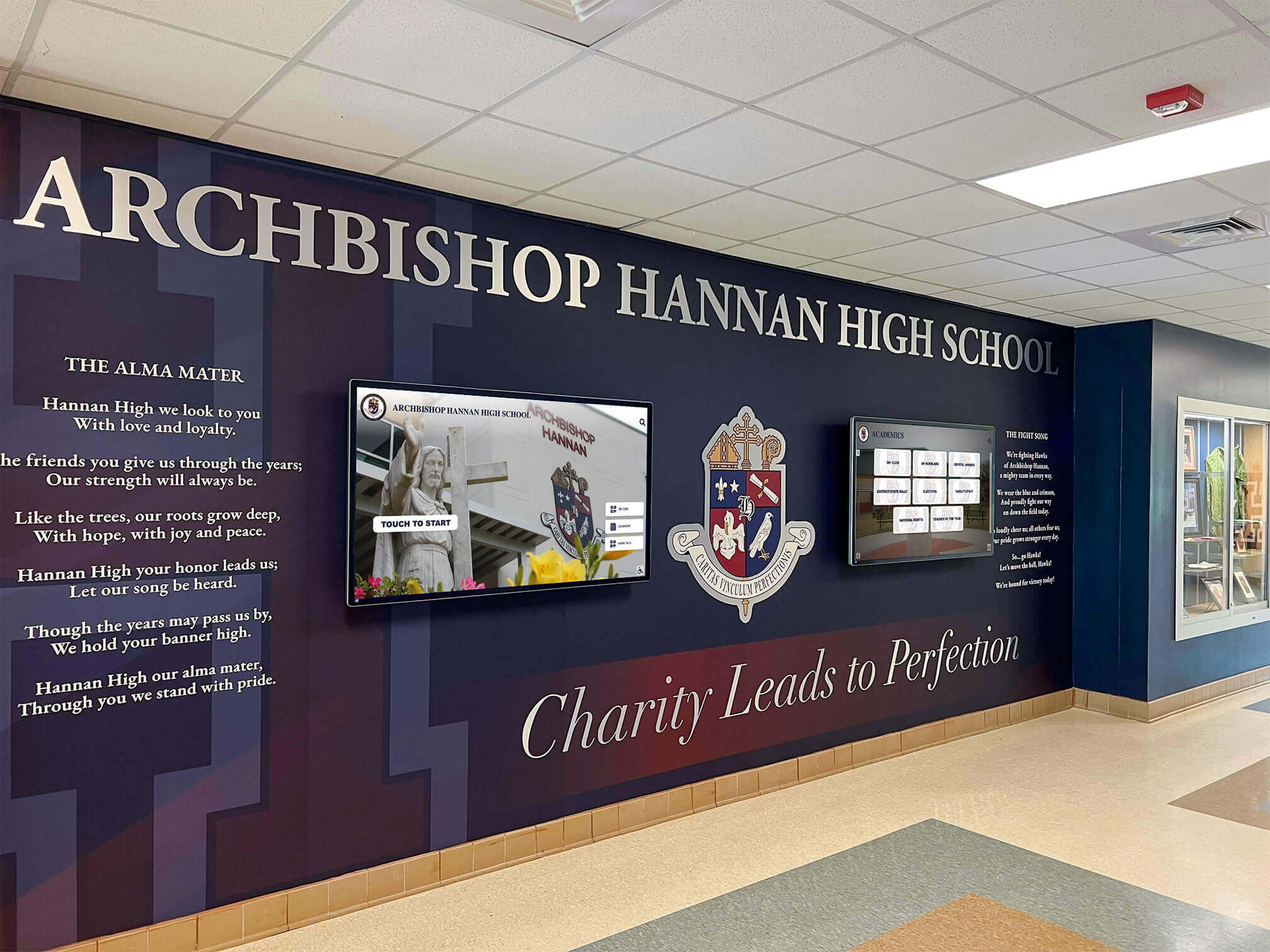
Contemporary school environments feature digital storytelling elements that virtual tours should prominently showcase
Geographic Reach and Accessibility
Virtual tours eliminate geographic constraints that limited traditional recruitment to local families willing to visit during business hours. International families, relocating parents, and out-of-area prospective students can experience your campus meaningfully without travel expense or time commitments.
Key Benefits of Professional Virtual Tour Videos
Well-executed virtual school tour videos deliver measurable returns across multiple institutional objectives beyond immediate enrollment conversion.
Admission Funnel Efficiency
Virtual tours pre-qualify prospective families by providing comprehensive campus overviews that help them self-select appropriateness before requesting in-person visits. This efficiency means your admission staff spend time with serious, well-informed prospects rather than managing preliminary tours for families still in early exploration phases.
Schools report that families who watch virtual tours before in-person visits arrive better prepared, ask more substantive questions, and convert to enrollment at higher rates than those without prior video exposure.
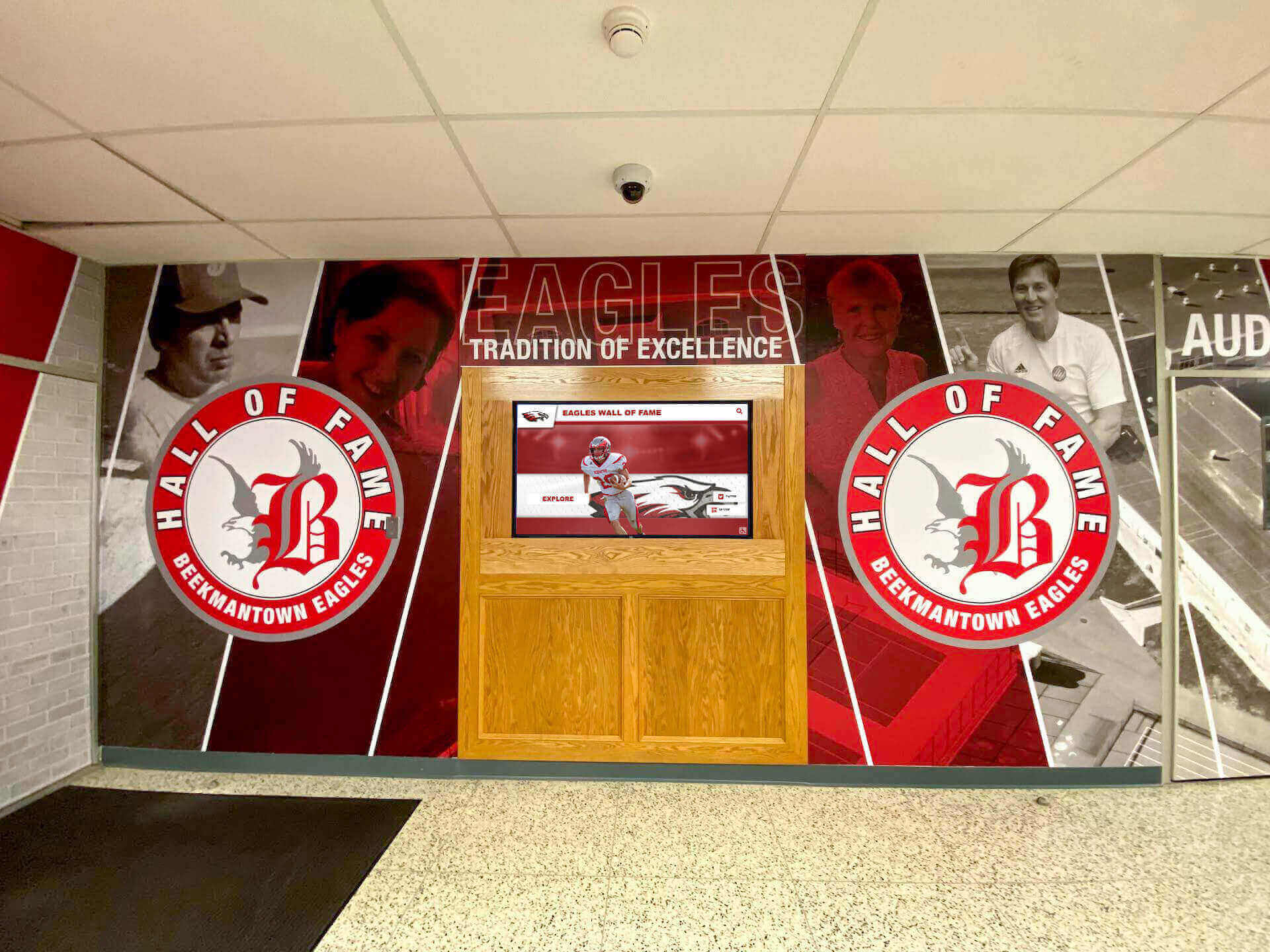
Virtual tours should highlight distinctive features like [digital recognition displays](https://digitalawardsdisplay.com/blog/_index/?utm_source=organic&utm_medium=seo-auto&utm_content=touchwall&utm_campaign=virtual-school-tour-video&utm_term=seo) that differentiate your facilities
Brand Building and Differentiation
Your virtual tour video communicates institutional values, culture, and personality in ways that static photos and text descriptions cannot match. Production quality, storytelling choices, featured students and staff, and visual emphasis collectively create brand impressions that position your school relative to competitors.
Schools competing for the same prospective families win or lose based partly on whose virtual tour creates stronger emotional connections and demonstrates clearer value propositions.
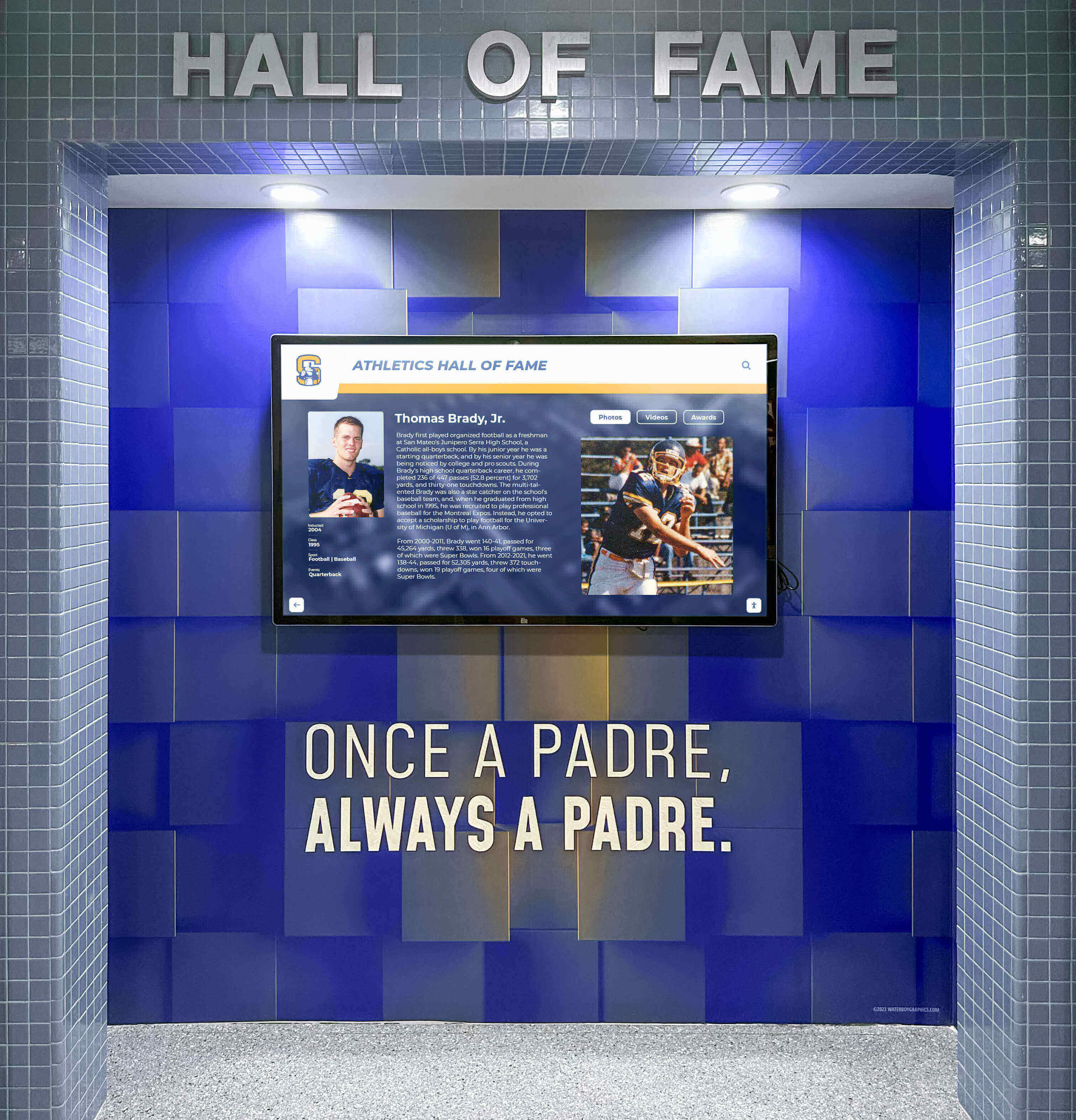
Showcasing achievements through modern displays demonstrates institutional investment in celebrating student success
Evergreen Marketing Asset
Unlike event-specific videos or time-sensitive campaigns, virtual tour videos function as evergreen content assets that continue delivering value for years. A well-produced tour amortizes production costs across thousands of viewings, supporting ongoing enrollment efforts, alumni engagement, and community relations.
Schools find that virtual tours become their most-viewed, longest-lasting, and highest-return video investments when properly produced and strategically distributed.
Planning Your Virtual School Tour Video Strategy
Successful virtual tours begin with thorough planning that clarifies objectives, identifies audiences, and maps strategic approaches before cameras start rolling.
Defining Clear Objectives and Success Metrics
Different schools need virtual tours that accomplish different goals based on institutional priorities, competitive positioning, and enrollment challenges.
Enrollment Growth vs. Yield Improvement
Schools focused on increasing overall application volume need virtual tours optimized for broad reach and discovery—shorter length, social-media-friendly formatting, and compelling hooks that capture attention quickly. Conversely, schools with strong application numbers but lower enrollment yield benefit from comprehensive, longer-form tours that answer detailed questions and build confidence among admitted families making final decisions.
Your production approach, video length, distribution strategy, and content emphasis should align with whether you’re primarily trying to attract more prospects or convert existing applicants.
Audience Segmentation Considerations
Most schools serve multiple distinct audiences who care about different aspects of campus experience and facilities. Elementary school families prioritize safety, supervision, and nurturing environments. Middle school prospects focus on academic programs and social-emotional support. High school families evaluate college preparation, extracurricular depth, and competitive advantages.
Consider whether you need multiple targeted videos for different grade levels or programs, or a single comprehensive tour that addresses diverse audience segments through structured chapters and clear navigation.

Different audience segments notice different facility features—plan shots that appeal to varied priorities
Essential Pre-Production Planning Steps
The difference between amateur and professional virtual tours lies primarily in planning rigor rather than equipment budgets.
Shot List Development
Create detailed shot lists identifying specific locations, angles, and sequences before filming begins. Effective virtual tours typically include:
- Arrival sequence: Exterior campus approach, main entrance, welcoming reception areas
- Academic spaces: Representative classrooms across grade levels and subjects, specialized labs, libraries, learning commons
- Community gathering spaces: Cafeterias, common areas, outdoor spaces where school culture becomes visible
- Specialty facilities: Athletic facilities, performing arts spaces, maker labs, or distinctive program-specific areas
- Detail shots: Unique architectural elements, student work displays, technology integration, campus directory systems or recognition displays
- Transition shots: Hallways, stairways, and exterior pathways that establish spatial relationships
Your shot list should tell coherent stories about student experience rather than simply documenting square footage. Think about following a student’s day chronologically or organizing by academic program areas.
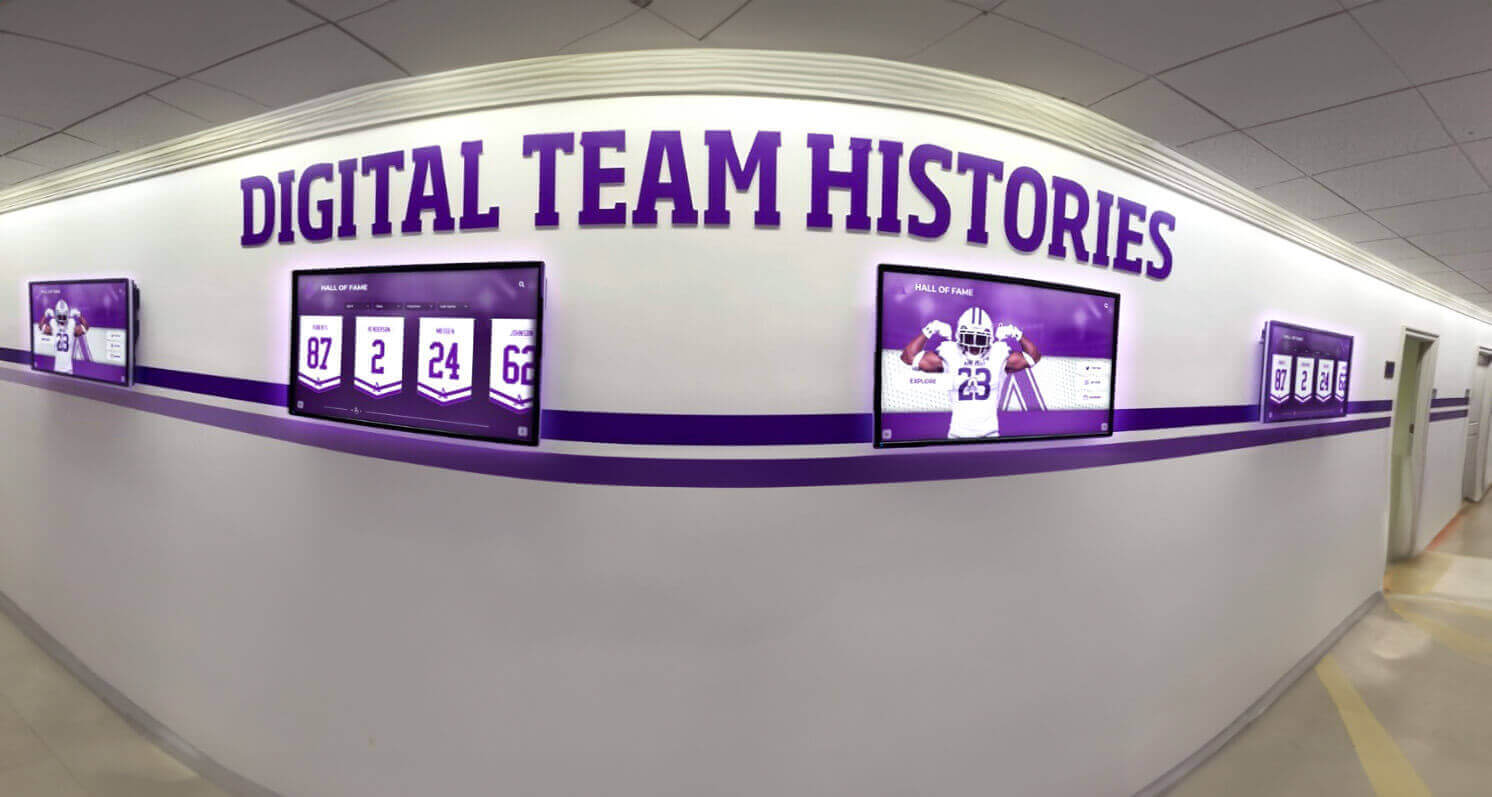
Modern recognition elements like interactive displays provide visual interest while demonstrating institutional values
Scheduling and Logistics Coordination
Virtual tour filming requires careful scheduling to capture campus during representative activity periods while managing disruptions to normal operations.
Consider filming during regular school days when genuine student activity brings energy and authenticity, but schedule specific sequences during transition periods, lunch, or designated activities when filming won’t disrupt instruction. Work with teachers to identify classes comfortable with brief filming presence, and always secure appropriate permissions and releases.
Plan for multiple filming sessions across different days to capture varied lighting conditions, weather, and activities. Morning light differs from afternoon, active classroom sessions convey different energy than empty spaces, and seasonal variations affect outdoor shots.
Production Techniques That Elevate Tour Quality
Technical execution separates professional virtual tours that build credibility from amateur videos that undermine institutional brand regardless of facilities quality.
Equipment and Technical Specifications
While smartphone cameras have improved dramatically, professional virtual tours benefit from equipment that delivers superior image stabilization, audio quality, and low-light performance.
Camera and Stabilization Considerations
Smooth, stable footage is non-negotiable for professional virtual tours. Shaky handheld video creates unprofessional impressions and viewer discomfort that override any content value. Invest in quality gimbal stabilizers for walking shots, or use slider/dolly equipment for controlled movements through spaces.
Consider shooting in 4K resolution even if final delivery is 1080p, providing flexibility for reframing, cropping, and future-proofing content. Maintain consistent frame rates (typically 24fps or 30fps) throughout all footage to ensure smooth editing and professional appearance.
Lighting and Audio Excellence
Even excellent cameras cannot compensate for poor lighting or audio—two elements that most dramatically separate amateur from professional production.
Natural Light Maximization
Schedule filming during optimal natural light periods for spaces with windows—typically mid-morning or mid-afternoon when sunlight provides even, flattering illumination without harsh shadows. Avoid harsh midday overhead sun and late afternoon glare.
For interior spaces without windows or during evening filming, supplement with portable LED panels that match color temperature to existing lighting, avoiding the mixed color casts that create unprofessional appearance.
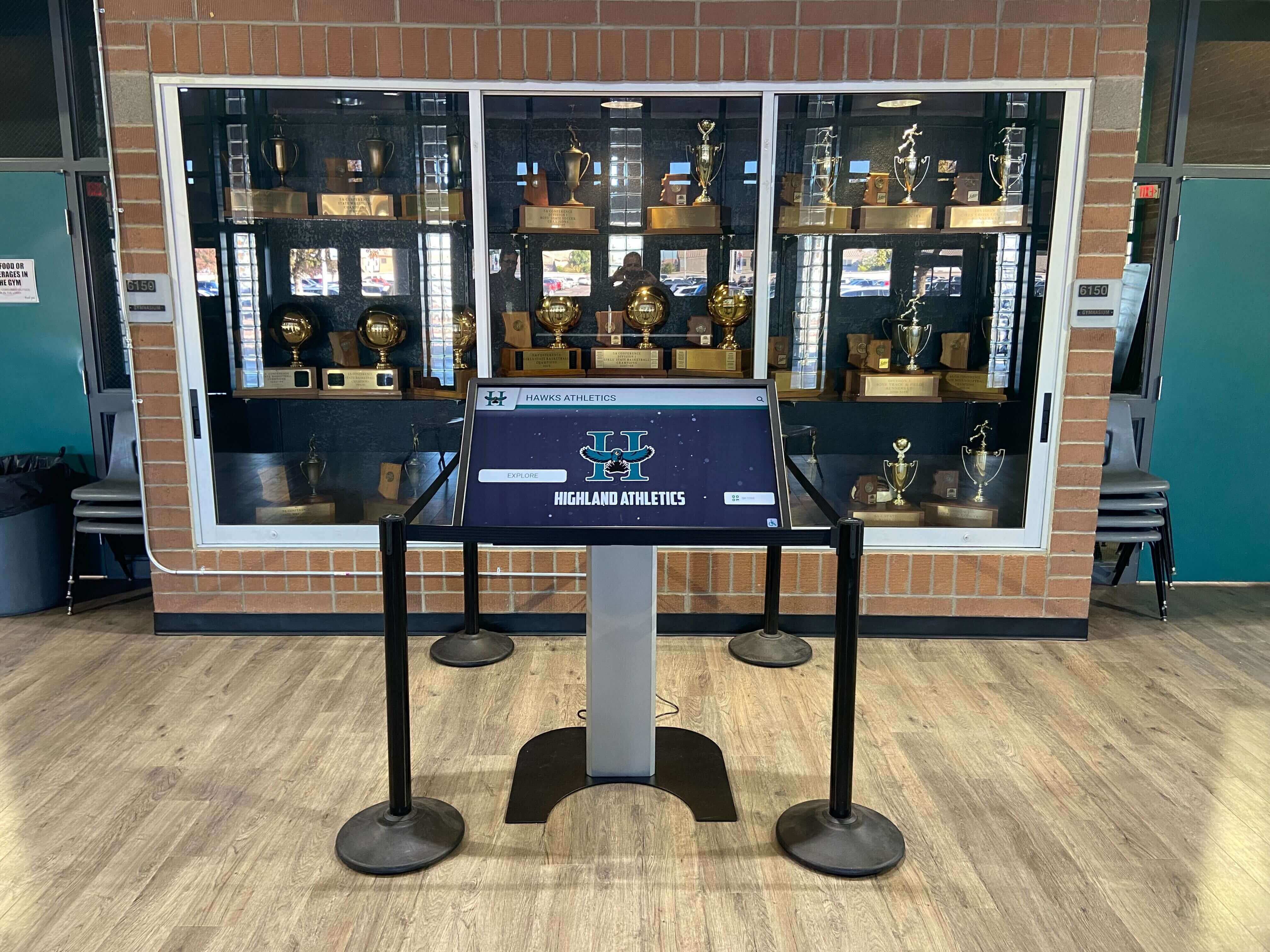
Proper lighting showcases facility details like [interactive touchscreen displays](https://digital-trophy-case.com/blog/school-kiosk-guide-interactive-touchscreen-campus-navigation/?utm_source=organic&utm_medium=seo-auto&utm_content=touchwall&utm_campaign=virtual-school-tour-video&utm_term=seo) that demonstrate innovation
Professional Audio Capture
Built-in camera microphones rarely produce acceptable audio quality for professional videos. Invest in external microphones appropriate to your shooting situations:
- Wireless lavalier microphones for on-camera hosts or student/staff interviews
- Shotgun microphones for general ambient sound and narration
- Boundary microphones for capturing authentic classroom or activity audio
Record narration in quiet, acoustically treated spaces rather than attempting voiceover in noisy environments. Background music should complement rather than compete with narration, mixed at levels that support without overwhelming spoken content.
Storytelling and Narrative Structure
Technical quality enables effective storytelling, but narrative structure determines whether virtual tours engage emotions and drive enrollment decisions.
Opening Sequences That Hook Viewers
The first 10 seconds determine whether prospective families continue watching or click away. Open with your most visually compelling, emotionally resonant footage—not drone shots of parking lots or building exteriors that lack human connection.
Consider opening with:
- Students engaged in dynamic learning activities
- Welcoming shots of main entrance with arriving students
- Brief montage establishing energy and activity before introducing narration
- Compelling student testimonial that immediately establishes authentic voice
Introduce your school’s name and key differentiating message within the first 15-20 seconds while viewers remain fully engaged.
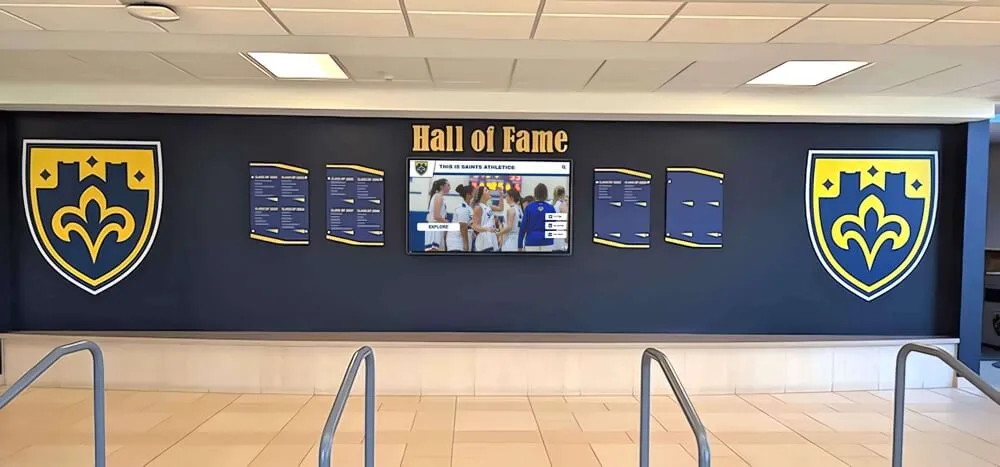
Strong visual elements throughout campus provide engaging shots that maintain viewer interest
Balancing Information with Inspiration
Effective virtual tours walk fine lines between comprehensive information and engaging brevity, between promotional messaging and authentic representation, between showcasing facilities and highlighting student experiences.
Structure tours in clear segments with obvious transitions, allowing viewers to navigate to specific areas of interest. Consider creating chapter markers for longer videos enabling families to jump directly to athletic facilities, fine arts spaces, or grade-level classrooms matching their priorities.
Alternate between wide establishing shots that show overall spaces and close detail shots that reveal quality, technology, student work, or unique features. Vary pacing between slower sequences allowing information absorption and dynamic segments maintaining energy and interest.
Featuring People and Authentic School Culture
Empty buildings don’t enroll students—culture, community, and human connections drive enrollment decisions. Your virtual tour must showcase people and relationships that make your school distinctive.
Student Voices and Authentic Representation
Prospective families want to see students who resemble their children experiencing genuine engagement, not staged performances or scripted testimonials obviously coached by marketing departments.
Selecting Student Representatives
Choose diverse student representatives across grade levels, backgrounds, and involvement areas who can speak authentically about experiences without sounding rehearsed. Brief them on general topics you’d like addressed but allow natural language and genuine perspectives rather than scripting specific responses.
Feature students in authentic contexts—discussing projects they’re actually working on, demonstrating activities they genuinely participate in, or explaining programs they personally value. Viewers quickly detect inauthentic performances that undermine credibility rather than building it.
Faculty and Staff Presence
Teachers, coaches, counselors, and support staff embody your school’s culture and expertise. Brief appearances from key faculty members discussing their programs, teaching philosophy, or student relationships add credibility and personal connection that pure facility tours cannot achieve.
Consider featuring your head of school or principal briefly establishing institutional vision and welcome, but avoid lengthy administrative monologues that bore viewers seeking student-focused content.
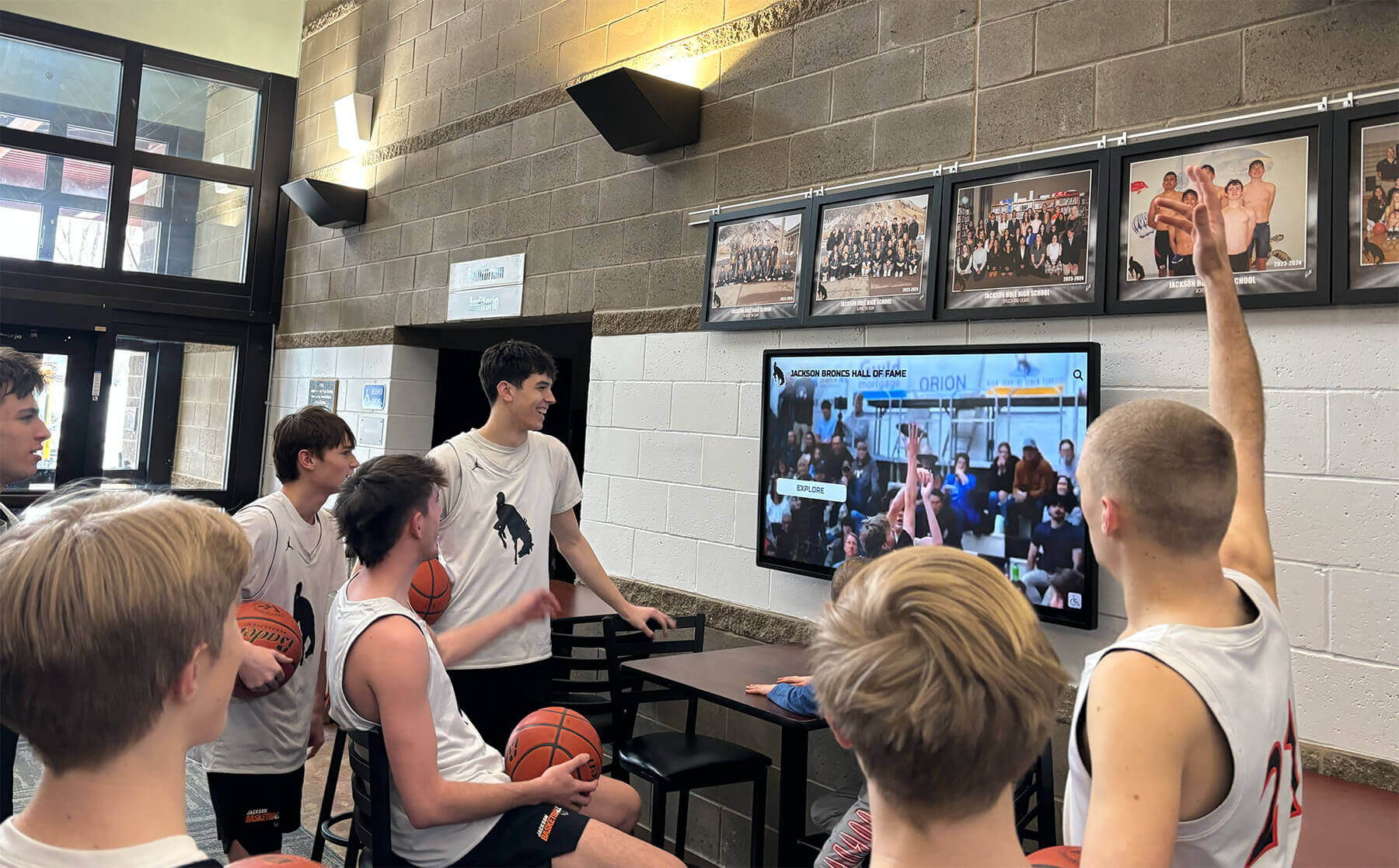
Showing students interacting with campus features like [digital displays](https://digitalawardsdisplay.com/blog/academic-recognition-programs-guide/?utm_source=organic&utm_medium=seo-auto&utm_content=touchwall&utm_campaign=virtual-school-tour-video&utm_term=seo) demonstrates authentic daily experience
Showcasing Distinctive Programs and Facilities
Every school has unique strengths, specialized programs, or facility features that differentiate it from competitors. Your virtual tour must prominently showcase these distinctive elements rather than treating all spaces equally.
Identifying and Emphasizing Differentiators
What does your school offer that families cannot find elsewhere in your competitive market? Perhaps specialized STEM labs, professional-quality performing arts facilities, championship athletic programs, innovative maker spaces, or unique outdoor learning environments deserve extended coverage that establishes competitive advantage.
Don’t simply show these facilities empty—capture them in active use demonstrating actual programs and student engagement. A robotics lab matters because of the competitions students win and skills they develop, not because of equipment inventory. Frame distinctive facilities through student achievement and experience they enable.
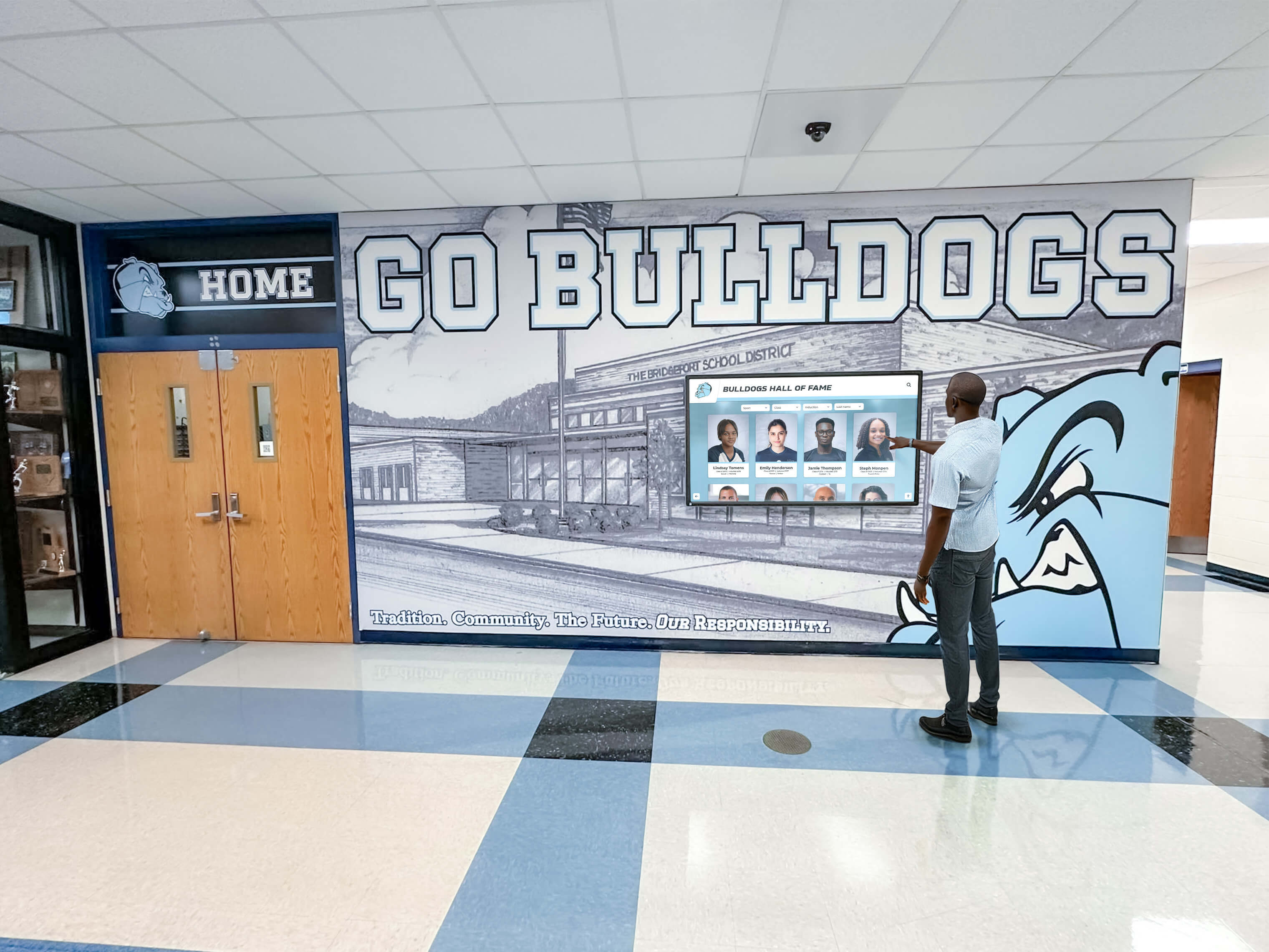
Interactive recognition elements provide engaging visual demonstrations of how technology enhances campus experience
Balancing Breadth and Depth
Virtual tours face tension between comprehensive coverage showing everything prospective families might want to see versus focused depth on most compelling and distinctive elements. Err toward focused depth rather than exhaustive coverage.
A 3-minute tour emphasizing your strongest programs, most impressive facilities, and most engaged students outperforms a 10-minute comprehensive walkthrough that dilutes impact by treating every classroom identically. Families seeking specific details can always request follow-up information or in-person visits.
Post-Production and Editing Excellence
Raw footage transforms into compelling virtual tours through skilled editing that maintains pacing, enhances storytelling, and ensures professional polish.
Editing Workflow and Pacing
Most schools shoot far more footage than will appear in final tours. Ruthless editing that maintains tight pacing and eliminates redundancy separates engaging tours from tedious ones.
Optimal Video Length
Research on video engagement shows dramatic drop-off after 2-3 minutes for promotional content, though educational or high-intent viewers will watch longer comprehensive tours. Consider creating multiple video assets:
- 60-90 second highlight tour for social media and initial discovery
- 3-5 minute comprehensive tour for serious prospects
- 8-12 minute extended tour with detailed coverage for families making final decisions
Shorter videos should excerpt and tease content from longer comprehensive tours rather than requiring separate production efforts.
Pacing and Scene Length
Individual scenes should typically last 3-8 seconds before cutting to new angles or locations—long enough to establish spaces but short enough to maintain visual interest. Vary scene length to support narrative rhythm, with occasional longer sequences for particularly important or visually compelling content.
Use dynamic transitions between scenes—crossfades, creative transitions, or quick cuts depending on your style preference—but maintain consistency throughout the video. Overly fancy transitions distract rather than enhance.

Detail shots demonstrating interactive technology features add visual variety while showcasing innovation
Graphics, Text, and Call-to-Action Elements
Professional graphics enhance clarity and emphasize key messages without overwhelming visual content.
Lower Thirds and Text Overlays
Use consistent lower third graphics to identify featured students, staff, or locations as they appear in your tour. Keep text minimal, readable, and on-screen long enough for viewers to comfortably read—typically 3-5 seconds minimum depending on text length.
Establish clear brand consistency through color schemes, fonts, and graphic styles that match your school’s visual identity. Avoid generic templates in favor of custom graphics that reinforce institutional brand.
End Screens and Calls-to-Action
Your virtual tour should conclude with clear calls-to-action directing viewers toward next enrollment steps. Include multiple contact options addressing different preferences:
- Schedule a personal tour link and contact information
- Request information button for early-stage prospects
- Apply now link for families ready to take action
- Follow us social media handles for ongoing engagement
End screens should remain visible for 5-8 seconds minimum, allowing time for viewers to note contact information or click interactive elements.

Recognition displays featuring student achievements provide authentic credibility to your marketing message
Distribution Strategy and Platform Optimization
Even brilliantly produced virtual tours fail to support enrollment if prospective families never discover them. Strategic distribution ensures your content reaches the right audiences at the right decision-making moments.
Primary Hosting and Website Integration
Your school website should feature virtual tour videos prominently on admission pages, homepage, and anywhere prospective families land during research.
YouTube as Primary Host
Host video files on YouTube (or Vimeo for schools preferring ad-free, privacy-focused platforms) rather than self-hosting, which creates loading issues and bandwidth costs. YouTube provides powerful SEO benefits, suggested video exposure, and reliable streaming across devices.
Optimize YouTube metadata thoroughly:
- Title: Include school name, location, and “virtual tour” for search visibility
- Description: Write comprehensive 200-300 word descriptions with relevant keywords, links to your website, and clear calls-to-action
- Tags: Include location-based tags, school type, grade levels, and relevant program keywords
- Thumbnail: Design custom thumbnails featuring compelling imagery and clear text rather than relying on auto-generated options
- Cards and end screens: Add interactive elements linking to admission pages, additional videos, or contact information
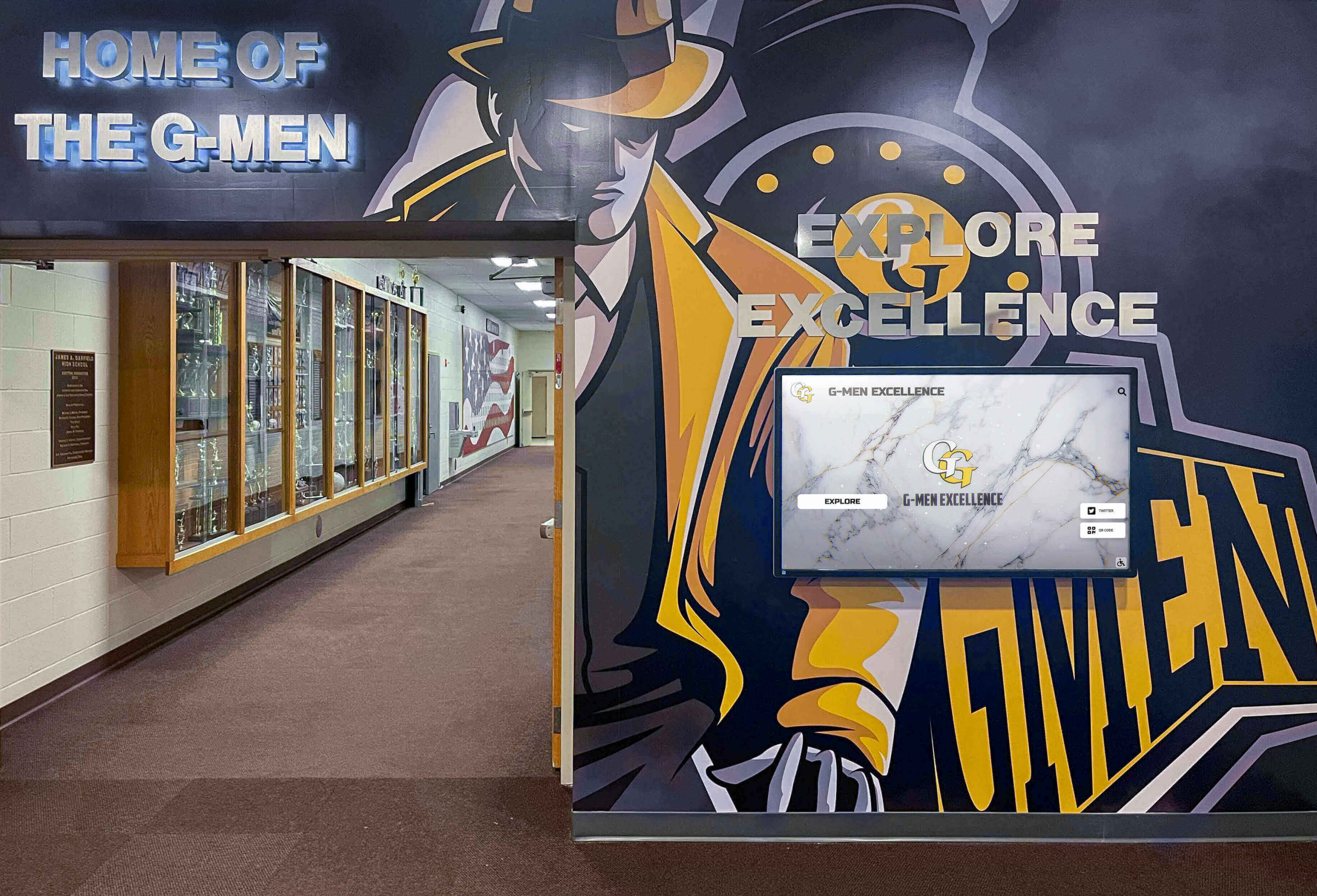
Hallway scenes showing [school recognition displays](https://toucharchives.org/blog/digital-hall-of-fame-display-vs-traditional-trophy-case-school-hallway/?utm_source=organic&utm_medium=seo-auto&utm_content=touchwall&utm_campaign=virtual-school-tour-video&utm_term=seo) provide visual interest while demonstrating campus culture
Social Media and Paid Promotion
Organic reach on social platforms continues declining, making strategic paid promotion increasingly necessary for schools seeking to expand prospective family audiences beyond existing follower bases.
Platform-Specific Optimization
Different social platforms require different video formats and approaches:
Facebook: Upload native video rather than sharing YouTube links for superior algorithm preference. Create square (1:1) or vertical (4:5) versions optimized for mobile viewing. Include captions since most Facebook video plays without sound initially.
Instagram: Create 60-second highlight reels for feed posts and save full tours to IGTV. Use vertical (9:16) formatting for Stories and Reels featuring behind-the-scenes production content or quick tour previews that drive traffic to full videos.
LinkedIn: Share full virtual tours targeting parents in professional contexts, emphasizing academic rigor, college preparation, and outcome metrics that resonate with career-focused audiences.
Targeted Advertising Strategy
Organic social reach rarely extends beyond current families and alumni. Paid social advertising enables precise targeting of prospective family demographics within your enrollment geography.
Target Facebook and Instagram ads toward:
- Parents of children aged 2-3 years below your entry grades (kindergarten, 6th grade, 9th grade)
- Specific zip codes or radius around your campus
- Household income ranges matching your tuition structure
- Interest categories related to private education, specific programs, or activities your school emphasizes
Monitor cost-per-view and view-through rates, optimizing campaigns toward demographics and creative variants that generate qualified inquiry rather than vanity metrics like total views.
Email Marketing and Enrollment Funnel Integration
Virtual tours should integrate systematically into enrollment communication sequences rather than functioning as standalone assets.
Inquiry Follow-Up Sequences
Families who request information should receive virtual tour links within initial automated responses, positioned as convenient ways to explore campus before scheduling in-person visits. Track email engagement to identify which prospects watch virtual tours, enabling admission staff to prioritize follow-up with highly engaged families.
Consider creating segmented follow-up content: families who watched your full virtual tour might receive detailed academic program information, while those who didn’t watch receive reminder emails emphasizing tour convenience and value.
Event Marketing and Virtual Visit Programs
For schools hosting virtual open houses or online information sessions, pre-share virtual tour links allowing participants to “visit” campus before live events. This context enables more substantive Q&A discussions during live sessions since participants arrive with facility familiarity rather than requiring basic orientation.
Some schools create formal “virtual visit” programs combining self-guided tour videos with scheduled one-on-one video calls with admission counselors, providing structured yet flexible alternatives to in-person visits that serve distant or time-constrained families.
Measuring Success and Continuous Improvement
Virtual tours represent significant investments deserving systematic evaluation and ongoing refinement based on performance data and enrollment outcomes.
Key Performance Metrics to Track
Establish baseline metrics before launching new virtual tours, enabling meaningful assessment of impact on enrollment funnel performance.
Video Engagement Analytics
YouTube and social platforms provide detailed analytics revealing how prospective families engage with virtual tour content:
- View counts and view rate: How many people watch your video? What percentage of those served your video actually click to play?
- Average view duration and retention curves: How long do viewers watch? Where do they drop off? Which segments maintain engagement?
- Traffic sources: How do viewers discover your video—search, suggested videos, website embeds, social shares?
- Demographics: What age ranges and geographic locations are viewers from? Do they match your target enrollment demographics?
Analyze retention curves to identify weak segments losing viewer attention, then refine future videos based on patterns. If viewers consistently drop off during lengthy administrative introductions, cut those sections and lead with more compelling content.
Enrollment Funnel Impact
The ultimate measure of virtual tour success is impact on enrollment outcomes, not video vanity metrics. Track:
- Inquiry-to-tour conversion: Do more families request in-person tours after virtual tour launches?
- Tour-to-application rates: Do families who watch virtual tours before visiting apply at higher rates?
- Application-to-enrollment yield: Do admitted students who engaged with virtual tours enroll at higher rates?
- Source attribution: Can you identify enrolled families who first discovered your school through virtual tour content?
Work with admission staff to survey enrolling families about which marketing touchpoints most influenced their decisions, specifically asking about virtual tour impact.

Featuring [student recognition displays](https://donordisplay.com/blog/academic-recognition-programs-guide/?utm_source=organic&utm_medium=seo-auto&utm_content=touchwall&utm_campaign=virtual-school-tour-video&utm_term=seo) demonstrates your celebration of achievement
Updating and Refreshing Content
Virtual tours don’t remain effective indefinitely. Plan systematic updates maintaining content currency and reflecting facility improvements or program evolution.
Scheduled Refresh Cycles
Major virtual tour updates typically make sense every 2-4 years as facilities change, technology improves, or student demographics shift significantly. However, minor updates can extend content lifespan:
- Annual intro/outro updates: Refresh opening and closing sequences with current students, updated statistics, or recent achievements while leaving core facility footage unchanged
- Supplementary videos: Create focused videos highlighting new facilities, programs, or achievements that complement rather than replace existing comprehensive tours
- Seasonal variations: Film alternative sequences showcasing campus during different seasons or activities, swapping segments while maintaining overall tour structure
Budget approximately 30-40% of original production costs for significant refreshes that update multiple sequences while leveraging existing structure and selected footage that remains current.
Integrating Virtual Tours with Modern Campus Technology
The most compelling virtual school tours showcase not just physical facilities but also the technology integration and innovation that characterize modern learning environments.
Highlighting Interactive Campus Elements
Today’s families expect to see evidence of technology integration and innovation throughout campus facilities. Virtual tours should prominently feature these elements as differentiators.
Digital Recognition and Display Systems
Modern schools increasingly replace static trophy cases and bulletin boards with dynamic digital displays that celebrate student achievement, share announcements, and create engaging visual environments. These interactive touchscreen systems provide compelling visual content for virtual tours while demonstrating institutional investment in contemporary learning environments.
When filming these elements, capture them in active use—students interacting with touchscreens, dynamic content cycling through achievements, or close-up detail shots showing the quality and professional presentation these systems enable. Brief segments showing specific features like sports statistics, academic honors, or donor recognition demonstrate practical applications that resonate with prospective families.

Digital displays throughout campus provide visual interest while demonstrating commitment to celebrating student achievement
Smart Classroom Technology
Beyond general computing and connectivity, highlight specific technology integration that enhances learning:
- Interactive whiteboards and display systems enabling collaborative learning
- Document cameras and presentation tools facilitating student work sharing
- Video conferencing systems supporting global connections and remote learning flexibility
- Specialized equipment like 3D printers, laser cutters, recording studios, or broadcasting facilities
Show these technologies in actual use during instruction rather than simply panning across equipment, helping families envision how technology enhances their child’s learning experience.
Capturing School Culture Through Recognition Displays
The way schools celebrate achievement reveals institutional values and culture. Virtual tours should showcase how your school honors student accomplishment across academic, athletic, artistic, and community domains.
Athletic Achievement Recognition
Feature athletic recognition displays prominently when touring gym facilities, athletic wings, or common areas. These displays demonstrate institutional commitment to celebrating athletic excellence while providing engaging visual content.
Highlight modern approaches to recognition that go beyond static trophy cases—digital displays showing game highlights, championship histories, individual achievement statistics, or alumni athletic achievements that inspire current students.

Comprehensive recognition displays demonstrate systematic celebration of achievement across all program areas
Academic and Arts Recognition
Balance athletic recognition with equivalent prominence for academic achievements, performing arts accomplishments, and community service contributions. Show how your school creates culture valuing diverse excellence forms.
Feature displays highlighting academic honor rolls, science fair winners, essay competition results, art exhibitions, theater production histories, or music performance achievements. These elements signal to prospective families that your school celebrates well-rounded excellence rather than privileging single achievement domains.
Common Mistakes to Avoid
Learning from frequent virtual tour failures helps schools avoid expensive missteps that undermine marketing effectiveness.
Production and Content Errors
Several predictable mistakes consistently weaken virtual tour impact regardless of production budget or facility quality.
Overreliance on Drone Footage
Aerial drone shots of campus provide attractive establishing footage but fail to create the human connection and cultural understanding that drive enrollment decisions. Tours dominated by exterior drone footage feel distant and impersonal.
Limit drone sequences to brief establishing shots (10-15 seconds) before quickly moving inside facilities to showcase learning environments and student experiences. The family choosing your school cares more about classroom quality than roof lines.
Empty Building Syndrome
Filming when school is not in session creates logistical convenience but produces lifeless tours that fail to convey culture or energy. Empty hallways and vacant classrooms suggest institutions focused more on facilities than people.
Accept the added complexity of filming during school sessions to capture authentic student engagement, classroom energy, and community atmosphere. Even if you cannot show faces clearly due to privacy restrictions, showing students engaged in activities from wider angles or creative framing conveys vitality that empty rooms cannot.
Strategic and Distribution Mistakes
Even technically excellent virtual tours fail when strategic decisions undermine effectiveness or limit audience reach.
Excessive Length and Poor Pacing
Comprehensive does not mean exhaustive. Virtual tours exceeding 8-10 minutes lose viewer attention regardless of content quality. Families rarely need or want to see every classroom, hallway, and storage closet.
Focus on representative spaces, distinctive features, and compelling moments rather than documenting every square foot. Trust that interested families will request in-person visits to explore further rather than expecting virtual tours to substitute completely for physical campus experience.

Focus on most impressive and distinctive spaces rather than attempting exhaustive coverage
Weak or Missing Calls-to-Action
Virtual tours that end without clear next steps or contact information waste marketing opportunities. Every viewer who completes your tour has demonstrated serious interest—capitalize on that engagement with obvious paths to scheduling visits, requesting information, or beginning applications.
Include multiple contact options recognizing that families have different preferences—phone numbers for those preferring conversation, email addresses for those wanting time to draft questions, online scheduling links for those ready to book tours immediately, and application portals for families ready to proceed.
Neglecting Mobile Optimization
The majority of social media video viewing and significant portions of website traffic occur on mobile devices. Virtual tours not optimized for mobile viewing lose substantial prospective audience.
Test your virtual tours across phones and tablets, ensuring text remains readable, audio is clear through phone speakers, and framing works in small screen formats. Consider creating vertical (9:16) or square (1:1) versions optimized for mobile platforms alongside traditional landscape formatting.
Legal and Privacy Considerations
Virtual tour production intersects with student privacy regulations, intellectual property concerns, and institutional liability issues requiring careful navigation.
Student Privacy and Permission Requirements
Filming students requires appropriate permissions balancing authentic representation against privacy protection and regulatory compliance.
FERPA and State Privacy Laws
Federal FERPA regulations generally permit schools to use student images in promotional materials when designated as “directory information,” but many schools adopt more restrictive policies requiring explicit permission for promotional use.
Consult with your school’s legal counsel to understand applicable requirements in your jurisdiction and establish clear protocols for obtaining necessary permissions before filming. Some schools maintain permanent media release permissions on file from enrollment; others require specific consent for each production.
When in doubt, err toward caution—use wider shots that make individual identification difficult, film from angles obscuring faces, or feature only students whose families have explicitly consented to promotional use.
Student Safety Concerns
Consider whether showing distinctive campus features, security systems, or access points could create safety vulnerabilities. While you want to showcase beautiful facilities, avoid footage that explicitly reveals security protocols, entry points, or details that could inform unwanted access.
Some schools intentionally avoid showing exterior shots that would help strangers identify campus locations from public streets or landmarks, particularly for schools serving high-profile families or those concerned about targeted threats.
Moving Forward: Creating Your Virtual Tour Video
Implementing these strategies transforms virtual school tours from simple facility documentation into powerful enrollment marketing assets that extend your reach, engage prospective families emotionally, and drive measurable enrollment outcomes.
Begin with clear objectives aligned to your specific enrollment challenges—whether building awareness, increasing applications, or improving yield among admitted students. Let those objectives guide production decisions about length, content emphasis, tone, and distribution strategy rather than attempting generic tours that serve every purpose equally but none effectively.
Invest in professional production quality that reflects positively on your institutional brand, but recognize that authentic storytelling and strategic distribution matter more than expensive equipment. A well-planned, thoughtfully produced tour shot on modest equipment outperforms technically sophisticated videos lacking clear purpose or compelling narrative.
Most importantly, integrate virtual tours systematically into enrollment marketing strategies rather than treating them as standalone projects. Virtual tours work best as elements within comprehensive campaigns including social media advertising, email nurture sequences, website optimization, and personal follow-up from admission staff who leverage video engagement data to prioritize and personalize outreach.
Ready to showcase your school’s excellence through modern digital recognition systems that enhance both daily campus culture and virtual tour appeal? Rocket Alumni Solutions creates interactive touchscreen displays that celebrate student achievement across academic, athletic, and community domains while providing compelling visual content for recruitment videos and campus tours. Our systems integrate seamlessly into school environments, offering unlimited content updates and maintenance-free operation that ensures your recognition displays always reflect current achievements. Discover how modern digital recognition can differentiate your campus and strengthen your enrollment marketing.































