




Choosing the right screen technology for digital signage applications represents one of the most critical decisions organizations face when implementing recognition displays, communication systems, or interactive kiosks. The display screen serves as the primary interface between your content and your audience—directly impacting visibility, engagement, durability, and long-term operational costs in ways that determine whether digital signage investments deliver intended value or become underutilized technology disappointments.
Walk into most schools, universities, athletic facilities, or corporate buildings and you’ll encounter diverse digital display technologies serving different purposes: bright LED video walls showcasing championship achievements in gymnasiums, interactive touchscreen kiosks enabling exploration of alumni recognition in lobbies, sleek OLED displays presenting dynamic content in modern conference rooms, and standard LCD panels delivering announcements in hallways and common areas throughout facilities.
This comprehensive guide explores every major screen type used in modern digital signage applications—from traditional LCD and LED displays to cutting-edge OLED technology, projection systems, interactive touchscreens, and specialized solutions designed for specific environments. We examine technical specifications, practical applications, cost considerations, environmental suitability, and long-term performance characteristics that enable informed decisions aligning display technology with organizational needs, budgets, and communication objectives.
Understanding display technology differences enables organizations to match specific screens to particular applications—ensuring outdoor displays withstand weather conditions, indoor recognition systems deliver professional image quality, interactive installations respond reliably to user input, and all displays operate efficiently throughout expected lifecycles without requiring premature replacement or constant maintenance interventions.

Professional digital signage displays integrate specialized screen technology optimized for commercial applications and extended daily operation
Understanding Digital Signage Display Technology Fundamentals
Before exploring specific screen types, understanding core display technology principles helps organizations evaluate options and make informed decisions based on actual operational requirements rather than marketing claims or surface-level feature comparisons.
What Makes Digital Signage Displays Different from Consumer TVs
Many organizations initially consider repurposing consumer televisions for digital signage applications to reduce costs. While this approach seems economical initially, commercial digital signage displays differ fundamentally from consumer TVs in ways that significantly impact long-term performance and total cost of ownership.
Commercial-Grade Durability Requirements
Digital signage displays operate under dramatically different conditions than residential televisions:
Consumer TVs typically run 4-6 hours daily in controlled residential environments with minimal ambient light, temperate conditions, and gentle usage. Commercial digital signage displays often operate 16-24 hours daily in high-traffic public spaces with variable lighting conditions, temperature fluctuations, and continuous exposure to environmental factors that consumer electronics never encounter.
Commercial displays incorporate components rated for extended operation—reinforced panels, commercial-grade backlighting systems, enhanced cooling mechanisms, and power supplies designed for continuous duty cycles. These engineering differences enable displays to operate reliably throughout 50,000-100,000 hour lifecycles typical of commercial installations, compared to 30,000-40,000 hour lifespans common in consumer televisions.
Professional Performance Specifications
Beyond durability, commercial displays deliver performance characteristics essential for professional applications:
Higher brightness ratings (typically 400-700 nits for indoor displays, 1,500-5,000+ nits for outdoor) ensure visibility in ambient lighting conditions where consumer TVs (200-400 nits) appear washed out and illegible. Commercial displays include anti-glare coatings and treatments minimizing reflections in bright environments. And specialized color calibration maintains consistent image quality across multiple displays—critical when deploying coordinated display networks throughout facilities.
According to research on display technology, commercial-grade screens deliver 40-60% longer operational life compared to consumer alternatives when deployed in typical digital signage applications, demonstrating the fundamental engineering differences justifying commercial display investments.
Connectivity and Integration Capabilities
Professional displays include connectivity options designed for commercial applications:
Multiple input options (HDMI, DisplayPort, DVI, VGA, USB) accommodate diverse content sources and media players. Network connectivity (ethernet, Wi-Fi) enables remote management and content delivery. RS-232 and other control protocols support integration with automation systems, content management platforms, and building infrastructure. And commercial displays typically include more robust mounting options and VESA compliance supporting professional installation in diverse architectural contexts.
These connectivity differences enable seamless integration with digital signage ecosystems—whereas consumer TVs often require adapters, workarounds, or simply lack capabilities required for professional deployments.
Learn about comprehensive digital display implementations in interactive touchscreen software guides covering platform integration and management capabilities. Organizations planning recognition installations should also explore digital hall of fame implementation strategies that address display selection alongside content planning.
Key Display Specifications That Actually Matter
Technical specifications sheets for digital displays include dozens of measurements and ratings. Understanding which specifications meaningfully impact real-world performance helps organizations focus evaluation on factors that actually affect their specific applications.
Resolution and Pixel Density
Display resolution determines image clarity and content legibility:
Common Resolution Standards
- 1080p Full HD (1920 x 1080): Standard resolution for displays 32-55 inches, providing adequate clarity for typical viewing distances of 6-15 feet
- 4K Ultra HD (3840 x 2160): Standard for displays 55+ inches, essential for large screens or close viewing distances where pixel density affects perceived quality
- 8K (7680 x 4320): Emerging standard for premium applications and very large displays where ultimate image quality justifies significant cost premium
Practical viewing distance matters more than raw resolution numbers. Displays viewed from 10+ feet rarely benefit from 4K resolution unless screen sizes exceed 70 inches. Organizations should calculate pixel density relative to expected viewing distances rather than defaulting to highest available resolution regardless of practical visibility benefits.
Brightness and Contrast Specifications
Brightness ratings (measured in nits or candelas per square meter) directly impact display visibility:
Brightness Guidelines by Environment
- Indoor controlled lighting (200-400 nits): Adequate for areas with minimal ambient light like theaters or dark conference rooms
- Indoor typical lighting (400-700 nits): Standard for offices, lobbies, hallways with normal artificial and natural lighting
- Indoor bright environments (700-1,500 nits): Required for areas with significant natural light, windows, or bright artificial lighting
- Outdoor shade (1,500-3,000 nits): Minimum for covered outdoor areas with indirect sunlight exposure
- Outdoor direct sunlight (3,000-5,000+ nits): Essential for displays facing direct sun where lower brightness renders screens illegible
Contrast ratio specifications indicate the difference between brightest whites and darkest blacks displays can produce. While manufacturers tout extreme contrast ratios (100,000:1 or higher), ambient lighting conditions in most digital signage environments limit practical contrast perception. Organizations should prioritize brightness appropriate for installation environments over theoretical contrast specifications.
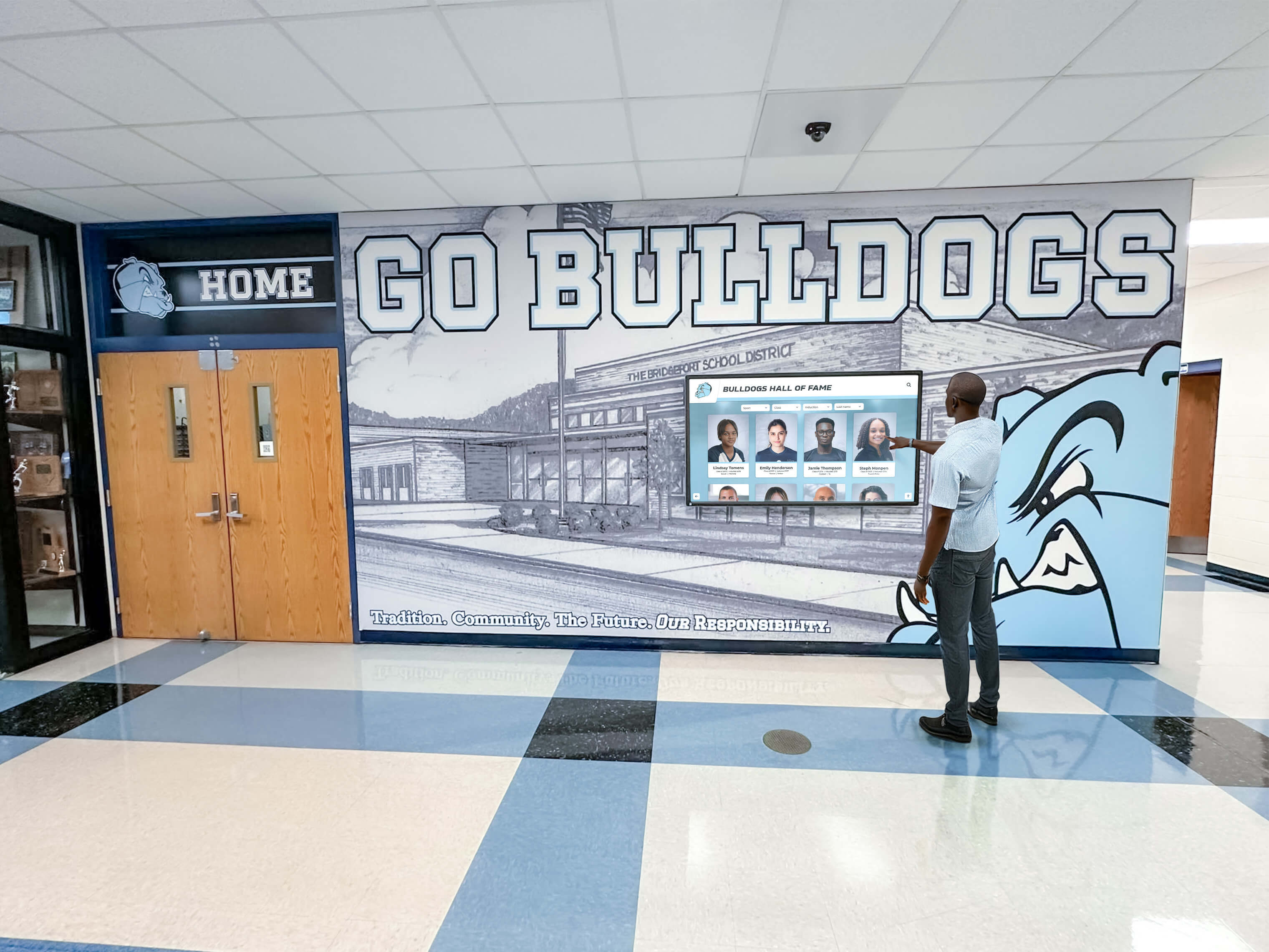
Strategic display placement in high-traffic areas ensures maximum visibility while brightness specifications ensure legibility in ambient lighting conditions
Viewing Angle Specifications
Viewing angle ratings indicate how far off-center viewers can observe displays before image quality degrades:
Most commercial displays specify 178-degree horizontal and vertical viewing angles—meaning viewers positioned nearly perpendicular to screens still observe acceptable image quality. This specification matters significantly for installations where audiences approach from multiple directions or for displays mounted in corners or at angles rather than facing directly into traffic flow.
Consumer TVs often exhibit narrower viewing angles or significant brightness loss when viewed off-axis—acceptable in residential settings where viewers sit directly facing screens but problematic for digital signage applications serving diverse audience positions.
LCD Display Technology for Digital Signage Applications
Liquid Crystal Display (LCD) technology remains the most widely deployed screen type in digital signage applications worldwide, offering proven reliability, reasonable cost, and performance characteristics suitable for most indoor installation environments.
How LCD Display Technology Works
Understanding LCD fundamentals helps organizations appreciate strengths, limitations, and appropriate applications for this established display technology.
Core LCD Operating Principles
LCD displays comprise multiple layers working together to produce visible images:
A backlight source (typically LED arrays) provides constant illumination from behind the display panel. Liquid crystal layers respond to electrical signals by changing orientation, controlling how much backlight passes through each pixel. Color filters create red, green, and blue subpixels enabling full-color reproduction. And polarizing filters ensure light travels in specific directions creating visible images on screen surfaces.
This basic architecture means LCD displays don’t produce light themselves—they modulate backlight transmission to create images. This fundamental characteristic affects power consumption, brightness capabilities, contrast ratios, and response times compared to self-emissive technologies like OLED.
LED Backlighting Technology
Modern LCD displays universally employ LED backlighting rather than older CCFL (cold cathode fluorescent lamp) technology:
LED backlighting delivers superior energy efficiency, reducing power consumption 40-50% compared to older CCFL systems while enabling thinner display profiles. LED systems provide more uniform illumination across entire screen surfaces, improving image consistency. And LED backlights offer dramatically longer operational lifespans—typically 50,000-100,000 hours compared to 15,000-30,000 hours for CCFL technology.
Advanced LED backlighting architectures include edge-lit designs (LEDs positioned around display perimeters) offering ultra-thin profiles, and direct-lit designs (LED arrays positioned behind entire panel) providing superior brightness uniformity and local dimming capabilities improving contrast performance.
Advantages of LCD Displays for Digital Signage
LCD technology delivers multiple benefits making it appropriate for diverse digital signage applications:
Cost Effectiveness and Market Maturity
LCD displays represent the most economical digital signage option:
Mature manufacturing processes, economies of scale, and intense market competition drive LCD pricing significantly below alternative technologies. Organizations can acquire commercial-grade LCD displays in standard sizes (43-55 inches) for $800-$2,500 compared to $3,000-$8,000 for equivalent OLED displays or specialized LED solutions.
This cost advantage makes LCD technology accessible for organizations implementing comprehensive display networks across multiple locations where hardware expenses multiply rapidly. Schools, universities, and nonprofit organizations with limited technology budgets particularly benefit from LCD affordability enabling broader deployment than possible with premium display technologies.
Proven Reliability and Longevity
Decades of LCD technology refinement deliver predictable performance characteristics:
Commercial LCD displays typically achieve 50,000-70,000 hour operational lifespans under continuous operation—translating to 8-12 years of 16-hour daily use before brightness degrades to 50% of original output (industry standard for display replacement). This predictable degradation enables accurate lifecycle planning and budgeting for eventual display replacement.
LCD displays also demonstrate excellent image retention resistance—avoiding the burn-in challenges affecting older plasma displays and even some OLED technologies when displaying static content for extended periods. This characteristic makes LCD particularly suitable for digital signage applications where certain interface elements (logos, borders, persistent information) remain constant while other content rotates regularly.
Wide Size and Configuration Availability
LCD manufacturing scale ensures extensive options:
Commercial LCD displays are readily available in standard sizes from 32 inches through 98 inches, accommodating virtually any installation requirement. Portrait and landscape orientations support diverse content layouts. And ultra-narrow bezel designs enable video wall configurations where multiple displays tile together creating large-format installations with minimal visible seams between individual panels.
This versatility enables organizations to standardize on LCD technology across facilities while deploying appropriate screen sizes for specific locations—smaller displays in constrained spaces, larger screens in auditoriums or gymnasiums, and video wall configurations in premier locations.
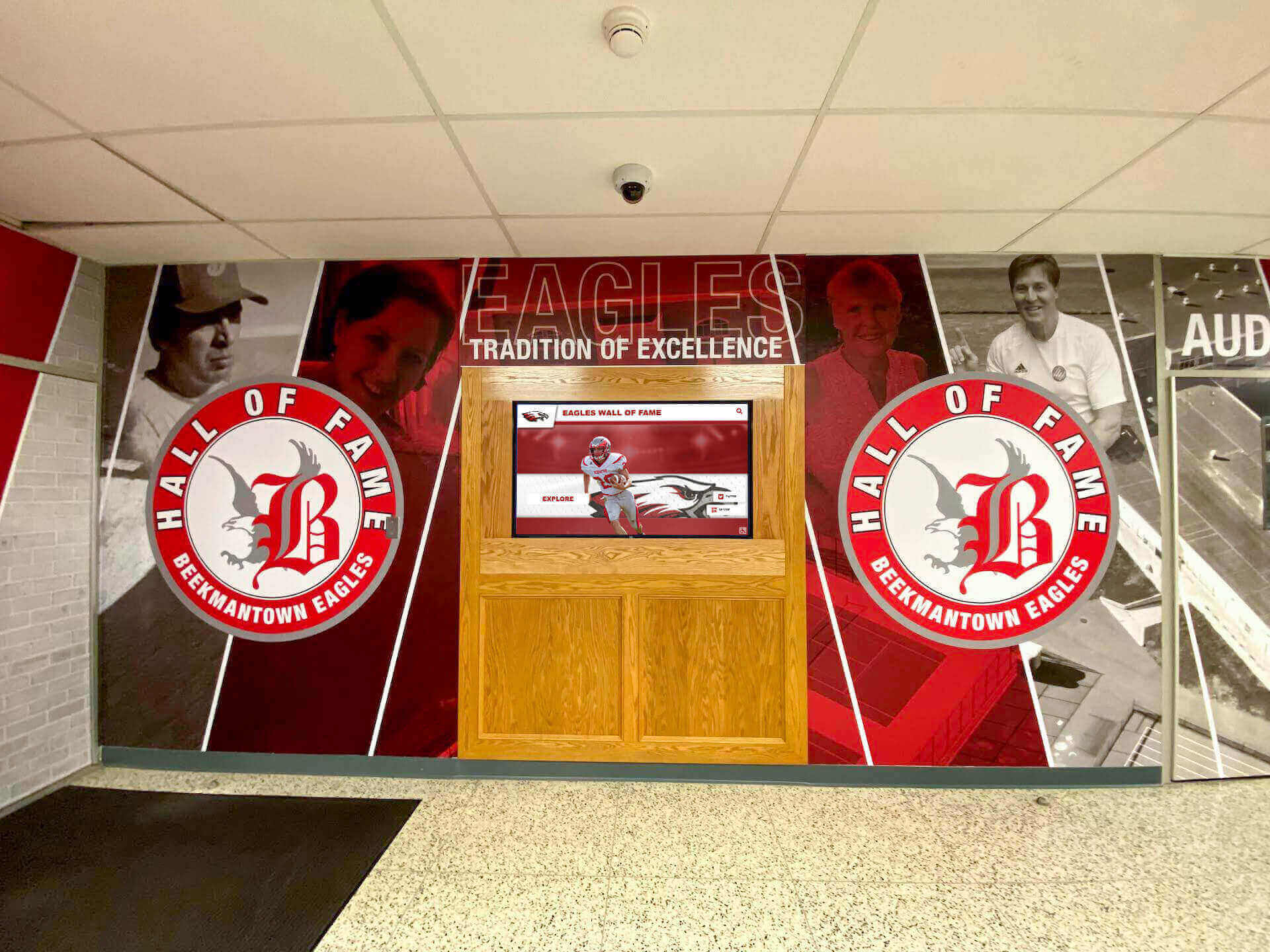
LCD displays integrate seamlessly with architectural elements and institutional branding in professional installations
LCD Display Limitations and Considerations
While LCD technology offers numerous advantages, organizations should understand limitations affecting certain applications:
Brightness and Outdoor Performance Constraints
Standard LCD displays typically deliver 400-700 nits brightness—adequate for most indoor environments but insufficient for outdoor applications or areas with significant direct sunlight exposure. High-brightness LCD displays achieving 1,500-2,500 nits exist but command substantial price premiums and increased power consumption.
Organizations requiring outdoor digital signage should carefully evaluate whether high-brightness LCD displays meet requirements or whether alternative technologies (direct-view LED) better suit challenging lighting conditions.
Viewing Angle and Color Shift Characteristics
While modern LCD displays advertise 178-degree viewing angles, image quality degradation occurs at extreme angles:
Brightness reduction becomes noticeable when viewing angles exceed 60-70 degrees off-center axis. Color shifts can occur at extreme viewing angles, particularly with lower-quality panels. And contrast ratios decrease significantly for off-axis viewers compared to direct viewing.
These characteristics matter less for installations where viewers primarily approach displays from forward positions but significantly impact applications where displays must serve audiences approaching from multiple directions simultaneously.
Explore comprehensive display selection criteria in digital hall of fame touchscreen guides covering installation planning and technology decisions.
LED Display Technology and Direct-View LED Systems
LED (Light Emitting Diode) terminology in digital signage contexts can create confusion because it refers to two distinct technologies: LED-backlit LCD displays (discussed in the previous section) and direct-view LED displays where individual LEDs comprise visible pixels rather than providing backlighting for liquid crystal panels.
Understanding Direct-View LED Display Technology
Direct-view LED displays—also called LED walls, LED video walls, or simply LED displays—function fundamentally differently than LCD screens, creating unique capabilities and application opportunities.
How Direct-View LED Displays Work
Direct-view LED displays comprise thousands or millions of individual LED modules arranged in precise grids:
Each pixel consists of red, green, and blue LED elements that illuminate directly—no liquid crystals, no backlighting, no light modulation. The LEDs themselves produce visible light in appropriate colors and intensities to create images. Individual LED modules (typically 10-20 inches square) tile together to create displays of virtually any size and shape—limited only by available mounting area and budget rather than fixed panel dimensions.
This modular architecture enables unprecedented flexibility. Organizations can create custom display sizes and aspect ratios impossible with fixed-size LCD panels. Video walls can span entire building facades. And curved or irregular shapes become possible when standard rectangular displays cannot accommodate architectural requirements.
Pixel Pitch and Viewing Distance Relationships
Direct-view LED displays are characterized by pixel pitch—the distance between individual pixel centers measured in millimeters:
Typical Pixel Pitch Categories
- Fine pitch (1.2mm-2.5mm): Indoor applications with close viewing distances (3-10 feet), delivering image quality comparable to LCD displays
- Medium pitch (2.5mm-5mm): Indoor and semi-outdoor applications with moderate viewing distances (10-25 feet)
- Standard pitch (5mm-10mm): Outdoor applications and large-scale installations with viewing distances exceeding 25 feet
- Large pitch (10mm+): Distant viewing applications like highway billboards and stadium scoreboards where viewers are 50+ feet away
Appropriate pixel pitch selection directly correlates to minimum viewing distance. Fine pitch displays appear perfectly smooth and detailed when viewed from appropriate distances but cost significantly more per square foot than larger pitch alternatives. Organizations can reduce costs by selecting coarser pixel pitches appropriate for actual viewing distances rather than defaulting to finest available pitch regardless of practical visibility requirements.
Advantages of Direct-View LED for Digital Signage
LED display technology delivers unique capabilities making it ideal for specific demanding applications:
Extreme Brightness for Outdoor and High-Ambient Environments
Direct-view LED displays achieve brightness levels impossible with LCD technology:
Outdoor LED displays commonly deliver 5,000-10,000 nits brightness—10-20 times brighter than high-end LCD displays. This extreme brightness ensures visibility in direct sunlight where LCD screens appear completely washed out and illegible. Automatic brightness sensing adjusts output based on ambient conditions, maintaining optimal visibility while conserving energy during evening hours when full brightness proves unnecessary.
This brightness capability makes LED the only practical technology for outdoor digital signage in unshaded locations, building-mounted displays, or any application competing with direct sunlight for viewer attention.
Unlimited Size and Configuration Flexibility
LED’s modular architecture enables display sizes impossible with other technologies:
Organizations regularly deploy LED video walls spanning 20, 50, or even 100+ feet wide—creating dramatic visual impact in athletic facilities, auditoriums, and public spaces where standard displays cannot achieve similar scale. Custom aspect ratios support unique architectural requirements without black bars or unused screen areas. And irregular shapes including curves, angles, and architectural integration become feasible when standard rectangular displays constrain design vision.
Solutions like Rocket Alumni Solutions can incorporate LED technology in applications requiring maximum visual impact and display flexibility beyond what standard display technologies provide.

Large-format displays in athletic facilities require commercial-grade technology delivering reliable performance in demanding environments
Superior Longevity and Reliability
Well-manufactured LED displays often achieve operational lifespans exceeding LCD alternatives:
Quality LED modules typically achieve 100,000+ hour operational life—translating to 15-20+ years of continuous operation before brightness degrades to replacement thresholds. Individual LED failures affect only tiny portions of images rather than entire displays, and modular architecture enables replacing failed sections without entire display replacement. And LED displays lack the complex layered structures of LCD panels, reducing mechanical failure modes and improving long-term reliability.
These longevity characteristics justify LED’s premium pricing for permanent outdoor installations where replacement costs, access difficulties, and downtime prove extremely expensive.
LED Display Limitations and Cost Considerations
Despite impressive capabilities, LED displays face limitations affecting many potential applications:
Significant Cost Premium for Indoor Applications
Fine-pitch LED displays suitable for indoor viewing distances cost dramatically more than comparable LCD alternatives:
Indoor LED video walls typically cost $5,000-$15,000 per square meter for fine pitch configurations (1.5mm-2.5mm) delivering image quality comparable to LCD displays. An equivalent area covered by tiled LCD displays might cost $1,500-$4,000—representing 3-5x cost differential. This premium narrows for outdoor and large-pitch applications but remains substantial for most indoor digital signage contexts.
Organizations should carefully evaluate whether LED capabilities (brightness, size flexibility, longevity) justify significant cost premiums compared to LCD alternatives providing adequate performance for many indoor applications.
Installation Complexity and Structural Requirements
LED video walls require professional installation and substantial mounting infrastructure:
Modular LED panels collectively weigh significantly more than equivalent LCD displays, requiring reinforced mounting structures and professional engineering assessments for large installations. Precise panel alignment ensures uniform images without visible seams or misalignment between modules. And LED displays require specialized calibration and color balancing ensuring consistent appearance across all modules—particularly important when replacing failed sections years after initial installation.
These complexity factors add installation costs beyond hardware pricing alone, increasing total project costs and requiring experienced integrators rather than in-house facilities teams typical of LCD display installation.
Learn about comprehensive display planning strategies in digital storytelling for athletic programs guides covering technology selection for high-impact installations.
OLED Display Technology: The Premium Digital Signage Option
Organic Light Emitting Diode (OLED) displays represent the newest screen technology appearing in digital signage applications, offering image quality characteristics exceeding traditional LCD and LED alternatives but at significant cost premiums limiting widespread adoption.
How OLED Technology Differs from LCD and LED
OLED displays operate on fundamentally different principles than LCD screens, creating unique performance characteristics:
Self-Emissive Pixel Architecture
OLED displays eliminate backlighting entirely through self-emissive organic compounds:
Each pixel comprises organic materials that emit light when electrical current applies—no backlight required, no light modulation through liquid crystals. This architecture enables pixels to turn completely off when displaying black, achieving true black levels and infinite contrast ratios impossible with LCD backlighting that always emits some light even when pixels attempt to block transmission.
Eliminating backlighting also enables remarkably thin display profiles—OLED panels measure as little as 2-3mm thick compared to 10-20mm for LCD displays. This thinness creates new installation possibilities including flexible displays, transparent screens, and architecturally integrated applications impossible with traditional display technologies.
Superior Image Quality Characteristics
OLED technology delivers multiple image quality advantages:
Perfect black levels and essentially infinite contrast ratios create stunning image depth and realism impossible with LCD technology where backlight bleed compromises dark scene reproduction. Response times measuring microseconds eliminate motion blur affecting LCD displays, ensuring perfectly crisp video content even with rapid motion. And viewing angles approaching 180 degrees without brightness loss or color shift ensure consistent image quality regardless of viewer position—addressing LCD’s most significant viewing angle limitations.
These characteristics make OLED ideal for premium applications where image quality directly impacts viewer experience and perception—luxury retail environments, museum installations, high-end conference facilities, and other contexts where visual excellence justifies substantial technology investments.
OLED Advantages for Digital Signage Applications
Beyond image quality, OLED technology offers unique capabilities for specialized applications:
Transparent and Flexible Display Capabilities
OLED’s self-emissive architecture enables display formats impossible with other technologies:
Transparent OLED displays allow viewers to see through screens when displaying dark content—creating augmented reality effects where digital information overlays physical objects visible behind displays. Retail applications can showcase products behind transparent displays presenting supplemental information. Museum installations can overlay historical context on artifacts visible through screens. And architectural applications can integrate displays into windows and glass surfaces without completely obstructing views.
Flexible OLED displays can curve, wrap around columns or architectural elements, and conform to irregular surfaces—expanding creative possibilities beyond flat rectangular screens dominating traditional digital signage.
Energy Efficiency for Dark Content
OLED’s pixel-level illumination control creates unique energy characteristics:
When displaying dark content with significant black areas, OLED displays consume dramatically less power than LCD alternatives that must maintain constant backlighting regardless of image content. Applications displaying predominantly dark interfaces with selective bright elements (star fields, dark UI themes, certain artistic content) can achieve 40-60% power consumption reductions compared to LCD displaying similar content.
However, this efficiency advantage reverses when displaying predominantly bright content—OLED displays showing mostly white or bright colors often consume more power than LCD alternatives with efficient LED backlighting.

Premium display technology in high-profile locations creates lasting impressions demonstrating organizational commitment to quality
OLED Limitations and Adoption Barriers
Despite impressive capabilities, OLED technology faces significant challenges limiting digital signage adoption:
Significant Cost Premium
OLED displays command substantial price premiums over LCD alternatives:
Commercial OLED displays typically cost 3-5x equivalent LCD screens—a 55-inch OLED display might cost $6,000-$12,000 compared to $1,500-$3,000 for comparable LCD. Larger sizes demonstrate even greater cost differentials. And transparent or flexible OLED configurations often require custom manufacturing with pricing approaching luxury consumer prices rather than commercial display economics.
This cost barrier restricts OLED adoption to premium applications where image quality or unique capabilities justify substantial budget premiums—most organizations find LCD displays provide adequate performance at dramatically lower costs.
Burn-In and Image Retention Concerns
OLED displays face image retention challenges when displaying static content:
Permanent burn-in occurs when static interface elements (logos, borders, persistent graphics) display continuously for extended periods—the organic materials degrade unevenly, creating ghost images visible even when displaying different content. While modern OLED displays incorporate pixel-shifting, screen savers, and other mitigation technologies, risk remains for digital signage applications where static elements often appear persistently.
Organizations considering OLED should carefully evaluate content characteristics—applications with constantly changing content present minimal risk, while installations displaying static elements (building directories, permanent branding, persistent interface elements) may experience degradation affecting long-term display quality.
Limited Size Availability and Brightness
OLED manufacturing constraints limit available display sizes:
Commercial OLED displays rarely exceed 77 inches—significantly smaller than LCD displays commonly available in 85-98 inch configurations. Large-format OLED installations require tiling multiple panels similar to LED video walls but without LED’s seamless integration capabilities. And OLED brightness typically peaks around 400-800 nits—adequate for controlled indoor environments but insufficient for bright ambient lighting or outdoor applications where LCD and LED alternatives provide superior visibility.
These limitations restrict OLED to specific application niches rather than general-purpose digital signage where LCD economics and LED brightness capabilities better serve organizational requirements.
Interactive Touchscreen Display Technology
Interactive touchscreen displays transform passive digital signage into engaging platforms enabling user exploration, self-service applications, and active content discovery—particularly valuable for recognition systems, way-finding, information kiosks, and educational applications where audience engagement matters as much as information delivery.
Touch Technology Types and Characteristics
Multiple touch sensing technologies exist, each offering different characteristics affecting user experience, durability, and cost:
Capacitive Touch Technology
Capacitive touchscreens detect electrical conductivity of human fingers through transparent electrode layers:
This technology delivers the responsive, precise touch experience familiar from smartphones and tablets—supporting multi-touch gestures, light touch pressure, and smooth fluid interactions. Capacitive screens work with bare fingers but typically don’t respond to gloves, styluses, or other non-conductive objects unless specifically designed for such input.
Commercial capacitive displays sized 43-75 inches typically add $1,500-$4,000 to base display costs depending on size—representing substantial but justified premium for applications where touch interaction enhances user experience and engagement.
Infrared Touch Technology
Infrared touchscreens employ invisible infrared light grids across display surfaces:
Sensors detect interruptions in infrared beams caused by fingers, styluses, or any object touching screen surfaces—enabling glove operation, stylus input, and response to any touch regardless of conductivity. Infrared technology supports very large displays (100+ inches) where capacitive touch becomes prohibitively expensive. And IR screens can overlay existing displays as add-on upgrade rather than requiring specialized touch-enabled panels.
However, infrared technology typically offers slightly less precise touch recognition than capacitive alternatives and can struggle with very light touches or in extremely bright ambient light conditions interfering with infrared sensing.
Choosing Appropriate Touch Technology
Application requirements should drive touch technology selection:
Indoor kiosk applications with controlled environments and bare-finger interaction work beautifully with capacitive touch delivering premium responsiveness. Outdoor installations, cold environments requiring gloved operation, or specialized applications needing stylus input benefit from infrared alternatives. And very large interactive displays (70+ inches) often necessitate infrared technology where capacitive touch costs become prohibitive.
Solutions like Rocket Alumni Solutions incorporate appropriate touch technology based on specific deployment environments and user interaction patterns—ensuring responsive performance and long-term reliability regardless of application context.
Interactive Display Applications in Educational and Organizational Settings
Touchscreen displays create unique value in applications where passive information delivery proves insufficient:
Recognition and Hall of Fame Systems
Interactive touchscreens enable comprehensive recognition celebrating unlimited achievements:
Users explore searchable databases finding specific individuals, achievement categories, or historical eras matching their interests. Detailed profiles impossible in physical displays present photos, statistics, videos, and complete documentation. And engagement metrics reveal which content resonates most with audiences, informing recognition priorities and content development.
Discover comprehensive recognition strategies in academic recognition program guides demonstrating interactive display applications. Schools can also explore senior class awards display approaches leveraging touchscreen technology for comprehensive celebration.
Wayfinding and Building Directory Systems
Interactive displays assist visitors navigating complex facilities:
Touchscreen directories enable searching for departments, individuals, or spaces by name rather than deciphering static building maps. Interactive maps can display optimal routes from current kiosk locations to desired destinations. And integration with scheduling systems can show room availability, event information, and real-time facility status.
These applications prove particularly valuable in universities, hospitals, corporate campuses, and other large facilities where visitors frequently need navigation assistance.
Self-Service Information and Transaction Kiosks
Touchscreen kiosks enable self-service reducing staff workload:
Educational settings deploy interactive displays for course information, enrollment, event registration, and facility reservations. Athletic facilities use touchscreen kiosks for membership management, class scheduling, and equipment checkout. And reception areas implement interactive displays handling visitor check-in, badge printing, and directory assistance.
These self-service applications improve operational efficiency while providing convenient 24/7 access to services and information regardless of staff availability.
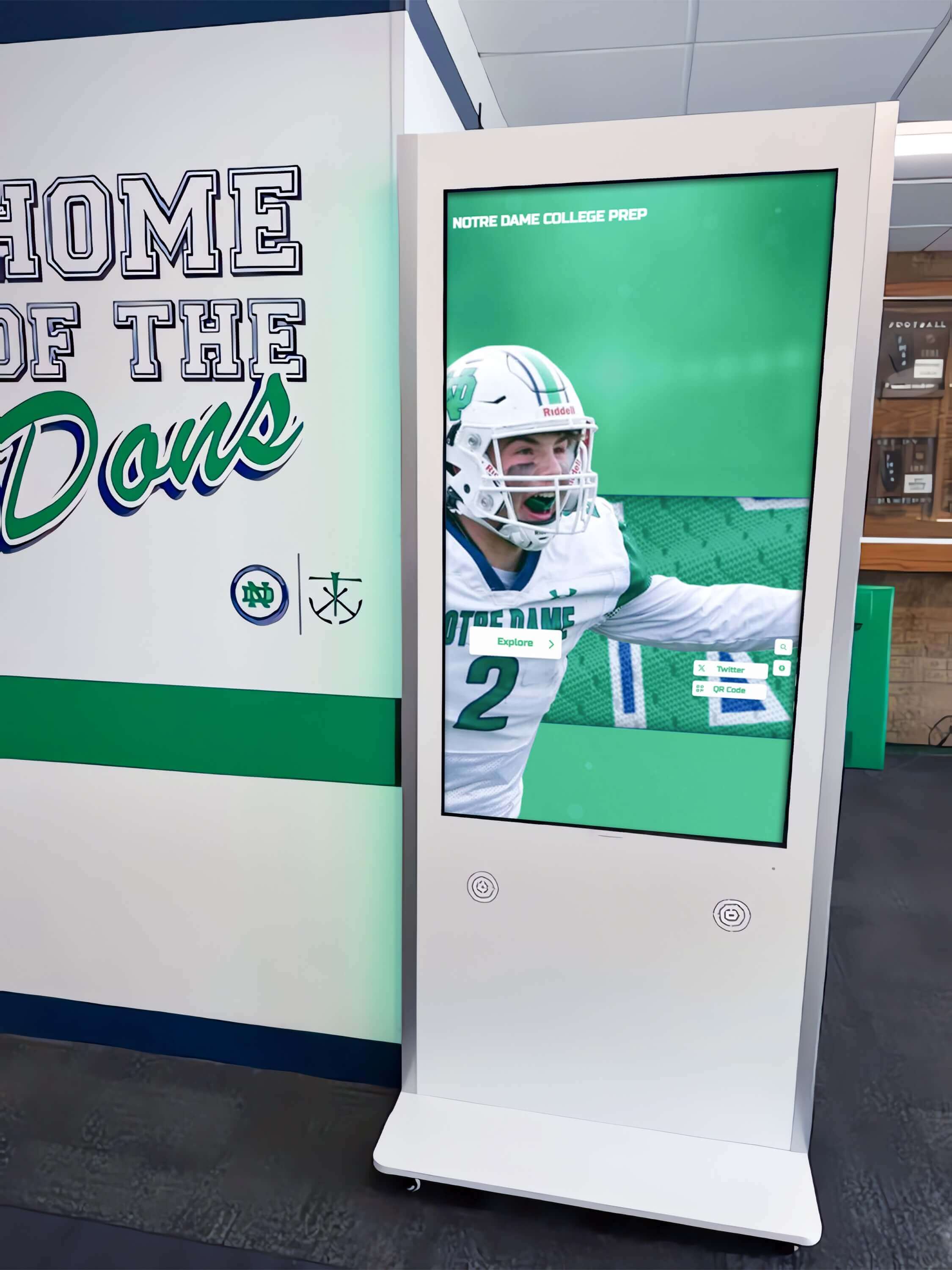
Strategic kiosk placement in high-traffic corridors ensures accessibility while touchscreen technology enables intuitive user exploration
Projection Display Systems for Large-Scale Digital Signage
While less common than panel displays, projection systems offer unique capabilities for specific large-format digital signage applications where traditional displays prove impractical or cost-prohibitive.
When Projection Makes Sense for Digital Signage
Projection technology suits particular scenarios where panel displays face limitations:
Very Large Display Areas
Projection systems can create enormous images impossible or extremely expensive with panel displays:
Single high-brightness projectors can produce 150-300 inch diagonal images—far larger than practical with tiled panel displays. This scale proves valuable in auditoriums, theaters, gymnasiums, and special event spaces requiring occasional large-format display without permanent panel installation expenses. And projection mapping techniques enable covering irregular architectural surfaces impossible to address with flat rectangular panels.
Temporary and Event-Based Installations
Projection’s portability and setup flexibility suits temporary applications:
Special events, conferences, and seasonal installations can deploy projection systems that store compactly when not needed—avoiding permanent display hardware permanently occupying valuable wall space. Setup and breakdown prove far simpler than installing and removing panel displays. And projector rental markets enable accessing high-performance equipment for short-term needs without capital equipment investments.
Specialized Architectural Integration
Projection enables display applications impossible with physical panels:
Transparent screens allow projection from behind while maintaining see-through visibility when projection pauses. Ceiling-mounted projection onto floors creates interactive experiences where physical displays would obstruct traffic or face damage. And projection onto architectural features, sculptures, or irregular surfaces creates immersive environments impossible with standard rectangular displays.
Projection System Limitations for Digital Signage
Despite niche advantages, projection faces significant challenges limiting digital signage applications:
Ambient Light Performance Constraints
Projectors struggle maintaining visibility in bright ambient lighting:
Even high-brightness projectors (5,000-10,000 lumens) appear washed out in well-lit environments or spaces with natural daylight—whereas panel displays with 400-700 nits brightness remain perfectly visible in identical conditions. Projection works best in controlled lighting environments where ambient light can be minimized during display operation.
This limitation restricts projection primarily to auditoriums, theaters, and presentation spaces where lighting control exists—making projection generally inappropriate for hallways, lobbies, or other areas where permanent ambient lighting remains necessary.
Maintenance and Operational Costs
Projection systems face operational challenges panels avoid:
Projector lamps or laser modules require periodic replacement (every 2,000-10,000 hours depending on technology)—adding recurring maintenance costs and scheduled downtime. Image quality degrades gradually between replacements. Projection requires maintaining clear light paths between projectors and screens—occupying ceiling or floor space and creating potential safety issues with light beams crossing traffic areas. And projector calibration and alignment requires technical expertise beyond simple panel display management.
These operational factors make projection less suitable for unattended 24/7 digital signage applications where panel displays operate continuously without maintenance interventions.
Explore comprehensive display comparison factors in digital trophy wall guides covering technology selection for high-visibility applications. Universities deploying large-scale recognition systems may benefit from reviewing Division I athletics digital recognition approaches that showcase advanced display implementations.
Indoor vs. Outdoor Digital Signage Display Requirements
Installation environment dramatically impacts appropriate display specifications, with indoor and outdoor applications requiring fundamentally different capabilities and engineering approaches.
Critical Outdoor Display Specifications
Outdoor digital signage faces environmental challenges requiring specialized engineering:
High Brightness for Sunlight Visibility
Outdoor displays must overcome direct sunlight orders of magnitude brighter than indoor lighting:
Minimum 1,500-2,500 nits brightness proves necessary for shaded outdoor locations with indirect sunlight exposure. Displays facing direct sun require 3,000-5,000+ nits maintaining visibility during peak daylight hours. And automatic brightness sensing adjusts output based on ambient conditions—conserving energy at night while maintaining optimal visibility throughout varying daily lighting conditions.
According to research from Samsung on display brightness, LED displays deliver superior energy efficiency even at extreme brightness levels required for outdoor visibility, making them preferred technology for outdoor digital signage applications.
Environmental Protection and Weatherproofing
Outdoor displays must survive continuous exposure to weather elements:
Essential Environmental Ratings
- Temperature range: Outdoor displays must operate in temperature extremes from -30°F to +120°F or wider depending on climate
- IP ratings: Minimum IP65 rating (complete dust protection and water jet resistance) necessary for unprotected outdoor exposure
- UV resistance: Screen materials and enclosures must resist degradation from continuous UV exposure causing yellowing and material breakdown
- Humidity protection: Internal components must resist condensation in high-humidity environments
- Impact resistance: Tempered glass or polycarbonate screens protect against vandalism, impact, and harsh weather including hail
Specialized Cooling and Ventilation
Outdoor displays generate substantial heat requiring active cooling:
High-brightness operation produces significant thermal load requiring fans, heat exchangers, or air conditioning systems maintaining safe internal temperatures. Sealed enclosures protecting against weather must incorporate ventilation enabling heat dissipation without compromising environmental protection. And displays must prevent condensation formation when internal components remain warmer than external ambient temperatures during temperature transitions.
These cooling requirements increase power consumption, installation complexity, and ongoing operational costs beyond display panels themselves.

Indoor displays benefit from controlled environments enabling standard brightness specifications and simplified installation compared to outdoor alternatives
Indoor Display Advantages and Optimization
Controlled indoor environments enable simplified specifications and broader technology options:
Moderate Brightness Requirements
Indoor displays operate in controlled lighting conditions:
Standard commercial displays with 400-700 nits brightness prove perfectly adequate for most indoor environments including lobbies, hallways, conference rooms, and common areas. Even locations with substantial natural light from windows typically require only 700-1,000 nits maximum—far below outdoor brightness requirements and associated costs.
This moderate brightness enables longer operational lifespans, reduced power consumption, and lower display costs compared to outdoor alternatives requiring extreme brightness specifications.
Simplified Installation and Reduced Complexity
Indoor installations avoid environmental protection requirements:
Standard wall mounts, kiosks, and architectural integration suffice without weatherproof enclosures, ventilation systems, and environmental controls. Network connectivity proves straightforward with building infrastructure providing power, ethernet, and climate control. And maintenance access remains convenient without exposure to weather during service interventions.
These simplified requirements reduce installation costs and ongoing operational complexity compared to outdoor deployments requiring specialized engineering and premium equipment.
Broader Technology Options
Controlled environments enable technologies unsuitable outdoors:
Standard LCD displays work perfectly indoors but lack brightness for outdoor applications. OLED displays deliver superior image quality indoors but face brightness and environmental limitations outdoors. And projection systems function well in controlled indoor lighting but fail in outdoor ambient conditions.
Indoor installations benefit from complete technology flexibility, enabling organizations to select optimal displays based on application requirements rather than environmental constraints limiting options.
Choosing the Right Display Technology for Your Application
With numerous display technologies available, organizations need systematic approaches evaluating options against specific requirements rather than defaulting to seemingly “best” technologies regardless of practical suitability.
Matching Display Technology to Use Cases
Different applications favor different display technologies based on operational requirements:
Recognition and Hall of Fame Displays
Interactive touchscreen displays prove ideal for comprehensive recognition:
Touch-enabled LCD displays (43-75 inches) deliver excellent image quality for indoor recognition installations. Capacitive touch provides responsive interaction for exploring searchable achievement databases. And 4K resolution ensures clarity when displaying detailed photos, statistics, and text content from typical viewing distances of 4-8 feet.
Solutions like Rocket Alumni Solutions design recognition systems around appropriate display technology matched to installation environments, content requirements, and interaction patterns—ensuring technical specifications align with actual operational needs.
High-Traffic Communication Displays
Non-interactive LCD displays suit general communication signage:
Standard commercial LCD displays (43-65 inches) provide cost-effective communication in lobbies, hallways, and common areas. 1080p or 4K resolution depending on screen size and viewing distance. And portrait or landscape orientation supporting diverse content layouts and architectural integration.
Outdoor and High-Ambient Light Applications
Direct-view LED or high-brightness LCD serves challenging environments:
Outdoor locations facing direct sun require LED video walls (fine pitch for close viewing, coarse pitch for distant viewing) or specialized high-brightness LCD displays exceeding 2,500 nits. Weatherproof enclosures and environmental controls protect equipment from elements. And modular LED architecture enables custom sizes accommodating unique architectural requirements.
Premium Visual Experiences
OLED technology justifies costs when image quality proves paramount:
High-end retail environments, executive areas, museum installations, and other contexts where visual impression significantly impacts perception benefit from OLED’s superior image quality. Perfect blacks, infinite contrast, and exceptional color reproduction create striking visual experiences impossible with LCD alternatives. And ultra-thin profiles enable architectural integration highlighting design excellence.
Display Technology Comparison Matrix
Systematic comparison helps organizations evaluate technologies objectively:
Technology Overview
| Technology | Best Applications | Brightness | Cost | Lifespan | Key Advantages |
|---|---|---|---|---|---|
| LCD | Indoor general signage, recognition displays, typical environments | 400-700 nits (up to 2,500 high-bright) | $800-$3,000 (43-65") | 50,000-70,000 hours | Cost-effective, proven reliability, wide availability |
| Direct-View LED | Outdoor signage, large-scale installations, extreme brightness needs | 5,000-10,000+ nits | $5,000-$15,000/sqm fine pitch | 100,000+ hours | Extreme brightness, unlimited size, excellent longevity |
| OLED | Premium environments, image quality critical applications | 400-800 nits | $6,000-$12,000 (55") | 50,000-70,000 hours | Superior image quality, true blacks, ultra-thin |
| Interactive Touchscreen (LCD-based) | Recognition systems, kiosks, wayfinding, self-service | 400-700 nits | $3,000-$7,000 (43-65") | 50,000-70,000 hours | User engagement, exploration, interaction capabilities |
| Projection | Large temporary displays, special events, irregular surfaces | Varies with projector | $1,000-$10,000+ projector | 2,000-10,000 hours lamp | Very large images, temporary installation, flexibility |
Organizations should evaluate technologies based on specific environmental conditions, viewing distances, content requirements, interaction needs, and budget constraints rather than selecting based solely on newest technology or lowest initial cost without considering total cost of ownership and application suitability.
Learn about comprehensive technology evaluation in touchscreen kiosk software guides covering platform selection and integration considerations. Organizations deploying interactive displays in multiple locations should also review historical timeline touchscreen display guides addressing content management and user experience optimization.
Display Hardware Specifications and Selection Criteria
Beyond display technology type, numerous technical specifications affect long-term performance and suitability for specific applications.
Essential Hardware Specifications
Organizations evaluating displays should assess critical hardware characteristics:
Panel Type and Performance Characteristics
Different LCD panel technologies offer varying characteristics:
IPS (In-Plane Switching) panels deliver superior viewing angles and color accuracy—ideal for installations where viewers approach from multiple directions. VA (Vertical Alignment) panels offer excellent contrast ratios and deep blacks—suitable for applications displaying video content in controlled lighting. And TN (Twisted Nematic) panels provide fast response times and lower costs but narrower viewing angles—rarely appropriate for professional digital signage where viewing angle matters.
Connectivity and Input Options
Professional displays should provide diverse connectivity:
Multiple HDMI inputs accommodate various content sources and enable quick switching between sources without recabling. DisplayPort connections support higher resolutions and refresh rates for demanding applications. Legacy inputs (DVI, VGA, component) ensure compatibility with older equipment when necessary. And network connectivity (ethernet, Wi-Fi) enables remote management, content delivery, and system integration with building infrastructure.
Mounting and Installation Considerations
Physical specifications affect installation planning:
VESA mounting pattern compatibility (200x200mm, 400x400mm, 600x400mm, etc.) ensures availability of appropriate mounting hardware. Display weight affects structural requirements and mounting hardware selection. Panel depth determines clearance requirements for recessed installations or tight spaces. And bezel width impacts video wall aesthetics when tiling multiple displays adjacent to one another.
Commercial vs. Consumer Display Differences
Beyond durability discussed earlier, commercial displays offer features absent from consumer alternatives:
Extended Warranty and Support
Commercial displays typically include comprehensive coverage:
Three to five year warranties standard on commercial equipment versus one year common for consumer TVs. Advanced replacement programs minimize downtime when failures occur. And commercial technical support understands professional installation environments rather than residential troubleshooting contexts.
Content Management and Integration Capabilities
Commercial displays facilitate professional content delivery:
Built-in media players eliminate external hardware requirements for simple applications. RS-232 and other control protocols enable integration with automation systems, scheduling platforms, and content management software. And commercial displays often include more sophisticated on-screen display (OSD) controls accessible via network commands rather than requiring physical remote controls.
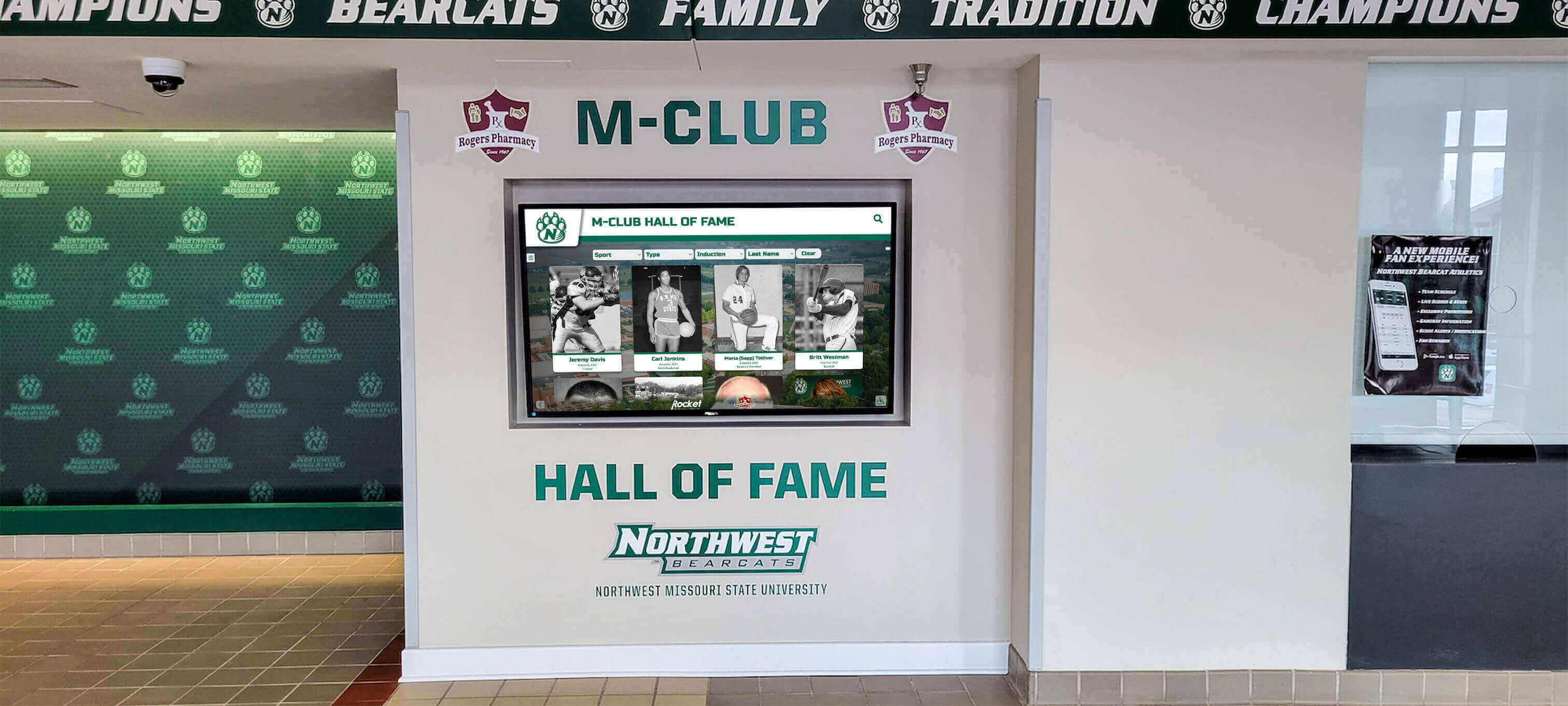
Professional display installations require commercial-grade equipment delivering reliable long-term performance in demanding environments
Display Installation Best Practices and Considerations
Proper installation dramatically impacts display performance, longevity, and user experience—justifying professional installation for permanent commercial deployments.
Location Planning and Placement Strategy
Strategic placement maximizes visibility and engagement:
Viewing Distance and Display Size Relationships
Appropriate display sizing depends on typical viewing distances:
Displays viewed primarily from 4-6 feet should measure 43-55 inches for comfortable full-screen visibility without excessive head movement. Mid-range viewing distances of 8-12 feet suit 55-75 inch displays. And large spaces with viewing distances exceeding 15 feet require 75-98 inch displays or video wall configurations for legibility and visual impact.
Organizations can calculate appropriate display sizes using the formula: Display diagonal (inches) = Viewing distance (feet) × 6-8 for 1080p displays, or viewing distance × 4-6 for 4K displays, providing starting points for size selection discussions.
Mounting Height and Viewing Angle Optimization
Display positioning affects comfort and accessibility:
Display centers should typically mount at 48-60 inches above floor level—ensuring comfortable viewing for standing adults while remaining accessible for shorter individuals and those using wheelchairs. Viewing angles should remain within 30 degrees of perpendicular for optimal image quality even with wide-viewing-angle panels. And display orientation (portrait vs. landscape) should match primary content layout for optimal presentation without empty screen areas or awkward formatting.
Environmental Factors and Display Performance
Installation environments affect display selection and positioning:
Areas with significant natural light may require higher brightness displays, anti-glare treatments, or positioning minimizing direct sunlight on screens. High-traffic areas may benefit from protective glazing preventing accidental impact damage. And locations accessible to children might require floor-standing kiosks with tamper-resistant designs rather than wall-mounted displays vulnerable to climbing or hanging.
Power, Connectivity, and Infrastructure Requirements
Professional installations require planning supporting infrastructure:
Electrical Requirements and Power Management
Displays require appropriate electrical service:
Commercial displays typically consume 150-400 watts depending on size and brightness settings—requiring standard 15-20 amp circuits but necessitating planning when deploying multiple displays on shared circuits. Outdoor displays with environmental controls may require dedicated circuits supporting 1,000+ watts. And consideration should be given to accessible power switches or automated power management preventing displays from operating continuously when facilities close or during maintenance periods.
Network Infrastructure for Content Delivery
Modern digital signage depends on reliable network connectivity:
Wired ethernet connections provide most reliable content delivery and should be provisioned to display locations whenever feasible. Wi-Fi connectivity offers installation flexibility where wired connections prove difficult but requires ensuring reliable signal strength at display locations. And consideration should be given to network segmentation isolating digital signage on separate VLANs preventing security vulnerabilities from publicly-accessible displays affecting primary institutional networks.
Explore comprehensive installation planning in how to implement digital wall of fame guides covering location strategy and infrastructure requirements.
Total Cost of Ownership and Budget Considerations
Display hardware represents only one component of total digital signage costs—comprehensive budget planning should account for complete system lifecycle expenses.
Initial Implementation Costs
Digital signage projects incur multiple upfront expenses:
Hardware Costs by Technology
| Display Technology | Typical Cost Range (43-65" displays) | Additional Touch Costs | Large Format Costs (75-98") |
|---|---|---|---|
| Commercial LCD | $800-$2,500 | +$1,500-$4,000 | $3,000-$8,000 |
| High-Brightness LCD (outdoor) | $3,000-$8,000 | +$2,000-$5,000 | $8,000-$20,000 |
| OLED | $6,000-$12,000 | Limited availability | $15,000-$30,000+ |
| Direct-View LED | $5,000-$15,000/sqm fine pitch | Interactive LED less common | Cost scales with area |
Supporting Infrastructure and Installation
Hardware costs represent only 40-60% of total implementation expenses:
Professional mounting hardware costs $200-$800 per display depending on mounting type (fixed, articulating, kiosk) and load requirements. Professional installation including mounting, electrical, and network connectivity typically costs $500-$2,000 per display. And media players, content management systems, and supporting technology add $500-$2,000 per display for systems not utilizing built-in players.
Organizations should budget $3,000-$6,000 minimum per indoor LCD display installation, $6,000-$12,000 per interactive touchscreen installation, and $15,000-$40,000+ per outdoor or large-format LED installation covering complete system implementation.
Ongoing Operational Costs
Digital signage incurs recurring expenses throughout operational lifecycles:
Power Consumption and Energy Costs
Display technology and size dramatically affect energy consumption:
Standard 55-inch LCD displays typically consume 150-250 watts during operation—translating to $75-$150 annually assuming $0.12/kWh electricity and 16-hour daily operation. High-brightness outdoor displays may consume 400-800 watts representing $250-$500 annually. And large LED video walls can consume several kilowatts with correspondingly higher operational costs requiring evaluation during technology selection.
Maintenance and Lifecycle Replacement
Professional displays require minimal maintenance but eventual replacement:
Display lifespans of 50,000-100,000 hours translate to 8-18 years of typical 16-hour daily operation before brightness degrades to replacement thresholds. Organizations should plan replacement reserves of $150-$400 annually per display creating funds for eventual hardware refresh. And consideration should be given to extended warranties (typically $200-$600 covering years 4-5) reducing unexpected replacement costs from early failures.
Comprehensive lifecycle planning enables accurate ROI calculations and prevents digital signage programs from failing due to inadequate ongoing funding for necessary system maintenance and refresh.
Future Trends in Digital Signage Display Technology
Understanding emerging display technologies helps organizations make future-proof investments remaining relevant throughout expected lifecycles.
MicroLED Technology Evolution
MicroLED displays combine advantages of direct-view LED with fine pixel pitches approaching LCD image quality—representing the next significant display technology evolution:
MicroLED employs microscopic individual LEDs creating self-emissive displays like OLED but with superior brightness, excellent longevity, and no burn-in concerns. Current challenges include extremely high manufacturing costs and limited availability, but technology maturation over coming 5-10 years may make microLED the eventual successor to both LCD and OLED technologies for premium applications.
Advanced Interactive Capabilities
Display interaction continues evolving beyond simple touch:
Gesture recognition enables touchless interaction valuable for hygiene-conscious applications or very large displays where physical touch proves impractical. Eye-tracking and proximity sensing can personalize content based on viewer attention and characteristics. And AI-powered content optimization can automatically adjust brightness, contrast, and content based on environmental conditions and audience engagement patterns.
These emerging capabilities will expand what’s possible with interactive digital signage beyond current touch-based paradigms.
Sustainable and Energy-Efficient Technologies
Environmental considerations increasingly influence display selection:
Manufacturers continue improving display power efficiency, with modern displays consuming 30-50% less power than equivalent models from five years ago. Low-power e-paper and reflective display technologies continue improving, potentially enabling outdoor displays requiring minimal power by utilizing ambient light rather than emissive backlighting. And circular economy approaches emphasizing display refurbishment, component reuse, and responsible recycling will become increasingly important as organizations prioritize sustainability alongside performance specifications.
Organizations should consider long-term sustainability impacts alongside immediate performance requirements when making display technology investments affecting operations for decade-plus lifecycles.
Learn about emerging technology trends in touchscreen kiosk software 2025 buying guides covering platform evolution and capability development.
Conclusion: Making Informed Display Technology Decisions
Selecting appropriate screen technology for digital signage applications requires balancing multiple competing factors—technical specifications, environmental requirements, budget constraints, interaction needs, and long-term operational considerations. No single display technology serves all applications optimally; instead, organizations achieve best results by carefully matching specific technologies to particular use cases based on informed understanding of strengths, limitations, and cost implications of available options.
For most indoor digital signage applications in schools, universities, and organizations, commercial-grade LCD displays deliver excellent performance at reasonable costs—providing proven reliability, adequate brightness for controlled environments, appropriate sizes for typical viewing distances, and predictable lifecycles supporting long-term planning. Organizations should default to LCD technology unless specific requirements clearly favor alternatives.
Need Guidance Selecting Display Technology?
Rocket Alumni Solutions helps schools and organizations select and implement appropriate display technology for recognition systems, communication platforms, and interactive installations matching your specific environments, requirements, and budgets.
Explore Display SolutionsInteractive touchscreen displays prove ideal for applications where user engagement matters as much as information delivery—recognition systems enabling exploration of comprehensive achievement databases, wayfinding kiosks assisting navigation in complex facilities, and self-service applications reducing staff workload while providing convenient 24/7 access to services and information.
Outdoor and high-ambient light applications favor direct-view LED technology delivering brightness levels impossible with LCD alternatives—ensuring visibility in direct sunlight where standard displays appear washed out and illegible. While LED commands substantial cost premiums, longevity and minimal maintenance requirements often justify investments for permanent outdoor installations where replacement costs, access difficulties, and downtime prove extremely expensive.
Premium applications where image quality significantly impacts perception may justify OLED investments—luxury retail environments, executive areas, museum installations, and other contexts where visual impression matters warrant considering OLED despite 3-5x cost premiums over LCD alternatives. However, most organizations find LCD provides adequate image quality at dramatically lower costs enabling broader deployment.
Your organization deserves display technology delivering reliable performance throughout expected operational lifecycles while matching specific environmental conditions, viewing requirements, interaction needs, and budget realities. The comprehensive technology comparison and selection guidance provided in this guide enables informed decisions ensuring digital signage investments deliver intended value rather than becoming expensive disappointments failing to meet operational requirements.
Start with clear requirements definition—understanding precisely what your displays must accomplish, where they’ll operate, how audiences will interact with content, and what success looks like. Use these requirements to systematically evaluate appropriate technologies rather than defaulting to seemingly “best” options regardless of practical suitability. And consult with experienced integration partners who can provide objective guidance based on actual deployment experience rather than vendor promotional materials.
Ready to implement digital signage with appropriate display technology? Explore how Rocket Alumni Solutions can help you design recognition systems, communication platforms, and interactive installations incorporating optimal display technology for your specific applications—creating digital signage delivering genuine value throughout decades of reliable operation serving your community, celebrating achievements, and enhancing engagement.































