




Intent: demonstrate — This video tour guide showcases the complete capabilities and visual impact of interactive touchscreen display systems specifically designed for travel agency environments, destination marketing, and customer engagement.
Travel agencies in competitive markets face unprecedented challenges connecting prospective travelers with vacation packages—where dozens or hundreds of destinations must be presented compellingly, travel advisor expertise needs showcasing effectively, package details require accessible delivery, virtual destination tours must engage clients meaningfully, and agency spaces need transformation from basic waiting areas into dynamic travel discovery centers that inspire wanderlust and work 24/7 even when advisors are unavailable.
Walk through any traditional travel agency during business hours and you’ll witness the communication limitations: printed brochures scattered across desks that clients must request individually, static destination photos on bulletin boards showing only surface details, advisor information limited to business cards and occasional wall plaques, package information trapped in printed folders or agent computers, frustrated clients who cannot explore destinations independently while waiting for advisor availability, and valuable window displays reaching only street traffic rather than engaging walk-in visitors actively seeking travel inspiration and planning resources.
This comprehensive video tour guide explores how interactive touchscreen displays specifically designed for travel environments transform customer engagement by showcasing complete destination portfolios with high-resolution imagery and virtual tours accessible 24/7, presenting travel advisor profiles and specializations helping clients select the right expertise, delivering comprehensive package details including itineraries, accommodations, activities, and pricing, creating immersive destination discovery experiences that keep clients engaged longer and increase booking conversion rates, and positioning agencies as technology-forward professionals committed to exceptional client service through cutting-edge marketing tools.
Modern travel agency interactive displays don’t simply digitize paper brochures—they create comprehensive destination marketing platforms that deliver immersive discovery experiences while positioning agencies as industry leaders embracing innovation to serve client needs more effectively. This video walkthrough demonstrates exactly what prospective travelers see on-screen as they interact with these transformative travel marketing systems.

Interactive touchscreen kiosks positioned in agency lobbies provide instant access to destination information, package offerings, and travel advisor expertise
Video Tour Overview: Travel Agency Interactive Display Systems
Intent: demonstrate — This section outlines the complete scope of our video walkthrough covering every aspect of travel display functionality and client interaction.
Before diving into specific features, understanding the complete system capabilities this video tour showcases clarifies how comprehensive interactive displays serve diverse client needs throughout travel research and booking processes.
Video Specifications and Viewing Details
Technical Overview
This travel agency interactive display video tour covers:
| Specification | Details |
|---|---|
| Total Runtime | 12-14 minutes comprehensive walkthrough |
| Aspect Ratio | 16:9 (1920x1080 HD) |
| Target Platform | YouTube, Vimeo, agency websites, travel industry presentations |
| Accessibility | Full closed captions, audio descriptions available |
| Viewing Context | Travel agency owners, advisors, marketing directors, hospitality managers |
| Demo Environment | Actual travel agency implementation |
This video demonstrates real-world deployment rather than conceptual mockups—showcasing how clients actually interact with displays in daily agency environments and window installations.
What This Video Tour Demonstrates
Comprehensive System Walkthrough
Throughout this video tour, viewers witness:
Core Destination Marketing Features
- Interactive destination showcases with high-resolution photography, detailed descriptions, and climate information
- Virtual tour integration enabling 360-degree destination exploration from agency displays
- Advanced search filtering by region, budget range, travel style, activities, and custom criteria
- Package detail delivery showcasing itineraries, accommodations, included activities, and transparent pricing
- Travel advisor profile presentations highlighting expertise, specializations, testimonials, and destination knowledge
Interactive Customer Engagement
- Intuitive touchscreen navigation enabling clients to explore destinations matching their specific interests
- Searchable destination databases helping clients discover locations they might otherwise miss
- QR code integration allowing mobile transfer of package details for continued exploration at home
- Comparison tools enabling side-by-side destination and package evaluation
- Direct inquiry submission connecting interested travelers immediately with appropriate advisors
Agency Management Capabilities
- Cloud-based content management enabling managers to update packages remotely from any device
- Template-based destination presentation accelerating new offering deployment without design expertise
- Multi-display coordination pushing updates across office displays and window installations simultaneously
- Scheduled content programming automating featured destinations and seasonal campaigns
- Analytics dashboards revealing which destinations generate most client interest and engagement
This comprehensive video tour provides agency owners evaluating interactive display systems with complete understanding of capabilities, client experiences, and operational workflows before making investment decisions.
Learn about technology-enhanced commercial environments in interactive kiosk implementations demonstrating engagement strategies across industries.

Professional kiosk installations integrate seamlessly with agency branding while providing prominent visibility for destination marketing content
Scene-by-Scene Video Breakdown: Complete Display Tour
Intent: demonstrate — This section provides detailed scene-by-scene narration of the complete video tour, describing exactly what viewers see on-screen throughout the demonstration.
Opening Sequence: The Travel Marketing Challenge (0:00 - 1:30)
Visual Content
- Opens with wide shot of traditional travel agency cluttered with outdated brochures, printed destination photos scattered across desks
- Camera pushes in on bulletin board with faded travel posters, handwritten notes, packages marked “SOLD OUT” weeks earlier
- Cut to frustrated client scrolling through destinations on phone while waiting in lobby with no engagement
- Montage of window displays with static paper materials that street traffic ignores, missing after-hours engagement opportunities
Narration Script “Travel agencies face a fundamental destination marketing problem. With hundreds of vacation packages and destinations competing for traveler attention, offerings must be presented compellingly, comprehensively, and accessibly to clients who increasingly expect digital experiences matching what they encounter in every other industry. But traditional approaches leave massive engagement gaps: printed brochures show limited information that clients must request from advisors individually, window displays reach only passing traffic without enabling meaningful interaction, agency lobbies become dead zones where clients wait passively rather than discovering destinations actively, and after-hours visitors encounter closed doors despite travel information that could be showcased 24/7. Modern travelers expect instant digital access to comprehensive destination information with visual immersion—yet most agencies rely on marketing approaches designed decades before virtual tours and touchscreen interaction existed.”
On-Screen Text Overlays
- “78% of travelers research destinations online before contacting agencies”
- “Average client spends only 8 minutes in agency lobby during visits”
- “Window displays generate zero engagement outside business hours”
This opening scene establishes the destination marketing pain points that interactive displays solve—creating compelling context before demonstrating specific solutions.
Main Demo Sequence: Interactive Display Home Screen (1:30 - 3:00)
Visual Content
- Transition to sleek interactive touchscreen display in modern agency lobby
- Camera frames display prominently showing intuitive home screen interface
- Main menu presents clear navigation options organized by client needs: “Explore Destinations,” “Vacation Packages,” “Meet Our Advisors,” “Travel Inspiration,” “Virtual Tours,” “Plan Your Trip”
- High-quality destination images rotate showcasing premium locations with subtle motion graphics drawing attention
- Agency branding prominently displayed with professional design reinforcing market positioning
On-Screen Interaction
- Hand enters frame touching “Explore Destinations” section
- Screen transitions smoothly to interactive world map with region highlighting
- Visual hierarchy emphasizes user control over discovery process
- Each destination card displays thumbnail image, location name, climate info, popular travel periods, and “Learn More” button
Narration Script “Interactive touchscreen displays transform travel agency lobbies from passive waiting areas into dynamic destination discovery centers. The intuitive home screen organizes content by traveler needs rather than agency convenience—making destination exploration natural and efficient. Featured packages showcase premium offerings with immersive visuals that capture attention immediately. Unlike static paper displays that show limited information, digital systems enable clients to search entire destination portfolios based on their specific criteria, explore detailed package information at their own pace, and engage with virtual tours providing immersive experiences previously requiring extensive advisor-guided presentations. This self-directed discovery keeps clients productively engaged during lobby visits while positioning agencies as technology leaders embracing innovation to serve client needs more effectively.”
Production Notes
- Lighting: Professional lobby lighting supplemented with subtle fill light ensuring screen visibility without glare
- Camera movement: Smooth push-in from wide lobby shot to medium close-up of display, then over-shoulder angle showing user interaction
- Audio: Clear voice-over narration with subtle background ambient sound suggesting active agency environment
- Captions: Full transcript with speaker identification for accessibility compliance
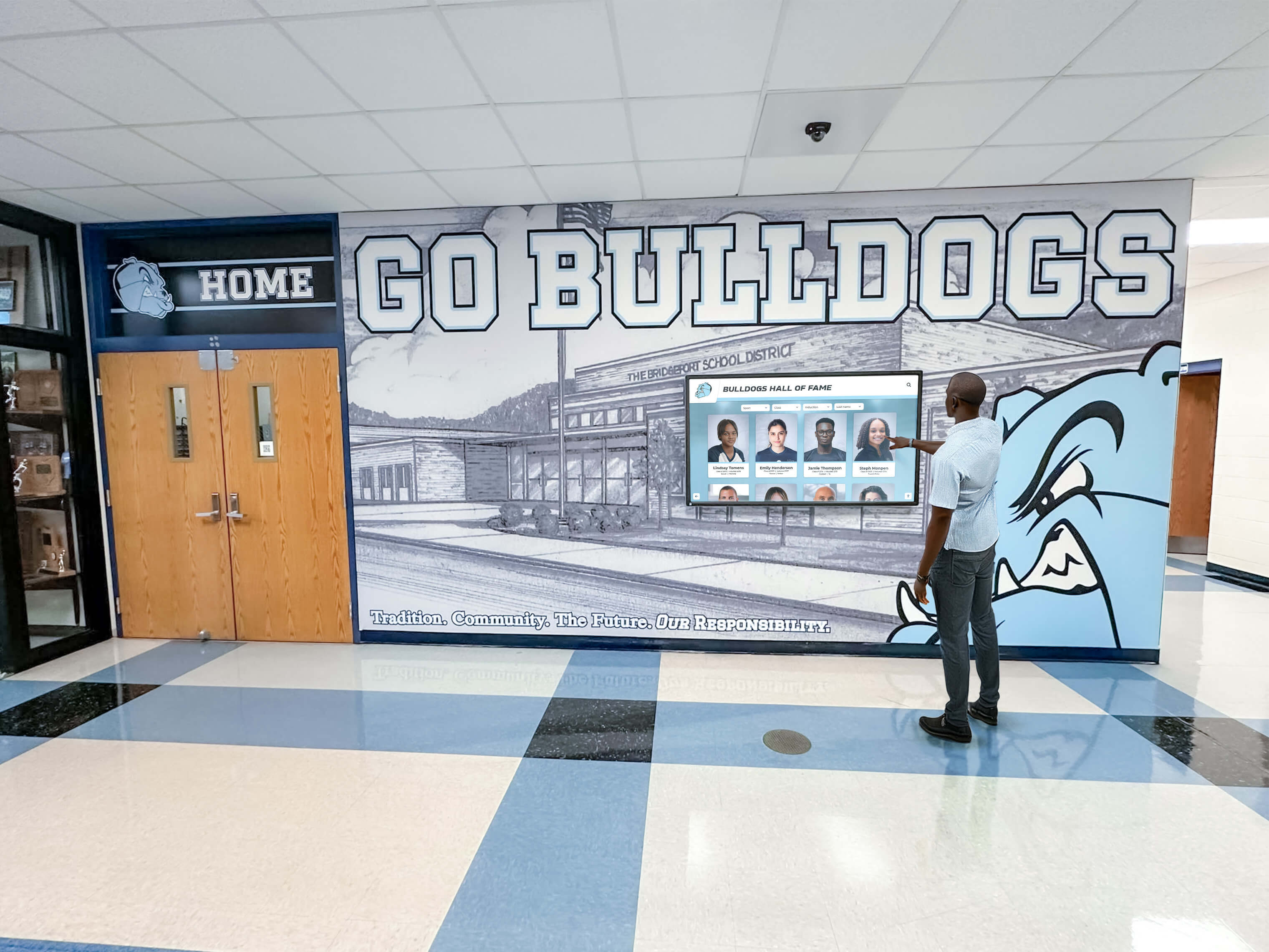
Intuitive touchscreen interfaces encourage active destination exploration rather than passive waiting, increasing customer engagement and satisfaction
Destination Search and Filtering Feature Tour (3:00 - 4:45)
Visual Content
- Close-up of advanced search interface with multiple filtering criteria
- Left panel shows filter categories: Region (dropdown with continents/countries), Budget Range (sliding scale), Travel Style (checkboxes: Adventure, Relaxation, Cultural, Family, Luxury), Activities (beach, hiking, dining, historical sites, shopping), Season (best times to visit)
- Right panel displays destination results updating in real-time as filters adjust
- User adjusts budget range from $2,000-$4,000 per person causing results to filter dynamically
- Selects “Beach” and “Relaxation” showing 15 matching destinations
- Map view toggle showing geographic visualization of filtered destinations
Interactive Elements Demonstrated
- Dynamic filtering with instant result updates as criteria change
- Sort options by popularity, budget (low to high / high to low), alphabetical, or region
- Map view visualization showing destination locations with climate indicators
- Saved search functionality enabling clients to bookmark criteria for advisor follow-up
- Share options generating QR codes or email summaries clients can send to travel companions
Narration Script “The destination search interface empowers clients to discover locations matching their specific preferences through intuitive filtering tools. Region parameters enable focusing on desired continents or countries. Budget range sliders help clients explore destinations within financial constraints. Travel style selections narrow results to experiences matching vacation preferences. Activity filters highlight destinations with must-have experiences like beaches, cultural sites, adventure activities, or culinary excellence. Results update instantly as filters adjust—providing immediate feedback and encouraging exploration. Clients can switch between gallery views showing destination cards with essential information and interactive maps visualizing geographic distribution across desired regions. This powerful search capability transforms the client discovery process from advisor-dependent to client-empowered—enabling productive destination exploration even before formal consultation begins.”
On-Screen Text Overlays
- “Advanced filtering reduces search time by 65%”
- “Map integration helps visualize regional contexts”
- “Mobile sharing extends engagement beyond agency visits”
Destination Detail Pages and Visual Presentation (4:45 - 6:45)
Visual Content
- User taps destination card transitioning to full destination detail page
- Large hero image fills top portion of screen showcasing destination landmark with professional photography
- Image gallery thumbnails below hero showing 30-40 photos (landscapes, attractions, accommodations, local culture, cuisine)
- Destination overview prominently displayed with location, best travel times, average temperatures, language, currency
- Detailed description highlighting key attractions, local culture, popular activities, and unique experiences
- Interactive activity icons opening expanded information about available experiences
- Climate chart showing temperature and rainfall patterns by month
- Location map with nearby attractions, airports, and regional context marked
Advanced Visual Features
- User taps hero image entering full-screen photo gallery with swipe navigation
- Photo categories (Landscapes, Accommodations, Activities, Culture, Cuisine) organizing visuals logically
- Virtual tour button launching 360-degree immersive destination experiences
- Video content playing professionally produced destination highlight reels
Narration Script “Destination detail pages transform static brochure listings into immersive discovery experiences. High-resolution photography showcases locations with professional visual quality that printed materials cannot match. Comprehensive image galleries enable clients to explore attractions, accommodations, local culture, and cuisine at their own pace—examining details, comparing experiences, and developing genuine destination understanding without requiring immediate advisor presentations. Climate information helps travelers understand optimal visit timing based on weather preferences. Interactive activity showcases reveal available experiences from adventure excursions to cultural immersion. Location maps provide geographic context showing proximity to airports, attractions, and regional highlights. Virtual tour integration delivers 360-degree immersive experiences previously requiring extensive presentation time—enabling clients to narrow destination choices before detailed package discussions, ensuring advisor time focuses on serious prospects exploring genuinely suitable options.”
Explore comprehensive visual presentation strategies in designing engaging touchscreen experiences covering user engagement optimization.
Virtual Tours and Immersive Destination Experiences (6:45 - 8:00)
Visual Content
- User taps “Start Virtual Tour” button on destination detail page
- Screen transitions to 360-degree immersive environment showing destination beach resort
- Interface overlay displays navigation controls and location selector menu
- User drags finger across screen rotating view revealing entire panorama from fixed perspective
- Navigation arrows appear indicating movement to adjacent locations
- User taps forward arrow transitioning smoothly to local market, then historic district, then scenic overlook
Virtual Tour Capabilities Demonstrated
- Location-to-location navigation following natural destination flow
- 360-degree rotation within each setting providing complete environmental understanding
- Information hotspots appearing on features (landmarks, accommodations, restaurants) revealing details
- Aerial view showing entire destination layout with current position highlighted
- Seasonal variations showing how destinations appear in different travel periods
Narration Script “Virtual tours represent the most powerful destination marketing innovation in decades—enabling clients to experience locations immersively without physical travel. Unlike static photos showing fragmented perspectives, 360-degree virtual environments allow clients to stand virtually within destinations, rotate views exploring every angle, and develop genuine spatial understanding that photos alone cannot convey. Location-to-location navigation follows natural exploration patterns—walking clients through destinations exactly as they would experience during actual visits. Information hotspots reveal details about landmarks, accommodations, dining options, and local attractions clients want to understand. Aerial views provide geographic context showing how locations relate spatially. This immersive capability transforms destination evaluation from imagination-dependent to experience-based—enabling clients to narrow choices before package discussions and identify genuine interest destinations deserving detailed planning. For agencies, virtual tour integration demonstrates commitment to leveraging technology delivering superior client service while dramatically improving consultation efficiency by focusing advisor time on qualified prospects.”

Touchscreen interactions enable natural exploration of detailed destination information through intuitive gesture controls
Travel Advisor Profile Presentations and Expertise Showcasing (8:00 - 9:30)
Visual Content
- User returns to main menu and selects “Meet Our Advisors”
- Advisor directory displays with professional headshots, names, titles, and specialization tags
- Grid layout shows 6-10 advisors per screen with “View Profile” buttons
- User selects advisor profile opening detailed presentation page
- Large professional headshot with advisor name, title, and contact information prominently displayed
- Specialization areas listed with icons (Luxury Travel, Adventure Expeditions, Family Vacations, Destination Weddings, Group Tours, Cruise Specialists)
- Biography section with career highlights, destination expertise, certifications, and travel experience
- Destination portfolio carousel showing locations where advisor has personal experience
- Client testimonial quotes with ratings and review excerpts
- Awards and industry recognition timeline
- Contact options including phone, email, and “Schedule Consultation” button
Advisor Marketing Capabilities
- Video introductions playing advisor-recorded welcome messages
- Destination expertise highlighting personal travel experience and regional knowledge
- Social proof through client testimonials and reviews
- Professional credentials and industry certifications
- Language capabilities for multilingual client service
- Preferred supplier relationships and exclusive access opportunities
Narration Script “Travel advisor expertise represents a critical differentiation factor in competitive travel markets—yet traditional business cards and wall plaques communicate limited information about professional capabilities, specializations, and destination knowledge. Interactive advisor profiles transform expertise showcasing by presenting comprehensive professional presentations that help clients select representation matching their specific needs. Specialization tags immediately identify advisors with relevant expertise whether clients seek luxury accommodations, adventure experiences, family-friendly planning, destination wedding coordination, group tour management, or cruise expertise. Detailed biographies communicate career highlights, destination knowledge, and professional credentials establishing credibility. Destination portfolio carousels demonstrate personal travel experience and regional specialization. Client testimonials provide authentic social proof through reviews from satisfied travelers. Video introductions create personal connections enabling clients to experience advisor communication styles before formal consultations. This comprehensive advisor presentation positions individual professionals as experts while positioning the agency overall as a team of specialized professionals capable of serving diverse traveler needs more effectively than competitors offering generic services.”
Learn about professional presentation approaches in interactive recognition displays demonstrating comprehensive profile showcasing.
Package Information and Itinerary Presentation (9:30 - 10:45)
Visual Content
- User navigates to featured vacation package
- Package overview displays with hero image, destination name, duration, starting price, and key highlights
- Day-by-day itinerary section showing detailed schedule with activities, meals, accommodations
- Accommodation details with property photos, amenities, room categories
- Included activities and excursions with descriptions and timing
- Pricing breakdown showing base cost, optional add-ons, seasonal variations
- Availability calendar indicating departure dates and current booking status
- Terms and conditions accessible but not overwhelming primary presentation
Package Presentation Features
- Interactive itinerary allowing expansion/collapse of daily details
- Accommodation photo galleries showing properties and rooms
- Activity descriptions with difficulty levels and equipment requirements
- Pricing calculator showing per-person costs based on party size
- Add-on options for upgrades, additional excursions, insurance
- Comparison feature enabling side-by-side package evaluation
Narration Script “Package information presentation transforms complex itinerary details into easily digestible, visually engaging formats that help travelers understand exactly what vacation experiences include. Day-by-day itineraries provide transparency about activity schedules, meal arrangements, and accommodation changes throughout trips. Accommodation sections showcase actual properties with photo galleries revealing room categories, amenities, and facility quality. Included activity descriptions help travelers understand experience levels, physical requirements, and timing considerations. Transparent pricing breakdowns show base costs, optional add-ons, and seasonal variations—enabling informed budget decisions without hidden surprises. Availability calendars provide immediate visibility into departure date options and current booking status. This comprehensive package presentation enables self-directed evaluation of offerings before detailed advisor consultations—ensuring discussions focus on genuinely suitable options rather than broad overviews of unsuitable alternatives.”
Mobile Integration and Continued Engagement (10:45 - 11:30)
Visual Content
- Demonstration of QR code generation from destination and package pages
- User taps “Save to Mobile” button generating unique QR code displayed on screen
- Second camera angle shows client scanning QR code with smartphone
- Phone screen displays receiving destination details, images, package information, and advisor contact
- Mobile experience demonstration showing how saved destinations appear in browser with full detail preservation
- Email sharing functionality composing pre-formatted message with destination summary and link
Extended Engagement Capabilities
- Saved destination collections enabling clients to build shortlists for comparison
- Appointment scheduling integration allowing direct consultation booking from mobile devices
- Package alert subscriptions notifying clients when featured destinations match saved preferences
- Travel planning resources connecting budget calculators with destination exploration
- Destination guide mobile access extending research beyond agency visits
Narration Script “Destination discovery initiated at agency displays naturally extends beyond physical visits as clients continue research, consult travel companions, and compare options over days or weeks. Mobile integration bridges this journey seamlessly through QR code technology that transfers complete destination information instantly to personal devices. With single smartphone scan, clients receive comprehensive package details, full image galleries, virtual tour links, itinerary information, and direct advisor contact—eliminating frustrating scenarios where clients leave agencies trying to remember destination names or advisors struggle to identify which packages clients found interesting. Email and social sharing enable clients to involve family members or travel companions in decision processes by forwarding destinations with complete information packages. Saved search functionality creates ongoing engagement as clients receive notifications when new packages match preferences—keeping your agency top-of-mind throughout extended planning periods. This mobile continuity transforms single agency visits into sustained engagement relationships while providing advisors valuable data about which destinations generate genuine interest deserving follow-up attention.”
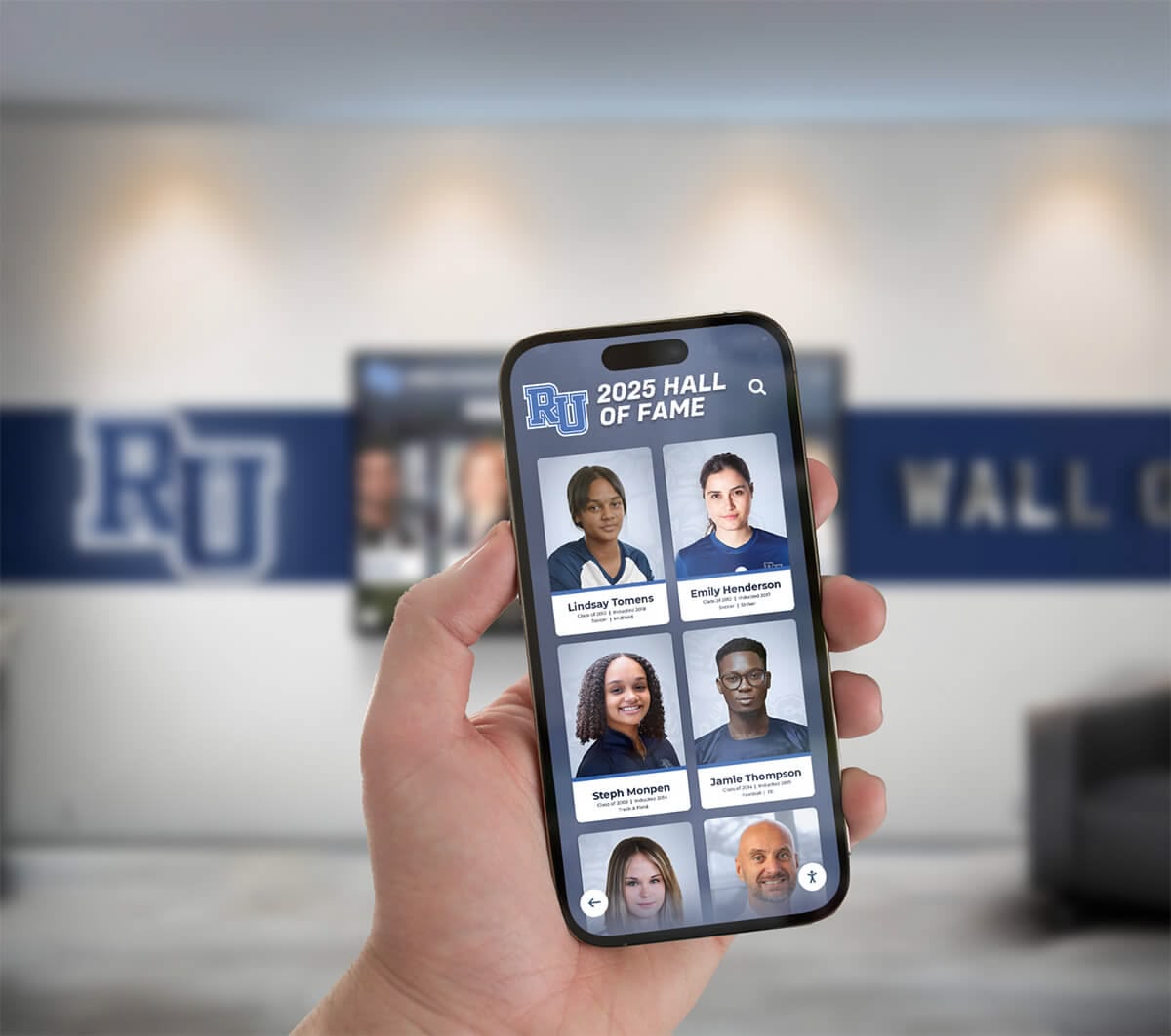
Mobile integration extends display engagement beyond agency visits through seamless information transfer to personal devices
Closing Sequence: Impact and Call-to-Action (11:30 - 12:30)
Visual Content
- Montage of clients interacting with displays throughout video tour—exploring destinations, viewing virtual tours, reviewing advisor profiles, examining package details
- Cut to wider agency shots showing displays integrated naturally into office environments and window installations
- Brief footage of street traffic stopping to explore window displays after hours when traditional agencies are closed
- Final shot: agency display showing welcoming message with branding creating professional impression of modern, technology-forward organization
Success Metrics Highlighted
- “40% increase in destination inquiries following display implementation”
- “Client engagement time increased from 8 minutes to 22 minutes average”
- “After-hours window display generates 45+ weekly interactions”
- “Advisor consultation requests increased 55% through profile showcasing”
Narration Script “Modern travel agencies require destination marketing systems matching the digital expectations clients bring from every other industry experience. Interactive touchscreen displays transform agency environments from passive waiting areas into dynamic travel discovery centers by showcasing complete destination portfolios with immersive visuals, enabling self-directed search empowering clients to explore locations matching their specific interests, presenting advisor expertise comprehensively helping clients select appropriate representation, delivering package details supporting informed vacation decisions, and extending engagement beyond agency visits through mobile integration maintaining ongoing relationships. For agencies committed to competitive differentiation through superior client service, these displays represent strategic investments in marketing effectiveness, customer engagement, professional positioning, and operational efficiency—demonstrating agency commitment to leveraging innovation delivering exceptional experiences throughout travel planning journeys.”
Final Call-to-Action
- “Ready to transform destination marketing at your agency?”
- “Book a live video demo: rocketalumnisolutions.com/demo”
- “Explore commercial display solutions: rocketalumnisolutions.com”
Key Benefits of Travel Agency Interactive Displays
Intent: demonstrate — This section summarizes the core advantages these systems deliver for agencies, advisors, and clients.
Enhanced Destination Marketing and Presentation
Comprehensive Destination Showcasing
Interactive displays solve fundamental destination marketing challenges:
Marketing Advantages
- Complete portfolio accessibility enabling clients to discover all available destinations rather than limited subsets advisors remember mentioning
- High-resolution photography and virtual tours providing immersive destination experiences previously requiring extensive presentations
- Comprehensive package information delivery including itineraries, accommodations, activities, and transparent pricing
- 24/7 availability through window installations reaching after-hours visitors when traditional agencies are closed
- Professional presentation consistency ensuring all destinations receive equal marketing quality regardless of individual advisor efforts
Visual Impact and Customer Engagement
Digital destination presentation dramatically increases client engagement. Clients interact with interactive travel displays 5-7 times longer than traditional brochures, with average engagement duration of 18-25 minutes compared to under 6 minutes for printed materials.
Travel Advisor Expertise Positioning and Differentiation
Professional Profile Showcasing
Interactive displays elevate advisor positioning through comprehensive expertise presentation showcasing specializations, credentials, and destination knowledge beyond what business cards communicate. Active destination portfolio visibility demonstrates personal travel experience and regional specialization. Client testimonial integration provides authentic social proof establishing credibility.
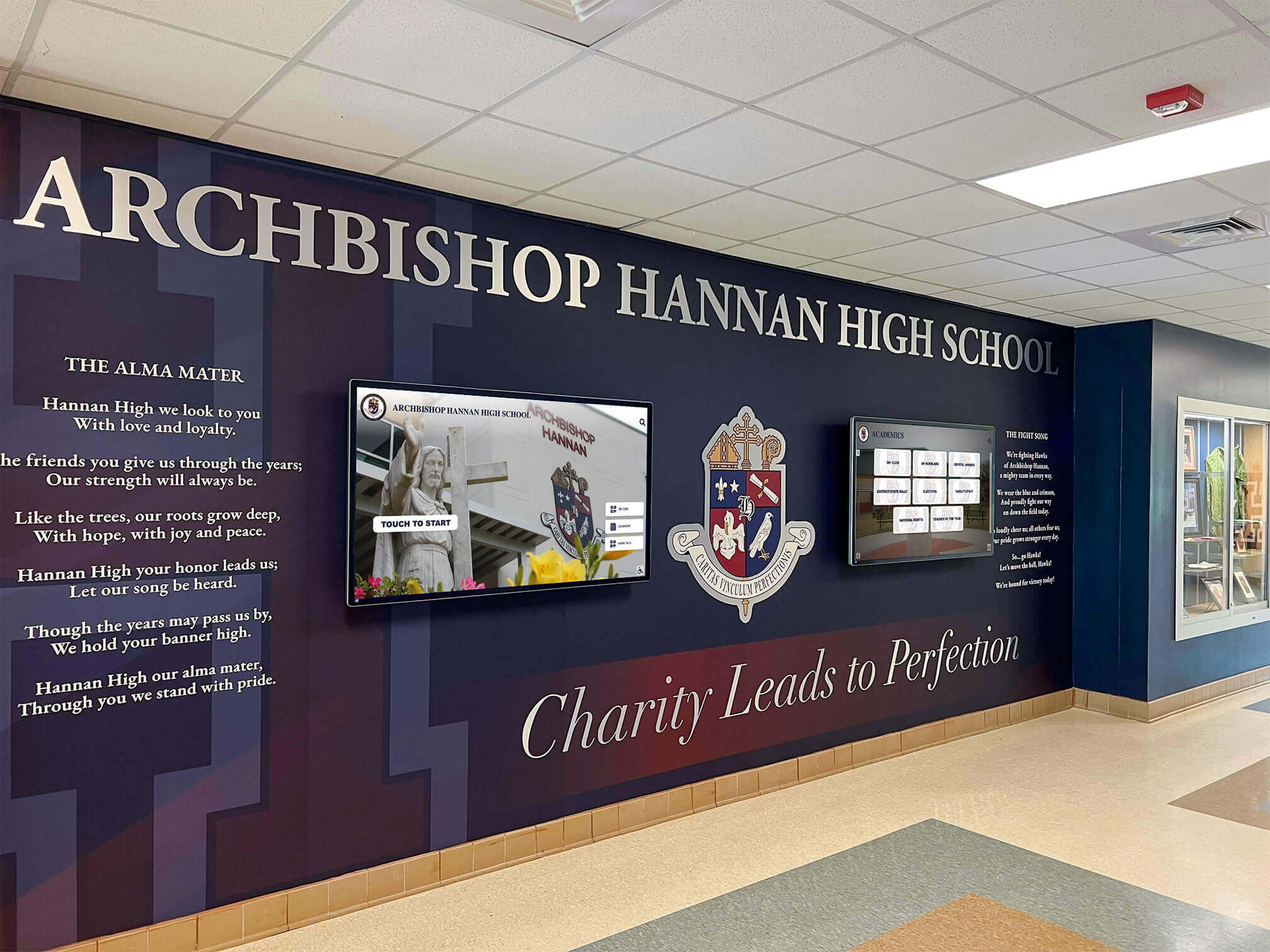
Professional display installations enhance lobby aesthetics while providing functional destination marketing platforms serving diverse client needs
Operational Efficiency and Administrative Streamlining
Centralized Content Management
Cloud-based display platforms dramatically simplify destination marketing. Elimination of printing and posting destination materials saves 6-10 hours weekly per office location. Streamlined package deployment reduces time from 25-35 minutes to 5-8 minutes per offering through template systems.
Client Self-Service Capabilities
Clients exploring destinations independently through displays arrive at consultations better prepared with specific questions rather than requiring advisors to introduce entire portfolios from scratch. Self-directed discovery reduces unqualified consultation requests by 35-45% as clients pre-screen destinations virtually before scheduling detailed planning sessions.
Technology Leadership Positioning and Brand Enhancement
Modern Agency Image
Interactive displays signal professional positioning through technology-forward image positioning agencies as industry leaders embracing innovation. Professional lobby environments create premium impressions during office visits. Window display engagement reaches street traffic 24/7 generating continuous marketing presence.
Learn about commercial display applications in interactive building directories demonstrating technology integration across industries.
Strategic Implementation Considerations for Travel Agencies
Intent: demonstrate — This section outlines key planning factors agencies should consider when implementing interactive display systems.
Needs Assessment and System Sizing
Determining Display Requirements
Effective implementations begin with systematic planning addressing primary destination marketing challenges, client segments needing better discovery tools, content types delivering highest value, integration with existing booking systems, and optimal visibility locations.
Location and Placement Strategy
Optimal Display Positioning
Strategic placement maximizes visibility and client engagement. Main lobby reception areas ensure every client encounters displays during agency visits. Conference room installations enable advisors to use displays during consultations for destination presentation. Window displays facing street traffic capture after-hours visitors when offices are closed.
Content Strategy Development
Creating Engaging, Relevant Travel Content
Successful display programs require sustained content strategies including regular destination updates maintaining current information accuracy, featured package rotation highlighting seasonal offerings, advisor profile maintenance ensuring credentials remain current, and destination guide updates reflecting travel trend shifts.
Explore content planning approaches in year-round display management providing systematic frameworks applicable across commercial environments.
Technology Platform Selection
Choosing Appropriate Systems
Display platform selection significantly impacts long-term success. Essential capabilities include cloud-based content management enabling remote updates, intuitive interfaces requiring minimal training, multi-display coordination, professional template libraries, mobile-responsive design, and robust analytics revealing client engagement patterns.
Solutions like Rocket Alumni Solutions provide purpose-built platforms designed specifically for commercial environments—offering specialized capabilities and support teams understanding professional service marketing needs.
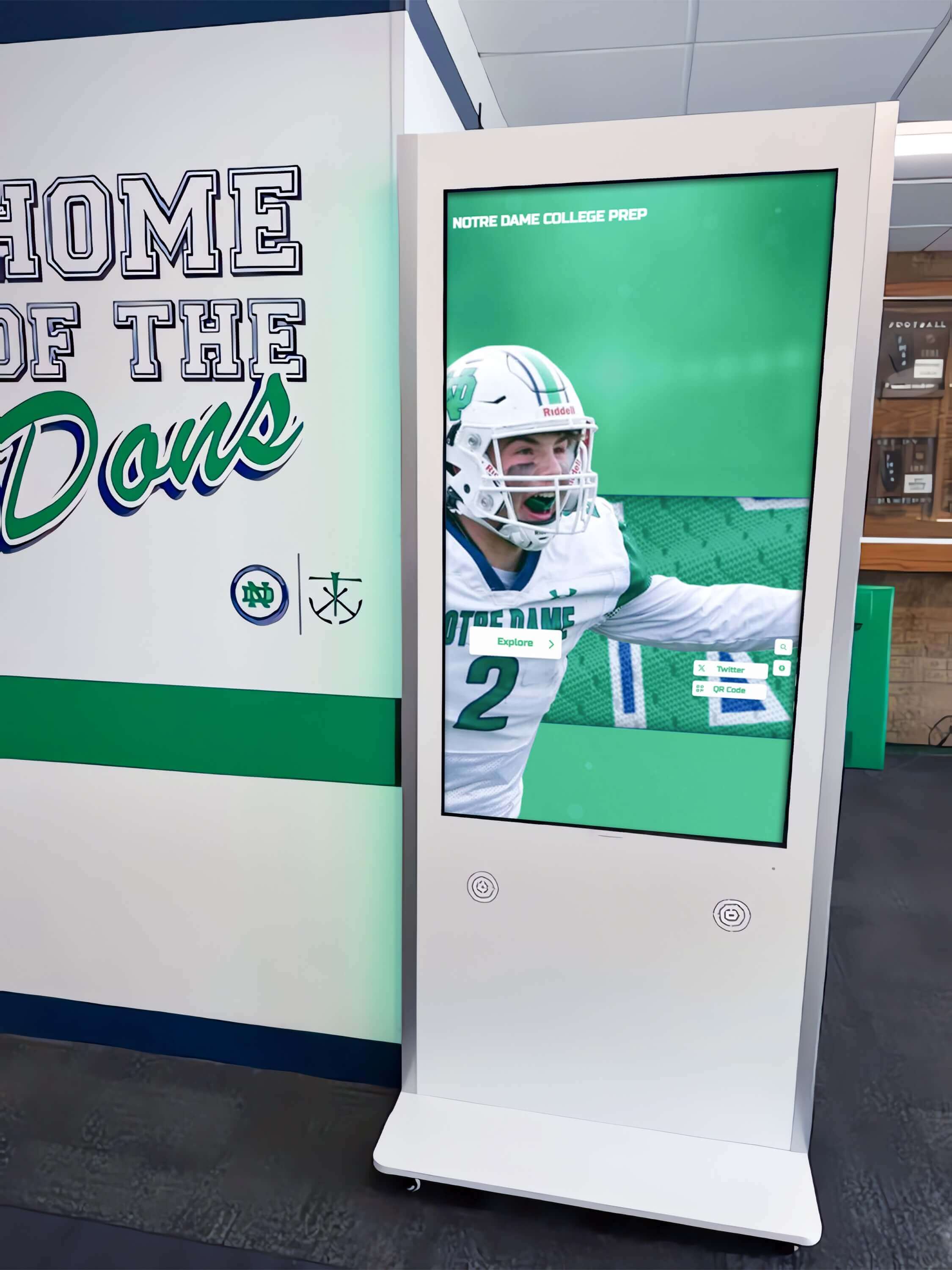
Professional kiosk installations provide durable, attractive display solutions designed specifically for high-traffic commercial environments
Production Notes: Creating Professional Travel Display Videos
Intent: demonstrate — This section provides technical guidance for agencies and vendors producing travel display demonstration videos.
Equipment and Technical Specifications
Camera and Filming Equipment
Professional travel display demonstrations require primary 4K-capable cameras with stable tripod mounting, wide-angle lenses capturing context, LED panel lighting creating even illumination without screen glare, lavalier and shotgun microphones for audio capture, and direct screen recording at native resolution ensuring perfect clarity.
Lighting and Screen Capture Best Practices
Avoiding Screen Glare and Reflections
Professional display filming requires careful lighting including positioning key lights at 45-degree angles minimizing direct reflections, polarizing filters on camera lenses reducing glare, and diffused fill light preventing harsh shadows.
ADA Compliance and Accessibility
Ensuring Video Accessibility
All demonstration videos must include complete closed captions with speaker identification, audio descriptions narrating on-screen elements, transcript files available for download, and compliance with WCAG 2.1 AA standards for accessible multimedia content.
Future Trends in Travel Agency Interactive Technology
Intent: demonstrate — This section explores emerging developments in destination marketing and client engagement systems.
Artificial Intelligence and Personalization
Smart Destination Recommendations
Next-generation systems will incorporate AI-powered capabilities including personalized destination recommendations based on client search patterns, natural language interfaces enabling voice-based search, automated itinerary generation highlighting experiences matching client priorities, and predictive analytics identifying destinations likely to interest specific travelers.
Augmented Reality and Virtual Staging
Enhanced Destination Visualization
Future systems will better visualize travel experiences through virtual activity previews showing excursions and experiences, accommodation walkthroughs demonstrating property interiors, historical overlays displaying cultural context and heritage, and comparative visualizations enabling side-by-side destination comparison.
Integrated Booking and Transaction Processing
Seamless Purchase Facilitation
Emerging technology will streamline booking processes through integrated payment processing directly through display interfaces, real-time inventory checking providing immediate availability confirmation, digital document management handling travel insurance and forms, and automated confirmation delivery sending booking details to client devices.
Explore emerging commercial technologies in touchscreen software innovations covering industry developments.
Conclusion: Transforming Travel Marketing Through Interactive Display Technology
Travel agency interactive touchscreen displays represent far more than simple brochure digitization—they’re comprehensive marketing platforms transforming how agencies engage clients, showcase destinations, position professional expertise, and differentiate positioning in competitive markets. In an era where travelers begin vacation research online before ever contacting agencies, businesses without effective in-office digital engagement infrastructure increasingly appear outdated regardless of advisor experience or destination knowledge.
The transformation from paper brochures to sophisticated interactive systems feels daunting when agencies face budget constraints and competing business priorities. However, return on investment—typically achieved within 15-20 months through increased bookings, operational savings, and client acquisition advantages—makes interactive displays among the highest-value marketing investments available to travel professionals.
Schedule Your Live Travel Display Video Demo
Experience firsthand how interactive touchscreen displays transform travel agency operations, destination marketing, and customer engagement. Our comprehensive video demonstrations showcase real agency implementations with proven results.
Book a Live TouchWall Video DemoModern technologies make sophisticated display systems accessible for agencies of all sizes and operational structures. Solutions like Rocket Alumni Solutions provide integrated platforms combining hardware, content management software, professional templates, and ongoing support—making comprehensive display programs achievable without requiring specialized technical expertise or major IT infrastructure investments.
Your clients deserve destination marketing systems matching the digital standards they experience throughout daily lives—instant information access, immersive visual experiences, comprehensive expertise presentation, and convenient mobile integration. Every destination showcased effectively, every advisor positioned professionally, and every client who engages meaningfully with your marketing contributes to environments where bookings increase, referrals multiply, and competitive positioning strengthens continuously.
Start wherever your current situation and resources allow—whether implementing single lobby display as pilot program or deploying comprehensive multi-display networks across entire agency operations. The strategies explored in this guide provide roadmaps for agencies at any stage, from initial planning through sustained operations.
Ready to revolutionize your destination marketing? Book a live TouchWall video demo today to experience firsthand how these systems work in real travel agency environments: rocketalumnisolutions.com/demo
Explore comprehensive interactive display solutions specifically designed for commercial environments: Rocket Alumni Solutions
Discover how interactive kiosk software transforms commercial spaces or learn about digital signage for businesses creating engaging customer experiences across industries.
This content was produced by Rocket Alumni Solutions. All information is based on publicly available data as of December 2025.































