




Touchscreen software for interactive recognition displays must balance sophisticated functionality with intuitive ease-of-use, enabling organizations to celebrate achievements through engaging multimedia experiences while maintaining simple content management accessible to non-technical administrators. When schools, universities, athletic programs, and community organizations evaluate touchscreen solutions, they face critical decisions about software capabilities, content management workflows, hardware compatibility, and long-term sustainability—choices that fundamentally determine whether digital recognition investments deliver years of community engagement or become abandoned technology experiments.
Rocket Alumni Solutions has emerged as a leading touchscreen software platform specifically designed for educational and institutional recognition applications. Unlike generic digital signage systems adapted for interaction, Rocket’s purpose-built approach addresses unique requirements of celebrating achievements, preserving institutional history, engaging communities, and supporting alumni connection through professionally designed interfaces, cloud-based content management, and comprehensive multimedia capabilities—all while maintaining remarkable ease of use that empowers staff members regardless of technical expertise.
This comprehensive guide explores Rocket Alumni Solutions’ touchscreen software in detail—examining core features, user experience design, content management workflows, hardware integration, implementation processes, video demonstration capabilities, and real-world applications. Whether you’re evaluating touchscreen solutions for the first time or considering migration from existing systems, you’ll discover how Rocket’s specialized platform delivers engaging interactive recognition experiences that honor achievements while remaining manageable within typical institutional resources and capabilities.
Modern recognition programs increasingly leverage interactive touchscreen technology to overcome physical space limitations, enhance engagement, preserve comprehensive histories, and create dynamic experiences impossible with traditional trophy cases and static plaques. Solutions like Rocket Alumni Solutions provide the specialized software infrastructure enabling these transformative recognition approaches while maintaining accessibility for organizations without dedicated technical staff or extensive technology budgets.

Professional touchscreen software transforms recognition into engaging, explorable experiences celebrating unlimited achievements
Understanding Rocket Alumni Solutions Touchscreen Software
Before exploring specific features and capabilities, understanding Rocket Alumni Solutions’ architectural approach and core philosophy helps organizations evaluate whether this platform aligns with their recognition objectives and operational realities.
What Makes Rocket Alumni Solutions Different
Rocket Alumni Solutions distinguishes itself through purpose-built design specifically addressing institutional recognition needs rather than adapting general-purpose digital signage for interactive applications.
Recognition-Focused Architecture
Unlike generic touchscreen platforms requiring extensive configuration, Rocket provides specialized features addressing common recognition scenarios:
- Pre-built templates for athletic halls of fame, academic honor rolls, alumni directories, and donor recognition
- Intuitive content management designed for celebration and storytelling rather than advertising or promotion
- Search and filtering optimized for discovering individual profiles within extensive databases
- Privacy controls appropriate for student information and personal data
- Multimedia integration emphasizing photos, videos, achievements, and biographical storytelling
- Responsive design automatically adapting content for various screen sizes and orientations
- Social sharing capabilities enabling organic promotion through community networks
This recognition-specific architecture dramatically reduces implementation complexity compared to general platforms requiring custom development for basic functionality schools and organizations need.
Cloud-Based Management Philosophy
Rocket’s cloud-based approach enables remote content management without physical access to displays:
- Update content from any internet-connected device through intuitive web dashboard
- No technical expertise required for adding profiles, updating achievements, or modifying layouts
- Instant content synchronization ensuring all displays reflect current information immediately
- Collaborative workflows allowing multiple staff members to contribute content
- Automatic backups protecting institutional archives from data loss
- Version control enabling rollback if updates cause unintended consequences
Organizations implementing Rocket Alumni Solutions report spending 75-90% less time on content management compared to previous systems requiring on-site access for every modification—transforming recognition maintenance from technical burden into straightforward administrative task.
Learn about comprehensive approaches to touchscreen kiosk software selection comparing different platform architectures and their implications.

Cloud-based platforms enable instant updates keeping recognition displays current without physical device access
Free Software Platform with Optional Hardware
Rocket Alumni Solutions employs a unique business model making professional touchscreen software accessible regardless of budget constraints.
Software-Free Business Model
The complete Rocket touchscreen software platform is provided free to all users:
- No software licensing fees or subscription costs for platform access
- Unlimited content storage supporting extensive photo, video, and profile archives
- Full feature access including search, filtering, multimedia, and social sharing
- Regular platform updates and enhancements without additional charges
- Technical support and training included with free software
This software-free approach removes financial barriers that prevent many schools and organizations from implementing professional interactive recognition systems, democratizing access to capabilities previously limited to institutions with substantial technology budgets.
Revenue Through Hardware Sales
Rocket monetizes through optional hardware sales—professional touchscreen displays, mounting solutions, and installation services:
- Commercial-grade touchscreen displays optimized for continuous operation
- Wall-mounted or freestanding kiosk configurations matching institutional aesthetics
- Professional installation ensuring optimal placement and performance
- Hardware warranty and technical support for purchased equipment
- Flexible procurement—organizations can use Rocket hardware or source independently
This business model enables budget-conscious organizations to implement Rocket’s software using existing hardware or third-party displays while providing convenient integrated solutions for those preferring comprehensive packages including professional equipment and installation.
Explore funding strategies in digital recognition implementation guides addressing budget planning and creative financing approaches.
Core Features and Capabilities
Rocket Alumni Solutions touchscreen software provides comprehensive functionality specifically designed for institutional recognition applications, content management, and community engagement.
Intuitive Content Management Interface
The platform’s administrative dashboard empowers non-technical staff to create and manage rich multimedia content without requiring specialized skills or training.
Drag-and-Drop Design Tools
Content creation utilizes visual editors rather than code-based configuration:
- Intuitive layout builders arranging content elements through simple drag-and-drop
- WYSIWYG editing showing exact appearance content will have on displays
- Pre-configured templates providing starting points requiring minimal customization
- Visual media management organizing photos, videos, and documents efficiently
- Bulk import capabilities adding multiple profiles simultaneously through spreadsheet uploads
- Revision preview allowing content review before publishing to live displays
These visual tools reduce content creation time from hours to minutes while ensuring professional presentation quality regardless of administrator technical background.
Profile and Achievement Management
Dedicated interfaces streamline common recognition tasks:
- Individual profile creation collecting biographical information, photos, achievements, and statistics
- Team and group management organizing collective achievements and rosters
- Achievement tagging enabling filtering by sport, activity, award type, or era
- Relationship mapping connecting related individuals, teams, and events
- Custom fields accommodating institution-specific recognition categories
- Batch editing updating multiple profiles simultaneously
Structured workflows ensure consistent information presentation across thousands of profiles while accommodating diverse recognition categories and achievement types specific to each institution.

Intuitive administrative interfaces enable content management without technical expertise or specialized training
Comprehensive Multimedia Integration
Modern recognition storytelling requires rich media capabilities—Rocket’s platform seamlessly integrates diverse content types creating engaging experiences beyond text-only presentations.
Photo Gallery Management
Visual storytelling receives first-class support:
- Unlimited photo storage supporting extensive historical archives
- Automatic image optimization ensuring fast loading without manual resizing
- Gallery creation organizing related photos by event, season, or era
- Slideshow capabilities creating dynamic visual presentations
- Caption and metadata management providing context for archived images
- Bulk upload tools importing hundreds of photos efficiently
- Copyright and permission tracking ensuring appropriate usage rights
Photo galleries transform simple name listings into rich visual celebrations making achievements memorable and inspiring for viewers exploring recognition displays.
Video Integration and Playback
Video content receives dedicated support enabling highlight reels, interviews, and historical footage:
- Direct video uploads hosting content within platform infrastructure
- YouTube and Vimeo embedding leveraging existing video libraries
- Automatic transcoding optimizing videos for various devices and bandwidths
- Thumbnail generation creating compelling preview images
- Playback controls (play, pause, volume, full-screen) giving users agency
- Closed caption support ensuring accessibility and silent viewing options
- Multiple video formats supported (MP4, MOV, WebM) for maximum compatibility
According to research on interactive display engagement, content incorporating video generates 3-5 times longer average session duration compared to text and static images alone, demonstrating video integration’s critical importance for sustained user engagement.
Document and Archive Access
Historical preservation extends beyond photos and videos:
- PDF document hosting for yearbooks, programs, news clippings, and historical records
- Searchable text content within uploaded documents
- Document viewers enabling in-display browsing without external applications
- Download options allowing users to save materials for personal archives
- Organization by year, category, or event facilitating discovery
- Preservation of fragile physical documents through digital accessibility
These document capabilities ensure comprehensive institutional history remains accessible rather than deteriorating in forgotten storage or accessible only through archive visits.
Discover multimedia approaches in interactive touchscreen software implementation demonstrating comprehensive content integration strategies.
Advanced Search and Discovery Features
Large recognition databases require powerful discovery tools—Rocket provides sophisticated search capabilities enabling users to quickly locate specific content matching personal interests.
Intelligent Search Functionality
Search capabilities exceed simple name matching:
- Real-time search results appearing as users type
- Fuzzy matching accommodating misspellings and name variations
- Multi-field searching across names, sports, years, achievements, and custom fields
- Boolean operators (AND, OR, NOT) enabling complex queries
- Saved searches preserving frequently used filters
- Search history enabling quick repeat of previous queries
- Popular search highlighting showing trending discoveries
These intelligent features ensure users find desired content within seconds rather than abandoning searches in frustration.

Powerful search capabilities enable quick discovery of specific individuals within extensive databases
Advanced Filtering and Categorization
Structured exploration complements direct search:
- Filter by sport, activity, year, award type, or custom categories
- Multi-select filtering enabling complex criteria combinations
- Faceted navigation showing available options based on current selections
- Sort options (alphabetical, chronological, achievement-based) organizing results meaningfully
- Category browsing for users exploring without specific targets
- Tag-based discovery connecting related content across categories
These filtering capabilities transform overwhelming databases into navigable collections where users confidently discover relevant content matching their interests.
Responsive Multi-Platform Design
Modern audiences access content across diverse devices—Rocket’s responsive architecture automatically adapts displays for optimal experience regardless of screen size or platform.
Cross-Device Compatibility
Single content source serves multiple display contexts:
- Large-format touchscreen kiosks in lobbies and public spaces
- Desktop web browsers for administrative access and public exploration
- Tablet devices for portable displays or smaller installations
- Smartphone access enabling anywhere exploration of recognition content
- Portrait or landscape orientations adapting layouts automatically
- Variable screen sizes accommodated without separate mobile development
This universal compatibility eliminates need for maintaining separate mobile versions or compromising touchscreen functionality to accommodate smaller devices.
Web-Based Public Access
Recognition extends beyond physical displays through web accessibility:
- Public URL providing worldwide access to recognition content
- Social media sharing enabling organic promotion through personal networks
- Search engine visibility connecting external audiences to institutional recognition
- Alumni access from anywhere globally without campus visits
- Embedded widgets displaying recognition content on institutional websites
- QR code generation linking physical displays to detailed web profiles
Web accessibility multiplies recognition impact—reaching alumni networks, prospective families, and broader communities beyond individuals physically encountering touchscreen installations.
Learn about comprehensive digital strategies in best touchscreen software comparisons examining platform approaches and their implications.
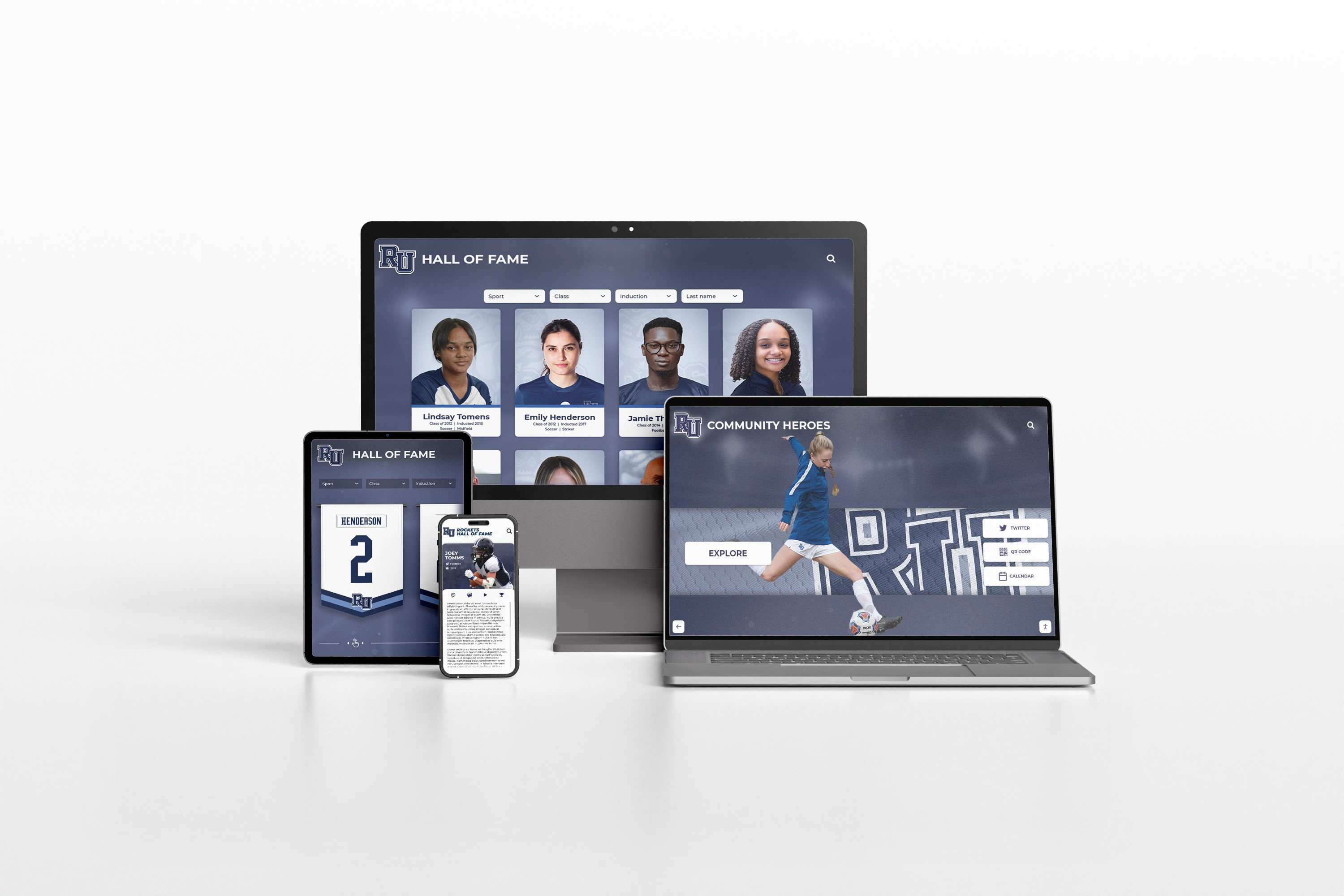
Responsive design ensures engaging experiences across touchscreen kiosks, computers, tablets, and smartphones
User Experience and Interface Design
Technical capabilities provide foundation, but thoughtful user experience design determines whether touchscreens engage communities or sit unused despite prominent placement.
Professionally Designed Templates and Themes
Rocket provides pre-built visual designs eliminating need for custom interface development while accommodating institutional branding and aesthetics.
Recognition-Optimized Templates
Specialized templates address common recognition scenarios:
- Athletic Hall of Fame: Emphasizing statistics, championships, team rosters, and competitive achievements
- Academic Honor Roll: Highlighting scholarly achievements, awards, college acceptances, and intellectual excellence
- Alumni Directory: Focusing on career paths, post-graduation accomplishments, and ongoing connections
- Donor Recognition: Celebrating philanthropic support with appropriate gratitude and impact storytelling
- Historical Timeline: Organizing institutional evolution chronologically with decade-by-decade exploration
- Comprehensive Recognition: Balancing multiple achievement categories with equal visibility
Each template incorporates proven information architecture, navigation patterns, and visual hierarchies refined through hundreds of institutional implementations—dramatically reducing design time while ensuring usable, engaging interfaces.
Customization and Branding Options
While templates provide starting points, customization ensures unique institutional character:
- Color palette selection matching school or organization brand guidelines
- Logo and graphic integration reinforcing institutional identity
- Font selection coordinating with existing marketing materials
- Background images incorporating campus photos, historical imagery, or themed graphics
- Layout modifications adjusting content emphasis and organization
- Custom navigation labels using institution-specific terminology
These customization capabilities balance ease of implementation through templates with flexibility ensuring touchscreen displays feel authentically connected to institutional identity rather than generic third-party systems.
Intuitive Navigation and Wayfinding
Well-designed navigation enables confident exploration without instructions or learning curves—users immediately understand how to discover content matching their interests.
Essential Navigation Elements
Rocket’s interface incorporates proven navigation patterns:
- Prominent Home Button: Always-visible return to main menu from any depth
- Clear Category Access: 3-5 primary content categories with distinct icons and labels
- Search Prominence: Large search button encouraging direct content discovery
- Breadcrumb Trails: Showing current location within information hierarchy
- Back Navigation: Familiar pattern enabling single-step backward movement
- Related Content: Contextual suggestions encouraging continued exploration
Research on touchscreen usability in public environments demonstrates that interfaces incorporating these standard elements generate 40-60% higher engagement compared to non-standard navigation requiring user learning or experimentation.
Progressive Disclosure Architecture
Information complexity reveals gradually preventing overwhelming initial presentations:
- Landing Screen: Featured highlights and 3-5 primary categories
- Category Screens: Subcategories or filtered content collections (5-10 options)
- Profile Listings: Grid or list views showing multiple individuals with key details
- Detail Profiles: Comprehensive information about specific selections
- Related Content: Connections to similar profiles encouraging continued browsing
This layered approach provides immediate value to casual browsers while offering depth satisfying dedicated explorers without forcing navigation complexity on users seeking quick information.
Explore navigation design in touchscreen experience design guides examining usability principles and interface patterns.
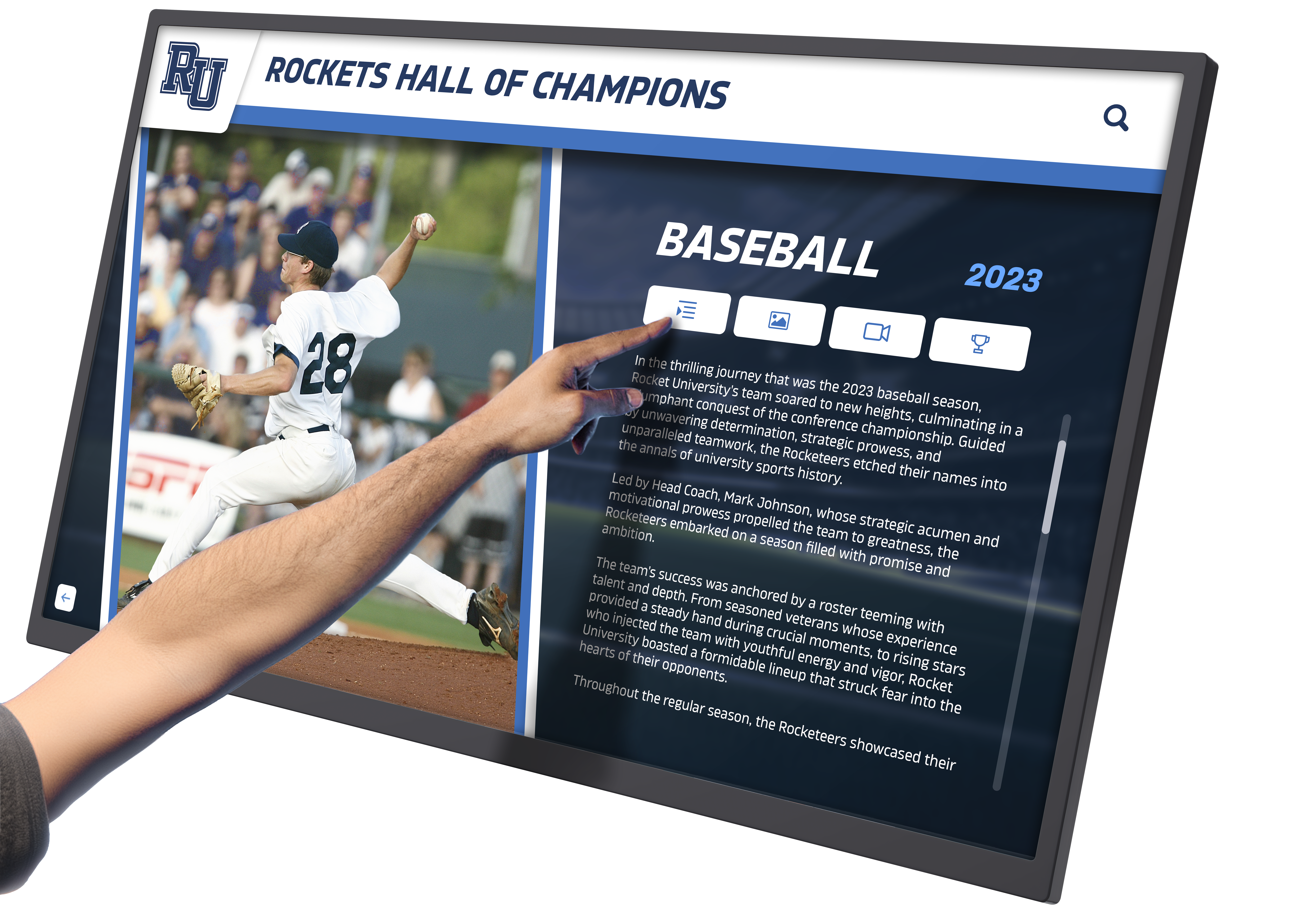
Clear visual hierarchy and intuitive navigation enable confident exploration without instructions or assistance
Accessibility and Inclusive Design
Rocket’s platform incorporates accessibility features ensuring recognition remains usable by diverse audiences including individuals with visual, motor, or cognitive differences.
Visual Accessibility Features
Design accommodates various visual capabilities:
- High contrast color schemes meeting WCAG AA or AAA standards
- Large, legible typography sized appropriately for viewing distance (minimum 24-32pt body text)
- Scalable interfaces maintaining usability at different zoom levels
- Clear visual focus indicators showing active elements during navigation
- Alternative text for images supporting screen readers
- Captions and transcripts for video content
Motor Accessibility Considerations
Interface design accommodates diverse physical capabilities:
- Large touch targets (minimum 60x60 pixels) reducing precision requirements
- Generous spacing between interactive elements preventing accidental activation
- Simple tap-based interaction avoiding complex gestures requiring dexterity
- No time limits on interaction preventing forced rapid responses
- Adjustable kiosk mounting heights accommodating wheelchair users when physically installed
Cognitive Accessibility Features
Content presentation supports diverse cognitive styles:
- Plain language avoiding jargon or complex institutional terminology
- Consistent navigation patterns reducing learning requirements
- Clear labeling eliminating ambiguity about element functions
- Progressive disclosure preventing overwhelming information presentation
- Visual instructions supplementing text-only guidance
- Predictable behavior reducing confusion and building confidence
These inclusive design principles ensure touchscreen recognition serves entire communities rather than privileging certain populations while inadvertently excluding others through inaccessible interfaces.
Hardware Compatibility and Integration
Software excellence requires appropriate hardware foundations—Rocket’s flexible approach accommodates diverse equipment while providing professional hardware solutions when desired.
Supported Hardware Platforms
Rocket Alumni Solutions software operates across various hardware configurations enabling flexible deployment matching available resources and institutional preferences.
Operating System Compatibility
Platform-independent architecture supports:
- Windows (Windows 10, Windows 11): Most common institutional platform
- Chrome OS: Popular in educational environments with Chromebook infrastructure
- Android: Tablet-based displays or Android media players
- macOS: Mac mini or other Apple hardware in Mac-centric institutions
- Linux: Open-source deployments for technically sophisticated organizations
This broad compatibility eliminates hardware lock-in while enabling organizations to leverage existing equipment or select preferred platforms based on cost, familiarity, or institutional standards.
Display Size and Resolution Support
Responsive design automatically adapts to various display configurations:
- 43-55 inch displays: Smaller installations or supplementary recognition points
- 55-65 inch displays: Standard size for primary recognition displays
- 65-75+ inch displays: Large lobbies or spaces requiring visibility from distance
- 1080p resolution: Minimum acceptable quality for clear content presentation
- 4K resolution: Preferred for larger displays ensuring crisp text and detailed images
Automatic layout adaptation ensures professional presentation regardless of selected display size while maintaining consistent content and functionality across mixed hardware deployments.
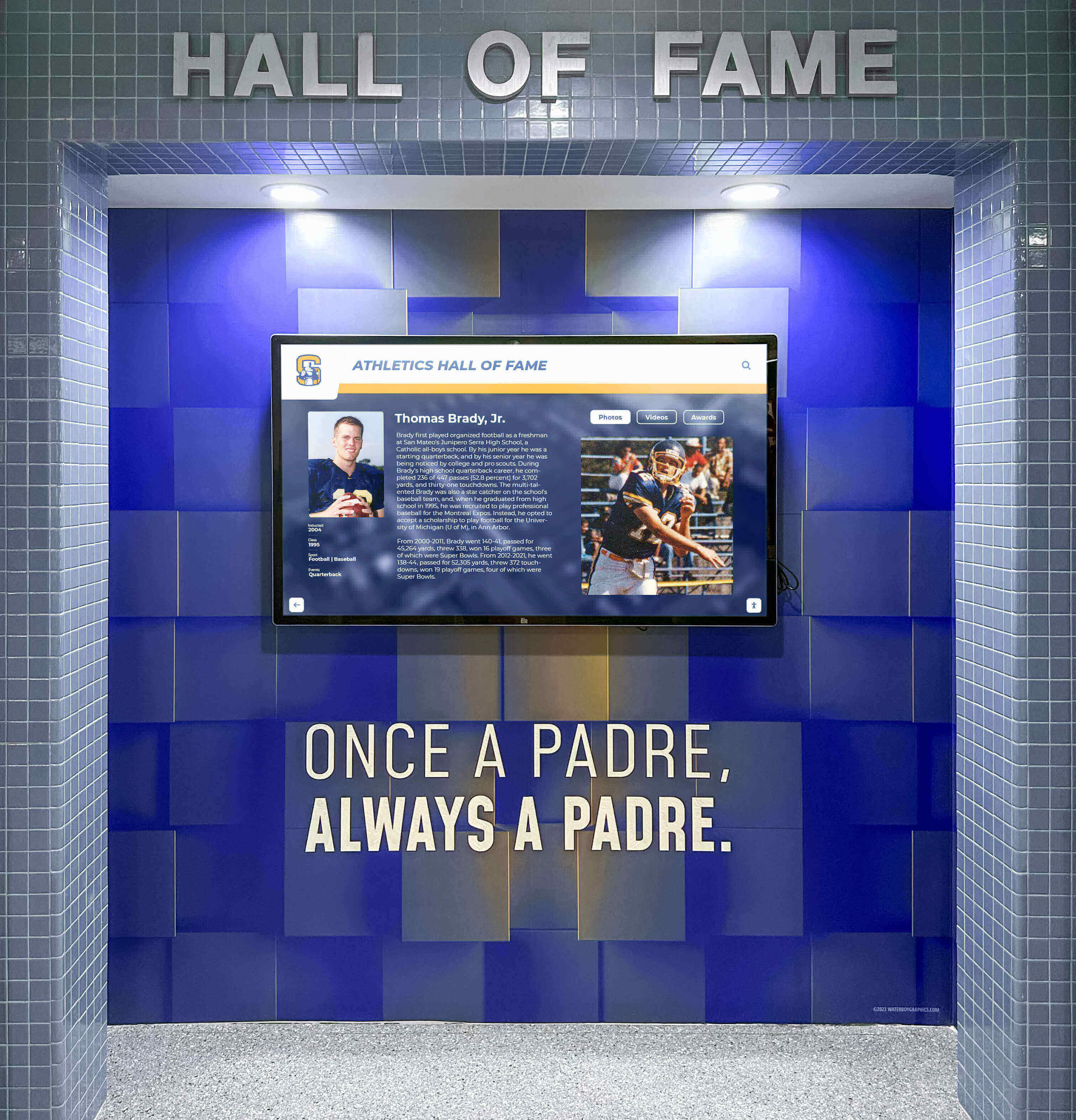
Commercial-grade displays deliver reliable performance in high-traffic institutional environments
Rocket’s Professional Hardware Solutions
While Rocket’s software works with third-party hardware, their integrated solutions provide convenient professional options optimized for recognition applications.
Commercial-Grade Touchscreen Displays
Rocket offers displays specifically selected for institutional environments:
- Commercial rating: 16-24 hour daily operation capability unlike consumer televisions
- Capacitive touch: Responsive, accurate multi-touch without calibration requirements
- Anti-glare coating: Visibility in various lighting conditions including near windows
- 3-year warranty: Extended coverage appropriate for institutional investments
- Energy efficiency: Reduced operating costs and environmental impact
- Remote management: Monitoring and control capabilities for distributed deployments
Commercial displays cost more initially but deliver substantially longer operational lifespan and lower maintenance compared to consumer equipment, providing better total cost of ownership for permanent installations.
Mounting and Kiosk Solutions
Professional presentation requires appropriate physical installation:
- Wall mounts: Low-profile mounting integrating displays with existing architecture
- Freestanding kiosks: Self-contained units suitable for open floor areas
- Architectural integration: Custom designs coordinating with renovation or construction
- ADA-compliant mounting: Appropriate heights and clearances ensuring accessibility
- Cable management: Professional appearance hiding wires and power connections
- Security features: Protection against tampering in public environments
Rocket’s hardware packages include professional installation ensuring optimal placement, secure mounting, proper ergonomics, and clean aesthetic presentation reflecting institutional quality standards.
Computing Hardware Options
Touchscreen displays require computing devices running software:
- Intel NUC: Compact, powerful computers ideal for behind-display mounting
- Raspberry Pi: Budget-conscious option for simple deployments
- Android media players: All-in-one solutions for Android-based implementations
- Integrated displays: All-in-one touchscreens with built-in computing eliminating separate components
- Custom configurations: Specification matching specific performance or budget requirements
Rocket provides guidance helping organizations select appropriate computing hardware balancing performance requirements, budget constraints, and technical support capabilities.
Learn about hardware selection in touchscreen kiosk hardware guides examining specifications and compatibility considerations.
Implementation Process and Timeline
Successful touchscreen deployments require systematic planning addressing content development, hardware procurement, staff training, and ongoing management—Rocket’s structured approach ensures smooth implementations delivering professional results.
Initial Planning and Assessment
Thoughtful planning establishes implementation foundation addressing organizational goals, resource availability, and success criteria.
Needs Assessment
Understanding objectives guides appropriate system design:
- Recognition goals: Which populations or achievements currently lack adequate visibility?
- Audience priorities: Which community segments should recognition primarily serve?
- Content availability: What historical materials, photos, and information currently exist?
- Resource assessment: What staff time, budget, and technical capabilities are available?
- Success metrics: How will implementation effectiveness be measured and evaluated?
Clear objective definition enables design decisions prioritizing most important institutional needs when tradeoffs become necessary during implementation.
Site Evaluation and Placement Strategy
Physical installation locations significantly impact engagement:
- High-traffic areas: Main lobbies, athletic facilities, student commons ensuring visibility
- Appropriate viewing distance: Sufficient space for multiple simultaneous users
- Lighting conditions: Avoiding direct sunlight or glare affecting screen visibility
- Network connectivity: Reliable ethernet or WiFi for content synchronization
- Power availability: Electrical access without extensive visible wiring
- ADA compliance: Physical accessibility for wheelchair users and various heights
Organizations report 3-5 times higher engagement from strategically placed displays compared to less optimal locations, demonstrating placement decisions’ critical importance for recognition effectiveness.
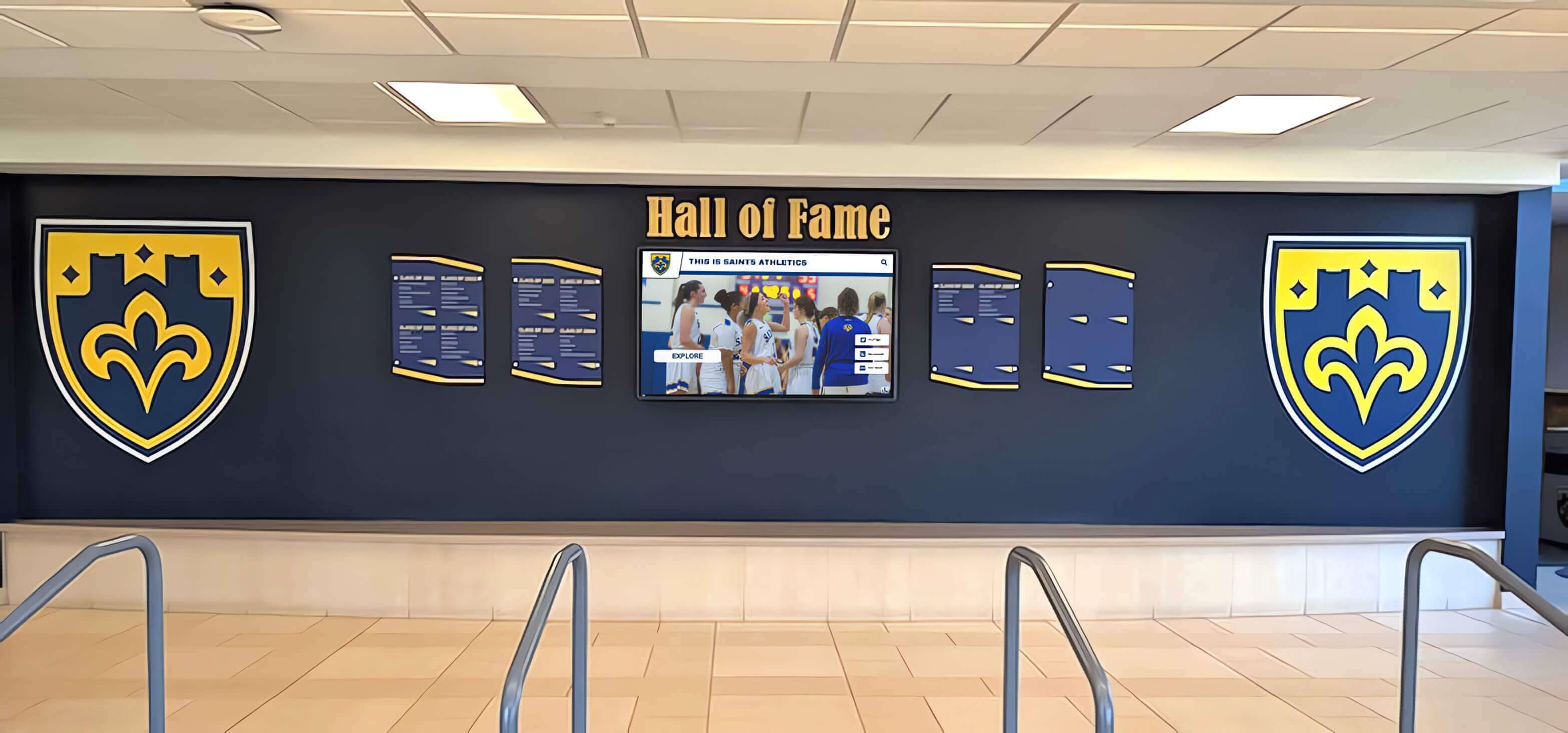
Strategic placement in high-traffic areas ensures recognition reaches maximum audience while encouraging exploration
Content Development and Migration
Quality content determines recognition effectiveness—systematic approaches ensure comprehensive, accurate, professionally presented information.
Historical Content Collection
Initial implementation requires gathering existing recognition information:
- Yearbook research: Extracting names, achievements, photos from historical yearbooks
- Archive review: Accessing institutional records, newspapers, and documentation
- Photo scanning: Digitizing historical photographs for digital display
- Stakeholder interviews: Gathering information from long-term staff, coaches, or alumni
- Database compilation: Organizing collected information in spreadsheets for bulk import
- Rights verification: Ensuring appropriate permissions for photos and content
Organizations should allocate 80-150 hours for comprehensive initial content development depending on institutional history depth and available source materials—foundational investment ensuring recognition quality from launch.
Content Creation Workflow
Systematic processes ensure consistent quality:
- Information gathering: Collecting biographical details, achievements, statistics, and dates
- Photo preparation: Scanning, cropping, and optimizing images for display
- Content authoring: Writing engaging profile descriptions and achievement summaries
- Data entry: Uploading information through Rocket’s administrative interface
- Quality review: Verifying accuracy, checking for errors, ensuring completeness
- Stakeholder approval: Obtaining sign-off before public release
- Publication: Making content live on touchscreen displays
Rocket’s intuitive interface and bulk import capabilities dramatically reduce time requirements compared to systems requiring manual individual entry for each profile element.
Ongoing Content Management
Recognition remains relevant only with regular updates:
- New honoree addition: Systematic processes adding recent achievements promptly
- Profile enhancements: Updating existing content as new information becomes available
- Featured content rotation: Regular changes maintaining freshness for repeat visitors
- Seasonal connections: Highlighting relevant achievements based on current sports seasons or events
- Accuracy maintenance: Correcting errors discovered through community feedback
- Expansion planning: Identifying new recognition categories or historical eras for documentation
Cloud-based platforms enable remote content management without physical display access—updates happen from office computers during normal business hours rather than requiring after-hours facility access.
Training and Launch Support
User adoption requires appropriate training ensuring staff confidence managing touchscreen content independently.
Administrator Training
Rocket provides comprehensive training preparing staff for content management:
- Platform orientation: Overview of administrative dashboard and key features
- Content creation: Hands-on practice adding profiles, photos, and achievements
- Search and filtering: Understanding how users discover content
- Template customization: Adjusting visual design matching institutional branding
- Troubleshooting: Addressing common issues and accessing support resources
- Best practices: Proven approaches for engaging content and effective recognition
Training typically requires 2-4 hours ensuring administrators feel confident managing systems independently while understanding available support resources for complex questions.
Community Launch and Promotion
Successful implementations include promotion generating awareness and encouraging exploration:
- Unveiling event: Ceremonial launch celebrating new recognition capabilities
- Community communication: Announcements through newsletters, websites, and social media
- Student engagement: Classroom activities encouraging exploration and discovery
- Alumni outreach: Targeted communications to recognized individuals and their networks
- Press coverage: Local media stories showcasing institutional recognition innovation
- Ongoing promotion: Regular highlights of featured content maintaining awareness
Organizations report 2-3 times higher initial engagement when implementations include deliberate launch promotion compared to simply installing displays without community education about their purpose and capabilities.
Discover launch strategies in digital recognition implementation guides examining successful rollout approaches.
Video Demonstration and Tour Capabilities
Understanding touchscreen software through written descriptions has limits—video demonstrations and interactive tours provide compelling evidence of capabilities and user experiences impossible to convey through text alone.
Software Feature Video Tours
Rocket Alumni Solutions and partners produce comprehensive video content showcasing platform capabilities, administrative workflows, and user experiences.
Feature Demonstration Videos
Structured video tours highlight key capabilities:
- Content management workflows: Screen recordings showing administrative interface and content creation processes
- User experience walkthroughs: Videos capturing touchscreen interaction from user perspective
- Template showcases: Visual tours of available designs and customization options
- Search and discovery: Demonstrations of finding specific content within large databases
- Mobile responsiveness: Side-by-side comparisons showing adaptive design across devices
- Multimedia integration: Examples of photo galleries, video playback, and document access
These demonstration videos enable evaluation of software capabilities without requiring trial deployments or extensive vendor presentations—prospects understand exactly what they’re considering through visual evidence.
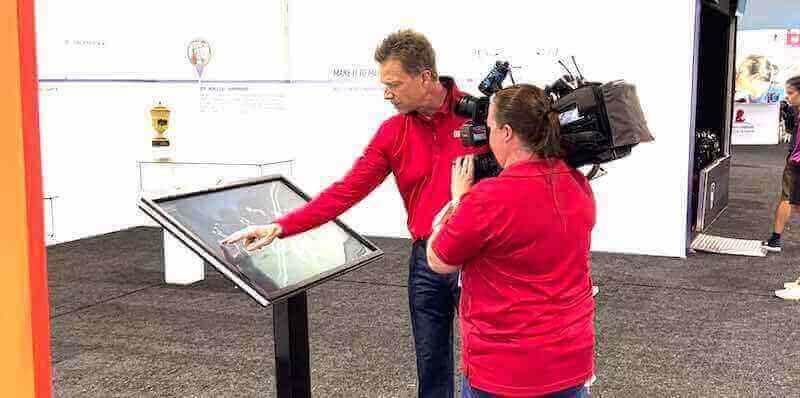
Professional video documentation captures user interaction and software capabilities for evaluation and promotion
Live Interactive Demo Access
Beyond recorded videos, Rocket provides hands-on demonstration environments enabling prospective users to explore software firsthand.
Web-Based Demo Instances
Fully functional demonstration sites showcase live software:
- Populated sample content: Complete fictional hall of fame with hundreds of profiles
- Full feature access: All navigation, search, filtering, and multimedia capabilities active
- Multiple template examples: Various designs demonstrating visual options
- Mobile testing: Responsive demo accessible from smartphones and tablets
- Administrative preview: Behind-the-scenes looks at content management interface
- Guided tours: Structured paths highlighting key features and workflows
Interactive demos provide far more compelling evaluation than static screenshots or marketing materials—prospects experience actual software rather than representations, building confidence in capability claims.
Scheduled Video Demonstrations
Personal guided tours provide customized exploration:
- Expert-led walkthroughs: Knowledgeable presenters highlighting relevant features
- Question-and-answer sessions: Real-time responses to specific institutional concerns
- Custom scenario demonstrations: Showing how software addresses particular needs
- Implementation discussion: Planning conversations about deployment and content development
- Peer examples: Tours of existing customer implementations in similar contexts
- Technical Q&A: Detailed discussions of integration, compatibility, and support
Scheduled demos typically require 30-45 minutes providing thorough understanding of platform capabilities, implementation requirements, and ongoing management expectations.
Customer Implementation Showcases
Real-world deployment examples provide authentic evidence of software performance and recognition outcomes.
Case Study Video Tours
Video walkthroughs of actual customer implementations:
- Installation context: Physical display placement and architectural integration
- Content depth: Exploration of actual recognition databases and information
- User interaction: Capturing real students, alumni, and visitors engaging with displays
- Administrative workflows: Customer testimonials about content management experiences
- Impact evidence: Community feedback and engagement outcome documentation
- Lessons learned: Honest reflection on challenges and optimization decisions
These authentic examples provide far more credible evidence than vendor-created demonstrations—prospects see real implementations in contexts similar to their own situations.
Virtual Site Tours
360-degree photography and video documenting physical installations:
- Lobby and placement context: Understanding how displays integrate with existing spaces
- Multiple viewing angles: Comprehensive documentation of physical presentation
- Environmental factors: Lighting, traffic patterns, and sightlines affecting engagement
- Complementary elements: Coordinating murals, signage, and traditional recognition
- Usage observations: Time-lapse or summary footage showing actual community interaction
Virtual tours enable remote evaluation of physical installation quality and placement strategies without requiring expensive site visits during evaluation phases.
Explore video strategies in touchscreen demonstration approaches examining effective documentation and promotion techniques.
Real-World Applications and Use Cases
Understanding Rocket Alumni Solutions touchscreen software through concrete institutional examples provides practical insight into diverse recognition applications and implementation approaches.
Educational Institution Recognition
Schools and universities represent Rocket’s primary market—diverse educational implementations demonstrate platform versatility across recognition needs.
High School Athletic Halls of Fame
Comprehensive sports recognition celebrating decades of excellence:
- Multi-sport coverage: Separate sections for each sport maintaining distinct identities
- Individual athlete profiles: Complete statistics, achievements, photos, and biographical information
- Team championships: Season-by-season documentation with rosters, records, and tournament progression
- Record boards: Automatically updated leaderboards tracking performance across eras
- Coaching recognition: Honoring leadership contributions alongside athlete achievements
- Historical photos: Extensive archives preserving uniforms, facilities, and team traditions
Schools implementing digital athletic recognition report displaying 4-6 times more achievements than previous physical trophy cases accommodated while generating substantially higher student and community engagement through interactive exploration capabilities.

Athletic recognition displays integrate with school architecture celebrating sports excellence across decades
Academic Excellence Recognition
Celebrating intellectual achievement with equal prominence as athletic success:
- Honor roll listings: Complete records of academic achievers across all graduating classes
- Scholarship recipients: College acceptance achievements and merit-based awards
- National Honor Society: Complete inductee listings with service documentation
- Academic competitions: Science fair, math olympiad, debate, and other competitive excellence
- Subject-specific awards: Departmental recognition for specialized achievement
- Perfect attendance: Celebrating dedication and engagement
Comprehensive academic recognition demonstrates institutional commitment to celebrating diverse excellence—encouraging broader student engagement while honoring intellectual achievement receiving less public visibility than athletics.
Learn about academic recognition in honor roll display guides examining effective celebration strategies.
Alumni Connection and Engagement
Strengthening institutional relationships through comprehensive alumni recognition:
- Career pathways: Professional accomplishments and post-graduation achievements
- “Where Are They Now”: Current status and ongoing activities of graduates
- Alumni spotlight: Regular featured profiles highlighting diverse paths and accomplishments
- Generational legacies: Family connections across multiple graduating classes
- Giving recognition: Donor acknowledgment integrated with achievement celebration
- Reunion coordination: Class-specific content supporting engagement events
Universities implementing alumni-focused touchscreen displays report measurable increases in event attendance, volunteer engagement, and giving outcomes—demonstrating recognition’s tangible advancement value beyond cultural benefits alone.
Athletic Organizations and Sports Facilities
Sports-focused organizations leverage Rocket’s capabilities for performance documentation and competitive achievement celebration.
Youth Sports Organization Recognition
Community athletic programs celebrating participant achievements:
- All-star recognition: Seasonal all-star selections across age groups and divisions
- Tournament championships: Documenting team success in competitive events
- Individual milestones: 1000-point scorers, career leaders, and achievement benchmarks
- Volunteer recognition: Honoring coaches, officials, and organizational contributors
- Facility history: Connecting physical spaces to memorable moments and achievements
- Sponsorship acknowledgment: Donor and sponsor recognition supporting program operations
Sports organizations report that visible recognition increases volunteer engagement, improves participant satisfaction, and supports fundraising efforts through tangible demonstration of program impact and professionalism.
Professional Sports Venue Displays
Commercial sports facilities implementing fan engagement and historical education:
- Franchise history: Comprehensive team timeline from founding through present
- Player profiles: Statistical leaders, award winners, and franchise legends
- Championship documentation: Complete playoff and championship season preservation
- Retired numbers: Honoring greatest contributors with detailed legacy documentation
- Venue evolution: Facility history showing construction, renovations, and memorable events
- Interactive stats: Real-time integration with current season performance data
Professional installations demonstrate Rocket’s scalability from small school implementations to sophisticated commercial deployments requiring extensive content databases and advanced multimedia integration.
Discover athletic applications in basketball hall of fame recognition guides examining sport-specific strategies.

Professional venues leverage touchscreen recognition enhancing fan experience while preserving franchise history
Religious and Community Organizations
Churches, community centers, and civic organizations adapt Rocket’s platform for diverse recognition needs beyond educational contexts.
Church Donor and Ministry Recognition
Faith-based institutions celebrating generosity and service:
- Capital campaign recognition: Donor acknowledgment for building projects and major initiatives
- Memorial tributes: Honoring deceased members preserving legacies digitally
- Ministry volunteer recognition: Celebrating service contributions across programs
- Historical timeline: Church founding, growth, and significant moments
- Pastor and leadership history: Documenting spiritual leadership across generations
- Mission and outreach: Highlighting community impact and service activities
Churches report that digital recognition provides more flexible, updateable alternatives to traditional donor walls while enabling comprehensive ministry documentation impossible within physical space constraints.
Learn about faith-based applications in church digital donation recognition guides examining implementation approaches.
Community Organization Recognition
Civic groups, clubs, and nonprofits celebrating diverse contributions:
- Leadership recognition: Board members, presidents, and organizational officers
- Volunteer appreciation: Documenting service contributions across programs
- Event documentation: Preserving annual activities, fundraisers, and celebrations
- Impact storytelling: Demonstrating community benefit and organizational mission
- Partnership acknowledgment: Recognizing corporate supporters and community collaborators
- Member directories: Connecting current members with organizational community
Community organizations benefit from Rocket’s low-cost entry point through free software—enabling professional recognition capabilities without substantial technology investments that compete with mission-focused resource allocation.
Comparing Rocket Alumni Solutions to Alternative Platforms
Understanding Rocket’s position within the broader touchscreen software market helps organizations make informed selection decisions based on specific requirements and contexts.
Purpose-Built Recognition vs. Generic Digital Signage
Fundamental architectural differences distinguish specialized recognition platforms from adapted general-purpose systems.
Recognition Platform Advantages
Purpose-built solutions like Rocket provide:
- Pre-configured templates: Immediate deployment without extensive customization
- Recognition-specific features: Search, filtering, and navigation optimized for profile discovery
- Intuitive content management: Interfaces designed for biographical storytelling rather than advertising
- Privacy controls: Appropriate restrictions for student and personal information
- Educational pricing: Business models reflecting institutional budget realities
- Specialized support: Assistance from teams understanding recognition contexts and challenges
Generic Signage Limitations
Adapted general-purpose platforms typically require:
- Extensive customization: Significant configuration creating recognition functionality
- Technical expertise: Capabilities requiring specialized skills or consultant engagement
- Generic interfaces: Templates designed for advertising requiring substantial modification
- Complex workflows: Content management processes not optimized for institutional use cases
- Commercial pricing: Subscription costs reflecting corporate markets rather than educational budgets
- General support: Assistance from teams unfamiliar with recognition-specific needs
Organizations frequently underestimate customization time and costs required to adapt general platforms for recognition—purpose-built solutions typically deliver faster implementation at lower total cost despite potentially higher initial platform prices.
Cloud-Based vs. Native Application Approaches
Architectural choices between web-based and installed applications create significant operational differences.
Cloud-Based Platform Advantages
Rocket’s web-based architecture provides:
- Remote content management: Updates from anywhere without physical display access
- Automatic updates: Platform enhancements deployed instantly to all installations
- Cross-platform compatibility: Works on Windows, Mac, Chrome OS, Android, iOS
- Lower IT burden: No software installation, updates, or device management
- Multi-device access: Same content accessible from kiosks, computers, and mobile devices
- Collaborative workflows: Multiple administrators managing content simultaneously
Native Application Trade-offs
Installed software approaches offer:
- Offline operation: Complete functionality without network connectivity
- Potentially faster performance: Direct system integration reducing latency
- Hardware integration: Access to device-specific features and capabilities
- Installation complexity: Software deployment and updates across all devices
- Platform limitations: Separate versions required for different operating systems
- Higher maintenance: Individual device management and troubleshooting
Most institutional contexts favor cloud-based approaches—network connectivity exists at display locations, remote management provides substantial operational advantages, and cross-platform compatibility enables hardware flexibility without platform lock-in.
Explore platform comparisons in web-based vs. native touchscreen software guides examining architectural implications.
Pricing, Licensing, and Total Cost of Ownership
Understanding complete financial implications—not just initial platform costs—enables informed budgeting and vendor comparison.
Rocket’s Free Software Model
Rocket Alumni Solutions’ unique approach makes professional recognition software accessible regardless of budget constraints.
What’s Included in Free Software
Complete platform access with no licensing fees:
- Unlimited user accounts for content administration
- Unlimited content storage for photos, videos, and documents
- All features including search, filtering, multimedia, and social sharing
- Regular platform updates and new feature releases
- Technical support via email and online resources
- Training materials and documentation
- Security updates and maintenance
This comprehensive free access eliminates ongoing subscription costs that consume significant portions of recognition budgets in competing platforms charging annual fees.
Revenue Sources and Business Model
Rocket monetizes through:
- Hardware sales: Optional professional touchscreen displays and mounting solutions
- Installation services: Professional deployment ensuring optimal placement and configuration
- Premium support: Enhanced technical assistance and priority response for customers requiring dedicated support
- Custom development: Specialized features or integrations for unique institutional requirements
Organizations can implement Rocket using existing hardware and self-installation—paying nothing beyond staff time—or purchase comprehensive packages including professional equipment and white-glove implementation services.
Competing Platform Cost Structures
Alternative platforms typically employ subscription licensing creating ongoing costs:
Typical Subscription Pricing
Competing recognition and digital signage platforms charge:
- Small installations (1-3 displays): $500-$2,000 annually
- Medium installations (4-10 displays): $2,000-$6,000 annually
- Large installations (10+ displays): $6,000-$15,000+ annually
- Per-display pricing: $300-$800 per screen annually
- User-based pricing: $50-$200 per administrative user annually
Over 5-year operational periods, subscription costs accumulate substantially:
- Small installation: $2,500-$10,000 in software costs alone
- Medium installation: $10,000-$30,000 in platform fees
- Large installation: $30,000-$75,000+ in recurring charges
Rocket’s free software eliminates these recurring costs—representing $10,000-$30,000 in savings over typical installation lifespan for medium-sized implementations.
Total Cost of Ownership Analysis
Beyond software licensing, complete implementations include additional costs requiring budget planning.
Hardware Investment
Commercial displays and computing equipment:
- Touchscreen displays: $4,000-$10,000 each depending on size and specifications
- Computing hardware: $500-$1,500 per display for appropriate performance
- Mounting hardware: $300-$800 for wall mounts or $2,000-$5,000 for freestanding kiosks
- Installation labor: $800-$2,500 per display for professional deployment
Typical single-display investment: $6,000-$15,000 Typical 3-display installation: $18,000-$45,000
Hardware costs remain similar regardless of software platform—Rocket’s free software doesn’t eliminate these expenses but enables budget allocation toward higher-quality displays rather than dividing resources between equipment and platform fees.
Ongoing Operational Costs
Annual expenses maintaining recognition displays:
- Software platform: $0-$3,000 depending on chosen solution (Rocket: $0)
- Content management: 20-60 staff hours annually ($500-$2,000 labor cost)
- Internet connectivity: $50-$200 annually per display
- Electricity: $50-$150 annually per display
- Maintenance and repairs: $200-$600 annually per display
Typical annual operational costs: $800-$4,000 per display
Rocket’s free software significantly reduces ongoing costs compared to subscription platforms—enabling budget allocation toward content development, hardware maintenance, or expansion rather than recurring platform fees.
Learn about comprehensive budgeting in digital hall of fame funding guides examining total ownership economics.
Getting Started with Rocket Alumni Solutions
Organizations ready to implement touchscreen recognition can begin evaluation and deployment through systematic engagement with Rocket’s team and resources.
Initial Evaluation and Demo Access
Understanding whether Rocket aligns with institutional needs begins with hands-on platform exploration.
Self-Service Demo Access
Immediate evaluation without sales engagement:
- Live demo website: Fully functional example hall of fame with complete content
- Administrative interface tour: Behind-the-scenes look at content management workflows
- Video demonstrations: Screen recordings highlighting key features and capabilities
- Template gallery: Visual examples of available designs and customization options
- Feature documentation: Detailed explanation of platform capabilities and technical specifications
These resources enable initial evaluation determining whether Rocket warrants deeper investigation or doesn’t align with institutional requirements.
Scheduled Personal Demonstrations
Expert-guided exploration addressing specific questions:
- Custom demo content: Examples populated with institution-similar contexts
- Feature deep-dives: Detailed exploration of capabilities relevant to specific needs
- Implementation planning: Discussion of timelines, resource requirements, and deployment approaches
- Question-and-answer: Real-time responses to concerns and clarifications
- Peer examples: Tours of existing customer implementations in similar institutional contexts
Personal demonstrations typically require 30-60 minutes providing comprehensive understanding of platform fit and implementation requirements.
Implementation Planning and Timeline
Successful deployments follow structured processes ensuring appropriate preparation and resource allocation.
Typical Implementation Timeline
From decision through launch:
- Week 1-2: Contract finalization and project kickoff
- Week 2-4: Hardware procurement and content collection begins
- Week 4-6: Administrative training and content development
- Week 6-8: Hardware installation and system configuration
- Week 8-10: Content upload, quality review, and testing
- Week 10-12: Stakeholder review, final refinements, and public launch
Total timeline: 10-12 weeks for standard implementations
Accelerated timelines possible when content preparation occurs in advance and hardware availability doesn’t create delays—some implementations complete in 6-8 weeks when circumstances align.
Resource Requirements
Institutional commitments necessary for success:
- Project coordination: 10-15 hours for planning, vendor communication, and oversight
- Content development: 60-120 hours for historical research, data collection, and entry
- Technical coordination: 5-10 hours for IT infrastructure, network access, and installation support
- Stakeholder review: 5-10 hours for content verification and approval processes
- Launch promotion: 5-10 hours for communication and community awareness building
These time investments represent institutional contributions—vendors provide hardware, software, training, and technical support, but successful implementations require appropriate internal resource allocation ensuring quality content and sustainable management.
Ongoing Support and Resources
Long-term success depends on accessible assistance and continuous improvement guidance.
Included Support Services
Standard support available to all Rocket users:
- Email technical support: Assistance with platform questions and troubleshooting
- Knowledge base: Searchable documentation covering common tasks and questions
- Video tutorials: Visual instruction for content management and administrative functions
- Community forums: Peer-to-peer assistance and idea sharing
- Platform updates: Regular feature enhancements and improvements
- Security patches: Timely updates addressing vulnerabilities
Premium Support Options
Enhanced assistance for organizations requiring additional resources:
- Priority response: Faster turnaround on support inquiries
- Phone support: Direct conversation for complex troubleshooting
- Dedicated account management: Assigned contacts for relationship continuity
- Custom training: On-site or virtual instruction for larger staff groups
- Content development assistance: Professional services supporting initial or ongoing content creation
Organizations should honestly assess internal technical capabilities and support needs when evaluating whether premium assistance warrants investment beyond included standard support.
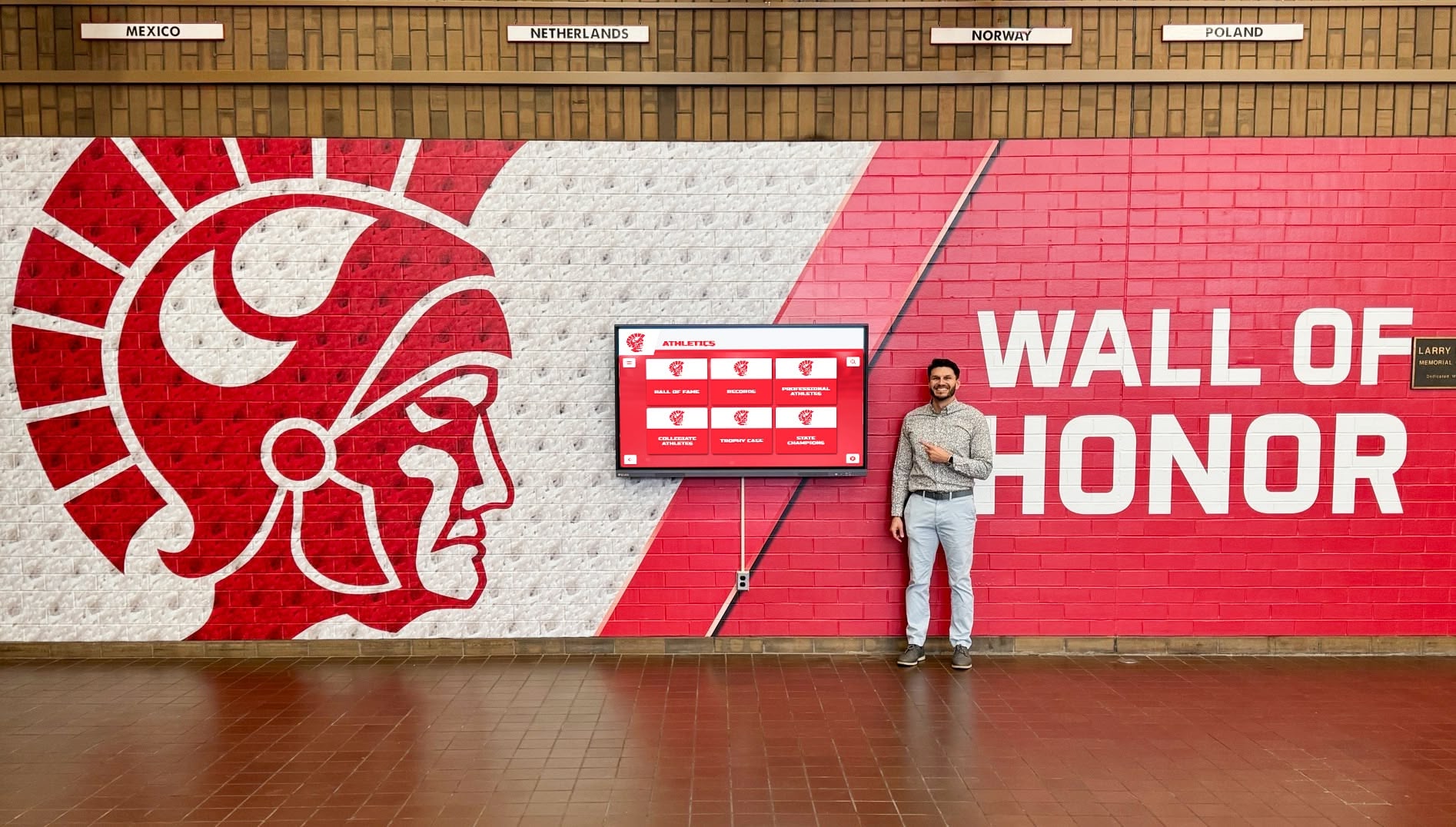
Comprehensive training and support ensure staff confidence managing touchscreen recognition independently
Conclusion: Transforming Recognition Through Specialized Software
Touchscreen software selection fundamentally determines whether digital recognition investments deliver years of community engagement or become abandoned technology experiments collecting dust in forgotten corners. Rocket Alumni Solutions has established itself as a leading platform specifically through its recognition-focused design, remarkably accessible free software model, intuitive content management, and comprehensive feature set addressing diverse institutional needs across educational, athletic, religious, and community contexts.
The platform’s purpose-built architecture provides immediate value through pre-configured templates, optimized search and discovery tools, and workflows designed specifically for biographical celebration rather than adapted from advertising-focused digital signage. Meanwhile, cloud-based infrastructure enables remote content management transforming recognition maintenance from burdensome technical task to straightforward administrative workflow accessible regardless of staff technical expertise.
Experience Rocket Alumni Solutions Touchscreen Software
Explore live demonstrations, schedule personalized video tours, and discover how purpose-built recognition software transforms institutional celebration while remaining remarkably accessible and manageable.
Book a Live Video DemoPerhaps most significantly, Rocket’s free software model democratizes access to professional interactive recognition capabilities—removing financial barriers that prevent many schools and organizations from implementing systems previously accessible only to well-resourced institutions willing to invest thousands annually in platform subscriptions. This accessibility, combined with optional professional hardware solutions and implementation services, provides flexible entry points accommodating diverse budgets and capabilities while maintaining consistent high-quality recognition experiences regardless of institutional resources.
Whether you’re evaluating touchscreen solutions for the first time, seeking to replace underperforming existing systems, or expanding successful recognition programs to additional locations, Rocket Alumni Solutions provides specialized software infrastructure specifically designed for institutional recognition needs—delivering engaging interactive experiences that honor achievements, connect communities, and preserve legacies while remaining manageable within typical organizational resources and capabilities.
Ready to explore how Rocket’s touchscreen software can transform your recognition program? Access live demonstrations, schedule personalized video tours examining platform capabilities in detail, or connect with implementation specialists understanding unique institutional contexts and constraints. Your community deserves recognition systems celebrating excellence comprehensively while remaining sustainable long-term—specialized software platforms provide the foundation making these aspirations achievable reality.































