




Equipment manufacturers face a common challenge at trade shows, conferences, and product demonstrations: how do you effectively communicate complex product features, specifications, and benefits in noisy, crowded environments where potential customers spend only minutes at your booth? Traditional brochures get discarded, static displays fail to capture attention, and verbal explanations can’t reach everyone simultaneously.
Interactive touchscreen kiosks with specialized software provide a dynamic solution that transforms how equipment manufacturers present technical information. These systems enable self-guided product exploration, detailed feature demonstrations, specification comparisons, and multimedia presentations—all through intuitive touch interfaces that engage visitors while freeing staff to have meaningful conversations with qualified prospects.
This comprehensive guide explores how equipment manufacturers can implement touchscreen kiosk solutions that work seamlessly across both event environments and permanent installations, website integration, and showroom displays. Whether you’re demonstrating agricultural equipment, manufacturing machinery, construction tools, or industrial systems, the right kiosk technology creates memorable experiences that generate leads and close sales.
Modern touchscreen kiosk technology has evolved far beyond simple slideshows. Today’s systems integrate video demonstrations, 3D product visualizations, interactive specification comparisons, customizable configuration tools, and real-time data connections—creating immersive experiences that educate prospects while capturing valuable lead information for follow-up.

Professional demonstrations at trade shows and conferences benefit from interactive touchscreen technology that engages visitors while capturing video content
Understanding Touchscreen Kiosks for Equipment Manufacturing
Before selecting specific hardware or software platforms, manufacturers should understand what makes touchscreen kiosks particularly effective for technical product presentations and event marketing.
What Are Event-Ready Touchscreen Kiosks?
Event touchscreen kiosks are portable or semi-permanent interactive display systems designed to withstand the unique demands of trade shows, conferences, and demonstration environments while delivering professional product presentations.
Core System Components
A complete event kiosk solution includes multiple integrated elements:
- Commercial-grade touchscreen display: Professional displays (typically 32-55 inches) designed for extended daily operation in high-traffic environments
- Rugged portable mounting: Sturdy floor stands, wheeled kiosks, or table-mount systems suitable for repeated transport and setup
- Interactive presentation software: Specialized platforms enabling intuitive product exploration without technical expertise required
- Content management system: Cloud-based or local systems enabling rapid content updates before and during events
- Lead capture integration: Forms, QR codes, and data collection tools capturing prospect information for sales follow-up
- Offline operation capability: Systems functioning reliably without internet connectivity in unpredictable venue conditions
- Web-compatible output: Content that can be deployed on websites, allowing pre-event exploration and post-event follow-up
This integrated approach ensures kiosk systems serve multiple purposes simultaneously—engaging event visitors, capturing leads, supporting sales conversations, and extending reach through digital channels before and after physical events.
Why Equipment Manufacturers Need Interactive Kiosks
Traditional marketing approaches struggle to communicate the technical complexity and value propositions of sophisticated equipment in fast-paced event environments.
The Trade Show Challenge
Equipment manufacturers face unique obstacles:
- Limited attention spans: Booth visitors spend an average of 3-5 minutes per display before moving to competitors
- Complex technical information: Specifications, features, and benefits require more explanation than brochures can provide
- Staff capacity constraints: Sales teams can’t simultaneously engage every visitor during busy periods
- Demonstration limitations: Physical equipment demonstrations are often impossible or impractical at events
- Lead qualification needs: Distinguishing serious prospects from casual browsers requires efficient information gathering
- Multi-language requirements: International events demand content in multiple languages without proportional staff increases
According to research on trade show effectiveness, interactive displays increase booth engagement time by 60-80% compared to traditional static presentations, while capturing 3-4 times more qualified lead information.
Beyond Event Applications
While optimized for events, the same kiosk technology serves multiple channels:
- Permanent showroom installations: Creating self-service product exploration in dealer locations and customer experience centers
- Website integration: Deploying identical interactive content online for consistent omnichannel experiences
- Sales team tools: Portable tablets running the same software enabling field demonstrations at customer sites
- Training applications: Interactive content educating dealers, distributors, and service technicians about product features
- Virtual event platforms: Adapting interactive experiences for digital trade shows and webinar demonstrations
This versatility maximizes content development investment by deploying the same interactive presentations across multiple touchpoints throughout the customer journey.
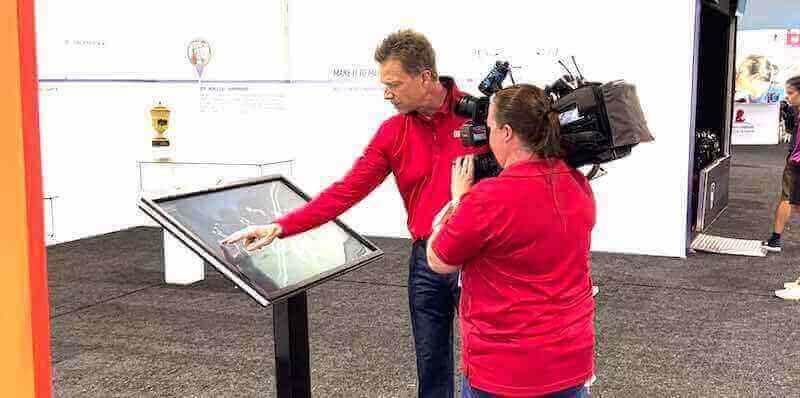
High-quality video documentation of interactive kiosk demonstrations creates marketing content while showcasing product features effectively
Essential Features for Equipment Demonstration Kiosks
Effective kiosk solutions require specific capabilities addressing the unique needs of equipment manufacturers presenting complex technical products.
Interactive Product Exploration
The core value of touchscreen kiosks lies in enabling self-directed discovery of product features, specifications, and benefits at each prospect’s preferred pace and depth.
Feature Highlight Navigation
Interactive systems should enable intuitive exploration of key product differentiators:
- Visual hotspot interfaces: Touch-sensitive product images revealing detailed information about specific components or features
- Layered information architecture: Progressive disclosure starting with benefits and allowing deeper dives into technical specifications
- Comparison tools: Side-by-side feature and specification comparisons between different models or competitive products
- Video demonstrations: Embedded clips showing products in operation, highlighting specific capabilities or applications
- 360-degree visualization: Interactive product rotation enabling examination from all angles when physical display is impractical
- Zoom capabilities: High-resolution imagery allowing detailed inspection of components, build quality, and craftsmanship
These interactive elements transform passive viewing into active exploration, increasing comprehension and retention of technical information while accommodating different learning styles and information needs.
Configuration and Customization Tools
For configurable products, interactive tools enable prospect engagement with personalization options:
- Visual configuration interfaces: Select colors, options, accessories, and configurations seeing results in real-time
- Pricing calculators: Dynamic pricing showing cost implications of different configuration choices
- Specification builders: Create custom specifications matching specific application requirements
- ROI calculators: Interactive tools demonstrating financial impact and payback periods for equipment investments
- Application matchers: Guided tools recommending optimal products based on intended use case criteria
These tools move prospects from passive information consumption to active participation in solution design—increasing psychological investment and advancing sales conversations meaningfully.
Multimedia Content Integration
Rich media capabilities communicate product value in ways text and specifications alone cannot achieve.
Video Content Libraries
Professional video integration brings products to life:
- Product overview videos: 2-3 minute introductions establishing context and primary value propositions
- Feature deep-dives: Focused clips explaining specific capabilities, technologies, or differentiators in detail
- Application demonstrations: Videos showing products solving real-world challenges in relevant use cases
- Customer testimonials: User success stories validating product performance and manufacturer reliability
- Installation and setup guides: Step-by-step visual instructions demonstrating ease of deployment
- Maintenance tutorials: Service and maintenance procedures showing total cost of ownership advantages
According to studies of marketing effectiveness, video content increases information retention by 60% compared to text alone, while generating 80% more engagement at trade show displays.
Technical Documentation Access
Comprehensive information access serves serious prospects conducting detailed evaluation:
- Specification sheets: Complete technical specifications formatted for on-screen reading and downloadable PDF generation
- CAD drawings: Technical drawings and dimensional specifications for integration planning
- Compliance certifications: Safety standards, emissions compliance, and regulatory approval documentation
- Performance data: Test results, efficiency ratings, capacity specifications, and comparative performance metrics
- Parts catalogs: Exploded view diagrams with parts identification for service planning evaluation
- Installation requirements: Site preparation specifications, power requirements, and facility integration needs
Making this detailed information readily accessible demonstrates transparency while serving information-intensive prospects who value comprehensive technical validation.
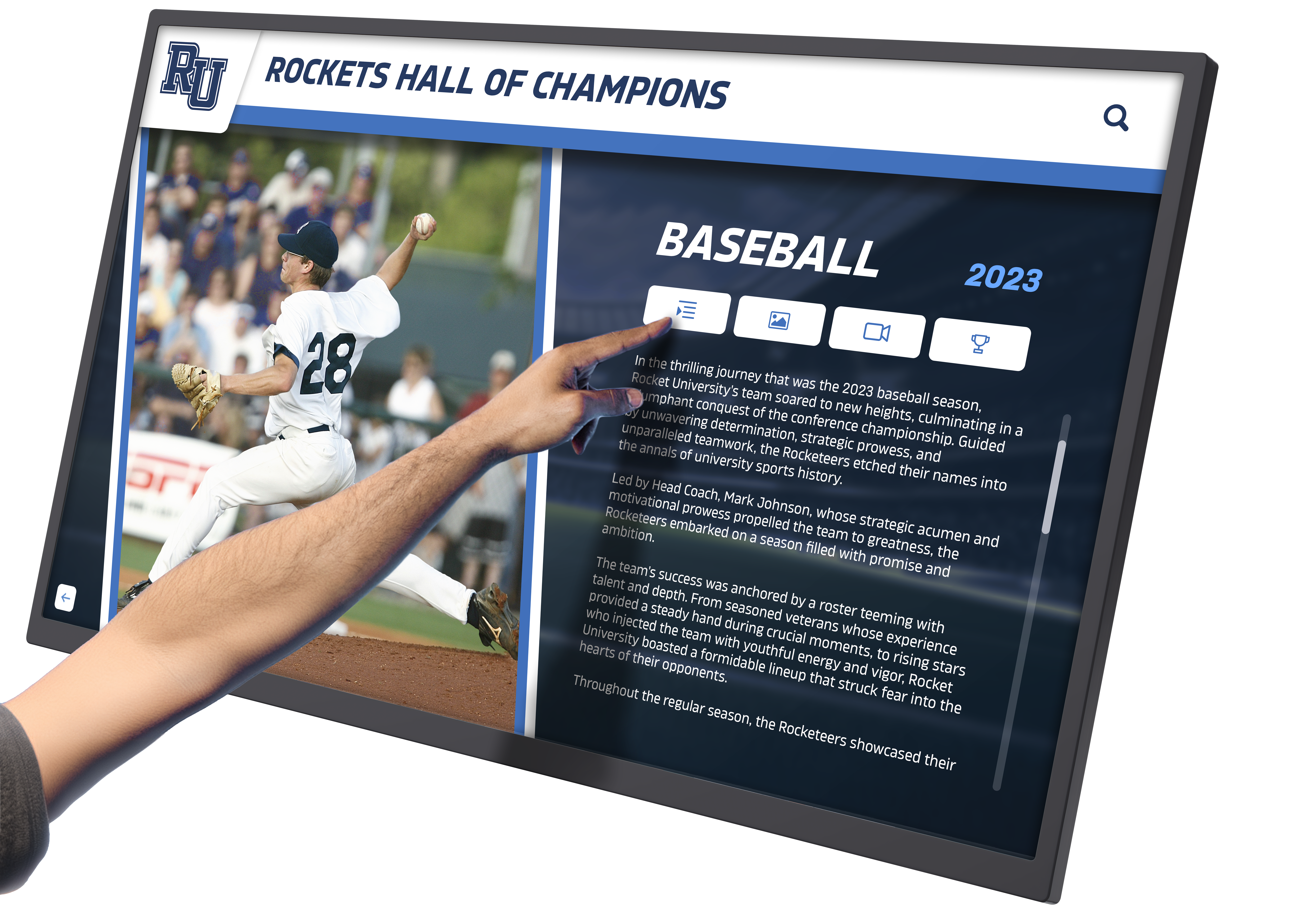
Rich multimedia interfaces combine images, video, statistics, and biographical information in engaging, intuitive layouts
Lead Capture and Analytics
Interactive kiosks should function as lead generation tools, not just information displays, by capturing prospect data and behavioral insights.
Integrated Data Collection
Seamless lead capture without disrupting engagement:
- Interactive contact forms: Simple touch-friendly forms capturing name, company, contact information, and project details
- QR code generation: Instant QR codes allowing prospects to continue exploration on personal devices while capturing contact information
- Email content delivery: Send detailed specifications, videos, or product information to prospect email addresses
- Business card scanning: Camera-based business card readers capturing contact information without manual data entry
- Optional vs. required fields: Balanced data collection requesting essential information while offering optional details for serious prospects
- Privacy compliance: GDPR, CCPA, and regulatory compliance in data collection and storage practices
According to trade show marketing research, interactive displays with integrated lead capture generate 40-60% more qualified leads than traditional methods requiring manual information exchange.
Behavioral Analytics
Understanding how prospects interact with content informs follow-up strategy:
- Content engagement tracking: Which features, products, or information sections generate most interest
- Session duration measurement: Time spent exploring overall and on specific content areas
- Configuration choices: What options, specifications, or features prospects select during interactive configuration
- Video completion rates: Which video content prospects watch fully versus skip after brief viewing
- Question patterns: Common inquiries or information searches revealing sales conversation opportunities
- Comparison activity: Which competitive products or alternative models prospects examine most frequently
These behavioral insights enable sales teams to personalize follow-up conversations based on demonstrated interests rather than generic post-event outreach.
Software Platform Selection for Manufacturing Applications
Choosing the right software foundation determines long-term success, ease of content management, and return on kiosk investment.
Key Software Capabilities for Equipment Demos
Purpose-built solutions offer significant advantages over generic approaches for manufacturing applications.
Content Management Requirements
Effective platforms provide:
- Intuitive content editors: Visual interfaces enabling marketing teams to update content without developer dependency
- Template systems: Pre-designed layouts accelerating content creation while maintaining professional consistency
- Media library management: Organized storage with search, tagging, and version control for images, videos, and documents
- Multi-product support: Managing content for entire product lines within unified platforms
- Scheduled content updates: Automated publishing enabling content changes timed to product launches or event schedules
- Version control: Content rollback capabilities recovering from accidental changes or enabling A/B testing
- Multi-user collaboration: Role-based permissions allowing team contributions while controlling approval workflows
These capabilities dramatically reduce content management burden while enabling rapid updates responding to competitive developments or product evolution.
Cross-Platform Deployment
Modern platforms enable deployment across multiple touchpoints from single content sources:
- Responsive web design: Content automatically adapts to desktop browsers, tablets, and smartphones
- Kiosk-optimized interfaces: Touch-friendly layouts with appropriate sizing and interaction patterns for standing displays
- Offline operation modes: Downloaded content packages enabling reliable kiosk operation without internet connectivity
- Cloud synchronization: Automatic content updates when connectivity is available without manual intervention
- Embedded options: Iframe or widget embedding enabling integration into existing corporate websites
- Progressive web apps: Installable applications combining web convenience with app-like offline functionality
This versatility maximizes content development investment by deploying identical interactive experiences across multiple channels without rebuilding for each platform.
Web-Compatible Solutions for Unified Experiences
Equipment manufacturers benefit significantly from platforms enabling seamless experiences across physical kiosks and digital channels.
Pre-Event Digital Engagement
Web-compatible kiosk content extends reach before events begin:
- Event preview sites: Allow prospects to explore product information before attending, arriving prepared for detailed conversations
- Appointment scheduling: Enable advance meeting bookings with specific engineers or product specialists
- Personalized content paths: Use web analytics to understand prospect interests before they visit physical booths
- Social media integration: Share specific product features or configurations directly from web interfaces
- Email marketing connections: Drive event traffic through targeted campaigns linking to specific product explorations
According to event marketing research, exhibitors who engage prospects digitally before events generate 70% more qualified booth visits than those relying solely on on-site attraction.
Post-Event Follow-Up
Maintaining engagement after events concludes:
- Continued exploration access: Prospects can revisit specific products, features, or configurations discussed at events
- Expanded content depth: Provide additional technical documentation, case studies, or videos beyond what kiosk experiences included
- Configuration retrieval: Allow prospects to access and refine product configurations they created at kiosks
- Video demonstration libraries: Enable repeated viewing of demonstration content for internal stakeholder education
- Comparison tools: Support detailed evaluation against competitive options during formal decision processes
This continuity of experience across touchpoints creates consistency while providing valuable engagement data throughout extended sales cycles.
Solutions like Rocket Alumni Solutions demonstrate this cross-platform approach, offering cloud-based content management that deploys interactive recognition experiences across physical touchscreen kiosks, responsive websites, and mobile devices—ensuring consistent, professional presentation regardless of how audiences access content.
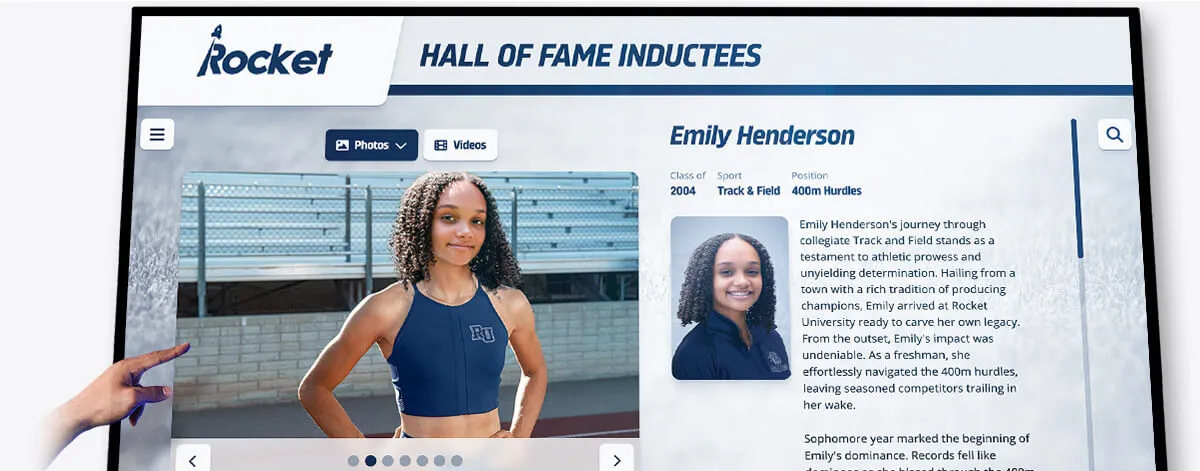
Professional interface design combines multiple media types in intuitive layouts optimized for touch interaction
Hardware Considerations for Event Kiosks
Software capabilities matter only if hardware delivers reliable, professional operation in demanding event environments.
Display Technology Selection
Choosing appropriate display technology impacts user experience and operational reliability.
Screen Size and Resolution
Optimal specifications for different applications:
- 32-43 inch displays: Suitable for tabletop kiosks or smaller booth spaces with intimate engagement
- 43-55 inch displays: Optimal for freestanding kiosks attracting attention across exhibit floor aisles
- 55-65 inch displays: Appropriate for large booths or permanent showroom installations creating statement presence
- 4K resolution (3840x2160): Recommended for all sizes ensuring crisp text and detailed product imagery
- Brightness (350-500 nits): Sufficient for typical indoor exhibit halls with overhead lighting
- Anti-glare treatments: Essential for venues with large windows or bright overhead spotlights
Touch Technology Options
Different touch technologies suit different applications:
- Capacitive touch: Most responsive and accurate, supporting multi-touch gestures, but requiring careful consideration of glove use in industrial demonstrations
- Infrared touch: Reliable in various lighting conditions, works with gloved hands, suitable for industrial settings
- Optical touch: Large-format option for displays over 65 inches, though less common for portable applications
- Response time: Sub-50ms response critical for professional perception and user satisfaction
Commercial-grade displays designed for 16-24 hour daily operation vastly outperform consumer televisions in reliability and longevity for demanding event schedules.
Portable Mounting Solutions
Event applications require robust mounting addressing unique transportation and setup demands.
Freestanding Kiosk Enclosures
Professional kiosk housings provide:
- Sturdy construction: Steel or heavy-gauge aluminum frames preventing tipping and protecting displays during transport
- Integrated cable management: Concealed pathways maintaining professional appearance without exposed wiring
- Lockable access panels: Secure enclosures protecting computers and connections from tampering
- Branding surfaces: Printed graphics or company identity integration matching booth aesthetics
- Height adjustability: Optimal viewing and interaction positioning for standing users
- Wheel options: Locking caster wheels enabling positioning flexibility during setup
- Tool-free assembly: Quick setup and breakdown without specialized equipment or expertise
Shipping and Transport Solutions
Protecting investment during frequent travel:
- Custom flight cases: Foam-lined cases meeting airline shipping specifications for checked luggage or freight
- Wheeled transport cases: Road cases with heavy-duty wheels enabling single-person transport through venues
- Modular components: Break-down designs separating displays from stands for more compact shipping
- Protective screens: Removable screen protectors preventing surface damage during transport
- Cable organization: Dedicated storage compartments keeping all components together and preventing loss
Organizations exhibiting at multiple events annually should budget for professional transport cases—protecting hardware investments while simplifying logistics and reducing setup time.
Content Development Strategy for Equipment Kiosks
Hardware and software establish infrastructure, but compelling content determines whether kiosks achieve marketing and sales objectives.
Planning Interactive Product Presentations
Systematic content planning ensures comprehensive coverage while maintaining engagement.
Information Architecture Design
Organize content matching how prospects evaluate equipment:
Primary Navigation Options
- By product category: Heavy equipment, compact equipment, attachments, specialty tools
- By application: Agriculture, construction, landscaping, material handling, waste management
- By feature: Productivity enhancements, efficiency improvements, safety technologies, operator comfort
- By comparison: Model-to-model comparisons, competitive comparisons, upgrade decision support
Content Depth Levels
- Overview layer: High-level benefits and primary value propositions (30-60 seconds)
- Feature layer: Specific capabilities and differentiating technologies (2-3 minutes)
- Technical layer: Detailed specifications, performance data, compliance information (5-10 minutes)
- Application layer: Use case examples and customer success stories (variable)
This layered approach accommodates varying engagement levels—from quick overview browsers to serious prospects conducting detailed evaluation—without overwhelming either audience.
Explore comprehensive content planning in digital signage content strategy guides with 120+ content ideas applicable across industries.
Multimedia Production Guidelines
Professional content quality reflects brand positioning and product quality perceptions.
Video Content Standards
Professional demonstration videos require:
- High-definition quality: Minimum 1080p resolution; 4K preferred for future-proofing and detail preservation
- Professional production: Stable camera work, consistent lighting, clear audio, professional editing
- Optimal length: 90-180 seconds for feature highlights; 3-5 minutes maximum for deep technical content
- Clear narration: Professional voiceover explaining features and benefits clearly without excessive technical jargon
- Visual demonstrations: Show features in operation rather than static explanation of capabilities
- Closed captions: Accessibility compliance and utility in noisy trade show environments where audio is challenging
- Brand consistency: Consistent visual identity, logo placement, and messaging throughout video library
Photography Requirements
High-quality product imagery includes:
- Multiple angles: Front, rear, side, top views enabling comprehensive visual examination
- Detail shots: Close-ups of key features, controls, components, and quality indicators
- Context imagery: Equipment in realistic application settings demonstrating appropriate scale and use
- Clean backgrounds: Professional studio shots with neutral backgrounds for technical presentation
- Consistent lighting: Professional lighting revealing product details and maintaining color accuracy
- High resolution: Minimum 3000 pixels wide enabling zoom functionality without pixelation
Technical Document Formatting
Specification sheets and documentation require:
- Screen-optimized layouts: Horizontal orientation and appropriate font sizing for on-screen reading
- Hierarchical organization: Clear section headings, bullet formatting, and visual organization
- Searchable PDF generation: Enable keyword search within documents for specific specification lookup
- Print-friendly alternatives: Versions optimized for printing when prospects request hard copies
- Up-to-date accuracy: Version control ensuring kiosk content reflects current specifications and offerings
Investing in professional content production delivers value across multiple marketing channels—trade show kiosks, websites, sales presentations, and dealer training materials—justifying higher initial production costs.

Intuitive card-based interfaces enable quick navigation across large content libraries with visual recognition
Implementation Best Practices for Event Success
Effective kiosk deployment requires attention to setup, operation, and engagement strategy beyond technology selection.
Pre-Event Preparation
Thorough preparation prevents on-site problems and maximizes engagement.
Content Testing and Validation
Pre-event checks ensure flawless operation:
- Complete content review: Verify all links function, videos play correctly, and interactive elements respond appropriately
- Offline operation testing: Confirm kiosks function properly without internet connectivity
- Touch response calibration: Ensure accurate touch registration across entire display surface
- Lead capture validation: Test form submissions, email delivery, and data collection workflows
- Multi-language verification: Confirm translations are accurate and complete across all content areas
- Battery and power testing: Verify power supplies function properly and backup batteries hold adequate charge
- Accessibility testing: Confirm screen heights, text sizes, and contrast ratios meet accessibility standards
Staff Training
Booth personnel should understand:
- Content navigation: Ability to demonstrate kiosk features and guide visitor exploration
- Lead data access: How to retrieve and follow up on captured lead information
- Basic troubleshooting: Restarting systems, addressing minor technical issues independently
- Engagement strategies: When to invite visitors to interact versus when to allow self-directed exploration
- Feature highlighting: Key competitive differentiators to emphasize based on prospect questions or interests
Well-trained staff amplify kiosk effectiveness by seamlessly integrating technology into broader booth engagement strategies rather than treating kiosks as separate, unrelated elements.
On-Site Setup and Operation
Professional installation creates positive first impressions and prevents operational disruptions.
Physical Placement Strategy
Strategic positioning maximizes engagement:
- High-traffic zones: Position kiosks near booth entrances or main aisles attracting initial attention
- Multiple stations: Deploy several kiosks preventing queue bottlenecks during busy periods
- Staff integration: Place kiosks where staff can observe engagement and join conversations at appropriate moments
- Lighting optimization: Avoid positions with direct overhead spotlights or nearby windows causing glare
- Power accessibility: Confirm reliable power access without trip hazards from extension cords
- ADA compliance: Ensure wheelchair accessibility with appropriate clearances and screen heights
Continuous Monitoring
Active management throughout events:
- Regular content checks: Verify kiosks continue operating properly throughout event days
- Lead data monitoring: Review captured leads periodically, enabling immediate follow-up with high-priority prospects
- Engagement observation: Watch how visitors interact, identifying popular content and navigation confusion
- Battery level monitoring: Check power status preventing unexpected shutdowns during peak traffic
- Surface cleaning: Maintain clean screens throughout days as fingerprints accumulate
- Problem response: Address technical issues immediately rather than allowing dysfunctional displays to create negative impressions
Organizations should designate specific staff members responsible for kiosk monitoring—ensuring attention even during busy periods when competing demands could result in neglect.
Post-Event Follow-Up
Maximizing return on event investment requires systematic post-event engagement.
Lead Data Processing
Systematic lead management includes:
- Prompt data export: Download captured lead information within 24-48 hours while event memory is fresh
- CRM integration: Import leads into sales systems with appropriate tags indicating event source and observed interests
- Prioritization scoring: Rank leads based on behavioral signals like time spent, content explored, and configuration activity
- Personalized outreach: Reference specific products or features prospects explored during follow-up communications
- Content delivery: Provide requested technical documents, videos, or specifications promised during conversations
- Timeline establishment: Set clear next-step expectations and schedule follow-up conversations or demonstrations
Content Performance Analysis
Learning from each event informs continuous improvement:
- Engagement metrics review: Analyze which products, features, or content generated most interaction
- Navigation pattern analysis: Identify common paths through content and areas where visitors got stuck
- Video completion rates: Determine which demonstration videos prospects watched fully versus abandoned
- Comparison activity: Understand which competitive comparisons or model alternatives prospects examined most
- Lead capture effectiveness: Evaluate form completion rates and identify barriers to data collection
- Staff feedback collection: Gather booth personnel observations about visitor responses and questions
This analytical approach enables continuous content refinement—improving kiosk effectiveness with each deployment while justifying investment through documented results.
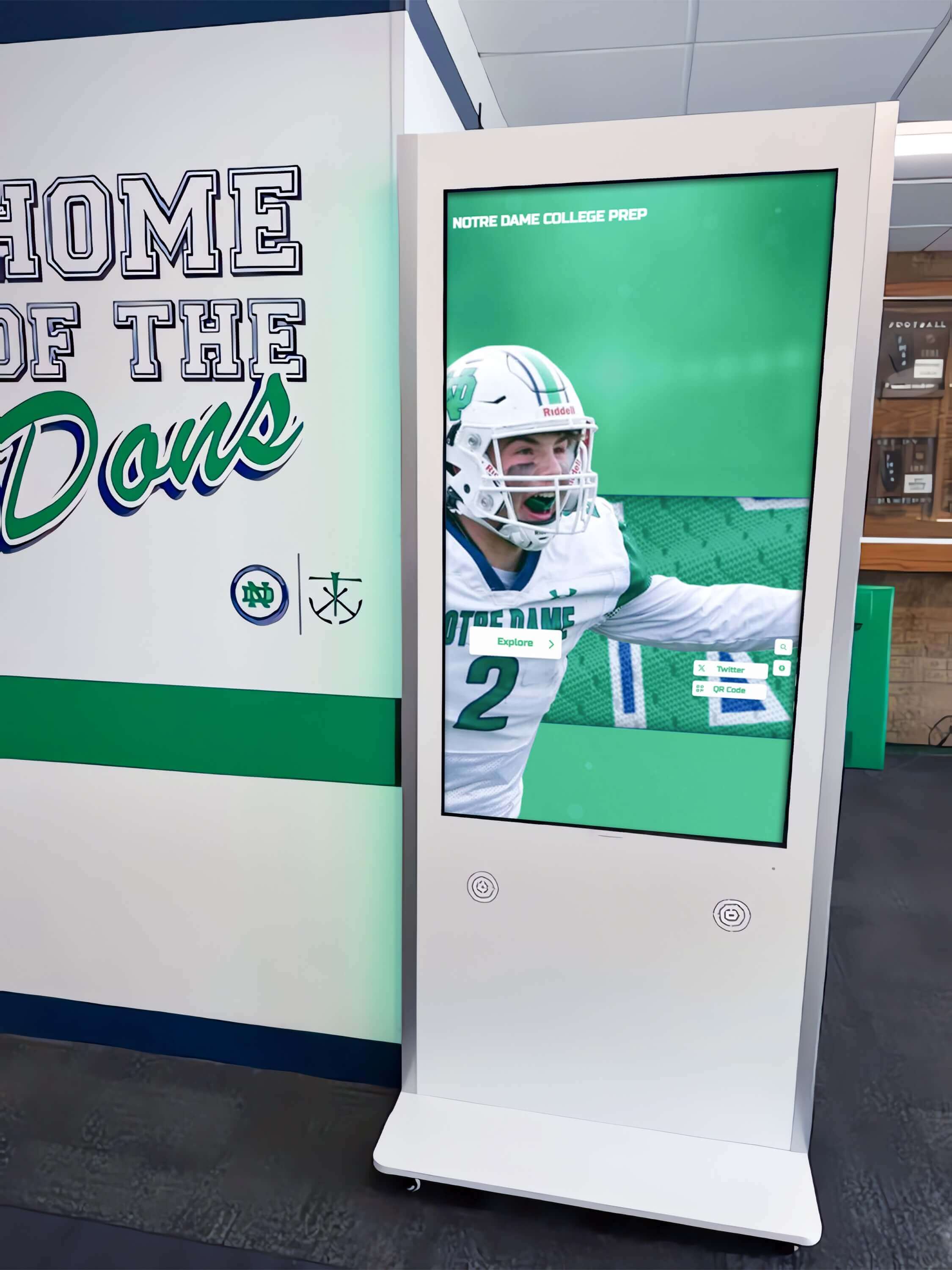
Professional freestanding kiosk installations integrate seamlessly with architectural environments while providing robust interactive experiences
Budget Planning and Investment Considerations
Understanding total costs enables realistic budgeting and appropriate vendor selection for long-term success.
Total Cost of Ownership
Comprehensive financial planning accounts for all implementation components.
Initial Investment Components
Hardware Costs
- Commercial touchscreen displays: $1,500-$4,000 per display depending on size and specifications
- Kiosk mounting and enclosures: $800-$2,500 for portable freestanding units with branding
- Media player computers: $400-$800 for commercial-grade systems with adequate performance
- Transport cases: $400-$1,200 for protective shipping solutions
- Installation and setup: $500-$1,500 for initial configuration and training
Typical single-kiosk system: $3,600-$10,000 complete Multiple-kiosk deployment (3-5 units): $10,000-$35,000
Software and Content Costs
- Software platform licensing: $1,200-$3,600 annually for cloud-based systems with updates and support
- Initial content development: $5,000-$15,000 for professional video, photography, and interactive content creation
- Custom design and integration: $2,000-$8,000 for branded interface design matching corporate identity
- Lead management integration: $500-$2,000 for CRM connections and workflow automation
Initial content development: $8,700-$29,200 total
Ongoing Annual Costs
- Software subscriptions: $1,200-$3,600 per year for platforms with hosting and updates
- Content updates: $2,000-$6,000 annually for new product additions and refreshed demonstrations
- Technical support: $600-$1,800 per year for troubleshooting and optimization assistance
- Hardware refresh: $400-$1,200 annually (amortized replacement reserve)
Typical annual operating costs: $4,200-$12,600
While these investments may seem substantial, organizations should evaluate costs against alternative marketing approaches. Printing 1,000 high-quality product catalogs costs $3,000-$8,000 with single-event utility, while interactive kiosks serve dozens of events annually across multiple years—dramatically superior return on investment.
Funding and Justification
Strategic approaches support investment approval.
ROI Calculation Framework
Document value creation through multiple metrics:
Lead Generation Value
If kiosks generate 50 additional qualified leads per event at $100 average sales cost per lead, each event produces $5,000 in marketing value. At 10 events annually, the system delivers $50,000 in lead generation value—easily justifying typical investment levels.
Sales Cycle Acceleration
Interactive demonstrations moving prospects 15-20% faster through sales processes generate significant value through earlier revenue recognition and reduced sales resource consumption per deal.
Competitive Differentiation
Professional interactive presentations creating memorability advantages increase booth recall by 40-60% according to trade show research—translating to higher post-event engagement rates.
Multi-Channel Content Leverage
Using identical content across kiosks, websites, sales presentations, and training materials reduces per-channel content development costs by 50-70% compared to developing separate assets for each touchpoint.
These quantified benefits support investment justification demonstrating tangible return beyond subjective impressions of enhanced professionalism.
Advanced Applications and Future Capabilities
Understanding emerging technologies helps manufacturers plan investments remaining relevant as capabilities evolve.
Augmented Reality Integration
AR capabilities extend physical demonstrations with virtual enhancements.
AR-Enhanced Product Visualization
Mobile AR applications complementing kiosk experiences:
- Virtual placement: Visualize equipment at customer sites through smartphone cameras showing appropriate scale
- X-ray views: See-through visualizations revealing internal components, mechanisms, and engineering details
- Animated operations: Overlaid animations demonstrating operating principles, maintenance procedures, or safety features
- Virtual customization: Real-time visualization of color schemes, options, and configurations on physical equipment
- Interactive training: Step-by-step guided procedures overlaid on actual equipment for service training
While AR requires additional development investment, manufacturers developing content for event kiosks create foundational assets enabling AR extensions as these technologies mature and adoption increases.
Artificial Intelligence Capabilities
AI integration personalizes experiences while improving lead qualification.
Intelligent Content Recommendations
Machine learning optimizes engagement:
- Behavioral analysis: Track interaction patterns recommending relevant products or features based on demonstrated interests
- Qualification scoring: Analyze engagement depth and content preferences identifying high-priority prospects automatically
- Chatbot integration: Conversational interfaces answering common questions while capturing lead information naturally
- Predictive analytics: Identify prospects matching profiles of customers who previously purchased specific products
- Dynamic content: Automatically emphasize features and benefits relevant to specific industries or applications
These capabilities evolve continuously—platforms investing in AI infrastructure deliver improving results automatically without requiring replacement or major upgrades.
Virtual Event Integration
Digital event platforms extend reach beyond physical venue limitations.
Hybrid Event Experiences
Connected physical and virtual engagement:
- Livestream demonstrations: Broadcast kiosk demonstrations to virtual attendees unable to attend physically
- Virtual booth presence: Deploy web versions of kiosk content in digital event platforms
- Remote interaction: Enable video conversations between virtual attendees and booth staff
- Digital swag bags: Provide virtual attendees access to technical documents and videos through same interfaces
- Persistent accessibility: Keep virtual booth experiences available beyond event dates for extended engagement
According to event industry research, hybrid events incorporating virtual components reach 3-5 times more prospects than physical-only events—significantly expanding marketing reach without proportional cost increases.
Platforms designed for cross-channel deployment naturally support these hybrid approaches, while systems built exclusively for physical kiosks require expensive redevelopment adapting to virtual requirements.

Intuitive touch interfaces encourage natural interaction and exploration without requiring instruction or technical expertise
Selecting the Right Kiosk Solution Provider
Vendor selection significantly impacts implementation success and long-term satisfaction.
Evaluation Criteria for Platform Selection
Systematic assessment ensures appropriate choice matching organizational needs.
Technical Capability Assessment
Core Functionality Evaluation
- Cross-platform deployment: Confirm content deploys seamlessly to kiosks, websites, and mobile devices
- Offline reliability: Verify systems function properly without continuous internet connectivity
- Content management ease: Evaluate whether non-technical marketing staff can update content independently
- Multimedia support: Assess video, interactive, and 3D content integration capabilities
- Lead capture functionality: Review data collection tools and CRM integration options
- Analytics depth: Examine available engagement metrics and reporting capabilities
Manufacturing-Specific Features
- Configuration tools: Evaluate product customization and specification builder capabilities
- Technical documentation support: Assess how platforms handle detailed specification sheets and CAD drawings
- Multi-language support: Confirm capability for international event requirements
- Product comparison features: Review side-by-side comparison tools for competitive situations
- Video library management: Assess organization and playback capabilities for extensive demonstration libraries
Implementation Support and Training
Ongoing support determines whether platforms achieve potential or frustrate users.
Onboarding and Training
Comprehensive vendor support should include:
- Initial setup assistance: Guided configuration establishing content structure and design
- Content migration help: Support transferring existing materials into new platform
- Hands-on training: Interactive instruction for marketing staff who will manage content
- Documentation provision: Written guides with screenshots for reference during independent work
- Template creation: Custom layouts matching brand identity and content needs
- Technical troubleshooting: Responsive support addressing problems during event preparation
Ongoing Partnership
Long-term success requires sustained vendor engagement:
- Regular platform updates: Continuous enhancement delivering improving capabilities
- Content strategy consulting: Periodic reviews optimizing content effectiveness based on analytics
- Technical support availability: Responsive troubleshooting especially during event setup and operation
- User community access: Forums or groups enabling peer learning and best practice sharing
- Upgrade paths: Clear evolution roadmaps demonstrating ongoing investment in platform development
Organizations should evaluate vendor relationships as partnerships rather than transactions—selecting providers demonstrating commitment to customer success beyond initial sale.
Solutions like Rocket Alumni Solutions exemplify this partnership approach, offering cloud-based platforms with intuitive content management, comprehensive training, and ongoing support ensuring customers achieve recognition and engagement objectives through sustained success.
Measuring Success and Optimizing Performance
Systematic assessment demonstrates value while identifying improvement opportunities.
Key Performance Indicators
Event-Level Metrics
Measure kiosk effectiveness at individual events:
- Total interactions: Number of unique visitors engaging with kiosks versus total booth traffic
- Average session duration: Time prospects spend exploring content indicating engagement depth
- Lead capture rate: Percentage of kiosk users providing contact information
- Content completion rates: Which demonstrations or features prospects explore fully versus abandon
- Popular content identification: Most-viewed products, features, or demonstration videos
- Staff observation feedback: Qualitative assessment of visitor responses and conversation quality
Sales Pipeline Impact
Connect kiosk engagement to business outcomes:
- Lead quality assessment: Sales team evaluation of event leads versus other sources
- Conversion rates: Percentage of kiosk-generated leads advancing through sales pipeline stages
- Sales cycle duration: Time from initial contact to close for kiosk-sourced opportunities
- Win rates: Closed deals as percentage of qualified opportunities for kiosk-generated leads
- Revenue attribution: Total sales value traced to initial kiosk engagement at events
Continuous Improvement Process
Post-Event Analysis
Systematic review after each deployment:
- Analytics review sessions: Team analysis of engagement data identifying patterns and insights
- Staff debriefing meetings: Collect observations about what worked well and improvement opportunities
- Lead follow-up tracking: Monitor which leads became opportunities validating targeting effectiveness
- Competitor observation: Note competitive approaches and differentiating opportunities
- Content gap identification: Determine frequently requested information not currently available
- Technical issue documentation: Record any operational problems requiring vendor attention
A/B Testing Methodology
Systematic experimentation improves effectiveness:
- Navigation approach variations: Test different content organization structures
- Call-to-action testing: Experiment with different lead capture messaging and placement
- Video length optimization: Compare engagement with different demonstration durations
- Feature emphasis testing: Vary which capabilities receive prominent highlighting
- Interface design alternatives: Test different visual layouts and interaction patterns
Even small improvements compound across multiple events—investing in systematic optimization delivers increasing returns over time.
Transform Your Trade Show Presence with Interactive Kiosk Technology
Discover how professional touchscreen kiosk solutions with web-compatible content management can help you engage more prospects, capture qualified leads, and demonstrate complex equipment features effectively at events and across digital channels.
Explore Interactive Kiosk SolutionsConclusion: Transforming Equipment Presentations Through Interactive Technology
Touchscreen kiosks with specialized software represent significant evolution in how equipment manufacturers communicate technical value propositions in competitive event environments. These systems address fundamental challenges—limited staff capacity, complex information, short attention spans, and demonstration constraints—that plague traditional trade show marketing approaches.
When manufacturers implement kiosks thoughtfully—with appropriate hardware, professional content, intuitive software, and systematic operation—they create self-service demonstration experiences that engage prospects, capture qualified leads, and advance sales conversations meaningfully. The same content deployed across websites and mobile devices extends reach and investment value far beyond physical event presence.
Organizations considering kiosk investments should evaluate solutions offering true cross-platform deployment, intuitive content management, robust offline operation, comprehensive lead capture, and sustained vendor support. Purpose-built platforms designed specifically for interactive product presentation deliver advantages generic digital signage systems cannot match—justifying focused selection rather than settling for general-purpose alternatives requiring extensive customization.
The strategies explored throughout this comprehensive guide provide frameworks for planning, implementing, and optimizing touchscreen kiosks that transform equipment demonstrations from passive viewing into active exploration. From video content libraries bringing products to life to interactive configuration tools enabling customization exploration, these capabilities create memorable experiences distinguishing manufacturers from competitors relying on outdated brochure-based approaches.
Start by clearly defining objectives—lead generation, competitive differentiation, demonstration enhancement, or staff augmentation—then select technology and develop content supporting those specific goals. Invest in professional content production reflecting product quality and brand positioning. Train staff integrating kiosks into broader booth engagement strategies rather than treating them as isolated technology elements. Measure results systematically, learning from each event to continuously improve effectiveness.
Your prospects deserve engaging, informative experiences that respect their time while comprehensively communicating why your equipment delivers superior value. With appropriate planning, technology selection, and content development, touchscreen kiosks create those experiences while generating measurable business results justifying investment.
Ready to transform your trade show marketing and product demonstrations? Explore how interactive museum displays serve public engagement applications, discover interactive kiosk solutions for visitor experiences across diverse applications, learn about interactive touchscreen implementation in educational settings, or book a consultation with Rocket Alumni Solutions to discuss professional platforms designed for interactive engagement across physical kiosks and digital channels.































