




The history of touchscreen technology spans six decades of remarkable innovation, from E.A. Johnson’s first capacitive touchscreen prototype in 1965 to the sophisticated multi-touch interactive displays transforming how schools, museums, and organizations engage their communities today. What began as experimental research equipment accessible only to engineers has evolved into the primary interface for billions of smartphones, tablets, kiosks, and digital recognition displays worldwide—fundamentally changing how humans interact with technology.
Understanding this evolution reveals not just technological progress but the convergence of multiple disciplines: electrical engineering advancing touch sensor capabilities, computer science enabling real-time processing of touch input, materials science developing transparent conductive surfaces, and human-computer interaction research identifying intuitive gestures that feel natural rather than learned. Each breakthrough built upon previous discoveries, creating the seamless touch experiences we now take for granted.
This comprehensive guide traces the complete history of touchscreen technology through every major milestone, exploring the inventors who pioneered touch interfaces, the competing technologies that emerged, the breakthrough products that brought touch to mainstream consumers, and the modern applications transforming education and institutional recognition through interactive engagement impossible before touch technology matured.
The journey from resistive screens requiring stylus pressure to capacitive displays responding to the lightest finger touch demonstrates how relentless innovation transforms experimental concepts into ubiquitous technologies that reshape daily life. Today’s sophisticated touchscreen systems power everything from smartphones and tablets to large-format interactive displays that help schools and organizations celebrate achievements through engaging digital recognition.

Modern capacitive touchscreens enable intuitive interaction through natural finger gestures developed over decades of innovation
The Birth of Touchscreen Technology (1960s-1970s)
The foundational concepts enabling touchscreen technology emerged during the 1960s when researchers began exploring alternatives to keyboards and light pens for computer interaction.
E.A. Johnson and the First Capacitive Touchscreen (1965)
The documented history of touchscreen technology begins with E.A. Johnson, an engineer working at the Royal Radar Establishment in Malvern, United Kingdom. In 1965, Johnson developed the first capacitive touchscreen system as part of air traffic control research exploring more efficient methods for controllers to interact with radar displays.
Johnson’s Pioneering Work
Johnson’s capacitive touchscreen operated by detecting changes in electrical charge when a finger approached the screen surface. This fundamental principle—measuring capacitance changes caused by the human body’s electrical properties—remains the basis for modern capacitive touchscreens found in contemporary smartphones and tablets.
In 1967, Johnson published his groundbreaking research in the journal Ergonomics, describing the touch interface system and documenting early usability testing. His article, titled “Touch Display: A Novel Input/Output Device for Computers,” represented the first academic publication describing touchscreen technology and its potential applications beyond air traffic control.
According to Johnson’s published research, the capacitive touch system demonstrated practical advantages over light pens and other contemporary input devices, particularly for applications requiring rapid selection of screen targets. However, the technology remained confined to specialized research and military applications due to high costs and technical complexity.
Sam Hurst and Resistive Touch Technology (1970s)
While Johnson pioneered capacitive touch, Dr. G. Samuel Hurst developed an alternative approach that would dominate touchscreen applications for decades: resistive touch technology.
Accidental Discovery Leading to Innovation
In 1970, while teaching at the University of Kentucky, Hurst sought efficient methods for reading data from scientific instruments. His research led to the accidental discovery that placing pressure on a conductive transparent surface could produce measurable electrical changes enabling position detection.
This discovery led Hurst to found Elographics in 1971 (later renamed Elo TouchSystems), a company that would become the pioneering commercial manufacturer of resistive touchscreen technology. In 1975, Hurst received patent US3911215A for the first resistive touchscreen incorporating a transparent surface—a design that made touch technology practical for commercial applications.

Today's interactive kiosks trace their lineage to pioneering resistive touch research from the 1970s
How Resistive Touchscreens Work
Resistive touchscreens consist of multiple layers including two flexible sheets separated by tiny insulating spacers. When users apply pressure to the top sheet—either with fingers, stylus, or any object—it makes contact with the bottom conductive layer, creating electrical connection that enables position calculation.
This pressure-based operation made resistive touchscreens more versatile than capacitive alternatives, working with gloved hands, styluses, or any pointing object. These practical advantages made resistive technology dominant in industrial, medical, and commercial applications throughout the 1980s and 1990s.
CERN and University of Illinois (1970s)
Parallel touchscreen development occurred at multiple institutions during the 1970s as researchers independently explored touch interfaces.
CERN’s Transparent Touchscreen
In the early 1970s, Frank Beck and Bent Stumpe, engineers working at CERN (the European Organization for Nuclear Research), developed a transparent touchscreen for controlling equipment. CERN began manufacturing these displays in 1973, primarily for internal research applications requiring direct manipulation of on-screen elements.
University of Illinois PLATO System
In 1972, the University of Illinois successfully implemented what many consider the first fully functional educational touchscreen as part of their PLATO (Programmed Logic for Automatic Teaching Operations) computerized learning platform. The PLATO touchscreen enabled students to interact directly with educational content by touching screen elements—a revolutionary concept for computer-assisted instruction.
The PLATO system demonstrated early educational applications for touchscreen technology, establishing precedents for modern interactive learning systems and digital recognition displays used in schools today.
Early Commercial Applications (1980s)
The 1980s marked the transition from experimental prototypes to commercial touchscreen products reaching consumer and business markets.
HP-150 and Early Touchscreen Computers (1983)
In October 1983, Hewlett-Packard released the HP-150, one of the world’s first commercial touchscreen computers available to general consumers. Unlike modern capacitive or resistive screens, the HP-150 used infrared optical touch detection, with infrared light beams forming an invisible grid across the screen surface.
Optical Touch Detection Technology
The HP-150’s touchscreen worked through beam interruption—when users touched the screen, their fingers blocked specific infrared beams, enabling position calculation. While innovative, this optical approach suffered from several limitations:
- Beams could be accidentally triggered by objects near the screen
- The system required regular cleaning to maintain accuracy
- Response speed lagged behind direct electrical detection methods
- Infrared emitters and detectors created visible bezels around screen edges
Despite limitations, the HP-150 demonstrated consumer interest in touch interfaces and established HP as an early touchscreen technology pioneer. However, the computer’s high price (over $3,000) and emerging competition from mouse-based interfaces limited commercial success.
Multi-Touch Research Emerges (1982)
While single-touch systems were commercializing, researchers at the University of Toronto’s Input Research Group developed groundbreaking multi-touch technology in 1982—creating the first human-input system capable of tracking multiple simultaneous touch points.
Early Multi-Touch Innovation
The Toronto system used a frosted-glass panel with a camera positioned behind the glass. When users touched the screen, their fingers created visible dark spots on the frosted surface that the camera captured. Computer vision algorithms analyzed the camera feed, identifying individual touch points and tracking their movements.
This camera-based approach to multi-touch detection represented a significant conceptual breakthrough, though technical limitations prevented commercial applications for decades. The processing power required for real-time computer vision exceeded practical consumer device capabilities until the 2000s.
Understanding multi-touch research history provides context for appreciating how solutions like modern digital recognition displays enable intuitive gestural interaction including zooming, rotating, and swiping through content naturally.

Modern interactive displays build upon decades of multi-touch research enabling natural gestural interaction
Personal Digital Assistants and Mobile Devices (1990s)
The 1990s brought touchscreen technology to portable personal devices, establishing touch interfaces as viable alternatives to physical keyboards for mobile computing.
IBM Simon: First Touchscreen Smartphone (1993)
In 1993, IBM introduced the IBM Simon Personal Communicator, widely recognized as the world’s first smartphone and the first mobile phone featuring a touchscreen interface. The Simon combined phone functionality with PDA features including calendar, address book, calculator, and email—all controlled through its resistive touchscreen.
Simon’s Technical Innovation
The IBM Simon’s resistive touchscreen required stylus input for precise interaction with on-screen elements. While primitive by modern standards, the Simon demonstrated that touchscreens could replace physical keyboard input for mobile devices—a revolutionary concept for 1993.
The device cost $899 with a two-year contract (approximately $1,800 in 2025 dollars) and remained on the market only six months, selling approximately 50,000 units before discontinuation. Despite commercial failure, the Simon established crucial precedents for smartphone design and touch-based mobile interfaces.
Palm Pilot and Stylus-Based Interaction (1996)
In 1996, Palm Computing released the Palm Pilot, a PDA featuring resistive touchscreen input optimized for stylus-based handwriting recognition through the innovative Graffiti character recognition system.
Graffiti’s Simplified Handwriting
Rather than attempting complex natural handwriting recognition, Graffiti required users to learn simplified single-stroke characters for each letter and number. This constrained approach enabled reliable recognition on limited processing hardware while teaching users efficient touch input methods.
The Palm Pilot sold over 1 million units in its first 18 months, demonstrating substantial consumer demand for portable touch-based devices. Palm’s success inspired numerous competitors and established PDAs as mainstream consumer electronics throughout the late 1990s and early 2000s.
Nintendo DS Dual-Screen Gaming (2004)
In 2004, Nintendo released the Nintendo DS handheld gaming console featuring dual screens, with the bottom screen incorporating resistive touch technology enabling stylus-based gameplay and menu navigation.
The DS demonstrated that touchscreens could enhance entertainment experiences beyond productivity applications. Games like Nintendogs and Brain Age built core gameplay around touch interaction, introducing touchscreen interfaces to audiences who had never used PDAs or smartphones.
The Nintendo DS sold over 154 million units worldwide, making it one of history’s best-selling gaming consoles while popularizing touchscreen interaction among younger demographics who would later expect touch interfaces on all electronic devices.
The Capacitive Touch Revolution (2000s)
The 2000s brought the technological breakthroughs enabling modern capacitive touchscreens—the technology powering contemporary smartphones, tablets, and interactive displays worldwide.
Transition from Resistive to Capacitive Technology
Early 2000s touchscreen devices predominantly used resistive technology due to lower manufacturing costs and compatibility with stylus input. However, resistive screens suffered significant limitations:
Resistive Technology Limitations:
- Required physical pressure, causing finger fatigue during extended use
- Single-touch only—no multi-touch gesture support
- Reduced screen brightness and clarity due to multiple layers
- Limited durability with screen surfaces degrading through repeated pressure
- Poor responsiveness compared to modern expectations
Capacitive touchscreens offered superior alternatives:
Capacitive Technology Advantages:
- Responded to lightest finger touch without pressure
- Supported multi-touch detection enabling gesture controls
- Superior optical clarity requiring fewer screen layers
- More durable with chemically strengthened glass surfaces
- Faster, more responsive feel approaching direct manipulation
LG Prada Phone: First Capacitive Touchscreen Phone (2006)
On December 12, 2006, LG Electronics announced the LG KE850 Prada, developed in collaboration with Italian fashion house Prada. The LG Prada phone featured the first capacitive touchscreen in a mobile phone, released to consumers in May 2007—two months before the iPhone.
The LG Prada’s Innovation
The Prada phone’s 3-inch capacitive touchscreen eliminated the stylus requirement plaguing previous touchscreen phones, enabling direct finger interaction with on-screen elements. The device featured a minimalist interface with large touch targets optimized for finger input rather than stylus precision.
While the LG Prada technically preceded the iPhone to market, it lacked the iPhone’s sophisticated multi-touch capabilities and received limited marketing outside Europe and Asia. The Prada phone demonstrated capacitive touch readiness for mobile devices but missed opportunities to define touch interface standards.
Apple iPhone and Multi-Touch Interface Design (2007)
On January 9, 2007, Apple CEO Steve Jobs introduced the iPhone at Macworld Conference & Expo in San Francisco. The iPhone, released on June 29, 2007, revolutionized mobile computing through its capacitive multi-touch interface paired with intuitive gesture-based interaction design.
The iPhone’s Revolutionary Impact
Unlike previous touchscreen phones requiring stylus input or resistive pressure, the iPhone’s capacitive multi-touch display responded elegantly to finger gestures including:
- Pinch-to-zoom: Expanding or contracting images and web pages
- Swipe scrolling: Smooth kinetic scrolling with physics-based deceleration
- Tap selection: Single-tap activation of buttons and links
- Double-tap zoom: Quick zoom toggling on images and text
- Multi-finger gestures: Rotation, stretching, and advanced manipulation

Modern touchscreen interfaces evolved from iPhone's revolutionary gesture-based interaction design principles
Beyond Hardware: Software and User Experience
The iPhone’s success stemmed not just from hardware but from Apple’s sophisticated software creating the illusion of direct object manipulation. On-screen elements appeared to move fluidly under users’ fingers with realistic physics including momentum, bounce, and rubber-banding that made digital interaction feel natural and satisfying.
Apple’s human interface guidelines established touch design principles that became industry standards:
- Minimum 44x44 pixel touch targets for reliable finger activation
- Immediate visual feedback confirming touch registration
- Gesture consistency across all applications
- Progressive disclosure preventing overwhelming option presentation
- Forgiving interaction models reducing error consequences
These principles directly influence modern interactive display design, including digital recognition systems that apply iPhone-pioneered concepts to large-format institutional touchscreens.
Discover how contemporary touchscreen experience design builds upon decades of research into intuitive touch interaction pioneered during the smartphone revolution.
Android and Touchscreen Ubiquity (2008-2010)
Google’s Android operating system, first released in 2008 on the T-Mobile G1, rapidly accelerated capacitive touchscreen adoption across multiple manufacturers at various price points. Unlike Apple’s closed iPhone ecosystem, Android’s open-source nature enabled diverse manufacturers including Samsung, HTC, Motorola, and LG to produce touchscreen smartphones.
By 2010, capacitive touchscreen smartphones had transitioned from premium products to mass-market devices available at price points accessible to global consumers. This rapid commoditization transformed touchscreens from novel features to expected standards—fundamentally changing user expectations for all digital interfaces.
Modern Touchscreen Technology (2010-Present)
The 2010s and 2020s brought continued touchscreen refinement while expanding touch interfaces to tablets, laptops, kiosks, automotive displays, and large-format interactive installations.
iPad and Tablet Computing (2010)
In January 2010, Apple introduced the iPad, applying iPhone touch interface concepts to a 9.7-inch tablet form factor. The iPad’s larger screen enabled new interaction patterns and use cases impossible on smaller phone displays.
Tablet Impact on Touch Design
Tablets established distinct design requirements from smartphones:
- Larger touch targets taking advantage of increased screen real estate
- Two-handed interaction patterns with gestures using multiple fingers
- Landscape orientation optimization for content consumption
- Specialized applications for education, creative work, and professional tasks
- Stylus support (particularly iPad Pro) combining touch and precision input
Tablets demonstrated that touch interfaces could scale beyond phones, establishing precedents for even larger touchscreen formats including interactive kiosks and digital recognition displays used in schools, museums, and corporate environments.
Large-Format Interactive Displays
As tablet success demonstrated touch viability for larger formats, manufacturers developed commercial-grade interactive displays ranging from 32 inches to over 100 inches for educational, retail, hospitality, and institutional applications.
Modern Large-Format Applications
Large-format interactive displays serve diverse purposes:
- Educational institutions: Interactive whiteboards, collaborative learning displays, and digital recognition systems celebrating student achievements
- Museums and cultural spaces: Interactive exhibits enabling visitor exploration of historical content and artifacts
- Corporate environments: Conference room collaboration displays and lobby information systems
- Retail environments: Product information kiosks and interactive advertising displays
- Healthcare facilities: Patient information systems and wayfinding kiosks
Organizations implementing modern interactive displays like digital halls of fame benefit from decades of touchscreen innovation enabling reliable, intuitive interaction at scales impossible during early touchscreen research.
Learn about implementing interactive hall of fame displays that leverage modern large-format touchscreen technology for celebrating achievements and preserving institutional history.
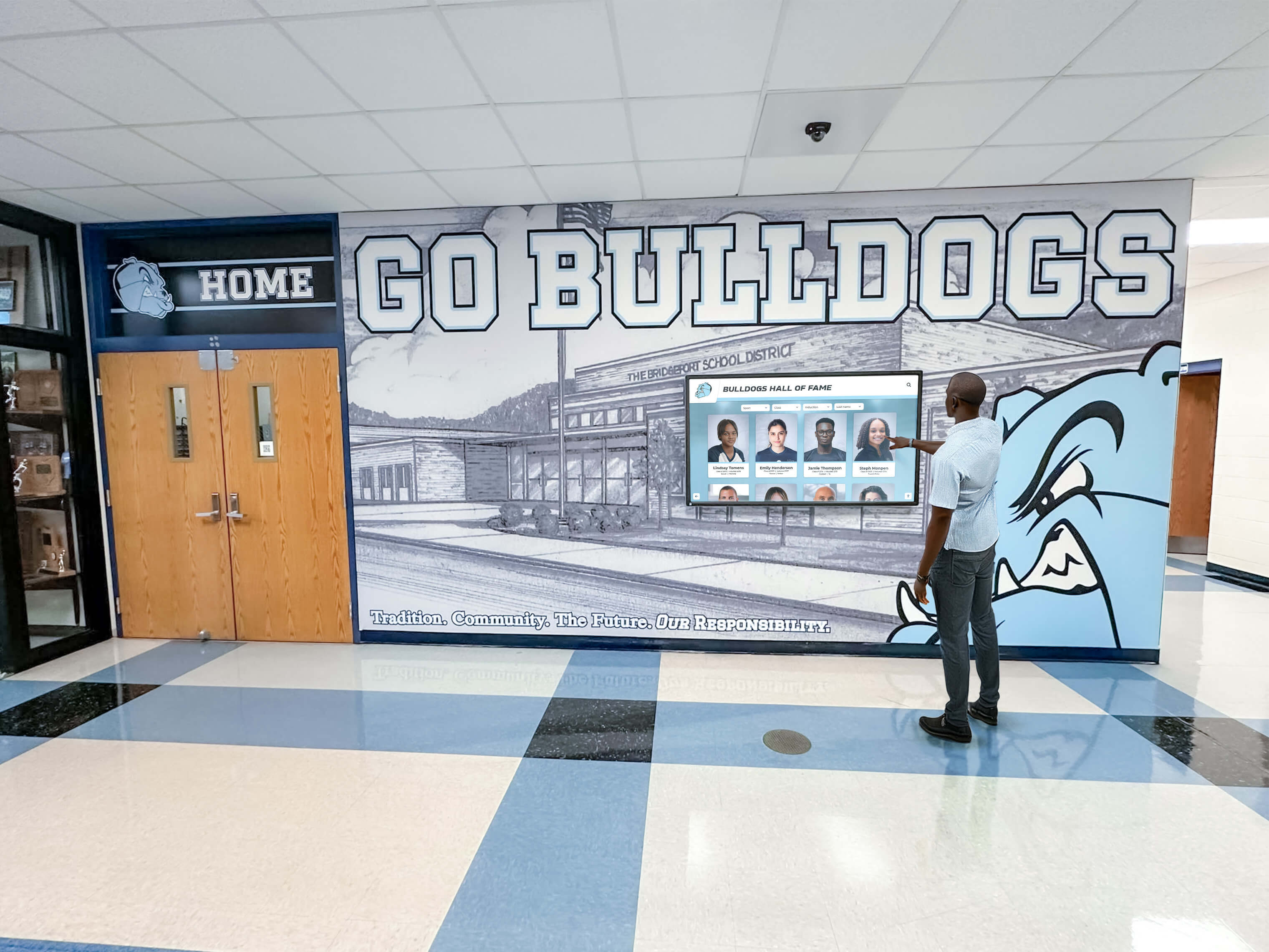
Modern large-format touchscreens bring decades of touch innovation to institutional recognition applications
Advanced Touch Technologies
Modern touchscreen development continues advancing capabilities beyond simple touch detection:
Force-Sensitive Touch (3D Touch and Haptic Touch)
Apple introduced 3D Touch in 2015, adding pressure sensitivity enabling different actions based on touch force. While 3D Touch was discontinued in favor of simpler Haptic Touch (which relies on duration rather than pressure), the research demonstrated interest in richer touch feedback beyond simple contact detection.
Haptic Feedback
Modern touchscreens increasingly incorporate haptic feedback—subtle vibrations confirming touch registration and differentiating interaction types. Haptic feedback improves user confidence by providing tactile confirmation of successful touch input, particularly valuable for large-format displays where visual feedback may be difficult to perceive.
Ultrasonic Fingerprint Sensors
Advanced touchscreens integrate ultrasonic fingerprint sensors directly beneath display glass, enabling secure biometric authentication without compromising touchscreen functionality. This convergence demonstrates ongoing integration of multiple sensor technologies within touch interfaces.
Stylus Revival
After years of “post-stylus” touchscreen design, active styluses made a comeback with Apple Pencil (2015), Microsoft Surface Pen, and Samsung S Pen. Modern active styluses provide pressure sensitivity and palm rejection enabling precision input for digital art, note-taking, and professional applications while maintaining finger touch support.
Touchscreen Technology: Technical Deep Dive
Understanding how different touchscreen technologies work provides context for their respective strengths, weaknesses, and appropriate applications.
Resistive Touchscreen Technology
Resistive touchscreens operate through physical pressure detection using multiple flexible layers:
Construction:
- Top flexible plastic layer with conductive coating on underside
- Bottom rigid layer with conductive coating on top surface
- Tiny insulating spacer dots separating the layers
- Electrical current running through both conductive layers
Operation: When users press the flexible top layer, it deforms and makes contact with the bottom layer at the pressure point. This contact creates electrical connection enabling precise position calculation through voltage measurements.
Advantages:
- Works with gloved hands, styluses, or any pointing object
- Lower manufacturing costs than capacitive alternatives
- Excellent precision for stylus input
- Resistant to liquids and contaminants on screen surface
Disadvantages:
- Requires physical pressure causing finger fatigue
- Single-touch only—no multi-touch gesture support
- Reduced optical clarity and brightness due to multiple layers
- Flexible top layer susceptible to scratches and wear
- Slower response compared to capacitive screens
According to industry data, resistive touchscreens declined from market dominance to just 3% of global shipments by 2018, reflecting consumer preference for capacitive alternatives.
Capacitive Touchscreen Technology
Capacitive touchscreens detect touch through electrical charge changes rather than physical pressure:
Construction:
- Glass panel coated with transparent conductive material (typically indium tin oxide)
- Electrical charges stored in capacitors at screen corners
- Protective cover glass (typically chemically strengthened) over the sensor layer
- Controller chip processing electrical signal changes
Operation: The human body naturally conducts electricity. When fingers touch or approach the capacitive screen, they disturb the screen’s electrostatic field, creating measurable capacitance changes. The controller measures these disturbances across the screen surface, calculating precise touch positions.
Projected Capacitive Touch (PCAP)
Modern smartphones and tablets use advanced “projected capacitive” technology featuring a grid of transparent electrodes beneath the cover glass. This grid enables:
- Multi-touch detection tracking 10+ simultaneous touch points
- Touch recognition through protective glass (no exposed sensors)
- Superior durability and scratch resistance
- Fastest touch response speeds
- High optical clarity with minimal light loss
Advantages:
- Responds to lightest touch without pressure
- Multi-touch support enabling gesture-based interaction
- Superior durability with hardened glass surfaces
- Excellent optical clarity and brightness
- Fast, responsive feeling approaching direct manipulation
Disadvantages:
- Higher manufacturing costs than resistive alternatives
- Requires conductive input (bare fingers or special styluses)
- Can malfunction when wet or with gloved use (though improving)
- More complex manufacturing requiring precise calibration
The transition from resistive to capacitive technology in mainstream devices revolutionized user expectations for touchscreen responsiveness and interaction quality.
Infrared and Optical Touch Technologies
Alternative touchscreen technologies based on optical detection continue serving specialized applications:
Infrared (IR) Touch
Infrared touchscreens use IR LED emitters and photo-detectors arranged around screen perimeters creating an invisible grid of infrared light beams across the screen surface. Touch interrupts specific beams, enabling position calculation.
Advantages:
- Scales economically to very large sizes (100+ inches)
- Excellent optical clarity with no surface coatings
- Works with fingers, gloves, styluses, or any object
- Multi-touch capable
- Durable with no wear-prone surface layers
Disadvantages:
- Requires screen bezels housing IR emitters and detectors
- Can be triggered by objects near but not touching screen
- Reduced accuracy compared to capacitive in small formats
- Susceptible to bright ambient light interference
Infrared touchscreens frequently appear in large-format applications where capacitive technology becomes prohibitively expensive.
Surface Acoustic Wave (SAW) Technology
Surface acoustic wave touchscreens use ultrasonic waves traveling across glass surfaces. Touch absorbs wave energy at contact points, enabling position detection through wave disruption analysis.
Applications:
SAW technology serves specialized applications requiring superior image quality and touch accuracy but appears less frequently in consumer devices due to higher costs and susceptibility to surface contaminants that can interfere with acoustic wave propagation.
Understanding these diverse technologies helps organizations select appropriate touchscreen solutions for specific applications—whether smartphones requiring capacitive responsiveness or large-format institutional displays where infrared scaling advantages prove cost-effective.
Explore guidance on selecting touchscreen technology for different institutional recognition and engagement applications.
Touchscreen Technology in Modern Educational Applications
The decades of touchscreen evolution have enabled sophisticated educational applications transforming how schools and universities recognize achievements and engage communities.
Interactive Recognition Displays
Modern schools increasingly implement large-format touchscreen displays serving as digital halls of fame celebrating athletic, academic, and community achievements through interactive experiences impossible with traditional static plaques.
Modern Recognition Capabilities:
- Unlimited honoree capacity transcending physical space constraints
- Multimedia profiles incorporating photos, videos, and comprehensive achievement documentation
- Searchable databases enabling rapid discovery of specific individuals or achievements
- Regular updates maintaining currency without physical display modification
- Social sharing capabilities amplifying recognition reach beyond physical locations
- Web-responsive extensions enabling exploration from anywhere
These sophisticated applications represent the culmination of touchscreen technology evolution—from Johnson’s 1965 capacitive prototype through iPhone’s multi-touch revolution to today’s large-format interactive installations serving institutional missions.
Solutions like Rocket Alumni Solutions apply six decades of touchscreen innovation to purpose-built platforms helping schools celebrate achievements through engaging interactive experiences that honor excellence while strengthening community connections.
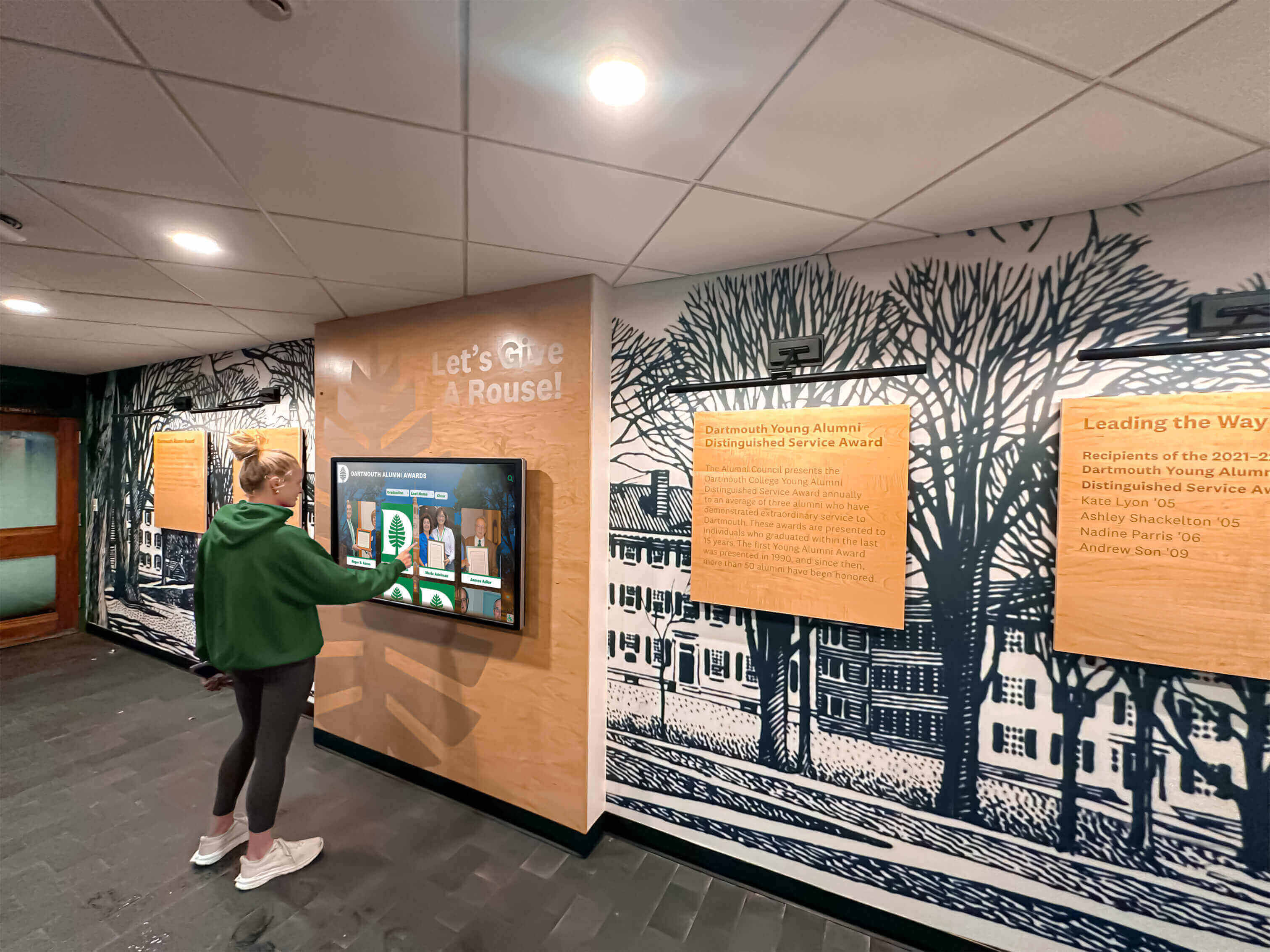
Modern touchscreen technology enables educational applications preserving institutional history and inspiring excellence
Digital Wayfinding and Information Systems
Educational institutions deploy interactive touchscreen kiosks for campus navigation, event information, and visitor assistance—applications benefiting from decades of touchscreen user interface research establishing intuitive interaction patterns.
Educational Wayfinding Features:
- Interactive campus maps with search and routing
- Building and department directories
- Event calendars and schedule information
- Emergency information and safety resources
- Accessibility features supporting diverse users
These systems demonstrate touchscreen technology’s versatility beyond entertainment and productivity applications, serving institutional communication and engagement objectives.
Collaborative Learning Displays
Large-format interactive touchscreens increasingly appear in classrooms and libraries supporting collaborative learning through shared digital workspaces enabling simultaneous multi-user interaction—a direct application of multi-touch research dating to the 1980s.
Collaborative Display Applications:
- Interactive whiteboards replacing traditional marker boards
- Multi-user problem-solving enabling simultaneous student interaction
- Digital annotation of shared content during instruction
- Remote collaboration connecting distributed participants
- Content capture and sharing for post-session review
These educational applications represent touchscreen technology’s maturation from experimental prototypes to essential learning infrastructure supporting pedagogy impossible before touch interfaces enabled natural, intuitive interaction.
Learn about comprehensive approaches to implementing interactive displays in educational settings that leverage modern touchscreen technology for recognition and engagement.
The Future of Touchscreen Technology
Ongoing research continues advancing touchscreen capabilities while exploring novel interaction modalities that may supplement or eventually replace touch interfaces.
Haptic Feedback Enhancement
Advanced haptic systems under development aim to provide tactile texture simulation—enabling users to “feel” virtual objects and interface elements through surface vibrations creating the sensation of texture, buttons, and edges on smooth glass surfaces.
Ultrasonic Haptics
Research into ultrasonic haptic feedback uses focused ultrasound waves creating tangible sensation in mid-air above displays. This technology could enable tactile feedback without requiring physical contact, supporting gesture-based interaction while providing touch-like confirmation.
Flexible and Foldable Touchscreens
Manufacturers including Samsung, Huawei, and Motorola have released foldable smartphones featuring flexible capacitive touchscreens that bend without breaking. These devices demonstrate touchscreen technology’s continued evolution, though durability and cost challenges remain.
Rollable and Stretchable Displays
Research prototypes demonstrate fully rollable touchscreen displays and stretchable screens that can expand or contract while maintaining touch sensitivity. These experimental technologies may enable future form factors impossible with rigid glass displays.
Neural Interface and Beyond-Touch Interaction
While still highly experimental, brain-computer interfaces and neural control systems under development by companies like Neuralink may eventually supplement or replace touch interaction for certain applications—though widespread adoption remains decades away.
More immediately practical, voice interfaces, gesture recognition cameras, and eye-tracking systems already supplement touchscreens in applications where hands-free operation provides advantages. These multimodal interfaces combine touch with alternative input methods creating flexible interaction supporting diverse user needs and contexts.
Artificial Intelligence Integration
Modern touchscreen systems increasingly incorporate artificial intelligence for:
- Intelligent content recommendation based on interaction patterns
- Predictive interfaces anticipating user intentions
- Accessibility enhancement including real-time translation and assistance
- Personalized experiences adapting to individual user preferences
- Anomaly detection identifying unusual usage patterns for security
Organizations implementing modern interactive displays benefit from these AI capabilities enhancing engagement without requiring extensive manual configuration or management.
Explore emerging trends in future touchscreen technology including AI integration and advanced interaction capabilities shaping next-generation recognition displays.
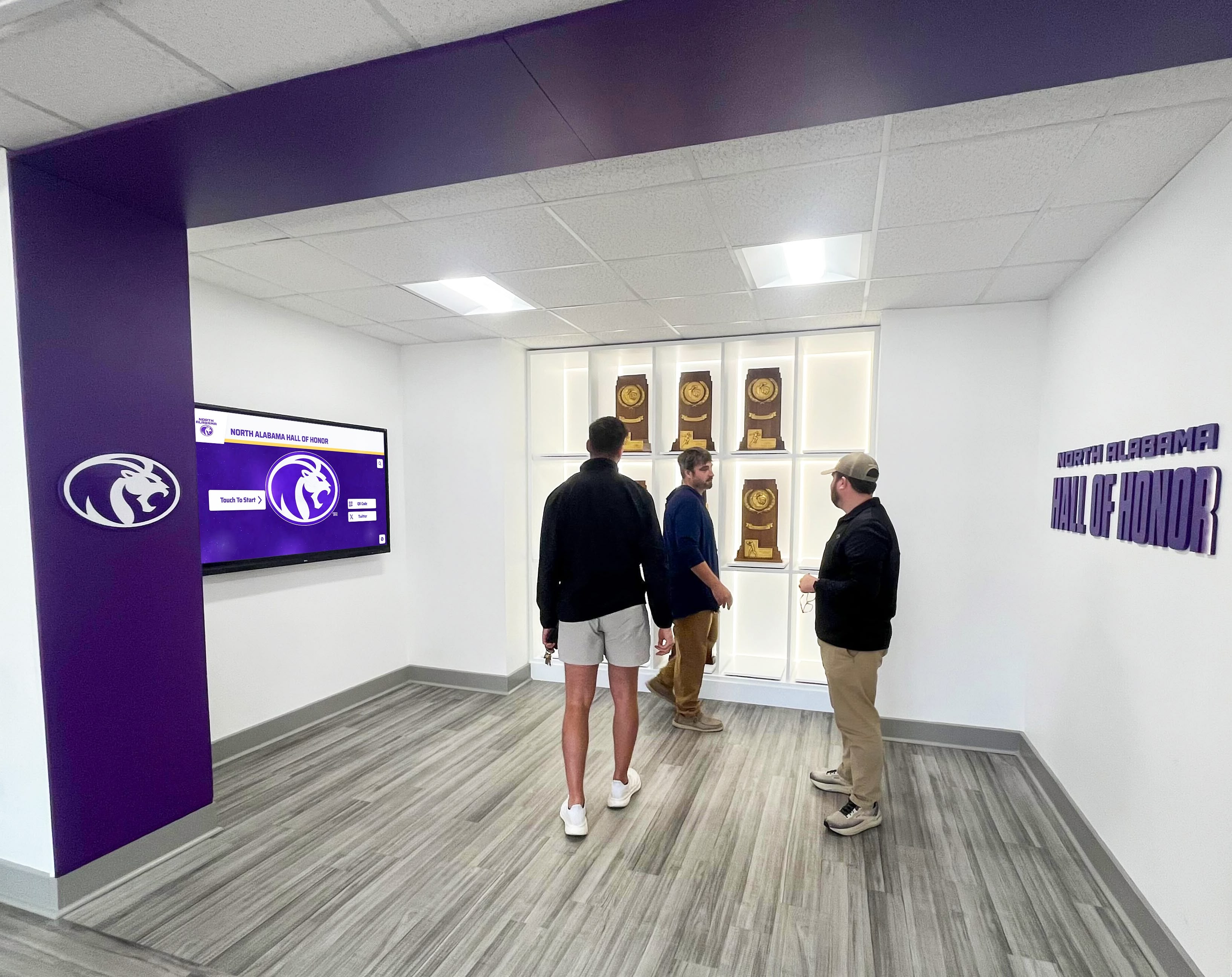
Future touchscreen innovations will continue enhancing how communities engage with institutional recognition and history
Conclusion: Six Decades of Touch Innovation
The history of touchscreen technology reveals remarkable innovation spanning six decades—from E.A. Johnson’s 1965 capacitive prototype through Sam Hurst’s resistive touch commercialization, university research laboratories pioneering multi-touch detection, personal digital assistants popularizing mobile touch interfaces, Apple’s iPhone revolutionizing capacitive multi-touch interaction design, and modern large-format displays bringing touch technology to institutional applications including digital recognition systems transforming how schools celebrate achievement.
This evolution demonstrates how persistent research and engineering overcome initial limitations—capacitive touchscreens progressing from expensive specialized equipment to ubiquitous technology powering billions of devices worldwide. Each breakthrough built upon previous discoveries: capacitive sensing enabling touch detection without pressure, multi-touch algorithms tracking simultaneous contact points, chemically strengthened glass providing durable surfaces, sophisticated software creating intuitive interaction models, and manufacturing advances reducing costs enabling mass adoption.
Experience Modern Touchscreen Technology for Recognition
Discover how six decades of touchscreen innovation enable interactive recognition displays that celebrate achievements, engage communities, and preserve institutional history through intuitive touch interfaces impossible before modern technology matured.
Explore Interactive Recognition SolutionsToday’s sophisticated touchscreen systems serve applications far beyond the air traffic control displays E.A. Johnson imagined in 1965. Modern large-format interactive installations help schools preserve and celebrate institutional history, museums create engaging educational exhibits, corporations communicate company culture, and organizations honor achievements through dynamic multimedia experiences engaging audiences far longer than static displays ever could.
Understanding touchscreen history provides appreciation for the remarkable engineering enabling seamless interaction we now take for granted. The lightest finger touch on a smartphone screen represents decades of research into capacitive sensing, materials science developing transparent conductors, computer science enabling real-time input processing, and human-computer interaction research identifying intuitive gestures—all converging to create the natural, responsive interfaces reshaping how humans interact with technology.
As touchscreen technology continues evolving through haptic enhancement, flexible displays, and AI integration, the fundamental principle remains unchanged: enabling natural, intuitive interaction that feels like direct manipulation rather than requiring learned commands or specialized tools. This human-centered design philosophy—pioneered by touchscreen researchers across six decades—ensures touch interfaces will continue shaping how we interact with digital information for decades to come.
Organizations seeking to leverage modern touchscreen technology for recognition and engagement benefit from this complete innovation history, implementing solutions applying 60 years of research and refinement to create experiences that engage communities while honoring the achievements and traditions defining institutional character.
Ready to explore how modern touchscreen technology can enhance recognition and engagement at your institution? Discover how Rocket Alumni Solutions applies decades of touchscreen innovation to purpose-built platforms helping schools and organizations celebrate achievements through interactive displays that engage entire communities while preserving institutional legacy for future generations.































