Touchscreen Building Directory: Complete Guide to Interactive Wayfinding Systems for Modern Facilities
- Home /
- Blog Posts /
- Touchscreen Building Directory: Complete Guide to Interactive Wayfinding Systems for Modern Facilities

The Easiest Touchscreen Solution




Live Example: Rocket Alumni Solutions Touchscreen Display
Interact with a live example (16:9 scaled 1920x1080 display). All content is automatically responsive to all screen sizes and orientations.
Touchscreen building directories represent a fundamental shift in how organizations help visitors, employees, and guests navigate complex facilities. These interactive wayfinding systems replace outdated printed directories and confusing static maps with intuitive digital experiences that reduce navigation frustration while serving multiple organizational functions beyond basic directions.
Walk into most large facilities—schools, corporate offices, hospitals, or government buildings—and the navigation challenge becomes immediately apparent. Visitors squint at faded wall directories with alphabetical room listings that provide no spatial context. Employees waste time providing repetitive directions instead of focusing on core responsibilities. First-time guests arrive late to important meetings after getting lost in sprawling multi-building complexes. Reception desks field endless “where is…” questions that could be answered through better wayfinding infrastructure.
This comprehensive guide explores touchscreen building directory technology, comparing different form factors from freestanding kiosks to wall-mounted displays, examining features that distinguish professional systems from basic digital signage, and providing implementation strategies that ensure wayfinding investments deliver measurable value through improved visitor experience, reduced staff burden, and stronger organizational image.
Modern touchscreen directories serve purposes far beyond simple navigation. They function as comprehensive information hubs combining wayfinding with event promotion, emergency communication, organizational recognition, and visitor engagement—all within single installations that justify investment through multiple simultaneous benefits rather than single-purpose functionality.

Interactive touchscreen directories provide intuitive wayfinding while creating professional first impressions that reflect organizational commitment to visitor experience
Understanding Touchscreen Building Directory Technology
Before comparing different directory types or exploring implementation strategies, understanding the fundamental technology components and capabilities that define professional building directory systems helps organizations make informed selection decisions aligned with specific facility needs and visitor experience priorities.
Core Components of Directory Systems
Professional touchscreen building directories integrate multiple technology elements working together to deliver reliable, intuitive wayfinding experiences in demanding public environments.
Commercial-Grade Touchscreen Displays
Unlike consumer televisions that fail rapidly under continuous institutional use, professional directory displays require specific capabilities. Commercial-grade panels rated for 16-24 hour daily operation prevent burn-in and image retention that plague consumer screens. Capacitive or infrared multi-touch technology provides responsive interaction without the calibration drift that makes resistive touchscreens frustrating over time. High-brightness displays ranging from 350-500 nits ensure readability in naturally lit lobbies and entrance areas where ambient light washes out consumer-grade screens.
According to digital signage industry research published by Commercial Integrator magazine in 2025, commercial displays cost 40-60% more than consumer equivalents but deliver 3-5 times longer operational lifespan with significantly lower failure rates—making professional equipment essential for sustainable wayfinding infrastructure requiring reliable multi-year performance without constant replacement cycles.
Interactive Software Platforms
The software layer determines whether directories provide genuinely helpful navigation or simply digitize existing ineffective approaches. Purpose-built wayfinding platforms offer interactive mapping with zoom, pan, and search functionality that static displays cannot provide. Comprehensive location databases support buildings, rooms, departments, amenities, and services with structured relationships enabling intelligent search. Real-time content management allows immediate updates reflecting room reassignments and organizational changes without physical display access.
Generic digital signage platforms designed for passive content broadcast lack the deep interactivity and structured navigation databases essential for effective directory experiences—resulting in visitor frustration and limited wayfinding value despite significant technology investments.
Cloud-Based Management Infrastructure
Modern directory systems operate through cloud platforms enabling remote administration from any internet-connected device. Browser-based interfaces require no technical expertise or specialized software for content updates. Multi-user access with role-based permissions enables distributed content responsibility across departments. Scheduled content rotation automates seasonal information and featured content updates without manual intervention. Real-time synchronization ensures multiple directory installations throughout facilities display consistent information simultaneously.
Organizations implementing cloud-managed directories report 75-90% reductions in time spent maintaining wayfinding information compared to traditional printed directories or locally-managed digital systems requiring on-site access for every update.
Learn about cloud management approaches in campus directory systems demonstrating remote administration strategies.
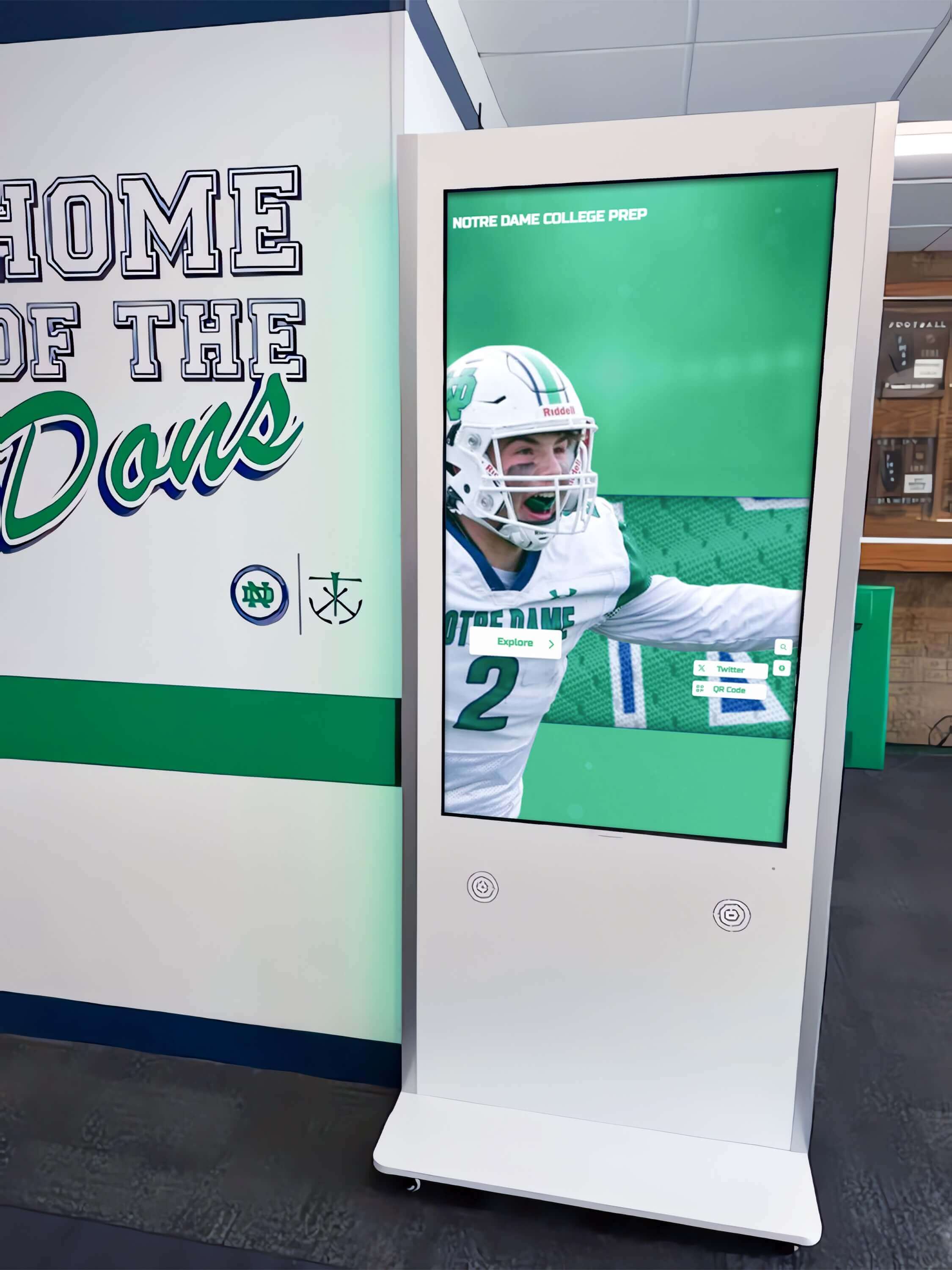
Freestanding kiosks positioned at corridor intersections provide distributed wayfinding access throughout multi-building facilities
Digital Kiosks vs Wall-Mounted Touchscreen Directories
Organizations evaluating touchscreen directory technology face fundamental decisions about installation form factors. Understanding the practical differences between freestanding kiosks and wall-mounted systems guides selection aligned with specific facility characteristics, visitor traffic patterns, and aesthetic preferences.
Freestanding Digital Kiosks
Freestanding kiosks represent self-contained directory units with integrated displays, computers, and structural support designed for placement in open floor areas without wall attachment.
Freestanding Kiosk Advantages
Placement flexibility enables positioning anywhere floor space exists without dependence on specific wall locations or structural constraints. This freedom proves valuable in facilities where optimal wayfinding locations occur in open areas without adjacent walls, or where architectural features like glass curtain walls prevent traditional mounting. Kiosks create dedicated wayfinding destinations that draw attention through their prominent three-dimensional presence—more visible than flat wall-mounted displays that blend into surrounding environments.
Double-sided kiosks with displays on both faces serve visitors approaching from multiple directions simultaneously, doubling effective capacity in high-traffic areas without requiring multiple separate installations. Integrated branding opportunities allow wrapping kiosk structures with organizational graphics, logos, and messaging that reinforce identity while making directories more visually prominent and discoverable.
Installation simplicity often proves significant—kiosks typically require only electrical connections and network access without extensive construction work, mounting hardware, or wall modification that complicates and delays wall-mounted installations. This makes kiosks particularly appropriate for temporary installations, rental facilities, or situations where drilling and mounting face restrictions from property management or historic building preservation requirements.
Freestanding Kiosk Considerations
Floor space consumption represents the primary tradeoff. Kiosks occupy valuable lobby or corridor area that organizations must evaluate against alternative uses. Americans with Disabilities Act (ADA) regulations require maintaining 36-inch clear approach spaces around kiosks to ensure wheelchair accessibility—further increasing effective footprint beyond the kiosk structure itself.
Physical obstacles in circulation paths create potential collision hazards, particularly in facilities serving visually impaired individuals who may not detect kiosks positioned mid-corridor. Careful placement along walls or in alcoves mitigates this concern while maintaining accessibility. Higher initial costs compared to wall-mounted alternatives reflect kiosk structures, bases, and installation complexity. Organizations typically invest $8,000-15,000 for complete commercial kiosk installations compared to $5,000-10,000 for equivalent wall-mounted solutions.
Vandalism vulnerability increases with freestanding structures accessible from all sides compared to wall-mounted displays with protected backs and typically higher mounting positions. Public facilities with security concerns should evaluate tamper-resistant kiosk designs with reinforced construction and anti-theft anchoring.
Wall-Mounted Touchscreen Directories
Wall-mounted directories attach directly to facility walls using professional mounting hardware, integrating into architectural environments as permanent installations.
Wall-Mounted Display Advantages
Space efficiency maximizes valuable floor area by utilizing vertical wall space that serves no competing purpose—particularly important in facilities where lobby and corridor space limitations prevent dedicating floor area to kiosks. Clean, low-profile installations present refined aesthetics that blend naturally into architectural environments without the visual prominence that makes kiosks feel obtrusive in smaller or more formal spaces.
Protection from physical damage increases as mounted displays at appropriate heights above typical contact zones reduce collision and vandalism risks compared to floor-level kiosks. Lower installed costs reflect simpler hardware and installation processes compared to freestanding kiosks, making wall-mounted directories more accessible for budget-conscious organizations requiring multiple installations throughout facilities.
Integration opportunities with existing architectural features allow mounting adjacent to reception desks, near elevator banks, or at corridor intersections where visitors naturally pause and require wayfinding assistance. This strategic placement ensures directories appear precisely when needed rather than requiring visitors to seek them out.
Wall-Mounted Directory Considerations
Structural requirements necessitate locating appropriate mounting surfaces with adequate support for display weight plus safety margins. Walls must provide solid backing—either studs or masonry—rather than hollow drywall panels that cannot support commercial display loads safely. This constraint sometimes forces compromising on optimal wayfinding locations when ideal positions lack appropriate structural support.
Installation complexity increases compared to kiosks. Professional mounting requires locating studs or installing anchor systems, running power and network connections through walls, and ensuring compliance with building codes and fire safety requirements. Organizations in rental facilities or historic buildings may face restrictions on permanent wall modifications that make mounting difficult or impossible.
Fixed viewing angles determined by wall orientation cannot accommodate multiple approach directions like double-sided kiosks can. Carefully considering visitor traffic patterns during planning prevents installing directories on walls perpendicular to primary circulation flows where viewing angles create awkward interaction.
Discover mounting considerations in interactive building displays with professional installation guidance.
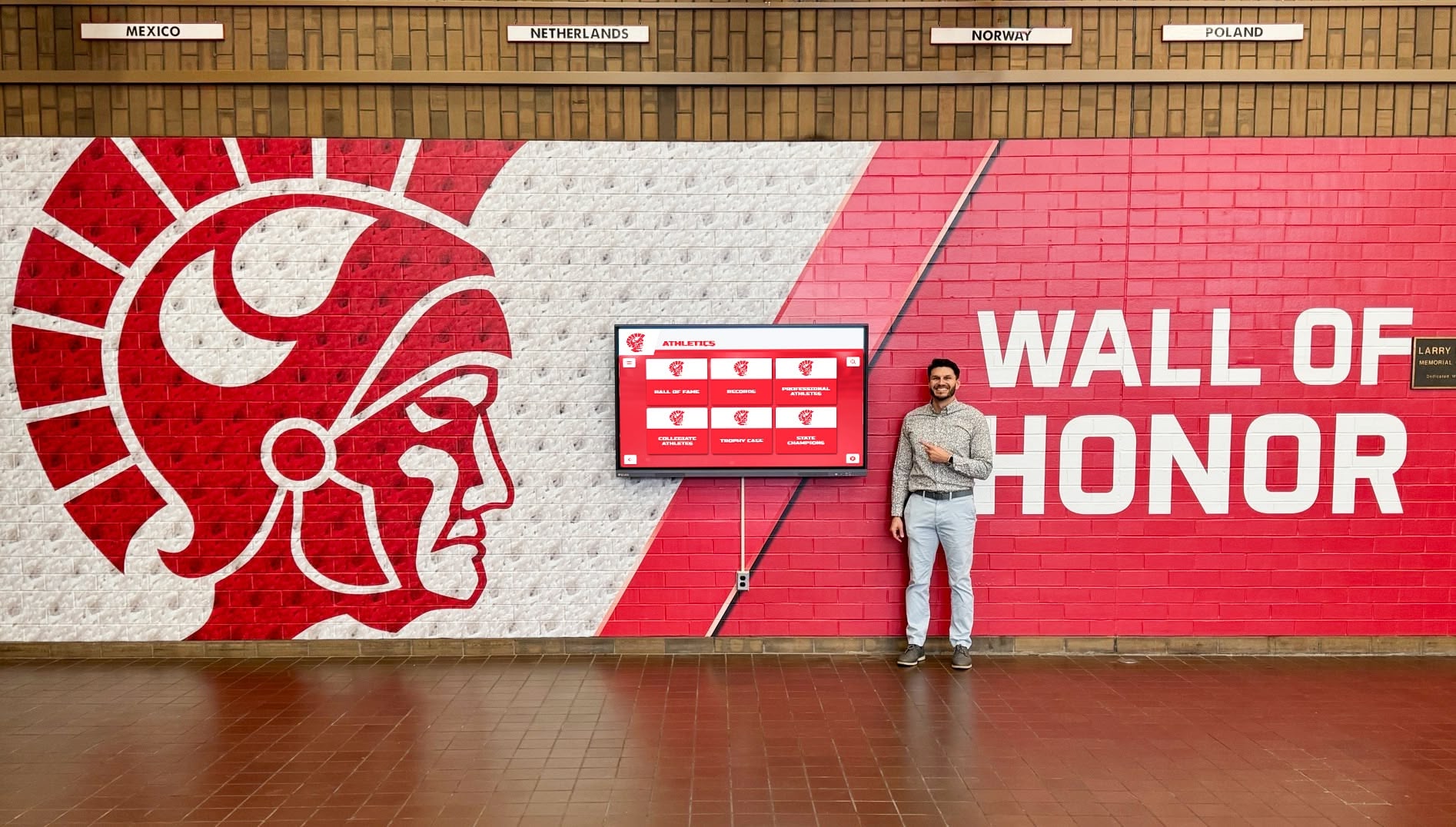
Wall-mounted directories integrate cleanly into facilities while providing comprehensive wayfinding capabilities without consuming floor space
Essential Features for Effective Building Directories
Understanding capabilities that distinguish professional directory systems from basic digital signage guides selection decisions toward solutions that deliver genuine wayfinding value rather than superficial digitization of ineffective traditional approaches.
Interactive Mapping and Navigation
True directory systems provide spatial context through interactive maps enabling intuitive understanding of facility layouts and navigation routes.
Comprehensive Mapping Capabilities
Professional wayfinding platforms include multi-floor facility maps showing building layouts with rooms, departments, and amenities clearly labeled. Interactive functionality enables zooming for detail exploration, panning to view areas beyond initial screen display, and rotation to align maps with visitor orientation for intuitive understanding.
Search integration allows visitors to locate destinations by typing names—automatically highlighting locations on maps and providing directional guidance from current positions to desired destinations. Route visualization shows suggested paths between locations, highlighting corridors and providing turn-by-turn navigation impossible with static maps that leave visitors interpreting routes themselves.
Distance and time estimates help visitors judge whether walking to destinations is practical or whether alternative transportation within facilities makes sense. Points of interest identification marks restrooms, elevators, stairs, entrances, emergency exits, and accessibility features that visitors commonly seek but might not know how to describe in searches.
Mobile Integration
QR code generation allows visitors to transfer wayfinding information to personal smartphones for continued navigation without remaining at fixed directory locations. Mobile-responsive web interfaces ensure transferred maps display properly on various device sizes. Some advanced systems offer indoor positioning using Bluetooth beacons or Wi-Fi triangulation to provide turn-by-turn navigation directly on visitor smartphones throughout navigation journeys.
This physical-to-mobile bridge extends directory utility beyond initial lookup moments to complete navigation experiences—particularly valuable in large multi-building complexes where visitors cannot memorize complete routes from brief directory interactions.
Multi-Language Support
Facilities serving diverse populations require wayfinding accessible to visitors speaking various languages.
Language Selection Implementation
Professional directory systems provide prominent language selector controls enabling immediate interface translation. Complete localization translates all interface elements, department names, amenity labels, and directional instructions rather than leaving critical information in English while translating only menus. Keyboard input accommodation supports character sets for selected languages, enabling searches in native scripts rather than forcing transliteration.
According to Institute of International Education data from 2024, U.S. colleges and universities host over 1 million international students speaking hundreds of primary languages—creating clear demand for multilingual wayfinding in higher education settings. Corporate campuses in major metropolitan areas, healthcare facilities, and public buildings face similar diversity requiring language accommodation beyond English-only systems.
Organizations implementing multilingual directories report significant reductions in language-related wayfinding confusion and decreased reliance on interpretation services for basic navigation questions that automated translation handles effectively.
Explore multilingual implementation in digital wayfinding systems demonstrating inclusive design.
Real-Time Information and Updates
Static directory content grows stale quickly in dynamic organizations where rooms change purposes, employees move offices, and departments reorganize frequently.
Dynamic Content Management
Cloud-based platforms enable instant updates reflecting organizational changes immediately across all directory installations. Room reassignments take effect within minutes of database updates rather than requiring physical signage replacement that creates extended periods with inaccurate information. Temporary location changes for renovations or events can be scheduled with automatic reversion to permanent configurations after specified dates.
Event integration displays current meetings, conferences, and activities with associated locations—helping visitors locate specific events without knowing which rooms house them. This proves particularly valuable in conference centers, academic buildings with numerous simultaneous classes, and corporate facilities with frequent meetings in various spaces.
Occupancy information integrated with reservation systems can indicate whether rooms are currently occupied or available—useful for visitors seeking open meeting spaces or attempting to locate colleagues who may or may not be at assigned desks. Emergency status updates can immediately communicate facility closures, evacuations, or shelter-in-place instructions when urgent situations require rapid information distribution to everyone present in facilities.

Responsive touch interfaces with clear visual feedback ensure directories serve users of all ages and technical comfort levels
Building Directory Applications Across Industries
Touchscreen directories serve diverse facility types, each with unique wayfinding challenges and specific feature priorities that inform system selection and implementation strategies.
Educational Institutions
Schools, colleges, and universities face particular navigation challenges during peak periods when prospective students visit, parents attend events, and visiting scholars navigate campuses.
Campus Wayfinding Needs
Large campus environments spanning multiple buildings create confusion for visitors unfamiliar with institutional layouts. Building names that seem obvious to daily occupants mean nothing to first-time visitors—requiring directories that enable searching by department, office, or person rather than assuming building knowledge. Frequent room purpose changes as classes move, departments reorganize, and spaces get reassigned require updateable systems rather than static signage that becomes outdated within semesters.
Event support for open houses, athletic competitions, performances, and graduation ceremonies brings thousands of visitors requiring temporary wayfinding assistance for venues, parking, amenities, and services. Solutions like Rocket Alumni Solutions provide integrated capabilities where the same displays that serve daily wayfinding also present student achievements, institutional history, and recognition content—maximizing return on technology investments through multi-purpose functionality.
Accessibility for diverse student populations including international students requiring multilingual support and students with disabilities requiring ADA-compliant navigation assistance makes inclusive design essential rather than optional in educational wayfinding implementations.
Learn about educational applications in school directory systems demonstrating campus implementations.
Corporate Offices
Business facilities require professional directory systems supporting employees, clients, visitors, and vendors navigating office environments.
Corporate Facility Requirements
Multi-tenant buildings with numerous companies occupying various floors need comprehensive tenant directories enabling visitors to identify which companies occupy which suites. Departmental organization within large corporate campuses helps visitors locate human resources, information technology, finance, legal, and operational departments without understanding internal organizational structures. Employee directories with appropriate privacy controls allow visitors to locate specific individuals while respecting security concerns about publicly displaying complete staff information.
Meeting room wayfinding integrated with reservation systems displays current schedules helping attendees locate specific meetings without prior venue knowledge. Visitor management integration can display personalized welcome messages and specific directional information based on check-in data captured at reception—creating smooth, professional visitor experiences that reflect positively on organizational sophistication.
Branding customization ensures directory aesthetics align with corporate identity standards, maintaining consistent professional image throughout facilities. Conference and event support helps external visitors attending meetings, training sessions, or corporate events navigate unfamiliar environments independently without consuming employee time providing directions.
Healthcare Facilities
Hospitals, medical offices, and health systems present uniquely complex navigation challenges where wayfinding failures cause not just inconvenience but genuine distress for patients and families.
Medical Facility Wayfinding Challenges
Hospital complexity exceeds most other building types. Sprawling multi-tower campuses with confusing numbering systems, non-intuitive department locations, and frequent expansions create navigation nightmares for patients already experiencing medical stress. Directories must enable searches by physician names, medical specialties, and procedure types—not just department names that mean little to patients unfamiliar with medical organization.
Accessibility requirements intensify in healthcare settings serving elderly patients, individuals with mobility limitations, and visitors with cognitive impairments requiring exceptionally clear, simple navigation assistance. Multilingual support proves critical in diverse urban healthcare settings serving patients speaking dozens of primary languages where language barriers already complicate medical communication without adding navigation confusion.
Emergency department directions require prominent, unmistakable display for visitors seeking urgent care. Patient and family amenities including cafeterias, pharmacies, chapels, waiting areas, and overnight accommodations need clear wayfinding as families spend extended periods in facilities during medical events. Infection control considerations influence directory placement and cleaning protocols in clinical areas where touchscreen hygiene requires attention.
Public Buildings and Government Facilities
Civic buildings, government offices, and public facilities serve citizens who visit infrequently and possess minimal facility familiarity.
Public Facility Considerations
Service-oriented wayfinding helps citizens locate specific government services—licenses, permits, records, social services, courts—without understanding bureaucratic organizational structures. Directories must translate citizen needs into facility locations through search functionality enabling natural language queries rather than requiring knowledge of department names. Accessibility compliance takes on civil rights dimensions in public buildings where equal access to government services constitutes fundamental democratic principles.
Security integration ensures directories provide wayfinding assistance without compromising facility security through inappropriate information display about restricted areas, security infrastructure, or sensitive operations. Public accountability makes reliable, accurate wayfinding important for maintaining positive citizen perception of government competence and constituent service commitment.
Discover public facility applications in interactive building directories demonstrating government implementations.
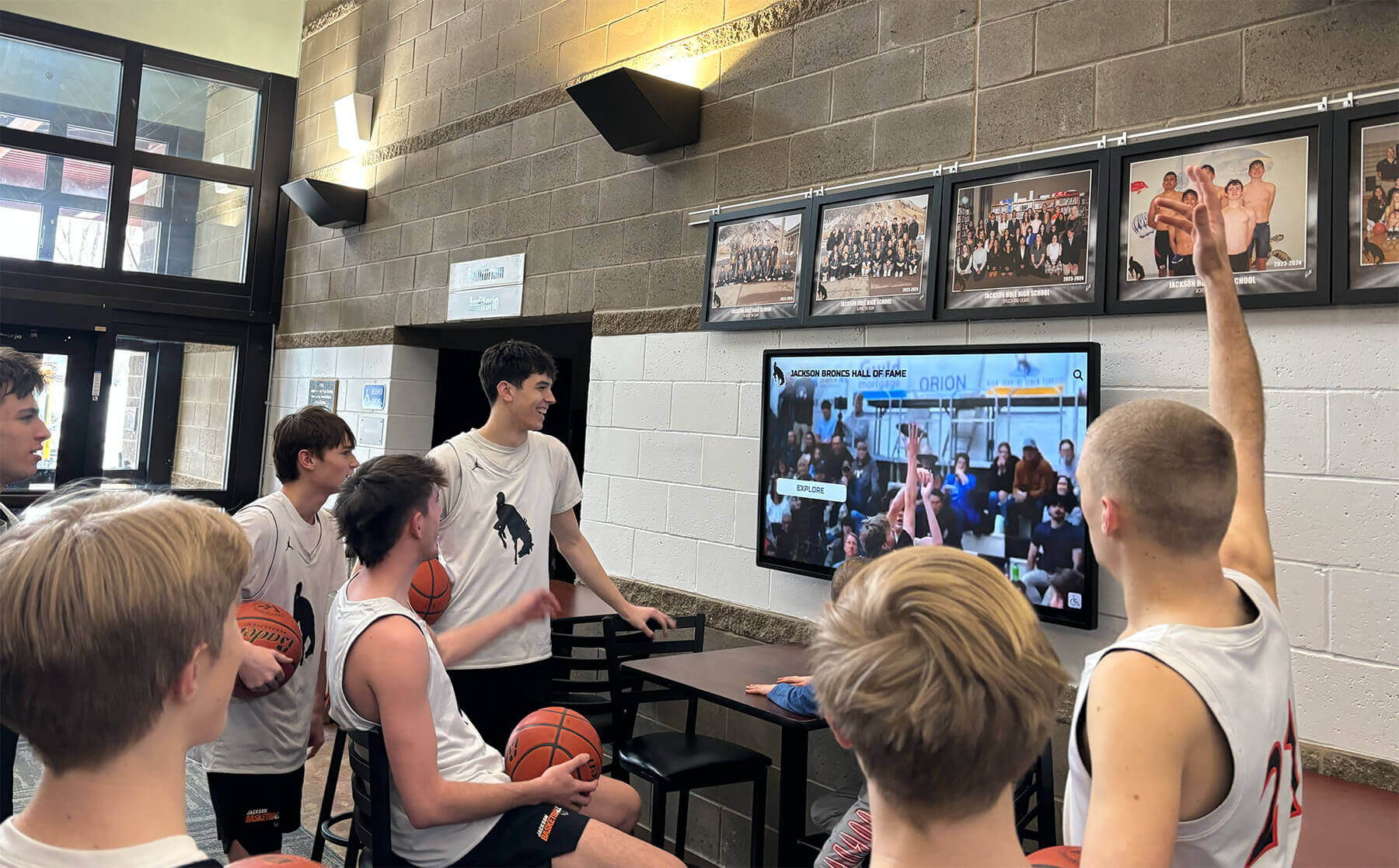
Multi-functional displays serve wayfinding, communication, and engagement purposes simultaneously, maximizing organizational value from single installations
Implementation Strategy for Touchscreen Directories
Successful directory deployment requires systematic planning addressing technology selection, content development, installation logistics, and ongoing management to ensure wayfinding systems deliver intended value.
Planning and Needs Assessment
Defining clear objectives guides implementation decisions when tradeoffs require prioritization.
Stakeholder Input Collection
Facilities management provides insights about building layouts, room numbering systems, accessibility features, and maintenance considerations. Reception and security staff who currently handle navigation questions offer perspectives on common visitor confusion points and frequent wayfinding requests. Department representatives identify specific needs for their areas and potential concerns about information display. Accessibility coordinators ensure compliance with ADA requirements and universal design principles benefiting all users.
Wayfinding Problem Identification
Observing current visitor navigation behavior reveals pain points that directories should address. High-frequency directions provided repeatedly by staff indicate needs for better self-service wayfinding. Areas where visitors commonly get lost or arrive late suggest inadequate existing navigation assistance. Complaints or feedback about facility confusion document problems quantitatively rather than relying solely on anecdotal impressions.
Success Criteria Definition
Measurable objectives enable later assessment of whether implementations achieve intended goals. Visitor satisfaction improvements measured through surveys before and after directory installation document experience gains. Staff time savings quantified through reduced directional assistance requests demonstrate operational efficiency improvements. Late arrival reductions to appointments and meetings indicate improved navigation success. Positive feedback about facility professionalism reflects stronger organizational image through modern wayfinding infrastructure.
Content Development and Database Creation
Directory effectiveness depends entirely on comprehensive, accurate location data and well-organized information architecture.
Location Database Construction
Systematic facility documentation creates the foundation for directory content. Complete room inventories list every space with numbers, purposes, and occupants. Department mapping identifies which areas house which organizational units with primary personnel and contact information. Amenity location documentation marks restrooms (including gender-inclusive and accessible facilities), elevators, stairs, entrances, exits, water fountains, vending areas, and emergency equipment. Points of interest identification notes features visitors commonly seek—reception desks, information centers, public areas, and facility landmarks that serve as navigation reference points.
Map Development
Professional wayfinding requires translating architectural drawings into intuitive visitor-oriented maps. Simplification removes technical details visitors don’t need while preserving spatial relationships and navigation-relevant features. Clear labeling uses terminology visitors understand rather than internal jargon that only employees recognize. Visual hierarchy emphasizes primary circulation routes and major destinations while de-emphasizing less important details. Multiple detail levels enable zooming from building overviews down to specific floor areas and room clusters.
Organizations typically invest 40-80 hours in comprehensive initial content development for medium-sized facilities—substantial effort ensuring directory accuracy and utility from launch rather than gradual improvement through correction of discovered deficiencies.
Installation and Deployment
Physical directory installation requires professional execution ensuring reliable long-term operation.
Site Preparation
Electrical infrastructure assessment confirms adequate power availability at intended directory locations or identifies requirements for new circuits. Network connectivity verification ensures reliable Wi-Fi coverage or ethernet access for content delivery and remote management. Structural evaluation confirms wall mounting surfaces can support display weight safely or identifies floor areas appropriate for kiosks with adequate approach space.
Professional Installation
Commercial-grade mounting hardware rated for display weight plus safety margins prevents accidents and equipment damage. Cable management maintains clean appearance through in-wall routing or protective conduit systems. ADA compliance ensures wheelchair approach space, appropriate mounting heights, and screen positions visible from seated positions. Network configuration establishes secure connections with appropriate bandwidth and priority access for directory systems.
Organizations should budget $800-2,500 for professional installation per directory depending on site conditions, mounting complexity, and infrastructure requirements beyond basic display placement.
Learn installation best practices in digital display deployment with facility integration strategies.
Ongoing Management and Maintenance
Long-term directory success requires systematic administration beyond initial installation.
Content Management Responsibilities
Designated administrators need clear responsibility for maintaining current directory information. Update workflows ensure room changes, personnel moves, and organizational restructuring reflect in directory databases promptly. Regular content audits verify accuracy through systematic facility reviews comparing physical reality to database information. User feedback integration collects and addresses reported errors or suggestions from directory users.
Technical Maintenance
Display cleaning protocols maintain touchscreen responsiveness and visual appearance without damaging sensitive surfaces. Software updates keep directory platforms current with security patches and feature improvements. Network monitoring ensures reliable connectivity supporting real-time content delivery. Hardware monitoring catches developing problems before they cause complete failures requiring urgent emergency repairs.
Usage Analytics Review
Professional directory systems provide usage data revealing engagement patterns. Interaction frequency shows how many visitors use directories daily, weekly, and monthly. Popular search terms identify common navigation needs and potential content gaps. Peak usage times indicate when wayfinding assistance matters most for staffing and support planning. User satisfaction feedback collected through optional surveys documents directory effectiveness from visitor perspectives.
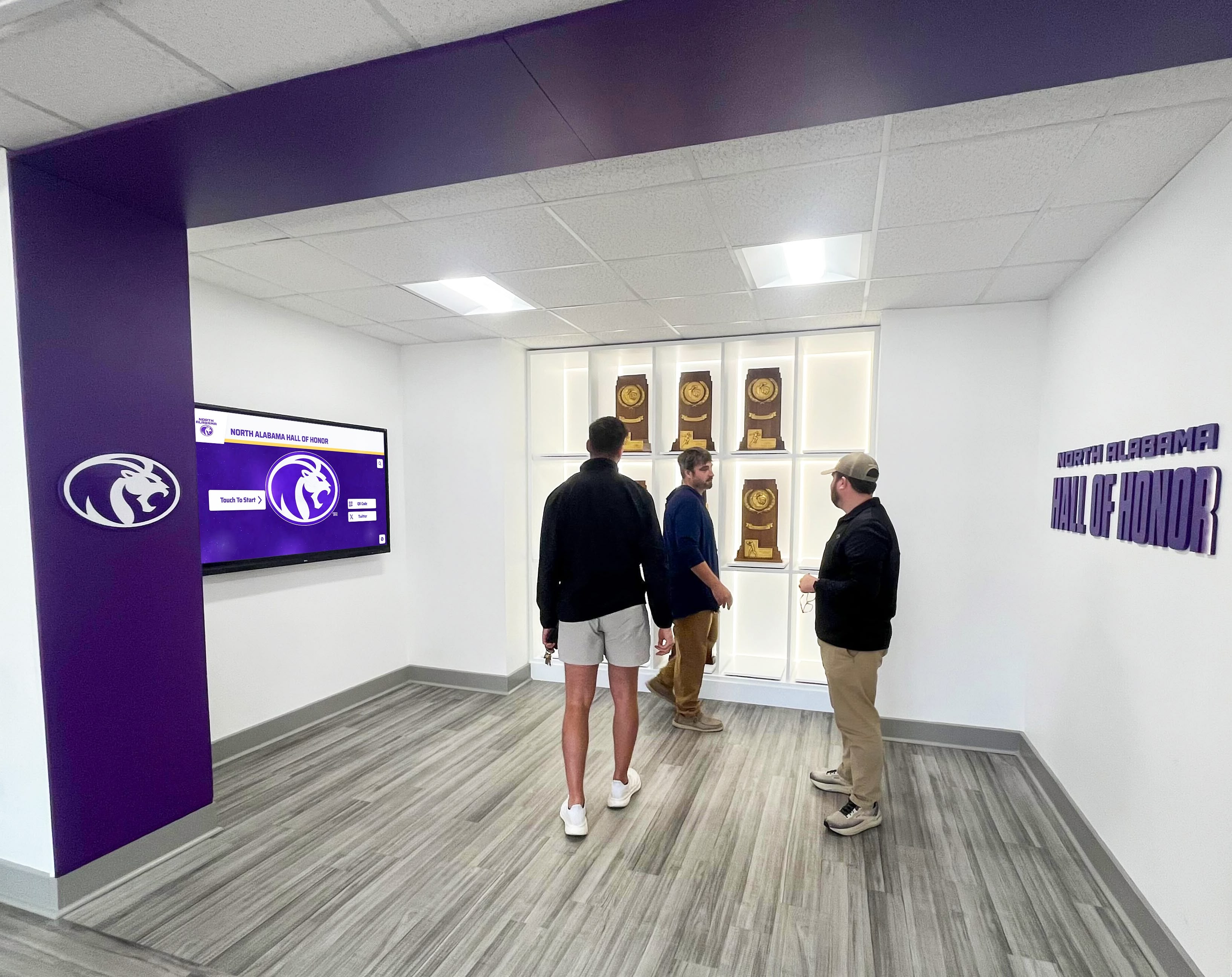
Successful implementations create spaces where visitors confidently navigate facilities while discovering organizational achievements and culture
Return on Investment for Directory Systems
Understanding financial justification helps organizations evaluate whether touchscreen directory investments align with budget priorities and deliver sufficient value relative to costs.
Quantifiable Cost Savings
Several direct savings partially offset directory system costs.
Staff Time Reduction
Reception, security, and facility staff currently spend significant time providing repetitive directional assistance that directories can handle. Organizations report 60-80% reductions in navigation questions after implementing comprehensive directory systems. At average support staff compensation rates of $18-25 per hour, reclaimed staff time provides $8,000-20,000 annual value in medium to large facilities with moderate visitor traffic.
Printed Material Elimination
Traditional directories require regular printing of updated facility maps, department guides, and visitor information packets. Organizations typically spend $1,500-5,000 annually on wayfinding printed materials that directories eliminate completely. Wayfinding signage updates through professional sign companies cost $500-2,000 per change—expenses eliminated by digital systems supporting instant updates.
Appointment and Meeting Efficiency
Late arrivals due to facility confusion create operational inefficiencies costing staff time and scheduling disruptions. Healthcare facilities where patient late arrivals force rescheduling face particular costs from wasted appointment slots and operational disruptions. Educational institutions where prospective student families arrive late to tours or admissions appointments create poor first impressions potentially affecting enrollment decisions with multi-thousand dollar lifetime value implications.
Intangible Value Considerations
Beyond direct cost savings, directories provide harder-to-quantify benefits that many organizations find equally important.
Visitor Experience Enhancement
First impressions matter tremendously in facilities where visitor perceptions influence significant decisions. Prospective students evaluating educational institutions base enrollment decisions partially on campus visit experiences. Corporate facility visitors including potential clients and job candidates form impressions about organizational sophistication through environmental cues like modern wayfinding technology. Patient satisfaction in healthcare settings correlates with every aspect of experience including navigation stress or lack thereof.
Organizational Image Projection
Modern, well-functioning wayfinding infrastructure projects competence, attention to detail, and visitor-focused service orientation. Conversely, outdated or absent directory systems suggest organizational neglect and poor facility management. For institutions where image and reputation drive mission success, this consideration alone often justifies directory investments independent of direct financial returns.
Accessibility and Inclusion Demonstration
Comprehensive wayfinding systems with multilingual support, ADA compliance, and universal design features demonstrate organizational commitment to serving all community members and visitors equitably. This matters legally for compliance obligations and ethically for mission alignment in educational, healthcare, and public institutions founded on inclusion principles.
Future Trends in Building Directory Technology
Understanding emerging capabilities helps organizations plan directory investments that remain relevant as technology and visitor expectations evolve.
Artificial Intelligence Integration
Next-generation directory systems will incorporate AI capabilities that improve wayfinding through natural language processing enabling conversational queries, predictive suggestions based on time of day and visitor patterns, tailored recommendations based on visitor expressed interests, and flexible interfaces adjusting automatically to user preferences and abilities.
These AI features will improve wayfinding efficiency without requiring manual customization for each visitor—creating more effective experiences at scale while reducing administrative burden through automation.
Augmented Reality Wayfinding
Emerging AR capabilities will bridge physical and digital wayfinding through smartphone camera overlays providing directional arrows visible through device screens, indoor positioning systems offering turn-by-turn guidance inside complex buildings, and integration with personal devices maintaining consistent information across platforms throughout complete navigation journeys.
Voice Control and Accessibility
Improved interaction modes will serve users with diverse abilities through voice-activated wayfinding enabling hands-free navigation, advanced screen reader compatibility ensuring full functionality for blind and low-vision visitors, and adjustable interfaces accommodating different cognitive and motor abilities through flexible interaction models.
Explore emerging capabilities in digital wayfinding innovation examining future technologies.
Selecting the Right Directory Solution
Choosing appropriate directory systems requires evaluating solutions against specific facility requirements and organizational priorities.
Evaluation Criteria
Technology Platform Assessment
Purpose-built wayfinding platforms like Rocket Alumni Solutions offer significant advantages over adapted generic digital signage systems through directory-specific features, intuitive content management, and vendor understanding of wayfinding requirements. Key evaluation factors include interactive mapping capabilities with zoom and search functionality, comprehensive location database structures supporting complex organizational hierarchies, real-time content management enabling instant updates, mobile integration extending wayfinding beyond fixed displays, multilingual support serving diverse populations, analytics revealing usage patterns informing optimization, and reliable vendor support understanding institutional needs.
Hardware Quality Verification
Commercial-grade displays rated for continuous operation prove essential for reliable long-term performance. Evaluation should confirm touch technology responsiveness and durability, brightness specifications adequate for installation environments, warranty coverage appropriate for institutional investments, and mounting options matching facility installation requirements.
Total Cost of Ownership Analysis
Beyond initial purchase prices, realistic financial evaluation considers installation and configuration costs, annual platform subscription or licensing fees, content development time investments, ongoing maintenance and support requirements, eventual hardware replacement on 5-7 year cycles, and staff training for system administration.
Implementation Partner Selection
For organizations lacking internal expertise, implementation partners provide valuable services including needs assessment and planning consultation, content database development, professional installation, staff training, and ongoing support.
Successful partnerships require clear scope definition, realistic timeline establishment, comprehensive training provision, documentation of configurations and processes, and post-installation support agreements ensuring long-term success beyond initial deployment.
Transform Your Facility Wayfinding Experience
Discover how touchscreen building directory solutions can help your organization provide intuitive navigation, reduce staff burden, and create positive visitor impressions through professional digital wayfinding systems. See how institutions achieve measurable improvements in visitor satisfaction and operational efficiency.
Explore Directory SolutionsConclusion: Modernizing Facility Navigation Through Interactive Technology
Touchscreen building directories represent fundamental improvements in facility wayfinding—transforming frustrating navigation experiences that leave visitors confused and staff overwhelmed into intuitive, self-service systems that reduce stress while projecting organizational sophistication and visitor-focused service commitment.
The choice between digital kiosks and wall-mounted directories depends on specific facility characteristics, available space, budget constraints, and aesthetic preferences rather than one approach being universally superior. Both form factors deliver effective wayfinding when implemented thoughtfully with appropriate technology platforms, comprehensive content databases, and strategic placement ensuring visitors encounter assistance precisely when navigation decisions require guidance.
Beyond basic wayfinding functionality, modern directory systems serve multiple organizational objectives simultaneously through emergency communication capabilities, event support features, recognition content integration, and operational information display—maximizing return on investments through multi-purpose utility rather than single-function limitations.
Success requires viewing directories not as isolated technology projects but as integrated components of comprehensive visitor experience strategies spanning facility design, operational efficiency, organizational communication, and service delivery. Solutions like Rocket Alumni Solutions provide purpose-built platforms designed specifically for institutional wayfinding needs, offering capabilities and professional support enabling sustainable implementations serving diverse facility types and organizational missions.
Whether your organization needs comprehensive facility-wide wayfinding infrastructure or targeted directory deployments in specific high-traffic areas, modern touchscreen technology makes professional, engaging navigation accessible through systematic planning and appropriate platform selection. The strategies, considerations, and implementation guidance explored in this comprehensive guide provide frameworks for directory projects delivering lasting value through improved visitor experience, reduced operational burden, and stronger organizational image.
Start wherever current situations demand—whether replacing outdated printed directories or creating entirely new wayfinding infrastructure—then systematically expand to build navigation assistance your visitors deserve. Every person who navigates your facilities confidently and arrives at destinations without frustration experiences reduced stress and enhanced satisfaction—precisely the positive interactions organizations need with students, patients, clients, citizens, and all facility visitors whose perceptions influence mission success.
Your facilities deserve wayfinding infrastructure that demonstrates the excellence your organization represents. With thoughtful planning, appropriate technology investments, and systematic implementation, you can create touchscreen directory systems that become valued assets serving multiple organizational priorities while creating welcoming, navigable environments for all community members and visitors.
Ready to explore touchscreen building directory solutions for your facilities? Learn more about interactive wayfinding technology and discover how modern directory systems transform facility navigation while serving diverse organizational needs.
Live Example: Rocket Alumni Solutions Touchscreen Display
Interact with a live example (16:9 scaled 1920x1080 display). All content is automatically responsive to all screen sizes and orientations.