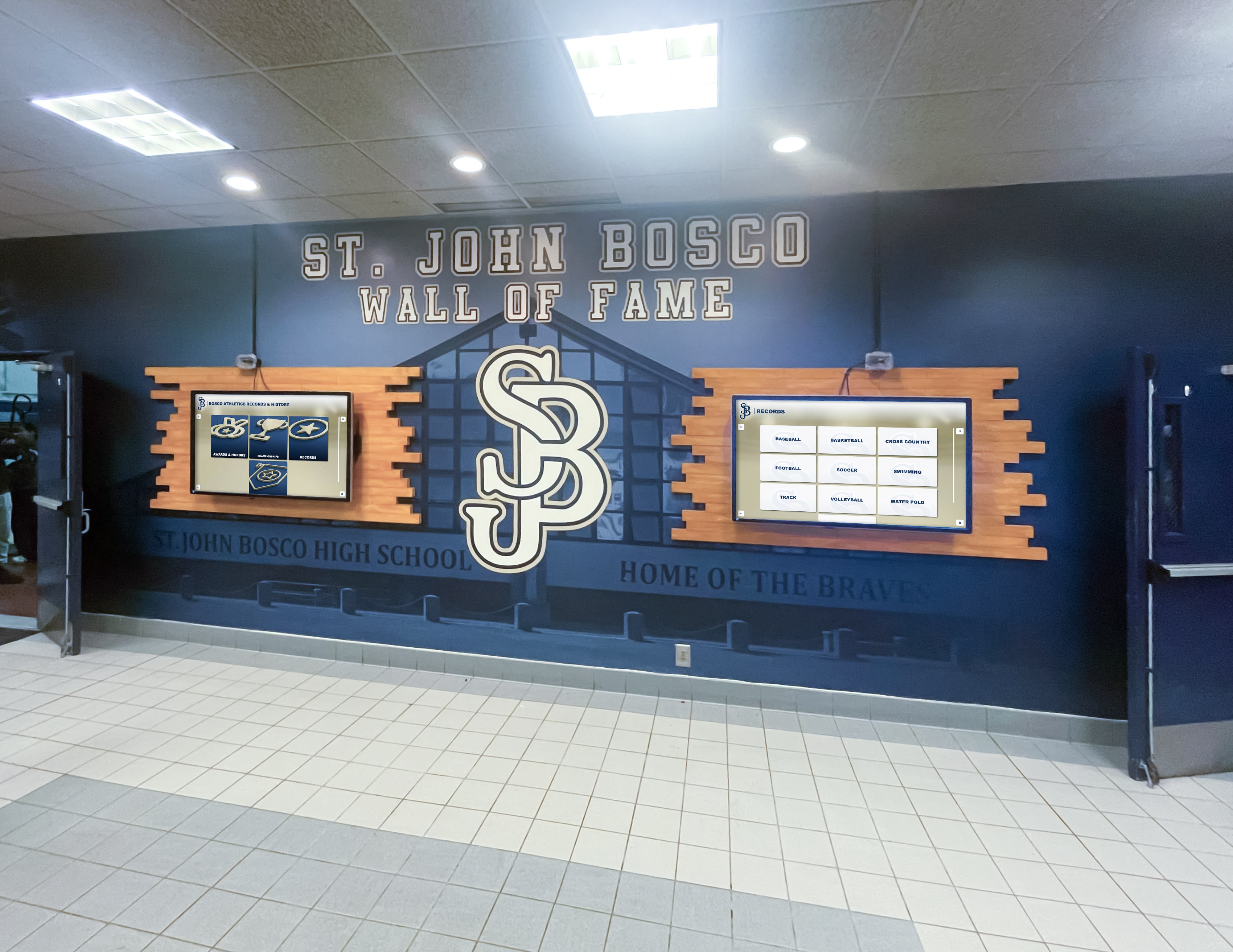




A touch screen video wall is the right choice for school recognition when a single display cannot contain the volume of content visitors need to explore, or when the physical location demands large-scale visual presence alongside interactive depth. Schools should deploy interactive video walls—multi-panel or large-format touchscreen systems—for flagship recognition spaces such as main entrance lobbies, renovated athletic hallways, and alumni centers where donors, prospective families, and community members make meaningful first contact with the institution’s story.
This guide helps school administrators, athletic directors, advancement teams, and alumni relations staff determine exactly when a touch screen video wall fits their recognition goals, what content it should carry, where it belongs in the building, and how to keep it running well after installation.
The short answer: a touch screen video wall earns its investment when your recognition content is too rich for a single-panel kiosk, your space demands visual scale, and your audience includes high-value visitors whose engagement directly affects donations, enrollment, or community pride. Read on for the detailed decision framework.

Multi-screen touch wall installations transform school hallways into high-impact recognition destinations that engage every visitor who passes through
What Is a Touch Screen Video Wall in a School Context?
A touch screen video wall combines multiple large commercial displays—or one very large single panel—with interactive touch capability and a content management platform purpose-built for recognition. Unlike passive video walls that broadcast looping media, interactive versions let visitors tap, swipe, and explore on their own terms: pulling up an athlete’s career statistics, reading a donor’s legacy story, watching a championship highlight reel, or searching for a graduate’s name in the class archive.
Typical school configurations:
| Configuration | Panel Count | Total Size Range | Best For |
|---|---|---|---|
| Large single-panel interactive | 1 | 65–98 inches | Trophy case niches, trophy rooms, individual kiosk zones |
| Dual-panel touch wall | 2 | 100–130 inches combined | Athletic hallways, library commons, alumni corridors |
| Triptych or quad video wall | 3–4 | 150–200 inches combined | Main entrance lobbies, gymnasium concourses, donor halls |
| Full-width recognition wall | 4+ | 200+ inches combined | Flagship alumni centers, arena entryways, capital campaign displays |
The interactive layer—multi-touch capacitive technology capable of registering multiple simultaneous touches—is what distinguishes a recognition video wall from a decorative architectural feature. Without it, you have signage. With it, you have a destination.
When Should a School Use a Touch Screen Video Wall?
Not every recognition need calls for a video wall. A single 55-inch interactive kiosk solves many problems at a fraction of the cost. The decision shifts toward a multi-panel touch screen video wall when one or more of these conditions apply.
1. Your Content Volume Exceeds What One Screen Can Serve
A school with 40 years of athletic history, three decades of academic honor rolls, a growing list of distinguished alumni, and an active donor recognition program has too many records for any single display to surface well. When visitors must scroll endlessly through category menus or leave without finding what they came for, the experience works against recognition goals.
A multi-panel video wall solves this by allowing concurrent content zones: one panel anchored to current award cycles, another browsable by era or sport, a third displaying live recognition updates, and a fourth showing ambient video and school milestones. Visitors self-select the zone relevant to them without crowding around a single touchpoint.
2. Your Space Has Scale That Demands Visual Presence
A 55-inch display mounted in a 40-foot lobby entrance reads as an afterthought. High-ceiling atriums, gymnasium concourses, and renovated athletic centers need visual mass proportional to the architecture. A properly scaled touch screen video wall fills the wall the way a championship banner does—but with infinitely more content depth and daily updating capability.
Scale also matters for crowd scenarios. During homecoming, awards banquets, donor visits, and open-house nights, families and alumni cluster around recognition displays. A single-screen kiosk creates a bottleneck. A multi-panel installation supports simultaneous exploration by multiple visitor groups without congestion.
3. You Have High-Value Audiences Who Justify Premium Investment
Not all foot traffic carries equal strategic weight. When the primary audience for a recognition space includes:
- Major donors evaluating naming gift decisions
- Prospective student-athletes on official recruiting visits
- Alumni returning for reunions or capital campaign events
- Accreditation visitors or board members touring the facility
- Community leaders attending award ceremonies or dedications
…the quality of the recognition experience reflects directly on the institution’s sophistication and stewardship culture. A touch screen video wall signals investment in legacy. A dusty trophy case, or even a modest single kiosk, signals the opposite.
4. You Are Completing a Facility Renovation or New Construction
The best time to install a touch screen video wall is during a scheduled renovation or new construction, when electrical, data, and mounting infrastructure can be built in rather than retrofitted. Facilities undertaking athletic complex renovations, lobby redesigns, or alumni center construction should evaluate video wall integration as part of the architectural plan—not as an add-on afterthought.
Schools that plan recognition technology alongside physical design consistently report better sight-lines, cleaner installations, and lower long-term maintenance costs than those that retrofit displays into finished spaces.
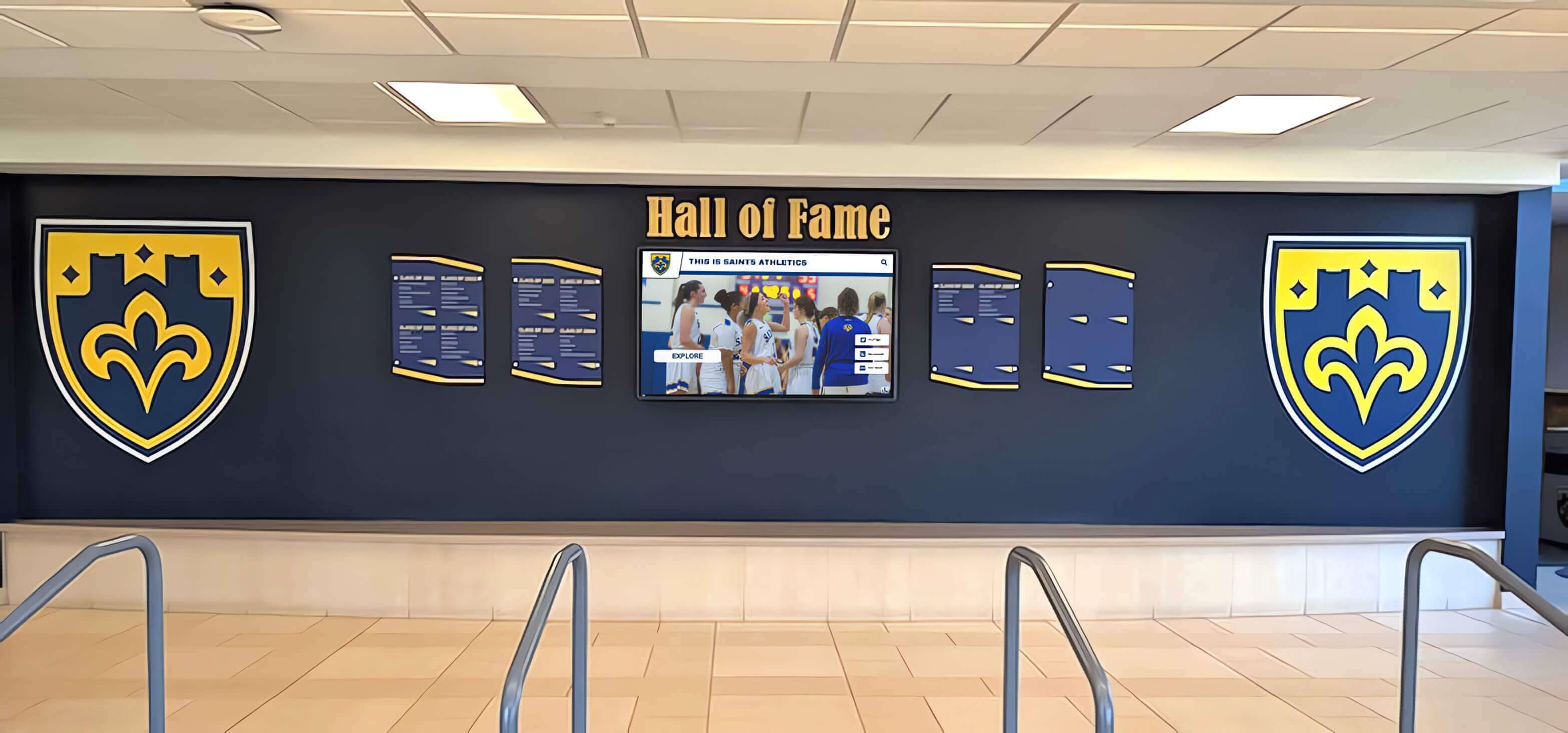
Integrated recognition walls combine physical display elements with interactive screens, creating layered experiences that serve both ambient visitors and active explorers
Where in the School to Install a Touch Screen Video Wall
Location determines whether the installation becomes a true destination or an underused fixture. Match placement to audience flow and recognition purpose.
Main Entrance Lobby
The entrance lobby is the highest-priority location for most schools. Every visitor—prospective families, community members, board members, local officials—passes through. A touch screen video wall positioned in the lobby communicates institutional pride immediately and gives visitors something meaningful to engage with during the common moments of waiting: before a meeting, during arrival, after a tour.
Content priority for lobby installations: school history timeline, distinguished alumni gallery, current award cycle honorees, donor recognition, school mission storytelling.
Athletic Hallway or Facility Corridor
Athletic hallways connecting locker rooms, gymnasiums, weight rooms, and field entrances are the natural home for recognition displays serving student-athletes and coaches. This audience visits repeatedly throughout the school year, making dynamic content—updated statistics, newly added honorees, current season recognitions—especially valuable.
Content priority for athletic corridors: championship records by sport and year, athletic hall of fame inductees, career statistical leaders, coaching histories, recruiting visitor introductions.
Alumni and Donor Recognition Center
Schools with dedicated alumni spaces or development offices benefit from touch screen video walls that tell legacy stories in depth. Donors who see their name, their scholarship recipient’s story, and the ripple effects of their giving on a large, well-produced display are more likely to renew and increase commitments. Alumni who rediscover classmates, coaches, and milestone moments through an interactive archive leave with stronger institutional identity.
Content priority for alumni spaces: named gift honorees, scholarship histories, giving society displays, class year archives, alumni career highlights, oral history video libraries.
Gymnasium Concourse and Bleacher Entrance
Game-night traffic creates brief windows of high-volume engagement. Families, students, and community members arriving for athletic events are already in a celebratory mindset. A touch screen video wall positioned at gymnasium entrances or concourse areas captures that energy and turns waiting time into recognition engagement—especially effective for athletic booster programs and spirit-building campaigns.
Content priority for gymnasium spaces: current season rosters and records, all-time championship displays, senior spotlight features, booster donor recognition, upcoming event information.
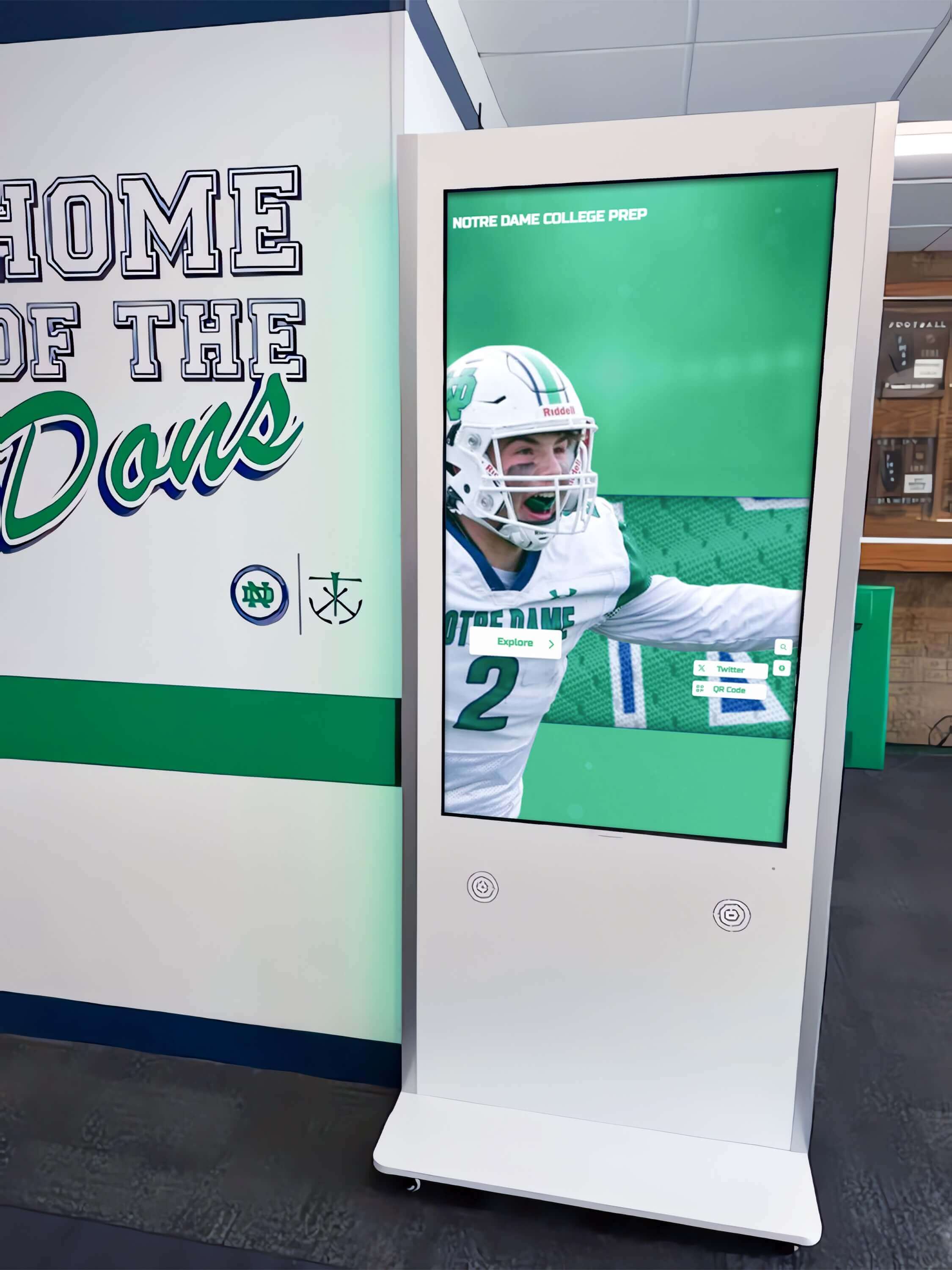
Athletic hallway installations serve student-athletes, coaches, and visiting families with sport-specific recognition content updated throughout the season
What Content Should Live on a School Touch Screen Video Wall?
Content strategy determines whether visitors return and whether the display justifies ongoing investment. Organize content around the audiences most likely to interact with the specific installation location.
Recognition Content Categories by Audience
For student-athletes and coaches:
- Athletic hall of fame inductee profiles with career statistics and biography
- Championship and record histories by sport, season, and individual category
- Senior spotlights updated each year featuring current athletes
- Coach career timelines and milestones
- Team photo and video archives browsable by season
For alumni and advancement audiences:
- Distinguished alumni gallery with career highlights and connection to the school
- Named scholarship and endowment displays linking donors to recipients
- Class year archive allowing graduates to find classmates and era milestones
- Capital campaign progress displays and naming recognition
- Oral history and interview video libraries featuring alumni voices
For prospective families and students:
- School mission, values, and community story
- Academic achievement showcases: honor rolls, National Merit scholars, state and national academic competitors
- Performing arts and extracurricular recognition: all-state musicians, theater awards, academic team championships
- College placement and scholarship outcomes
- Faculty and staff recognition
For community and event visitors:
- Current award cycle honorees updated in real time
- Event-specific spotlight content (homecoming, senior night, reunion weekends)
- Community service and citizenship recognition
- School history timeline spanning founding to present
How Often to Update Content
Stale content is the leading reason interactive displays lose engagement over time. Establish a content calendar before installation—not after.
| Content Type | Update Frequency | Who Owns It |
|---|---|---|
| Current season rosters and records | Weekly during season | Athletic director or coach |
| Award cycle honorees | Each cycle (monthly, semester, annual) | Recognition program coordinator |
| Hall of fame inductees | Annual induction ceremony | Alumni relations or athletic director |
| Donor recognition | As gifts are confirmed | Advancement or development office |
| School history and archives | Annual review and additions | Archivist, yearbook, or communications |
| Event-specific spotlights | Before each major event | Communications team |
Cloud-based content management platforms—such as those offered by Rocket Alumni Solutions—allow any authorized staff member to add honorees, upload photos, and publish updates from any internet-connected device without requiring technical expertise or vendor intervention.
How Touch Screen Video Walls Support Specific School Recognition Programs
Athletic Hall of Fame Inductions
Annual induction ceremonies gain impact when the new class of honorees appears on a prominently placed touch screen video wall the moment induction is announced. Families photograph inductees with the display. Local media capture the installation as part of event coverage. The display becomes a physical artifact of the honor that outlasts the ceremony itself.
Schools using digital trophy touch wall systems for hall of fame programs report that inductee engagement increases significantly when profiles include multimedia—video highlights, career statistics, and personal statements—rather than text and a photo alone.
Donor Stewardship Walls
Development offices face a persistent challenge: honoring donors visibly enough to reinforce giving behavior without creating awkward hierarchies or running out of physical wall space. A touch screen video wall solves both problems. Naming donors appear prominently with well-produced recognition pages. Scholarship donors see recipient profiles and thank-you messages. Planned giving society members receive legacy storytelling appropriate to the significance of their commitment.
The interactive format also allows tiered recognition within a single display: a top-level donor might have a full-screen profile with video, while annual fund donors appear in a browsable giving society directory—all coexisting on the same system without physical space competition.
Alumni Relations and Reunion Programming
Reunion weekends create unique recognition opportunities. A touch screen video wall populated with class year archives, faculty memories, and campus history provides a natural gathering point for returning graduates. Reunion committees can pre-load class-specific content—team photos, yearbook images, notable classmate achievements—that make the display feel personally curated for each returning class.
Schools managing high school wall of fame programs find that alumni who engage with interactive recognition displays during reunion events are more likely to make gifts, join advisory boards, and recruit other alumni back into the institution’s orbit.
Award Ceremony Integration
Academic award ceremonies, athletic banquet nights, and performing arts recognition events benefit from display integration throughout the event space. A touch screen video wall positioned in the event lobby gives families a browsable preview of honorees before the ceremony begins, reducing program length while increasing personalization. Post-event, the same display archives the ceremony honorees permanently—linking each name to a profile visitors can revisit throughout the year.
For detailed content planning around ceremonies, see our guide on award ceremony slideshow content for school recognition events.
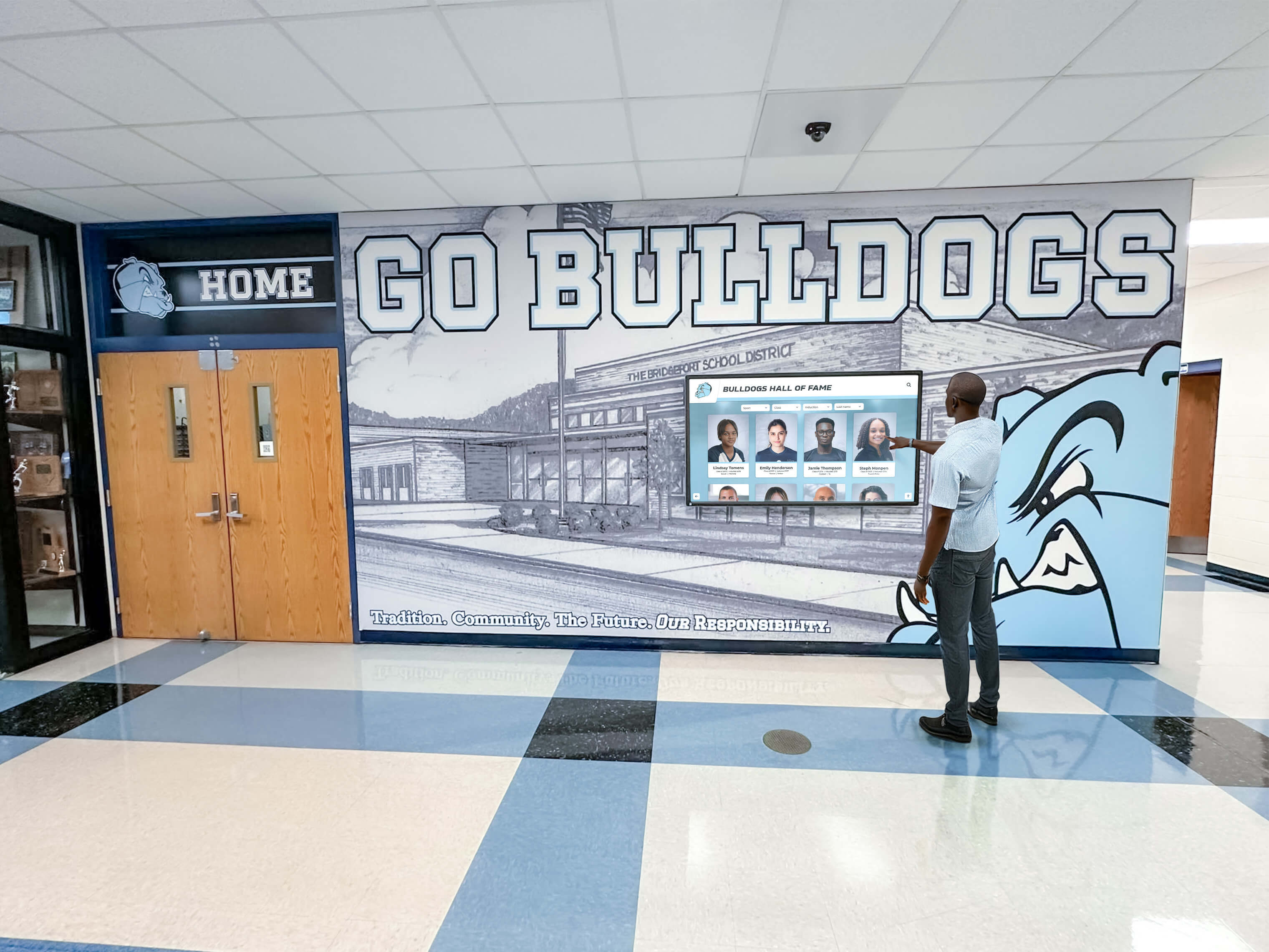
Interactive recognition displays invite direct engagement from visitors—extending the recognition experience beyond passive viewing into active personal discovery
Touch Screen Video Wall vs. Single Interactive Kiosk: Which Is Right?
Schools frequently ask whether a touch screen video wall is necessary or whether a single-panel interactive kiosk accomplishes the same goals at lower cost. Both are valid solutions—the choice depends on space, budget, content volume, and audience.
| Factor | Single Interactive Kiosk | Touch Screen Video Wall |
|---|---|---|
| Typical display size | 43–75 inches | 100–300+ inches combined |
| Simultaneous users | 1–2 | 4–10+ depending on configuration |
| Space requirement | Minimal — fits most wall niches | Significant — requires dedicated wall or architectural feature |
| Visual presence | Noticeable | Landmark |
| Content capacity | Large — limited by software, not hardware | Large — plus concurrent panel zones |
| Installation complexity | Low–medium | Medium–high |
| Cost range | Lower | Higher |
| Best for | Hallway kiosk zones, smaller lobbies, trophy case integration | Flagship lobbies, major renovations, high-traffic event spaces |
For most schools adding their first interactive recognition display, a single commercial-grade kiosk is the right starting point. Schools upgrading an existing program, completing a capital project, or establishing a flagship recognition destination should evaluate video wall configurations.
Our guides on touch screen kiosk solutions for schools and designing a touch screen experience that engages users provide additional context for both paths.
Planning and Maintenance: What Schools Get Wrong
Underestimating Content Production
Hardware installation is the easy part. Schools that invest in touch screen video walls without a parallel content production plan end up with beautiful displays showing placeholder content. Before finalizing a hardware purchase, confirm:
- Who will photograph and document honorees?
- Who will write profile copy?
- What historical photo and video assets are available and in what condition?
- What is the digitization plan for print archives, VHS recordings, and film photographs?
- Who has ongoing authority to approve and publish new content?
Ignoring Accessibility Requirements
Public school facilities are subject to ADA accessibility requirements. Touch screen video wall installations should account for:
- Mounting height: Primary interactive zones should fall within the 15-inch to 48-inch reach range for wheelchair users
- Text size and contrast: Content should meet WCAG AA standards for legibility
- Multi-touch gesture alternatives: Critical content should be accessible via large tap targets, not only pinch-zoom gestures
- Companion web access: A web-accessible version of the recognition content extends reach to visitors who cannot physically access the display
Skipping Network Infrastructure Planning
Touch screen video walls require reliable wired or wireless network connectivity for content management, remote updates, and optional live data integrations. Schools that install displays without dedicated network drops—or in locations with poor Wi-Fi signal—face ongoing maintenance headaches. Plan network infrastructure before installation, not after.
Neglecting Ongoing Maintenance Budgets
Commercial-grade displays carry 3-5 year warranties and 50,000–70,000 hour rated lifespans, but they require periodic cleaning, firmware updates, and eventual hardware replacement. Build a maintenance budget into the installation decision: plan for annual software subscription costs, periodic content refreshes, and hardware replacement reserves after year five.

Well-maintained interactive recognition displays remain engaging visitor destinations years after installation when content is kept current and hardware receives routine care
Quick-Reference: Is a Touch Screen Video Wall Right for Your School?
Strong yes — proceed with video wall planning if:
- Your recognition space is a flagship lobby, renovated athletic facility, or dedicated alumni center
- Multiple simultaneous users are expected during events and peak traffic periods
- Content spans athletics, academics, arts, alumni, and donors across multiple decades
- High-value audiences (major donors, recruits, accreditors) are primary visitors
- You are completing a facility renovation or new construction
- Budget supports $15,000–$60,000+ investment in recognition infrastructure
Consider a single kiosk instead if:
- Your display location is a hallway niche, trophy case area, or secondary corridor
- Primary audience is current students and daily school community
- Content focuses on one or two recognition programs rather than institution-wide
- Budget is in the $5,000–$15,000 range
- This is your first interactive recognition deployment
Questions to ask vendors before committing:
- What content management platform does the system run, and can our staff update it without vendor involvement?
- What is the touch technology type and rated lifespan for the displays?
- What does remote monitoring and support cover, and what are average response times for hardware failures?
- Can the system serve a companion website so recognition content is accessible beyond the physical display?
- What schools comparable to ours have you installed for, and can we contact them directly?
Frequently Asked Questions
How large should a touch screen video wall be for a high school main lobby? For a typical high school main entrance lobby with 15–30 foot ceiling height, a dual- or triple-panel installation totaling 120–180 inches provides visual presence proportional to the space while remaining approachable for individual interaction. Very large atriums may warrant four-panel or larger configurations.
Can a touch screen video wall be updated remotely without technical staff? Yes. Purpose-built recognition platforms allow authorized administrators, athletic directors, and communications staff to add honorees, upload photos, and publish updates from any internet-connected device. No on-site technical intervention is required for routine content management.
How long does a touch screen video wall installation take? Hardware installation by certified AV integrators typically requires one to three days depending on configuration complexity, wall preparation requirements, and network infrastructure. Content population—loading historical records, photos, and profiles—requires four to twelve weeks depending on content volume and digitization needs.
What is the expected lifespan of a touch screen video wall? Commercial-grade displays are rated for 50,000–70,000 hours of operation, equivalent to six to eight years of continuous 24-hour use. With typical school operational hours, hardware lifespans of eight to twelve years are common before display replacement is necessary. Software platforms operate on subscription models with ongoing updates independent of hardware cycles.
How do schools handle recognition content for multiple programs on one display? Multi-program content is organized through category navigation—athletics, academics, arts, alumni, donors—with each category browsable by subcategory, year, or individual name. Visitors self-select their area of interest rather than viewing everything sequentially. Well-designed navigation allows someone to find a specific graduate in under three taps from the home screen.
A touch screen video wall is a long-term institutional asset, not a technology purchase. Schools that approach the decision through the lens of recognition goals—who needs to be honored, who will be in the space, and what experience should those visitors have—make better hardware and placement choices than those that start from display specifications. When the recognition program, the audience, and the space all call for landmark-scale interactive experience, a touch screen video wall delivers what nothing else can.
For schools beginning this evaluation, our complete guides on touch walls for high schools and touch screen kiosk displays for school lobbies and hallways provide detailed frameworks for moving from initial interest to successful installation.































