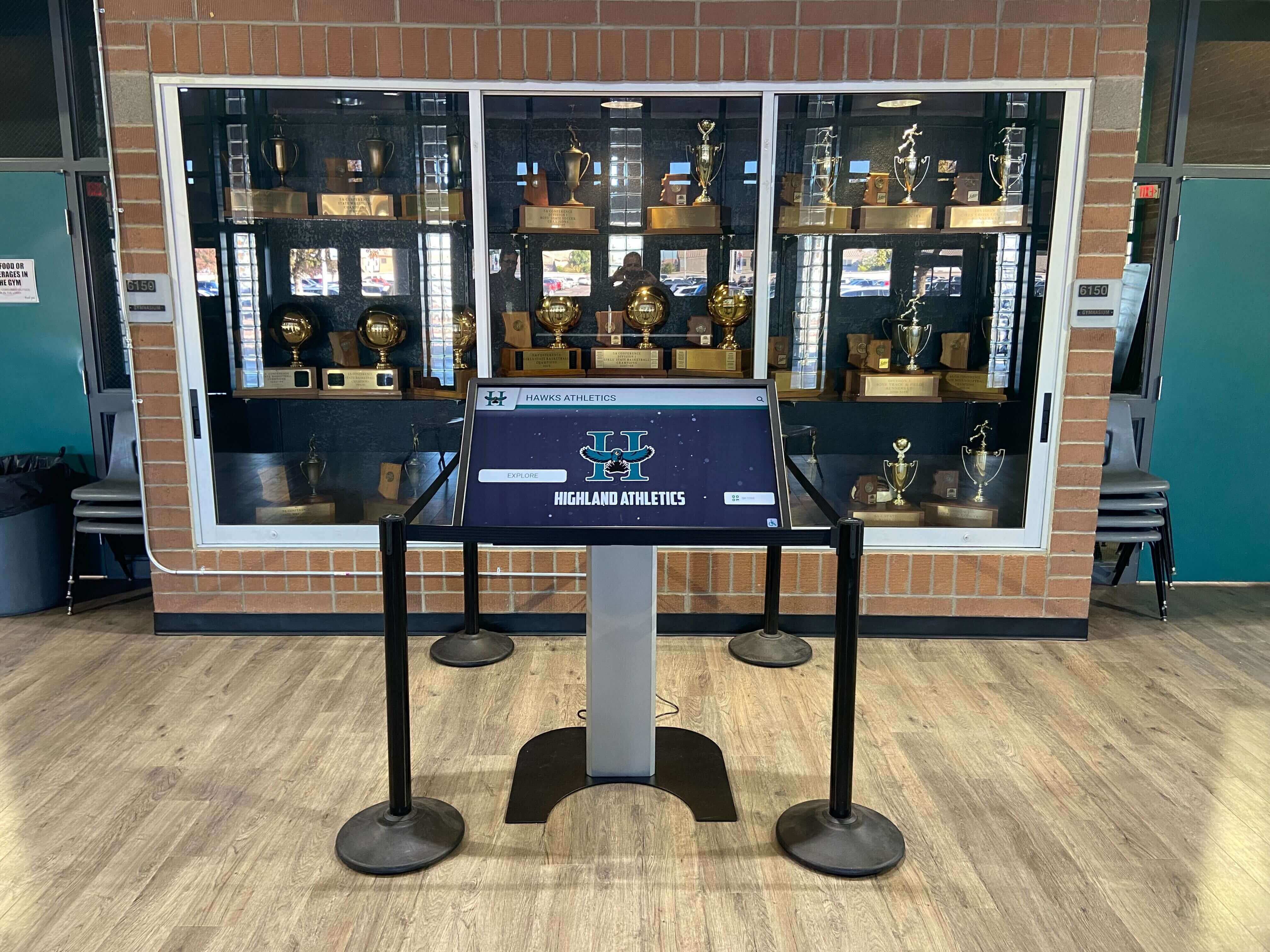




Touch screen kiosk solutions transform how schools communicate achievements, share information, and engage their communities. Modern educational institutions increasingly adopt interactive kiosks to replace static displays, creating dynamic experiences that celebrate student success, preserve institutional history, and provide on-demand information access in lobbies, hallways, and gathering spaces.
Traditional recognition methods—plaques, bulletin boards, and trophy cases—face physical limitations that interactive kiosks eliminate. A single touchscreen display showcases unlimited achievements, enables content updates without physical modifications, and creates engaging experiences that draw visitors into deeper exploration rather than passive observation.
This guide examines essential touch screen kiosk features for educational environments, outlines practical setup considerations from hardware selection through content deployment, and explains how live demonstrations help decision-makers evaluate solutions before commitment. Whether replacing outdated displays or launching new recognition initiatives, understanding kiosk capabilities ensures investments deliver lasting value across athletic, academic, and community engagement objectives.
Schools seeking interactive communication solutions need kiosks specifically designed for educational environments rather than retail or corporate applications. Purpose-built education kiosks address unique requirements including accessibility compliance, content management by multiple staff members, recognition-focused interfaces, and durability for high-traffic student areas with appropriate security features.

Touch screen kiosks integrate seamlessly into existing school spaces, transforming traditional trophy cases into interactive recognition centers
Essential Touch Screen Kiosk Features for Schools
Selecting appropriate kiosk solutions requires understanding which features directly serve educational objectives versus generic capabilities that add cost without institutional value. Schools benefit from focusing on recognition-centric functionality, content management accessibility, and long-term scalability rather than pursuing every available technical specification.
Interactive Recognition Capabilities
The primary value proposition for educational kiosks centers on recognition display—showcasing student achievements across athletics, academics, arts, and community involvement. Effective solutions enable deep content exploration beyond what static displays accommodate.
Unlimited profile capacity eliminates selection limitations inherent in physical plaques. Rather than choosing which athletes merit permanent recognition, schools showcase complete rosters across decades, creating comprehensive historical archives that honor all participants while highlighting exceptional achievement. Rocket Alumni Solutions specializes in recognition platforms designed specifically for unlimited profile management with intuitive browsing interfaces.
Multi-category organization enables visitors to explore content by sport, year, achievement type, or search functionality. Students seeking specific individuals navigate directly to profiles while casual browsers discover achievements through themed collections and featured content rotations.
Multimedia integration transforms profiles from name-and-photo listings into rich biographical presentations. Career statistics, championship documentation, video highlights, and post-graduation updates create engaging narratives that build emotional connections with institutional legacy.
Explore comprehensive recognition approaches in digital school tour interactive campus experiences that showcase multiple content categories through unified kiosk interfaces.
Timeline and historical features organize achievements chronologically, enabling decade-by-decade exploration that reveals program evolution. Comparison tools showing current athletes alongside historical records create meaningful context while celebrating continuous excellence.
Accessibility accommodations ensure all visitors engage effectively regardless of physical capabilities. Text-to-speech functionality, adjustable text sizing, high-contrast display options, and ADA-compliant interface heights serve diverse user needs while meeting legal requirements for public-facing technology.
Content Management System Requirements
Schools require content management capabilities designed for educational staff rather than technical specialists. Complex systems requiring IT involvement for routine updates create bottlenecks that leave content stale, defeating the dynamic advantages kiosks offer over static displays.
Cloud-based remote management enables authorized staff to update content from any location without physical access to kiosks. Athletic directors add game results during travel, administrators update recognition profiles during evenings, and multiple staff members collaborate on content without scheduling conflicts or venue restrictions.
Template-driven content creation eliminates design requirements for routine updates. Pre-formatted profile layouts, achievement certificates, and announcement templates maintain visual consistency while enabling rapid content deployment by staff focused on information accuracy rather than graphic design skills.
Bulk import functionality accommodates large-scale content additions efficiently. Rather than manually creating hundreds of individual athlete profiles, schools import roster data from existing spreadsheets, automatically generating formatted profiles that staff review and enhance with specific details and media assets.
Learn about software capabilities in touchscreen software complete guides covering management systems, interface design, and content workflow considerations.
Role-based permissions control access appropriately across different staff positions. Athletic directors manage sports content, academic coordinators update honor roll displays, and administrators maintain oversight without requiring technical gatekeepers for every content modification.
Scheduling and rotation tools automate content variations across seasons, events, and institutional priorities. Featured profiles rotate automatically, seasonal messaging appears according to academic calendars, and event-specific content activates without manual intervention ensuring displays remain current and relevant.
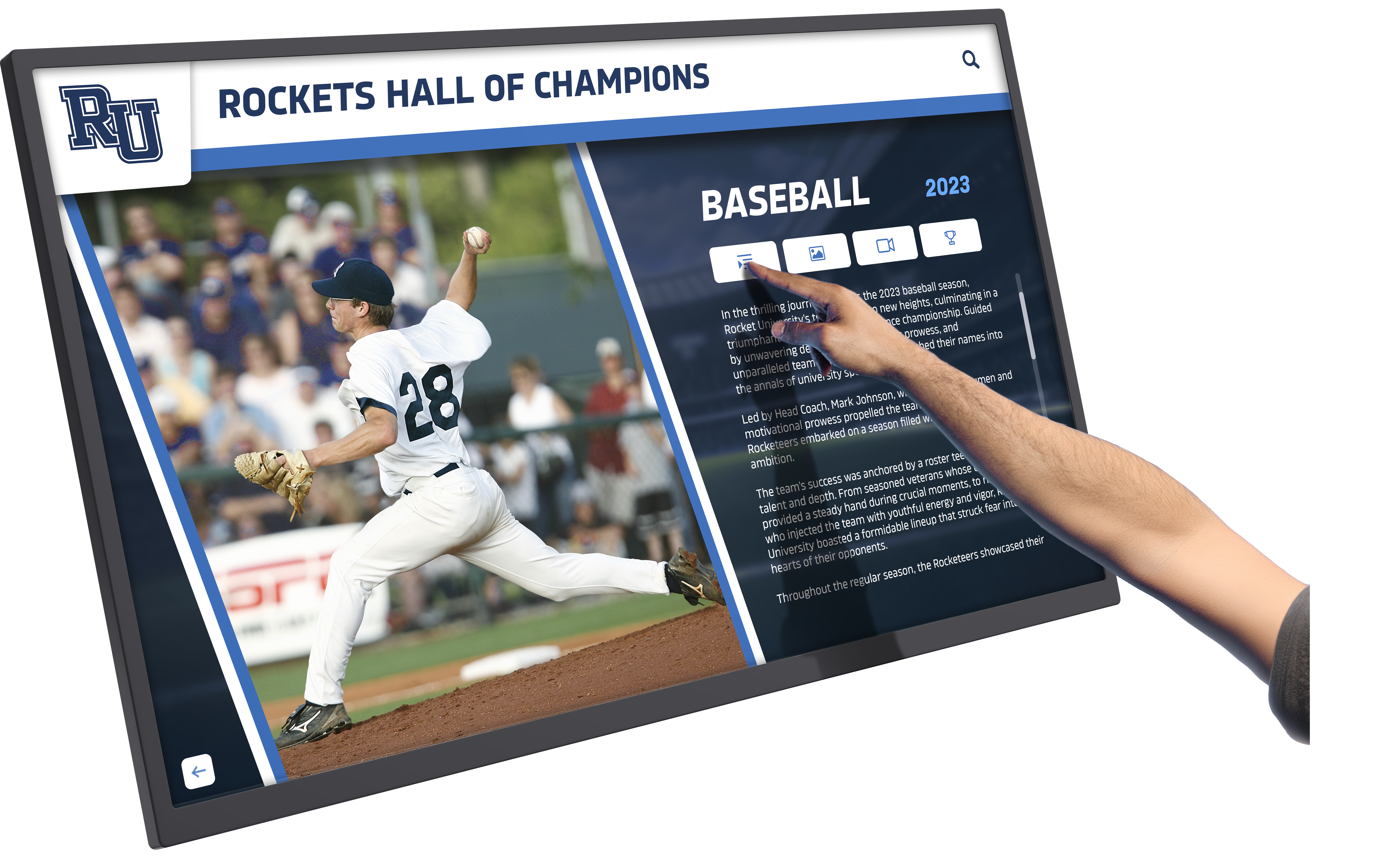
Intuitive touch interfaces enable visitors to explore detailed achievement profiles, statistics, and multimedia content through simple navigation
Hardware Specifications for Educational Environments
Educational kiosks operate in demanding environments with higher traffic, less supervision, and broader user demographics than typical corporate installations. Hardware specifications must address durability, security, and operational reliability appropriate for school settings.
Commercial-grade touchscreen displays withstand thousands of daily interactions across years of service. Consumer-grade touch technology degrades rapidly under institutional use, creating maintenance cycles and replacement costs that exceed initial savings from lower-specification purchases.
Vandal-resistant enclosures protect electronics while maintaining aesthetic appeal appropriate for school lobbies and hallways. Tempered glass, reinforced mounting systems, and cable concealment prevent both intentional damage and accidental equipment exposure from curious students.
Appropriate screen sizing balances visibility, space constraints, and content presentation needs. While larger displays create visual impact, 43-55 inch screens typically provide optimal combinations of readability, interaction comfort, and installation flexibility for standard school corridors and lobby spaces.
Brightness and viewing angle considerations ensure content remains visible under various lighting conditions. High ambient light in windowed lobbies requires higher brightness ratings, while wide viewing angles enable group viewing without clustering directly in front of displays.
Reliable media player integration drives content consistently without technical failures that create blank screens. Purpose-built media players designed for continuous operation outperform repurposed consumer devices susceptible to crashes, overheating, and software conflicts.
Network connectivity options accommodate varying school infrastructure capabilities. Hardwired ethernet connections provide reliable data transmission, while WiFi compatibility offers installation flexibility in locations where network cabling presents challenges or excessive costs.
Discover specialized implementations in ClearTouch hall of fame solutions demonstrating hardware and software integration for educational recognition displays.
Touch Screen Kiosk Setup Process for Schools
Implementing kiosks successfully requires systematic planning addressing technical installation, content preparation, and user experience design. Schools approaching implementation strategically avoid common pitfalls that create disappointing results or extended delays.
Site Assessment and Placement Planning
Strategic kiosk placement maximizes visibility and usage while accommodating technical requirements. Effective site selection considers traffic patterns, electrical infrastructure, network access, and space characteristics that support or hinder engagement.
High-traffic locations ensure kiosks receive attention rather than functioning as expensive decoration in overlooked corridors. Main entrances, cafeteria approaches, athletic facility lobbies, and gathering spaces where students and visitors naturally congregate create regular engagement opportunities.
Sight-line analysis identifies positions with clear visibility from natural approach angles. Kiosks placed perpendicular to traffic flow receive less engagement than installations positioned to catch attention from primary circulation routes through spaces.
Electrical and network infrastructure requirements must align with available building systems. Identifying outlet locations, network access points, and structural mounting capabilities during planning prevents installation surprises that require expensive remediation or compromise optimal placement.
ADA compliance positioning ensures wheelchair users access kiosks comfortably. Maximum mounting heights, minimum clear floor space, and approach angles must meet accessibility guidelines both for legal compliance and inclusive community access.
Environmental considerations account for sunlight glare, temperature extremes near exterior doors, and moisture exposure in pool or athletic facility environments. Site conditions directly impact display visibility, electronic longevity, and maintenance requirements over time.
Installation and Technical Configuration
Professional installation ensures kiosks function reliably while meeting safety, accessibility, and aesthetic standards. While some schools attempt self-installation to reduce costs, proper mounting, electrical work, and network integration typically justify professional expertise.
Structural mounting secures displays safely against accidental impact, intentional vandalism, and seismic requirements in applicable regions. Wall-mounted kiosks require stud location, appropriate fastener selection, and weight distribution analysis preventing eventual failure.
Electrical connections must meet code requirements for permanent installations. Dedicated circuits prevent interference from other equipment, proper grounding eliminates shock hazards, and concealed conduit maintains professional aesthetics appropriate for public spaces.
Network integration connects kiosks to school infrastructure for content updates and remote management. Static IP assignment, firewall configuration, and bandwidth allocation ensure reliable connectivity without compromising network security or performance for other institutional systems.
Content management system deployment installs software, establishes administrator accounts, configures user permissions, and implements initial content structure. Proper CMS setup during installation prevents configuration issues that complicate ongoing management and require technical intervention.
Testing and quality assurance validates touch responsiveness, content display accuracy, network connectivity stability, and management system functionality before declaring installations complete. Systematic testing identifies issues while installation teams remain available rather than discovering problems weeks later.
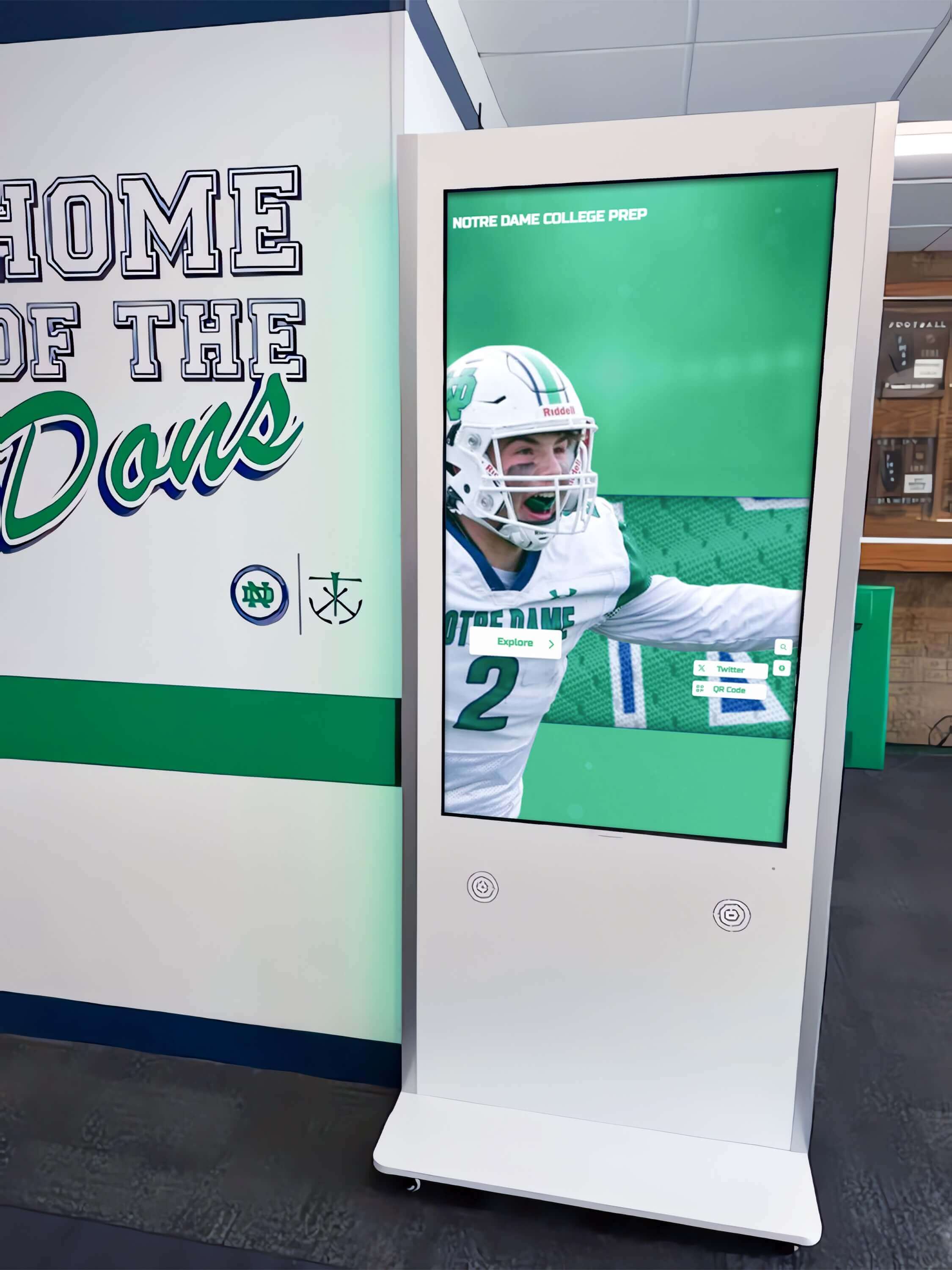
Professional installation integrates kiosks seamlessly into school architecture with proper mounting, concealed wiring, and accessible positioning
Content Development and Population
Kiosk value depends entirely on content quality and comprehensiveness. Displays with minimal, generic, or outdated content create poor impressions regardless of hardware sophistication. Successful implementations invest substantially in content development before and after installation.
Historical content migration digitizes existing recognition records from plaques, banners, yearbooks, and archives. While time-intensive, comprehensive historical content establishes kiosks as authoritative institutional records rather than incomplete new initiatives that ignore established legacy.
Photography and media collection gathers visual assets supporting engaging profiles. High-quality photos, action shots, championship documentation, and video clips transform basic biographical listings into compelling visual narratives that hold visitor attention.
Data organization and formatting structures information consistently across profiles, eras, and achievement categories. Standardized data fields, naming conventions, and classification systems enable effective searching, filtering, and comparative analysis within kiosk interfaces.
Explore content organization strategies through building directory touchscreen wayfinding guides demonstrating information architecture principles applicable to various kiosk applications.
Ongoing content protocols establish processes ensuring displays remain current rather than becoming digital versions of neglected trophy cases. Assignment of update responsibilities, content submission workflows, and regular review schedules maintain kiosk relevance across years.
User testing and refinement validates navigation intuitiveness and content organization effectiveness with actual users. Observing students, visitors, and community members interact with kiosks reveals usability issues, confusing organization, or missing content categories before broader audiences encounter problems.
Live Demonstration Options and Evaluation Process
Schools invest substantial resources in kiosk solutions that serve communities for decades. Live demonstrations enable informed evaluation of competing systems, revealing functional differences, content management realities, and long-term support models that marketing materials obscure.
Virtual and In-Person Demo Formats
Kiosk vendors offer various demonstration formats accommodating different evaluation stages and decision-maker schedules. Understanding demonstration types helps schools request appropriate formats matching current evaluation phases.
Screen-sharing virtual demonstrations provide initial overviews without travel requirements. Vendors demonstrate interfaces, content management systems, and key features through video conferencing, enabling multiple stakeholders to participate regardless of location. While convenient, virtual demos cannot replicate physical interaction experiences central to kiosk evaluation.
Interactive online demos allow self-guided exploration of live systems through web browsers. Schools navigate actual kiosk interfaces, test search functionality, explore content organization, and experience user perspectives independently without scheduling constraints. Online demos complement scheduled presentations by enabling extended evaluation and stakeholder review.
In-person demonstrations at existing installations showcase real-world implementations in operational school environments. Visiting similar institutions using kiosk systems reveals actual usage patterns, content comprehensiveness, physical integration, and community engagement rather than idealized vendor presentations. Observing students and visitors interact with displays provides invaluable context.
On-campus vendor demonstrations bring portable kiosk systems to schools for hands-on evaluation. Decision-makers, staff, students, and community members interact directly with hardware and software, testing touch responsiveness, navigation intuitiveness, and content presentation in familiar environments where kiosks will ultimately function.
Trial installations allow schools to operate kiosk systems temporarily before final commitments. Extended evaluation periods reveal content management realities, ongoing support responsiveness, and long-term operational considerations that brief demonstrations cannot expose. While not universally available, trial opportunities significantly reduce implementation risk.

Live demonstrations enable stakeholders to experience kiosk interfaces firsthand, evaluating usability and feature sets in realistic scenarios
Key Evaluation Criteria During Demonstrations
Effective demonstrations focus evaluation on factors directly impacting long-term satisfaction rather than superficial features or sales presentations emphasizing specifications over functionality. Schools benefit from systematic assessment frameworks applied consistently across competing vendors.
Content management accessibility determines whether non-technical staff can update content independently or require ongoing IT support. During demonstrations, request permission to attempt routine tasks like adding profiles or updating information, revealing actual difficulty levels versus vendor claims of “easy management.”
Navigation intuitiveness for typical users matters more than administrator perspectives. Observe how quickly first-time users locate specific content, whether organization makes sense without instruction, and if interfaces accommodate both directed searches and exploratory browsing effectively.
Scalability and capacity limitations affect long-term value as content libraries grow. Clarify whether systems accommodate unlimited profiles without performance degradation, subscription pricing models that penalize content growth, or technical constraints requiring future platform migrations.
Integration capabilities with existing school systems streamline workflows and enhance functionality. Evaluate whether kiosks accept data imports from student information systems, athletic management platforms, or other institutional databases, eliminating redundant data entry creating maintenance burdens.
Support and training models significantly impact ongoing success beyond initial implementation. Assess included training comprehensiveness, ongoing support accessibility, software update frequency and costs, and long-term vendor stability suggesting sustained availability.
Review digital display options through Rise Vision alternatives for free digital signage comparing different platform approaches and business models for school display systems.
Questions to Ask During Kiosk Demonstrations
Prepared questions ensure demonstrations address substantive concerns rather than allowing vendors to control conversations toward strengths while avoiding limitations. Schools should request specific demonstrations of functionality rather than accepting general assurances.
Content management questions:
- How do non-technical staff add new profiles or update existing content?
- Can multiple staff members work on content simultaneously without conflicts?
- What happens to content if we discontinue the service?
- How are content backups handled and who owns the data?
Technical and support questions:
- What hardware components require eventual replacement and at what costs?
- How are software updates deployed and what do they cost?
- What support channels are available and during what hours?
- Can you provide references from schools using systems for 5+ years?
Accessibility and compliance questions:
- How does the system accommodate visually impaired users?
- What ADA compliance features are built into interfaces and hardware?
- Can text sizing and contrast be adjusted by users?
- Are there audio description options for visual content?
Cost and contract questions:
- What is total five-year cost including hardware, software, support, and updates?
- Are there per-profile or storage limits that increase costs?
- What contract terms govern price increases over time?
- What happens to our content and hardware if we change vendors?

Effective demonstrations reveal how diverse users—students, visitors, and community members—naturally interact with kiosk interfaces
Touch Screen Kiosk Applications Across School Environments
While athletic recognition represents the most common kiosk application in schools, versatile platforms serve multiple institutional objectives through different content configurations and placement strategies. Understanding diverse use cases helps schools maximize kiosk investments beyond single-purpose installations.
Athletic Recognition and Records Display
Athletic departments gain powerful tools for celebrating achievement, preserving program history, and engaging alumni and community supporters. Comprehensive sports kiosks replace limited trophy cases with expandable digital recognition accommodating complete program documentation.
Hall of fame presentations showcase inductees with detailed biographies, career statistics, championship documentation, and multimedia assets that static plaques cannot accommodate. Visitors explore decades of excellence through searchable, browsable interfaces organized by sport, era, or achievement category.
Current season information keeps displays relevant with live statistics, roster profiles, upcoming schedules, and recent results. Automated data feeds from athletic management systems eliminate manual updates while ensuring accuracy and timeliness attractive to students and families.
Record boards and milestone tracking document program achievements across sports, highlighting school records, conference championships, individual milestones, and statistical leaders. Comparative features show how current athletes measure against historical standards, creating compelling narratives across generations.
Discover athletic recognition approaches in computer hall of fame recognition guides demonstrating comprehensive profile development and achievement documentation strategies.
Academic Achievement Celebration
Academic recognition deserves equal prominence to athletic honors, yet schools often struggle to display intellectual achievements as compellingly as sports trophies. Academic-focused kiosks address this imbalance while celebrating diverse student excellence.
Honor roll and academic awards gain visibility through interactive displays updated each semester with current recipients. Historical archives show academic achievement trends, distinguished scholar recognition, and subject-specific honors across decades of institutional excellence.
Scholarship and college acceptance displays celebrate post-graduation success while inspiring current students. Documentation of scholarship recipients, college destinations, academic program selections, and competitive admissions results demonstrates educational outcomes to prospective families and community supporters.
Academic competition achievements highlight often-overlooked intellectual accomplishments in science olympiad, mathematics team, debate tournaments, robotics competitions, and other academic contests. Profiles featuring team members, competition results, and program histories build recognition for academic pursuits.
Historical Archives and Institutional Legacy
Schools possess rich histories that physical space constraints often prevent sharing comprehensively. Digital archives through interactive kiosks preserve and present institutional stories engaging current and future community members.
Timeline presentations organize institutional history chronologically from founding through present day. Major milestones, facility expansions, program launches, and leadership transitions create comprehensive narratives showing school evolution across decades or centuries.
Yearbook archives digitize decades of publications, making historical photos, class composites, activities, and student life documentation accessible through searchable interfaces. Alumni reconnect with memories while current students gain historical perspective on institutional traditions.
Notable alumni spotlights document graduate accomplishments across professions, community service, and various life achievements. Where-are-they-now features maintain ongoing connections with accomplished alumni while inspiring current students through success stories.
Explore historical content approaches in school historical timeline display guides covering organization strategies and multimedia integration for comprehensive institutional narratives.
Donor Recognition and Development Support
Development offices gain sophisticated tools for acknowledging contributions, engaging donors, and demonstrating fundraising impact through interactive recognition displays strategically placed in high-visibility locations.
Donor walls accommodate unlimited recognition capacity across giving levels, campaign phases, and contribution types. Interactive formats eliminate physical space constraints while enabling ongoing additions without renovation projects required for traditional donor walls.
Giving impact demonstrations show how contributions translate into tangible institutional improvements through before-and-after photos, project documentation, and beneficiary testimonials. Visual storytelling creates emotional connections between donations and outcomes more effectively than static recognition plaques.
Campaign progress tracking maintains donor engagement through real-time fundraising totals, goal visualizations, and major gift announcements. Dynamic content keeps campaigns visible and relevant throughout extended timeframes spanning months or years.
Student Information and Campus Wayfinding
Practical information delivery through kiosks serves daily operational needs beyond recognition and historical applications. Wayfinding, directory, and informational kiosks improve campus navigation while reducing staff interruptions from directional questions.
Building directories help visitors locate offices, classrooms, athletic facilities, and specific staff members through searchable interfaces with campus maps and directional guidance. Particularly valuable for larger campuses, directory kiosks improve visitor experience while reducing reception desk workload.
Event calendars and announcements display upcoming activities, schedule changes, and time-sensitive information requiring broad visibility. Automated content feeds from school management systems ensure accuracy while eliminating manual update requirements.
Emergency information capabilities enable rapid communication during crisis situations through attention-grabbing alerts that override regular content. Integration with emergency notification systems provides additional communication channels beyond email and text messaging.
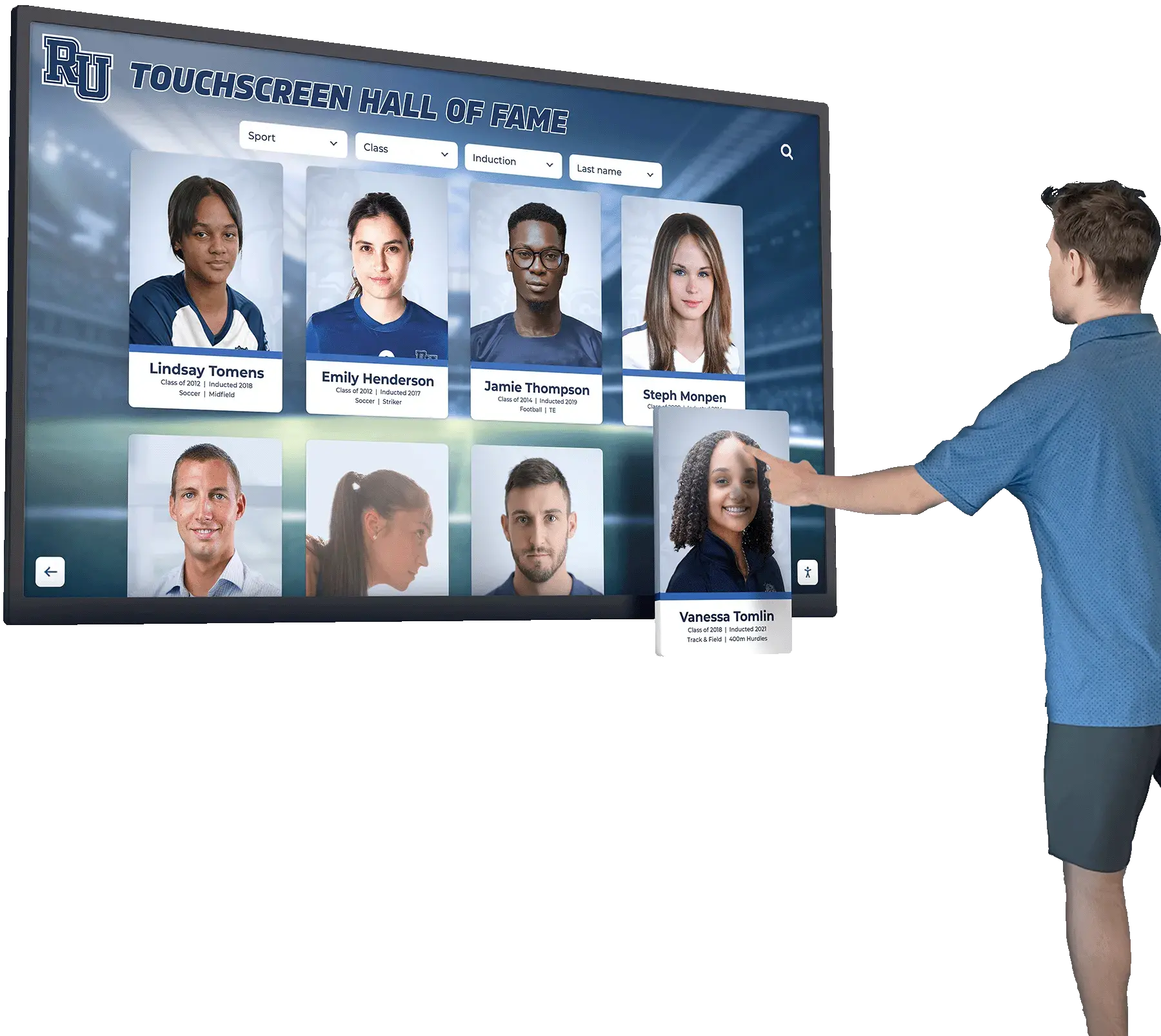
Versatile kiosk platforms accommodate diverse applications from recognition to wayfinding, maximizing institutional technology investments
Future-Proofing Touch Screen Kiosk Investments
Kiosk installations represent substantial commitments expected to serve schools for ten years or longer. Selection criteria should emphasize long-term adaptability, sustainable business models, and architectural flexibility preventing premature obsolescence as technologies and institutional needs evolve.
Technology Evolution and Platform Sustainability
Hardware specifications current today will seem limited within several years as display technologies, touch interfaces, and processing capabilities advance. Schools benefit from platforms designed for component upgrades rather than complete system replacements when capabilities lag.
Modular hardware architecture allows display panel replacements, media player upgrades, and component refresh without discarding entire installations. Systems designed around standard mounting interfaces and replaceable components extend useful life while controlling long-term costs.
Software platform independence prevents vendor lock-in forcing expensive migrations if companies change business models, discontinue products, or cease operations. Cloud-based content management independent of specific hardware manufacturers provides flexibility to refresh equipment without losing content investments.
Open data standards ensure content portability if platform changes become necessary. Schools should verify ability to export complete content libraries in standard formats rather than proprietary structures requiring extensive reformatting for alternative systems.
Responsive vendor development indicates ongoing platform investment rather than stagnant products receiving minimal updates. Regular feature additions, interface improvements, and expanded capabilities signal healthy business models supporting long-term partnerships.
Examine forward-looking approaches in future trends for digital walls of fame and AI beyond exploring emerging technologies and implementation strategies.
Budgeting for Total Cost of Ownership
Initial purchase prices represent only portions of true kiosk costs over operational lifespans. Comprehensive budgeting accounts for implementation, ongoing operation, maintenance, content development, and eventual replacement components creating accurate investment comparisons across vendors.
Implementation costs include hardware, installation, network infrastructure modifications, content management systems, initial content development, training, and contingency budgets for unexpected requirements. Underfunding implementation creates compromised installations or budget overruns requiring emergency funding.
Annual operating costs cover software licenses or subscriptions, support agreements, electricity consumption, network bandwidth, insurance, and content updates. Some vendors bundle costs while others itemize components—comparisons require normalizing to equivalent service levels.
Maintenance and replacement reserves account for eventual component failures, technology refreshes, and periodic upgrades maintaining relevance. Setting aside annual reserves prevents deferred maintenance creating declining user experiences or catastrophic failure requiring emergency replacements.
Content development investments often exceed hardware costs across kiosk lifespans. Comprehensive historical digitization, ongoing profile additions, photography, and maintenance require sustained commitments of staff time or contracted services frequently underestimated during planning.
Staff Training and Change Management
Technology success depends on user adoption and staff capabilities maintaining content quality over time. Implementation budgets should include comprehensive training ensuring confident system usage rather than abandoned investments creating expensive digital monuments to poor planning.
Administrator training covers content management system navigation, profile creation and editing, media uploads, user permission management, and troubleshooting common issues. Multiple staff members should achieve proficiency preventing single points of failure when key individuals leave positions.
Content contributor training prepares athletic directors, academic coordinators, librarians, and other content providers to submit information efficiently through established workflows. Clear submission formats, approval processes, and quality standards maintain consistency across multiple contributors.
User experience design consideration ensures kiosk interfaces remain intuitive for general audiences without instruction. While staff training addresses content management, public-facing interfaces must function intuitively for first-time users encountering minimal friction during exploration.
Ongoing professional development maintains skills as systems evolve and staff members change. Annual training updates, documentation libraries, and vendor support relationships ensure capabilities persist beyond initial implementation enthusiasm.
Measuring Touch Screen Kiosk Success and Engagement
Kiosk investments merit performance assessment demonstrating community value, justifying expansion investments, and identifying improvement opportunities. While measuring physical display engagement presents challenges, various approaches provide useful insights into usage patterns and satisfaction levels.
Usage Analytics and Interaction Tracking
Modern kiosk platforms include analytics capabilities revealing user behavior, popular content, navigation patterns, and engagement duration. Understanding actual usage informs content strategy while documenting value to stakeholders.
Interaction frequency shows daily, weekly, and seasonal usage patterns indicating whether displays receive consistent engagement or function primarily as decoration. Low interaction rates suggest placement issues, content problems, or awareness gaps requiring attention.
Content popularity analysis identifies which profiles, categories, and features attract most attention versus overlooked sections receiving minimal engagement. Popular content guides featured profile selection while underutilized areas suggest reorganization or promotion needs.
Session duration metrics indicate engagement depth versus superficial interaction. Brief visits may reflect effective wayfinding accomplishment while extended sessions suggest compelling content exploration—interpretation depends on kiosk purpose and content types.
Search query analysis reveals what visitors seek, highlighting content gaps where expected profiles or information don’t exist. Frequent unsuccessful searches indicate high-priority additions improving user satisfaction and display comprehensiveness.
Qualitative Feedback and User Surveys
Quantitative analytics reveal usage patterns but not satisfaction levels or improvement priorities. Systematic feedback collection through surveys, interviews, and observation provides context for numerical data while surfacing specific enhancement opportunities.
User satisfaction surveys administered periodically assess overall impressions, navigation experiences, content quality, and feature requests. Brief questionnaires displayed on kiosks themselves capture feedback from actual users during natural interaction moments.
Stakeholder interviews with athletic directors, administrators, teachers, and community members reveal whether kiosks serve intended purposes from provider perspectives. Structured conversations identify workflow improvements, content needs, and institutional objective alignment.
Observational studies watching visitors interact with kiosks reveal usability issues, confusing navigation, and behavioral patterns surveys might miss. First-time user observations particularly illuminate intuitive design successes and improvement needs.
Alumni and visitor testimonials document emotional responses and memory connections that justify investments beyond utilitarian metrics. Stories about alumni rediscovering achievements or families exploring school history demonstrate community impact transcending usage statistics.
Continuous Improvement and Content Evolution
Successful kiosk programs treat installations as living platforms requiring ongoing attention rather than completed projects. Regular content additions, interface refinements, and feature enhancements maintain relevance and engagement across years of operation.
Quarterly content reviews assess currency, completeness, and quality across profile categories. Systematic reviews identify outdated information, missing recent achievements, and expansion opportunities ensuring displays grow rather than stagnate.
Annual feature assessments evaluate whether existing capabilities serve current needs or if platform expansions would increase value. Technology advancement, institutional priority shifts, and user expectations evolve—periodic reassessment prevents display obsolescence.
Community input mechanisms invite suggestions, content submissions, and feature requests from students, staff, alumni, and visitors. Engagement in shaping kiosk evolution builds investment in success while surfacing improvement ideas internal teams might overlook.
Best practice sharing among schools using similar systems accelerates learning and prevents redundant problem-solving. Vendor user groups, professional association discussions, and peer institution networking reveal successful strategies transferable across environments.
Explore specialized recognition applications in gymnastics record boards and STEM stars recognition walls demonstrating content approaches for specific program types.
Conclusion: Selecting the Right Touch Screen Kiosk Solution
Touch screen kiosk implementation transforms how schools celebrate achievement, preserve history, and engage communities when approached strategically with emphasis on purpose-built educational solutions rather than generic digital signage adaptations. Success depends on careful vendor selection, comprehensive content planning, and sustained organizational commitment to maintaining display relevance across years of service.
Schools should prioritize recognition-centric platforms offering unlimited scalability, accessible content management for non-technical staff, and proven longevity in educational environments. Live demonstrations reveal functional realities beyond marketing claims while existing installation visits provide invaluable insights into long-term satisfaction and operational considerations.
The investment extends beyond hardware acquisition to encompass content development, staff training, ongoing maintenance, and continuous improvement ensuring kiosks serve institutional objectives rather than becoming expensive digital decorations. When implemented thoughtfully with appropriate technology partners, touch screen kiosks create lasting value through enhanced recognition, preserved institutional memory, and strengthened community connections that justify costs across decades of service.
Experience Interactive Recognition Technology
See how Rocket Alumni Solutions’ purpose-built recognition platforms transform school displays from static plaques into engaging interactive experiences. Our touchscreen kiosks accommodate unlimited achievements, enable intuitive content management by school staff, and create compelling recognition experiences that celebrate every student success story across athletics, academics, and community involvement.
Schedule your live demonstration today to explore interactive kiosk capabilities designed specifically for educational institutions. Discover how comprehensive recognition systems preserve institutional legacy while engaging current students, honoring alumni, and strengthening community pride through professional digital displays that grow with your programs.































