



School lobbies and hallways make powerful first impressions — on students, parents, prospective families, and visiting officials. A well-placed touch screen kiosk display transforms those spaces from static corridors into dynamic, interactive environments where visitors can explore decades of student achievement, find their way across campus, and connect with the school’s culture in seconds. Choosing the right interactive screen, however, means wading through hardware specs, software ecosystems, installation requirements, and budget realities before a single touchpoint comes to life.
This guide walks through every dimension of that decision: from display size and touch technology to software capabilities and placement strategy. Whether you’re equipping a main entrance lobby, an athletic hallway, a library commons, or a gymnasium concourse, the right touch screen kiosk delivers measurable engagement — and the wrong one sits unused within a semester. Use this framework to evaluate options confidently and invest in a system your school will actively use for years.
Walk into a school lobby and you immediately sense whether the institution takes its achievements seriously. Dusty trophy cases, faded paper rosters, and overloaded bulletin boards signal institutional drift, while a bright interactive touchscreen drawing students and visitors into exploration sends the opposite message: this school knows its story and tells it proudly.

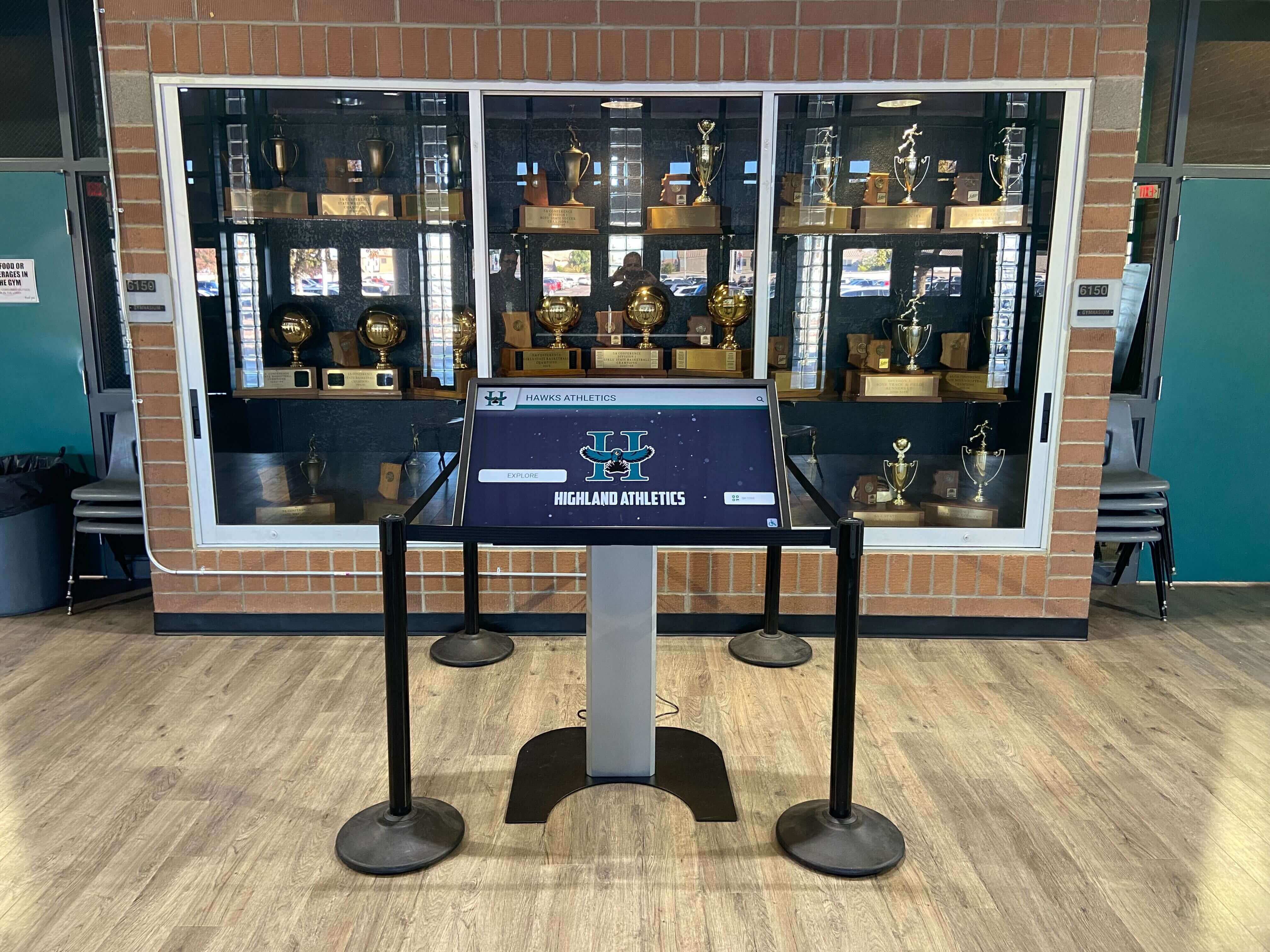
A touch screen kiosk display transforms a traditional trophy case area into an interactive achievement experience
The rise of purpose-built touch screen kiosk displays designed for educational environments has made this transformation accessible for schools of every size — from small community high schools to large university athletic complexes. Understanding what separates a strong investment from an expensive disappointment starts with knowing what schools actually need from interactive screens in their specific spaces.
Why School Lobbies and Hallways Demand Interactive Screens
Standard digital signage broadcasts content at passive viewers. A touch screen kiosk display invites active exploration, enabling visitors to discover exactly the information they came for rather than waiting through a rotation that may never show it. In school environments, that distinction matters enormously.
The Engagement Gap Between Passive and Interactive Displays
Students, parents, and alumni interact with static lobby displays the same way they interact with wallpaper — they register that it exists, absorb nothing specific, and move on. Research on digital signage engagement consistently shows that interactive touchscreens achieve dwell times three to five times longer than equivalent passive displays. In a school lobby, that difference separates a visitor who briefly notes “that’s nice” from one who spends four minutes exploring athletic history, discovering a coach’s career record, or finding a map to their meeting location.
Schools implementing interactive kiosk displays for student recognition find that touchscreen TV systems for athletic information in high schools transform otherwise overlooked hallway spaces into destinations students actively seek out between classes.
High-Traffic School Spaces That Benefit Most
Not every hallway needs an interactive kiosk, but several school spaces are proven high-value placement zones:
- Main entrance lobbies where every visitor enters and often waits during arrivals, dismissal, and events
- Athletic hallways connecting locker rooms, gymnasiums, and field entrances used by student athletes daily
- Library and media center commons where students gather during free periods and study hall
- Guidance and counseling suites where students research college and scholarship opportunities
- Gymnasium concourses and bleacher entrances where families arrive early for events
- Administrative reception areas where community members wait before meetings
- Alumni gathering spaces designated for homecoming, reunions, and donor visits
Each of these spaces has distinct traffic patterns, audience types, and content priorities that inform the right hardware and software configuration.
Key Specifications: What to Evaluate in a Touch Screen Kiosk Display
Hardware selection establishes the foundation. Choosing undersized, low-brightness, or poorly positioned displays creates frustration regardless of how strong the content platform is. Evaluate these specifications systematically before any purchase decision.

High-brightness commercial displays ensure visibility in varied lighting conditions throughout the school day
Screen Size and Viewing Distance
Screen size should match the expected viewing distance in each specific location. Schools frequently undersize lobby displays, selecting 43-inch consumer TVs when the physical space and traffic volume call for 55- or 65-inch commercial panels.
General guidelines by space type:
- Small reception or guidance areas (typical viewing distance 3–6 feet): 43–55 inches
- Standard hallway or corridor installations (typical viewing distance 5–10 feet): 55–65 inches
- Large lobby or atrium spaces (typical viewing distance 8–15 feet): 65–85 inches
- Gymnasium concourse or event spaces (typical viewing distance 10–20 feet): 75+ inches or multi-display configurations
For touch interaction, mounting height matters as much as screen size. Displays should center around 60–65 inches from the floor to the screen center, accommodating comfortable reach for most visitors including students across grade levels.
Touch Technology: Projected Capacitive vs. Infrared
Two dominant touch technologies appear in educational kiosk displays, each with meaningful tradeoffs:
Projected Capacitive (PCAP)
- Most responsive technology, same principle as smartphone screens
- Works with light touch through a protective glass overlay
- Highly durable and vandal-resistant with no moving parts
- Best for spaces with consistent lighting and high interaction frequency
- Typically more expensive than IR alternatives at equivalent screen sizes
Infrared (IR)
- Uses LED arrays and light sensors across display edges
- Works with any object including gloved hands, pens, or styluses
- Slightly less precise but suitable for most recognition and information applications
- More sensitive to direct sunlight interference in bright lobbies
- Generally more cost-effective for larger screen sizes
For school lobbies and hallways used regularly by students, PCAP technology delivers the most reliable daily performance. For larger event-space displays with occasional visitor use, IR technology offers a cost-effective alternative that performs adequately for most content interactions.
Brightness and Ambient Light Performance
Consumer televisions with 250–350 nit brightness panels look excellent in dim living rooms and fail completely in sun-drenched school lobbies. Commercial touch screen kiosk displays specify brightness in nits, and educational environments require careful attention to ambient light conditions:
- Interior spaces with no direct sunlight: 400–600 nit panels perform well
- Lobbies with significant window light or skylights: 700–1,000 nit panels recommended
- Near exterior glass doors or south-facing windows: 1,000+ nit high-brightness panels essential
Schools discover this specification gap after installation when poorly chosen panels wash out completely during morning arrival when sunlight streams through entrance doors. Specify ambient light conditions accurately when evaluating displays to avoid expensive post-installation remediation.
Durability, Vandal Resistance, and Enclosure Options
School environments expose displays to impacts, moisture, cleaning chemicals, and the inevitable experiments of curious students. Commercial-grade touch screens designed for public environments carry protection ratings that consumer displays lack:
- IP-rated enclosures protect internal electronics from moisture and cleaning spray
- Tempered glass overlays resist impacts that would shatter standard display panels
- Commercial-grade panels specify mean time between failures measured in tens of thousands of hours
- Anti-glare coatings maintain visibility while reducing fingerprint accumulation
- Lockable enclosures prevent access to connection ports and mounting hardware
Understanding the equipment and manufacturing considerations for touchscreen kiosks helps schools ask the right questions during vendor evaluation and avoid consumer-grade hardware that degrades rapidly under institutional use patterns.
Software Matters More Than Hardware
A premium touch screen kiosk display running poor software becomes an expensive frustration. A well-specified display running purpose-built educational recognition software becomes an institutional asset schools reference in enrollment conversations, donor meetings, and community events.
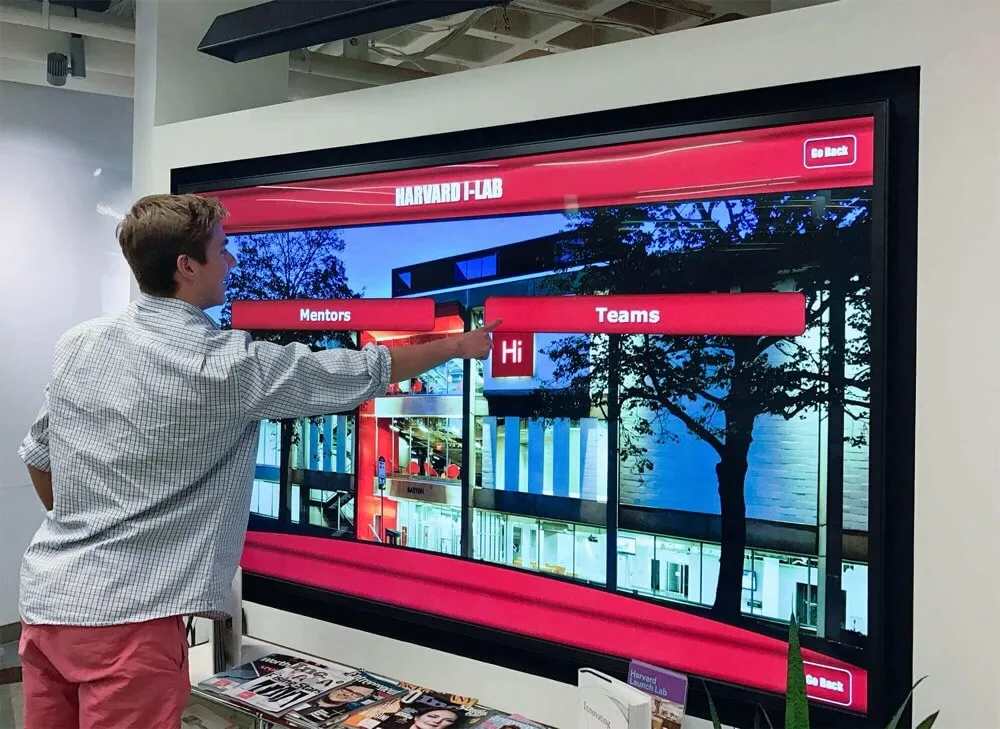
Purpose-built software enables rich, searchable content experiences beyond basic digital signage slideshows
What Distinguishes Educational Kiosk Software
Generic digital signage platforms manage content broadcasting. Educational recognition kiosk platforms manage searchable achievement databases with rich multimedia profiles, historical records, and interactive navigation designed for how students, families, and visitors actually explore school achievements.
Core software capabilities to evaluate:
- Searchable achievement databases enabling visitors to find specific athletes, academics, or alumni by name
- Rich multimedia profiles combining photos, video clips, statistics, and biographical narratives
- Historical depth maintaining decades of achievement records without capacity constraints
- Category navigation organizing content across athletics, academics, arts, activities, and alumni
- Administrative simplicity enabling staff to update content without technical expertise
- Remote content management updating displays from any internet-connected device
- Multi-display synchronization pushing content updates to multiple locations simultaneously
- Analytics and usage reporting showing which content receives the most engagement
Reviewing digital wall of fame UX design principles reveals how thoughtful interaction design determines whether visitors engage deeply or give up after a few confused taps — a distinction invisible in hardware specs but decisive in real-world deployment.
The On-Screen Keyboard Consideration
Touch screen kiosk displays used for search functionality require on-screen keyboards that perform reliably under varied usage patterns. HTML on-screen keyboard design for touchscreen kiosks covers the technical considerations that determine whether name search feels fluid or frustrating — a critical detail in school lobbies where visitors have limited patience for technology that fights back.
Well-designed educational kiosk software handles keyboard presentation automatically based on interaction context, scaling appropriately for the display size and suppressing system-level interfaces that create confusing experiences in public installations.
Common Use Cases in School Touch Screen Kiosk Deployments
Understanding how schools actually use interactive kiosk displays helps institutions prioritize features and content strategies that deliver measurable value.

Campus lobby kiosk displays create natural stopping points for students, families, and visiting recruits
Athletic Hall of Fame and Recognition Displays
The most common school kiosk deployment celebrates athletic achievement through interactive hall of fame experiences. A well-built touch screen kiosk display serving an athletic hallway or gymnasium lobby presents:
- Complete athlete profiles with career statistics and biographical details
- All-time records across every sport with historical context
- Championship and tournament history with season-by-season documentation
- All-conference, all-state, and scholarship recognition profiles
- Team rosters through decades with searchable historical galleries
These installations transform athletic hallways from corridors students walk through into destinations they seek out — spaces that reinforce program identity and connect current athletes with the legacy they’re building upon. The digital hall of fame touchscreen guide provides comprehensive frameworks for planning recognition content across athletic programs of any size.
Academic Achievement and Honor Displays
Academic recognition deserves the same visual prominence as athletic recognition, and modern kiosk displays deliver it without requiring separate physical infrastructure. Academic content appropriate for interactive school kiosks includes:
- Honor roll recognition by semester and academic year
- National Honor Society inductee histories
- AP Scholar and academic competition achievements
- Scholarship and college acceptance announcements
- Academic department recognition and faculty achievements
- Debate, science olympiad, robotics, and academic team accomplishments
Displaying academic achievement with the same visual sophistication as athletic recognition sends a clear institutional message: every form of excellence matters here.
Visitor Wayfinding and Campus Information
Multi-building campuses benefit enormously from interactive wayfinding kiosks in main lobbies, building entrances, and crossroads spaces. Effective wayfinding content includes:
- Interactive campus maps with searchable building and room directories
- Event calendars showing current-day and upcoming activities
- Staff directories with department and office location information
- Emergency procedures and safety information
- Public transit and parking information for visitors
- School calendar and schedule information for families
Combining wayfinding with recognition content in a single kiosk maximizes both engagement value and administrative efficiency — one system serves multiple institutional communication needs simultaneously without requiring separate hardware investments.
Alumni Engagement and Donor Recognition
School lobbies frequented by returning alumni and prospective donors present a distinct content opportunity. Touch screen kiosk displays serving these audiences benefit from:
- Alumni spotlights connecting post-graduation success with school formation
- Donor recognition displays celebrating major contributors and capital campaign supporters
- Historical timeline installations showing school milestones across decades
- Where-are-they-now profiles showing alumni career achievements
- Reunion and alumni event information with engagement pathways
Thoughtful school lobby digital signage that transforms the entrance experience combines these recognition categories into cohesive lobby experiences that make every visitor feel the school’s institutional confidence and care for its community.
Placement Strategy: Lobbies vs. Hallways
The physical placement of a touch screen kiosk display determines who engages with it, how long they stay, and what content serves them best. Lobbies and hallways present distinctly different placement challenges.
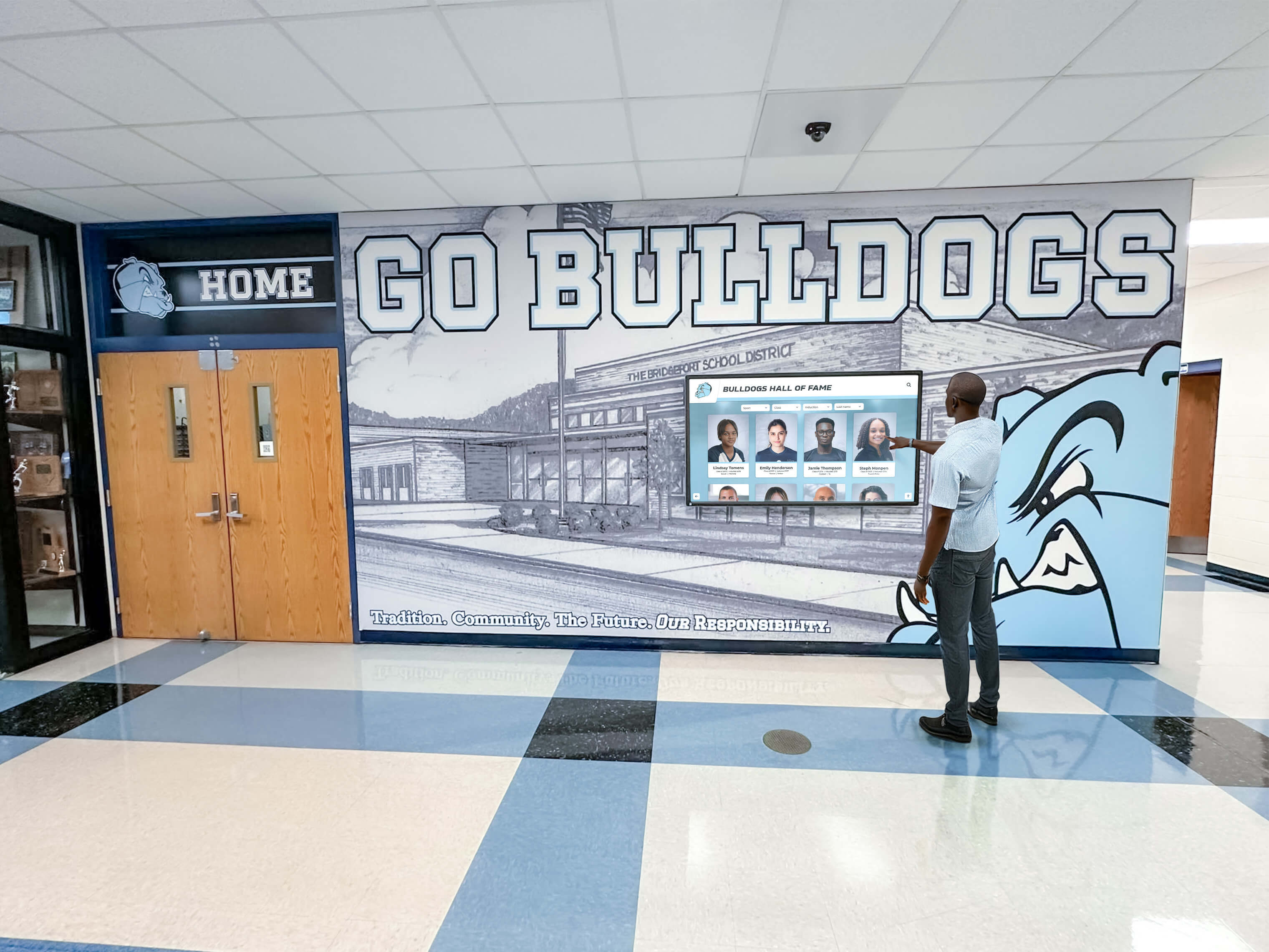
Hallway kiosk displays create brief but meaningful engagement moments during passing periods and event arrivals
Lobby Placement Best Practices
Main entrance lobbies offer the best opportunity for deep engagement because visitors often wait, browse, or arrive with time to explore. Effective lobby placement positions the kiosk:
- Perpendicular to traffic flow rather than inline where it creates congestion
- Away from entrance doors avoiding drafts, temperature swings, and light interference
- Adjacent to reception where staff can assist visitors with navigation
- With comfortable standing distance of three to six feet in front of the display
- Near power and data infrastructure without exposed cables crossing traffic areas
- In well-lit areas without direct overhead fixtures that create glare on the screen
Large lobbies with atrium spaces can accommodate multi-display configurations — one primary interactive kiosk flanked by secondary passive displays showing rotating recognition content, drawing visitor attention toward the primary interactive unit.
Hallway Placement Considerations
Athletic and academic hallways offer high-frequency traffic from specific audiences but with shorter available engagement windows. Hallway installations should:
- Mount flush to walls without extending into walkways per ADA accessibility requirements
- Position at gathering points near locker rooms, team rooms, or athletic offices where students pause naturally
- Include protective enclosures appropriate for the higher-contact environment
- Maximize brightness for hallways with mixed or variable lighting conditions
- Prioritize quick-access navigation with content categories immediately visible without initial browsing
- Consider ambient sound — hallway noise may require visual-first content design with minimal audio dependency
Guidance on school entrance display ideas for welcoming visitors with digital signage explores how entrance and hallway designs interact, providing useful context for choosing between lobby-first and distributed hallway installation strategies.
Comparing Interactive Kiosk Options for Schools
Schools evaluating touch screen kiosk systems encounter a wide spectrum — from generic commercial kiosk hardware with off-the-shelf software to purpose-built educational recognition platforms with integrated hardware, software, and content services.
Comparing digital signage options for schools reveals consistent patterns in what differentiates effective school recognition technology from generic digital signage repurposed for educational settings.
Generic digital signage platforms offer broad flexibility but require schools to build recognition workflows themselves, often resulting in content that looks like slide presentations rather than interactive achievement databases. These systems work for announcing events but fall short for the searchable, multimedia-rich recognition experiences that create genuine engagement.
Purpose-built educational recognition platforms design software specifically around how schools create, manage, and display achievement recognition. Content workflows, profile structures, and navigation patterns reflect educational recognition requirements rather than being adapted from retail or corporate digital signage origins.
The practical differences appear immediately in administration: generic platforms require technical configuration that overwhelms school staff, while purpose-built platforms provide intuitive content management accessible to athletic directors, principals, and support staff without technical training or ongoing IT involvement.
What generic platforms typically lack:
- Recognition-specific profile structures for athletes, academics, and alumni
- Built-in historical archive organization spanning decades
- Pre-built navigation patterns for school recognition content
- Support from teams familiar with educational recognition workflows
- Pricing designed around school budget cycles and subscription models
What purpose-built platforms typically include:
- Unlimited recognition profiles without per-entry fees
- Remote content management from any device
- Multi-display synchronization across campus locations
- Full-text search enabling visitors to find individuals by name
- Annual subscription pricing with predictable ongoing costs
Budget and ROI: What Schools Should Expect
Touch screen kiosk display investments vary considerably based on screen size, enclosure type, software platform, and installation complexity. Schools building realistic budget expectations should consider each cost component separately:
Hardware costs range from $1,500–$8,000 per display depending on size, commercial-grade specifications, enclosure requirements, and mounting options. 55-inch commercial panels with PCAP touch and appropriate brightness represent the most common school investment at approximately $2,500–$4,500 per unit.
Software platform costs vary between subscription-based and one-time licensing models. Purpose-built educational recognition platforms typically use annual subscription pricing ranging from $1,500–$5,000 annually, covering content management, platform updates, and technical support.
Installation costs include electrical work, network connectivity, wall mounting, and any custom cabinetry or enclosure fabrication. Budget $500–$2,000 per display location depending on infrastructure requirements.
Content development represents an often-overlooked investment. Schools with strong historical records require time to gather and digitize information for initial platform population. Many vendors offer content development services helping schools build comprehensive recognition databases before launch.
Total first-year investment for a single lobby installation with purpose-built software typically ranges from $5,000–$12,000, with subsequent annual costs primarily representing software subscription renewal and occasional hardware maintenance.
Schools building investment cases for budget approval typically quantify ROI through enrollment tour impact, athletic recruiting visit outcomes, alumni giving rate improvements, and community event attendance increases — all outcomes supported by visible, professional recognition infrastructure in key school spaces.
Digital storytelling for athletic programs provides frameworks for articulating the specific value interactive recognition creates during high-stakes visits from recruits, donors, and prospective families — the moments where institutional presentation most directly affects outcomes.
Rocket Alumni Solutions: Purpose-Built for School Recognition
Rocket Alumni Solutions builds interactive recognition platforms specifically for school lobbies, athletic hallways, and campus common spaces. Unlike generic kiosk software adapted for education, the platform organizes around recognition workflows: athlete profiles, honor roll databases, alumni spotlights, donor acknowledgment, and historical timeline displays all function within a unified content management system designed for non-technical school staff.
Key platform capabilities that differentiate Rocket from generic alternatives include unlimited recognition profiles without per-entry fees, remote content management from any device, multi-display synchronization, and full-featured search enabling visitors to find specific individuals within seconds. The platform supports rich multimedia profile structures combining photos, video highlights, career statistics, and biographical narratives that static displays cannot replicate.
Schools implementing Rocket across lobby and hallway spaces consistently find that the displays become referenced assets in enrollment tours, recruiting visits, and homecoming events — tangible demonstrations of institutional pride that support relationship-building with prospective families and returning alumni.
Getting Started: Evaluating Your School’s Kiosk Display Needs
Schools ready to evaluate touch screen kiosk display options benefit from a structured assessment process before speaking with vendors:
- Map your spaces — identify lobby, hallway, and common area locations where kiosks would create genuine value based on traffic volume and audience type
- Define content priorities — determine whether primary use cases are athletic recognition, academic achievement, visitor information, alumni engagement, or combinations
- Audit existing recognition assets — assess what historical information, photography, and records exist and in what format
- Establish budget parameters — identify available capital and ongoing operating budget realistically before beginning vendor conversations
- Identify administrative ownership — determine which staff member will manage content and ensure they’re involved in platform evaluation
- Specify environmental requirements — document ambient light conditions, traffic patterns, and physical constraints at priority installation locations
This assessment foundation enables productive vendor conversations focused on your school’s specific requirements rather than generic product demonstrations disconnected from actual use cases.
Effective touch screen kiosk displays don’t just look impressive in lobbies — they change how students understand their school’s legacy, how families experience enrollment visits, and how alumni reconnect with the institution after graduation. Getting the hardware right ensures the software can deliver on that potential every day for years to come.
Ready to see how a purpose-built touch screen kiosk display transforms your school lobby or athletic hallway? Book a demo with Rocket Alumni Solutions and explore an interactive recognition platform designed specifically for schools like yours.































