




Intent: demonstrate | A comprehensive video production framework for filming Thanksgiving gratitude displays and community recognition content on interactive touchscreens, providing shot lists, narration scripts, and production specifications for capturing meaningful holiday celebration videos that showcase thankfulness walls, community contributions, and seasonal recognition programs.
Thanksgiving celebrations in schools, community centers, churches, and organizations provide natural opportunities to demonstrate how interactive touchscreen displays transform traditional gratitude exercises and recognition programs into engaging multimedia experiences. These holiday-themed video demonstrations serve multiple purposes: showcasing touchscreen capabilities through seasonally relevant content, documenting community thankfulness initiatives for promotional use, creating shareable holiday content that highlights organizational values, and providing reusable templates for filming similar recognition displays throughout the year.
Traditional Thanksgiving recognition approaches—paper gratitude trees with handwritten notes, bulletin boards displaying thankful messages, or printed photo collages celebrating community contributions—offer limited engagement and no accessibility for remote participants. Organizations invest hours creating temporary displays that community members glance at briefly, while video documentation typically consists of static photos that fail to convey interactive engagement or emotional impact.
This video production guide provides complete frameworks for filming compelling Thanksgiving touchscreen demonstrations: establishing shots showing holiday-themed display installations, detailed interaction sequences capturing gratitude wall navigation, narration scripts explaining recognition features and community benefits, production specifications ensuring professional results, and distribution strategies maximizing reach among prospective clients evaluating interactive display investments during year-end planning cycles.
Modern Thanksgiving video content transforms abstract touchscreen technology into tangible, relatable experiences that organizations immediately understand while generating enthusiasm among community members who see exactly how they’ll participate in gratitude initiatives, explore recognition content, and maintain connections beyond single holiday gatherings.

Professional video documentation captures Thanksgiving gratitude displays and interactive recognition features for promotional content and community engagement
SEO Evidence Block: Thanksgiving Video Content Strategy
Primary Keyword Analysis: “Thanksgiving touchscreen software” and similar direct combinations show no measurable search volume in Ahrefs data. Related terms like “thanksgiving school events” (volume: 10, KD: 0, TP: 20) and “thanksgiving celebration ideas” (volume: 60, KD: 1, TP: 16,000) exist but target different intent focused on activities rather than technology demonstrations.
Strategic Approach: Given the absence of viable ranking keywords, this content focuses on seasonal video production value aligned with TouchWall.tv’s domain purpose of demonstrating recognition technology through video walkthroughs. The Thanksgiving angle provides timely, shareable content showcasing how organizations use interactive displays for community recognition during holiday seasons—a use case that builds trust and demonstrates versatility without relying on direct keyword targeting.
SERP Landscape: Thanksgiving-related queries dominated by DR 79-96 sites (TeachersPayTeachers, Pinterest, WeAreTeachers) focusing on classroom activities. No technology demonstration or touchscreen-related content appears in top positions, indicating content gap opportunity for organizations seeking digital recognition solutions during holiday planning periods.
Domain Routing Decision: TouchWall.tv appropriate despite no ranking opportunity because content serves video demonstration purpose central to domain mission, provides seasonal engagement asset for existing audience, and positions as reference content for organizations planning year-end recognition programs.
Content Strategy: Focus on providing genuine value through professional video production guidance applicable beyond Thanksgiving (gratitude displays, community recognition, seasonal content filming), naturally demonstrating how solutions like Rocket Alumni Solutions enable these implementations, and creating shareable seasonal content that reinforces brand authority in recognition display space.
The Significance of Thanksgiving Recognition in Community Settings
Understanding why Thanksgiving-themed recognition resonates helps organizations design video demonstrations that achieve multiple objectives while creating meaningful experiences for all participants.
Building Community Connection Through Gratitude
Thanksgiving provides concentrated opportunities to strengthen organizational culture and reinforce community identity:
Unified Gratitude Expression
- Community members across all demographics participate together in shared thankfulness activities
- Staff, leadership, and participants engage in collective recognition
- Families attend events celebrating contributions and expressing appreciation
- Remote members participate virtually in gratitude initiatives
- Shared experiences create common bonds among diverse populations
Tradition and Continuity According to research from the Greater Good Science Center at UC Berkeley, expressing gratitude strengthens social bonds and increases prosocial behavior within communities. Annual Thanksgiving recognition creates predictable traditions community members anticipate, connecting current participants with organizational legacy while establishing patterns that become defining aspects of institutional culture.
Belonging and Appreciation Organizations implementing comprehensive Thanksgiving recognition programs report significantly higher engagement scores and improved community climate indicators. The concentrated celebration period generates enthusiasm extending throughout the year while demonstrating organizational commitment to acknowledging contributions.
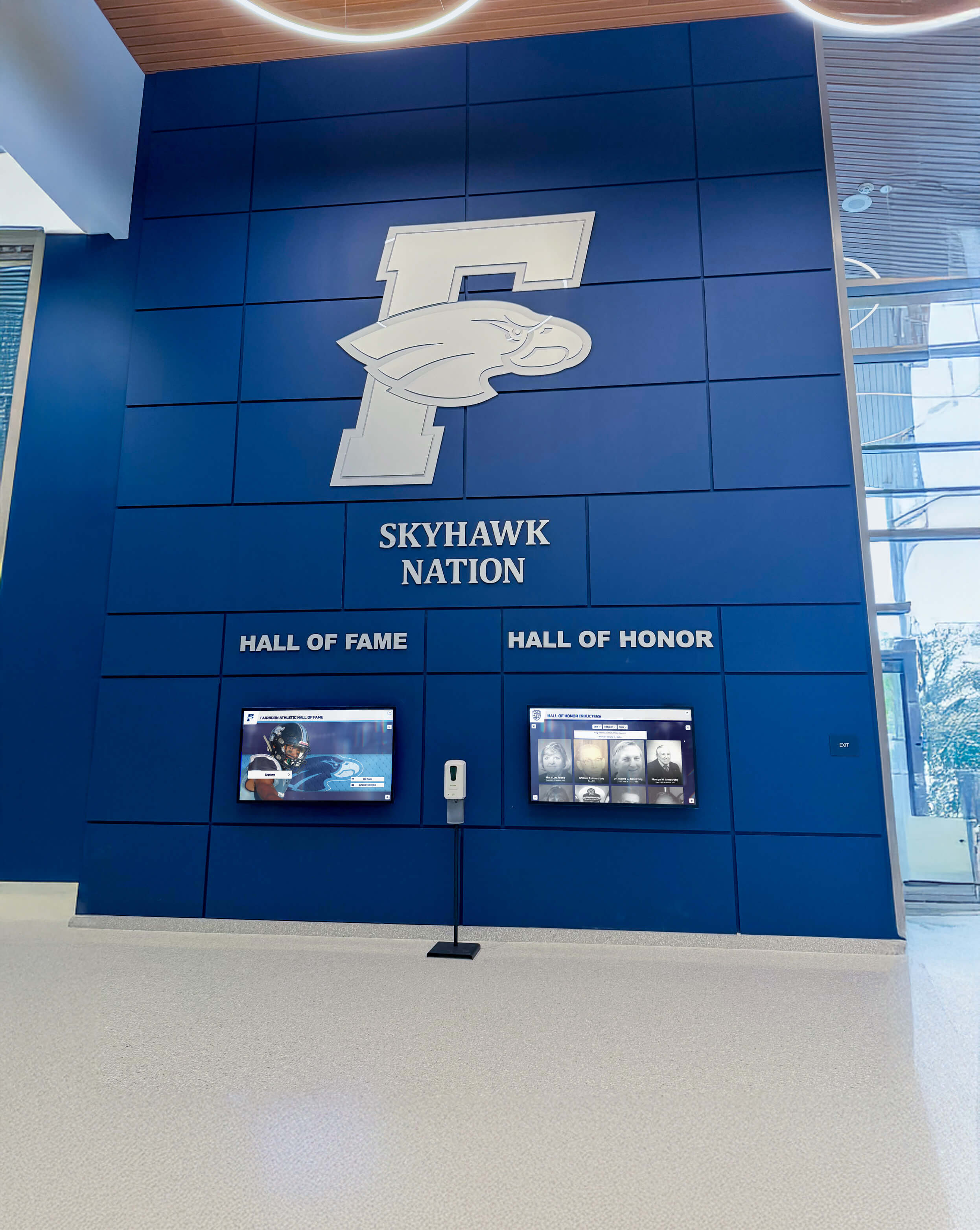
Permanent recognition displays provide year-round gratitude expression while serving as foundations for seasonal Thanksgiving content additions
Video Documentation Benefits for Organizations
Professional video documentation of Thanksgiving displays creates lasting value beyond single holiday celebrations:
Multi-Purpose Content Assets
- Promotional videos showcasing organizational culture and community values
- Recruitment tools demonstrating commitment to recognition and appreciation
- Fundraising materials highlighting community engagement and donor impact
- Social media content generating holiday season engagement
- Training resources showing effective recognition program implementation
Stakeholder Engagement Effective Thanksgiving videos intentionally connect current celebrations with organizational mission through testimonials, impact demonstrations, and authentic community interactions. These connections demonstrate to stakeholders the lasting value of recognition programs while helping participants maintain meaningful relationships with organizations beyond holiday seasons.
Explore comprehensive recognition approaches in interactive touchscreen displays for school recognition covering year-round implementation strategies beyond seasonal events.
Seasonal Content Marketing Strategy
Thanksgiving video content provides strategic marketing opportunities during critical planning periods:
Year-End Planning Cycles
- Organizations evaluating recognition technology investments for upcoming budgets
- Administrators planning spring installations want proof-of-concept demonstrations
- Committees preparing for milestone events (reunions, anniversaries) seek vendor options
- Thanksgiving content reaches decision-makers during active evaluation phases

Seasonal video content demonstrates practical applications while building trust with organizations evaluating recognition display investments
Shareability and Emotional Resonance Holiday content naturally generates higher social sharing rates due to emotional resonance and seasonal relevance. Thanksgiving videos combining gratitude themes with technology demonstrations achieve dual objectives: providing genuine value through recognition best practices while showcasing interactive display capabilities in relatable contexts.
Video Tour Structure: Thanksgiving Gratitude Display Walkthrough
Effective Thanksgiving touchscreen videos follow logical progression demonstrating every aspect community members will experience from first approach through detailed content exploration and contribution.
Video Specifications and Production Format
| Specification | Details |
|---|---|
| Video Length | 5-8 minutes focused demonstration (shorter than comprehensive walkthroughs due to seasonal content) |
| Aspect Ratio | 16:9 (1920x1080 HD minimum; 4K preferred for venue projection and future-proofing) |
| Target Platform | YouTube, organization website embedding, email campaigns, Instagram/Facebook excerpts |
| Accessibility | Full closed captions, descriptive audio track, complete transcript document |
| Streaming Format | Adaptive bitrate MP4, vertical excerpts (9:16) for social media Stories/Reels |
| Production Timeline | 2-3 days including filming, editing, captions, and distribution preparation |
Scene-by-Scene Thanksgiving Video Structure
This demonstration follows natural community member journey from venue arrival through gratitude expression and recognition exploration:
- Thanksgiving Display Arrival (30-45 seconds) - Establishing shot showing seasonal installation
- Gratitude Wall Welcome Screen (60-75 seconds) - First interactions and holiday-themed navigation
- Community Thankfulness Submissions (90-120 seconds) - Exploring gratitude messages and contributions
- Recognition Content Integration (75-90 seconds) - Viewing volunteer recognition and community achievements
- Interactive Contribution Process (75-90 seconds) - Demonstrating how users add thankfulness messages
- Photo Gallery and Memory Wall (60-75 seconds) - Exploring Thanksgiving event photos and historical content
- Remote Participation Features (45-60 seconds) - Showing web access and virtual engagement
- Behind-Scenes Setup (45-60 seconds) - Quick look at seasonal content management
Each scene builds understanding while maintaining engagement through varied shots, smooth transitions, and conversational narration explaining practical benefits for community members and organizational leadership.
Learn about effective community recognition in community honors display programs covering comprehensive acknowledgment strategies beyond holiday-specific implementations.
Scene 1: Thanksgiving Display Arrival and Seasonal Installation (00:00-00:45)
Visual Elements: Camera approaches venue entrance from guest perspective, revealing Thanksgiving-themed display area with seasonal decorations, warm lighting, harvest color schemes, and touchscreen positioned prominently near gathering spaces or main circulation areas.
Narration Script:
“Welcome to [Organization Name]’s Thanksgiving gratitude celebration. As community members arrive, they’re immediately drawn to our interactive gratitude wall—a digital display showcasing thankfulness messages from every member of our community, recognition of volunteers and contributors who make our organization special, and photo galleries capturing our shared experiences throughout the year.
Unlike traditional paper gratitude trees with handwritten notes that curl and fade, or bulletin boards displaying messages that few people read completely, this interactive touchscreen creates a natural gathering point where community members explore at their own pace, discover unexpected connections through others’ gratitude expressions, and contribute their own thankfulness messages that become permanent parts of our organizational archive.”
On-Screen Action:
- Wide establishing shot showing venue exterior with Thanksgiving decorations
- Slow approach toward display area highlighting seasonal design integration
- Pan across gathering space showing community members engaged with touchscreen
- Text overlay: “Interactive Gratitude Wall | 200+ Thankfulness Messages | Community Recognition | Photo Galleries”
- Ambient audio of community gathering with soft background music
Production Notes: Natural lighting enhanced with warm LED accent lighting creating inviting autumn atmosphere. Capture authentic venue environment including fall decorations, harvest colors, and genuine community interactions. Use gimbal stabilization for smooth walking approach. Establish this is real community celebration, not sterile product demonstration. Feature diverse community member demographics engaging with display.

Professional touchscreen kiosks adapt seamlessly to seasonal themes, creating focal points at Thanksgiving celebrations where community members gather naturally
Scene 2: Gratitude Wall Welcome Screen and Holiday Navigation (00:45-02:00)
Visual Elements: Close approach to touchscreen showing Thanksgiving-themed welcome screen featuring autumn colors, harvest imagery, gratitude-focused messaging, and intuitive navigation menu organized around thankfulness categories.
Narration Script:
“The Thanksgiving welcome screen immediately invites participation through our community gratitude wall. Browse all thankfulness messages organized by category—gratitude for people who’ve made a difference, appreciation for organizational programs and opportunities, thankfulness for community support during challenges, or recognition of volunteers whose contributions keep our community thriving.
Notice the featured carousel showcasing recent gratitude submissions—giving everyone immediate content to explore while encouraging others to add their own messages. The navigation includes dedicated sections for volunteer recognition, community achievements from the past year, historical Thanksgiving memories from previous celebrations, and real-time photo galleries updating throughout today’s event.
The interface welcomes everyone regardless of technical comfort—large touch targets, clear labels, intuitive gestures, and return-to-home buttons always accessible. Younger children navigate independently while elderly community members find the system more accessible than small-print bulletin boards or hard-to-read handwritten notes.”
On-Screen Action:
- Hand enters frame, touching screen to wake from Thanksgiving-themed screensaver
- Camera focuses on navigation menu with autumn color scheme
- Finger hovers over different menu sections showing touch responsiveness
- Featured gratitude carousel demonstrates automatic rotation with fade transitions
- Quick tap-through of main sections showing content organization
- Text overlay: “Touch to Explore | Community Gratitude | Volunteer Recognition | Event Photos | Add Your Message”
Production Notes: Demonstrate immediate touch responsiveness with satisfying visual feedback. Control lighting to eliminate screen glare while maintaining visibility of autumn-themed interface. Show multiple navigation pathways accommodating different user preferences. Include brief reaction shots showing community members discovering the welcome screen for first time. Capture genuine smiles and engagement.
Discover navigation design principles in touchscreen software complete guides covering interface best practices for inclusive user experiences.
Scene 3: Community Thankfulness Messages and Gratitude Submissions (02:00-04:00)
Visual Elements: User browses gratitude wall containing hundreds of thankfulness messages from community members, each with optional photos, names, and categories of appreciation.
Narration Script:
“Let’s explore the heart of our Thanksgiving display—the community gratitude wall where members share what they’re thankful for this season. Tapping ‘Browse Gratitude Messages’ reveals submissions organized by category, most recent, or most-liked messages creating multiple discovery pathways.
Here’s a message from Sarah Johnson: ‘I’m grateful for the after-school program that gave my daughter confidence and friendship when we moved to this community knowing no one. The staff became our extended family.’ Her submission includes a photo from the recent program showcase where her daughter performed.
Notice how messages vary from brief acknowledgments to detailed stories. This submission from volunteer coordinator Mike Chen thanks twelve specific volunteers by name for their hundreds of hours supporting food drives throughout the year. Tapping any name opens that volunteer’s recognition profile showing their contribution history and impact on community programs.
The gratitude wall accepts submissions from anyone—community members type messages on the touchscreen directly, submit through web forms accessible on personal smartphones via QR code, or email messages that administrators approve and add. This flexibility ensures maximum participation regardless of technical access or comfort level.”
On-Screen Action:
- Navigate from welcome screen to gratitude message gallery
- Scroll through submissions showing diverse content lengths and styles
- Select individual message, smooth transition to expanded view
- View attached photo opening in larger format
- Tap embedded volunteer name linking to recognition profile
- Demonstrate filter by category showing only volunteer appreciation messages
- Quick montage showing message diversity: individual thanks, family submissions, organizational gratitude
- Text overlays: “200+ Gratitude Messages | Community Stories | Volunteer Recognition Links | Photos & Memories”
Production Notes: Feature actual community content with proper permissions. Show navigation fluidity through smooth interactions. Demonstrate content variety—some messages are single sentences, others detailed paragraphs with photos, reflecting authentic participation patterns. Include cutaway shots showing community members reading messages, pointing at screen discussing content, or experiencing emotional reactions to meaningful gratitude expressions.

Intuitive touchscreen interfaces enable community members to browse gratitude messages, discover volunteer recognition, and explore thankfulness stories at their own pace
Scene 4: Volunteer Recognition and Community Achievement Integration (04:00-05:30)
Visual Elements: Transition to dedicated volunteer recognition section showing profiles of community contributors with photos, service hours, impact metrics, and appreciation messages from those they’ve helped.
Narration Script:
“Thanksgiving provides perfect opportunities to spotlight volunteers whose contributions make community programs possible year-round. Our recognition section celebrates these essential community members through comprehensive profiles impossible to achieve with traditional bulletin boards or printed programs.
Let’s view Maria Rodriguez’s volunteer profile—featured prominently during our Thanksgiving celebration. Her profile shows five years of service totaling 847 hours supporting literacy tutoring, food pantry operations, and community event planning. The impact section quantifies her contributions: 47 students tutored with measurable reading improvement, 1,200+ families served through food distribution, and 23 community events she helped organize.
Most powerfully, the profile includes gratitude messages from specific community members whose lives she touched. Here’s a message from parent Jennifer Williams: ‘Maria tutored my son twice weekly for two years. She never missed a session, believed in him when he struggled, and celebrated every small victory. He graduated high school last spring—something that seemed impossible before Maria’s patient guidance. Our family is forever grateful.’
These detailed profiles go far beyond name-and-photo recognition, telling complete stories about volunteer impact while validating the hundreds of hours community members donate throughout the year. During Thanksgiving specifically, organizations highlight these profiles as central celebration focus.”
On-Screen Action:
- Navigate from gratitude messages to volunteer recognition section
- Browse volunteer directory showing profile cards with photos and summary stats
- Select featured volunteer opening detailed profile view
- Scroll through comprehensive biographical content and service history
- View impact metrics with visual data representation (hours served, people helped)
- Read gratitude messages from community members helped by volunteer
- Play embedded 30-second video testimonial from program coordinator
- View photo gallery showing volunteer in action at various events
- Text overlays: “Community Volunteers | Service Hours Tracked | Impact Metrics | Gratitude Messages | Photo Galleries”
Production Notes: Balance screen capture with reaction shots showing emotional engagement as community members discover recognition content. Feature diverse volunteer contributions—hands-on service, behind-scenes support, professional expertise donation, leadership roles—reinforcing inclusive recognition. Ensure video testimonial audio quality is excellent. Include authentic community member testimonials about discovering volunteer recognition or feeling appreciated through profile features.
Explore comprehensive volunteer recognition in community showcase project ideas covering effective acknowledgment strategies.
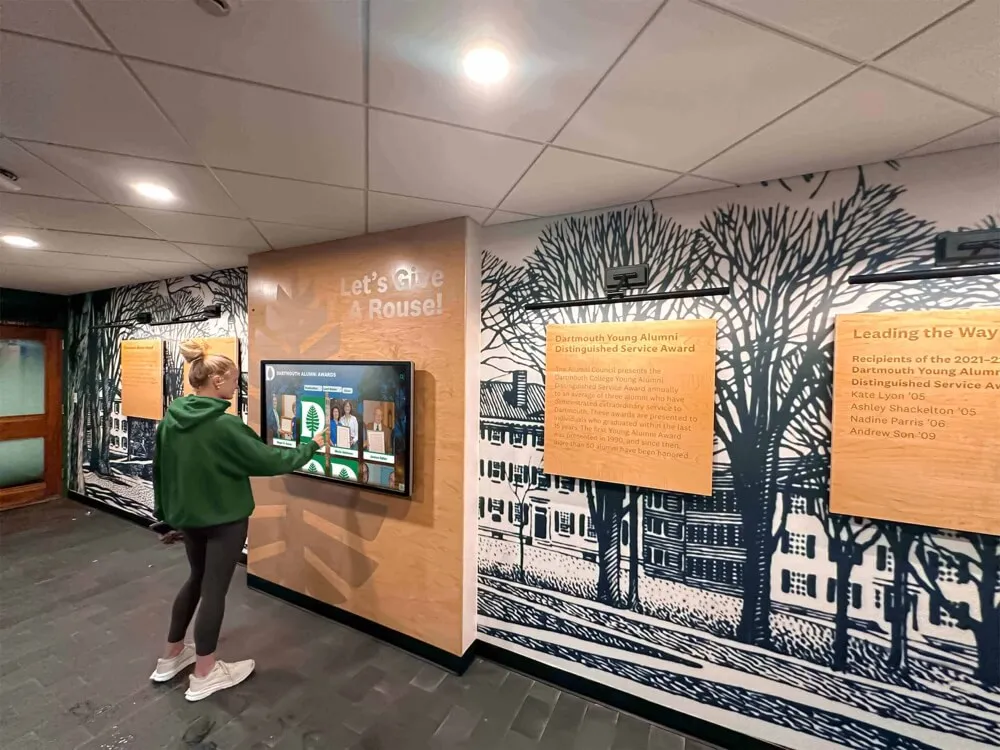
Digital recognition systems enable organizations to celebrate volunteer contributions with comprehensive profiles, impact metrics, and community gratitude messages
Scene 5: Interactive Contribution Process for Adding Gratitude Messages (05:30-07:00)
Visual Elements: Demonstration of user-friendly message submission process showing how community members add their own thankfulness expressions directly through touchscreen or web interface.
Narration Script:
“The gratitude wall welcomes contributions from every community member through multiple accessible pathways. Let’s demonstrate the touchscreen submission process that takes less than two minutes from start to completion.
Tapping ‘Add Your Gratitude Message’ opens the contribution form with simple fields: your name, optional contact information, message category selection, and the gratitude message itself typed using the on-screen keyboard. The interface accommodates messages from brief single sentences to detailed paragraphs up to 500 words—whatever length properly expresses your thankfulness.
Optional enhancements include adding photos from your device by tapping the upload button, tagging specific people mentioned in your message to create profile links, and selecting privacy preferences controlling whether your message displays publicly or goes to organizational leadership privately for sensitive acknowledgments.
After typing the message, preview exactly how it will appear on the gratitude wall before publishing. Submit directly for immediate display or flag for administrator review if organizational policy requires content moderation. Confirmation screens provide QR codes linking to your published message for easy social media sharing.
For community members uncomfortable with touchscreen typing or those participating remotely, identical submission forms appear on organizational websites accessible from any smartphone, tablet, or computer. Web submissions sync automatically with touchscreen displays within minutes of approval.”
On-Screen Action:
- Navigate to contribution section from main menu
- Tap ‘Add Your Gratitude Message’ opening submission form
- Demonstrate on-screen keyboard typing with auto-correct and suggestions
- Show category selection from dropdown menu
- Add optional photo using upload interface
- Tag people mentioned in message by searching names
- Preview message showing exactly how it will appear
- Submit message with confirmation animation
- Message appears immediately in gratitude wall gallery
- QR code displays for easy sharing with social media icons
- Show parallel web interface on smartphone demonstrating remote submission
- Text overlays: “Easy Contribution | Multiple Submission Methods | Photo Upload | Preview Before Publishing | Immediate Display”
Production Notes: Demonstrate typing with realistic speed avoiding slow letter-by-letter that feels unnatural. Show comfortable user interaction with someone who hasn’t seen the system previously—authentic first-time experience. Capture completion satisfaction through user facial expressions. Include brief interview with contributor explaining how easy the process was. Feature diverse participants—children, adults, elderly—demonstrating accessibility across demographics.
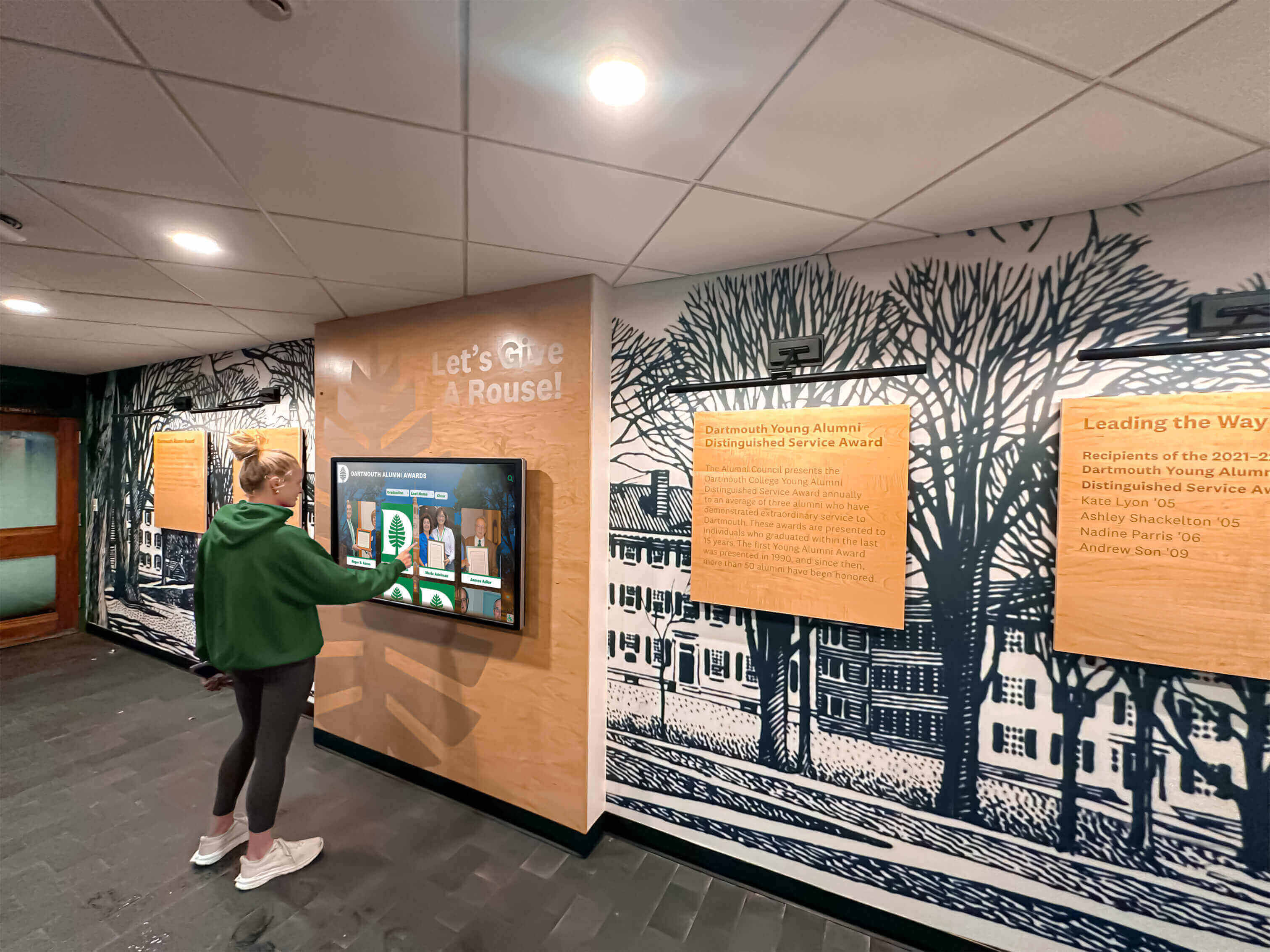
Intuitive contribution interfaces welcome participants of all ages and technical comfort levels to add gratitude messages and recognition content
Scene 6: Photo Gallery and Thanksgiving Memory Wall (07:00-08:15)
Visual Elements: Exploration of photo gallery section showcasing historical Thanksgiving celebration images, current event photography uploaded throughout today’s gathering, and community memory submissions creating dynamic evolving content.
Narration Script:
“The Thanksgiving photo gallery brings our community’s shared history to life while documenting today’s celebration in real-time. Historical photos include images from past Thanksgiving events spanning years or decades depending on organizational age—showing how celebrations evolved, honoring community members no longer with us, and connecting current participants with institutional legacy.
Browse photos organized chronologically or by event type: Thanksgiving dinners, volunteer service days, community fundraisers, seasonal programs, and everyday moments capturing authentic community life. Each photo can be zoomed for detail, displays caption information explaining context, and shows tagged community members creating links to recognition profiles.
The current event section showcases today’s Thanksgiving celebration through photos appearing on the display within minutes of capture. Our event photographer uploads images throughout the gathering using mobile app, but community members also contribute their own photos directly from smartphones using QR code link or upload webpage.
Watch as new images appear dynamically—there’s a photo uploaded just moments ago showing the children’s gratitude poster activity. Another shows volunteers preparing the community meal in the kitchen. These real-time additions create living documentation far richer than any single photographer captures alone, showing celebration from multiple perspectives throughout the venue.”
On-Screen Action:
- Navigate to photo gallery from main menu
- Browse historical Thanksgiving section showing organized collections by year
- Select image opening expanded view with pinch-to-zoom gesture
- Read photo caption explaining context and date
- Tap tagged community member name opening their recognition profile
- Switch to current event section showing today’s Thanksgiving photos
- Demonstrate automatic refresh revealing newly uploaded image
- Quick montage showing photo variety: group shots, activities, meals, candid moments
- View upload QR code and instructions for community contributions
- Show time-stamped upload sequence demonstrating real-time gallery updates
- Text overlays: “Historical Archives | Today’s Event Photos | Real-Time Uploads | Community Contributions | Tagged People”
Production Notes: Capture actual photo browsing with genuine reactions as community members discover historical images or spot themselves in current photos. Demonstrate pinch-zoom functionality clearly. Include time indication showing recent upload timestamps. Feature user-generated content showcasing community participation. Interview community member who just discovered themselves in uploaded photo explaining the emotional impact. Show diversity of photo subjects celebrating various community aspects.
Discover photo gallery strategies in digital archives for schools and communities covering comprehensive historical preservation approaches.
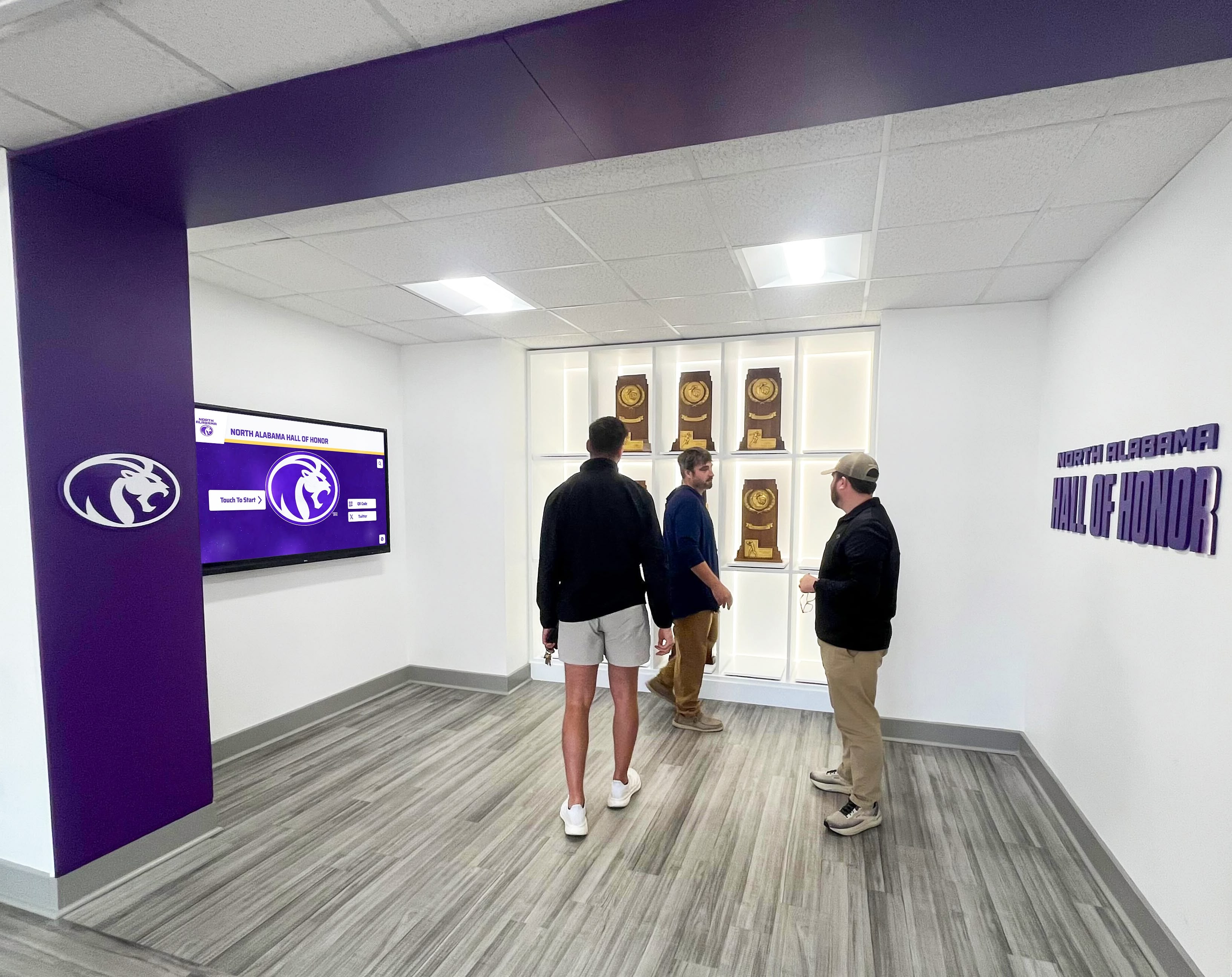
Photo galleries create natural gathering points where community members congregate, explore together, and spark conversations about shared experiences and memories
Scene 7: Remote Participation and Web Access Features (08:15-09:15)
Visual Elements: Demonstration of gratitude wall accessibility beyond physical display through responsive web platforms enabling remote community members to participate fully despite geographic distance.
Narration Script:
“Thanksgiving celebrations extend beyond those who can attend physically. Every element of our gratitude wall—community thankfulness messages, volunteer recognition, photo galleries, and event updates—is accessible via web platform from any internet-connected device worldwide.
Here’s the same content we explored on the touchscreen, now accessible from a smartphone, tablet, or laptop. Responsive design ensures perfect display regardless of screen size—full functionality whether browsing on a phone during a commute or a desktop computer at home. Remote community members who couldn’t attend today’s celebration can explore gratitude messages, leave their own thankfulness submissions, view volunteer recognition, and stay connected with community despite distance.
QR codes displayed throughout the venue link directly to the web platform, enabling attendees to instantly access content on personal devices. They can bookmark specific gratitude messages to revisit later, share volunteer recognition profiles with family members, or continue exploration long after today’s event concludes.
Email notifications alert community members when they’re mentioned in gratitude messages, when someone responds to their submissions, or when new Thanksgiving content relevant to their interests is added—creating ongoing engagement touchpoints maintaining connection between annual celebrations rather than limiting interaction to single gathering days.”
On-Screen Action:
- Show physical display with visible QR code
- Smartphone scanning QR code opening web platform
- Browser view showing gratitude wall on desktop computer
- Navigate mobile interface demonstrating responsive design and full functionality
- Scroll through gratitude messages on phone
- Submit new thankfulness message via web form
- Demonstrate social sharing buttons with preview of shared content
- Show email notification example directing recipient to new recognition
- Display analytics showing geographic distribution of remote participants
- Text overlays: “Web Access | Mobile Responsive | Remote Participation | Social Sharing | Email Notifications | Worldwide Reach”
Production Notes: Capture actual multi-device experience with content synchronized across platforms. Show ease of transition between physical and digital access. Include testimonial from remote community member explaining how web access enabled participation despite travel impossibility. Demonstrate notification examples showing system maintains engagement. Feature analytics showing meaningful remote participation statistics proving value beyond physical gathering.
Scene 8: Behind-Scenes Setup and Seasonal Content Management (09:15-10:00)
Visual Elements: Brief behind-scenes look at how organizations configure Thanksgiving displays and manage seasonal content through intuitive cloud-based systems requiring minimal technical expertise.
Narration Script:
“Creating engaging Thanksgiving gratitude displays requires surprisingly minimal technical effort thanks to intuitive setup and content management systems designed specifically for seasonal recognition programs.
Physical display setup involves positioning the touchscreen in high-traffic venue areas, connecting to Wi-Fi, and powering on—total setup time under thirty minutes. Most systems use all-in-one touchscreen kiosks requiring only power and internet connection, no additional equipment or complex installation.
The cloud-based content management platform requires only web browser access from any device. Staff members log in remotely to create Thanksgiving-specific sections, upload seasonal graphics and welcome screens, configure gratitude message categories, set up volunteer recognition profiles, and schedule content publication for holiday timing.
Seasonal customization uses template systems—select Thanksgiving theme applying autumn colors and harvest imagery automatically across the entire interface. Upload organizational logo and venue photos for branding. Enable or disable features relevant to specific celebrations: gratitude message submission, volunteer recognition, photo galleries, or video content.
Throughout Thanksgiving celebrations, administrators monitor submissions remotely using smartphones, approve gratitude messages if moderation is enabled, feature specific recognition content prominently, and view real-time engagement analytics showing how many community members are interacting with the display—all without accessing the physical touchscreen.”
On-Screen Action:
- Time-lapse showing physical display setup from unpacking through power-on
- Screen recording of content management system login
- Navigate admin dashboard showing Thanksgiving content organization
- Demonstrate seasonal theme selection applying automatic styling
- Upload custom graphics for welcome screen header
- Configure gratitude message categories and submission settings
- Create volunteer recognition profile with drag-and-drop photo upload
- Preview Thanksgiving display before publishing showing exact appearance
- Display mobile admin interface showing remote content management
- View real-time analytics dashboard during celebration showing engagement metrics
- Text overlays: “30-Minute Setup | Cloud Management | Seasonal Themes | Remote Administration | Analytics Dashboard | No Technical Expertise Required”
Production Notes: Balance technical demonstration with accessible presentation avoiding excessive jargon. Show actual staff member performing management tasks demonstrating genuine ease of use. Include brief interview with organizer about setup experience and management simplicity. Emphasize time savings compared to creating traditional bulletin boards or printed programs. Feature analytics screenshots showing impressive engagement metrics validating technology investment.
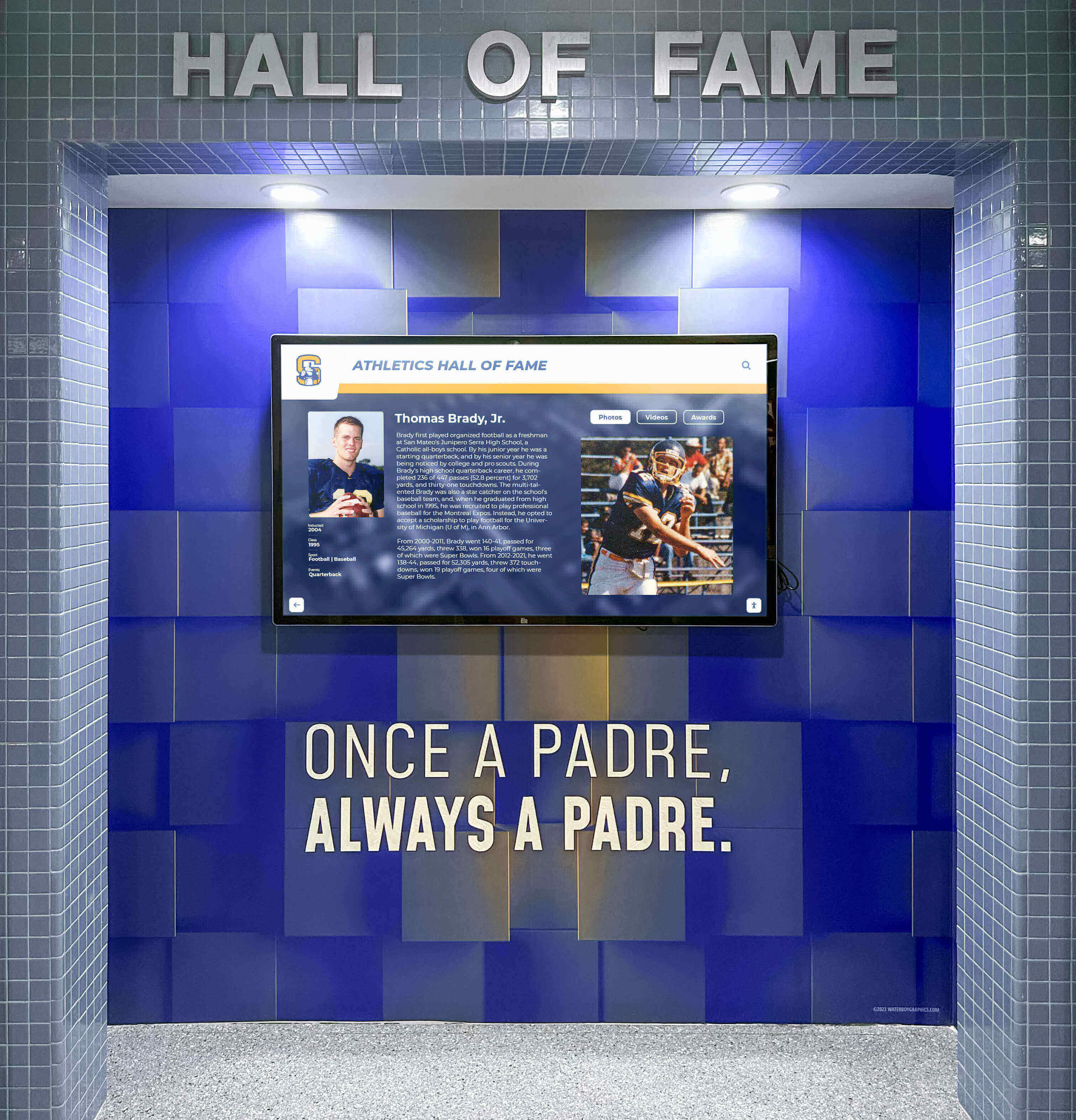
Modern touchscreen systems integrate seamlessly into existing venues while providing flexible content management for seasonal recognition programs like Thanksgiving celebrations
Production Equipment and Thanksgiving-Specific Technical Considerations
Professional Thanksgiving video production requires appropriate equipment creating polished demonstrations that convince organizations interactive displays deliver compelling value for holiday recognition programs.
Camera Equipment and Warm Lighting Setup
Camera Selection: Professional mirrorless camera or cinema camera (Sony A7S III, Canon R5, Panasonic Lumix S5) capable of excellent low-light performance crucial for venue environments with mixed lighting conditions during evening Thanksgiving events. Shoot 4K at 24fps or 30fps for cinematic quality with filmic motion.
Lens Selection: 24-70mm f/2.8 zoom lens provides versatility for venue establishing shots, medium shots capturing display and surrounding seasonal decorations, and close-ups showing touchscreen interactions. 50mm f/1.4 or 85mm f/1.8 prime lenses offer superior low-light performance and shallow depth-of-field creating professional background separation during interviews and reaction shots.
Lighting for Autumn Atmosphere: Thanksgiving videos benefit from warm color temperature lighting (3200K-3800K) creating cozy, inviting autumn atmosphere. Portable LED panels with gel filters or adjustable color temperature settings enable matching warm ambient venue lighting while adding necessary fill light preventing harsh shadows. Avoid cool daylight temperatures that conflict with Thanksgiving’s warm, harvest aesthetic.
Capturing Screen Content and Avoiding Glare
Touchscreen displays present unique filming challenges requiring specific techniques ensuring visible, glare-free screen capture:
Polarizing Filter: Circular polarizing filter attached to camera lens dramatically reduces screen glare from overhead venue lights while increasing color saturation of autumn decorations and seasonal displays. Rotate polarizer while monitoring viewfinder until glare minimizes—typically 45-90 degree rotation from starting position.
Camera Angle Adjustment: Position camera slightly off-axis from direct perpendicular to screen preventing reflection of camera or crew appearing on display. Shoot at approximately 15-20 degree angle maintaining screen visibility while eliminating direct reflections.
Display Brightness Control: If possible, reduce display brightness 20-30% during filming preventing blown-out highlights on screen while maintaining comfortable viewing for demonstrations. Most commercial touchscreen systems allow temporary brightness adjustment through settings menus. Remember to restore original brightness after filming.
Explore comprehensive display specifications in touchscreen kiosk software guides covering optimal viewing conditions and technical parameters.
Audio Recording for Ambient Venue Sound and Clear Narration
Professional audio quality ensures viewers understand feature descriptions while ambient venue sound creates authentic Thanksgiving atmosphere:
Narration Recording: Record voice-over narration separately in quiet environment using professional USB condenser microphone (Rode PodMic, Shure SM7B, Audio-Technica AT2020) after filming completes. Separate recording enables unlimited takes perfecting delivery, adding emphasis on key features, and ensuring broadcast-quality clarity impossible to achieve in noisy venue environments.
Ambient Sound Capture: Use wireless lavalier microphone (Rode Wireless Go II, Sennheiser AVX) on demonstrator capturing their explanations and touchscreen interaction sounds. Boom microphone or shotgun mic captures ambient venue sound—community conversations, background music, genuine Thanksgiving gathering atmosphere—mixed at lower levels beneath primary narration creating authentic environmental context.
Music Selection: Royalty-free instrumental background music creates emotional continuity throughout video. Select warm, acoustic compositions with moderate tempo avoiding overly somber tracks or energetic pieces that overwhelm narration. Music should enhance Thanksgiving atmosphere without distracting from educational content. Recommended sources: Epidemic Sound, Artlist, AudioJungle.
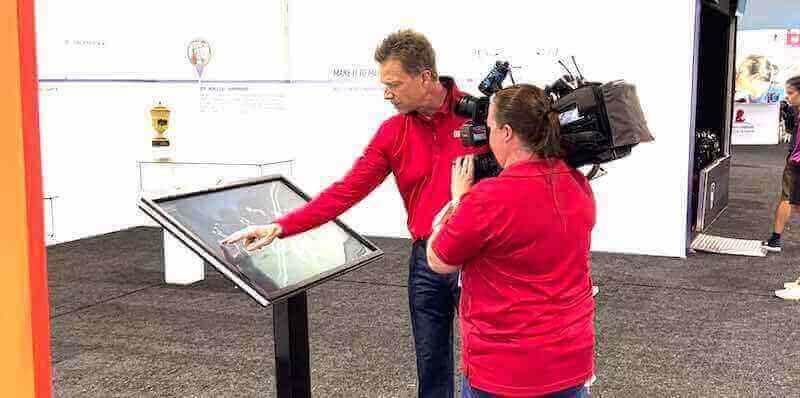
Professional video production requires proper equipment selection, lighting control, and audio management creating compelling demonstrations showcasing touchscreen capabilities effectively
Distribution Strategy for Thanksgiving Video Content
Completed Thanksgiving videos serve multiple strategic purposes maximizing return on production investment through diverse distribution across organizational marketing, seasonal engagement, and vendor promotion channels.
Primary Distribution Timeline and Channels
Pre-Thanksgiving Launch (Early-Mid November): Release videos 2-3 weeks before Thanksgiving maximizing relevance when organizations actively plan holiday events and year-end recognition programs. This timing captures decision-makers evaluating investments for upcoming budget cycles while providing shareable seasonal content when social media engagement peaks around holiday themes.
YouTube Upload and Optimization: Title: “Thanksgiving Gratitude Display Demo: Interactive Community Recognition | [Organization Type].” Description: 250+ word summary explaining features, how organizations implement Thanksgiving displays, benefits for community engagement, and call-to-action linking to consultation booking. Timestamps for chapter navigation. Tags: thanksgiving gratitude display, community recognition, interactive touchscreen, digital gratitude wall, volunteer recognition, thanksgiving celebration ideas.
Social Media Campaign: Share across Facebook, Instagram, LinkedIn, and Twitter with platform-specific optimization. Instagram: 60-second Reels showing most compelling moments with captions explaining features. LinkedIn: professional framing emphasizing organizational benefits and community engagement metrics. Facebook: full video embedded in posts targeting community organizations, schools, churches, and nonprofits. Use hashtags: #Thanksgiving2025 #CommunityGratitude #VolunteerRecognition #DigitalRecognition
Email Marketing Integration: Include video in November newsletter campaigns to existing clients, prospects who’ve requested information, and organizations that previously evaluated recognition displays but haven’t purchased. Subject line: “See How [Organization] Celebrates Thanksgiving with Interactive Gratitude Displays.” Email copy emphasizes seasonal relevance, limited-time consultation availability before holidays, and exclusive planning resources for organizations considering implementations.
Website Landing Page: Create dedicated Thanksgiving recognition page featuring video prominently with supporting content explaining implementation process, pricing considerations, success metrics from similar organizations, and clear calls-to-action: “Schedule Thanksgiving Display Consultation,” “Download Holiday Recognition Planning Guide,” “View More Celebration Videos.”
Search Optimization for Organic Discovery
While direct Thanksgiving touchscreen keywords show minimal search volume, related discovery paths exist through broader recognition and celebration queries:
Metadata Optimization: Description includes natural variations: gratitude displays, thankfulness walls, community recognition systems, volunteer appreciation technology, Thanksgiving celebration ideas, interactive holiday displays. Comprehensive descriptions provide search engines semantic context connecting seasonal content with year-round recognition applications.
Supporting Blog Content: Publish accompanying blog post embedding video alongside written content explaining Thanksgiving recognition strategies, implementation best practices, community engagement benefits, and case study statistics from successful programs. Blog post provides SEO-rich text content while video delivers engaging visual demonstration—combination maximizing both search visibility and conversion.
Video Schema Markup: Implement VideoObject structured data on landing page enabling rich snippet display in search results with thumbnail, duration, upload date, and description. Schema increases click-through rates while providing search engines explicit content signals improving ranking potential for related queries.
Learn content marketing strategies in digital recognition program guides covering comprehensive promotional approaches beyond seasonal campaigns.
Multi-Year Content Asset Strategy
Professional Thanksgiving videos provide value beyond single holiday season through strategic repurposing and template applications:
Annual Refresh: Update videos annually with current year dates, new testimonials, enhanced features, or improved production quality while maintaining core educational structure. Consistent yearly releases establish organizational authority in seasonal recognition while demonstrating ongoing innovation and platform development.
Template for Other Holidays: Production framework developed for Thanksgiving applies to other holiday celebrations with content substitution: Christmas/Hanukkah appreciation displays, New Year recognition of achievements, Valentine’s community love celebrations, Mother’s/Father’s Day family appreciation, Veterans Day military recognition. Single production investment creates reusable template for year-round seasonal marketing.
Evergreen Recognition Content: Remove specific Thanksgiving references creating general-purpose recognition display demonstrations usable throughout the year. Seasonal videos thus serve dual purposes: timely holiday engagement assets and source material for evergreen demonstrations showcasing broader recognition capabilities.
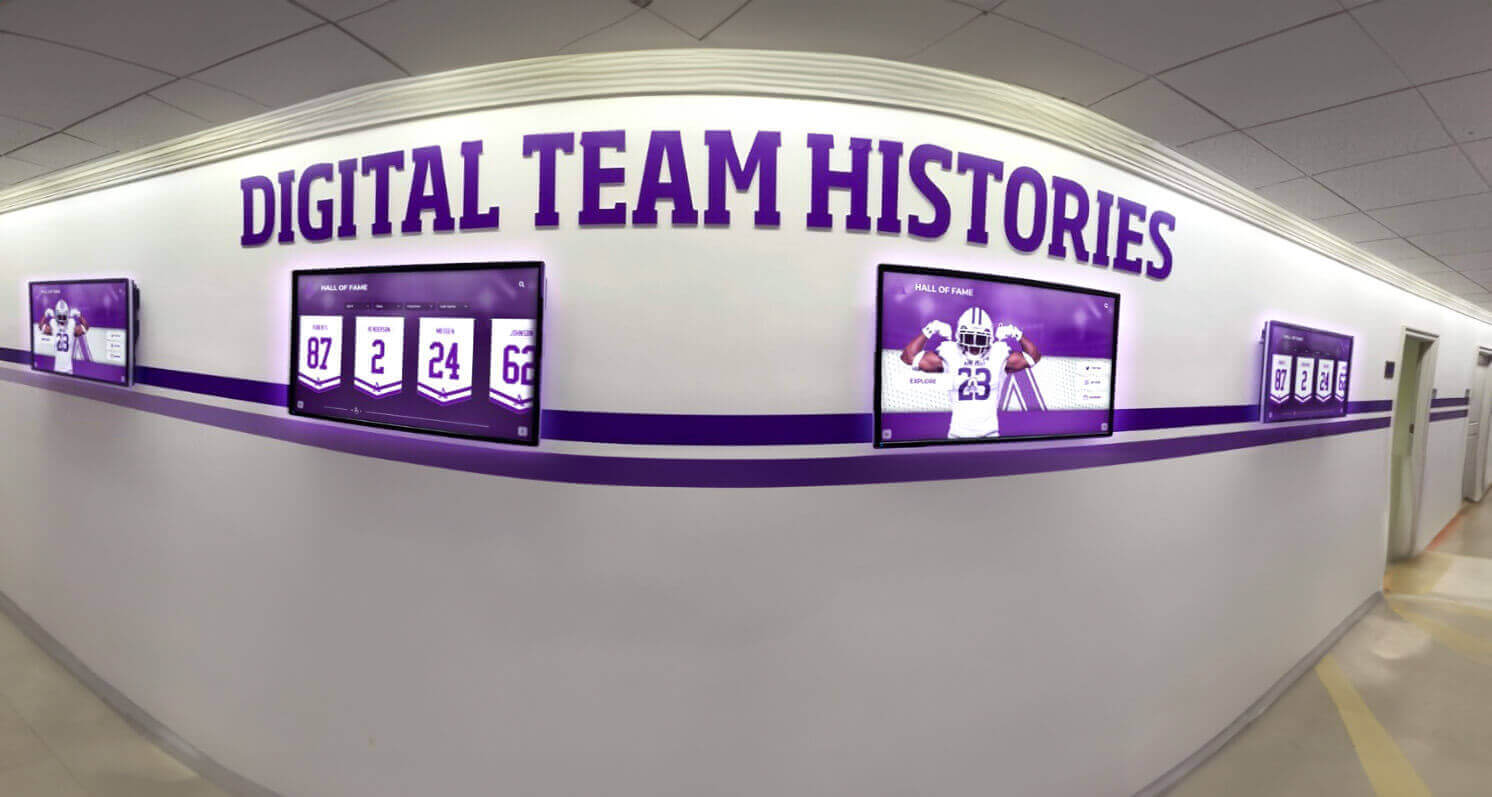
Professional recognition installations demonstrate year-round capabilities while accommodating seasonal content like Thanksgiving gratitude programs and holiday celebrations
Measuring Video Performance and Community Engagement Impact
Systematic assessment reveals which video elements resonate most strongly while identifying opportunities for enhancement in future seasonal productions and recognition demonstrations.
Video Engagement Metrics Analysis
View Counts and Completion Rates: Track total views segmented by traffic source identifying which distribution channels drive engagement. Monitor average view duration and completion rates revealing content quality and pacing effectiveness. Target 60%+ completion rate for focused 5-8 minute Thanksgiving demonstrations—strong performance indicating compelling content maintaining attention. Analyze drop-off points using platform analytics identifying scenes requiring tightening or content needing clarification.
Interaction Rates and Conversions: Monitor click-through on embedded calls-to-action, consultation booking form submissions, resource download requests, and pricing inquiry form completions measuring how effectively video drives desired actions beyond passive viewing. Calculate view-to-lead conversion rate providing quantifiable ROI metric justifying video production investment.
Social Sharing Metrics: Track social media shares, comments, and engagement rates indicating emotional resonance and content value. Thanksgiving content typically generates higher sharing rates due to seasonal relevance and emotional themes. Analyze which video moments get clipped and shared on social platforms revealing most compelling features for emphasis in future productions.
Seasonal Timing Impact: Compare performance of early November release versus mid-November versus week-before-Thanksgiving timing identifying optimal publication windows. Test whether post-Thanksgiving releases generate interest from organizations planning for following year or if content becomes immediately dated requiring annual refresh for ongoing value.
Community Engagement and Recognition Program Adoption
Implementation Interest: Survey organizations viewing videos about whether content influenced recognition program evaluation or adoption decisions. Track correlation between video views and subsequent consultation requests or purchase inquiries. Calculate qualified lead generation rate from video marketing campaigns compared to other content types.
Feature Emphasis Effectiveness: Ask prospects which demonstrated features seemed most valuable—gratitude message submission, volunteer recognition, photo galleries, remote web access—guiding future video emphasis and product development priorities. Use insights informing which capabilities to highlight prominently versus secondary features needing less coverage.
Community Satisfaction Correlation: For organizations implementing Thanksgiving displays featured in videos, survey community members about whether actual experience matched expectations set by demonstration. High satisfaction indicates accurate representation while mismatches suggest adjustments needed aligning video promises with delivered experiences.
Discover recognition program evaluation in digital wall of honor implementation guides covering assessment strategies and success metrics.
Extending Thanksgiving Themes to Year-Round Recognition
Professional Thanksgiving video production provides foundation for comprehensive recognition programs extending far beyond single holiday celebrations through strategic platform use and content planning.
Gratitude as Ongoing Cultural Practice
Organizations successfully implementing Thanksgiving gratitude displays often maintain recognition programs year-round rather than limiting appreciation to November:
Monthly Recognition Themes: Rotate monthly focuses complementing Thanksgiving gratitude foundation: January celebrating new year goals and aspirations, February highlighting community love and connection, March recognizing women’s achievements, April celebrating Earth Day environmental stewardship, May honoring mothers and maternal figures, June recognizing fathers and paternal influences, September celebrating back-to-school excitement, October highlighting community heritage months, December sharing holiday traditions and year-end reflections.
Continuous Gratitude Submissions: Keep gratitude wall active throughout the year enabling community members to express thankfulness whenever inspired rather than limiting to annual Thanksgiving window. Continuous submissions create living recognition systems demonstrating organizational commitment to appreciation culture beyond seasonal obligations.
Volunteer Recognition Integration: Thanksgiving volunteer spotlight provides template for ongoing volunteer appreciation programs. Feature volunteer-of-the-month profiles, service milestone celebrations, volunteer anniversary recognition, and real-time volunteer hour tracking maintaining year-round acknowledgment rather than annual recognition concentrated during holidays.
Explore ongoing recognition in student engagement strategies covering year-round acknowledgment approaches beyond seasonal programs.
Technology Investment ROI Through Multi-Purpose Use
Touchscreen displays purchased for Thanksgiving gratitude programs deliver return on investment through diverse applications maximizing utilization beyond single holiday:
Event Documentation Platform: Use same displays for reunion memory walls, milestone anniversary celebrations, community achievement showcases, fundraising campaign progress visualization, and organizational history presentations. Multi-event use distributes technology investment across numerous occasions rather than single-purpose seasonal deployment.
Daily Information and Wayfinding: Between special events, displays serve daily functions: organizational announcements, program schedules, staff directories, wayfinding assistance in large facilities, community bulletin boards, and emergency communications. Continuous utilization justifies investment through year-round value delivery.
Fundraising and Donor Recognition: Thanksgiving volunteer recognition extends naturally to donor acknowledgment systems. Display fundraising campaign progress, recognize financial contributors through digital donor walls, showcase impact of community support through photo galleries and testimonials, and maintain permanent recognition of major gifts and sustained giving. Solutions like Rocket Alumni Solutions provide comprehensive platforms supporting both volunteer recognition and donor acknowledgment through unified systems.
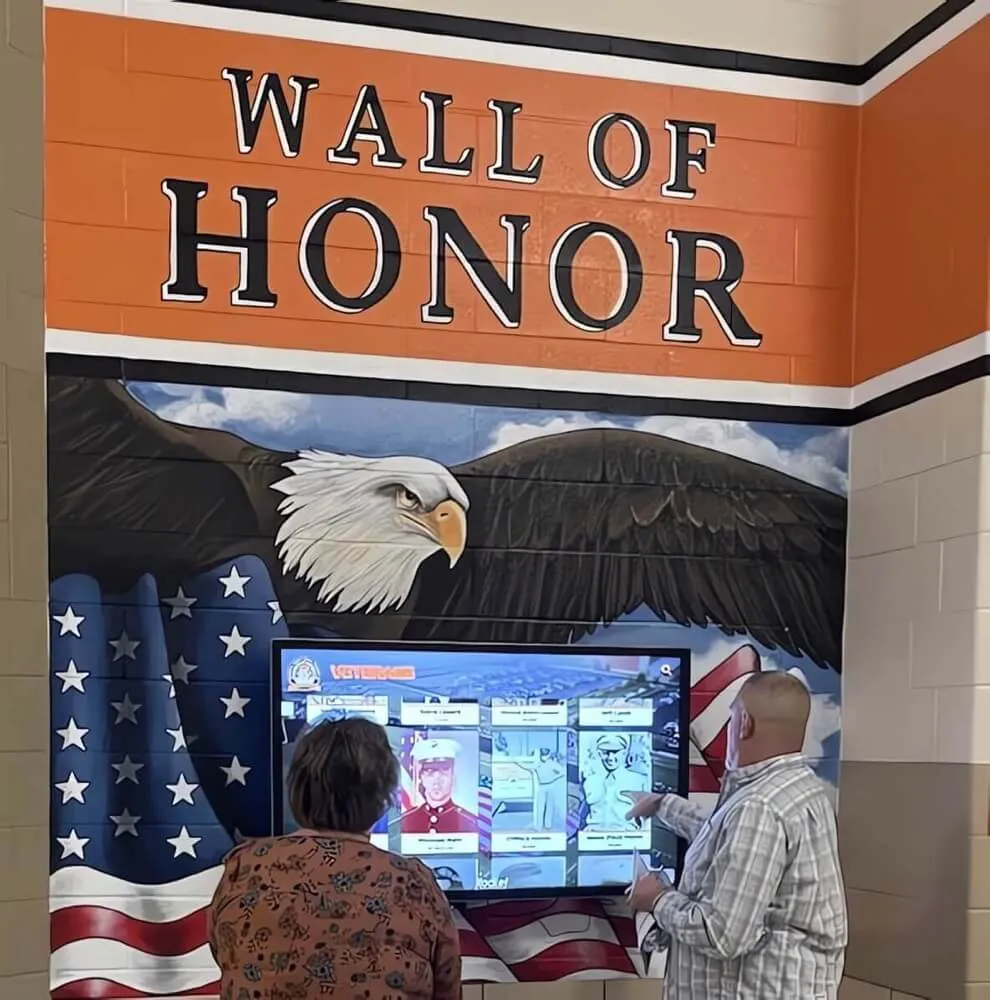
Professional recognition displays serve multiple purposes throughout the year while accommodating seasonal celebrations like Thanksgiving gratitude programs
Conclusion: Video Walkthroughs Transform Thanksgiving Recognition Concepts Into Tangible Reality
Thanksgiving gratitude displays represent meaningful opportunities for organizations to demonstrate appreciation, strengthen community bonds, acknowledge volunteer contributions, and create traditions connecting members across years—yet explaining abstract digital recognition concepts through text descriptions or static images fails to convey the engaging interactive experiences that make touchscreen systems valuable for community building and meaningful acknowledgment.
Plan Your Thanksgiving Recognition Display
Discover how interactive touchscreen systems can transform your organization's Thanksgiving celebrations through engaging gratitude walls, volunteer recognition, and community photo galleries. Schedule a video demonstration showcasing exactly how your community members will explore, contribute, and stay connected throughout holiday seasons.
Schedule Your Thanksgiving Display DemoProfessional video walkthroughs bridge communication gaps by providing tangible visual proof showing exactly what community members experience when exploring gratitude submissions, how organizations manage seasonal content without technical expertise, and what engagement benefits justify technology investment over traditional paper displays or bulletin boards. From establishing shots showing holiday-themed installations through detailed interaction sequences demonstrating intuitive contribution processes through comprehensive production specifications ensuring professional results, strategic Thanksgiving video content transforms abstract possibilities into concrete understanding driving confident decision-making by organizations evaluating whether interactive displays deliver sufficient value.
When organizations watch well-produced Thanksgiving demonstration videos showing realistic usage scenarios, authentic community reactions, and measurable engagement metrics from actual celebrations, they gain confidence that technology will enhance rather than complicate their holiday traditions—enabling informed decisions about whether interactive displays align with community values, budget realities, and member demographics. The video format provides persuasive proof impossible through written descriptions or static images alone, while creating reusable content serving multiple purposes across seasonal marketing, year-round promotion, and community engagement documentation.
Ready to create compelling video demonstrations of your Thanksgiving gratitude display capabilities? Explore how solutions like Rocket Alumni Solutions provide comprehensive touchscreen platforms designed specifically for community recognition and seasonal celebrations, combining intuitive interfaces welcoming all technical comfort levels, flexible content management enabling easy seasonal customization, remote web access extending participation beyond physical gatherings, and professional support ensuring successful implementation from planning through post-celebration engagement maintenance.
Discover additional community recognition approaches in homecoming festivities planning guides and national heritage month recognition programs demonstrating broader applications of interactive touchscreen technology for community engagement and cultural celebrations beyond Thanksgiving-specific implementations.
Learn about permanent installation options in digital hall of fame complete guides that serve ongoing recognition while providing seasonal celebration capabilities for holiday gatherings, milestone events, and special commemorations throughout the year.































