



Every season, athletic departments and communications staff across the country face the same recurring challenge: collecting athlete photos and profile information from scratch, chasing down headshots in three different formats, discovering that last year’s template was saved on a coach’s personal laptop, and rushing to publish a presentable roster before the first game. The problem is not that schools lack the will to do this well—it is that most programs have never built a team roster template with pictures designed to be reused, updated, and connected to the school’s broader recognition archive.
A reusable athlete profile template solves this at the system level. Instead of rebuilding the roster from zero each season, athletic directors, yearbook advisers, and communications staff work from a consistent framework: the same fields, the same photo specifications, the same file-naming conventions, season after season. The template becomes the foundation for print programs, digital displays, yearbook spreads, and athletic archives that persist long after the season ends.
This guide walks through exactly how to build that template—what fields to include, how to standardize photos, how to structure the data collection workflow, and how roster information connects to the long-term recognition systems that keep athlete stories alive for years.
Schools that invest time in building a well-designed roster template once discover that the payoff compounds every year: onboarding new athletes gets faster, archive quality improves consistently, and the same underlying data can power print programs, websites, digital lobby displays, and yearbook pages without manual reformatting.

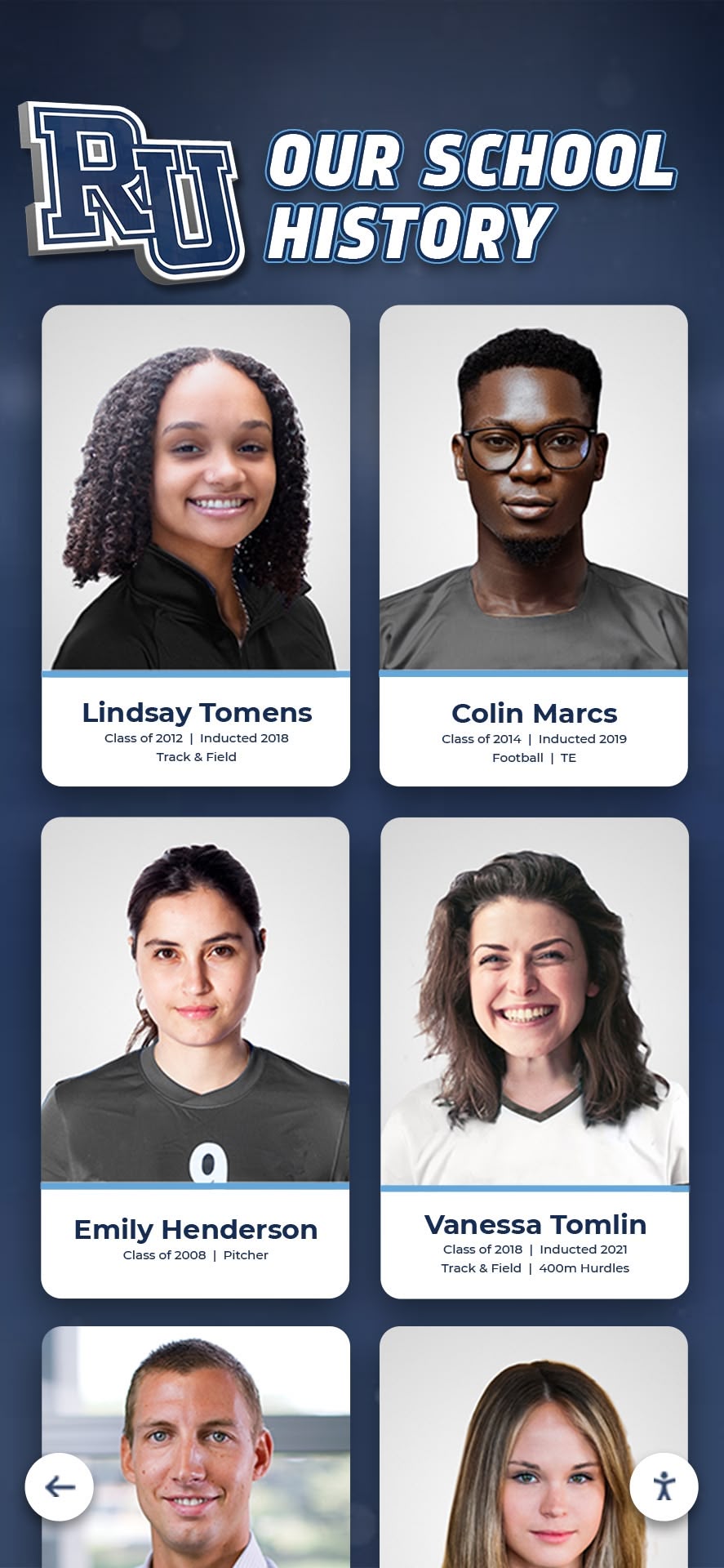
Consistent athlete portrait formats—collected through reusable templates—make it possible to display cohesive rosters across print programs, digital archives, and recognition displays
Why a Picture-Based Roster Template Matters More Than a Simple Spreadsheet
A text-only roster—name, number, position, graduation year—serves scheduling and eligibility purposes, but it does almost none of the recognition work that athletic programs actually need. Pictures change that. When a team roster includes individual athlete photos alongside essential profile data, the document transforms from an administrative list into a recognition artifact.
Yearbook integration: Yearbook advisers depend on consistent photo formats and standardized profile fields to build team pages efficiently. When the athletic department provides formatted roster data—photo, name, grade, position, jersey number—the yearbook team does not need to chase down missing information or resize inconsistent headshots.
Game-day programs: Printed programs require headshots at specific resolutions and aspect ratios. A roster template that collects photos to a defined standard means the athletic department is always print-ready rather than scrambling to request retakes the week before the season opener.
Digital lobby displays and touchscreen kiosks: Schools using interactive touchscreen recognition systems rely on consistent athlete profile data—photo, bio, stats, graduation year—to populate displays that visitors and current athletes can browse. The same structured data that feeds a print program can power a digital display when it is collected in a reusable format from the start.
Archival permanence: Athlete profiles collected through a consistent template build naturally into a long-term archive. Five years from now, that archive becomes a hall of fame data pool. Ten years from now, it is a searchable institutional record. Without a template, each season’s data is isolated and inconsistent, making archival integration laborious.
For schools building out comprehensive recognition frameworks, the complete guide to hall of fame tools for athletics, donors, and history covers how display platforms consume the kind of structured athlete data that good roster templates produce.
Essential Profile Fields: What Belongs in Every Roster Template
The foundation of any reusable team roster template with pictures is a defined set of profile fields. The fields below are organized into four categories reflecting how the data gets used across different contexts.
| Category | Field Name | Format / Notes | Used In |
|---|---|---|---|
| Identity | Athlete headshot | JPG or PNG, min 800x1000px, white or team-color background | All formats |
| First name / Last name | Separate fields for sortability | All formats | |
| Preferred name / Nickname | Optional; used in announcements | PA, digital displays | |
| Graduation year | 4-digit year; use year not "Junior/Senior" for archival accuracy | Archives, yearbook, digital | |
| Hometown / Home state | City, State abbreviation | Programs, yearbook, hall of fame | |
| Athletic | Jersey number | Number only (numeric field for sort) | All formats |
| Primary position | Standardized abbreviation per sport | Programs, digital displays | |
| Height / Weight | Separate numeric fields; imperial or metric per school standard | Programs, recruiting materials | |
| Years on team | List of academic years (e.g., 2024-25, 2025-26) | Archives, hall of fame | |
| Captain / Leadership role | Boolean flag + optional title | Programs, recognition displays | |
| Academic | Academic major / concentration | Optional; used at collegiate level | Programs, digital profiles |
| Academic honors | Honor roll, GPA distinction, academic all-conference | Recognition programs, digital | |
| Extracurricular activities | Text field; optional for richer profiles | Yearbook, digital stories | |
| Archive | Short bio / player quote | 100-200 words; athlete-written or communications-written | Yearbook, digital stories, hall of fame |
| Action photo | Separate from headshot; in-game or practice photo | Digital displays, yearbook spreads | |
| Season statistics summary | Key stats for the current season; cumulative for seniors | Digital profiles, archives | |
| Post-graduation plans | Text field; filled in at season end for seniors | Yearbook, alumni archives |
Not every template needs all of these fields. A youth program roster template needs far fewer fields than a high school varsity template built for yearbook integration and digital archiving. The key is deciding the scope upfront and building the template accordingly—rather than adding fields ad hoc each season.
Step-by-Step: Building a Reusable Roster Template
Step 1: Define the Template Scope
Before building anything, answer three questions that determine the template’s complexity:
Who will use this data? If the roster feeds only a printed program, the template can be simple. If it also feeds a yearbook, digital lobby display, athletic website, and hall of fame archive, the template needs to collect richer data from the start.
How many sports will this template serve? A single universal template works for most sports with sport-specific addenda (swim split times, wrestling weight classes, golf handicap). Alternatively, create sport-specific templates that share a common core.
Who collects the data? Athletic directors, coaches, team managers, and athletes themselves can all be data entry points. Templates designed for athlete self-entry need to be simpler and include clear field-level instructions. Templates completed by communications staff can be more detailed.
Step 2: Establish Photo Specifications Before Collection Begins
Photo inconsistency is the single most common problem in school roster management. When athletes submit photos in different orientations, backgrounds, resolutions, and formats, the communications team spends hours correcting submissions instead of building the actual roster.
Establish these specifications in writing before the season starts and communicate them directly to athletes and families:
- Minimum resolution: 800 x 1000 pixels for headshots; 1200 x 800 pixels for action photos
- File format: JPG preferred; PNG acceptable; no screenshots from phones
- Background: Solid color recommended (team color, white, or school-specified); avoid busy backgrounds that vary between athletes
- Framing: Head and shoulders; eyes level with upper third of frame; no cropping of chin or top of head
- Lighting: Avoid harsh direct flash; natural or diffused light preferred
- File naming:
LastnameFirstname_Sport_Year.jpg(e.g.,SmithJordan_Basketball_2026.jpg) for archive compatibility
Standardized file naming matters as much as photo quality. When photos are consistently named, they can be pulled into templates, yearbook software, and digital display platforms automatically rather than requiring manual matching.

Consistent framing and background in athlete headshots makes digital portrait displays and printed rosters visually cohesive across an entire team or program
Step 3: Build the Data Collection Form
A roster template functions best when it is a structured form athletes and coaches fill out rather than a freeform document. Options for form delivery include:
Google Forms or Microsoft Forms: Free, accessible from any device, automatically compile responses into a spreadsheet. Link directly to file upload for photos. Easiest to deploy quickly.
School SIS or athletic management software: Programs using platforms like Family ID, ArbiterSports, or similar systems can often integrate roster collection directly into existing athlete management workflows.
Custom spreadsheet templates: For programs comfortable with spreadsheets, a shared Google Sheet with locked column headers, dropdown validation for position fields, and a companion folder for photo uploads works well and travels easily between seasons.
Regardless of delivery method, the form should include field-level instructions—especially for the photo upload—and a clear submission deadline. Forms left open indefinitely collect stragglers through September when the season has already started.
Step 4: Create the Validation and Export Workflow
A roster template is only reusable if the validation and export steps are documented. After each season, assign someone to:
- Verify photo quality before the season (not after) and flag submissions that do not meet spec
- Confirm all required fields are complete for every athlete
- Export the final roster to the formats needed: PDF for print programs, CSV for database imports, individual photo folders for yearbook and digital display platforms
- Archive the complete dataset in a labeled folder:
2025-26_Basketball_Roster_Final
Documenting these steps in a one-page workflow guide means the process can be handed off to a new staff member or student aide without the institutional knowledge disappearing with a departing coach or administrator.
Visual Checklist: Roster Photo Collection Standards
Use this checklist before publishing any roster template with pictures. A roster that clears all boxes is ready for print programs, digital displays, and archival storage.
Roster Photo Collection Checklist
Sports-Specific Roster Template Considerations
Most profile fields are universal, but some sports require additional fields or modified conventions to make templates genuinely useful.
Team ball sports (basketball, football, volleyball, soccer, lacrosse): Include position as a standardized dropdown with sport-specific abbreviations. Football templates benefit from listing both offensive and defensive positions separately. Consider including height and weight for sports where physical attributes appear in programs and scouting materials.
Individual sports (swimming, track and field, wrestling, golf, tennis): Add an event or discipline field (e.g., 100M Freestyle, 200M Hurdles, 145 lb weight class). For track and field, where athletes may compete in multiple events, use a multi-select field rather than a single text entry.
Baseball and softball: Include batting side (right/left/switch) and throwing arm as separate fields—these appear in every printed program and recruiting profile but are frequently omitted from generic templates.
Cross country and track: Add personal records (PRs) as an archive field from the start. PR data is the primary statistical content coaches and athletes reference, and collecting it within the roster template means it is available for digital displays and achievement archives without a separate data-gathering effort.
Club and travel teams: Consider adding uniform set number or player ID as a field for programs managing multiple uniform sets. Adding parent or guardian emergency contact as a protected field (not included in public-facing exports) keeps administrative and recognition data in the same system while clearly separating what is public from what is private.
For a broader look at how recognition categories and award types vary across sports, 100 youth sports awards ideas covering all age groups and budgets provides context for how different sports recognize different accomplishments—which helps inform what profile data matters most for recognition purposes.
Digital vs. Print: How Format Shapes Template Design
The format in which the finished roster will live shapes what the template needs to collect and how photos need to be prepared.
| Format | Photo Requirements | Data Depth Needed | Update Frequency |
|---|---|---|---|
| Printed game program | 300 DPI minimum; CMYK color mode | Name, number, position, year, hometown | Once per season; updated for playoffs |
| Yearbook spread | High-res headshot + action photo; consistent framing | Full profile + senior bio + post-grad plans | Final at season end; deadline-driven |
| Athletic website roster page | Web-optimized JPG (72-150 DPI, sRGB) | Core fields + bio + stats link | Updated throughout season for roster changes |
| Lobby touchscreen / digital kiosk | High-res PNG/JPG; consistent crop and background critical for grid display | Full profile with career arc; bio grows over seasons | Remote CMS update; real-time capable |
| Hall of fame / athletic archive | Highest-res version retained in archive | Complete historical record; all seasons documented | Permanent; retrospective additions over time |
The practical implication: collect photos at the highest resolution the program can manage—print-ready quality (300 DPI at 8x10 inches) is the safe standard that can always be downsampled for web without quality loss. Collecting web-resolution photos and trying to use them in a printed program is a one-way problem that creates rush retakes.

Digital display platforms import roster data from structured templates—consistent photo standards and field formatting make the transition from roster to display seamless
From Seasonal Roster to Long-Term Athletic Archive
The most overlooked dimension of roster templates is their archival function. A single season’s roster is a perishable document. Five seasons of consistently formatted rosters become an athletic archive. Fifteen seasons become an institutional record that feeds hall of fame nominations, anniversary retrospectives, and alumni engagement content.
Building the archive habit: Archiving works when it happens automatically as part of the normal workflow, not as a separate project. Archive the final season roster—with photos—in the same folder structure every year: Athletics > Sports > [Sport Name] > Rosters > [Year]. When this folder structure is followed consistently, finding a 2015 roster photo takes ten seconds rather than an afternoon.
Graduating athletes deserve special treatment: Before each graduating class leaves, complete the post-graduation fields in their profiles: college commitments, scholarship recognitions, academic honors. This information is easiest to collect in late spring when it is fresh; it becomes nearly impossible to reconstruct five years later.
Connecting rosters to digital recognition platforms: Schools using digital lobby displays or interactive touchscreen kiosks to showcase athletic history benefit most from consistently formatted roster data. Display platforms that accept CSV imports can ingest years of archived roster data quickly when field names are consistent across seasons. Inconsistent templates—where the graduation year field was labeled “Year” in some seasons and “Class” in others—create data cleaning work that delays every archive project.
For schools considering how systematic recognition and award programs layer on top of archive data, hall of fame tools for athletics and school history recognition explores how digital platforms turn archived profile data into permanent, accessible recognition experiences.
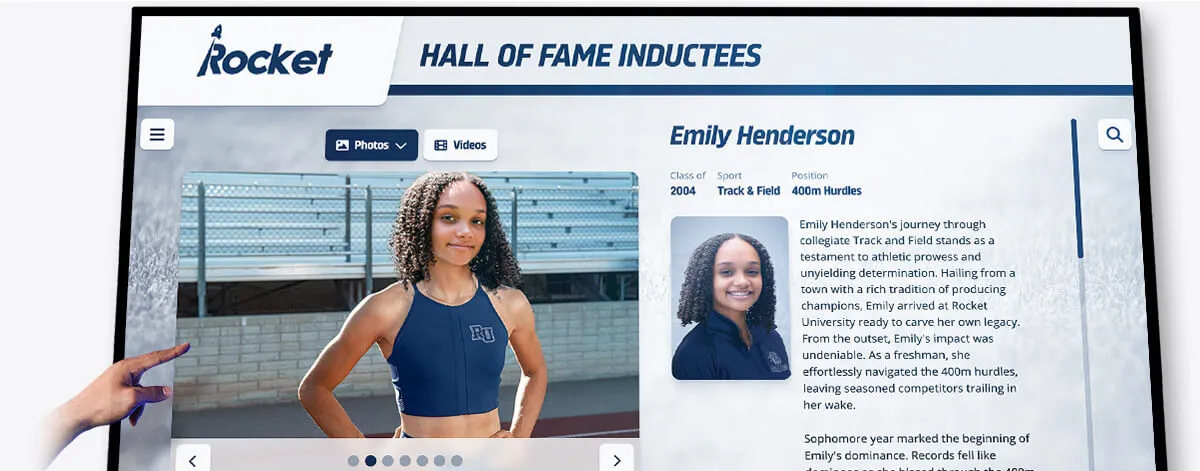
Individual athlete profiles built from structured roster templates become the foundation for digital hall of fame displays, where profile depth makes the recognition meaningful rather than just nominal
How Digital Display Platforms Use Roster Template Data
For schools that have moved beyond static printed rosters to digital lobby displays, interactive kiosks, and touchscreen recognition walls, the connection between roster template quality and display quality is direct.
Digital recognition platforms designed for schools—including systems used in athletic lobbies, gymnasiums, and hallways—consume athlete profile data through structured imports. The platforms expect consistent fields: photo file, first name, last name, sport, position, graduation year, bio text. When roster templates have collected and named these fields consistently for years, loading them into a display platform is a straightforward import. When data is inconsistent, every athlete profile requires manual correction.
What display platforms can do with complete roster data:
- Display searchable roster grids organized by sport, year, or position
- Generate individual athlete profile pages with career arc across multiple seasons
- Surface record holders and statistical leaders from historical data
- Enable alumni to find and share their own profiles through QR codes or web links
- Automatically archive each season as a browsable historical record
What display platforms cannot do: recover information that was never collected. A graduating senior whose post-graduation plans were not captured in the template leaves a permanent gap in the archive that becomes visible every time a current athlete asks “where are they now?”
The schools that get the most out of recognition display investments are those that treat roster template design as an early infrastructure decision—not a last-minute administrative task—because the display system is only as good as the data it ingests.
For schools exploring recognition platform options that integrate with structured athlete data, best hall of fame and recognition tools for athletic programs provides a comparison of platforms and how they handle athlete profile data from different source formats.
Want to see how roster data powers a live recognition display?
Rocket Alumni Solutions builds interactive touchscreen displays that import structured athlete profiles and turn them into permanent, searchable recognition archives for school lobbies and athletic facilities.
Book a Live DemoConnecting Roster Profiles to Broader Recognition Programs
A reusable roster template does not exist in a vacuum. The profile data it captures connects to the full range of recognition programs that schools run throughout the year.
Athlete of the week programs: Weekly recognition programs draw directly on current roster data—photo, sport, position, grade level—to create recognition posts for social media, announcements, and digital displays. When roster data is current and formatted consistently, producing recognition content takes minutes rather than hours.
Senior night ceremonies: Schools that maintain complete senior athlete profiles can produce recognition materials—banners, ceremony scripts, social posts—directly from template data without asking coaches to supply the same information they provided at the start of the season.
Athletic banquets and end-of-season awards: End-of-season award materials benefit from complete roster profiles that include stats, bios, and season contributions. Programs that build rosters with recognition in mind collect this context during the season rather than retroactively.
For schools developing comprehensive recognition frameworks that span the full athletic year, youth sports award ideas and recognition program structures covers how award categories and recognition timing connect athlete profiles to meaningful public acknowledgment.
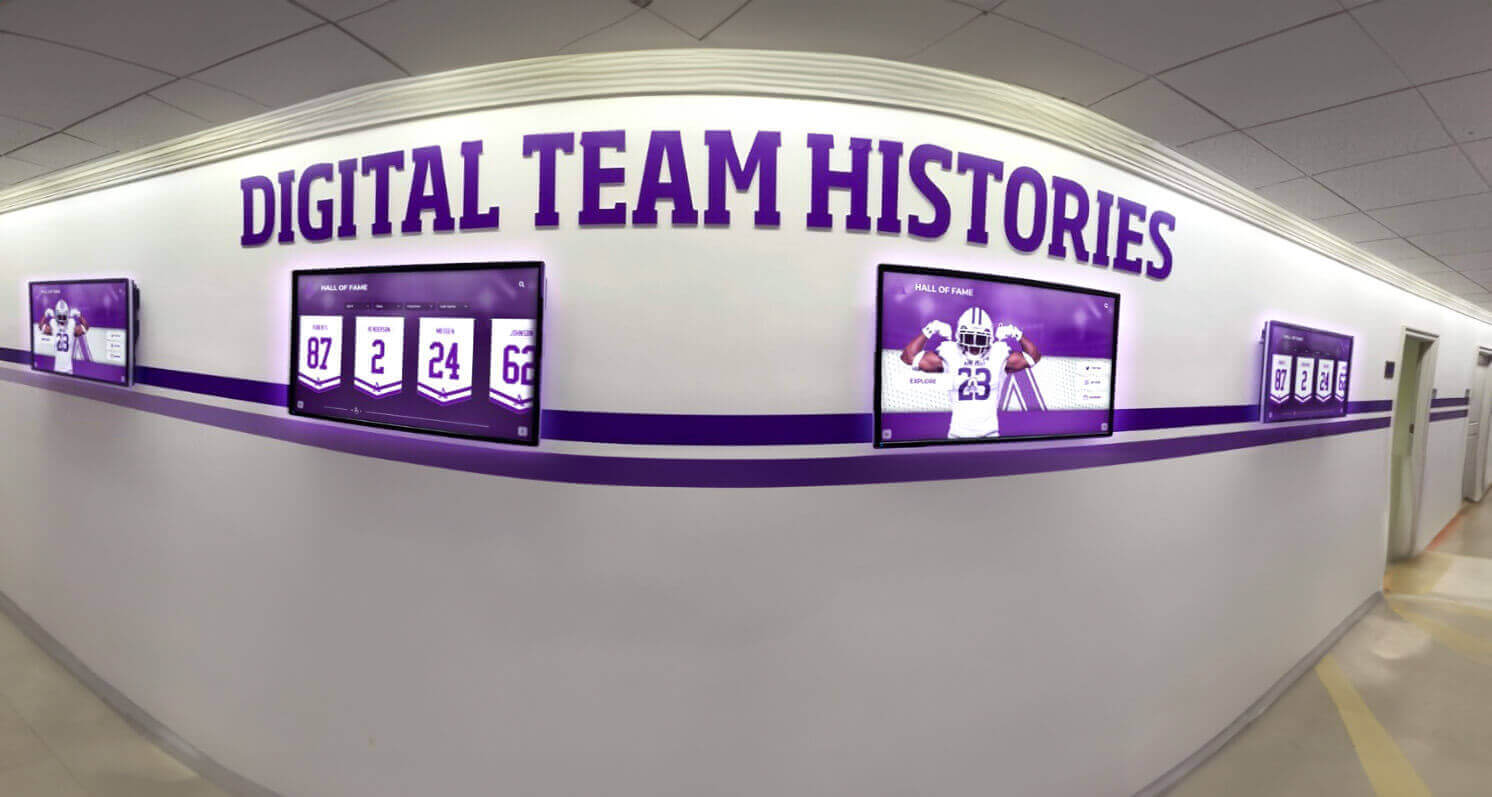
Comprehensive digital displays pull from the same athlete profile data collected through roster templates, allowing schools to scale recognition across hallways, lobbies, and online platforms simultaneously
Alumni recognition and reunion programming: The further from graduation, the harder it is to reconstruct athlete profiles from memory. Schools that maintain complete, archived roster templates—including post-graduation information—have the data foundation to run compelling alumni recognition programs years later, including reunion displays, decade retrospectives, and hall of fame nominations.
For schools planning alumni engagement events that draw on athletic history, ten-year high school reunion planning and recognition traditions includes guidance on how historical athlete profile archives support reunion recognition programming.
For programs building out the physical recognition infrastructure to display that historical content, hall of fame display tools for athletics, donors, and school history covers the hardware and platform options schools use to bring archived roster data to life as public recognition displays.
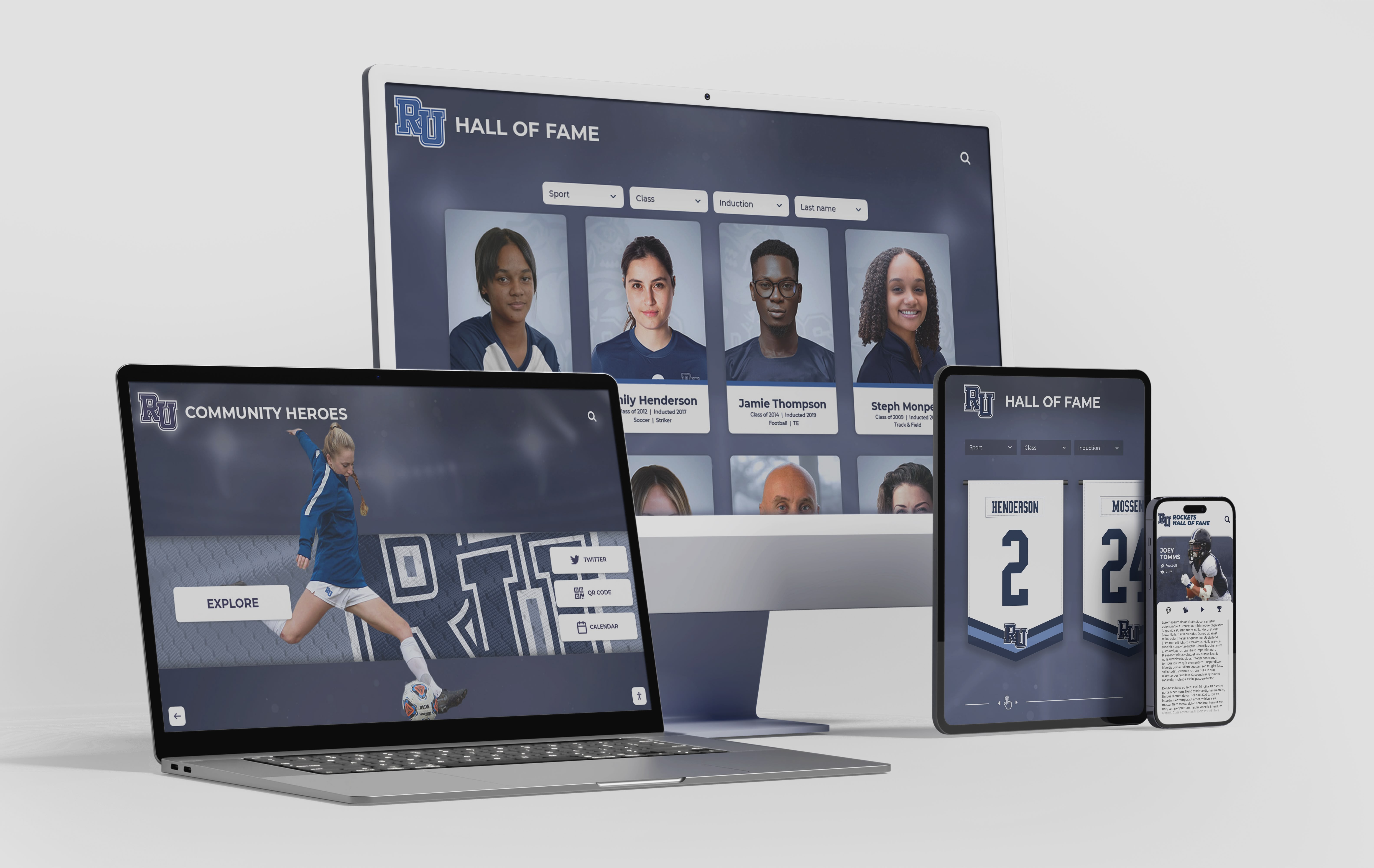
Web-accessible athlete profiles built from roster archive data allow alumni, families, and community members to engage with athletic history beyond the physical display space
Frequently Asked Questions
What is the best file format for roster photos?
JPG is the standard for headshots and action photos in most contexts. It offers the best balance of image quality and file size for both print (at 300 DPI) and digital (at 72-150 DPI) use. PNG is preferable when photos require transparent backgrounds for layered design work. Avoid HEIC files from iPhones—convert to JPG before archiving to ensure compatibility across platforms.
How many photos should each athlete profile include in a template?
At minimum: one headshot meeting your defined specs. Ideally: a headshot plus one action photo. For archives and digital displays, a third photo showing the athlete in a team context (team photo, celebration, awards ceremony) adds narrative depth. Define the minimum in your template instructions so athletes know the expectation.
How should a school handle athletes who do not submit compliant photos?
Set a firm deadline and communicate it with the consequence: athletes who miss the deadline or submit non-compliant photos appear with the program’s generic placeholder image in public-facing materials. Most athletes prefer their own photo. Make one retake date available for athletes who were absent or submitted unusable photos, then proceed with the placeholder for remaining non-compliance.
Can one roster template work across multiple sports?
Yes, with a shared core plus sport-specific addendum fields. Core fields (name, graduation year, jersey number, headshot, bio) are universal. Sport-specific fields (event for track, weight class for wrestling, batting side for baseball) can be added as conditional fields in form tools like Google Forms or as separate columns in a sport-specific spreadsheet tab. Maintain the same column naming across sports for consistent archive integration.
How long should roster archive data be kept?
Indefinitely, for athlete profile and photo data. Unlike financial records with defined retention schedules, athlete recognition data has no logical expiration date—a hall of fame nomination for a 1998 athlete requires the same data that would have been in their 1998 roster profile. Use compressed backup storage for older seasons, but do not delete.
What makes a roster template “reusable” versus just a roster?
A reusable template has four characteristics: documented field specifications (so anyone can fill it out correctly), documented photo specifications (so submissions are consistent), a defined export workflow (so the same data populates multiple output formats), and a named archive convention (so the completed roster is filed consistently and findable in future seasons). A roster without these structural decisions requires rebuilding the decisions from scratch every year.
For schools looking at how recognition display investments build on top of archived roster data, youth sports recognition and hall of fame tool options covers the platforms schools use to turn years of archive data into public-facing recognition experiences.
For a broader perspective on how structured athlete data supports award program design across all age levels, complete guide to hall of fame recognition tools for athletes, donors, and history provides a comprehensive look at how recognition infrastructure and profile data work together.
Turn Your Roster Archive Into a Recognition Display
Rocket Alumni Solutions builds interactive touchscreen displays that import structured athlete profiles and make years of athletic history searchable, browsable, and permanently recognized in school lobbies and athletic facilities.
Schedule a Demo






























