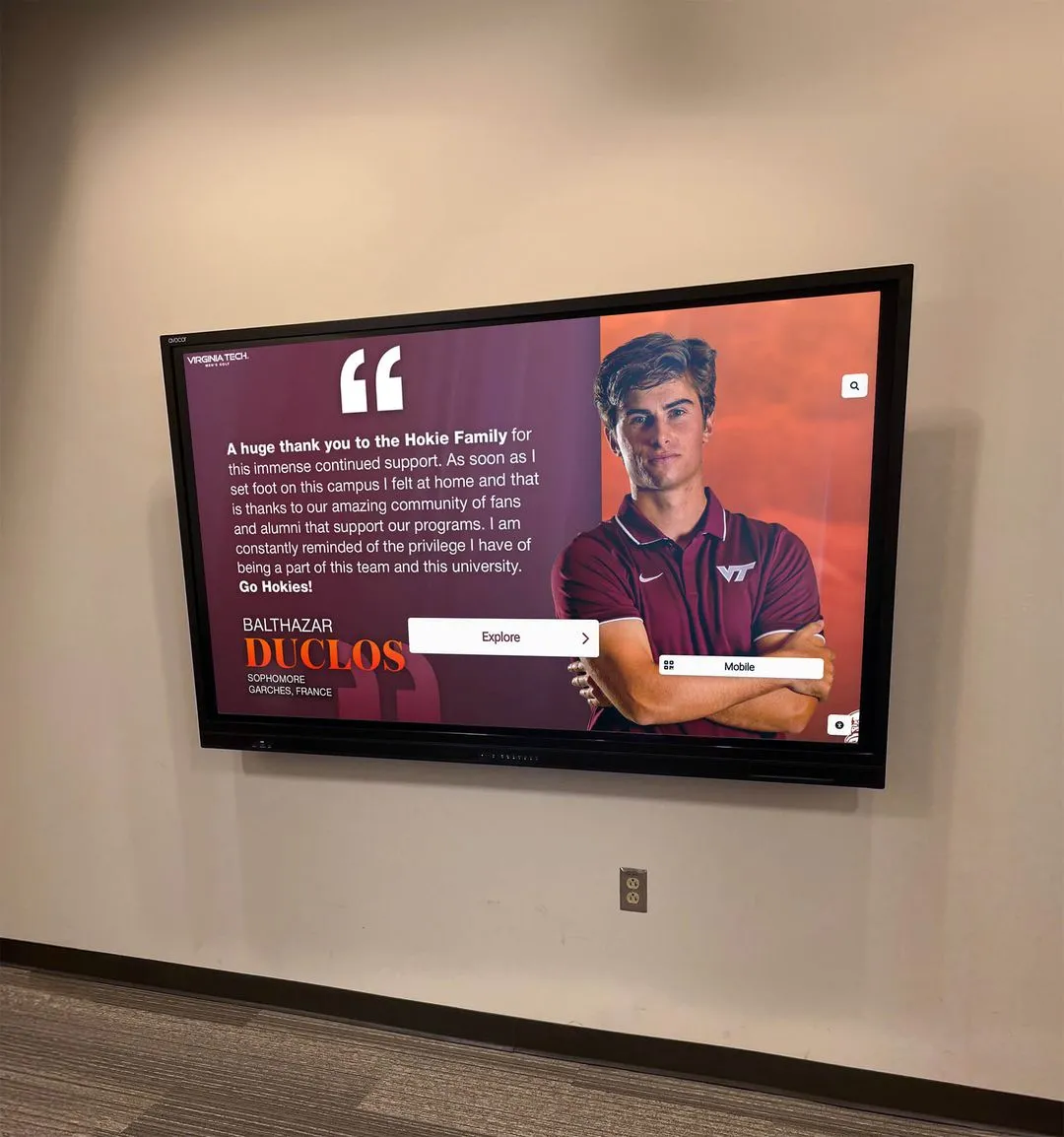




The walls of a team room do more than separate a locker bay from a hallway. When planned well, they communicate to every athlete who walks through the door: this program has a history worth knowing, and you are part of it. Team room athlete features—the combination of identity elements, record boards, and individual player stories displayed in athletic spaces—are among the highest-leverage recognition investments a school program can make. They motivate current athletes, impress recruits, and anchor alumni to a place they still call home.
This planning guide breaks the work into three interconnected components: building a coherent program identity in the space, deciding what records to display and how to organize them, and choosing which player stories to tell and in what format. It also includes a direct comparison of static versus digital display approaches—because the format you choose shapes everything from update frequency to long-term cost.
Walk into any well-designed team room and you feel the program before you read a single word. Color, typography, images of athletes in motion, and a wall of records communicate pride, standard, and legacy in seconds. Walk into a neglected space and the opposite message lands just as fast. Intentional design is not optional—it is part of athletic culture building.

Well-designed team room recognition walls communicate program standards and legacy from the moment an athlete enters the space
What “Team Room Athlete Features” Actually Means
The phrase covers the full set of recognition elements that schools place inside or immediately adjacent to team rooms, athletic lounges, locker corridors, and weight rooms—spaces athletes inhabit daily rather than the public hallways reserved for community-facing displays.
The three core feature categories are:
1. Identity elements — program colors, mascot graphics, motivational messaging, team values statements, retired jerseys, and any visual language that communicates what the program stands for.
2. Record and statistical displays — record boards listing career and single-season leaders, season-by-season results, championship histories, and all-time leaders by category.
3. Player stories — individual athlete profiles, alumni spotlights, “went on to play at” walls, award recipient recognition, and multimedia content that puts faces and narratives to the numbers.
Most programs start by addressing identity—it is the easiest to visualize and fund. Records come next because they motivate current athletes directly. Player stories are often the last to receive investment, but they frequently generate the deepest engagement from both current athletes and returning alumni.
For a broader look at how identity elements interact with the locker room environment, athletic locker room signage ideas covers the full range of decor and motivational display options that reinforce team culture.
Before-and-After: Planning Your Team Room Athlete Features
Before: The Audit Phase
The biggest planning mistake programs make is jumping to design before taking stock of what they already have—and what they still need to gather. Before any vendor is called or any layout is sketched, assign someone to answer these questions:
Identity audit
- Does the program have a consistent visual identity (logo, colors, typography) that can be transferred to wall graphics?
- Are retired jersey numbers documented? Are the actual jerseys available?
- Is there existing motivational language (team mottos, values statements, coaches’ maxims) that the program actually uses?
Records audit
- For each sport, what seasons of win-loss records exist in a usable format?
- Which statistical categories matter for each sport, and are all-time and single-season leaders documented?
- Are championship years confirmed with supporting documentation (newspaper coverage, program archives)?
Player story audit
- Are there current or recent athletes whose stories are compelling enough to feature?
- Does the program maintain a list of alumni who went on to play in college, professionally, or at the national level?
- Are high-quality photos available—not just team shots, but individual action photos suitable for display?
Running this audit before design begins prevents the most common disappointment: a beautiful layout that cannot be populated because the underlying data was never collected.
After: The Populated Display
A completed team room athlete features installation—whether static or digital—should accomplish five things that the pre-audit space did not:
- Communicate program identity at a glance — a visitor who has never heard of the program should be able to read its character from the visual environment in thirty seconds.
- Name the standard — current athletes should see exactly what records exist to be broken and whose names they need to surpass.
- Tell at least one complete story — not just a name on a plaque, but a player whose journey is documented enough that a current freshman can actually relate to it.
- Give alumni a reason to pause — returning graduates should find themselves and their era represented, not just a generic championship banner.
- Update without major renovation — the single biggest differentiator between a display that stays current and one that grows stale within two seasons.
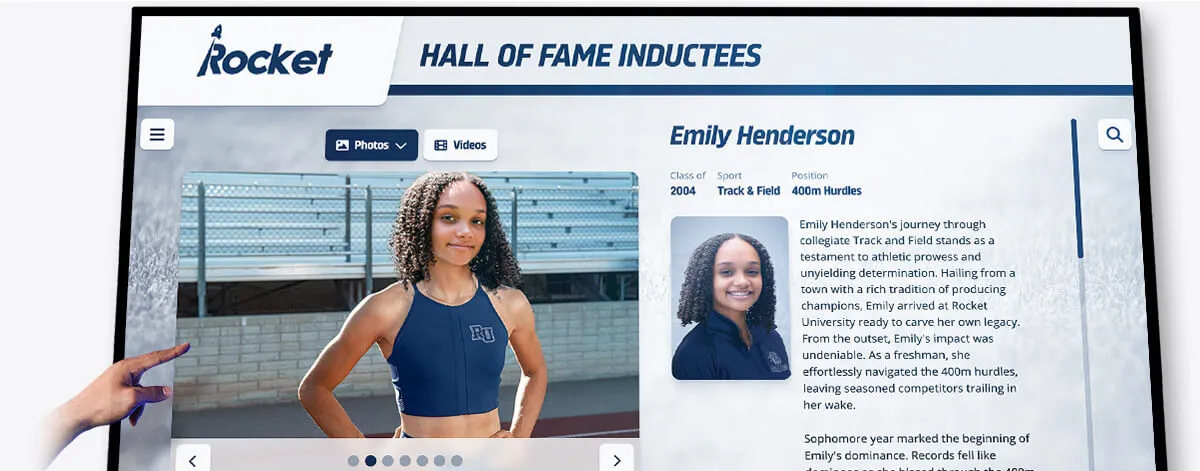
Individual athlete profile cards—whether printed or digital—give depth to the numbers by connecting records to the people who set them
Planning Program Identity in the Team Room
Program identity is the visual and cultural framework everything else hangs on. It should be established before record boards and player stories are designed, because the aesthetic choices made at the identity layer affect how every other element reads.
Visual Identity Elements Worth Planning
Mascot and logo graphics: Large-scale mascot artwork or logo treatments set the visual anchor for the room. These should be rendered at print or screen resolution appropriate for the display size—a common mistake is using a small web-format logo that pixelates at mural scale.
Color fields and typography: Consistent use of program colors across all display elements—record boards, player profiles, motivational text—creates visual coherence. Choose a font system early and apply it uniformly across all features.
Motivational and values content: Quotes, team standards, and values statements should reflect language the coaching staff actually uses rather than generic sports maxims. When athletes recognize their coach’s words on the wall, the content feels genuine rather than decorative.
Retired jerseys and numbers: Physically retired jerseys in display cases, or represented digitally on a screen, are among the most personal identity elements a team room can include. Plan for how these will be authenticated, photographed, and contextualized with brief narratives.
For programs researching how identity elements function within a broader athletic facility design, athletic team room design ideas for recognition and recruiting spaces covers design principles that balance motivational impact with recognition depth.
Planning Record Boards for the Team Room
Record boards are among the most-read features in any team room. Current athletes check them. Recruits evaluate programs by them. Coaching staff use them to set training benchmarks. Planning them well requires decisions about scope, format, and update cadence.
What Records to Display
The standard record board categories for most sports include:
- Career leaders: Top 5 all-time in each primary statistical category (points, rebounds, rushing yards, strikeouts, etc.)
- Single-season leaders: Top 5 single-season performances in each category
- Single-game records: Best individual performances in a single game or match
- Season records: Best team win-loss records, including undefeated or conference championship seasons
- Championship history: Year, sport, level (conference, regional, state/national)
For detailed frameworks on how to structure and display these categories, athletic stats display ideas for showcasing team and player records covers the full range of record display options used in school athletic programs.
The Update Problem
Physical record boards—engraved plaques, painted boards, laminated panels—look excellent when installed. The problem emerges when a record gets broken. Reprinting or re-engraving a physical board is expensive enough that most programs simply do not update until a full renovation happens. The result: a record board frozen in a particular season that becomes progressively less accurate.
Digital record boards solve this directly. Cloud-managed systems allow an athletic director to update a record from any internet-connected device within minutes of a game ending. For programs evaluating this transition, digital touchscreen athletic building team records explains how schools use connected display systems to maintain live-accuracy record boards without physical reprinting costs.
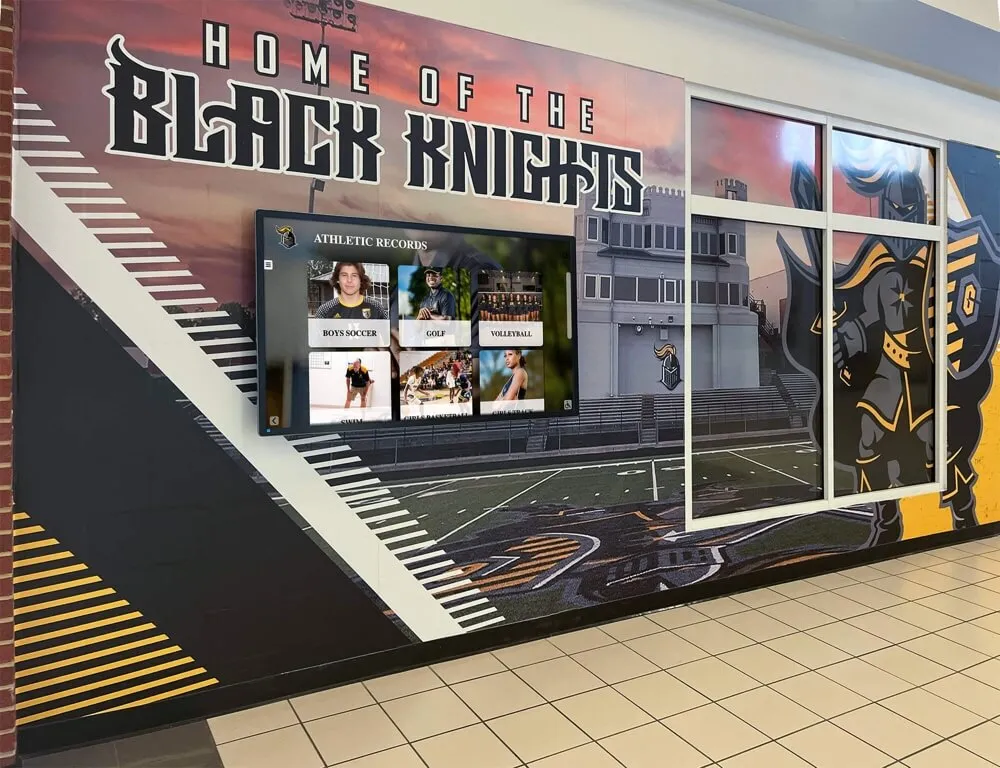
Record boards integrated with team room murals give athletic spaces both visual identity and live statistical context
Planning Player Stories: Individual Athlete Features
The most emotionally resonant element of any team room is not the championship banner—it is the story of an athlete who came through this program and became something. Player stories are the features that make the display personal rather than institutional.
Which Athletes to Feature
Not every athlete can receive the same depth of coverage in a physical display. A practical priority framework:
Tier 1 — Full profile: Hall of fame inductees, record holders, athletes who went on to professional or Olympic careers, program-defining players from championship eras. Each should have a photo, stats summary, and a brief narrative (150–250 words) covering their playing career and what came next.
Tier 2 — Acknowledgment: All-state or all-conference selections, team MVPs, milestone award recipients. Name, year, honor, and a photo where available.
Tier 3 — List recognition: Four-year letterwinners, team captains by year, senior classes. Name and year.
For guidance on how to write compelling award and recognition language for player profiles, team and player award wording guidance covers phrasing that honors achievement without sounding generic.
Alumni Spotlights
Alumni spotlights are among the highest-engagement features for team rooms that host alumni events, open houses, or recruiting visits. When a high school recruit sees a profile of a player who came through this same program five years ago and is now starting for a Division I program, it communicates program quality more effectively than any statistics table.
Plan alumni spotlights to be expandable. Athletes’ stories continue developing after graduation—college careers, professional opportunities, coaching roles, community recognition. A physical plaque captures a single moment; a digital profile grows with the athlete’s career.
Uniform and jersey design history is also a compelling alumni connection point for many programs. Seeing the evolution of the program’s identity over decades can anchor returning athletes to specific eras. Jersey design ideas and custom sports uniforms as team identity explores how uniform history can be woven into recognition displays as a distinct form of program storytelling.

Interactive touchscreens let athletes and visitors search for specific players, browse by sport or era, and explore profiles that static panels cannot fully accommodate
Static vs. Digital: Choosing the Right Display Format
The format decision shapes everything else in the planning process. Below is a direct comparison across the dimensions that matter most for team room athlete features.
| Feature | Static Physical Display | Digital / Interactive Display |
|---|---|---|
| Record updates | Requires reprinting or re-engraving; often deferred | Updated remotely in minutes; live accuracy |
| Player profile depth | Limited to text and one photo per panel | Unlimited text, multiple photos, video, stats tables |
| Content capacity | Fixed by physical panel count | Unlimited; scales as archive grows |
| Upfront cost | Lower initial cost for simple panels | Higher hardware/software investment |
| Long-term cost | High cost-per-update; renovation required to expand | Low per-update cost; platform subscription replaces renovation |
| Recruiting impact | Strong visual presence; limited storytelling depth | Deep storytelling; current record accuracy impresses recruits |
| Alumni engagement | Physical permanence; alumni can see their name | Full profiles accessible on-site and via web link |
| Maintenance burden | Physical deterioration; cleaning, lighting | Hardware maintenance; software updates managed remotely |
| Best fit | Signature anchor elements: championship banners, retired jerseys | Records, player profiles, alumni content, season archives |
The practical conclusion most programs reach: static physical elements work best as permanent visual anchors (murals, championship banners, retired jersey cases), while digital displays handle the data-rich, frequently-updated features—records, player profiles, and alumni content.
For programs evaluating which award types and recognition categories to feature across both formats, types of sports awards and team honors criteria provides a comprehensive framework for categorizing athletic honors before designing the display structure.
Connecting Team Room Features to Broader Program Recognition
A well-planned team room does not exist in isolation. The athlete features installed there should connect to the school’s broader recognition ecosystem: the public-facing hall of fame display, the trophy case in the main lobby, the record board in the gymnasium, and the digital trophy case accessible on any device.
This connection matters for two reasons. First, consistent design language across all recognition spaces reinforces program identity at every touchpoint—the weight room, the hallway, the lobby, and the web. Second, it enables content reuse: athlete profiles built for the team room display should be the same profiles appearing on the school’s alumni-facing recognition platforms, updated once and reflected everywhere.
For drill teams, spirit squads, and fine arts athletic programs that often lack recognition infrastructure comparable to traditional sports, drill team uniforms, identity, tradition, and recognition display ideas offers a parallel planning framework applicable to any program type.
Recognition built around team celebrations and banquet events—the annual moment when athletes are acknowledged in front of family—can be reinforced by what lives permanently on the team room walls. Athletic banquet planning for memorable team celebrations covers how schools structure the event-based side of recognition alongside permanent installation.
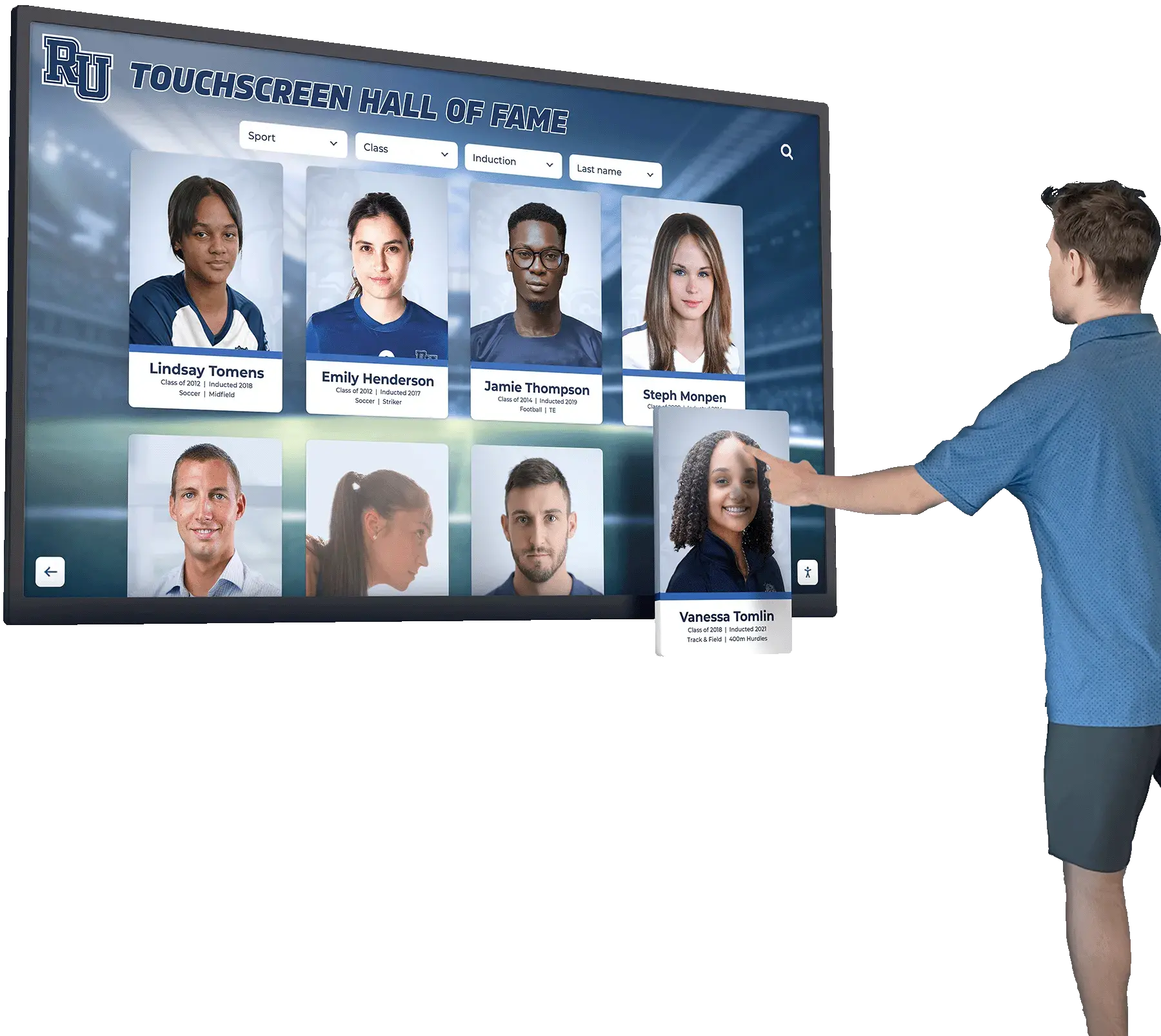
Interactive athlete profile systems allow visitors to search by sport, year, or name—creating personalized recognition experiences that static panels cannot replicate
See Team Room Athlete Features in Action
Rocket Alumni Solutions designs and installs touchscreen record boards, digital athlete profiles, and hybrid recognition walls for schools across the country. Request a personalized demo to see what's possible for your program space.
Book a Free DemoGovernance: Who Keeps Team Room Features Current
Any athletic director who has inherited a team room display that was last updated three seasons ago knows the answer to this question: nobody assigned it. Keeping team room athlete features current requires explicit ownership.
Define three roles before launch:
Records manager: Responsible for updating record boards after each season ends. In most programs, this is the athletic director or a designated assistant. With a digital system, updates take minutes—the barrier is calendar commitment, not technical complexity.
Media coordinator: Responsible for capturing and filing high-quality team and individual photos each season. The most common reason player story features go unfilled is not lack of willing athletes—it is lack of usable photos.
Alumni liaison: Responsible for collecting updates on former athletes—college program, career milestones, coaching roles. Alumni profiles that stop at graduation become outdated within two years. An active liaison keeps them growing.
Build update workflows into existing post-season processes. Schools that treat display updates as a standing calendar commitment—“first week of December, basketball records updated”—keep displays dramatically more current than those that plan to “update when there’s time.”
A Direct Answer: What Should Every Team Room Athlete Feature Plan Include?
For programs starting from scratch or doing a significant upgrade, the minimum viable feature set for team room athlete features is:
- One clear identity anchor — a mural, large-format logo treatment, or permanent team values statement that establishes visual character
- A record board covering at least one complete sport — with clear categories, verifiable data, and a defined update process
- At least three complete player profiles — with photos, stats, and narratives long enough to actually tell a story
- Alumni acknowledgment — at minimum a list of athletes who went on to college programs, with expandable profiles as the format allows
- A defined update owner — a named person with a calendar commitment, not a vague institutional intention
Everything beyond this foundation—rotating digital content, touchscreen interactivity, multimedia video, web-accessible profiles—adds depth and engagement. But these five elements make a team room athlete features installation functional and worth building.
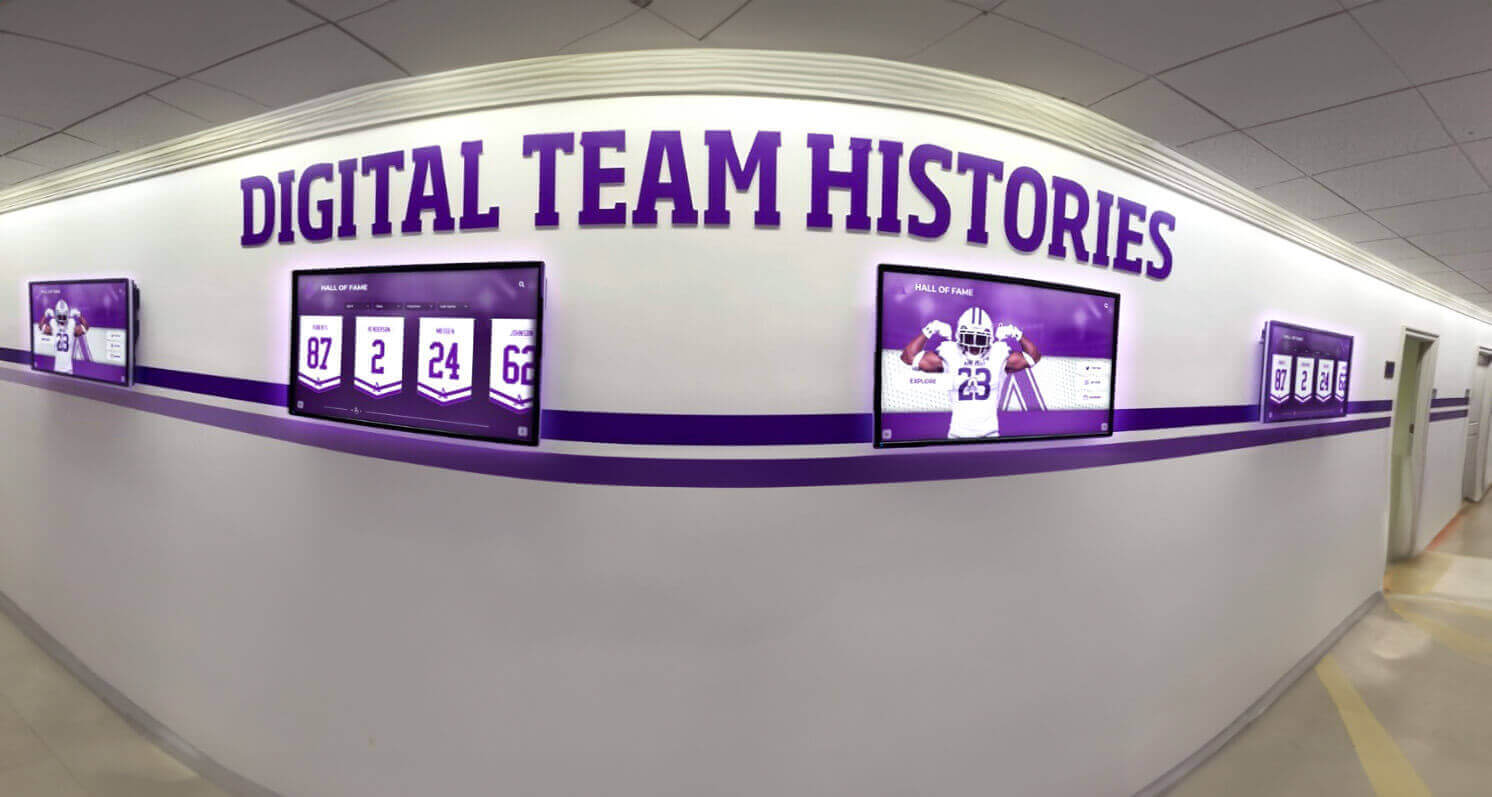
Digital displays lining athletic corridors can rotate through team histories, record updates, and alumni spotlights—keeping content current without physical renovation
Conclusion: Team Room Athlete Features That Last
A team room that only tells athletes where their gear lives is a missed opportunity. One that tells them what program they have joined, whose records they are chasing, and what the athletes before them went on to do—that space does motivational work every single day without anyone having to say a word.
The planning process covered here—auditing existing assets, establishing identity before records and records before stories, choosing static versus digital formats based on update requirements, and assigning clear governance—applies regardless of program size, budget, or sport. The decisions are the same whether you are installing a single record board in a high school weight room or a full digital athlete feature system across a multi-sport facility.
For programs interested in how football-specific recognition fits within this broader framework, football banquet planning ideas covers the event side of athlete recognition that complements what lives permanently on the walls.
Build the system with the update cycle in mind, and team room athlete features become a compounding asset—more valuable every season as the archive deepens, the alumni network grows, and the records get broken again.
Plan Your Team Room Athlete Features with Expert Help
Rocket Alumni Solutions partners with schools to design and install touchscreen record boards, digital athlete profiles, alumni recognition walls, and hybrid display systems. See what a modern team room recognition system looks like for a program your size.
Book a Free Demo






























