



Championship seasons, record-breaking performances, and exceptional team achievements deserve celebrations that match their significance. Yet many athletic programs struggle to create recognition experiences that feel both meaningful in the moment and permanent in their impact—relying on traditional banquets and static trophy displays that fail to capture the energy, emotion, and visual story of a team’s success.
Modern team celebration ideas increasingly integrate video documentation, digital recognition displays, and interactive touchscreen experiences that transform how programs honor athletic achievements. Research demonstrates that multi-sensory recognition combining visual, audio, and interactive elements creates 3-4 times greater long-term recall compared to traditional verbal acknowledgment alone. Athletes viewing their achievements through professionally produced highlight videos or interactive digital displays report significantly higher perceived value of recognition compared to certificates or plaques exclusively.
The most impactful team celebrations now leverage video walkthroughs, visual storytelling, and permanent digital documentation—creating celebration experiences that extend far beyond single banquet events while building program legacies that inspire future athletes for decades.
This comprehensive guide explores creative team celebration ideas emphasizing video tours, digital display integration, and visual recognition approaches that make athletic achievements memorable, shareable, and permanently documented through modern touchscreen technology and multimedia storytelling.

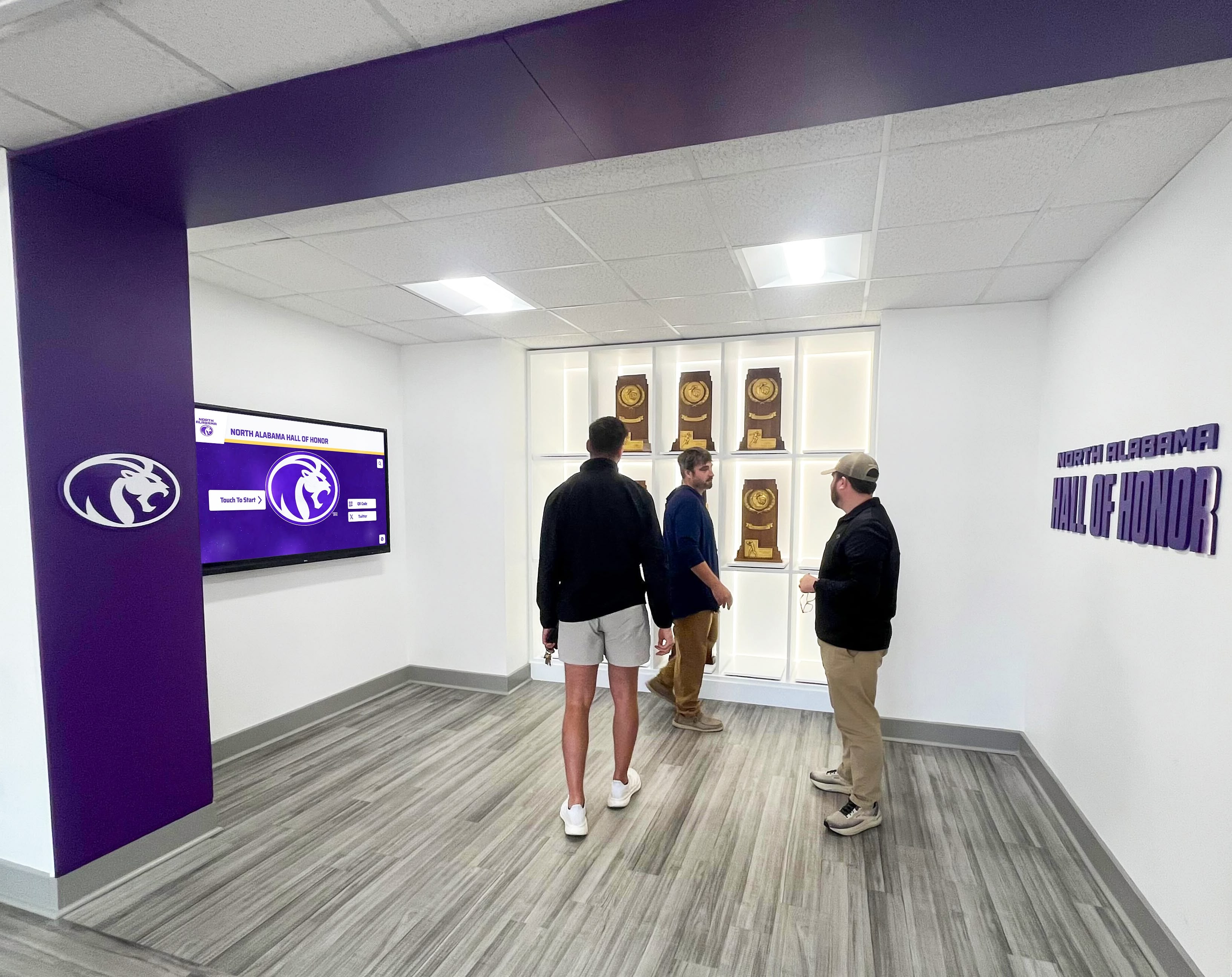
Professional recognition spaces create impressive settings for team celebrations while providing permanent achievement documentation
The Evolution of Team Celebration Video Documentation
Traditional team celebrations centered on single-event banquets with speeches, awards, and team dinners. Modern athletic programs increasingly recognize that championship moments deserve comprehensive video documentation creating lasting records families treasure decades later.
Why Video-Based Celebrations Transform Recognition Impact
Visual Memory Preservation
Championship seasons unfold through thousands of moments—dramatic victories, clutch performances, breakthrough achievements, emotional celebrations. Single banquet events capture only tiny fractions of these experiences. Video documentation preserves:
- Season highlight compilations showing progression from early challenges to championship success
- Individual athlete performance montages celebrating personal achievements
- Behind-the-scenes footage capturing team chemistry and preparation
- Championship game or meet footage preserving defining moments
- Candid team interactions showcasing relationships and character
- Coach and athlete reflections providing context and emotion
Professional video tours of recognition displays enable programs to showcase these visual stories in ways traditional static awards never could—creating shareable content families, alumni, and recruits view repeatedly.
Shareability and Extended Reach
Digital video celebration content extends recognition far beyond attendees at single banquet events:
- Social media distribution reaching extended families, alumni, and community supporters
- Website integration enabling permanent public access to achievement documentation
- College recruiting materials providing coaches visual proof of athlete capabilities
- Alumni engagement content connecting graduates to current program success
- Community relations assets demonstrating program excellence to stakeholders
- Fundraising materials showcasing program impact when seeking booster support
Solutions like Rocket Alumni Solutions enable athletic programs to integrate video content directly into touchscreen recognition displays—creating permanent digital galleries families access through QR codes on mobile devices long after banquet events conclude.
Learn about visual documentation approaches in digital storytelling for athletic programs with multimedia strategies.

Interactive touchscreens enable athletes exploring comprehensive visual documentation of team achievements
Video Walkthrough Formats for Team Recognition
Championship Season Retrospective Tour Length: 8-12 minutes | Format: Narrated video tour
Camera opens on championship trophy or banner in athletic facility. Narrator (coach, athletic director, or athlete) walks through facility stopping at recognition displays highlighting season progression:
- Scene 1 (0:00-2:00): Season expectations and early challenges. Display shows pre-season team photo, roster, and opening game statistics.
- Scene 2 (2:00-4:30): Mid-season turning point. Touchscreen display reveals pivotal victory footage, breakthrough performances, emerging leaders.
- Scene 3 (4:30-7:00): Championship run. Interactive display shows playoff bracket progression, statistical achievements, dramatic moments.
- Scene 4 (7:00-10:00): Title victory. Video footage of championship-clinching moments, celebration scenes, award presentations.
- Scene 5 (10:00-12:00): Legacy context. Historical display comparing championship team to previous program excellence, record books, honored alumni.
This walkthrough format creates compelling content for banquet video presentations while doubling as recruitment material and permanent documentation accessible through facility touchscreens year-round.
Individual Athlete Feature Compilation Length: 60-90 seconds per athlete | Format: Profile video series
Brief video tributes for each team member combining:
- Action footage of athlete’s best performances throughout season
- Statistical achievement graphics highlighting personal records or milestones
- Brief interview clips (15-20 seconds) with athlete reflecting on season
- Coach testimonial describing athlete’s unique contributions
- Teammates commenting on athlete’s character or memorable moments
- Family photos showing athletic journey from youth sports to current success
Production notes: Shoot interviews against team-branded backdrop with quality audio. Use lower-third graphics displaying athlete name, position, and key statistics. Edit to upbeat music bed maintaining energy throughout. Export in multiple formats: 16:9 for banquet projection, 9:16 for social media stories, square format for Instagram feed posts.
These athlete profiles screen individually during banquet recognition ceremonies, then aggregate into permanent touchscreen galleries families access through QR codes linking to digital recognition platforms.
Explore athlete showcase approaches in athletic hall of fame complete guide with display strategies.

Digital record boards integrated into athletic facilities provide always-accessible visual documentation of team achievements
Creative Team Celebration Ideas Integrating Digital Displays
Modern celebrations combine traditional banquet elements with permanent digital recognition creating lasting impact.
Championship Recognition Display Unveiling
Celebration Concept: Center team banquet around unveiling of permanent digital recognition display documenting championship achievement.
Implementation Approach:
Pre-banquet: Cover new touchscreen display with championship banner or school-colored fabric. Build anticipation through teaser video played during dinner showing highlights without revealing display itself.
Unveiling moment: Following award presentations, key team leaders (captains, seniors, MVP) invited to stage for display unveiling. Remove covering dramatically while championship footage plays on surrounding screens.
Interactive exploration: Invite attendees exploring display during reception. Touchscreen enables:
- Individual athlete profiles with photos, statistics, season highlights
- Championship game or meet complete footage with scene selection
- Photo galleries from entire season searchable by date and opponent
- Team records and statistical achievements with historical comparisons
- Coach reflections and game analysis accessible through video clips
- QR code generation enabling families downloading content to phones
Display remains permanently accessible in athletic facility—creating always-available celebration of championship while building program legacy inspiring future teams.
Production Notes: Coordinate display content development throughout season. Capture quality action photography at every competition. Conduct brief post-game video interviews with standout performers. Document team meetings, practices, and behind-scenes moments. Aggregate content weekly ensuring comprehensive coverage. Design touchscreen interface enabling intuitive navigation across hundreds of photos and video clips. Test display functionality extensively before unveiling to prevent technical issues during celebration ceremony.
Learn about comprehensive recognition display approaches in sports banquet ideas with planning frameworks.
Season Highlight Video Premier Event
Celebration Concept: Transform team banquet into premier screening event for professionally produced season documentary.
Video Specifications:
- Length: 20-25 minutes full documentary
- Format: Cinematic 16:9, 1920x1080 minimum resolution
- Aspect ratio: 16:9 for theater/auditorium screening
- Target platform: Large screen projection with quality audio system
Scene-by-Scene Breakdown:
Opening (0:00-2:00) On-screen: Dramatic opening montage set to energetic music. Quick cuts of season’s most exciting moments without context—championship celebration, game-winning plays, emotional reactions. Cut to black. Title card: “2025-26 [Team Name] Championship Season.”
Narration: None during opening. Let visuals and music create energy and anticipation.
Act 1: Expectations and Foundation (2:00-7:00) On-screen: Pre-season practice footage, conditioning work, team meetings. Interview clips with coaches discussing goals and expectations. Player testimonials about team chemistry and preparation.
Narration: Head coach voiceover: “We knew we had the talent. The question was whether we had the heart, the dedication, the will to push through adversity when championship moments demanded it.”
Graphics: Lower-thirds identifying interviewed players and coaches. Statistical overlays showing returning starters, program history, conference championship drought years (if applicable).
Act 2: Season Journey (7:00-15:00) On-screen: Chronological progression through season’s defining moments. Key victories with dramatic game footage. Challenges faced—injuries, close losses, adversity overcome. Player development arcs showing growth throughout season.
Narration: Mix of game commentary audio, coach observations, athlete reflections recorded post-season. Strategic silence during most dramatic game footage allowing action to speak.
Graphics: Score graphics, game location/date information, statistical callouts highlighting exceptional performances.
Act 3: Championship Run (15:00-22:00) On-screen: Playoff or championship tournament progression. Tension-building montage showing increasing stakes. Championship game/meet extended footage with strategic editing maintaining drama. Victory moment shown in full—final seconds, buzzer, celebration explosion.
Narration: Minimal during action. Post-victory interview audio captures raw emotion. Coach and player reflections on achievement significance.
Closing (22:00-25:00) On-screen: Team celebration footage, award presentations, community reactions. Individual senior or graduating athlete spotlights (5-10 seconds each) with destination colleges or future plans. Final team photo. Closing title card with season record, championships won, school logo.
Narration: Athletic director or principal: “This team didn’t just win a championship. They set a standard. They showed every future athlete who walks these halls what’s possible through dedication, sacrifice, and belief in each other.”
Production Notes: Shoot additional B-roll for flexibility in editing—practice footage, team interactions, facility shots. Capture multiple interview takes enabling best clip selection. Edit rough cut early for coach approval on tone and content. Color grade footage maintaining visual consistency. Mix audio professionally balancing music, narration, and ambient sound. Create DCP (Digital Cinema Package) if screening in theater. Prepare backup playback systems preventing technical failures during premier. Export master copy in multiple formats: high-quality archive version, streaming-optimized version for website, social media cuts (3-minute highlight version, 60-second trailer).

Impressive lobby installations create natural celebration gathering spaces while providing permanent recognition
Interactive Achievement Timeline Display
Celebration Concept: Create touchscreen timeline display documenting entire season progression with video, photos, and statistics.
Display Features:
Visual Timeline Interface Horizontal timeline spanning screen width showing season from first practice through championship. Each date point along timeline represents:
- Game/competition with opponent, score, location
- Key practice milestone or team development moment
- Individual achievement (record broken, milestone reached)
- Season turning point or memorable occurrence
- Award received or external recognition earned
Touching any timeline point expands detail panel revealing:
- Video highlights from that date (if competition)
- Photo gallery showing 5-20 images
- Statistical summary and standout performances
- Coach notes or game analysis text
- Post-game interview clips (60-90 seconds)
- Social media reactions from school community
Record Book Integration Separate touchscreen tab accessing team and individual records:
- Season statistical leaders across all categories
- School records broken during season with before/after comparison
- Career milestones reached (1000th point, 100th win, etc.)
- Team accomplishments (winning streaks, shutout records, etc.)
- Historical context comparing current team to program greats
Interactive Photo Gallery Thousands of season photos organized by:
- Game/competition date for chronological browsing
- Individual athlete with automatic facial recognition tagging
- Photo type: action shots, candid moments, celebrations, team photos
- Photographer credit if using multiple sources
- Download/share functionality for families
Video Archive Access Complete game/competition footage archived and accessible:
- Full game recordings with chapter markers for quarters/periods
- Individual play clips isolated for detailed review
- Multiple camera angles if available
- Coach film breakdown overlays explaining strategy
- Side-by-side comparison of similar plays showing improvement
This touchscreen installation unveiled at banquet remains permanently accessible in athletic facility—serving as ongoing celebration of achievement while providing recruiting tool showcasing program excellence to prospective athletes.
Production Notes: Requires content management system supporting large media libraries. Solutions like Rocket Alumni Solutions provide web-based CMS enabling athletic staff updating content remotely without technical expertise. Film all competitions with quality cameras (minimum 1080p). Capture 3-5x more footage than needed in final edits. Store media in organized folder structure matching timeline dates. Tag photos with athlete names enabling search functionality. Compress video for streaming while maintaining quality. Test touchscreen responsiveness ensuring smooth user experience. Design interface with large touch targets (minimum 44x44 pixels) appropriate for athletic facility environment. Include accessibility features: text scaling, video captions, high-contrast mode.
Discover comprehensive display integration approaches in trophy display case ideas with multimedia strategies.
Video Production Considerations for Team Celebrations
Quality video content requires appropriate equipment, planning, and production standards.
Essential Equipment and Setup
Video Capture
- Primary camera: 4K-capable DSLR or mirrorless camera for main footage
- Secondary camera: Additional angle capturing wide shots or alternate perspectives
- Action camera: GoPro or similar for unique angles (helmet cam, equipment mount)
- Smartphone: iPhone 13+ or equivalent for quick captures and B-roll
- Tripod and stabilizer: Preventing shaky footage during long recordings
- External microphones: Lavalier for interviews, shotgun for game audio
Lighting Considerations Athletic facilities present challenging lighting conditions:
- Gym lighting often creates harsh shadows requiring camera setting adjustments
- Outdoor afternoon events may have excessive backlight requiring fill flash
- Interview setups need portable LED panels ensuring proper face lighting
- White balance critical maintaining accurate colors across different venues
Audio Requirements Quality audio separates professional from amateur productions:
- External microphones essential—built-in camera mics inadequate for sports environments
- Wireless lavalier systems for coach/athlete interviews preventing background noise
- Ambient crowd audio adds energy but balance prevents overwhelming play-by-play
- Music beds licensed through production music libraries (Epidemic Sound, Artlist, AudioJungle)
- Sound mixing in post-production balancing multiple audio layers
Storage and Backup Championship footage irreplaceable if lost:
- Minimum 256GB high-speed SD cards enabling extended recording
- Immediate backup to external drive after each recording session
- Cloud backup of critical footage to Google Drive, Dropbox, or similar service
- Organized folder structure: Date > Event > Camera for easy location
- Master files preserved in uncompressed format before editing begins

Dedicated touchscreen kiosks provide professional video playback while enabling interactive exploration of team achievements
Accessibility and ADA Compliance
All celebration video content should meet accessibility requirements:
Caption Requirements
- All spoken narration captioned in synchronized text
- Captions include speaker identification when multiple voices present
- Sound effects described in brackets when relevant to understanding
- Caption styling: white text, black background, sans-serif font minimum 16pt
- Position: bottom-center avoiding covering critical visual elements
Alternative Format Considerations
- Transcript documents available for all video content
- Audio description tracks for vision-impaired viewers when appropriate
- Text scaling options in touchscreen interfaces (125%, 150%, 200%)
- High-contrast display modes for vision accessibility
- Adjustable playback speed enabling slowed viewing if needed
Physical Accessibility Touchscreen installations must accommodate all users:
- Screen positioning: center point 48-54 inches from ground level
- Clear floor space: minimum 30x48 inches in front of display
- Reach ranges: all interactive elements within 15-48 inch height range
- Text size: minimum 16pt for body text, 24pt for headings
- Touch targets: minimum 44x44 pixels with adequate spacing
Streaming and Remote Viewing Options
Extend celebration reach through live streaming and recording:
Live Streaming Setup Enable families unable to attend experiencing celebrations real-time:
- YouTube Live or Facebook Live for free streaming with unlimited viewers
- Dedicated camera position with tripod for stability throughout event
- Hardwired internet connection preferred over WiFi for reliability
- Audio feed directly from sound system ensuring clear quality
- Stream operator monitoring chat and managing technical issues
- Archive recording automatically saved enabling later viewing
Post-Event Video Distribution Make celebration video available after live events:
- Upload to YouTube with appropriate privacy settings (public, unlisted, or private)
- Embed video on school athletic website for easy family access
- Create downloadable versions for families saving permanently
- Individual athlete clips extracted and distributed to respective families
- Social media cuts optimized for Instagram, Facebook, Twitter
- Season DVD or digital download option for purchase if desired
Production quality acceptable for social sharing while maintaining standards appropriate for permanent archival documentation representing program excellence.
Explore streaming integration approaches in digital signage content ideas with technical specifications.
Traditional Celebration Elements Enhanced Through Video
Classic team celebration activities gain new impact through video integration.
Video-Enhanced Awards Banquets
Pre-Dinner Visual Experience Transform arrival period from awkward waiting into engaging experience:
- Touchscreen kiosks in lobby displaying season photo galleries
- Large screens showing continuous loop of season highlight footage
- QR codes at tables linking to team website with additional content
- Printed programs including QR codes for accessing athlete profiles
- Social media feed displaying real-time posts from attendees
Award Presentation Integration Enhance individual recognition with personalized video:
- Play 60-90 second athlete profile video before presenting each major award
- Display statistics and achievements on screens during verbal recognition
- Show action footage of award-winning performances as visual proof
- Include coach testimonial clips explaining why athlete earned recognition
- Capture award acceptance on video for permanent documentation
Post-Banquet Sharing Extend celebration beyond single evening:
- Full banquet recording uploaded within 24 hours for absent families
- Individual award moment clips provided to respective athletes
- Photo gallery from banquet event posted to team website
- Social media highlights maintaining community engagement
- Thank you videos from coaches distributed to team via email
Season-Ending Celebration Video Montages
Senior Recognition Videos Honor graduating athletes with comprehensive career retrospectives:
Content Structure (3-5 minutes per senior)
- Elementary/middle school photos showing early athletic development
- Freshman year highlights showing program integration
- Progression through four years with statistical achievements
- Peak performance moments and career-defining games
- Testimonials from coaches spanning athlete’s career
- College commitment announcement or post-graduation plans
- Thank you message to family, coaches, teammates
- Final senior season highlights with emotional resonance
Production Timeline Begin collecting content 6-8 weeks before banquet:
- Request family photos from parents (childhood through freshman year)
- Pull action photography from athletic department archives
- Identify best game footage from each season
- Record coach testimonial interviews (3-5 minutes each athlete)
- Film senior reflection interviews (10-15 minutes, edit to best 60-90 seconds)
- Collect statistics and achievements from all four years
- Identify appropriate music (licensing required for public events)
- Edit rough cuts for senior/family approval before final production
Technical Specifications
- Resolution: 1920x1080 minimum (4K preferred if projection capable)
- Frame rate: 24fps for cinematic feel or 30fps for sports footage clarity
- Audio: Mixed to -14 LUFS for consistent volume across all videos
- Color grading: Consistent look across all senior videos for professional cohesion
- Format: H.264 codec, MP4 container for maximum compatibility
- Backup: Multiple copies in different formats preventing playback failures
These senior videos screen during banquet recognition, then upload to permanent digital displays and team websites creating lasting tributes families access indefinitely.
Learn about end-of-season recognition in football banquet ideas with planning frameworks.
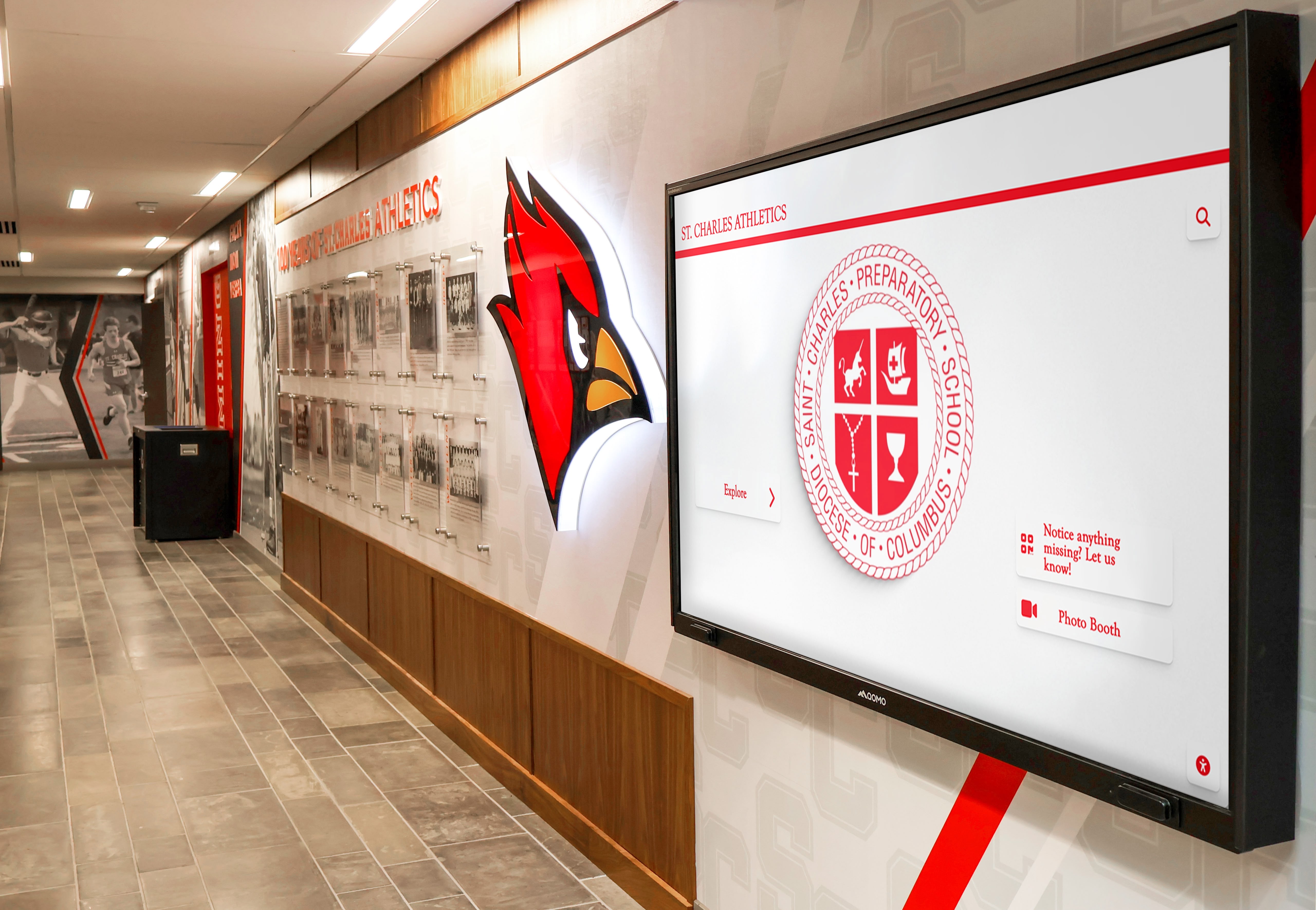
Branded digital displays in athletic corridors provide ideal locations for continuous celebration video content
Building Permanent Video Archives and Digital Legacies
Single-season celebrations gain deeper meaning when connected to broader program history.
Multi-Year Championship Comparison Videos
Historical Context Documentation Championship teams deserve comparison to program’s greatest:
Comparison Video Structure (8-10 minutes)
- Current championship team season overview (2-3 minutes)
- Historical championship teams with vintage footage and photos (3-4 minutes)
- Statistical comparison across eras (win percentages, point differentials, records)
- Head-to-head hypothetical analysis from coaches and experts
- Program evolution showing facility improvements, coaching changes, growth
- Closing emphasizing current team’s place in program legacy
Archival Footage Integration Incorporate historical content creating comprehensive legacy:
- Digitize vintage VHS tapes and film reels from past championships
- Scan historical photos and newspaper clippings preserving fragile originals
- Interview coaches from previous championship eras providing perspective
- Overlay modern graphics on historical footage improving clarity
- Balance archival quality footage with contemporary high-definition content
- Address quality differences through consistent color grading and artistic framing
This comparative approach positions current celebration within broader program narrative—inspiring future teams while honoring past excellence.
Permanent Touchscreen Archive Systems
Solutions like Rocket Alumni Solutions enable athletic programs creating comprehensive digital archives accessible through touchscreen displays:
Archive Organization Structure
- Chronological navigation by year, season, and team
- Search functionality finding specific athletes, coaches, or achievements
- Filter options isolating championships, records, or specific sports
- Related content suggestions connecting similar achievements across eras
- Comparison tools showing statistical evolution over decades
Content Types Preserved
- Complete game/competition recordings viewable on demand
- Championship banquet video recordings from all eras
- Individual athlete profile videos spanning program history
- Coach interview reflections on seasons and players
- Season highlight reels from every championship team
- Photo galleries organized by year and event
- Statistical record books with video evidence of record-setting performances
Interactive Features
- QR code generation enabling mobile access to any archived content
- Social sharing functionality for celebrating historical achievements
- Athlete profile pages linking to all archived media featuring them
- Timeline visualization showing program growth and milestone moments
- Donation integration for alumni giving inspired by nostalgic content
These permanent archives transform team celebrations from isolated events into components of ongoing program legacy—creating recognition that compounds in value as historical context deepens over decades.
Discover comprehensive archive approaches in best ways to showcase athletic achievement awards digitally with technical frameworks.
Budget Considerations for Video-Enhanced Celebrations
Quality video celebration content requires investment but remains accessible at various budget levels.
Budget Tier 1: DIY Video Production ($500-2,000)
Equipment
- Smartphone with quality camera (iPhone 13+, Samsung Galaxy S22+): existing equipment
- Smartphone gimbal stabilizer (DJI OM series): $100-150
- External microphone (Rode VideoMic Me): $60-80
- Portable LED light panel: $50-100
- Free editing software (iMovie, DaVinci Resolve): $0
- Production music subscription (Artlist, Epidemic): $15-25/month
Approach Parent volunteers with smartphone video experience handle production:
- Designated videographer at every game capturing highlights
- Coach or athletic director conducts simple athlete interviews post-game
- Parent volunteer with basic editing skills assembles highlight videos
- Students from video production classes create banquet content as class project
- Simple touchscreen displays using existing school hardware with free software
Limitations
- Less professional polish compared to dedicated production
- Dependent on volunteer availability and skill levels
- Limited multi-camera capability
- Basic graphics and effects
- Time-intensive for volunteers
Budget Tier 2: Hybrid Professional Production ($2,000-5,000)
Equipment and Services
- Professional videographer for championship games and banquet: $1,000-2,000
- Equipment rental (additional cameras, quality audio): $300-500
- Professional editing services for highlight videos: $800-1,500
- Music licensing for commercial-quality production: $200-400
- Basic touchscreen display installation: $1,000-2,000
Approach Combine professional services for key moments with DIY regular season coverage:
- Parent volunteers film regular season games providing footage library
- Professional videographer captures championship games, playoffs, banquet with quality equipment
- Professional editor assembles season highlight film and senior videos
- Digital display vendor installs basic touchscreen with pre-loaded content
- School staff manages content updates using web-based CMS
Benefits
- Professional quality for most important moments
- Sustainable through booster fundraising or modest per-athlete fees
- Training opportunity as volunteers learn from professional collaboration
- Scalable approach growing with program resources
Budget Tier 3: Full Professional Production ($5,000-15,000+)
Equipment and Services
- Dedicated videography team for entire season: $3,000-6,000
- Multi-camera coverage of all competitions: $2,000-4,000
- Comprehensive post-production and editing: $2,000-4,000
- Advanced touchscreen display system: $3,000-8,000
- Ongoing content management and hosting: $500-1,000 annually
Approach Complete professional video documentation and recognition:
- Production company contracts covering entire season
- Every competition filmed with multiple camera angles
- Weekly highlight videos produced throughout season
- Comprehensive end-of-season documentary production
- Professional touchscreen installation with custom interface
- Ongoing content updates and technical support
Benefits
- Maximum quality appropriate for elite programs and serious recruitment
- Consistent coverage ensuring no key moments missed
- Professional polish suitable for public distribution and marketing
- Comprehensive archive building program legacy systematically
- Technical support preventing display malfunctions
Funding Sources
- Booster club fundraising events
- Corporate sponsorships with logo placement in video content
- Per-athlete celebration fees ($50-150 per family)
- General athletic department budget allocation
- Alumni donations inspired by legacy preservation mission
Most programs find Budget Tier 2 optimal—delivering professional quality for key moments while maintaining financial sustainability through modest fundraising.
Transform Team Celebrations with Video Recognition
Discover how Rocket Alumni Solutions enables athletic programs creating professional video-enhanced team celebrations with touchscreen displays, comprehensive archives, and permanent digital recognition that extends far beyond single banquet events.
Book a Live TouchWall Video DemoConclusion: Visual Storytelling That Celebrates and Inspires
Modern team celebrations leverage video documentation, digital displays, and interactive touchscreens creating recognition experiences that honor achievements appropriately while building program legacies inspiring future athletes. Traditional single-event banquets, while meaningful, represent only starting points for comprehensive celebration approaches maximizing impact through visual storytelling and permanent documentation.
The team celebration ideas explored in this guide—from championship video walkthroughs and season documentary premiers to interactive timeline displays and permanent digital archives—provide athletic programs with practical frameworks for implementing video-enhanced recognition appropriate to their resources and program priorities. Whether producing highlight videos with smartphone cameras and volunteer editors or contracting comprehensive professional documentation with advanced touchscreen installations, the fundamental principle remains consistent: visual celebration creates deeper impact and lasting value compared to verbal recognition alone.
Start wherever your current situation allows—filming key moments with available equipment, creating simple video montages for banquet presentations, installing basic digital displays showcasing achievement photos. Each enhancement compounds over subsequent seasons as video libraries grow, technical capabilities improve, and recognition traditions deepen. Your athletes’ championship moments and exceptional performances deserve celebration approaches matching their significance—visual documentation they’ll treasure for lifetimes while inspiring teammates for decades.
Ready to enhance your team celebration program? Rocket Alumni Solutions provides athletic programs with professional touchscreen recognition systems integrating video content, photo galleries, statistical records, and interactive features creating comprehensive team celebration platforms that extend far beyond traditional banquets—building program legacies through visual storytelling that celebrates excellence permanently.































