




Student photo privacy represents one of the most critical compliance and ethical responsibilities schools face when implementing digital recognition displays. When administrators install touchscreen walls of fame, digital trophy cases, or interactive achievement boards showcasing student accomplishments, they must balance celebrating excellence with protecting student privacy rights—navigating federal regulations, parental expectations, and evolving data security requirements that govern student image usage.
Yet many schools struggle with student photo privacy fundamentals: unclear consent processes that create legal vulnerabilities, inadequate data security protecting student images, insufficient privacy policies addressing digital display contexts, or failure to accommodate opt-out requests respecting family preferences. These gaps create compliance risks, erode community trust, and potentially expose students to privacy violations that undermine the very recognition programs designed to celebrate their achievements.
This comprehensive guide provides essential frameworks, compliance strategies, and practical implementation approaches for protecting student photo privacy while maintaining effective digital recognition displays. Whether you’re implementing new interactive displays or auditing existing systems, these proven strategies will help ensure your recognition programs celebrate achievement while respecting privacy rights and meeting regulatory requirements.
Digital recognition displays transform how schools celebrate student achievement—replacing static trophy cases with dynamic, searchable systems that engage students, families, and visitors while preserving institutional history across decades. However, these powerful technologies introduce privacy considerations fundamentally different from traditional bulletin boards or yearbook publications, requiring schools to develop comprehensive privacy frameworks addressing consent, data security, access controls, and regulatory compliance.

Digital displays celebrate achievement while requiring careful privacy protection frameworks
Understanding FERPA and Student Photo Privacy Rights
The Family Educational Rights and Privacy Act (FERPA) establishes federal privacy protections governing student educational records, including photographs in certain contexts. Understanding FERPA’s application to digital recognition displays provides the foundation for compliant implementation.
FERPA’s Application to Student Images
What FERPA Actually Covers
FERPA protects “education records”—information directly related to students maintained by educational institutions. Whether student photographs constitute protected education records depends on specific context and usage:
Generally Protected Under FERPA
- Photos linked to academic performance records
- Images associated with disciplinary records or individualized education programs
- Photographs tied to personally identifiable student data beyond basic directory information
- Images maintained as part of educational records systems
Often Exempt as Directory Information
- Photos published in school yearbooks
- Images displayed on public recognition boards celebrating achievements
- Student photographs shared in athletics or activities contexts similar to traditional yearbook usage
- Pictures published in school newsletters or websites (with appropriate consent)
Schools may designate student photographs as “directory information” not subject to FERPA’s stricter protections—but only if they provide annual notice to parents and students, explain their rights to opt out, and allow reasonable time for families to restrict disclosure.
Directory Information Designation
Establishing Compliant Directory Information Policies
Most schools designate certain student information, potentially including photographs, as directory information not requiring specific consent for each use. This designation simplifies recognition programs but requires careful policy development:
Required Directory Information Components
- Annual Written Notice: Schools must notify parents and eligible students annually about directory information designation
- Opt-Out Opportunity: Families must receive reasonable opportunity to restrict directory information disclosure
- Clear Category Definitions: Notices must clearly specify what information qualifies as directory information
- Consistent Application: Schools must apply directory information policies consistently across all contexts
Schools commonly include student names, grade levels, participation in officially recognized activities, awards received, and photographs in directory information—allowing these elements to appear in recognition displays without individual consent for each use, provided families received proper notice and opt-out opportunities.

Prominent displays require transparent privacy policies protecting student rights while celebrating achievement
Beyond FERPA: State Privacy Laws and Local Policies
Navigating Additional Privacy Requirements
While FERPA establishes federal baseline protections, schools must also comply with:
State Student Privacy Laws
- California’s student privacy protections (SOPIPA)
- New York’s Education Law Section 2-d
- Illinois Student Online Personal Protection Act
- Various state-specific privacy enhancement requirements
Many states have enacted privacy laws providing protections beyond FERPA minimums, particularly addressing online services, data security requirements, and commercial data use restrictions. Schools must understand applicable state requirements affecting their digital display implementations.
Local District Policies
- Board-adopted privacy policies often exceeding statutory minimums
- District-specific consent requirements for student image usage
- Technology acceptable use policies addressing digital systems
- Community expectations reflected in local governance decisions
Successful privacy frameworks address all applicable requirements—federal FERPA protections, state privacy enhancements, and local policy commitments—creating comprehensive approaches protecting student rights while enabling recognition programs.
Implementing Effective Consent and Opt-Out Systems
Robust consent frameworks establish clear authorization for student image usage while respecting family preferences through accessible opt-out processes. These systems demonstrate respect for privacy rights while maintaining sustainable recognition programs.
Designing Comprehensive Consent Processes
Annual Permission Systems
Most schools implement annual consent processes addressing multiple student image contexts through comprehensive permission forms:
Effective Annual Consent Approaches
- Single Integrated Form: Combine directory information notice with specific image usage permissions
- Clear Context Examples: Provide specific examples of how images may be used (yearbooks, websites, digital displays, social media)
- Granular Permission Options: Allow families to approve some contexts while restricting others
- Easy Opt-Out Mechanism: Make restrictions simple through clearly marked checkboxes
Schools should send consent forms during enrollment or at the beginning of each school year, providing reasonable time (typically 2-3 weeks) for families to review and return forms before implementing image usage. Many schools integrate these permissions into broader enrollment paperwork, streamlining administrative processes while ensuring comprehensive coverage.
Similar to how schools approach academic recognition programs with clear eligibility criteria, privacy consent processes benefit from transparent communication about exactly how student images will be used and protected.
Managing Opt-Out Requests
Honoring Family Privacy Preferences
Even with directory information designation, schools must honor opt-out requests restricting student image usage. Effective opt-out management requires:
Opt-Out System Essentials
- Centralized Tracking: Maintain master database of all student privacy restrictions
- System Integration: Ensure opt-out preferences flow automatically to all relevant systems
- Regular Verification: Review restriction lists before each publication or display update
- Staff Training: Educate all staff about checking restrictions before sharing student images
- Responsive Updates: Remove images promptly when families request restrictions
Schools using digital recognition displays must implement technical controls preventing restricted students from appearing in public-facing systems. Modern platforms allow administrators to flag student records with privacy restrictions, automatically excluding those individuals from displays while including their classmates.
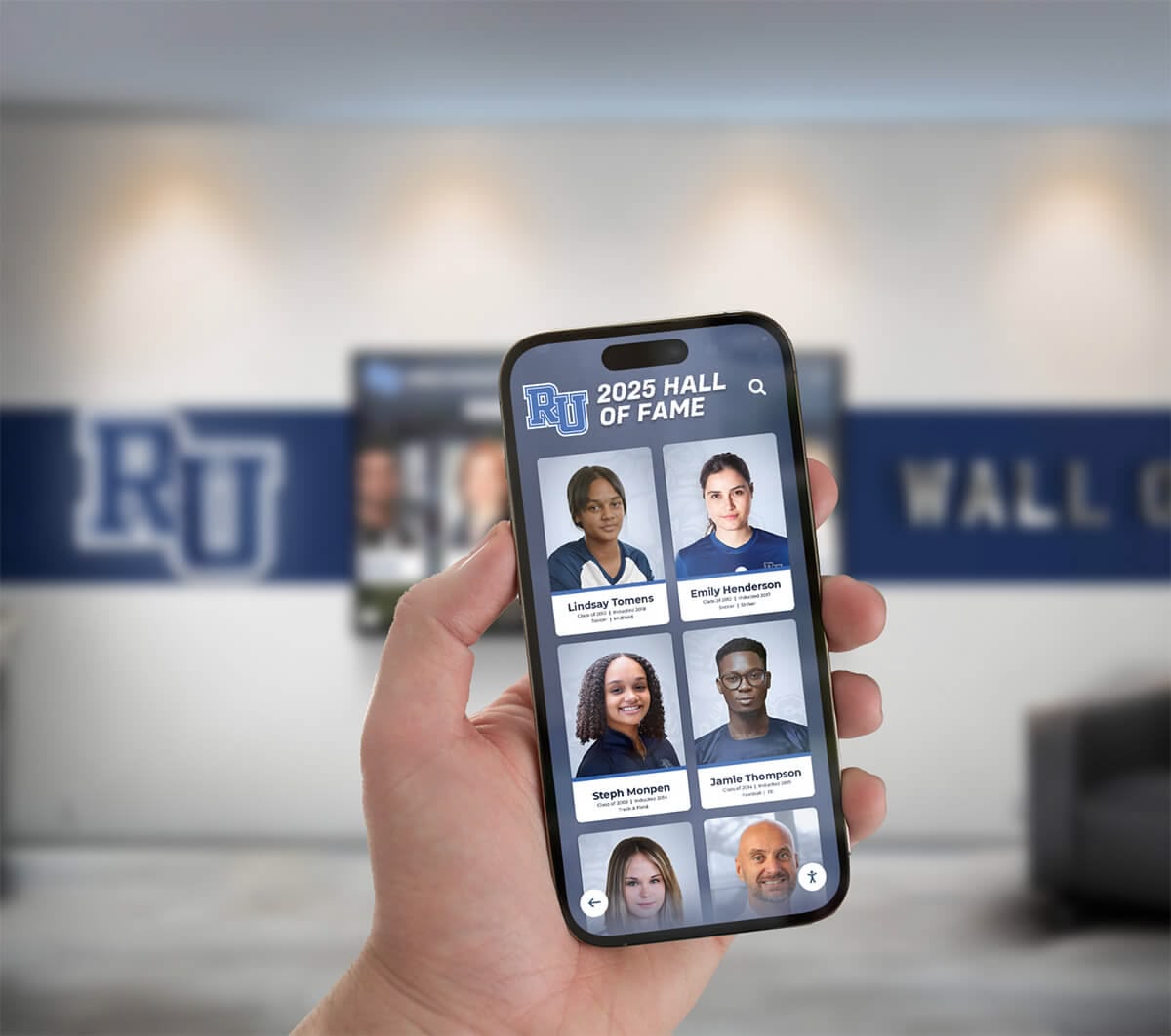
Integrated systems must include robust privacy controls across all access points
Special Considerations for Sensitive Situations
Protecting Vulnerable Students
Certain student circumstances require enhanced privacy protections beyond standard consent frameworks:
Students Requiring Additional Privacy Protection
- Students with court-ordered privacy protections or restraining orders
- Youth in foster care or protective custody situations
- Students whose families face domestic violence concerns
- Participants in witness protection or similar programs
- Students experiencing stalking or harassment situations
Schools should maintain confidential tracking systems for students requiring enhanced protection, implementing additional safeguards beyond standard opt-out processes. These may include complete exclusion from digital systems, password-protected restricted access, or specially coded records alerting staff to exercise extra caution.
Coordinate with school counselors, social workers, and administration to identify students requiring enhanced privacy measures, establishing protocols ensuring this sensitive information remains confidential while effectively protecting vulnerable individuals.
Data Security and Technical Privacy Protections
Protecting student privacy requires not only proper consent but also robust technical security preventing unauthorized access, data breaches, or misuse of student images and information stored in digital recognition systems.
Secure Data Storage and Transmission
Protecting Student Images Throughout Their Lifecycle
Student photographs and associated information require protection from initial capture through long-term archival storage:
Data Security Essentials
- Encrypted Storage: Store student images in encrypted databases or storage systems
- Secure Transmission: Use HTTPS and encrypted connections for all data transfers
- Access Controls: Implement role-based access restricting who can upload, edit, or delete student information
- Audit Logging: Maintain detailed logs tracking all access to student records
- Regular Security Assessments: Conduct periodic reviews of system security measures
Schools should select touchscreen kiosk software and digital display platforms specifically designed for educational environments, with built-in privacy protections and security features meeting educational compliance requirements rather than repurposing commercial systems lacking appropriate safeguards.
Vendor Compliance and Data Processing Agreements
Ensuring Third-Party Privacy Protection
Most schools rely on vendors providing digital display platforms, content management systems, or related services. These partnerships require careful privacy oversight:
Vendor Privacy Requirements
- Data Processing Agreements: Establish formal contracts specifying how vendors handle student data
- FERPA Compliance Certification: Verify vendors understand and comply with FERPA requirements
- Limited Data Use: Restrict vendors from using student information for purposes beyond contracted services
- Data Breach Protocols: Establish procedures for notification and response if security incidents occur
- Regular Compliance Verification: Periodically audit vendor practices ensuring ongoing compliance
Schools should require vendors to sign agreements designating them as “school officials” with legitimate educational interests in student records, creating FERPA compliance while establishing clear contractual obligations protecting student privacy.
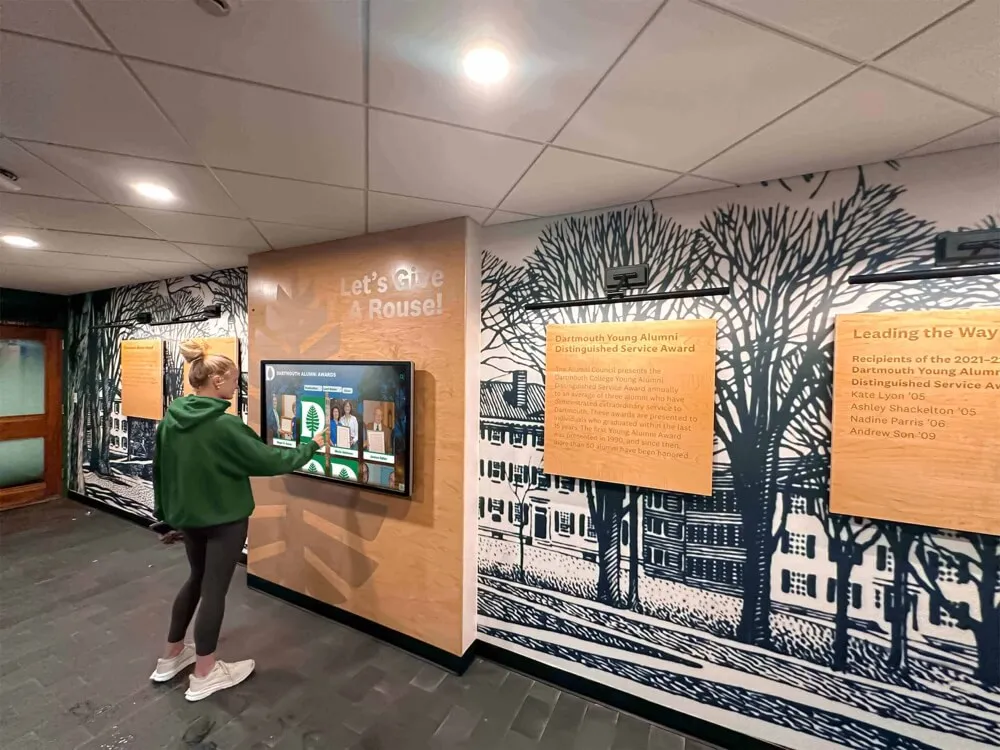
User-facing interactive displays must balance accessibility with privacy protection
Access Control and User Authentication
Limiting Who Can View and Modify Student Information
Digital systems offer opportunities to implement sophisticated access controls impossible with physical displays:
Access Control Strategies
- Public Display Restrictions: Limit publicly visible displays to directory information only
- Authenticated Access Tiers: Provide additional content to authenticated users (students, staff, parents)
- Role-Based Permissions: Grant editing capabilities only to authorized administrators
- Automated Session Timeouts: Ensure public kiosks return to default state after inactivity
- Geographic or Network Restrictions: Limit administrative access to on-campus networks
Some schools implement tiered information displays where public-facing touchscreens show basic achievement recognition using directory information, while authenticated users accessing the same system through passwords can view additional content, personal records, or archived materials requiring enhanced privacy protection.
Privacy-Protective Content Management Practices
Beyond technical security, operational practices governing how schools create, maintain, and retire student content significantly impact privacy protection.
Photo Collection and Curation Guidelines
Establishing Standards for Student Image Usage
Develop clear guidelines governing what types of student images are appropriate for digital recognition displays:
Content Appropriateness Standards
- Context Appropriateness: Use images showing students in achievement or school activity contexts
- Dignity and Respect: Avoid potentially embarrassing photos or images showing students in vulnerable moments
- Current and Accurate: Regularly update displays replacing outdated images
- Quality Standards: Use professional or high-quality images reflecting positively on students and programs
- Inclusive Representation: Ensure diverse student representation across displays
Many schools develop photo use policies similar to yearbook editorial standards, establishing review processes ensuring images celebrate achievement while respecting student dignity and privacy.
Just as schools carefully plan graduation ceremonies with attention to individual student needs and preferences, digital display content should reflect similar care in representing students appropriately and respectfully.
Information Minimization Principles
Displaying Only Necessary Information
Privacy best practices emphasize collecting and displaying only information necessary for legitimate purposes:
Information Minimization Strategies
- Display Directory Information Only: Limit public displays to name, grade, activity participation, and achievements
- Avoid Sensitive Details: Exclude birth dates, addresses, or other personally identifiable details
- Separate Achievement from Identity: Focus on accomplishments rather than personal characteristics
- Time-Limited Display: Remove student information after graduation or reasonable recognition period
- Purpose Limitation: Use student images only for agreed-upon recognition purposes
Schools should regularly review displayed information, questioning whether each data element serves legitimate recognition purposes or represents unnecessary privacy exposure. Less information often provides equally effective recognition while minimizing privacy risks.

Recognition displays should include only information necessary for celebrating achievement
Data Retention and Deletion Policies
Managing Student Information Lifecycles
Student privacy protection requires not only appropriate collection and usage but also timely data deletion:
Data Retention Framework
- Defined Retention Periods: Establish clear timeframes for retaining student images (e.g., graduation + 5 years)
- Automated Purge Processes: Implement systems automatically flagging records eligible for deletion
- Alumni Transition: Determine which current student records transition to alumni archives
- Deletion Verification: Ensure deleted records remove from all systems including backups
- Documentation: Maintain records demonstrating compliance with retention policies
Many schools maintain current students and recent graduates in active recognition systems, then transition older records to digital archives with different access controls, or delete records entirely after defined retention periods. Clear policies prevent indefinite accumulation of student data beyond legitimate institutional needs.
Building Privacy-Aware School Culture
Technical compliance represents only part of effective student privacy protection. Schools must develop organizational culture prioritizing privacy awareness across all staff and stakeholders.
Staff Training and Privacy Awareness
Educating Everyone Handling Student Information
All staff members accessing, creating, or managing student images require privacy training:
Comprehensive Staff Training Elements
- FERPA Fundamentals: Ensure all staff understand basic privacy requirements
- Directory Information Protocols: Train staff on checking opt-out lists before sharing images
- Consent Verification: Teach staff to confirm permissions before photographing or publishing images
- Security Practices: Establish secure handling for devices and storage containing student photos
- Incident Response: Prepare staff to respond appropriately if privacy breaches occur
Annual training sessions, integrated into broader professional development programs, keep privacy awareness current as staff changes and technologies evolve. Include specific scenarios relevant to your digital display systems, helping staff understand how general privacy principles apply to recognition programs.
Similar to how athletic recognition programs require consistent communication about eligibility and selection, privacy protection benefits from regular reinforcement helping staff maintain awareness and compliance.
Communicating with Families About Privacy Protection
Building Trust Through Transparency
Families entrust schools with their children’s personal information and images. Transparent communication about privacy protections builds confidence and partnership:
Effective Family Communication Strategies
- Clear Initial Notices: Provide comprehensive privacy information during enrollment
- Regular Updates: Communicate privacy practices in newsletters and parent meetings
- Accessible Policies: Publish privacy policies in plain language avoiding legal jargon
- Responsive Support: Respond promptly to family privacy questions or concerns
- Demonstrate Safeguards: Show families how systems protect student information
Consider creating parent-facing resources explaining digital recognition systems, demonstrating privacy features, and showing families how to request restrictions if desired. Many schools offer tours of new digital displays, addressing privacy questions while building excitement about modern recognition approaches.
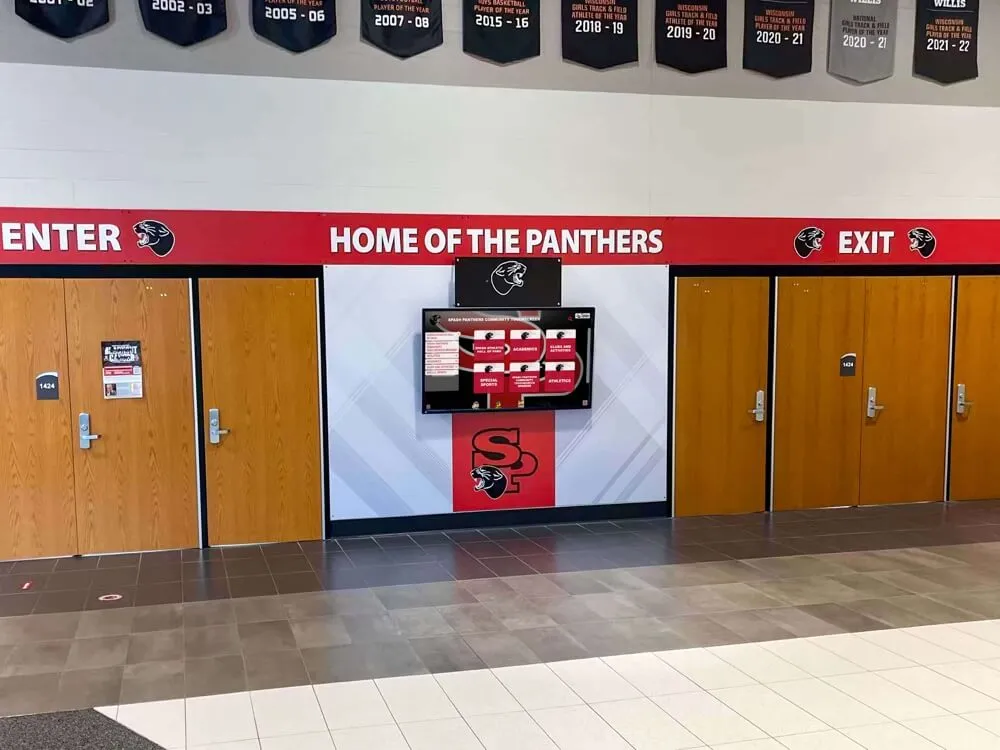
Transparent privacy practices build family trust while celebrating student achievement
Student Privacy Education
Teaching Students About Their Own Privacy Rights
Age-appropriate privacy education helps students understand their rights and make informed decisions:
Student Privacy Education Components
- Rights Awareness: Teach students about privacy rights and protections
- Consent Understanding: Help students comprehend what photo permissions mean
- Digital Citizenship: Connect privacy to broader digital responsibility discussions
- Self-Advocacy: Empower students to express privacy preferences to families and school
- Positive Recognition: Balance privacy awareness with appreciation for appropriate public recognition
Integrate privacy education into broader digital citizenship curricula, helping students develop lifelong privacy awareness while understanding how recognition systems celebrate their achievements appropriately.
Addressing Common Privacy Challenges and Scenarios
Schools implementing digital recognition displays encounter recurring privacy scenarios requiring thoughtful responses balancing privacy protection with recognition program effectiveness.
Handling Mid-Year Opt-Out Requests
Responding When Families Change Preferences
Families sometimes request privacy restrictions after previously granting permissions or after images already appear in displays:
Mid-Year Opt-Out Response Protocol
- Immediate Acknowledgment: Confirm receipt of restriction request within 24 hours
- Rapid System Updates: Flag student record with privacy restriction in master database
- Content Removal: Remove affected student from public-facing displays within 5-7 business days
- Verification Communication: Notify family when restrictions fully implemented
- Ongoing Compliance: Ensure restriction remains active in future updates
Schools should treat mid-year opt-out requests as high-priority actions, demonstrating respect for family decisions while understanding these requests often arise from significant concerns rather than casual preference changes.
Balancing Team Recognition with Individual Privacy
Celebrating Teams While Respecting Opt-Outs
Athletic teams, performing arts groups, and academic competition teams create recognition challenges when some members have privacy restrictions:
Team Recognition Strategies Respecting Privacy
- Group Photos Without Identification: Display team photos without individual name labels
- Partial Team Recognition: Acknowledge team achievement while listing only consenting members’ names
- Achievement Focus: Emphasize accomplishments (championship, competition results) rather than individuals
- Individual Recognition Options: Offer consenting students separate individual recognition
- Creative Alternatives: Consider highlight videos or action shots minimizing individual identification
When planning activities like athletic banquets or recognition events, consider how to celebrate team achievements while accommodating individual privacy preferences.
Managing Historical Content and Alumni Records
Privacy Considerations for Graduated Students
Students graduate but their images often remain in recognition systems celebrating historical achievements:
Alumni Content Privacy Approaches
- Continuing FERPA Protections: Recognize that FERPA protections continue after graduation
- Alumni Consent Opportunities: Offer graduated students opportunities to update privacy preferences
- Historical Context Sensitivity: Consider whether historical recognition contexts remain appropriate as time passes
- Archival Policies: Develop clear guidelines determining what historical content remains accessible
- Responsive Removal: Establish processes allowing alumni to request content removal
Some schools transition graduated students to alumni recognition categories with different privacy frameworks, while maintaining their opt-out preferences from enrollment. Others implement time-based archival approaches moving older content to restricted-access systems after defined periods.
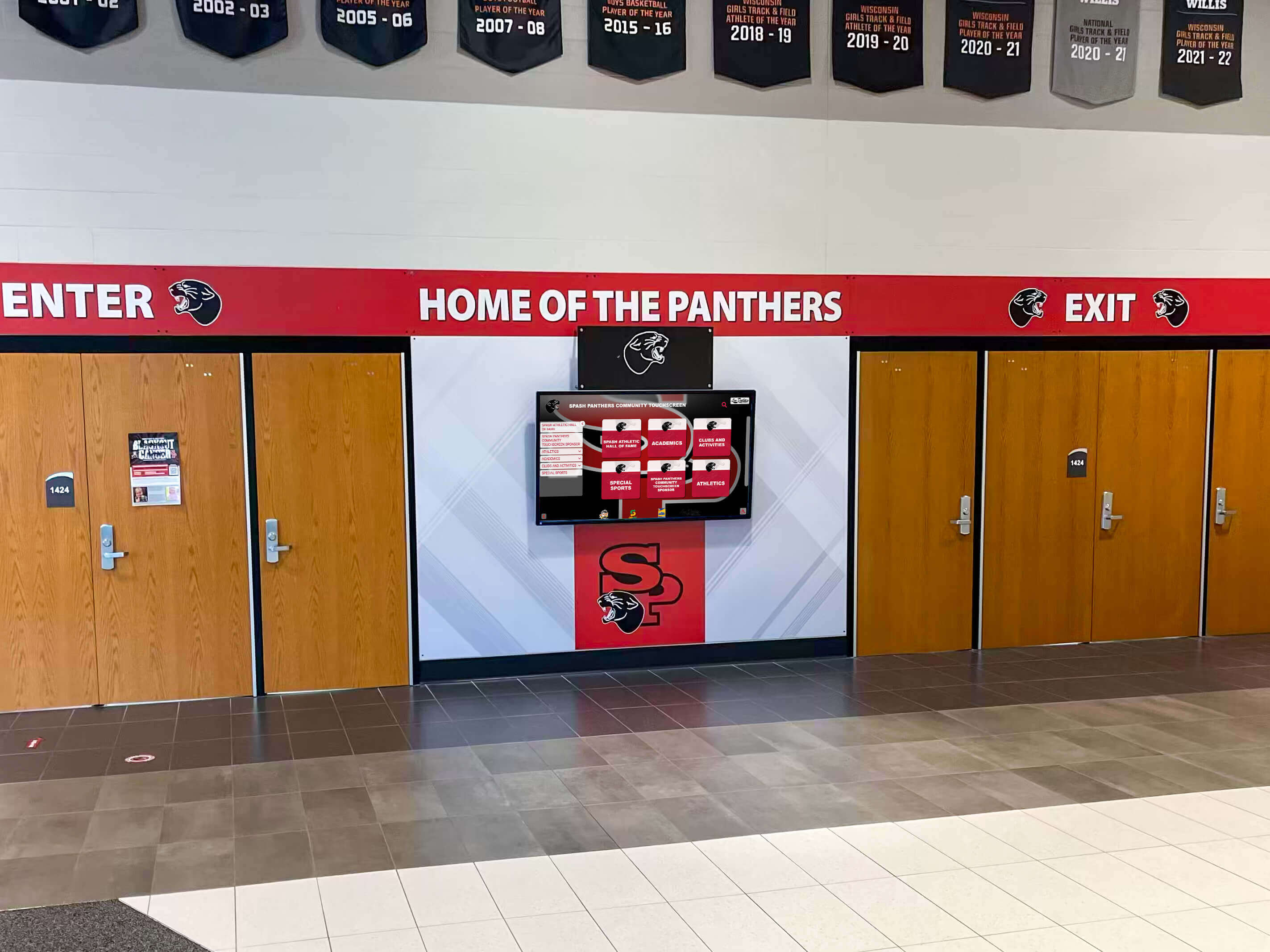
Historical recognition balances celebrating legacy with respecting ongoing privacy rights
Privacy-First Technology Selection and Implementation
Schools planning digital recognition displays should evaluate technology options through privacy protection lenses, selecting platforms supporting compliant, privacy-protective implementations.
Essential Privacy Features in Digital Display Platforms
Technology Capabilities Supporting Privacy Protection
When evaluating interactive touchscreen systems and content management platforms, prioritize capabilities enabling privacy compliance:
Critical Privacy-Supporting Features
- Granular Permission Controls: Individual student-level privacy flags preventing display inclusion
- Role-Based Administration: Tiered access controlling who can view, edit, or delete student information
- Audit Logging: Comprehensive tracking of all access to and modifications of student records
- Data Encryption: Both storage and transmission encryption protecting student information
- Automated Compliance Tools: Features supporting FERPA compliance and privacy management
- Flexible Content Visibility: Ability to restrict certain content to authenticated users versus public display
Platforms designed specifically for educational environments typically include these features as core capabilities, while general-purpose digital signage systems often lack essential privacy controls requiring schools to implement workarounds or accept compliance gaps.
Privacy-Protective Implementation Approaches
Design Choices Minimizing Privacy Risks
Beyond platform selection, implementation approaches significantly impact privacy protection:
Privacy-Enhancing Design Strategies
- Public Space Placement: Position displays in supervised areas rather than unmonitored locations
- Default Privacy Settings: Configure systems to exclude students unless specifically included rather than requiring opt-out
- Minimal Personal Information: Display only directory information on public-facing screens
- Secure Administrative Access: Restrict system administration to secure networks and authorized personnel
- Regular Privacy Audits: Implement periodic reviews ensuring ongoing compliance
Schools can implement recognition programs celebrating achievement while maintaining strong privacy protections through thoughtful technology selection and careful implementation planning.
For institutions seeking comprehensive solutions balancing recognition effectiveness with robust privacy protections, platforms like Rocket Alumni Solutions provide purpose-built systems designed specifically for educational environments, with integrated privacy controls supporting FERPA compliance while enabling engaging recognition displays.
Ongoing Privacy Maintenance and Monitoring
Sustaining Privacy Protection Over Time
Privacy protection requires continuous attention rather than one-time implementation:
Ongoing Privacy Program Elements
- Regular Consent Updates: Collect current permissions annually as student populations change
- Periodic Content Audits: Review displayed information ensuring ongoing appropriateness and accuracy
- System Security Assessments: Evaluate technical protections against evolving security threats
- Policy Review and Updates: Revise privacy policies reflecting technology changes and regulatory updates
- Staff Refresher Training: Reinforce privacy awareness through regular professional development
Privacy protection becomes embedded in organizational culture through sustained attention, regular review, and continuous improvement rather than assuming initial implementation ensures ongoing compliance.
Building Comprehensive Privacy Frameworks for Recognition Programs
Student photo privacy protection requires comprehensive frameworks integrating legal compliance, technical security, operational practices, and organizational culture—all working together to protect student rights while enabling meaningful recognition.
Effective privacy frameworks begin with understanding applicable regulations including FERPA requirements, state privacy laws, and local policies, then implementing robust consent and opt-out systems respecting family preferences. Technical security protections prevent unauthorized access or data breaches, while thoughtful content management practices ensure appropriate, dignified student representation in recognition displays.
Beyond compliance checkboxes, privacy protection reflects institutional values and community relationships. Schools demonstrating genuine commitment to privacy protection through transparent communication, responsive family support, and consistent privacy-aware practices build trust and partnership. These relationships enable recognition programs celebrating student achievement while respecting the privacy rights and family preferences essential to educational community trust.
Similar to how schools thoughtfully plan academic recognition balancing encouragement with inclusivity, privacy frameworks balance celebrating accomplishment with protecting individual rights. Schools successfully navigate this balance through careful planning, appropriate technology selection, staff training, family communication, and sustained attention to privacy protection as recognition programs evolve.
Whether implementing new digital recognition displays or auditing existing systems, these privacy protection strategies provide practical frameworks ensuring your school celebrates student excellence while meeting regulatory requirements and respecting the privacy rights that families rightfully expect educational institutions to protect.
Digital recognition technologies offer powerful opportunities to celebrate student achievement in engaging, accessible formats reaching broader audiences than traditional static displays. Implementing these innovations with robust privacy protections demonstrates that schools can embrace modern recognition approaches while maintaining the privacy commitments and regulatory compliance essential to educational environments serving students and families with integrity.































