Sports Banquet Slideshow: Turn Team Photos, Awards, and Highlights Into an Archive
- Home /
- Blog Posts /
- Sports Banquet Slideshow: Turn Team Photos, Awards, and Highlights Into an Archive
The Easiest Touchscreen Solution




Live Example: Rocket Alumni Solutions Touchscreen Display
Interact with a live example (16:9 scaled 1920x1080 display). All content is automatically responsive to all screen sizes and orientations.
A sports banquet slideshow serves two audiences at once: the athletes and families in the room tonight, and anyone who will ever ask “what was that team like?” ten years from now. Most programs build theirs for the first audience and forget the second—which means the photos, award records, and season highlights that took a full year to accumulate disappear into a shared drive folder no one opens again. This guide treats the banquet slideshow as the front door to a lasting athletic archive, so the work put in before the event pays off long after the catering trays are cleared.
The short answer on structure: collect assets by category (action photos, team portraits, award data, senior milestones, coach acknowledgments), organize them into a defined slide sequence that mirrors the ceremony’s run-of-show, export at archive-quality resolution, and route a copy of the final file—and its source assets—into a named folder tied to the school year. Everything else in this guide is a way to execute that sequence with less scrambling.
The difference between a banquet slideshow that moves a room and one that drags through 200 blurry photos on autoplay usually isn’t budget—it’s pre-production. Athletic programs that build a clear asset checklist before the season ends, agree on slide structure before the week of the event, and establish an export workflow before the banquet night collect the same materials everyone else does and use them far more effectively.

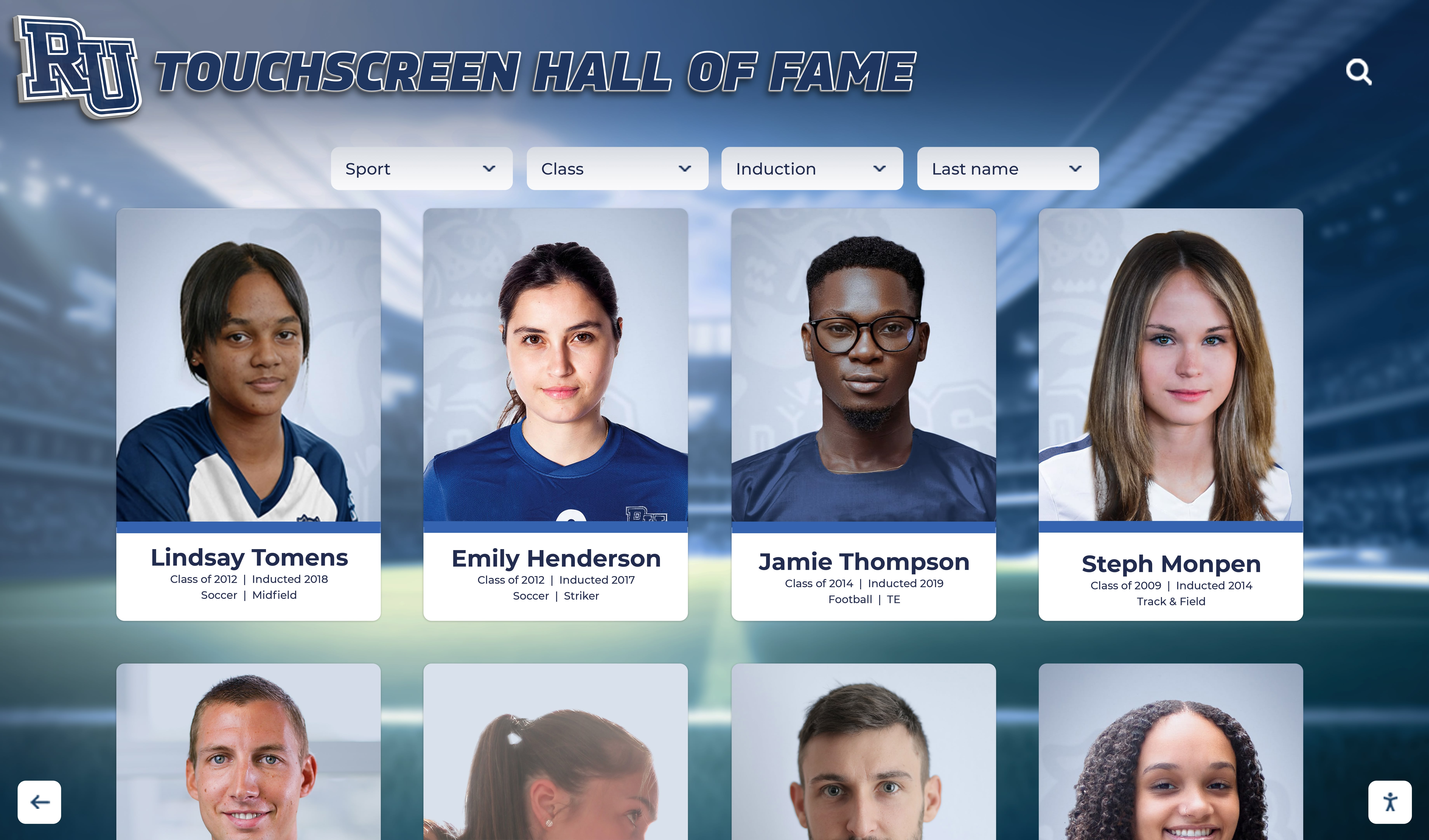
Portrait cards built for a banquet slideshow become the starting point for digital hall of fame entries, lobby displays, and long-term recognition archives
Why Archive Thinking Changes How You Build the Slideshow
A banquet-only slideshow optimizes for one viewing at one screen size. An archive-first slideshow produces assets that are useful in multiple contexts: hall of fame nominations, yearbook submissions, school history displays, end-of-decade retrospectives, and touchscreen lobby kiosks where alumni search by name or year.
The practical difference is small at the production stage but large downstream:
- File naming — “slide_47.jpg” is useless in two years; “2025-26_varsity-basketball_mvp-smith-jordan.jpg” is searchable
- Caption data — embedding athlete name, sport, year, and award title in slide notes means the information travels with the asset
- Resolution — a 1920×1080 export looks fine on a gymnasium projector; a 3840×2160 master file can be cropped into a lobby kiosk portrait card five years later without pixelation
- Source file custody — exporting a final PDF or video from Canva or PowerPoint is fine for tonight; keeping the editable source file in a dated folder is what makes the archive useful
Programs that follow existing school archives policies already have a framework for retention periods and storage locations—athletic slideshow assets belong in the same system.
Pre-Production Asset Checklist
Gather these materials before any slide is built. Assign collection responsibilities—head coach, team manager, communications staff, or booster volunteers—and set an internal deadline at least ten days before the banquet.
Sports banquet slideshow asset checklist:
Team Photos
- Official team portrait (full squad, varsity and JV if applicable)
- Individual headshots or portrait cards for every roster member
- Action shots — minimum two per athlete if possible
- Candid practice and travel photos that show culture, not just competition
Award and Achievement Data
- Complete award recipient list with exact award titles (confirm spelling with athletic director)
- Season statistics to feature: wins/losses, records broken, tournament placements
- Academic recognition: honor roll athletes, scholar-athlete award recipients
- Conference, district, regional, and state honors with official designation language
Senior Recognition Materials
- Four-year photo progression for each senior (freshman through senior year, if available)
- Senior biography information: sports, positions, years lettered, post-graduation plans
- Coach-written tribute lines or quotes for seniors (brief, one to two sentences)
Coach and Staff Acknowledgment
- Head coach and assistant coach photos
- Years of service data for any coaches being recognized
- Volunteer, booster, and parent support acknowledgments
Season Narrative Assets
- Schedule with highlighted wins, milestones, and championships
- Video clips if the slideshow will include motion content (15–30 seconds each, landscape format)
- Score graphics or score recap from memorable games
Sponsor and Community Assets
- Booster club sponsor logos (print-quality PNG with transparent background)
- Any scholarship or award donors to acknowledge on-screen
Slide-by-Slide Structure for a Sports Banquet Slideshow
The following sequence fits a ceremony that runs approximately 90 minutes and covers a varsity program with senior recognition, individual awards, and team-level honors. Adjust section length to match your specific program’s award count and ceremony format.
Pre-Show Loop (Doors Open Through Welcome)
Run a 6–10 slide rotating attract sequence on autoplay from the time guests arrive. This loop should require zero live presenter action.
Attract loop contents:
- School name, sport, and season year (e.g., “Riverside High School — Varsity Wrestling — 2025–26 Season”)
- Team portrait
- Sponsor acknowledgment slides (one per sponsor if multiple)
- “Tonight we honor…” preview of award categories
- Two to three action photo slides with athlete names captioned
Set each slide to advance every 10–12 seconds. High-contrast text over school-branded backgrounds reads from across a gymnasium or banquet hall. Avoid dense paragraphs in attract slides.
Opening Sequence
These slides transition from pre-show to the formal program:
- Season summary slide — record, championships, notable firsts
- Coaching staff slide — head coach and assistants with photos and years of service
- Program thank-you slide — parents, volunteers, boosters named
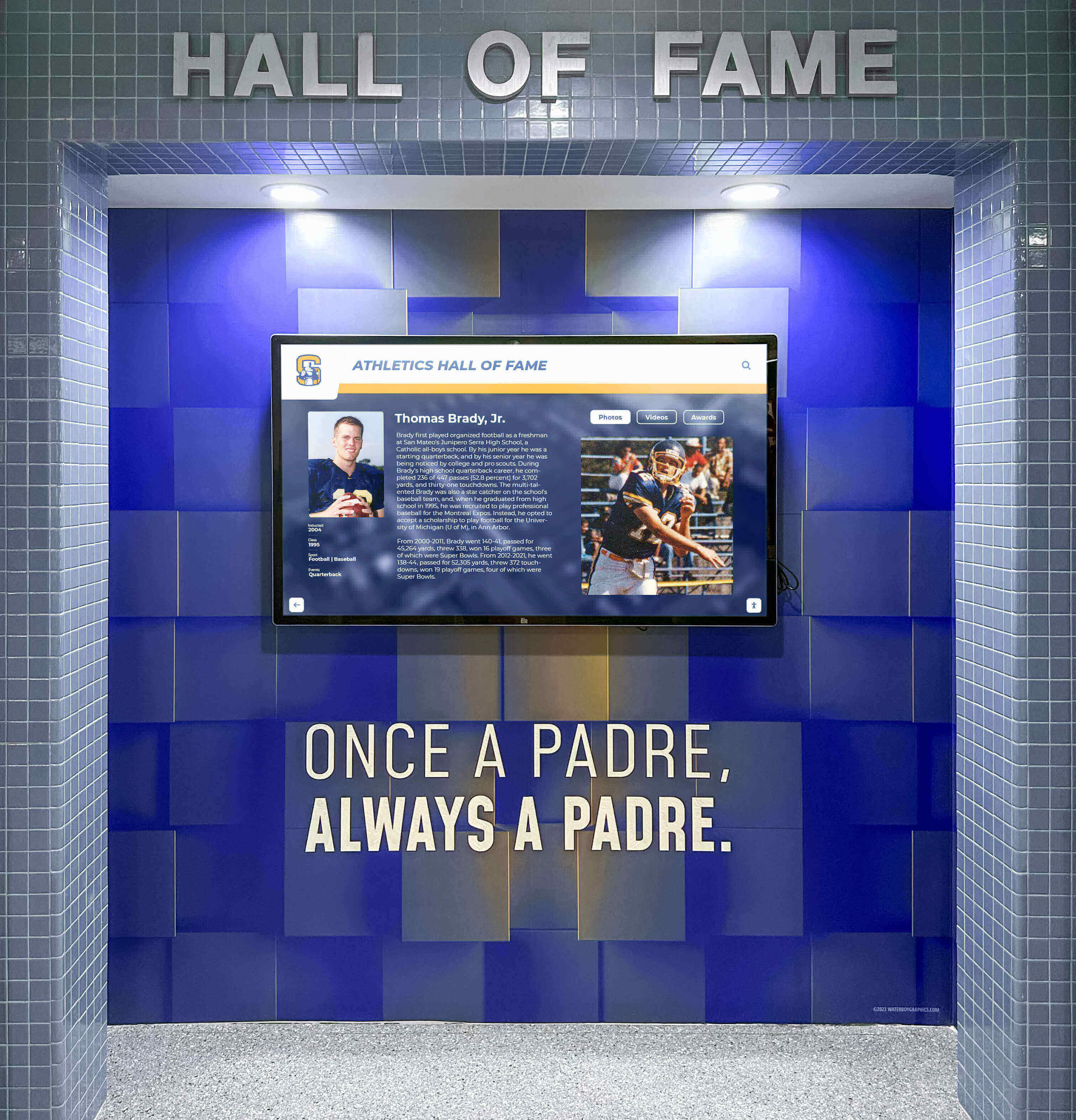
The same slides that run during a banquet can be repurposed for corridor displays and lobby kiosks—building the slideshow with that reuse in mind saves production time later
Team Recognition Slides
Cover team-level accomplishments before moving to individual awards. This acknowledges every athlete on the roster, not just award recipients.
Team recognition slide types:
- Full roster slide (names and jersey numbers)
- Conference record and standings
- Tournament and playoff bracket results
- Records broken this season (with previous record holder and year for historical context)
- Senior class group photo
Individual Award Slides
Each award category gets its own presentation slide. For major awards (MVP, coaches award, most improved), build a two-slide sequence: a category intro slide and a recipient reveal slide.
Award slide structure:
- Slide 1 (category intro): Award title, brief description of selection criteria
- Slide 2 (recipient reveal): Recipient photo, name, jersey number, one-line achievement summary
For programs with many awards, group smaller recognitions (perfect attendance, academic all-conference) onto category summary slides listing multiple recipients. Reserve the two-slide sequence for top five to eight awards.
Well-designed recognition programs think carefully about how schools honor their top performers at the individual and team level—the slide structure should reflect those distinctions clearly.
Senior Tribute Section
Senior slides are the emotional peak of most banquet programs. Each graduating athlete deserves a dedicated slide (or a two-slide sequence for multi-year contributors):
- Senior portrait as primary image
- Name, graduation year, years lettered
- Sports and positions
- Two to three sentence coach tribute or highlight quote
- Post-graduation plans (college, military, workforce) if the athlete has shared them
If you have photos from freshman year, a side-by-side then/now layout creates a simple visual story without requiring video production. Resources on senior page layouts that families value offer good design principles that translate directly to senior tribute slides.
Closing Slides
- Season highlight photo montage (2–3 minutes on autoplay, timed to a music track)
- Returning roster preview (optional, creates forward momentum)
- Parent and volunteer appreciation slide
- Final thank-you / school logo / social media handles
Photography Tips for a Better Banquet Slideshow
Slideshow quality is constrained by photo quality. These practices during the season reduce last-minute scrambling.
Season-long photo collection practices:
- Designate a photographer or photo manager for each game or meet—not every parent with a phone, but one person with a system
- Standardize file delivery — weekly or biweekly uploads to a shared folder with a consistent naming convention (date, sport, opponent)
- Capture bench and sideline moments in addition to action — these candids make the montage section feel authentic
- Photograph award moments as they happen — conference recognition, signing days, in-game milestone announcements
- Collect media day portraits early — waiting until late in the season creates gaps for injured athletes or those who transfer
For programs that hold formal athletics media days, treating portrait sessions as a data-collection exercise—not just a photography session—means headshots arrive already labeled and formatted for slideshow use. That process is covered in depth in the athletics photography and media day planning workflow on this site.
Structuring the Slideshow as an Archive Document
The slideshow file you play on banquet night should be one output of a structured archive package, not the archive itself. Build the full package before or immediately after the event.
The Archive Package
Store these files together in a clearly labeled folder:
2025-26_[Sport]_Banquet-Archive/
  ├── slideshow-final.pptx  (or .key or Canva export link)
  ├── slideshow-final.pdf   (flat export for long-term access)
  ├── slideshow-video.mp4   (if video export is available)
  ├── assets/
  │   ├── portraits/
  │   ├── action-photos/
  │   ├── award-recipients.csv
  │   └── senior-bios.txt
  └── metadata.txt          (season record, award list, coaches, roster)
The award-recipients.csv is the single most useful archive document: a spreadsheet with columns for athlete name, graduation year, sport, award title, and season year. It becomes the source of truth when the athletic department updates hall of fame records, nominates athletes for alumni recognition, or responds to a media inquiry five seasons later.
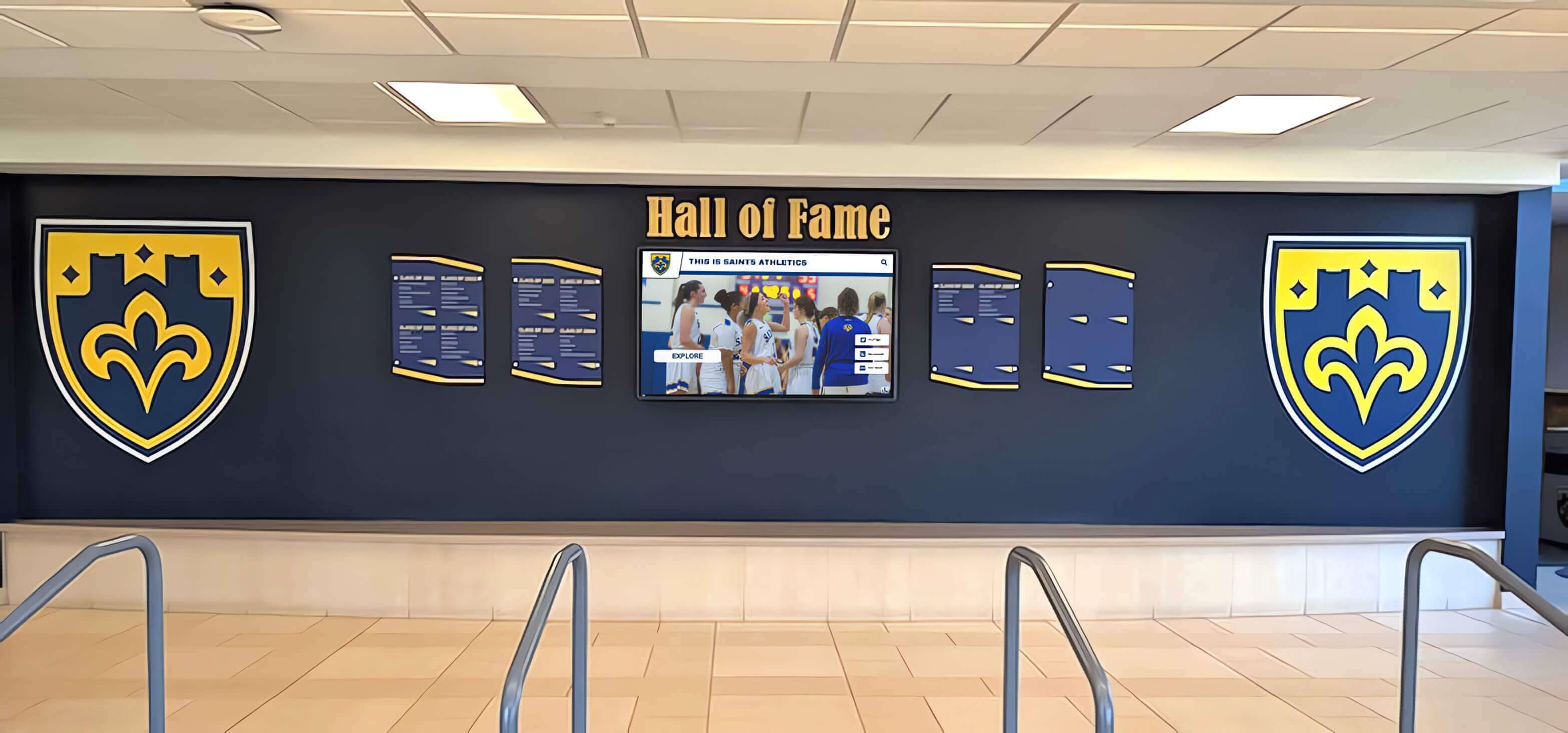
Award data captured in a banquet slideshow archive feeds directly into hall of fame displays and permanent recognition walls for years after the season ends
Where the Archive Lives
The archive folder should go somewhere that survives staff turnover. Common options:
- School Google Drive or SharePoint — accessible to future athletic directors without requiring password recovery
- Athletic department server — appropriate for districts with managed IT
- Physical backup — a USB drive labeled and stored with other athletic department records is better than nothing when cloud access lapses
Guidance on school memorabilia and display archiving addresses how to connect physical artifacts with their digital counterparts—useful context when the archive package also includes photographs of trophies, banners, and hardware from the season.
Turning Banquet Slideshow Assets Into Year-Round Recognition
The materials built for a sports banquet slideshow have a longer shelf life than one evening. Programs that route those assets into year-round displays extend their recognition investment without significant additional production time.
Lobby and Hallway Digital Displays
A framed slideshow loop running in an athletic hallway gives student-athletes visibility on school days when the banquet is months away. The attract loop built for the pre-show—team portrait, award highlights, senior recognition—adapts directly to a corridor display with no redesign.
For schools that operate touchscreen recognition kiosks, banquet-season assets are the primary data source for athlete profiles. Portrait cards, award records, statistics, and senior bios captured in the slideshow package populate searchable profiles that students, parents, and alumni can browse interactively. The case for moving recognition content to touchscreen formats applies directly to banquet slideshow content: the same data that appeared on-screen for two hours at a banquet can be navigable by name, year, and category on a lobby kiosk indefinitely.
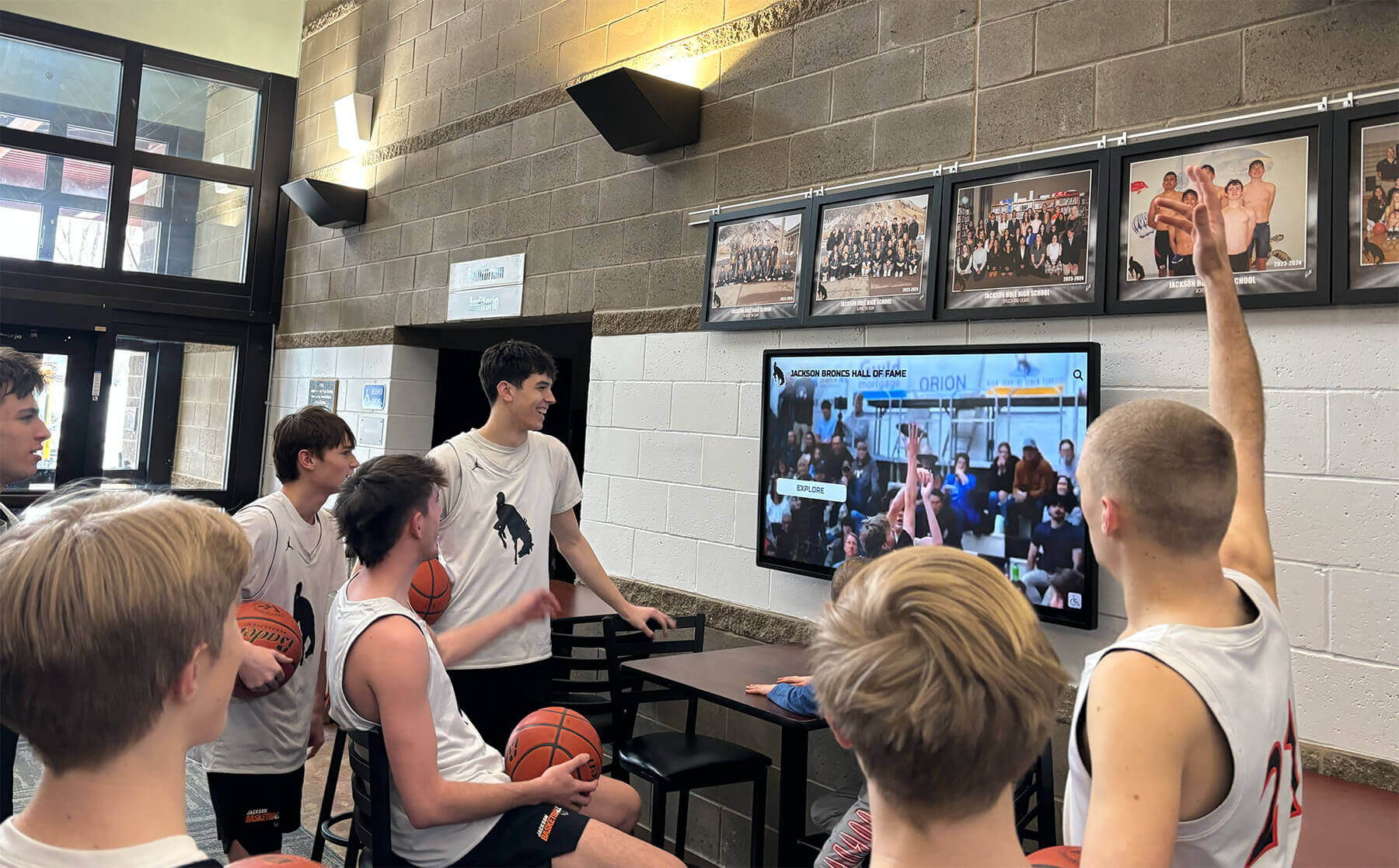
Game highlights and award content from banquet slideshows extend their life in hallway and lobby displays that current students and returning alumni can access year-round
Hall of Fame Nominations
Banquet award data is the foundation of hall of fame eligibility review. Programs with clear records of who received which award in which year—captured in the archive package above—can nominate alumni without hunting through old programs or emailing former coaches.
For schools formalizing their hall of fame process, understanding how athletic award recognition works at the youth and high school level gives context for what criteria are common and how selection records should be maintained.
Yearbook and Print Submissions
Yearbook deadlines frequently overlap with late-season banquets. If the slideshow asset package is assembled before the banquet—portraits labeled, award recipients confirmed, senior bios written—the yearbook advisor receives a submission-ready folder instead of a stack of unlabeled phone photos.
Thinking about how yearbook themes and visual identity carry across pages is useful when the same photos and design elements will appear in both the slideshow and the yearbook sports section.
Common Mistakes That Break the Archive
Even well-run programs make these errors. Catching them before the banquet night saves cleanup work later.
Collecting photos without names attached A folder of 300 action shots where the athlete names are known only to the photographer who took them is an archive liability, not an asset. Build naming into the collection workflow, not the post-production phase.
Using a template that can’t be exported as a flat file Some online slideshow tools save only to proprietary formats that require an active subscription to access later. Always export a PDF or video version before the event so the archive doesn’t depend on future software access.
Skipping the award recipient list Verbal announcements at the ceremony are the least reliable record. The structured CSV or spreadsheet is the record that travels. If a coach’s name is misspelled in the slide notes, it will be misspelled in every downstream document built from that file.
Storing assets only on the person who built the slideshow When the parent volunteer who runs the booster club slideshow committee graduates with the senior class, the previous five years of assets graduate with them. School-controlled storage—not a personal Dropbox or personal Google account—is where the archive belongs.
Connecting the Slideshow to a Permanent Digital Recognition System
For programs ready to move beyond file folders and corridor TV loops, purpose-built digital recognition platforms pull banquet slideshow assets into searchable, display-ready formats that serve athletes, alumni, and the broader school community.
Platforms like Rocket Alumni Solutions allow athletic departments to upload portrait cards, award records, season statistics, and senior bios from the banquet archive package—and surface them on interactive touchscreen walls of fame, digital trophy cases, and donor recognition displays installed in lobbies, gymnasiums, and hallways. Athletes who appeared in last night’s banquet slideshow can be findable by name on a touchscreen display the following morning, with their award data, statistics, and photo accessible to any visitor who stops to look.

Digital recognition walls pull directly from the same portrait and award data built for banquet slideshows—extending each athlete's recognition from one evening to a permanent searchable display
This approach connects the short-term recognition goal (honoring this year’s team at tonight’s banquet) to the long-term institutional goal (building a program history that recruits, alumni, and current athletes can all access). The banquet slideshow becomes the annual data entry point for a recognition system that compounds in value as each season’s archive is added.
For programs already maintaining strong school memorabilia displays in physical trophy cases and hallways, digital platforms provide the searchability and depth that physical cases can’t: unlimited profiles, full career statistics, photo galleries, and filtering by year, sport, or award type.
Quick Reference: Sports Banquet Slideshow Planning Timeline
| Timeline | Action |
|---|---|
| 8–10 weeks before banquet | Designate slideshow coordinator; confirm ceremony run-of-show with athletic director |
| Throughout season | Collect and name action photos weekly; archive media day portraits |
| 4 weeks before | Gather award recipient list; collect senior bio information from athletes |
| 2 weeks before | Build slide deck; circulate draft to coaches for award name accuracy review |
| 1 week before | Run full tech test on banquet venue AV system; export video backup |
| Banquet night | Run pre-show attract loop on arrival; advance slides manually or with AV cue sheet |
| Within 1 week after | Assemble full archive package; upload to school-controlled shared storage |
| Within 1 month after | Submit applicable assets to yearbook; update athletic hall of fame records |
Frequently Asked Questions
How long should a sports banquet slideshow be? The pre-show attract loop can run indefinitely on autoplay. The formal presentation portion—awards, seniors, season highlights—typically runs 20–40 minutes depending on roster size and award count. A highlight montage at the end adds 2–3 minutes. Plan shorter rather than longer; a tight 25-minute presentation with strong photos lands better than a 50-minute scroll through every photo taken all season.
What software works best for a team banquet slideshow? PowerPoint and Google Slides both produce archive-quality exports. Canva works well for design-forward teams but requires an active subscription for future edits. The most important factor isn’t the tool—it’s whether the source file can be stored accessibly and whether a flat export (PDF or video) is saved alongside it.
How do we handle photos when we don’t have headshots for every athlete? Use the official team portrait as a fallback for athletes without individual headshots. Avoid using generic silhouette images for athletes who are being recognized—it undercuts the recognition moment. If a photo genuinely doesn’t exist, a name-and-jersey-number text card is a better fallback than a placeholder.
What’s the best way to display athletic banquet slideshow content year-round? A looping digital display in a hallway or lobby is the most accessible option without specialized hardware. For programs with higher visibility goals, interactive touchscreen recognition systems allow visitors to search by athlete, year, or award—turning the passive slideshow into a navigable archive that serves alumni, recruits, and current students simultaneously.
A sports banquet slideshow built with archive thinking in mind does its job at tonight’s event and keeps doing it for years after. The portraits labeled, the award data structured, and the source files stored in the right place become the foundation that makes future hall of fame nominations, alumni searches, and program history retrospectives straightforward rather than a months-long recovery project.
Ready to see how a permanent digital recognition system can extend your banquet slideshow assets into a year-round display? Request a demo of Rocket Alumni Solutions to explore how athlete portraits, award records, and season highlights from your archive can power an interactive touchscreen wall of fame, digital trophy case, or donor recognition display for your school.
Live Example: Rocket Alumni Solutions Touchscreen Display
Interact with a live example (16:9 scaled 1920x1080 display). All content is automatically responsive to all screen sizes and orientations.