



School digital signage has evolved from simple announcement boards displaying lunch menus and bell schedules into sophisticated communication ecosystems that celebrate achievement, preserve institutional history, guide visitors, and build connected learning communities. As schools compete for attention in an increasingly digital world, static posters and bulletin boards struggle to capture student, staff, and visitor engagement the way dynamic, interactive displays can.
The challenge facing school administrators isn’t whether to implement digital signage—it’s how to deploy it strategically so displays become valued communication tools rather than expensive, underutilized screens cycling through ignored content. Many schools invest in display hardware without comprehensive content strategies, resulting in displays showing the same static slides for weeks or reverting to generic screensavers when no one takes responsibility for updates.
This comprehensive guide explores how schools can leverage digital signage effectively—from recognition and celebration to wayfinding and emergency communications—creating displays that genuinely serve educational mission while building pride, connection, and community throughout campus.
Strategic school digital signage implementations serve multiple constituencies simultaneously: students encountering daily inspiration and information, staff communicating efficiently without paper waste, visitors navigating campuses confidently, and entire school communities celebrating achievements that might otherwise go unrecognized. When deployed thoughtfully, digital signage becomes infrastructure supporting culture, communication, and connection throughout educational institutions.

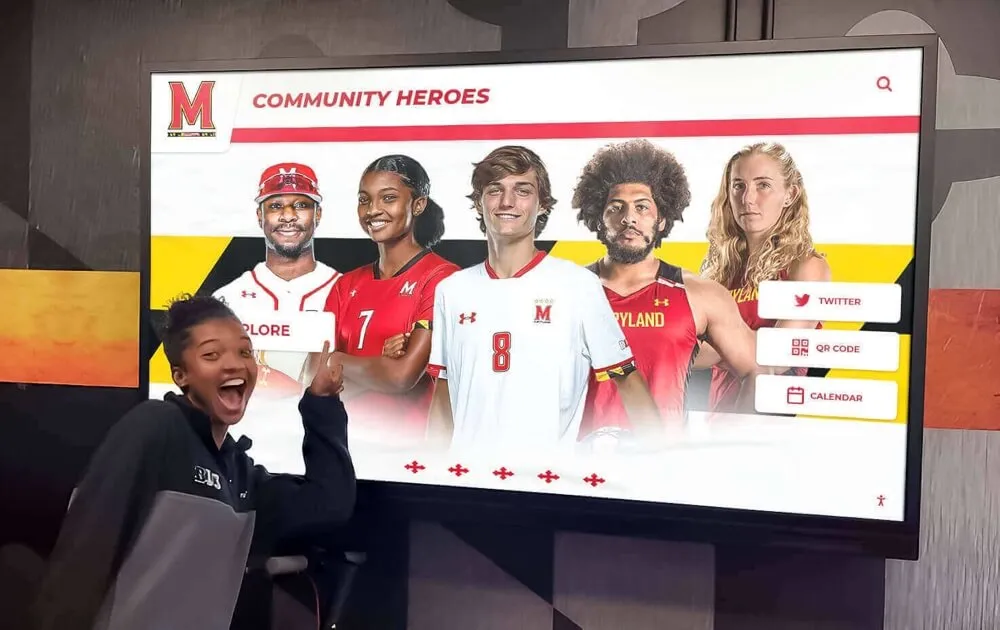
Interactive digital signage enables students to explore recognition, history, and information at their own pace
The Evolution of School Communication Technology
Understanding how school communication has evolved provides essential context for making strategic digital signage decisions that serve contemporary educational environments effectively.
From Paper to Pixels: The Communication Revolution
Traditional school communication relied entirely on physical media—bulletin boards covered with paper flyers, trophy cases displaying static plaques, announcement boards requiring manual letter placement, printed newsletters sent home with students, and hallway posters promoting events and activities.
These analog approaches served schools adequately for decades but faced inherent limitations that digital systems address comprehensively. Physical postings became outdated quickly, required constant manual maintenance, competed for limited wall space, offered no interactivity or personalization, and provided no analytics revealing what content actually reached audiences or resonated with them.
Early digital signage implementations in the late 1990s and early 2000s simply replicated paper announcements on screens—rotating text slides that improved updateability but offered little beyond basic information display. These first-generation systems lacked the engagement features, content management simplicity, and multimedia capabilities that make modern digital signage genuinely transformative for school communication.
Modern School Digital Signage Capabilities
Contemporary school digital signage platforms offer capabilities that fundamentally change how educational institutions communicate, recognize achievement, preserve history, and build community connections.
Interactive Touchscreen Engagement
Modern touchscreens enable active content exploration rather than passive viewing, allowing students to search athletic records, browse historical photo archives, explore college and career information, discover club and activity details, and access personalized content relevant to their interests. This interactivity transforms displays from broadcast channels into discovery tools that serve diverse audience needs simultaneously.
Solutions like Rocket Alumni Solutions specialize in interactive recognition displays designed specifically for schools, enabling unlimited achievement celebration without the space constraints of traditional trophy cases and plaques.
Cloud-Based Content Management
Modern platforms enable content updates from any internet-connected device without technical expertise or facility access. This remote management capability dramatically reduces the administrative burden that made earlier digital signage systems difficult to sustain over time. Staff can update displays instantly when schedule changes occur, add new achievement recognition immediately after events, correct errors without facility visits, and schedule seasonal content automatically.
Rich Multimedia Integration
Contemporary displays support comprehensive multimedia content including high-resolution photos and image galleries, full-motion video with sound, interactive maps and directories, web content integration, and social media feeds. This multimedia capability enables storytelling depth impossible with text-only announcements or static images.
Learn about comprehensive school communication strategies in interactive display technology transforming school spaces.
Strategic placement and coordinated design integrate digital displays into comprehensive school environments
Recognition and Achievement Celebration
Recognition represents one of the most powerful and engaging applications for school digital signage, transforming how institutions celebrate student, staff, and community excellence.
Athletic Achievement Recognition
Athletic recognition has traditionally consumed significant display space through trophy cases, banner hanging, and plaque walls that eventually fill to capacity, forcing difficult decisions about what achievements to remove when adding new recognition.
Digital signage eliminates these space constraints entirely through unlimited virtual recognition capacity. A single touchscreen display can showcase comprehensive athletic program history including:
Individual Athlete Profiles Complete career documentation with statistics, photos across multiple seasons, championship moments, coaching testimonials, and post-graduation updates showing college and professional athletic achievements. Interactive profiles enable depth of recognition impossible with name plaques, allowing visitors to explore careers comprehensively rather than viewing only basic information.
Team Championship Documentation Complete season narratives preserving championship journeys including roster documentation with every team member, game-by-game results and statistics, playoff progression and bracket placement, championship game highlights and photos, and coaching staff recognition. This comprehensive documentation honors every contributor to championship success rather than highlighting only star players.
Record Board Management School, conference, and state records maintained automatically with historical context, year-by-year comparison showing record progression, searchable database enabling discovery by sport, event, or era, and automatic updates when new records are established. Digital record boards provide perspective showing how current athletes measure against historical excellence.
Explore athletic recognition strategies in athletic hall of fame implementation guides.
Academic Recognition and Celebration
Academic achievement deserves equal visibility to athletic success, and digital signage enables comprehensive academic recognition that physical displays cannot accommodate.
Honor Roll and Academic Excellence Semester honor roll listings organized by achievement level, grade, and program create visibility for intellectual excellence. Digital displays enable complete lists including every honored student rather than highlighting only top performers, celebrating academic achievement at all levels without the space constraints that force selection decisions with physical displays.
Scholarship and Award Recognition Local, state, and national award recipients featured with complete profiles explaining scholarship significance, student accomplishments and qualifications, future educational plans, and application information for younger students. This recognition celebrates achievement while providing roadmaps others can follow.
Academic Competition Success Science olympiad, mathematics team, quiz bowl, debate tournament, robotics competition, and other intellectual competition achievements documented comprehensively with team photos, individual contributor recognition, coach acknowledgment, and historical context showing program tradition.
Discover academic recognition approaches in academic recognition program guides.
Arts, Activities, and Service Recognition
Comprehensive school recognition extends beyond athletics and academics to celebrate diverse contributions across all aspects of student experience.
Performing Arts Showcase Concert recordings, theatrical performance videos, musical production highlights, and visual arts galleries celebrating creative excellence. Digital displays provide performing arts visibility matching athletic recognition, demonstrating institutional values that honor diverse forms of excellence equally.
Leadership and Service Recognition Student government officers, club presidents, team captains, and community service leaders featured with accomplishments and contributions. This recognition acknowledges the leadership development that prepares students for civic engagement beyond graduation.
Activity Participation and Achievement Clubs, organizations, extracurriculars, and special programs celebrated through participant rosters, activity photos, accomplishment documentation, and meeting information encouraging broader participation.
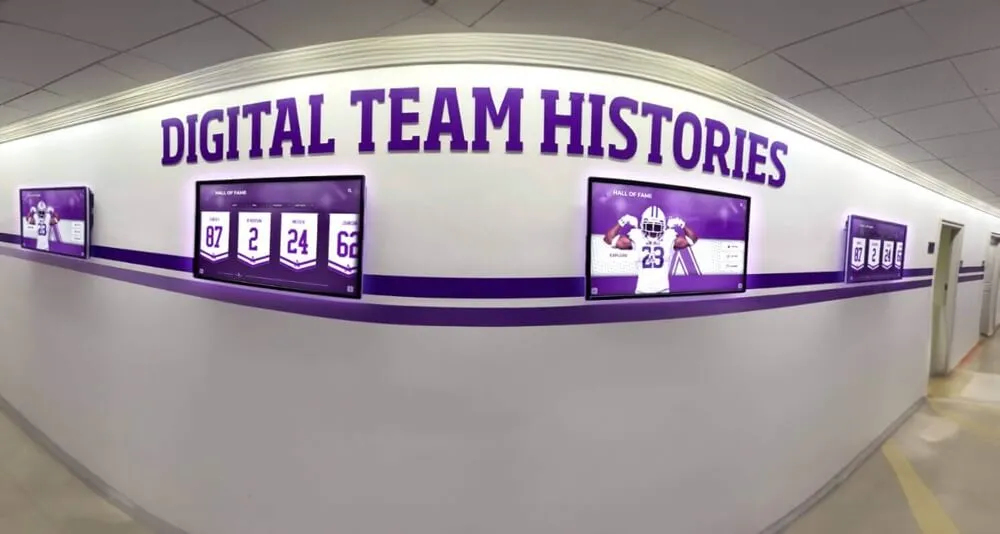
Multiple coordinated displays enable comprehensive recognition across diverse achievement categories
Daily Communication and Information Sharing
Beyond recognition, digital signage serves essential operational communication needs efficiently and effectively throughout busy school days.
Real-Time Schedule and Event Information
Digital displays positioned strategically throughout campuses provide critical information when and where students and staff need it.
Daily Announcements and Schedules Current day information including bell schedule changes, classroom location updates, assembly schedules, testing schedules, and deadline reminders ensures community awareness without interrupting instructional time through PA announcements.
Event Calendars and Promotion Athletic schedules with game times and locations, performing arts events and ticket information, club meetings and activities, parent-teacher conferences, and school holidays displayed visually help families and community members plan participation and attendance.
Emergency Communication Capability Critical safety messages override regular content instantly, broadcasting severe weather alerts, lockdown notifications, evacuation instructions, and urgent updates. This emergency communication capability alone justifies digital signage investment in safety-conscious environments.
Cafeteria and Dining Information
Displays positioned in cafeterias and dining areas provide practical information supporting daily student needs and decisions.
Menu Information Daily lunch offerings, nutritional information, ingredient listings for dietary restrictions, special menu promotions, and alternative options help students make informed dining decisions while promoting healthy choices through attractive visual presentation.
Wayfinding and Navigation
Large school campuses challenge visitors, substitute teachers, and even new students trying to navigate complex facilities.
Interactive Campus Directories Touchscreen building maps with search functionality enable visitors to locate specific classrooms, offices, departments, and facilities independently. This self-service navigation reduces office interruptions while creating welcoming first impressions for campus visitors.
Event Location and Parking Special event information showing parking areas, entrance locations, accessible facilities, and venue directions ensure events run smoothly without confusion or frustration for attendees unfamiliar with campuses.
Learn about wayfinding implementation in interactive kiosk solutions for schools.

Freestanding kiosks provide accessible touchscreen interaction for recognition and wayfinding
Historical Preservation and Legacy Building
Digital signage enables comprehensive historical preservation that honors institutional legacy while making history accessible and engaging for contemporary audiences.
Digital Archives and Historical Content
Many schools possess rich historical materials—old yearbooks, photos, newspaper clippings, programs, and memorabilia—stored in closets or basements where few community members ever encounter them. Digital signage brings these historical treasures to life.
Comprehensive Historical Timelines Chronological institutional history from founding through present day documenting major milestones, building constructions and renovations, program launches, leadership changes, and significant achievements. These timelines help current community members understand how schools evolved into present-day institutions.
Decade-by-Decade Photo Archives Historical photo collections organized chronologically enable fascinating exploration of fashion evolution, facility changes, program development, and community transformation across institutional history. These visual archives create powerful connections between past and present.
Notable Alumni Spotlights Accomplished graduates featured with career trajectories, current accomplishments, reflections on educational experiences, and advice for current students. These alumni profiles demonstrate the long-term value of education while providing mentorship and perspective for students navigating similar paths.
Preserving Athletic Program History
Athletic program history documentation creates powerful tradition that inspires current athletes while honoring past excellence comprehensively.
Historical Team Photos and Rosters Complete team documentation across decades preserving roster information, coaching staff, season records, and achievement highlights. This systematic preservation ensures program history remains accessible rather than lost when physical yearbooks deteriorate or disappear.
Championship Documentation Complete championship histories showing years, scores, rosters, tournament paths, and memorable moments. This documentation celebrates excellence while providing historical context showing how current programs built upon foundations established by previous generations.
Hall of Fame Integration Digital halls of fame enable unlimited inductee capacity without the space constraints forcing difficult removal decisions with physical plaques. Complete honoree profiles with career statistics, photos, video highlights, and biographical context provide recognition depth honoring achievement appropriately.
Explore historical preservation strategies in digital archives for schools, colleges, and universities.
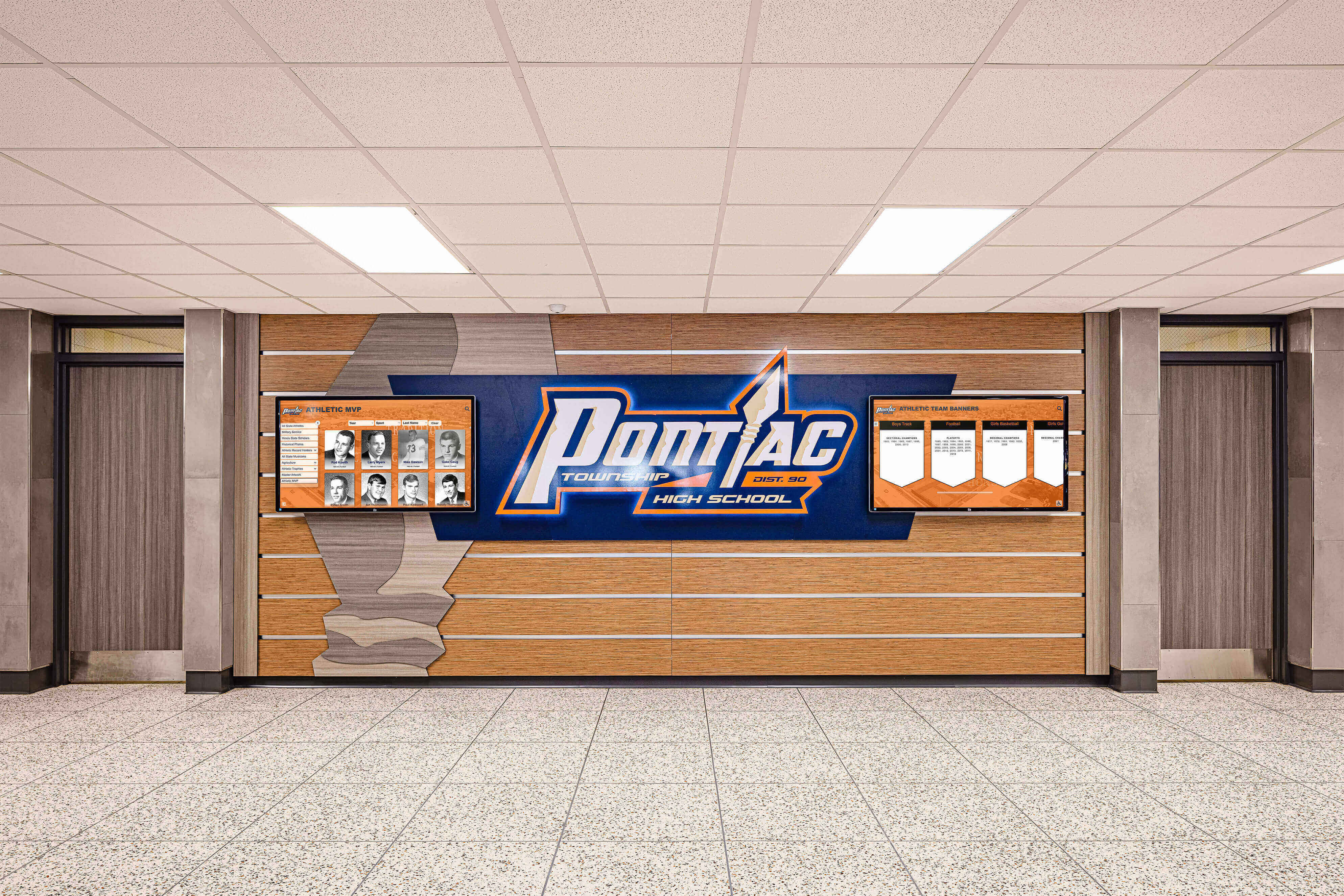
Blended approaches combine traditional architectural elements with modern digital capabilities
Student Engagement and Interactive Learning
Beyond administrative communication and recognition, digital signage creates opportunities for active student engagement and informal learning.
Student-Created Content and Showcases
Involving students in content creation builds ownership while developing valuable media literacy and communication skills.
Digital Art Galleries Visual arts student work displayed in rotating digital galleries provides visibility impossible with limited physical gallery space. Digital exhibitions enable broad participation while preserving art digitally after physical pieces return home with students.
Student Journalism and Media Production School newspaper articles, broadcast journalism segments, podcast episodes, and multimedia projects showcased through digital displays create authentic audiences for student work while building professional portfolios demonstrating skills.
Project-Based Learning Showcases Exemplary classroom projects across subjects displayed digitally enable community visibility demonstrating learning outcomes while celebrating student achievement. These showcases make learning visible beyond individual classrooms, building school-wide awareness of educational experiences.
College and Career Exploration Resources
Digital displays positioned in counseling areas or college/career centers provide valuable information supporting post-graduation planning.
College and University Information Institution profiles, application information, financial aid guidance, visit schedules, and admission representative contact information help students navigate higher education exploration and application processes efficiently.
Career Pathway Information Industry overviews, credential requirements, salary information, and career ladder progression help students connect academic preparation to future professional opportunities in fields they’re considering.
Scholarship Databases and Deadlines Searchable scholarship opportunities organized by eligibility criteria, application deadlines, and award amounts help students identify financial aid reducing cost barriers to post-secondary education.
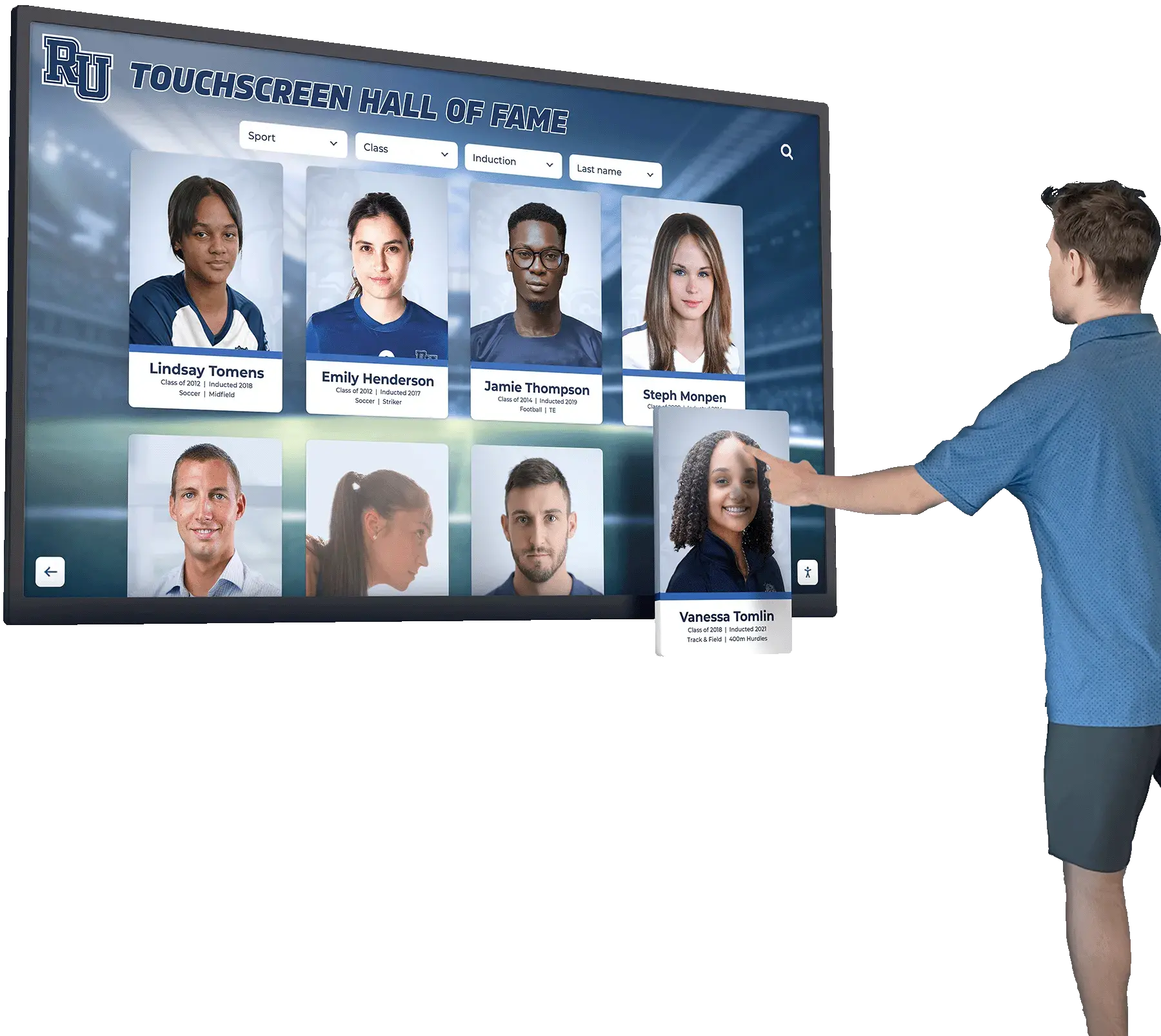
Intuitive touchscreen interfaces enable self-directed exploration across content categories
Implementation Best Practices for School Digital Signage
Technology success depends not just on hardware selection but on strategic planning, sustainable content management, and thoughtful deployment throughout facilities.
Strategic Display Placement Decisions
Location dramatically affects digital signage visibility, engagement, and ultimate value. Strategic placement ensures displays reach intended audiences when they’re most receptive to content.
High-Impact School Locations
Position displays where they naturally encounter audiences with time and interest to engage:
- Main entrance lobbies: First impressions for all visitors while providing information for entire school community
- Cafeteria and commons areas: Extended dwell time during lunch periods and before/after school
- Athletic facility entrances: Pre-game excitement and post-game celebration for athletic recognition
- Main hallway corridors: High traffic areas where people naturally pause between destinations
- Counseling and college/career centers: Targeted information for students actively exploring post-graduation planning
- Administrative office waiting areas: Engaged audience with extended wait times
Avoid low-traffic locations where displays become invisible, corners and alcoves lacking natural sightlines, areas with extreme glare from windows, and positions requiring significant head turning or movement to view comfortably.
Content Management and Sustainability
Sustainable digital signage requires manageable content workflows and clear responsibility assignment preventing displays from showing stale content when initial enthusiasm fades.
Establishing Content Responsibilities
Designate clear ownership for different content categories:
- Athletic director managing sports recognition and schedules
- Activities coordinator updating club and event information
- Principal’s office controlling daily announcements and emergency communications
- Counseling staff maintaining college/career resources
- Media specialist or librarian managing historical archives
- Student media team creating student-centered content
Written documentation of these responsibilities prevents assumptions and gaps commonly causing content to fall through cracks during busy school years.
Cloud-Based Management Advantages
Modern cloud platforms dramatically simplify content management through remote access enabling updates from any location without facility visits, intuitive interfaces requiring no technical expertise or training, template systems accelerating content creation, scheduled publishing automating seasonal content rotation, and collaboration features supporting multiple content contributors with role-based permissions.
These capabilities make professional digital signage accessible for schools lacking dedicated IT resources or technical expertise on staff.
Content Calendar Planning
Systematic planning prevents last-minute scrambling and stale content issues:
- Annual planning mapping content themes to academic calendar
- Monthly featured content rotation maintaining freshness
- Weekly updates for current events and announcements
- Automated seasonal content for holidays and celebrations
- Emergency override capability for critical communications
Learn about content strategy development in 120+ digital signage content ideas.
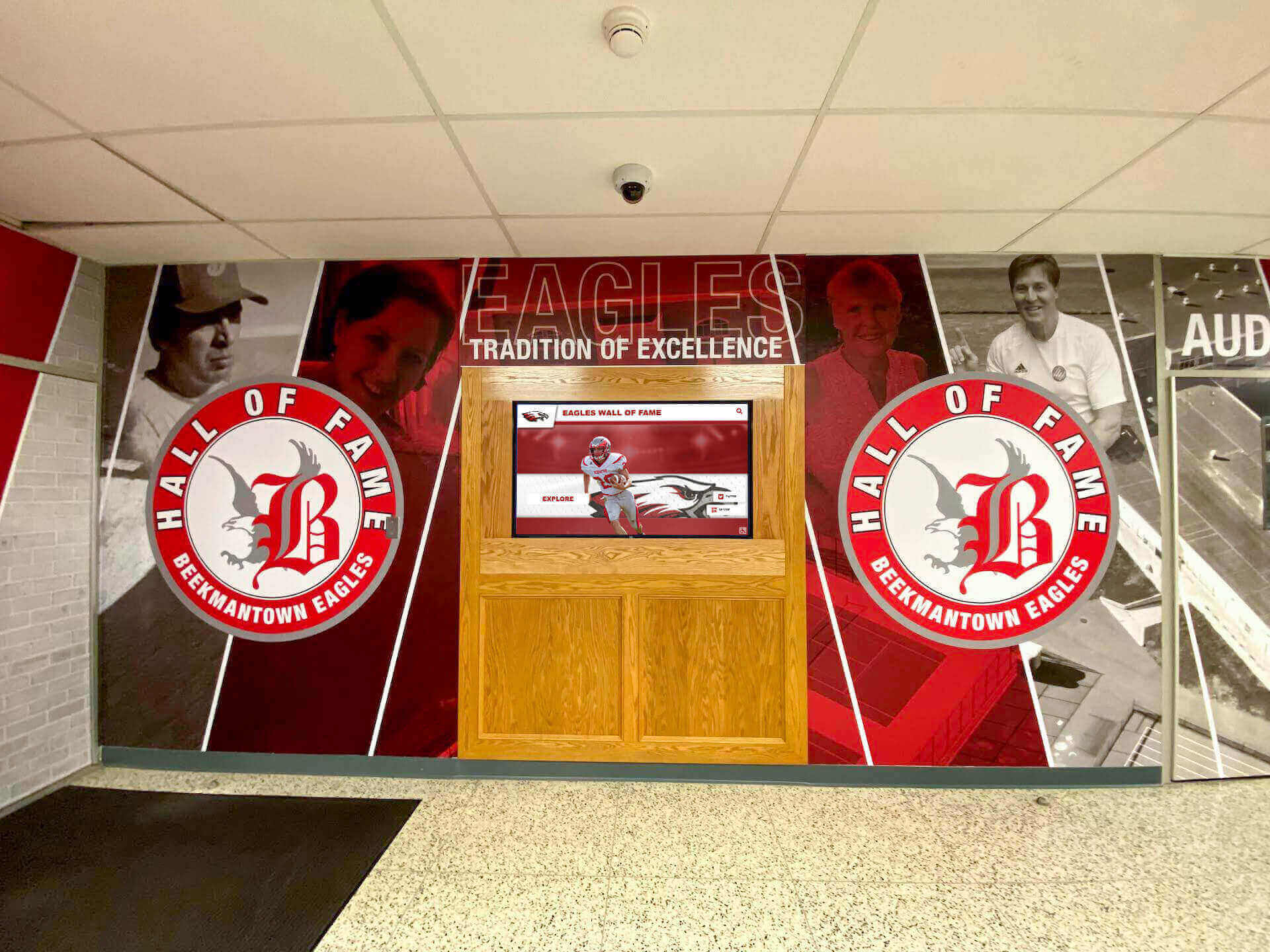
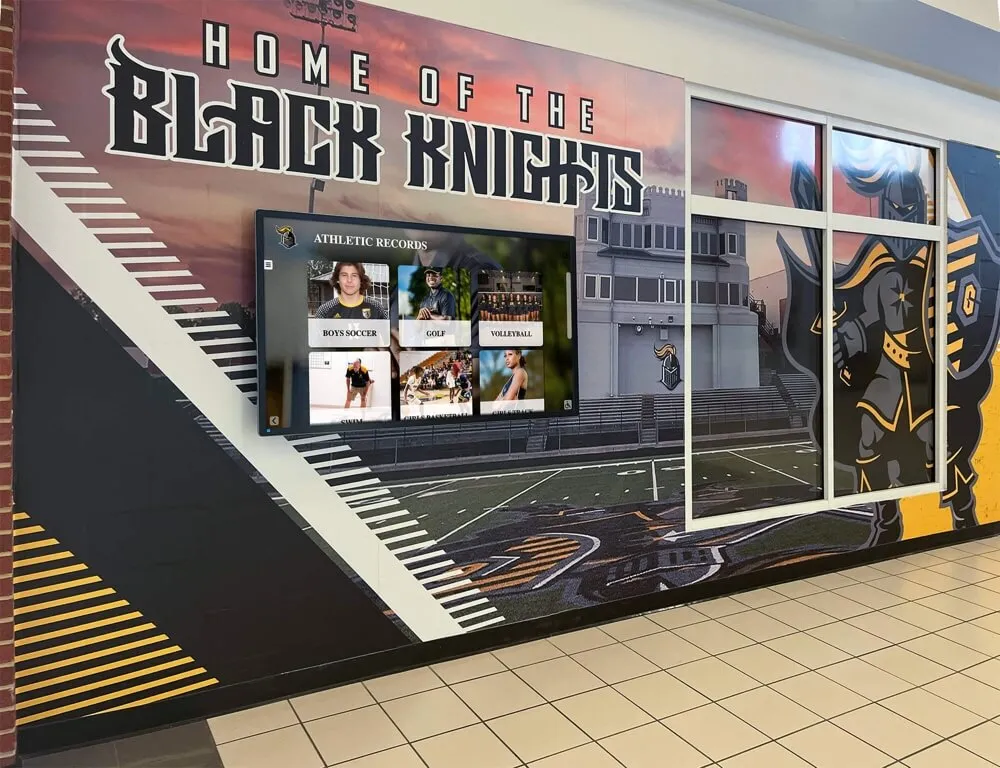
Coordinated environments integrate digital displays with traditional murals and architectural branding
Technology Selection Considerations
Platform and hardware choices significantly impact long-term success, usability, and total cost of ownership beyond initial purchase prices.
Purpose-Built vs. Generic Solutions
Purpose-built school recognition platforms designed specifically for educational institutions offer significant advantages over generic digital signage systems adapted for school use. Specialized platforms provide intuitive content management requiring no technical training, recognition-specific features like searchable athlete databases and hall of fame templates, educational pricing structures understanding school budgets, vendor experience working with educational institutions, compliance with school data privacy requirements, and ongoing feature development addressing evolving school needs.
Generic corporate digital signage systems often prove difficult to adapt for school recognition and engagement applications, requiring technical expertise schools lack while missing features that make school-specific platforms valuable.
Interactive vs. Passive Display Technology
Different content requires different technology approaches:
Interactive Touchscreens enable:
- Self-directed content exploration and discovery
- Searchable databases with filtering capabilities
- Personalized experiences based on user interests
- Deep content access with unlimited detail
- Analytics revealing what content resonates
Passive Rotation Displays suit:
- Brief announcements and reminders
- Ambient visual interest and decoration
- Promotional messaging to passing audiences
- Emergency notifications requiring immediate attention
Schools often benefit from mixed approaches—interactive displays in locations with extended dwell time and passive displays in high-traffic corridors where people pass quickly.
Hardware Quality and Specifications
Commercial-grade hardware appropriate for institutional use includes:
- 55-75 inch displays for lobby installations ensuring visibility
- Capacitive or infrared touchscreen technology for responsive interaction
- Commercial ratings supporting 16-24 hour daily operation
- Minimum 3-year warranties protecting investment
- 4K resolution providing clarity and future-proofing
- Anti-vandalism features appropriate for school environments
Budget $4,000-10,000 per commercial display unit including professional installation. Avoid consumer-grade televisions lacking durability, touch capability, and warranty protection appropriate for institutional deployment.
Measuring Digital Signage Effectiveness
Regular assessment demonstrates value while identifying improvement opportunities ensuring continuous enhancement serving school communities effectively.
Quantitative Engagement Metrics
Modern digital signage platforms provide concrete usage data enabling data-driven decisions:
- Interaction frequency and session duration showing engagement depth
- Content view counts revealing most popular categories
- Search patterns indicating how users discover information
- Peak usage times informing optimal content scheduling
- Geographic access patterns when web-based access enabled
These analytics remove guesswork from content planning, showing objectively what resonates with audiences rather than relying on subjective assumptions about effectiveness.
Qualitative Community Feedback
Numbers provide important insights but qualitative feedback offers context that pure metrics miss:
- User surveys assessing content preferences and satisfaction
- Focus groups with students, parents, and staff providing detailed perspectives
- Observation studies documenting actual usage patterns
- Stakeholder interviews revealing impact perceptions
- Comment collection through QR codes or web forms
This qualitative information guides strategic decisions that quantitative data alone cannot adequately inform.
Operational Impact Assessment
Beyond engagement metrics, assess broader institutional impact:
- Reduced printed materials and associated costs
- Decreased office interruptions from wayfinding questions
- Improved event attendance correlating with digital promotion
- Enhanced recruitment impressions during campus visits
- Increased alumni engagement and giving
These broader impacts demonstrate value beyond immediate display engagement, showing how digital signage supports multiple institutional objectives simultaneously.

Professional installations ensure reliable long-term operation supporting sustained school communication
Budget Planning and Return on Investment
Strategic budget planning ensures digital signage investments deliver sustained value throughout expected lifecycles rather than becoming expensive underutilized installations.
Total Cost of Ownership Analysis
Comprehensive budget planning considers all costs, not just initial hardware purchases:
Initial Investment ($5,000-15,000 per display location)
- Commercial-grade touchscreen display hardware
- Mounting equipment or freestanding kiosk enclosure
- Professional installation and network configuration
- Initial content platform licensing
- Staff training and implementation support
Ongoing Annual Costs ($1,500-5,000 per location)
- Content management platform subscriptions
- Cloud hosting and bandwidth
- Maintenance contracts and technical support
- Content development and updates
- Hardware warranty extensions
Cost Offset Considerations
- Eliminated printing and materials costs
- Reduced staff time updating bulletin boards
- Avoided physical plaque and trophy case expenses
- Decreased labor for wayfinding assistance
- Enhanced fundraising through donor recognition
Many schools find total cost of ownership favors digital approaches within 3-5 years, particularly when accounting for recognition applications that would otherwise require expensive per-honoree plaques costing $150-500 each.
Funding Strategies
Schools finance digital signage through diverse approaches:
- General operating budgets for communication infrastructure
- Technology refresh funds allocated for facility improvements
- Booster club fundraising for athletic recognition displays
- Capital campaigns associated with facility renovations
- Sponsorship opportunities with recognition benefits
- Grant funding targeting technology enhancement
- Naming opportunities for major display installations
Explore funding approaches in donor recognition strategies for schools.
Special Considerations for Different School Types
Digital signage strategies should align with institutional context, size, and community characteristics rather than following one-size-fits-all approaches.
Elementary Schools
Younger student populations require tailored content and interaction design:
Content Adaptations
- Age-appropriate reading levels and vocabulary
- Visual and graphical emphasis over text
- Character recognition programs celebrating diverse achievements
- Student artwork showcases building confidence
- Safety and behavioral expectation reminders
Technical Considerations
- Lower touchscreen mounting heights for accessibility
- Durable, fingerprint-resistant screen protection
- Simplified navigation appropriate for younger users
- Parental controls preventing inappropriate access
Middle Schools
Transitional environments require content balancing childhood and adolescence:
Engagement Focus
- Identity exploration supporting developmental needs
- Peer recognition building positive social dynamics
- Anti-bullying and character education messaging
- Activity and extracurricular promotion encouraging participation
- Transition preparation for high school expectations
High Schools
Secondary environments enable sophisticated content and deeper engagement:
Advanced Applications
- Comprehensive athletic and academic recognition
- College and career exploration resources
- Historical archives spanning decades
- Student-created multimedia content
- Complex interactive directories and databases
Higher Education Campuses
University and college environments serve adult learners with different needs:
Institutional Priorities
- Alumni engagement and philanthropic cultivation
- Research and accomplishment showcases
- Conference and event promotion
- Wayfinding on complex large campuses
- Athletic tradition and school spirit

Higher education installations often feature extensive recognition environments celebrating institutional excellence
Conclusion: Transforming School Communication Through Strategic Digital Signage
School digital signage represents far more than technological upgrades to announcement systems—when implemented strategically, interactive displays fundamentally transform how schools communicate, recognize achievement, preserve history, and build connected communities. The most successful implementations serve multiple institutional objectives simultaneously while remaining manageable for typical school staff without dedicated technical resources.
The frameworks explored throughout this comprehensive guide provide actionable strategies for planning, implementing, and sustaining school digital signage that delivers genuine value rather than becoming expensive, underutilized hardware showing stale content or generic screensavers. Recognition and celebration create emotional engagement while demonstrating institutional values honoring diverse excellence. Daily communication proves practical utility encouraging regular consultation. Historical preservation connects current community members to legacy inspiring future excellence. Interactive engagement transforms passive viewing into active exploration serving personalized interests.
Ready to Transform Your School Communication?
Discover how interactive digital signage solutions designed specifically for educational institutions can help you celebrate achievement, preserve history, and build connected school communities. Rocket Alumni Solutions provides comprehensive platforms purpose-built for school recognition and engagement.
Explore School Digital Signage SolutionsSchools beginning digital signage journeys should start with core applications matching primary objectives—whether recognition, daily communication, wayfinding, or historical preservation—then systematically expand as content development processes mature and staff confidence grows. Cloud-based platforms with intuitive management dramatically reduce barriers enabling sustained content freshness impossible with complex systems requiring technical expertise for every update.
Strategic placement in high-traffic areas with natural dwell time, sustainable content workflows with clear responsibilities, and purpose-built technology designed for educational applications create foundations for long-term success. Regular assessment through both quantitative analytics and qualitative community feedback enables continuous improvement ensuring displays achieve intended objectives rather than becoming static installations requiring no active management.
Your school community deserves communication tools matching contemporary expectations while honoring achievements appropriately. With strategic planning, appropriate technology, and sustainable management approaches, school digital signage becomes valued infrastructure supporting culture, connection, and pride throughout educational institutions—transforming how schools recognize excellence, share information, and build the engaged communities that make exceptional learning environments possible.
Ready to explore comprehensive school digital signage solutions? Learn about interactive display technology for schools, discover digital recognition strategies celebrating achievement, or contact Rocket Alumni Solutions to discuss purpose-built platforms designed specifically for educational institutions.































