



School staff face constant pressure to create professional social media content, athlete spotlights, score updates, event promotions, and recognition graphics—often with limited design experience, tight schedules, and shrinking budgets. Many athletic departments and schools pay hundreds or thousands annually for template-based tools like Gipper, only to find themselves constrained by design limitations and ongoing subscription costs that strain already limited resources.
Rocket Graphics changes this equation entirely. As a completely free, AI-powered graphics and social media platform built specifically for schools, athletic departments, districts, and teams, it eliminates subscription costs while delivering more powerful capabilities than traditional template tools—including AI agents that create polished, branded content from simple text prompts.
This guide explores how schools can replace paid Gipper subscriptions with Rocket Graphics’ more capable free platform, saving money while improving content quality and production speed across athletics, academics, events, and school communications.
Schools operating on tight budgets cannot afford to waste money on tools offering limited value. When free alternatives deliver superior capabilities, continuing to pay for legacy platforms makes little financial or operational sense. Rocket Graphics represents exactly this opportunity—a chance to eliminate recurring software costs while upgrading content creation capabilities through AI-powered automation.

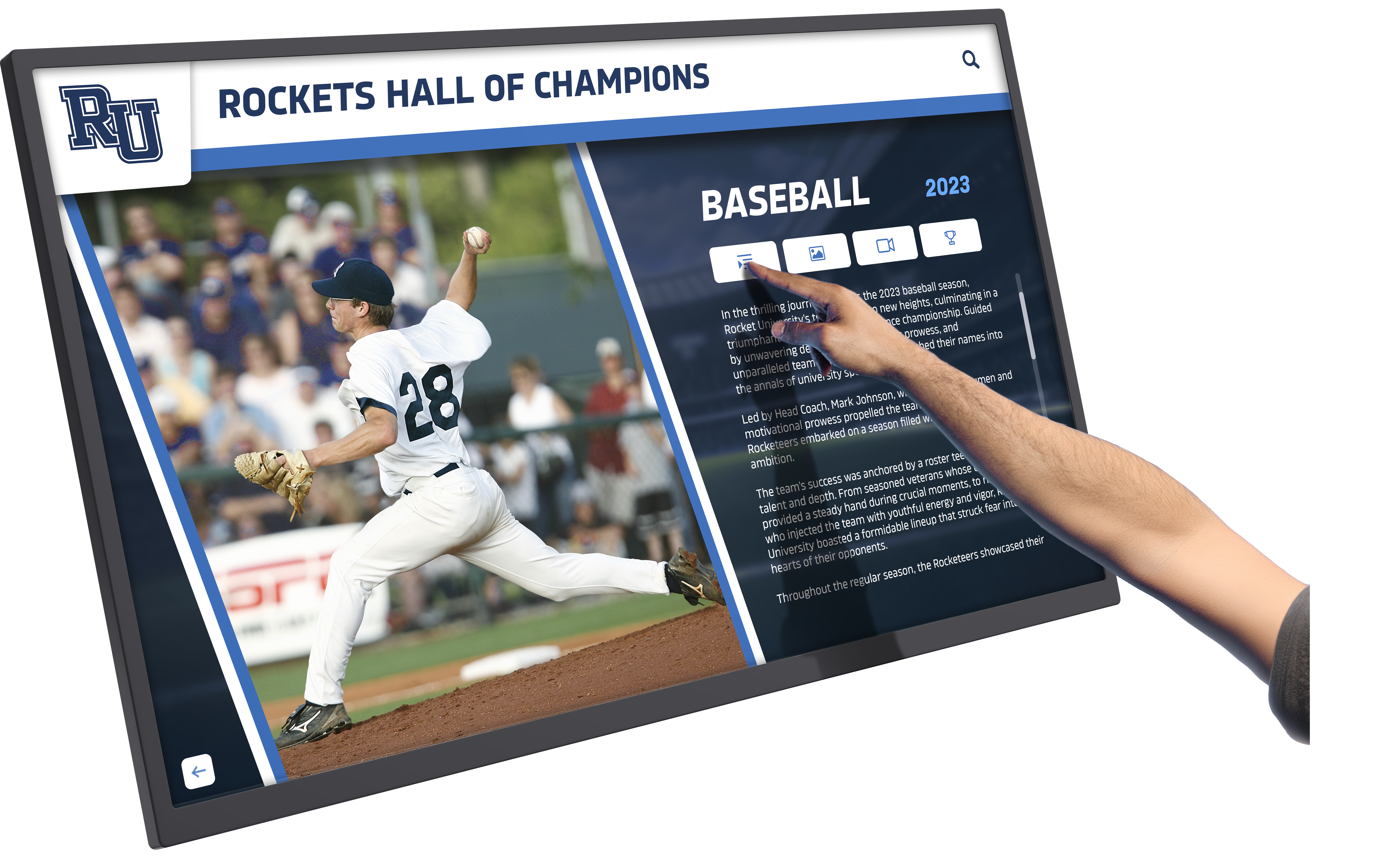
Modern content creation combines professional design with automation, making high-quality graphics accessible to all schools
Understanding the Cost Problem with Gipper
Before exploring how Rocket Graphics solves school content challenges, understanding the financial burden of traditional platforms clarifies the opportunity.
Gipper’s Subscription Model
Gipper operates on an annual subscription basis with costs that vary by school size and feature access:
Typical Pricing Structure
- Small school subscriptions start around $1,000-1,500 annually
- Medium to large schools pay $2,000-3,500+ per year
- Enterprise districts with multiple schools face even higher costs
- Additional fees for premium features, expanded users, or advanced capabilities
- Renewal costs that continue indefinitely
Cumulative Financial Impact
- Five-year cost: $5,000-17,500+ depending on tier
- Ten-year cost: $10,000-35,000+ for continuous access
- Multi-school districts multiply these costs across all participating campuses
- Budget allocation that reduces funds available for student programs, equipment, or staffing
For schools already managing facility maintenance, equipment needs, program costs, and staffing challenges, paying thousands annually for graphics software represents a significant and ongoing burden—particularly when free alternatives exist.
Explore how schools optimize limited budgets in athletic director resource management strategies.
Template Limitations in Traditional Platforms
Beyond cost, template-based design tools impose creative constraints:
Design Restrictions
- Fixed template layouts that become repetitive
- Limited customization requiring workarounds
- Predetermined design directions constraining creativity
- Similarity across schools using identical templates
Time Investment Despite Templates
- Manual adjustment of every design element
- Individual asset resizing for different platforms
- Separate caption writing and scheduling
- Multiple steps even for simple graphics

Smart technology investments maximize impact while controlling costs
These limitations persist regardless of subscription tier, creating friction even for schools paying premium prices.
Introducing Rocket Graphics: Free AI-Powered Alternative
Rocket Graphics fundamentally reimagines school content creation by combining zero subscription cost with AI automation that eliminates the template workflow entirely.
Core Value Proposition
Complete Cost Elimination
- Zero subscription fees—completely free for all schools
- No tier-based pricing or feature restrictions
- No per-user charges regardless of staff size
- No renewal costs or ongoing financial obligations
- Permanent access without budget allocation
AI-Native Content Creation
- Text-to-post AI generates complete graphics from simple prompts
- Built-in AI agents handle creation, editing, resizing, and optimization
- Natural language input replaces template navigation
- Automated brand application without manual color/font selection
- Instant generation rather than iterative template adjustment
This combination delivers both immediate cost savings and superior workflow efficiency compared to subscription-based template platforms.
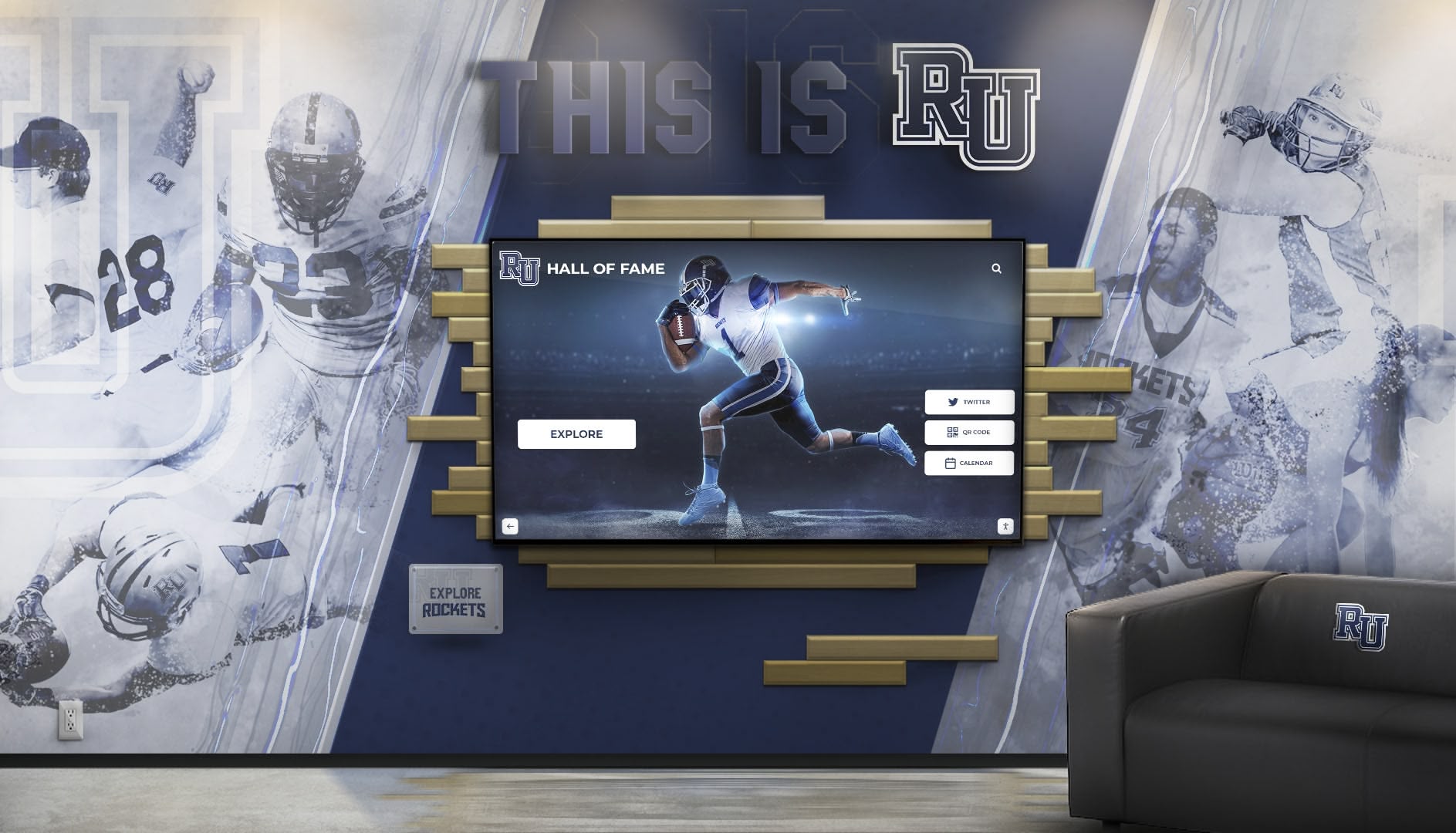
Schools increasingly adopt integrated technology solutions that maximize value while minimizing costs
How AI Agents Transform School Content Creation
Unlike template tools requiring manual design work, Rocket Graphics uses AI agents that understand school content needs:
Text-to-Post Creation Process
- Input simple prompt: “Create a senior night post for girls soccer with our school colors”
- AI generates complete graphic: Branded design with appropriate imagery, layout, and style
- AI writes caption: Platform-appropriate text with relevant hashtags and formatting
- AI optimizes for platform: Correct dimensions and specifications for Instagram, Facebook, Twitter, etc.
- Review and publish: One-click posting or scheduling across platforms
What AI Agents Handle Automatically
- Brand color application from school guidelines
- Logo placement and sizing
- Font selection matching school identity
- Image sourcing and composition
- Platform-specific formatting
- Caption writing and hashtag inclusion
- Multi-platform resizing
- Scheduling optimization
This AI-driven approach reduces five-minute template workflows to thirty-second prompts while producing more polished results.
Learn about AI applications in school communications at digital asset management for schools.
Rocket Graphics Feature Comparison vs. Gipper
Direct feature comparison reveals how Rocket Graphics matches or exceeds paid platform capabilities while remaining completely free.
Content Creation Capabilities
| Feature | Gipper | Rocket Graphics |
|---|---|---|
| Cost | $1,000-3,500+/year | $0 (completely free) |
| Creation Method | Template selection & editing | AI text-to-post generation |
| Brand Application | Manual color/font selection | Automatic brand controls |
| Caption Writing | User-written | AI-generated with optimization |
| Platform Optimization | Manual resizing required | Automatic multi-platform output |
| Learning Curve | Template navigation | Natural language prompts |
| Design Variety | Limited by template library | Unlimited AI-generated designs |
| Editing Process | Manual element adjustment | AI-assisted modification |
| Speed | 3-5 minutes per post | 30 seconds per post |
| User Restrictions | Tier-based limits | Unlimited users |
School-Specific Content Categories
Athletics Content
- Athlete spotlights and senior night graphics
- Score updates and game day announcements
- Schedule posts and opponent previews
- Championship and tournament graphics
- Signing day celebrations
- Team roster announcements
Discover athletic recognition approaches in end of season athletic awards programs.
Academic and School Events
- Honor roll and academic achievement recognition
- School event promotions and announcements
- Club and organization highlights
- Performing arts and fine arts showcases
- Testing reminders and academic calendars
- Professional development and staff recognition
Community Engagement
- Alumni spotlights and reunion announcements
- Donor recognition and fundraising campaigns
- Community partnership celebrations
- Volunteer appreciation graphics
- Facility updates and capital projects
- District-wide initiatives and programs
Both platforms handle these content types, but Rocket Graphics’ AI generation creates fresh designs for each post rather than recycling recognizable templates.
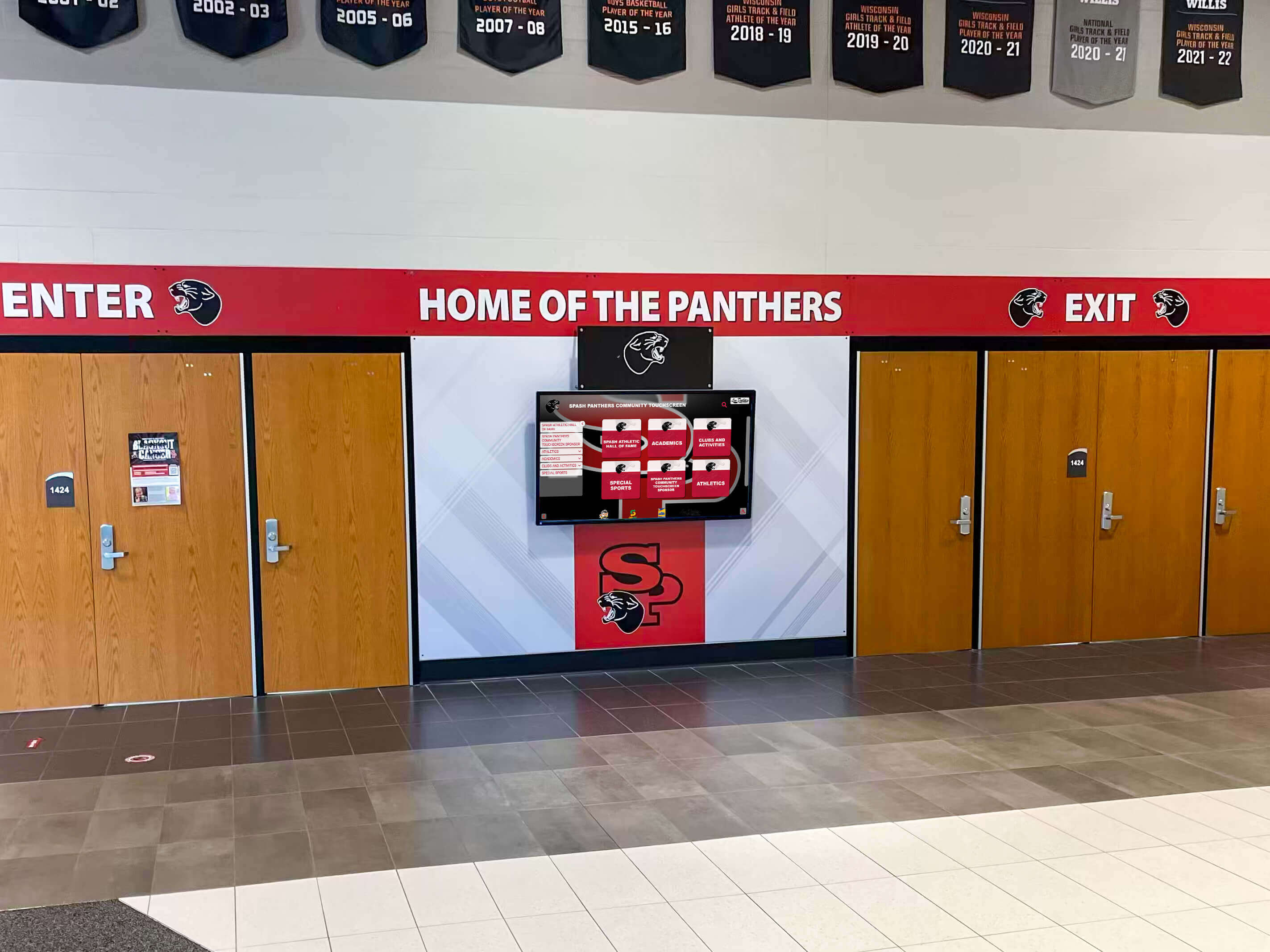
Effective school communication requires consistent branding across digital displays, social media, and print materials
Real Budget Impact: What Schools Save
Quantifying actual savings helps schools understand the financial opportunity Rocket Graphics represents.
Five-Year Cost Comparison
Gipper Subscription (Medium School)
- Year 1: $2,000 initial subscription
- Years 2-5: $2,200 annually (assuming 10% increases)
- Five-year total: $10,800
Rocket Graphics
- Year 1: $0
- Years 2-5: $0
- Five-year total: $0
- Five-year savings: $10,800
District with Five Schools
- Gipper five-year cost: $54,000
- Rocket Graphics five-year cost: $0
- District five-year savings: $54,000
Reinvestment Opportunities
Smart administrators redirect graphics software savings toward higher-impact investments:
Program and Equipment Improvements
- $10,000 purchases new athletic training equipment for entire department
- $10,000 covers half-season assistant coach salary
- $10,000 funds complete media center technology upgrade
- $10,000 provides student scholarship or emergency assistance fund
Additional Technology Investments
- Digital recognition displays celebrating achievements year-round
- Live streaming equipment for games and events
- Upgraded photography equipment for better content source material
- Additional devices enabling more staff to create content simultaneously
Schools adopting Rocket Graphics redirect subscription costs toward investments that directly benefit students rather than software vendors.
Explore technology investments that maximize student impact at digital hall of fame displays for schools.
Making the Switch: Migration Process
Transitioning from Gipper to Rocket Graphics requires minimal disruption:
Step 1: Brand Asset Preparation
Gather Required Materials
- School logos (primary and alternate versions)
- Official color codes (hex, RGB, or CMYK)
- Approved fonts and typography guidelines
- Photo libraries and existing content assets
- Social media account credentials
Step 2: Rocket Graphics Account Setup
Initial Configuration
- Create free account at Rocket Graphics
- Upload brand assets and establish style guidelines
- Connect social media accounts for direct publishing
- Add team members without per-user fees
- Explore AI features through practice prompts

Intuitive platforms reduce training time and increase adoption across staff
Step 3: Staff Training and Adoption
AI Prompt Training
- Demonstrate text-to-post creation with school-specific examples
- Practice prompts for common content types (athlete spotlights, event announcements, score updates)
- Review editing and refinement capabilities
- Establish content approval workflows
- Share prompt templates for consistency
Training time significantly decreases compared to template platforms since natural language prompts require less technical knowledge than design software navigation.
Step 4: Parallel Operation and Transition
Minimizing Disruption
- Run Rocket Graphics alongside existing platform for 30 days
- Create same content in both systems to compare quality and speed
- Gradually shift all content creation to Rocket Graphics
- Cancel paid subscription after successful transition
- Redirect saved funds to other priorities
Most schools complete comfortable transitions within one to two months, with many staff preferring Rocket Graphics’ prompt-based creation immediately.
AI-Powered Features Schools Can’t Get Elsewhere
Rocket Graphics includes AI capabilities unavailable in traditional template platforms—capabilities that improve content quality beyond design appearance.
AI Caption and Hashtag Optimization
Automated Caption Creation
- Platform-appropriate tone and length
- Relevant hashtag research and inclusion
- Call-to-action suggestions based on content type
- Emoji integration matching platform norms
- Accessibility considerations for screen readers
Strategic Optimization
- Peak posting time recommendations
- Content series planning across calendar
- Cross-platform adaptation of messaging
- Engagement prediction and improvement suggestions
This AI assistance helps schools create not just better-looking graphics but more effective communication that achieves engagement objectives.
AI-Assisted Editing and Refinement
Conversational Improvement
- “Make the player photo larger and move it to the right”
- “Change the background to our alternate colors”
- “Add the game time and location more prominently”
- “Create versions for Instagram, Facebook, and Twitter”
These natural language edits eliminate manual layer manipulation while maintaining precise control over final output.
Discover engagement strategies in team recognition programs that build school culture.
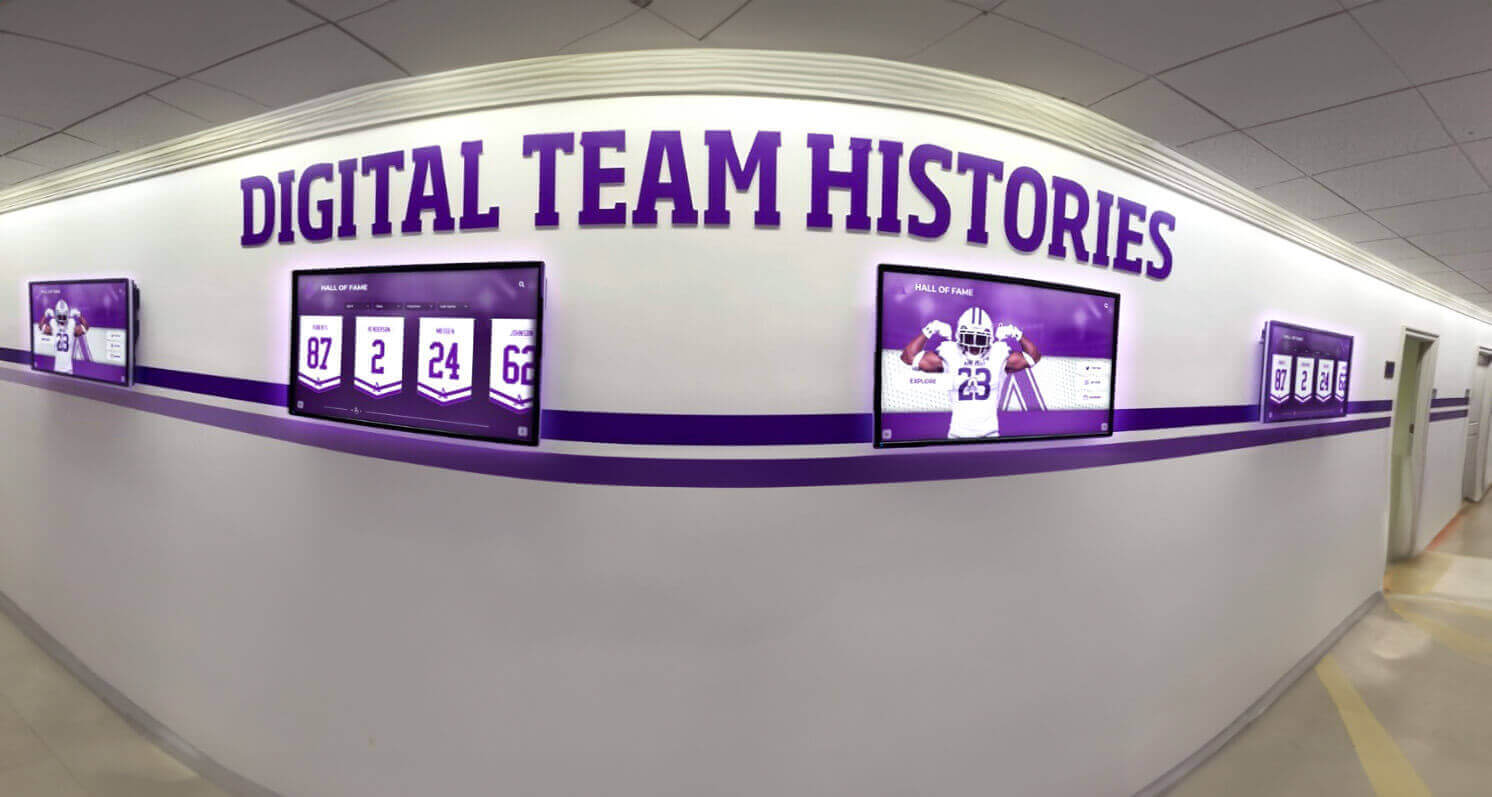
Schools with strong visual identity create recognizable presence across all communication channels
Use Cases: How Schools Deploy Rocket Graphics
Real-world applications demonstrate how schools use Rocket Graphics to replace paid platforms across content needs.
Athletic Department Social Media
Game Day Content
- Pre-game hype posts with opponent information
- Starting lineup announcements with player photos
- Live score updates during competitions
- Post-game celebration or recap graphics
- Weekly schedule announcements across all sports
Athlete Recognition
- Senior night tribute graphics
- Athlete of the week spotlights
- All-conference and all-state recognition
- College signing day announcements
- Career milestone celebrations (1,000 points, school records, etc.)
Athletic directors report 60-70% time savings on social media creation after adopting AI-powered platforms while posting more frequently and maintaining higher design quality.
Academic Achievement Communication
Student Recognition
- Honor roll announcements with student names
- Perfect attendance celebrations
- Academic competition achievements
- Scholarship award winners
- National Merit and AP Scholar recognition
See academic recognition strategies in comprehensive student recognition programs.
School Event Promotion
- Theater production announcements
- Concert and recital promotions
- Science fair and academic showcases
- Parent-teacher conference reminders
- School calendar highlights
Academic staff unfamiliar with design software find AI prompts significantly more accessible than template-based tools, increasing participation in content creation.
District-Wide Communications
System-Level Messaging
- Superintendent updates and announcements
- Policy changes and important notices
- Professional development opportunities
- Community partnership celebrations
- District achievement recognition
Districts using Rocket Graphics enable consistent branding across multiple schools without multiplying subscription costs—each campus accesses the same free platform with shared brand assets.
Digital Signage Content Creation
Beyond social media, Rocket Graphics creates content for:
In-Building Displays
- Lobby announcement screens
- Cafeteria menu boards
- Hallway recognition displays
- Event promotion displays
- Wayfinding and directional signage
Schools using Rocket Alumni Solutions’ touchscreen recognition displays pair them with Rocket Graphics to maintain consistent visual identity across social media, digital displays, and print materials—all without design subscriptions.
Learn about integrated recognition systems at school digital signage implementation strategies.
Addressing Common Concerns About Free Platforms
Schools considering switching from paid subscriptions to free alternatives often raise predictable concerns.
“How Can Free Software Be Sustainable?”
Rocket Graphics operates as part of Rocket Alumni Solutions’ broader school technology ecosystem:
Business Model Clarity
- Rocket Alumni Solutions generates revenue through touchscreen display hardware and recognition platforms
- Rocket Graphics increases value of overall Rocket ecosystem
- Free graphics platform encourages adoption of other Rocket solutions
- Sustainable business model supports continued development
This model proves more stable than subscription dependence—Rocket Graphics remains free regardless of individual school decisions since it supports broader company objectives.
“Will Free Mean Fewer Features or Lower Quality?”
Feature comparison reveals the opposite:
Quality Indicators
- AI generation produces unique designs rather than recognizable templates
- Unlimited design variations rather than fixed template library
- Professional output quality suitable for all applications
- Continuous AI improvement enhances capabilities over time
- No feature restrictions based on “tiers”
Free status reflects business model choice, not capability limitation. Schools receive professional-grade software without cost rather than limited functionality.
“What About Training and Support?”
Available Resources
- Comprehensive video tutorials and documentation
- Example prompts for common school content types
- Active user community sharing strategies
- Regular feature updates and improvement announcements
- Support channels for technical questions
AI-based creation significantly reduces training requirements compared to complex design software—staff who can write a sentence can create professional graphics.
Additional Rocket Graphics Advantages
Beyond cost and AI features, Rocket Graphics delivers benefits that improve school communications broadly.
Digital Signage Integration
Multi-Channel Content Creation
- Create social media graphics and digital signage content simultaneously
- Maintain consistent branding across all communication channels
- Repurpose content efficiently across platforms
- Support vertical and horizontal display formats
- Enable building-wide visual consistency
Schools deploying digital displays throughout buildings use Rocket Graphics to populate screens without additional software investment.
Accessibility and Inclusion Features
Built-In Accessibility
- Alt text generation for screen reader compatibility
- Color contrast checking for readability
- Font sizing recommendations for different applications
- Plain language caption suggestions
- Inclusive imagery guidance
These features help schools meet accessibility requirements while creating more inclusive communications.
Mobile-Friendly Creation
Create Anywhere
- Mobile app access for on-the-go content creation
- Quick post creation from games and events
- Field-based coaching staff can create content directly
- Reduced dependence on office computers
- Real-time content production capabilities
Athletic directors and coaches particularly value ability to create score updates and celebration posts immediately after games rather than waiting until returning to campus.
Unlimited User Access
No Per-User Restrictions
- Add unlimited staff members without additional cost
- Enable department-level content creation
- Distribute content creation workload
- Empower coaches and advisors to showcase programs
- Reduce bottlenecks when single staff member controls access
Paid platforms typically restrict user seats or charge per-user fees, limiting who can create content. Rocket Graphics removes these artificial barriers.
Taking Action: Getting Started with Rocket Graphics
Schools ready to eliminate graphics software costs and upgrade capabilities should take immediate action.
Immediate Next Steps
1. Create Free Account Visit Rocket Graphics and establish your school account—no credit card required, no trial period limitations, no obligations.
2. Prepare Brand Assets Gather logos, color codes, and brand guidelines so your initial posts reflect school identity from the beginning.
3. Test with Simple Prompts Create three test posts for upcoming events or recent achievements to experience AI-powered creation firsthand.
4. Compare Against Current Platform Create the same content in both systems to evaluate quality, speed, and ease of use differences directly.
5. Calculate Your Savings Document exactly what your school currently pays for graphics software to quantify opportunity cost of maintaining subscriptions.
Questions to Ask Your Current Provider
If currently paying for Gipper or similar platforms:
Cost Justification Questions
- What specific features justify ongoing subscription costs when free alternatives exist?
- How does your platform differentiate from AI-powered free tools?
- Can you match or beat free pricing while maintaining current feature set?
- What prevents us from switching to free alternatives?
- Will you refund remaining subscription if we cancel mid-term?
These questions rarely produce satisfying answers—paid platforms cannot compete with free on cost, and increasingly struggle to compete on features as AI capabilities advance.
Transition Timeline
Week 1-2: Evaluation
- Create Rocket Graphics account
- Upload brand assets
- Test content creation across content types
- Gather staff feedback
Week 3-4: Parallel Operation
- Create all content in both platforms
- Compare results, speed, and user experience
- Identify any workflow adjustments needed
- Train additional staff members
Week 5-6: Full Transition
- Switch entirely to Rocket Graphics for all new content
- Cancel existing paid subscription
- Redirect saved funds to other priorities
- Document and celebrate cost savings
Most schools complete comfortable transitions within six weeks while some confident in early results transition within two weeks.
The Bigger Picture: School Technology Budget Strategy
Rocket Graphics adoption represents one example of strategic technology decision-making that maximizes school resources.
Identifying Subscription Cost Opportunities
Common School Software Subscriptions
- Graphics and social media tools: $1,000-3,500/year
- Digital signage software: $500-2,000/year
- Communication platforms: $1,000-5,000/year
- Learning management systems: $3,000-10,000/year
- Data management tools: $2,000-8,000/year
Schools should regularly evaluate whether each subscription delivers value justifying cost—particularly when free alternatives exist.
Building vs. Buying
Technology Investment Questions
- Does this tool solve problems we actually have?
- Do free alternatives exist with sufficient capabilities?
- Can we achieve similar outcomes through existing tools?
- Will this investment directly benefit students or primarily staff convenience?
- What opportunity cost does this subscription create?
These questions help schools allocate limited technology budgets toward maximum impact.
Explore technology budget strategies at school technology planning frameworks.
Integration Over Proliferation
Rather than adopting multiple disconnected tools, schools benefit from integrated solutions:
Rocket Ecosystem Benefits
- Rocket Graphics creates content for social media and digital displays
- Rocket Alumni Solutions provides touchscreen recognition displays
- Shared branding and content across all platforms
- Single vendor relationship simplifies support
- Coordinated updates and improvements
This integration delivers better results than disconnected tools while reducing complexity and total cost.
Conclusion: Free, Powerful, and Purpose-Built for Schools
Schools face genuine budget constraints that require strategic resource allocation. Paying thousands annually for graphics software when superior free alternatives exist wastes money that could support students, programs, equipment, or staffing.
Rocket Graphics delivers everything schools need from content creation platforms—AI-powered generation, professional design quality, unlimited users, multi-platform optimization, and school-specific features—at zero cost. The platform eliminates subscription expenses while improving output quality and reducing time investment through AI automation.
For schools currently paying for Gipper or similar platforms, the transition decision should be straightforward: cancel unnecessary subscriptions, redirect savings toward student impact, and adopt more capable free alternatives that better serve school communities.
The question isn’t whether to switch—it’s how quickly you can eliminate waste and redirect resources toward higher-value investments.
Ready to replace your paid graphics subscription with a more powerful free alternative? Visit Rocket Graphics to create your free account and start creating professional school content in seconds, or explore the platform to see how integrated recognition technology and content creation deliver maximum value for school communities.































