



Intent: demonstrate | Video walkthrough demonstrating how public library digital archive collections transform community engagement through interactive touchscreen displays showcasing local history, historical photographs, oral histories, and cultural heritage in formats accessible to modern audiences expecting dynamic visual experiences.
Public libraries are revolutionizing how communities discover and connect with local history—transforming dusty card catalogs and restricted-access special collections into engaging digital archive collections accessible 24/7 through interactive touchscreen displays, mobile-responsive websites, and comprehensive online platforms that bring historical photographs, documents, oral histories, and cultural materials to life for researchers, students, genealogists, and community members exploring their shared heritage.
Walk into progressive public libraries today and you’ll discover dramatic transformations: large-format touchscreen displays enabling intuitive exploration of decades of local newspaper archives, digitized photograph collections searchable by location and subject, oral history video interviews with community elders, historical maps showing neighborhood evolution, and comprehensive cultural heritage documentation that would have required hours of supervised archive access just years ago—all available through touchscreen interfaces anyone can navigate without specialized training or research expertise.
This comprehensive guide explores how public libraries implement effective digital archive collections through strategic video tour approaches, interactive display technology, preservation workflows, and community engagement strategies that honor heritage while serving contemporary information needs through platforms designed specifically for public access and educational impact.
Public library digital archives represent far more than technology implementations—they’re investments in community memory, cultural preservation, educational access, and democratic information availability that fulfill libraries’ fundamental mission of connecting people with knowledge regardless of economic, educational, or geographic barriers that traditionally limited historical research to academic elites with specialized access and expertise.

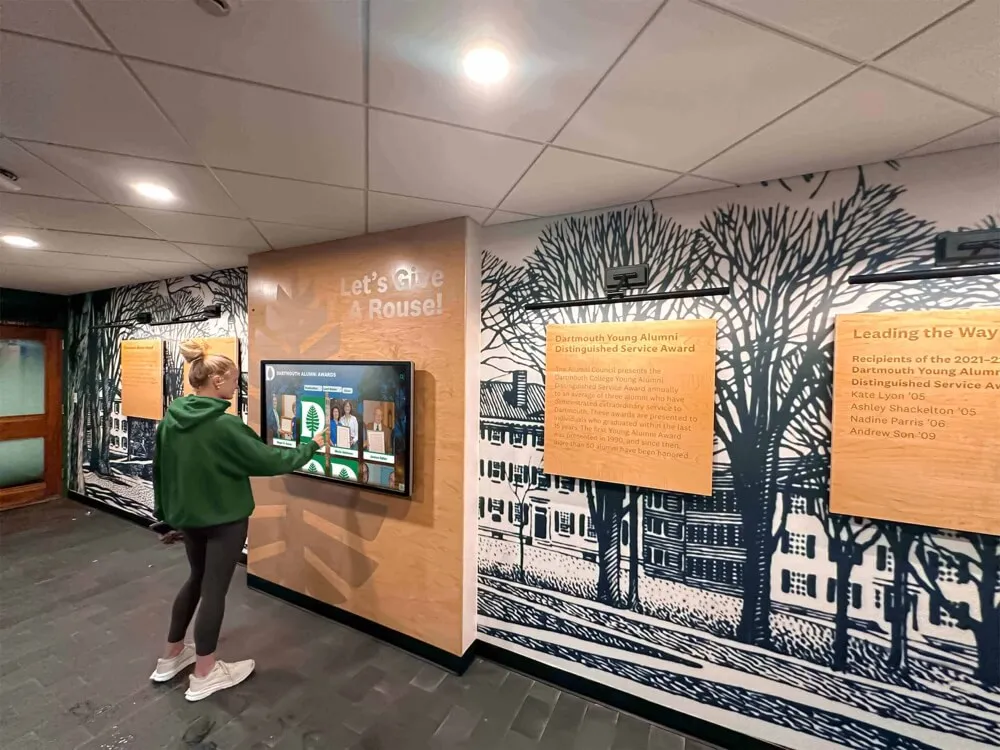
Modern touchscreen displays enable intuitive exploration of library digital archives by all community members regardless of technical expertise
Understanding Public Library Digital Archive Collections
Before exploring implementation strategies and video demonstration approaches, understanding exactly what public library digital archives encompass and why they matter profoundly for community heritage preservation helps libraries make strategic decisions aligned with patron needs and institutional missions.
What Are Public Library Digital Archive Collections?
Digital archive collections represent systematic efforts to preserve, organize, and provide access to historical materials documenting community heritage through digitized formats accessible via interactive displays, online platforms, and mobile devices.
Core Collection Components
Comprehensive public library digital archives typically include:
- Local newspaper archives: Digitized community newspapers dating back decades or centuries documenting daily life, events, and local perspectives
- Historical photograph collections: Images showing community development, street scenes, businesses, schools, churches, and residents across generations
- Oral history recordings: Video and audio interviews capturing firsthand memories from longtime residents, community leaders, and ordinary citizens
- Government records and documents: City council minutes, planning documents, tax records, and administrative materials revealing civic development
- Maps and geographic materials: Historical maps, plat books, aerial photographs, and geographic surveys showing community evolution
- Genealogical resources: Vital records, cemetery indexes, family histories, and biographical materials supporting family research
- Cultural heritage materials: Ethnic community documentation, religious institution records, social organization histories, and materials documenting diverse cultural traditions
- Business and economic records: Company histories, trade directories, commercial photographs, and materials documenting local economic development
- Educational institution materials: School yearbooks, district records, and documentation of educational development
- Ephemera and artifacts: Postcards, posters, programs, menus, and everyday items revealing community life details
According to the American Library Association’s guidance on digitization, libraries increasingly prioritize digitizing materials documenting marginalized communities to ensure diverse narratives and important cultural legacies are preserved for future generations.
Why Public Libraries Need Digital Archive Collections
Understanding compelling benefits driving widespread digital archive adoption helps libraries prioritize resources and build community support for preservation investments.
Democratizing Historical Access
Physical special collections impose significant access barriers including restricted hours requiring daytime visits impossible for working community members, appointment requirements creating intimidating formality, supervised access policies preventing casual browsing, fragile materials limiting handling, and limited seating accommodating only small numbers simultaneously.
Digital collections eliminate these barriers entirely—community members access materials 24/7 from homes, schools, or anywhere with internet connectivity. A parent researching family genealogy can explore digitized city directories at midnight after children sleep. Students complete local history assignments without traveling to library special collections during school hours. Researchers worldwide discover local materials relevant to broader studies impossible when collections existed only physically.
This democratization fundamentally transforms who can engage with community history, expanding from researchers with flexible schedules and transportation to anyone interested regardless of circumstances.
Preservation Through Digitization
Physical materials face inevitable deterioration without proactive intervention. Newsprint yellows and crumbles from acidic content, photographs fade from light exposure and chemical instability, audiovisual materials become unplayable as format technologies obsolete, and fragile documents tear from repeated handling.
According to preservation experts at the Library of Congress, creating high-quality digital archival masters protects irreplaceable materials while enabling continued access when originals become too fragile for handling. Following proper digitization standards preserves content for future generations even if originals eventually deteriorate beyond recovery.
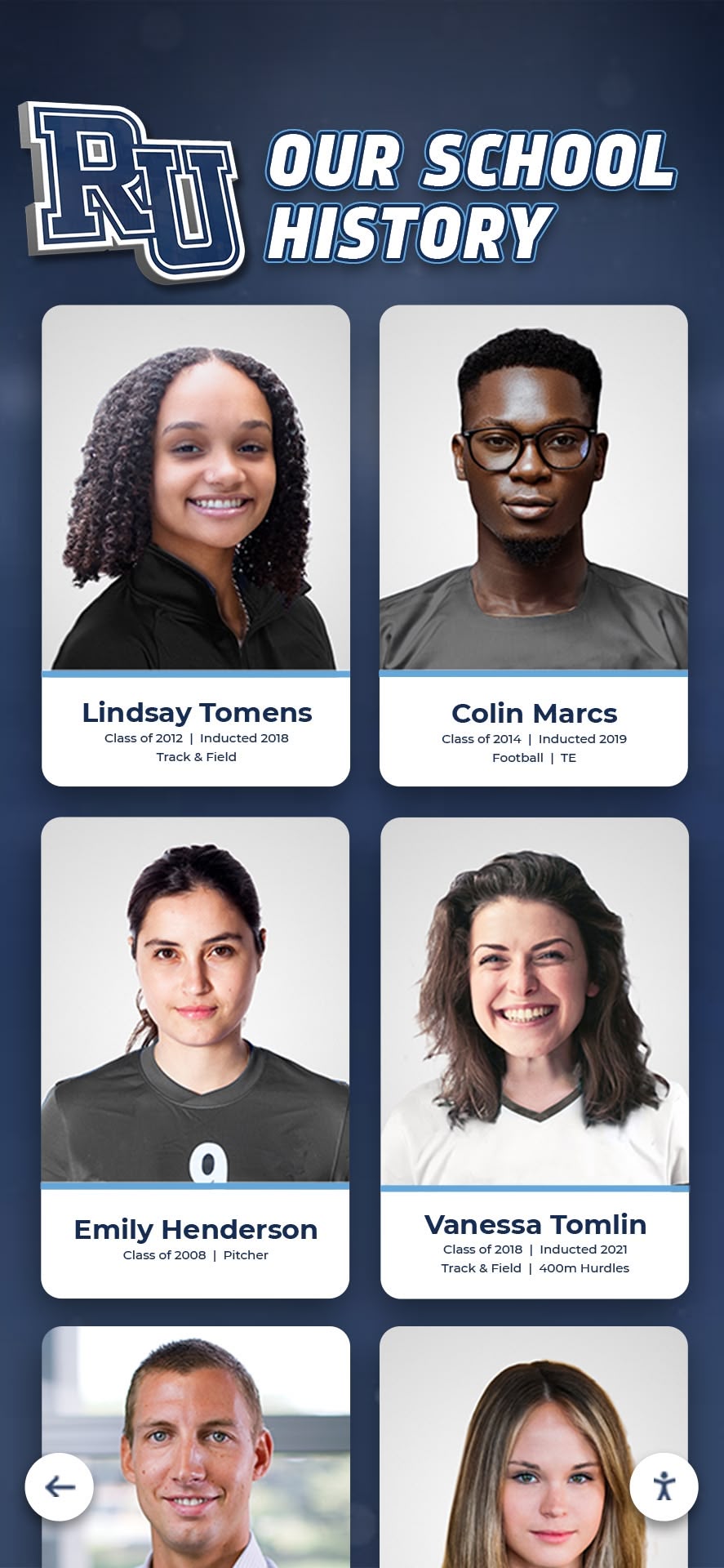
Systematic digitization preserves irreplaceable historical photographs and documents for future generations
Enhanced Discovery and Research
Digital platforms dramatically improve how researchers discover relevant materials through full-text search across thousands of documents locating specific keywords instantly, metadata tagging enabling filtering by date, location, subject, or person, visual similarity search finding related photographs automatically, cross-reference capabilities linking materials mentioning same people or events, and geographic search showing all materials related to specific locations.
These discovery tools transform massive collections from intimidating archives requiring specialized knowledge into accessible resources casual users navigate confidently. Someone researching their childhood neighborhood can instantly find all photographs, newspaper mentions, and documents related to specific streets—discovery impossible with physical card catalogs requiring pre-existing knowledge about collection organization.
Educational Integration
Digital archives support formal education through primary source access for student research projects, curriculum integration connecting classroom learning to local history, virtual field trips enabling schools without transportation budgets to explore cultural resources, and authentic learning experiences where students practice historical inquiry with real materials rather than textbook summaries.
Teachers report that students engage more deeply when researching local history through authentic primary sources compared to generic textbook content disconnected from personal experience and community context.
Community Engagement and Identity
Beyond research applications, digital archives strengthen community bonds by enabling alumni to rediscover school memories through digitized yearbooks, families to explore genealogical connections through vital records and directories, longtime residents to share memories triggered by historical photographs, newcomers to understand community history and traditions, and diverse populations to see their cultural heritage represented and valued.
Libraries implementing comprehensive digital archives consistently report enhanced community engagement as residents discover personal connections to local history, contributing their own materials and memories while exploring institutional collections.
Planning Your Public Library Digital Archive Collection
Successful digital archive implementation requires systematic planning addressing scope, priorities, resources, and sustainability before beginning actual digitization work.
Assessment and Collection Development
Conducting Comprehensive Inventory
Begin by understanding exactly what materials exist requiring preservation including special collections in library holdings, materials donated by community members, related collections held by local historical societies, government records potentially available through civic partnerships, and privately held materials accessible through community solicitation efforts.
Create detailed spreadsheets documenting materials by format, date range, condition, copyright status, and preservation priority—this becomes your master project management tool tracking progress across potentially years of work.
Establishing Selection Priorities
According to WebJunction’s digitization best practices, goals should drive technology selection rather than allowing technology to drive projects. Determine what materials deserve highest priority based on:
Highest Priority Materials
- Items in poorest physical condition facing immediate loss risk
- Unique materials existing in single copies without duplicates
- Most frequently requested items by researchers and community
- Materials supporting specific community interests (genealogy, ethnic heritage, neighborhood history)
- Collections with urgent preservation needs
Medium Priority Materials
- Duplicate materials where originals are preserved elsewhere
- Recent materials in good physical condition
- Specialized collections with narrow research audiences
- Materials requiring complex copyright clearance
This strategic prioritization ensures highest-value preservation work occurs first while building institutional momentum and demonstrating tangible community benefits supporting continued investment.

Strategic organization and intuitive interfaces make vast digital collections accessible to all community members
Defining Goals and Success Metrics
Articulate Clear Objectives
Establish specific goals guiding implementation decisions:
Preservation Goals
- Which materials require immediate digitization preventing loss?
- What preservation standards ensure long-term accessibility?
- How will digital copies reduce wear on fragile originals?
- What backup strategies protect digital investments?
Access and Engagement Goals
- Which audiences should digital archives serve primarily?
- What discovery tools enable effective research and exploration?
- How should archives integrate with library websites and catalogs?
- What metrics demonstrate successful community engagement?
Educational Goals
- How might archives support school curriculum and research?
- What materials would enhance specific educational programs?
- How can archives strengthen library’s educational mission?
- What role should archives play in community storytelling?
Measurable Success Indicators
According to the University of Illinois digitization project guide, establishing concrete metrics enables progress assessment including:
- Number of items digitized by category and date range
- Digital archive access statistics (users, sessions, searches)
- Research inquiries and citation usage
- Community engagement metrics (contributed materials, shares, comments)
- Cost per item digitized tracking efficiency improvements
- Patron satisfaction surveys
- Educational integration (classes using archives, student projects)
These defined objectives and metrics enable focused implementations delivering maximum value while demonstrating return on investment justifying continued resource allocation.
Budget and Resource Planning
Cost Components
Comprehensive digital archiving requires multiple resource categories:
Equipment and Technology
- Scanning equipment ($500-$15,000 depending on volume and specifications)
- Computer hardware for processing and storage
- Digital asset management software
- Cloud storage subscriptions for backup and access
- Interactive display hardware if implementing public touchscreens
Personnel Time
- Staff hours for material preparation and scanning
- Professional archivists for complex materials and metadata
- IT support for infrastructure setup and maintenance
- Training time for staff learning new systems
- Community engagement staff promoting collections
Professional Services (if outsourcing)
- Commercial scanning services ($0.10-$2.00 per page)
- Copyright research and clearance specialists
- Metadata consultants for complex collections
- Platform development for custom access systems
Ongoing Operational Costs
- Cloud storage subscriptions ($100-$1,000+ monthly)
- Platform hosting and maintenance fees
- Staff time for continued digitization and updates
- Marketing and promotion of archive resources
- Hardware replacement and technology upgrades
Many libraries phase implementations across multiple years, starting with high-priority collections and expanding systematically as budgets allow and community value becomes evident through usage metrics and stakeholder feedback.
Video Tour Strategies for Digital Archive Collections
Creating compelling video demonstrations of digital archive collections helps libraries showcase capabilities while training community members in effective usage patterns that maximize research value.
Planning Effective Archive Video Tours
Define Video Objectives
Before filming, establish clear purposes including demonstrating search and discovery capabilities, showcasing collection highlights and unique materials, training users in effective research strategies, promoting library digital resources to community audiences, or supporting fundraising by demonstrating preservation impact.
Different objectives require different video approaches—training videos need detailed step-by-step walkthroughs while promotional videos emphasize compelling content and emotional connections to community heritage.
Video Specifications for Archive Demonstrations
Effective library archive video tours typically include:
Technical Specifications
- Length: 3-8 minutes for promotional content; 10-20 minutes for detailed training
- Aspect ratio: 16:9 for web and display compatibility
- Resolution: Minimum 1080p; 4K preferred for display installations
- Platform: YouTube for accessibility; embedded on library websites
- Captions: Complete transcripts for accessibility compliance
Content Elements
- Introduction establishing archive scope and significance
- Interface navigation demonstration showing search and browsing
- Highlight reel featuring compelling collection materials
- Use case scenarios demonstrating research applications
- Call-to-action encouraging community engagement

Professional video demonstrations help community members understand digital archive capabilities and research strategies
Scene-by-Scene Video Breakdown
Opening Sequence (0:00-0:45)
On-screen: Library exterior establishing shot, interior views showing community members using resources, close-up of interactive touchscreen display
Narration prompt: “Welcome to [Library Name]’s Digital Archive Collection—your gateway to exploring our community’s rich history through hundreds of thousands of digitized photographs, documents, newspapers, and oral histories, all accessible through intuitive touchscreen displays and our online platform available 24/7 from anywhere in the world.”
Collection Overview (0:45-2:00)
On-screen: Montage of archive highlights—historical photographs, newspaper headlines, maps, oral history video clips, document close-ups
Narration prompt: “Our digital archives preserve over [X] items documenting [X] years of community history including [specific collection highlights]. Whether you’re researching family genealogy, completing school projects, exploring neighborhood history, or simply curious about how our community evolved, these collections offer authentic windows into the past.”
Camera action: Slow pans across historical photographs, zoom into map details, quick cuts showing content variety
Navigation Demonstration (2:00-4:30)
On-screen: Screen capture or over-the-shoulder footage showing actual interface navigation
Narration prompt: “Let me show you how easy it is to explore these collections. You can search by keyword—let’s search for ‘Main Street’—and instantly see photographs, newspaper articles, and documents mentioning this location across decades.”
Demonstration actions:
- Type search query showing auto-complete
- Display results with thumbnail previews
- Filter results by date range and material type
- Open individual items showing full resolution
- Demonstrate zoom functionality on photographs
- Show related items suggestions
Use Case Scenario (4:30-6:00)
On-screen: Continue interface demonstration focusing on specific research example
Narration prompt: “Imagine you’re researching the history of the old courthouse. Start with a keyword search, then use our interactive map feature to explore all photographs taken at this location. Click any image to see full details including date, photographer, and historical context provided by our archivists and community contributors.”
Demonstration actions:
- Geographic search showing map interface
- Multiple results from same location across decades
- Before/after comparison showing change over time
- Reading historical context in item descriptions
Community Engagement Features (6:00-7:00)
On-screen: Interface showing community contribution features, examples of user-contributed content
Narration prompt: “These collections grow through community participation. Share your own historical photographs and memories, help identify people and places in historical images, and contribute to preserving our shared heritage for future generations.”
Show contribution interface and examples of community-added information enriching collections.

Interactive displays positioned in high-traffic library areas encourage spontaneous exploration and discovery
Closing Call-to-Action (7:00-8:00)
On-screen: Return to library interior shots, smiling community members using resources, contact information overlay
Narration prompt: “Visit [Library Name] to explore our interactive archive displays in person, or access the complete collection online at [URL] from anywhere, anytime. Discover your connection to our community’s story—your history is waiting to be explored.”
End with library logo, website URL, and contact information clearly displayed.
Production Notes for Archive Video Tours
Equipment and Technical Considerations
Recommended Gear
- Camera: 4K-capable video camera or high-end smartphone
- Tripod: Stable mounting for screen capture footage
- Lighting: Softbox or ring light for interior shots preventing screen glare
- Microphone: Lavalier or shotgun mic for clear narration
- Screen recording software: For capturing interface demonstrations
Filming Best Practices
- Schedule filming during slower library hours to minimize background distractions
- Use lens hoods and polarizing filters to reduce screen glare
- Ensure adequate lighting without creating reflections on touchscreens
- Record multiple takes of each segment for editing flexibility
- Capture b-roll footage of library spaces, materials, and community members (with permissions)
ADA and Accessibility Compliance
- Provide complete captions for all narration and on-screen text
- Describe visual elements in narration for screen reader compatibility
- Ensure color contrast meets WCAG standards for any graphics
- Offer transcript downloads alongside video
Interactive Display Technology for Library Archives
Beyond video demonstrations, implementing physical interactive touchscreen displays brings digital archives directly to library visitors, creating engaging access points that serve patrons who prefer tactile exploration over online research.
Touchscreen Display Implementation
Hardware Selection
Commercial-grade touchscreen displays designed for public installations typically range from 43 to 75 inches depending on installation space and expected audience sizes.
Essential Specifications
- Multitouch capacitive technology providing intuitive interaction
- 4K resolution ensuring crisp text and detailed photographs
- Commercial durability supporting 16-24 hour daily operation
- Anti-glare coatings maintaining visibility under library lighting
- Commercial warranties covering intensive public use (3-5 years)
- Mounting options (wall-mounted or freestanding kiosks)
Solutions like Rocket Alumni Solutions provide comprehensive platforms specifically designed for interactive archive presentations, enabling libraries to showcase digital collections through engaging touchscreen interfaces that require no specialized training for effective community use.
Strategic Placement Considerations
Position interactive displays in high-traffic library areas including main entrance lobbies where all visitors naturally pass, reference desk areas supporting research assistance, local history rooms highlighting specialized collections, and children’s areas introducing young patrons to community heritage through age-appropriate interfaces.
Similar to approaches used in school historical timeline displays, multiple distributed displays throughout library facilities ensure maximum community exposure and diverse access points serving different user groups and research needs.

Freestanding kiosks provide flexible placement options without requiring wall mounting or permanent installation
Platform Features and Functionality
Intuitive Interface Design
Effective archive touchscreen interfaces prioritize:
Browse and Discovery Features
- Visual thumbnail galleries enabling quick scanning
- Category browsing by material type (photographs, documents, newspapers)
- Timeline views showing chronological distribution
- Geographic browsing through interactive historical maps
- Featured collection highlights rotating regularly
Search Capabilities
- Full-text keyword search across all digitized materials
- Advanced filters by date range, location, subject, creator
- Autocomplete suggestions improving search accuracy
- Visual search finding similar photographs
- Name search for genealogical research
Item Display Features
- High-resolution image viewing with zoom capabilities
- Detailed metadata showing date, provenance, context
- Related items suggestions encouraging extended exploration
- Social sharing enabling patrons to share discoveries
- Favorite/bookmark functions for research session continuity
Cloud-Based Content Management
Modern platforms provide remote content management enabling library staff to update displays from any internet-connected device without visiting physical locations. This capability ensures archives remain current as new materials are digitized and metadata is enhanced through ongoing research and community contributions.
The unlimited capacity of digital platforms means libraries never face exclusion decisions required by physical displays—every relevant item can be included regardless of collection size, creating comprehensive community memory rather than selective highlights shaped by space constraints.
Digitization Workflows and Technical Standards
Implementing sustainable digitization workflows ensures consistent quality while maintaining realistic productivity levels that enable long-term program success.
Scanning Technologies and Equipment
Flatbed Scanners
Most versatile solution for bound volumes, photographs, and flat documents:
Recommended Specifications
- Optical resolution: 600 DPI minimum for archival masters
- Scan bed size: 11"x17" preferred for oversized materials
- Color depth: 24-bit true color for color materials
- Document feeder: Optional for loose page collections
Quality flatbed scanners for library applications cost $400-$3,000 depending on features and throughput requirements.
Overhead Document Cameras
Faster alternative for high-volume projects and fragile materials:
Advantages
- No contact with materials preventing handling damage
- Fast capture (2-3 seconds per image)
- Accommodates oversized materials and bound volumes
- Integrated software with automatic processing
Professional overhead scanners range $3,000-$20,000 but dramatically improve workflow efficiency for extensive collections while reducing repetitive motion injury risk for operators.
Specialized Equipment
Different materials require appropriate technologies:
- Large format scanners: Architectural maps, plat books, and posters (24"-48" capacity)
- Film and slide scanners: Negatives and transparencies requiring higher resolution
- Microfilm readers/scanners: Converting existing microfilm collections
- Audio/video transfer equipment: Digitizing obsolete audiovisual formats
Many libraries find that combining in-house scanning for high-priority materials with commercial services for specialized formats provides optimal efficiency and quality.
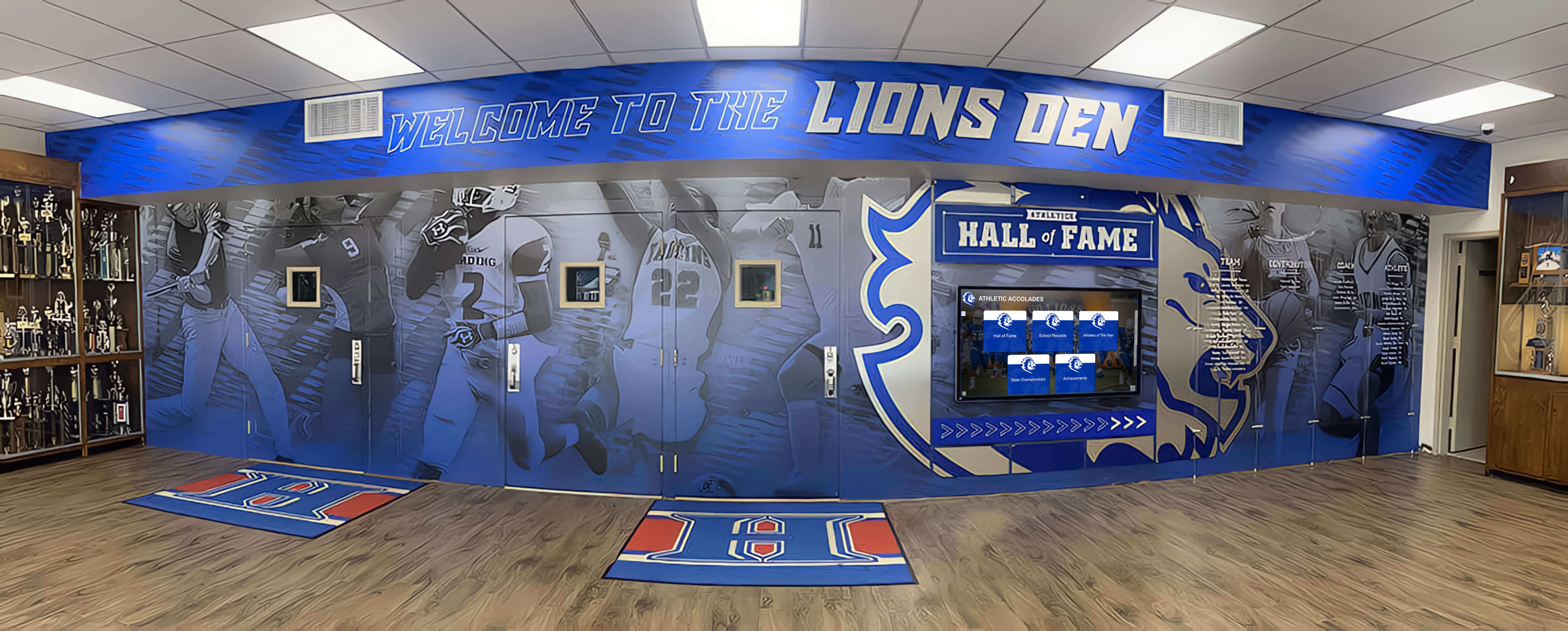
Systematic organization and workflow management ensure efficient digitization of extensive historical collections
Quality Standards and File Formats
Resolution Guidelines
According to the Library of Congress preservation guidelines, creating high-quality archival masters ensures long-term preservation value:
Archival Master Files
- Text documents: 400-600 DPI uncompressed TIFF
- Photographs: 600-1200 DPI TIFF or PNG
- Microfilm: 600 DPI minimum for legibility
- Newspapers: 400 DPI for page-level images
- Maps: 400-600 DPI depending on size and detail
Access Copies
- Web viewing: 150-300 DPI JPEG quality 80-90
- Interactive displays: 300 DPI JPEG quality 90-95
- Print-on-demand: 300 DPI JPEG quality 95
This two-tier approach balances preservation requirements with practical file sizes enabling fast web delivery and efficient storage.
File Organization and Naming
Systematic conventions prevent chaos as collections grow:
Recommended Convention: Collection_Series_Item_Date_Page.extension
Examples:
Newspapers_DailyNews_1945-06-15_p001.tif(archival master)Photographs_MainStreet_1920s_017.tifCityDirectories_1935_p142.jpg(access copy)
Hierarchical folder structures, consistent separators, and comprehensive documentation of naming conventions ensure collections remain navigable across decades and staff transitions.
Metadata Creation and Standards
Essential Metadata Elements
Rich metadata transforms simple digital files into discoverable archive resources through item-level metadata including title or description, date or date range, creator or photographer, subject keywords and tags, people depicted when identifiable, location or geographic coordinates, physical format of original, copyright status and restrictions, related items or collections, and digitization specifications.
Controlled Vocabularies
Consistent terminology improves discovery including Library of Congress Subject Headings (LCSH) for standardized subject terms, Getty Thesaurus of Geographic Names for location consistency, personal name authorities ensuring consistent identification, and local vocabularies for community-specific terminology not covered by national standards.
Standards like Dublin Core provide frameworks ensuring interoperability with other institutions and platforms, enabling potential participation in regional or national aggregation initiatives like Digital Public Library of America that combine collections from multiple libraries into unified discovery portals.
Community Engagement and Contribution Programs
The most successful digital archive initiatives actively engage communities as partners in preservation rather than passive consumers of library-created resources.
Crowdsourced Enhancement Strategies
Identification Campaigns
Leverage community knowledge to enhance collections through campaigns inviting residents to identify people, places, and events in historical photographs, provide dates and context for undated materials, share personal memories connected to specific images or events, and correct errors in existing catalog information.
Libraries implementing crowdsourcing features consistently report that community-contributed information dramatically enriches collections beyond what professional archivists could accomplish independently. Longtime residents possess irreplaceable knowledge about local people, places, and events that dies with them unless systematically captured.
Material Solicitation Programs
Expand collections through community contributions including digitization days where residents bring materials for scanning and immediate return, targeted campaigns seeking specific collection types (World War II materials, ethnic community documentation), partnerships with local organizations holding relevant materials, and estate donation programs working with families of deceased community members.
Comprehensive approaches to digital archives for educational and community institutions demonstrate how systematic solicitation builds collections impossible through library holdings alone.
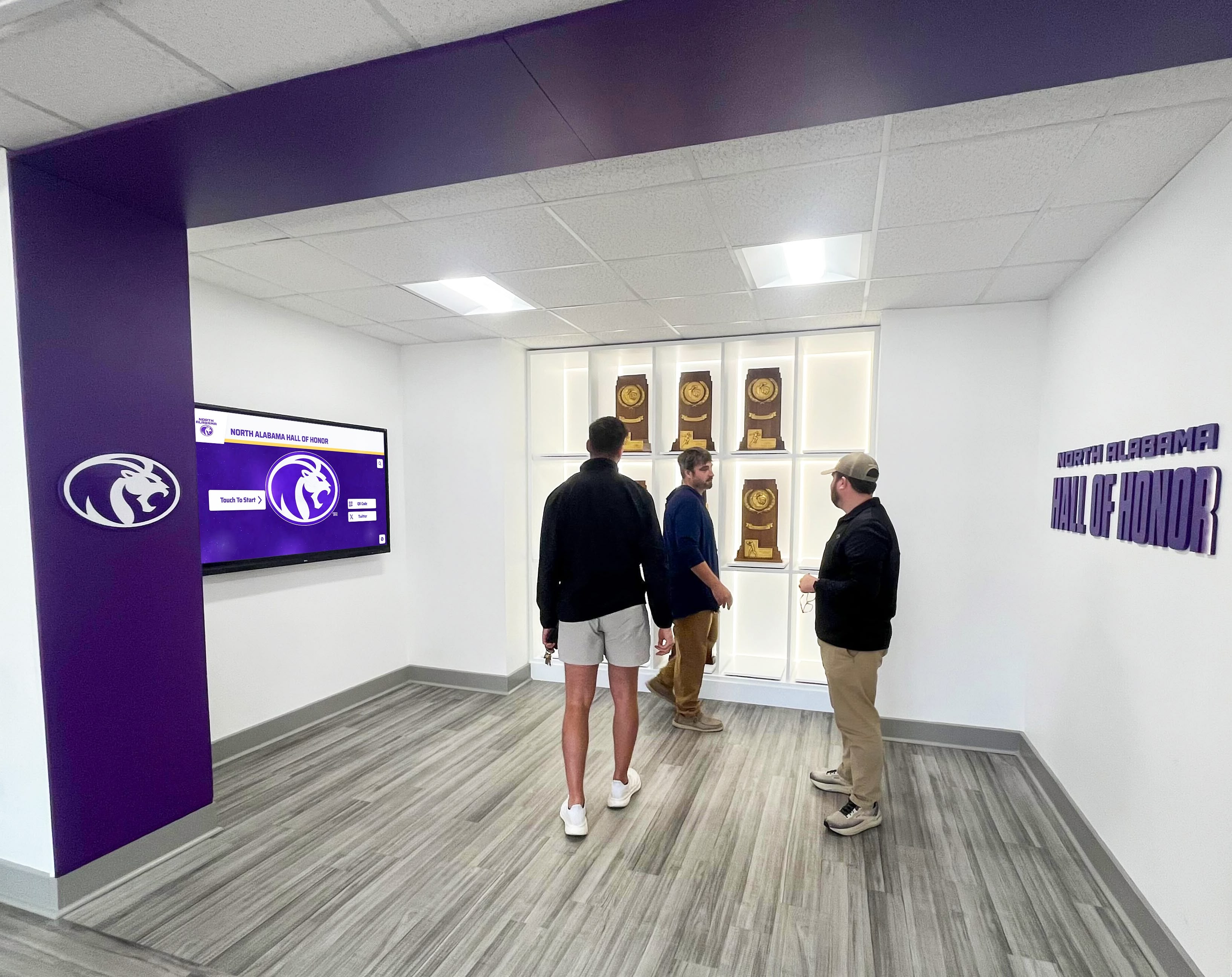
Successful digital archives engage communities as active partners in preservation rather than passive consumers
Oral History Programs
Capturing Living Memory
Oral history initiatives preserve irreplaceable firsthand accounts through systematic video or audio recording of interviews with longtime residents, community leaders, business owners, educators, and ordinary citizens whose memories span decades of community development.
Effective Oral History Practices
Successful programs include:
- Clear interview protocols ensuring consistent quality and content
- Release forms granting libraries permission to preserve and share recordings
- Professional or trained volunteer interviewers asking effective questions
- Technical quality sufficient for long-term preservation and transcription
- Comprehensive indexing enabling discovery of specific topics within lengthy recordings
- Integration with broader digital archives connecting oral testimony to related photographs and documents
These oral history collections often become among the most engaging archive materials as contemporary audiences connect emotionally with authentic voices sharing personal experiences far more powerfully than written documents alone.
Legal and Ethical Considerations
Public library digital archives must navigate complex copyright, privacy, and ethical frameworks balancing access with appropriate protection and respect.
Copyright Assessment and Clearance
Understanding Copyright Status
United States copyright creates complex frameworks:
Public Domain Materials (freely usable)
- Works published before 1928
- U.S. government documents
- Works with expired copyright protection
- Materials where rights were not properly claimed
Copyrighted Materials (requiring permissions)
- Photographs: Copyright may remain with photographer or heirs
- Newspapers: Publishers typically retain copyright
- Personal documents: Donors may not control copyright
- Audio/video: Complex rights involving multiple parties
Fair Use Considerations
Libraries may claim fair use for certain applications based on purpose (educational, research, nonprofit), nature of work (factual vs. creative), amount used (portion vs. entirety), and effect on market (whether use harms commercial value).
However, fair use represents legal gray area—libraries should consult legal counsel before relying solely on fair use for public digital archives accessible worldwide.
According to best practices guides for library digitization, libraries must ensure they have legal rights to digitize and distribute materials, maintaining clear records of permissions, licenses, and terms of use for each digitized resource.
Privacy and Sensitivity
Protecting Personal Privacy
Historical materials often contain personal information raising privacy concerns:
Sensitive Information
- Home addresses and phone numbers in directories
- Personal correspondence revealing private matters
- Photographs showing individuals in potentially embarrassing contexts
- Records of arrests, bankruptcies, or other stigmatizing events
- Medical or mental health information
Ethical Best Practices
Consider broader ethical implications including respecting subject privacy even when legally permissible to publish, providing takedown mechanisms for individuals requesting content removal, consulting community stakeholders when digitizing materials about specific populations, acknowledging problematic historical content requiring appropriate contextualization, and balancing transparency with individuals’ rights to control information about themselves.
Progressive libraries establish community advisory boards including diverse stakeholders who provide guidance on sensitive materials ensuring digitization respects community values and cultural sensitivities.
Measuring Success and Demonstrating Value
Assessment demonstrates whether digital archives deliver intended outcomes or require strategic adjustments improving effectiveness and justifying continued investment.
Usage Analytics
Quantitative Metrics
Track concrete engagement indicators including:
- Unique visitors and return users showing sustained interest
- Search queries revealing what community seeks
- Most-viewed items identifying compelling content
- Geographic distribution showing reach beyond local community
- Access patterns (time of day, device types) informing optimization
- Download statistics for materials offered offline
These metrics demonstrate archives reaching communities while identifying content generating strongest engagement worthy of expansion or similar approaches.
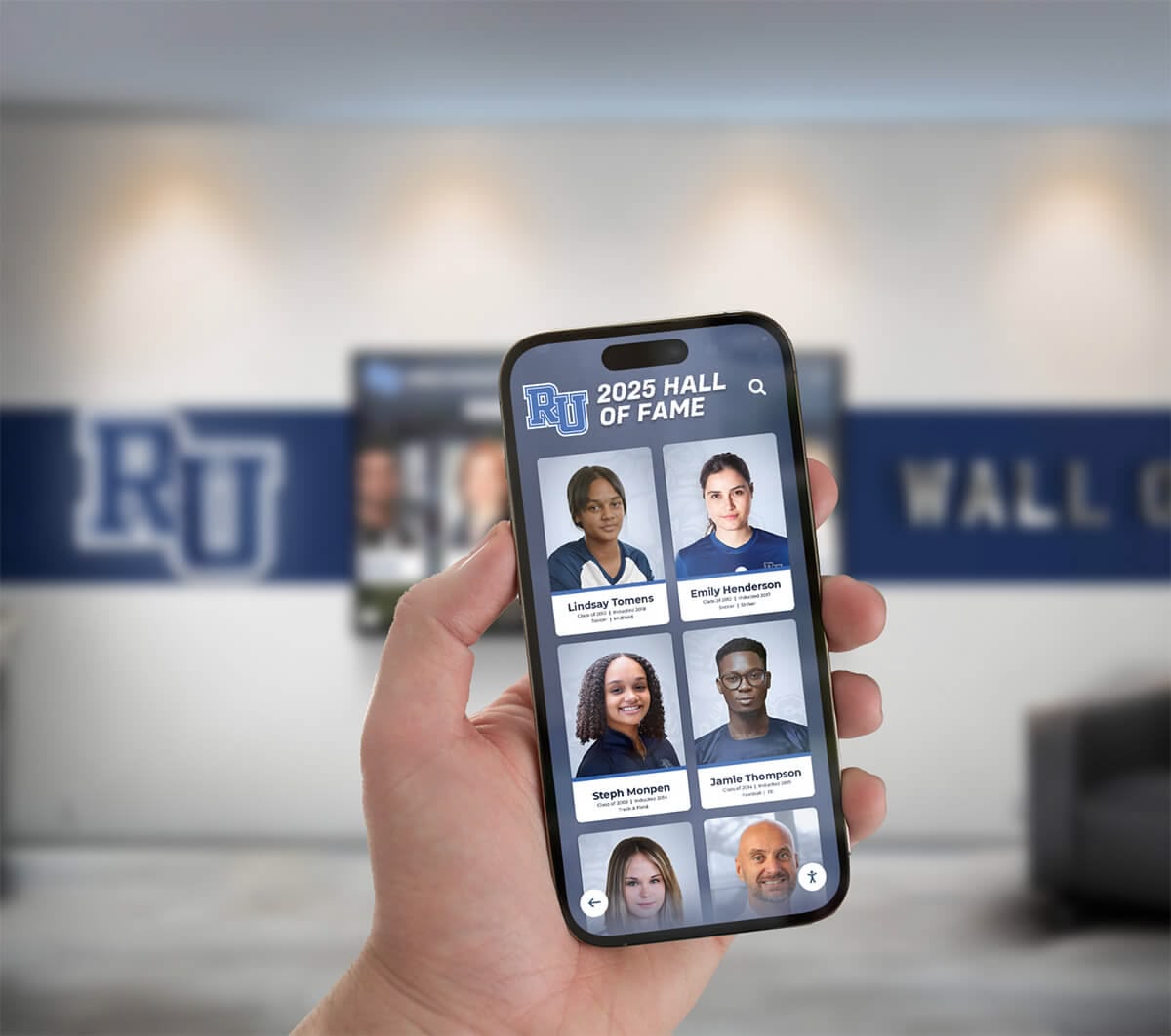
Mobile-responsive archives enable community members to explore collections from any device at any time
Qualitative Assessment
Community Impact Stories
Document meaningful outcomes including genealogists discovering family connections through digitized records, students completing award-winning local history projects using primary sources, authors acknowledging library archives in published books, reunion organizers accessing historical photographs for events, and newcomers learning community history facilitating integration.
These qualitative stories communicate value that statistics alone cannot convey, demonstrating that archives matter profoundly for individual community members and collective cultural preservation.
Stakeholder Feedback
Gather ongoing input through patron surveys about archive usefulness and desired enhancements, staff observations about reference questions and research patterns, educator feedback about educational applications, donor responses about how archives honor their contributions, and community advisory board perspectives about priorities and sensitivities.
This feedback loop ensures archives continuously evolve serving emerging needs while maintaining relevance across changing community demographics and technological expectations.
Integration with Broader Library Services
The most successful digital archive implementations integrate with comprehensive library service ecosystems rather than existing as isolated initiatives disconnected from other programs and resources.
Reference and Research Support
Train reference staff in digital archive capabilities and content, create research guides connecting archives to common inquiry topics, offer scheduled workshops teaching effective archive use, provide individual consultations for complex research projects, and develop educational partnerships with schools integrating archives into curriculum.
Similar to approaches used for interactive touchscreen displays in educational settings, effective integration ensures archives become embedded in regular library workflows and community awareness rather than remaining specialized resources reaching only motivated researchers who discover them independently.
Programming and Community Engagement
Leverage archives for dynamic programming including history lecture series featuring archive materials as primary evidence, photographic exhibitions curated from digitized collections, genealogy workshops teaching research techniques using digital archives, community memory projects building archives through shared storytelling, and school partnerships where students contribute to digitization and research projects as authentic learning experiences.
These programs activate archives beyond passive online repositories, creating active engagement opportunities while promoting awareness among community segments who might not independently explore digital resources.
Regional and National Collaboration
Participate in collaborative initiatives including state or regional digital library consortia enabling cross-institutional discovery, Digital Public Library of America aggregation extending reach to national audiences, shared digitization projects reducing per-institution costs, and collaborative preservation ensuring redundant storage protecting against single-institution failures.
The New York Public Library’s Digital Collections, Library of Congress Digital Collections, and Digital Public Library of America demonstrate how institutional collaboration creates comprehensive cultural heritage resources serving researchers and communities worldwide beyond what individual libraries could accomplish independently.
Emerging Technologies and Future Trends
Understanding developing capabilities helps libraries plan technology investments remaining relevant as platforms evolve.
Artificial Intelligence Applications
Automated Processing
AI increasingly assists with labor-intensive digitization tasks including optical character recognition (OCR) enabling full-text search across documents, handwriting recognition making manuscript collections searchable, automatic image tagging identifying subjects and objects, facial recognition connecting images of same individuals across collections, and audio transcription creating searchable text from oral history recordings.
These AI capabilities make comprehensive digitization economically feasible where manual processing would require prohibitive staff time and expertise.
Enhanced Discovery
Machine learning improves search and recommendation through natural language queries understanding complex questions, visual similarity search finding related images, predictive recommendations connecting users to relevant materials based on browsing patterns, and automated summarization providing overviews of lengthy documents or oral histories.
Immersive and Interactive Technologies
Augmented Reality Integration
Mobile apps overlaying historical photographs on current locations enable community members walking neighborhoods to see historical views from exact locations, access stories and information about buildings and sites, and compare past and present through interactive experiences connecting digital archives to physical community spaces.
Virtual Reality Experiences
VR implementations create immersive explorations including reconstructed historical environments based on archival evidence, virtual museum exhibitions showcasing digitized materials in curated contexts, and educational experiences where students virtually “visit” historical locations or events through archive-based reconstructions.
Comprehensive approaches to digital tools bringing history to life demonstrate how emerging technologies transform static archives into dynamic community resources serving diverse learning styles and engagement preferences.
Conclusion: Preserving Community Memory Through Modern Technology
Public library digital archive collections represent far more than technology projects—they’re investments in community memory, democratic access to information, educational opportunity, and cultural preservation that fulfill libraries’ fundamental mission of connecting all people with knowledge regardless of barriers historically limiting historical research to academic and economic elites with specialized expertise and access.
When public libraries implement comprehensive digital archives thoughtfully—with appropriate technical standards, sustainable workflows, engaging access platforms, and active community participation—they create permanent resources serving diverse constituencies simultaneously across generations while ensuring irreplaceable community heritage survives for future researchers who will value these materials as profoundly as contemporary audiences.
Modern digital archives extend beyond simple digitization to encompass interactive touchscreen displays like those offered by Rocket Alumni Solutions, mobile-responsive access enabling smartphone exploration, sophisticated search and discovery tools, AI-enhanced processing, and integration with comprehensive community engagement platforms. These advanced approaches transform static historical repositories into dynamic resources supporting education, research, personal discovery, and collective cultural celebration simultaneously.
Ready to Showcase Your Library's Digital Archives?
Discover how comprehensive interactive display solutions like Rocket Alumni Solutions can help you create engaging touchscreen experiences that bring your digital archive collections to life through intuitive interfaces accessible to all community members regardless of technical expertise.
Explore Interactive Archive SolutionsThe systematic approaches explored in this comprehensive guide provide frameworks for implementing digital archives regardless of library size, available resources, or collection scope—from initial assessment and digitization workflows through storage infrastructure, access platform selection, video demonstration strategies, and long-term sustainability planning. These proven methodologies enable public libraries to protect irreplaceable community documentation while creating accessible platforms delivering lasting value across multiple strategic objectives simultaneously.
Start wherever current circumstances allow—whether digitizing a single high-priority collection, implementing interactive displays showcasing existing digital materials, or planning comprehensive historical digitization covering decades of community documentation—then systematically expand toward more comprehensive ecosystems where technology serves both preservation and access objectives, where history becomes engaging rather than intimidating, and where every community member can discover personal connections to shared heritage you’re preserving and celebrating through thoughtful implementation of digital archive technology.
Your community’s story—captured across decades or centuries of newspapers, photographs, documents, recordings, and materials documenting local development, cultural traditions, and individual experiences—deserves protection and accessibility ensuring current and future generations can explore and celebrate this rich heritage. With thoughtful planning, appropriate technical choices, sustainable workflows, and systematic implementation supported by solutions like Rocket Alumni Solutions, you can create digital archives becoming treasured community resources connecting people to proud local traditions while supporting research, education, and cultural preservation for decades to come.
Ready to implement comprehensive digital archive collections? Explore how interactive displays create engaging heritage experiences, discover approaches to historical photo archives preserving irreplaceable visual documentation, or learn about museum-style digital exhibits that transform static collections into interactive community resources celebrating shared heritage through platforms designed specifically for public access and educational impact.
Sources
- Digital Public Library of America
- New York Public Library Digital Collections
- Library of Congress Digital Collections
- Library of Congress Preservation Guidelines for Digitizing Library Materials
- American Library Association: Digitization Best Practices
- WebJunction: Best Practices and Planning for Digitization Projects
- University of Illinois: Digitization Project Guide
- Library & Information Science Education Network: Best Practices for Library Resource Digitization































