




Photo booth software for kiosk deployment has evolved dramatically from simple camera-triggered snapshots to sophisticated interactive systems powering engagement at public events, school functions, corporate gatherings, and permanent venue installations. Modern photo booth kiosks combine professional imaging, instant social sharing, branded overlays, data collection, and self-service operation creating memorable experiences while generating valuable analytics and promotional reach for organizations.
Whether planning a single event, evaluating software for a photo booth business, or implementing permanent interactive kiosks in public spaces like schools, museums, or community centers, understanding the landscape of photo booth software options, essential features, deployment considerations, and cost implications helps organizations select solutions delivering genuine value rather than disappointing attendees with clunky interfaces or unreliable operation.
This comprehensive guide examines photo booth software specifically for kiosk and public use applications—exploring how these systems work, key features distinguishing professional solutions from consumer alternatives, hardware requirements, implementation strategies, cost comparisons, and practical considerations for different venue types and event scenarios. You’ll discover which software approaches align with your specific needs, whether deploying temporary event activations or permanent interactive installations.
Photo booth experiences have become essential elements of modern events—from weddings and corporate functions to school dances, fundraising galas, product launches, and festival activations. Simultaneously, permanent interactive kiosks in public spaces increasingly incorporate photo capture and sharing capabilities, extending beyond simple wayfinding or information displays to create engaging experiences visitors want to interact with and share on social media.

Modern kiosk software powers interactive experiences ranging from photo booths at events to permanent recognition displays in public venues
Understanding Photo Booth Software for Kiosk Applications
Before evaluating specific solutions and features, understanding what distinguishes kiosk-focused photo booth software from consumer apps or professional photography tools helps organizations identify systems appropriate for public deployment scenarios.
What Is Photo Booth Kiosk Software?
Photo booth kiosk software transforms computers connected to cameras and touchscreen displays into self-service photo capture and sharing stations requiring minimal operator intervention. These systems handle the complete workflow from user interaction and photo capture through editing, printing, and digital distribution.
Core System Components
Complete photo booth kiosk implementations integrate multiple elements:
- Touchscreen interface software: User-facing application presenting intuitive controls anyone can operate without instructions
- Camera control system: Software communicating with DSLR cameras, webcams, or integrated displays capturing high-quality images
- Image processing engine: Real-time photo enhancement, background removal, filter application, and overlay compositing
- Kiosk mode lockdown: Security features preventing users from accessing underlying operating systems or exiting applications
- Printing integration: Direct communication with dye-sublimation or instant photo printers
- Social sharing capabilities: Automated distribution to email, SMS, social media platforms, or QR code downloads
- Data collection system: Capturing email addresses, phone numbers, or survey responses with proper consent
- Analytics dashboard: Tracking usage patterns, popular features, sharing rates, and engagement metrics
- Branding and customization tools: Templates for branded overlays, backgrounds, and themed photo experiences
This integrated approach differs fundamentally from simple camera apps—photo booth kiosk software must operate reliably for hours without supervision, prevent unauthorized system access, handle hardware communication, and manage the complete experience from attraction through distribution.
Kiosk vs Consumer vs Professional Photography Software
Understanding how photo booth kiosk software differs from related categories clarifies appropriate solution selection.
Consumer Photo Apps
Consumer mobile apps and basic webcam software:
- Designed for personal use on phones or home computers
- Require manual operation and technical comfort
- Lack kiosk security preventing system access
- No integration with professional cameras or printers
- Limited branding and customization capabilities
- Inappropriate for unsupervised public deployment
Professional Photography Software
Tools like Adobe Lightroom or Capture One:
- Complex interfaces requiring photography expertise
- Designed for post-event editing rather than real-time capture
- No self-service kiosk mode or public-facing interfaces
- Powerful editing but overwhelming for casual users
- Not designed for automated workflow or social sharing
Photo Booth Kiosk Software
Purpose-built systems for public deployment:
- Intuitive touchscreen interfaces requiring no instructions
- Complete kiosk lockdown preventing unauthorized access
- Real-time processing delivering instant results
- Automated workflows from capture through distribution
- Branding customization for corporate or event themes
- Hardware integration with cameras, printers, and lighting
- Analytics and data collection appropriate for events
- Designed for hours of unsupervised reliable operation
Organizations deploying photo experiences at public events or in permanent installations require software specifically designed for these kiosk scenarios rather than adapting consumer or professional tools never intended for self-service public use.

Self-service kiosk software must provide intuitive interfaces anyone can use immediately without instructions or operator assistance
Essential Features for Photo Booth Kiosk Software
Not all photo booth software delivers capabilities necessary for successful public kiosk deployment. Understanding essential features distinguishes professional solutions from inadequate alternatives.
Intuitive Touchscreen User Interface
The user-facing interface determines whether visitors engage successfully or walk away frustrated.
Critical Interface Characteristics
Professional photo booth kiosk interfaces provide:
- Large touch targets: Buttons and controls sized appropriately for finger touch (minimum 44-48 pixels) rather than mouse precision
- Clear visual hierarchy: Obvious next steps guiding users through capture workflow without confusion
- Minimal text instructions: Visual communication through icons, animations, and examples rather than lengthy explanations
- Countdown timers: Clear indication when photos will capture allowing subjects to pose appropriately
- Instant feedback: Immediate visual and audio confirmation when touches register
- Error prevention: Design preventing common mistakes like capturing without subjects ready
- Accessible design: High contrast, readable fonts, and universal design principles ensuring usability across age ranges and abilities
- Attractive idle screen: Eye-catching attract mode drawing visitors when kiosk not in use
Systems requiring complex navigation, small touch targets, or excessive reading prove frustrating in event environments where visitors expect instant engagement without learning curves.
Robust Kiosk Mode and Security
Public deployment requires security features preventing unauthorized system access while maintaining reliable operation.
Essential Security Capabilities
Professional kiosk software includes:
- Complete system lockdown: Full-screen operation preventing access to Windows, macOS, or other system functions
- Disabled keyboard shortcuts: Blocking Alt-Tab, Windows key, Ctrl-Alt-Delete, and other system access combinations
- Automatic recovery: Application automatically relaunches if crashes or exits unexpectedly
- Session timeout and reset: Automatic return to attract screen after inactivity preventing abandoned customizations
- Hidden application exit: Administrative controls accessible only through specific sequences or hardware buttons
- Restricted network access: Preventing browsing beyond approved social sharing destinations
- User data privacy: Automatic clearing of personal information between sessions
- Remote monitoring: Capabilities enabling staff to verify operation without physical presence
Schools and venues deploying permanent interactive kiosks need these security features ensuring systems remain properly configured and preventing visitors from accessing inappropriate content or system settings. Solutions like Rocket Alumni Solutions provide touchscreen kiosk capabilities with professional lockdown appropriate for unsupervised public environments.
Learn about kiosk security in touchscreen kiosk software implementation examining lockdown best practices.
Social Sharing and Digital Distribution
Modern photo booth value extends far beyond printed photos—digital sharing amplifies reach and engagement.
Comprehensive Sharing Capabilities
Effective photo booth kiosk software enables:
Instant Digital Delivery
- Email with customizable branded messages
- SMS text message delivery with photo attachments or download links
- QR code generation for immediate mobile phone downloads
- Direct social media posting to Facebook, Instagram, Twitter, or LinkedIn
- Cloud gallery access through shareable links
- Mobile app integration when available
Viral Amplification Features
- Branded overlays with event hashtags encouraging social sharing
- Automatic watermarking protecting photo ownership while promoting brands
- Share incentive campaigns encouraging distribution
- Social media contest integration driving engagement
- Analytics tracking shares, views, and reach
Privacy and Consent
- Clear opt-in for email and SMS collection
- GDPR and privacy regulation compliance
- Age verification when required
- Unsubscribe mechanisms for promotional lists
- Data retention policies and controls
Events increasingly value photo booths primarily for social media reach and digital engagement rather than printed photos alone. Software supporting comprehensive sharing transforms photo experiences from simple entertainment into powerful marketing and engagement tools.
Explore digital engagement strategies in interactive announcements feed systems demonstrating social integration approaches.
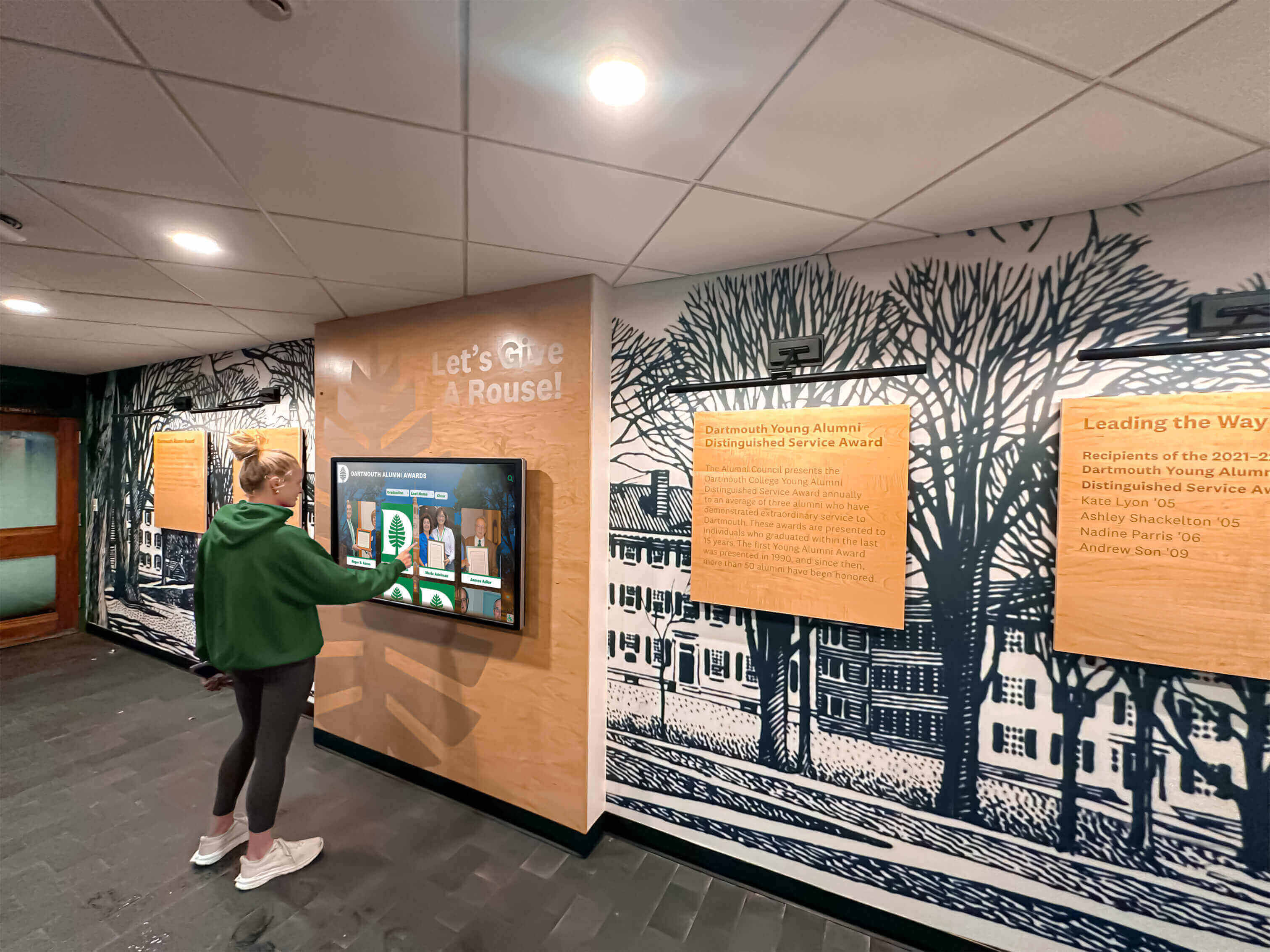
Touchscreen kiosks in schools and public venues require interfaces designed for diverse users and unsupervised operation
Real-Time Photo Enhancement and Customization
Instant professional-looking results require sophisticated real-time processing capabilities.
Advanced Image Processing
Modern photo booth software provides:
Automatic Enhancement
- Lighting adjustment compensating for venue conditions
- Color correction ensuring natural skin tones
- Sharpness optimization improving image clarity
- Red-eye removal and facial touch-up
- Background blur creating professional focus
- Beauty filters subtle enough for natural appearance
Creative Customization
- Filter libraries with vintage, black-and-white, and artistic effects
- Green screen background replacement with custom scenes
- Animated GIF creation from photo sequences
- Boomerang and cinemagraph effects
- Augmented reality props and accessories
- Face tracking and effect application
- Text overlay with custom messages and event details
Branded Elements
- Custom logo overlays positioned consistently
- Themed templates matching event aesthetics
- Sponsor recognition and advertisement integration
- Border and frame designs reinforcing branding
- Hashtag and social handle promotion
Processing must occur in real-time—visitors won’t wait minutes for results when mobile phone cameras deliver instant feedback. Professional photo booth software balances sophisticated enhancement with speed delivering polished results within seconds.
Hardware Integration and Camera Support
Professional photo booth software must communicate reliably with diverse hardware configurations.
Camera Compatibility
Robust solutions support:
- DSLR cameras: Canon, Nikon, Sony professional cameras delivering highest quality images
- Mirrorless cameras: Compact professional alternatives to traditional DSLRs
- Webcams: High-definition USB webcams for budget-conscious deployments
- Integrated displays: All-in-one touchscreens with built-in cameras
- iPad and tablet cameras: Mobile device integration for portable setups
- Multiple camera arrays: 360-degree video booths with coordinated multi-camera capture
- Lighting control: Integration with studio strobes or LED panels for professional lighting
Peripheral Support
Complete systems integrate:
- Photo printers: Dye-sublimation printers like DNP, Mitsubishi, or Canon Selphy
- Touchscreen displays: Large-format capacitive or infrared multitouch monitors
- Credit card readers: For commercial photo booth operations charging per session
- Custom buttons: Physical triggers for capture without touchscreen reliance
- Lighting equipment: Automated studio flash or continuous LED control
- Props and accessories: RFID detection triggering themed overlays when physical props used
Organizations must verify software compatibility with existing or planned hardware investments. Solutions locked to specific camera models or printer brands limit flexibility and increase long-term costs.
Data Collection and Analytics
Modern photo booth kiosks serve marketing and data collection objectives beyond simple entertainment.
Valuable Analytics Capabilities
Professional photo booth software tracks:
Usage Metrics
- Total sessions and photos captured
- Peak usage times identifying high-traffic periods
- Average session duration and photos per session
- Popular filters, effects, and customization choices
- Sharing rates across different channels
- Print volume and digital distribution ratios
Engagement Analysis
- Demographics when captured appropriately with consent
- Geographic distribution through IP or venue data
- Social media reach and impressions generated
- Conversion rates from kiosk interaction to desired actions
- Return usage identifying repeat visitors
- Abandonment rates revealing usability issues
Marketing Data
- Email list building with opt-in consent
- Survey responses captured during experience
- Brand sentiment through optional feedback collection
- Social media handles connecting offline and online presence
- Campaign effectiveness comparing different events or configurations
These analytics transform photo booths from pure entertainment into strategic marketing and engagement tools delivering measurable return on investment. Event planners and venue operators increasingly justify photo booth investments through data demonstrating audience engagement and promotional reach.
Photo Booth Software Options and Platforms
Understanding available solutions helps organizations select appropriate software matching technical requirements, budget constraints, and deployment scenarios.
Commercial Photo Booth Software Solutions
Professional paid platforms designed specifically for event and kiosk applications deliver comprehensive features and reliable support.
Leading Commercial Platforms
Breeze Booth
- Comprehensive professional photo booth software
- Extensive DSLR and mirrorless camera support
- Advanced green screen and overlay capabilities
- Social sharing and email/SMS distribution
- Analytics and data collection features
- Windows and macOS versions available
- Pricing: $600-1,200 for perpetual licenses plus optional annual support
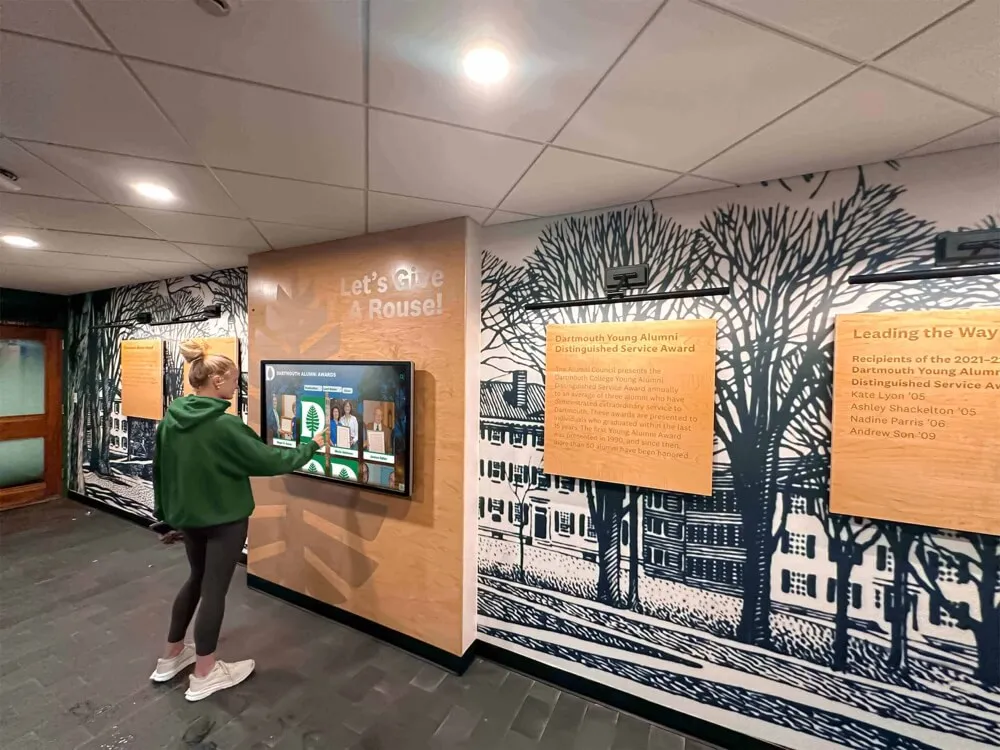
Permanent venue installations require robust software supporting continuous operation and remote content management
Simple Booth
- User-friendly interface requiring minimal training
- Cloud-based asset management and backup
- Built-in templates and branding tools
- Social media and email sharing
- Analytics dashboard tracking engagement
- Subscription pricing: $49-99 monthly depending on features
dslrBooth
- Specialized for DSLR camera integration
- Advanced capture and processing controls
- Green screen and custom backgrounds
- Social sharing and printing support
- Survey and data collection capabilities
- Pricing: $249-499 for software licenses
Sparkbooth
- Mac-focused photo booth software
- Clean intuitive interface design
- Customizable templates and branding
- Social sharing and printing integration
- Suitable for events and permanent installations
- Pricing: $299 for standard version; $599 for commercial license
These commercial platforms provide professional support, regular updates, and comprehensive features appropriate for paid photo booth businesses or institutional deployments requiring reliability and ongoing vendor relationships.
Open-Source and Free Alternatives
Budget-conscious organizations may consider open-source options accepting technical complexity tradeoffs.
Open-Source Solutions
Photobooth
- Open-source web-based photo booth software
- Runs in standard browsers enabling cross-platform deployment
- Basic capture, filters, and sharing capabilities
- Free but requires technical expertise for deployment and customization
- Active community development and support forums
- Suitable for technically sophisticated organizations with developer resources
DIY Custom Development
Some organizations build custom photo booth applications:
- Complete control over features and user experience
- Integration with proprietary systems and branding
- No ongoing licensing costs beyond development investment
- Requires substantial development resources and ongoing maintenance
- Risk of abandonment if developers leave organization
- Generally appropriate only for large organizations with dedicated technical teams
Free and open-source alternatives may appeal initially but often prove expensive through hidden costs—technical expertise requirements, troubleshooting time, lack of vendor support, and limited documentation. Organizations should carefully evaluate total cost of ownership including staff time rather than focusing exclusively on software licensing fees.
Touchscreen Kiosk Platforms for Permanent Installations
Organizations deploying permanent interactive kiosks in venues often benefit from content management platforms supporting diverse applications beyond just photo capture.
Comprehensive Kiosk Solutions
Platforms like Rocket Alumni Solutions provide touchscreen kiosk software supporting multiple use cases simultaneously:
- Recognition and history displays: Showcasing achievements, honorees, and institutional legacy
- Photo galleries and archives: Displaying historical photos visitors can explore interactively
- Information directories: Providing wayfinding and institutional information
- Announcement systems: Communicating current events, schedules, and updates
- Social media integration: Displaying social feeds and user-generated content
- Data collection: Gathering visitor information with consent through interactive forms
These multipurpose platforms prove valuable for schools, universities, museums, athletic facilities, and other institutions wanting versatile interactive kiosks serving recognition, engagement, and communication objectives simultaneously rather than single-purpose photo booth applications alone.
For venues prioritizing institutional recognition and engagement with photo sharing as one component among broader interactive capabilities, multipurpose platforms like digital hall of fame solutions often deliver greater long-term value than specialized photo booth software alone.

Multipurpose kiosk platforms support recognition displays, photo galleries, and interactive engagement in single unified systems
Hardware Requirements for Photo Booth Kiosks
Software capabilities mean nothing without appropriate hardware infrastructure supporting reliable operation.
Camera Selection Considerations
Photo quality depends fundamentally on camera capabilities regardless of software sophistication.
Professional DSLR and Mirrorless Options
High-end photo booths typically use:
Canon EOS Rebel Series
- Popular entry-level DSLR cameras ($500-800 body only)
- Excellent image quality for photo booth applications
- Reliable USB tethering support
- Broad software compatibility
- Replacement lenses enabling customization
Nikon D Series
- Professional alternatives to Canon ($600-1,000)
- Exceptional image quality and build durability
- Strong low-light performance
- Extensive accessory ecosystem
Sony Alpha Mirrorless
- Compact professional cameras ($800-1,500)
- Excellent autofocus and image quality
- Smaller footprint than DSLR alternatives
- Advanced video capabilities for GIF and video booths
Budget Webcam Alternatives
Cost-conscious deployments may use high-definition webcams ($100-300):
- Logitech Brio or StreamCam offering 4K video quality
- No lens flexibility but dramatically lower cost
- Simpler setup without tethering complexity
- Suitable for casual events accepting lower image quality
- All-in-one convenience for portable setups
Professional photo booth businesses typically invest in DSLR equipment delivering noticeably superior image quality, while schools or venues deploying permanent kiosks for engagement rather than photography may find webcams adequate for visitor interaction purposes.
Display and Touchscreen Requirements
User interaction quality depends on display size, resolution, and touch technology.
Critical Display Specifications
Size Considerations
- 22-27 inches: Portable setups and space-constrained locations
- 32-43 inches: Standard event photo booths with comfortable viewing
- 49-55 inches: Prominent installations and high-traffic venues
- 65+ inches: Signature installations and large-scale activations
Touch Technology
- Capacitive multitouch: Most responsive and intuitive (preferred for quality experiences)
- Infrared touch: Cost-effective alternative working with any screen
- Resistive touch: Budget option but less responsive and durable
Resolution and Quality
- Minimum 1080p (1920x1080) for clear interface and preview
- 4K (3840x2160) for large displays ensuring crisp text and images
- Commercial-grade panels rated for continuous operation
- Anti-glare coating essential for venues with significant ambient lighting
Displays represent substantial investment but directly impact user experience quality. Organizations deploying permanent installations should prioritize commercial-grade displays designed for 16-24 hour daily operation rather than consumer televisions failing within months in continuous-use environments.
Computer and Processing Requirements
Photo booth software demands vary based on real-time processing complexity.
Minimum System Specifications
Basic photo booth operation requires:
- Intel Core i5 or AMD Ryzen 5 processor minimum
- 8GB RAM for standard operation; 16GB recommended for heavy processing
- Dedicated graphics card (NVIDIA GTX 1050 or better) for green screen and effects
- SSD storage for fast software operation and temporary file handling
- Windows 10/11 or macOS 10.15+ operating systems
- USB 3.0 ports for camera tethering and peripheral connectivity
- Reliable Wi-Fi or ethernet for social sharing and cloud backup
Premium Configurations
Professional installations benefit from:
- Intel Core i7/i9 or AMD Ryzen 7/9 processors handling complex real-time effects
- 32GB RAM supporting multiple simultaneous sessions
- High-end graphics cards (NVIDIA RTX series) for AR and advanced processing
- Multiple high-speed USB ports for cameras, printers, and peripherals
- Backup power supplies preventing data loss during power interruptions
Small form-factor PCs like Intel NUC units or custom mini-ITX builds provide powerful processing in compact packages appropriate for integration into photo booth enclosures or kiosk installations without bulky tower computers.
Printer Selection for Physical Photos
Despite digital emphasis, printed photos remain popular at events and permanent installations.
Dye-Sublimation Photo Printers
Professional photo booth printing requires specialized equipment:
DNP DS Series
- Industry-standard professional photo printers ($1,500-3,000)
- 4x6 inch prints in approximately 15 seconds
- Exceptional print quality and durability
- Media costs approximately $0.30-0.50 per print
- Reliable high-volume operation
Canon Selphy Series
- Compact consumer-grade alternatives ($150-300)
- Slower printing (approximately 47 seconds per 4x6 print)
- Lower print quality than professional alternatives
- Suitable for low-volume casual events
- More affordable media costs
Mitsubishi CP-D Series
- Professional alternatives to DNP ($1,200-2,500)
- Excellent print quality and color accuracy
- Various print size options
- Reliable operation for event and commercial use
Organizations should budget significant ongoing costs for printer media—paper and ribbon cartridges for popular booths can exceed $100 weekly at high-volume events. Some photo booth operators charge per print to offset media costs while offering free digital sharing.
Cost Considerations and Budgeting
Understanding complete photo booth kiosk costs helps organizations make informed investment decisions.
Software Costs and Licensing Models
Photo booth software pricing varies dramatically across solutions.
One-Time Purchase Licenses
Some platforms offer perpetual licenses:
- dslrBooth: $249-499 depending on features
- Sparkbooth: $299-599 based on commercial vs personal use
- Breeze Booth: $600-1,200 for full-featured versions
Benefits include no ongoing payments and complete local control. However, major updates may require new license purchases, and technical support often costs extra after initial periods.
Subscription-Based Pricing
Cloud-connected platforms typically charge monthly:
- Simple Booth: $49-99 monthly
- Various web-based platforms: $20-100 monthly depending on features
Subscriptions include ongoing updates, cloud storage, and technical support. However, costs accumulate substantially over years, and discontinuing subscriptions eliminates access to software and cloud-stored content.
Free and Open-Source Options
Open-source alternatives eliminate licensing costs but require:
- Technical expertise deploying and configuring software
- Ongoing maintenance and troubleshooting
- Self-service support through community forums
- Custom development for desired features
Organizations with strong technical teams may find open-source routes cost-effective, while those lacking internal expertise typically discover hidden costs through consultant fees and staff time exceed commercial software savings.
Hardware Investment Planning
Complete photo booth kiosk hardware requires substantial initial investment.
Budget-Conscious Configurations
Minimal viable photo booth kiosks can cost approximately:
- Touchscreen monitor: $300-600 (consumer-grade)
- Webcam: $100-200
- Basic PC: $400-600
- Software: $0-300 (free or basic licenses)
- Enclosure and mounting: $200-500 (DIY or basic stands)
- Total: $1,000-2,200
These budget setups work for occasional school events or organizations testing photo booth concepts before larger investments.
Professional Event Configurations
Quality event photo booth systems typically cost:
- Commercial touchscreen display: $800-1,500
- DSLR camera with lens: $800-1,200
- Professional lighting: $300-600
- Dye-sublimation printer: $1,500-3,000
- Capable PC: $800-1,200
- Professional software: $300-600
- Enclosure and backdrop: $1,000-2,500
- Total: $5,500-10,600
Professional photo booth businesses require these investments delivering quality results justifying charging clients $500-1,500 per event.
Permanent Installation Systems
Venue kiosks designed for continuous operation require:
- Commercial-grade large touchscreen: $2,000-5,000
- High-quality camera: $800-1,500
- Industrial PC: $1,000-1,800
- Professional software platform: $500-2,000 initial plus subscriptions
- Professional installation and integration: $1,500-4,000
- Total: $5,800-14,300
Schools, museums, and venues implementing permanent interactive kiosks should budget appropriately for commercial-grade components ensuring reliable multi-year operation rather than consumer equipment requiring frequent replacement.
Learn about installation planning in touchscreen kiosk implementation guide examining deployment best practices.
Ongoing Operational Costs
Total cost of ownership extends far beyond initial hardware and software investments.
Recurring Expenses
Organizations should budget for:
Software and Services
- Subscription fees: $0-1,200 annually depending on platform
- Software updates and support: $100-500 annually for perpetual licenses
- Cloud storage and bandwidth: $50-300 annually
- Social media API access: Often free but some platforms charge
Consumables and Maintenance
- Printer media: $0.30-0.50 per print (potentially thousands annually for popular booths)
- Camera maintenance: $100-300 annually
- Display cleaning and maintenance: $50-150 annually
- Hardware repairs and replacements: Budget 10-15% of hardware costs annually
Labor and Operation
- Event staffing: $20-40 per hour for booth attendants when required
- Content management: Variable based on branding and template updates
- Technical support: $75-150 per hour for external support when needed
- Transportation for portable setups: Variable by distance and frequency
High-volume installations can accumulate substantial ongoing costs—popular photo booths printing 200-300 photos weekly spend $3,000-5,000 annually on printer media alone. Organizations should evaluate whether digital-only approaches serve objectives adequately, eliminating printing costs while increasing social media reach.
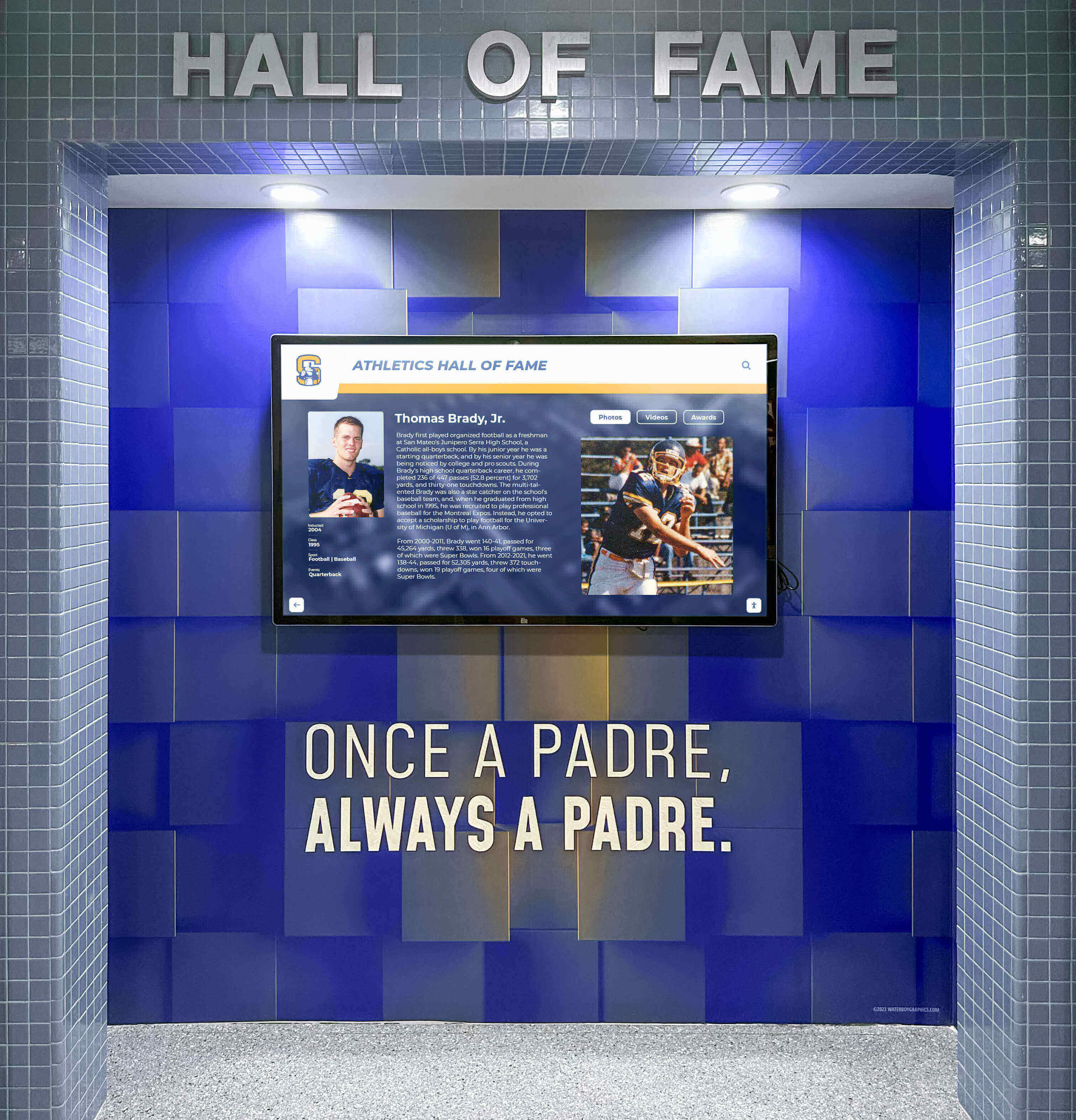
Permanent venue installations require budgeting for both initial hardware and ongoing operational costs ensuring reliable long-term operation
Implementation Strategies by Use Case
Different organizational needs and deployment scenarios require tailored photo booth kiosk approaches.
Special Events and Functions
Temporary event deployments prioritize portability, quick setup, and reliable operation during defined timeframes.
School Dances and Social Events
High schools and universities implementing photo booths for homecoming, prom, or social functions should consider:
Key Requirements
- Portable hardware fitting in standard vehicles
- Setup and teardown within 30-60 minutes
- Themed templates matching event aesthetics
- Student-friendly interfaces requiring no instructions
- Digital sharing emphasized over printing (reducing costs and environmental impact)
- Data privacy appropriate for minors
Recommended Approach
Schools often succeed with:
- All-in-one touchscreen displays with integrated cameras minimizing equipment
- Simple Booth or similar cloud-based software with template libraries
- Digital-only distribution via QR codes and email (no printer required)
- Student technology club members managing setup and operation
- Budget: $1,500-3,000 for portable all-in-one systems
This approach delivers engaging experiences while maintaining manageable costs and student involvement building technology skills.
Schools implementing interactive touchscreen systems for events may also use displays for ongoing purposes—digital spirit week rankings or recognition displays between major events, maximizing hardware value.
Corporate Events and Brand Activations
Business events utilize photo booths for marketing, lead generation, and brand promotion.
Trade Shows and Conferences
Corporate photo booth activations typically require:
Key Requirements
- Professional appearance reflecting brand standards
- Branded overlays and templates promoting company identity
- Data collection capturing leads with consent
- Social media sharing amplifying brand reach
- Analytics demonstrating ROI and engagement metrics
- Professional operation without failures embarrassing brands
Recommended Approach
Businesses typically invest in:
- Professional DSLR-based systems ensuring quality results
- Breeze Booth or dslrBooth providing comprehensive branding controls
- Large prominent displays attracting attendee attention
- Professional attendants managing operation and encouraging participation
- Integration with CRM systems capturing lead data
- Budget: $5,000-10,000 for owned systems; $800-2,000 per event for rentals
Corporate photo booth investments often justify through lead generation value and social media reach rather than entertainment alone.
Permanent Venue Installations
Museums, visitor centers, schools, and community spaces increasingly implement permanent interactive kiosks serving multiple purposes.
Educational Institutions and Cultural Venues
Permanent installations serve ongoing engagement rather than single events:
Key Requirements
- Continuous reliable operation for months or years
- Remote content management updating templates and branding
- Multipurpose capabilities beyond just photo capture
- Integration with recognition displays or historical archives
- Minimal ongoing staff involvement required
- Appropriate security for unsupervised public access
Recommended Approach
Permanent installations benefit from:
- Commercial-grade hardware designed for continuous operation
- Comprehensive kiosk platforms supporting diverse content types simultaneously
- Solutions like Rocket Alumni Solutions providing recognition displays, photo galleries, and interactive engagement in unified systems
- Professional installation ensuring reliable performance
- Remote cloud-based management eliminating on-site updates
- Budget: $5,000-15,000 per installation including hardware, software, and professional deployment
Schools implementing interactive digital displays for athletic recognition often add photo capture capabilities allowing visitors to take photos with historic displays, sharing their connections to institutional legacy on social media and extending engagement beyond the venue.
Museums and cultural institutions using interactive touchscreen exhibits similarly integrate photo opportunities with educational content—visitors photograph themselves with historical artifacts or recognition displays, organically promoting institutions through social sharing while creating personal connections to content.
Best Practices for Successful Photo Booth Kiosk Deployment
Regardless of chosen software and hardware, several universal best practices ensure positive experiences and reliable operation.
User Experience Design Principles
Interface design determines whether visitors engage successfully or abandon frustrated.
Critical UX Considerations
Immediate Clarity
- Obvious starting point without requiring staff explanation
- Visual examples showing what visitors will receive
- Minimal text instructions—demonstration through visual examples
- Clear countdown timers indicating when photos capture
- Instant visual feedback confirming every touch and action
Accessibility for All Ages
- Large touch targets sized for children and elderly users
- High-contrast text readable in varying lighting conditions
- Audio cues supplementing visual feedback for accessibility
- Multilingual support in diverse communities
- Alternative text input methods beyond tiny touchscreen keyboards
Efficient Workflows
- Three touches or fewer from start to finished photo
- Defaults that work well requiring no customization
- Optional enhancements rather than mandatory choices
- Clear back buttons allowing visitors to change decisions
- Automatic progress saving preventing lost work if visitors step away momentarily
Poor user experience undermines expensive hardware and sophisticated software—frustrated visitors simply walk away rather than struggling with confusing interfaces.
Location and Physical Setup
Kiosk placement dramatically impacts usage rates and experiences.
Optimal Placement Strategies
High-Visibility Locations
- Event entrance areas ensuring all attendees encounter kiosks
- Main venue corridors with heavy foot traffic
- Near restrooms or refreshments where people naturally gather and wait
- Adjacent to stages or main attractions during downtime
- Away from competing activities during peak engagement periods
Physical Environment Considerations
- Adequate lighting ensuring quality photos without harsh shadows
- Backdrop or context adding visual interest to photos
- Sufficient space for group photos without crowding
- Power and network connectivity ensuring reliable operation
- Protection from weather for outdoor deployments
Attention-Attracting Elements
- Prominent signage visible from distance
- Attractive idle screens drawing attention when not in use
- Example photos displayed nearby showing results
- Staff or volunteers encouraging participation
- Proximity to social influencers or popular attendees at events
Many photo booths fail simply because attendees never discover them—prominent placement with active promotion proves essential.
Privacy, Consent, and Data Handling
Photo booths collecting personal information must respect privacy regulations and ethical obligations.
Essential Privacy Practices
Clear Consent
- Explicit opt-in before collecting emails, phone numbers, or survey responses
- Separate consent for promotional communications versus one-time photo delivery
- Age verification when collecting minor information
- Plain-language privacy policies accessible before data collection
- Easy opt-out and data deletion processes
Data Security
- Encrypted storage and transmission of collected information
- Access controls limiting who can view collected data
- Regular data purges deleting unnecessary historical information
- Secure disposal of physical media containing personal images
- Vendor contracts ensuring third-party compliance
Transparency
- Clear communication about how photos and data will be used
- Disclosure of social media posting before public sharing
- Visitor control over which distribution channels used
- Organizational identification on all communications
- Complaints and concerns response procedures
Organizations deploying photo booth kiosks must consult legal counsel ensuring compliance with GDPR, CCPA, FERPA (for schools), and other applicable privacy regulations. Good-faith efforts protecting visitor privacy build trust while avoiding potential regulatory penalties.
Advanced Photo Booth Capabilities and Trends
Understanding emerging technologies helps organizations plan investments remaining relevant long-term.
360-Degree Video Booths
Multi-camera array systems capture subjects from all angles creating dramatic rotating video effects.
Technology Overview
360 video booths typically use:
- Multiple cameras (6-24) arranged in circle or overhead arm
- Synchronized capture creating seamless rotation
- Specialized software stitching footage into smooth video
- Slow-motion effects adding drama
- Music and effects integration
- Social media-optimized output for Instagram and TikTok
These systems create highly shareable content commanding attention on social feeds. However, they require substantially higher investment ($15,000-50,000+ for professional systems) and larger physical footprints than traditional photo booths.
Organizations considering 360 booths should evaluate whether dramatic shareability justifies significantly higher costs versus traditional photo or GIF alternatives.
Augmented Reality and AI Features
Advanced software increasingly incorporates artificial intelligence and augmented reality effects.
AI-Powered Capabilities
Modern photo booth software offers:
Intelligent Image Enhancement
- Automatic subject detection and background removal
- Smart lighting and color correction
- Facial feature detection enabling virtual makeup and enhancement
- Age progression and transformation effects
- Style transfer applying artistic filters intelligently
AR Interactions
- Virtual props and accessories tracked to faces
- Animated effects responding to movements
- Face swapping and character replacement
- Interactive games and experiences
- Virtual backgrounds with realistic depth and lighting
These features create engaging novel experiences differentiating photo booths from ubiquitous smartphone cameras. However, they require more powerful processing hardware and sophisticated software typically available only in premium platforms.
Green Screen and Custom Backgrounds
Virtual background replacement remains popular for themed events and branding opportunities.
Green Screen Implementation
Professional green screen photo booths require:
- Proper green background material without wrinkles or shadows
- Adequate even lighting preventing shadows on green screen
- Software with sophisticated keying algorithms
- Library of replacement backgrounds matching event themes
- Preview capabilities showing subjects in virtual environments before capture
When implemented properly, green screens transport subjects to any imaginable location or branded environment. However, poor execution produces obviously artificial results undermining rather than enhancing experiences.
Organizations should evaluate whether venues can accommodate green screen lighting and backdrop requirements before selecting software dependent on these capabilities.
Integration with Social Media Platforms
Direct social media posting amplifies event reach and engagement.
Platform-Specific Optimizations
Advanced photo booth software provides:
- Instagram-optimized square or story formats
- Automatic hashtag and location tagging
- TikTok integration for video booths
- Twitter posting with event handles
- LinkedIn posting for corporate events
- Facebook event album contributions
- Platform-specific sizing and formatting
Direct social posting proves more effective than providing photos requiring visitors to manually upload later—immediacy capitalizes on excitement while still on-site.
However, organizations must navigate changing platform APIs and policies potentially restricting or charging for automated posting capabilities. Email and QR code distribution provide reliable alternatives unaffected by social platform policy changes.
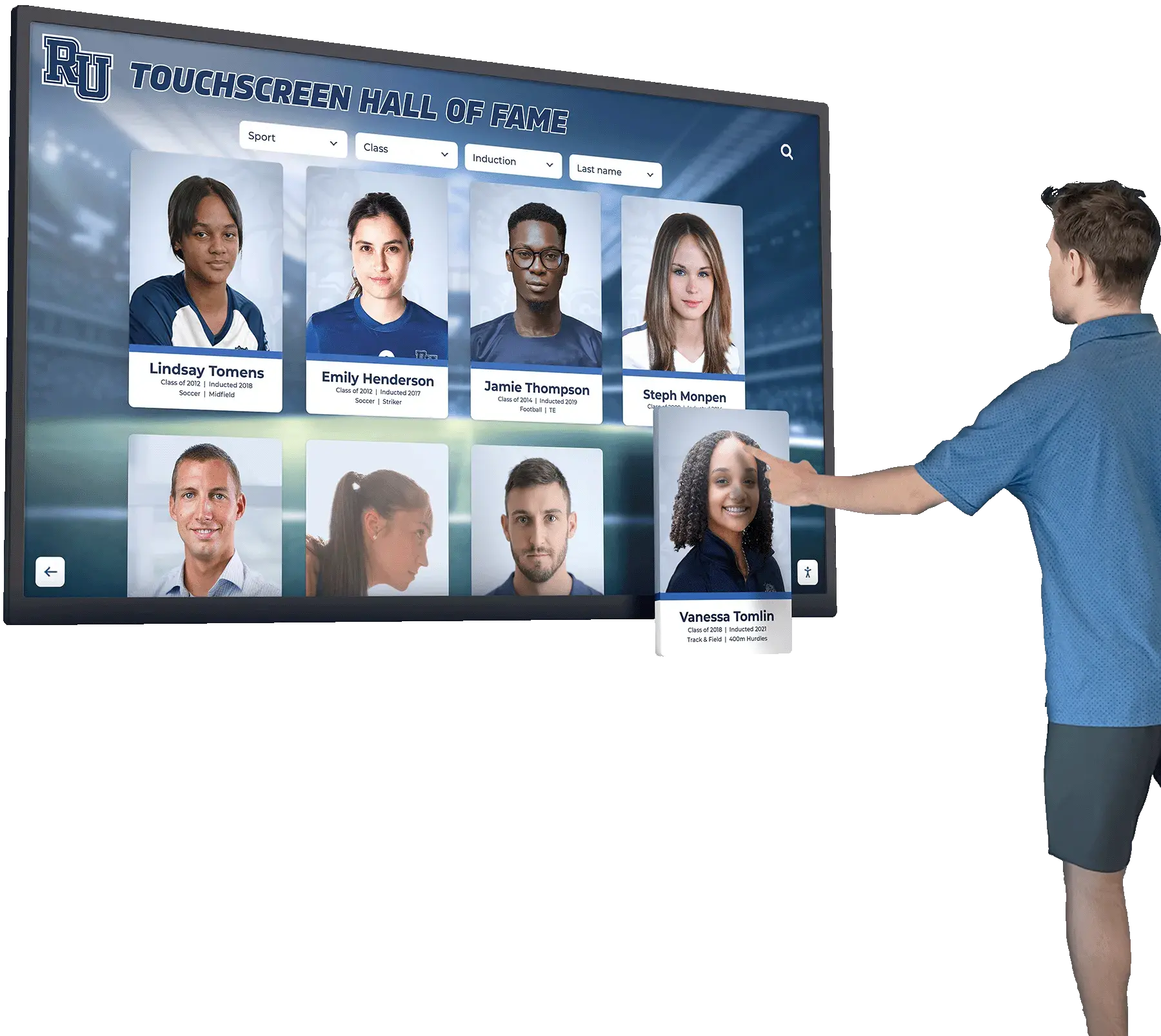
Advanced kiosk interfaces support photo capture, social sharing, and interactive content exploration in unified experiences
Selecting the Right Photo Booth Software for Your Needs
With numerous options available, systematic evaluation helps organizations identify solutions genuinely meeting requirements.
Key Selection Criteria
Evaluate Platforms Against:
Technical Requirements
- Operating system compatibility (Windows vs macOS vs cross-platform)
- Camera and hardware support matching owned or planned equipment
- Printer integration if physical photos required
- Network connectivity requirements
- Offline operation capabilities when internet unreliable
Feature Priorities
- Kiosk mode security appropriate for deployment environments
- Branding and customization capabilities
- Social sharing and distribution channels
- Data collection and analytics features
- Real-time effects and enhancements
- Green screen and AR capabilities when desired
Budget Constraints
- Software licensing costs (purchase vs subscription)
- Hardware compatibility minimizing additional investments
- Ongoing operational costs including support and updates
- Total cost of ownership over expected lifespan
Support and Reliability
- Vendor reputation and longevity
- Documentation quality and learning resources
- Technical support availability and responsiveness
- User community providing peer assistance
- Update frequency and feature development
Scalability
- Multiple kiosk management for distributed deployments
- Remote configuration and monitoring
- Cloud-based asset management
- Growth accommodation without platform changes
Creating weighted criteria matrices scoring platforms against organizational priorities helps clarify optimal choices when multiple solutions could work.
Trial and Testing Recommendations
Most photo booth software vendors offer trial periods—use them strategically.
Effective Trial Approaches
Pre-Trial Preparation
- Document specific requirements and success criteria
- Prepare test content and branding assets
- Identify stakeholders providing feedback
- Plan evaluation timeline with specific tasks
During Trial Period
- Complete setup simulating actual deployment environments
- Test with diverse users matching target audiences
- Evaluate all critical features systematically
- Document issues, questions, and concerns
- Compare performance against competing trials
- Assess vendor support responsiveness
Post-Trial Analysis
- Compile stakeholder feedback systematically
- Evaluate against documented criteria
- Consider total cost of ownership beyond trial capabilities
- Verify assumptions through vendor clarifications
- Check references from current customers in similar applications
Thorough trials prevent expensive mistakes discovering software limitations only after purchasing and deploying systems.
Questions to Ask Software Vendors
Direct vendor conversations reveal important details unclear from marketing materials.
Critical Vendor Questions
Technical Capabilities
- Which specific camera models actively support and test?
- What are maximum sustainable photo booth sessions per hour?
- How does software handle network connectivity loss?
- What remote monitoring and management capabilities exist?
- How frequently ship updates and how handle compatibility?
Licensing and Costs
- What’s included in base pricing versus additional charges?
- How charge for multiple installations or devices?
- What’s renewal pricing after initial periods?
- Do support costs increase annually?
- What happens if discontinue subscriptions—can still access content?
Support and Reliability
- What support channels available (phone, email, chat)?
- What’s typical response time for technical issues?
- Do provide support during events or only business hours?
- Can provide references from similar organizations?
- What’s typical customer retention rate?
Future Direction
- What’s product roadmap for next 12-24 months?
- How handle platform changes like social media API modifications?
- What’s commitment to supporting older versions?
- How handle migration if change platforms?
Vendors hesitant answering these questions candidly should raise concerns about transparency and long-term partnership suitability.
Conclusion: Creating Successful Photo Booth Kiosk Experiences
Photo booth software for kiosk and public use has evolved from simple camera trigger applications to sophisticated platforms managing complete engagement experiences from initial attraction through digital distribution and analytics. Organizations deploying photo booths for events or permanent venue installations must carefully evaluate software capabilities, hardware requirements, implementation approaches, and ongoing operational considerations ensuring investments deliver intended value rather than disappointing experiences undermining objectives.
Successful photo booth kiosk deployments begin with clear goal definition—understanding whether prioritizing entertainment value, social media reach, data collection, brand promotion, or venue engagement guides appropriate platform selection. Schools implementing photo booths for occasional events have fundamentally different requirements than professional photo booth businesses, corporate brand activation teams, or venues deploying permanent interactive installations serving ongoing engagement objectives.
Explore Interactive Touchscreen Solutions
Discover how multipurpose touchscreen kiosk platforms like Rocket Alumni Solutions support photo galleries, recognition displays, and interactive engagement in unified systems perfect for schools, venues, and institutions wanting versatile interactive experiences beyond single-purpose applications.
Explore Touchscreen Kiosk SolutionsWhether choosing comprehensive commercial platforms like Breeze Booth and Simple Booth for dedicated photo booth applications, exploring open-source alternatives for technically sophisticated organizations, or implementing multipurpose kiosk systems supporting photo capture alongside recognition displays and interactive content, focus on solutions aligning with genuine organizational needs, technical capabilities, and budget realities rather than pursuing features unnecessary for actual use cases.
The best photo booth kiosk software is that which visitors use successfully without frustration, operators manage confidently without constant technical challenges, and organizations afford sustainably within realistic budgets—not necessarily the most feature-rich or technically sophisticated platform available. With thoughtful evaluation, appropriate hardware investment, attention to user experience design, and commitment to privacy and operational best practices, photo booth kiosks create memorable engaging experiences extending far beyond simple photography into powerful tools for connection, promotion, and community building.
Ready to explore photo booth and interactive kiosk options? Learn about touchscreen kiosk software approaches or discover how interactive display systems support diverse applications from photo booths to recognition displays in schools, venues, and public spaces.































