Blog Posts
- Home /
- Blog Posts
Athletic Archive RAW-to-TIFF Conversion Workflow for Preservation Masters
Converting camera RAW files into TIFF preservation masters is the step that separates a durable athletic archive from a fragile collection of files that will degrade every time someone re-exports them. When your school’s athletic department digitizes old game photos, portrait sessions, or championship shoots—whether using a DSLR today or working from earlier digital captures—the RAW file is the closest thing to a digital negative. Saving it directly as a JPEG and calling it done is the archival equivalent of developing film in a kitchen sink: you get something usable, but you permanently discard information you will never recover.
Read MoreAthletic Archive Dust and Scratch Removal Workflow for Scanned Photos
That cardboard box in the equipment room often holds the entire visual history of a school’s athletic program—championship team photos from 1978, senior portrait cards from the mid-eighties, action shots from long-ago state tournaments, individual headshots clipped from yearbooks that no longer exist anywhere else. When those images finally get scanned for a digital recognition display, most arrive as high-resolution records of every scratch the original print ever collected: dust flecks, emulsion cracks, fading edges, and the kind of brown haze that settles on acetate after forty years in a file cabinet.
Read More
Recognition Display Screen-Tearing Test for Sports Video and Animations
Screen tearing on a recognition display appears as a jagged horizontal split that slices across the panel mid-frame—most visible during fast-motion athlete highlight reels, sliding record-board animations, and championship-montage videos. When tearing shows up on your school’s hall-of-fame screen or lobby recognition wall during an assembly or awards night, it immediately undercuts the professional impression those installations are built to create.
Read MoreAthletic Archive Lens Distortion Correction for Historic Team Photos
Athletic archive lens distortion correction is the process of removing the bowing, pinching, or wavy warping that vintage lenses introduced into historic team photos—so that straight gymnasium walls, court lines, and bleacher rows appear straight on screen without altering the identity or authenticity of the people in the image. Schools that skip this step often find that decades-old team photos look noticeably warped on a 65-inch touchscreen display or a hall of fame recognition wall, undermining the dignity of the athletes being honored and creating a visual inconsistency that careful donors and athletic directors notice immediately.
Read More
Recognition Display Glove Mode Test for Cold-Weather School Entrances
A recognition display glove mode test is the fastest way to confirm that a school entrance touchscreen will register reliable touches from visitors wearing winter gloves before cold weather arrives. Projected capacitive touchscreens—the panel technology in virtually all modern recognition kiosks—detect a subtle change in an electrical field caused by the conductive properties of bare skin. Heavy gloves, thick wool mittens, and insulated winter gloves reduce or block that signal entirely, turning a hall of fame kiosk into an unresponsive slab of glass for any visitor who does not remove their outerwear before touching the screen. Running a structured glove mode test in the weeks before temperatures drop identifies whether the display’s touch controller needs a sensitivity adjustment, determines which glove types will work after that adjustment, and documents the result so IT staff and facilities teams know what to expect throughout the cold-weather season.
Read More
Recognition Display Cooling Fan Noise: Diagnosis and Maintenance Log
Recognition display cooling fan noise becomes a maintenance concern when it shifts from inaudible background operation to a sound loud enough to be noticed by students, families, and alumni passing through a trophy hallway or lobby. The noise itself is not the primary problem—it is a symptom. A grinding tone indicates bearing wear. A rattling sound points to a loose component or foreign material inside the enclosure. A sudden increase in fan speed that does not settle back down within a few minutes indicates a thermal management failure: the display’s cooling system is running at maximum output because it cannot dissipate heat fast enough through normal operation. Each of those symptoms requires a different maintenance action, and none of them resolves by itself.
Read More
Athletic Archive Audio Noise-Reduction Workflow for Historic Game Recordings
An athletic archive audio noise reduction workflow is a structured sequence of steps for identifying, profiling, and reducing persistent background noise—tape hiss, electrical hum, room rumble, and PA bleed—from historic game recordings without erasing the crowd energy, commentary, and ceremony audio that give those recordings their historical value. Schools that apply the workflow correctly produce archive files that are audible, intelligible, and usable on modern touchscreen displays and digital hall-of-fame kiosks. Schools that skip it publish recordings that sound muffled through over-processing, or—just as damaging—publish unprocessed recordings where persistent hiss and hum compete with the voices and sounds the display was meant to celebrate.
Read More
Athletic Archive Audio Clipping Detection: A Quality-Control Workflow for Historic Game Sound
Athletic archive audio clipping detection is the process of identifying recordings where audio signals exceeded the maximum level a recording device could capture—producing distorted, saturated sound that no amount of volume adjustment will fix at the playback stage. Historic game footage, VHS transfers, camcorder recordings, and dubbed broadcast tapes are all vulnerable to clipping artifacts. When clipped audio reaches a touchscreen hall of fame, a lobby display, or a digital archive, the distortion that was inaudible on a small television in 1994 becomes unmistakably harsh through modern display speakers, undermining the recognition experience the recording was meant to create.
Read MoreAthletic Archive Audio Channel Mapping Checklist for Historic Game Video
An athletic archive audio channel mapping checklist ensures that every audio track in a historic game video—commentary, crowd sound, interview feeds, and ceremony audio—is correctly identified, labeled, and routed before the file goes live on a touchscreen display or digital archive. Schools that skip this step publish videos where commentary plays out of both speakers at equal volume, crowd ambiance gets dropped entirely, or a post-game interview is routed to a channel the display system ignores. The checklist takes thirty minutes to complete and prevents problems that can take days to diagnose after a video is already in rotation.
Read More
Digital Hall of Fame Audio Description Guide: Making Inductee Videos and Images Accessible to Everyone
Audio description transforms visual hall of fame stories into experiences anyone can access. When a school’s digital hall of fame showcases inductee tribute videos, archival photographs from championship seasons, and imagery of jerseys being retired, visitors who are blind or have low vision depend on audio description to understand what appears on screen. Without it, the most meaningful moments in a school’s recognition program—a coach’s tearful acceptance, a team photo from a state title run, a close-up of the hardware that defined a career—remain invisible to a portion of the audience that deserves to share in the celebration.
Read MoreDigital Signage for Schools: Rocket Alumni Solutions Platform Video Tour
School administrators evaluating digital signage often request a product demo only to receive a slide deck. This video tour is different. It walks through Rocket Alumni Solutions digital signage for schools the way a facilities coordinator, athletic director, or principal would actually experience it—starting from the lobby screen visible to every visitor and working back through the cloud content management system, MDM device management layer, and the recognition content that fills those displays with something worth watching.
Read More
Touchscreen Recognition Display Screen Response-Time Test: Check Motion and Interaction Clarity
A touchscreen recognition display screen response-time test measures whether a display panel transitions between images quickly enough to show athlete highlight reels, scrolling recognition feeds, and portrait gallery animations without visible ghosting or blurring—and whether the touch layer registers visitor inputs within a timeframe that feels immediate. These are two distinct measurements that are often confused with each other, and both matter for a display serving a school hall of fame, athletic archive, or recognition program.
Read MoreTouchscreen Recognition Display Backlight Bleed Test: A School Acceptance Guide
A touchscreen recognition display backlight bleed test is a structured visual inspection that confirms whether a new display panel shows unacceptable light leakage before it is mounted in a school lobby, athletic corridor, or hall of fame wall. Run on a dark test image in a controlled environment, the test takes under 20 minutes and catches a defect that would otherwise go unnoticed until the display is installed—and then becomes visible to every parent, donor, and administrator who walks past during an evening event.
Read More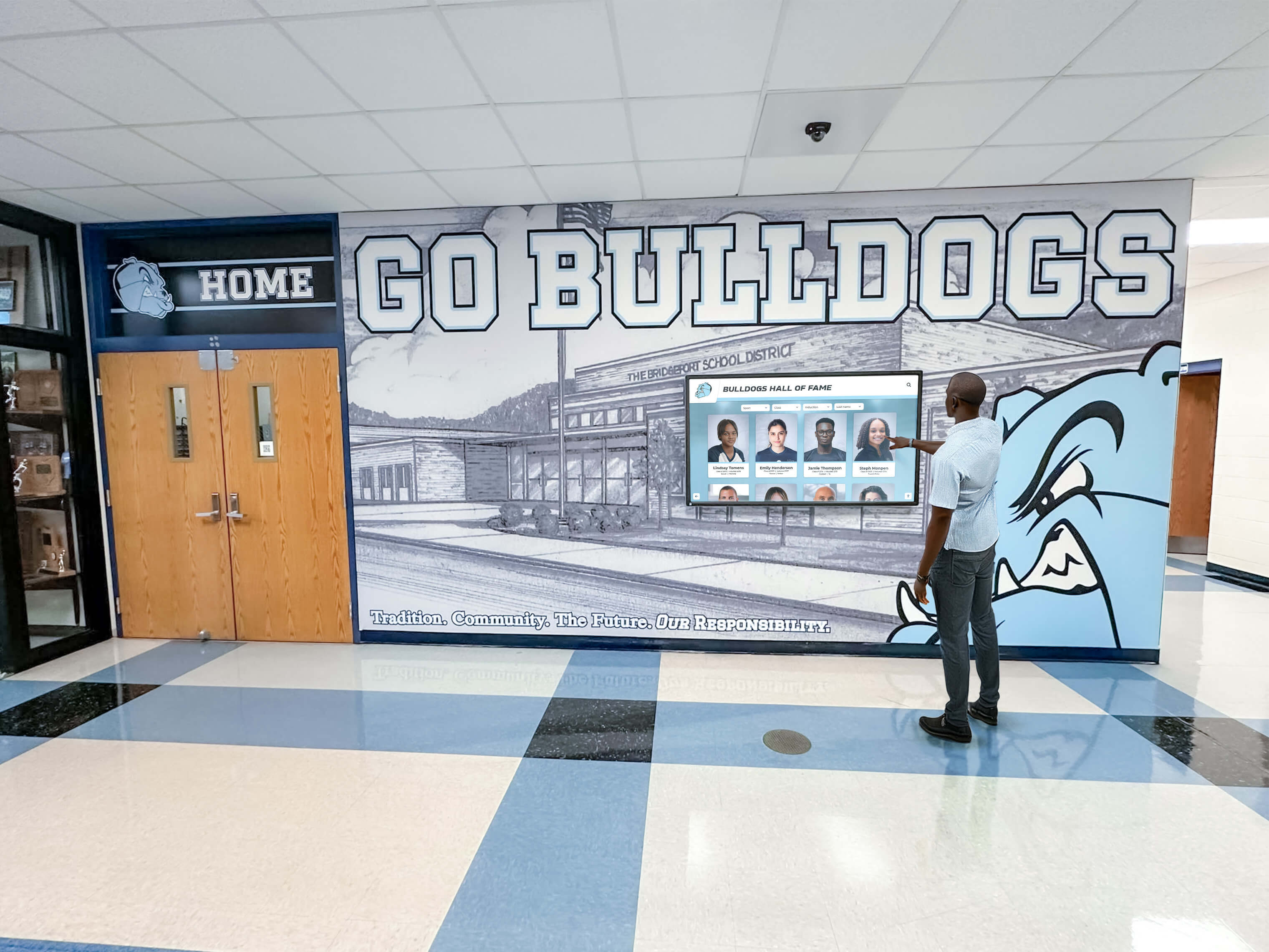
Touchscreen Recognition Display Speaker Audio Test Checklist: Isolate Source, Cable, and Speaker Faults
A touchscreen recognition display speaker audio test checklist addresses the problem that appears most often on game nights and induction ceremonies: the display looks perfect but no sound comes out—or the narration for an induction video is so distorted that families in the front row cannot understand a word. Audio failures on school recognition displays rarely stem from one cause. They trace back to a combination of source settings, cable routing, and speaker configuration that each passed an informal glance but were never tested together as a system.
Read MoreTouchscreen Recognition Display Backup Testing Checklist: Prove Recovery Before an Event
A touchscreen recognition display is only as valuable as its ability to perform on the moments that matter most—the Friday night home game, the annual athletic induction ceremony, the 20-year class reunion. When the display goes dark or loses content right before the gymnasium fills with proud families, there is no time to troubleshoot from scratch. A structured touchscreen recognition display backup testing checklist completed days before the event turns a stressful unknown into a verified guarantee.
Read More
Touchscreen Recognition Display Touch Calibration Verification Log
When a hall of fame recognition display starts registering touches in the wrong location—an athlete’s name tapped on the left side of the screen activates a record on the right—the visible symptom is obvious but the documentation trail is almost always missing. Recalibrating fixes the immediate problem. But without a touchscreen recognition display touch calibration verification log, the school has no record of when the offset began, how severe it was before correction, which calibration method was used, or whether the same display has needed recalibration three times in a single semester. That pattern—repeated offset on the same screen—is diagnostic information that points to a hardware fault, mounting vibration, or an OS configuration issue that recalibration alone will not resolve.
Read More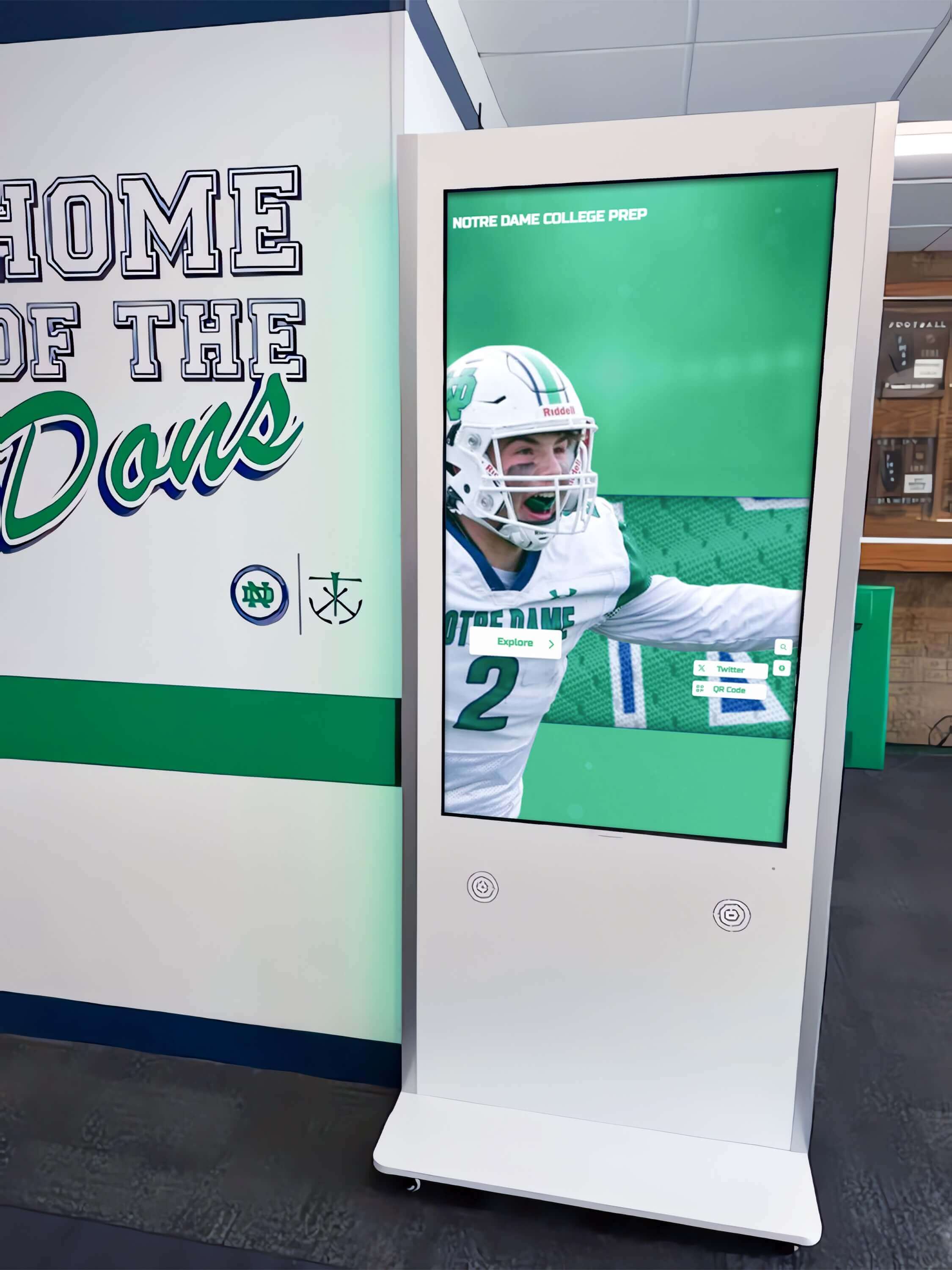
Touchscreen Recognition Display HDMI Cable Testing Checklist: Diagnose Black Screens and Signal Drops
A touchscreen recognition display that goes black in the middle of a hall of fame ceremony or shows a no-signal banner during homecoming is more than a technical inconvenience. It disrupts a public event, undermines confidence in the school’s recognition program, and leaves athletes, families, and alumni staring at a dark screen instead of the content that honors their achievements. In most cases, the failure traces back to the HDMI signal path—a cable past its reliable length, a port that lost contact during a cleaning shift, a resolution handshake the display cannot complete, or an extender that was never tested under full load.
Read MoreTouchscreen Recognition Display Kiosk Mode Configuration Checklist for School IT
A touchscreen recognition display in a school hallway, lobby, or athletic corridor is built to do one job: show the school’s history to students, staff, and visitors who walk past. Left in a standard Windows environment, that same display is also a full desktop computer accessible to anyone who touches it—capable of opening unauthorized applications, browsing the web, accessing district network resources, or landing on an error screen after an unexpected restart. Kiosk mode closes that gap by locking the display to a single approved application or controlled set of applications, restoring the session automatically after power loss, and ensuring touch input is calibrated correctly at all times.
Read MoreTrophy Case Condensation Prevention Checklist: Protect School Awards and Memorabilia
School trophy cases hold more than trophies. They hold championship banners from decades past, framed photographs of athletes who have since become coaches and parents, engraved plaques representing donors who shaped your program, and ribbons and medals that may be the only surviving record of a student’s proudest moment. When condensation forms inside a trophy case—and it will, if conditions allow—it doesn’t just fog the glass. It warps paper, oxidizes metal, grows mold on fabric, and blurs the photographs and ink text that make each artifact meaningful. By the time visible damage appears, the underlying process has often been underway for weeks.
Read More
Touchscreen Recognition Display Incident Response Playbook: Detect, Contain, Recover, and Document
A touchscreen recognition display in a school lobby or athletic corridor serves a purpose that most incident response frameworks never mention: it is the permanent, publicly visible record of what your student athletes achieved, what your donors gave, and who your community honored. When that kiosk goes blank before homecoming, shows corrupted content during a banquet, or behaves strangely on the network, the response cannot follow the same low-urgency queue as a printer outage. Recognition content has an audience, a calendar, and a reputational weight that makes timely, structured recovery matter.
Read MoreCategories
- Academic Excellence ( 11 )
- Academic Recognition ( 23 )
- Accessibility ( 6 )
- Admissions ( 2 )
- Admissions Strategy ( 1 )
- Agricultural Education ( 1 )
- Alumni Engagement ( 22 )
- Alumni Recognition ( 6 )
- Alumni Relations ( 1 )
- Alumni Resources ( 1 )
- Athletic Achievement ( 1 )
- Athletic Administration ( 2 )
- Athletic Competition ( 1 )
- Athletic Events ( 5 )
- Athletic Excellence ( 2 )
- Athletic Facilities ( 2 )
- Athletic Fundraising ( 2 )
- Athletic Leadership ( 1 )
- Athletic Programs ( 3 )
- Athletic Recognition ( 108 )
- Athletic Training ( 4 )
- Attendance Programs ( 1 )
- Augmented Reality ( 1 )
- AV Technology ( 2 )
- Aviation ( 1 )
- Awards ( 1 )
- Awards Programs ( 1 )
- Baseball Programs ( 1 )
- Basketball ( 1 )
- Basketball Programs ( 4 )
- Basketball Recognition ( 1 )
- Business Education ( 1 )
- Buying Guides ( 3 )
- Campus Design ( 1 )
- Campus Engagement ( 1 )
- Campus Life ( 1 )
- Campus Technology ( 5 )
- Career Celebrations ( 1 )
- Career Development ( 3 )
- Career Education ( 1 )
- Catholic Education ( 1 )
- Celebration Planning ( 1 )
- Ceremony Planning ( 1 )
- Championship Celebration ( 1 )
- Championship Celebrations ( 1 )
- Championship Display ( 2 )
- Championship Displays ( 5 )
- Championship Recognition ( 1 )
- Church Technology ( 3 )
- Club Activities ( 1 )
- Club Management ( 1 )
- Coaching Resources ( 5 )
- College Admissions ( 1 )
- College Athletics ( 2 )
- College History ( 1 )
- College Readiness ( 1 )
- Commercial Technology ( 2 )
- Community Building ( 1 )
- Community Engagement ( 7 )
- Community Programs ( 1 )
- Community Recognition ( 2 )
- Community Sports ( 1 )
- Construction Planning ( 1 )
- Content Creation ( 1 )
- Content Strategy ( 1 )
- Corporate Events ( 1 )
- Corporate Recognition ( 1 )
- CTE Programs ( 1 )
- Cultural Recognition ( 1 )
- Customer Engagement ( 1 )
- Customer Success ( 1 )
- Dance Team Recognition ( 1 )
- Design Strategy ( 1 )
- Design Systems ( 1 )
- Digital Archives ( 11 )
- Digital Content ( 1 )
- Digital Displays ( 36 )
- Digital Engagement ( 1 )
- Digital Management ( 1 )
- Digital Preservation ( 9 )
- Digital Recognition ( 21 )
- Digital Signage ( 11 )
- Digital Solutions ( 1 )
- Digital Storytelling ( 1 )
- Digital Tools ( 1 )
- Diversity & Inclusion ( 1 )
- Donor Recognition ( 20 )
- E-Sports Recognition ( 2 )
- Educational Leadership ( 1 )
- Educational Technology ( 1 )
- Elementary Education ( 1 )
- Employee Recognition ( 2 )
- Engagement Programs ( 1 )
- Event Marketing ( 1 )
- Event Planning ( 8 )
- Event Recognition ( 1 )
- Event Solutions ( 1 )
- Event Technology ( 1 )
- Facilities Management ( 2 )
- Facility Design ( 2 )
- Family Care ( 1 )
- Football ( 1 )
- Football Recognition ( 4 )
- Fundraising ( 9 )
- Gaming Achievement ( 1 )
- Graduation ( 1 )
- Greek Life ( 2 )
- Guest Services ( 1 )
- Hall of Fame ( 3 )
- Hardware Support ( 1 )
- Healthcare Solutions ( 1 )
- Healthcare Technology ( 1 )
- High School Sports ( 9 )
- Historical Displays ( 1 )
- Hockey Programs ( 1 )
- Hockey Recognition ( 1 )
- Homecoming Traditions ( 1 )
- Honor Walls ( 1 )
- HowTo ( 7 )
- Implementation Strategy ( 2 )
- Installation Services ( 14 )
- Interactive Design ( 1 )
- Interactive Displays ( 55 )
- Interactive Software ( 1 )
- Interactive Technology ( 15 )
- JROTC & Cadet Programs ( 1 )
- Kiosk Software ( 1 )
- Kiosk Technology ( 1 )
- Lacrosse ( 1 )
- Leadership Development ( 1 )
- Leadership Programs ( 3 )
- Legacy Recognition ( 1 )
- Library Technology ( 2 )
- Mac Software ( 1 )
- Member Recognition ( 1 )
- Memorial Programs ( 1 )
- Memorial Recognition ( 1 )
- Military & Veterans ( 1 )
- Military Recognition ( 2 )
- Museum Recognition ( 1 )
- Museum Technology ( 4 )
- Music Education ( 1 )
- Music Programs ( 3 )
- Nonprofit ( 2 )
- Performing Arts ( 3 )
- Performing Arts Recognition ( 3 )
- Platform Comparison ( 1 )
- Platform Technology ( 1 )
- Pricing & Costs ( 2 )
- Professional Recognition ( 1 )
- Professional Solutions ( 1 )
- Property Management ( 1 )
- Public Safety Recognition ( 1 )
- Recognition ( 4 )
- Recognition Displays ( 4 )
- Recognition Events ( 4 )
- Recognition Programs ( 5 )
- Recognition Solutions ( 2 )
- Recognition Systems ( 2 )
- Recognition Technology ( 3 )
- Reconocimiento Digital ( 1 )
- Record Keeping ( 1 )
- Recreation Sports ( 1 )
- Rugby Programs ( 1 )
- Sales Performance ( 1 )
- School Administration ( 3 )
- School Archives ( 2 )
- School Athletics ( 2 )
- School Awards ( 1 )
- School Branding ( 1 )
- School Celebrations ( 3 )
- School Communication ( 2 )
- School Community ( 4 )
- School Culture ( 9 )
- School Design ( 2 )
- School Displays ( 4 )
- School Engagement ( 1 )
- School Events ( 10 )
- School Fundraising ( 2 )
- School History ( 27 )
- School Leadership ( 1 )
- School Marketing ( 3 )
- School Programs ( 2 )
- School Recognition ( 20 )
- School Spirit ( 12 )
- School Technology ( 30 )
- School Traditions ( 6 )
- Senior Celebration ( 1 )
- Senior Night ( 10 )
- Soccer Programs ( 1 )
- Social Media ( 1 )
- Software Solutions ( 3 )
- Software Tools ( 1 )
- Sports Awards ( 2 )
- Sports Excellence ( 2 )
- Sports History ( 2 )
- Sports Management ( 1 )
- Sports Marketing ( 1 )
- Sports Photography ( 1 )
- Sports Recognition ( 25 )
- Staff Appreciation ( 2 )
- Staff Recognition ( 5 )
- STEM Education ( 1 )
- Student Achievement ( 24 )
- Student Activities ( 1 )
- Student Engagement ( 10 )
- Student Experience ( 1 )
- Student Leadership ( 1 )
- Student Life ( 2 )
- Student Recognition ( 47 )
- Student Resources ( 1 )
- Student Success ( 1 )
- Swimming Programs ( 3 )
- Teacher Excellence ( 1 )
- Team Building ( 2 )
- Team Celebrations ( 1 )
- Team Culture ( 1 )
- Team Development ( 1 )
- Team Recognition ( 8 )
- Team Resources ( 1 )
- Technical Guide ( 1 )
- Technology ( 3 )
- Technology Guide ( 1 )
- Technology Planning ( 1 )
- Technology Solutions ( 1 )
- Tecnología Educativa ( 1 )
- Touchscreen Hardware ( 1 )
- Touchscreen Innovation ( 1 )
- Touchscreen Software ( 1 )
- Touchscreen Technology ( 3 )
- Tournament Displays ( 1 )
- Tournament Preparation ( 1 )
- Track & Field ( 1 )
- Track Recognition ( 1 )
- Traditions ( 1 )
- Trophy Display ( 3 )
- Trophy Recognition ( 1 )
- University Technology ( 1 )
- User Experience ( 2 )
- Video Content ( 4 )
- Video Demonstrations ( 1 )
- Video Guides ( 2 )
- Video Production ( 2 )
- Video Tours ( 26 )
- Visitor Experience ( 1 )
- Volunteer Programs ( 1 )
- Wayfinding Technology ( 1 )
- Wellness Programs ( 1 )
- Wrestling History ( 1 )
- Youth Athletics ( 1 )
- Youth Sports ( 5 )
Tags
- 1000 Points Scorer
- 5K Fundraiser
- 802.1X
- AAU Basketball
- Academic Achievement
- Academic All-American
- Academic Archives
- Academic Awards
- Academic Competition
- Academic Display
- Academic Excellence
- Academic History
- Academic Honors
- Academic Recognition
- Academic Regalia
- Acceptance Testing
- Accessibility
- Accessibility Audit
- Achievement Display
- Achievement Recognition
- ACT 30 Club
- ACT 36
- ACT Recognition
- ACT Scores
- Action Photography
- ADA Compliance
- Admissions
- Admissions Technology
- Admissions Tours
- Advanced Placement
- After School Activities
- Agility Ladder Drills
- Agility Training
- Agricultural Education
- AI Content Creation
- Air Traffic Control
- All State Musicians
- All-American Athlete
- All-Region Recognition
- All-Star Recognition
- Alumni Advice
- Alumni Centers
- Alumni Connections
- Alumni Engagement
- Alumni Events
- Alumni Gathering Areas
- Alumni Golf Events
- Alumni Memories
- Alumni Mentorship
- Alumni Networking
- Alumni of the Month
- Alumni Office
- Alumni Pride
- Alumni Programs
- Alumni Recognition
- Alumni Relations
- Alumni Resources
- Alumni Service
- Alumni Spotlight
- Alumni Success Stories
- Alumni Welcome Area
- America 250
- Android Kiosk
- Annual Review
- AP Scholar
- AP Scholar Awards
- Apartment Digital Displays
- Aquatic Recognition
- AR Displays
- Archive Displays
- Arena Technology
- ARIA-Pressed
- Arizona High School Football
- Art Education
- Art Gallery Display
- Artifact Digitization
- Arts Recognition
- Assigned Access
- Assisted Living
- Athlete of the Week
- Athlete Photos
- Athlete Profiles
- Athlete Recognition
- Athlete Recovery
- Athletic Achievement
- Athletic Achievements
- Athletic Administration
- Athletic Alumni Day
- Athletic Archive
- Athletic Archive Audio Channel Mapping Checklist
- Athletic Archive Audio Clipping Detection
- Athletic Archive Audio DC Offset Correction
- Athletic Archive Audio Noise Reduction Workflow
- Athletic Archive Gate Weave Stabilization
- Athletic Archive Lens Distortion Correction
- Athletic Archive Silver Mirroring Inspection
- Athletic Archive Tape Head Clog Detection Workflow
- Athletic Archives
- Athletic Awards
- Athletic Banquet
- Athletic Banquet Slideshow
- Athletic Building
- Athletic Celebration
- Athletic Commitments
- Athletic Competition
- Athletic Department Tools
- Athletic Development
- Athletic Director
- Athletic Directors
- Athletic Display
- Athletic Displays
- Athletic Events
- Athletic Excellence
- Athletic Facilities
- Athletic Facility Branding
- Athletic Fundraising
- Athletic Graphics
- Athletic Hall of Fame
- Athletic Highlights
- Athletic History
- Athletic Identity Display
- Athletic Letter Ceremony
- Athletic Management
- Athletic Media
- Athletic Photography
- Athletic Preparation
- Athletic Program Marketing
- Athletic Programs
- Athletic Recognition
- Athletic Record Board
- Athletic Records
- Athletic Signage
- Athletic Timeline Wall
- Athletic Tradition Wall
- Athletic Traditions
- Athletic Typography
- Athletic Video
- Athletic Videos
- Athletic Wall of Fame
- Athletics Equity
- Athletics Recognition
- Attendance Programs
- Attendance Recognition
- Attorney Recognition
- Audio Archiving
- Audio Channel Mapping
- Audio Description
- Audio Noise Reduction
- Audio Preservation
- Audio Quality Control
- Audio Testing
- Audio Transcription
- Audio Waveform Correction
- Augmented Reality
- AV Commissioning
- AV Troubleshooting
- AV Validation
- Aviation Awards
- Award Ceremonies
- Award Ceremony Slideshow
- Award Display
- Award Plaques
- Award Programs
- Award Winners
- Awards
- Awards Categories
- Awards Ceremony
- Awards Programs
- Awards Recognition
- Awards Touchscreen
- Back to School
- Backlight Bleed
- Backup Testing
- Ball Control
- Ballpark Village
- Band Recognition
- Bandwidth Delay Product
- Banner Alternatives
- Banner Design
- Banner Inventory
- Banner Preservation
- Banner Retirement
- Banner Safety
- Barrel Distortion
- Baseball Awards
- Baseball Ceremony
- Baseball Hall of Fame
- Baseball History
- Baseball Museum
- Baseball Programs
- Baseball Senior Night
- Baseball Tournaments
- Baseball Traditions
- Basketball
- Basketball Awards
- Basketball Banquet
- Basketball Drills
- Basketball Hall of Fame
- Basketball Honors
- Basketball Museum
- Basketball Programs
- Basketball Recognition
- Basketball Records
- Basketball Season
- Basketball Tradition
- Basketball Training
- Basketball Tryouts
- BBBS Alumni
- Birthday Recognition
- Black Screen
- Bleacher Renovation
- Bond Funding
- Book Preservation
- Booster Club
- Booster Club Fundraisers
- Booster Clubs
- Booth Design
- Boston Bruins
- Boston Celtics
- BPDU Filter
- BPDU Guard
- Brand Management
- Broadcast Archives
- Budget Planning
- Budget Solutions
- Building Dedication
- Building Directory
- Business Education
- Buying Guide
- Cadet Milestones
- Cadet Programs
- Calibration Guide
- Camera Settings
- Campus Ambassadors
- Campus Design
- Campus Digital Signage
- Campus Directory
- Campus Engagement
- Campus Events
- Campus Life
- Campus Navigation
- Campus Solutions
- Campus Technology
- Campus Tour
- Campus Tours
- Campus Visits
- Campus Walkthrough
- Campus Wayfinding
- Capacitive Touch
- Capital Campaign
- Capital Campaigns
- Caption Guidelines
- Cardinals Museum
- Career Celebration
- Career Development
- Career Technical Education
- Carousel Alternative
- Cast Recognition
- Catholic Church Technology
- Catholic Schools
- Catholic Values
- Celebration Food
- Champion Team Photos
- Championship Awards
- Championship Banner Display
- Championship Banner Inspection Checklist
- Championship Banner Replacement Policy
- Championship Banner Storage Guide
- Championship Banners
- Championship Brackets
- Championship Celebration
- Championship Display
- Championship History
- Championship Photography
- Championship Preparation
- Championship Recognition
- Championship Records
- Championship Teams
- Chapter History
- Chapter Recognition
- Cheerleading Competition
- Chess Club
- Child Life Services
- Children's Hospital
- Children's Hospitals
- Church Communication
- Church Donor Recognition
- Church Fundraising
- Church Giving Kiosk
- Church Information Display
- Church Sports
- Church Stewardship
- Church Technology
- Civil Air Patrol
- Class Committee
- Class Composite
- Class of 2026
- Class Officers
- Class Photos
- Class Pictures
- Class Presentation
- Class President
- Class Rank
- Class Recognition
- Class Reunion
- Class Reunion Games
- Class Reunion Ideas
- Class Reunion Planning
- Class Reunion Shirts
- Classroom Activities
- Classroom Projects
- Client Experience
- Closed Captions
- Cloud Signage
- Club Fundraising
- Club Recognition
- Club Sports
- Club Swimming
- Coach Appreciation
- Coach Gifts
- Coach Interviews
- Coaching
- Coaching Basketball
- Coaching Resources
- Coaching Strategy
- Cold Weather School Entrance
- College Activities
- College Admissions
- College Ambassador Programs
- College Athletics
- College Colors Day
- College Commitment
- College Commitments
- College Culture
- College Decision Day
- College Football
- College History
- College Readiness
- College Recreation
- College Recruiting
- College Signing
- College Signing Day
- College Sports
- College Success
- College Tours
- Collegiate Experience
- Comeback Player of the Year
- Commencement
- Commencement Planning
- Community Building
- Community Celebration
- Community College Sports
- Community Culture
- Community Engagement
- Community Events
- Community Heritage
- Community Impact
- Community Legacy
- Community Pride
- Community Projects
- Community Recognition
- Community Showcase
- Company Events
- Compensation
- Competition Tracking
- Competitive Events
- Competitive Excellence
- Competitive Gaming
- Compliance Tracking
- Composite Photos
- Concert Videos
- Condensation Prevention
- Conference Championships
- Conference Recognition
- Construction Planning
- Content Ideas
- Content Management
- Content Strategy
- Corporate Culture
- Corporate Displays
- Corporate Facilities
- Corporate Gatherings
- Country Club Recognition
- Country Clubs
- Courtroom Technology
- Creative Problem Solving
- Creative Projects
- Cross Country
- CTE Displays
- CTE Programs
- Cultural Heritage
- Cultural Heritage Technology
- Cultural Recognition
- Custom Layouts
- Customer Engagement
- Customer Experience
- Customer Success
- D3 Sports
- DAM Systems
- Dan Gable
- Dance Planning
- Dance Team
- Dance Team Recognition
- Data Security
- Database Management
- DC Offset Removal
- Dean's List
- Debate Recognition
- Deceased Faculty
- Dedication Ceremony
- Dementia Care
- Denoise Audio
- Dental Office Displays
- Design Systems
- Destination Imagination
- DHCP Snooping
- DHCP Starvation
- Digital Archive
- Digital Archives
- Digital Art Gallery
- Digital Asset Management
- Digital Awards
- Digital Collections
- Digital Communication
- Digital Composite
- Digital Concierge
- Digital Content
- Digital Directory
- Digital Display
- Digital Displays
- Digital Donations
- Digital Donor Recognition
- Digital Donor Walls
- Digital Engagement
- Digital Evidence
- Digital Exhibits
- Digital Hall of Fame
- Digital Hall of Fame ARIA-Pressed Audit
- Digital History
- Digital History Archive
- Digital History Tools
- Digital HOF
- Digital Innovation
- Digital Kiosk
- Digital Kiosks
- Digital Leaderboard
- Digital Leaderboards
- Digital Library
- Digital Museums
- Digital Plaque Display
- Digital Plaques
- Digital Playbills
- Digital Preservation
- Digital Recognition
- Digital Recognition Displays
- Digital Recognition Wall
- Digital Record Board
- Digital Record Boards
- Digital Records
- Digital Showcase
- Digital Signage
- Digital Signage for Schools
- Digital Signage Pricing
- Digital Signage Screens
- Digital Signage Services
- Digital Signage Software
- Digital Storytelling
- Digital Timeline
- Digital Touchscreen
- Digital Trophies
- Digital Trophy Case
- Digital Trophy Touch Wall
- Digital Trophy Wall
- Digital Wall of Fame
- Digital Wayfinding
- Digital Yearbooks
- Digitize Yearbooks
- DII Recognition
- Discovery Board
- Display Cooling
- Display Design
- Display Hardware
- Display Layout
- Display Management
- Display Mounting
- Display Solutions
- Display Stream Compression
- Display Technology
- Display Testing
- Displays Interactivos
- Distinguished Alumni
- Diversity Programs
- Division I Athletics
- Division II Athletics
- Division III Athletics
- DIY Posters
- Document Management
- Donor Appreciation
- Donor Credits
- Donor Engagement
- Donor Recognition
- Donor Recognition Screen
- Donor Recognition Signage
- Donor Retention
- Donor Stewardship
- Donor Walls
- Dorm Technology
- Drake Stadium
- Drama Club Recognition
- Drama Programs
- Drill Team
- Drumline Recognition
- DSC
- E-Sports
- E-Sports Championships
- Easescreen
- ECNL Soccer
- Educational Archives
- Educational Excellence
- Educational Fundraising
- Educational History
- Educational Recognition
- Educational Technology
- Educator Excellence
- Educator Recognition
- Educator Remembrance
- Educator Retention
- Elementary School
- Elite Athletics
- Employee Appreciation
- Employee Motivation
- Employee Recognition
- Employee Recognition Programs
- End of Season Awards
- End of Year Awards
- End-of-Season Banquet
- Engagement Strategy
- Engineering Competitions
- Enrollment
- Equipment Manufacturing
- Event Displays
- Event Ideas
- Event Management
- Event Marketing
- Event Planning
- Event Preparation
- Event Recognition
- Event Slides
- Event Technology
- Exhibition Strategy
- Extraordinary Work Team Recognition Day
- Facilities Management
- Facilities Manager Salary
- Facilities Naming
- Facility Management
- Facility Planning
- Facility Scheduling
- Faith Community
- Faith-Based Education
- Faith-Based Programs
- Fall Sports
- Fallen Heroes
- Family Caregiving
- Family Engagement
- Famous Alumni
- Fan Engagement
- Fan Experience
- Fan Experience Centers
- Fan Noise Diagnosis
- Fantasy Football
- FBLA Awards
- FBLA Recognition
- Fenway Park
- FERPA Compliance
- FFA Awards
- FFA Chapter
- FHSAA Playoffs
- Field Hockey
- Field Hockey Season
- Film Digitization
- Film Stabilization
- First Day of School
- First Responders
- Florida High School Football
- Food Fundraising
- Football Awards
- Football Championships
- Football Gifts
- Football Playoffs
- Football Recognition
- Football Senior Night
- Football Strategy
- Football Traditions
- Football Trick Plays
- Footwork Drills
- Forensics Recognition
- Fraternity Composites
- Fraternity History
- Fraternity Recognition
- Free Design Tools
- Free Kiosk App
- Free School Software
- Freestyle Swimming
- Freshman Orientation
- Full-Service Support
- Fundraiser Ideas
- Fundraiser Ideas for Clubs
- Fundraising
- Fundraising Best Practices
- Fundraising Events
- Fundraising Ideas
- Fundraising Technology
- Funny Awards
- Funny Yearbook Quotes
- Gala Fundraiser
- Gallery Technology
- Game Day Traditions
- Game-Winning Plays
- Gaming Athletes
- Gaming Recognition
- Gate Weave
- Gatorade Player of the Year
- Gelatin Silver Prints
- Gesture Settings
- Gipper Alternative
- Giving Tuesday
- Glove Mode
- Goalie Achievement
- Goalie Awards
- Goalkeeper Drills
- Goalkeeper Skills
- Goalkeeper Training
- Golf Alumni Recognition
- Golf Club Technology
- Golf Course Technology
- Golf Hall of Fame
- Golf Leaderboards
- Golf Team History
- Golf Tournament
- GPA
- GPA Requirements
- Graduate Connections
- Graduate Display
- Graduate Wisdom
- Graduation
- Graduation Celebration
- Graduation Ceremony
- Graduation Display
- Graduation Honors
- Graduation Ideas
- Graduation Party
- Graduation Program
- Graduation Slideshow
- Graduation Speech
- Graduation Stoles
- Graduation Videos
- Grant Funding
- Gratitude Displays
- Greek Life
- Guest Services
- Gym Banners
- Gym Lobby
- Gym Wall Space
- Gymnasium
- Gymnasium Upgrades
- Hall of Fame
- Hall of Fame Display
- Hall of Fame Displays
- Hall of Fame Planning
- Hall of Fame Software
- Hallway Design
- Hallway Displays
- Hallway Murals
- Hardware Optimization
- Hardware Support
- HDMI Troubleshooting
- Healthcare Technology
- Helmet Display Case
- Heritage Displays
- Heritage Months
- Heritage Preservation
- Heritage Recognition
- Hidden Costs
- High School
- High School Athletics
- High School Awards
- High School Baseball
- High School Championships
- High School Drama
- High School Football
- High School Fundraising
- High School Graduation
- High School Hockey
- High School Lobby
- High School Playoffs
- High School Recognition
- High School Reunion
- High School Sports
- High School Swimming
- High School Technology
- High School Wall of Fame
- High Schools
- High-Resolution Video
- Historic Game Audio
- Historic Game Film
- Historic Game Recordings
- Historic Game Video
- Historic Team Photographs
- Historic Team Photos
- Historical Displays
- Historical Photos
- Historical Preservation
- Historical Recognition
- Historical Records
- Historical Timeline
- History Exhibits
- History Preservation
- History Programs
- Hockey Programs
- Hockey Recognition
- Hockey Touchscreen
- Holiday Celebrations
- Home Care
- Homecoming
- Homecoming Court
- Homecoming History
- Homecoming King
- Homecoming Mums
- Homecoming Parade
- Homecoming Proposal
- Homecoming Queen
- Homecoming Season
- Homecoming Tradition
- Homecoming Traditions
- Homecoming Week
- Honor Displays
- Honor Roll
- Honor Roll Display
- Honor Society
- Honor Wall
- Horse Racing
- Hospitality Technology
- Hotel Kiosks
- How to Make a Record Board
- IGMP Snooping
- Image Conversion
- Image Preservation
- Image Quality
- Implementation
- Implementation Guide
- Implementation Planning
- In Memoriam
- Incident Response
- Inclusive Design
- Inductee Recognition
- Inductee Videos
- Industry Certifications
- Innovation
- Input Drift
- Installation Services
- Institutional Heritage
- Institutional History
- Institutional Memory
- Interactive Awards
- Interactive Content
- Interactive Design
- Interactive Directory
- Interactive Display
- Interactive Display Board
- Interactive Displays
- Interactive Donor Boards
- Interactive Entertainment
- Interactive Exhibits
- Interactive Galleries
- Interactive History
- Interactive Kiosk
- Interactive Kiosks
- Interactive Memorials
- Interactive Memory
- Interactive Museum
- Interactive Museums
- Interactive Recognition
- Interactive Software
- Interactive Storytelling
- Interactive Technology
- Interactive Timeline
- Interactive Touchscreen
- Interactive Touchscreens
- Interface Design
- Interior Design
- Interview Preparation
- Intramural Sports
- Inverse Telecine
- Iowa High School Track
- IT Infrastructure
- IVTC
- Jersey Retirement
- Job Search
- Journalism Projects
- JROTC
- JROTC Recognition
- JuCo Athletics
- Junior College
- Junior High Yearbooks
- Junior Varsity Recognition
- Justice Innovation
- JV Hockey
- Kids Sports
- Kioscos Interactivos
- Kiosk App
- Kiosk Browser
- Kiosk Display
- Kiosk Maintenance
- Kiosk Management
- Kiosk Mode
- Kiosk Mode Mac
- Kiosk Networking
- Kiosk Software
- Kiosk Traffic
- Lacrosse Awards
- Lacrosse Coaching
- Large Athletic Video
- Law Firm Technology
- LCD Displays
- Leadership
- Leadership Development
- Leadership Recognition
- League Awards
- LED Technology
- Legacy Athletes
- Legacy Preservation
- Legacy Programs
- Legacy Wall
- Legal Technology
- Letter Winners
- Letterman Jacket
- Letterman Recognition
- Letterwinner Recognition
- Library Collections
- Library Technology
- Library Touchscreen
- Link Failure Recovery
- Little League
- Lobby Displays
- Lobby Signage
- Locker Room Recognition
- Mac Kiosk Software
- Mac Touch Display
- Mac Touchscreen Software
- Madison Square Garden
- Maintenance Log
- Maple Lake
- Marching Band
- Mascot Selection
- Mascot Unveiling
- MDM Device Management
- Media Day Pictures
- Media Library
- Media Partnerships
- Media Preservation
- Meet Management
- Member Engagement
- Member Recognition
- Member-Showcase
- Memorabilia Preservation
- Memorial Displays
- Memorial Tributes
- Memory Display
- Memory Wall
- Mentorship
- Mentorship Programs
- Middle School
- Middle School Yearbooks
- Military Appreciation Month
- Military Memorabilia
- Military Recognition
- Military Tributes
- Missouri Football
- MLB
- Motion Clarity
- MSHSAA
- MSS Clamping
- Multi-Screen Management
- Multi-Screen Signage
- Multi-Touch Technology
- Multi-Year Contracts
- Multicast Media
- Multicast Storm Control
- Museum Displays
- Museum Kiosks
- Museum Software
- Museum Technology
- Museum Touchscreens
- Music Awards
- Music Education
- Music Programs
- Music Recognition
- Musical Recognition
- Musical Theatre
- MWE-QIXZOCV
- Naming Rights
- National Championship
- National Championship Trophy
- National Junior Honor Society
- National Merit Scholars
- National Signing Day
- National-Honor-Society
- Nationals Preparation
- Native Applications
- NBA Arenas
- NCA Cheer
- NCAA Recognition
- Network Authentication
- Network Diagnostics
- Network Management
- Network Optimization
- Network Reliability
- Network Security
- Network Segmentation
- Network Troubleshooting
- New Building
- NFL Icons
- NFL Stadiums
- NHS Induction
- NHS Requirements
- Nhs-Recognition
- NJCAA
- NJHS
- Non-Destructive Scanning
- Nonprofit Donor Recognition
- Nonprofit Recognition
- Nonprofit Technology
- Nonprofit Volunteers
- Notable Graduates
- Ohio Basketball
- Old School Photos
- Oldtimers Wall
- OLED Screens
- Olympic Athletes
- Olympic Recognition
- Olympic Training
- One-Time Payment
- Oral History
- Orchestra Instruments
- Orientation Flight
- Outlet Malls
- Padel
- Pantallas Táctiles
- Parental Consent
- Parish Fundraising
- Party Games
- Party Menu Ideas
- Party Planning
- Path MTU
- Patient Engagement
- Patriotic Displays
- Patron Engagement
- Pediatric Care
- Peer Leadership
- Peer Mentoring
- Pennsylvania Sports
- Pep Band
- Pep Rally
- Pep Rally Ideas
- Percussion
- Percussion Section
- Perfect ACT Score
- Perfect Attendance
- Perfect Score
- Performance Center
- Performing Arts
- Perseverance
- Phi Alpha Theta
- Philanthropy
- Photo Archive
- Photo Archiving
- Photo Booth Software
- Photo Cleanup
- Photo Galleries
- Photo Organization
- Photo Preservation
- Photo Restoration
- Photo Scanning
- Photography Class
- Photography Techniques
- Pickleball
- Pincushion Distortion
- Plaque Wording
- Platform Governance
- Playbill Displays
- Player Evaluation
- Player Recognition
- Player Stories
- Playoff Recognition
- Playoffs
- PMTUD
- Pool Record Board
- Port Mirroring
- PortFast
- Poster Design
- Poster Ideas
- Power Four
- Practice Marketing
- Preservation Masters
- President's List
- Pricing Guide
- Pricing Models
- Private Club
- Private School
- Product Demonstrations
- Product Reviews
- Professional Legacy
- Professional Networking
- Professional Recognition
- Professional Sports
- Professional Sports Venues
- Property Displays
- Property Management Technology
- Prospective Students
- Public Events
- Race Recognition
- RADIUS Change of Authorization
- RADIUS CoA
- RADIUS Failover
- Rapid Spanning Tree Protocol
- RAW to TIFF
- Real Estate Technology
- Recognition Awards
- Recognition Board
- Recognition Calendar
- Recognition Ceremonies
- Recognition Display
- Recognition Display BPDU Filter Safety Check
- Recognition Display Cooling Fan Noise
- Recognition Display Glove Mode Test
- Recognition Display Multicast Storm Control
- Recognition Display RADIUS Failover Test
- Recognition Display RS-232 Control Test
- Recognition Display RSTP Convergence Test
- Recognition Display Stream Compression Test
- Recognition Display TCP MSS Baseline
- Recognition Display TCP Window Scaling
- Recognition Displays
- Recognition Event
- Recognition Events
- Recognition Hardware
- Recognition Ideas
- Recognition Plaque
- Recognition Platforms
- Recognition Programs
- Recognition Software
- Recognition Spaces
- Recognition Systems
- Recognition Technology
- Recognition Tools
- Reconocimiento Atlético
- Reconocimiento Digital
- Record Board
- Record Board Template
- Record Boards
- Recovery
- Recreation Technology
- Regional Honors
- Religious Institutions
- Residence Hall Technology
- Resident Communication
- Resident Recognition
- Resilience
- Response Time
- Retail Technology
- Retired Jersey
- Retirement Party Ideas
- Reunion Committee
- Reunion Display Board
- Reunion Ideas
- Reunion Planning
- Reunion Tools
- RFC 1323
- Rhode Island Rams
- Rhode Island Universities
- Robotics
- Rocket Alumni Solutions
- Rocket Graphics
- Rocket Recognition
- Rocket Touchscreen
- Roster Management
- RS-232 Display Control
- RSTP
- Rugby Programs
- Running Programs
- Rural Education
- Russ Houk
- Sales Leaderboard
- Sales Performance
- Sales Recognition
- Salutatorian
- Salón De La Fama
- San Jose Arena
- San Jose Sharks
- SAP Center
- Saratoga Springs
- SAT Scores
- Scanned Photos
- Scholar-Athletes
- Scholarship Guide
- School Activities
- School Administration
- School Announcements
- School Architecture
- School Archives
- School Archiving
- School Athletics
- School Awards
- School Banners
- School Branding
- School Budgets
- School Calendar
- School Celebrations
- School Ceremonies
- School Clubs
- School Communication
- School Communications
- School Community
- School Consolidation
- School Construction
- School Culture
- School Dance
- School Dance Themes
- School Design
- School Digital Displays
- School Digital Signage
- School Display Cases
- School Displays
- School Districts
- School Entrance
- School Events
- School Facilities
- School Fundraising
- School Gyms
- School Hallway
- School Hallway Design
- School Heritage
- School Highlight Reel
- School History
- School History Display
- School History Software
- School Hype Video
- School Identity
- School Investment
- School IT
- School IT Checklist
- School Lobby
- School Marketing
- School Mascot
- School Memories
- School Mergers
- School Murals
- School Music
- School Network
- School Organizations
- School Pride
- School Privacy
- School Profiles
- School Programs
- School Recognition
- School Recognition Days
- School Recognition Display
- School Recognition Display DHCP Starvation Protection Test
- School Recognition Display IGMP Snooping Test
- School Recognition Display Port Mirroring Test
- School Recognition Display RADIUS Change of Authorization Test
- School Recognition Displays
- School Record Board
- School Records
- School Recruitment
- School Renovation
- School Rivalries
- School Seating
- School Social Media
- School Spirit
- School Sports
- School Sports Program History
- School Support
- School Technology
- School Theater
- School Tradition
- School Traditions
- School Trophy Case
- School Video
- School Virtual Tour
- School Volunteers
- School Welcome Video
- Science Fair
- Screen Reader
- Screen Tearing
- Searchable Archives
- Season End
- SEC Basketball
- SEC Sports
- Sectional Champions
- Selection Criteria
- Self-Service Kiosks
- Semester Recognition
- Semiquincentennial
- Senior Athletes
- Senior Awards
- Senior Care
- Senior Class
- Senior Class Recognition
- Senior Composite
- Senior Living
- Senior Mentors
- Senior Night
- Senior Night Banners
- Senior Night Gifts
- Senior Night Signs
- Senior Posters
- Senior Quotes
- Senior Recognition
- Senior Showcase
- Senior Slideshow
- Senior Speech
- Senior Superlatives
- Senior Tribute Video
- Senior Year
- Serial Display Control
- Service Member Recognition
- Shopping Centers
- Signal Drop
- Signal Integrity
- Signing Ceremonies
- Signing Day
- Signing Day Ceremony
- Silver Mirroring
- Small Schools
- Smart Buildings
- Soccer All-Stars
- Soccer Awards
- Soccer Coaching
- Soccer Footwork Drills
- Soccer Goalie Drills
- Soccer Playoffs
- Soccer Programs
- Soccer Senior Night
- Soccer Traditions
- Soccer Training
- Social Media
- Social Media Graphics
- Social Media Ideas
- Software Performance
- Software Selection
- Software Solutions
- Sorority Archives
- Sorority Composites
- Space Planning
- Spanning Tree
- Spanning Tree Protocol
- Speaker Audio
- Speech and Debate
- Speed Training
- Spirit Day
- Spirit Days
- Spirit Week
- Spirit Week Themes
- Split-Screen Layout
- Sponsor Recognition
- Sports Achievement
- Sports Alumni Wall
- Sports Awards
- Sports Awards Slideshow
- Sports Banquet
- Sports Banquet Slideshow
- Sports Banquets
- Sports Boosters
- Sports Ceremonies
- Sports Content
- Sports Digital Signage
- Sports Displays
- Sports Documentation
- Sports Excellence
- Sports Facilities
- Sports Fundraising
- Sports Hall of Fame
- Sports Highlight Reel
- Sports History
- Sports History Display
- Sports Leadership
- Sports Management
- Sports Marketing
- Sports Media Day
- Sports Memorabilia
- Sports Milestones
- Sports Ministry
- Sports Museums
- Sports Parents
- Sports Performance
- Sports Photo Tips
- Sports Photography Settings
- Sports Programs
- Sports Recognition
- Sports Recognition Programs
- Sports Records
- Sports Recovery
- Sports Roster
- Sports Seasons
- Sports Software
- Sports Team Fundraiser Ideas
- Sports Team Social Media
- Sports Technology
- Sports Tradition
- Sports Traditions
- Sports Training
- Sports Venue
- Sports Venues
- Sports Video
- Spring Sports
- Squad Training
- St. Louis Athletics
- Stadium Technology
- Staff Appreciation
- Staff Morale
- Staff Recognition
- Standardized Testing
- State Championships
- State Tournament
- State Tournament Bracket
- State Track Meet
- STEAM Education
- STEM Projects
- Strategic Achievement
- String Instruments
- Student Achievement
- Student Achievements
- Student Activities
- Student Art
- Student Athlete Recognition
- Student Athlete Scholarships
- Student Athletes
- Student Awards
- Student Celebrations
- Student Communication
- Student Council
- Student Engagement
- Student Events
- Student Excellence
- Student Government
- Student Leaders
- Student Leadership
- Student Mentorship
- Student Musicians
- Student Organizations
- Student Performance
- Student Photo Privacy
- Student Recognition
- Student Recruitment
- Student Success
- Student Tributes
- Student Videos
- Student Work
- Student-Athlete Awards
- Student-Spotlight
- Subscription Pricing
- Swim Meet
- Swim Meet Posters
- Swim Team
- Swim Team Recognition
- Swim Technique
- Swimming
- Swimming Awards
- Swimming Freestyle Technique
- Swimming Programs
- Swimming Recognition
- Swimming Training
- Switch Configuration
- Switch Port Safety
- Tape Digitization
- Tape Head Clog Detection
- TCP MSS Clamping
- TCP Window Scaling
- TD Garden
- Teacher Appreciation
- Teacher Cards
- Teacher of the Year
- Teacher Recognition
- Teacher Retention
- Teacher Retirement
- Team Awards
- Team Banquet
- Team Banquet Slideshow
- Team Building
- Team Captain
- Team Celebration
- Team Celebrations
- Team Culture
- Team Fundraising
- Team Gifts
- Team GPA
- Team History
- Team History Wall
- Team Morale
- Team Performance
- Team Photo Ideas
- Team Photography
- Team Photos
- Team Recognition
- Team Records
- Team Room Athlete Features
- Team Roster Template
- Team Selection
- Team Social Media
- Team Updates
- Team USA
- Technical Setup
- Technical Support
- Technology Evolution
- Tecnología Educativa
- Telecine Pulldown Removal
- Tennis Recognition
- Test Scores
- Texas Football
- Texas Traditions
- Thanksgiving
- Thanksgiving Football
- Thanksgiving Parades
- Theater Recognition
- Theatre Recognition
- Therapeutic Gaming
- Therapeutic Play
- Thoroughbred Racing
- Time Capsule
- Timeline Displays
- Timing Systems
- Title IX
- Toggle Controls
- Touch Accuracy
- Touch Board
- Touch Calibration
- Touch Screen Kiosk
- Touch Screen Technology
- Touch Screen Video Wall
- Touch Technology
- Touch Wall
- Touch-Base
- Touchscreen Accessibility
- Touchscreen Configuration
- Touchscreen Demo
- Touchscreen Demos
- Touchscreen Design
- Touchscreen Directory
- Touchscreen Display
- Touchscreen Displays
- Touchscreen Driver
- Touchscreen Events
- Touchscreen Games
- Touchscreen Giving
- Touchscreen Hall of Fame
- Touchscreen Hardware
- Touchscreen History
- Touchscreen Installation
- Touchscreen Kiosk
- Touchscreen Kiosk Software
- Touchscreen Kiosks
- Touchscreen Pricing
- Touchscreen Recognition
- Touchscreen Response Time
- Touchscreen Sensitivity
- Touchscreen Software
- Touchscreen Solutions
- Touchscreen Sports Display
- Touchscreen Systems
- Touchscreen Technology
- Tournament Awards
- Tournament Brackets
- Tournament Display
- Tournament History
- Tournament Management
- Tournament Recognition
- Tournament Scoring
- Tournament Seeding
- Tournament Showcase
- Tournament Structure
- Track and Field
- Trade Show Displays
- Trade Show Technology
- Tradition Planning
- Training Centers
- Training Programs
- Travel Baseball
- Travel Technology
- Travers Stakes
- Tribute Displays
- Trophy Case
- Trophy Cases
- Trophy Display
- Trophy Display Shelf
- Trophy Organization
- Trophy Recognition
- Trophy Room
- Turnkey Solutions
- U.S. Open
- UDA National Championship
- UIL Championships
- University Archives
- University Athletics
- University Design
- University Events
- University Programming
- University Programs
- University Recognition
- Unlimited Screens
- UPDD Software
- URI Alumni
- URI Athletics
- User Engagement
- User Experience
- User Retention
- USTA
- Valedictorian
- Valedictorian Speech
- Varsity Font
- Varsity Letter
- Varsity Letter Jacket
- Varsity Letters
- Verification Log
- Veteran Artifacts
- Veteran Players
- Veteran Recognition
- Veterans Day
- Veterans Recognition
- VHS Archive
- VHS Digitization
- Video Accessibility
- Video Archives
- Video Archiving
- Video Content
- Video Demonstration
- Video Guide
- Video Marketing
- Video Production
- Video Recognition
- Video Tour
- Video Tours
- Video Walkthrough
- Video Walls
- Vinyl Graphics
- Virtual Campus Tour
- Virtual Display
- Virtual Hall of Fame
- Virtual Reality Education
- Virtual School Tour
- Visitor Engagement
- Visitor Experience
- Visitor Management
- Visual Consistency
- Visual Design
- Visual Spaces
- Visual Walkthrough
- VLAN
- Vocational Education
- Volleyball Playoffs
- Volunteer Appreciation
- Volunteer Programs
- Volunteer Recognition
- Waiting Room Displays
- Walkthrough Video
- Wall of Honor
- Wall Wraps
- Wayfinding
- Wayfinding Solutions
- Wayfinding Systems
- WCAG
- WCAG 2.2
- WCAG Compliance
- Web-Based Software
- Welcome Areas
- Wellness Hub
- Where Are They Now
- White Glove Service
- Who Plans High School Reunions
- Widget-Based Displays
- Wind Instruments
- Windows 11
- Winter Concerts
- Winter Sports
- Women's Rugby
- Women's Soccer
- Workplace Appreciation
- Workplace Culture
- Workplace Recognition
- Worship Spaces
- Wow and Flutter Correction
- Wrestling
- Wrestling Awards
- Wrestling Banquet
- Wrestling Camp
- Wrestling History
- Wrestling Legacy
- Wrestling Programs
- Wrestling Recognition
- Wrestling Season
- Wrestling Tournament
- Year-End Giving
- Year-End Recognition
- Yearbook
- Yearbook Digitization
- Yearbook Display
- Yearbook Preservation
- Yearbook Quotes
- Yearbook Recognition
- Yearbook Search
- Yearbook Technology
- Yearbooks Online
- Youth Athletics
- Youth Baseball
- Youth Basketball
- Youth Football
- Youth Programs
- Youth Recognition
- Youth Soccer
- Youth Sports
- Youth Sports Recognition