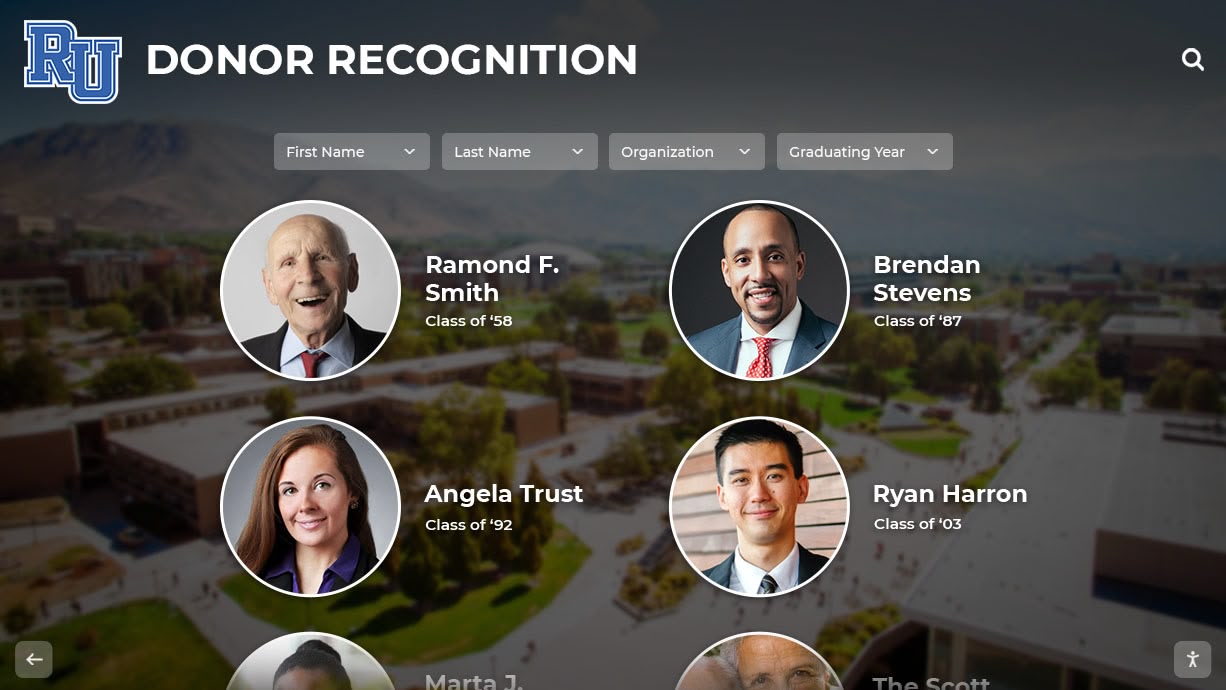




Intent: demonstrate
Nonprofits seeking to modernize donor recognition face a challenge: how do you show supporters what state-of-the-art digital recognition looks like in action? Static photos and text descriptions fail to capture the interactive experience, smooth navigation, and emotional impact that touchscreen donor displays create. Prospective donors, board members, and development teams need to see recognition technology working in real nonprofit environments—demonstrating how digital walls honor generosity while inspiring continued support.
This comprehensive video tour guide provides a scene-by-scene walkthrough of nonprofit donor recognition displays in action, complete with production notes, accessibility considerations, and narration scripts. Whether you’re planning to produce your own recognition showcase video or preparing to evaluate digital donor walls, this guide demonstrates what makes visual walkthroughs effective tools for communicating the value of interactive recognition systems.
Watch as we explore every aspect of modern nonprofit donor recognition displays—from welcoming splash screens to detailed donor profiles, from impact storytelling to memorial recognition, and from mobile responsiveness to real-time campaign updates. This video tour reveals how solutions like Rocket Alumni Solutions transform traditional donor walls into engaging digital experiences that celebrate generosity while building sustainable fundraising cultures.
Video Specifications and Overview
Video Type: Interactive walkthrough tour Duration: 8-10 minutes Aspect Ratio: 16:9 (1920x1080) Target Platforms: Website, YouTube, social media, donor presentations ADA Compliance: Full closed captions, audio descriptions available
Production Overview
This nonprofit donor recognition video tour demonstrates a complete digital display system in a representative nonprofit environment. The walkthrough showcases both portrait and landscape orientation displays, touches on multiple donor recognition scenarios (annual giving, capital campaigns, memorial gifts, planned giving), and highlights features that differentiate modern digital recognition from traditional bronze plaques.
The video is designed for multiple audiences: nonprofit leadership evaluating recognition investments, development directors planning donor stewardship programs, board members assessing technology proposals, and major donors considering recognition preferences. Production quality reflects professional nonprofit communications standards while maintaining authentic, unpretentious presentation.

Modern donor recognition displays create welcoming focal points that invite exploration and celebrate community generosity
Scene-by-Scene Video Breakdown
Scene 1: Opening and Context Setting (0:00-1:15)
Visual Elements:
- Wide shot of nonprofit lobby with digital donor display prominently featured
- Natural lighting showing display visibility in typical conditions
- Ambient sound of nonprofit environment (subtle activity, welcoming atmosphere)
- Slow camera push toward display as narration begins
Narration Script:
“Walk into any nonprofit and you’ll likely encounter donor recognition—bronze plaques listing contributors from decades past, static boards that ran out of space years ago, or aging displays that fail to tell the stories behind generosity.
But forward-thinking nonprofits are transforming how they honor supporters. Digital donor recognition displays create dynamic, engaging experiences that celebrate every gift, demonstrate measurable impact, and inspire continued giving—all while solving the space constraints and update challenges that plague traditional recognition.
This video tour explores a complete nonprofit donor recognition system in action. We’ll examine how interactive touchscreens honor supporters appropriately, showcase program transformation, and build stewardship cultures where generosity becomes visible testimony to mission commitment.”
Production Notes:
- Camera: 4K resolution minimum for clarity when zooming to display details
- Lighting: Ensure display screen is properly exposed without glare or washout
- Audio: Lavalier mic on narrator plus ambient room tone captured separately
- B-roll: Capture multiple angles of approach to display from different entry points
ADA Considerations:
- Closed captions include full narration text
- Audio description track describes visual environment: “Wide shot reveals nonprofit reception area with seating, natural light from floor-to-ceiling windows, and prominent touchscreen display mounted on feature wall”
Scene 2: Welcome Screen and Navigation Overview (1:15-2:30)
Visual Elements:
- Close-up of display showing welcome screen with nonprofit branding
- Hand enters frame to demonstrate touch interaction
- Camera angle shows both screen and user’s natural viewing position
- Smooth transitions between navigation screens as demo progresses
On-Screen Actions:
- Display shows nonprofit logo, tagline, and “Touch to Explore” prompt
- User taps screen, activating welcome animation
- Main navigation menu appears with clear categories: Annual Donors, Capital Campaign, Memorial Gifts, Our Impact, Search Donors
- User explores each menu option briefly before making selection
Narration Script:
“The welcome screen establishes tone—professional yet approachable, celebrating community generosity while emphasizing mission impact. Touch-responsive interface invites exploration rather than passive viewing.
Navigation is intuitive. Donors, visitors, and prospective supporters can browse recognition by campaign type, search for specific individuals, or explore impact stories showing what generosity accomplishes.
This unlimited capacity means every donor receives appropriate recognition—from first-time annual contributors to transformational major donors. No more impossible decisions about whose generosity fits on limited wall space.”
Production Notes:
- Demo user should have clean, professional hands appropriate for close-up filming
- Practice navigation sequences multiple times ensuring smooth, deliberate movements
- Capture audio of touch interactions subtly (satisfying click sounds enhance user experience perception)
- Film multiple takes so editing can create seamless navigation demonstration

Intuitive touch navigation makes exploring donor recognition accessible to all community members regardless of technical comfort
Scene 3: Annual Donor Gallery (2:30-4:00)
Visual Elements:
- Display shows grid view of annual donor profiles with photos and names
- Alphabetical filtering options visible at top
- User scrolls through donor list demonstrating capacity
- Selection of individual donor profile shows detailed page
Featured Content:
- 200+ donor profiles visible in scrolling demonstration
- Individual profiles include donor photo, name, giving history, personal statement
- Quote from donor: “I give because this organization transformed my family’s life when we needed support most”
- Impact connection showing donor’s giving enabled specific program
Narration Script:
“The annual donor gallery honors every contributor above a modest threshold—typically $25 to $100 minimums. This single display accommodates thousands of donors, eliminating space constraints entirely.
Each profile can include donor photos when provided, giving history showing sustained commitment, personal statements explaining motivations, and specific impact connections demonstrating what their generosity accomplished.
Notice the equality of representation. All donors appear with similar prominence regardless of gift size—searchable alphabetically rather than sorted by contribution amount. This approach strengthens community by celebrating broad participation rather than creating uncomfortable wealth hierarchies.”
Production Notes:
- Use demo data with diverse representation (age, gender, ethnicity)
- Ensure scrolling speed is slow enough to demonstrate capacity without causing motion discomfort
- Highlight filtering and search features showing practical navigation for large donor lists
- Film individual profile at angle showing full screen detail clearly
ADA Considerations:
- Audio description: “Screen shows grid of donor profile cards with photos, each card displaying headshot photograph, donor name, and giving designation. User scrolls vertically through extensive list, pauses at individual donor card showing older woman smiling, taps to open detailed profile page”
- Closed captions include full quote from donor testimonial
Scene 4: Capital Campaign Recognition (4:00-5:15)
Visual Elements:
- Transition to capital campaign section with distinct visual design
- Campaign header showing facility rendering and funding goals
- Donor levels displayed: Visionary ($100,000+), Leadership ($50,000+), Builder ($25,000+), Supporter ($10,000+)
- Interactive progress thermometer showing campaign success
On-Screen Content:
- Campaign name: “Building Hope: New Community Center Campaign”
- Goal: $5,000,000 | Raised: $4,750,000 (95% funded)
- Before/after photos showing facility transformation
- Video testimonial from program beneficiary (30-second clip)
Narration Script:
“Capital campaigns receive dedicated recognition sections with enhanced visual storytelling. The campaign header shows facility renderings, funding goals, and progress toward completion—celebrating community success while maintaining momentum for final gifts.
Donor levels organize recognition appropriately for major giving. Each level includes all contributors with equal profiles while acknowledging different investment levels transparently.
Most importantly, digital displays connect giving to tangible outcomes. Before and after photos demonstrate transformation. Beneficiary testimonials put faces to impact statistics. These stories honor donors by showing exactly what their generosity accomplished rather than simply listing names.”
Production Notes:
- Coordinate with nonprofit partner to use real campaign data and authentic testimonials
- Ensure video testimonial is properly embedded and plays smoothly on display
- Capture thermometer animation if system includes real-time update capabilities
- Film reaction shot showing viewer engagement with emotional testimonial content

Capital campaign recognition connects generosity directly to community transformation through compelling visual storytelling
Scene 5: Memorial and Legacy Recognition (5:15-6:30)
Visual Elements:
- Sensitive transition to memorial section with appropriate tone and design
- Memorial profiles featuring deceased individuals honored through gifts
- Planned giving society recognition showing legacy commitment badges
- Respectful color palette and typography appropriate for memorial content
Featured Content:
- Memorial profile: “In loving memory of Margaret Chen, whose dedication to literacy inspired her family’s establishment of the Chen Family Reading Program Endowment”
- Biographical information about individual being memorialized
- Photos showing person during life and program they supported
- Current program statistics showing ongoing impact of memorial gift
Narration Script:
“Memorial recognition requires sensitivity and depth that simple name engravings cannot provide. Digital displays honor deceased individuals through comprehensive biographical tributes, photos celebrating their lives, and specific documentation of programs their memorial gifts support.
Families appreciate seeing loved ones remembered meaningfully rather than as names on generic plaques. Program connections show memorial gifts creating lasting impact—legacy that continues serving community needs in perpetuity.
Planned giving societies acknowledge donors who have made estate commitments, even though organizations haven’t yet received actual funds. This recognition often inspires additional legacy commitments as others see bequest giving normalized as aspirational stewardship practice.”
Production Notes:
- Work with nonprofit to select appropriate memorial examples, obtaining family permission for specific profiles shown
- Maintain respectful pacing—avoid rushed demonstration through sensitive content
- Ensure memorial photos are high quality and display with proper dignity
- Consider filming this section with slightly more formal camera movements matching content tone
ADA Considerations:
- Audio description handles photos sensitively: “Black and white photograph shows elderly woman smiling while reading with young child in library setting”
- Closed captions include all biographical information displayed on screen
Scene 6: Impact Dashboard and Real-Time Updates (6:30-7:30)
Visual Elements:
- Switch to impact visualization section showing program statistics
- Animated infographics displaying community outcomes (families served, meals provided, students supported)
- Map visualization showing geographic reach
- Real-time campaign ticker showing recent gifts (if available)
Interactive Demonstrations:
- User filters impact data by program area
- Year-over-year comparison showing growth
- Drill-down into specific program showing how donor support enabled outcomes
- QR code display for mobile giving integration
Narration Script:
“Beyond recognizing who gives, modern displays showcase what giving accomplishes. Interactive impact dashboards visualize outcomes—families served, lives transformed, communities strengthened.
Organizations can update these metrics in real-time through cloud-based content management systems. No physical plaque re-engraving, no expensive updates—just immediate reflection of current program success.
QR code integration bridges physical displays with mobile giving. Visitors inspired by recognition stories can contribute immediately using smartphones—reducing friction between inspiration and action. This feature proves especially effective during fundraising campaigns and special events.”
Production Notes:
- Work with display vendor to showcase most impressive visualization capabilities
- Capture smartphone scanning QR code and completing mobile donation flow
- Demonstrate content management system backend (screen recording) showing how staff update content remotely
- Include animation showing real-time gift acknowledgment appearing on display after contribution

Impact dashboards transform recognition from name lists into compelling stories connecting generosity to measurable community transformation
Scene 7: Multi-Location and Web Platform Integration (7:30-8:30)
Visual Elements:
- Split screen showing multiple displays at different nonprofit locations
- Transition to desktop/tablet/mobile views of web-accessible donor recognition
- Demonstration of consistent branding across all platforms
- Remote content management system interface
Technical Demonstrations:
- Staff member updating donor profile remotely from laptop
- Change appears simultaneously on physical displays at multiple locations
- Web platform search finding specific donor profile
- Social sharing feature allowing donors to share recognition digitally
Narration Script:
“Enterprise recognition systems serve nonprofits with multiple locations through centrally managed networks. Update content once, and changes appear across all displays simultaneously—maintaining consistency without multiplying administrative burden.
Web-accessible platforms extend recognition beyond physical display visitors. Donors can explore recognition from anywhere worldwide, search for specific individuals, and share profiles through social networks—amplifying appreciation exponentially.
Cloud-based management means authorized staff update displays remotely from any internet-connected device. No physical facility access required, no technical expertise needed—just intuitive interfaces making recognition maintenance sustainable even for resource-constrained organizations.”
Production Notes:
- Coordinate filming at multiple nonprofit locations if possible, or use split-screen editing with existing footage
- Screen record web platform demonstration showing responsive design across devices
- Capture content management interface, ensuring no sensitive information visible
- Film social sharing interaction showing donor posting recognition to Facebook/LinkedIn
Scene 8: Closing and Call to Action (8:30-10:00)
Visual Elements:
- Return to wide shot of display in nonprofit environment
- Visitors engaging with display in background
- Camera pulls back revealing full installation context
- Final shot of organization logo and contact information
Narration Script:
“Modern nonprofit donor recognition displays transform how organizations honor supporters, demonstrate stewardship excellence, and inspire continued giving. Digital systems solve traditional recognition limitations—unlimited capacity, immediate updates, multimedia storytelling, and measurable engagement—while providing recognition experiences that genuinely honor generosity rather than simply listing names.
Whether your nonprofit is planning first comprehensive donor recognition program or modernizing established acknowledgment systems, seeing technology in action through video tours like this one helps board members, development teams, and major donors understand what digital recognition delivers.
Solutions like Rocket Alumni Solutions provide complete platforms specifically designed for nonprofit donor recognition—handling everything from hardware selection through content development, training, and ongoing support. These purpose-built systems deliver recognition excellence without requiring technical expertise or extensive staff resources.
Ready to explore how digital donor recognition could transform your nonprofit’s stewardship culture? Request a live video demonstration where we’ll walk through systems customized for your specific recognition needs, donor community, and organizational mission.”
Production Notes:
- Film multiple visitors interacting with display naturally (requires talent releases)
- Capture golden-hour lighting if possible for warm, inspiring final shot
- Include subtle background audio of positive community interaction
- End screen should remain on screen 8-10 seconds with clear contact information
ADA Considerations:
- Audio description: “Camera pulls back showing nonprofit lobby environment, three community members examining touchscreen display together, natural lighting from windows creates welcoming atmosphere, final frame shows organization website and phone number on lower third”
- Provide full transcript document as downloadable PDF from video hosting page
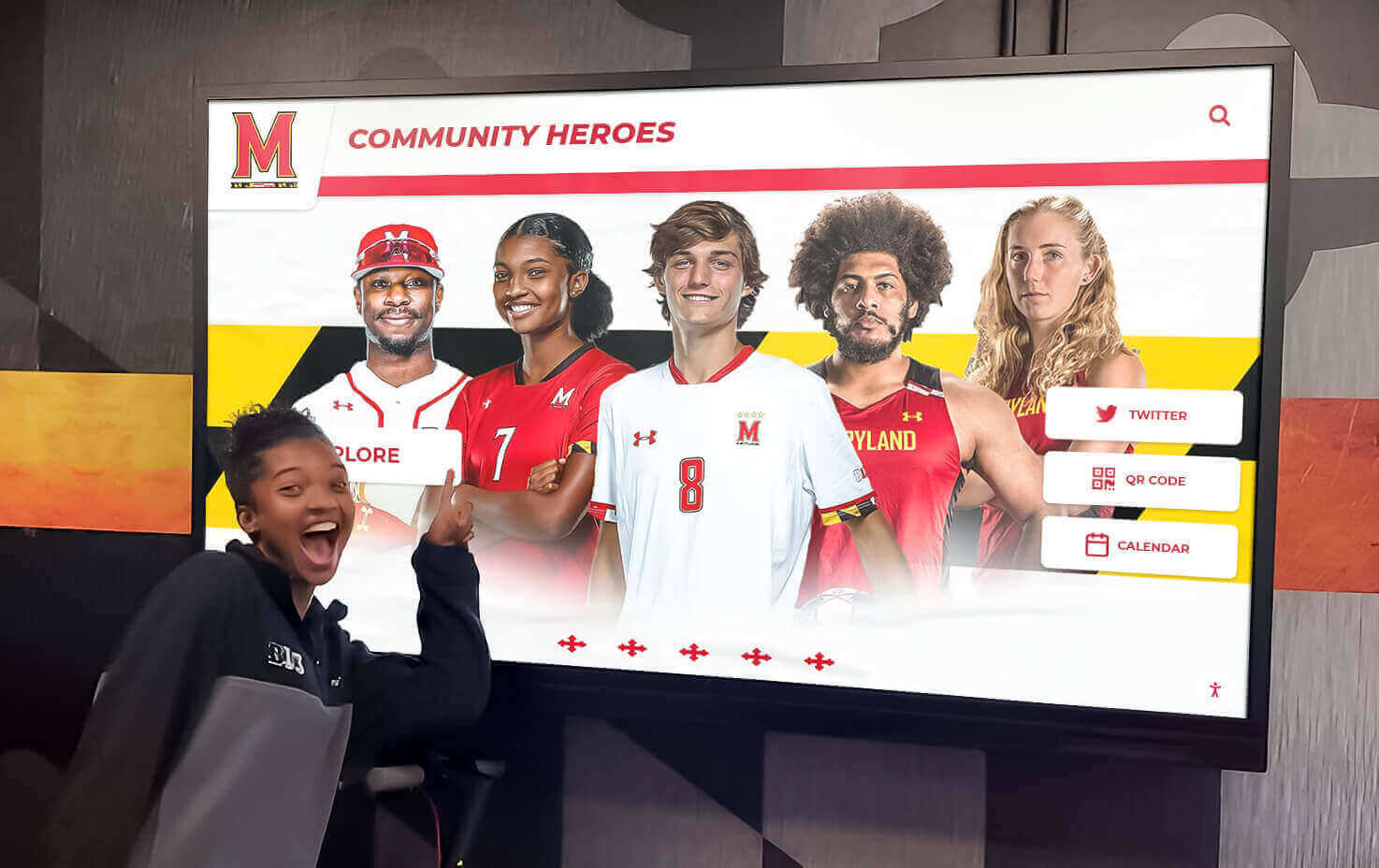
Effective donor recognition creates community gathering points where generosity becomes visible celebration of shared mission commitment
Production Notes and Technical Requirements
Equipment Recommendations
Camera Setup:
- Primary camera: 4K-capable cinema camera or mirrorless (Sony A7S III, Canon R5, Blackmagic Pocket 6K)
- Secondary camera: B-roll and cutaway shots maintaining 4K consistency
- Gimbal: DJI Ronin RS3 or similar for smooth movement through space
- Tripod: Fluid head for static shots requiring perfect stability
- Lighting: LED panels with adjustable color temperature (5600K for daylight matching)
Audio Equipment:
- Lavalier microphone: Wireless system (Rode Wireless Go II, Sennheiser EW 112P G4)
- Boom microphone: Shotgun mic for ambient sound and room tone
- Field recorder: Zoom H6 or Sound Devices MixPre-6 for multi-track recording
- Headphones: Closed-back monitoring headphones for accurate audio assessment
Display Filming Considerations:
- Set display refresh rate to match camera frame rate (avoiding flicker)
- Adjust camera shutter speed to 1/50 or 1/60 to minimize screen banding
- Use polarizing filter if glare from display glass becomes problematic
- Ensure adequate lighting on human subjects without washing out display content
Lighting Setup
Three-Point Lighting for Presenter:
- Key light: Soft LED panel at 45-degree angle, camera left
- Fill light: Lower-intensity panel opposite key, reducing shadows
- Back light: Accent light separating subject from background
- Practical lights: Use existing nonprofit lighting when appropriate for authentic environment
Display Lighting:
- Avoid direct overhead lights causing screen glare
- Position key lights at angles that don’t reflect in display glass
- Use flags or barn doors controlling light spill onto screen
- Consider filming during times when natural window light complements rather than competes with display
Post-Production Workflow
Video Editing:
- Software: Adobe Premiere Pro, Final Cut Pro X, or DaVinci Resolve
- Timeline: 1920x1080 at 24fps or 30fps (matching source footage)
- Color grading: Maintain accurate display colors while ensuring subjects appear naturally lit
- Transitions: Use simple dissolves and cuts; avoid distracting motion graphics
- Lower thirds: Professional text overlays for location identification, timestamps, and contact information
Audio Mixing:
- Narration: EQ to enhance clarity, compression for consistent levels
- Background music: Subtle, royalty-free track at -20dB to -25dB under narration
- Ambient sound: Room tone at -30dB creating presence without distraction
- Sound effects: Subtle UI interaction sounds (screen taps) for enhanced realism
Accessibility Requirements:
- Closed captions: Accurate, synchronized captions meeting WCAG 2.1 AA standards
- Audio description: Extended description track for screen reader compatibility
- Transcript: Full written transcript downloadable as accessible PDF
- Subtitle formatting: High contrast, readable font, proper positioning avoiding content obstruction
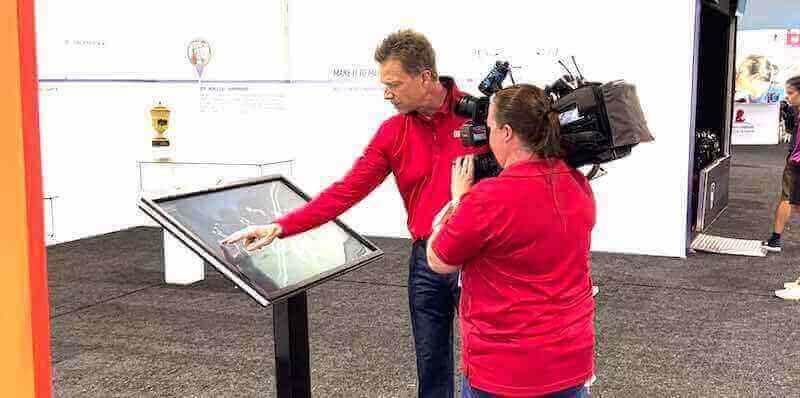
Professional production quality communicates nonprofit credibility while demonstrating recognition technology working in authentic environments
Distribution and Marketing Strategy
Platform-Specific Optimization
YouTube:
- Upload resolution: 4K (3840x2160) even if final timeline is 1080p, enabling higher-quality 1080p stream
- Thumbnail: Custom thumbnail showing engaging moment from tour with clear text overlay
- Title: “Nonprofit Donor Recognition Video Tour: Interactive Digital Displays in Action”
- Description: Comprehensive paragraph with timestamps, links to related content, and clear CTA
- Tags: “nonprofit donor recognition,” “digital recognition displays,” “donor engagement,” “nonprofit technology,” “touchscreen donor walls”
- Chapters: Timestamp chapters matching scene breakdown for easy navigation
Website Embedding:
- Host on YouTube for bandwidth management, embed responsively on nonprofit pages
- Context paragraph above video explaining content and value
- Clear CTA below video: “Schedule Your Live Video Demo” linking to booking page
- Related content links: Guide to digital donor recognition, case studies (if available), FAQ page
- Ensure mobile-optimized playback with appropriate sizing
Social Media Promotion:
- LinkedIn: Share 60-second highlight clip focusing on ROI and stewardship excellence
- Facebook: 90-second version emphasizing community impact and donor appreciation
- Instagram: 15-30 second teaser clips in Reels format, linking to full video in bio
- Email campaigns: Embedded video thumbnail linking to landing page with full tour
SEO Optimization
Video SEO:
- Transcript published on page for searchability
- Schema.org VideoObject markup including title, description, thumbnail URL, upload date, duration
- Relevant keywords naturally integrated in surrounding page content
- Backlinks from related content (blog posts about donor recognition, nonprofit technology guides)
Target Keywords:
- Primary: “nonprofit donor recognition video tour,” “digital recognition display demo”
- Secondary: “interactive donor walls,” “touchscreen donor recognition,” “nonprofit technology demonstration”
- Long-tail: “how do digital donor displays work,” “nonprofit recognition display walkthrough”
Lead Generation Integration
Conversion Points:
- Mid-roll CTA: Timestamp 4:30 includes 10-second card: “Seeing this in your nonprofit? Schedule a personalized video walkthrough”
- End screen: Clear contact information, website URL, and phone number
- Video description: Primary CTA link to scheduling page with UTM parameters tracking video source
- Companion landing page: Video embedded with form for requesting personalized demonstration
Follow-Up Sequences:
- Email automation triggered when prospects watch >60% of video
- Personalized outreach mentioning specific features prospects viewed longest
- Calendar invitation for live demonstration tailored to prospect’s nonprofit type and recognition needs
Learn more about comprehensive donor recognition approaches in this donor recognition complete guide covering strategic planning and implementation.
Alternative Video Formats and Use Cases
Shortened Versions for Specific Audiences
90-Second Board Presentation Version:
- Focus exclusively on business case: capacity, updates, cost comparison
- Opening 15 seconds showing problem (traditional plaques limitations)
- Middle 60 seconds demonstrating key advantages with fast-paced editing
- Closing 15 seconds showing investment ROI and decision CTA
3-Minute Major Donor Version:
- Emphasize recognition quality, personalization, and lasting visibility
- Feature memorial recognition capabilities prominently
- Include planned giving society acknowledgment
- Showcase web accessibility allowing donors to share recognition digitally
60-Second Social Media Teaser:
- Open with most visually compelling interactive demonstration
- Text overlay highlighting “Unlimited capacity • Real-time updates • Multimedia storytelling”
- End with clear CTA: “Watch full tour [link in bio]”
- Square or vertical format for Instagram/Facebook Feed optimization
Specialized Topic Deep-Dives
Memorial Recognition Focus (5 minutes):
- Detailed exploration of memorial capabilities
- Interview with family member describing experience having loved one honored digitally
- Demonstration of biographical content depth impossible with traditional plaques
- Connection between memorial gifts and ongoing program impact
Campaign Integration Focus (4 minutes):
- Real-time campaign progress updates and thermometer displays
- QR code mobile giving demonstration with completed transaction flow
- Content management system demonstration showing staff adding new donors immediately
- Analytics dashboard showing campaign engagement metrics from display interactions
Multi-Location Network Focus (6 minutes):
- Tour of displays at 3-4 different nonprofit locations
- Demonstration of centralized content management updating all displays simultaneously
- Web platform extending recognition access globally
- Cost efficiency comparison versus maintaining separate recognition at each location
Explore implementation planning in this digital donor recognition display guide addressing technology selection and deployment strategies.
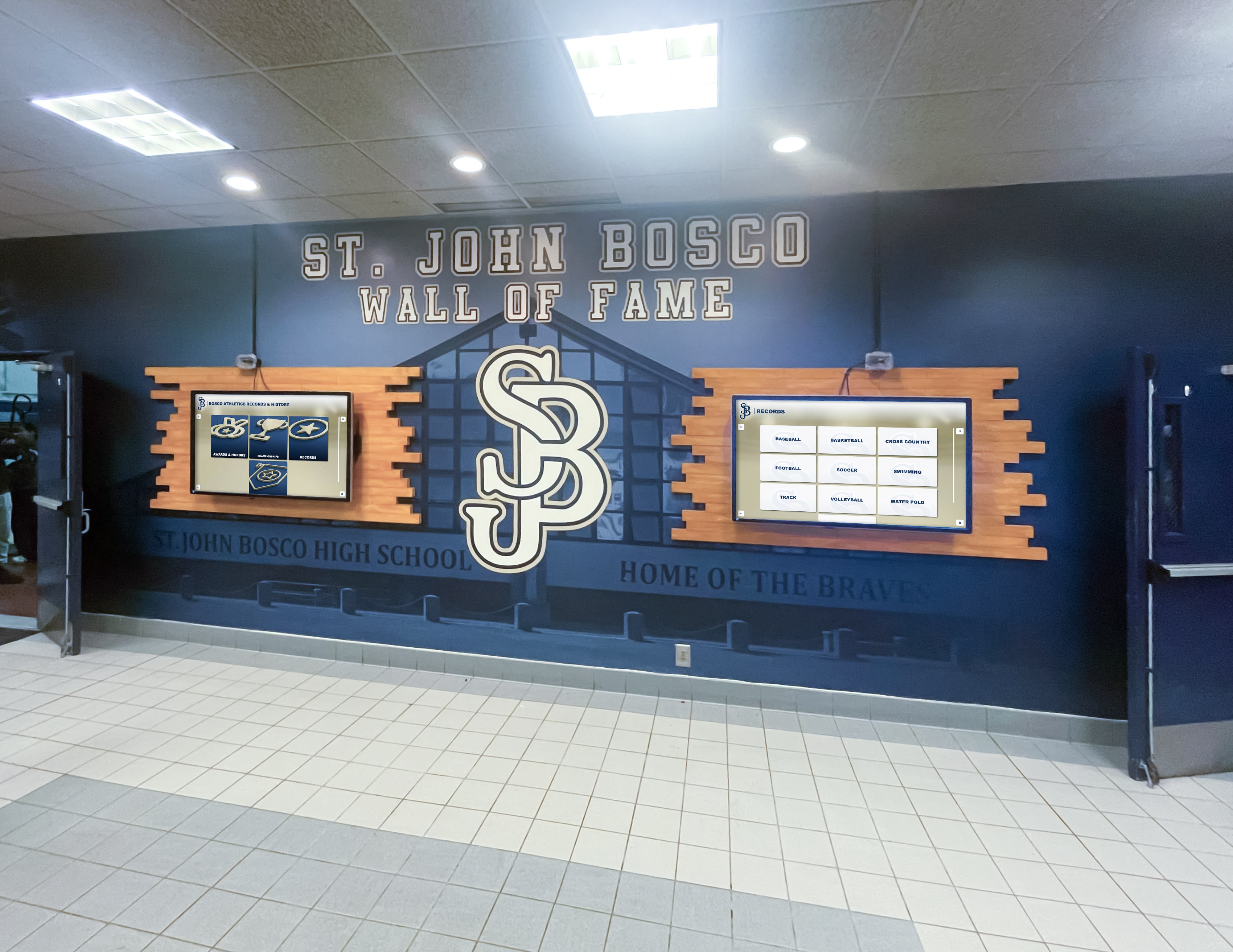
Multi-location installations provide comprehensive recognition visibility while maintaining centralized content management efficiency
Common Questions About Nonprofit Donor Recognition Video Tours
Why Create Video Tours Instead of Just Photos?
Video demonstrates interactive experiences that static photos cannot capture. Watching someone navigate through donor profiles, explore impact stories, and discover search features helps prospects understand user experience in ways that description alone cannot achieve. Video also builds credibility by showing real installations in authentic nonprofit environments rather than isolated product demonstrations.
Research on video marketing consistently shows that prospects who watch demonstration videos convert at 80-100% higher rates than those who review only text and images. For significant investments like donor recognition displays, seeing systems working in realistic contexts reduces uncertainty and builds confidence in purchasing decisions.
How Long Does Professional Video Production Take?
Timeline depends on scope and complexity:
Planning and Pre-Production (2-3 weeks):
- Script development and approval
- Location scouting and nonprofit partner coordination
- Talent releases and legal documentation
- Equipment rental and crew scheduling
Production (1-2 days):
- Primary filming at nonprofit location(s)
- B-roll capture showing display details
- Interview filming if including testimonials
- Multiple takes ensuring coverage options
Post-Production (2-4 weeks):
- Video editing and rough cut review
- Color grading and audio mixing
- Caption creation and accessibility features
- Revisions based on stakeholder feedback
- Final delivery in multiple formats for different platforms
Total timeline: 6-9 weeks from concept to final delivery for professional quality production. Expedited schedules possible but may compromise quality or increase costs.
What Are Realistic Budget Expectations?
Professional nonprofit donor recognition video tours typically cost:
Basic Production ($3,000-$7,000):
- Single camera shoot with small crew
- One-day filming at single location
- Basic editing with simple graphics
- 5-7 minute final runtime
- Closed captions included
Standard Production ($8,000-$15,000):
- Multi-camera setup for varied perspectives
- Professional crew (director, videographer, audio engineer)
- Two-day filming allowing more coverage
- Advanced editing with motion graphics
- Multiple format exports for different platforms
- Full accessibility features (captions, audio description, transcript)
Premium Production ($20,000-$35,000):
- Cinema-quality cameras and lighting
- Multiple location filming
- Professional narrator or on-camera talent
- Extensive post-production including color grading, sound design, animation
- Multiple deliverables (full tour, shortened versions, platform-specific edits)
- Comprehensive distribution strategy included
Many nonprofits partner with recognition display vendors who provide demonstration videos as part of proposal processes, reducing or eliminating direct video production costs while still obtaining quality visual materials.
How Do Video Tours Integrate with Overall Marketing?
Effective video tours function as centerpieces in comprehensive content marketing strategies:
Website Integration:
- Featured prominently on donor recognition pages
- Embedded in case studies and solution descriptions
- Landing page focal point for paid advertising campaigns
- Resource library video supporting broader donor engagement content
Sales Enablement:
- Sent to prospects early in consideration process
- Included in proposal packages and board presentations
- Referenced during discovery conversations to establish common understanding
- Follow-up content after initial consultations
Event Support:
- Displayed during nonprofit conferences and trade shows
- Shared in webinar presentations about donor recognition best practices
- Included in board meeting presentations when proposing recognition investments
- Played during donor appreciation events as conversation starter
Organic Discovery:
- YouTube optimization driving search traffic from recognition-related queries
- Social media clips expanding reach beyond existing audiences
- Backlinks from industry publications and nonprofit resource directories
- Video transcript content supporting SEO for broader site
Discover comprehensive approaches in this church interactive donor boards guide addressing faith community recognition considerations.

Professional video documentation serves multiple purposes: prospect education, donor appreciation, and staff training
Measuring Video Tour Effectiveness
Key Performance Indicators
Engagement Metrics:
- View count: Total plays across all platforms
- Watch time: Average percentage viewed (target: 60%+ completion)
- Peak drop-off points: Identifying where viewers lose interest
- Replay rate: Viewers watching multiple times indicating high value
- Social shares: Organic amplification through viewer distribution
Conversion Metrics:
- Click-through rate: Percentage clicking CTA links in video description
- Form completions: Prospects requesting live demonstrations after viewing
- Sales qualified leads: Opportunities generated directly attributed to video views
- Close rate: Conversion rate of video viewers versus non-viewers
- Time to decision: Whether video accelerates sales cycle compared to traditional process
Platform-Specific Analytics:
- YouTube: Audience retention graph showing engagement throughout runtime
- Website: Heat mapping showing where embedded video appears in visitor sessions
- Email: Open rates and click rates for campaigns featuring video content
- Social media: Engagement rates (likes, comments, shares) on platform-native video posts
Optimization Based on Performance
Content Adjustments:
- Identify drop-off points and consider trimming or restructuring those sections
- A/B test different thumbnails measuring which drive higher click-through
- Experiment with video length (full tour versus shortened versions)
- Test narration styles (professional voice actor versus authentic nonprofit staff member)
Distribution Refinements:
- Double down on platforms delivering highest conversion rates
- Adjust posting times based on engagement patterns
- Refine audience targeting for paid promotion based on demographic performance
- Update video SEO based on actual search terms driving traffic
Lead Nurturing Improvements:
- Segment email follow-up based on which portions of video prospects watched longest
- Create customized live demonstrations focusing on features prospects reviewed most
- Develop additional content addressing questions that arise frequently after video viewing
- Build retargeting campaigns serving related content to partial viewers
Conclusion: Video Tours as Essential Recognition Communication Tools
Nonprofit donor recognition video tours serve crucial functions in modern development operations—educating prospects about digital recognition capabilities, building confidence in technology investments, demonstrating real-world implementations, and inspiring action toward modernizing acknowledgment systems. For prospects evaluating significant recognition investments, video demonstrations provide essential context that photos and text alone cannot deliver.
The most effective nonprofit recognition videos balance technical demonstration with emotional storytelling—showing both how systems work mechanically and why they matter philosophically for donor stewardship excellence. Production quality matters: professional video communicates organizational credibility while demonstrating that recognition technology merits serious consideration rather than representing experimental novelty.
See Nonprofit Donor Recognition in Action
Ready to explore how interactive digital recognition displays could transform your nonprofit's donor stewardship? Schedule a personalized video demonstration where we'll walk through solutions customized for your specific recognition needs, donor community, and organizational mission. Rocket Alumni Solutions provides complete platforms specifically designed for nonprofit donor recognition excellence.
Book a Live TouchWall Video DemoWhether your nonprofit is planning comprehensive recognition for the first time or modernizing established donor acknowledgment programs, video tours provide invaluable perspective on what modern digital recognition delivers. Use the framework provided in this guide to evaluate demonstration videos from multiple vendors, ask informed questions about capabilities and limitations, and ultimately select recognition solutions that will serve your donor community effectively for years to come.
Remember that recognition technology serves a higher purpose: honoring the generosity of supporters whose gifts make your mission possible. The best digital displays enhance rather than replace the authentic gratitude and meaningful connection that define excellent donor stewardship. Video tours should demonstrate not just technical sophistication but genuine appreciation for the human generosity that sustains nonprofit work serving communities in need.
Ready to begin? Explore how Rocket Alumni Solutions creates comprehensive video demonstrations showcasing donor recognition systems customized for nonprofit missions, donor communities, and stewardship philosophies. See recognition technology working in authentic nonprofit environments, explore capabilities through detailed walkthroughs, and discover how interactive displays transform donor appreciation from transactional acknowledgment into inspiring celebration of community generosity that drives sustained philanthropic support.































