



Intent: demonstrate | A comprehensive video tour walkthrough showcasing how schools celebrate National College Signing Day with interactive digital displays that archive every signing year and adapt throughout the school year with flexible templates.
National College Signing Day represents a pinnacle moment for student-athletes committing to collegiate athletics. Traditional approaches—printed posters, social media posts that disappear, or static plaques with limited space—fail to capture the full significance of these achievements or preserve the complete legacy of your athletic program across all years.
With digital recognition platforms like Rocket Alumni Solutions, schools can showcase new college signings for the 25-26 school year while simultaneously archiving and displaying every prior year’s commitments. This creates a comprehensive showcase demonstrating the true legacy of your athletic program. Real-time editing capabilities mean displays adapt and change throughout the school year as new commitments occur, with multiple template and layout options for home pages and beyond.
This video tour guide demonstrates exactly how interactive digital displays transform college signing day recognition from fleeting announcements into permanent, engaging celebration that inspires current and future student-athletes.
Modern digital recognition eliminates the space constraints and update delays that plague traditional signing day displays. Whether celebrating early National Signing Day in December, traditional February football signing day, or National College Decision Day in May, digital platforms provide flexible showcases honoring every commitment while preserving complete institutional history across decades.

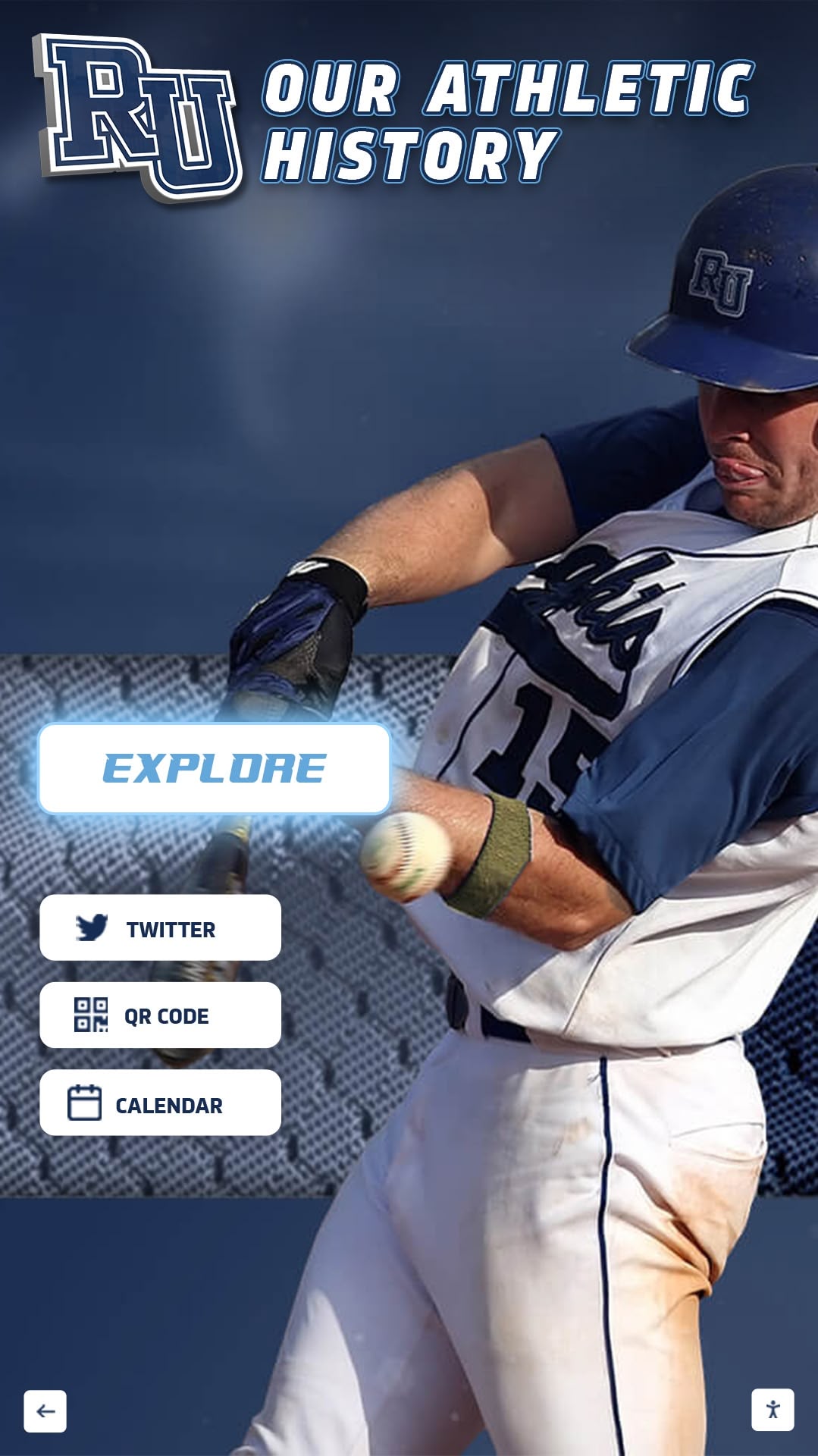
Dynamic digital displays showcase college commitments with professional athlete photos, college logos, and comprehensive achievement details
Video Tour Overview: Showcasing College Signing Day Recognition
This comprehensive walkthrough demonstrates how schools implement interactive college signing day displays that celebrate current commitments while preserving complete historical archives of athletic excellence.
Video Specifications and Target Platform
| Specification | Details |
|---|---|
| Video Length | 10-14 minutes comprehensive demonstration |
| Aspect Ratio | 16:9 (1920x1080 HD; 4K preferred) |
| Target Platform | Embedded web player, YouTube, HubSpot video hosting, school websites |
| Accessibility | Full closed captions, audio description track |
| Streaming Format | Adaptive bitrate MP4 for all devices |
Tour Structure: Scene-by-Scene Breakdown
This video tour follows the journey from traditional signing day challenges through modern digital solutions:
- Traditional Signing Day Limitations (45-60 seconds) - Establishing challenges with static recognition
- Welcome to Digital Signing Day Showcase (60-90 seconds) - First impressions of interactive display
- Current Year Commitments Display (120-180 seconds) - Exploring 25-26 signings with detailed profiles
- Historical Archive Navigation (120-180 seconds) - Browsing decades of signing day history
- Real-Time Content Updates (90-120 seconds) - Demonstrating cloud-based editing capabilities
- Flexible Templates and Layouts (90-120 seconds) - Showcasing customization options
- Multi-Location Display Options (60-90 seconds) - Strategic campus placement
- Mobile and Web Access (60-90 seconds) - Extended reach beyond physical displays
- Implementation Timeline and Support (45-60 seconds) - Path to launch
Each scene demonstrates specific capabilities while building understanding of how digital platforms solve traditional signing day recognition challenges.
Learn about comprehensive athletic recognition in digital storytelling for athletic programs with multimedia content strategies.
Scene 1: Traditional Signing Day Limitations (00:00-00:55)
Visual Elements: Montage showing common signing day challenges—overcrowded bulletin boards with faded posters, social media posts disappearing in feeds, limited physical space forcing removal of older signings.
Narration Script: “Every high school athletic program faces the same National College Signing Day challenge: How do you celebrate new commitments while preserving your program’s complete legacy?
Traditional approaches create persistent problems. Printed posters fade and require physical space that quickly runs out. Social media posts generate brief excitement but vanish within days. Static plaques can only accommodate limited signings, forcing difficult decisions about which athletes receive permanent recognition.
When your football team celebrates twenty-five new signings, where do you display them all? When that display must come down to accommodate next year’s class, what happens to those hard-earned achievements? How do underclassmen visualize their potential pathway when they can only see a single year’s commitments?
Today we’ll explore how digital recognition platforms solve these challenges, creating flexible showcases that celebrate every signing while preserving complete program history inspiring future generations.”
On-Screen Action:
- Quick cuts showing overcrowded bulletin boards
- Close-up of faded, curling posters
- Social media scroll showing posts quickly disappearing
- Wide shot of limited physical wall space
- Text overlay: “Limited Space • Temporary Recognition • Incomplete History”
Production Notes: Authentic footage from school environments. Show genuine frustration points. Establish problem before presenting solution. Keep pace brisk maintaining viewer engagement.
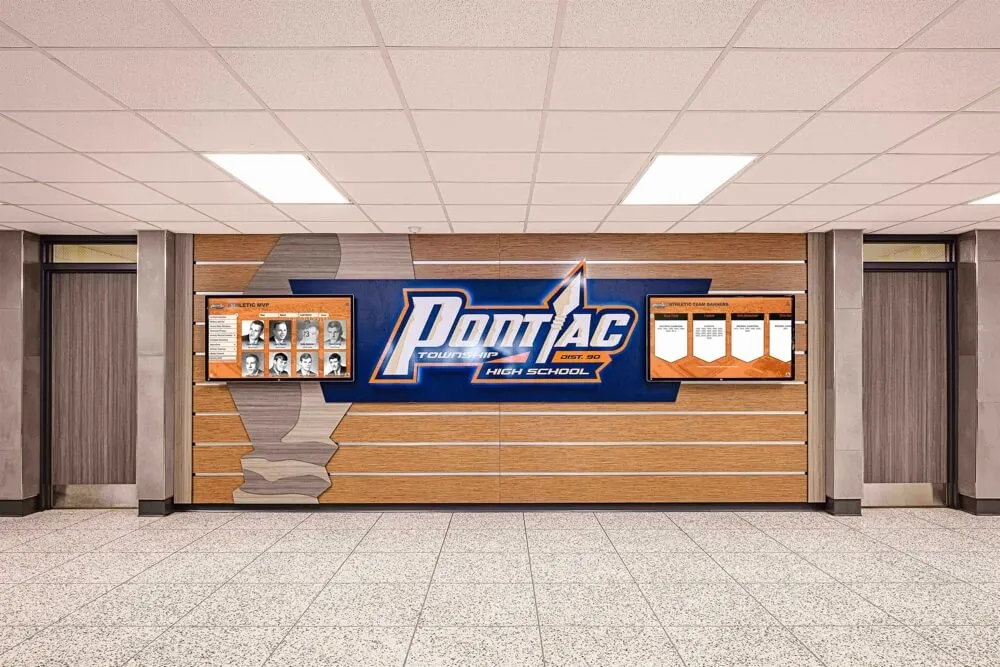
Traditional hallway displays face space constraints limiting how many athletes can receive recognition simultaneously
Scene 2: Welcome to Digital Signing Day Showcase (00:55-02:25)
Visual Elements: Smooth transition revealing modern digital display in athletic facility entrance, showing dynamic signing day showcase with current commitments featured prominently.
Narration Script: “Welcome to the future of college signing day recognition. This interactive digital display transforms how schools celebrate athletic commitments—showcasing unlimited signings with comprehensive profiles, archiving complete program history, and adapting throughout the year as new commitments occur.
Notice the professional presentation: high-quality athlete photos, official college logos, signing ceremony images, and detailed achievement summaries. Every athlete receives equal celebration regardless of sport, division level, or when they committed during the recruitment calendar.
The home screen highlights your current signing class—here we see the Class of 2026 college commitments featuring twenty-eight student-athletes across eight sports. But this is just the beginning. Unlike static displays limited by physical space, digital platforms showcase unlimited content through intuitive navigation anyone can use.”
On-Screen Action:
- Camera approaches display from visitor perspective
- Welcome screen shows “Class of 2026 College Commitments”
- Grid layout displays athlete cards with photos and colleges
- Text overlays: “Unlimited Recognition • Complete Profiles • Easy Navigation”
- Smooth transitions showing interface responsiveness
Production Notes: Professional lighting eliminates screen glare. Capture vibrant colors and crisp athlete photos. Show interface clarity. Emphasize unlimited capacity versus traditional space constraints.
Discover athletic facility placement strategies in division I athletics digital recognition systems with comprehensive implementation approaches.
Scene 3: Current Year Commitments Display (02:25-05:25)
Visual Elements: Deep dive into individual athlete profiles showing comprehensive information including photos, statistics, signing ceremony images, video highlights, and personal statements.
Narration Script: “Let’s explore an individual commitment in detail. Tapping any athlete card reveals their complete signing profile—far beyond what traditional posters can communicate.
Here’s Sarah Martinez, committing to State University for soccer. Her profile includes her signing day ceremony photo surrounded by family and coaches, action shots from championship games, complete high school statistics showing four-year varsity career achievements, awards and honors including All-State selections and team MVP, her college information with Division and conference, and even a personal video message sharing why she chose State University and advice for younger players.
Notice the professional template organizing information beautifully. Every detail honors Sarah’s achievement while providing context inspiring underclassmen. When younger soccer players see Sarah’s complete journey—from freshman year through college commitment—they visualize their own pathway forward.
We can browse commitments by sport, filter by college or division level, or search specific athletes instantly. Here are all football commitments showing twenty-five signings across Division I, II, III, and NAIA programs. Every athlete receives identical professional presentation regardless of where they’re playing next year.”
On-Screen Action:
- Select athlete card revealing full profile
- Scroll through comprehensive achievement details
- Play embedded video message (20-30 seconds)
- View photo gallery showing career highlights
- Return to main screen showing sport filter
- Demonstrate filtering by sport (football commitments)
- Show college filter options (Division I, II, III, NAIA)
- Text overlays: “Complete Profiles • Video Messages • Career Statistics • Awards & Honors”
Production Notes: Feature authentic athlete content with proper permissions. Show emotional connection through personal messages. Demonstrate depth impossible with traditional displays. Capture parents or younger athletes viewing with pride.

Intuitive touchscreen interfaces enable exploration of detailed athlete profiles including statistics, photos, and personal messages
Explore athlete profile strategies in showcasing college commitments with touchscreen displays with comprehensive content frameworks.
Scene 4: Historical Archive Navigation (05:25-08:45)
Visual Elements: Demonstration of browsing historical signings showing decades of program tradition, celebrating how digital platforms preserve complete legacy rather than replacing old recognition with new.
Narration Script: “Here’s where digital recognition reveals its true power: unlimited historical capacity. While traditional displays force you to remove old signings when new classes commit, digital platforms archive everything permanently.
Tap ‘View All Signing Classes’ revealing your complete program history. Class of 2025, 2024, 2023—scroll back through decades. Here’s the Class of 2015, ten years ago. Twenty-three athletes, many now graduated from college, some playing professionally. Their achievements remain permanently celebrated rather than removed to accommodate newer classes.
Let’s explore the Class of 2018. Notice how profiles include updates about college careers and post-graduation success. When alumni return to campus, they discover their signing day recognition still prominently displayed alongside current athletes—connecting past achievement to present inspiration.
This historical depth demonstrates your program’s complete legacy. When recruits and families tour your facility, they don’t just see this year’s signings—they see decades of athletes who successfully reached collegiate athletics through your program. That tradition becomes tangible proof of your commitment to developing student-athletes.
For younger athletes, browsing historical signings provides invaluable perspective. Sophomores see athletes who were once in their position now thriving in college programs. The pathway from underclassman to college athlete transforms from abstract aspiration to concrete, achievable progression.”
On-Screen Action:
- Navigate to historical archive section
- Scroll through signing classes by year
- Select Class of 2018 showing full roster
- Open individual historical athlete profile
- Show updated information about college career
- Display decade-by-decade view showing program growth
- Filter historical signings by sport showing tradition
- Text overlays: “Complete Archives • Permanent Recognition • Program Legacy • Alumni Updates”
Production Notes: Show authentic historical content. Emphasize emotional connection to tradition. Capture multi-generational engagement (current athletes seeing older siblings or community members). Demonstrate value of preserving rather than replacing recognition.
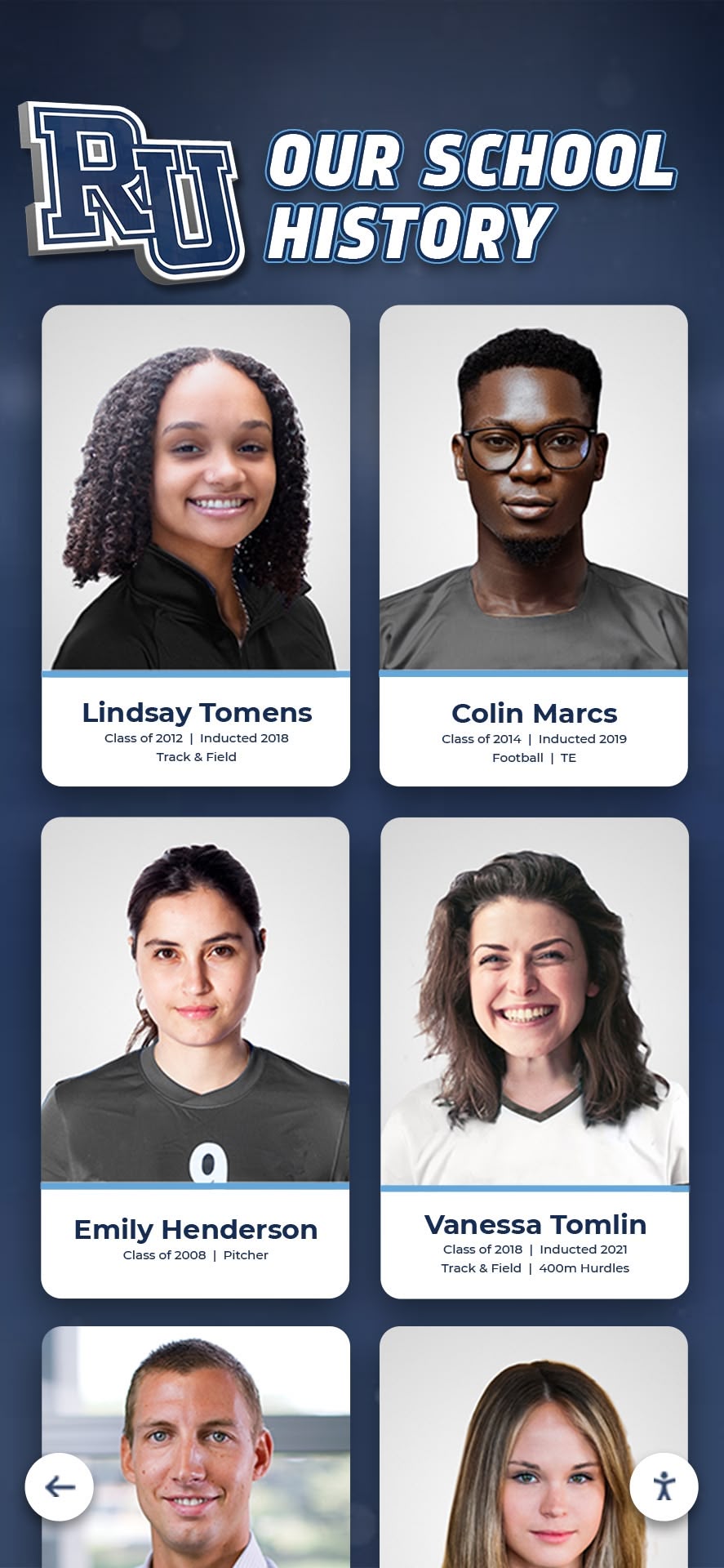
Digital archives preserve complete program history across all signing classes and decades creating visible tradition
Learn historical preservation strategies in digital archives for schools and universities with comprehensive archiving approaches.
Scene 5: Real-Time Content Updates (08:45-11:05)
Visual Elements: Behind-the-scenes demonstration of cloud-based content management showing how staff easily update recognition displays remotely throughout the school year as new signings occur.
Narration Script: “National College Signing Day isn’t a single event—it’s an extended timeline. Early National Signing Day in December, traditional February football signing day, spring signing periods, late summer commitments—athletes commit throughout the year.
Digital platforms accommodate this reality through real-time content management. Let’s look behind the scenes at how updates work.
Athletic directors log into the cloud-based platform from any device—computer, tablet, or smartphone. No special software required, just internet connection and web browser. Here’s the admin dashboard showing the current signing class with options to add, edit, or feature athletes.
Adding a new commitment takes minutes. Fill in the athlete template: name, sport, position, college, division, signing date. Drag and drop their photo, signing ceremony image, and any highlights. Add statistics and awards from your records. Include their personal statement or video message. Preview how it appears, then publish immediately.
The display updates instantly—no waiting for printing, no physical installation, no technical staff required. When a late commitment signs in August, they receive the same professional recognition within hours as December early signings received.
Throughout the year, you can enhance existing profiles as better photos become available, add video highlights from final season games, or update information about scholarship details athletes choose to share.”
On-Screen Action:
- Screen recording showing login to content management system
- Navigate admin dashboard showing signing class roster
- Click “Add New Athlete” revealing profile template
- Fill in athlete information fields demonstrating ease
- Upload photo using drag-and-drop interface
- Show preview function displaying exactly how it appears
- Click publish showing instant display update
- Split screen showing admin edit and display change simultaneously
- Text overlays: “Cloud-Based Management • Real-Time Updates • Minutes to Publish • Edit Anytime”
Production Notes: Capture actual CMS interface with sensitive information blurred. Show ease through confident navigation. Emphasize time savings versus traditional physical updates. Include athletic director testimonial about management simplicity if possible.
Discover management efficiency in best digital signage software for schools with platform comparisons.
Scene 6: Flexible Templates and Layouts (11:05-13:25)
Visual Elements: Demonstration of multiple template options showing how schools customize displays matching their branding, preferences, and featured content priorities throughout the year.
Narration Script: “Rocket’s flexibility means displays adapt to your needs throughout the school year with multiple template and layout options for home pages and beyond.
Start with home screen layouts. Grid view shows all current signings simultaneously—perfect for comprehensive team presentations. Carousel layout features athletes individually with automatic rotation ensuring every athlete receives prominent visibility. Featured athletes layout highlights specific commitments—maybe your first Division I signee or multiple athletes attending the same university.
Templates customize to match school branding. Here’s a template emphasizing school colors and mascot imagery. This template features college logos prominently. This option prioritizes athlete action photos. Every template maintains professional presentation while accommodating different visual priorities.
Layouts adapt to content needs throughout the year. Early in signing period, your home screen might feature a countdown to National Signing Day building excitement. During active signing weeks, featured layout highlights newest commitments celebrating them immediately. As the year progresses, home screen rotates between current signings and historical highlights connecting past and present program excellence.
For athletic facilities with multiple displays, customize each location’s focus. Main entrance showcases all sports comprehensively. Football locker room emphasizes football signings specifically. Weight room highlights strength and conditioning achievements alongside college commitments.
This flexibility ensures recognition stays fresh and engaging rather than static and ignored.”
On-Screen Action:
- Show home screen, then switch layouts demonstrating options
- Display grid view showing all athletes simultaneously
- Transition to carousel view with automatic rotation
- Show featured athlete layout with highlighted signings
- Demonstrate template customization with different color schemes
- Show school branding integration with mascot and colors
- Display seasonal adaptation (countdown, featured, rotation)
- Show multiple displays with different content focuses
- Text overlays: “Multiple Templates • Custom Layouts • Flexible Branding • Seasonal Adaptation”
Production Notes: Capture smooth transitions between layouts. Show variety of visual styles. Emphasize customization matching school identity. Demonstrate seasonal relevance keeping content fresh.
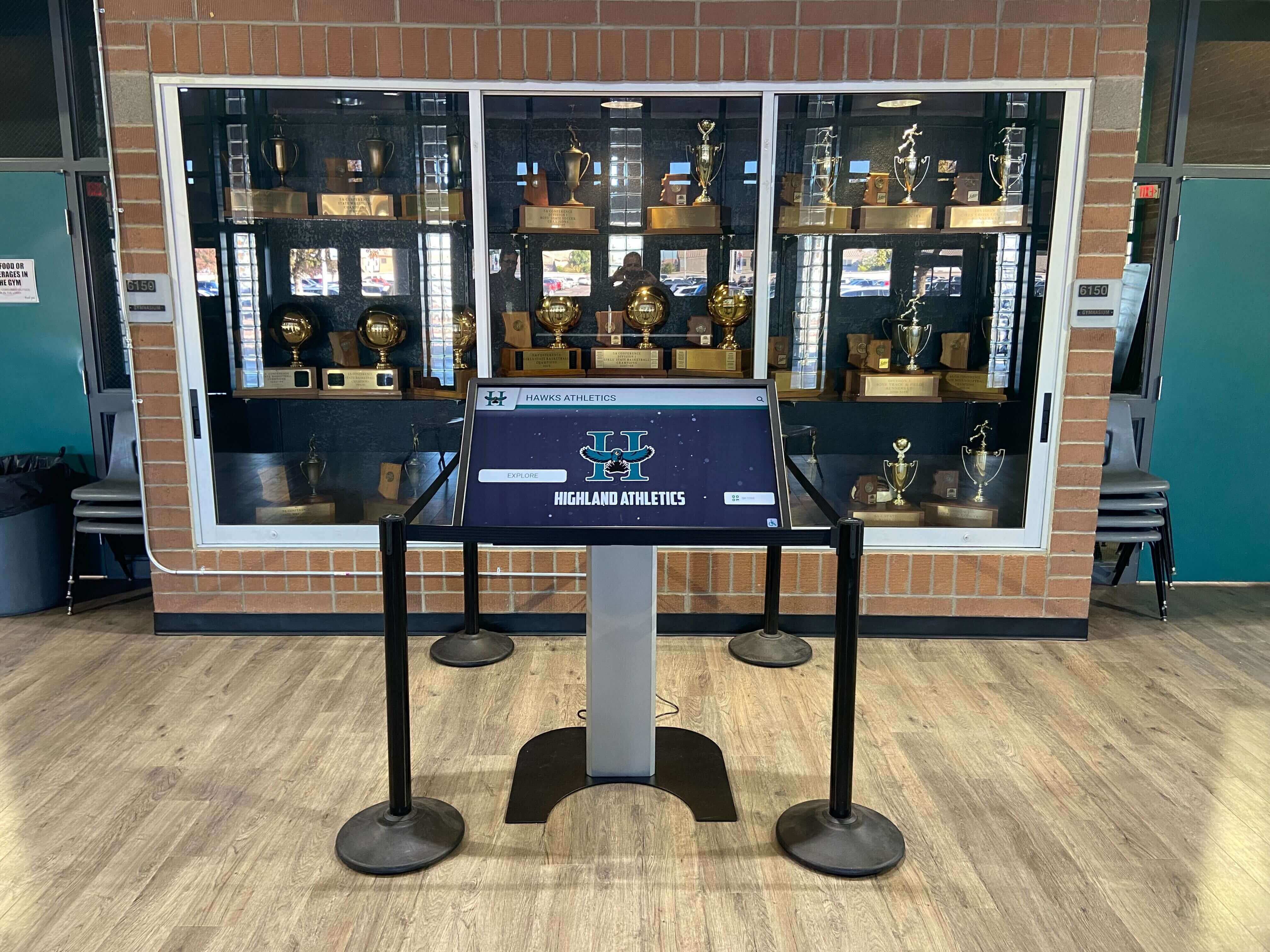
Flexible placement options integrate digital displays within existing trophy cases and athletic recognition areas
Scene 7: Multi-Location Display Options (13:25-14:55)
Visual Elements: Tour of multiple campus display locations showing strategic placement maximizing visibility and engagement across different audiences and facility areas.
Narration Script: “Strategic placement ensures signing day recognition reaches every audience—current athletes, prospective recruits, families, alumni, and community visitors.
The main athletic facility entrance creates immediate pride atmosphere. As visitors enter, they encounter comprehensive celebration of college commitments demonstrating your program’s success developing student-athletes to collegiate level. This display typically showcases all sports comprehensively.
Locker room displays inspire current athletes daily. Surrounded by teammates who achieved college athletics, younger athletes visualize their own potential pathway. These displays often emphasize sport-specific commitments and include motivational messaging from alumni.
Weight and training rooms feature displays connecting athletic development to college opportunities. As athletes work to improve performance, visual reminders of where dedication leads provide powerful motivation.
School main entrance displays reach non-athletic audiences—prospective families touring campus, community members attending events, students from other programs. This comprehensive visibility demonstrates that your school prioritizes and celebrates athletic achievement.
All displays connect to the same content library with flexible focusing. Update once, publish everywhere. Or customize each display’s emphasis while maintaining consistent professional presentation throughout campus.
For schools with multiple campuses or feeder programs, the same platform supports district-wide recognition—middle school athletes see high school signings, freshman academy displays inspire commitment to athletic development.”
On-Screen Action:
- Wide shot of athletic facility entrance display
- Move to locker room showing sport-specific display
- Show weight room display with motivational content
- Main school entrance display reaching broader audience
- Demonstrate content synchronization across locations
- Show admin dashboard managing multiple displays
- Display district-wide implementation with connected campuses
- Text overlays: “Strategic Placement • Multi-Location • Synchronized Content • Campus-Wide Impact”
Production Notes: Capture authentic facility environments. Show natural student engagement at different locations. Demonstrate comprehensive visibility strategy. Emphasize content management simplicity across multiple displays.
Explore placement strategies in state championship displays for high schools with multi-location approaches.
Scene 8: Mobile and Web Access (14:55-16:25)
Visual Elements: Demonstration of accessing signing day recognition via smartphones, tablets, and web browsers extending reach beyond physical campus locations to alumni and families nationwide.
Narration Script: “Recognition extends far beyond physical displays through mobile and web access reaching athletes, families, and alumni anywhere in the world.
Every signing profile accessible via responsive web platform displays perfectly on any device—smartphones, tablets, laptops, desktop computers. Here’s the same content we explored on the touchscreen display, now accessible from a smartphone, tablet, and laptop simultaneously.
Athletes share their signing profiles directly from the platform to personal social media—Instagram, Twitter, Facebook—with professional presentation enhancing their personal brand. Families across the country access their student-athlete’s recognition anytime, sharing proudly with extended family and friends.
Alumni return to the web platform discovering their original signing day profile still prominently featured. Many platforms enable alumni updates where graduates share college career highlights, post-graduation success, or advice for current athletes. This creates living legacy connecting past achievement to present inspiration.
College coaches recruiting from your program access your web-based signing history researching your tradition of developing collegiate athletes. When multiple athletes from your program succeed at specific colleges, that relationship becomes visible attracting additional recruitment interest.
QR codes on physical displays link directly to web profiles enabling visitors to immediately access extended content, bookmark interesting athletes, or share recognition easily. The seamless integration between physical touchscreens and mobile web creates comprehensive engagement ecosystem.”
On-Screen Action:
- Show physical display with visible QR code
- Smartphone scanning QR opening athlete profile
- Split screen showing same content across devices
- Navigate mobile interface demonstrating responsive design
- Show social sharing from athlete profile
- Display web analytics showing geographic reach
- Demonstrate alumni accessing and updating profiles
- Show email notification driving web traffic
- Text overlays: “Mobile Responsive • Social Sharing • Alumni Access • Worldwide Reach”
Production Notes: Capture synchronized multi-device experience. Show ease of mobile navigation. Include testimonials from athletes, families, or alumni about remote access value. Emphasize extended reach beyond physical location.
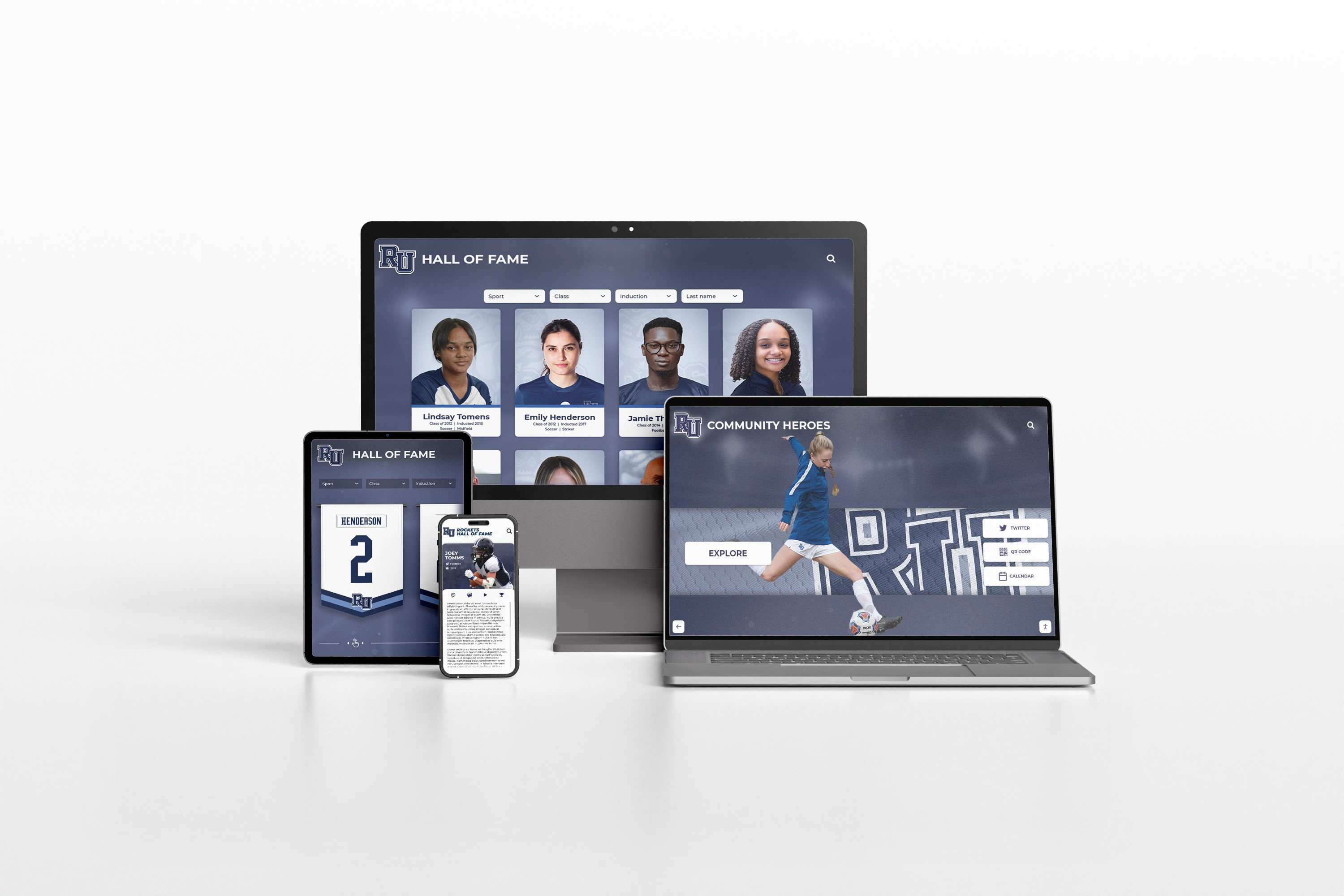
Responsive web platforms extend recognition reach across all devices enabling athletes, families, and alumni worldwide to explore achievements
Learn web platform strategies in best platforms for building virtual hall of fame with comprehensive comparisons.
Scene 9: Implementation Timeline and Support (16:25-17:30)
Visual Elements: Overview of implementation process from planning through launch showing timeline, support resources, and ongoing partnership ensuring successful recognition program.
Narration Script: “Creating comprehensive college signing day recognition requires systematic planning and implementation—but the process is straightforward with proper guidance.
Typical implementation spans 8-12 weeks from initial planning through launch. Planning and consultation phase establishes your recognition priorities, display placement, and content strategy. Hardware procurement and installation takes 2-3 weeks including professional mounting and network configuration.
Content development represents the most time-intensive phase—gathering athlete information, photos, and videos building your initial recognition library. Rocket Alumni Solutions provides templates, training, and support streamlining this process. Many schools begin with current year commitments then systematically expand historical archives over subsequent months.
Technical setup, testing, and staff training ensures administrators confidently manage the platform before launch. Final launch preparation includes promotional planning, unveiling event coordination, and community announcement strategy.
Ongoing support continues long after launch. Platform updates and feature enhancements arrive automatically. Technical support responds to questions or issues promptly. Training resources including video tutorials, documentation, and live assistance ensure staff success.
Annual planning sessions help schools maximize recognition value—identifying content enhancement opportunities, exploring new features, and refining engagement strategies based on analytics and feedback.”
On-Screen Action:
- Timeline graphic showing implementation phases
- Installation time-lapse showing mounting and configuration
- Content development workflow demonstration
- Training session showing staff learning platform
- Launch event footage with community celebration
- Support resources display (tutorials, documentation, help desk)
- Analytics dashboard showing engagement metrics
- Text overlays: “8-12 Week Implementation • Comprehensive Training • Ongoing Support • Continuous Enhancement”
Production Notes: Balance technical information with approachable presentation. Show actual installation and training when possible. Include administrator testimonial about implementation experience and satisfaction. Emphasize partnership approach ensuring long-term success.

Professional implementation ensures optimal performance, reliability, and sustained engagement in high-traffic campus environments
Production Equipment and Technical Specifications
Professional video tours require appropriate equipment creating polished demonstrations that effectively communicate digital recognition capabilities.
Camera Equipment
Primary Camera: Professional video camera or high-end mirrorless system (Sony A7 series, Canon R series, Panasonic Lumix) capable of 4K recording at 60fps. Shoot in 4K even if delivering 1080p final product—extra resolution enables punch-ins during editing without quality loss.
Lens Selection: 24-70mm f/2.8 zoom provides versatility for wide establishing shots, medium close-ups on touchscreen interactions, and tight detail captures. Prime lenses (35mm f/1.4, 50mm f/1.2) offer superior low-light performance for athletic facilities with challenging lighting.
Stabilization: Gimbal stabilizer (DJI Ronin-S, Zhiyun Crane) enables smooth camera movement approaching and circling displays. Slider or dolly for controlled linear movements. Tripod for static shots showing extended interactions.
Lighting Approach
Athletic facilities present challenging lighting with mixed color temperatures requiring supplemental lighting.
Key Lighting: LED panel lights (Aputure Amaran, Godox SL-series) with controllable color temperature (3200K-5600K) matching ambient conditions. Soft boxes or diffusion creating even light without harsh shadows.
Display Lighting: Careful exposure balancing screen brightness with ambient lighting preventing blown-out displays. Polarizing filter reduces screen glare. Slightly underexpose displays by 1/3 stop maintaining detail.
Ambient Balance: Match supplemental lighting to dominant ambient color temperature preventing color casts. White balance correctly in-camera reducing post-production requirements.
Audio Recording
Narration Recording: Professional USB condenser microphone (Blue Yeti, Rode NT-USB, Shure MV7) in quiet environment recording voice-over separately. Acoustic treatment eliminating room echo ensuring broadcast-quality narration.
Location Audio: Wireless lavalier microphones (Rode Wireless GO II, Sennheiser EW series) capturing subject audio during demonstrations. Boom microphone for ambient sound and additional dialogue.
Audio Processing: Normalize levels to -3dB, apply noise reduction, add compression for consistent volume, and subtle EQ enhancing clarity.
Closed Captioning and ADA Compliance
Caption Requirements: Professional closed captions with accurate spelling, proper punctuation, and appropriate timing synchronized precisely with audio. Caption editing software or professional caption services ensuring accuracy.
Audio Description: Separate audio track describing visual elements for visually impaired viewers including on-screen text, navigation actions, and important visual information not covered by narration.
Transcript Document: Complete written transcript available as downloadable document or web page enabling search engine indexing and accessibility accommodation.
Streaming and Distribution Strategy
Completed video tours require strategic distribution maximizing reach and supporting engagement objectives.
Primary Distribution Channels
School Website Embedding: Feature video prominently on athletic pages, signing day information pages, and prospective student-athlete resources. Include clear call-to-action directing viewers to explore recognition platform or contact athletic department.
YouTube Channel: Upload to school or district YouTube channel optimizing title, description, and tags for discovery. Create playlist combining tour video with signing day highlights, athlete testimonials, and program success stories.
Social Media Excerpts: Create 60-90 second highlight clips optimized for social platforms showcasing compelling features. Vertical format (9:16) for Instagram Stories and Reels, square format (1:1) for Facebook feeds.
Recruit Communication: Include video in recruitment emails and digital recruiting materials showcasing program commitment to athlete recognition and comprehensive support.
Video SEO Optimization
Video Title: “National College Signing Day Digital Showcase Tour | Interactive Athletic Recognition Display” - front-loaded with primary keywords while remaining natural and compelling.
Description: Comprehensive 300+ word description explaining what viewers will learn, timestamp chapters for navigation, links to related resources, and clear call-to-action. Include relevant keywords naturally.
Tags: Comprehensive tagging including “national college signing day,” “college signing day showcase,” “athletic commitments,” “digital recognition,” “interactive displays,” “student-athlete recognition,” and related variations.
Thumbnail: Custom-designed thumbnail showing touchscreen interaction with athlete profile, overlaid text highlighting key benefit (“Archive Every Signing Year” or “Real-Time Updates”), and clear school branding.
Supporting Landing Page
Dedicate webpage featuring video tour alongside supporting content:
Page Elements: Embedded video player at top, written transcript for accessibility and SEO, FAQ section addressing common questions, implementation timeline overview, contact form for athletic directors, testimonials from satisfied schools, clear call-to-action buttons throughout.
Conversion Optimization: Multiple conversion options including “Schedule Demo” calendar integration, “Request Information” form, “Download Implementation Guide” PDF capturing leads.
Analytics Integration: Track video engagement (play rate, completion rate, chapter engagement) alongside page behavior informing optimization.
Measuring Video Tour Performance
Systematic assessment demonstrates video value while identifying optimization opportunities.
Engagement Metrics
View Counts and Sources: Total video views segmented by traffic source (website embedding, YouTube search, social media, email campaigns) revealing which distribution channels drive engagement.
Completion Rates: Percentage of viewers watching entire video versus dropping off early indicating content quality. Analyze drop-off points identifying sections needing improvement. Target 60%+ completion rate for 10-14 minute demonstrations.
Chapter Engagement: Analyze which sections receive most replays revealing topics of greatest interest. Use insights informing future content development.
Interaction Rates: Click-through on embedded CTAs, links in descriptions, and conversion actions (form submissions, contact requests, downloads) measuring how effectively video drives desired actions.
Conversion Impact
Lead Generation: Quantity and quality of athletic director inquiries generated through video tour landing pages and organic discovery. Track conversion rates from video viewer to qualified lead.
Decision Influence: Survey schools about video tour impact on recognition system selection and implementation timing. Track whether viewing video correlates with faster decision-making.
Stakeholder Buy-In: Use video tours during athletic director presentations to administrators, boosters, or school boards demonstrating capabilities and building implementation support.
Conclusion: Video Tours Demonstrate Signing Day Recognition Power
Video tour walkthroughs provide compelling demonstration of how digital platforms transform National College Signing Day recognition from temporary announcements into permanent, engaging celebration inspiring current and future student-athletes.
Book a Live College Signing Day Display Demo
Experience interactive signing day recognition firsthand through personalized video demonstration showcasing how your athletic program can celebrate unlimited commitments while preserving complete historical legacy.
Schedule Your Demo TodayThe comprehensive demonstration explored in this guide showcases how digital recognition technology transforms college signing day celebration from space-limited, temporary displays into unlimited, permanent showcases honoring every commitment across all years while adapting throughout the school year with real-time updates and flexible templates.
From current year signings featuring comprehensive athlete profiles to historical archives preserving decades of program tradition, digital platforms solve persistent signing day recognition challenges while creating engaging experiences that genuinely inspire student-athletes, strengthen program culture, and demonstrate athletic excellence to recruits, families, and communities.
Ready to transform your college signing day recognition? Explore how Rocket Alumni Solutions provides comprehensive interactive recognition systems combining professional hardware, intuitive content management, flexible templates, and ongoing support ensuring your athletic program celebrates every signing while building lasting tradition connecting past achievement to future excellence.
Discover additional recognition approaches in college commitment day digital boards showcasing comprehensive signing recognition, or explore athletic recruiting recognition displays demonstrating recruitment journey celebration extending beyond signing day moments.































