




MWE-QIXZOCV touchscreen kiosk interactive displays have emerged as popular hardware choices for schools, businesses, and institutions seeking professional-grade digital recognition systems and interactive information displays. These Android-powered floor-standing kiosks combine commercial-grade touchscreen technology with accessible pricing, making them attractive options for organizations deploying digital hall of fame displays, wayfinding systems, alumni recognition installations, and interactive announcement boards.
When organizations invest in MWE-QIXZOCV hardware, a critical question arises: which software platforms deliver optimal compatibility, reliable performance, and comprehensive content management capabilities? Schools implementing digital recognition displays particularly benefit from understanding how these kiosks integrate with specialized platforms like Rocket Alumni Solutions—purpose-built software designed specifically for educational and institutional recognition applications.
This comprehensive guide explores MWE-QIXZOCV touchscreen kiosk specifications, technical capabilities, ideal use cases, and—most importantly—detailed compatibility considerations when pairing these displays with Rocket Alumni Solutions software. Whether you’re planning your first recognition display installation or expanding existing systems, you’ll discover how to maximize hardware investments through optimal software integration delivering engaging, professionally managed interactive experiences.
The MWE-QIXZOCV product line includes multiple display sizes ranging from 37 inches to 65 inches, each designed for indoor floor-standing installations supporting interactive applications in educational environments, corporate lobbies, retail spaces, hospitality venues, and public institutions. Understanding which models suit specific applications and how software compatibility affects long-term success proves essential for informed purchasing decisions.

MWE-QIXZOCV touchscreen kiosks provide professional floor-standing hardware ideal for recognition displays powered by Rocket Alumni Solutions software
Understanding MWE-QIXZOCV Touchscreen Kiosk Product Line
Before exploring software compatibility, understanding the core specifications, capabilities, and design philosophy of MWE-QIXZOCV displays helps organizations evaluate whether these kiosks align with their technical requirements and deployment contexts.
Core Technical Specifications
MWE-QIXZOCV touchscreen kiosks share fundamental architecture across their product line while varying in screen size and resolution capabilities.
Display Technology
All MWE-QIXZOCV models according to manufacturer specifications utilize FHD IPS (In-Plane Switching) display panels providing wide 178-degree viewing angles suitable for multi-user interaction and public viewing scenarios. This panel technology ensures consistent color reproduction and visibility from various positions—critical for recognition displays where multiple viewers simultaneously explore content.
The larger 55-inch and 65-inch models feature 4K Ultra HD resolution (3840 x 2160 pixels) delivering enhanced clarity particularly beneficial for detailed imagery, text-heavy content, and applications where visual quality significantly impacts user perception and institutional brand representation.
Touchscreen Capabilities
MWE-QIXZOCV displays integrate capacitive touchscreen technology supporting multi-touch gestures including tap, swipe, pinch, and zoom interactions familiar to users from smartphone and tablet experiences. This responsive touch implementation enables intuitive navigation through content hierarchies, image galleries, biographical profiles, and multimedia presentations.
Touch responsiveness proves particularly important for interactive recognition displays where engagement quality directly affects whether visitors explore content deeply or abandon interaction after brief surface-level encounters.
Android Operating System Foundation
All MWE-QIXZOCV kiosks run Android operating system versions optimized for commercial display applications. This Android foundation provides several strategic advantages:
- Familiar application ecosystem supporting diverse software options
- Native web browser capability for cloud-based content delivery
- Flexible application installation through APK side-loading or app stores
- Built-in media players supporting local content playback
- Wi-Fi and Ethernet connectivity for networked content management
- USB input supporting plug-and-play media updates
The Android foundation makes these kiosks particularly compatible with web-based platforms like Rocket Alumni Solutions, which leverage browser technologies for cross-platform consistency and remote content management capabilities.

Floor-standing kiosk designs integrate naturally into campus lobbies, athletic facilities, and institutional gathering spaces
Available Size Options and Model Variations
Organizations selecting MWE-QIXZOCV hardware should carefully consider display size relative to viewing distance, available space, content density, and intended application requirements.
37-Inch and 43-Inch Models
Smaller MWE-QIXZOCV displays suit installations where:
- Floor space limitations constrain larger footprints
- Viewing distances remain relatively close (3-6 feet typical)
- Budget constraints favor more affordable entry points
- Content presentations prioritize navigation over simultaneous information density
- Locations serve individual or small-group interaction rather than crowd visibility
Schools implementing honor roll recognition displays in classroom wings, athletic department offices, or alumni association spaces often find 43-inch models provide adequate visibility while maintaining appropriate scale for secondary locations.
49-Inch Models
Mid-size 49-inch displays balance visibility, footprint, and cost for general-purpose installations. This size works well for:
- Main hallway installations in medium-sized facilities
- Lobby placements in small to mid-sized schools or buildings
- Multi-purpose applications requiring reasonable information density
- Budget-conscious projects seeking good value for visibility
- Retrofit installations replacing traditional trophy cases or bulletin boards
55-Inch and 65-Inch 4K Models
Larger premium models with 4K resolution deliver maximum impact for:
- Primary lobby installations in large facilities serving hundreds or thousands
- Signature recognition spaces where displays serve as architectural focal points
- Applications requiring high information density visible to groups
- Professional presentations where image quality reflects institutional brand standards
- Facilities with generous ceiling heights accommodating larger vertical profiles
Organizations investing in prominent digital hall of fame installations as signature recognition features typically select 55-inch or 65-inch models ensuring visibility and impact matching investment significance.
Physical Design and Installation Considerations
Freestanding Floor Kiosk Configuration
MWE-QIXZOCV displays feature integrated floor-standing designs combining displays with sturdy bases supporting stable installation without wall mounting requirements. This freestanding approach offers several deployment advantages:
- No wall penetration or structural modification requirements
- Flexible repositioning accommodating space reconfigurations
- Simplified installation not requiring facilities coordination or specialized mounting expertise
- Portability enabling relocation for events or seasonal programming
- Independence from wall conditions affecting mounting feasibility
The 43-inch model according to product documentation measures approximately 25 inches wide by 22 inches deep by 65 inches tall, establishing typical footprint and height dimensions across the product line with proportional scaling for different screen sizes.
Weight and Stability
Commercial floor-standing kiosks balance stability against excessive weight complicating installation. The 43-inch MWE-QIXZOCV model weighs approximately 91 pounds—substantial enough to resist tipping or unintended movement in public environments while remaining manageable for two-person installation and occasional repositioning.
Organizations should ensure:
- Level floor surfaces supporting kiosk bases properly
- Adequate clearance preventing tipping hazards near stairs or elevated platforms
- Positioning protecting displays from accidental impact in high-traffic corridors
- Climate-controlled environments avoiding temperature or humidity extremes
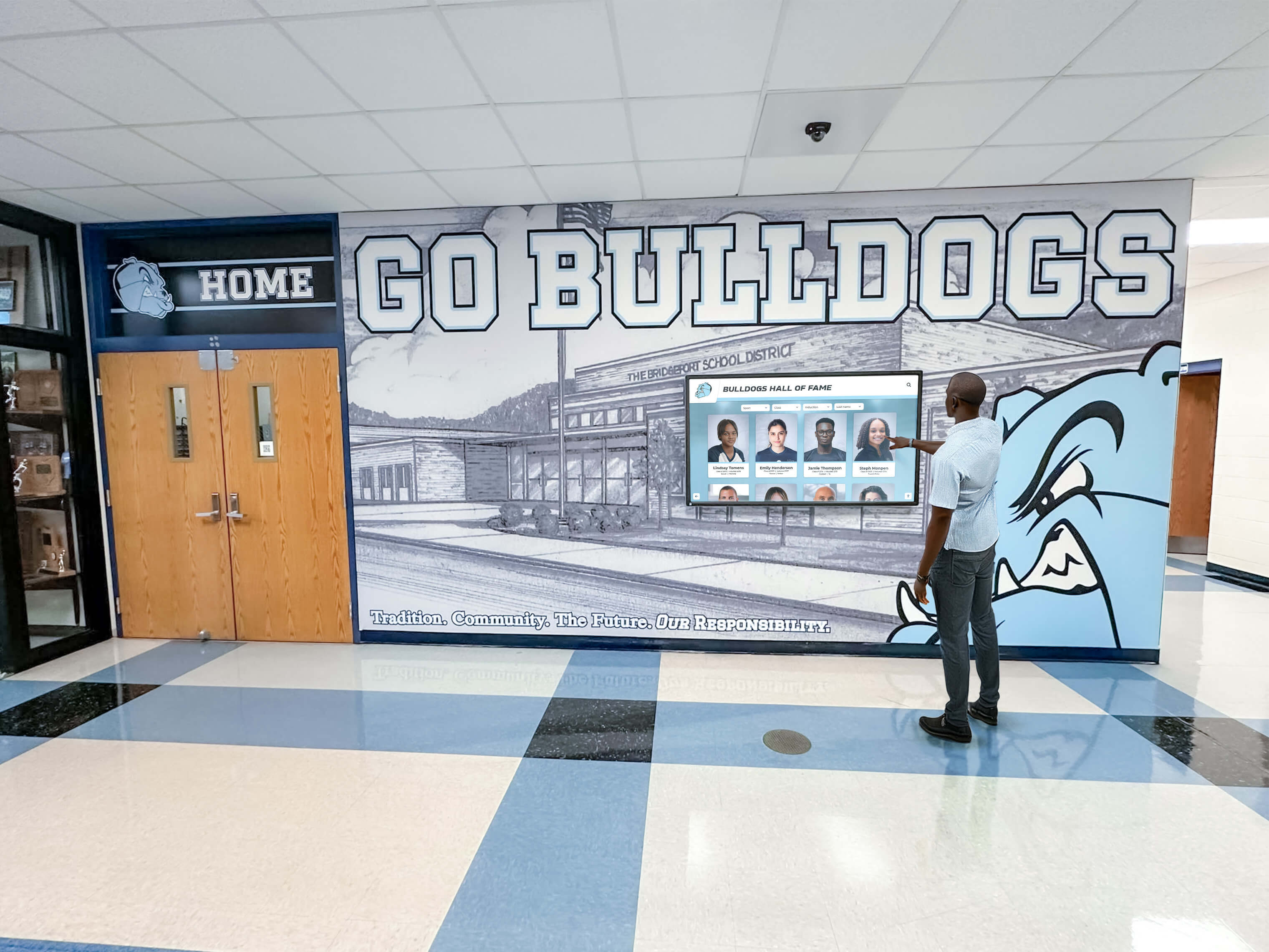
Strategic hallway placement maximizes daily engagement with recognition content while utilizing natural gathering spaces
Connectivity and Content Management Capabilities
Understanding how MWE-QIXZOCV kiosks receive, display, and update content proves essential for evaluating software compatibility and operational workflow efficiency.
Network Connectivity Options
Wi-Fi Wireless Networking
All MWE-QIXZOCV models include built-in Wi-Fi adapters supporting wireless network connectivity. This wireless capability enables:
- Cloud-based content management platforms delivering updates without physical device access
- Remote monitoring and troubleshooting reducing on-site service requirements
- Distributed deployment across multiple locations sharing centralized content management
- Simplified installation eliminating ethernet cabling requirements in retrofit scenarios
- Mobile device screen mirroring for presentation or demonstration purposes
Schools implementing interactive announcements systems across multiple buildings particularly value Wi-Fi connectivity enabling centralized content distribution to distributed display networks.
Ethernet Wired Connectivity
For installations prioritizing reliability and security, MWE-QIXZOCV kiosks include ethernet ports supporting wired network connections. Wired connectivity offers advantages for:
- Maximum reliability eliminating wireless interference or signal strength concerns
- Enhanced security avoiding wireless networking vulnerabilities
- Guaranteed bandwidth supporting high-quality video streaming
- Simplified IT network management with direct device addressing
- Compliance with institutional policies restricting wireless device proliferation
Organizations with existing ethernet infrastructure frequently leverage wired connectivity for primary installations while reserving Wi-Fi for flexible secondary locations.
Input and Media Support
HDMI Input Connectivity
HDMI inputs enable MWE-QIXZOCV displays to function as external monitors for:
- Laptop or PC connections for presentations or demonstrations
- Gaming consoles or media players for interactive entertainment applications
- Specialized computing hardware requiring external display connectivity
- Redundant content sources providing backup display capabilities
- Hybrid installations combining local computing with cloud content
While most recognition applications leverage Android functionality and network content delivery, HDMI flexibility ensures displays support diverse use cases maximizing utilization and return on investment.
USB Media Playback
USB ports support direct media file playback enabling offline content delivery:
- Plug-and-play presentation updates through physical media transfer
- Automatic playlist recognition and looping playback
- Emergency content updates when network connectivity proves unavailable
- Initial content loading during installation and configuration
- Local backup content sources ensuring continuous operation
Organizations in locations with connectivity limitations or requiring offline operation capabilities value USB playback as reliable fallback content delivery mechanism.
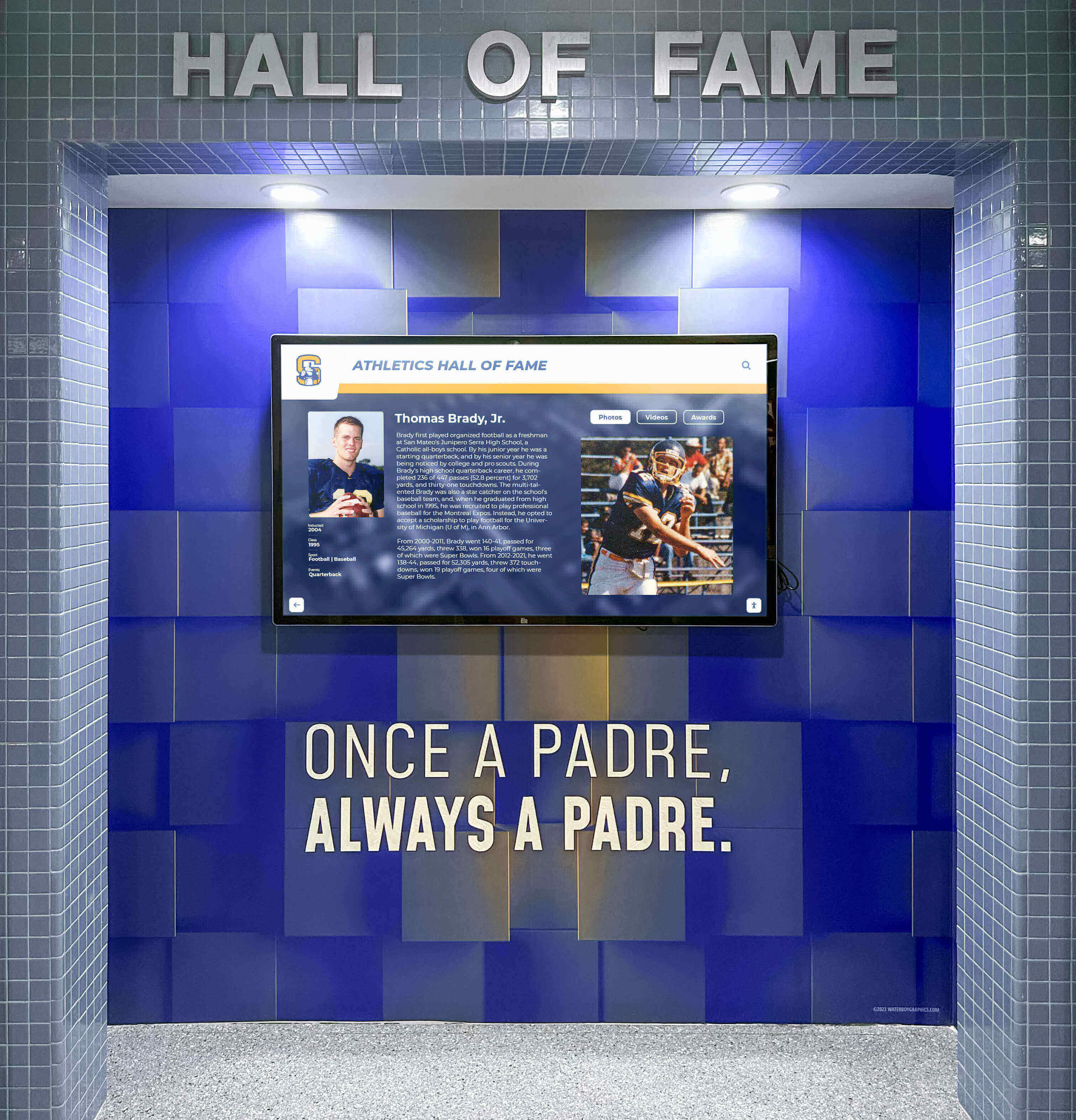
Athletic facilities benefit from touchscreen recognition systems celebrating achievements while engaging student athletes and visitors
Rocket Alumni Solutions Software Compatibility
Understanding how Rocket Alumni Solutions integrates with MWE-QIXZOCV hardware helps organizations plan successful recognition display implementations leveraging both hardware capabilities and software content management sophistication.
Web-Based Platform Architecture Advantages
Rocket Alumni Solutions employs web-based application architecture delivering content through standard web browsers—a design decision providing significant compatibility advantages with Android-powered MWE-QIXZOCV displays.
Cross-Platform Compatibility Through Browser Standards
Web-based platforms like Rocket Alumni Solutions function identically across different hardware platforms supporting modern web browsers. This browser-based approach means:
- Single content platform serves all display hardware regardless of manufacturer or operating system
- Organizations avoid vendor lock-in or platform-specific software dependencies
- Future hardware changes don’t require software migration or content recreation
- Mixed deployments can include MWE-QIXZOCV units alongside other compatible hardware
- Software updates deploy instantly to all displays without individual device management
Schools implementing digital recognition systems across varied hardware ecosystems particularly benefit from platform-independent software eliminating compatibility complexities inherent in native application approaches requiring separate development for each operating system.
Remote Content Management Without Physical Access
Cloud-based content management represents Rocket Alumni Solutions’ most operationally significant advantage. Authorized users update recognition content from any internet-connected device—desktops, laptops, tablets, or smartphones—with changes instantly propagating to all connected displays including MWE-QIXZOCV kiosks.
This remote management capability eliminates:
- Physical access requirements for every content update
- Technical expertise barriers preventing non-IT staff from managing recognition
- Geographic limitations when managing distributed installations
- Delays between achievement occurrence and recognition publication
- Administrative burden previously preventing recognition programs from remaining current
Organizations maintaining active recognition programs—regularly adding new achievements, rotating featured content, correcting errors, and updating biographical information—find remote cloud management transforms feasibility of comprehensive recognition from administratively prohibitive to sustainably manageable.
Technical Integration Methodology
Browser-Based Content Delivery
Implementing Rocket Alumni Solutions on MWE-QIXZOCV displays involves configuring Android browsers into kiosk mode displaying specified URLs full-screen without navigation elements or system access. This configuration process includes:
- Installing and configuring specialized kiosk browser applications from Android app stores or direct APK installation
- Entering Rocket Alumni Solutions display URL provided for your specific installation
- Enabling full-screen kiosk mode hiding browser chrome and preventing user exit
- Disabling system shortcuts and Android functions preventing unauthorized access
- Configuring automatic launch ensuring displays begin operation on power-up
- Setting session timeout and auto-reset parameters maintaining content freshness
Several high-quality kiosk browser applications serve Android devices effectively, with solutions like web-based touchscreen software providing detailed comparison and selection guidance.
Touch Interaction Optimization
Rocket Alumni Solutions designs interfaces specifically for touchscreen interaction, ensuring MWE-QIXZOCV capacitive touch capabilities translate to intuitive user experiences:
- Touch targets sized appropriately for finger interaction (minimum 44-48 pixels)
- Visual feedback confirming touch registration through highlights and state changes
- Gesture support including tap, swipe, and scroll matching mobile device patterns
- Responsive layouts adapting content density to display dimensions
- Clear navigation hierarchy preventing users from becoming lost in content structures
- Search and filtering capabilities enabling efficient content discovery in large archives
These touch-optimized design principles ensure visitors naturally understand how to interact with recognition displays without instruction or learning curves.
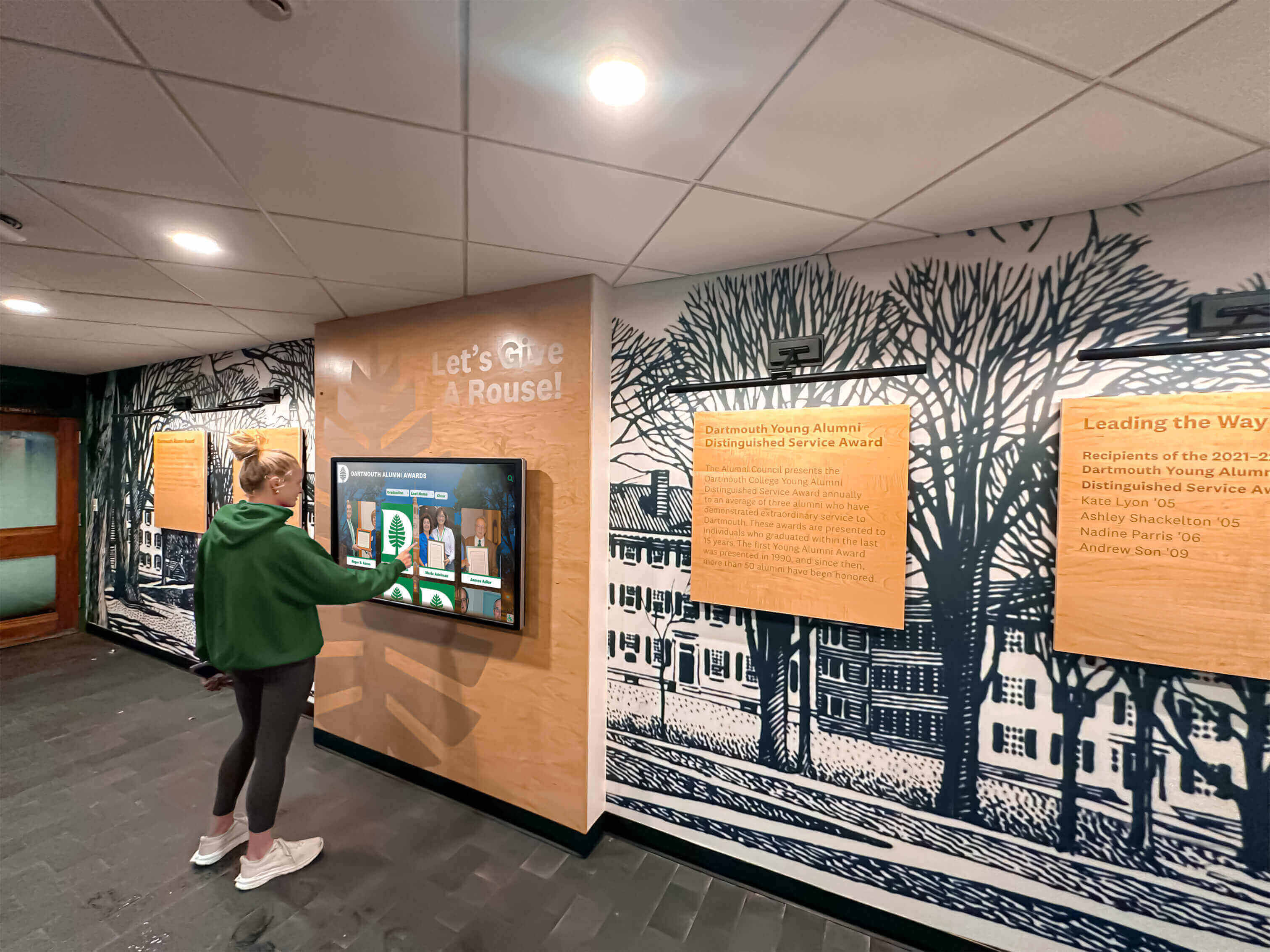
Intuitive touch interfaces encourage spontaneous exploration by students, alumni, and visitors encountering recognition displays
Optimal Use Cases for MWE-QIXZOCV with Rocket Alumni Solutions
Understanding which institutional applications particularly benefit from this hardware-software combination helps organizations evaluate fit for specific recognition objectives.
School and University Athletic Recognition
Athletic achievement recognition represents one of the most visible and celebrated institutional functions, making it a natural focus for digital touchscreen implementation.
Comprehensive Athletic Hall of Fame Displays
MWE-QIXZOCV kiosks running Rocket Alumni Solutions enable schools to:
- Showcase unlimited athlete profiles across all sports and eras without space constraints
- Present complete career statistics, championship documentation, and biographical information
- Feature high-resolution action photography and video highlights celebrating defining moments
- Track all-time record progressions across statistical categories
- Document team championship seasons with rosters, records, and tournament brackets
- Recognize coaching excellence through comprehensive career documentation
Schools implementing athletic hall of fame systems consistently report dramatically increased engagement compared to traditional static trophy cases—with visitors spending 3-5 times longer exploring interactive digital content than briefly glancing at physical plaques.
Multi-Sport Integration and Equity
Digital platforms eliminate space scarcity forcing difficult choices about which programs receive recognition visibility. MWE-QIXZOCV displays running comprehensive recognition software celebrate:
- Equal prominence for all sports regardless of program profile or resource levels
- Lesser-known sports receiving visibility alongside premier programs
- Every team season systematically documented preserving complete institutional history
- Individual excellence across all positions and achievement categories
- Gender equity in recognition matching Title IX commitment to equal opportunity
This comprehensive approach demonstrates that institutions value diverse athletic excellence, encouraging broader participation while honoring every sport’s unique contributions to institutional identity and community culture.
Academic Excellence and Scholar Recognition
While athletic success often dominates institutional recognition, comprehensive digital systems celebrate academic achievement with equal visibility and engagement.
Academic Recognition Categories
MWE-QIXZOCV kiosks displaying academic content through Rocket Alumni Solutions showcase:
- Valedictorians and salutatorians across graduating class history
- National Honor Society inductees with service and scholarship documentation
- Academic scholarship recipients and college acceptance achievements
- Departmental awards recognizing subject-specific excellence
- Research accomplishments, competition success, and publication achievements
- Perfect attendance, academic improvement, and engagement recognition
Organizations implementing academic recognition programs find digital displays enable equitable celebration across achievement types without physical space limitations forcing exclusionary choices about which accomplishments receive visibility.
STEM and Specialized Program Showcases
Beyond traditional academic metrics, touchscreen displays celebrate:
- Student STEM projects and engineering competition achievements
- Career and technical education program accomplishments
- Arts and creative achievement portfolios
- Leadership development and community service contributions
- Specialized certifications and industry-recognized credentials
This expanded recognition demonstrates institutional commitment to valuing diverse talents and pathways to success beyond narrow conventional metrics.

Professional lobby installations combine digital touchscreens with traditional elements creating comprehensive recognition destinations
Alumni Connection and Institutional Development
Digital recognition systems serve advancement objectives by strengthening alumni relationships and supporting institutional development initiatives.
Alumni Profile and Career Pathway Celebration
MWE-QIXZOCV displays featuring Rocket Alumni Solutions alumni content include:
- Post-graduation career pathways and professional accomplishments
- Advanced degrees and continuing education achievements
- Community leadership and service contributions
- Industry recognition and professional honors
- Generational legacy connections linking family members across decades
- Mentorship and volunteer service supporting current students
Schools implementing alumni recognition systems report significant increases in engagement metrics, reunion attendance, and advancement outcomes—demonstrating tangible value these recognition investments deliver beyond celebration itself.
Donor Recognition and Giving Acknowledgment
Integration with development databases enables:
- Named giving opportunity promotion showcasing recognition possibilities
- Donor wall functionality celebrating philanthropic support
- Capital campaign progress visualization maintaining momentum
- Legacy giving promotion through multigenerational storytelling
- Reunion class gift tracking encouraging competitive participation
Digital recognition flexibility enables immediate acknowledgment of contributions—donors see recognition within hours rather than waiting months for physical plaque production and installation.
Institutional History and Heritage Preservation
Touchscreen displays preserve institutional memory while connecting current communities to proud traditions extending across generations.
Historical Timeline and Milestone Documentation
Digital archives created through Rocket Alumni Solutions preserve:
- Decade-by-decade institutional evolution and facility development
- Leadership succession recognizing administrators and key figures
- Tradition origins explaining customs and cultural practices
- Historic photograph and yearbook archives digitally accessible
- Anniversary celebrations and significant milestone commemorations
Organizations explore comprehensive school history preservation strategies through interactive digital platforms reaching broader audiences than physical archives accessed only occasionally by researchers.
Implementation Best Practices and Setup Guidelines
Successfully deploying MWE-QIXZOCV hardware with Rocket Alumni Solutions software requires systematic planning addressing technical configuration, content development, and ongoing operational management.
Hardware Setup and Configuration
Initial Device Configuration
Upon receiving MWE-QIXZOCV kiosks, complete fundamental setup procedures:
- Unpack hardware carefully inspecting for shipping damage
- Position kiosk in intended location ensuring level stable placement
- Connect to power source and initiate first boot sequence
- Configure Android system settings including language, time zone, and date
- Connect to institutional Wi-Fi network or ethernet infrastructure
- Install system updates ensuring current Android version and security patches
- Configure accessibility settings if required for specific user populations
Kiosk Browser Installation and Configuration
Transform standard Android devices into locked-down kiosks through browser configuration:
- Research and select appropriate kiosk browser application meeting security and functionality requirements
- Install chosen browser through Google Play Store or side-loaded APK files
- Launch browser and enter Rocket Alumni Solutions display URL
- Enable kiosk mode features preventing exit or system access
- Configure auto-start ensuring browser launches on device power-up
- Set session timeout and automatic reset parameters
- Test all touch interactions verifying proper gesture recognition and navigation
- Disable system navigation buttons and Android shortcut combinations
Organizations may reference touchscreen kiosk software guides for detailed browser comparison and configuration instructions.
Content Development and Quality Standards
Systematic Content Creation Workflow
Comprehensive recognition requires organized content development:
- Conduct historical research gathering information about past achievements and honorees
- Collect photographs from yearbooks, archives, athletic departments, and community sources
- Compile video footage from recorded events and historical archives
- Organize statistical data standardizing information across different source formats
- Author compelling biographical profiles and achievement descriptions
- Prepare media assets optimizing photos and videos for display performance
- Upload content to Rocket Alumni Solutions content management system
- Review published content ensuring accuracy before public announcement
Organizations should allocate 80-150 hours for comprehensive initial content development depending on institutional history depth and available source materials—foundational investment ensuring recognition quality from launch day forward.
Media Quality Guidelines
Recognition displayed prominently deserves professional presentation standards:
- High-resolution photography (minimum 1920x1080 for featured images)
- Proper lighting, composition, and editing reflecting institutional brand
- HD video content (1080p minimum; 4K preferred for large displays)
- Professional editing with context, titles, and closed captioning
- Factually accurate written content verified through multiple sources
- Engaging storytelling beyond statistics alone
- Appropriate length (150-300 words typical for biographical profiles)
- Consistent tone and style reflecting institutional voice
These quality standards ensure digital content honors achievements appropriately while maintaining professional presentation reflecting positively on institutional commitment to recognition excellence.

Integrated installations combine digital touchscreens with school murals and branding creating cohesive recognition environments
Ongoing Management and Maintenance
Regular Content Update Procedures
Digital recognition remains engaging only when content stays current and relevant:
- Designate specific staff members responsible for recognition content management
- Create standard information collection forms gathering necessary details after achievements
- Schedule regular content addition sessions (weekly or monthly during active periods)
- Review published content ensuring accuracy before institutional announcements
- Communicate new recognition additions through institutional channels driving engagement
- Archive source materials supporting future updates or corrections
- Rotate featured content highlighting different achievements seasonally
Cloud-based platforms enable remote updates from any internet-connected device—dramatically reducing administrative burden compared to physical displays requiring on-site access for every modification.
Hardware Maintenance and Technical Support
Maintain MWE-QIXZOCV display reliability through systematic procedures:
- Weekly visual inspection checking display condition and proper operation
- Monthly touchscreen cleaning using appropriate microfiber cloths and approved cleaning solutions
- Quarterly software updates ensuring current Android version and security patches
- Annual professional service inspecting electrical connections and structural integrity
- Documented troubleshooting procedures enabling rapid response to technical issues
- Established vendor relationships supporting hardware warranty claims or repairs
Preventive maintenance extends hardware lifespan while ensuring consistent professional presentation maintaining institutional brand standards.
Comparing MWE-QIXZOCV to Alternative Hardware Options
Organizations evaluating touchscreen kiosk options benefit from understanding how MWE-QIXZOCV displays compare to alternative hardware approaches serving similar recognition and information display applications.
Price-Performance Value Proposition
Accessible Entry Point
MWE-QIXZOCV displays target budget-conscious market segments through competitive pricing:
- 43-inch models typically available $1,200-1,800 range depending on configuration
- 55-inch 4K models priced $2,500-3,500 range
- 65-inch premium models reaching $4,000-5,500 range
These price points position MWE-QIXZOCV significantly below premium commercial displays from established brands commanding $5,000-15,000 per unit—making digital recognition accessible to schools and organizations with limited capital budgets.
Commercial-Grade Capabilities at Consumer-Friendly Pricing
MWE-QIXZOCV balances commercial features with accessible pricing:
- Commercial IPS panels supporting wide viewing angles
- Floor-standing integrated designs eliminating mounting complexity
- Android operating system providing flexible software compatibility
- Multi-year operational lifespan appropriate for institutional investments
- Adequate performance for recognition, wayfinding, and information applications
Organizations should recognize that premium commercial displays deliver advantages including:
- Extended warranties (5-7 years vs 1-2 years typical)
- Higher brightness ratings suitable for challenging lighting environments
- More robust construction withstanding intensive continuous operation
- Enhanced calibration and color accuracy for professional applications
- Established service networks supporting rapid replacement or repair
Budget-conscious schools often find MWE-QIXZOCV value proposition compelling for secondary locations or distributed installations where premium hardware costs prove prohibitive for comprehensive deployment.
Software Compatibility Considerations
Android Flexibility vs Platform-Specific Solutions
MWE-QIXZOCV Android foundation provides advantages and limitations:
Advantages:
- Compatible with diverse software platforms including cloud-based recognition systems
- Flexible installation and configuration supporting organizational requirements
- Future software changes possible without hardware replacement
- Standard browser access enabling web-based content delivery
- Local media playback supporting offline operation when required
Limitations:
- Consumer-grade Android sometimes lacking enterprise management features
- Browser performance occasionally less optimal than purpose-built native applications
- Security configurations requiring careful setup preventing unauthorized access
- Update management potentially complex across distributed installations
Organizations prioritizing maximum software flexibility—particularly those selecting web-based platforms like Rocket Alumni Solutions—find Android foundation well-suited to these deployment patterns.
Discover comprehensive touchscreen software comparisons examining diverse platforms appropriate for various institutional applications and hardware environments.
Cost Considerations and Return on Investment
Understanding total cost of ownership helps organizations make informed financial decisions evaluating MWE-QIXZOCV investments against alternative recognition approaches.
Total Implementation Investment
Initial Setup Costs
Complete MWE-QIXZOCV implementations include multiple cost components:
- Hardware purchase: $1,200-5,500 depending on screen size and specifications
- Rocket Alumni Solutions platform subscription: $140-300 per month depending on features and support level
- Initial content development: $3,000-8,000 for comprehensive historical archive creation (staff time or vendor services)
- Professional installation services: $200-500 if facilities staff unavailable
- Network configuration: Minimal if existing infrastructure adequate
- Staff training: 2-4 hours familiarization with content management platform
Typical complete single-display implementation: $7,000-18,000 initial investment Typical ongoing annual costs: $2,000-4,500 per year (primarily platform subscription)
Comparative Value Analysis
Traditional recognition approaches involve different cost structures:
- Trophy case installations: $3,000-8,000 for quality commercial cases
- Individual plaques: $50-200 per honoree depending on quality and engraving
- Ongoing physical updates: $500-2,000 annually for new plaques and installation
- Space limitations: Inherent capacity constraints forcing difficult recognition exclusions
Digital touchscreen systems require higher initial investment but deliver superior recognition capacity, engagement quality, and long-term flexibility justifying costs for institutions committed to comprehensive recognition programs.
Quantifying Recognition Program Benefits
While challenging to measure precisely, digital recognition delivers tangible value:
Student Engagement and Culture
- Enhanced institutional pride and positive identity
- Increased awareness and celebration of diverse achievements
- Strengthened motivation through visible recognition possibilities
- Improved engagement in athletics, academics, and activities
Alumni Connection and Advancement
- Strengthened alumni relationships driving engagement and giving
- Enhanced reunion attendance through compelling recognition attractions
- Improved advancement outcomes supported by visible donor recognition
- Expanded volunteer participation from recognized community members
External Visibility and Reputation
- Professional presentation enhancing prospective family perceptions
- Positive community impression during tours and events
- Social media amplification through shareable digital content
- Competitive differentiation demonstrating institutional investment in recognition
Organizations viewing recognition as strategic institutional investment rather than discretionary expense find digital touchscreen systems deliver measurable returns justifying ongoing costs.
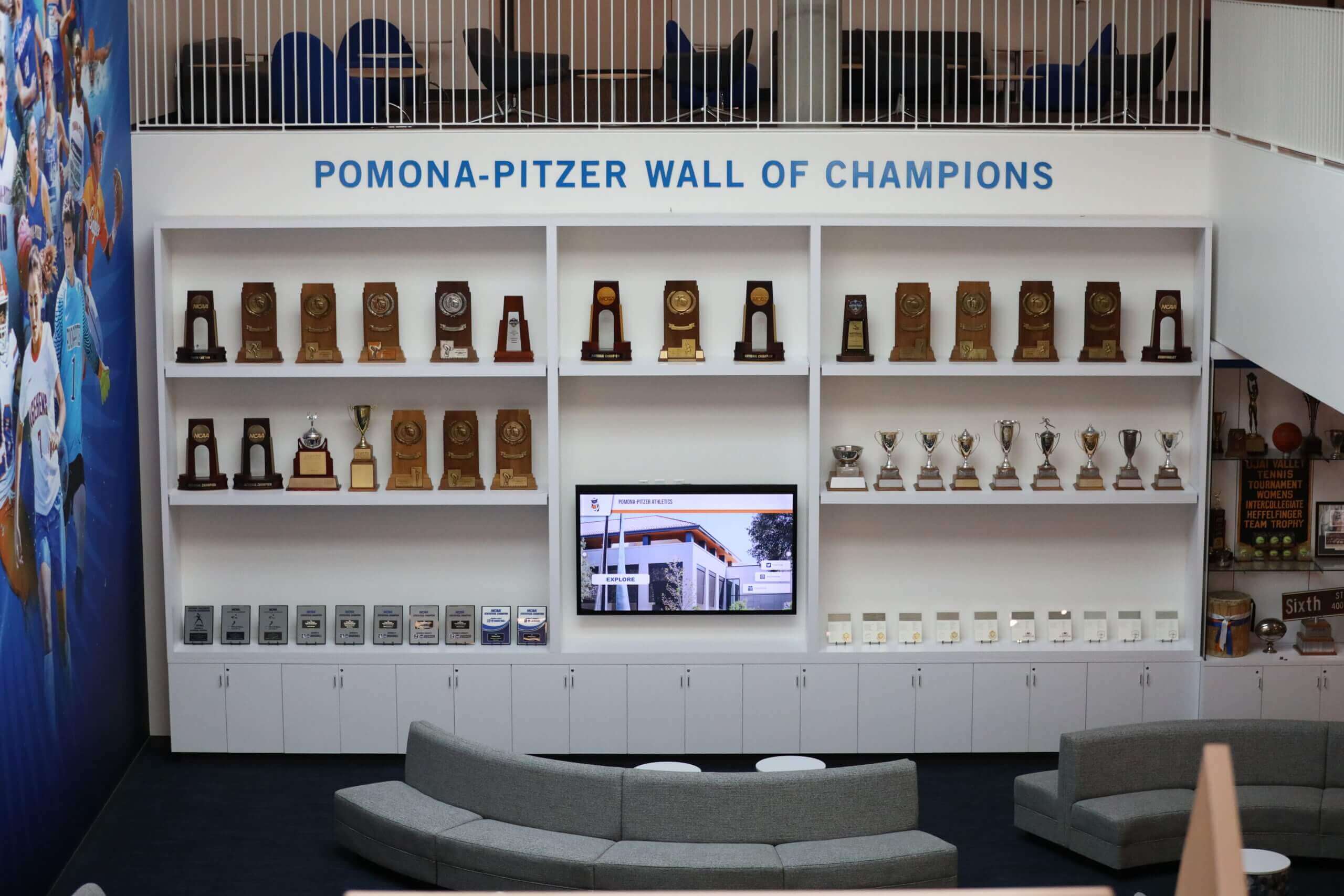
Integrated recognition destinations combine digital displays with traditional trophies and comfortable seating creating spaces where communities gather
Troubleshooting Common MWE-QIXZOCV Implementation Challenges
Understanding potential technical challenges and resolution approaches helps organizations anticipate and address issues ensuring smooth long-term operation.
Connectivity and Network Issues
Wi-Fi Connection Instability
If MWE-QIXZOCV displays experience intermittent connectivity:
- Verify Wi-Fi signal strength at installation location using mobile device
- Ensure institutional Wi-Fi systems whitelist display MAC addresses
- Configure static IP addresses if DHCP lease expirations cause disconnections
- Consider ethernet connections for installations experiencing persistent wireless issues
- Position displays away from interference sources affecting wireless signals
- Update Android Wi-Fi drivers ensuring current networking software
Content Loading Performance
If content loads slowly or incompletely:
- Test network bandwidth ensuring adequate throughput for media-rich content
- Verify institutional firewall policies don’t restrict content delivery
- Clear Android browser cache eliminating corrupted cached files
- Optimize content file sizes reducing unnecessary bandwidth consumption
- Consider local content caching for installations with limited connectivity
- Contact Rocket Alumni Solutions support investigating server-side performance
Touch Interaction Problems
Unresponsive or Inconsistent Touch Recognition
If touchscreen functionality performs poorly:
- Clean display surface removing fingerprints, dust, or residue affecting capacitive touch
- Recalibrate touchscreen through Android settings if calibration options available
- Verify browser kiosk software properly configured enabling touch event handling
- Test touch functionality using different applications isolating browser vs hardware issues
- Update Android operating system ensuring current touch driver versions
- Contact manufacturer support if hardware-level touch problems persist
Gesture Recognition Issues
If specific gestures fail consistently:
- Verify Rocket Alumni Solutions interface properly configured for multitouch gestures
- Test gestures in alternative applications confirming hardware support
- Check browser compatibility ensuring adequate gesture API support
- Update browser application to current version addressing potential bugs
- Review touch sensitivity settings adjusting responsiveness if configurable
- Consider alternative gesture patterns if specific interactions prove unreliable
Browser and Software Configuration Challenges
Kiosk Mode Exit or Security Bypass
If users access underlying Android system:
- Review and strengthen kiosk browser security configurations
- Disable Android system shortcuts through accessibility settings or third-party utilities
- Enable device administrator mode granting kiosk software system-level control
- Consider dedicated kiosk launcher applications providing comprehensive lockdown
- Physically secure device settings preventing factory reset attacks
- Implement automatic monitoring detecting unauthorized exits and triggering alerts
Organizations requiring maximum security may reference kiosk lockdown best practices ensuring robust public deployment configurations.
Future-Proofing MWE-QIXZOCV Investments
Organizations investing in touchscreen hardware should consider long-term technology evolution ensuring sustained value from recognition system investments.
Flexible Software Architecture
Platform-Independent Design Advantages
Web-based platforms like Rocket Alumni Solutions provide strategic flexibility:
- Hardware changes don’t require software migration or content recreation
- Multiple hardware brands coexist within single recognition systems
- Gradual fleet upgrades occur without wholesale system replacements
- Technology evolution doesn’t strand content or configuration investments
- Organizations avoid vendor lock-in preserving negotiating leverage
This architectural approach enables organizations to view hardware as replaceable commodity infrastructure supporting enduring software platforms and content archives representing true long-term value.
Content as Institutional Asset
Digital Archive Development
Recognition content represents significant institutional assets:
- Biographical information preserving institutional memory
- Photographic archives documenting community history
- Achievement records establishing benchmark data
- Story collections celebrating institutional culture
- Statistical databases tracking performance trends
Organizations should treat digital recognition content as permanent institutional archives deserving systematic management, backup, and preservation—ensuring investments transcend individual hardware lifecycles or software platform selections.
Scalability and Expansion Planning
Distributed Display Networks
Successful initial implementations often expand to comprehensive display networks:
- Additional displays reach broader audiences across campus locations
- Specialized content addresses different constituencies and interests
- Redundancy ensures recognition visibility during maintenance or replacement
- Strategic placement maximizes engagement across diverse traffic patterns
- Multiple access points reinforce institutional commitment to recognition
Cloud-based platforms supporting unlimited displays through single subscriptions enable cost-effective expansion as recognition programs mature and organizational commitment strengthens.
Conclusion: Maximizing MWE-QIXZOCV Value Through Optimal Software Integration
MWE-QIXZOCV touchscreen kiosk interactive displays represent accessible hardware options enabling schools, institutions, and organizations to implement professional digital recognition systems celebrating achievement while engaging communities through interactive exploration. These Android-powered floor-standing kiosks deliver commercial-grade capabilities at price points dramatically below premium commercial alternatives—democratizing access to touchscreen technology formerly restricted to organizations with substantial capital budgets.
However, hardware alone doesn’t create compelling recognition experiences. The true value of MWE-QIXZOCV investments emerges through thoughtful integration with specialized software platforms like Rocket Alumni Solutions—purpose-built recognition systems providing cloud-based content management, engaging touch-optimized interfaces, unlimited recognition capacity, and comprehensive multimedia celebration capabilities impossible with traditional physical approaches.
Transform MWE-QIXZOCV Hardware Into Engaging Recognition Systems
Discover how Rocket Alumni Solutions delivers professional recognition experiences perfectly matched to MWE-QIXZOCV touchscreen kiosks. Purpose-built platform optimized for educational recognition, cloud-based management, and unlimited achievement celebration—all through simple browser-based deployment compatible with your Android hardware.
Explore Rocket Alumni Solutions CompatibilityOrganizations evaluating MWE-QIXZOCV hardware should prioritize software compatibility considerations equally with hardware specifications—recognizing that user experience quality, content management efficiency, and long-term operational sustainability depend primarily on software platform capabilities rather than display hardware alone. Web-based recognition platforms delivering cross-platform compatibility, remote content management, and sustained feature development represent strategic choices ensuring hardware investments deliver maximum value across their operational lifespans.
By combining accessible MWE-QIXZOCV hardware with specialized recognition software designed specifically for educational and institutional applications, organizations create comprehensive digital recognition systems celebrating every deserving achievement while engaging entire communities through professional interactive experiences impossible with traditional static displays. These integrated systems honor individual accomplishments while strengthening institutional culture, preserving legacy, and inspiring continued excellence across all programs and constituencies.
Ready to transform recognition at your institution? Learn more about implementing digital recognition displays or explore Rocket Alumni Solutions to discover how purpose-built software platforms maximize MWE-QIXZOCV hardware investments while creating recognition experiences your community deserves.
Sources:































