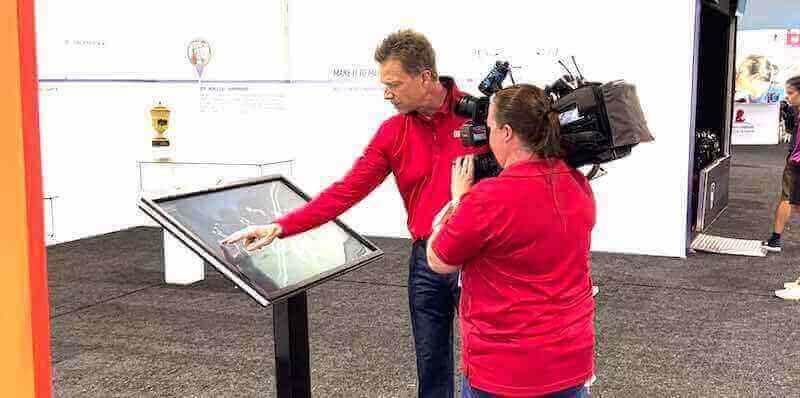




Museum kiosks have become essential components of modern exhibition spaces, transforming how visitors interact with collections, discover historical narratives, and engage with cultural institutions. In 2026, these interactive touchscreen systems represent far more than simple information displays—they serve as comprehensive visitor engagement platforms that enhance educational experiences, accommodate diverse audiences, and provide museums with flexible tools for storytelling and interpretation.
Walk through any contemporary museum and you’ll encounter interactive kiosks enabling visitors to explore artifact details beyond what physical labels can communicate, access multilingual information serving diverse communities, discover connections between different collection items through intuitive interfaces, and create personalized exhibition experiences matching individual interests and learning preferences.
This comprehensive guide explores everything institutions need to know about museum kiosks in 2026—from understanding core technologies and evaluating features to planning successful implementations, creating compelling content, ensuring accessibility, and maintaining systems that deliver lasting visitor value.
Museum kiosks bridge the gap between curated physical collections and unlimited digital information, creating layered exhibition experiences where visitors choose their own depth of engagement while museums preserve authentic artifact experiences that remain central to institutional missions.

Modern museum kiosks create engaging interactive experiences that enhance visitor understanding while supporting diverse learning styles
Understanding Museum Kiosks: Definition and Evolution
Before exploring implementation strategies and technology options, understanding what museum kiosks are, how they’ve evolved, and what distinguishes quality systems from basic alternatives helps institutions make informed decisions aligned with exhibition goals and visitor needs.
What Are Museum Kiosks?
Museum kiosks are purpose-built interactive stations combining hardware displays with specialized content management software to provide visitors with self-directed access to exhibition information, multimedia resources, collection databases, and interpretive materials that enhance understanding and engagement with museum collections.
Core Kiosk Components
Complete museum kiosk systems integrate multiple elements:
- Commercial-grade touchscreen displays: Durable interactive screens designed for continuous daily operation in high-traffic public environments
- Purpose-built kiosk enclosures: Protective housings ensuring accessibility while preventing unauthorized access to hardware components
- Content management platforms: Software systems organizing exhibition information and enabling remote updates without technical expertise
- Interactive presentation applications: Specialized interfaces designed for intuitive visitor navigation and exploration
- Network connectivity infrastructure: Reliable internet connections supporting content delivery and usage analytics
- Mounting solutions: Freestanding pedestals, wall mounts, or architectural integration matching exhibition aesthetics
- Security features: Physical locks, software restrictions, and monitoring capabilities protecting both hardware and content
- Analytics and tracking systems: Data collection tools revealing how visitors interact with kiosk content
This integrated approach transforms simple information delivery into comprehensive engagement platforms serving multiple museum objectives simultaneously.
The Evolution of Museum Interactive Technology
Museum kiosks have evolved dramatically from early static touchscreens displaying basic text to sophisticated multimedia platforms providing personalized experiences.
First Generation: Text-Based Information Systems (1990s-early 2000s)
Early museum kiosks primarily digitized printed materials:
- Simple menu-driven navigation through text-heavy screens
- Limited multimedia beyond occasional static images
- Resistive touchscreens requiring firm pressure and frequent calibration
- Standalone systems without network connectivity or remote management
- Custom programming requiring technical expertise for any content changes
- High failure rates due to inappropriate consumer-grade technology
These pioneer systems demonstrated visitor appetite for self-directed exploration while revealing significant limitations that subsequent generations addressed.
Second Generation: Multimedia Experiences (mid-2000s-2010s)
Museums embraced expanded multimedia capabilities:
- Integration of high-resolution images, video, and audio content
- More intuitive interface design based on user experience research
- Improved capacitive touchscreens with gesture support
- Network connectivity enabling centralized content management
- Greater reliability through commercial-grade hardware adoption
- Initial analytics providing basic usage insights
This generation established museum kiosks as valuable interpretive tools rather than experimental technology.

Second-generation museum kiosks introduced multimedia capabilities that significantly enhanced visitor engagement
Third Generation: Cloud-Based Personalized Platforms (2015-present)
Current museum kiosk systems provide sophisticated capabilities:
- Cloud-based content management enabling instant updates from anywhere
- Personalized experiences adapting to individual visitor interests
- Multi-language support serving diverse global audiences
- Mobile integration extending kiosk content to personal devices
- Advanced analytics revealing detailed visitor behavior patterns
- Accessibility features accommodating various physical and cognitive abilities
- Integration with ticketing, wayfinding, and other museum systems
- Artificial intelligence capabilities personalizing recommendations
This evolution continues as emerging technologies create new possibilities for visitor engagement and museum operations.
Organizations implementing similar recognition technologies can explore approaches in interactive museum displays that demonstrate comprehensive multimedia integration.
Key Features of Effective Museum Kiosks in 2026
Not all museum kiosk systems deliver equal visitor experiences or operational efficiency. Understanding essential features distinguishing exceptional solutions from basic alternatives guides selection decisions.
1. Intuitive User Interface Design
Visitors should be able to use kiosks immediately without instructions or assistance.
Essential Interface Characteristics
- Clear visual hierarchy guiding attention to primary navigation options
- Large, easy-to-tap buttons accommodating users of all ages and dexterity levels
- Obvious home buttons enabling instant return to starting points
- Breadcrumb navigation showing current location within content structure
- Consistent design language across all screens preventing confusion
- Minimal text on navigation screens reducing cognitive load
- Visual previews showing what users will find before tapping
- Error prevention through clear affordances indicating interactive elements
Museums report that well-designed interfaces see 60-80% of visitors successfully completing self-directed exploration without staff assistance, compared to 20-40% with poorly designed systems.
Touch Gesture Support
Modern kiosks accommodate natural gestures:
- Swiping between related content items or image galleries
- Pinching to zoom on high-resolution images revealing artifact details
- Multi-finger rotation for 3D object viewing when supported
- Long-press interactions revealing additional options or information
- Scroll momentum physics matching smartphone behaviors
- Gesture tutorials appearing contextually when advanced interactions become available
These natural interactions reduce friction and encourage deeper engagement compared to button-only interfaces that feel dated and limiting.
2. Comprehensive Multilingual Capabilities
Museums serve diverse communities requiring information in multiple languages.
Language Implementation Best Practices
Complete multilingual support includes:
- Prominent language selection on home screens visible before any content exploration
- Translation of all text including navigation elements, labels, and body content
- Cultural adaptation beyond literal translation when concepts require context
- Right-to-left text layout support for Arabic, Hebrew, and similar languages
- Native speaker review ensuring translation quality and appropriateness
- Audio narration in multiple languages for accessibility and preference
- Subtitle synchronization for all video content across available languages
- Consistent terminology across the museum’s various communication channels
Museums in diverse communities typically provide 4-6 languages, while major international institutions may offer 10 or more based on visitor demographics.
Learn about content management approaches in touchscreen software solutions that support multilingual content delivery.

User-friendly interfaces enable visitors of all ages and backgrounds to explore museum collections independently
3. Rich Multimedia Integration
Digital platforms showcase content impossible with physical labels alone.
Multimedia Content Types
Effective museum kiosks incorporate:
- High-resolution zoomable images: Detailed artifact photography enabling close examination impossible with glass-protected displays
- Video documentation: Curator interviews explaining significance, conservation processes, historical context, or artistic techniques
- Audio recordings: Historic speeches, musical performances, oral histories, or soundscape recreations
- 3D object viewers: Rotate and examine artifacts from all angles, particularly valuable for sculpture and decorative arts
- Interactive maps: Geographic context showing artifact origins, historical events, or archaeological sites
- Document archives: Letters, manuscripts, and historical records with transcriptions and translations
- Timeline visualizations: Place artifacts within broader historical movements and related events
- Comparison tools: Side-by-side analysis of related objects revealing stylistic evolution or cultural exchange
This multimedia richness creates educational value exceeding what traditional exhibition approaches alone can accomplish.
Media Quality Standards
Professional presentation requires:
- Minimum 1920x1080 resolution for featured images; 4K preferred for detail examination
- Video content at 1080p HD with professional editing and pacing
- Clear audio recording free from distracting background noise
- Consistent color correction across all photographic content
- Appropriate file compression balancing quality and loading performance
- Closed captioning for all audio and video content
- Metadata tagging enabling content search and discovery
- Rights documentation ensuring appropriate permissions for all media
Museums should allocate resources for professional content production ensuring kiosk materials honor collections appropriately.
4. Accessibility and Universal Design
Museum kiosks must accommodate visitors with various abilities.
Physical Accessibility Features
- Adjustable mounting heights or multiple stations accommodating wheelchair users
- Clear floor space for wheelchair maneuvering in front of kiosks
- Reachable interactive elements within ADA-compliant zones
- Adequate lighting minimizing glare while ensuring screen visibility
- Non-slip surfaces on freestanding kiosk bases preventing movement
- Sturdy construction supporting users who lean on displays for balance
Cognitive and Sensory Accessibility
- Screen reader compatibility for visually impaired visitors
- High-contrast display modes improving visibility for users with low vision
- Adjustable text sizes accommodating various visual preferences
- Simple language options for visitors with cognitive disabilities or non-native speakers
- Audio description alternatives to purely visual content
- Haptic feedback providing tactile confirmation of touch interactions
- Timeout adjustments preventing premature session resets for users needing more time
Institutions should follow Web Content Accessibility Guidelines (WCAG) 2.1 AA standards as benchmarks for digital accessibility, with regular testing including actual users with disabilities providing feedback on real-world usability.
Explore accessibility considerations in touchscreen display design emphasizing universal access principles.
Types of Museum Kiosk Applications
Different kiosk types serve specific museum functions and visitor needs.
Collection Information Kiosks
The most common museum kiosk type provides detailed information about exhibition objects.
Core Functionality
- Searchable database enabling visitors to find specific artifacts or topics
- Detailed object records including provenance, materials, dates, and significance
- Zoomable high-resolution images revealing details invisible in display cases
- Related object suggestions encouraging collection exploration
- Curator commentary providing expert interpretation and context
- Conservation information explaining preservation efforts when relevant
- Citation and bibliography resources for visitors conducting research
Implementation Considerations
Museums typically position these kiosks strategically throughout galleries:
- Near gallery entrances orienting visitors to exhibition themes and featured objects
- Adjacent to specific artifacts requiring extended interpretation
- In central gallery locations serving as exploration hubs for entire collections
- Throughout long permanent galleries providing engagement variety
Collection information kiosks work best when database scope matches immediate gallery context rather than forcing visitors to search entire museum collections while standing in specific exhibition spaces.
Wayfinding and Orientation Kiosks
These systems help visitors navigate complex museum spaces.
Essential Features
- Interactive floor plans with current location indicators
- Search functionality finding specific galleries, artifacts, amenities, or services
- Turn-by-turn directions from current location to selected destinations
- Gallery status information showing temporary closures or special access requirements
- Amenity locations including restrooms, cafes, shops, and accessibility services
- Event calendars highlighting daily programs, tours, and special activities
- QR code generation enabling direction transfer to personal mobile devices
- Multi-building campus maps for institutions with distributed facilities
Strategic Placement
Wayfinding kiosks provide maximum value at:
- Main entrances where visitors first enter and form navigation strategies
- Gallery intersections where multiple paths require decision-making
- Lower traffic areas where visitors realize they’re lost or confused
- Near elevators and stairs connecting multiple floors
- Transition points between different museum buildings or wings
These kiosks reduce visitor frustration while distributing guest services workload as visitors find information independently.

Wayfinding kiosks near museum entrances help visitors orient themselves and plan productive visits
Multimedia Story Stations
These specialized kiosks provide in-depth narrative experiences.
Content Approaches
- Documentary-style video presentations exploring exhibition themes comprehensively
- Oral history recordings from community members with personal connections to subjects
- Expert interviews with curators, conservators, scientists, or historians
- Behind-the-scenes content showing museum work invisible to general visitors
- Interactive narratives where visitor choices determine story progression
- Thematic connections linking objects across different collection areas
- Contemporary relevance content connecting historical material to current issues
Design Considerations
Story stations work best when:
- Located in gallery alcoves or seating areas encouraging extended engagement
- Equipped with quality audio systems or headphones ensuring clear listening
- Designed with comfortable viewing angles for 5-15 minute engagement sessions
- Limited in number to prevent competition for visitor attention
- Promoted through exhibition design drawing interested visitors to stations
- Optional rather than required ensuring visitors choose engagement level
Museums report story stations see average engagement times of 5-12 minutes compared to 15-45 seconds for traditional label reading, demonstrating the power of multimedia storytelling.
Interactive Learning Stations
Educational kiosks emphasize hands-on exploration and skill development.
Common Applications
- Puzzles and games teaching concepts through play
- Simulations enabling visitors to experience historical processes or scientific principles
- Quiz applications testing knowledge while providing informative feedback
- Creation tools allowing artistic experimentation inspired by collection objects
- Data visualization enabling exploration of complex statistical information
- Comparison activities building critical thinking and observation skills
- Timeline construction teaching historical sequence and causation
These stations particularly benefit school groups and family visitors seeking active learning experiences beyond passive observation.
Discover interactive engagement approaches in interactive displays for educational environments demonstrating diverse content strategies.
Collection Contribution Kiosks
These participatory stations invite visitors to contribute content and perspectives.
Participation Approaches
- Memory collection prompts where visitors share personal stories related to exhibitions
- Photo submission enabling documentation of community artifacts not in museum collections
- Opinion polls gathering visitor perspectives on interpretive questions
- Object identification crowdsourcing leveraging community expertise
- Tag clouds building collaborative content organization
- Drawing and annotation tools inviting artistic responses to artworks
- Audio recording stations documenting community voices and experiences
Implementation Requirements
Successful contribution kiosks require:
- Clear submission guidelines establishing appropriate content parameters
- Content moderation systems preventing inappropriate submissions
- Privacy policies explaining how contributions will be used and credited
- Technical review filtering out low-quality or irrelevant submissions
- Integration pathways moving approved content into permanent collections or future exhibitions
- Recognition systems acknowledging contributors appropriately
- Regular content refresh preventing stale interfaces filled with old submissions
These participatory approaches transform museums from one-way information delivery to two-way community conversations that honor diverse perspectives and knowledge.
Technology Considerations for Museum Kiosks
Understanding hardware and software options helps museums make informed technology investments.
Hardware Selection
Physical kiosk components significantly impact reliability, visitor experience, and maintenance requirements.
Touchscreen Display Specifications
Critical considerations include:
- Size: 21-24 inches for individual stations; 32-55 inches for group viewing or wayfinding
- Touch technology: Capacitive multi-touch providing responsive gesture support; infrared for large displays
- Resolution: Minimum 1920x1080 for all display sizes; 4K preferred for screens over 42 inches
- Brightness: 300-500 nits for typical indoor galleries; 700+ nits for areas with significant natural light
- Commercial rating: Displays certified for 16-24 hour daily operation unlike consumer models failing in institutional settings
- Viewing angle: IPS panel technology ensuring consistent color and clarity from various positions
- Anti-glare coating: Reduces reflections in galleries with windows or bright lighting
- Durability: Tempered glass surfaces resisting scratches and damage from public use
Museums should budget $2,000-$6,000 per display unit depending on size and specifications.
Kiosk Enclosure Options
Physical housing protects technology while providing aesthetic integration:
- Freestanding pedestals: Self-contained units positioned anywhere in galleries; $2,000-$5,000
- Wall-mounted frames: Space-efficient options for tight gallery areas; $1,500-$3,000
- Tabletop stations: Lower-height options particularly for children’s museums; $1,200-$2,500
- Custom architectural integration: Built-in solutions matching specific gallery design; $5,000-$15,000+
Enclosure selection should consider:
- ADA compliance ensuring wheelchair accessibility
- Cable management hiding all wires and connections
- Ventilation preventing display overheating
- Security features preventing tampering or theft
- Material quality matching museum aesthetic standards
- Serviceability enabling technician access for maintenance
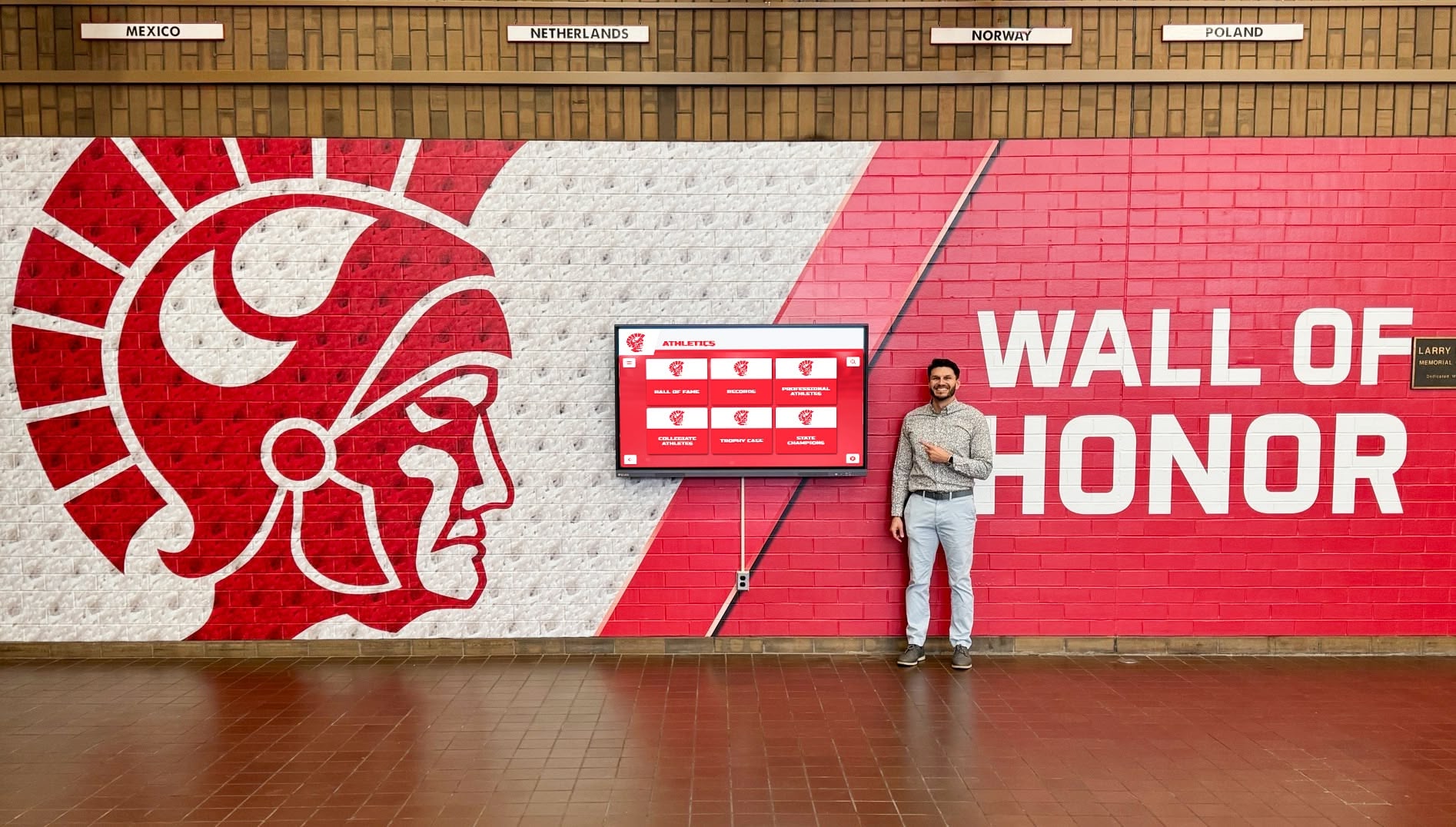
Wall-mounted kiosk installations integrate seamlessly into exhibition spaces while maximizing gallery floor space
Computer Hardware Requirements
Internal processing components must handle multimedia content reliably:
- Intel Core i5 or equivalent processor supporting smooth video playback
- Minimum 8GB RAM; 16GB preferred for complex applications
- Solid-state drives (SSD) providing fast content loading and reliability
- Dedicated graphics card for 3D content or multiple simultaneous videos
- Wi-Fi and ethernet connectivity supporting flexible installation
- Extended temperature range components tolerating varied gallery conditions
- Industrial-grade fans or fanless designs preventing dust accumulation
- Minimum 3-year commercial warranty ensuring service availability
Institutions should strongly consider purpose-built museum kiosk systems from established vendors rather than attempting DIY approaches using consumer technology that creates maintenance nightmares and poor visitor experiences.
Software Platform Selection
Content management and presentation software determines long-term operational efficiency and content flexibility.
Essential Platform Capabilities
Quality museum kiosk software provides:
- Intuitive content management requiring no programming or technical expertise
- Template systems enabling consistent presentation across diverse content
- Media library management organizing thousands of images, videos, and documents
- Search and metadata tools helping visitors discover relevant content
- Multi-language support managing translations centrally
- Analytics dashboards revealing visitor usage patterns
- Remote updates enabling instant content changes without physical kiosk access
- Scheduled content rotation automating temporary exhibition updates
- User role management controlling which staff can edit different content areas
- Version control tracking all changes with rollback capabilities
- Preview modes showing exactly how content appears before publishing
- Integration APIs connecting with collection management databases when desired
Platform Options
Museums typically choose between:
Purpose-Built Museum Kiosk Software
Specialized platforms designed specifically for museum applications provide:
- Pre-configured interfaces following museum industry best practices
- Collection management system integration reducing duplicate data entry
- Museum-specific content templates for objects, artists, exhibitions, and multimedia
- Established vendor support understanding unique institutional needs
- Regular platform enhancements driven by museum user community feedback
- Lower total implementation time due to museum-focused feature sets
Examples include vendors like Cuseum, GuideID, and similar museum technology specialists.
General-Purpose Interactive Platforms
Solutions like Rocket Alumni Solutions, while designed for recognition applications, adapt well to museum contexts providing:
- Intuitive content management enabling rapid implementation
- Unlimited content storage supporting extensive multimedia archives
- Flexible layouts accommodating different content types and visitor flows
- Cloud-based management allowing updates from any internet-connected device
- Mobile-responsive web extensions enabling personal device access
- Proven reliability across hundreds of institutional installations
- White-glove implementation support ensuring successful launches
- Competitive pricing compared to specialized museum systems
These platforms work particularly well for smaller museums, specialized collections, or institutions with limited technical resources.
Custom Development
Some larger institutions develop proprietary systems providing:
- Complete control over features and functionality
- Perfect integration with existing institutional technology infrastructure
- Unique capabilities not available in commercial products
- No recurring software licensing fees beyond maintenance costs
However, custom development typically requires:
- Substantial upfront investment ($50,000-$200,000+ for complex systems)
- Ongoing technical staff supporting and enhancing platforms
- Extended implementation timelines compared to commercial solutions
- Risk of abandonment if key developers leave institution
- Limited feature evolution compared to commercial platforms with many users driving enhancements
Most small to mid-sized museums find commercial platforms deliver better value than custom development approaches.
Explore software platform considerations in touchscreen kiosk software comparing different solution approaches.
Content Strategy for Museum Kiosks
Technology provides infrastructure, but compelling content determines whether kiosks achieve intended educational and engagement objectives.
Content Development Principles
Effective museum kiosk content differs substantially from traditional label writing or website copy.
Key Characteristics
- Scannable structure: Short paragraphs, bullet points, and clear headings enabling quick comprehension
- Layered information: Multiple depth levels allowing casual browsers and serious researchers to find appropriate detail
- Conversational tone: Accessible language avoiding unnecessary jargon while maintaining academic integrity
- Active voice: Dynamic writing creating engagement rather than passive observation
- Multimedia emphasis: Visual and audio content primary with text providing context and elaboration
- Multiple entry points: Various navigation paths enabling visitors to explore based on different interests
- Connection-building: Links between related objects, themes, and concepts encouraging discovery
Writing for Diverse Audiences
Museum kiosk content must serve visitors with vastly different:
- Prior knowledge levels from complete novices to subject matter experts
- Age ranges from children through older adults
- Language abilities including non-native speakers
- Learning preferences emphasizing visual, auditory, or textual information
- Time availability from quick gallery passes to extended research sessions
- Physical abilities requiring various accessibility accommodations
This diversity requires flexible content structures supporting personalized experiences rather than one-size-fits-all approaches.
Content Depth and Layering
Effective kiosks provide multiple information levels.
Recommended Structure
Level 1: Overview (15-30 seconds)
- Brief visual introduction with key image and essential facts
- Major significance statement capturing why object matters
- Primary navigation options to deeper content areas
- Clear indicators showing what additional information exists
Level 2: Core Information (1-3 minutes)
- Expanded description with historical context
- Materials, techniques, and creation circumstances
- Artist or maker biography when relevant
- Cultural significance and original function
- Current conservation status if noteworthy
- Related objects in collection or exhibition
Level 3: Deep Dive (3-10+ minutes)
- Detailed scholarly interpretation and analysis
- High-resolution image galleries with zoom capabilities
- Video content from curators or subject experts
- Primary source documents and archival materials
- Conservation reports and scientific analysis
- Extensive bibliography for further research
- Connections to broader art historical or cultural movements
This layered approach accommodates quick browsers while rewarding engaged visitors who invest time exploring deeply.

Intuitive card-based interfaces enable visitors to explore collections at their preferred depth and pace
Multimedia Production Standards
Professional presentation honors collections appropriately.
Photography Guidelines
- Minimum 3000x2000 pixel resolution enabling detailed examination
- Consistent lighting and color temperature across collection documentation
- Multiple angles for three-dimensional objects
- Detail shots highlighting materials, techniques, or damage
- Scale references when size is significant to understanding
- Professional editing and color correction
- Appropriate backgrounds (neutral for art objects; contextual for historical items)
- Permission documentation for objects not owned by institution
Video Content Standards
- 1080p HD minimum resolution; 4K preferred for future-proofing
- Professional audio recording in controlled environments
- Clear subject matter framing and lighting
- Concise editing maintaining engagement (2-5 minutes typical)
- Lower thirds identifying speakers and providing context
- Closed captioning for accessibility
- Translation or subtitles in multiple languages when appropriate
- Content review by subject experts ensuring accuracy
Audio Recording Specifications
- Professional-quality recording free from background noise
- Clear vocal delivery at appropriate pacing
- Script review ensuring accurate content and appropriate tone
- Multiple language versions recorded by native speakers
- Audio description alternatives to visual-only content
- File format optimization for streaming performance
- Consistent volume levels across all audio content
Museums should allocate resources for professional content production or partner with experienced multimedia producers ensuring technical and interpretive quality meeting institutional standards.
Database and Metadata Architecture
Well-organized information enables effective content discovery and management.
Essential Metadata Fields
- Object identification numbers linking to collection management systems
- Creator or maker names with biographical dates and nationalities
- Creation dates or periods with appropriate precision indicators
- Materials and techniques used in object production
- Dimensions and physical characteristics
- Provenance history documenting ownership and collecting history
- Current location within museum galleries or storage
- Subject terms following controlled vocabularies like Art & Architecture Thesaurus
- Cultural context and geographic origin
- Conservation status and treatment history
- Copyright status and image permissions
- Related objects and cross-references
- Bibliography and source citations
Search and Filter Capabilities
Visitors should be able to discover content through:
- Keyword search across all text fields
- Date range filters for chronological exploration
- Geographic filters showing objects by origin region
- Material or technique filters for focused study
- Creator or culture filters enabling collection subset browsing
- Subject or theme filters based on interpretive frameworks
- Exhibition groupings showing current gallery organization
- Popularity or feature rankings highlighting important objects
Systematic metadata and taxonomy work during content development pays dividends through improved visitor discovery and ongoing content management efficiency.
Implementation Planning and Project Management
Successful museum kiosk projects require careful planning addressing technology, content, funding, and operational considerations.
Project Timeline and Phases
Realistic scheduling prevents rushed implementations compromising quality.
Typical Implementation Timeline
Phase 1: Planning and Requirements (6-10 weeks)
- Stakeholder input gathering from curators, educators, and operations staff
- Visitor research understanding audience needs and preferences
- Gallery analysis determining optimal kiosk locations and quantities
- Content scope definition establishing what information kiosks will provide
- Budget development and funding strategy creation
- Vendor evaluation and selection
- Contract negotiation and project kickoff
Phase 2: Content Development (12-20 weeks)
- Object selection determining what receives kiosk coverage
- Text authoring for different information layers
- Multimedia production including photography, video, and audio
- Translation into multiple languages
- Content review and accuracy verification
- Metadata creation and organization
- Content loading and formatting in selected platform
Phase 3: Technical Implementation (8-12 weeks)
- Hardware procurement and delivery
- Network infrastructure preparation
- Kiosk enclosure fabrication if custom
- Software configuration and customization
- Content integration and testing
- Accessibility review and remediation
- Quality assurance across all content and features
Phase 4: Installation and Launch (4-6 weeks)
- Physical kiosk installation and mounting
- Network connection and system configuration
- Comprehensive testing in actual gallery environments
- Staff training on content management and troubleshooting
- Soft launch with visitor testing and feedback collection
- Refinement based on real-world usage
- Public launch and promotion
Total Project Duration: 30-48 weeks depending on scope and complexity
Museums should add buffer time for unforeseen challenges and avoid rushing implementation to meet arbitrary exhibition opening dates that compromise quality.
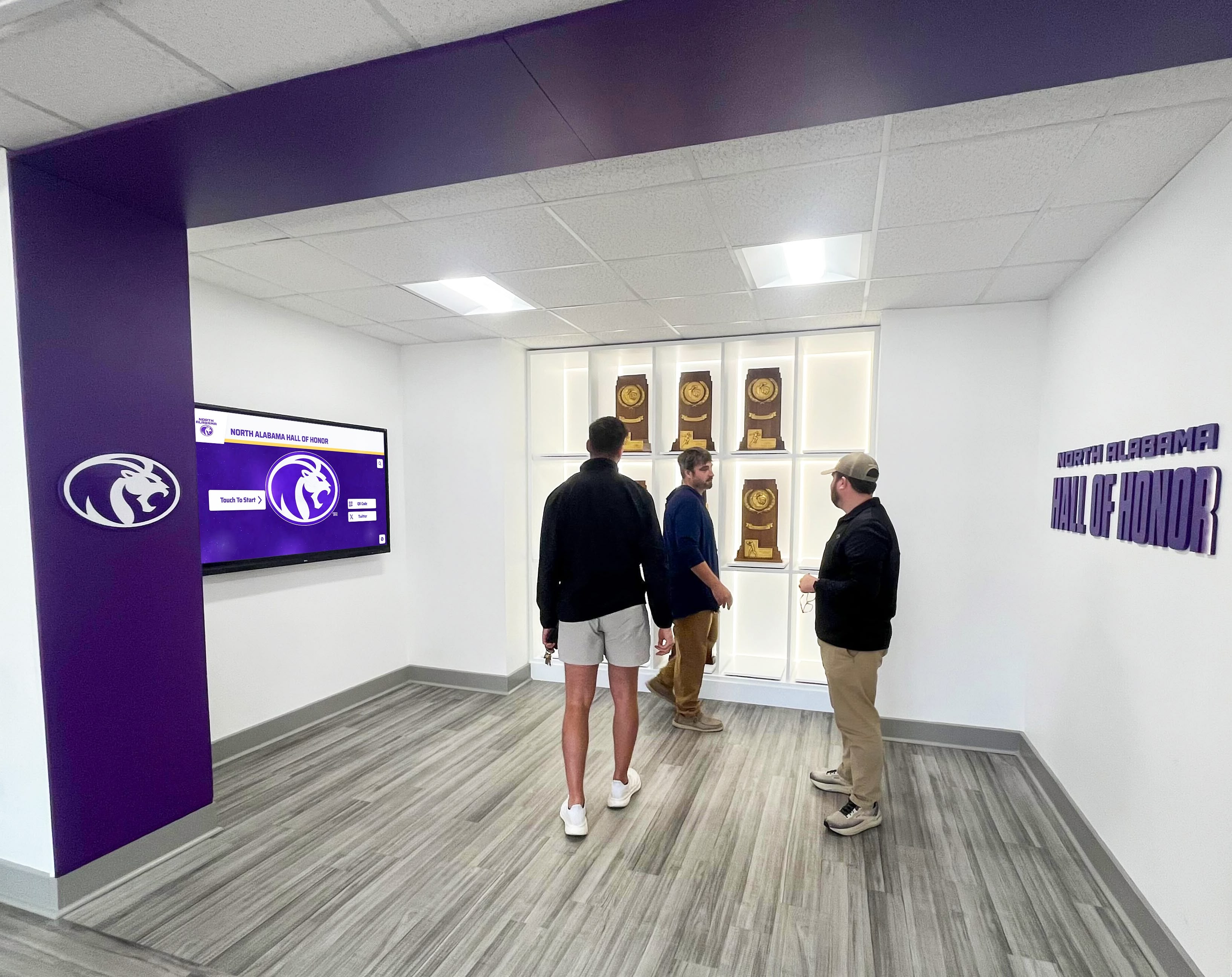
Successful implementations require collaboration between curators, educators, technologists, and designers
Budget Development
Comprehensive cost planning prevents surprise expenses derailing projects.
Initial Implementation Costs
Hardware and Installation (per kiosk)
- Touchscreen display and computer: $3,000-$8,000
- Kiosk enclosure or mounting: $1,500-$5,000
- Professional installation: $800-$2,000
- Network infrastructure if required: $500-$2,000
Software and Platform
- Software licensing or purchase: $2,000-$10,000 (varies by scope)
- Initial setup and customization: $1,000-$5,000
- Training and technical onboarding: $500-$2,000
Content Development
- Text authoring and editing: $3,000-$10,000
- Photography and videography: $5,000-$20,000
- Translation services: $2,000-$8,000 per language
- Multimedia production and editing: $3,000-$15,000
- Metadata creation and organization: $2,000-$6,000
Project Management and Consulting
- Implementation project management: $5,000-$15,000
- User experience design: $3,000-$10,000
- Technical consulting: $2,000-$8,000
Total Single-Kiosk Implementation: $18,000-$65,000 depending on content scope and customization
Multiple-Kiosk Implementations: $50,000-$250,000 for 3-10 kiosks with shared content
Ongoing Annual Costs
Sustainable operations require budgeting for:
- Software subscription or maintenance: $2,000-$8,000 annually
- Content updates and enhancements: $3,000-$12,000 annually
- Technical support and troubleshooting: $1,000-$4,000 annually
- Hardware maintenance and repairs: $500-$2,000 annually per kiosk
- Analytics review and optimization: $1,000-$3,000 annually
- Staff time for content management: 40-120 hours annually
Total Annual Operating Costs: $7,500-$30,000 depending on scope and staffing
Funding Strategies
Museums successfully fund kiosk implementations through diverse revenue sources.
Grant Opportunities
- Institute of Museum and Library Services (IMLS) grants supporting technology implementations
- National Endowment for the Humanities (NEH) funding for interpretive infrastructure
- State humanities councils providing smaller institutional grants
- Foundation grants from technology-focused philanthropies
- Corporate sponsorships from technology companies seeking visibility
- Professional association grants for innovation in museum practice
Internal Funding Approaches
- Capital campaign integration for institutions with active fundraising
- Endowment draws for technology infrastructure when permitted
- Deferred maintenance budgets when kiosks replace outdated installations
- Admission revenue allocation for visitor experience enhancements
- Membership program funding for initiatives benefiting frequent visitors
- Gift shop revenue designated for educational infrastructure
Naming and Sponsorship Opportunities
- Individual kiosk sponsorships from donors, corporations, or memorial gifts
- Content section sponsorships for specific collection areas or themes
- Gallery-wide technology sponsorships for comprehensive implementations
- Corporate partnerships providing hardware or software in-kind
- Foundation support acknowledging funders throughout kiosk interfaces
The tangible, visible nature of kiosks makes them attractive to donors seeking concrete impact from contributions—many museums report fundraising exceeding initial targets when stakeholders understand project scope and visitor benefits.
Measuring Museum Kiosk Success
Systematic assessment demonstrates kiosk value while identifying improvement opportunities.
Quantitative Analytics and Metrics
Modern kiosk platforms provide concrete usage data impossible with traditional static exhibitions.
Core Engagement Metrics
- Total interactions per day, week, and month showing overall usage
- Average session duration revealing engagement depth (typical range: 2-8 minutes)
- Most-viewed content identifying visitor interests and priorities
- Search query analysis showing how visitors discover information
- Navigation path patterns revealing how users explore content
- Filter usage demonstrating discovery preferences
- Peak usage times informing content scheduling and staffing decisions
- Abandonment rates showing where visitors lose interest or encounter confusion
- Return interactions indicating visitors coming back for additional exploration
Comparative Analysis
Analytics become most valuable when examining:
- Usage differences between kiosks in various gallery locations
- Content performance variations showing what engages most effectively
- Temporal patterns revealing seasonal or exhibition-related changes
- Audience segment differences when demographic data is available
- Before/after comparisons measuring improvement after content updates
- Peer comparisons with similar institutions when data sharing occurs
Museums implementing kiosk systems consistently report 3-6 times longer average visitor engagement with content compared to traditional label reading, demonstrating fundamental behavioral differences interactive systems create.
Learn about analytics approaches in digital tools bringing history to life with assessment frameworks.
Qualitative Assessment Methods
Numbers reveal usage patterns, but qualitative research demonstrates whether kiosks achieve intended educational and engagement objectives.
Visitor Observation Studies
Trained observers documenting:
- How visitors discover and approach kiosks
- First interactions and initial navigation choices
- Physical behavior patterns (standing, bending, reaching)
- Social interactions around kiosks (sharing, discussing, teaching)
- Problem-solving strategies when encountering difficulties
- Duration and depth of engagement
- Exit behavior (abrupt departure vs. gradual disengagement)
Visitor Interviews and Surveys
Direct feedback revealing:
- Satisfaction with kiosk usability and content
- Perceived value added to overall museum experience
- Specific content areas found most interesting or useful
- Challenges encountered and suggestions for improvement
- Comparison with expectations or prior museum technology experiences
- Likelihood of recommending museum to others based on technology quality
- Demographic information enabling audience segment analysis
Staff Observations and Feedback
Frontline staff perspectives providing:
- Patterns in visitor questions about kiosk usage
- Observed frustrations or recurring user difficulties
- Popular features generating conversation and excitement
- Technical problems requiring intervention
- Vandalism or misuse patterns requiring design modification
- Integration with broader gallery experience and visitor flow
- Staffing and training needs for supporting kiosk visitors
Regular qualitative assessment ensures kiosks serve actual visitor needs rather than simply collecting usage metrics without understanding meaningful impact.
Continuous Improvement Processes
Assessment only creates value when findings drive refinement.
Regular Review Cycles
- Monthly analytics review identifying immediate issues requiring attention
- Quarterly content updates refreshing featured material and fixing problems
- Annual comprehensive assessment evaluating overall effectiveness and ROI
- Multi-year technology refresh planning maintaining contemporary visitor expectations
Rapid Response Protocols
Establish processes for quickly addressing:
- Technical failures preventing kiosk availability
- Content errors discovered by staff or visitors
- Accessibility problems limiting some visitors
- Usability issues causing widespread confusion
- Security vulnerabilities requiring immediate remediation
Long-Term Enhancement Planning
Use assessment findings to guide:
- Content expansion adding new collection coverage
- Feature additions responding to visitor requests
- Interface redesign based on usability findings
- Hardware upgrades as technology improves
- Integration expansion connecting additional museum systems
Museums report that organizations treating kiosks as evolving platforms requiring ongoing investment maintain high visitor satisfaction and usage, while institutions implementing without sustained support see declining usage and eventual system abandonment.
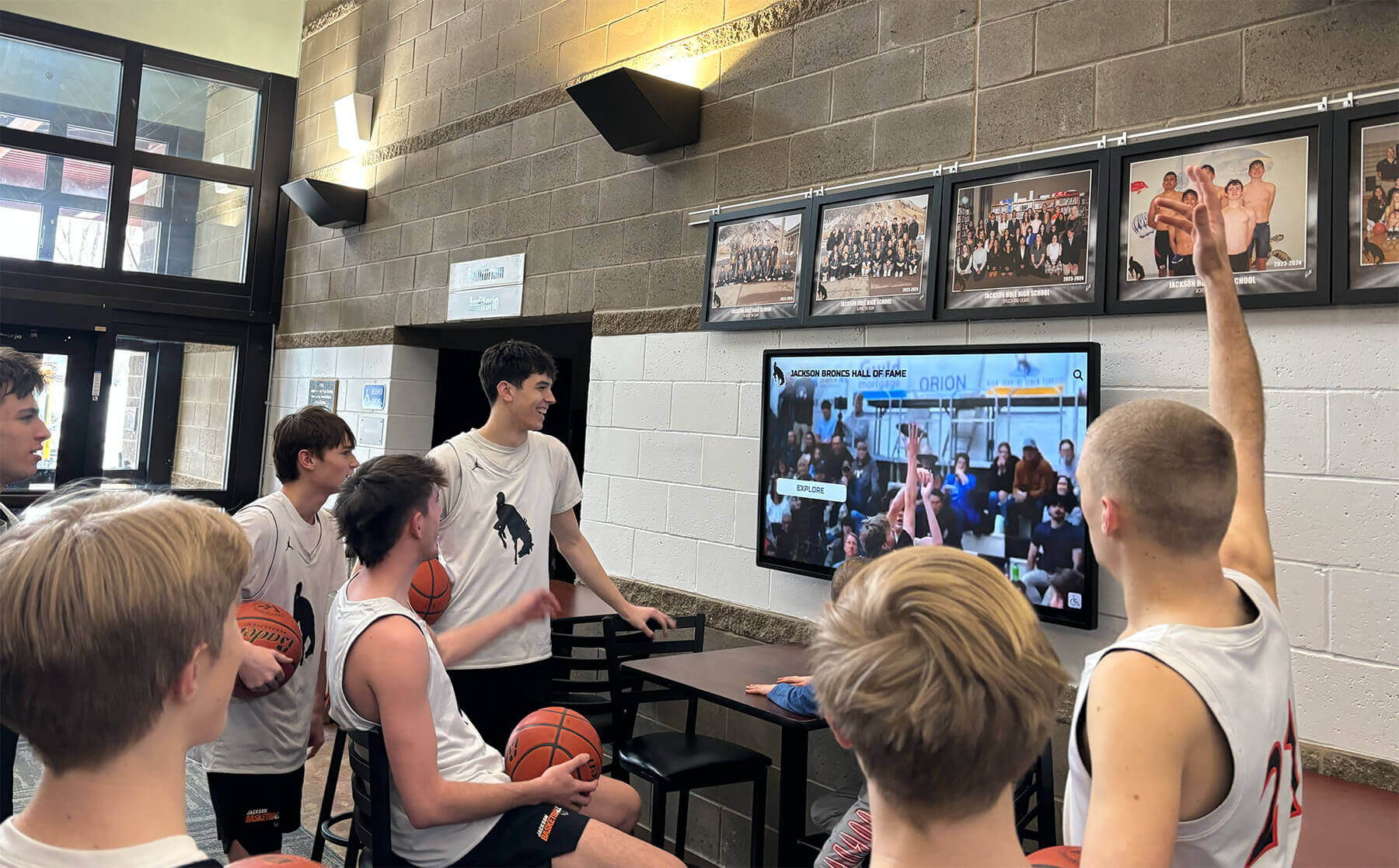
Successful kiosk implementations create natural gathering points encouraging social interaction around shared discovery
Best Practices for Sustainable Museum Kiosk Programs
Long-term success requires organizational commitment beyond initial implementation.
Staff Training and Support
Technical systems only succeed when staff can manage them confidently.
Essential Training Areas
- Content management system navigation and basic updates
- Multimedia file preparation and optimization
- Metadata entry and content organization
- Translation management for multilingual content
- Analytics dashboard interpretation
- Basic troubleshooting for common technical problems
- Visitor assistance for kiosk usage questions
- Escalation procedures when issues exceed staff capabilities
Training Delivery Methods
- Hands-on workshops during implementation phase
- Recorded video tutorials for ongoing reference
- Written documentation with step-by-step procedures
- Regular refresher sessions as staff turnover occurs
- Vendor office hours for complex question support
- Peer mentoring from experienced staff to new employees
- Annual review sessions covering platform updates and new features
Staffing Considerations
Sustainable programs require:
- Designated content coordinator overseeing kiosk program
- Backup administrators preventing single points of failure
- Technical support contact for troubleshooting assistance
- Curatorial liaison ensuring content accuracy and appropriateness
- Educator input on pedagogical effectiveness
- Accessibility specialist reviewing universal design compliance
- Security staff monitoring physical kiosk condition
Clear roles and responsibilities prevent programs from deteriorating due to unclear ownership or inadequate resource allocation.
Maintenance and Technical Support
Reliable operation requires systematic attention.
Preventive Maintenance Schedule
- Weekly visual inspection checking for physical damage or cleanliness issues
- Monthly software updates ensuring security patches and feature improvements
- Quarterly hardware cleaning preventing dust accumulation and overheating
- Annual comprehensive system review checking all components
- Immediate response to reported problems preventing visitor frustration
Common Technical Issues
Museums should prepare for:
- Touchscreen calibration drift requiring recalibration
- Network connectivity problems preventing content updates
- Display brightness degradation requiring adjustment
- Software crashes requiring restart procedures
- Content loading failures due to file corruption or network issues
- Audio system problems from loose connections or speaker damage
- Physical damage from vandalism or accidental impact
Support Relationships
Establish clear contacts for:
- Kiosk hardware vendor for equipment failures or damage
- Software platform provider for application problems
- Network infrastructure team for connectivity issues
- Content development partners for multimedia production needs
- Translation services for additional language requirements
- Accessibility consultants for universal design improvements
Response time expectations and escalation procedures should be documented in service agreements preventing confusion when urgent problems arise.
Content Lifecycle Management
Kiosk content requires ongoing curation and refreshment.
Regular Content Updates
- Immediate corrections when errors are discovered or reported
- Quarterly featured content rotation highlighting different collection areas
- Annual expansion adding coverage of previously undocumented objects
- Exhibition integration coordinating with temporary installations
- Technology updates taking advantage of new platform capabilities
- Translation improvements based on native speaker feedback
- Accessibility enhancements responding to visitor needs
Content Review Processes
Systematic verification ensuring:
- Factual accuracy through curator and subject expert review
- Writing quality matching institutional standards
- Multimedia technical specifications meeting established criteria
- Translation accuracy and cultural appropriateness
- Metadata completeness enabling proper search and discovery
- Copyright compliance for all images, video, and audio
- Accessibility features functioning properly across all content
Version Control and Documentation
Maintain records of:
- All content changes with dates and responsible parties
- Review and approval workflows documenting decision-making
- Source materials and citations supporting factual claims
- Permission documentation for borrowed images or content
- Translation versions and native speaker review
- Accessibility testing results and remediation activities
This documentation ensures continuity when staff transitions occur and provides evidence of due diligence for copyright and accuracy considerations.
Future Trends in Museum Kiosk Technology
Understanding emerging developments helps institutions plan investments remaining relevant long-term.
Artificial Intelligence and Machine Learning
AI capabilities are transforming kiosk personalization and content discovery.
Current and Near-Term Applications
- Personalized content recommendations based on interaction patterns
- Natural language search enabling conversational queries
- Automated image tagging improving content organization and discovery
- Chatbot interfaces answering visitor questions about collections
- Real-time translation providing instant multilingual content
- Facial recognition enabling age-appropriate content filtering (with appropriate privacy protections)
- Predictive analytics anticipating visitor interests before they search
Ethical Considerations
Museums implementing AI must address:
- Visitor privacy and data collection transparency
- Algorithm bias potentially privileging certain perspectives or content
- Accessibility ensuring AI-powered features remain available to all visitors
- Transparency helping visitors understand how recommendations are generated
- Human oversight maintaining curatorial authority over content presentation
AI should enhance rather than replace human curation and interpretation, maintaining institutional expertise as central to visitor experience.
Extended Reality Integration
Augmented and virtual reality capabilities are expanding kiosk possibilities.
Augmented Reality Applications
- Artifact reconstruction showing objects in original context or condition
- Spatial overlays revealing invisible aspects like infrared imaging or x-ray analysis
- Historical scene recreation placing objects within period environments
- Scale comparison helping visitors understand actual object dimensions
- Interactive 3D models enabling detailed examination from all angles
- Conservation visualization showing restoration work and techniques
Virtual Reality Extensions
- Immersive experiences placing visitors within historical moments or locations
- Virtual gallery tours enabling exploration of spaces not physically accessible
- Behind-the-scenes access to conservation labs, storage, or research areas
- Collaborative experiences connecting remote visitors in shared virtual spaces
Implementation Considerations
Extended reality requires:
- Substantial content development investment creating 3D models and environments
- Additional hardware like headsets or smartphones
- Hygiene protocols for shared devices
- Technical support for more complex technology
- Accessibility accommodations for visitors unable to use AR/VR devices
These technologies work best as supplements to physical exhibitions rather than replacements, enhancing rather than distracting from authentic object experiences.
Mobile Integration and Personal Devices
Kiosk content increasingly extends to visitors’ own smartphones and tablets.
Mobile Extension Strategies
- QR codes throughout galleries connecting to kiosk content on personal devices
- Progressive web apps providing app-like experiences without downloads
- Audio tour integration coordinating spoken content with kiosk visuals
- Social sharing features enabling visitors to save and distribute favorite content
- Post-visit access allowing continued exploration after leaving museum
- Crowdsourced content contributions through mobile interfaces
- Location-based notifications prompting relevant content as visitors move through galleries
Benefits of Mobile Extension
- Reduces kiosk crowding by distributing access across devices
- Enables personalized pacing as visitors control information flow
- Creates permanent connections as content remains accessible after visits
- Generates organic promotion through social sharing
- Accommodates diverse visitor preferences for public versus personal devices
- Reduces hardware costs by leveraging devices visitors already own
Museums implementing mobile-first strategies report 40-60% of visitors using personal devices to access content, supplementing rather than replacing dedicated kiosk hardware that serves visitors without smartphones or those preferring larger shared displays.
Explore mobile integration approaches in digital signage for institutions demonstrating comprehensive platform strategies.
Conclusion: Museum Kiosks as Essential Educational Infrastructure
Museum kiosks have evolved from experimental technology to essential educational infrastructure transforming how visitors engage with collections, discover connections across exhibitions, and develop lasting relationships with cultural institutions. In 2026, these interactive platforms provide capabilities impossible with traditional interpretive approaches alone—unlimited information depth, multimedia richness, multilingual accessibility, personalized experiences, and systematic updates maintaining content currency.
When museums implement kiosk systems thoughtfully—with clear educational objectives, visitor-centered design, quality content, and sustained organizational support—they create powerful platforms serving diverse audiences while advancing institutional missions of education, engagement, and collection accessibility.
Transform Your Museum Visitor Experience
Discover how interactive display solutions like Rocket Alumni Solutions can help your institution create engaging kiosk experiences that enhance education, accommodate diverse audiences, and preserve institutional knowledge for future generations.
Explore Interactive Display SolutionsThe strategies, technologies, and best practices explored in this comprehensive guide provide frameworks for implementing museum kiosk systems delivering lasting visitor value while remaining operationally sustainable. From intuitive interface design and multilingual content delivery to accessibility features and continuous improvement processes, these systems transform simple information display into comprehensive educational platforms woven throughout exhibition experiences.
Museums implementing effective kiosk programs consistently report powerful outcomes: increased visitor engagement and satisfaction, extended time spent with collections, enhanced accessibility for diverse audiences, operational efficiency improvements, and strengthened connections between institutions and communities.
Start where your current situation demands—whether replacing outdated technology, extending interpretation beyond physical label constraints, or creating more inclusive visitor experiences—then systematically expand to build comprehensive systems your audiences deserve. Every visitor seeking deeper understanding of your collections benefits from thoughtful interactive infrastructure that honors their curiosity while advancing your institutional mission.
Your collections and audiences deserve technology infrastructure supporting meaningful engagement, lifelong learning, and authentic connection to cultural heritage. With careful planning, appropriate technology investment, and sustained organizational commitment, you can create museum kiosk systems becoming integral to how visitors experience and understand the remarkable collections you preserve and share.
Ready to begin your museum kiosk journey? Book a demo to explore how digital recognition platforms adapt effectively to museum environments, providing the flexibility and capabilities institutions need to serve diverse audiences and evolving educational goals.































