




Intent: demonstrate — This video tour guide showcases the complete capabilities and visual impact of interactive touchscreen displays purpose-built for law firm environments, demonstrating how leading practices use digital recognition to celebrate attorney achievements while enhancing client experiences.
Law firm lobbies and conference areas serve as critical spaces where first impressions shape client confidence, attorney pride influences retention and recruitment, and institutional legacy communicates the depth of experience supporting client matters. Traditional approaches—static plaques listing attorney names, outdated framed photos of founding partners, paper directories requiring constant updates, and inaccessible archives of significant case victories—fail to capture the dynamic, accomplished nature of modern legal practices competing for sophisticated clients and top legal talent.
Walk through a traditional law firm reception area and you’ll witness the recognition gap: impressive mahogany-paneled walls displaying partner names in tiny engraved plates clients squint to read, founding attorney portraits gathering dust with no context about their contributions to the firm or community, achievement plaques celebrating decade-old victories while recent successes remain unrecognized, visiting clients unable to learn about the attorneys they’re about to meet, prospective associates touring facilities with no engaging way to discover the firm’s culture and accomplishments, and administrative staff spending hours updating printed directories every time an attorney changes practice areas or achieves new credentials.
This comprehensive video tour guide explores how interactive touchscreen displays specifically designed for professional service environments transform law firm recognition by showcasing attorney biographies, credentials, and achievements through engaging multimedia presentations, highlighting significant case victories, publications, and thought leadership demonstrating firm expertise, celebrating community involvement, pro bono work, and professional service building firm reputation, providing clients instant access to attorney information enhancing confidence and connection, and creating dynamic legacy displays that grow and evolve as the firm achieves new milestones.
Modern law firm touchscreen displays don’t simply replace traditional recognition plaques—they create comprehensive professional legacy platforms that communicate firm values, celebrate attorney excellence, engage clients meaningfully, and demonstrate the institutional strength that sophisticated clients seek when selecting legal representation for their most important matters.

Interactive touchscreen displays positioned in law firm lobbies provide instant access to attorney profiles, firm history, and professional achievements
Video Tour Overview: Law Firm Interactive Display Systems
Intent: demonstrate — This section outlines the complete scope of our video walkthrough covering every aspect of law firm display functionality and client interaction.
Before diving into specific features, understanding the complete system capabilities this video tour showcases clarifies how comprehensive interactive displays serve diverse professional objectives throughout legal practice environments.
Video Specifications and Viewing Details
Technical Overview
This law firm interactive display video tour covers:
| Specification | Details |
|---|---|
| Total Runtime | 14-17 minutes comprehensive walkthrough |
| Aspect Ratio | 16:9 (1920x1080 HD) |
| Target Platform | YouTube, Vimeo, firm websites, recruiting presentations |
| Accessibility | Full closed captions, audio descriptions available |
| Viewing Context | Managing partners, marketing directors, recruiting coordinators, facility managers |
| Demo Environment | Actual law firm implementation |
This video demonstrates real-world deployment rather than conceptual mockups—showcasing how attorneys, clients, and visitors actually interact with displays in daily professional environments.
What This Video Tour Demonstrates
Comprehensive System Walkthrough
Throughout this video tour, viewers witness:
Attorney Recognition Features
- Comprehensive attorney profiles with photos, biographies, education credentials, and bar admissions
- Practice area expertise showcasing specializations, certifications, and representative matters
- Professional achievement timelines highlighting career milestones, significant cases, and leadership positions
- Publications and thought leadership displaying articles, speaking engagements, and media mentions
- Professional association involvement demonstrating bar leadership and committee service
- Community and pro bono contributions celebrating service beyond billable work
Firm Legacy and History
- Founding story and firm evolution chronicling institutional development across decades
- Significant case victories and landmark matters demonstrating expertise and impact
- Growth milestones including office expansions, practice area additions, and attorney count evolution
- Historical photos and archival materials connecting past to present
- Client testimonials and recognition from legal organizations validating firm reputation
- Values and culture statements articulating what distinguishes the firm
Interactive Client Experience
- Attorney search and filtering enabling clients to find specific expertise or credentials
- Meeting room directories helping visitors navigate complex office layouts
- Firm news and announcements showcasing recent victories, attorney promotions, and community involvement
- Practice area overviews explaining service offerings in accessible language
- Office location and contact information for multi-location practices
- QR code integration allowing mobile access to detailed attorney information
This comprehensive video tour provides law firm leaders evaluating interactive display systems with complete understanding of capabilities, client experiences, and content management workflows before making investment decisions.
Learn about professional recognition approaches in recognizing top sales performers with digital displays demonstrating effective achievement celebration strategies.
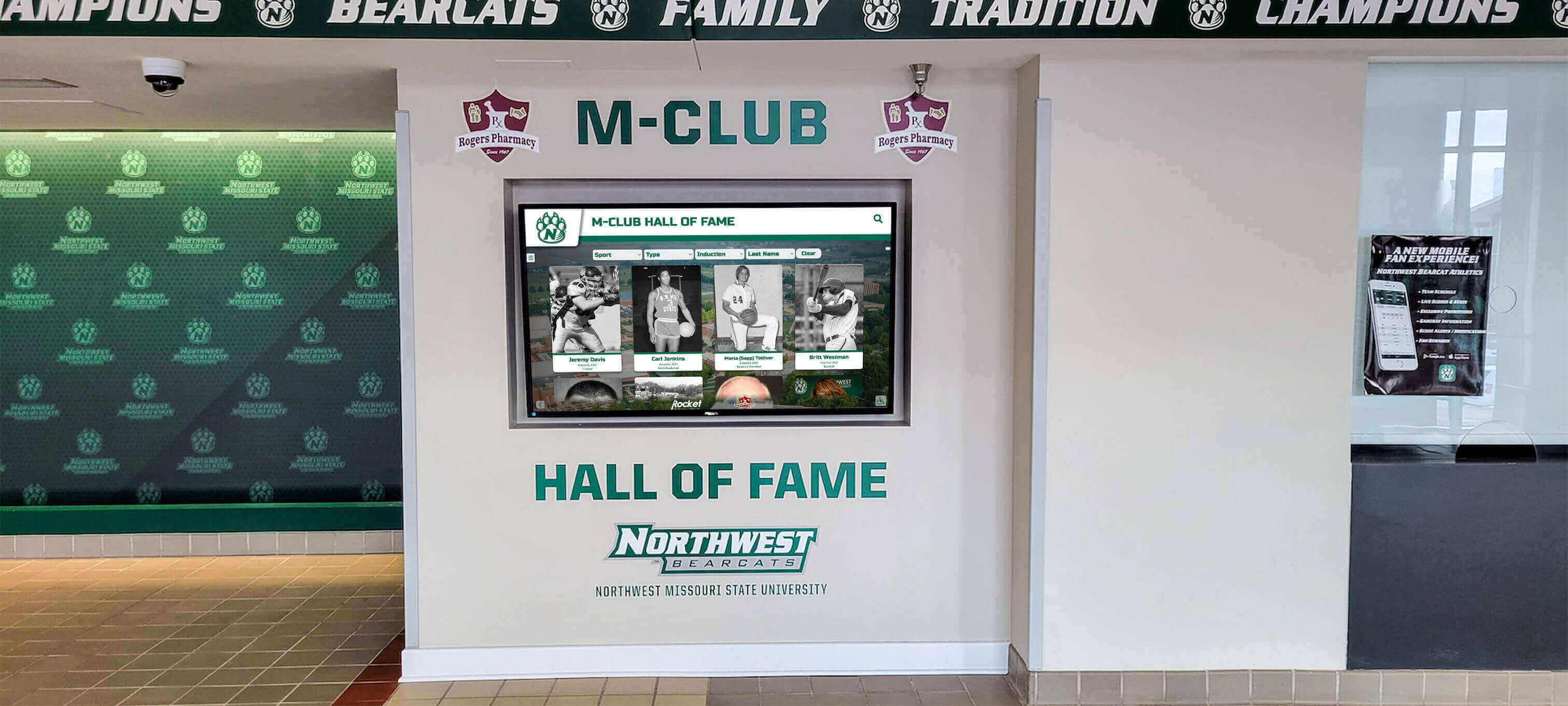
Professional display installations integrate seamlessly with law firm architecture while providing prominent visibility for attorney achievements
Scene-by-Scene Video Breakdown: Complete Display Tour
Intent: demonstrate — This section provides detailed scene-by-scene narration of the complete video tour, describing exactly what viewers see on-screen throughout the demonstration.
Opening Sequence: The Law Firm Recognition Challenge (0:00 - 1:45)
Visual Content
- Opens with slow pan across traditional law firm lobby featuring impressive wood paneling, leather furniture, and dozens of small engraved plaques listing partner names
- Camera pushes in on specific static recognition—faded founding partner portrait with no biographical context, achievement plaque from 1998 celebrating case victory most current clients never heard about
- Cut to law firm marketing director scrolling through dozens of attorney profile updates needing manual implementation across website, directories, and printed materials
- Montage showing prospective associate touring facility unable to learn about potential colleagues, client waiting in reception area with no information about the attorney they’re about to meet
Narration Script “Law firms invest enormous resources building attorney expertise, winning significant cases, and creating institutional legacy spanning decades or even centuries. Yet traditional recognition approaches fail to communicate this depth of accomplishment effectively. Static plaques list names without context about attorney expertise or achievements. Founding partner portraits hang with no stories about their contributions to the firm or community. Recent victories and attorney accomplishments remain unrecognized because updating physical displays requires expensive, time-consuming processes. Clients visiting your offices cannot discover the remarkable credentials and experience of attorneys representing them. Prospective associates evaluating career opportunities see dated recognition that fails to capture your firm’s dynamic culture and continued excellence. In an increasingly competitive legal market, these communication failures represent missed opportunities to differentiate your practice and build confidence among clients, recruits, and referral sources.”
On-Screen Text Overlays
- “67% of clients report they cannot easily find attorney credentials and experience during firm visits”
- “Top legal recruits cite firm culture and attorney recognition as critical factors in accepting offers”
- “Traditional plaques and directories require 40-60 hours annual maintenance updating attorney information”
This opening scene establishes the recognition and communication pain points that interactive displays solve—creating compelling context before demonstrating specific solutions.
Main Demo Sequence: Interactive Display Home Screen (1:45 - 3:15)
Visual Content
- Transition to elegant interactive touchscreen display in contemporary law firm lobby
- Camera frames display prominently showing professional home screen interface with firm branding
- Main menu presents clear navigation options organized intuitively: “Our Attorneys,” “Practice Areas,” “Firm History,” “Recent Victories,” “Community Impact,” “News & Events”
- Subtle animations draw attention to featured content without appearing unprofessional
- Current date and welcome message visible providing practical context
On-Screen Interaction
- Hand enters frame touching “Our Attorneys” section
- Screen transitions smoothly to attorney directory showing professional headshots in grid layout
- Visual hierarchy emphasizes senior partners while ensuring all attorneys receive appropriate recognition
- Search and filter options enable finding attorneys by practice area, office location, or name
Narration Script “Interactive touchscreen displays transform law firm recognition by providing instant, engaging access to comprehensive attorney information, firm achievements, and institutional legacy. The professional home screen organizes content by visitor needs—whether clients seeking attorney credentials, prospective associates evaluating firm culture, or referral sources understanding practice capabilities. Attorney directories showcase the depth of expertise supporting client matters, with professional photos, credentials, and achievement highlights creating confidence and connection. Unlike static plaques that remain unchanged for years, digital displays update instantly as attorneys achieve new credentials, win significant cases, or receive professional recognition—ensuring your firm’s accomplishments are always current and compelling.”
Production Notes
- Lighting: Professional lobby lighting supplemented with subtle fill light ensuring screen visibility without glare on polished surfaces
- Camera movement: Smooth wide establishing shot of firm entrance transitioning to medium close-up of display, then over-shoulder angle showing user interaction
- Audio: Clear voice-over narration with subtle background ambient sound suggesting professional office environment
- Captions: Full transcript with speaker identification for accessibility compliance
According to research on donor recognition best practices, effective recognition displays communicate organizational values while celebrating individual contributions—principles equally applicable to professional service environments.
Attorney Profile Feature Tour (3:15 - 5:30)
Visual Content
- Close-up of attorney directory interface showing 12-16 attorney headshots
- User taps senior partner profile causing full-screen detail view with professional biography
- Partner profile displays: large professional photo, full name and credentials (J.D., LL.M., bar admissions), practice area specializations, years with firm, education background with honors noted, professional association leadership positions, significant case victories and representative matters, publications and speaking engagements, community involvement and pro bono work, direct contact information with click-to-call functionality
- Scrollable biography section provides 300-500 word overview of attorney’s background, approach, and notable achievements
- Professional timeline visualization shows career progression and major milestones
Interactive Elements Demonstrated
- Scrolling through detailed biographical information revealing comprehensive credentials
- Tabbed interface organizing information by categories: “Biography,” “Cases & Matters,” “Publications,” “Recognition,” “Community Service”
- Photo gallery showing attorney at speaking engagements, community events, and professional activities
- Filtering attorney directory by practice area causing display to show only attorneys in selected specialization
- “Request Meeting” button generating QR code for mobile contact information transfer
Narration Script “Comprehensive attorney profiles communicate the depth of expertise, experience, and accomplishment that sophisticated clients seek when selecting legal representation. Professional biographies go beyond resume bullet points to tell compelling stories about attorneys’ backgrounds, motivations, and approaches to client service. Education credentials, bar admissions, and professional certifications establish fundamental qualifications while specialized experience in particular practice areas demonstrates relevant expertise for specific client needs. Significant case victories and representative matters provide concrete evidence of successful outcomes in situations similar to those facing prospective clients. Publications, speaking engagements, and thought leadership demonstrate attorneys’ recognition as authorities in their fields. Community involvement and pro bono service showcase values beyond billable work—creating connection with clients who share commitments to giving back. This comprehensive information builds confidence, enables informed attorney selection, and demonstrates the institutional strength supporting every client matter.”
On-Screen Text Overlays
- “Dynamic profiles update instantly when attorneys achieve new credentials or recognition”
- “Mobile integration enables clients to save attorney contact information directly to phones”
- “Comprehensive information reduces initial consultation time discussing attorney qualifications”
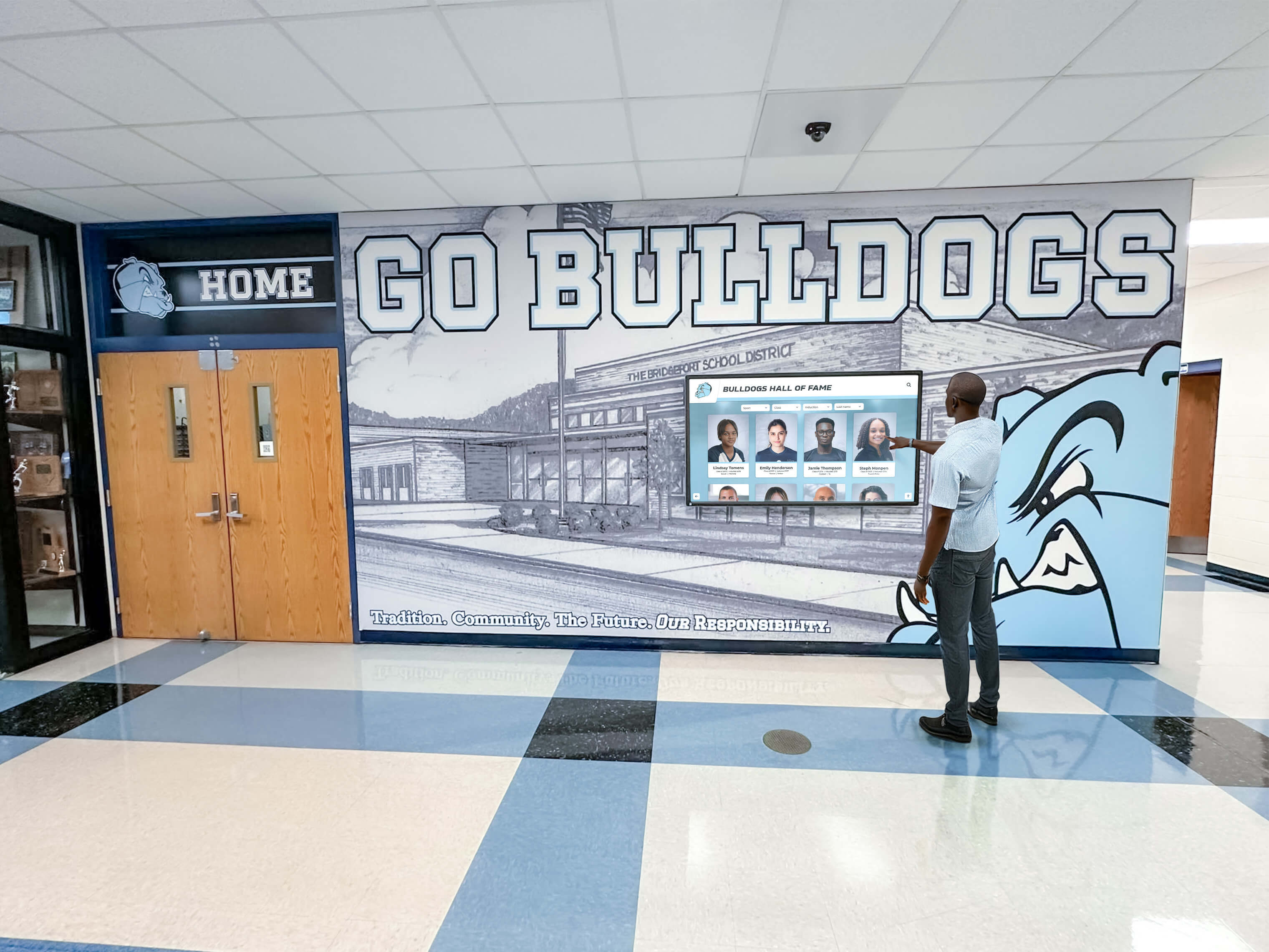
Intuitive touchscreen interfaces encourage active exploration of attorney credentials and achievements rather than passive viewing
Practice Area Expertise Showcase (5:30 - 7:00)
Visual Content
- User navigates to “Practice Areas” section from main menu
- Screen displays comprehensive practice area directory organized by legal specialization
- Major practice categories presented as visual tiles: “Corporate & Business,” “Litigation,” “Real Estate,” “Estate Planning & Probate,” “Intellectual Property,” “Employment & Labor,” “Healthcare,” “Family Law”
- User selects “Corporate & Business” expanding detailed information about services offered
- Practice area content includes: overview of legal services provided, types of clients served and typical matters, specific attorney expertise available in this practice area, representative case examples and client outcomes, related practice areas and integrated service approaches, frequently asked questions addressing common client concerns, contact information for department chair or lead attorney
Representative Matters Display
- Scrollable list shows 8-12 significant matters handled in this practice area
- Each matter displays: general description of issue addressed, legal challenges presented, firm’s approach and strategy, outcome achieved for client, skills and expertise demonstrated
- Confidential information appropriately excluded while still communicating firm capabilities
Narration Script “Sophisticated clients seeking legal representation need more than attorney credentials—they need confidence that your firm has successfully handled matters similar to their own. Practice area showcases organize firm expertise by legal specialization, enabling clients to quickly understand whether your capabilities match their needs. Detailed service descriptions explain what attorneys do in accessible language rather than legal jargon, making your offerings clear to clients unfamiliar with legal terminology. Representative matters provide concrete evidence of successful outcomes in situations resembling those facing prospective clients—demonstrating not just what you can do, but what you have done. Attorney expertise sections connect specific lawyers to particular specializations, enabling clients to identify attorneys with relevant experience for their unique situations. This organized presentation of firm capabilities accelerates client decision-making while positioning your practice as the experienced, capable representation clients seek for their most important legal matters.”
Accessibility Features Highlighted
- Plain language descriptions making legal services understandable to non-lawyers
- Visual organization enabling quick comprehension of complex information
- Searchable content helping clients find specific expertise efficiently
- Mobile QR codes allowing clients to transfer detailed information to personal devices for further consideration
This section demonstrates how displays serve both client service and business development functions—positioning systems as strategic marketing infrastructure rather than merely internal recognition amenities.
Explore comprehensive professional recognition in athletic wall of honor complete guides showing effective achievement celebration frameworks.
Firm History and Legacy Timeline (7:00 - 8:45)
Visual Content
- User navigates to “Firm History” revealing comprehensive institutional timeline
- Interactive timeline displays firm evolution from founding to present day
- Timeline organized by decade with major milestones highlighted: 1950s - Firm Founded, 1960s - First Major Corporate Client, 1970s - Second Office Location, 1980s - Practice Area Expansion, 1990s - National Recognition, 2000s - Technology Leadership, 2010s - Community Impact Initiatives, 2020s - Continued Growth and Innovation
- User taps specific decade causing expansion to detailed view with period-specific content
- 1950s founding section displays: founding partner photos with biographical information, original office location with historical photos, initial practice areas and early clients, firm values and mission established at founding, challenges overcome during early years
- Photo galleries show historical office spaces, early firm events, and founding attorneys
- Scrollable narrative sections tell compelling stories about firm evolution and key moments
Legacy Content Examples
- Landmark cases that established firm reputation in particular practice areas
- Growth milestones including attorney count evolution, office expansions, and practice area additions
- Professional recognition received over decades including Best Law Firms rankings, Super Lawyers designations, and bar association awards
- Community involvement demonstrating sustained commitment to civic engagement and pro bono service
- Technology and innovation leadership showing firm’s progressive approach to legal practice
- Cultural evolution highlighting how firm values have remained consistent while adapting to changing legal landscape
Narration Script “Law firms are institutions built across decades or even generations—accumulating experience, expertise, and reputation that clients rely upon when entrusting their most important legal matters. Interactive timelines bring this institutional legacy to life through compelling visual storytelling that static plaques cannot match. Historical photos connect current attorneys to founding partners who established your firm’s values and reputation. Landmark cases demonstrate expertise developed over decades successfully handling complex legal challenges. Growth milestones show sustained success and client confidence that enabled expansion across offices, practice areas, and attorney count. Professional recognition received over many years validates firm excellence through objective third-party evaluation. This comprehensive institutional history creates client confidence—demonstrating that your firm’s capabilities represent not just current attorneys’ expertise, but accumulated knowledge, relationships, and experience spanning generations of legal practice. For prospective associates, this legacy context creates pride in joining an institution with meaningful history and enduring values.”
Cultural Connection Points
- Founding partner values that continue guiding firm decisions today
- Significant pro bono matters demonstrating sustained community commitment
- Diversity and inclusion evolution showing progressive culture development
- Technology leadership positioning firm as forward-thinking practice
- Sustainability initiatives connecting legacy to environmental responsibility
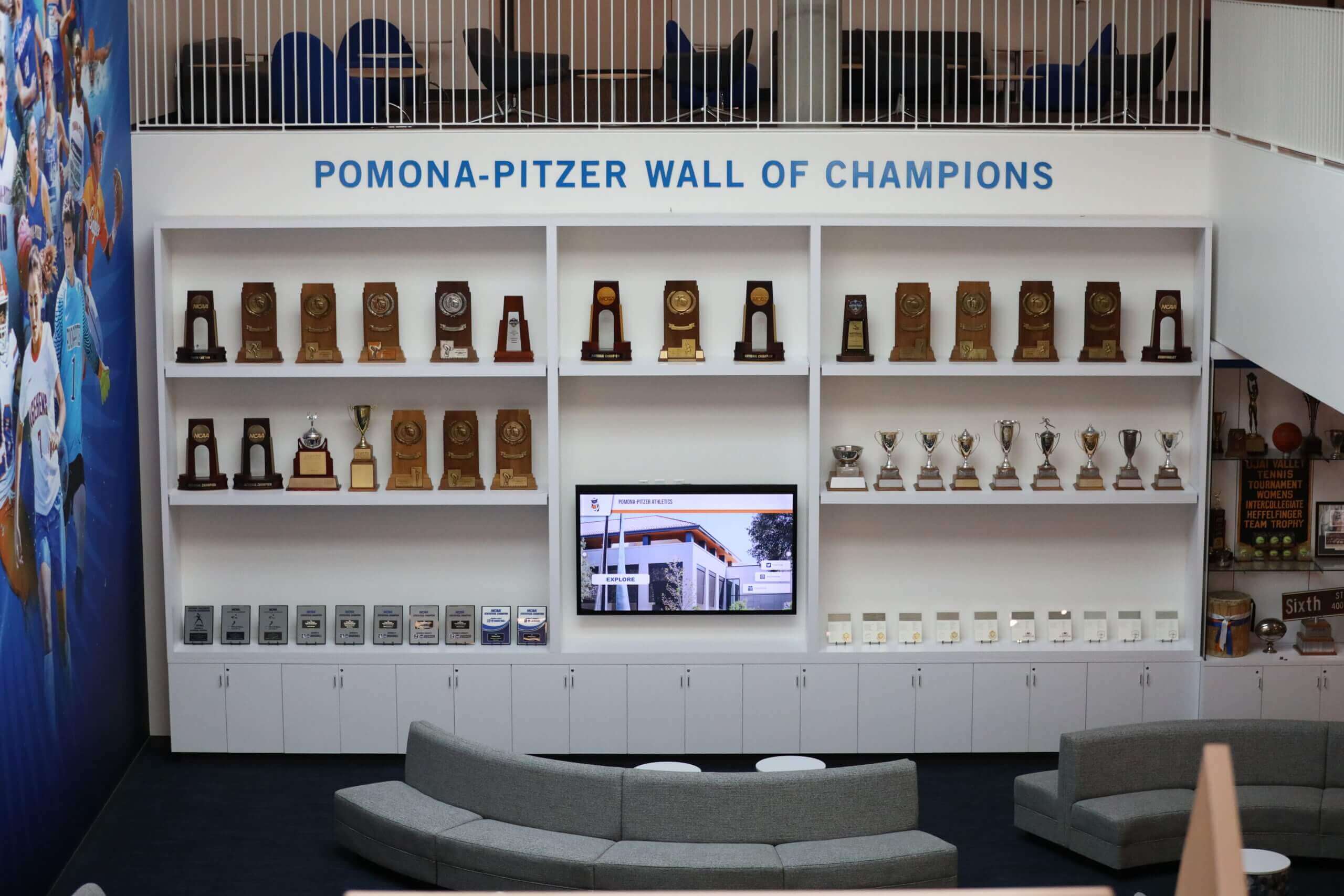
Display installations create natural gathering points where firm legacy and values become visible parts of daily professional environment
Recent Victories and Achievements (8:45 - 10:15)
Visual Content
- User navigates to “Recent Victories” section showcasing current firm accomplishments
- Interface displays rotating featured achievements with visual cards
- Achievement categories visible: “Significant Case Victories,” “Professional Recognition,” “Thought Leadership,” “Community Impact,” “Attorney Milestones”
- User selects “Significant Case Victories” expanding recent matters
- Each victory displayed with: general description of legal issue addressed, challenges presented and complexity involved, firm’s legal strategy and approach, successful outcome achieved for client, attorneys involved and expertise demonstrated, date of resolution and relevant jurisdiction, media coverage or professional recognition received
- Confidential client information appropriately protected while still communicating firm capabilities
Additional Achievement Content
- Professional recognition showing attorney appointments to leadership positions, Super Lawyers and Best Lawyers designations, specialty certification achievements, bar association awards and honors
- Thought leadership featuring recent publications in legal journals, speaking engagements at professional conferences, media appearances as subject matter experts, law review articles and scholarly contributions
- Community impact highlighting pro bono case successes, community organization leadership, charitable event participation and sponsorship, diversity and inclusion initiatives
Narration Script “While institutional legacy spanning decades creates foundational confidence, clients and recruits equally want evidence of current excellence and continued achievement. Recent victories and accomplishments demonstrate that your firm’s success continues today—not just in historical highlights but in ongoing results for current clients. Significant case victories provide concrete proof of expertise successfully applied to contemporary legal challenges. Professional recognition from peer organizations validates attorney excellence through objective evaluation by legal colleagues. Thought leadership through publications and speaking engagements positions attorneys as authorities shaping their fields rather than simply practicing within them. Community impact demonstrates values beyond billable hours—creating connection with clients who expect their legal representation to reflect their own commitments to giving back. This continuous recognition of current achievements keeps your firm’s story dynamic and compelling—showing prospective clients and associates that choosing your firm means joining a practice achieving excellence today, not merely remembering past glory.”
Dynamic Content Management
- Cloud-based platform enables real-time achievement updates as they occur
- Template systems accelerate content creation without requiring design expertise
- Approval workflows ensure appropriate attorney and managing partner review before publication
- Analytics reveal which achievements generate most client and visitor engagement
- Archive functionality maintains comprehensive achievement history while featuring recent accomplishments prominently
This section demonstrates how displays serve recruitment, client development, and internal culture functions simultaneously—maximizing return on technology investment.
Learn about effective achievement showcasing in how to showcase student achievement guides with principles applicable to professional recognition contexts.
Community Involvement and Pro Bono Impact (10:15 - 11:45)
Visual Content
- User navigates to “Community Impact” section showcasing firm’s commitment beyond client work
- Interface displays multiple content categories: “Pro Bono Cases,” “Board Service,” “Nonprofit Partnerships,” “Diversity Initiatives,” “Sustainability Efforts,” “Educational Outreach”
- “Pro Bono Cases” feature highlights significant matters handled without fee
- Each pro bono matter displays: description of legal issue and client served, social impact and community benefit achieved, attorneys involved and hours contributed, outcome and lasting change created, recognition received for pro bono service
- Statistical dashboard shows aggregate pro bono hours by year, percentage of attorneys participating, practice areas involved in pro bono work, community organizations supported
- Photo galleries show attorneys at community service events, nonprofit board meetings, and educational programs
Community Engagement Examples
- Board leadership positions attorneys hold with nonprofit organizations, professional associations, and community institutions
- Legal clinics and community programs providing free legal advice to underserved populations
- Educational initiatives including law school mentoring, high school career presentations, and continuing legal education programs
- Diversity and inclusion programs supporting underrepresented attorneys and increasing legal profession accessibility
- Environmental sustainability efforts demonstrating corporate responsibility and values alignment
- Pro bono recognition received from legal aid organizations and bar associations
Narration Script “Modern legal clients increasingly evaluate law firms not only on technical expertise and case outcomes, but on values alignment and community commitment. Interactive displays showcase the full scope of firm impact beyond billable work—demonstrating that your attorneys bring values, ethics, and community dedication to every client matter they handle. Pro bono case highlights celebrate significant legal victories achieved for clients who could not otherwise afford representation, demonstrating firm commitment to justice and equal access to legal services. Board service and nonprofit partnerships show attorneys lending expertise to strengthen community organizations addressing critical social needs. Educational outreach initiatives demonstrate commitment to developing the next generation of legal professionals while increasing diversity in the legal profession. Environmental sustainability and corporate responsibility efforts show values alignment with clients who expect their service providers to share their commitments. This comprehensive community impact presentation creates meaningful connection with clients and recruits who want legal representation that reflects their own values—while building internal culture and attorney pride in being part of a practice that gives back significantly to the communities it serves.”
Values Communication
- Founding values statements connecting community service to firm mission
- Attorney testimonials explaining personal motivations for pro bono work
- Long-term partnerships demonstrating sustained commitment rather than occasional gestures
- Measurable impact data quantifying community benefit created through firm service
- Diversity metrics showing progress toward inclusive workplace and profession
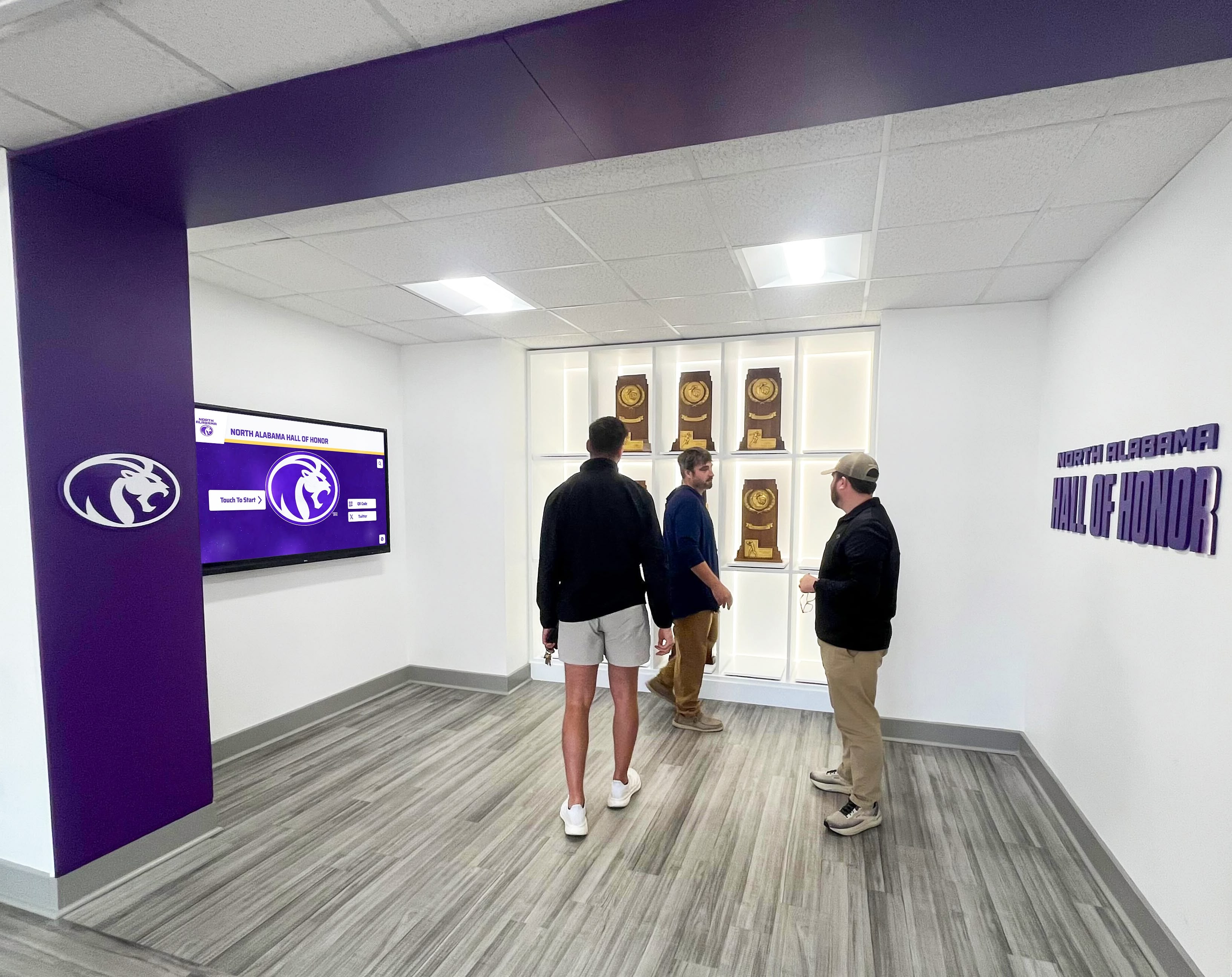
Display installations communicate institutional values and community commitment alongside professional achievement recognition
Interactive Wayfinding and Office Navigation (11:45 - 12:45)
Visual Content
- User navigates to “Office Directory” section revealing interactive building navigation system
- Main interface displays color-coded floor plan with major areas clearly labeled: Reception, Conference Rooms, Attorney Offices, Administrative Areas, Kitchen & Break Rooms, Restrooms
- Search functionality demonstrated—user types attorney name causing map to highlight that attorney’s office location with floor and suite number
- Selecting specific conference room expands detailed information: room capacity and seating configuration, available technology including video conferencing and presentation equipment, accessibility features for guests with mobility limitations, how to book the space for internal meetings
- Turn-by-turn navigation option displays walking route from lobby to selected destination with estimated walking time
Practical Navigation Scenarios
- Client arriving for appointment quickly locating attorney’s office
- Visiting attorney from another office finding conference room for deposition
- Job candidate navigating to interviewing attorney’s office for recruiting meeting
- External vendor delivering to appropriate administrative area
- Accessibility routing for visitors with mobility limitations requiring elevator access
Narration Script “Large law firm offices spread across multiple floors or buildings present navigation challenges for clients, visiting attorneys, and candidates unfamiliar with your layout. Interactive wayfinding systems provide instant orientation help—visitors can search for specific attorneys, conference rooms, or facilities, view locations relative to their current position, and receive detailed walking directions ensuring confident arrival at intended destinations. For clients already feeling stressed about legal matters, eliminating the confusion of searching for the right office reduces anxiety and creates positive impressions of firm organization and professionalism. Conference room information helps internal staff and visiting attorneys quickly identify appropriate spaces for depositions, mediations, or meetings with specific capacity or technology requirements. This comprehensive wayfinding support demonstrates attention to visitor experience while reducing reception desk burden answering directional questions throughout the day.”
Wayfinding Features
- Interactive floor plans with zoom capability for detailed views
- Color-coding distinguishing conference facilities from attorney offices and administrative areas
- Real-time conference room availability when integrated with booking systems
- Accessibility routing for visitors requiring elevator access or ground-floor facilities
- Mobile QR code transfer enabling continued navigation via personal smartphones
Explore comprehensive wayfinding strategies in interactive displays for courtrooms demonstrating navigation and information systems.
Administrative Content Management Demo (12:45 - 14:00)
Visual Content
- Scene transitions to behind-the-scenes view of cloud-based content management platform
- Split screen shows administrative interface on computer alongside what appears on firm displays in real-time
- Demonstration of content creation workflow: marketing coordinator opens template for attorney achievement, enters information about recent case victory into simple form fields, uploads attorney photos and case-related imagery, selects publication date and target displays, previews how content will appear on screens, publishes update that appears instantly on lobby displays
- Multi-display management shown—coordinator pushes firm-wide announcement simultaneously to all office locations from single interface
- Analytics dashboard reveals engagement metrics: most-viewed content, peak usage times, visitor interaction patterns informing future content strategy
Platform Features Highlighted
- Intuitive interface requiring no technical expertise or design skills
- Professional template library for attorney profiles, achievements, firm news, and historical content
- Media library managing photos, documents, and graphics reusable across multiple content items
- User permissions enabling marketing staff, managing partners, and administrators appropriate access levels
- Scheduled publishing automating time-sensitive content appearing and disappearing automatically
- Mobile-responsive administrative interface enabling updates from anywhere using smartphones or tablets
- Approval workflows ensuring appropriate attorney review before content publication
- Version control maintaining content history and enabling rollback if needed
Narration Script “Effective law firm recognition requires systems that marketing coordinators can manage easily without constant IT support or expensive vendor services for every update. Cloud-based content management platforms provide intuitive interfaces enabling staff to create professional attorney profiles, showcase achievements, and update information from any internet-connected device. Template libraries ensure consistent visual design matching firm branding while accelerating content creation—coordinators simply enter information into form fields rather than designing layouts from scratch. Multi-display management capabilities enable firms with multiple office locations to push announcements across entire networks simultaneously—ensuring consistent messaging while dramatically reducing administrative time compared to updating individual displays manually. Scheduled publishing automates time-sensitive content appearing and disappearing automatically without requiring staff to remember manual updates. Analytics reveal which content clients and visitors engage with most frequently, informing evidence-based decisions about recognition priorities and content strategies maximizing impact. These administrative efficiencies transform interactive displays from expensive installations requiring constant maintenance into sustainable recognition platforms that become more valuable over time as content libraries grow and attorney profiles evolve.”
Operational Efficiency Metrics
- Cloud management reduces staff time on recognition updates by 75%
- Template systems enable content creation in 10-15 minutes vs. hours for custom design
- Multi-location coordination saves 20-30 hours monthly for firms with 3+ offices
- Analytics-driven content strategy increases client engagement by 40-60%

Administrative platforms provide intuitive content management enabling marketing staff to update displays instantly without technical expertise or vendor dependencies
Closing Sequence: Impact and Call-to-Action (14:00 - 15:15)
Visual Content
- Montage of clients, attorneys, and visitors interacting with displays throughout video tour—exploring attorney profiles, discovering firm history, learning about recent victories, engaging with community impact content
- Cut to wider law firm lobby shots showing displays integrated naturally into professional environments alongside traditional architectural elements
- Brief testimonial clips from managing partners and marketing directors discussing recognition improvements and client response following display implementation
- Final shot: law firm display showing welcome message with firm branding creating sophisticated impression of modern, accomplished legal practice
Testimonial Quotes (if using real implementations)
- Managing Partner: “Interactive displays transformed how we communicate our firm’s story. Clients immediately understand the depth of experience supporting their matters, prospective associates see our values and culture instantly, and current attorneys take pride in seeing their achievements recognized prominently. The system paid for itself within 18 months through improved recruiting outcomes and enhanced client confidence.”
- Marketing Director: “Content management that used to consume 15-20 hours weekly now takes 2-3 hours. We can showcase attorney achievements immediately when they occur rather than waiting months for plaque updates. The analytics showing what clients engage with most has completely changed our recognition strategy for the better.”
Narration Script “Modern law firms operate in intensely competitive markets where client confidence, attorney retention, and top talent recruitment determine long-term success. Interactive touchscreen displays create competitive advantages by comprehensively communicating firm excellence through attorney profiles showcasing credentials and expertise, significant victories demonstrating successful outcomes, institutional legacy building client confidence in firm stability and experience, community impact reflecting values that resonate with clients and recruits, and dynamic content ensuring recognition remains current and compelling rather than dated and irrelevant. For law firms committed to competing effectively for sophisticated clients and exceptional legal talent, these displays represent strategic investments in differentiation, culture, and client confidence—demonstrating institutional commitment to celebrating excellence while building the relationships that sustain successful practices.”
On-Screen Text Overlays
- “Transform law firm recognition and client experience”
- “Purpose-built platforms for professional service environments”
- “Schedule your personalized law firm display demo today”
Final Call-to-Action
- “Ready to elevate recognition at your law firm?”
- “Book a live video demo: rocketalumnisolutions.com/demo”
- “Explore professional display solutions: rocketalumnisolutions.com”
This closing sequence synthesizes key benefits demonstrated throughout the video tour while providing clear next steps for law firm leaders interested in implementing systems at their practices.
Production Notes: Creating Professional Law Firm Display Videos
Intent: demonstrate — This section provides technical guidance for vendors and law firms producing demonstration videos showcasing interactive display implementations.
Equipment and Technical Specifications
Camera and Filming Equipment
Professional law firm display demonstrations require:
Camera Setup
- Primary camera: 4K-capable DSLR or mirrorless camera with stable tripod mounting ensuring smooth, professional footage without handheld shake
- Secondary camera: Wide-angle lens capturing context of display placement within law firm lobbies showing architectural integration with traditional design elements
- Lighting kit: LED panel lights with diffusers creating even illumination of displays without screen glare or reflections on polished wood and glass surfaces
- Audio recording: Lavalier microphones for interview subjects and shotgun microphones for ambient sound capture maintaining professional production values
- Screen recording: Direct capture of display content at native resolution ensuring perfect clarity of interface details and attorney profile information
Filming Locations
- Active law firm reception areas demonstrating displays in realistic professional environments during business hours
- Conference rooms showcasing displays supporting client presentations and recruiting interviews
- Behind-the-scenes administrative offices showing content management platform functionality
- Multiple office locations if demonstrating multi-site coordination capabilities
Lighting and Screen Capture Best Practices
Avoiding Screen Glare and Reflections
Professional display filming in law firm environments requires careful lighting addressing reflective surfaces:
Lighting Techniques
- Position key lights at 45-degree angles to displays minimizing direct reflections while avoiding glare on polished wood paneling and glass surfaces
- Use polarizing filters on camera lenses reducing screen glare and reflections from windows
- Adjust ambient office lighting temporarily for filming if possible without disrupting business operations
- Film during times of day when natural window light doesn’t create problematic reflections on screens or architectural elements
- Use diffused fill light preventing harsh shadows without creating additional glare on screens or surrounding surfaces
- Employ black flags or gobos blocking specific light sources causing reflections while maintaining overall scene illumination
Direct Screen Recording
For maximum clarity of interface details and attorney profile content:
- Capture interface navigation directly through content management platform at full resolution
- Export at display native resolution (typically 1920x1080 for standard displays, 3840x2160 for 4K displays)
- Screen record user interactions with synchronized voiceover narration explaining features
- Combine direct screen capture with filmed lobby footage showing physical displays and client interaction
- Ensure attorney photos and biographical information visible in screen recordings have appropriate permissions for demonstration use
ADA Compliance and Accessibility
Ensuring Video Accessibility
All demonstration videos must include comprehensive accessibility features:
Accessibility Requirements
- Complete closed captions with speaker identification and description of visual elements and on-screen text
- Audio descriptions narrating on-screen text, attorney photos, and visual interface details for visually impaired viewers
- Transcript files available for download enabling text-based access to complete content
- High contrast and clear typography for any on-screen text overlays ensuring readability
- Compliance with WCAG 2.1 AA standards for accessible multimedia content
- Alternative format availability (audio-only version, extended description version) for diverse accessibility needs
Law firms demonstrating commitment to accessibility through video presentation reinforce positioning of display systems themselves as inclusive communication infrastructure serving all clients and visitors.
According to research on interactive technology in professional environments, digital signage and interactive displays are increasingly essential in law firms for enhancing client experience, improving internal communications, and showcasing firm accomplishments in compelling ways.

Professional video production captures both the technical capabilities and the human interaction demonstrating how clients and attorneys engage with law firm display systems
Key Benefits of Law Firm Interactive Displays
Intent: demonstrate — This section summarizes the core advantages these systems deliver for law firms, clients, and attorneys.
Enhanced Client Confidence and Experience
Comprehensive Attorney Information Access
Interactive displays solve fundamental client confidence challenges:
Client Experience Advantages
- Instant access to attorney credentials, experience, and achievements building confidence before meetings
- Visual presentation of firm expertise and significant case victories demonstrating relevant capabilities
- Clear practice area descriptions in accessible language helping clients understand service offerings
- Historical context and institutional legacy communicating stability and depth of experience
- Community involvement and values alignment creating connection beyond technical legal expertise
- Reduced anxiety for clients visiting firm for first time through clear wayfinding and orientation information
Research from professional services marketing organizations indicates that clients who access comprehensive attorney information before initial consultations report 35-50% higher confidence levels and demonstrate significantly improved engagement during meetings.
Improved Client Engagement
Digital communication dramatically enhances information discovery:
Law firms implementing comprehensive display systems report that 60-75% of clients visiting offices interact with attorney profile displays, with average engagement duration of 3-5 minutes compared to under 30 seconds for static plaque viewing. Clients accessing detailed attorney information before meetings demonstrate better understanding of attorney expertise and more focused initial consultations that accelerate matter engagement and relationship development.
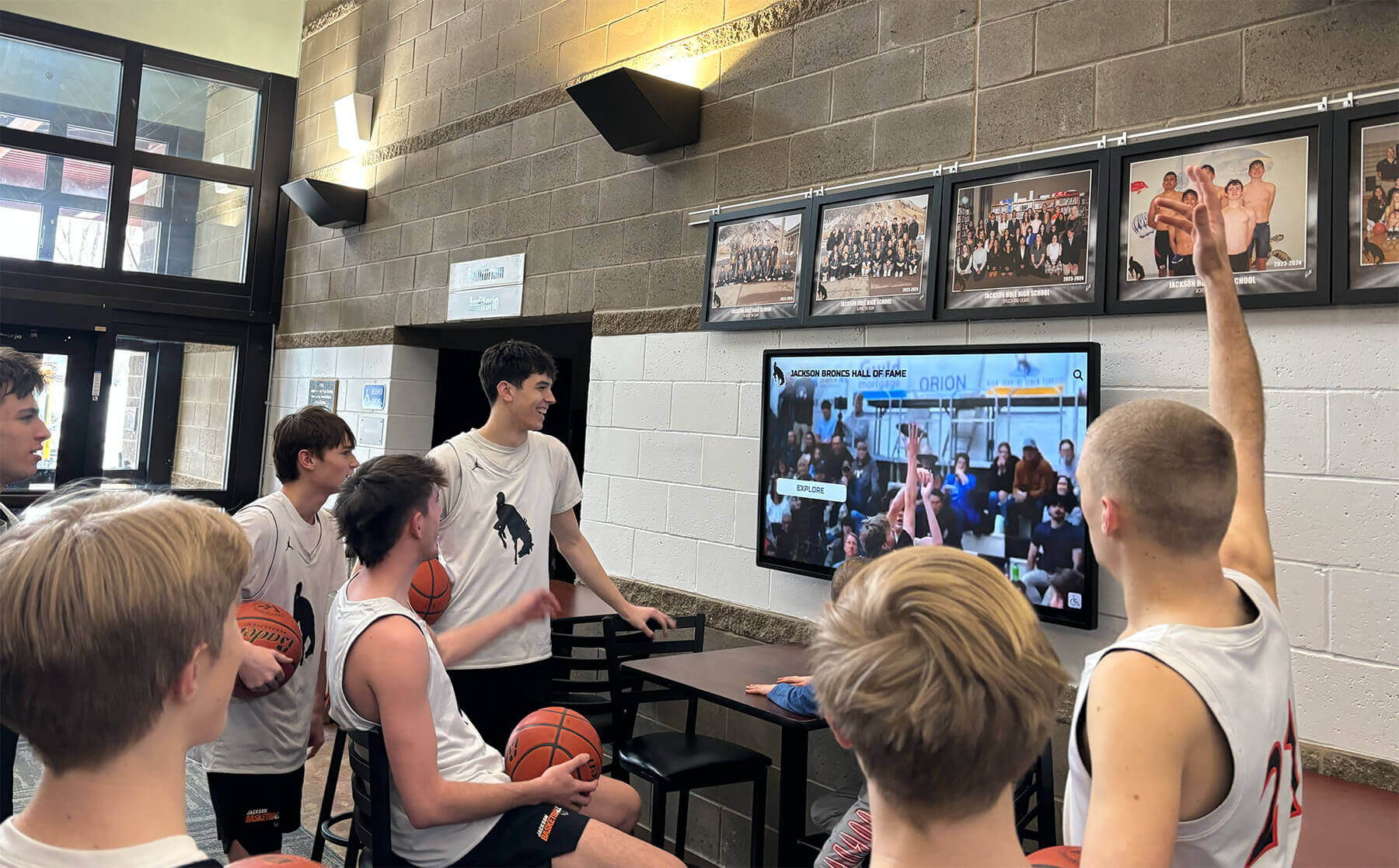
Interactive displays create natural engagement opportunities where clients actively explore attorney credentials and firm achievements rather than passively waiting
Attorney Recruitment and Retention
Competitive Advantage in Legal Talent Market
Interactive displays significantly impact attorney recruiting and retention:
Recruiting Benefits
- Prospective associates touring facilities immediately understand firm culture, values, and attorney achievements
- Visual storytelling about career development paths and advancement opportunities creates compelling recruitment narrative
- Recognition of attorney accomplishments demonstrates firm commitment to celebrating excellence
- Historical context and institutional legacy create pride in joining practice with meaningful history
- Community involvement and pro bono emphasis attracts candidates seeking values-aligned practices
- Technology-forward presentation signals progressive firm culture appealing to younger attorneys
Retention and Culture Impact
Current attorneys benefit from visible recognition:
- Regular updates celebrating attorney achievements create culture of recognition and appreciation
- Visible display of attorney accomplishments builds pride and emotional connection to firm
- Fair, comprehensive recognition reduces perception of favoritism toward specific attorneys or practice groups
- Dynamic content ensures all attorneys receive appropriate recognition regardless of seniority
- Community impact visibility reinforces values-driven culture beyond billable hour focus
Law firms implementing interactive recognition displays report 20-30% improvements in attorney satisfaction scores related to recognition and culture, with particularly strong impact on mid-level associates where retention challenges are typically most acute.
Marketing and Business Development
Enhanced Firm Positioning and Differentiation
Interactive displays serve strategic marketing objectives:
Marketing Value
- Sophisticated technology implementation demonstrates progressive, forward-thinking firm culture
- Comprehensive capability presentation enables more effective business development conversations with prospective clients
- Visual documentation of significant victories and professional recognition provides compelling social proof
- Easy content updates enable rapid response to competitive positioning opportunities
- Analytics revealing visitor engagement patterns inform broader marketing strategy and messaging decisions
- Video and photo content from displays supports digital marketing, website enhancement, and social media presence
Referral Source Confidence
Professional relationships benefit from effective firm presentation:
- Referring attorneys gain confidence in recommending firm through visible evidence of expertise and accomplishments
- Professional network visitors (bankers, accountants, business advisors) better understand firm capabilities enabling stronger referral relationships
- Client testimonials and case outcome presentations provide talking points for referral source conversations
- Regular content updates give referring attorneys new information to share when making recommendations
Operational Efficiency and Administrative Benefits
Streamlined Recognition Management
Interactive displays dramatically reduce recognition administration burden:
Administrative Efficiency
- Elimination of physical plaque ordering, engraving, and installation reducing costs by 60-80%
- Centralized content management enabling updates across multiple office locations from single interface
- Template systems accelerating content creation from hours to minutes per attorney update
- Automated publishing ensuring timely recognition without manual reminder systems
- Digital archive maintaining comprehensive historical record without physical storage requirements
- Analytics revealing engagement patterns informing strategic content decisions
Content Flexibility
Digital platforms enable recognition approaches impossible with physical displays:
- Unlimited attorney profile depth unconstrained by physical space limitations
- Multimedia integration including photos, videos, and interactive timelines
- Regular updates keeping content current without expensive physical modifications
- Seasonal content rotation highlighting different accomplishments throughout year
- Practice area or office-specific content targeting particular audiences
- Mobile integration extending recognition beyond fixed display viewing moments
Law firms implementing interactive displays typically achieve full return on investment within 24-36 months through combination of recruiting improvements, operational savings, and enhanced client confidence outcomes.
Schedule Your Live Law Firm Display Video Demo
Experience firsthand how interactive touchscreen displays transform law firm recognition, client experience, and professional culture. Our comprehensive video demonstrations showcase real implementations with proven results across diverse legal practices.
Book a Live TouchWall Video DemoStrategic Implementation Considerations
Intent: demonstrate — This section outlines key planning factors law firms should consider when implementing interactive display systems.
Needs Assessment and Objective Definition
Determining Display Requirements
Effective implementations begin with systematic planning:
Assessment Questions
- What specific recognition or communication challenges do our current approaches fail to address?
- How do we currently communicate attorney credentials and firm accomplishments to clients and visitors?
- What role might interactive displays play in recruiting outcomes and associate retention?
- Which office locations and spaces receive most client and candidate traffic requiring recognition infrastructure?
- What content types deliver highest value: attorney profiles, firm history, recent victories, community impact?
- How will displays integrate with existing marketing, recruiting, and business development strategies?
- What staff resources are available for ongoing content management and system maintenance?
- What budget allocation is reasonable given competing firm technology priorities?
Clear needs assessment enables selecting appropriate systems and setting realistic implementation expectations aligned with most important firm objectives.
Location and Placement Strategy
Optimal Display Positioning
Strategic placement maximizes visibility and impact:
High-Impact Locations
- Main reception areas ensuring every client and visitor encounters displays immediately upon arrival
- Conference room lobbies and waiting areas where clients spend time before meetings
- Attorney office corridors creating internal recognition culture and pride
- Recruiting interview suites where prospective associates evaluate firm culture
- Event spaces used for client entertainment, continuing legal education, and firm gatherings
- Multiple office locations for multi-site practices requiring consistent recognition approaches
Law firms report highest engagement when displays appear in multiple strategic locations throughout offices rather than single centralized installations—distributed networks ensure comprehensive reach regardless of individual traffic patterns and space usage.
Learn about strategic placement in alumni gathering area design guides demonstrating effective space planning principles.
Content Strategy Development
Creating Compelling, Professional Content
Successful display programs require sustained content strategies:
Content Planning Elements
- Regular content categories appearing consistently: attorney profiles, firm news, recent victories, community impact
- Seasonal themes rotating throughout year maintaining visual freshness
- Historical content connecting current accomplishments to institutional legacy
- Practice area spotlights rotating focus across firm specializations ensuring balanced recognition
- Individual attorney features providing regular recognition opportunities beyond major achievements
- Balanced content mix addressing client needs, recruiting objectives, and internal culture simultaneously
Law firms should allocate dedicated marketing coordinator time or designate specific staff positions for content management—treating displays as requiring ongoing attention rather than one-time installations maintained only during initial launch.
Content Quality Standards
Professional environments require particular attention to content quality:
- Professional photography maintaining consistent visual standards across all attorney profiles
- Copywriting emphasizing accomplishments and expertise while avoiding excessive self-promotion
- Appropriate confidentiality protections ensuring client information remains secure
- Legal accuracy verification for case descriptions and matter representations
- Brand consistency maintaining firm visual identity and professional standards
- Regular content audits ensuring accuracy and removing outdated information
Technology Platform Selection
Choosing Appropriate Systems
Display platform selection significantly impacts long-term success:
Essential Platform Capabilities
- Cloud-based content management enabling remote updates without physical display access
- Intuitive interfaces requiring minimal training for marketing staff and administrators
- Professional template libraries appropriate for law firm branding and aesthetic standards
- Multi-display coordination pushing updates across entire office networks simultaneously
- Mobile-responsive design enabling updates from smartphones and tablets supporting remote work
- Robust analytics revealing visitor engagement patterns and content effectiveness
- Reliable vendor support ensuring long-term system sustainability and feature evolution
- Integration capabilities connecting with firm marketing systems and data sources
- Security features protecting confidential attorney and firm information
Solutions like Rocket Alumni Solutions provide purpose-built platforms designed specifically for recognition and legacy presentation—offering specialized capabilities, intuitive content management, and support teams understanding professional service environment requirements that generic digital signage cannot address effectively.

Purpose-built professional display systems integrate firm branding while providing intuitive interfaces clients and attorneys engage with naturally
Budget Considerations and Return on Investment
Intent: demonstrate — This section outlines financial planning considerations for law firm display implementations.
Implementation Cost Components
Initial Investment Breakdown
Typical law firm display implementations include:
Hardware Costs
- Commercial-grade touchscreen displays (43-55 inches): $3,500-$6,500 per unit depending on size and features
- Professional mounting hardware and installation: $800-$1,500 per location including electrical and network connectivity
- Network infrastructure and secure connectivity: $500-$1,200 per display depending on existing infrastructure
- Optional protective enclosures for high-traffic areas: $600-$1,200 per unit
Software and Setup Costs
- Content management platform setup and configuration: $5,000-$12,000 for comprehensive multi-display systems
- Initial content development including attorney profiles and firm history: $8,000-$18,000 depending on attorney count and content depth
- Professional photography for attorney profiles: $150-$300 per attorney
- Staff training and onboarding: $1,500-$3,000 for marketing and administrative personnel
- Integration with existing marketing systems: $2,000-$5,000 depending on complexity
Typical Implementation Costs
- Single office location (2-3 displays): $28,000-$55,000
- Multi-office implementation (6-10 displays): $75,000-$145,000
- Large firm deployment (15-25 displays): $150,000-$280,000
Volume purchasing and multi-year platform subscriptions typically reduce per-display costs by 15-25% for larger implementations.
Ongoing Annual Operating Costs
Sustainable Operation Requirements
Annual costs for maintaining law firm display systems:
Recurring Expenses
- Platform subscription and cloud hosting: $3,600-$8,500 annually for comprehensive firm-wide systems
- Content management staff time: 8-12 hours monthly for marketing coordinator maintenance
- Technical support and software updates: $2,400-$5,000 annually
- Hardware warranty extensions: $400-$700 per display annually
- Periodic content refresh and photography updates: $3,000-$8,000 annually for large firms
- Professional photography for new attorney profiles: $150-$300 per attorney as needed
Total Annual Operating Costs
- Single office location: $8,000-$16,000 per year
- Multi-office firm system: $18,000-$38,000 per year
These investments deliver value across multiple firm objectives simultaneously—client confidence, attorney recruitment, retention culture, and marketing differentiation—making per-objective costs reasonable when benefits are comprehensively assessed.
Calculating Return on Investment
Quantifiable Benefits and Savings
Interactive display investments deliver measurable returns:
Recruiting Impact
Most significantly, improved recruiting outcomes generate substantial ROI:
Research demonstrates that law firms with comprehensive recognition programs show 25-40% higher acceptance rates among top law school recruits compared to firms with minimal recognition infrastructure. For large firms where each failed recruiting outcome costs $15,000-$25,000 in repeated recruitment expenses plus delayed productivity, retaining even 2-3 additional target recruits annually through improved culture presentation generates $30,000-$75,000 in avoided recruiting costs—often approaching or exceeding total display implementation investment within first year.
Operational Savings
Direct cost reductions from digital recognition:
- Eliminated physical plaque costs, engraving, and installation: $8,000-$15,000 annually for mid-size firms
- Reduced marketing coordinator time on recognition updates: 10-15 hours monthly valued at $6,000-$12,000 annually
- Elimination of printed attorney directories requiring regular updates: $3,000-$6,000 annually
- Decreased reception desk time answering directional questions through wayfinding features
- Content reuse across multiple marketing channels reducing duplicate creation efforts
Client Confidence and Business Development
While difficult to quantify precisely, improved client confidence contributes to:
- Higher conversion rates during initial consultations as clients better understand firm capabilities
- Expanded matter scope as clients gain confidence in broader firm expertise through comprehensive capability presentation
- Improved client satisfaction scores influencing referrals and repeat engagement
- Enhanced competitive positioning supporting rate integrity and premium positioning
- Stronger referral source relationships through more effective firm capability communication
Attorney Retention Value
Improved recognition culture contributes to retention:
For firms where attorney replacement costs typically range $200,000-$400,000 per departing associate (recruiting, training, lost productivity, client relationship disruption), even marginal improvements in retention through enhanced recognition culture generate enormous value. If interactive displays contribute to retaining one additional mid-level associate every 2-3 years, the retention value alone justifies investment.
Law firm leaders consistently report 18-36 month payback periods for interactive display implementations when comprehensively accounting for recruiting improvements, operational savings, and retention benefits—with continued value delivery throughout system lifespans of 8-12 years with appropriate maintenance and content updates.
Special Considerations for Different Law Firm Types
Display implementation approaches should adapt to specific practice characteristics, sizes, and client profiles.
Large Multi-Office Firms
Enterprise Recognition Systems
Large practices with multiple locations benefit from comprehensive networks:
Large Firm Strategies
- Centralized content management enabling consistent recognition across all office locations
- Office-specific content modules highlighting local attorney accomplishments and community involvement
- Practice group coordination ensuring balanced recognition across firm specializations
- Historical content connecting current offices to founding locations and institutional legacy
- Recruiting suite installations creating consistent experience across offices for candidate interviews
- Integration with firm intranet and internal communications creating connected ecosystem
- Analytics aggregation revealing firmwide engagement patterns and regional variations
Large firms justify premium implementations given diverse stakeholder needs, complex recognition requirements, and substantial recruiting and retention value at scale.
Mid-Size Regional Practices
Focused Professional Systems
Regional firms benefit from sophisticated recognition with managed complexity:
Regional Firm Approaches
- 3-6 displays strategically distributed across primary office locations and high-traffic areas
- Balanced content emphasizing local market leadership and community connections
- Regional historical content celebrating firm evolution within specific market context
- Practice area depth demonstrating specialized expertise supporting business development
- Recruiting focus attracting local law school talent and lateral candidates
- Integration with regional marketing efforts and community engagement initiatives
These implementations deliver strong recognition impact while maintaining cost structures appropriate for regional firm economics.
Boutique and Specialized Practices
Targeted Expertise Showcases
Specialized practices benefit from focused recognition emphasizing distinctive expertise:
Boutique Practice Considerations
- Deep practice area content demonstrating exceptional specialization depth
- Significant matter portfolios showcasing successful outcomes in firm’s focus areas
- Thought leadership emphasis positioning attorneys as authorities in specialized fields
- Professional recognition highlighting specialty certifications and peer acknowledgment
- Client-specific content (with appropriate permissions) demonstrating relevant experience
- Quality over quantity approach emphasizing distinction rather than size
Boutique firms must carefully balance investment against client expectations and practice economics—but often find that sophisticated recognition creates critical differentiation supporting premium positioning.
Explore professional recognition strategies in military wall of honor comprehensive guides showing effective specialized recognition approaches.

Professional installations integrate seamlessly with existing architecture while providing sophisticated recognition infrastructure
Future Trends in Law Firm Interactive Display Technology
Understanding emerging developments helps law firms plan investments remaining relevant and valuable throughout extended technology lifecycles.
Advanced Personalization and Content Intelligence
Smart Content Delivery
Next-generation systems will incorporate artificial intelligence creating personalized experiences:
Emerging Features
- Facial recognition enabling returning clients to see personalized welcome messages and relevant attorney information
- Predictive analytics identifying optimal content for different visitor types based on time, day, and historical patterns
- Natural language interfaces enabling conversational inquiries about attorney expertise and practice capabilities
- Automated content generation for routine updates like attorney promotions and new credential achievements
- Sentiment analysis revealing which recognition approaches create strongest engagement and emotional connection
- Machine learning optimization continuously improving content presentation based on engagement patterns
These intelligent capabilities will enhance display effectiveness while reducing manual content management burden—enabling more sophisticated recognition with less administrative effort.
Enhanced Mobile Integration
Seamless Physical-Digital Convergence
Future systems will better bridge physical displays and personal devices:
Mobile Integration
- QR codes enabling instant mobile transfer of attorney contact information and detailed profiles
- Personal device continuation allowing clients to begin exploration on lobby displays and continue on smartphones
- Mobile apps mirroring display content for on-demand access before, during, and after office visits
- Social media integration enabling controlled sharing of firm accomplishments and attorney expertise
- Virtual tour capabilities allowing prospective clients and recruits to explore displays remotely
- Calendar integration enabling direct meeting scheduling from attorney profile displays
This mobile connectivity extends display value beyond lobby viewing moments while meeting client and recruit preferences for personal device interaction.
Expanded Analytics and Business Intelligence
Data-Driven Recognition Strategy
Future platforms will provide increasingly sophisticated engagement analytics:
Enhanced Analytics
- Individual attorney profile view counts revealing which credentials and achievements generate most interest
- Content effectiveness comparisons showing which recognition approaches create strongest engagement
- Visitor journey mapping revealing how clients and recruits navigate content and what information sequences prove most effective
- Demographic insights (when privacy-compliant) showing engagement pattern differences across client types, practice areas, or office locations
- A/B testing capabilities enabling evidence-based optimization of content presentation and recognition approaches
- ROI tracking connecting display engagement to recruiting outcomes, client satisfaction, and business development results
These analytics capabilities will transform recognition from primarily cultural investments into strategic tools with measurable business impact and continuous improvement potential.
Conclusion: Transforming Law Firm Recognition Through Video-Demonstrated Technology
Law firms invest enormous resources developing attorney expertise, winning significant cases, and building institutional legacy spanning decades or generations. Interactive touchscreen displays finally provide recognition platforms worthy of these accomplishments—transforming static plaques into dynamic, engaging systems that communicate firm excellence comprehensively to clients, recruits, and visitors.
The transformation from traditional recognition approaches to sophisticated digital platforms feels daunting when law firms face competing technology priorities and budget constraints. However, the compelling return on investment—typically achieved within 24-36 months through recruiting improvements, operational savings, and enhanced client confidence—makes interactive displays among the highest-value investments available to firms committed to competitive differentiation in increasingly challenging legal markets.
Modern platforms make professional display systems accessible for law firms of all sizes. Solutions like Rocket Alumni Solutions provide integrated technology combining hardware, cloud-based content management, professional templates, comprehensive training, and ongoing support—enabling even small practices to implement and sustain effective systems without requiring specialized technical expertise or major IT infrastructure investments.
Your attorneys deserve recognition matching the excellence they bring to client service, the expertise they’ve developed through years of experience, and the values they demonstrate through community involvement. Every client who gains confidence through accessing comprehensive attorney information, every prospective associate who accepts your offer after experiencing your recognition culture, and every current attorney who feels pride seeing their achievements celebrated prominently contributes to the competitive advantage that sustains long-term practice success.
The video demonstration strategies explored in this guide provide frameworks for law firms evaluating display investments and vendors creating compelling presentations showcasing system capabilities. From script development through production notes to accessibility compliance, comprehensive video tours enable stakeholders to fully understand display functionality, client experiences, and content management workflows before committing to implementations.
Ready to transform attorney recognition at your law firm? The video tour approaches outlined in this guide demonstrate that interactive displays deliver measurable value through improved client confidence, enhanced recruiting outcomes, strengthened retention culture, and operational efficiency—making them strategic investments rather than discretionary technology amenities.
Book a live TouchWall video demo today to experience firsthand how these systems work in real professional environments: rocketalumnisolutions.com/demo
Explore comprehensive recognition display solutions specifically designed for professional environments celebrating achievement and building institutional legacy: Rocket Alumni Solutions
Sources
This content incorporates insights and information from professional service marketing research and interactive display technology applications:
- Digital Signage in Law Firms: Enhancing Client Experience - Digital Signage Today on law firm technology applications
- Research on professional service client confidence factors from legal marketing associations
- Law firm recruiting and retention studies examining culture and recognition impact
- Interactive technology best practices applicable across professional environments
- Attorney satisfaction research highlighting recognition as key retention factor
This content was produced by Rocket Alumni Solutions. All information is based on publicly available data and professional service best practices as of November 2025.































