




Museums and galleries worldwide face a fundamental question: how can cultural institutions honor artifacts and heritage authentically while presenting collections in formats that genuinely engage contemporary audiences shaped by smartphones, streaming media, and interactive digital experiences encountered daily? Traditional glass cases and static wall text that served institutions well for generations no longer meet visitor expectations, particularly among younger audiences who expect to touch, explore, and actively engage with information rather than passively observe objects from a distance.
Walk into progressive museums today and you’ll discover a transformation underway. Interactive touchscreen displays enable visitors to examine artifact details impossible to see with the naked eye, access comprehensive collection information beyond what physical labels can communicate, explore thousands of archived items never displayed publicly, watch historical footage and conservator interviews, compare related objects across collections, and create personalized experiences matching individual interests and learning preferences.
Yet many cultural institutions struggle with implementation questions: Which touchscreen technologies deliver genuine educational value versus superficial novelty? How can museums integrate digital displays without compromising artifact authenticity and contemplative visitor experiences? What content management systems work for scholarly institutions rather than generic commercial applications? How do smaller institutions with limited budgets compete with major museums deploying sophisticated technology?
This comprehensive guide examines interactive touchscreens for museums and galleries in 2026—exploring practical technologies, implementation strategies, content approaches, visitor experience design, and best practices enabling cultural institutions of all sizes to enhance engagement, expand collection access, and create memorable experiences while respecting the fundamental mission of preserving and interpreting cultural heritage for present and future generations.
The most successful implementations balance tradition and innovation—using interactive technology to enhance rather than replace authentic artifacts, to provide optional depth serving curious visitors without overwhelming casual observers, and to make cultural institutions more accessible and engaging while preserving the contemplative qualities that distinguish museums from entertainment venues.

Interactive touchscreen exhibits attract significant visitor attention and media coverage, demonstrating technology's role in revitalizing cultural institutions
Why Museums and Galleries Need Interactive Touchscreens
Before exploring specific technologies and implementation approaches, understanding the fundamental challenges driving museum digitization helps cultural institutions evaluate whether interactive touchscreens align with institutional goals and visitor needs.
The Visitor Engagement Challenge
Changing Audience Expectations
Museum visitor demographics shifted dramatically over recent decades. Younger audiences accustomed to smartphone and tablet interfaces expect interactive experiences rather than passive observation. According to visitor engagement research, museums implementing touchscreen displays report visitors spending 4-7 times longer at exhibits featuring digital interactivity compared to traditional text-only presentations—demonstrating that technology genuinely enhances rather than distracts from content engagement when implemented thoughtfully.
Families with children seek experiences accommodating short attention spans and varied learning styles that single-mode static displays struggle to satisfy. Interactive touchscreens transform museum visits from exercises in keeping children quiet into engaging discovery experiences where younger visitors actively explore, making cultural institutions more welcoming to family audiences who might otherwise find traditional museums intimidating or boring.
Accessibility requirements increasingly demand multiple engagement modes serving visitors with different abilities and learning preferences. Digital displays can provide audio descriptions for visually impaired visitors, visual content for deaf visitors, simplified explanations for younger audiences, and comprehensive scholarly information for experts—all from the same hardware serving diverse needs impossible through single static labels.
The Collection Access Problem
Breaking Physical Display Limitations
Most museums display only 5-10% of total collections at any given time. Vast holdings remain in climate-controlled storage due to limited gallery space, conservation concerns limiting continuous display, and rotating exhibit schedules. This creates frustrating situations where visitors cannot access most institutional holdings, researchers must request special access to study stored materials, and donated items disappear into vaults where donors never see them displayed publicly.
Interactive touchscreens enable virtual access to complete collections, allowing visitors to search and explore items not currently on physical display, providing context about related objects enriching displayed artifact understanding, and documenting holdings comprehensively making entire collections intellectually accessible even when physically stored. Similar approaches used for digital archive platforms demonstrate how institutions can make vast collections searchable beyond physical limitations.
Contextual Storytelling Depth
Physical labels accommodate perhaps 100-200 words before becoming overwhelming walls of text visitors skip. This severe limitation prevents museums from providing contextual depth, multiple interpretive perspectives, scholarly citations, and comprehensive narratives helping visitors truly understand artifacts within broader historical, cultural, or artistic contexts.
Interactive displays eliminate these constraints through layered information architecture—casual visitors access brief engaging overviews, interested visitors explore moderate detail about aspects capturing attention, and scholars access comprehensive documentation including provenance, conservation history, research bibliography, and high-resolution imagery supporting detailed study—all from the same digital exhibit serving multiple engagement levels simultaneously.

Touchscreen kiosks enable hands-on exploration transforming passive museum observation into active learning experiences
Core Interactive Touchscreen Technologies for Cultural Institutions
Multiple proven technologies enable interactive museum and gallery experiences, each offering distinct capabilities serving specific educational objectives within cultural institution contexts.
Large-Format Museum Touchscreen Displays
Commercial-Grade Interactive Platforms
Large touchscreen displays represent the most versatile and widely adopted interactive technology in modern museums, combining intuitive tablet-like interfaces with screen sizes enabling multiple simultaneous users and group exploration.
Essential Technical Specifications
Museum-grade interactive touchscreens require commercial durability engineered for 16-24 hour daily operation across years without failure, multi-touch responsiveness supporting simultaneous interaction by multiple visitors, high resolution displays (4K or 8K) revealing fine artifact details in zoomed imagery, anti-glare treatments ensuring readability under gallery lighting conditions, tempered glass protection withstanding continuous public use, and integrated content management systems enabling curators to update exhibits remotely without technical expertise.
Display sizes typically range from 43 inches for individual exploration stations to 75-85 inches for group-oriented exhibits, with some installations featuring video walls combining multiple displays into massive canvases showing collection overviews, timelines, or immersive imagery commanding attention in entrance lobbies and gallery spaces.
Museum Application Scenarios
Cultural institutions deploy touchscreen displays for collection exploration interfaces enabling search and filtering across complete holdings, artifact detail viewers providing high-resolution zoomable photography revealing details invisible to unaided observation, interactive timelines contextualizing objects within historical developments, comparative displays showing multiple related artifacts side-by-side for analysis, oral history archives making recorded interviews searchable and accessible, artist biography databases, conservation documentation, and educational content making learning engaging particularly for younger audiences.
Solutions like Rocket Alumni Solutions that specialize in heritage and recognition displays provide museum-appropriate content management systems designed for cultural institutions rather than generic digital signage unsuited for scholarly content presentation and complex media integration. These purpose-built platforms understand that museums need hierarchical information architecture, citation standards, rights management, and accessibility features beyond what commercial digital signage provides.
Learn about interactive museum display implementation approaches applicable to cultural institutions.

Freestanding kiosks provide flexible interactive solutions deployable throughout galleries without permanent wall mounting requirements
Kiosk-Style Touchscreen Installations
Flexible Standalone Solutions
Freestanding touchscreen kiosks offer deployment flexibility that wall-mounted displays cannot match—particularly valuable for galleries with limited wall space, temporary exhibitions, historic buildings where permanent mounting is prohibited, or institutions wanting to test interactive approaches before comprehensive commitments.
Kiosk Design Considerations
Museum kiosks balance functional requirements with aesthetic integration. Enclosures should complement gallery environments rather than appearing as conspicuous technology installations. Tamper-resistant construction prevents visitor interference with equipment or connections. Adjustable mounting heights accommodate wheelchair accessibility. Cable management hides power and network connections professionally. Weighted bases provide stability preventing tipping during enthusiastic interaction.
Kiosks prove particularly effective in entrance lobbies where visitors can preview collections and plan gallery routes, in central gathering areas where families regroup while exploring content together, near significant artifacts providing additional context without competing for wall space, and in archives or library spaces where researchers access digital collections.
Wall-Mounted Gallery Touchscreens
Integrated Exhibition Displays
Wall-mounted touchscreens integrate seamlessly into exhibition design, appearing as natural extensions of gallery environments rather than added technology installations.
Installation Best Practices
Successful wall mounting requires secure attachment supporting display weight safely, professional cable concealment maintaining aesthetic standards, appropriate height positioning balancing standing and wheelchair accessibility, ambient light control preventing screen glare making content unreadable, sufficient visitor space enabling interaction without blocking gallery circulation, and strategic placement directing attention toward rather than competing with physical artifacts.
Wall-mounted displays work particularly well adjacent to artifact cases providing supplementary content without visitors moving between separate locations, in chronological exhibition sequences where touchscreens provide timeline navigation, and at exhibition conclusions where comprehensive resources enable deeper exploration for interested visitors.
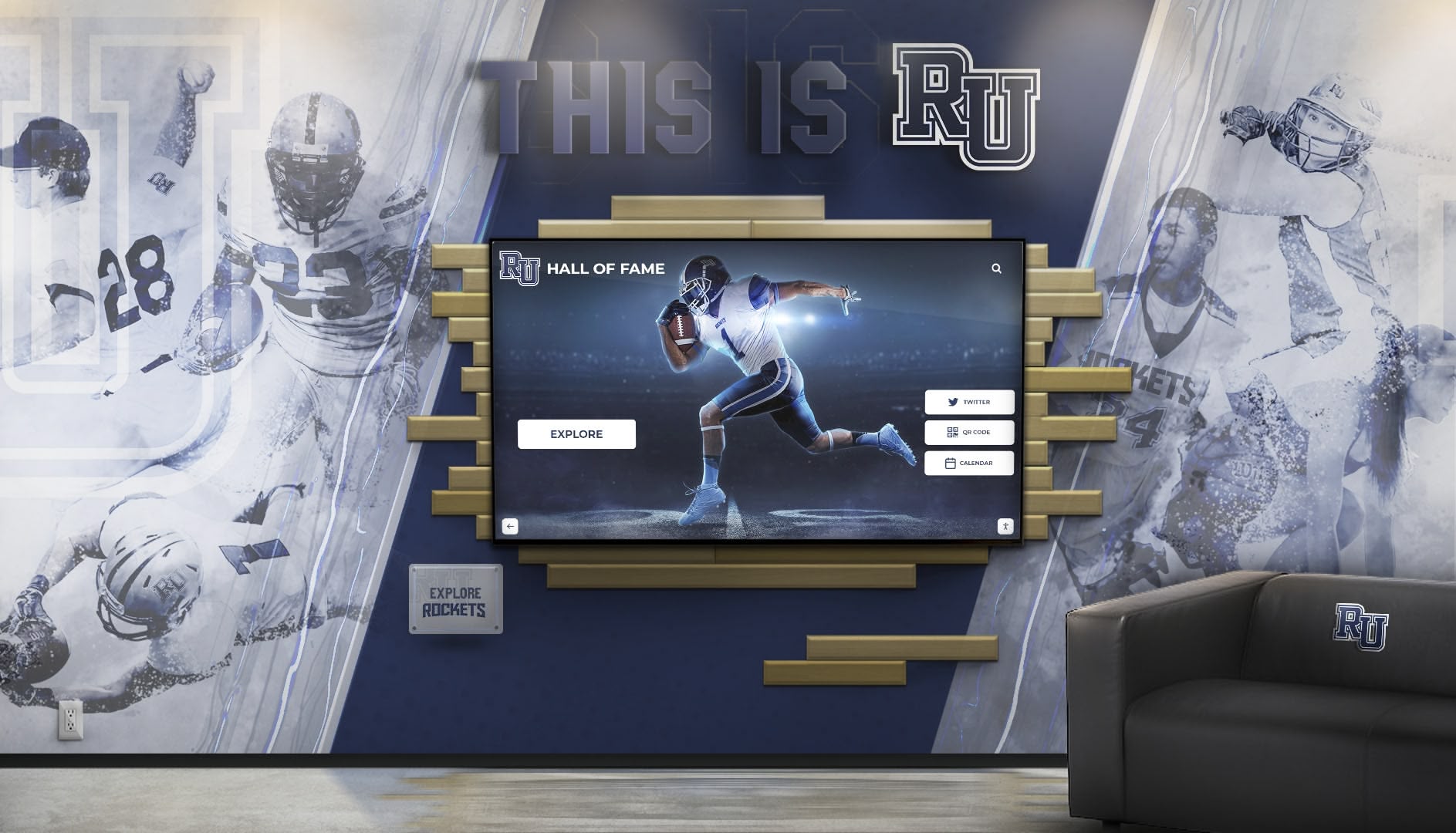
Integrated environments combining traditional murals with interactive screens demonstrate how digital technology complements rather than replaces traditional display methods
Content Development for Museum Interactive Touchscreens
Technology provides infrastructure, but compelling content determines whether interactive displays achieve educational objectives and enhance rather than distract from authentic artifact experiences that remain central to museum missions.
Educational Content Design Principles
Information Architecture for Layered Engagement
Effective museum interactive content serves diverse audiences simultaneously through hierarchical information design enabling self-directed exploration at appropriate levels.
Three-Tier Content Structure
Well-designed museum touchscreen exhibits provide brief engaging introductions (2-3 sentences) orienting visitors to artifacts and their significance—satisfying time-constrained visitors while enticing deeper exploration. Moderate detail layers (200-400 words) satisfy most visitor curiosity without overwhelming casual engagement, providing historical context, artistic significance, or scientific explanation appropriate for general audiences. Comprehensive documentation provides scholarly citations, provenance details, conservation history, and research bibliography for serious students and researchers requiring academic rigor.
This tiered approach ensures visitors self-select engagement levels matching interests and available time, preventing the common problem where too much information discourages engagement while too little fails to satisfy visitor curiosity about compelling objects. Similar content approaches used in digital hall of fame platforms apply effectively to museum contexts.
Narrative and Interpretive Frameworks
Rather than presenting isolated facts, effective interactive content develops coherent narratives connecting artifacts to broader themes, showing relationships between objects across collections, placing materials in historical and cultural contexts, presenting multiple interpretive perspectives acknowledging scholarly debates and cultural viewpoints, and inviting visitors into interpretive processes rather than simply telling them what to think about artifacts.
These narrative frameworks transform museums from warehouses displaying decontextualized objects into storytelling institutions helping visitors understand cultural heritage significance and relevance to contemporary life.
Multimedia Integration Standards
Professional Production Quality
Interactive museum displays require professional-quality multimedia content respecting artifact importance and institutional credibility.
High-Resolution Photography Requirements
Museum artifact photography demands minimum 4K resolution (8K preferred) supporting extreme zoom revealing fine details, color accuracy representing materials authentically for scholarly study, multiple lighting angles revealing three-dimensional form and surface textures, scale references showing actual object sizes that photos don’t communicate, and comprehensive coverage documenting all sides and significant features rather than single perspectives.
Museums implementing interactive displays often undertake systematic re-photography campaigns documenting complete collections to professional standards, creating valuable documentation assets serving conservation, research, and educational purposes beyond interactive display applications.
Video Production Standards
Video content requires HD or 4K quality matching display capabilities, professional editing with appropriate pacing for contemplative museum environments rather than commercial advertising rhythms, closed captioning for accessibility compliance and quiet gallery viewing, appropriate length (typically 2-5 minutes maximum) respecting visitor attention spans, and rights clearance for music, archival footage, and third-party content ensuring legal compliance for public exhibition.
Audio Content and Oral Histories
Many museums incorporate audio recordings including curator commentary, artist interviews, conservator explanations, oral histories from source communities, and multilingual content serving diverse visitor populations. Audio requires professional recording quality, accurate transcription for accessibility and searchability, and appropriate volume control enabling headphone use preventing audio from disturbing adjacent galleries.

Systematic digitization of historic photographs creates searchable archives making complete collections accessible beyond limited physical display capacity
Specialized Applications for Different Museum Types
Different museum categories and gallery contexts benefit from tailored interactive touchscreen approaches addressing specific educational objectives and audience needs.
Art Museum and Gallery Interactive Displays
Enhancing Aesthetic Appreciation Without Distraction
Art museums approach interactive technology cautiously, concerned about distracting from direct aesthetic engagement with artworks. Yet thoughtful implementations enhance understanding and accessibility without compromising contemplative viewing.
Artist and Context Information
Interactive displays positioned near artworks provide biographical information about artists, artistic movement context, technique explanations, conservation history, provenance documentation, and comparative views showing related works—all accessible without gallery wall text competing visually with artworks themselves. Visitors interested in additional information access detailed content while those preferring unmediated aesthetic experiences ignore interactive elements, providing flexibility serving diverse visitor preferences within the same gallery space.
Collection Navigation Interfaces
Large interactive displays in art museum lobbies enable visitors to explore complete collections, plan gallery routes based on interests, save favorite works to personal accounts for later reference, and access educational resources preparing them for gallery visits. These navigation interfaces help visitors make deliberate choices about limited time rather than wandering aimlessly, improving satisfaction by enabling priority-driven visits aligned with personal interests.
History Museum Interactive Exhibits
Bringing Historical Narratives to Life
History museums use interactive displays to contextualize artifacts within complex historical narratives, show relationships between events and developments, and help visitors understand how people actually lived in different periods.
Timeline and Chronology Displays
Interactive timelines prove particularly effective in history museums, enabling visitors to explore events at scales from decades to centuries, filter content by themes or regions revealing patterns, zoom into specific periods for detailed exploration, and see connections between simultaneous developments in different locations revealing historical interconnections that linear narratives obscure. Similar approaches used for institutional history preservation apply effectively to broader historical contexts.
Primary Source Archives
History museums increasingly digitize document collections, photographs, audio recordings, and other primary sources, making them searchable and accessible through interactive displays where visitors explore materials that would otherwise remain in climate-controlled storage, read historical documents through transcription interfaces making handwritten materials accessible, and conduct research-like exploration discovering materials relevant to personal interests.
Science and Natural History Museum Interactives
Explaining Complex Concepts Through Interaction
Science museums pioneered interactive displays decades ago, recognizing that hands-on experimentation helps visitors understand scientific concepts better than passive observation alone.
Simulation and Modeling Displays
Interactive science exhibits enable visitors to manipulate variables in scientific simulations seeing immediate results, explore three-dimensional molecular models understanding structures impossible to comprehend through two-dimensional images, conduct virtual experiments that would be dangerous or impractical in museum settings, and visualize scientific data through interactive graphics revealing patterns and relationships.
Specimen Exploration Interfaces
Natural history museums use interactive displays for species databases enabling search and comparison across vast collections, detailed specimen viewers providing high-resolution imagery revealing features invisible to unaided observation, ecological context showing how organisms relate within ecosystems, and evolutionary relationships exploring connections across species and time.
Archive and Special Collection Access
Making Hidden Holdings Accessible
Archives and special collections face severe access limitations—fragile materials handled only by trained staff, climate-controlled storage preventing casual browsing, and limited finding aids making discovery difficult for non-specialists.
Digital Archive Touchscreen Interfaces
Interactive touchscreens democratize archive access, providing searchable databases where visitors find materials matching research interests, high-resolution viewers enabling examination without handling fragile originals, transcription tools making handwritten documents readable to modern audiences, and contextual information explaining historical significance to general audiences unfamiliar with archival research methods. Comprehensive digital archive approaches demonstrate effective implementation models.
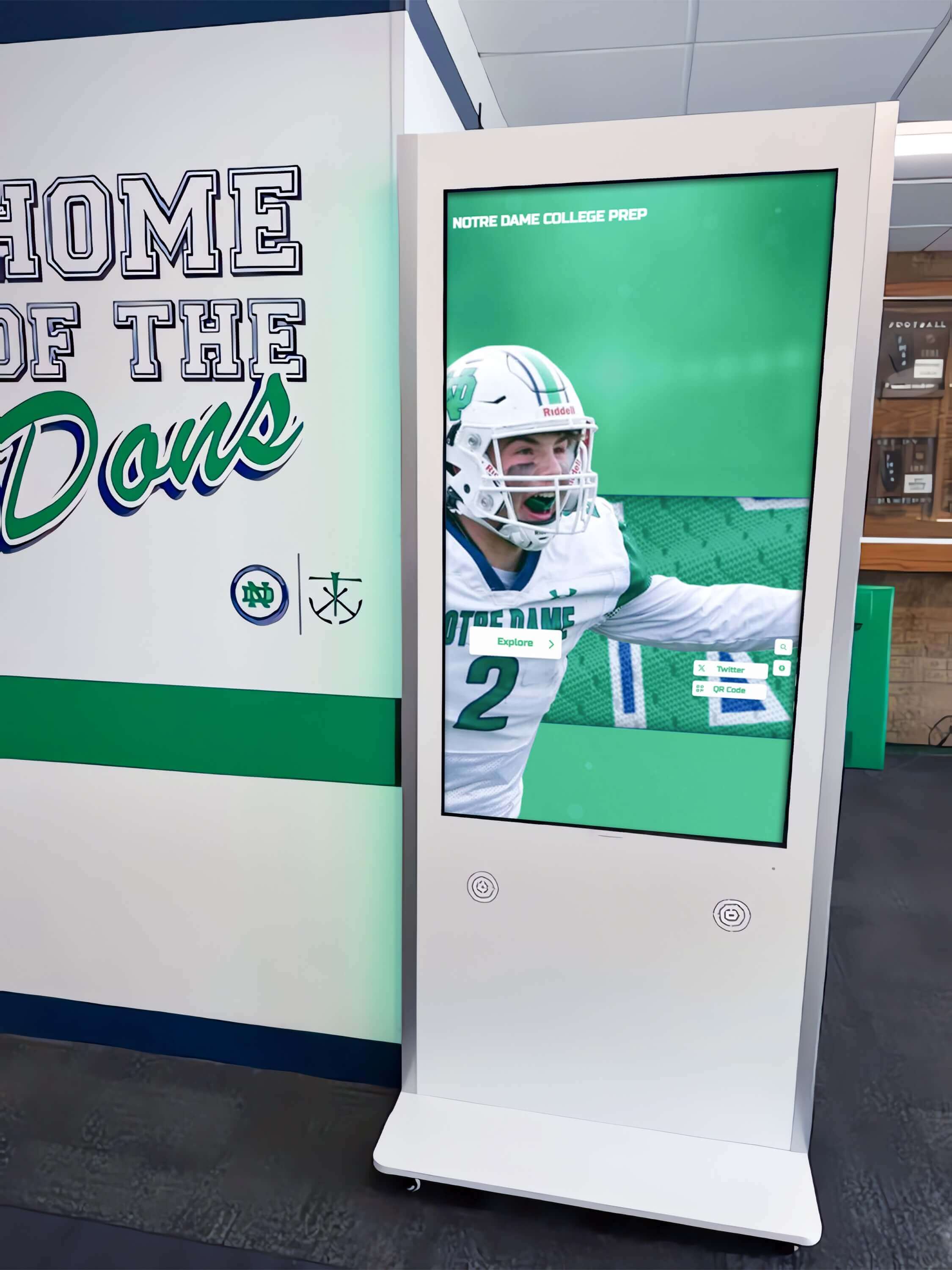
Strategic hallway placement ensures high visibility while enabling extended exploration without blocking gallery circulation
Implementation Planning and Management
Successfully implementing interactive museum touchscreens requires systematic planning addressing technical, financial, operational, and curatorial considerations ensuring long-term success beyond initial installation excitement.
Needs Assessment and Objective Definition
Clarifying Institutional Goals
Before selecting technology, museums should clearly define what they hope to accomplish through interactive displays. Strategic objectives include expanding collection access beyond physical display limitations, improving visitor engagement particularly among younger audiences, providing accessibility accommodations serving diverse learning preferences and abilities, generating revenue through compelling experiences justifying admission fees or attracting donors, and advancing research by making collections widely accessible to scholars globally.
Clear objective definition enables evaluating technology options based on alignment with priorities rather than selecting impressive technology without clear educational purpose or institutional fit.
Budget and Funding Considerations
Total Cost of Ownership
Museum interactive touchscreen projects require realistic budgeting encompassing initial and ongoing costs.
Initial Implementation Costs
Hardware costs range $5,000-$20,000 per display depending on size and commercial-grade capabilities, professional installation requires $2,000-$8,000 per display for museum-grade mounting and integration, content development ranges $10,000-$100,000+ depending on scope and multimedia production requirements, software platforms require $3,000-$10,000 initial setup for specialized museum systems, and physical space modifications add $5,000-$50,000+ depending on electrical, network, and architectural requirements.
Typical single interactive installation: $20,000-$50,000 Comprehensive gallery renovation with multiple interactives: $150,000-$500,000+
Ongoing Annual Costs
Operating expenses include software subscriptions ($2,400-$6,000 per year for cloud-based museum platforms), content updates and curation (staff time or contract services), technical maintenance and support ($2,000-$8,000 per year), hardware replacement reserves (planning for 5-7 year equipment lifecycles), and utilities (generally minimal for displays).
Funding Sources
Museums fund interactive displays through capital campaign allocations for facility renovations, grant opportunities from foundations supporting educational technology and museum innovation, corporate sponsorships from technology companies seeking cultural institution associations, named giving opportunities recognizing donors through display dedications, and admission revenue increases resulting from improved visitor experiences. Learn about creative approaches in donor recognition strategies applicable to technology funding models.
Technical Infrastructure Requirements
Supporting Reliable Operation
Interactive displays require robust infrastructure ensuring reliable operation in public settings with minimal downtime disrupting visitor experiences.
Network and Connectivity
Museums need reliable high-speed internet supporting content delivery to multiple displays, secure network separation preventing visitor device connections from compromising institutional systems, sufficient bandwidth supporting video streaming and high-resolution imagery, and network redundancy preventing single point failures from taking down multiple exhibits simultaneously.
Content Management Systems
Museums need cloud-based platforms enabling remote content updates without physical display access, user-friendly interfaces allowing curators to update exhibits without programming expertise, version control tracking content changes and enabling rollback if errors occur, scheduled publishing controlling when content goes live, and analytics revealing usage patterns informing content strategy and exhibit design improvements.
Solutions like Rocket Alumni Solutions provide museum-appropriate content management specifically designed for cultural heritage presentation rather than generic digital signage systems lacking features museums require for scholarly content and complex media integration.
Visitor Experience Design
Creating Intuitive Engaging Interactions
Technology enables interactivity, but thoughtful experience design determines whether displays enhance or detract from museum visits.
Interface Design Principles
Effective interfaces use large touch targets (minimum 44x44 pixels) accommodating diverse motor skills including older visitors and young children, clear visual hierarchy guiding attention to important elements, familiar interaction patterns matching smartphone and tablet conventions visitors already understand, minimal text on screen preferring visual communication supported by optional detailed text, and graceful timeout behavior returning to attract loops after inactivity without losing visitor work suddenly.
Physical Design and Placement
Optimal locations balance high visibility in gallery circulation paths attracting attention, sufficient space for multiple simultaneous users without congestion, appropriate distance from artifacts when displays provide additional context, ambient light control preventing screen glare, and audio consideration ensuring sound doesn’t disturb visitors seeking quiet contemplative experiences.
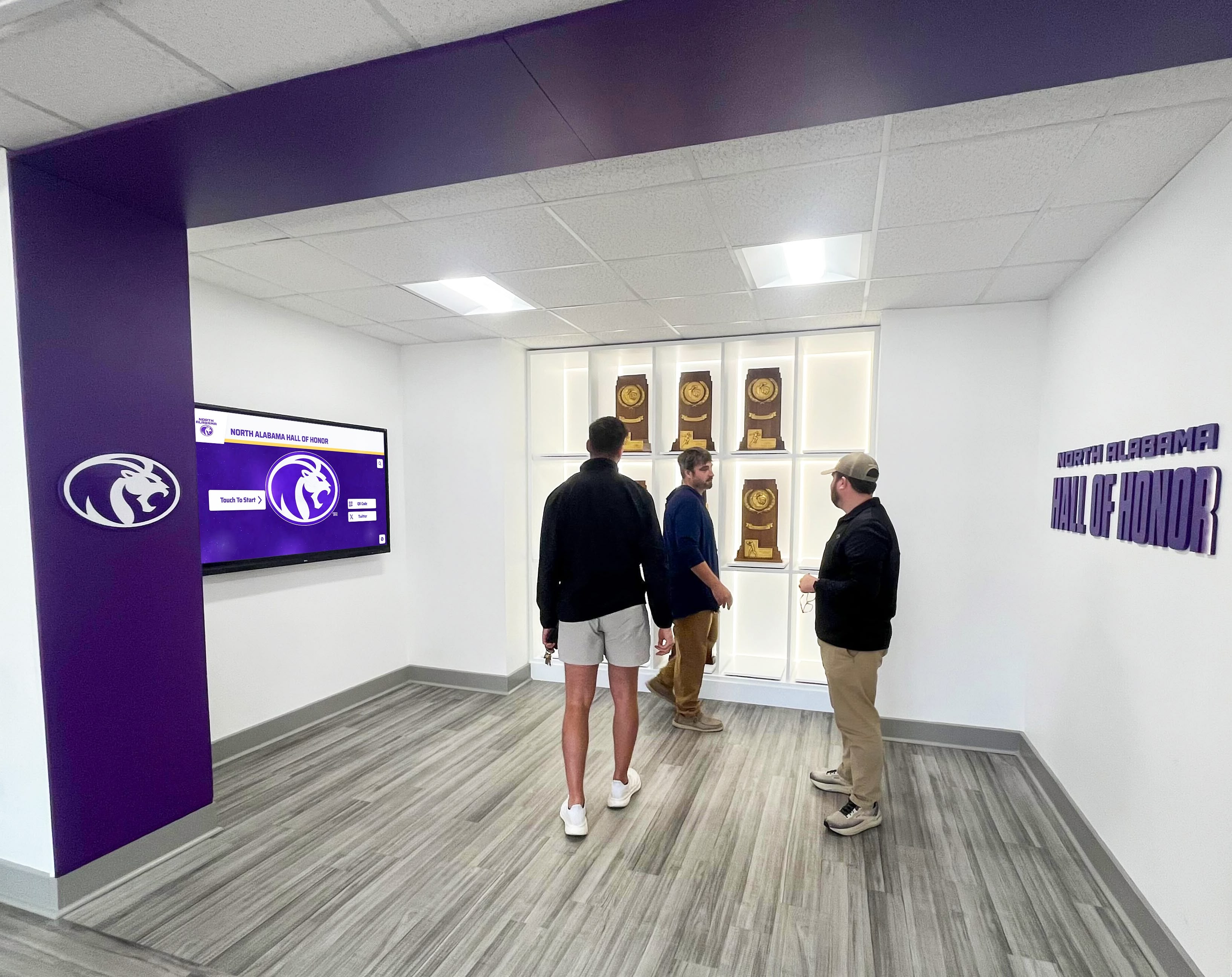
Well-designed interactive spaces encourage group exploration and discussion, making museums social experiences rather than isolated individual viewing
Measuring Success and Demonstrating Value
Assessment demonstrates whether interactive touchscreen investments deliver intended benefits or require adjustments improving effectiveness and justifying continued investment.
Visitor Engagement Metrics
Quantitative Performance Indicators
Modern interactive systems provide concrete usage data including interaction frequency showing daily usage levels, average session duration revealing engagement depth, most-viewed content identifying compelling topics, navigation paths revealing how visitors explore information architecture, and peak usage times informing staffing and content scheduling decisions.
Museums implementing touchscreen analytics consistently report visitors spending 3-5x longer with interactive content compared to static labels or text panels, demonstrating that technology genuinely increases engagement rather than simply digitizing existing passive approaches.
Educational Outcome Assessment
Learning and Satisfaction Impact
Beyond usage statistics, museums should assess whether interactive displays improve visitor understanding and satisfaction through exit surveys measuring visitor comprehension and enjoyment, content assessment quizzes embedded in interactives revealing learning effectiveness, observation studies watching how visitors actually use displays revealing usability patterns, and comparative analysis examining engagement differences between galleries with and without interactive elements.
Return on Investment Analysis
Justifying Technology Investments
Museum administrators need evidence demonstrating interactive touchscreen investments deliver value justifying costs. ROI indicators include increased visitation from enhanced reputation, higher admission revenue from compelling experiences justifying premium pricing, improved fundraising resulting from donor appreciation for innovation, enhanced scholarly reputation from collection accessibility advancing research, and community impact through improved educational outcomes.
While not all museum benefits reduce to monetary returns, demonstrating tangible impacts helps justify technology investments and secure future funding for updates and expansions.

Entrance lobby placement ensures every visitor encounters interactive technology, driving awareness and encouraging exploration throughout museum visits
Future Trends in Museum Interactive Technology
Understanding emerging developments helps museums plan technology investments remaining relevant as capabilities evolve rather than becoming quickly obsolete.
Artificial Intelligence in Museum Contexts
Intelligent Personalization and Discovery
AI technologies increasingly enable sophisticated museum applications including personalized tour recommendations based on visitor interests and prior engagement, intelligent search helping visitors discover relevant content through natural language queries, automated content tagging organizing vast digital collections making materials discoverable, chatbot guides answering visitor questions about collections, and predictive analytics forecasting maintenance needs and optimal content scheduling.
Extended Reality Evolution
Beyond Current AR and VR
Virtual and augmented reality technologies continue advancing with lighter wireless headsets improving comfort during extended use, higher resolution displays providing more realistic immersive experiences, expanded content libraries covering more collections and contexts, and social VR enabling shared experiences where remote visitors explore museums together despite geographic separation.
Visitor-Generated Content Integration
Participatory Museum Experiences
Progressive museums experiment with visitor-contributed content including personal stories and memories related to exhibits, crowdsourced artifact identification and research, collaborative interpretation projects inviting diverse perspectives, and social media integration amplifying museum content through visitor networks.
These participatory approaches transform museums from authoritative institutions telling visitors what artifacts mean into collaborative spaces where diverse communities contribute interpretation and meaning-making, aligning with contemporary museology emphasizing multiple perspectives and community engagement.
Conclusion: Technology Serving Museum Missions
Interactive touchscreens for museums and galleries represent far more than adding technology to attract visitors—they’re fundamental tools enabling cultural institutions to fulfill educational missions more effectively in contemporary contexts where static displays no longer meet audience expectations or maximize collection educational potential.
When museums implement touchscreen displays thoughtfully—with clear educational objectives, professional content development, intuitive experience design, and sustained management—they create systems that expand collection access beyond physical display limitations, provide contextual depth impossible through physical labels, accommodate diverse learning preferences and accessibility needs, and generate engagement levels that static displays cannot match while respecting authentic artifact experiences that remain central to museum visits.
The most effective implementations balance tradition and innovation, using digital technology to enhance rather than replace direct object experiences, to provide optional depth serving diverse visitor interests without overwhelming casual visitors, and to make museums more accessible and engaging while preserving contemplative qualities distinguishing cultural institutions from entertainment venues.
Transform Your Museum or Gallery with Interactive Touchscreen Technology
Discover how purpose-built interactive platforms can help your institution expand collection access, engage contemporary audiences, provide meaningful context, and create memorable educational experiences that honor your mission while meeting visitor expectations in the digital age.
Explore Museum Display SolutionsYour collections hold stories worth telling and educational value worth sharing—artifacts documenting cultural heritage, specimens revealing natural history, artworks demonstrating human creativity, and historical materials connecting present to past. With thoughtful implementation of interactive touchscreen technology, you can ensure these stories reach broader audiences through accessible formats, that collections serve educational missions beyond tiny fractions physically displayable, and that museums remain relevant and vital in the digital age where passive observation no longer satisfies visitor expectations shaped by ubiquitous interactivity in daily life.
Start wherever your current situation permits—whether comprehensive gallery renovations with multiple integrated interactives or modest single-display pilots testing approaches before major commitments—then systematically expand toward comprehensive ecosystems where digital technology enhances authentic experiences, serves diverse visitor needs, and enables your institution to fulfill its educational mission more effectively than traditional static displays alone allow.
Ready to explore how interactive touchscreen technology can enhance your museum’s educational impact and visitor engagement? Book a demo to discover solutions designed specifically for cultural institutions that respect museum missions while making collections more accessible, exhibits more engaging, and educational outcomes more effective across diverse visitor populations.































