



Digitizing old yearbooks represents one of the most valuable preservation projects schools, libraries, and alumni associations can undertake, transforming fragile printed materials gathering dust in storage rooms into accessible digital archives that entire communities can explore, share, and celebrate for generations. Whether your institution holds decades of yearbook history or you’re helping preserve a single collection, systematic digitization ensures these irreplaceable chronicles of school life remain available long after physical volumes deteriorate beyond recovery.
Yet many organizations delay yearbook digitization projects, overwhelmed by technical questions, concerned about copyright complexities, or uncertain where to begin with archives spanning decades. Physical yearbooks face constant deterioration threats—acidic paper degrading over time, binding failures scattering precious pages, storage conditions causing mold or water damage, and simple handling wear as curious community members leaf through increasingly fragile volumes seeking memories.
This comprehensive step-by-step guide explores proven approaches for digitizing old yearbooks effectively, covering everything from copyright considerations and scanning method selection to file format decisions, storage strategies, and modern interactive display options that transform static digital archives into engaging recognition platforms accessible to entire communities.
Yearbook digitization serves purposes extending far beyond simple preservation. Digital archives enable alumni to reconnect with school memories from anywhere worldwide, support current students researching institutional history, facilitate community storytelling and tradition documentation, and create searchable databases making it simple to locate specific individuals across decades of graduating classes.

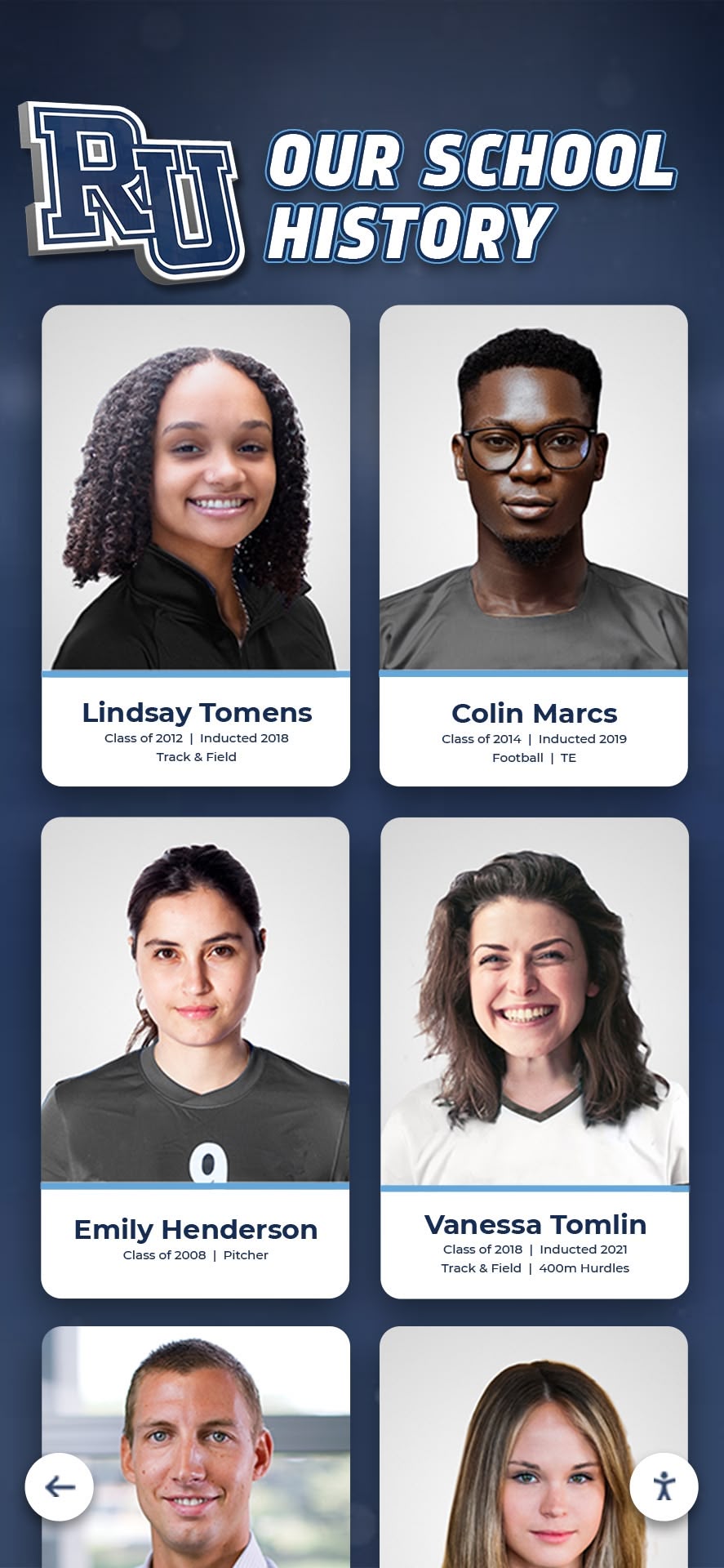
Digitized yearbook content enables schools to create searchable archives where alumni can rediscover cherished memories and explore institutional history
Understanding the Value of Yearbook Digitization
Before diving into specific digitization techniques, understanding why this preservation work matters helps organizations prioritize resources and make decisions aligned with long-term institutional goals.
Why Digitize Old Yearbooks?
Physical yearbooks face multiple preservation challenges that digitization solves effectively:
Deterioration and Loss Prevention
Paper-based materials deteriorate inevitably over time, especially volumes printed before acid-free paper became standard in the 1990s. Common deterioration patterns include:
- Yellowing and brittleness from acidic paper degradation
- Binding failures causing pages to separate from volumes
- Mold and mildew growth in humid storage conditions
- Water damage from leaks, floods, or condensation
- Fading photographs and print from light exposure
- Physical damage from repeated handling
- Complete loss from fires, natural disasters, or disposal
According to preservation experts, yearbooks printed before 1980 face significant deterioration risk without climate-controlled storage, with many volumes already showing advanced degradation requiring immediate attention.
Accessibility and Engagement
Physical yearbooks remain accessible only to those who can physically visit storage locations and handle fragile volumes. Digitization transforms accessibility:
- Alumni worldwide can explore yearbooks from any internet-connected device
- Current students can research school history for projects and presentations
- Community members can discover connections without traveling to archives
- Social sharing enables memories to spread organically across networks
- Search functionality makes finding specific people, teams, or events instant
- Multiple users can access content simultaneously without competing for physical volumes
- Vision-impaired users can utilize screen reader technology and zoom capabilities
Schools implementing yearbook digitization report dramatic increases in alumni engagement and community connection as graduates rediscover memories they hadn’t revisited in decades.
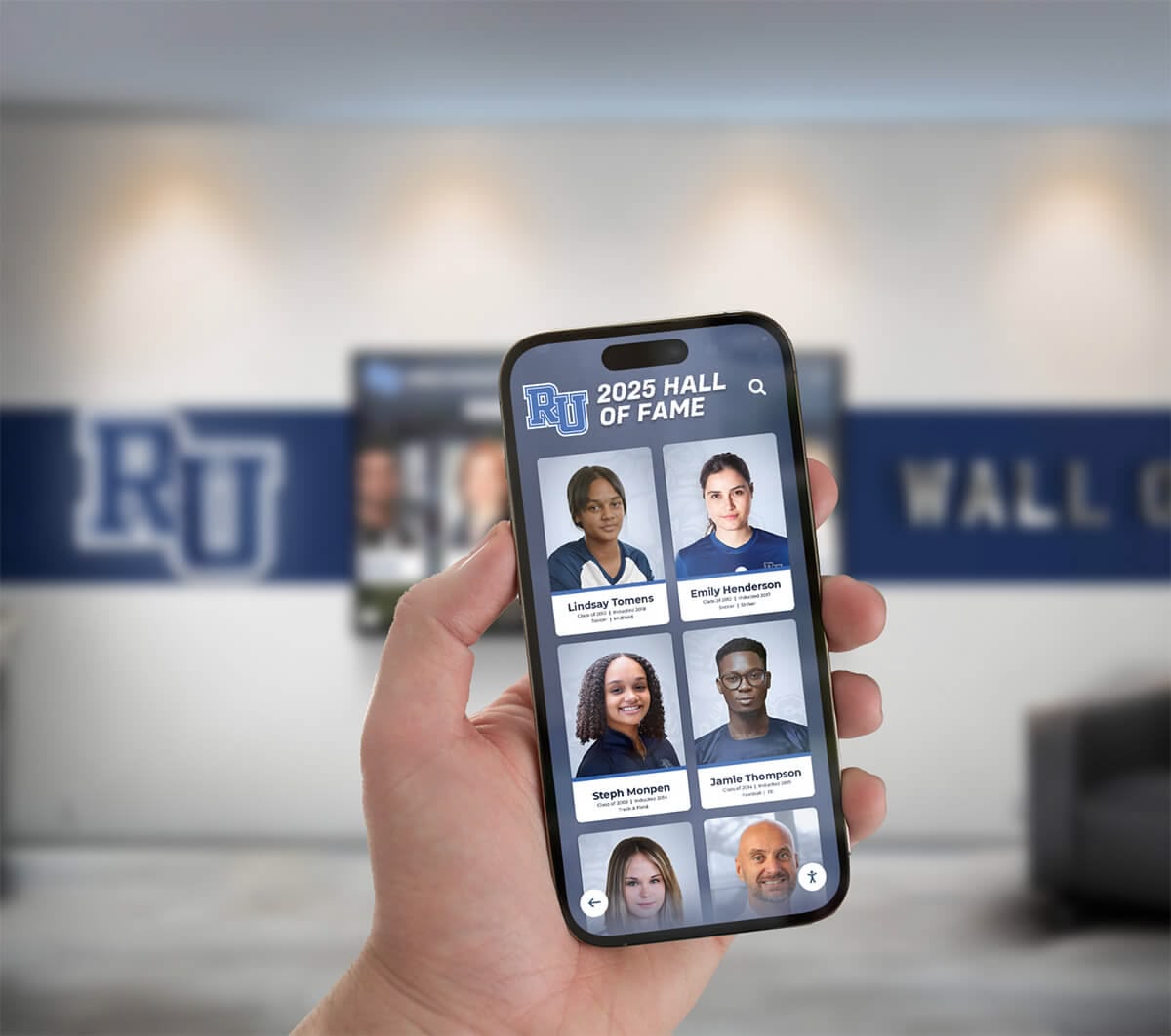
Mobile-responsive digital yearbook platforms enable alumni to explore school history from anywhere, strengthening connections to institutional traditions
Enhanced Discoverability
Physical yearbooks require page-by-page browsing to locate specific information—time-consuming searches that discourage engagement. Digital archives with optical character recognition (OCR) enable instant discovery:
- Alumni can search their own names across all available years
- Researchers can identify all mentions of specific teams, clubs, or activities
- Genealogists can track family connections across graduating classes
- Journalists can locate historical information for community stories
- Administrators can verify historical facts and institutional records
- Students can discover tradition origins and cultural evolution
This enhanced discoverability transforms yearbooks from occasional curiosities into regularly consulted institutional resources supporting multiple organizational objectives simultaneously.
Common Yearbook Digitization Challenges
Understanding typical obstacles helps organizations plan realistically and address challenges proactively:
Volume and Scale
Schools with decades of yearbook history face substantial digitization scope:
- Large institutions may have 50-100+ years of continuous yearbook publication
- Multiple volumes per year (elementary, middle, high school at K-12 institutions)
- Hundreds or thousands of pages requiring individual scanning
- Varied physical conditions requiring different handling approaches
- Missing years requiring detective work to locate copies
Organizations should expect 30-60 minutes of scanning time per 100-page yearbook depending on equipment and methods, making comprehensive historical digitization a significant but worthwhile investment.
Copyright and Privacy Considerations
Yearbook digitization intersects complex copyright and privacy regulations:
- Copyright protection extends 95 years for works published before 1978
- Student privacy (FERPA) regulations apply to certain biographical information
- Commercial scanning services may require copyright verification
- Portrait rights may limit publication without subject consent
- Individual opt-out requests require accommodation
Understanding these legal frameworks prevents problems while enabling appropriate access balancing preservation with privacy protection.
Technical Quality Decisions
Digitization quality decisions impact long-term usefulness and storage requirements:
- Resolution selection balancing clarity with file size
- Color accuracy ensuring faithful reproduction
- File format choices affecting compatibility and longevity
- Compression trade-offs between quality and storage efficiency
- Metadata standards ensuring proper organization and discovery
These technical decisions have lasting consequences—inadequate resolution may require rescanning when better display technology emerges, while excessive quality creates storage burdens without meaningful benefit.
Step 1: Assessment and Planning
Successful yearbook digitization begins with systematic assessment and strategic planning establishing clear objectives and realistic timelines.
Inventory Your Yearbook Collection
Complete Collection Assessment
Begin by cataloging exactly what material exists requiring digitization:
- Locate all yearbook volumes in storage areas, libraries, archives, and administrative offices
- Document each volume recording publication year, condition, page count, and special features
- Identify gaps noting missing years requiring acquisition from alumni or other sources
- Photograph cover condition documenting pre-digitization state for insurance and records
- Note storage conditions assessing whether volumes face immediate deterioration risk requiring priority
- Record binding types identifying volumes requiring special handling during scanning
Create a spreadsheet documenting your complete inventory—this becomes your project management tool tracking progress and identifying priorities.
Prioritization Strategy
Few organizations can digitize entire collections simultaneously. Establish clear priorities:
High-Priority Volumes
- Oldest yearbooks facing greatest deterioration risk
- Years with most alumni engagement (milestone anniversaries)
- Volumes in poorest physical condition requiring immediate preservation
- Decades with missing digital documentation
- Years specifically requested by community members
Medium-Priority Volumes
- Recent decades where physical copies remain in good condition
- Years with lower community interest or engagement
- Duplicate copies where primary volumes are already preserved
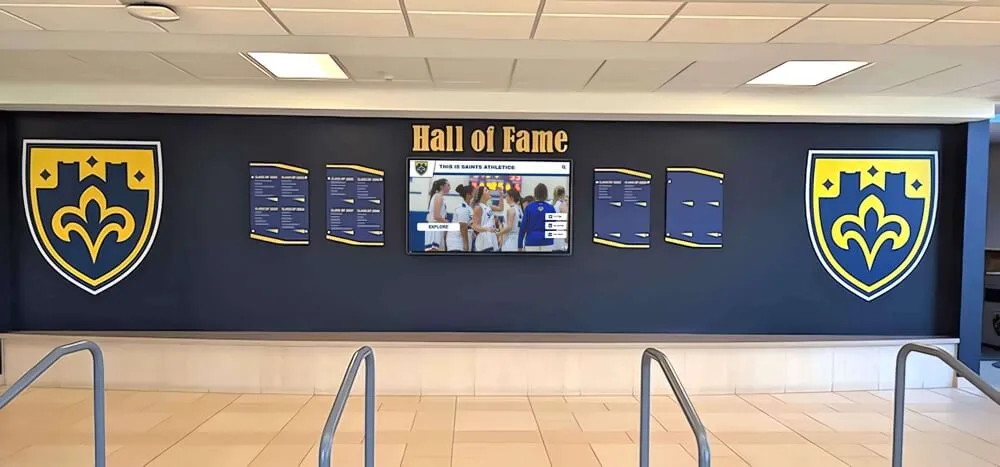
Modern recognition spaces integrate digitized historical content with contemporary interactive displays celebrating ongoing achievement
This prioritization ensures most valuable preservation work occurs first, delivering immediate community benefit while building momentum for comprehensive completion.
Understanding Copyright and Legal Considerations
Copyright Status Assessment
United States copyright law creates complex publication landscapes requiring careful navigation:
Works Published Before 1928
- Considered public domain regardless of copyright notices
- Can be digitized and shared freely without permissions
- Ideal starting point for historical digitization projects
Works Published 1928-1963
- Copyright protection requires both proper notice and renewal
- Many yearbooks entered public domain due to missing or incomplete copyright formalities
- Research Copyright Office records to verify status of specific volumes
- Generally safe to digitize with appropriate attribution
Works Published 1964-1977
- Copyright automatically renewed without requiring separate action
- Protected for 95 years from publication date
- Generally restricted from public distribution without permission
- Educational use exceptions may apply with restrictions
Works Published After 1977
- Protected for 95 years from publication automatically
- Cannot be distributed publicly without publisher permission
- Educational fair use provisions allow limited internal access
- Most schools retained copyright ownership enabling digitization
Securing Necessary Permissions
For copyrighted works requiring permissions:
- Contact yearbook publisher if operations continued and institutional relationship exists
- Review historical yearbook publishing contracts for copyright ownership clauses
- Consult with school legal counsel about educational fair use applications
- Document good-faith efforts to locate copyright holders for works with unclear ownership
- Consider restricting access to authenticated school community if public distribution raises concerns
Many schools discover they retained copyright ownership in publishing contracts, enabling straightforward digitization and distribution rights.
Privacy and Student Protection
Federal Educational Rights and Privacy Act (FERPA) regulations affect yearbook digitization:
- Directory information (names, photos, basic biographical facts) generally allowed in yearbooks
- Sensitive information (addresses, phone numbers, academic records) requires protection
- Provide opt-out mechanisms for individuals preferring privacy
- Consider access restrictions limiting viewing to authenticated alumni and current community
- Remove pages containing sensitive information before public distribution if necessary
Balancing preservation with privacy demonstrates institutional respect for community preferences while maintaining legal compliance.
For detailed approaches to preserving school history while respecting privacy, explore school historical timeline guides demonstrating comprehensive preservation frameworks.
Step 2: Choosing Your Digitization Method
Multiple scanning approaches exist, each with distinct advantages, limitations, and cost structures appropriate for different organizational circumstances.
DIY Scanning with Flatbed Scanners
Equipment Requirements
Consumer flatbed scanners offer accessible entry points for yearbook digitization:
Recommended Scanner Specifications
- Optical resolution: 600 DPI minimum (300 DPI acceptable for basic preservation)
- Scan bed size: Letter (8.5" x 11") or larger to accommodate yearbook pages
- Color depth: 24-bit true color for color yearbooks; 16-bit grayscale for black-and-white
- Interface: USB 3.0 or faster for reasonable transfer speeds
- Compatible operating system: Current OS support ensuring driver availability
Quality flatbed scanners suitable for yearbook digitization cost $150-$400, representing reasonable investments for multi-year projects.
DIY Scanning Process
Systematic workflow ensures consistent quality:
- Clean scanner glass thoroughly with appropriate cleaning solution
- Position yearbook carefully on scanner bed, ensuring pages lie flat without force
- Configure scanner settings selecting appropriate resolution, color mode, and format
- Scan individual pages working methodically through entire volume
- Verify scan quality checking for missed pages, skewed scans, or quality issues
- Name files systematically using consistent conventions (Year_PageNumber.jpg)
- Backup scans immediately to prevent loss from storage failure
- Clean and store original protecting volume after digitization completes
DIY Method Advantages
- Complete control over scanning quality and process
- No recurring service fees for multiple volumes
- Ability to rescan problematic pages immediately
- Flexibility to work on own schedule without deadlines
- Equipment investment amortized across all volumes
DIY Method Limitations
- Time-intensive requiring significant staff or volunteer hours
- Physical handling potentially damaging fragile volumes
- Inconsistent quality without professional training
- Manual processing lacking professional OCR and enhancement
- No insurance coverage for volumes damaged during handling
Organizations with limited budgets, abundant volunteer time, and relatively small collections often find DIY scanning appropriate—typically projects under 20-30 volumes where timeline flexibility exists.
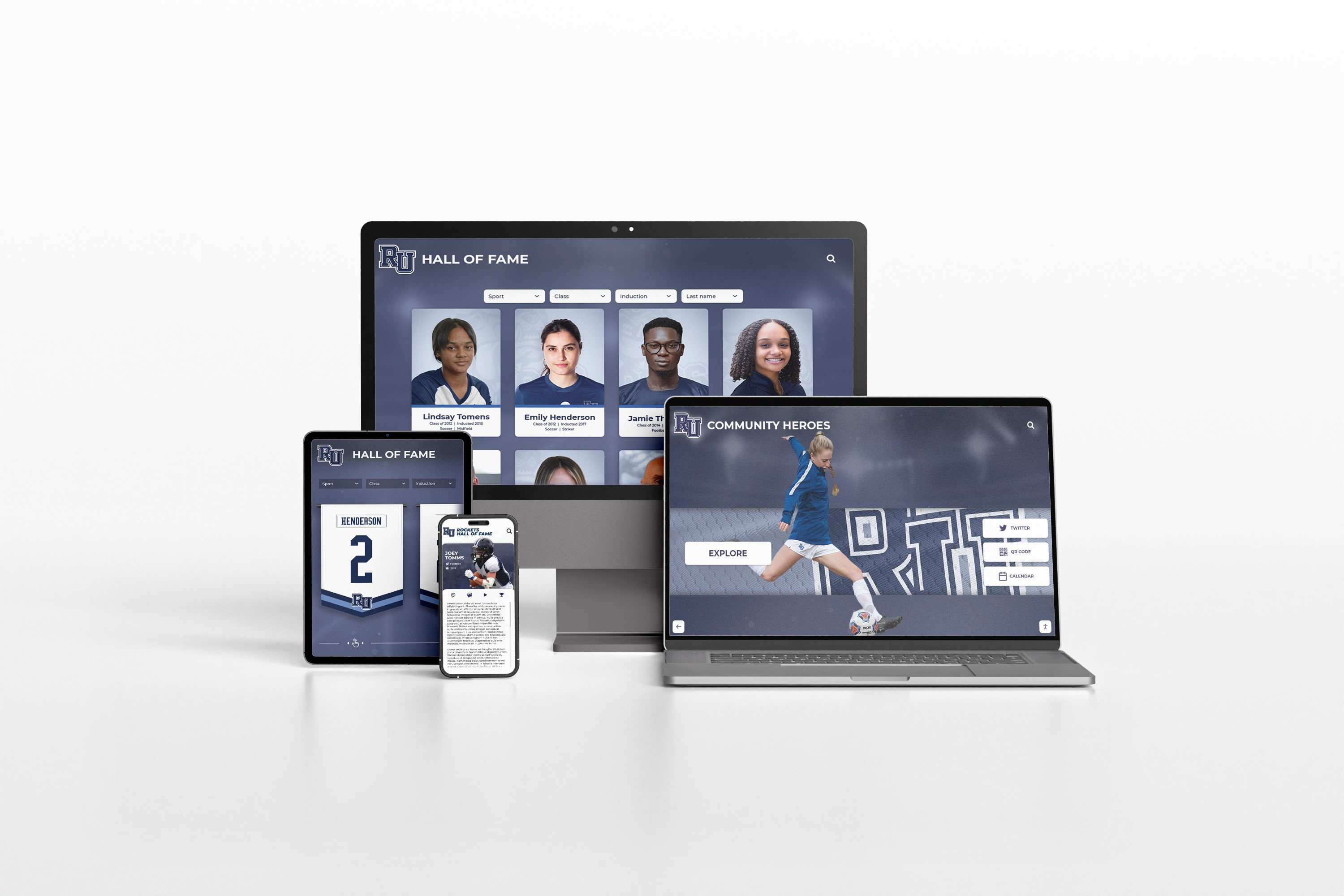
Responsive design ensures digitized yearbook content displays properly across all device types, maximizing accessibility and engagement
Smartphone Scanning Apps
Modern Mobile Solutions
Smartphone cameras and specialized scanning applications offer surprisingly effective alternatives for certain yearbook digitization situations:
Recommended Scanning Apps
- Adobe Scan (free; excellent OCR capabilities)
- Microsoft Office Lens (free; OneNote integration)
- CamScanner (free basic; premium features available)
- Genius Scan (free basic; PDF creation)
- Google PhotoScan (free; designed for photographs)
These applications use advanced algorithms correcting perspective distortion, adjusting brightness and contrast automatically, and creating searchable PDFs through optical character recognition.
Mobile Scanning Workflow
Optimized processes deliver quality results:
- Establish proper lighting using natural window light or dedicated photography lamps
- Position yearbook flat on contrasting background for edge detection
- Hold device parallel to page surface minimizing perspective distortion
- Capture page image following app guidance for positioning and lighting
- Review automatic adjustments verifying acceptable quality before proceeding
- Export to standard format (PDF or high-quality JPEG)
- Transfer to computer storage organizing by volume and page number
- Backup files immediately ensuring preservation of digital work
Mobile Method Advantages
- Zero equipment investment if smartphones already available
- Extremely portable enabling on-location digitization
- Fast page capture compared to traditional scanning
- Automatic image enhancement reducing manual editing
- Built-in OCR creating searchable text automatically
Mobile Method Limitations
- Lower resolution than professional scanning (typically 12-20 megapixels)
- Lighting challenges affecting image quality and consistency
- Physical stability requiring careful technique for sharp images
- Time-intensive for large multi-volume projects
- Battery limitations requiring frequent recharging during extended sessions
Mobile scanning works well for quick projects, temporary access creation while awaiting professional digitization, or situations where portability outweighs absolute quality requirements.
Professional Yearbook Scanning Services
Commercial Digitization Vendors
Professional scanning services offer comprehensive solutions handling entire digitization projects from pickup through delivery of completed digital files:
Typical Service Features
- Door-to-door pickup and return of physical volumes
- Non-destructive scanning preserving original bindings
- Professional image enhancement and color correction
- Optical character recognition (OCR) making content searchable
- Multiple file format delivery (TIFF, PDF, JPEG as requested)
- Quality assurance processes ensuring scan accuracy
- Indexed page listings and metadata creation
- Interactive online flipbook creation enabling realistic browsing
Professional Service Advantages
- Highest quality results from specialized equipment and expertise
- Non-destructive scanning protecting fragile volumes
- Comprehensive insurance coverage during handling and shipping
- OCR implementation creating searchable databases
- Time efficiency completing projects in weeks rather than months/years
- Professional-quality metadata enhancing discoverability
- Turnkey solutions requiring minimal institutional staff time
Professional Service Costs
Pricing varies based on volume, condition, and desired features:
- Basic scanning: $50-$150 per yearbook (100-300 pages typical)
- OCR and searchable PDF creation: Additional $25-$75 per volume
- Interactive online flipbooks: $200-$500 per volume annual hosting
- Express service: 25-50% premium for expedited completion
- Volume discounts: 15-30% reduction for 20+ yearbook projects
For organizations with 30+ yearbooks, substantial budgets, and timeline requirements, professional services typically deliver superior value compared to DIY approaches when staff time costs are fully calculated.
Institutions can also explore preservation partnerships with local libraries, historical societies, or genealogical organizations that may share costs in exchange for copy access for their collections.
Step 3: Scanning Specifications and Technical Standards
Selecting appropriate technical specifications ensures digital files meet both immediate access needs and long-term preservation standards.
Resolution Selection
Understanding DPI (Dots Per Inch)
Resolution determines how much detail your digital files capture from original yearbooks:
Recommended Resolution Standards
- 300 DPI: Minimum acceptable resolution for basic preservation and online viewing
- 400 DPI: Optimal balance of quality and file size for most color yearbooks
- 600 DPI: Recommended for yearbooks with fine text or detailed graphics
- 800-1200 DPI: Archival standard for master copies requiring maximum detail preservation
Higher resolutions create larger files requiring more storage—a 300 DPI color yearbook page generates approximately 5-10 MB files, while 600 DPI doubles file sizes to 10-20 MB per page.
Resolution Decision Factors
Consider these elements when selecting scanning resolution:
- Original print quality (higher quality originals justify higher scanning resolution)
- Intended use (web viewing requires less resolution than archival preservation)
- Available storage capacity (higher resolution requires proportionally more space)
- Processing capabilities (larger files demand more powerful computers for manipulation)
- Budget constraints (higher resolution scanning takes longer, costing more for services)
Many institutions create two resolution sets: high-resolution archival masters (600 DPI) stored securely, plus lower-resolution access copies (300 DPI) for online viewing—balancing preservation with practical accessibility.
Color Depth and Mode Selection
Bit Depth Considerations
Color depth determines how many colors digital scans can represent:
Color Yearbooks
- 24-bit color (8 bits per RGB channel): Standard for color yearbooks balancing quality and file size
- 48-bit color (16 bits per channel): Archival standard capturing maximum color detail
- Recommendation: 24-bit sufficient for most yearbooks; 48-bit only for museum-quality preservation
Black-and-White Yearbooks
- 16-bit grayscale: Captures subtle tonal variations important for photo quality
- 8-bit grayscale: Acceptable for text-heavy pages with minimal photos
- 1-bit black-and-white: Only for text-only documents; unacceptable for yearbooks with photos
Always scan in color or grayscale matching original printing—never reduce color yearbooks to grayscale as this loses information impossible to recover later.
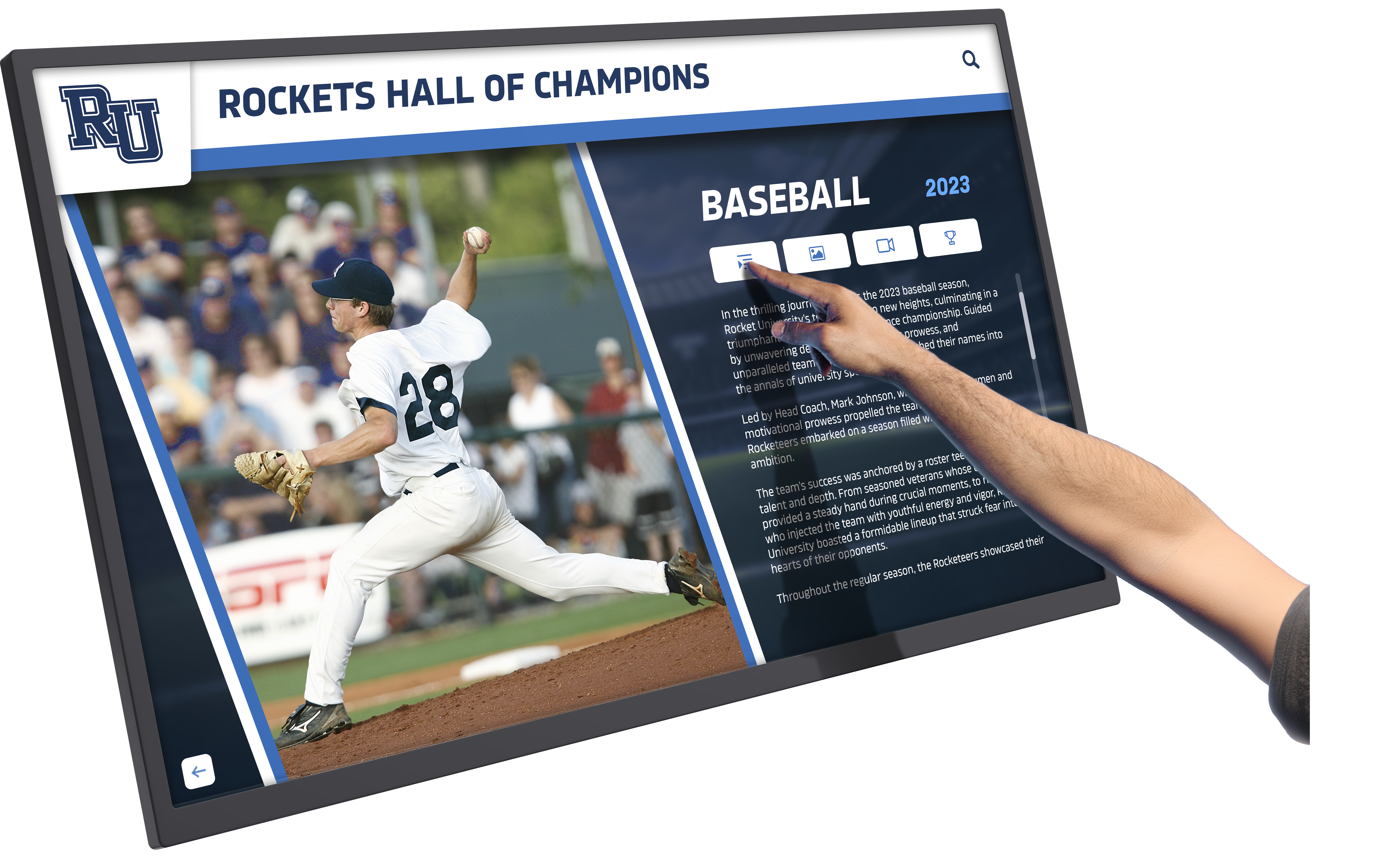
Modern interactive displays enable schools to showcase digitized yearbook content alongside current recognition in engaging touchscreen experiences
File Format Decisions
Master Archive Formats
Preserve maximum quality in archival master files:
TIFF (Tagged Image File Format)
- Uncompressed or lossless compression retaining full quality
- Industry standard for archival preservation
- Large file sizes (20-50 MB per page typical at 400 DPI)
- Universal compatibility across all software platforms
- Recommended for permanent archival storage
PNG (Portable Network Graphics)
- Lossless compression reducing file size without quality loss
- Smaller than TIFF while maintaining full quality
- Excellent for color yearbooks with photos and graphics
- Good alternative to TIFF for space-constrained archives
Access and Sharing Formats
Create separate access copies optimized for online viewing and sharing:
PDF (Portable Document Format)
- Standard for complete yearbook distribution
- Enables page-by-page browsing maintaining book structure
- Supports embedded OCR text for searchability
- Reasonable file sizes when properly compressed
- PDF/A variant recommended for long-term archival
- Universal viewing support across all devices and platforms
JPEG (Joint Photographic Experts Group)
- Compressed format reducing file sizes significantly
- Appropriate for individual page sharing and web display
- Lossy compression trades some quality for small files
- Quality level 85-95 recommended for yearbook pages
- Not recommended for archival masters due to compression artifacts
Recommended Strategy
Create hierarchical file sets serving different purposes:
- Archival masters: TIFF or PNG at 600 DPI for permanent preservation
- Working files: JPEG at quality 90-95 and 400 DPI for routine access
- Web-optimized: JPEG at quality 80-85 and 300 DPI for online viewing
- Compiled PDFs: Full yearbooks as searchable PDFs for easy distribution
This tiered approach balances preservation, accessibility, and practical storage constraints.
For comprehensive approaches to creating searchable digital archives, explore online high school digital archives guides demonstrating effective organization strategies.
Step 4: Scanning Workflow and Best Practices
Systematic workflows ensure consistent quality while minimizing time investment and protecting fragile originals.
Preparation and Handling
Volume Preparation
Before scanning begins:
- Clean workspace ensuring scanning area is clean, well-lit, and organized
- Prepare volume gently removing dust from covers and edges with soft cloth
- Inspect condition noting damaged pages or binding issues requiring special care
- Test scanner settings with non-valuable materials verifying configuration
- Organize digital storage creating folder structure before beginning
- Document scanning session recording date, operator, and equipment used
Safe Handling Practices
Protect fragile volumes during digitization:
- Open yearbooks carefully, supporting pages to prevent binding stress
- Never force volumes to lie completely flat if bindings resist
- Use clean cotton gloves when handling especially fragile or valuable volumes
- Provide proper support underneath volumes during scanning
- Avoid placing heavy objects on open yearbooks
- Work in stable positions preventing drops or sudden movements
- Take breaks during long sessions maintaining concentration and careful handling
Proper handling ensures yearbooks survive digitization process without additional damage—defeating the purpose if preservation efforts harm what they seek to protect.
Systematic Scanning Process
Page-by-Page Workflow
Establish efficient, consistent routines:
- Scan right page first (odd-numbered pages), then left page (even-numbered)
- Check preview scan before accepting final image
- Verify page number ensuring no pages accidentally skipped
- Name file immediately using consistent convention (1985_Yearbook_p001.jpg)
- Save to primary folder in organized directory structure
- Quick visual check confirming acceptable quality before proceeding
- Continue to next spread maintaining steady rhythm without rushing
Quality Control Checkpoints
Implement regular verification preventing substantial rework:
- Review every 10th scan carefully for consistent quality
- Check file sizes ensuring consistency suggesting proper settings
- Verify color accuracy comparing screen previews to originals
- Ensure proper edge capture with no content cut off
- Confirm consistent file naming preventing organizational errors
- Test sample files opening properly before completing volumes
These periodic checks catch problems early—discovering 50 pages in that scanner settings changed dramatically reduces frustration compared to finishing entire yearbook before noticing quality issues.
Managing Large Digitization Projects
Volunteer Coordination
Large yearbook collections require team approaches:
Volunteer Recruitment
- Alumni groups seeking meaningful connection opportunities
- Student service hour requirements and community service needs
- Parent organizations supporting school improvement projects
- Local historical societies interested in preservation
- Senior citizens with time availability and careful attention to detail
Training and Standardization
- Create written scanning procedures with visual examples
- Conduct hands-on training sessions before independent work
- Provide quick reference guides at scanning stations
- Implement quality review processes for all volunteer work
- Schedule experienced volunteers to supervise and assist newcomers
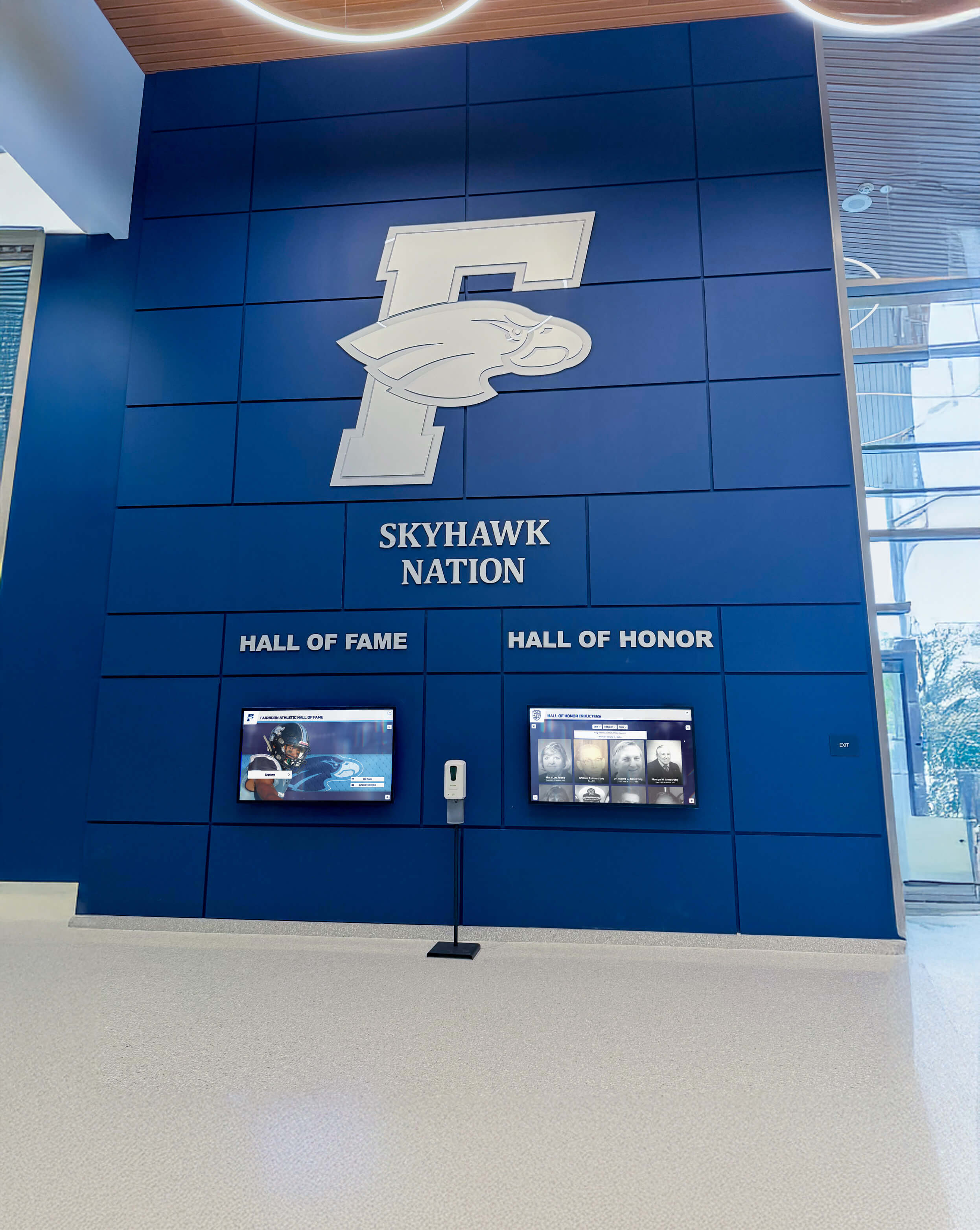
Prominent recognition spaces integrate digitized historical content with contemporary achievements celebrating institutional legacy
Well-trained volunteer teams dramatically accelerate digitization while building community engagement around preservation efforts.
Step 5: Optical Character Recognition (OCR)
Optical character recognition transforms image-based scans into searchable, text-enabled documents exponentially increasing utility.
Understanding OCR Technology
How OCR Works
OCR software analyzes scanned images identifying text characters and converting them into machine-readable text embedded in PDF files or separate text documents:
- Image preprocessing enhancing contrast and clarifying text
- Text detection identifying regions containing text versus images
- Character recognition matching text shapes to known character patterns
- Language processing applying grammar and dictionary knowledge improving accuracy
- Output generation creating searchable PDFs or text files
Modern OCR achieves 95-99% accuracy on clear printed text, though older yearbooks with degraded printing or unusual fonts present greater challenges.
OCR Benefits for Yearbook Archives
Searchable text enables capabilities impossible with image-only scans:
- Alumni can search their names across all digitized volumes instantly
- Researchers can find all mentions of specific teams, clubs, or activities
- Full-text search enables discovery without knowing which year to explore
- Screen readers can access content for vision-impaired users
- Automated indexing improves discoverability through search engines
- Data extraction enables analysis across decades (most common names, evolving activities, etc.)
The searchability OCR provides transforms static image archives into active research resources supporting diverse community needs.
Implementing OCR
OCR Software Options
Free OCR Solutions
- Google Drive: Upload PDFs for automatic OCR processing (requires Google account)
- Adobe Acrobat Reader: Limited free OCR in basic version
- Tesseract: Open-source OCR engine with excellent accuracy
- OCR.space: Free online OCR with file upload limits
Professional OCR Software
- Adobe Acrobat Pro: Industry standard with excellent accuracy ($14.99/month)
- ABBYY FineReader: Professional OCR with advanced features ($199 one-time)
- OmniPage: Long-established OCR solution ($149 one-time)
- Readiris: Budget-friendly professional option ($99 one-time)
OCR Workflow
Systematic OCR processing:
- Batch process multiple pages when software supports automated processing
- Review OCR accuracy spot-checking several pages per yearbook
- Correct obvious errors in important text like names or headlines
- Accept imperfect accuracy for body text where context makes meaning clear
- Embed text in PDFs maintaining image appearance while adding searchability
- Test search functionality confirming text is properly searchable
- Document OCR approach noting software and settings used for consistency
Perfect OCR accuracy is unrealistic for older yearbooks—95% accuracy enabling functional search represents success even with occasional character errors.
OCR Accuracy Optimization
Improving Recognition Results
Several strategies enhance OCR accuracy:
- Scan at higher resolution (400-600 DPI) providing clearer text definition
- Increase contrast during scanning emphasizing text edges
- Use grayscale for black-and-white yearbooks reducing color noise
- Straighten skewed pages ensuring text aligns properly
- Remove show-through from opposite pages bleeding through thin paper
- Clean original pages before scanning removing dirt affecting recognition
For particularly important or challenging yearbooks, manual text correction improves accuracy though time investment must be weighed against benefits.
Professional scanning services typically include OCR with advanced accuracy optimization—another advantage of commercial options for high-value projects.
Step 6: Storage, Backup, and Organization
Proper storage protects digital investments ensuring long-term accessibility while effective organization enables efficient discovery and use.
Digital File Storage Solutions
Local Storage Options
External Hard Drives
- Affordable high-capacity storage (2-8 TB typical for $60-$200)
- Fast access speeds for routine use
- Portable for offsite backup storage
- Vulnerable to physical damage, theft, and drive failure
- Recommend redundant drives with identical copies
Network-Attached Storage (NAS)
- Centralized storage accessible across local networks
- Built-in redundancy protecting against drive failure
- Automated backup capabilities
- Higher upfront cost ($300-$1,000+ for systems)
- Requires technical knowledge for setup and maintenance
Cloud Storage Services
Remote storage offers advantages for long-term preservation:
Recommended Services
- Google Drive: 15 GB free; paid plans $1.99+/month for 100 GB+
- Microsoft OneDrive: 5 GB free; Microsoft 365 includes 1 TB
- Dropbox: 2 GB free; paid plans $11.99+/month for 2 TB+
- Amazon S3: Pay-per-use storage; extremely scalable
- Backblaze B2: Economical cloud backup ($5/TB/month)
Cloud Storage Advantages
- Automatic offsite backup protecting against local disasters
- Accessibility from anywhere with internet connection
- Scalability growing with collection size
- Professional redundancy and reliability
- No local hardware maintenance requirements
Cloud Storage Considerations
- Ongoing subscription costs accumulating over years
- Upload time potentially lengthy for large collections
- Privacy considerations for sensitive content
- Dependency on service provider continuity
- Internet bandwidth requirements for access
Recommended Approach
Implement 3-2-1 backup strategy:
- 3 copies of all files (working copy plus two backups)
- 2 different media types (external drive + cloud storage)
- 1 offsite backup protecting against local disasters
This redundant approach ensures yearbook digitization investments survive drive failures, natural disasters, theft, and other threats.
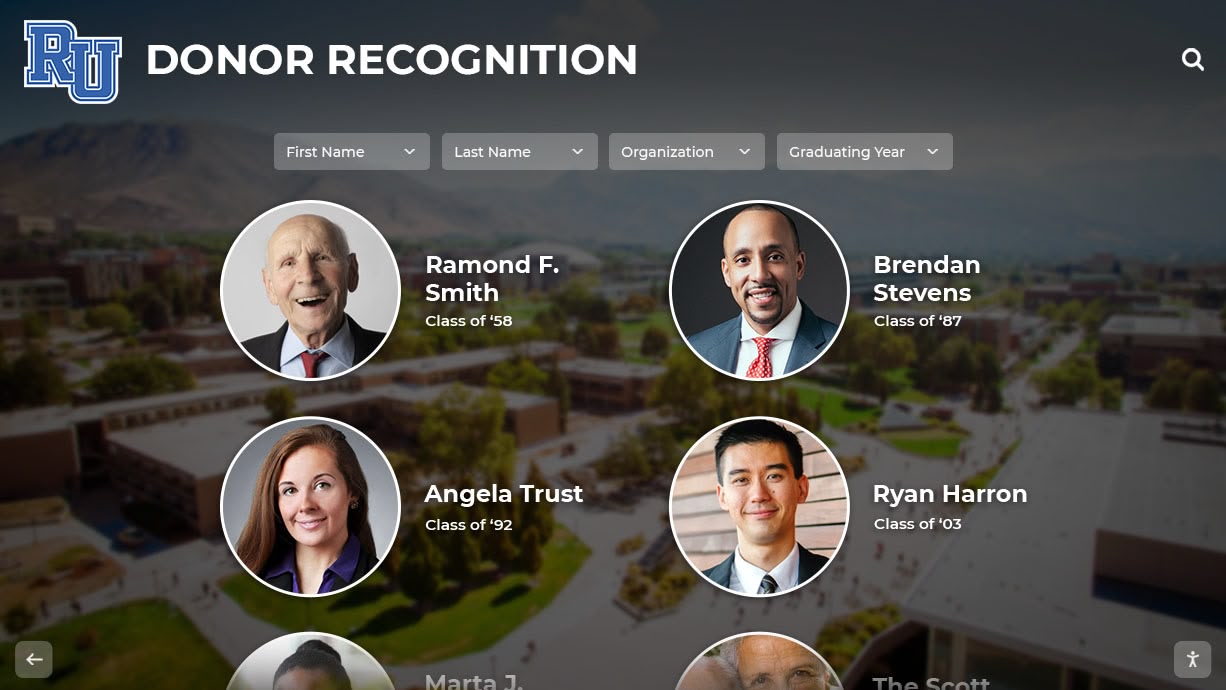
Modern digital displays integrate yearbook archives with contemporary recognition creating comprehensive institutional heritage showcases
File Organization and Naming Conventions
Directory Structure
Organize files systematically enabling intuitive discovery:
Yearbook_Archive/
├── Archival_Masters_TIFF/
│   ├── 1950s/
│   │   ├── 1950_Yearbook/
│   │   ├── 1951_Yearbook/
│   │   └── ...
│   ├── 1960s/
│   ├── 1970s/
│   └── ...
├── Access_Copies_JPEG/
│   ├── 1950s/
│   ├── 1960s/
│   └── ...
├── Complete_PDFs/
│   ├── 1950_Complete.pdf
│   ├── 1951_Complete.pdf
│   └── ...
└── Metadata_Documentation/
    ├── Inventory.xlsx
    ├── Copyright_Research.pdf
    └── Scanning_Procedures.docx
This hierarchical structure separates master files from access copies, groups by decade for manageable browsing, and documents project approach for future reference.
File Naming Conventions
Consistent naming enables sorting and discovery:
Recommended Convention: YYYY_Description_pNNN.ext
Examples:
1985_Yearbook_p001.tif(archival master, page 1)1985_Yearbook_p001.jpg(access copy, page 1)1985_Yearbook_Complete.pdf(full yearbook PDF)
Naming Best Practices
- Start with year for chronological sorting
- Use consistent separator characters (underscores recommended)
- Include leading zeros in page numbers (p001, not p1)
- Avoid spaces and special characters causing compatibility issues
- Use descriptive but concise file names
- Document naming convention for future staff
Systematic organization and naming prevent chaos as collections grow to thousands of files across decades of yearbooks.
Metadata and Documentation
Essential Metadata Elements
Comprehensive metadata enhances discoverability and provides context:
Volume-Level Metadata
- Publication year and school name
- Volume number or edition (if applicable)
- Physical condition assessment and notes
- Page count and original dimensions
- Special features (color pages, supplements, inserts)
- Copyright status and permissions obtained
- Scanning date, equipment, and operator
- Original storage location
Page-Level Metadata (for searchable databases)
- Page number and section (portraits, sports, activities, etc.)
- Featured individuals with name spelling
- Clubs, teams, and organizations depicted
- Events and dates documented
- Physical location context (if known)
Metadata enables sophisticated searching—finding all pages featuring specific individuals across decades, locating all football team photos, or identifying pages from particular sections across multiple years.
Documentation Standards
Maintain project records:
- Scanning procedures and quality standards
- Equipment specifications and settings
- Copyright research and permissions obtained
- Volunteer training materials and schedules
- Project timeline and completion milestones
- Lessons learned for future digitization
- Contact information for key stakeholders
Thorough documentation ensures project continuity despite staff turnover and provides roadmap for future expansion or enhancement efforts.
For comprehensive metadata and organization strategies, explore digital donor wall guides demonstrating systematic record-keeping approaches applicable to yearbook archives.
Step 7: Making Yearbooks Accessible and Interactive
Digitization creates preservation copies, but effective presentation determines whether archives achieve intended community engagement and connection objectives.
Online Access Platforms
Web-Based Yearbook Viewers
Transform static PDFs into engaging browsing experiences:
Online Flipbook Platforms
- FlippingBook: Professional flipbooks with realistic page-turning ($99-$299/year)
- Issuu: Popular publishing platform with free tier and paid plans
- FlipHTML5: Feature-rich flipbook creator (free basic; $29+/month paid)
- PubHTML5: Easy-to-use flipbook service ($12+/month)
Flipbook Features
- Realistic page-turning animations mimicking physical yearbooks
- Zoom capabilities for detailed viewing
- Search functionality across all pages
- Social sharing enabling alumni to spread memories
- Mobile-responsive design for smartphone and tablet access
- Analytics revealing popular content and engagement patterns
- Embedding capabilities integrating yearbooks into school websites
These platforms transform PDFs into engaging experiences generating significantly more exploration than simple downloadable files.
Searchable Database Platforms
Advanced platforms enable name-level searching:
Custom searchable databases allow alumni to enter names and instantly discover all yearbook appearances across decades—dramatically enhancing utility beyond browsing entire volumes hoping to encounter specific individuals.
Solutions like Rocket Alumni Solutions specialize in creating searchable yearbook databases integrated with broader digital recognition platforms, enabling schools to connect historical yearbook content with contemporary achievement recognition in comprehensive engagement systems.
Interactive Display Integration
Digital Touchscreen Recognition Systems
Modern schools increasingly integrate digitized yearbook content into interactive displays creating engaging recognition destinations:
Integration Capabilities
- Yearbook archive browsing through intuitive touchscreen interfaces
- Name searching across all digitized volumes
- Class reunion galleries highlighting specific graduating years
- Historical timeline browsers connecting yearbooks to institutional history
- Alumni recognition integrating yearbook photos with career updates
- Athletic team history linking yearbook documentation to championship records
- Tradition documentation explaining customs through historical yearbook evidence
These integrated approaches transform yearbook archives from isolated historical curiosities into active components of comprehensive recognition systems celebrating institutional legacy while honoring contemporary achievement.
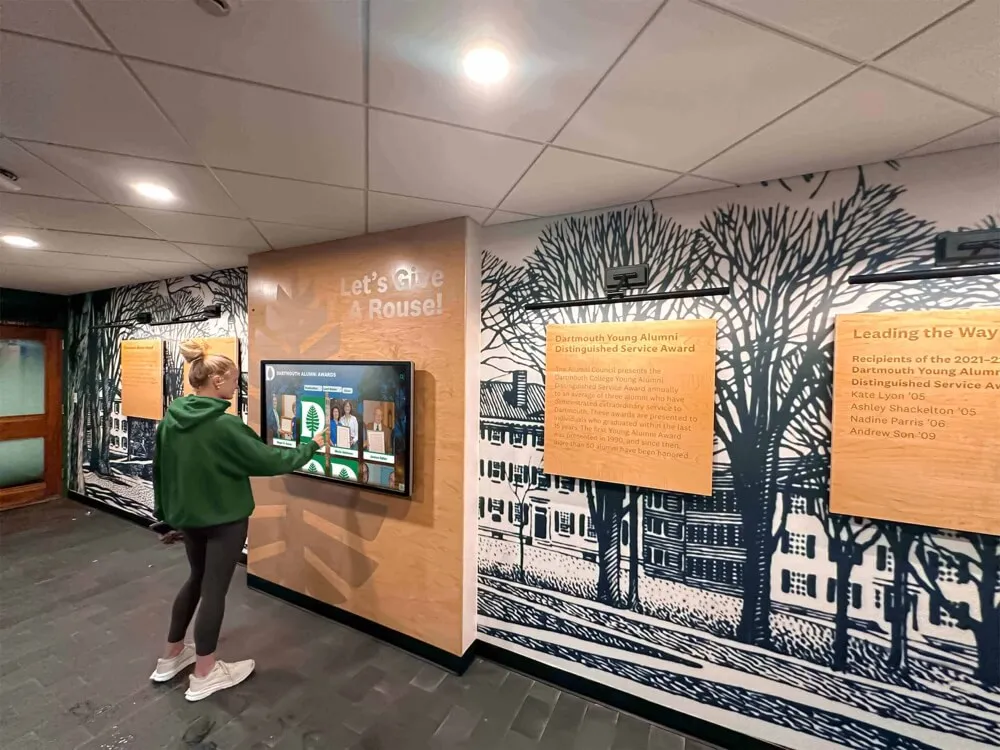
Strategic touchscreen placement in high-traffic areas ensures digitized yearbook content reaches entire communities while strengthening institutional pride
Physical Display Locations
Optimal placement maximizes yearbook archive visibility and engagement:
- Main entrance lobbies ensuring visitors encounter historical content
- Alumni gathering spaces facilitating reunion exploration and reminiscence
- Library reading areas supporting student research and discovery
- Athletic facility hallways connecting historical teams to current programs
- Administrative reception areas entertaining waiting visitors
- Cafeteria and commons providing casual browsing during downtime
Multiple distributed touchscreens throughout facilities reach broader audiences than single centralized locations, especially in large campuses where populations concentrate in different buildings.
Learn about comprehensive interactive recognition display strategies that integrate yearbook archives with contemporary achievement celebration.
Mobile Access and Social Engagement
Mobile-Optimized Platforms
Alumni increasingly access content primarily through smartphones and tablets:
- Responsive design automatically adapting to screen sizes
- Touch-friendly interfaces optimized for finger navigation
- Download options enabling offline access
- Social sharing capabilities encouraging organic promotion
- QR code links from physical displays to mobile archives
- App-based access when dedicated applications make sense
Mobile optimization ensures yearbook archives reach alumni wherever they spend digital time rather than requiring desktop computer access limiting engagement.
Social Media Integration
Leverage social platforms amplifying yearbook archive awareness:
- Share highlighted pages on school social media accounts
- Create weekly #ThrowbackThursday features showcasing historical moments
- Enable one-click sharing from yearbook platforms to personal networks
- Tag alumni in photos encouraging engagement and connections
- Create reunion campaigns highlighting specific graduating years
- Solicit community contributions of missing yearbook volumes
Social promotion transforms yearbook archives from static repositories into dynamic engagement tools generating conversations and strengthening alumni connections to institutions and each other.
Advanced Yearbook Digitization Considerations
Sophisticated projects may incorporate enhanced techniques delivering additional value beyond basic digitization.
Crowdsourced Tagging and Identification
Community-Powered Enhancement
Enlist alumni help identifying individuals and adding contextual information:
Tagging Systems
- Enable authenticated alumni to tag themselves and classmates in photos
- Collect stories and memories associated with specific yearbook pages
- Identify previously unknown individuals in group photos
- Verify or correct OCR errors in name spellings
- Add context about events, traditions, and inside jokes lost to time
This crowdsourced approach builds engagement while creating richer, more valuable archives than institutions could develop independently given limited historical knowledge.
Moderation and Quality Control
Implement appropriate oversight:
- Review submissions before publication preventing inappropriate content
- Verify tagged identifications when possible preventing misidentification
- Establish community guidelines encouraging constructive contributions
- Thank contributors publicly encouraging continued participation
- Preserve contributor credits acknowledging community role
Successful crowdsourcing requires balancing openness encouraging participation with quality control maintaining archive credibility.
Integration with Comprehensive Alumni Platforms
Unified Digital Ecosystems
Connect yearbook archives with broader institutional engagement systems:
Integrated Features
- Alumni profile systems linking yearbook photos to career updates
- Digital hall of fame displays connecting historical achievement to current recognition
- Reunion planning tools featuring class-specific yearbook content
- Fundraising platforms incorporating yearbook nostalgia
- Mentoring networks connecting alumni across graduation years
- Career networking databases with yearbook photo integration
Solutions like Rocket Alumni Solutions provide comprehensive platforms enabling schools to address yearbook preservation while building broader capabilities supporting alumni engagement, recognition, fundraising, and community connection objectives simultaneously.
This integrated approach delivers compounding value—each feature strengthens others, creating synergistic effects impossible with isolated single-purpose systems.
Historical Research and Scholarly Access
Supporting Research Objectives
Digitized yearbook collections enable scholarly research:
Research Applications
- Sociological studies of cultural evolution and generational change
- Fashion and style trend documentation
- Educational program development tracking
- Diversity and inclusion pattern analysis
- Athletic program history and achievement documentation
- Community demographic changes over time

Freestanding interactive kiosks enable schools to create yearbook exploration stations in high-traffic areas without requiring wall mounting
Making yearbook archives available to researchers through appropriate access controls multiplies value while supporting institutional missions beyond alumni nostalgia.
Ongoing Maintenance and Program Sustainability
Initial digitization represents significant investment—sustainability requires planning for continued access and enhancement over decades.
Long-Term Preservation Strategies
Format Migration Planning
Digital formats evolve—sustainability requires periodic updates:
- Monitor format obsolescence risks (TIFF and PDF remain stable)
- Budget for periodic format migration as new standards emerge
- Maintain original archival masters enabling re-creation if needed
- Document all format conversions and migrations
- Test file accessibility annually verifying readability
Storage Infrastructure Maintenance
Digital storage requires ongoing attention:
- Verify backup integrity quarterly ensuring recoverable files
- Refresh storage media every 5-7 years preventing degradation
- Monitor cloud service provider stability and terms changes
- Document storage architecture for institutional knowledge
- Budget annually for storage infrastructure and services
Staff Training and Documentation
Preserve institutional knowledge:
- Train multiple staff members on archive access and management
- Document all procedures comprehensively for future reference
- Establish clear responsibility for ongoing maintenance
- Plan succession as staff members transition
- Build relationships with technical support resources
These sustainability practices ensure initial digitization investments continue delivering value indefinitely rather than becoming obsolete or inaccessible as time passes and circumstances change.
For approaches to preserving fraternity and sorority history through systematic digitization, explore Greek life preservation guides demonstrating comprehensive long-term strategies.
Program Growth and Enhancement
Continuous Improvement
Successful yearbook programs evolve based on usage and feedback:
Enhancement Opportunities
- Add newly discovered volumes to complete collections
- Improve OCR accuracy through better technology
- Expand tagging and identification coverage
- Create curated collections highlighting themes or topics
- Develop educational resources using yearbook content
- Integrate with classroom curriculum supporting history education
- Expand social media promotion driving increased engagement
Community Feedback Integration
Regular assessment guides development priorities:
- Monitor usage analytics identifying popular content
- Survey alumni about desired features and improvements
- Solicit class reunion feedback on accessibility and usefulness
- Gather student perspectives on educational value
- Review search patterns revealing unmet needs
This feedback-driven approach ensures yearbook programs remain relevant and valuable rather than becoming static archives ignored after initial enthusiasm fades.
Conclusion: Preserving School Legacy Through Yearbook Digitization
Yearbook digitization represents far more than converting old books into digital files—it’s preserving irreplaceable community memory, enabling alumni connection across generations, supporting institutional storytelling, and creating research resources that reveal how schools, students, and communities have evolved across decades. When organizations implement systematic digitization—with appropriate technical standards, thoughtful organization, and engaging presentation—they transform fading physical volumes into vibrant digital archives that entire communities can explore, celebrate, and share for generations.
Modern yearbook digitization extends beyond simple scanning to encompass interactive platforms enabling name-level searching, social sharing capabilities amplifying engagement organically, and integration with comprehensive digital recognition systems like those offered by Rocket Alumni Solutions. These sophisticated approaches transform static archives into active community resources supporting alumni relations, institutional advancement, historical research, and cultural preservation simultaneously.
Transform Your Yearbook Archives with Interactive Digital Displays
Discover how modern digital platforms can help you preserve yearbook history while creating engaging touchscreen experiences where alumni explore decades of school memories through intuitive interactive displays.
Explore Digital Yearbook SolutionsThe step-by-step approaches explored in this guide provide comprehensive frameworks for digitizing yearbook collections regardless of size, age, or condition—from copyright research and scanning method selection through storage infrastructure and interactive presentation strategies. These proven methodologies enable schools, libraries, and community organizations to preserve precious historical documentation while creating accessible archives delivering lasting value.
Start wherever your current circumstances allow—whether digitizing a single vintage yearbook or planning comprehensive historical archive covering decades—then systematically expand to create the preservation program your institutional history deserves. Every yearbook converted to accessible digital format represents memories preserved, connections enabled, and histories saved from inevitable physical deterioration.
Your school’s story—captured in yearbook pages documenting students, achievements, traditions, and community life across generations—deserves protection and accessibility ensuring current and future community members can explore and celebrate this rich heritage. With thoughtful planning, appropriate technical choices, and systematic implementation, you can create yearbook archives becoming treasured resources connecting alumni to proud traditions while inspiring current students through visible evidence of institutional legacy.
Ready to begin? Explore how Rocket Alumni Solutions can help you create comprehensive digital yearbook systems that preserve institutional history, engage alumni communities, and integrate historical content with modern interactive recognition displays celebrating both legacy and contemporary achievement.































