



Walk into any high-performing admissions office and you’ll find the same question on the whiteboard: how do we show prospective families what our school is like when they can’t be here in person? The answer used to mean a stitched-together 360-degree scan, a YouTube walk-and-talk, or a printed viewbook nobody reads past page four. Today the answer is a school virtual tour built on interactive technology that works in three distinct contexts simultaneously—as a lobby touchscreen kiosk that greets every visitor, as a web embed that converts prospective families researching at midnight, and as a recruitment tool that puts your strongest stories in front of student-athletes, honors candidates, and transfer applicants before they ever set foot on campus.
This guide is a scene-by-scene production walkthrough organized so you can use it to build, produce, and deploy a school virtual tour regardless of where you’re starting from. Whether you have an existing touchscreen display that needs to serve a broader audience or you’re planning your first interactive installation from scratch, each section below tells you exactly what the camera should show, what content the interface should hold, and how to adapt the asset for each delivery platform.
The schools that build the most effective virtual tours recognize early that the medium and the message are the same thing. A touchscreen display mounted in your welcome lobby isn’t just a sign—it’s a virtual tour running continuously, available to every visitor, every school day, without a staff member present. The web version of that same content is a virtual tour for families who do their research from home. The recruitment version is the same asset again, packaged for a specific audience. Building all three doesn’t mean building three separate projects. It means building one content platform correctly.

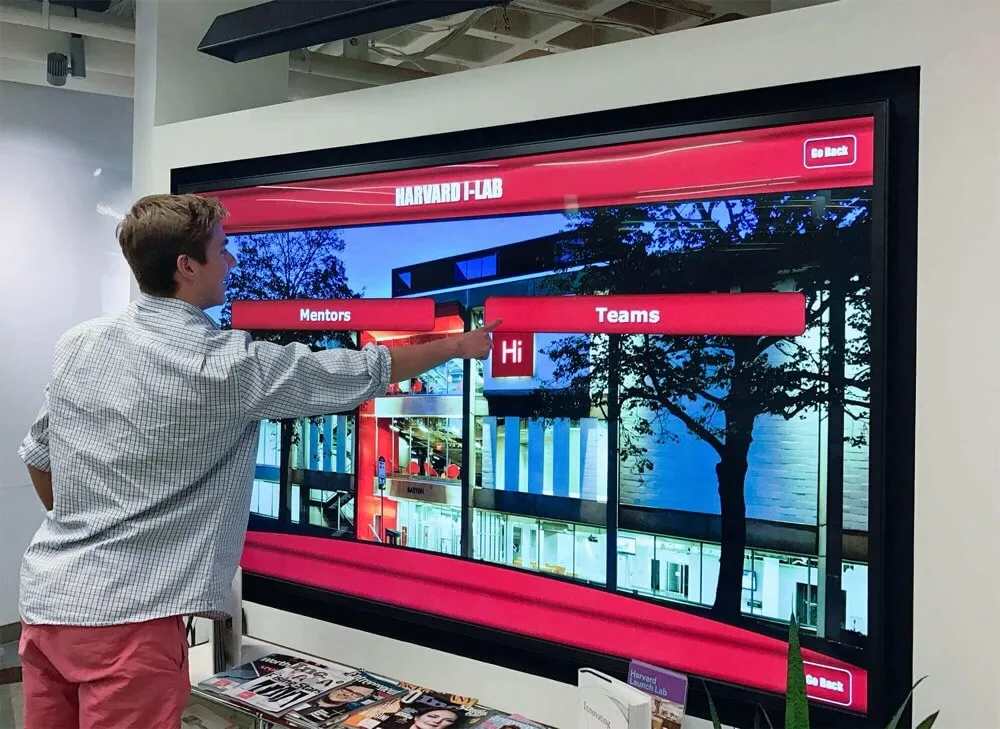
Interactive touchscreen displays serve as always-on virtual tours for every visitor who walks through your lobby—no staff involvement required
Video Walkthrough Specifications
| Parameter | Detail |
|---|---|
| Video type | School virtual tour demonstration and production guide |
| Total duration | 14–18 minutes |
| Aspect ratio | 16:9 (1920×1080 minimum; 4K preferred for touchscreen detail) |
| Target platforms | Admissions website embed, lobby kiosk attract loop, recruitment decks, YouTube |
| Accessibility | Full closed captions; audio description at each scene transition |
| Segments | 6 scenes + production notes + VideoObject schema |
Scene Structure Overview
- Why Static Tours Fall Short—and What Replaces Them (0:00–1:30) — Establishing the gap between what visitors expect and what most schools deliver
- The Lobby Touchscreen: Your Always-On Virtual Tour (1:30–4:00) — Walkthrough of the kiosk experience from attract loop to deep content
- Web Delivery: Embedding the Tour on Your Admissions Site (4:00–6:30) — Responsive design, QR handoffs, and mobile-first viewing
- Recruitment Use Cases: Student-Athletes, Honors Candidates, and Transfers (6:30–9:30) — Audience-specific tour paths and how to configure them
- Content Architecture: What Your School Virtual Tour Should Actually Show (9:30–12:00) — Academic programs, athletics, alumni outcomes, campus culture
- Remote Content Management: Keeping the Tour Current (12:00–14:30) — Adding profiles, updating records, refreshing recruitment content
Scene 1: Why Static Tours Fall Short—and What Replaces Them (0:00–1:30)
What the Camera Shows
Wide establishing shot: A school welcome center during a scheduled admissions visit. A family of three sits in chairs looking at their phones. On the wall behind them, a framed photo of the previous graduating class and a printed program schedule for an event that happened in February.
Camera pan: A trophy case in the adjacent hallway. No labels. No dates. No context for someone who doesn’t already know this school.
Cut to: The same hallway with an interactive touchscreen display mounted at eye level. The attract loop is cycling through student achievement stories, campus facilities, and an alumni outcomes summary. Two students have stopped to browse unprompted.
Narration Script
“Static tours have a sequencing problem: they require a guide, a schedule, and a visitor who already decided to show up. By the time a family is on your campus, you’ve already won that visit. The harder problem is the family who never books the tour because your website didn’t give them enough to go on, the student-athlete who shortlists based on a thirty-second scroll through your athletics page, or the transfer applicant who wants to see real outcomes and couldn’t find them.
A school virtual tour built on interactive display technology solves all three of those problems with a single content investment. The same stories that run on your lobby touchscreen embed in your admissions page and export into your recruitment deck. You build it once. It works in every context.”
For schools still relying on printed materials and static signage alongside their digital displays, resources on wall wraps for schools and how they integrate with digital recognition systems offer useful context on how physical and digital environments work together in modern welcome spaces.
Scene 2: The Lobby Touchscreen — Your Always-On Virtual Tour (1:30–4:00)
The lobby kiosk is the most undervalued real estate in your school. It runs without scheduling, never calls in sick, and presents your best stories to every visitor who walks through the front door.
Scene 2A: The Attract Loop (1:30–2:15)
Visual: Camera holds on the attract loop from twelve feet away—the distance a visitor would be before consciously engaging. Inductee portraits cycle every twenty seconds. An achievement summary animates in the corner. A campus highlights reel rotates between panels.
Narration: “The attract loop is passive recognition at scale. Every student, parent, and prospective family who walks past that screen sees your school’s achievements without being asked to stop and read anything. It’s the virtual tour that runs even when no one is actively touring.”
Scene 2B: The Interactive Walkthrough (2:15–4:00)
Visual: A visitor approaches the screen and taps “Explore Our School.” A navigation grid appears with labeled sections: Academic Programs, Athletics, Campus Life, Alumni Outcomes, About Our Community.
Camera sequence:
- Visitor taps “Athletics” — sport-specific navigation loads
- Taps “Football” — a profile gallery of student-athletes and alumni letterwinners appears alongside digital record boards for that sport
- Taps a single profile — full-screen view with career stats, college placement (if alumni), and a media section
- Visitor returns to the main menu, taps “Academic Programs” — department overview pages appear with faculty credentials and student achievement data
- Visitor taps “Alumni Outcomes” — an interactive map shows graduates’ career fields and geographic distribution
Narration: “In five taps, this visitor has seen your athletics program, a graduate who went on to play at the next level, your strongest academic departments, and where your alumni are building careers. That’s a better virtual tour than most schools put on their websites—and it’s running on a display in your entrance hallway.”
Schools that include athletic recognition data in their virtual tours give prospective student-athletes exactly the proof they need during the recruitment process. Understanding how the college baseball recruitment pipeline works helps frame why documented athletic achievement on-screen carries more weight than a conversation with a coach during a campus visit.
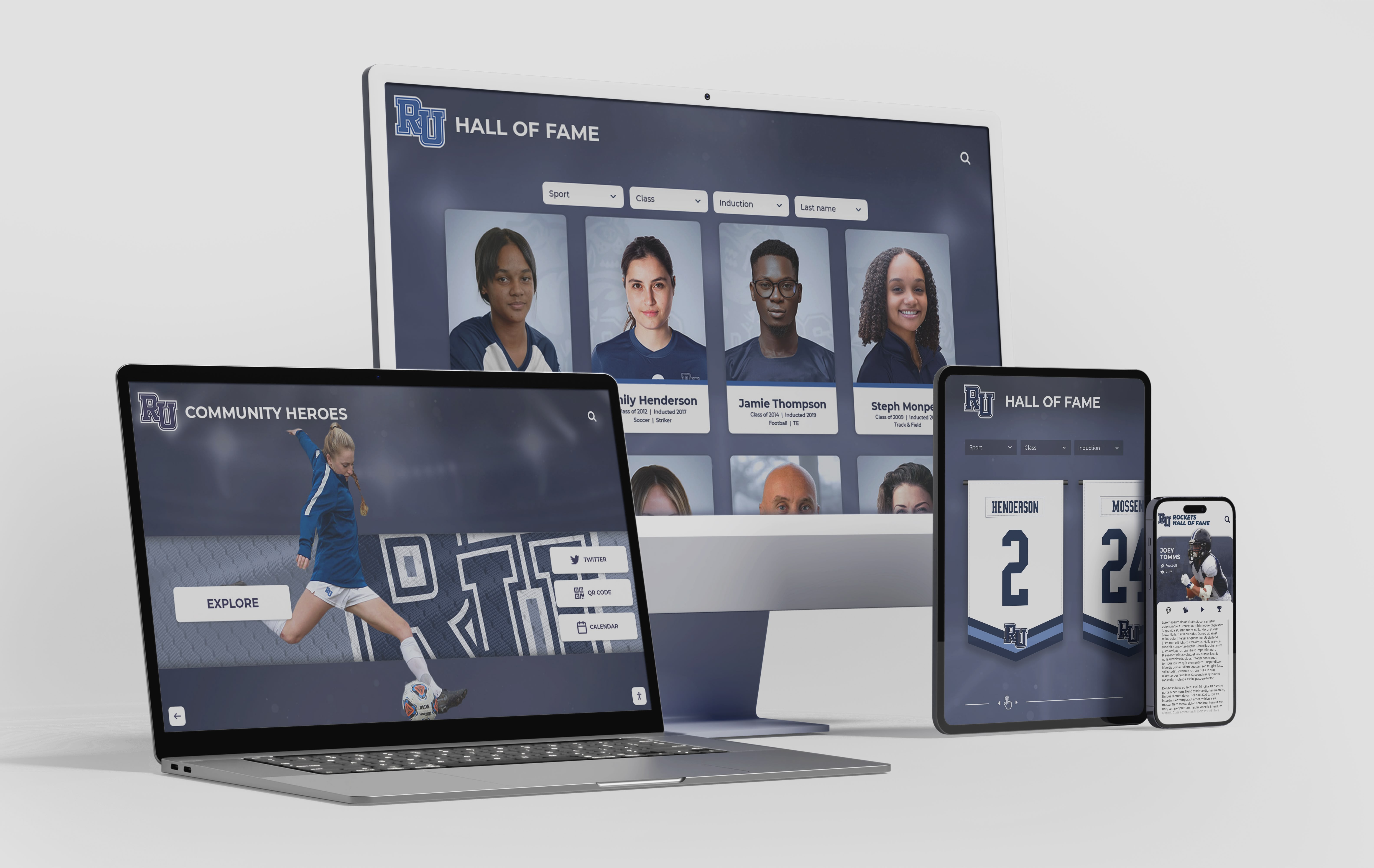
The same content that powers your lobby touchscreen can embed responsively on your admissions website—one platform, three delivery contexts
Production Notes for Scene 2
- Slow the attract loop to 30-second intervals during filming so the camera can hold on each panel
- Use a circular polarizing filter to eliminate reflections from overhead lighting on the touchscreen surface
- Capture the navigation in a single continuous take—cuts break the sense of how naturally the interface flows
Scene 3: Web Delivery — Embedding the Tour on Your Admissions Site (4:00–6:30)
What the Camera Shows
Desktop view: A laptop running the school’s admissions page. A banner reads “Take a Virtual Tour.” The visitor clicks. An embedded interactive experience loads—matching the exact content from the lobby kiosk but resized for a 1440-pixel viewport.
Mobile view: The same URL on a phone. Content adapts: the navigation grid collapses to a vertical list, profile cards restack, the alumni outcome map pinches-and-zooms naturally.
QR code handoff: Camera shows the physical lobby touchscreen. In the corner of the home screen, a QR code is labeled “Continue exploring on your phone.” Visitor scans. The phone opens to a mobile version of the same tour, now in the visitor’s pocket as they walk the campus.
Narration Script
“The web version isn’t a separate project—it’s the same content platform responding to a different screen size. Schools that build on a single content architecture update one source and all three delivery contexts update automatically: the lobby kiosk, the website embed, and any QR-accessed mobile version visitors carry with them.
For admissions teams, this changes the measurement question entirely. You’re no longer asking ‘did the family attend a campus visit?’ You’re asking ‘how much of the virtual tour did they complete, and which sections did they spend the most time in?’”
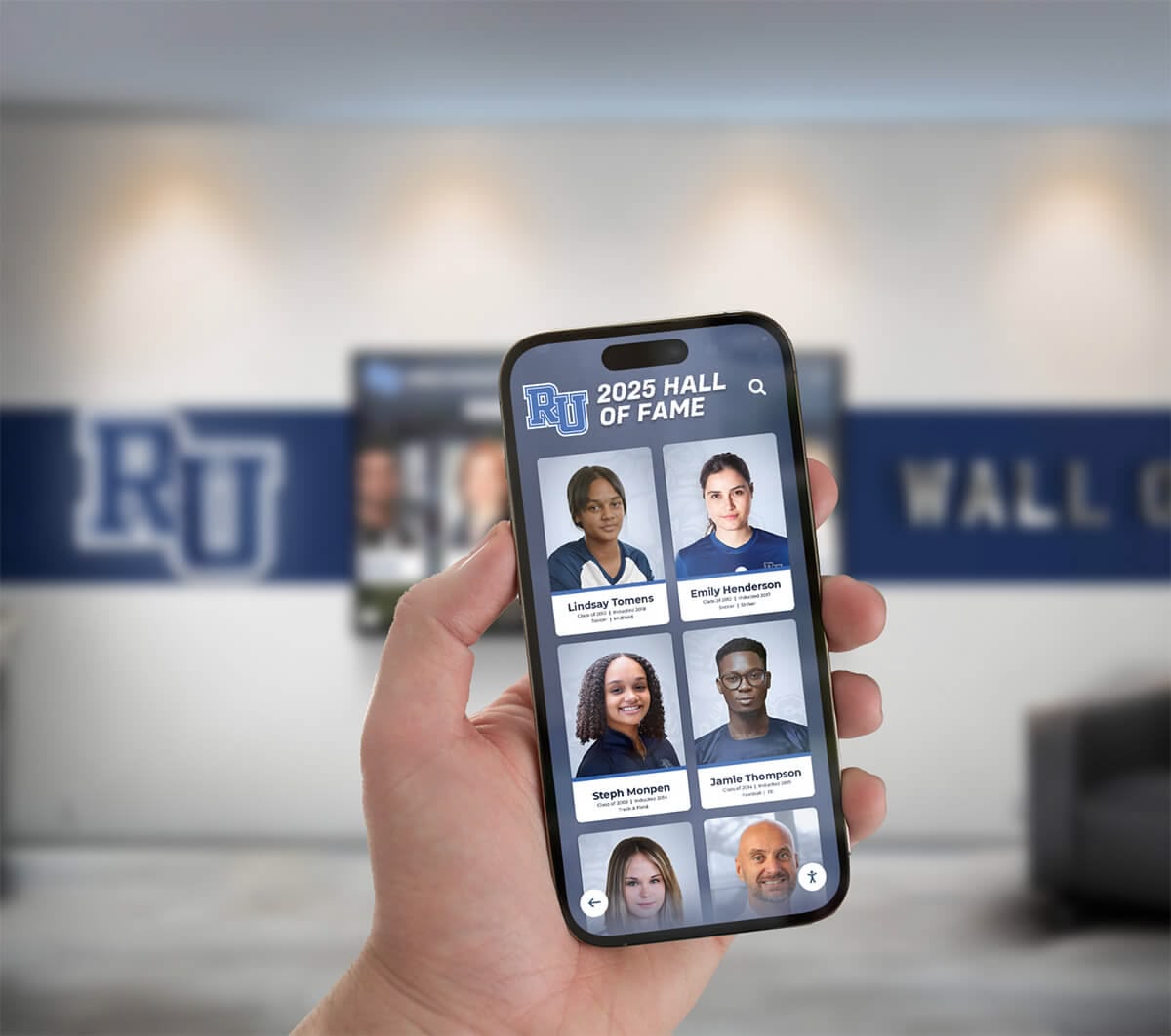
QR codes on lobby displays let visitors transfer the virtual tour experience to their phones—extending engagement well beyond the physical display location
Web Delivery Specifications
| Element | Requirement |
|---|---|
| Embed type | Responsive iframe or JavaScript SDK |
| Mobile breakpoint | 768px (reflows to vertical navigation) |
| Minimum viewport | 320px width without horizontal scrolling |
| QR destination | Mobile-optimized deep link to current tour section |
| Load time target | Under 3 seconds on a 4G connection |
| Accessibility | WCAG 2.1 AA: keyboard navigation, screen reader support, sufficient color contrast |
For schools building digital archives that complement the virtual tour experience, resources on school memory archiving, themes, and layouts provide useful framing for the difference between a static memory archive and a living, interactive experience.
Scene 4: Recruitment Use Cases — Student-Athletes, Honors Candidates, and Transfers (6:30–9:30)
The most powerful version of a school virtual tour adapts its emphasis based on who’s watching. The same platform that shows a general visitor the campus map can surface athletic achievement data for a recruited athlete and academic program depth for an honors applicant.
Scene 4A: The Student-Athlete Path (6:30–7:30)
Visual: An admissions coordinator opens the “Athletics” section of the virtual tour on a tablet during a recruitment call. The screen shows: team records, individual accolades, alumni who played at the college level, sport-specific record boards, and a facilities section showing the gym, field, and weight room.
Narration: “A student-athlete evaluating your program needs to see three things in the first two minutes: your competitive record, your alumni placement history, and your facilities. The virtual tour surfaces all three without a coach having to narrate from memory during a recruitment call.”
Scene 4B: The Academic Honors Path (7:30–8:30)
Visual: Tour navigates to “Academic Programs.” A section labeled “Academic Honors and Recognition” shows: class rank trends, Latin honors criteria, AP course completion rates, college placement outcomes, and scholarship recipients from the last three graduating classes.
Narration: “Honors candidates are comparing programs across multiple schools simultaneously. Understanding the academic recognition tiers your school awards and displaying that information prominently in your virtual tour separates your school from every institution that sent a brochure with the same claim.”
Scene 4C: The Alumni Outcomes Section (8:30–9:30)
Visual: Tour navigates to “Alumni Outcomes.” An interactive map populates with pins showing where graduates have built careers—filterable by field, by geography, and by graduation year. A visitor taps a cluster of pins in the healthcare sector. Profile cards appear for five alumni, each showing their current role, employer, and career field.
Narration: “This is the section that closes decisions. A prospective family can see exactly where students who sat in the same classrooms their child will occupy are building careers today. That’s the virtual tour doing the work of a thirty-minute alumni panel—at midnight, on a phone screen, before a family has ever filled out an inquiry form.”
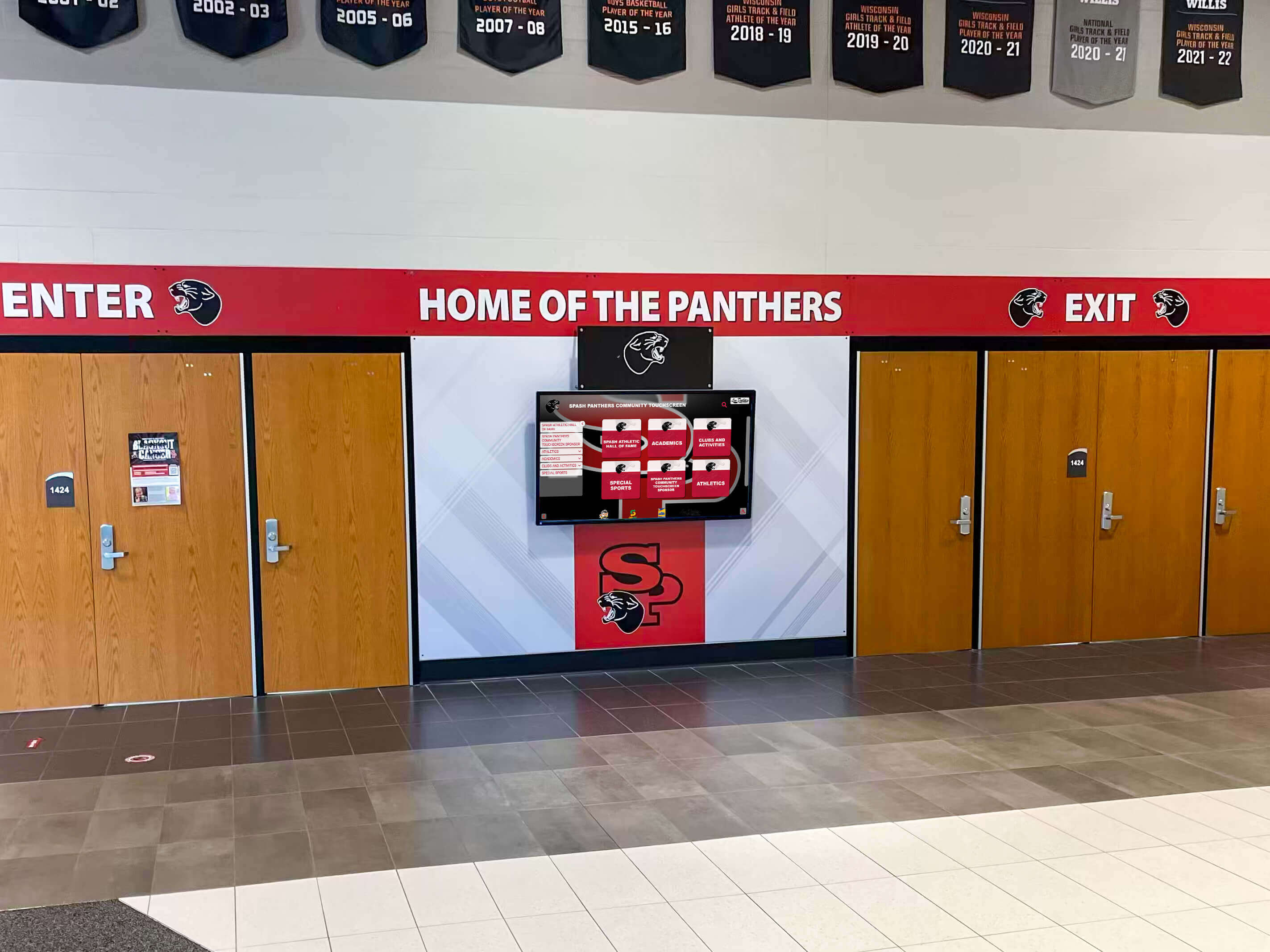
The first screen a visitor sees in your entrance sets the tone for everything that follows—branded, live, and presenting your school's best stories without a staff member present
Scene 5: Content Architecture — What Your School Virtual Tour Should Actually Show (9:30–12:00)
The most common virtual tour mistake is filming facilities and calling it done. Facilities don’t differentiate schools. Stories do. Here is the content architecture that makes a school virtual tour genuinely compelling to prospective families.
Core Content Modules
Academic Programs
- Department overview pages with faculty credentials and course offerings
- AP, IB, dual enrollment, and honors program details
- Three-year academic outcome data: college placement rates, scholarship totals, AP pass rates
- Student achievement highlights organized by department
Athletics
- Sport-by-sport records board integrated directly into the tour interface
- Alumni letterwinners and college placement history by sport
- Coaching staff profiles with career records and coaching philosophy
- Facilities gallery with labeled photos and accessibility features noted
Campus Life and Culture
- Club and organization directory with current membership data
- Annual calendar highlights: fine arts, STEM competitions, service programs
- Senior recognition programs and year-end celebration traditions that prospective families can expect to experience
- Student leadership recognition archives
Community and Values
- Veterans and service recognition programs—schools with military heritage and memorial display sections consistently find this section resonates with families who share those values
- Donor recognition and scholarship fund history
- Community partnership highlights and service learning outcomes
Alumni Outcomes
- Career outcome map: interactive, filterable by field and graduation year
- Notable alumni profiles with current roles and school connection
- College placement list updated each spring
Content Depth Requirements
| Section | Minimum Content Depth | Update Frequency |
|---|---|---|
| Athletic Records | All varsity sports, 10+ years back | Each season |
| Academic Outcomes | 3 graduating class cohorts | Annual |
| Alumni Profiles | 20+ profiles across graduation years | Ongoing as data is available |
| Facilities | 15+ photos across all major spaces | Bi-annual |
| Campus Life | 10+ active clubs and programs profiled | Annual |
Scene 6: Remote Content Management — Keeping the Tour Current (12:00–14:30)
What the Camera Shows
Laptop screen recording: An administrator logs into the content management dashboard. Left sidebar shows module categories: Athletics, Academics, Campus Life, Alumni, Community. The administrator navigates to Athletics > Football > Records Board. A record was broken this week—the administrator updates the mark, the record holder’s name, and uploads a photo. One-click publish. Camera cuts back to the physical lobby touchscreen, which now reflects the updated record.
Narration: “The most common reason school virtual tours go stale is content management friction. If updating the tour requires a service ticket, a web developer, or a vendor call, updates will be deferred until the content is six months out of date and the tour is no longer telling the truth about your school.
Watch this sequence. Photo uploaded, bio completed, published: under four minutes, no vendor involvement, no service ticket. Any staff member who can update a shared document can add a profile, refresh a facilities photo, or publish this season’s athletic records. The tour updates across every delivery context—lobby kiosk, website embed, mobile QR—simultaneously.”

Professional installations can run the same updated content across multiple synchronized displays throughout campus—all managed from a single remote dashboard
For schools planning end-of-year student recognition events where virtual tour content is refreshed with a new graduating class, remote publishing means the display reflects the newest class before guests arrive at the ceremony—not weeks later.
CMS Scene Production Notes
- Film the full update workflow as a continuous screen recording—cuts undermine the “it’s that simple” impression
- Keep the CMS window at 100% zoom so all text is legible in the final export
- Show the preview-before-publish step explicitly: this is the most common administrator concern
- If the system supports scheduled publishing (new class content goes live on ceremony night), demonstrate that workflow
Full Production Notes
Equipment for Virtual Tour Walkthrough Filming
| Item | Specification | Notes |
|---|---|---|
| Primary camera | Mirrorless or DSLR, 1080p/60fps minimum | 4K preferred for touchscreen interface detail |
| Stabilization | 3-axis motorized gimbal | Handheld produces unacceptable shake on slow push shots |
| Lens | 24–70mm f/2.8 equivalent | Wide end for lobby establishing shots; 50–70mm for interface close-ups |
| Lighting | LED panels with adjustable color temperature | Match to ambient facility lighting in each space |
| Polarizing filter | Circular polarizer, matched to lens diameter | Eliminates touchscreen surface reflections |
| Screen capture | Native device screen recording for CMS and web segments | Higher fidelity than camera-pointed-at-monitor |
| Audio | Lavalier mic for narrator; room tone reference | Narration typically added in post-production |
Lighting Strategy for Touchscreen Environments
Touchscreen displays are light sources themselves, and overhead corridor lighting creates surface reflections that wash out interface detail in footage. Practical solutions:
- Schedule your shoot for a time of day with minimal natural light spill from windows—early morning or after school hours work best
- Use the circular polarizer at all times when the touchscreen is in frame
- Test white balance against the actual screen color before rolling—auto white balance will drift as the attract loop cycles through backgrounds
- Bring a portable LED panel to add fill light on visitors’ faces during interaction shots without introducing a new reflection source on the screen
ADA and Accessibility Compliance for the Video
Your school virtual tour video must meet the same accessibility standards as the display it documents:
- Closed captions: Full narration transcript synced to video; review all auto-generated captions before publishing
- Audio description: A separate track describing all on-screen visual actions for visitors with low or no vision
- Color contrast: Any overlay text or lower-third labels added in editing must meet WCAG 2.1 AA contrast ratios
- Touch target demonstration: Film the interface at sufficient scale to show that touch targets are large and clearly labeled—this communicates ADA readiness to administrators evaluating the system
File Delivery Specifications
| Format | Use Case |
|---|---|
| MP4 (H.264, 1080p/30fps) | Website embed, committee presentations, email |
| MP4 (H.265, 4K/30fps) | Archive master; 4K display playback at events |
| Vertical MP4 (1080×1920) | Instagram Reels, TikTok, booster social shares |
| SRT caption file | Upload alongside YouTube video; required for ADA compliance |
VideoObject Schema
{
  "@context": "https://schema.org",
  "@type": "VideoObject",
  "name": "How to Build a School Virtual Tour: Interactive Walkthrough for Touchscreen, Web, and Recruitment",
  "description": "A complete scene-by-scene production guide for building a school virtual tour that works as a lobby touchscreen kiosk, a website embed, and a recruitment asset—with content architecture, CMS demonstration, and ADA production notes.",
  "thumbnailUrl": "/images/v2/man-pointing-at-harvard-i-lab-touchscreen-mentors-teams-menu.webp",
  "uploadDate": "2026-06-03",
  "duration": "PT16M",
  "contentUrl": "https://touchwall.tv/videos/school-virtual-tour-walkthrough",
  "embedUrl": "https://touchwall.tv/videos/school-virtual-tour-walkthrough",
  "publisher": {
    "@type": "Organization",
    "name": "Rocket Alumni Solutions",
    "url": "https://rocketalumnisolutions.com"
  }
}
Abbreviated Transcript for Accessibility
[0:00–1:30] Scene 1 — Why Static Tours Fall Short Static tours have a sequencing problem: they require a guide, a schedule, and a visitor who already decided to show up. A school virtual tour built on interactive display technology solves all three problems with a single content investment. The same stories that run on your lobby touchscreen embed in your admissions page and export into your recruitment deck.
[1:30–4:00] Scene 2 — The Lobby Touchscreen The attract loop is passive recognition at scale. In five taps, a visitor sees your athletics program, a graduate who went on to play at the next level, your strongest academic departments, and where your alumni are building careers. That’s a better virtual tour than most schools put on their websites—and it’s running on a display in your entrance hallway.
[4:00–6:30] Scene 3 — Web Delivery The web version isn’t a separate project—it’s the same content platform responding to a different screen size. Schools that build on a single content architecture update one source and all three delivery contexts update automatically.
[6:30–9:30] Scene 4 — Recruitment Use Cases A student-athlete evaluating your program needs to see your competitive record, your alumni placement history, and your facilities in the first two minutes. Honors candidates need your academic outcome data presented visually, with named students and real numbers. The alumni outcomes map closes decisions for families who haven’t yet filed an inquiry.
[9:30–12:00] Scene 5 — Content Architecture The most common virtual tour mistake is filming facilities and calling it done. Facilities don’t differentiate schools. Stories do. The content architecture that works covers academic programs, athletics, campus life, community and values, and alumni outcomes—each with minimum depth requirements that keep the tour genuinely informative.
[12:00–14:30] Scene 6 — Remote Content Management Any staff member who can update a shared document can add a profile, refresh a facilities photo, or publish this season’s athletic records. The tour updates across every delivery context simultaneously—lobby kiosk, website embed, mobile QR.
Planning Your School Virtual Tour Before You Build
Schools that produce the most effective virtual tours spend more time on content architecture than on production logistics. The questions you answer before filming determine whether the finished product communicates your school’s best stories or simply documents its square footage.
Start with audience paths, not facilities. Write three sentences each describing the student-athlete prospect, the honors candidate, and the family doing late-night research from another state. What does each visitor need to see in the first ninety seconds? Your content architecture should surface those things first, before campus maps or facility galleries.
Decide on your update cadence before you choose a platform. A virtual tour you can update weekly is worth ten times a tour you update annually. Athletic records change every season. Graduates launch careers every spring. Notable alumni achieve recognitions worth adding regularly—schools with strong athletic traditions, for example, value the ability to quickly recognize alumni who reach the professional level. If the platform requires a service ticket to publish that update, the tour will be outdated by the time the next recruiting cycle starts.
Treat the lobby kiosk as the primary format. The web embed and mobile versions follow naturally from a well-designed touchscreen experience. Schools that design for desktop websites first often end up with virtual tours that don’t translate gracefully to a 65-inch lobby display. Design for the physical environment first; responsive design handles the rest.
Include dedication and community content from the beginning. Schools with strong community identity consistently discover that memorial and dedication recognition elements carry significant emotional weight with alumni families during campus visits. Building this section into the virtual tour from the start—rather than adding it later—ensures the content is in place for the first admissions event that matters.

The moment a prospective family stops and engages with a lobby display is the virtual tour working exactly as designed—no guide, no appointment, no printed materials required
For schools at any stage of this process—from early-stage planning through active platform evaluation—Rocket Alumni Solutions provides the interactive display platform behind touchscreen kiosks, web embeds, and recruitment presentations at schools and universities across the country. The platform supports exactly the three-context deployment described in this guide, with a content management system that makes weekly updates practical for any school’s existing staff.
Ready to see a school virtual tour in action?
Skip the planning stage and book a live video demonstration of the interactive platform your school virtual tour will run on—customized for your programs, your athletics, and your admissions audience.































