




Intent: demonstrate | A comprehensive video production guide for filming high school reunion display board demonstrations, complete with shot lists, narration scripts, and scene-by-scene walkthroughs showing how interactive memory walls transform milestone reunion experiences.
High school reunion display boards have evolved from poster-mounted yearbook pages and printed photo collages into dynamic interactive touchscreens that bring decades of memories, achievements, and connections to life. This video guide demonstrates how to capture and present these digital memory walls through professional video walkthroughs, providing reunion committees with visual proof of concept, attendees with engaging exploration tutorials, and schools with promotional content showcasing interactive alumni engagement technology.
Traditional reunion displays—static poster boards with faded photographs, hand-written memory cards scattered on tables, or basic slideshow projections cycling through images—offer limited engagement and no accessibility for remote alumni. Reunion committees spend hours arranging physical displays that attendees glance at briefly without meaningful interaction, while missing classmates receive only email summaries with static photos weeks after events conclude.
This video production guide provides complete frameworks for filming compelling reunion display board demonstrations: establishing shots showing integrated venue displays, detailed close-up sequences capturing touchscreen interactions, narration scripts explaining features and navigation, production specifications ensuring broadcast-quality results, and distribution strategies maximizing reach among reunion committees, school administrators, and prospective attendees considering whether interactive displays justify event investment.
Modern video walkthroughs transform abstract technology concepts into tangible, relatable experiences that reunion planners immediately understand while generating excitement among potential attendees who see exactly how they’ll explore classmate profiles, discover shared memories, and maintain connections beyond single evening events.

Professional video documentation captures interactive reunion display board features and user experiences for promotional content and demonstration purposes
Video Tour Overview: Reunion Display Board Demonstration Structure
Effective reunion display board videos follow logical progression demonstrating every aspect attendees will experience from first approach through detailed content exploration.
Video Specifications and Production Format
| Specification | Details |
|---|---|
| Video Length | 6-10 minutes comprehensive walkthrough |
| Aspect Ratio | 16:9 (1920x1080 HD minimum; 4K preferred for venue projection) |
| Target Platform | YouTube, reunion website embedding, email campaigns, social media excerpts |
| Accessibility | Full closed captions, descriptive audio track, transcript document |
| Streaming Format | Adaptive bitrate MP4, vertical excerpts (9:16) for Instagram/TikTok |
| Production Timeline | 3-5 days including filming, editing, captions, and distribution preparation |
Scene-by-Scene Video Structure
This comprehensive demonstration follows natural reunion attendee journey from venue arrival through detailed memory exploration:
- Venue Approach and Display Placement (30-45 seconds) - Wide establishing shot showing display integration
- Welcome Screen and Initial Navigation (60-90 seconds) - First touch interactions and menu overview
- Classmate Profile Directory (90-120 seconds) - Browsing alumni profiles and life updates
- “Where Are They Now” Stories (90-120 seconds) - Deep dive into detailed biographical narratives
- Photo Gallery and Memory Wall (90-120 seconds) - Exploring historical and current reunion photos
- Search and Discovery Features (60-90 seconds) - Finding specific classmates and filtering content
- Interactive Guestbook and Messaging (60-90 seconds) - Leaving messages and viewing responses
- Remote Access and Mobile Experience (45-60 seconds) - Demonstrating web/mobile accessibility
- Setup and Content Management (60-90 seconds) - Behind-scenes look at display configuration
Each scene builds comprehensive understanding while maintaining viewer engagement through varied shots, smooth transitions, and conversational narration explaining practical benefits for reunion attendees and planning committees.
Learn about comprehensive alumni engagement approaches in interactive touchscreen displays for school recognition covering broader implementation strategies beyond single events.
Scene 1: Venue Approach and Display Placement (00:00-00:45)
Visual Elements: Camera approaches reunion venue entrance from guest perspective, revealing coordinated display area with comfortable seating, ambient lighting, and prominent touchscreen positioned at natural viewing height near registration or main gathering space.
Narration Script:
“Welcome to the [Class Year] reunion at [Venue Name]. As classmates arrive, they’re immediately drawn to our interactive memory wall—a digital display board showcasing every member of our graduating class through comprehensive profiles, photo galleries, and shared memories spanning the decades since we walked these halls together.
Unlike traditional poster boards that sit unnoticed in corners or slideshow projections cycling impersonally through images, this touchscreen display creates a natural gathering point where alumni explore at their own pace, discover unexpected connections with classmates they barely knew in school, and contribute their own memories and messages throughout the evening.”
On-Screen Action:
- Wide establishing shot showing reunion venue exterior or entrance
- Slow approach toward display area highlighting integrated design
- Pan across seating area showing alumni already engaged with screen
- Text overlay: “Interactive Reunion Memory Wall | 500+ Classmate Profiles | Photo Galleries | Digital Guestbook”
- Gentle background audio of reunion crowd ambiance
Production Notes: Natural or warm LED lighting creating welcoming atmosphere. Capture authentic venue environment including reunion decorations, school colors, and attendee interactions. Use gimbal stabilization for smooth walking approach. Establish context showing this is real reunion event, not sterile product demonstration.

Professional touchscreen kiosks create focal points at reunion venues where alumni naturally gather to explore classmate profiles and shared memories
Scene 2: Welcome Screen and Initial Navigation (00:45-02:15)
Visual Elements: Close approach to touchscreen showing dynamic welcome screen featuring class year, school colors/mascot, featured profile carousel, and intuitive navigation menu.
Narration Script:
“The welcome screen immediately presents our entire graduating class organized for effortless exploration. Browse the complete alumni directory alphabetically, search for specific classmates by name, filter by current location to discover who lives nearby, or explore featured profiles highlighting classmates with recent updates or milestone achievements.
Notice the rotating featured carousel showcasing alumni who submitted detailed life updates—giving everyone immediate content to explore while encouraging others to complete their own profiles. The interface is designed for intuitive use without instruction, welcoming everyone from tech-savvy early adopters to classmates less comfortable with touchscreen technology.”
On-Screen Action:
- Hand enters frame, touching screen to wake display from screensaver
- Camera focuses on navigation menu highlighting each section
- Finger hovers over different menu options showing touch responsiveness
- Featured profile carousel demonstrates automatic rotation
- Search bar highlights with keyboard appearing on tap
- Text overlay: “Touch to Explore | 500+ Profiles | Search by Name | Browse by Location | Featured Updates”
Production Notes: Demonstrate responsive touch interaction with immediate visual feedback. Control lighting to eliminate screen glare while maintaining visibility. Show multiple navigation pathways accommodating different user preferences and technical comfort levels. Include brief reaction shots showing alumni discovering the welcome screen.
Discover effective navigation design principles in digital hall of fame touchscreen displays with interface best practices for intuitive user experiences.
Scene 3: Classmate Profile Directory (02:15-04:15)
Visual Elements: User browses alphabetical directory, selects individual profile, explores comprehensive biographical information with multiple photos and life update narrative.
Narration Script:
“Let’s explore the classmate directory—the heart of our reunion memory wall. Tapping ‘Browse All Classmates’ reveals our entire graduating class organized alphabetically. Each profile card shows current photo, name, and location, making it easy to scroll through and spot familiar faces.
Selecting a classmate opens their complete profile. Here’s Sarah Thompson—her profile includes current photo alongside her senior yearbook picture, showing the journey from age 18 to our reunion today. The biographical narrative shares her life path: undergraduate education at State University, career progression from entry-level marketing to VP of Communications, marriage, three children, and current residence in Denver.
Notice the profile sections: professional journey, family milestones, favorite high school memories, and hobbies outside work. These rich narratives provide conversation starters far beyond ‘what have you been doing’—enabling meaningful reconnection based on shared interests, parallel life experiences, or unexpected commonalities discovered through comprehensive profiles.”
On-Screen Action:
- Navigate from welcome screen to alumni directory
- Scroll through alphabetical listing showing multiple profile cards
- Select profile, smooth transition to detail view
- Scroll through biographical narrative demonstrating content depth
- Switch between current and historical photos with swipe gesture
- View contact preferences showing optional information sharing
- Return to directory, select different profile demonstrating variation
- Text overlays: “500+ Alumni | Current & Historical Photos | Life Journey Stories | Contact Preferences”
Production Notes: Feature actual reunion content with proper permissions from attendees. Show navigation fluidity through smooth touch interactions and transitions. Demonstrate content variety across different profiles—some detailed narratives, others more basic, reflecting actual participation patterns. Include cutaway shots showing alumni discovering their own profiles or searching for specific classmates.

Intuitive touchscreen interfaces enable alumni to browse comprehensive profile directories and explore detailed classmate biographies with photos and life updates
Scene 4: “Where Are They Now” Featured Stories (04:15-06:25)
Visual Elements: Deep exploration of featured alumni profiles with comprehensive storytelling, multiple photos spanning decades, career highlights, family milestones, and personal reflections.
Narration Script:
“Our ‘Where Are They Now’ featured stories provide extended narratives celebrating remarkable journeys classmates have traveled since graduation. Let’s explore Mike Rodriguez’s profile—featured because his story captures the unexpected paths life takes.
Mike’s high school experience centered on athletics—football team captain, track and field, intramural everything. His profile shows his competitive sports background alongside his subsequent journey: athletic scholarship to Division II school, career-ending injury sophomore year, difficult transition from athlete identity to uncertain future, discovery of passion for physical therapy through his own rehabilitation, doctorate completion, and current practice helping athletes navigate similar transitions.
The profile includes photos spanning his entire journey—senior football photos, college injury recovery documentation, physical therapy school graduation, wedding photos, his thriving practice, and recent marathon completion on his 50th birthday. Personal reflections share advice to younger self, gratitude for unexpected redirection, and message to current student athletes about identity beyond sports.
These extended narratives honor diverse life paths while providing inspiration and relatability—celebrating professional achievements alongside personal growth, challenge navigation, and authentic human experience beyond resume highlights.”
On-Screen Action:
- Navigate from directory to featured stories section
- Select featured profile revealing extended narrative format
- Slow scroll through comprehensive biographical content
- Tap photo gallery opening expanded image viewer
- Swipe through chronological photo sequence
- Play embedded video message (30-45 seconds) showing alumnus sharing reflections
- View related content suggestions connecting to teammates or classmates
- Text overlays: “Featured Stories | Extended Narratives | Photo Galleries | Video Messages | Personal Reflections”
Production Notes: Balance screen capture with reaction shots showing emotional engagement as alumni discover compelling stories. Feature diverse narratives—professional success, family dedication, creative pursuits, community service, personal growth—reinforcing inclusive recognition. Ensure video playback quality demonstrates multimedia capabilities. Include authentic attendee testimonials about discovering unexpected stories or feeling seen through inclusive recognition.
Explore effective alumni storytelling approaches in alumni where are they now spotlight programs with narrative development frameworks.
Scene 5: Photo Gallery and Memory Wall (06:25-08:35)
Visual Elements: Transition to photo gallery section showcasing historical yearbook images, school event photos from graduation era, current reunion photography uploaded throughout evening, and user-contributed memories creating dynamic evolving content.
Narration Script:
“The photo gallery brings our shared history to life through comprehensive image collections spanning our high school years through tonight’s reunion. Historical photos include digitized yearbook images—not just senior portraits, but candid shots, club activities, athletic teams, performing arts productions, and everyday school life capturing the authentic experience of our era.
Notice how photos are organized by category and year—browse all athletic team photos from our years, explore performing arts productions, review homecoming and prom documentation, or view classroom and campus images showing how our school looked decades ago. Each photo can be zoomed, shared, or saved, with tagging functionality helping identify classmates in group shots.
The reunion section showcases tonight’s event in real-time. Our photographer uploads images throughout the evening, appearing on this display within minutes of capture. Alumni can also contribute their own photos directly from smartphones using QR code or upload link—creating collaborative documentation far richer than any professional photographer could capture alone. Watch as new images appear dynamically, showing the living nature of our digital memory wall evolving throughout our gathering.”
On-Screen Action:
- Navigate to photo gallery from main menu
- Browse category view showing organized collections
- Select yearbook section revealing historical images
- Pinch-to-zoom gesture demonstrating image exploration
- Swipe through chronological sequence of homecoming photos
- Switch to reunion section showing tonight’s event photos
- Demonstrate real-time upload by refreshing and seeing new images appear
- Open photo detail view showing caption, date, tagged classmates
- Use tag to navigate to related photos featuring same individuals
- Text overlays: “Historical Archives | Tonight’s Event Photos | Real-Time Uploads | Classmate Tagging | Collaborative Memories”
Production Notes: Capture actual photo browsing with genuine excitement as alumni discover forgotten images or see themselves in group shots. Demonstrate pinch-zoom functionality clearly showing smooth image scaling. Include time-lapse or before/after showing gallery expanding as new photos upload throughout evening. Feature user-generated content showcasing community participation. Include photographer interview briefly explaining upload workflow.

Interactive photo galleries enable exploration of historical yearbook archives alongside current reunion photography uploaded in real-time throughout events
Scene 6: Search and Discovery Features (08:35-10:05)
Visual Elements: Demonstration of powerful search capabilities, advanced filtering options, and discovery tools helping attendees find specific classmates or explore connections through intelligent content organization.
Narration Script:
“Finding specific classmates or discovering unexpected connections is effortless through comprehensive search and filtering. Simply tap the search bar and type any name—the system instantly retrieves their complete profile including biographical information, photos, and any guestbook messages they’ve left.
Advanced filters enable exploration by multiple criteria: filter by current state or city discovering which classmates live nearby, filter by profession or industry identifying career commonalities, filter by family status connecting parents or grandparents at similar life stages, or combine filters finding, for example, all classmates who live in Colorado and work in healthcare.
The discovery section suggests connections you might have missed—classmates who participated in the same activities or clubs, teammates from sports or academic competitions, prom dates or homecoming court members, and ‘mutual connections’ showing classmates who know the same people you do. These intelligent suggestions spark conversations and facilitate reconnections that might not happen through random social mixing alone.”
On-Screen Action:
- Tap search bar demonstrating keyboard input responsiveness
- Type classmate name showing instant search results
- Clear results displaying relevant matches across multiple sections
- Apply location filter narrowing to specific geographic area
- Add profession filter creating compound search criteria
- Demonstrate result counts updating with each filter application
- Navigate to discovery section showing suggested connections
- Select suggested connection revealing shared club membership
- View “classmates near you” map visualization
- Text overlays: “Instant Search | Advanced Filters | Connection Discovery | Location Mapping | Shared Activities”
Production Notes: Demonstrate search speed and accuracy with responsive visual feedback. Show realistic use cases—attendee finding former friend they’ve lost touch with, discovering unexpected local connection, identifying classmates in similar professions for networking. Capture authentic reactions to discovery moments. Include brief testimonial from attendee explaining how filters helped them find specific people or discover surprising connections.
Scene 7: Interactive Guestbook and Messaging (10:05-11:35)
Visual Elements: Demonstration of digital guestbook where attendees leave messages, view responses, send classmate-to-classmate notes, and contribute to collective memory documentation creating lasting record of reunion experience.
Narration Script:
“The interactive guestbook transforms traditional paper signing into dynamic community conversation. Tap ‘Leave Message’ to open the contribution interface where you can write thoughts about tonight’s reunion, share favorite high school memories, or send general messages to the entire class.
Messages appear chronologically in the public guestbook, which can be filtered by recent posts, most liked, or specific topics. Classmates can respond to messages, creating threaded conversations that continue throughout the evening and persist after the reunion concludes—accessible remotely through web platform allowing ongoing engagement.
The private messaging feature enables direct classmate-to-classmate communication. From any profile, tap ‘Send Message’ to write personal notes—exchanging contact information, arranging follow-up conversations, or sharing memories specific to your relationship. These private messages preserve privacy while facilitating ongoing connections beyond public guestbook.
Notice the reunion committee section where planners share welcome messages, announce evening schedule updates, thank volunteers and sponsors, and share links to upcoming gatherings or alumni group information—creating official communication channel integrated seamlessly with social interaction features.”
On-Screen Action:
- Navigate to guestbook section from main menu
- Scroll through existing messages showing diverse content
- Tap ‘Leave Message’ opening contribution form
- On-screen keyboard appears with text input
- Preview message before publishing
- Message appears in guestbook immediately after posting
- Demonstrate ’like’ functionality on other messages
- Show threaded replies expanding beneath original messages
- Navigate to private messaging, select classmate profile
- Send private message demonstrating direct communication
- View reunion committee announcements section
- Text overlays: “Public Guestbook | Private Messages | Threaded Conversations | Committee Announcements | Ongoing Engagement”
Production Notes: Feature authentic messages from actual attendees reflecting genuine reunion sentiment. Show diversity of contributions—humorous reminiscences, heartfelt reconnections, simple “great seeing everyone” posts. Demonstrate moderation capabilities if applicable (committee review before posting). Include brief interviews with attendees explaining how messaging enhanced their reunion experience or enabled follow-up connection. Show emotion when alumni discover personal messages left for them.
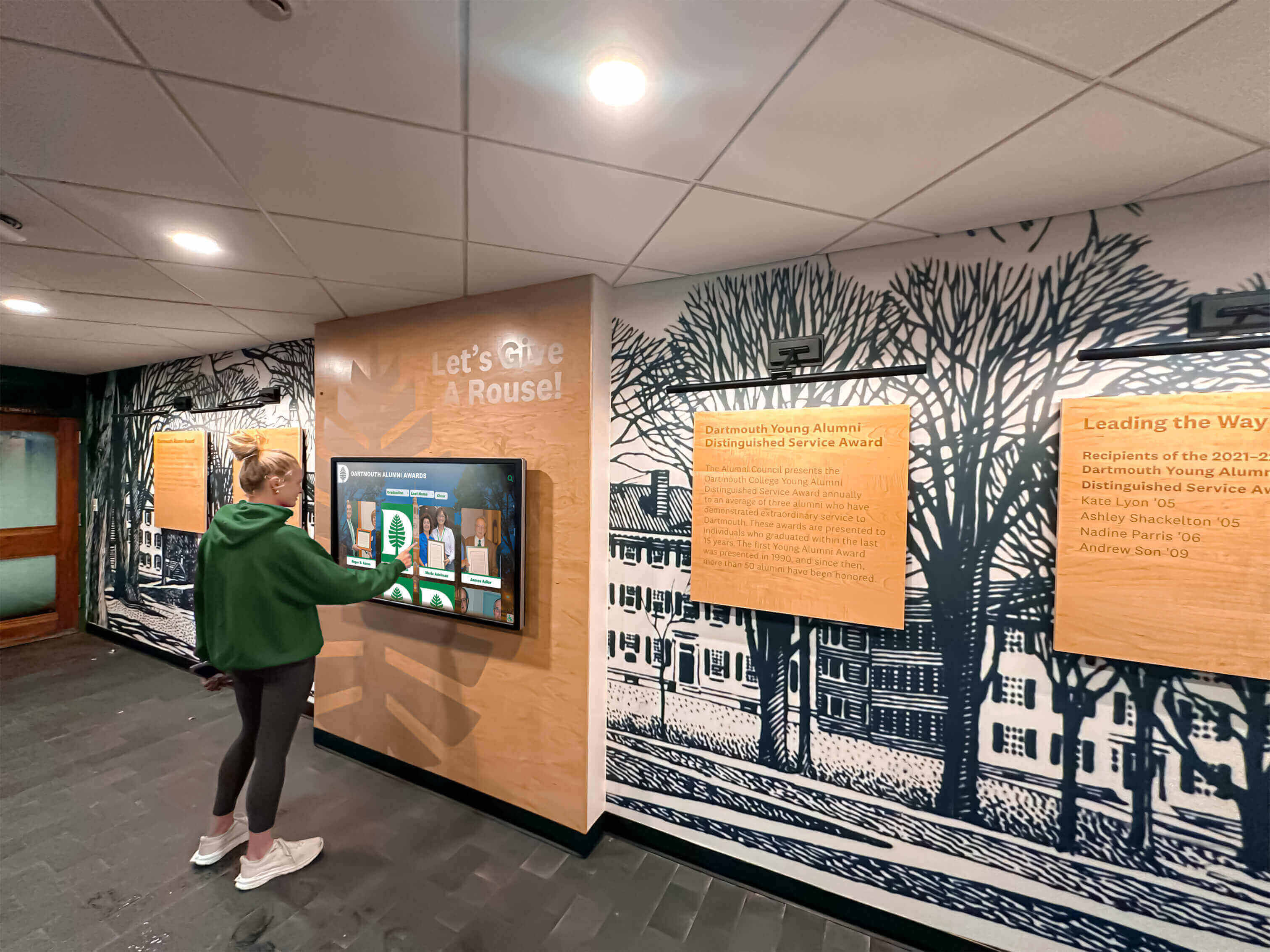
Intuitive touchscreen interfaces welcome all users regardless of technical experience, creating accessible engagement for every reunion attendee
Scene 8: Remote Access and Mobile Experience (11:35-12:45)
Visual Elements: Demonstration of memory wall accessibility beyond physical display through web browsers and mobile devices, showing how distant alumni participate remotely and how attendees maintain access after reunions conclude.
Narration Script:
“Reunion experiences don’t stop at the venue door or when the evening ends. Every element of our memory wall—classmate profiles, photo galleries, guestbook messages, and event updates—is accessible via web platform from any internet-connected device worldwide.
Here’s the same content we explored on the touchscreen, now accessible from a smartphone, tablet, or laptop. Responsive design ensures perfect display regardless of screen size—full functionality whether browsing on a phone while commuting or a desktop computer at home. Classmates who couldn’t attend physically can explore profiles, leave guestbook messages, upload photos, and participate meaningfully despite geographic distance.
QR codes displayed at registration and on table cards link directly to the web platform, enabling attendees to instantly access content on personal devices. They can bookmark profiles to revisit later, share interesting discoveries with spouses or family members, or continue exploration long after tonight’s event concludes.
Email notifications alert classmates when messages are left for them, when they’re tagged in photos, or when new content relevant to their interests is added—creating ongoing engagement touchpoints maintaining connection between milestone reunions rather than waiting five or ten years for next gathering.”
On-Screen Action:
- Show physical display with visible QR code
- Smartphone scanning QR code opening web platform
- Browser view showing reunion site on desktop computer
- Navigate mobile interface demonstrating responsive design
- Scroll through profiles on phone showing full functionality
- Demonstrate social sharing buttons enabling easy promotion
- Show email notification example directing recipient to new message
- Display analytics graphic showing geographic distribution of remote visitors
- Compare side-by-side physical display and mobile view showing content parity
- Text overlays: “Web Access | Mobile Responsive | Remote Participation | Social Sharing | Email Notifications | Worldwide Reach”
Production Notes: Capture actual multi-device experience with synchronized content across platforms. Show ease of transition between physical and digital access. Include testimonials from distant alumni explaining how remote access enabled participation despite travel impossibility. Demonstrate notification examples showing how system maintains engagement beyond event. Feature analytics showing impressive remote participation statistics.
Explore extended access strategies in digital hall of fame complete guides covering comprehensive web platform integration.
Scene 9: Setup and Content Management (12:45-14:00)
Visual Elements: Behind-scenes demonstration of display setup process and content management system showing how reunion committees configure displays without technical expertise, manage content updates, and analyze engagement metrics.
Narration Script:
“Creating engaging reunion memory walls requires surprisingly minimal technical effort thanks to intuitive setup and management systems. Let’s look behind the scenes at preparation and configuration.
Hardware setup involves positioning the touchscreen display in venue high-traffic area, connecting to venue Wi-Fi or mobile hotspot, and powering on—total setup time under 30 minutes. Most systems use commercial-grade touchscreen kiosks with integrated computers requiring only power and internet connection, no additional equipment or complex installation.
The cloud-based content management platform requires only web browser and internet connection. Reunion committee members log in from any device to upload classmate profiles, organize photo galleries, configure navigation menus, schedule content publication, and moderate guestbook submissions if desired.
Adding classmate profiles uses straightforward forms—enter biographical information, upload photos, set privacy preferences, and publish. Bulk import tools accept spreadsheet files making large class data entry efficient when alumni submit updates via online forms. Real-time preview shows exactly how content will appear on display before publication.
Throughout the reunion, administrators can upload new photos, post announcements, feature specific profiles, or adjust settings remotely from smartphones—no need to access physical display. Analytics dashboard shows engagement metrics including total interactions, most viewed profiles, search queries, and peak usage times, providing valuable insights for future reunion planning.”
On-Screen Action:
- Time-lapse showing physical display setup and configuration
- Screen recording of content management system login
- Navigate admin dashboard showing content organization
- Demonstrate adding new profile with form fields
- Upload photos using drag-and-drop interface
- Preview profile before publishing showing WYSIWYG functionality
- Show bulk import tool accepting CSV file
- Display real-time analytics during reunion showing live metrics
- View post-event report summarizing engagement statistics
- Text overlays: “30-Minute Setup | Cloud Management | Bulk Import | Real-Time Updates | Analytics Dashboard | No Technical Expertise Required”
Production Notes: Balance technical demonstration with accessible presentation avoiding excessive jargon. Show actual committee member performing management tasks demonstrating ease of use. Include brief interview with reunion organizer about setup experience and management simplicity. Emphasize time savings compared to creating physical display boards. Feature analytics screenshots showing impressive engagement metrics validating technology investment.
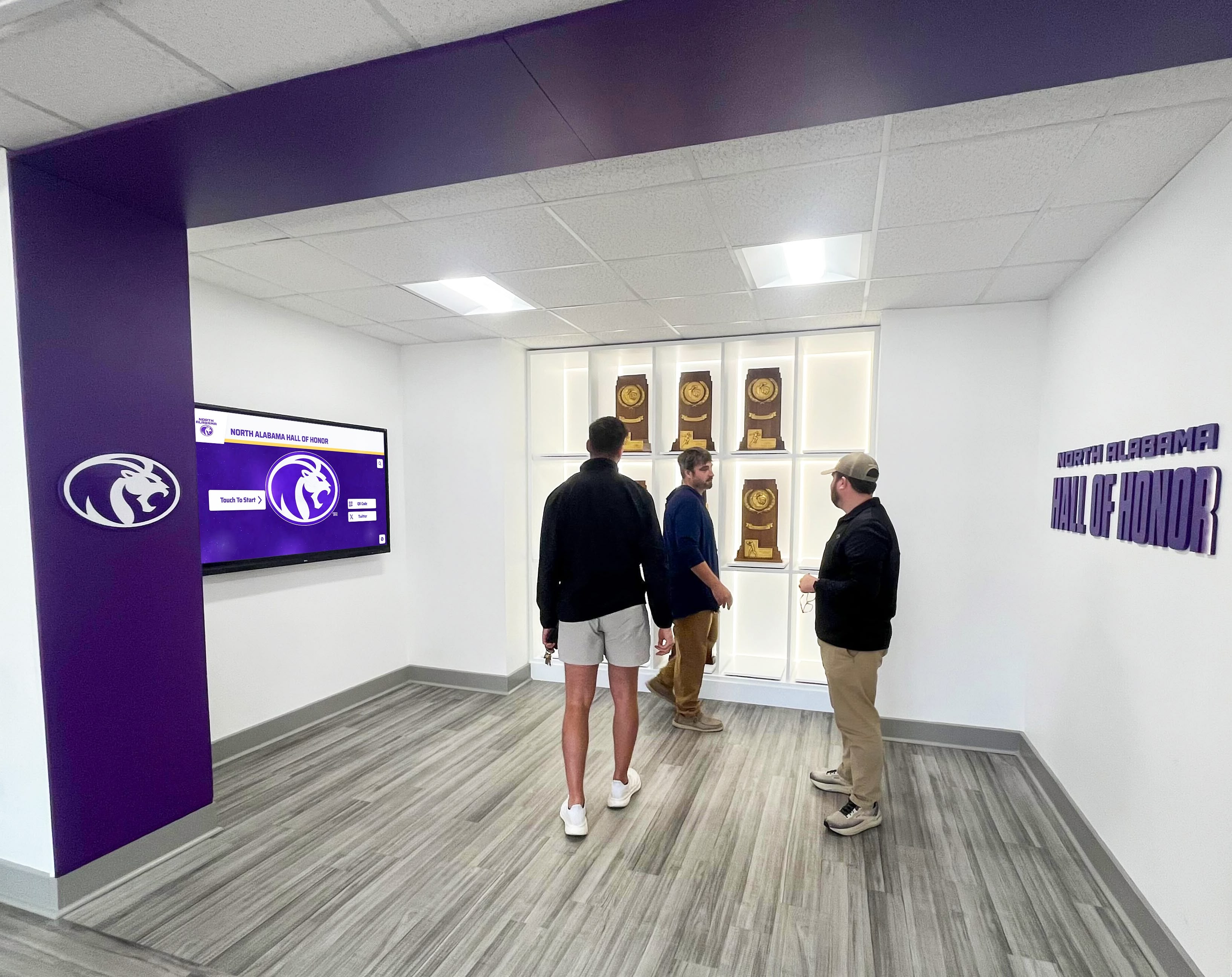
Interactive displays become natural gathering points where alumni congregate, explore together, and spark conversations about shared experiences and memories
Production Equipment and Technical Specifications
Professional reunion display board videos require appropriate equipment creating polished demonstrations that convince reunion committees interactive technology delivers compelling value justifying investment over traditional static approaches.
Camera Equipment and Settings
Primary Camera: Professional video camera or high-end mirrorless system (Sony A7 series, Canon R series, Panasonic Lumix) capable of 4K recording at 60fps. Shoot in 4K even if delivering 1080p final product—extra resolution enables digital zoom and reframing during editing without quality loss.
Lens Selection: 24-70mm f/2.8 zoom lens provides versatility for wide venue establishing shots, medium shots capturing display and surrounding area, and close-ups showing touchscreen interactions and user interface details. Prime lenses (35mm f/1.4, 50mm f/1.2) offer superior low-light performance for venue environments with mixed lighting conditions.
Stabilization: Gimbal stabilizer (DJI Ronin-S, Zhiyun Crane) enables smooth camera movement approaching displays and circling around them without handheld shake. Slider for controlled linear movements creating professional production value. Tripod for static shots showing extended touch interactions without motion distraction.
Lighting Approach for Venue and Display Filming
Reunion venues present challenging lighting—mixed color temperatures from venue overheads, natural window light if daytime events, decorative lighting, and bright touchscreen displays requiring careful exposure balancing.
Key Lighting: Portable LED panel lights (Aputure Amaran, Godox SL-series) with controllable color temperature (3200K-5600K) matching venue ambient conditions. Soft diffusion creating flattering light on subjects interacting with displays. Position key lights at 45-degree angle preventing harsh shadows.
Display Screen Exposure: Carefully balance screen brightness with ambient lighting preventing blown-out displays or underexposed surroundings. Polarizing filter reduces screen glare from overhead venue lights. Set camera exposure exposing properly for ambient environment, then adjust display brightness downward if screen appears overexposed—most displays allow brightness control independent from content.
Ambient Balance: Match supplemental lighting to dominant venue color temperature preventing color cast. Use color temperature meter or camera’s white balance presets. Shoot camera raw format when possible enabling post-production color correction flexibility.
Discover comprehensive lighting strategies in touchscreen display installation guides covering optimal viewing conditions and technical specifications.
Audio Recording for Clear Narration
Professional audio quality ensures viewers understand every feature description and benefit explanation—critical for persuasive demonstration videos.
Narration Recording: Professional USB condenser microphone (Blue Yeti, Rode NT-USB, Shure MV7) in quiet environment recording voice-over separately from location filming. Acoustic treatment (foam panels, reflection filters) eliminating room echo and ambient noise ensuring broadcast-quality narration clarity.
Location Audio: Wireless lavalier microphones (Rode Wireless GO II, Sennheiser EW series) capturing subject audio during on-camera demonstrations and attendee testimonials. Boom microphone for ambient reunion sound creating authentic atmosphere without overwhelming narration.
Audio Processing: Normalize levels to -3dB preventing distortion. Apply noise reduction removing background hum or venue HVAC noise. Add gentle compression for consistent volume. Subtle EQ enhancing voice clarity—cut frequencies below 80Hz removing rumble, boost presence frequencies around 3-5kHz enhancing intelligibility.
Closed Captioning and Accessibility
Accessibility features ensure video walkthroughs reach all audiences while demonstrating commitment to inclusive communication—particularly important for content about reunion events welcoming diverse alumni populations.
Caption Requirements: Professional closed captions (not auto-generated) with accurate spelling, proper punctuation, and appropriate timing synchronized precisely with audio. Caption editing software (Rev, Kapwing, Adobe Premiere) or professional caption services ensuring accuracy and readability.
Audio Description: Separate audio track describing visual elements for visually impaired viewers—on-screen text, navigation actions, interface elements, and important visual information not covered by narration. Audio description inserted during natural pauses in primary narration track.
Transcript Document: Complete written transcript of narration, on-screen text, and visual descriptions available as downloadable PDF or web page. Enables search engine indexing, accessibility accommodation, and viewer preference for reading over watching.
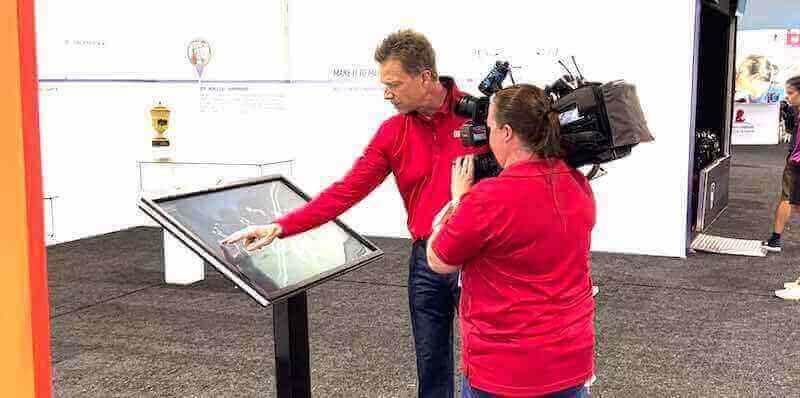
Professional video production with proper equipment and planning creates compelling demonstrations showcasing interactive reunion display board capabilities and benefits
Distribution Strategy and Marketing Applications
Completed reunion display board videos serve multiple strategic purposes maximizing return on production investment through diverse distribution across reunion committee outreach, school marketing, and vendor promotion channels.
Primary Distribution Channels
Reunion Committee Websites: Feature video prominently on class reunion planning websites explaining interactive display options to committees evaluating whether technology investment justifies cost over traditional approaches. Embed using responsive video players (Vimeo, YouTube, Wistia) ensuring perfect display across devices.
Email Campaign Integration: Include video links in reunion invitation emails, registration reminder messages, and post-event follow-up communications. Video thumbnails in emails significantly increase click-through rates compared to text-only messages, while content provides compelling promotion for upcoming reunions or documentation of past events.
Social Media Promotion: Share video across Facebook alumni groups, LinkedIn class networks, and Instagram accounts with relevant hashtags. Create 60-90 second vertical excerpt clips (9:16 aspect ratio) optimized for Instagram Stories, Reels, and TikTok showcasing most compelling features—profile exploration, photo gallery interaction, or guestbook messaging.
YouTube Channel: Upload to dedicated reunion or school YouTube channel with comprehensive SEO optimization. Title: “High School Reunion Interactive Display Board Demo | [School Name] Class of [Year].” Description: 300+ word summary explaining features, timestamp chapters for navigation, links to booking information or vendor contact. Tags: class reunion ideas, high school reunion planning, interactive memory wall, digital reunion display.
School Website Integration: Schools hosting reunions regularly can feature video on alumni pages, reunion information sections, or facilities rental promotions showing available technology amenities. Positions school as technologically progressive while marketing reunion venue capabilities.
Video SEO and Organic Discovery
Optimize video content for search engine discovery maximizing organic reach beyond paid promotion or existing alumni networks.
Keyword-Rich Metadata: Front-load title with primary keywords (“High School Reunion Display Board Video Demo”) while maintaining natural readability. Include secondary keywords in description (interactive memory wall, touchscreen reunion display, digital guestbook, classmate profile directory). Comprehensive tagging covering all feature aspects and use cases.
Timestamp Chapters: Add YouTube chapters enabling viewers to navigate directly to sections of interest: 0:00 Introduction, 0:45 Welcome Screen Navigation, 2:15 Classmate Profiles, 4:15 Featured Stories, etc. Improves user experience while providing additional keyword-rich metadata for search engines.
Thumbnail Optimization: Custom-designed thumbnail showing touchscreen interaction with overlaid text highlighting key benefit (“500+ Alumni Profiles” or “Interactive Reunion Memories”). A/B test thumbnails maximizing click-through rates. Ensure thumbnail remains readable at small sizes on mobile devices.
Supporting Blog Content: Publish accompanying blog post embedding video alongside written content explaining features in detail, providing setup instructions, sharing testimonials, and including call-to-action buttons. Blog post provides SEO-rich text content while video delivers engaging visual demonstration—combination maximizing search visibility and conversion.
Explore content marketing strategies in school history archiving guides covering comprehensive documentation and promotion approaches.
Conversion Funnel Integration
Strategic video placement throughout reunion planning journey maximizes conversion from awareness to booking decisions.
Awareness Stage: Social media video excerpts and YouTube discovery introduce reunion committees to interactive display possibilities. Focus on emotional benefits—enabling meaningful connections, celebrating diverse life paths, including distant alumni.
Consideration Stage: Full-length demonstration video on landing pages provides comprehensive feature overview for committees evaluating options. Include clear calls-to-action: “Request Pricing Quote,” “Schedule Demo Consultation,” “Download Reunion Planning Guide PDF.”
Decision Stage: Testimonial videos from reunion organizers explaining their experience, attendee reactions, and perceived value justifying investment. Case studies showing specific class statistics—number of profiles created, engagement metrics, post-event feedback scores.
Post-Event Stage: Highlight reels showcasing actual reunion events using interactive displays, attendee testimonial compilations, and photo galleries demonstrating technology in action at real celebrations. Repurpose as promotional content for future committees considering similar implementations.
Measuring Video Performance and Iterative Improvement
Systematic assessment reveals which video elements resonate most strongly while identifying opportunities for enhancement in future productions.
Engagement Metrics Analysis
View Counts and Sources: Track total video views segmented by traffic source (website embedding, YouTube organic search, social media referrals, email campaigns) revealing which distribution channels drive engagement. Monitor view velocity identifying if interest peaks around reunion planning seasons.
Completion Rates: Percentage of viewers watching entire video versus dropping off early indicates content quality and pacing effectiveness. Analyze drop-off points using YouTube Analytics or Vimeo insights identifying scenes requiring tightening or content needing clarification. Target 50%+ completion rate for 10-12 minute demonstrations—strong performance indicating compelling content maintaining attention.
Chapter Engagement: If implementing timestamp chapters, analyze which sections receive most replays or jumps revealing topics of greatest interest. Use insights informing which features to emphasize in future videos or marketing materials. High replay rates on specific sections suggest particularly compelling content warranting extended coverage or standalone videos.
Interaction Rates: Click-through on embedded calls-to-action, links in descriptions, conversion actions (form submissions, consultation bookings, pricing requests) measuring how effectively video drives desired actions beyond passive viewing.
Conversion Impact Assessment
Lead Generation Quality: Quantity and quality of inquiries generated through video landing pages, email campaigns featuring video, and organic YouTube discovery. Track conversion rates from video viewer to qualified lead to actual reunion booking. Survey leads asking whether video influenced decision-making process.
Sales Cycle Influence: Monitor whether prospects viewing demonstration videos close faster or require fewer touchpoints before booking decisions compared to those not exposed to video content. Track correlation between video view duration and ultimate conversion—do prospects watching complete videos convert at higher rates than those with partial viewing?
Customer Satisfaction: Survey reunion committees and attendees about whether final experience matched expectations set by demonstration video. High satisfaction indicates accurate representation while mismatches suggest adjustments needed to align video promises with actual delivery.
Continuous Improvement Process
A/B Testing: Test different video lengths (short 3-minute overview versus comprehensive 10-minute walkthrough), thumbnail designs, narration styles (formal professional voice versus casual conversational tone), and call-to-action placements. Implement winning variations systematically improving performance over time.
Audience Feedback Collection: Solicit qualitative feedback through post-viewing surveys asking what was most valuable, what questions remain unanswered, what features seemed most compelling, and what additional content would help decision-making. Use insights informing future video content development.
Competitive Analysis: Monitor how reunion vendors and competing technology providers position products through video content. Identify gaps in their approaches and opportunities for differentiation emphasizing unique capabilities and benefits not highlighted by competitors.
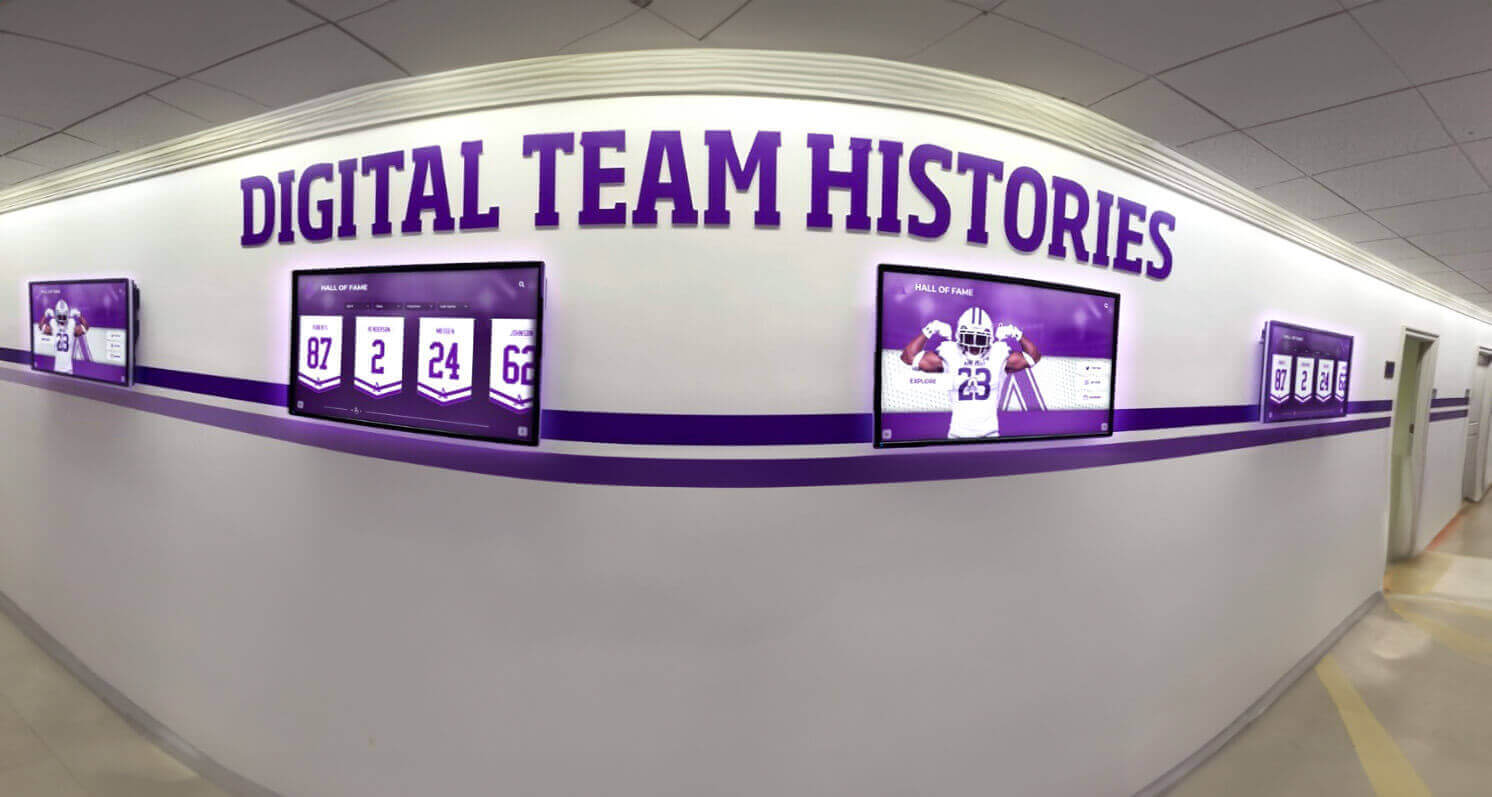
Permanent school installations serve ongoing recognition while demonstrating capabilities for temporary reunion event implementations
Advanced Video Applications and Next-Generation Content
Emerging video technologies and formats create new opportunities for demonstrating interactive reunion display capabilities through innovative presentation approaches.
360-Degree Virtual Tours
Immersive Environment Documentation: 360-degree video cameras (Insta360, GoPro MAX) capture complete venue environment showing display placement within realistic reunion setting. Viewers navigate perspective exploring display from multiple angles, viewing surrounding seating areas and venue ambiance, understanding spatial context impossible through traditional video.
Interactive Hotspots: Add clickable hotspots within 360-degree video enabling viewers to access additional information—tap display screen to see close-up interaction demonstration, click seating area to view attendee testimonials, select venue entrance to understand traffic flow and placement strategy.
Live Streaming Reunion Events
Real-Time Demonstration: Stream actual reunion events via YouTube Live, Facebook Live, or dedicated event platforms showing authentic display usage throughout evening. Capture spontaneous moments—alumni discovering classmate profiles, groups gathering around display discussing memories, emotional reconnections triggered by content exploration.
Remote Participation Integration: Enable distant alumni to participate in live-streamed reunions through chat interactions, question submission, and virtual guestbook contributions displayed on-screen during broadcast. Creates inclusive experience for geographically distant classmates unable to attend physically.
Augmented Reality Enhancement
AR Try-Before-You-Buy: Develop mobile app enabling reunion committees to preview display placement in their chosen venues using smartphone camera and augmented reality. Point camera at venue space, see virtual display rendered in realistic scale and position, walk around viewing from multiple angles understanding spatial requirements.
Interactive AR Elements: Create AR extensions to video content—viewers point smartphones at video playing on computer screen to unlock additional 3D content, detailed feature explanations, or interactive elements demonstrating capabilities beyond linear video format.
Artificial Intelligence Personalization
Dynamic Video Customization: Use AI-driven video generation creating personalized demonstrations for specific reunion committees showing their actual class year, school colors, estimated classmate count, and relevant venue types. Automated customization delivers personalized experience at scale without manual video editing for each prospect.
Chatbot Integration: Embed AI chatbot alongside video player answering viewer questions in real-time, directing to specific video chapters relevant to their interests, collecting lead information conversationally, and scheduling follow-up consultations without requiring human sales intervention.
Conclusion: Video Walkthroughs Transform Abstract Technology Into Tangible Experience
High school reunion display boards represent significant technological advancement over traditional static poster displays—yet explaining abstract digital concepts through text descriptions or static images fails to convey the engaging interactive experience that makes these systems valuable for alumni reconnection and memory preservation.
Book a Live Reunion Display Board Demo
Experience interactive reunion memory walls firsthand through personalized video consultation showcasing how your reunion committee can create engaging digital displays celebrating your graduating class through comprehensive alumni profiles, photo galleries, and interactive features maintaining connections far beyond single evening events.
Schedule Your Video Demo TodayProfessional video walkthroughs bridge this communication gap by providing tangible visual proof showing exactly what attendees experience when exploring touchscreen interfaces, how reunion committees manage content without technical expertise, and what engagement benefits justify technology investment over traditional approaches. From establishing shots showing integrated venue displays through detailed interaction sequences demonstrating intuitive navigation through comprehensive production specifications ensuring broadcast-quality results, strategic video content transforms abstract possibilities into concrete understanding driving confident decision-making by reunion planners evaluating whether interactive displays deliver sufficient value.
When reunion committees watch well-produced demonstration videos showing realistic usage scenarios, authentic attendee reactions, and measurable engagement metrics from actual events, they gain confidence that technology will enhance rather than complicate their celebrations—enabling informed decisions about whether interactive displays align with their reunion goals, budget constraints, and attendee demographics. The video format provides persuasive proof impossible through written descriptions or static images alone, while creating reusable content serving multiple purposes across marketing, attendee promotion, and post-event documentation.
Ready to create compelling video demonstrations of your interactive reunion display board capabilities? Explore how solutions like Rocket Alumni Solutions provide comprehensive touchscreen platforms designed specifically for class reunions and alumni organizations, combining intuitive interfaces welcoming all technical comfort levels, flexible content management enabling easy profile and photo administration, remote web access extending participation beyond physical events, and professional support ensuring successful implementation from planning through post-reunion engagement maintenance.
Discover additional recognition approaches in alumni gathering area design strategies and interactive announcements systems demonstrating broader applications of interactive touchscreen technology for institutional alumni engagement beyond reunion-specific implementations.
Learn about permanent installation options in digital hall of fame buying guides that serve ongoing student recognition while providing reunion event capabilities for milestone gathering celebrations throughout academic years.































