




Graduation ceremonies mark one of the most significant transitions in students’ lives—the culmination of years of academic work, personal growth, and community connections. Among the many elements that transform commencement from administrative necessity into emotional celebration, the graduation slideshow stands out as the visual centerpiece that personalizes mass ceremonies, honors individual journeys, and creates shared moments of recognition families treasure for generations.
Creating an effective graduation slideshow presents unique challenges for school administrators, yearbook advisors, and graduation committees. Unlike typical presentations, graduation slideshows must balance hundreds of individual tributes with ceremony pacing constraints, accommodate diverse student experiences within cohesive narratives, and deliver technical reliability during high-stakes public events attended by thousands.
The most successful graduation slideshows accomplish something remarkable—they make every family in an auditorium filled with hundreds feel personally recognized while simultaneously creating collective celebration moments that unite entire graduating classes in shared identity and accomplishment.
This comprehensive guide explores practical graduation slideshow ideas spanning photo selection strategies, presentation formats, music pairing, technical considerations, and innovative digital display approaches that help schools create meaningful senior tributes enhancing graduation ceremonies while managing production complexity effectively.

Modern student recognition combines ceremony slideshows with permanent digital displays ensuring senior achievements receive lasting visibility beyond graduation day
Understanding the Purpose and Impact of Graduation Slideshows
Before exploring specific production techniques, understanding what makes graduation slideshows meaningful helps schools design presentations that resonate emotionally rather than simply fulfill ceremonial obligations.
Why Graduation Slideshows Matter to Students and Families
Graduation slideshows serve multiple interconnected purposes during commencement ceremonies:
Personalization of Mass Ceremonies
Large graduating classes often create anonymous experiences where individual students disappear into crowd processions. Graduation slideshows counter this by:
- Showcasing individual faces and names during collective celebration
- Highlighting unique personality traits and accomplishments
- Creating recognition moments for every graduate regardless of academic rank
- Allowing family members to see their student spotlighted publicly
- Transforming statistical headcounts into memorable individuals with distinct identities
Narrative Closure on Shared Experiences
Beyond individual recognition, effective slideshows create narrative cohesion:
- Documenting class journey from freshman year through senior spring
- Capturing transformative moments defining graduating class identity
- Showcasing growth and change across high school years
- Celebrating shared traditions, events, and milestones
- Creating visual legacy connecting graduating class to institutional history
Similar to how schools document student achievement recognition programs, graduation slideshows preserve important moments in student development.
Emotional Resonance for Families
For families, graduation slideshows provide:
- Public acknowledgment of parental investment and support
- Visible evidence of student growth parents witnessed gradually
- Shareable media capturing milestone moments
- Emotional catharsis as high school chapter concludes
- Pride in student accomplishments celebrated within peer context
Research in educational psychology demonstrates that students receiving meaningful public recognition during graduation ceremonies maintain stronger alumni connections to institutions, report more positive high school memories, and show higher rates of participation in alumni programs compared to those experiencing perfunctory commencement procedures.
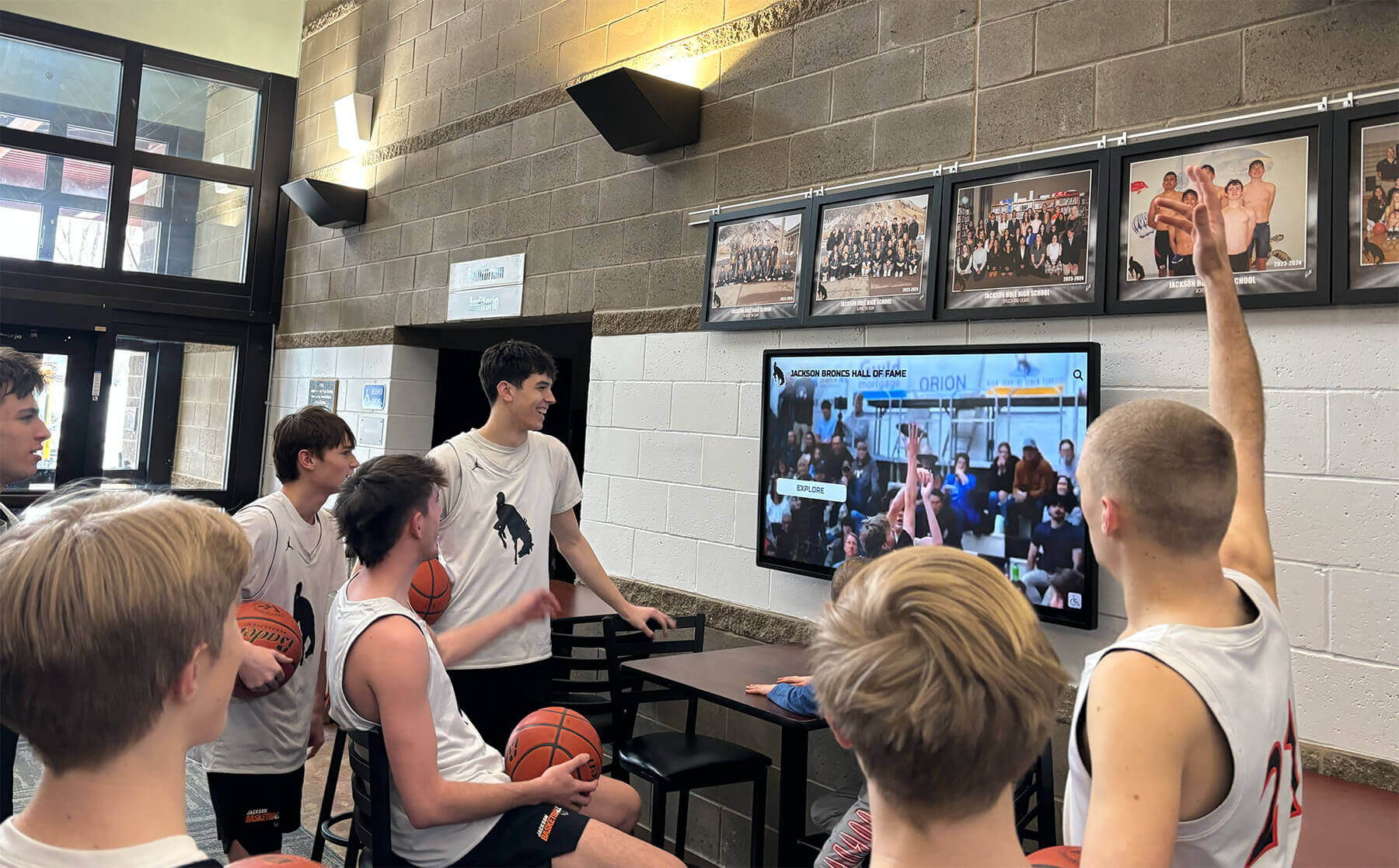
Digital displays throughout school buildings create multiple opportunities for showcasing student achievements beyond single-day ceremonies
Common Graduation Slideshow Formats
Schools employ several distinct slideshow formats, each with specific advantages and production requirements:
Individual Photo Montages
The most common format features sequential individual photos:
- Single photo per graduate with name and relevant details
- Typically 5-10 seconds per student
- Alphabetical or random order presentation
- Background music creating emotional tone
- Optional baby photos or timeline progressions
Advantages: Simple production, guaranteed equal representation, predictable timing Challenges: Can feel repetitive with large classes, limited narrative development
Thematic Journey Slideshows
Narrative-focused presentations organize content around themes:
- Freshman year memories transitioning through senior year
- Academic, athletic, artistic, and social achievement categories
- Seasonal progression showing school year evolution
- Event-based organization (homecoming, prom, senior week)
- Mixed group and individual photos telling cohesive stories
Advantages: More engaging viewing experience, celebrates shared class identity Challenges: Unequal individual representation, complex editing requirements
Hybrid Approaches
Many schools combine formats:
- Opening thematic section establishing class narrative (3-5 minutes)
- Individual photo montage ensuring every graduate appears (10-15 minutes)
- Closing collective celebration highlighting senior year (2-3 minutes)
This structure balances comprehensive individual coverage with engaging storytelling, though it requires significantly more production time.
Schools using similar recognition approaches for athletics often explore digital trophy walls as permanent complements to temporary ceremony presentations.
Essential Elements of Effective Graduation Slideshows
Regardless of chosen format, successful graduation slideshows incorporate specific elements that elevate presentations from acceptable to memorable.
Photo Selection and Quality Standards
The visual foundation of any graduation slideshow depends entirely on photo quality and selection criteria.
Establishing Photo Submission Guidelines
Clear submission requirements prevent quality issues:
- Minimum resolution specifications (typically 1920x1080 or higher)
- Acceptable file formats (JPEG, PNG with appropriate compression)
- Photo orientation guidelines (horizontal vs. vertical considerations)
- Content appropriateness standards (school-appropriate imagery only)
- Deadline enforcement with grace period policies
- Backup plan for students missing submission deadlines
Curating Submitted Content
Raw submissions rarely work without editorial curation:
- Color correction for consistent visual tone across diverse photo sources
- Cropping to standard dimensions for uniform presentation
- Brightness and contrast adjustments ensuring visibility on projection screens
- Background removal or replacement for professional consistency
- Face positioning standardization when using individual portraits
- Removing photos with inappropriate content or quality issues
Photo Rights and Permission Considerations
Legal compliance requires attention to:
- Obtaining photo rights from professional photographers
- Parent permission for student image usage in public presentations
- Avoiding copyrighted imagery without proper licensing
- Credit attribution for professional photography when appropriate
- Archival rights for future use in school materials
Many schools extending recognition beyond ceremonies explore how old school photos display digitally for permanent accessibility.
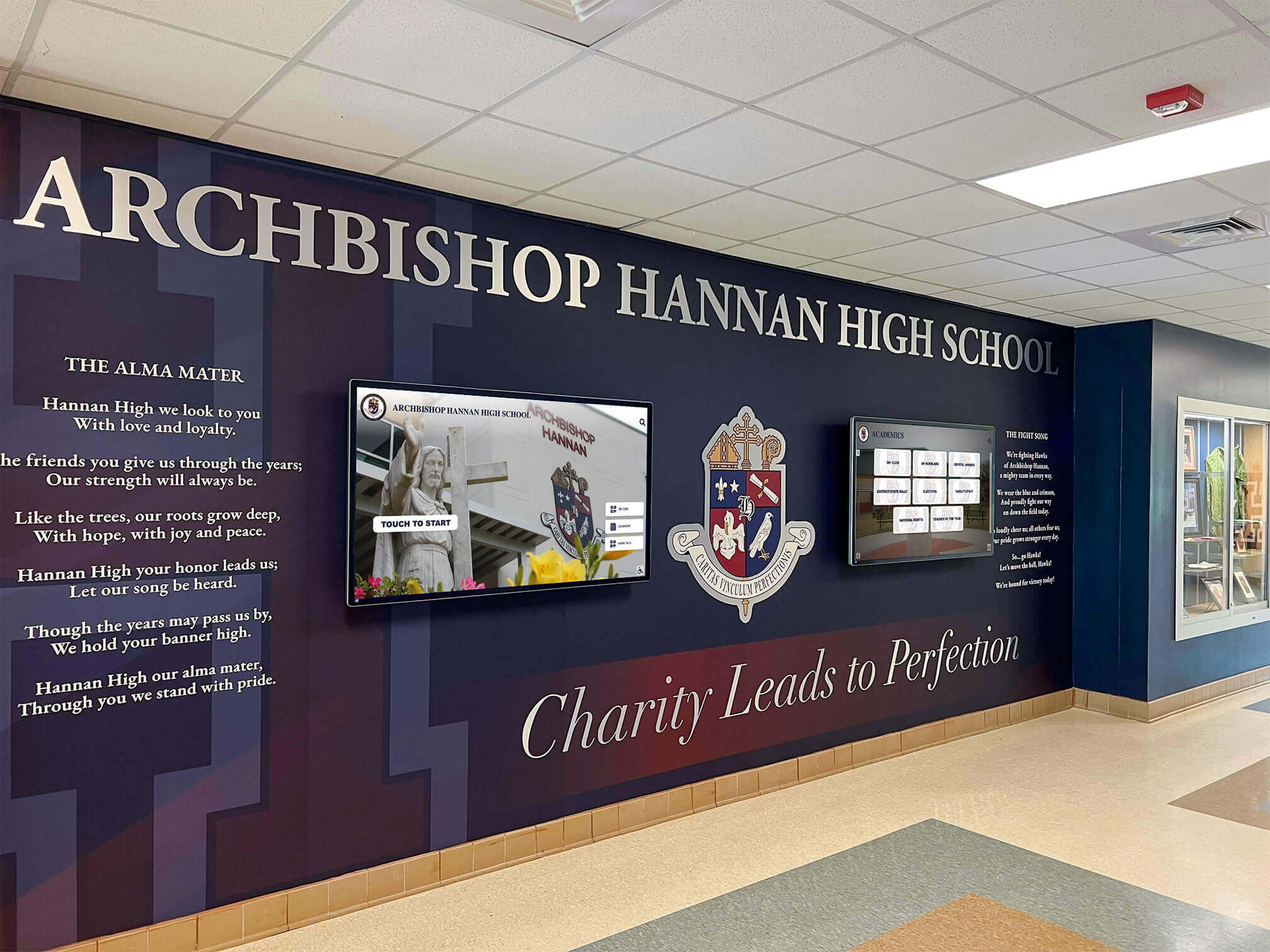
Permanent digital recognition displays in school entrance areas provide year-round visibility for student achievements
Music Selection and Audio Considerations
Audio choices dramatically affect slideshow emotional impact and ceremony pacing.
Choosing Appropriate Background Music
Effective music selections balance several factors:
- Emotional tone matching ceremony gravitas (avoid overly casual or dated selections)
- Broad generational appeal satisfying students, parents, and grandparents
- Instrumental vs. vocal considerations (lyrics can distract from visual focus)
- Copyright compliance for public performance licensing
- Song length matching slideshow duration requirements
- Volume levels allowing conversation without overwhelming space
Popular Music Categories
Schools commonly select from these genres:
Instrumental Orchestral: Provides elegant, timeless backdrop
- Examples: “Pomp and Circumstance” variations, contemporary classical compositions
- Advantages: Universally appropriate, emotionally resonant
- Considerations: May feel traditional or predictable
Contemporary Instrumental: Modern feel without dated associations
- Examples: Piano covers of popular songs, acoustic instrumental versions
- Advantages: Fresh while remaining appropriate
- Considerations: Requires careful selection avoiding overly trendy choices
Uplifting Pop/Rock (Instrumental): Energetic without inappropriate content
- Examples: Instrumental versions of graduation-themed popular songs
- Advantages: Engaging for students while appropriate for families
- Considerations: Copyright clearance requirements
Multiple Music Sections
Longer slideshows benefit from varied musical pacing:
- Opening energetic section establishing celebration tone
- Middle contemplative section for reflection
- Closing triumphant section building toward diploma processional
Timing and Pacing Strategies
Slideshow duration significantly impacts ceremony flow and audience engagement.
Calculating Appropriate Length
Time allocation depends on class size and ceremony format:
- Small classes (under 100): 8-12 minutes total allows leisurely pacing
- Medium classes (100-250): 12-18 minutes balances recognition with audience attention
- Large classes (250+): 15-25 minutes maximum prevents fatigue
Per-Student Time Allocation
Individual slide duration affects overall length:
- 3-4 seconds: Minimal but allows name recognition
- 5-6 seconds: Standard timing enabling photo appreciation
- 8-10 seconds: Generous for reflection, only feasible with smaller classes
Formula: (Number of graduates × seconds per slide) ÷ 60 = Total minutes
Ceremony Context Considerations
Slideshow placement affects timing decisions:
- Pre-ceremony presentation: Can run longer as families arrive (no captive audience requirement)
- Mid-ceremony feature: Must fit tightly within program schedule
- Post-diploma presentation: Shorter duration maintains momentum toward conclusion
- Reception display: Can loop continuously without strict time limits
Schools balancing multiple recognition needs throughout the year often implement solutions like honor roll digital recognition systems complementing graduation ceremonies.
Creative Graduation Slideshow Concepts
Beyond standard photo montages, innovative approaches create distinctive celebration experiences.
Baby Photo to Senior Year Progressions
One of the most emotionally powerful formats showcases transformation:
Two-Photo Format:
- Baby/toddler photo paired with senior portrait
- Split-screen or fade transition between images
- Immediate visual impact of growth and change
- High family engagement (parents provide baby photos)
- Requires early planning for photo collection
Timeline Progression:
- Elementary, middle school, and high school photos in sequence
- Shows gradual development rather than dramatic jump
- Requires more photos and longer individual segments
- Higher production complexity but greater emotional impact
Implementation Tips:
- Begin collecting baby photos at year start (families need time to locate and submit)
- Provide submission examples showing appropriate baby photo types
- Establish backup protocols for students without baby photos available
- Consider privacy sensitivities (some students may be uncomfortable with baby photos)
Thematic Category Recognition
Organizing content around achievement categories ensures diverse student recognition:
Academic Excellence Sections:
- Honor roll students, valedictorians, scholarship recipients
- Academic competition achievements
- Special program completions (AP scholars, dual enrollment)
Athletic Achievement Highlights:
- State championship teams and individual athletes
- Record-breaking performances
- Multi-sport athletes and career milestone achievements
Schools often complement graduation slideshows with comprehensive approaches used in end-of-year awards programs recognizing diverse student accomplishments.
Artistic and Performance Accomplishments:
- Theater production highlights
- Musical performance moments
- Visual art showcase and competition winners
- Dance and debate team recognition
Service and Leadership Contributions:
- Student government officers
- Club leadership positions
- Community service hour achievements
- Peer mentorship program participants
This comprehensive approach ensures students excelling in non-traditional academic areas receive appropriate recognition alongside conventional achievers.
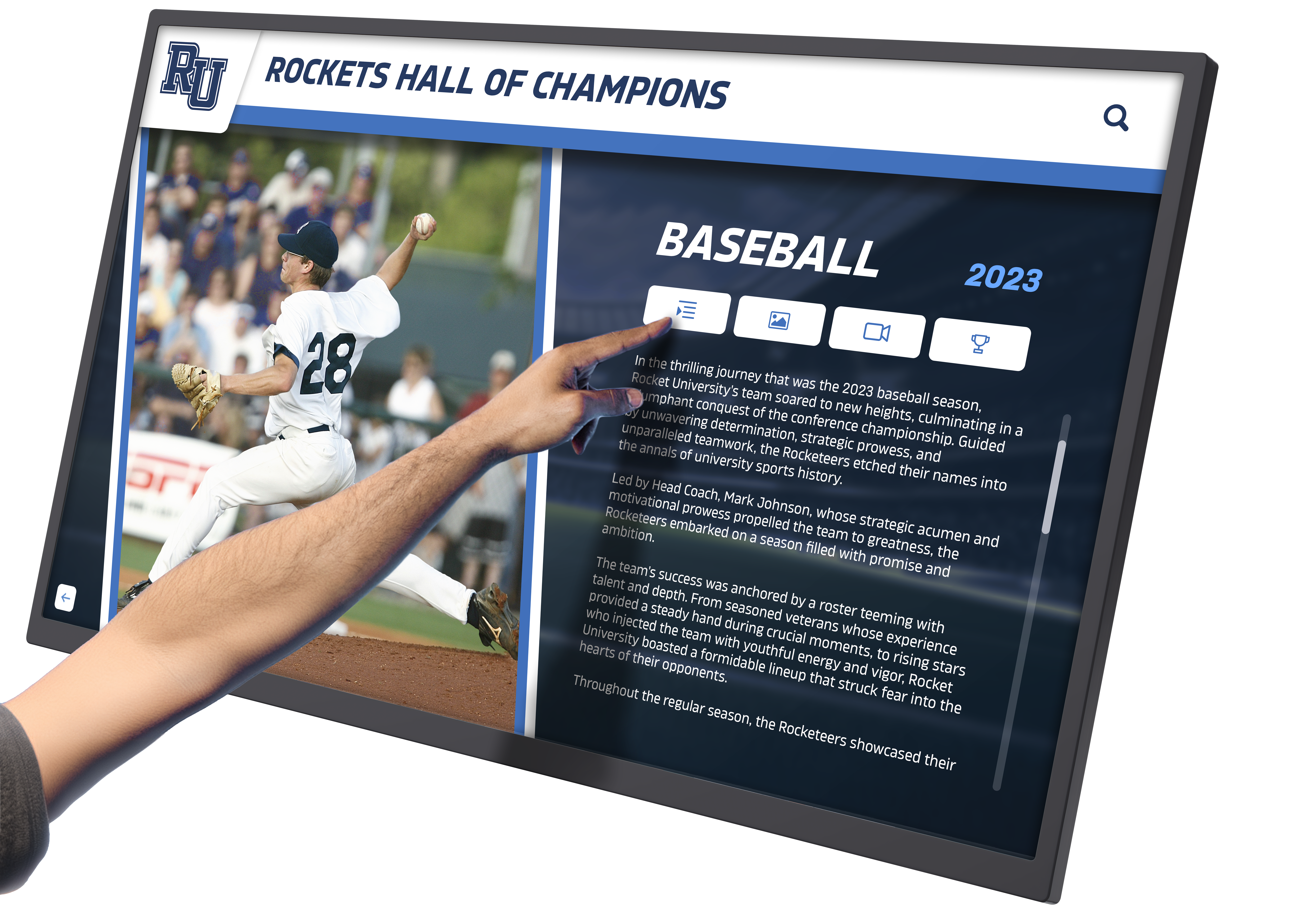
Interactive touchscreen displays allow detailed achievement documentation beyond what ceremony slideshows can accommodate within time constraints
“Where Are They Going” Future Showcases
Forward-looking content celebrates next-chapter transitions:
College and University Destinations:
- Display student photo with college logo or campus image
- Group by institution for regional pride moments
- Include military service commitments and gap year plans
- Career pathway technical program enrollments
Implementation Considerations:
- Collect information through senior surveys
- Respect privacy for students not pursuing traditional paths
- Avoid implicit hierarchy (community college receiving equal treatment to universities)
- Include trade schools, apprenticeships, and employment equally
Career and Ambition Highlights:
- Intended major or career field
- Dream job aspirations
- Personal goals beyond educational plans
- Creative or entrepreneurial pursuits
Senior Superlatives and Personality Showcases
Lighthearted content balances serious achievement recognition:
Traditional Superlatives:
- Most likely to succeed, best dressed, class clown
- Athletic, artistic, and academic superlatives
- Friendship and personality awards
Modern Interactive Variations:
- “Most likely to” predictions created by student voting
- Teacher-selected character awards
- Peer recognition for kindness and positive impact
Content Safeguards:
- Avoid categories reinforcing negative stereotypes
- Ensure all superlatives frame students positively
- Provide opt-out options for students preferring not to participate
- Balance silly categories with meaningful recognition
Schools implementing year-round recognition often reference how senior superlatives display digitally beyond single-use ceremony presentations.
Quote and Memory Integration
Student voices make slideshows more personal:
Senior Quotes:
- Favorite high school memory
- Advice to underclassmen
- Thank you messages to families or teachers
- Inspirational quotes or personal mottos
Technical Implementation:
- Text overlay on individual photos
- Dedicated quote slides between photo sections
- Scrolling text in lower thirds during montages
Quote Collection and Editing:
- Establish character limits and appropriateness guidelines
- Editorial review process for content approval
- Backup generic quotes for students not submitting
- Proofread carefully (quotes project on massive screens)
Technical Production Considerations
Professional-quality slideshows require attention to production details beyond content selection.
Software and Creation Tools
Multiple platforms enable slideshow creation with varying complexity levels:
Consumer-Level Options:
Google Slides/PowerPoint:
- Advantages: Familiar interfaces, built-in templates, easy collaboration
- Limitations: Basic transitions, limited audio control, file size management challenges
- Best for: Small schools, simple formats, committee collaboration needs
Apple Photos/iMovie:
- Advantages: User-friendly, good music integration, automatic timing features
- Limitations: Mac-only, limited customization, basic text options
- Best for: Schools with Mac infrastructure, photo-focused montages
Professional Video Editing Software:
Adobe Premiere Pro/Final Cut Pro:
- Advantages: Complete creative control, professional transitions, advanced audio mixing
- Limitations: Steep learning curve, expensive licensing, requires training
- Best for: Schools with media production programs, complex projects
Animoto/Magisto:
- Advantages: Automated creation, cloud-based, template-driven simplicity
- Limitations: Subscription costs, limited customization, style constraints
- Best for: Quick production timelines, limited technical expertise
Display and Projection Requirements
Technical reliability during live ceremonies demands careful planning:
Resolution and Aspect Ratio:
- Create at native projector resolution (typically 1920x1080)
- Maintain 16:9 aspect ratio for modern projection systems
- Test on actual ceremony projection equipment before event
- Prepare backup versions at multiple resolutions
File Format and Compatibility:
- Export to multiple formats (MP4, MOV, AVI) for equipment compatibility
- Test playback on ceremony computers days before event
- Bring backup copies on multiple devices (laptop, USB drives, cloud storage)
- Assign technical staff member to manage playback
Audio System Integration:
- Test audio levels in actual ceremony venue
- Balance music volume for auditorium acoustics
- Ensure audio syncs properly with video throughout
- Prepare for audio-only backup if video fails
Schools implementing permanent digital recognition explore solutions like interactive touchscreen kiosks that extend beyond single-event presentations.
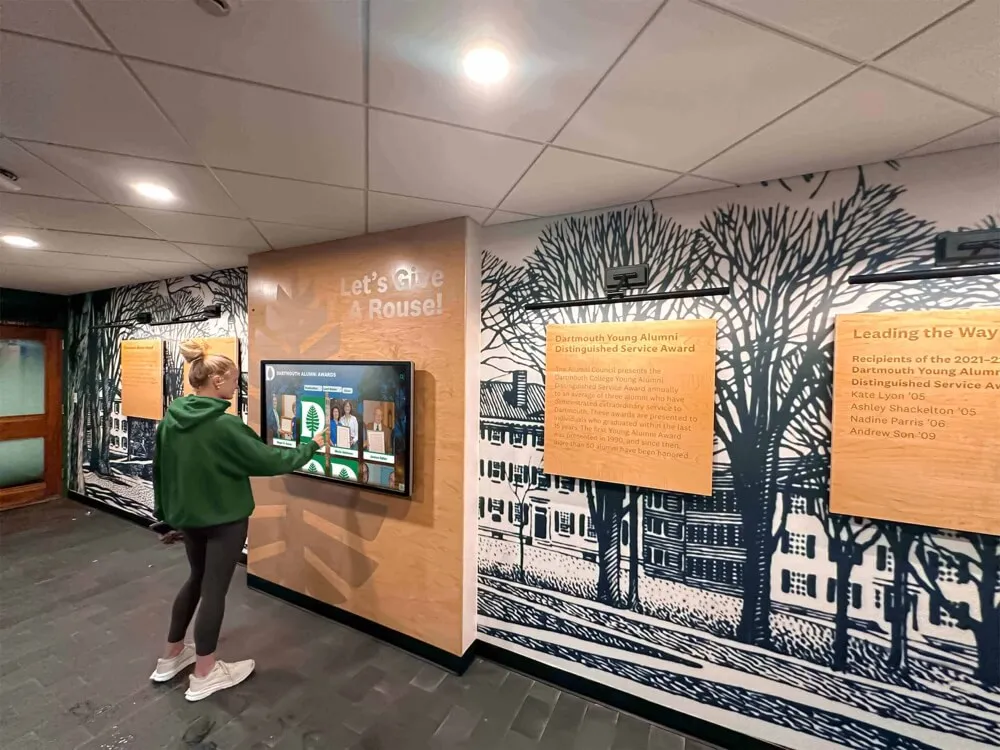
Year-round touchscreen displays in high-traffic areas keep student achievements visible long after graduation ceremonies conclude
Backup Plans and Contingency Protocols
Live events require preparation for technical failures:
Multiple Format Backups:
- Save final slideshow in three different file formats
- Store copies on two separate USB drives
- Upload to cloud storage accessible on mobile devices
- Prepare DVD backup for older equipment compatibility
Equipment Redundancy:
- Test on both primary and backup computers
- Have backup projector bulbs available
- Prepare standalone audio system if venue system fails
- Keep technical support contact information immediately accessible
Content Contingency Plans:
- Print program recognizing all graduates if slideshow completely fails
- Prepare shorter backup version if time becomes constrained
- Have static slide with class photo if video won’t play
- Designate ceremony MC to acknowledge technical difficulties gracefully
Production Timeline and Workflow Management
Successful graduation slideshows require months of planning rather than last-minute assembly.
Recommended Production Schedule
6 Months Before Graduation:
- Assign production responsibility to specific staff or committee
- Select slideshow format and establish creative vision
- Begin collecting baby photos if using progression format
- Research music licensing requirements and budget allocation
4 Months Before:
- Launch photo submission portal with clear guidelines
- Send first reminder about submission deadlines
- Begin compiling existing school photos from yearbook, athletics, activities
- Test slideshow software and establish editing workflow
2 Months Before:
- Close photo submissions and begin editing process
- Conduct first quality review of submitted content
- Select music and obtain necessary performance licenses
- Create rough draft for stakeholder review
1 Month Before:
- Finalize content and music synchronization
- Conduct review with administration for approval
- Test on ceremony projection equipment
- Create backup versions in multiple formats
1 Week Before:
- Final quality control review
- Create all backups and test each version
- Brief technical staff on playback procedures
- Prepare contingency protocols
Day Before:
- Final technical rehearsal in ceremony venue
- Verify all backup systems functional
- Confirm audio levels appropriate for space
- Position equipment and test one final time
Delegation and Team Responsibilities
Complex production benefits from distributed workload:
Production Coordinator:
- Overall project management and timeline oversight
- Stakeholder communication and approval processes
- Problem-solving and contingency planning
Photo Editor:
- Organizing submitted photos
- Quality control and editing
- Creating individual student slides
Video Editor:
- Assembling final slideshow
- Music integration and synchronization
- Transitions and effects implementation
Technical Coordinator:
- Equipment testing and setup
- Backup system preparation
- Ceremony day playback management
Many schools developing comprehensive recognition systems reference approaches used in digital yearbook preservation to extend ceremony content into permanent archives.
Beyond the Ceremony: Extended Graduation Slideshow Uses
The significant investment in graduation slideshow production creates opportunities for extended value beyond commencement day.
Post-Ceremony Distribution
Families appreciate access to slideshows after ceremonies conclude:
Digital Distribution Methods:
- Upload to school website with password protection
- Share via private YouTube link to graduating class families
- Distribute download links through parent communication platforms
- Include in digital senior year memory packages
Privacy and Permission Considerations:
- Obtain explicit permission for online distribution
- Respect student preferences for public vs. private sharing
- Provide opt-out mechanisms for families preferring privacy
- Consider FERPA implications for educational record display
Permanent Display Integration
Slideshow content can populate year-round recognition displays:
School Building Digital Displays:
- Loop graduation slideshows in lobby areas during senior week
- Feature graduating seniors on hallway displays throughout spring
- Create permanent graduating class archives accessible on interactive displays
- Integrate with alumni recognition systems showing historical graduating classes
Interactive Touchscreen Applications: Modern schools implement permanent recognition solutions displaying graduation content indefinitely:
- Browse graduating classes by year with search functionality
- View individual senior portraits and post-graduation updates
- Access “where are they now” information as alumni return information
- Link to reunion information and alumni engagement opportunities

Permanent digital recognition installations create lasting tributes to graduating classes accessible to school communities year-round
Alumni Engagement Tools:
- Embed slideshows in reunion communication and websites
- Use graduation photos in fundraising campaigns featuring alumni
- Create historical timelines showing graduating class evolution
- Populate alumni directory systems with ceremony photography
Schools implementing comprehensive recognition programs often explore approaches similar to those used in class reunion planning to maintain engagement with graduating classes over time.
Class Reunion Integration
Graduation slideshows gain nostalgic value as classes age:
Reunion Display Applications:
- Play original graduation slideshow at 10, 20, 30-year reunions
- Create comparison slideshows showing “then and now” progressions
- Update original slideshows with post-graduation accomplishment additions
- Use as conversation starters and memory triggers at reunion events
Archival Best Practices:
- Preserve master files in multiple formats as technology evolves
- Migrate to new formats every 5-10 years preventing obsolescence
- Maintain metadata linking slideshows to yearbooks and other class records
- Document production details for future reference
Avoiding Common Graduation Slideshow Pitfalls
Learning from frequent mistakes helps schools create better presentations.
Equity and Inclusion Challenges
Unequal Representation Issues: The most common complaint involves perceived favoritism:
- Student-athletes appearing more frequently than non-athletes
- Popular students receiving more prominent placement or longer segments
- Certain activities or programs receiving disproportionate coverage
- Socioeconomic bias in professional photo quality
Solutions:
- Establish clear counting systems ensuring equal photo inclusion
- Randomize presentation order rather than using potentially biased sequences
- Provide standard photo backgrounds for students without professional portraits
- Create equal coverage requirements across all student activity categories
Diversity and Cultural Sensitivity:
- Ensure slideshow reflects actual student body diversity
- Avoid stereotyping students by race, religion, or background
- Respect cultural differences in photography preferences
- Include diverse music selections avoiding narrow cultural representation
Technical Quality Problems
Common Production Errors:
- Pixelated or low-resolution photos projecting poorly on large screens
- Inconsistent audio levels (music too loud or inaudible)
- Awkward pacing (too fast to read names, too slow maintaining attention)
- Spelling errors in student names or details
- Color correction issues creating unflattering skin tones
Quality Control Processes:
- Review slideshow multiple times on different devices
- Have non-production staff proofread all text independently
- Test projection at actual size in ceremony venue
- Solicit feedback from student and parent preview groups
- Build buffer time for corrections after initial review
Timing and Ceremony Flow Issues
Pacing Problems:
- Slideshow running significantly over allocated time
- Dead air between slideshow conclusion and next ceremony element
- Technical delays causing ceremony schedule disruptions
- Awkward placement competing with other ceremony priorities
Flow Management:
- Create multiple versions at different lengths for schedule flexibility
- Prepare clear cues for ceremony coordinators
- Test transitions between slideshow and subsequent program elements
- Build time cushions into ceremony schedule accounting for potential delays
Making Your Graduation Slideshow Memorable
The difference between adequate and exceptional graduation slideshows often comes down to thoughtful details.
Personal Touches That Resonate
Student Voice Integration: The most memorable slideshows include authentic student perspectives:
- Senior reflections recorded as audio voiceovers
- Student-selected music reflecting class preferences
- Crowd-sourced “favorite memory” contributions
- Student committee creative input in production decisions
Surprise Elements: Unexpected touches create emotional highlights:
- Teacher messages to graduating class
- Compilation of “first day of kindergarten” photos
- Time capsule messages from freshman year
- Parent tribute sections thanking families
When planning comprehensive graduation recognition, schools may reference elements from commencement speech traditions to complement visual presentations with meaningful spoken tributes.
Humor and Celebration Balance: Effective slideshows mix gravitas with joy:
- Funny candid photos balanced with formal portraits
- Lighthearted music transitions between serious sections
- Blooper or behind-the-scenes photos from school events
- Inside jokes comprehensible to graduating class
Creating Emotional Impact
Storytelling Techniques:
- Begin with freshman orientation photos showing nervous new students
- Progress through defining class moments (homecoming, prom, senior week)
- Build emotional arc toward triumphant conclusion
- End with forward-looking imagery suggesting bright futures
Musical Crescendos:
- Select music building in intensity and emotion
- Synchronize key visual moments with musical peaks
- Use silence strategically for maximum impact
- End with triumphant finale matching diploma processional energy
Visual Composition:
- Open with group photos establishing collective identity
- Transition to individual recognition celebrating each student
- Close with united class imagery reinforcing shared bonds
- Consider color grading for cohesive aesthetic throughout
Schools often extend graduation recognition themes to other senior celebrations, applying similar principles explored in guides about senior night planning for athletic programs.
Conclusion: Graduation Slideshows as Lasting Legacy
The hours invested in creating thoughtful graduation slideshows pay dividends far beyond single ceremony moments. When families return home from commencement and reflect on the celebration, the slideshow often emerges as the most personally meaningful element—the few minutes where their student was individually spotlighted, where the unique journey was publicly acknowledged, where years of growth became visibly evident.
For schools, graduation slideshows represent opportunities to demonstrate institutional values around equity, celebration, and student recognition. A well-executed slideshow communicates that every student matters equally, that diverse paths to achievement deserve celebration, and that schools invest resources in honoring individual contributions while building collective class identity.
The graduation slideshow production process itself creates valuable collaboration opportunities among students, staff, and families while building institutional knowledge around event production, technical systems management, and stakeholder engagement. Skills developed creating slideshows transfer to countless other school communication and recognition needs throughout academic years.
Most importantly, graduation slideshows create permanent artifacts families treasure across decades. Twenty years after commencement, when alumni return for reunions or visit with their own children, those slideshow moments remain accessible—windows into who they were, what they accomplished, and how their communities celebrated their achievements.
Whether you create simple photo montages or elaborate multimedia productions, whether your graduating class numbers fifty or five hundred, investing care in graduation slideshow planning ensures commencement ceremonies become truly memorable celebrations rather than administrative formalities—the kind of recognition experiences students and families remember with gratitude long after diplomas are framed and graduation gowns are packed away.
Ready to extend senior recognition beyond single-day ceremonies? Rocket Alumni Solutions provides interactive touchscreen displays that transform graduation slideshow content into permanent year-round recognition accessible to students, families, and alumni. Our digital wall of fame systems showcase graduating classes indefinitely while providing interactive browsing capabilities, seamless content updates, and integration with existing school media archives—ensuring the student achievements celebrated during commencement remain visible and valued throughout your institution’s future.































