



Intent: demonstrate | A comprehensive video walkthrough showcasing how interactive touchscreen displays celebrate distinguished golf team alumni through engaging multimedia recognition experiences.
Golf programs at colleges, universities, and athletic clubs develop rich traditions spanning decades of competition, championship teams, and individual excellence. Distinguished alumni who competed on golf teams often achieve remarkable success in professional careers, competitive golf, and community leadership—yet many institutions struggle to celebrate these accomplished individuals in ways that honor their contributions while inspiring current team members.
Traditional golf team recognition faces persistent challenges: static plaques and trophy cases limited by physical space, faded photographs offering no context about alumni achievements beyond college years, and passive displays that visitors walk past without meaningful engagement. Programs lose touch with former players, fail to document complete team history, and miss opportunities to leverage alumni success stories for current player motivation and program fundraising.
This video tour walkthrough demonstrates how interactive touchscreen recognition systems transform golf team alumni celebration from static hallway displays into engaging multimedia experiences that showcase distinguished careers, preserve complete program history, and create lasting connections between past excellence and present aspirations.
Modern interactive displays eliminate traditional golf team recognition limitations while creating experiences that genuinely inspire current players, strengthen alumni connections, and build program pride celebrating excellence across all eras. This guided tour demonstrates every feature that makes digital golf alumni recognition powerful tools for comprehensive program storytelling.

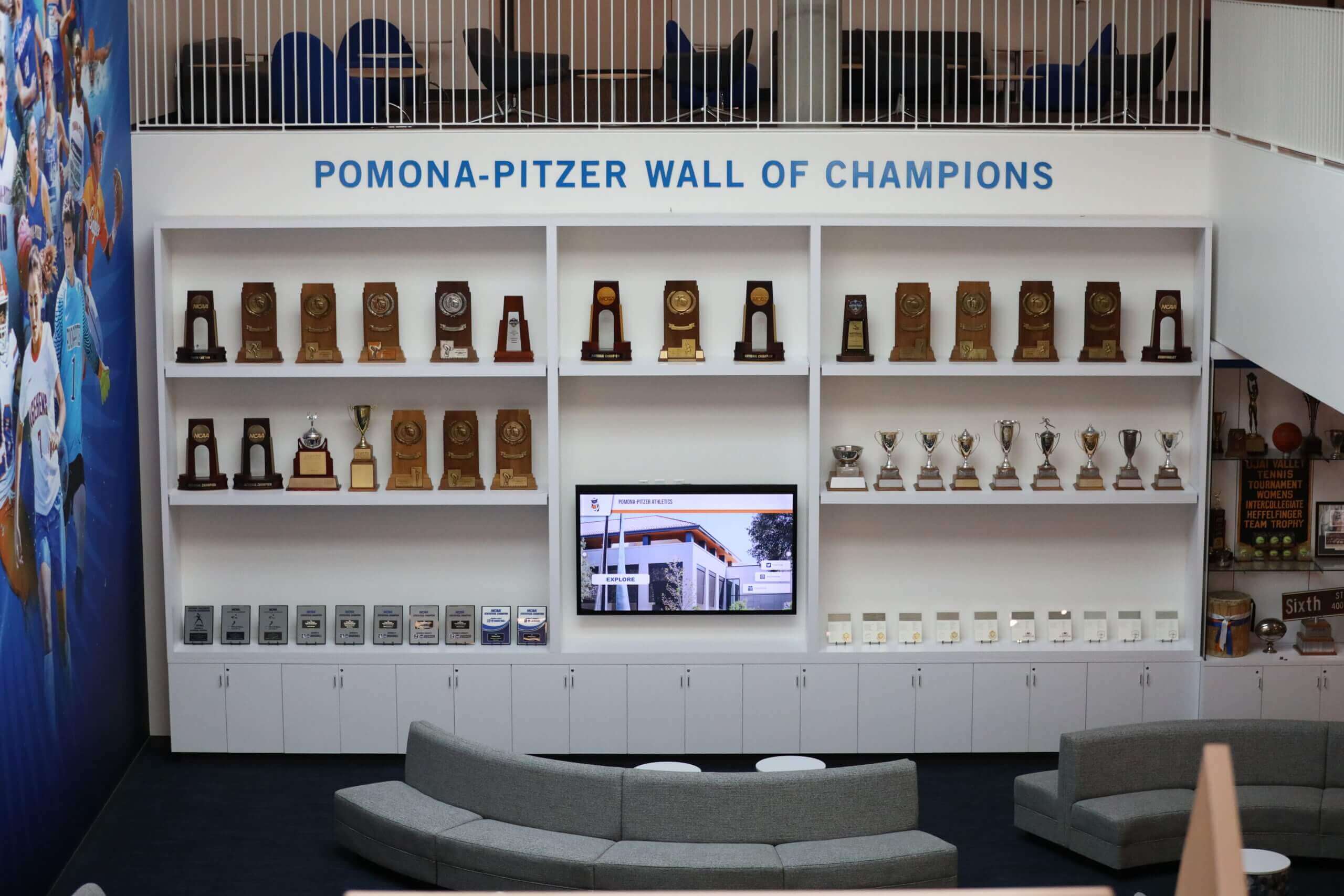
Modern recognition spaces combine traditional trophy displays with interactive touchscreen systems celebrating golf program history
Video Tour Overview: What You’ll Experience
This comprehensive walkthrough demonstrates a complete interactive golf team alumni recognition system from initial approach through detailed profile exploration, program history browsing, and remote content management.
Video Specifications and Target Platform
| Specification | Details |
|---|---|
| Video Length | 10-14 minutes comprehensive demonstration |
| Aspect Ratio | 16:9 (1920x1080 HD; 4K preferred) |
| Target Platform | Embedded web player, YouTube, athletic department sites |
| Accessibility | Full closed captions, audio description track |
| Streaming Format | Adaptive bitrate MP4 for all devices |
Tour Structure: Scene-by-Scene Breakdown
This video tour follows a logical progression demonstrating every aspect of interactive golf alumni recognition implementation:
- Approach and Recognition Destination (45-60 seconds) - Establishing shot showing integrated golf program recognition area
- Welcome Screen and Navigation (60-90 seconds) - Initial touchscreen interface and browsing options
- Distinguished Alumni Profiles (180-240 seconds) - Deep dive into comprehensive alumni storytelling with career highlights
- Team History and Championships (120-180 seconds) - Exploring decades of program excellence and tournament victories
- Individual Achievement Records (90-120 seconds) - Showcasing career statistics and performance milestones
- Current Team Integration (60-90 seconds) - Connecting past excellence with present roster
- Search and Discovery Features (60-90 seconds) - Demonstrating intuitive content exploration tools
- Remote Content Management (90-120 seconds) - Behind-the-scenes content administration
- Production Notes and Implementation (45-60 seconds) - Technical specifications and installation overview
Each scene demonstrates specific capabilities while building comprehensive understanding of how interactive displays transform golf team recognition from static plaques into engaging multimedia experiences celebrating every era of program excellence.
Scene 1: Approach and Recognition Destination (00:00-00:50)
Visual Elements: Camera approaches athletic facility golf program wing from visitor perspective, revealing coordinated recognition destination with program branding, historical photographs, traditional trophy case complemented by prominent interactive touchscreen display.
Narration Script: “Welcome to [Institution Name]’s golf program recognition center, where decades of excellence come alive through interactive technology. As you enter our golf wing, you’re immediately drawn to a comprehensive celebration of program achievement—championship trophies, historical photographs, and our interactive Distinguished Alumni Hall showcasing complete stories of remarkable individuals who built this program’s proud legacy.
Unlike traditional plaques limited to names and graduation years, this interactive display presents comprehensive multimedia profiles documenting career achievements, competitive success, professional accomplishments, and ongoing connections to current program development. Every distinguished alumnus receives proper recognition regardless of graduation era, creating inclusive celebration spanning our entire program history.”
On-Screen Action:
- Wide establishing shot showing golf recognition area within athletic facility
- Slow approach revealing integration of traditional and digital recognition elements
- Text overlay: “Interactive Golf Alumni Recognition | Complete Career Profiles | Multimedia Storytelling”
- Program branding and historical photographs visible throughout recognition space
Production Notes: Natural lighting supplemented with warm LED fills highlighting trophy displays and touchscreen. Capture program identity elements establishing authentic golf program environment. Camera moves smoothly creating viewer immersion in recognition space.
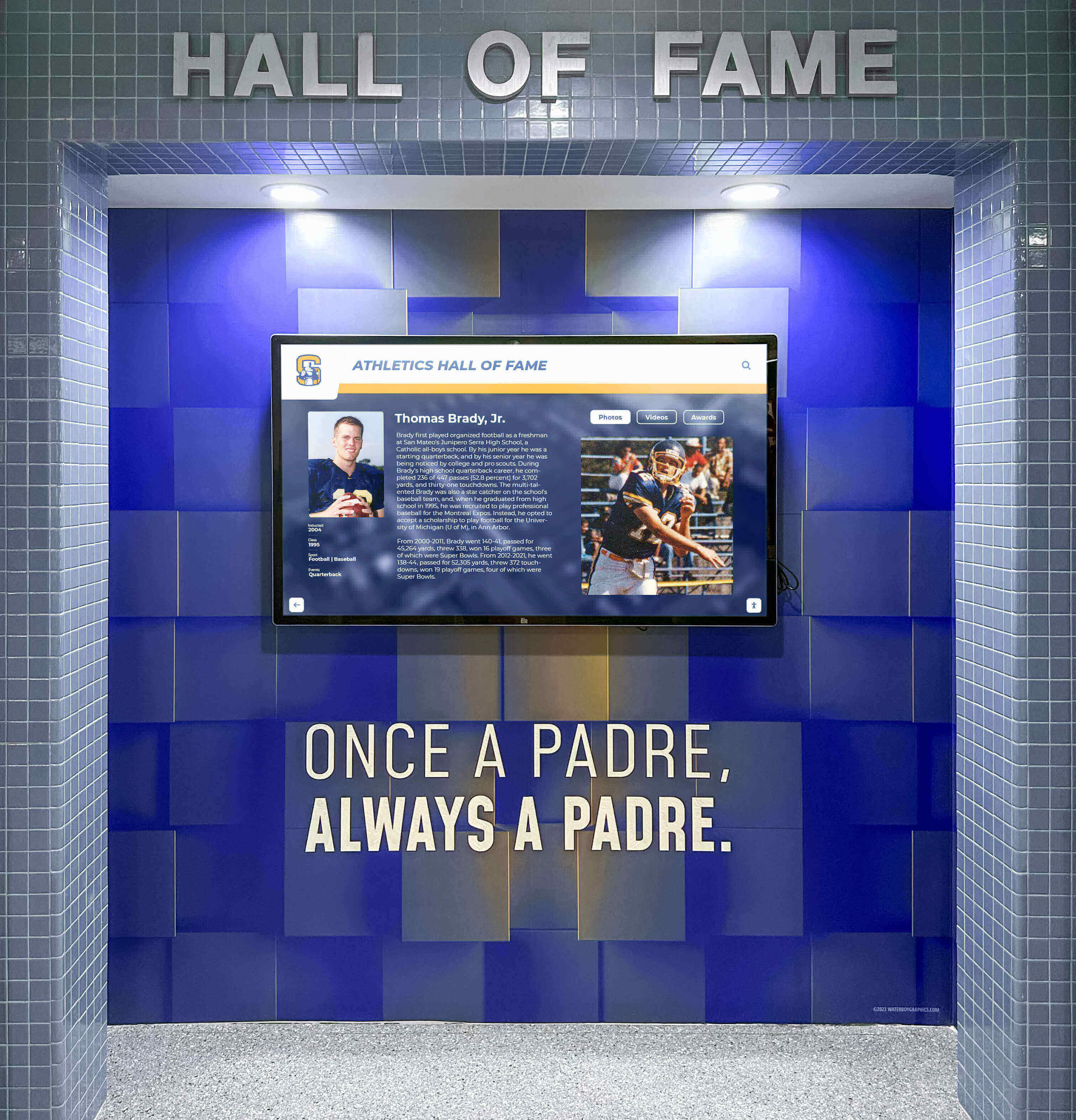
Interactive displays integrate seamlessly with traditional recognition elements creating comprehensive athletic program celebration spaces
Learn about creating comprehensive athletic recognition environments in digital storytelling for athletic programs with design strategies that honor tradition while embracing innovation.
Scene 2: Welcome Screen and Navigation (00:50-02:20)
Visual Elements: Close approach to touchscreen display showing dynamic welcome screen featuring distinguished alumni highlights, intuitive navigation categories, and program achievement summary.
Narration Script: “The welcome screen immediately presents our golf program recognition organized through intuitive categories anyone can navigate. Distinguished Alumni profiles showcasing career achievements, Team History documenting championship seasons, Individual Records celebrating performance excellence, and Current Team connections bridging past and present—all accessible through simple touch interaction.
Notice the featured alumni carousel highlighting recent inductees and historical legends, keeping content fresh while acknowledging contributions across all eras. Whether you’re a prospective recruit researching program tradition, an alumnus reconnecting with teammates, or a supporter exploring institutional excellence, multiple navigation pathways accommodate every visitor intent.”
On-Screen Action:
- Hand enters frame, touching screen to activate interface
- Camera focuses on navigation menu highlighting each category
- Featured alumni carousel demonstrates automatic content rotation
- Program statistics overlay showing total alumni recognized, championships won, individual records
- Search functionality prominently displayed
- Text overlay: “Touch to Explore | Search Alumni | Browse Championships | Discover Excellence”
Production Notes: Demonstrate responsive touch interaction with smooth transitions. Capture interface clarity through controlled lighting eliminating glare. Show multiple navigation methods accommodating different user preferences and research objectives.
Discover navigation design principles in interactive hall of fame displays with interface best practices for athletic program recognition.
Scene 3: Distinguished Alumni Profiles (02:20-06:30)
Visual Elements: Deep exploration of comprehensive alumni profiles showcasing college career highlights, post-graduation achievements, professional golf accomplishments, career success, and ongoing program support.
Narration Script: “Tapping into Distinguished Alumni reveals comprehensive profiles celebrating individuals whose achievements bring distinction to our golf program. These aren’t simple biographical listings—they’re complete storytelling experiences honoring journeys from collegiate competition through remarkable careers.
Let’s explore this distinguished alumnus, Class of 2008. His profile begins with college career highlights—three-time conference champion, NCAA Regional qualifier, team captain senior year, academic All-American. Career statistics show his competitive excellence: scoring average, tournament victories, best finishes at championship events.
But recognition extends far beyond college performance. Professional career section documents his success in competitive golf—PGA Tour qualifying attempts, victories on developmental tours, teaching career as club professional, and current role as collegiate golf coach himself. Business achievements showcase his leadership in sports management, while community service highlights his youth golf program development.
Notice the multimedia richness: action photographs from college tournaments, video interview sharing advice for current players, scanned newspaper clippings from championship victories, and family photographs at recent program reunions. Personal reflections describe how the program shaped his success, creating emotional connections that inspire current team members while honoring his contributions.
Each distinguished alumnus receives this comprehensive treatment ensuring proper acknowledgment of achievements while preserving complete program legacy for future generations.”
On-Screen Action:
- Navigate to Distinguished Alumni section from main menu
- Browse alumni by decade showing historical depth
- Select individual alumni profile revealing comprehensive content layout
- Scroll through college career statistics and achievements
- Expand post-graduation career section showing professional accomplishments
- Play embedded video message from alumnus (45-60 seconds)
- View photograph gallery showing career progression
- Display recent program support and ongoing engagement
- Show related content links to teammates and contemporaries
- Text overlays: “Complete Career Profiles | College Excellence | Professional Success | Ongoing Legacy”
Production Notes: Feature authentic alumni content with proper permissions. Capture emotional visitor reactions to compelling success stories. Show intergenerational engagement where current players discover accomplished alumni from similar positions or competitive specialties.

Comprehensive alumni profiles create inspiration for current players while honoring distinguished career achievements beyond college competition
Explore alumni recognition strategies in distinguished alumni network showcases with comprehensive content approaches.
Scene 4: Team History and Championships (06:30-09:30)
Visual Elements: Transition to team history section showcasing conference championships, tournament victories, NCAA appearances, and significant program milestones across decades of competition.
Narration Script: “Our Team History section preserves complete program legacy documenting every significant achievement across decades of competition. Conference championships, tournament victories, NCAA Regional appearances, individual national qualifiers—comprehensive documentation ensuring no accomplishment fades from institutional memory.
Let’s explore our 2015 Conference Championship team. Complete team roster with individual player profiles, season schedule showing tournament results, championship round scoring summary, and team photograph from victory celebration. Each team member’s contribution is documented—not just the medalist, but every player who qualified for championship competition.
Historical sections reach back to program founding, documenting evolution from club sport to varsity status, facility improvements supporting competitive excellence, coaching changes and leadership transitions, and milestone achievements like first conference title or inaugural NCAA appearance. Decade-by-decade browsing reveals program growth while honoring pioneers whose early dedication established competitive foundation.
Tournament history showcases signature event hosting—invitational tournaments bearing program or donor names, showing field quality, champion history, and notable performances. This permanent documentation transforms tournaments from annual events into sustained traditions participants proudly contribute to throughout careers.”
On-Screen Action:
- Navigate to Team History section showing chronological organization
- Browse conference championships by decade
- Select 2015 championship team revealing multimedia content
- View complete roster with links to individual profiles
- Display season schedule and tournament results
- Show scoring summary from championship competition
- Explore historical program milestones timeline
- Demonstrate year range filtering
- View signature tournament history and champions list
- Text overlays: “Championship Teams | Program Milestones | Tournament History | Complete Legacy”
Production Notes: Balance screen capture with historical photographs and documents. Show program evolution through visual comparison of early and contemporary images. Include current player reactions discovering program history and personal connections to past success.
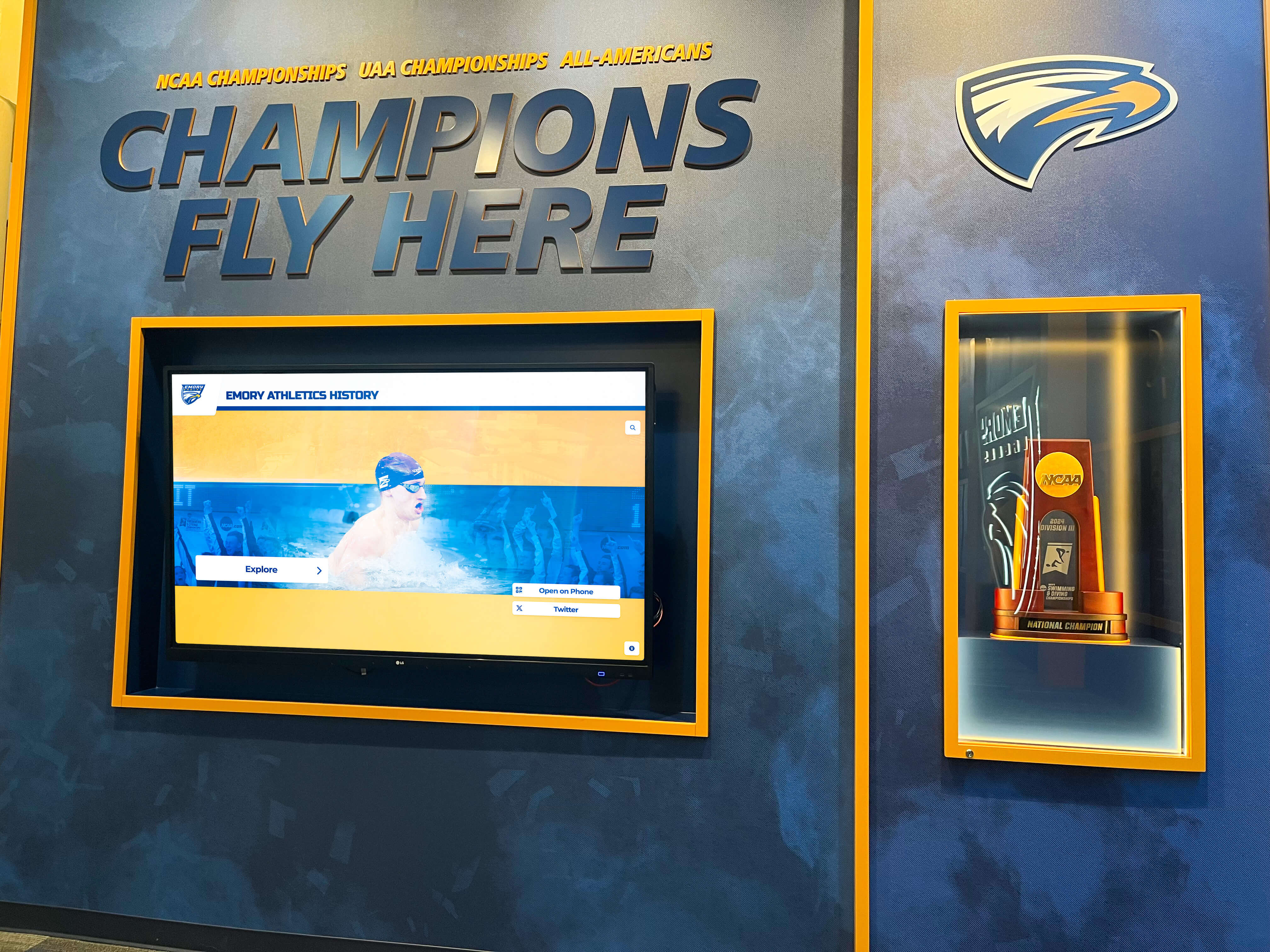
Championship recognition preserves program history while building pride in institutional athletic excellence across all eras
Discover comprehensive program history documentation in school historical timeline displays with chronological storytelling approaches.
Scene 5: Individual Achievement Records (09:30-11:00)
Visual Elements: Exploration of individual performance records including career scoring averages, single-round records, tournament victories, and statistical achievements establishing competitive benchmarks.
Narration Script: “Individual achievement recognition celebrates performance excellence establishing competitive standards inspiring current players. Career records honor sustained excellence across multiple seasons, while single-tournament achievements recognize breakthrough performances showcasing peak competitive capability.
Our records section organizes achievements across multiple categories: lowest career scoring average, most tournament victories, lowest single-round score, best finish at conference championship, and NCAA Regional qualifiers. Each record includes complete context—player name, years active, specific performance statistics, and tournament or season when record was established.
Unlike static record boards requiring physical updates, digital systems automatically highlight when current players approach historical records, creating natural competitive motivation. When a player shoots program’s second-lowest round, the system immediately contextualizes the performance against the standing record, building awareness of program standards while celebrating current excellence.
Statistical leaderboards enable filtering by era, ensuring fair comparison across different competitive environments and scoring systems while honoring excellence from all program periods.”
On-Screen Action:
- Navigate to Individual Records section
- Browse statistical categories showing performance benchmarks
- Select career scoring average leaderboard showing top performers
- Display individual record with player profile link
- Show single-tournament performance records
- Demonstrate era-based filtering for fair historical comparison
- View current player performances contextualizing against records
- Display achievement progression showing record evolution
- Text overlays: “Performance Excellence | Career Records | Tournament Achievements | Competitive Standards”
Production Notes: Use graphics overlaying statistical information clearly. Show comparison views enabling direct performance analysis. Capture current player engagement discovering their position relative to program history.
Scene 6: Current Team Integration (11:00-12:30)
Visual Elements: Demonstration of how recognition system integrates current roster, connecting present players with program tradition while building anticipation for their eventual distinguished alumni status.
Narration Script: “Recognition isn’t solely retrospective—our system actively integrates current team members, connecting present players with program legacy while documenting their developing careers for future celebration.
Current roster section presents each player profile including high school background, recruiting rankings, academic major, career goals, and developing competitive record. Tournament results update in real-time reflecting recent performance, while cumulative statistics track progress toward program records.
This integration creates powerful motivation—current players see their names and achievements displayed alongside distinguished alumni they admire, building aspiration to contribute program success worthy of permanent recognition. Recruits researching the program discover comprehensive tradition while visualizing their potential place within ongoing legacy.
Beyond motivation, this systematic documentation ensures complete record-keeping. When today’s players graduate, their college career information already exists within the system, streamlining future distinguished alumni profile creation and ensuring no achievement is forgotten as years pass.”
On-Screen Action:
- Navigate to Current Team section showing roster
- Select current player profile displaying biographical information
- View season statistics and tournament results
- Show upcoming tournament schedule
- Display player goals and aspirations
- Demonstrate link between current player and alumni mentor from similar position
- View recruiting class information connecting new players to program tradition
- Text overlays: “Current Roster | Live Statistics | Building Legacy | Future Distinguished Alumni”
Production Notes: Feature current player interactions with the system discovering their own profiles. Capture team gathering around display discussing upcoming tournaments or reviewing recent results. Show coach using system for recruiting presentations.
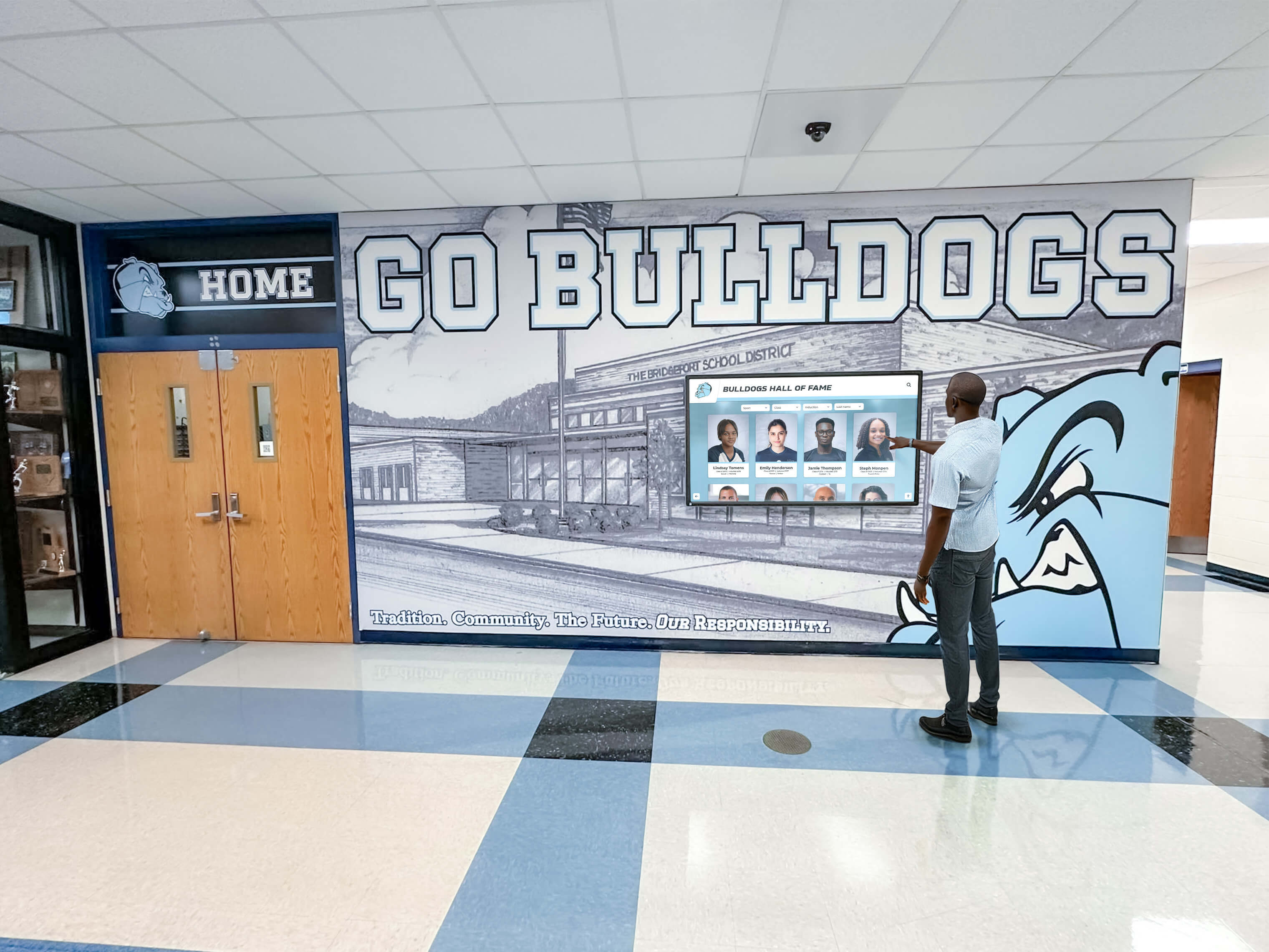
Current team integration connects present players with program tradition while documenting achievements for future distinguished alumni recognition
Learn about connecting past and present recognition in athletic building digital touchscreen displays with comprehensive team history approaches.
Scene 7: Search and Discovery Features (12:30-13:30)
Visual Elements: Demonstration of powerful search capabilities, advanced filtering options, and discovery features helping visitors find specific alumni or explore related achievements through intelligent content connections.
Narration Script: “Finding specific alumni or exploring program history is effortless through comprehensive search functionality. Simply type any name, and the system instantly retrieves complete profile along with related connections—teammates, competitors, mentors, and contemporaries.
Advanced filtering enables exploration by graduation decade, competitive era, achievement category, or career path. Want to see all alumni who became PGA professionals? All conference champions from the 1990s? Every player who competed in NCAA Championships? Simple filter combinations reveal exactly what you’re seeking.
The system also suggests related content—teammates from the same era, alumni from similar career paths, historical context about competitive landscape during specific periods—creating serendipitous discovery where visitors encounter inspiring stories they weren’t specifically seeking but find fascinating nonetheless.”
On-Screen Action:
- Tap search bar demonstrating keyboard input
- Type name showing instant search results
- Display comprehensive results across categories
- Apply graduation year filter narrowing results to specific era
- Use career path filter showing alumni in specific professions
- Demonstrate combination filters (decade + achievement + career)
- Show “related content” suggestions connecting similar profiles
- View randomly featured alumni highlighting diverse achievements
- Text overlays: “Instant Search | Advanced Filters | Discover Connections | Explore Legacy”
Production Notes: Demonstrate search speed and accuracy. Show realistic use cases including recruit researching program, alumnus locating teammates, parent exploring distinguished alumni achievements. Capture intuitive interaction requiring no instruction.
Scene 8: Remote Content Management (13:30-15:00)
Visual Elements: Behind-the-scenes demonstration of cloud-based content management system showing how programs easily update alumni profiles, add new inductees, and maintain current information remotely without technical expertise.
Narration Script: “This engaging visitor experience is supported by powerful yet simple content management requiring no technical expertise. Let’s look behind the scenes at how programs maintain comprehensive recognition systems.
The cloud-based platform requires only internet connection and web browser—no special software or IT department involvement needed. Administrators log in from any device to add new distinguished alumni, update existing profiles, upload photographs and videos, or schedule content publication for specific dates like induction ceremonies.
Adding new recognition is straightforward: fill profile template fields with biographical information and achievements, drag-and-drop photographs directly into the browser, embed video content from YouTube or Vimeo, publish immediately or schedule for future unveiling during recognition events.
Role-based permissions enable collaborative management—head coach oversees content approval, assistant coaches update current team statistics, alumni relations manages distinguished alumni profiles, development office highlights donor support—distributing responsibility while maintaining consistent quality.”
On-Screen Action:
- Screen recording of content management system login
- Navigate admin dashboard showing content organization
- Demonstrate adding new distinguished alumni profile with form fields
- Upload photograph using drag-and-drop interface
- Preview profile before publishing showing WYSIWYG functionality
- Schedule future publication for induction ceremony date
- Display user permission settings enabling collaborative management
- View engagement analytics showing profile views and interaction patterns
- Text overlays: “Cloud Management | Simple Updates | Remote Access | Team Collaboration | Engagement Analytics”
Production Notes: Capture actual CMS interface with sensitive information blurred. Show ease of use through confident navigation. Emphasize time savings compared to physical display maintenance. Include administrator testimonial about management efficiency and alumni engagement.
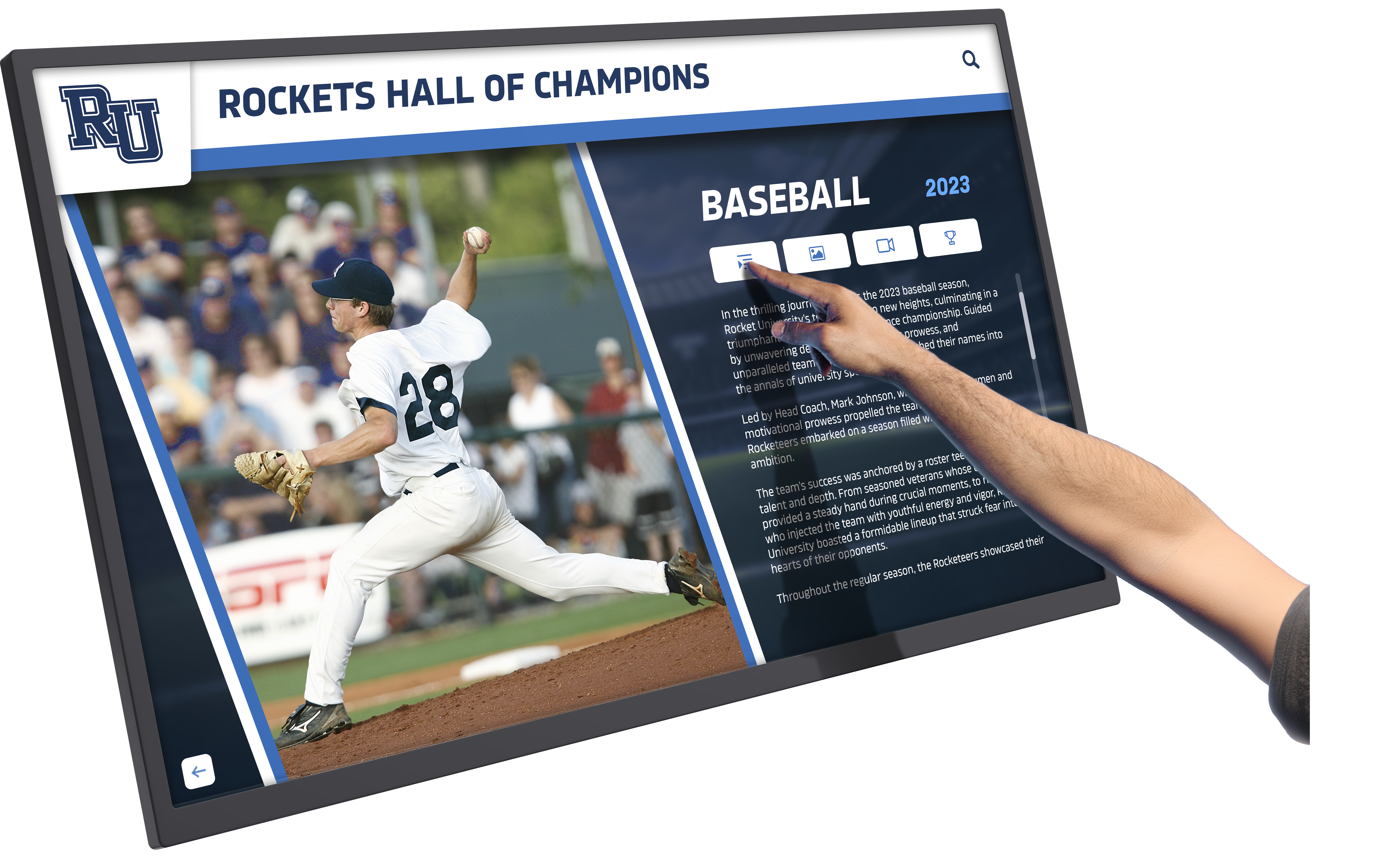
Cloud-based management enables programs to update recognition content remotely from any internet-connected device without technical expertise
Discover management strategies in touchscreen digital signage software with administrative best practices for recognition systems.
Scene 9: Production Notes and Implementation (15:00-16:00)
Visual Elements: Technical overview showing hardware specifications, installation requirements, accessibility features, and implementation considerations helping programs understand what’s involved in creating interactive golf alumni recognition displays.
Narration Script: “Creating engaging golf alumni recognition experiences requires thoughtful technology implementation. Let’s review key specifications and considerations.
Hardware typically includes commercial-grade touchscreen displays—55-inch, 65-inch, or 75-inch depending on space and budget—rated for continuous daily operation in high-traffic athletic facilities. Wall-mounted installations provide sleek integrated appearance complementing existing trophy displays, while freestanding kiosks enable placement without wall modifications. All solutions require reliable Wi-Fi or ethernet connectivity.
Accessibility compliance ensures universal access through appropriate mounting heights accommodating wheelchair users, screen reader compatibility, high-contrast viewing modes, and closed captioning for all video content. ADA requirements are built into design from inception.
Implementation timelines typically span 12-16 weeks including technology selection and procurement, content development building initial distinguished alumni library—the most time-intensive phase requiring biographical research and photograph collection, professional installation and configuration, and testing, training, and launch preparation often coordinated with induction ceremony or homecoming celebration.
Solutions like Rocket Alumni Solutions provide comprehensive support throughout implementation—from planning consultation and content development assistance through ongoing technical support and regular platform enhancements—ensuring programs create recognition systems delivering lasting value.”
On-Screen Action:
- Display technical specifications overlay showing hardware details
- Show installation process time-lapse (mounting, configuration, testing)
- Demonstrate accessibility features (screen reader, high contrast)
- Display implementation timeline graphic showing project phases
- Show support resources available (training documentation, help desk)
- Final wide shot of completed recognition destination in active use
- Text overlays: “Commercial Hardware | Professional Installation | ADA Compliance | 12-16 Week Implementation | Comprehensive Support”
Production Notes: Balance technical information with approachable presentation avoiding excessive jargon. Show actual installation process with time-lapse compression. Include brief program administrator interview about implementation experience and alumni engagement results.
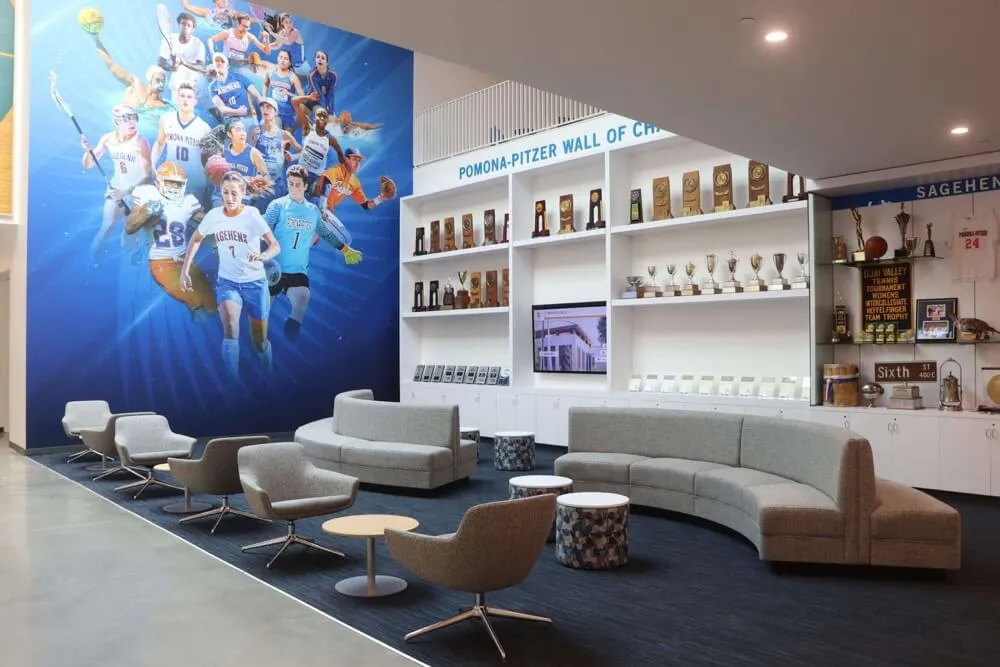
Professional implementation ensures optimal performance, accessibility compliance, and sustained reliability in athletic facility environments
Learn implementation strategies in digital hall of fame buying guide with deployment frameworks for recognition systems.
Production Equipment and Technical Specifications
Professional video tours require appropriate equipment and production approach creating polished, informative demonstrations that position interactive golf alumni recognition as professional solutions rather than consumer technology experiments.
Camera Equipment and Settings
Primary Camera: Professional video camera or high-end mirrorless system (Sony A7 series, Canon R series, Panasonic Lumix) capable of 4K recording at 60fps providing smooth motion and future-proof resolution. Shoot in 4K even if delivering 1080p final product—extra resolution enables punch-ins during editing without quality loss.
Lens Selection: 24-70mm f/2.8 zoom lens provides versatility for wide establishing shots, medium close-ups on touchscreen interactions, and tight detail captures showing interface elements. Prime lenses (35mm f/1.4, 50mm f/1.2) offer superior low-light performance for athletic facility environments.
Stabilization: Gimbal stabilizer (DJI Ronin-S, Zhiyun Crane) enables smooth camera movement approaching displays and circling recognition areas without shaky appearance. Slider or dolly for controlled linear movements. Tripod for static shots showing extended interactions.
Lighting Approach
Athletic facilities present challenging lighting with mixed color temperatures from fluorescent overheads, natural window light, and display screens requiring supplemental lighting creating consistent illumination.
Key Lighting: LED panel lights (Aputure Amaran, Godox SL-series) providing controllable color temperature (3200K-5600K) matching ambient conditions. Soft boxes or diffusion creating even light on subjects without harsh shadows.
Display Lighting: Careful exposure balancing screen brightness with ambient lighting preventing blown-out displays. Polarizing filter reduces screen glare. Slightly underexpose displays by 1/3 stop maintaining detail while preventing overexposure.
Ambient Balance: Match supplemental lighting to dominant ambient color temperature preventing color shifts. White balance correctly in-camera reducing post-production requirements.
Audio Recording
Clear, professional audio is critical for narration-driven demonstration videos where viewers must understand every feature description and capability explanation.
Narration Recording: Professional USB condenser microphone (Blue Yeti, Rode NT-USB, Shure MV7) in quiet studio environment recording voice-over separately from location filming. Acoustic treatment eliminating room echo and ambient noise.
Location Audio: Wireless lavalier microphones (Rode Wireless GO II, Sennheiser EW series) capturing subject audio during on-camera demonstrations. Boom microphone for ambient sound and additional dialogue capture.
Audio Processing: Normalize levels to -3dB preventing distortion, apply noise reduction removing background hum, add compression for consistent volume, and subtle EQ enhancing voice clarity.
Closed Captioning and ADA Compliance
Accessibility features ensure video tours reach all audiences while demonstrating institutional commitment to inclusive communication.
Caption Requirements: Professional closed captions (not auto-generated) with accurate spelling, proper punctuation, and appropriate timing synchronized precisely with audio. Caption editing software or professional services ensuring accuracy.
Audio Description: Separate audio track describing visual elements for visually impaired viewers including on-screen text, navigation actions, and important visual information not covered by narration.
Transcript Document: Complete written transcript of narration and on-screen text available as downloadable document or web page enabling search engine indexing and accessibility accommodation.
Discover accessibility best practices in academic recognition programs with inclusive design principles.
Streaming and Distribution Strategy
Completed video tours require strategic distribution maximizing reach while supporting specific program goals and alumni engagement objectives.
Primary Distribution Channels
Athletic Department Website: Feature video prominently on golf program pages, alumni recognition pages, and recruiting resources. Embed using responsive video players ensuring perfect display across devices. Include clear call-to-action below video directing viewers to explore full recognition platform.
YouTube Channel: Upload to institutional athletic YouTube channel optimizing title, description, and tags for discovery by prospective recruits and alumni. Create playlist combining tour video with tournament highlights, recruiting content, and alumni testimonials. Enable chapters for easy navigation.
Social Media Excerpts: Create 60-90 second highlight clips optimized for social platforms showcasing compelling features—distinguished alumni career highlights, championship team stories, current player integration. Vertical format (9:16) for Instagram Stories, square format (1:1) for Facebook and LinkedIn.
Video SEO Optimization
Maximize organic discovery through search engines with comprehensive metadata and supporting content.
Video Title: “Golf Team Distinguished Alumni Recognition Display | Interactive Hall of Fame Video Tour” - front-loaded with primary keywords while remaining natural and compelling.
Description: Comprehensive 300+ word description explaining what viewers will learn, timestamp chapters for easy navigation, links to related resources, and clear call-to-action. Include relevant keywords naturally.
Tags: Comprehensive tagging including “golf alumni recognition,” “golf hall of fame display,” “interactive golf recognition,” “distinguished alumni,” “college golf program,” and related variations.
Thumbnail: Custom-designed thumbnail showing touchscreen interaction with overlaid text highlighting key benefit (“Honor Distinguished Alumni” or “Interactive Golf Legacy”) and clear program branding.
Transcript and Captions: Upload complete transcript file enabling search engine indexing of spoken content dramatically improving discoverability.
Supporting Landing Page
Dedicate webpage featuring video tour alongside supporting content maximizing engagement:
Page Elements: Embedded video player prominently at top, written transcript below for accessibility and SEO, FAQ section addressing common questions, specification sheets detailing options, implementation timeline overview, contact form for information requests, testimonials from programs using similar systems, and clear call-to-action buttons throughout page.
Conversion Optimization: Multiple engagement options including “Download Implementation Guide” PDF, “Schedule Consultation” calendar integration, “Request Information” form, and “Join Email List” for ongoing program updates.
Analytics Integration: Track video engagement (play rate, completion rate, chapter engagement) alongside page behavior (scroll depth, time on page, click-through rates) informing optimization.
Explore content strategies in annual alumni golf event management with comprehensive engagement approaches.
Measuring Video Tour Performance and Engagement
Systematic assessment demonstrates video tour value while identifying optimization opportunities ensuring demonstrations achieve intended goals.
Engagement Metrics
View Counts and Sources: Total video views segmented by traffic source (website embedding, YouTube search, social media, email campaigns) revealing which distribution channels drive engagement. Track new versus returning viewers indicating content reuse.
Completion Rates: Percentage of viewers watching entire video versus dropping off early indicating content quality and pacing effectiveness. Analyze drop-off points identifying sections needing improvement. Target 60%+ completion rate for 10-14 minute demonstrations.
Chapter Engagement: If implementing video chapters, analyze which sections receive most replays revealing topics of greatest interest. Use insights informing future content development.
Interaction Rates: Click-through on embedded CTAs, links in descriptions, and conversion actions (form submissions, information requests) measuring how effectively video drives desired actions beyond passive viewing.
Program Impact
Alumni Engagement: Survey distinguished alumni about discovering their profiles, measuring satisfaction with recognition quality and accuracy. Track profile update submissions from alumni keeping information current.
Recruiting Influence: Survey prospective players about video tour impact on program perception and commitment decisions. Track whether recruits viewing tours show higher conversion rates.
Donor Relations: Monitor whether enhanced recognition correlates with increased giving from recognized alumni and golf program supporters. Track donor feedback about recognition quality.
Continuous Improvement
A/B Testing: Test different thumbnails, titles, video lengths, and call-to-action placements measuring impact on engagement metrics. Implement winning variations systematically improving performance.
Audience Feedback: Collect qualitative feedback through surveys asking viewers what was most valuable, what questions remain unanswered, and what additional content they’d find helpful.
Content Updates: Refresh video periodically as programs add new distinguished alumni, update achievements, or enhance recognition features ensuring demonstration remains current.
Conclusion: Video Tours Demonstrate Golf Alumni Recognition Value
Video tour walkthroughs provide powerful demonstration of interactive golf team alumni recognition capabilities, showing programs exactly what distinguished alumni, current players, recruits, and supporters experience when exploring touchscreen recognition displays while illustrating how simple remote content management makes maintaining comprehensive achievement celebration effortless.
Book a Live Golf Recognition Display Demo
Experience interactive golf team alumni recognition displays firsthand through personalized video demonstration showcasing how your program can celebrate distinguished alumni achievements through engaging touchscreen recognition systems.
Schedule Your Demo TodayThe comprehensive demonstration explored in this guide showcases how digital recognition technology transforms golf team alumni celebration from static plaques into dynamic, engaging experiences honoring every distinguished individual across all eras while preserving complete program history accessible to current team members, recruits, and alumni worldwide.
From intuitive touchscreen navigation enabling effortless alumni discovery to remote cloud management allowing simple profile updates from any internet-connected device, interactive golf alumni recognition systems solve persistent program challenges while creating compelling experiences that genuinely inspire current players, strengthen alumni connections, and build program pride celebrating excellence across all dimensions.
Ready to transform your golf program recognition? Explore how Rocket Alumni Solutions provides comprehensive interactive alumni recognition systems combining professional-grade hardware, intuitive content management platforms, and ongoing support ensuring your program creates recognition experiences honoring every distinguished alumnus while building lasting tradition that connects past legacy to future excellence.
Discover additional recognition approaches in golf course leaderboard displays showcasing real-time tournament recognition systems, or explore fan experience centers in college football stadiums demonstrating comprehensive interactive recognition in athletic facilities.































