




Intent: demonstrate
Video content transforms static touchscreen displays into dynamic storytelling platforms that capture attention, engage audiences, and create memorable experiences impossible with text and images alone. Schools, universities, athletic programs, and organizations investing in interactive recognition displays increasingly recognize that compelling video content—not just the hardware itself—determines whether these installations become community centerpieces or expensive digital picture frames gathering dust.
Walk into facilities with touchscreen displays and you’ll observe stark differences between installations that command attention and those visitors ignore. Some displays feature professionally produced video content that draws crowds, encourages interaction, and creates shareable moments people photograph and discuss. Others show static slideshows, outdated content, or amateur footage that communicates more about budget constraints than institutional excellence, leaving expensive equipment underutilized while failing to deliver the engagement and recognition impact that justified the original investment.
This comprehensive production guide explores evidence-based strategies for creating touchscreen display video content that maximizes engagement, showcases achievements effectively, and transforms recognition installations into compelling multimedia experiences that serve institutional goals while celebrating the people and stories that matter most.
Schools and organizations that excel at touchscreen video content don’t simply point cameras at events and hope for usable footage. They develop systematic approaches to content planning, professional production techniques, and optimization strategies that ensure every video serves specific recognition and engagement objectives while maintaining production quality that reflects positively on the institution.

Professional production techniques ensure video content matches the quality of your recognition technology investment
Understanding the Unique Requirements of Touchscreen Video Content
Before filming begins, successful content creators understand how video displayed on interactive touchscreens differs fundamentally from traditional broadcast or web video—requiring different planning, production, and optimization approaches.
The Interactive Display Viewing Environment
Unlike television or mobile screens where viewers control playback, touchscreen display videos function within specific physical and interaction contexts that shape content requirements.
High-Traffic Ambient Viewing
Touchscreen displays typically reside in lobbies, hallways, and gathering spaces where viewers encounter content while passing through or waiting—not settling in for dedicated viewing sessions. Videos must capture attention within seconds, communicate key messages quickly, and remain engaging despite ambient noise, competing visual elements, and frequent viewer interruptions.
This viewing context means traditional video pacing doesn’t work. Three-minute narrative buildups, subtle audio cues, or content requiring sustained attention fails in environments where most viewers interact for 15-30 seconds before continuing to their destinations.
Viewer-Controlled Pacing
Unlike linear video playback, touchscreen content viewers control navigation—jumping between sections, skipping ahead, returning to favorite moments, or abandoning videos mid-stream if content doesn’t immediately engage. Production must account for non-linear viewing patterns through modular content segments, clear navigation cues, and compelling openings that hook viewers before they tap away.
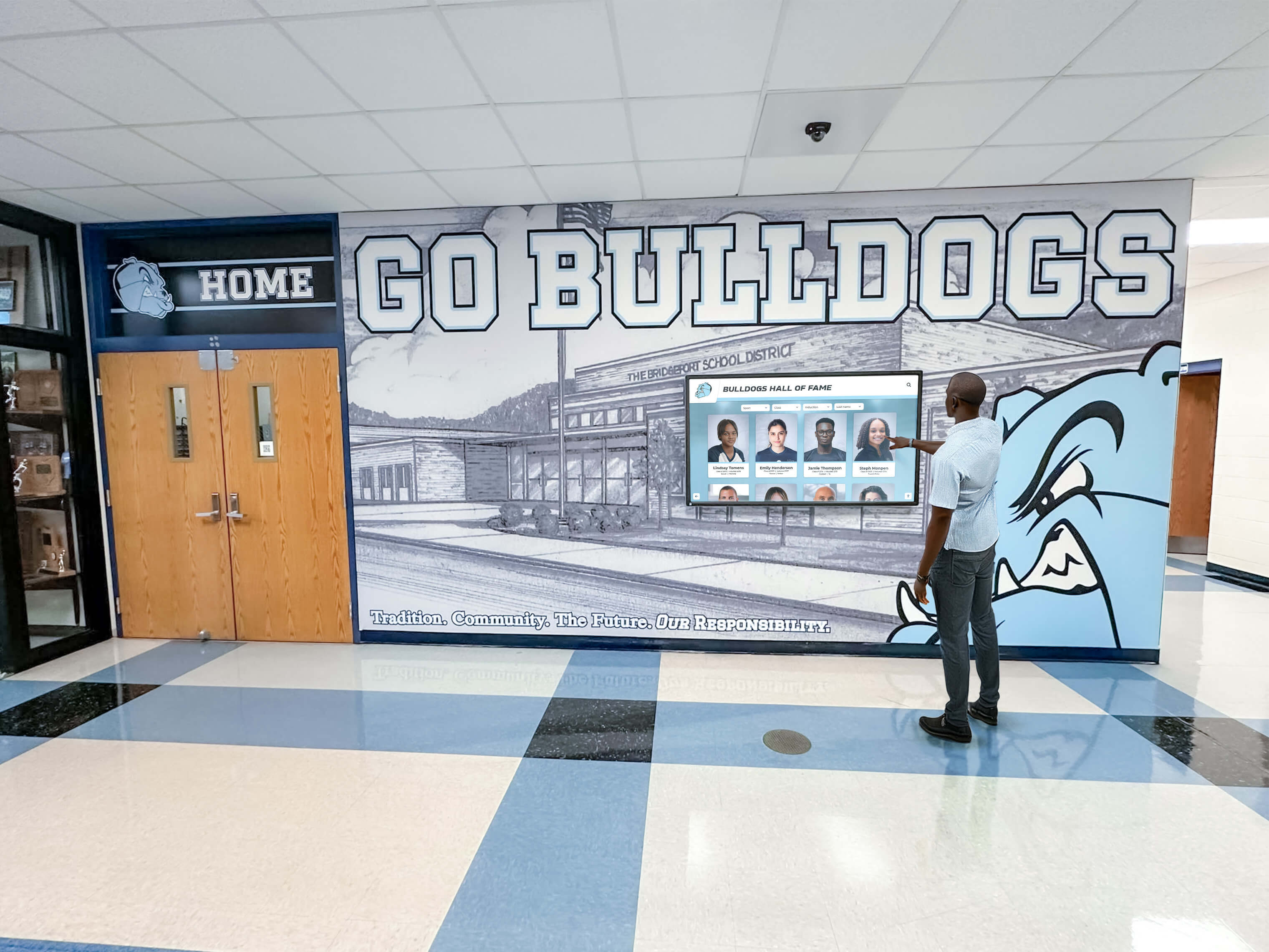
Viewers control pacing and navigation, requiring content designed for non-linear interaction patterns
Portrait and Landscape Orientation Flexibility
Touchscreen installations vary in orientation and aspect ratio—some portrait-oriented in hallway installations, others landscape in lobby settings, and increasingly, multi-screen arrays combining both. Video content must adapt across orientations without awkward letterboxing, critical information cut off, or compositions that work in one format but fail in another.
Production planning includes shooting formats that accommodate multiple display ratios, composing shots with “safe zones” preserving key visual elements across orientations, and potentially creating orientation-specific edits maximizing impact for each installation configuration.
Content Goals Beyond Entertainment
Unlike traditional video focused primarily on entertainment or marketing, touchscreen display content serves multiple simultaneous objectives requiring different production approaches.
Recognition and Celebration
Primary function involves celebrating achievements, honoring individuals, and preserving institutional legacy. Content must make recognition subjects feel valued, allow viewers to discover and celebrate accomplishments, and create permanent digital records worthy of the achievements documented.
This recognition focus demands production approaches prioritizing dignity, professionalism, and permanence—not viral entertainment or fleeting engagement metrics.

Recognition content serves lasting institutional purposes beyond temporary entertainment value
Educational and Inspirational Impact
Effective content teaches viewers about institutional history, inspires current students through predecessor achievements, and builds connections between past accomplishments and present opportunities. Videos function as educational tools communicating values, traditions, and excellence standards that define institutional culture.
Production includes interview segments capturing wisdom and advice, historical context providing meaning to achievements, and storytelling that transforms isolated accomplishments into narrative arcs showing growth, persistence, and community impact.
Community Building and Engagement
Touchscreen videos create shared experiences that strengthen community bonds—alumni watching their achievements recognized, students discovering role models, families celebrating loved ones, and community members understanding institutional impact. Content design prioritizes inclusive recognition that welcomes diverse viewers and creates moments worth gathering around and discussing.
Solutions like interactive touchscreen displays demonstrate how modern technology transforms recognition into engaging community experiences.
Pre-Production Planning: The Foundation of Effective Touchscreen Video
Professional touchscreen video content begins long before cameras roll—with comprehensive planning that defines objectives, identifies subjects, outlines storytelling approaches, and establishes production requirements ensuring efficient filming and effective results.
Defining Content Objectives and Key Messages
Clear objectives guide every production decision—what you want viewers to know, feel, and do after interacting with content.
Specific Recognition Goals
Rather than vague “create a video about athletics” directives, effective planning identifies specific recognition objectives: highlight championship season achievements and individual statistical records, celebrate senior athletes and their college commitments, document coaching legacy and program evolution over decades, or introduce current roster and build excitement for upcoming season.
Specific goals inform subject selection, interview questions, filming locations, archival footage needs, and editorial approaches—ensuring final videos accomplish intended recognition and engagement purposes.
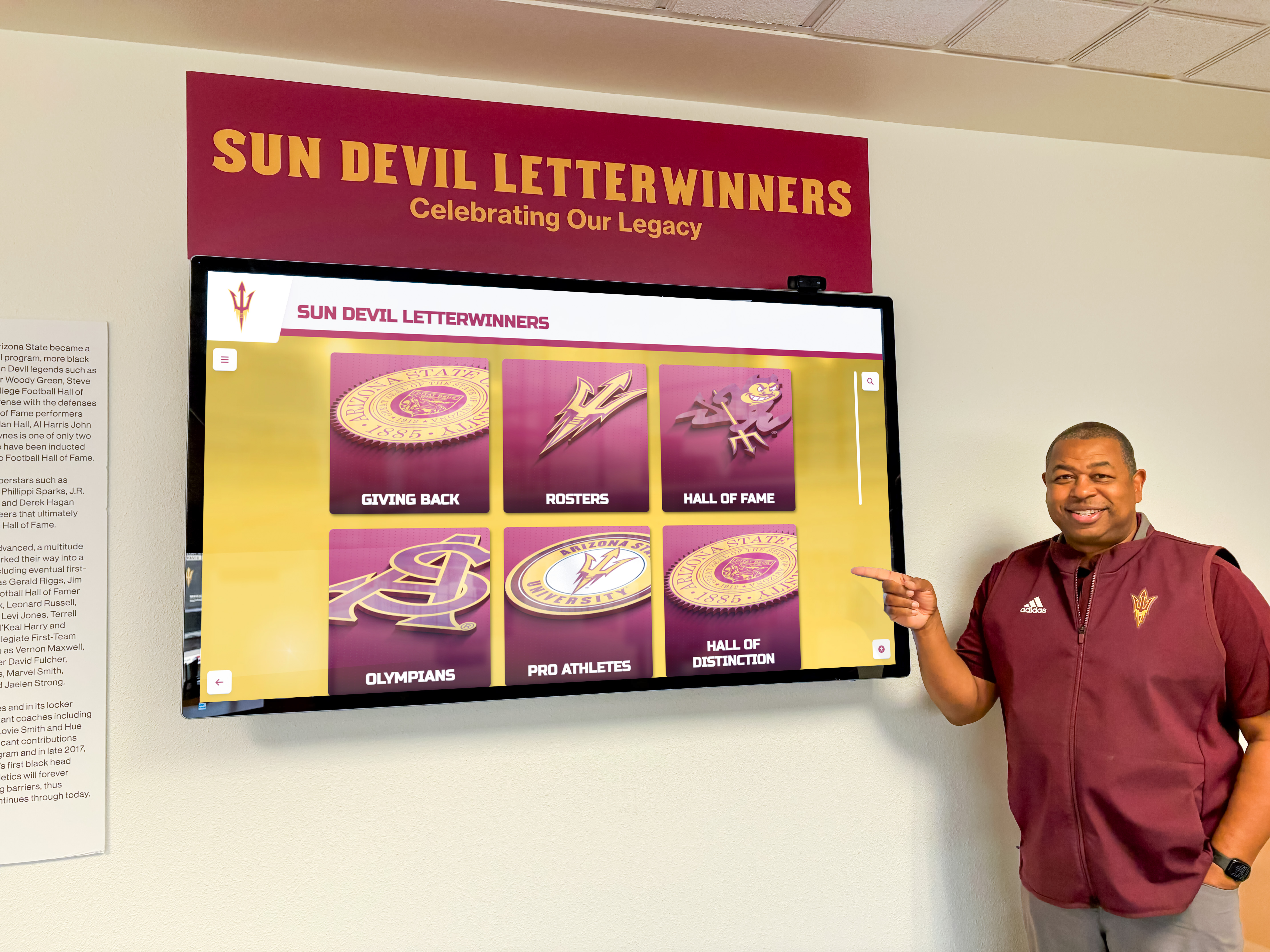
Clear recognition objectives ensure content meaningfully celebrates subjects while engaging viewers
Audience-Specific Messaging
Different viewer groups interact with recognition content seeking different information and emotional connections. Current students want inspiration and role models, alumni seek nostalgia and continued connection to alma mater, families desire celebration of loved ones, and community members need understanding of institutional impact and excellence.
Strong production planning identifies primary and secondary audiences, defines key messages for each group, and creates content layers serving multiple viewer needs within single video assets.
Call-to-Action Integration
Beyond passive viewing, effective touchscreen content encourages specific actions—exploring additional recognition profiles, sharing experiences on social media, attending upcoming events, contributing to programs, or engaging with institutions through identified channels.
Planning integrates clear, natural CTAs within content rather than awkward tacked-on endings, using storytelling to demonstrate action benefits and interface design to make taking action simple and immediate.
Subject Selection and Participation Coordination
Identifying recognition subjects and securing their participation represents critical pre-production work ensuring compelling content and smooth filming.
Comprehensive Subject Research
Strong video content emerges from understanding subjects deeply before filming—their specific achievements, interesting backstories, personality traits, and unique perspectives worth highlighting. Research involves reviewing records and statistics, conducting preliminary conversations, consulting with coaches or supervisors familiar with subjects, and identifying unique angles distinguishing each profile from generic achievement summaries.
This research informs interview questions revealing interesting insights, identifies compelling visual opportunities beyond standard talking-head footage, and ensures recognition accurately and meaningfully represents subjects’ contributions.
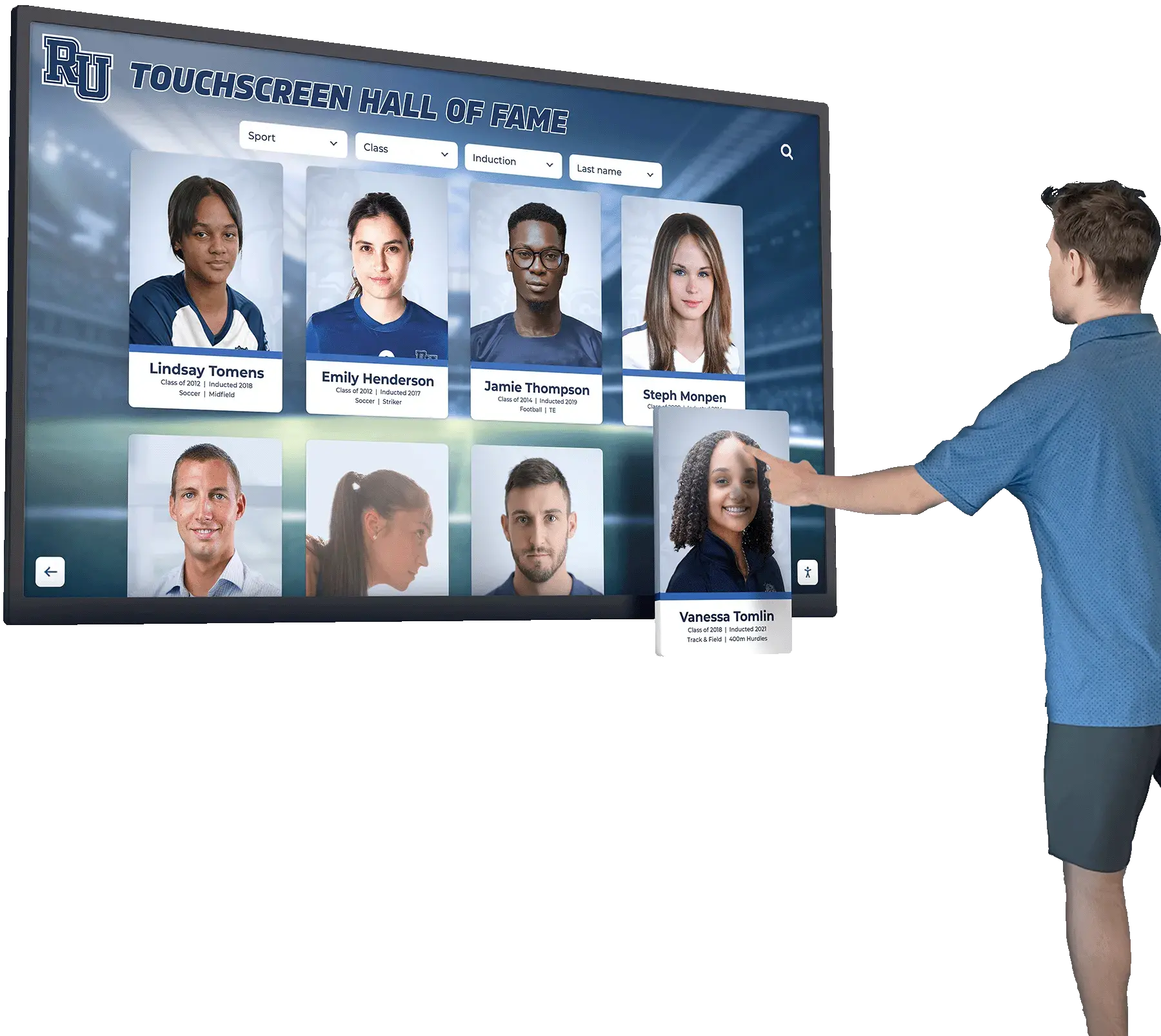
Thorough subject research enables compelling content that meaningfully represents individual achievements
Scheduling and Logistics Coordination
Professional production requires coordinating multiple schedules—subjects’ availability, filming location access, equipment and crew needs, and institutional approval processes. Effective planning establishes realistic production timelines, communicates expectations clearly to participants, secures necessary permissions and releases, and builds contingency time for inevitable scheduling complications.
Planning includes selecting filming locations offering appropriate visual settings, controlling lighting and audio challenges, providing convenient subject access, and communicating relevant institutional character and context supporting recognition narratives.
Archival Asset Identification
Compelling recognition videos often incorporate historical photos, event footage, newspaper clippings, and other archival materials providing visual interest and historical context impossible to recreate during current filming. Pre-production includes identifying and securing rights to archival assets, digitizing physical materials at appropriate resolution, and organizing files for efficient editorial access.
Early archival work prevents mid-production discoveries that needed materials don’t exist in usable formats, require weeks to locate, or involve complex rights negotiations delaying completion.
Explore comprehensive approaches in school history software guides that demonstrate systematic content organization strategies.
Creating Production Documents and Shot Lists
Professional production teams work from detailed documents ensuring efficient filming, consistent coverage, and editorial flexibility during post-production.
Video Script or Outline Development
While documentary-style recognition content rarely uses word-for-word scripts, effective production develops detailed outlines defining content segments, interview question frameworks, b-roll coverage needs, and narrative structure guiding filming and editorial decisions.
Outlines identify specific information each segment must communicate, suggest visual approaches supporting storytelling, note archival materials requiring integration, and establish pacing and tone appropriate for touchscreen viewing contexts.

Detailed planning documents ensure comprehensive coverage of recognition stories across multiple segments
Comprehensive Shot Lists
Shot lists detail every visual element production must capture—interview setups from multiple angles, relevant location establishing shots, achievement documentation (trophies, plaques, certificates), action footage showing subjects in relevant contexts, detail shots adding visual interest, and transition elements connecting segments.
Detailed shot lists prevent discovering during editing that critical visual elements weren’t filmed, ensure consistent coverage across multiple subjects, guide efficient on-location filming maximizing limited access to locations or subjects, and provide production assistants and crew members clear responsibilities during filming.
Technical Specifications and Equipment Lists
Planning defines technical requirements ensuring footage quality matches display capabilities—resolution standards (4K for future-proofing despite current HD displays), frame rates appropriate for motion content and display refresh rates, color space and bit depth maintaining quality through editorial pipeline, and audio specifications ensuring clear dialogue and appropriate music integration.
Equipment lists detail cameras and lenses, lighting and grip gear, audio recording equipment, stabilization and support systems, and backup equipment preventing single-point failures from derailing filming schedules or compromising production quality.
Production Techniques for High-Impact Touchscreen Video Content
With planning complete, production execution determines whether concepts translate into compelling video content through professional filming techniques, effective subject direction, and quality-focused workflows.
Professional Interview Filming Approaches
Recognition video impact often hinges on interview quality—how subjects appear, what they share, and how confidently they communicate stories worthy of celebration.
Creating Comfortable Interview Environments
Strong interviews emerge when subjects feel relaxed, confident, and conversational—not nervous, stiff, or overly formal. Professional producers create comfort through appropriate location selection (familiar spaces where subjects feel at ease), clear communication about process and expectations, warm-up conversations before recording begins, and genuine interest in subjects’ stories creating natural dialogue rather than stilted question-and-answer exchanges.
Environmental comfort also involves technical considerations—appropriate temperature and ventilation in filming spaces, break schedules for longer interview sessions, refreshments available, and minimal distractions or time pressure allowing subjects to share thoughtfully rather than rushed.

Professional interview techniques create comfortable environments yielding authentic, compelling subject testimonials
Camera Setup and Composition
Interview visual quality depends on thoughtful camera placement, lighting design, and compositional choices communicating professionalism while keeping focus on subjects and their stories.
Standard approaches include three-point lighting creating dimensional, flattering illumination; multiple camera angles providing editorial flexibility and visual variety; appropriate depth of field isolating subjects from backgrounds while maintaining environmental context; and consistent framing across subjects ensuring cohesive visual style throughout recognition content.
Composition considerations include appropriate headroom and looking space following traditional framing conventions, background elements supporting but not distracting from subjects, and positioning subjects at appropriate screen areas accounting for interface elements overlaying video in final touchscreen implementations.
Question Techniques Eliciting Compelling Responses
Interview quality depends less on questions asked than how they’re asked and the environment created for authentic sharing. Effective techniques include open-ended questions encouraging storytelling (“Tell me about your most memorable game”) rather than yes/no responses, follow-up questions drawing out interesting details mentioned briefly, silence allowing subjects time to think and elaborate, and genuine curiosity creating conversations rather than interrogations.
Strong producers avoid leading questions suggesting specific answers, listen actively and ask natural follow-ups rather than robotically proceeding through lists, and remain flexible—recognizing when subjects reveal unexpected interesting directions worth exploring rather than rigidly adhering to predetermined questions.
B-Roll and Supplementary Footage Strategies
Beyond interviews, compelling recognition videos require diverse visual content—action footage, environmental shots, and detail coverage providing visual interest, supporting storytelling, and creating professional production value.
Action and Contextual Footage
Recognition content gains impact from showing subjects in relevant action contexts—athletes competing, students learning, performers creating, or alumni engaged in professional pursuits. Action footage transforms abstract accomplishments into concrete visual evidence, provides dynamic editing options maintaining viewer engagement, and creates emotional connections impossible through talking-head interviews alone.
Capturing compelling action requires appropriate equipment (telephoto lenses for sports, stabilizers for moving shots, appropriate frame rates for motion), positioning for clear views of decisive moments, and sufficient coverage ensuring editorial options during post-production.
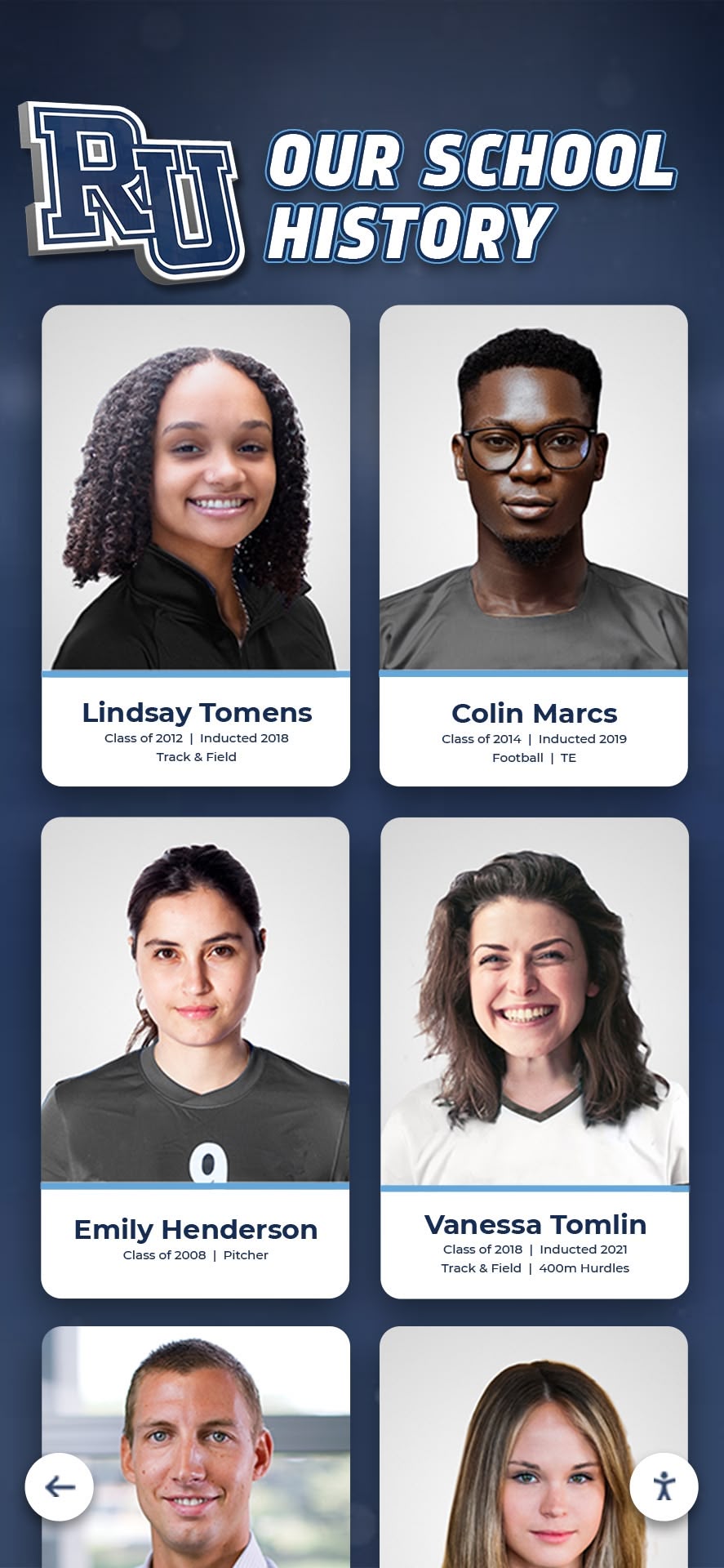
Diverse visual content including action footage and portraits creates engaging recognition experiences
Environmental and Establishing Shots
Filming locations, facilities, and institutional environments provides important context situating recognition within physical spaces viewers recognize. Campus landmarks, athletic facilities, academic buildings, and community settings communicate institutional character while creating visual variety preventing interview-heavy monotony.
Establishing shots require attention to composition, lighting conditions, and timing—often filming during golden hour for attractive natural light, removing or minimizing distracting elements, and capturing angles showcasing distinctive architectural or environmental features communicating institutional identity.
Detail Coverage and Visual Interest
Close-up shots of trophies, plaques, jerseys, equipment, documents, and other recognition-related objects provide important editorial tools—visual punctuation during interviews, transition elements between segments, and evidence supporting achievement narratives. Detail shots require macro lenses or close-focusing capabilities, appropriate lighting revealing textures and finishes, and thoughtful composition isolating key visual elements from cluttered backgrounds.
Strong detail coverage anticipates editorial needs—capturing more material than seems necessary during filming prevents discovering during editing that critical visual elements supporting storytelling weren’t adequately documented.
Learn about strategic implementation in digital signage for schools that demonstrates effective visual content strategies.
Audio Quality and Production Sound
While viewers forgive moderate visual imperfections, poor audio makes content unwatchable—demanding professional attention to recording, monitoring, and quality control throughout production.
Dialogue Recording Best Practices
Clear interview audio requires appropriate microphone selection and placement—typically lavalier microphones for hands-free operation and consistent levels, positioned for clear capture while remaining invisible or minimally distracting. Professional recording includes monitoring audio levels throughout filming, conducting microphone checks before interview segments, managing clothing rustle and other noise sources, and recording room tone for post-production repair work.
Environmental audio challenges require location scouting identifying quiet filming spaces, scheduling around predictable noise sources (lawn maintenance, cafeteria rushes, class changes), and using audio treatment or microphone positioning minimizing ambient sound contamination.
Music and Sound Design Considerations
While production teams may not create final music scores during filming, planning for music integration affects decisions about pacing, natural sound preservation, and dialogue recording approaches. Considerations include capturing sufficient ambient sound (crowd noise, equipment sounds, environmental audio) potentially incorporated into final mixes, recording “wild sound” without picture providing audio flexibility during editing, and understanding how music will function within final touchscreen interface design affecting volume levels and playback behavior.
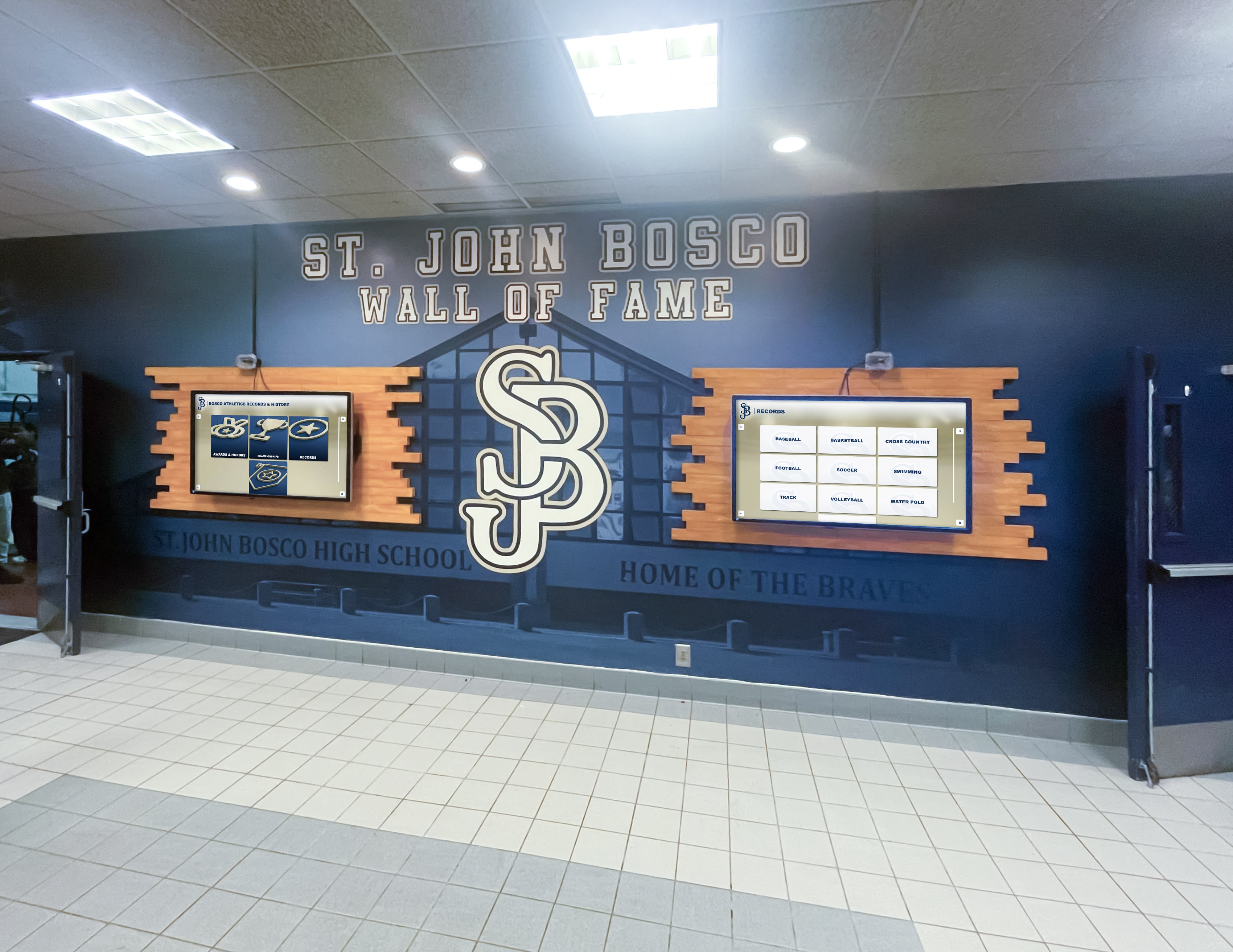
Professional production quality including clear audio ensures recognition content matches institutional standards
Post-Production and Optimization for Touchscreen Display
Raw footage transforms into effective touchscreen content through thoughtful editing, optimization, and technical preparation ensuring smooth playback, appropriate pacing, and maximum engagement impact.
Editorial Approaches for Interactive Content
Editing for touchscreen displays requires different strategies than traditional linear video—accounting for non-linear navigation, varied viewing contexts, and interactive interface integration.
Modular Content Segment Design
Rather than single long-form videos, effective touchscreen content employs modular segment approaches—breaking recognition stories into discrete 45-90 second chapters viewers navigate independently. Modular design accommodates short attention spans in high-traffic environments, allows viewers to jump to personally relevant content, enables content updates without re-editing entire videos, and creates clear interaction points where interface elements invite deeper exploration.
Each module requires self-contained storytelling—opening hooks establishing context for viewers entering mid-stream, core content delivering specific recognition or information, and natural conclusion points where viewers can continue to next segment or exit satisfied.
Pacing for Attention and Engagement
Touchscreen viewing contexts demand faster pacing than traditional video—tighter edits, quicker cuts, dynamic camera movement, and varied visual content preventing viewer attention drift. Strong editing maintains energy through rhythm variation, strategic use of music, visual effects and motion graphics adding polish, and ruthless trimming of anything not directly serving recognition or engagement objectives.
However, pacing must balance energy with dignity—recognition content requires appropriate gravitas avoiding feeling like frivolous entertainment, allowing meaningful moments to breathe rather than rush past, and maintaining professional tone reflecting institutional values.
Technical Optimization and File Preparation
Finished edits require technical preparation ensuring optimal playback on touchscreen display systems—appropriate encoding, resolution, and file formats matching hardware capabilities and content management platforms.
Resolution and Aspect Ratio Considerations
While displays vary in resolution (HD 1920x1080, 4K 3840x2160, portrait 1080x1920), best practice involves finishing video at highest resolution likely needed (typically 4K) then transcoding for specific display requirements. Higher resolution originals provide future flexibility as displays upgrade, enable digital zooming and repositioning during editing without quality loss, and ensure current installations receive maximum quality benefits hardware supports.
Aspect ratio preparation involves creating versions optimized for specific display orientations—16:9 for landscape installations, 9:16 for portrait displays, and potentially custom ratios for unusual display configurations. Each version may require different editorial approaches—repositioning graphics and text, adjusting compositions, and ensuring critical visual elements remain visible regardless of display format.
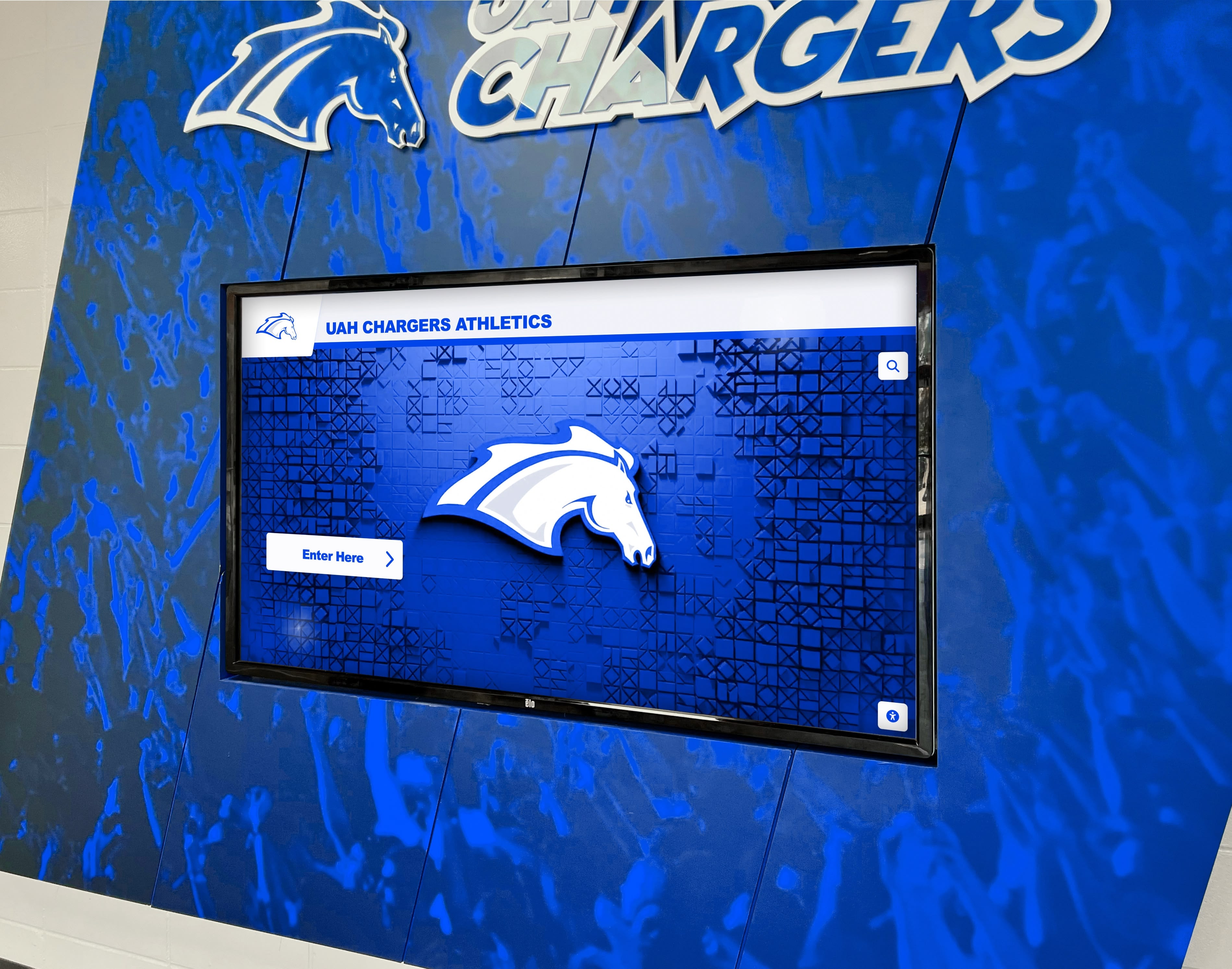
Technical optimization ensures video content displays flawlessly on touchscreen hardware
Encoding Settings and File Format Selection
Touchscreen content management systems typically specify required video formats and encoding parameters—often MP4 files with H.264 or H.265 encoding, appropriate bitrates balancing quality and file size (typically 10-25 Mbps for HD, 35-50 Mbps for 4K), and audio encoding using AAC codecs at appropriate bitrates for clear dialogue and music playback.
Encoding considerations include color space selection (often sRGB or Rec.709 for display output), frame rate selection matching display capabilities (typically 30fps for most content, 60fps for high-motion sports footage), and keyframe intervals supporting smooth seeking and chapter navigation in interactive interfaces.
Accessibility Features and Closed Captioning
Professional touchscreen content includes comprehensive accessibility features ensuring all viewers can engage with recognition regardless of hearing ability or viewing environment. Closed captioning provides essential access while also serving viewers in sound-sensitive environments or those preferring to read content.
Caption creation involves accurate transcription of all dialogue, identification of speakers when multiple people appear, description of meaningful non-speech audio (music genres, environmental sounds, sound effects), and timing ensuring captions appear synchronously with audio at readable pace.
Beyond legal compliance, captioning improves engagement—research shows most viewers watch social video with sound off, patterns applying to touchscreen content in public spaces where audio competes with ambient noise or viewers disable sound to avoid disturbing others.
Discover comprehensive strategies in digital hall of fame design for creating accessible, engaging recognition experiences.
Integration with Touchscreen Interface Design
Video content doesn’t exist in isolation but functions within interactive interface designs—requiring coordination between video production and interface design teams ensuring cohesive user experiences.
Safe Zones and Interface Overlay Accommodation
Touchscreen interfaces typically overlay video with navigation elements, text labels, interactive buttons, and other design components. Video composition must accommodate these overlays through “safe zones”—areas of frame guaranteed to remain visible without critical content obscured by interface elements.
Planning defines safe zone requirements during pre-production, ensures important visual elements (faces, key action, text) remain within protected areas during filming and editing, and tests video content within actual interface designs before finalizing production confirming nothing important gets covered.
Interactive Hotspot and Chapter Marker Coordination
Advanced touchscreen interfaces may incorporate interactive elements directly within video—hotspots revealing additional information, chapter markers allowing direct navigation to specific moments, or branching points where viewer choices determine subsequent content. These interactive features require close coordination between production and development teams establishing technical requirements, identifying appropriate interaction points within content flow, and testing functionality ensuring seamless integration.
Production delivers not just finished video files but also documentation identifying exact timestamps for chapter markers, descriptions of interactive element placement and behavior, and recommendations for how interactive features can enhance recognition storytelling without creating confusing or overwhelming user experiences.
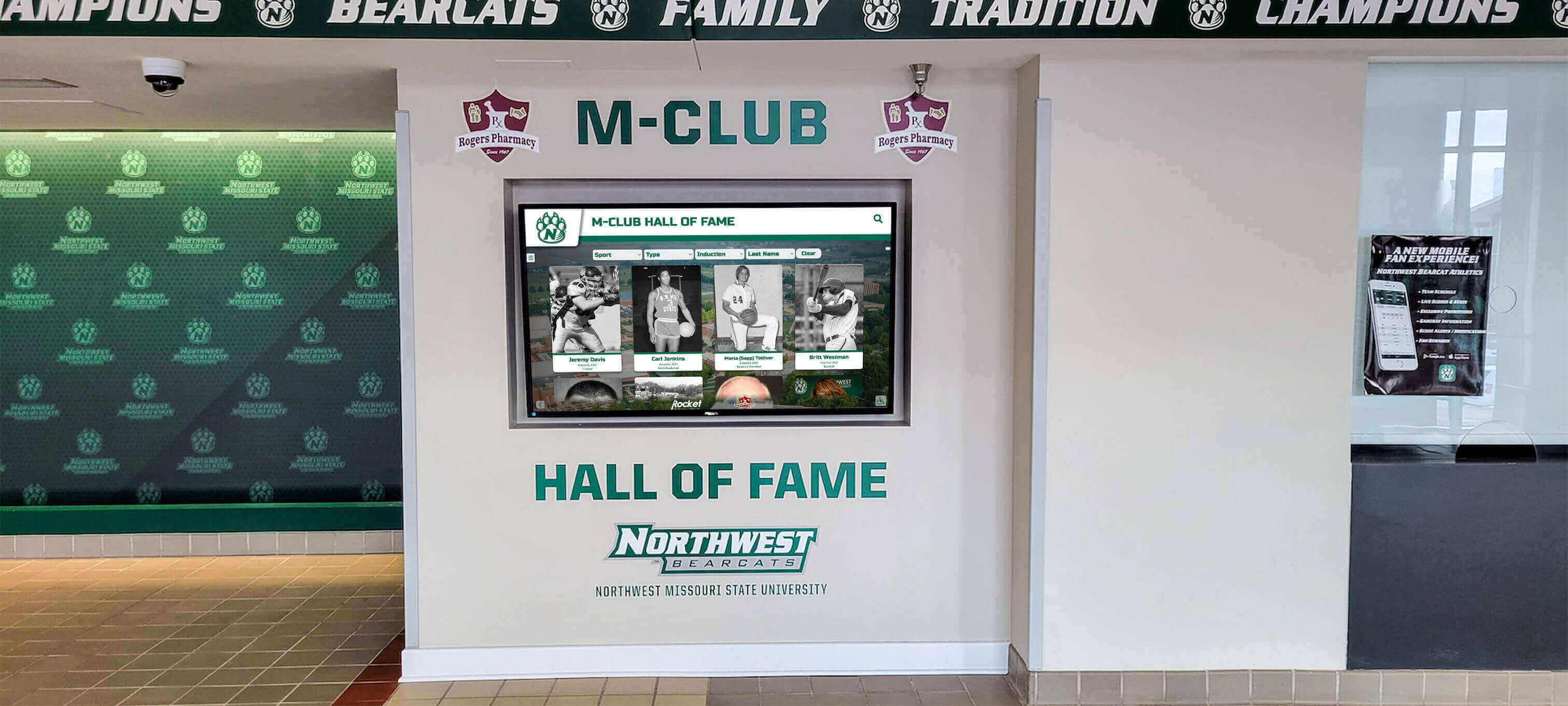
Video content integration with interactive interfaces creates cohesive recognition experiences
Production Planning and Budget Considerations
Understanding production requirements and associated costs helps schools and organizations make informed decisions about content investment matching institutional resources and recognition objectives.
Internal Production vs. Professional Services
Organizations face fundamental decisions about whether to produce touchscreen video content internally with staff and volunteer resources or engage professional production companies specializing in recognition content.
Internal Production Advantages
Staff-created content offers cost efficiencies, scheduling flexibility, institutional knowledge enabling authentic storytelling, ongoing access for content updates and additions, and skill development building internal capacity for future projects. Schools with media programs, communications departments, or enthusiastic staff members with production skills often create compelling recognition content without major external budget requirements.
However, internal production requires realistic assessment of available skills, equipment, and time—amateur-looking content can undermine rather than enhance recognition impact, consuming staff time on steep learning curves while potentially producing results not matching professional standards or appropriately representing institutional brand.
Professional Production Value
Experienced production companies bring specialized equipment, refined techniques, efficient workflows, and creative approaches elevating content quality significantly. Professional services deliver results matching premium display investments, free internal staff for core responsibilities, complete projects on defined timelines despite institutional schedule complications, and often provide strategic guidance beyond pure production services.
Professional services require appropriate budgeting—typically ranging from $2,500-$8,000 for single-subject recognition profiles to $15,000-$50,000+ for comprehensive content collections depending on production complexity, number of subjects, and required filming days.
Budget Components and Cost Factors
Understanding production cost drivers enables realistic budget development and informed decision-making about scope and approach.
Pre-Production and Planning Expenses
Professional production budgets include consultation and planning services—defining objectives, developing content strategies, creating scripts and shot lists, coordinating schedules and permissions, and location scouting. These services typically represent 15-20% of total project budgets but determine production efficiency and final content effectiveness.
Budget considerations include number of planning meetings required, complexity of content strategy development, extent of archival research and asset gathering, and subject coordination difficulty when scheduling multiple individuals across different locations and timeframes.

Professional production investment ensures recognition content quality matches institutional standards and display capabilities
Production Day Costs
Filming expenses include crew day rates (director/producer, camera operators, audio technicians, production assistants), equipment rental or usage fees, travel and accommodation for multi-location projects, and subject compensation or honorariums when appropriate. Production day costs typically represent 40-50% of project budgets with rates varying significantly based on market, crew experience, and project complexity.
Cost efficiency improves with batched production—filming multiple subjects during single production days rather than scheduling separate sessions for each individual, selecting accessible locations minimizing travel time, and thorough planning preventing callback filming for missed coverage.
Post-Production and Delivery
Editing services include footage review and organization, editing and revision rounds, color correction and audio mixing, motion graphics and title design, encoding and technical optimization, and final delivery with appropriate formats and documentation. Post-production typically represents 30-40% of project budgets with timelines ranging from one week for simple projects to months for complex multi-segment content collections.
Efficiency factors include clear stakeholder feedback and approval processes preventing endless revision cycles, realistic review timelines accounting for institutional approval requirements, and defined deliverable specifications preventing scope creep during post-production phases.
Explore investment considerations in school recognition board guides demonstrating budget-appropriate content strategies.
Content Strategy and Ongoing Video Production
Single video projects rarely maximize touchscreen display impact—effective strategies involve systematic approaches to ongoing content creation, updates, and recognition program evolution.
Building Content Libraries and Collections
Rather than isolated videos, institutions benefit from developing comprehensive content libraries supporting multiple recognition purposes and audience needs.
Multi-Sport and Multi-Category Coverage
Equitable recognition requires content representing full institutional diversity—all athletic programs regardless of gender or sport profile, academic achievement across departments, performing arts accomplishments, community service recognition, and other categories reflecting comprehensive institutional excellence.
Content planning ensures systematic coverage rather than ad-hoc production favoring high-profile programs, establishes consistent production standards and formats across categories, and schedules content development ensuring regular additions maintaining viewer interest and freshness.
Depth Stratification and Content Tiers
Effective libraries include content at multiple depth levels—brief highlight videos introducing subjects or categories, medium-length recognition profiles celebrating specific achievements and individuals, and comprehensive documentary-style pieces exploring significant institutional history or major accomplishments deserving extended treatment.
Tiered approaches accommodate viewer interest levels (casual browsers, deeply engaged alumni, prospective students researching programs), manage production budgets focusing resources appropriately across content types, and create clear pathways for viewer engagement progressing from awareness to deeper exploration.

Comprehensive content libraries ensure equitable recognition across diverse institutional achievements
Seasonal and Event-Based Content Updates
Touchscreen displays remain fresh and maintain viewer engagement through regular content updates aligned with institutional calendars and significant events.
Championship and Achievement Celebrations
Major accomplishments deserve timely recognition content—championship season recap videos, postseason achievement highlights, senior class celebration content, and significant milestone recognition. Producing event-responsive content requires flexible production workflows, appropriate budget allocation for unplanned opportunities, and efficient turnaround ensuring content appears while achievements remain current in community consciousness.
Planning includes establishing trigger events automatically initiating production processes, maintaining relationships with production resources enabling rapid mobilization, and creating content templates and formats enabling efficient production without compromising quality.
Annual Recognition Cycles
Systematic content calendars build recognition into institutional rhythms—academic year kickoff videos introducing new students and celebrating returning community members, homecoming content highlighting alumni achievements, graduation celebrations recognizing departing students, and year-end retrospectives documenting institutional growth and accomplishments.
Regular production cycles create audience expectations for fresh content, distribute production workload across calendar rather than creating crunch periods, and ensure recognition remains current rather than displaying perpetually outdated material undermining display value and viewer engagement.
Discover systematic approaches in student achievement showcases demonstrating ongoing recognition strategies.
Repurposing Content Across Platforms
Video produced for touchscreen displays often serves additional institutional purposes—maximizing production investment through strategic content repurposing and multi-platform distribution.
Social Media and Website Integration
Recognition videos created for touchscreen displays adapt readily for social media sharing, website embedding, email newsletter features, and other digital marketing channels. Multi-platform distribution extends recognition reach beyond physical installation locations, creates shareable content community members can distribute amplifying institutional visibility, and documents achievement for audiences unable to visit physical facilities.
Repurposing considerations include creating platform-specific edits optimized for different aspect ratios and viewing contexts, developing accompanying captions and descriptions for each platform, and measuring engagement across channels to inform future content development priorities.
Fundraising and Advancement Applications
Compelling recognition content becomes powerful fundraising tools—demonstrating impact of philanthropic support, celebrating donor contributions, illustrating program excellence deserving continued investment, and creating emotional connections motivating giving. Development teams leverage recognition videos for donor presentations, campaign materials, event content, and stewardship communications recognizing existing supporters.
Strategic planning coordinates recognition content development with advancement priorities, ensures appropriate permission and release documentation for fundraising applications, and creates content frameworks naturally integrating donor recognition within broader achievement celebration.
Recruitment and Marketing Uses
Prospective students, athletes, faculty, and community members evaluate institutions partly through recognition culture—whether achievements are celebrated, how comprehensively excellence is documented, and what community values receive emphasis. Recognition videos function as authentic marketing content showcasing real people, actual achievements, and genuine institutional character impossible to capture through generic promotional materials.
Recruitment applications include campus tour content shown to prospective students, athletic recruiting videos shared with potential athletes, and community relations materials demonstrating institutional impact on local and regional populations.
Implementation Support and Content Management
Even excellent video content requires proper technical implementation, content management systems, and ongoing support ensuring displays function reliably while remaining current.
Content Management System Integration
Touchscreen content doesn’t simply transfer to displays via USB drives—professional implementations utilize content management systems enabling remote updates, scheduling, and administration.
Cloud-Based Management Platforms
Modern recognition systems employ cloud-based content management allowing administrators to upload video content, organize libraries, schedule playlists, update information, and monitor display status from any internet-connected device. Cloud platforms eliminate on-site technical maintenance, enable instant content updates across multiple displays, provide usage analytics informing content strategy, and simplify permission management ensuring appropriate staff access without requiring specialized technical skills.
Platform considerations include storage capacity for extensive video libraries, transcoding capabilities automatically optimizing content for various display types, versioning and rollback features protecting against accidental deletions or problematic updates, and reliable syncing ensuring displays show current content even with intermittent network connectivity.
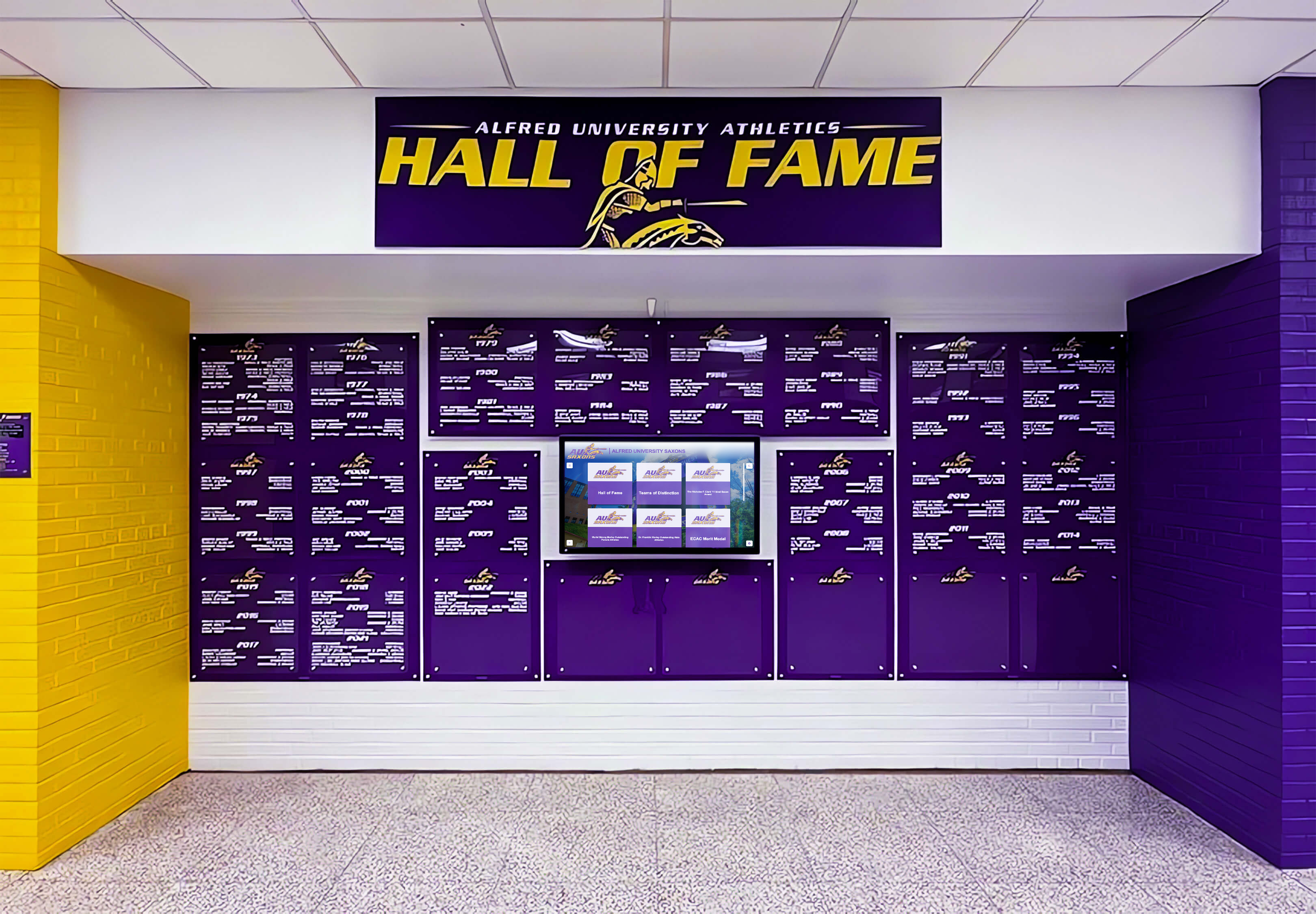
Cloud-based content management systems enable efficient video content deployment and updates
Workflow and Approval Processes
Content management systems often include workflow features supporting institutional approval requirements—content review stages, stakeholder approval checkpoints, scheduled publication ensuring content appears at appropriate times, and audit trails documenting who uploaded or modified content. These organizational features prevent inappropriate content publication, ensure brand consistency and accuracy, coordinate between content creators and system administrators, and provide accountability for content management decisions.
Technical Support and Maintenance
Reliable touchscreen video content requires ongoing technical support ensuring displays function properly, content appears as intended, and issues receive prompt resolution.
Display Hardware Management
Video content effectiveness depends on properly functioning display hardware—screens correctly configured, adequate computing power supporting smooth video playback, appropriate network connectivity enabling content updates, and peripheral maintenance ensuring touchscreen functionality. Support services include routine maintenance schedules, remote monitoring detecting issues before users encounter problems, rapid response to display malfunctions, and hardware refresh planning ensuring aging equipment receives timely replacement.
Content Troubleshooting and Optimization
Even properly produced video sometimes encounters playback issues—stuttering from inadequate processing power, color shifts from incorrect display calibration, audio sync problems from improper encoding settings, or user interface conflicts from safe zone violations. Support services diagnose issues, recommend remediation strategies, coordinate with production teams for content updates when necessary, and document technical requirements ensuring future productions avoid recurring problems.
Solutions like Rocket Alumni Solutions provide comprehensive content management systems with included technical support ensuring recognition displays deliver consistent performance and engagement.
Measuring Success and ROI
Understanding whether touchscreen video content achieves institutional objectives requires defining success metrics, collecting appropriate data, and analyzing results informing future content strategy.
Engagement Metrics and Analytics
Modern touchscreen systems capture detailed usage data revealing how viewers interact with video content and which material generates greatest engagement.
Interaction Tracking and Session Analysis
Analytics reveal user behavior patterns—which videos receive most views, how long viewers watch before stopping, navigation paths through content libraries, and peak usage times and days. These insights identify most engaging content, reveal underperforming material requiring updates or removal, demonstrate usage patterns informing content scheduling, and provide evidence of display value justifying continued investment and expansion.
Detailed session tracking shows whether viewers explore beyond opening screens, which content categories generate deepest engagement, how interface design affects navigation and discovery, and whether users return for multiple sessions suggesting sustained interest rather than single curiosity interactions.
Content Performance Comparison
Comparing engagement across different content types, subjects, and formats reveals effectiveness patterns guiding production decisions. Analysis might show that shorter 60-second segments outperform 3-minute pieces, that certain production styles generate more sharing and discussion, or that specific subjects or time periods attract disproportionate attention suggesting audience preferences and interests.
Performance insights inform budget allocation focusing resources on high-impact content types, guide subject selection and recognition priorities, and identify opportunities for content refresh or expansion where audience demand exceeds current library offerings.
Recognition Impact Assessment
Beyond digital metrics, evaluating how video content affects institutional culture and community engagement provides important success indicators.
Community Feedback and Satisfaction
Qualitative feedback from recognition subjects, viewers, and institutional stakeholders reveals whether content achieves intended impact—subjects feeling appropriately honored, viewers finding content engaging and inspiring, and leadership perceiving value justifying continued investment.
Feedback collection includes informal observation of display area interactions, structured surveys measuring satisfaction and perceived value, focus groups exploring recognition culture and effectiveness, and subject testimonials documenting personal impact of being recognized through professional video content.
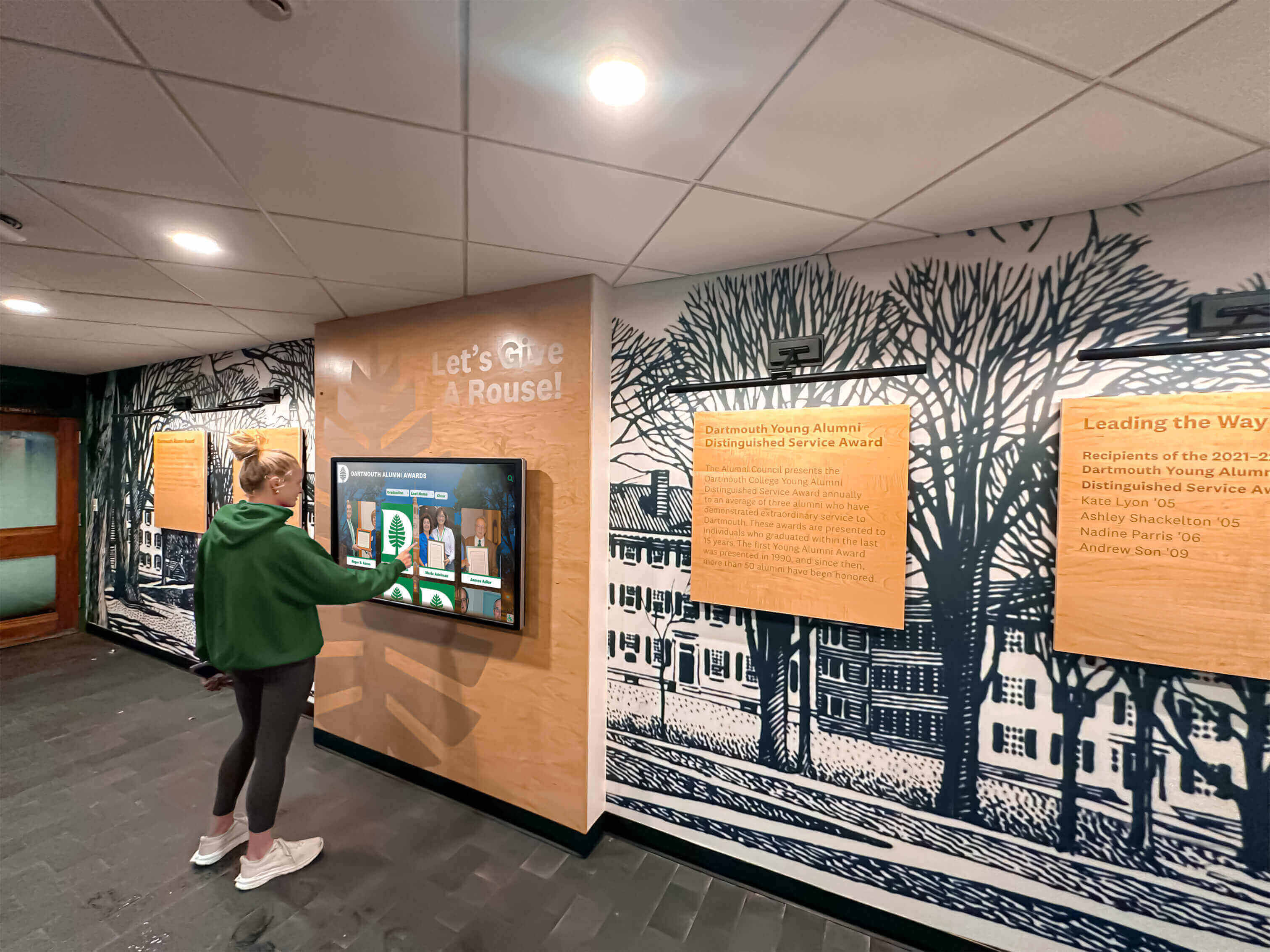
Measuring community engagement and satisfaction reveals recognition content impact beyond digital analytics
Institutional Outcome Connections
Strongest ROI evidence connects recognition content to broader institutional objectives—increased alumni engagement and giving rates, improved recruitment and retention metrics, enhanced community relations and local support, and strengthened institutional culture and pride measures.
While direct causation proves challenging to establish, correlational evidence combined with stakeholder testimony builds compelling cases that recognition video investment delivers meaningful returns through various mechanisms supporting institutional success.
Getting Started with Your Touchscreen Video Project
Schools and organizations ready to enhance recognition displays through professional video content can begin with systematic planning and strategic pilot projects building toward comprehensive content programs.
Needs Assessment and Priority Setting
Effective implementation begins with understanding current recognition gaps, defining objectives, and identifying highest-priority content opportunities delivering maximum impact.
Current State Evaluation
Assessment involves auditing existing recognition approaches—what achievements currently receive celebration, which programs and categories lack appropriate recognition, how current recognition methods are working or falling short, and what opportunities exist for video content to enhance or replace existing approaches.
Analysis includes stakeholder interviews understanding perceptions and priorities, data review quantifying participation and achievement across programs, space assessment identifying optimal display locations and configurations, and community feedback revealing recognition desires and expectations.
Phased Implementation Planning
Rather than attempting comprehensive content development immediately, effective strategies employ phased approaches—starting with pilot projects in high-priority areas, learning from initial implementations before broad rollout, and building content libraries incrementally as resources permit and priorities evolve.
Phasing manages budget requirements distributing costs across multiple years, creates opportunities to refine production approaches based on early results, maintains momentum through regular visible progress rather than years-long development before any content appears, and enables flexibility responding to changing institutional priorities and opportunities.

Strategic planning and phased implementation enable successful touchscreen video recognition programs
Partner Selection and Project Launch
Choosing appropriate production partners and establishing clear project parameters determines implementation success and content quality.
Evaluating Production Partners
When engaging professional services, evaluation criteria include relevant experience with recognition content (not just generic video production), portfolio demonstrating appropriate quality and style, understanding of educational or nonprofit organizational contexts, project management capabilities ensuring on-time delivery within budget, and cultural fit enabling comfortable collaboration throughout extended projects.
Partner selection involves reviewing demo reels and previous work, checking references from similar institutions, discussing project approach and vision alignment, reviewing contracts and rights agreements ensuring institutional ownership and usage flexibility, and establishing clear communication protocols and project management structures.
Project Kickoff and Stakeholder Alignment
Successful implementations include comprehensive kickoff processes ensuring all stakeholders understand objectives, timelines, responsibilities, and expectations. Kickoff activities include detailed project brief development documenting all requirements and specifications, production calendar establishing critical milestones and deadlines, approval process definition clarifying decision authority and review procedures, and communication plans keeping relevant parties informed throughout production.
Early alignment prevents misunderstandings, scope creep, and approval conflicts that derail projects, ensuring implementations proceed smoothly toward successful completion and institutional celebration of enhanced recognition capabilities.
Conclusion: Transforming Recognition Through Compelling Video Content
Professional touchscreen video production elevates institutional recognition from static commemoration to dynamic storytelling that engages communities, preserves legacies, and inspires continued excellence. Schools and organizations investing in both quality display hardware and compelling content creation establish recognition cultures where achievements receive visibility, individuals feel valued, and communities gather around shared stories celebrating collective identity and accomplishment.
As recognition technology continues evolving, the fundamental truth remains constant—hardware enables recognition, but content determines impact. Institutions prioritizing both technical infrastructure and creative content development create recognition experiences that fulfill technology’s promise while honoring the people and achievements that define institutional character and excellence.
Ready to transform your institution’s recognition through professional touchscreen video content? Explore Rocket Alumni Solutions’ comprehensive platforms offering integrated content management, display hardware, and production support services that make creating impactful recognition video simple and sustainable.































