Donor Recognition Signage Ideas: Interactive Display Walkthroughs and Examples
- Home /
- Blog Posts /
- Donor Recognition Signage Ideas: Interactive Display Walkthroughs and Examples
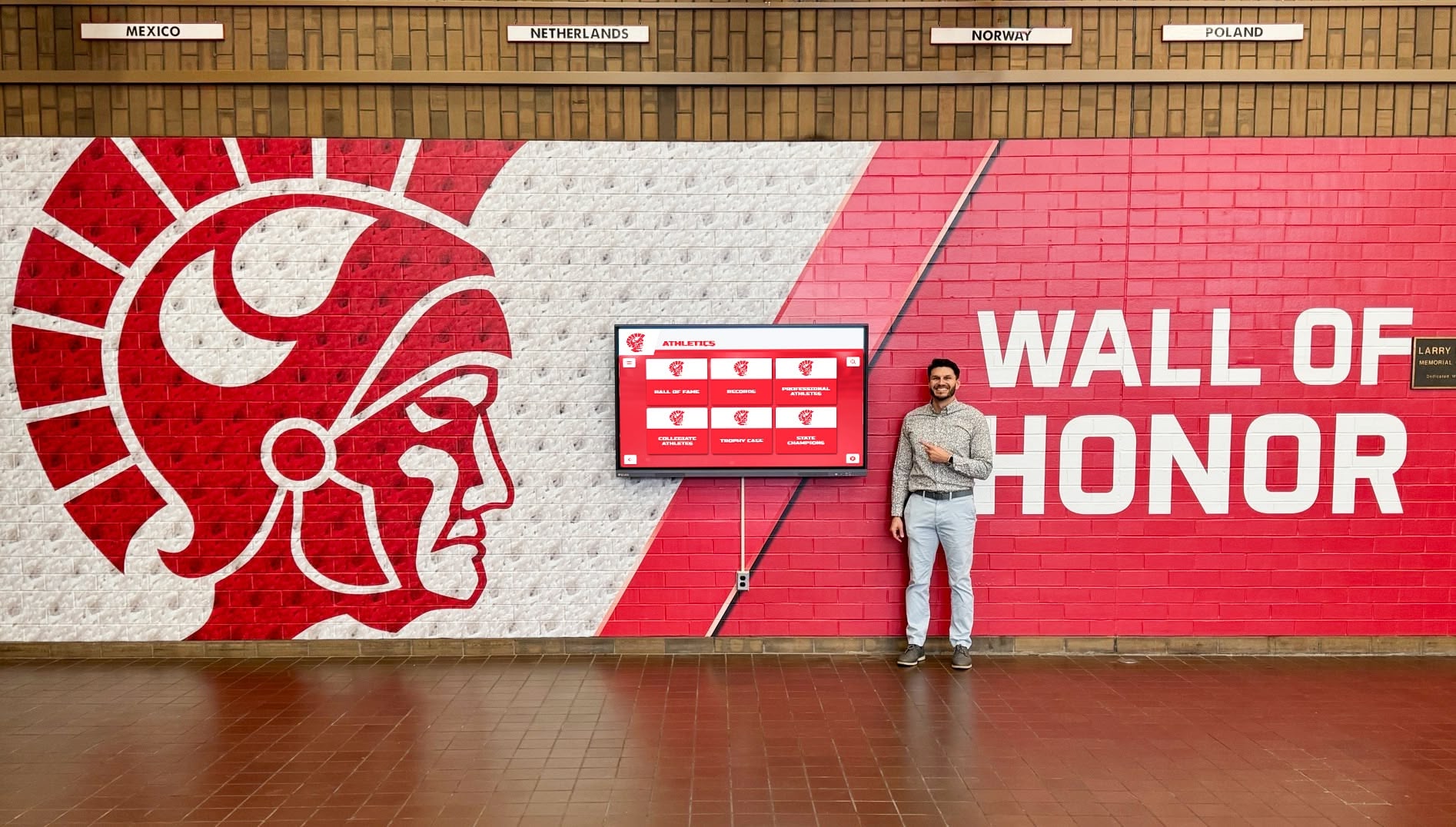
The Easiest Touchscreen Solution




Live Example: Rocket Alumni Solutions Touchscreen Display
Interact with a live example (16:9 scaled 1920x1080 display). All content is automatically responsive to all screen sizes and orientations.
Choosing the right donor recognition signage is one of the most visible decisions a school, university, or nonprofit will make. Donors see it on every campus visit. Prospective supporters gauge organizational professionalism by it. Student-athletes, alumni, and community members form lasting impressions from what hangs—or glows—on those walls. Yet most institutions select signage from a static brochure, never seeing how engraved plaques actually look when a crowded lobby walks past them, or how a touchscreen donor wall responds when a visitor taps a name and a full giving history appears.
That gap between static description and live demonstration is exactly what this visual walkthrough closes. We move from traditional engraved plaques through LED accent walls all the way to fully interactive touchscreen recognition displays—showing what each format looks like in real institutional environments, how visitors interact with them, and what the content management experience looks like behind the scenes. Schools that have lived through a recognition signage upgrade will recognize every scene; those evaluating options for the first time will leave with a clear mental model of what each approach delivers in practice.
The goal is simple: by the end of this guided tour you should be able to picture exactly which type of donor recognition signage fits your community—and what it would look like the day visitors arrive.
When institutions evaluate donor recognition signage, the conversation almost always starts with plaques and ends at touchscreens. The jump between those two endpoints covers more visual and operational territory than most planning committees expect. This walkthrough structures that journey as a video tour, scene by scene, so every stakeholder—from the principal to the booster club treasurer—can see what each option truly delivers before committing to fabrication timelines and installation contracts.

A well-placed donor recognition wall becomes an invitation to pause, explore, and feel the weight of collective generosity
Video Specifications and Tour Overview
| Parameter | Detail |
|---|---|
| Video type | Multi-format comparison walkthrough |
| Total duration | 14–16 minutes |
| Aspect ratio | 16:9 (1920×1080 primary) |
| Target platforms | Website, YouTube, planning presentations |
| Accessibility | Full closed captions; audio descriptions at each scene |
| Segments | 5 scenes + production notes |
This tour covers three distinct donor recognition signage formats—traditional engraved plaques, LED-accented hybrid walls, and fully interactive touchscreen displays—then closes with a content management demonstration showing how each format handles the inevitable question of ongoing updates. The comparison is structured so institutions can pause at any point and use the scene as a reference during their own site visits or vendor demos.
Scene 1: Traditional Engraved Plaque Walls (0:00–2:45)
What the Camera Shows
Opening wide shot: A school lobby at roughly 10 a.m.—overhead lighting on, natural light entering from side windows, light foot traffic. A traditional donor wall occupies the central feature wall: individual bronze or anodized aluminum plaques arranged in a grid, organized by giving tier (Platinum, Gold, Silver) with engraved names and campaign years visible from six feet away.
Camera push to medium shot: The visual hierarchy becomes clear. Largest plaques occupy the center. Smaller recognitions ring the perimeter. Several plaques bear dates from the original capital campaign fifteen years ago; newer plaques at the bottom show the most recent three-year giving cycle.
Close-up detail shots: Laser-engraved lettering on brushed metal. Mounting hardware recessed into the wall. The space between the bottom row of plaques and the floor—roughly eighteen inches—sits bare, the only available expansion space.
Narration Script
“Traditional engraved donor plaques have recognized philanthropic generosity for generations. They convey permanence. They photograph beautifully for annual reports. And for major capital campaigns with a defined donor list, they remain a credible, durable option.
But watch what happens when we try to add three new donors from last year’s annual fund. A facilities coordinator needs to contact the fabrication vendor, wait three to six weeks for new plaques, arrange an on-site installation appointment, and find wall space that doesn’t yet exist. Organizations maintaining a donation honor wall with traditional plaques often discover the real cost is measured not in materials but in staff hours and deferred appreciation.
For institutions with fixed campaign donor lists and generous timelines, traditional plaques deliver the gravitas many major donors expect. For communities with ongoing annual giving, expanding supporter bases, or tight facilities budgets, this format introduces friction that compounds year over year.”
ADA and Accessibility Notes
- Closed captions: Full narration transcript
- Audio description: “Wide shot reveals institutional lobby with twenty-four bronze plaques arranged in three horizontal rows on a painted CMU block wall. Overhead fluorescent lighting creates mild glare on the upper plaques. Camera approaches to reveal individual engraved names at approximately 14-point equivalent size.”
- Contrast compliance: Engraved plaques with dark recessed lettering on polished surfaces often pass WCAG AA requirements at close range but fail at ADA-mandated viewing distances for informational signage
Key Takeaways From Scene 1
- Best for: closed capital campaigns, landmark gifts, permanent naming opportunities
- Limitations: no capacity for growth, no impact storytelling, update costs add up quickly
- Typical cost: $200–$600 per quality plaque; installation adds $50–$150 per unit
Scene 2: LED-Accented Hybrid Donor Walls (2:45–5:30)
What the Camera Shows
Establishing shot: A university athletic facility hallway. The left wall features a custom fabricated panel system—powder-coated aluminum frames in school colors, acrylic name tiles backlit with programmable LED strip lighting. Giving tiers correspond to LED colors: amber for Founders Circle, silver for Leadership Society, white for Annual Fund.
Medium shot sequence: A staff member uses a tablet app to change the LED color scheme for a fundraising event. Within thirty seconds the entire wall shifts from standard white backlighting to the event color palette. The acrylic tiles remain static—names engraved or digitally printed—but the ambient lighting transforms the display’s emotional impact.
Close-up: An empty acrylic slot in the Founders Circle tier, reserved for a pending pledge. The slot reads “To Be Announced” in subtle engraved text. When the gift closes, the tile can be swapped in-house without vendor involvement.

Capturing donor recognition displays on video requires careful attention to lighting, glare, and the natural viewing experience
Narration Script
“LED-accented hybrid walls represent the midpoint between traditional engraved recognition and fully digital displays. The physical presence of engraved names delivers the permanence donors expect from a major gift. The programmable lighting layer adds visual drama that static plaques can’t match—useful for fundraising events, recognition ceremonies, and making the display feel alive during daily foot traffic.
The update story here is better than pure plaques. Many hybrid systems use replaceable acrylic tiles that facilities staff swap without vendor involvement, reducing per-update cost dramatically. But the fundamental constraint remains: the physical capacity of the wall determines the maximum number of donors who can be recognized. When the last slot fills, expansion requires fabrication and installation investment.
Understanding the range of screen types used for digital signage helps facilities teams evaluate how hybrid walls compare to fully digital alternatives on factors like longevity, maintenance, and environmental resilience.
For institutions wanting visual impact beyond static plaques without committing to full digital infrastructure, LED-accented hybrid walls offer a compelling middle ground—provided long-term donor volume stays within wall capacity.”
Scene 2 Production Notes
- Lighting setup: Use a polarizing filter to manage LED backlighting bleed onto the camera sensor; test multiple ISO settings before the final shoot
- Color accuracy: Profile your camera against the actual LED colors rather than relying on auto white balance—the amber/silver tier distinction is the key visual differentiator
- B-roll: Capture the tablet update sequence in real time, not as a post-production effect, to demonstrate the genuine speed of lighting adjustments
Key Takeaways From Scene 2
- Best for: facilities with design budgets, event-forward recognition programs, hybrid capital/annual giving campaigns
- Limitations: still capacity-constrained; LED systems require occasional maintenance; no narrative storytelling
- Typical cost: $8,000–$40,000 installed depending on wall size and LED complexity
Scene 3: Interactive Touchscreen Donor Displays — The Full Walkthrough (5:30–10:00)
This is the longest segment because touchscreen donor recognition covers the most functional ground. The camera visits three distinct interaction moments: the attract loop, the donor profile experience, and the giving impact dashboard.
Scene 3A: Attract Mode and First Impressions (5:30–6:45)
Visual: A 65-inch commercial-grade touchscreen mounted on a lobby feature wall. The screen cycles automatically through featured donor spotlights—high-quality photography, donor names, campaign totals, brief one-line impact quotes. School branding fills the background. A subtle animated pulse on a “Touch to Explore” prompt draws the eye.
Camera angle: Shoot from the position a visitor occupying the lobby would naturally stand—approximately eight feet back, slightly off-center—so viewers understand the scale and ambient impact before any interaction begins.
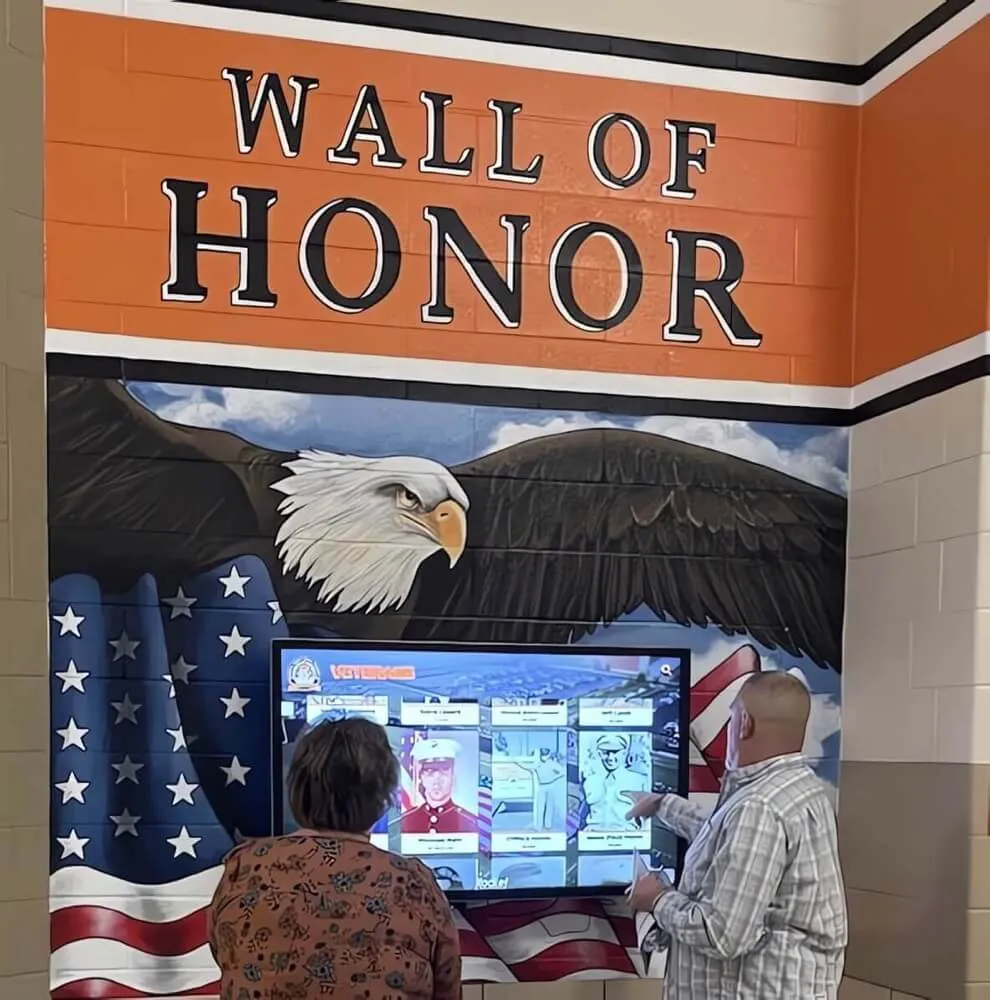
Interactive donor recognition displays draw visitors in through dynamic attract loops before rewarding engagement with deep content
Narration:
“Before anyone touches the screen, it’s already doing recognition work. The attract loop running here cycles through your highest-priority donor stories every thirty seconds—enough time for a passing visitor to read a name, register a face, and feel the weight of the community’s generosity. This passive viewing mode means recognition happens even when no one stops to interact.
Contrast this with the traditional plaque wall we visited in Scene 1. A visitor walking past a plaque wall at normal pace registers perhaps two or three names before passing out of reading range. The attract loop on a touchscreen display reaches everyone who passes—continuously, automatically, without any staff involvement.”
Scene 3B: Donor Profile Deep-Dive (6:45–8:15)
Visual: A hand enters frame from the right and taps the screen. The attract loop dissolves to a full navigation menu. Camera follows the interaction as the visitor:
- Taps “Search by Name” and types the first three letters of a surname
- Three matching profiles appear; visitor selects one
- A full donor profile fills the screen: name, photo, campaign participation timeline, total giving visualization, and a short narrative paragraph about what the gift enabled
On-screen content visible:
- Donor name and preferred recognition title
- Campaign badges (Capital Campaign 2019, Annual Fund 2021–2024, Athletic Scholarship Endowment)
- Giving impact line: “Supported 14 scholarship recipients across five years”
- Navigation arrows to related profiles
Narration:
“This is the recognition moment that no plaque can replicate. In twelve seconds, a visitor went from an empty screen to a rich portrait of a specific donor’s giving journey—complete with the tangible human impact behind their generosity. The donor sees this when they visit. Their family sees it. Students who received scholarships may recognize the name and feel the connection.
Institutions evaluating comprehensive donor walls consistently report that interactive profiles increase the emotional resonance of recognition—supporters feel genuinely seen rather than catalogued.
And critically: when a new donor contributes next month, the administrator adds their profile in the cloud-based CMS from any internet-connected device. No fabrication. No installation appointment. No gap between gift receipt and recognition.”
Scene 3C: Impact Dashboard and Campaign Progress (8:15–10:00)
Visual: Visitor navigates from the profile view to the “Campaign Impact” section. The screen shifts to a full-screen infographic:
- Total donors: 847
- Total raised: $2.4M (campaign goal: $3M, animated progress bar at 80%)
- Giving societies: Founders (12 donors), Leadership (38 donors), Community (797 donors)
- Recent activity ticker: three new donors in the past 30 days, shown as live-update cards
Camera angle: Over-the-shoulder perspective showing both the screen content and the visitor’s natural reaction—nodding, leaning forward slightly.
Narration:
“The campaign impact dashboard transforms donor recognition signage into an active fundraising tool. Prospective donors who explore the display see momentum—847 community members have already committed to this mission. That social proof motivates action in ways that a static plaque listing closed-campaign contributors simply cannot.
Schools running annual giving campaigns use this real-time view to generate energy during homecoming weekends and spring fundraising pushes. Nonprofits connect the display to their giving platform so donor counts update automatically within minutes of a new gift—creating a feedback loop where recognition itself inspires additional giving.
For alumni associations planning major campaigns, connecting the touchscreen display to a broader engagement strategy—including university giving day initiatives—amplifies the visual momentum effect across both physical and digital channels.”
Scene 4: Content Management — Behind the Scenes (10:00–12:30)
Most video walkthroughs skip this scene. It matters enormously.
The Administrator View
Visual: Screen recording of the cloud-based CMS accessed through a standard web browser. The administrator view shows:
- Donor roster with search/filter tools
- Individual profile editor: fields for name, photo upload, campaign association, narrative text, privacy settings
- Bulk import module accepting CSV uploads from donor management systems
- Display settings: screen layout selector, attract loop sequencing, LED integration panel (for hybrid systems)
- Analytics dashboard: sessions per day, most-viewed profiles, search terms used
Narration:
“The CMS is where the promise of ‘unlimited donor capacity’ either holds or breaks down. What you’re seeing here is a web-based administration panel accessible from any computer, tablet, or smartphone—no proprietary software installation, no IT ticket required. An athletics director can add a new scholarship donor from home on a Sunday evening; the display updates the next morning before the first bell.
This remote management capability matters especially for schools and nonprofits whose facilities staff manage multiple responsibilities. The days of scheduling a vendor visit every time a donor name needs to be corrected or a new profile added are over.
Organizations seeking expert support during setup and beyond benefit from white-glove implementation services that handle data migration, initial profile creation, and ongoing training—so the recognition program launches with momentum rather than a backlog of unrecognized supporters.”
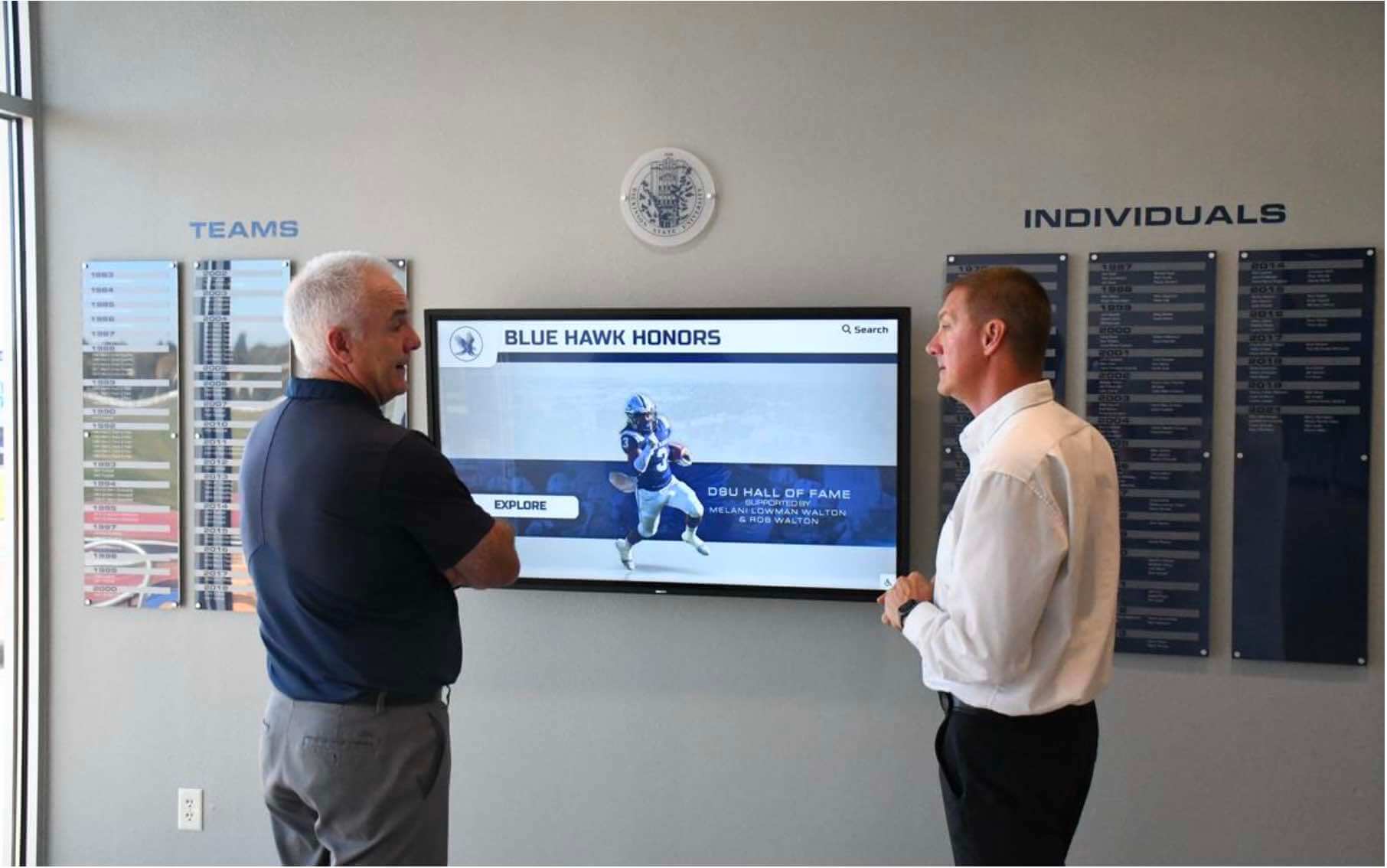
Interactive displays naturally draw multiple viewers into shared discovery experiences, extending the recognition impact beyond a single visitor
Privacy Controls and Donor Preferences
On-screen highlight: The privacy settings panel for an individual donor profile, showing four options:
- Full public display (name, photo, giving history, narrative)
- Name and tier only (no photo or narrative)
- Anonymous aggregate (counted in totals but no individual identification)
- Hidden from display (recognized in private communication only)
Narration:
“Respecting donor preferences isn’t a feature—it’s a foundational requirement for ethical recognition. These privacy controls allow every supporter to specify exactly how they want to appear on the display, and those preferences apply instantly without requiring physical plaque removal or display reconfiguration.
Churches and faith communities, which often include members with theological convictions about anonymous giving, find this flexibility essential. Church interactive donor boards built on platforms with robust privacy controls serve diverse congregations without compromising recognition integrity for donors who do welcome public acknowledgment.
Alumni associations managing thousands of supporter records across decades of giving appreciate bulk privacy updates—when a donor requests anonymity, a single checkbox change propagates across all associated campaign records simultaneously.”
Scene 5: Placement Examples and Environmental Integration (12:30–14:30)
Location 1: School Main Lobby
Visual: A wide shot of a K-12 school entrance lobby. The donor recognition touchscreen occupies the wall directly opposite the main entrance—the first thing visitors see when they walk in. Left of the display, a traditional trophy case. Right, a digital record board. The donor wall anchors the recognition ecosystem visually and physically.
Narration:
“Main lobby placement makes the donor recognition display part of every visitor’s first impression. Families touring the school, prospective donors attending events, alumni returning for reunions—all encounter the community’s generosity immediately upon arrival. This positioning transforms a recognition tool into a statement of institutional values.
Integrating digital recognition into broader indoor sports facility design plans ensures displays complement architectural intent rather than competing with it—choosing mounting heights, frame finishes, and lighting conditions that make recognition visually authoritative in the space.”
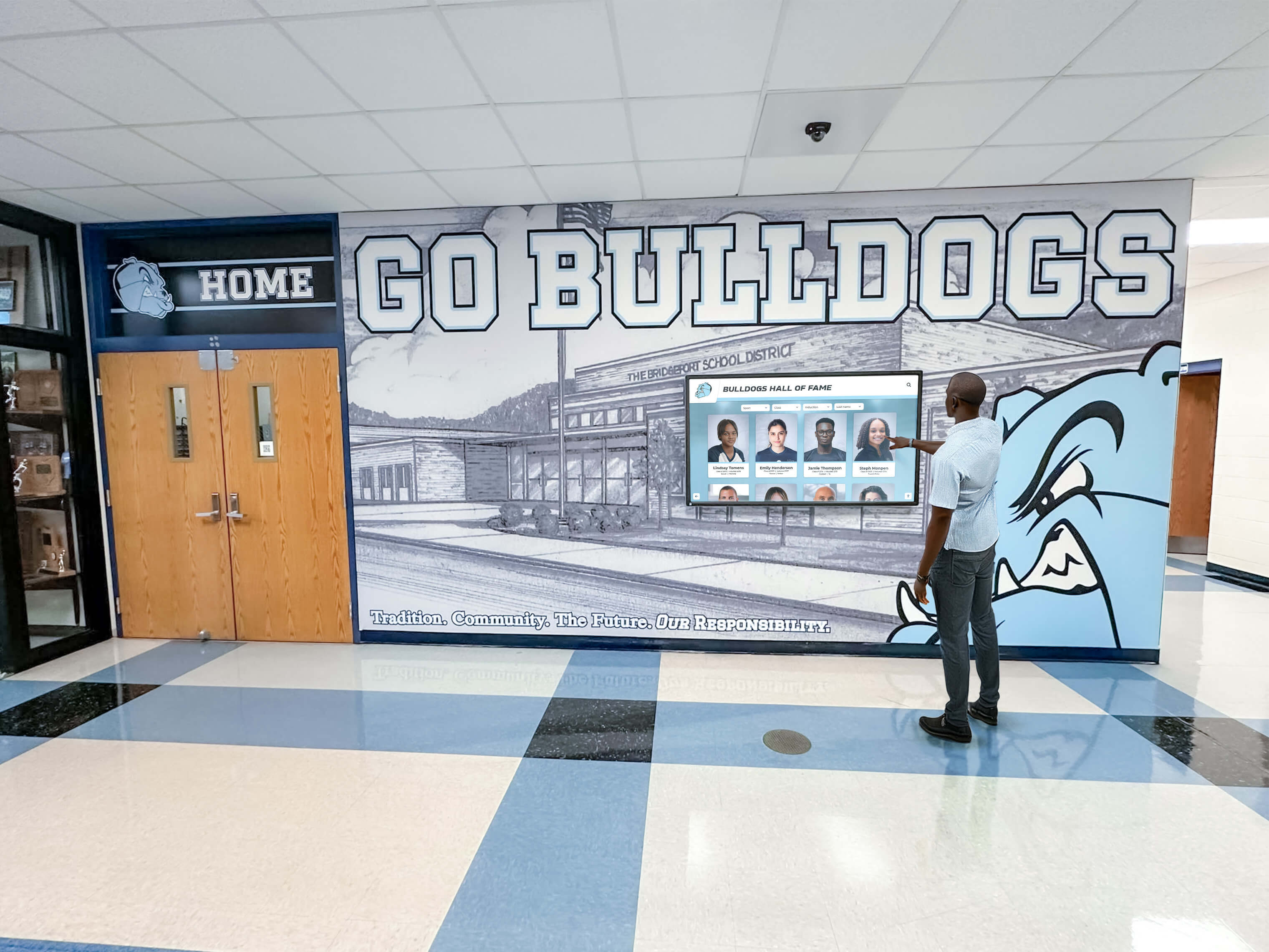
Strategic hallway placement ensures donor recognition integrates naturally into daily institutional life rather than occupying isolated corners
Location 2: Athletic Facility and Gymnasium Entrance
Visual: A gymnasium entrance corridor. Two 55-inch displays mounted flanking the entry doors—one showing the donor recognition wall, one displaying team records and athletic achievements. Visitors approaching the gym pass between them.
Narration:
“Athletic facility placement connects donor recognition directly to program outcomes. Visitors attending games see donor names on their way in and out—associated not with administrative offices but with the courts, fields, and gyms their generosity helped fund or equip. That environmental connection strengthens the emotional resonance of recognition substantially.
Schools building comprehensive alumni donors walls of honor often find that athletic facility placement drives the highest interaction rates—student-athletes explore the profiles of donors whose gifts funded their scholarships; coaches reference the display during recruiting visits to demonstrate program community support.
Multiple display locations throughout a facility create recognition touchpoints at every significant venue—lobby, gymnasium entrance, library corridor, performing arts wing—so no donor’s generosity is visible only to visitors who happen to use one specific door.”
Location 3: Museum and Cultural Institution Kiosks
Visual: A museum-style setting where a floor-standing kiosk hosts the donor recognition interface beside a permanent exhibit. The kiosk design matches exhibit aesthetics—wood-and-metal construction, muted branding colors—making the recognition element feel native to the interpretive environment rather than bolted on.
Narration:
“Cultural institutions face unique donor recognition signage challenges: the display must complement interpretive content without overshadowing it, honor supporters without interrupting the visitor experience, and remain visually coherent across exhibit design updates spanning years or decades.
Floor-standing kiosk configurations explored in comprehensive museum kiosk guides offer positioning flexibility that wall-mounted systems lack—kiosks can be repositioned during exhibit rotation without major renovation, a significant operational advantage for institutions with evolving gallery configurations.
The content experience on a museum kiosk can integrate donor recognition with exhibit context—a donor who funded the natural history wing appears not just as a name but as the person whose gift made the exhibition possible, with a photo of the opening and a link to explore what the collection contains.”
Production Notes for Your Own Donor Recognition Signage Video
If your institution is producing a recognition walkthrough video for board presentations, capital campaign materials, or donor stewardship communications, these production guidelines apply directly.
Equipment and Technical Setup
Camera:
- Minimum 4K capture (3840×2160) to allow cropping without quality loss in post
- 24mm to 50mm equivalent focal length for display close-ups; 16–24mm for establishing shots
- Tripod mandatory for display shots; shoulder mount acceptable for walkthrough b-roll
Lighting:
- Avoid direct window light facing the screen—creates washed-out exposure
- Diffused LED panel at 45° to the display eliminates hotspot glare on touchscreen glass
- Match display screen brightness to ambient light level so screen content reads clearly at every aperture setting; test at f/4, f/5.6, and f/8 before committing to a lighting configuration
Audio:
- Lavalier mic on presenter/narrator is mandatory—room acoustics in lobbies destroy camera-mounted audio
- Capture one minute of room tone before filming; useful in post to smooth edit cuts
- If recording donor video testimonials for the display, use the same lavalier setup for acoustic consistency
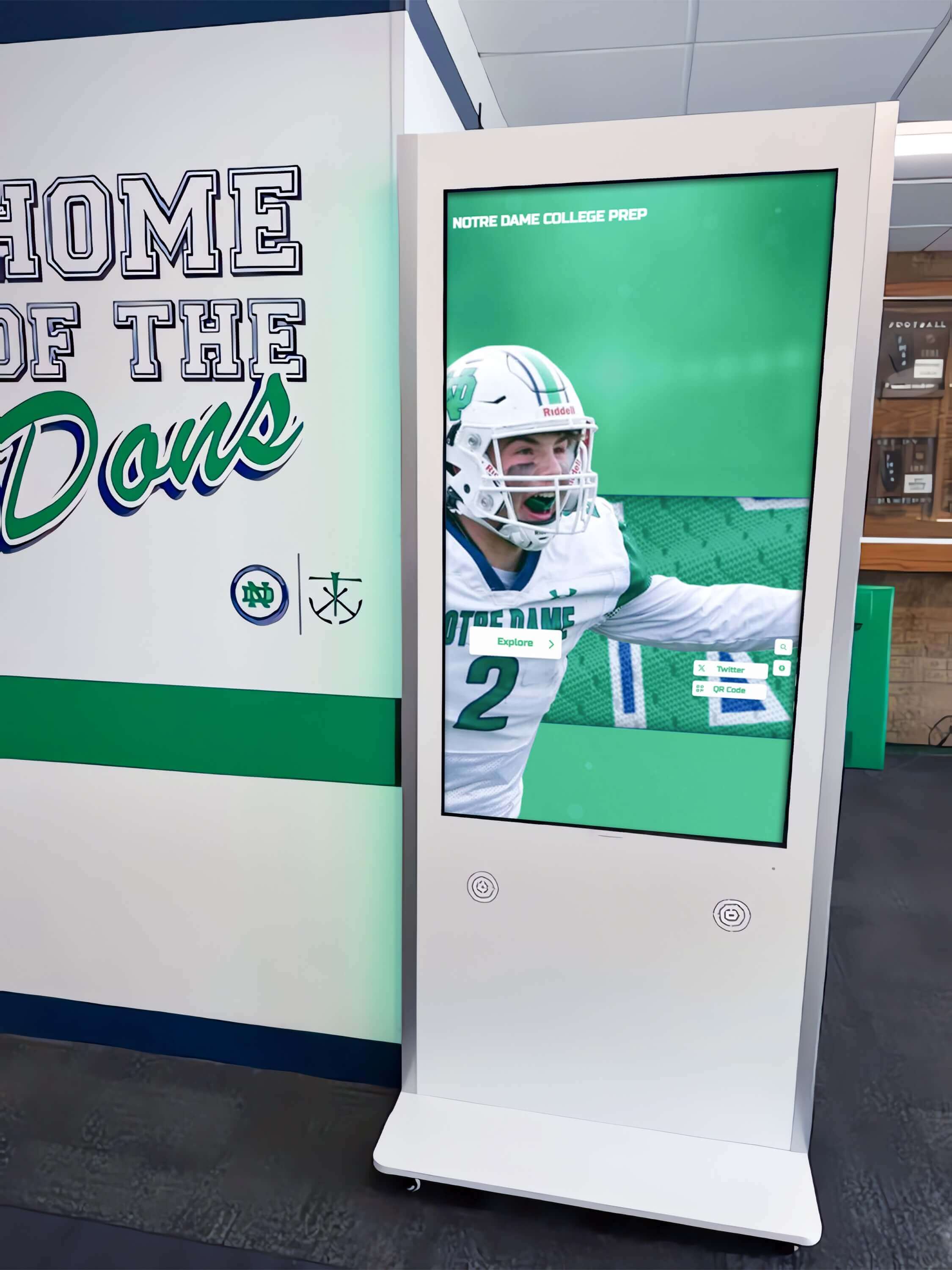
Professional kiosk installations combine recognition hardware with compelling environmental context for maximum impact
ADA and Accessibility Requirements
Closed captions: Every video used in donor stewardship or public-facing presentations should include accurate closed captions—not auto-generated transcripts but reviewed, corrected text synchronized to the audio track within one-second tolerance.
Audio descriptions: For content where the screen display itself is the subject (walkthroughs, interface demonstrations), a separate audio description track or video version with described action narration serves visitors with visual impairments.
Screen contrast: Commercial recognition displays used in well-lit lobbies should target 400 nits minimum brightness; hallway installations near windows may require 600+ nits. Test during the facility’s peak natural light hours, not at dusk when conditions look favorable regardless of hardware quality.
Touch height: ADA mounting guidelines recommend interactive touch zones positioned between 15 and 48 inches above finished floor level, with displays angled where possible to minimize reach for users in wheelchairs.
Export and Distribution Specifications
- Website embed: H.264 MP4 at 8–12 Mbps for 1080p delivery; include WebVTT caption file
- YouTube: Upload in 4K even if your primary audience watches at 1080p—YouTube’s compression algorithm treats 4K source files more favorably
- Board presentation: Export a 90-second highlight cut specifically for PowerPoint/Keynote embed; full-length videos rarely survive presentation settings
- Donor stewardship email: 60-second teaser with prominent CTA thumbnail; link to full video on website rather than embedding in email
Comparing the Three Donor Recognition Signage Formats: A Summary
| Feature | Engraved Plaques | LED Hybrid Wall | Interactive Touchscreen |
|---|---|---|---|
| Donor capacity | Physical limit | Physical limit | Unlimited |
| Update process | Vendor + installation | In-house tile swap | Remote CMS |
| Impact storytelling | Name only | Name + tier | Photos, video, narrative |
| Visitor interaction | Passive viewing | Passive viewing | Active exploration |
| Campaign momentum | Static | Static | Live progress data |
| Annual cost | Per-plaque fees | Low maintenance | Platform subscription |
| Best for | Major gifts / closed campaigns | Design-forward facilities | Ongoing annual giving, growth |
For schools, universities, and nonprofits building recognition programs designed to grow—adding new annual fund donors every year, celebrating multi-year giving milestones, connecting supporters to evolving program outcomes—interactive touchscreen donor recognition displays solve structural problems that even the most beautifully crafted engraved wall cannot address.

Modern donor recognition signage integrates seamlessly into institutional hallways, transforming recognition from static catalogues into living community stories
The nonprofit donor walls guide for 2026 offers a comprehensive current-year comparison of recognition formats specifically from a nonprofit perspective—useful for development directors preparing board presentations on recognition technology investment.
What to Ask During a Live Demo
When you move from video walkthrough to a scheduled live demonstration with a recognition platform vendor, bring these specific questions to test the claims made in any video tour:
Content management:
- How long does it take to add a new donor from scratch, including photo upload and narrative text?
- Can two administrators manage content simultaneously without conflicting edits?
- How are bulk donor imports handled from our existing CRM/database?
Display performance:
- What happens to display content if the internet connection goes down?
- How often does the attract loop content cycle, and who controls that sequence?
- What is the claimed display lifespan for a commercial-grade touchscreen in a high-traffic environment?
Privacy and compliance:
- Can individual donors opt out of specific data fields (amount, photo) while remaining on the display?
- How are FERPA considerations handled when recognizing student donors or student-named gifts?
- What is the data backup and recovery process if the CMS account requires restoration?
Support and longevity:
- Is training included in the implementation package, and is it documented for staff turnover?
- What does the support escalation process look like if the display goes dark on a Saturday before a major event?
- How does the platform handle display hardware replacement if a screen fails after warranty expiration?
Conclusion: Seeing Is Deciding
Donor recognition signage is a tangible representation of institutional gratitude—the physical or digital embodiment of an organization’s commitment to honoring supporters who chose to invest in its mission. Choosing poorly means donors walk past their own name without finding it, or find it in faded engraving on a plaque that ran out of expansion space three capital campaigns ago.
The most effective donor recognition signage programs share one characteristic: they grow with the organization. They accommodate the next donor class without requiring a renovation budget. They tell the story behind every gift, not just the amount. And they work continuously—attract loops running in empty hallways at 6 a.m., profiles loading in two seconds for alumni visiting on a Sunday afternoon, campaign progress updating automatically when a gift closes on a Tuesday evening.
Video walkthroughs make these operational realities concrete before installation commitments are made. If a format can’t tell a compelling story in a four-minute walkthrough, it won’t do so on your lobby wall either.
See Your Donor Recognition Signage in Action
Rocket Alumni Solutions builds interactive donor recognition displays for schools, universities, nonprofits, and organizations that need recognition programs designed to grow. Book a live video demo and see exactly how your donor data would appear on screen—complete profiles, giving histories, impact narratives, and real-time campaign dashboards.
Live Example: Rocket Alumni Solutions Touchscreen Display
Interact with a live example (16:9 scaled 1920x1080 display). All content is automatically responsive to all screen sizes and orientations.