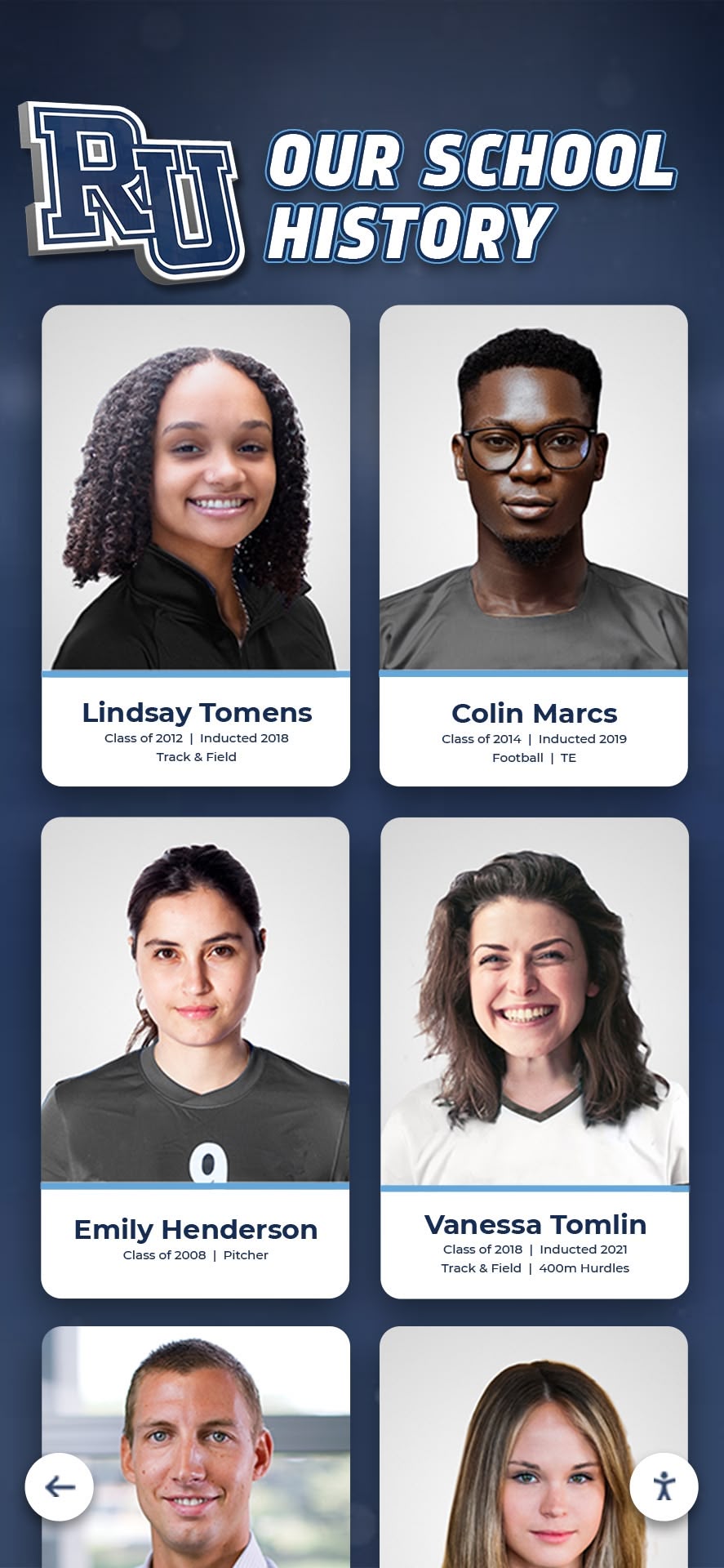




Schools, universities, and alumni associations face a common challenge when building hall of fame recognition programs: valuable historical photographs exist locked inside decades-old yearbooks that can’t withstand repeated handling, yet these images represent the perfect source material for honoring distinguished alumni, athletes, and community members. The question isn’t whether to digitize these materials—it’s how to extract the content you need while keeping the physical books intact for future generations.
This guide addresses the specific techniques, equipment, and workflows organizations use to capture high-quality images from old yearbooks without causing physical damage. Rather than general digitization principles, we focus on preservation-first methods that protect fragile bindings, prevent page tears, avoid damaging brittle paper, and create usable digital files ready for hall of fame displays, interactive touchscreens, and permanent archives.
Whether you’re preparing content for a new digital recognition wall or building a searchable historical database, these approaches enable you to transform yearbook contents into accessible formats while maintaining the integrity of your institution’s original publications.
Old yearbooks hold irreplaceable documentation of school life, student achievements, athletic victories, and community milestones. Yet these bound volumes present unique challenges when organizations need specific photographs for recognition displays without risking damage to materials that grow more fragile each year.

Professional digitization transforms fragile yearbook contents into accessible digital archives while preserving original books
Why Digitize Yearbooks for Hall of Fame Projects
Organizations pursue yearbook digitization for hall of fame displays because these publications contain authentic historical photographs documenting individuals at the time of their achievements, yet the physical books face inevitable deterioration.
The Value of Yearbook Content
Yearbooks provide unique source material for recognition displays because they capture people during their actual participation years, include contextual information like team rosters and award lists, document multiple individuals simultaneously for group recognition, show facility evolution and program history, and maintain consistent photographic quality across decades.
Unlike loose photographs stored in boxes or folders, yearbooks provide organized chronological records with embedded context making identification and verification substantially easier.
Research on institutional archives indicates that over 70% of schools have already lost or misplaced portions of their loose photograph collections, while bound yearbooks—despite age—typically remain intact when stored properly, making them the most reliable source for historical imagery.
Risks of Physical Yearbook Handling
Older yearbooks face multiple deterioration factors including brittle pages that tear easily, weak bindings that separate with repeated opening, acidic paper that yellows and crumbles, adhesive degradation in photographs, and environmental damage from improper storage conditions.
Each time someone physically handles a 40, 50, or 60-year-old yearbook to photograph a page with a camera or smartphone, they stress the binding, risk page tears, introduce oils from skin contact, and can cause permanent damage to irreplaceable materials.
For hall of fame recognition programs requiring dozens or hundreds of historical photos, repeated manual extraction quickly becomes impractical and risks destroying the source materials entirely.
Benefits Beyond Hall of Fame Displays
While hall of fame content extraction may drive initial digitization decisions, comprehensive yearbook digitization delivers additional value including searchable alumni directories accessible to reunion committees, research resources for local historians and genealogists, fundraising tools showing donor class year photos, educational materials for students studying institutional history, and social media content generating engagement.
Organizations report that digitized yearbooks become some of their most-accessed online resources, with alumni spending significant time exploring pages from their graduation years and discovering classmates they’d lost contact with decades earlier.
Understanding Non-Destructive Digitization Methods
The key distinction separating professional yearbook digitization from amateur approaches lies in equipment and techniques specifically designed to protect bound volumes during the scanning process.
Overhead Book Scanners vs. Flatbed Scanners
Traditional flatbed scanners require pressing books face-down against glass—an approach that stresses bindings, forces pages flat at damaging angles, and risks tearing pages during repositioning. Repeatedly opening a fragile book to 180 degrees for flatbed scanning frequently causes spine damage and page separation.
Overhead book scanners solve these problems through fundamentally different design. These specialized systems feature cameras or sensors mounted above a V-shaped book cradle allowing volumes to rest naturally at comfortable angles that minimize binding stress. Books open only to approximately 90-120 degrees rather than forcing completely flat positioning.
The scanning surface supports both pages simultaneously, eliminating stress concentrations at the spine. Many systems include glass platens that gently flatten pages using minimal pressure, ensuring consistent focal distance without damaging brittle paper.
Professional book scanners designed for library and archive work typically cost $3,000-$15,000, though entry-level models suitable for yearbook projects start around $800-$1,500. Organizations needing to digitize substantial collections often find these investments worthwhile compared to outsourcing costs or risking book damage.
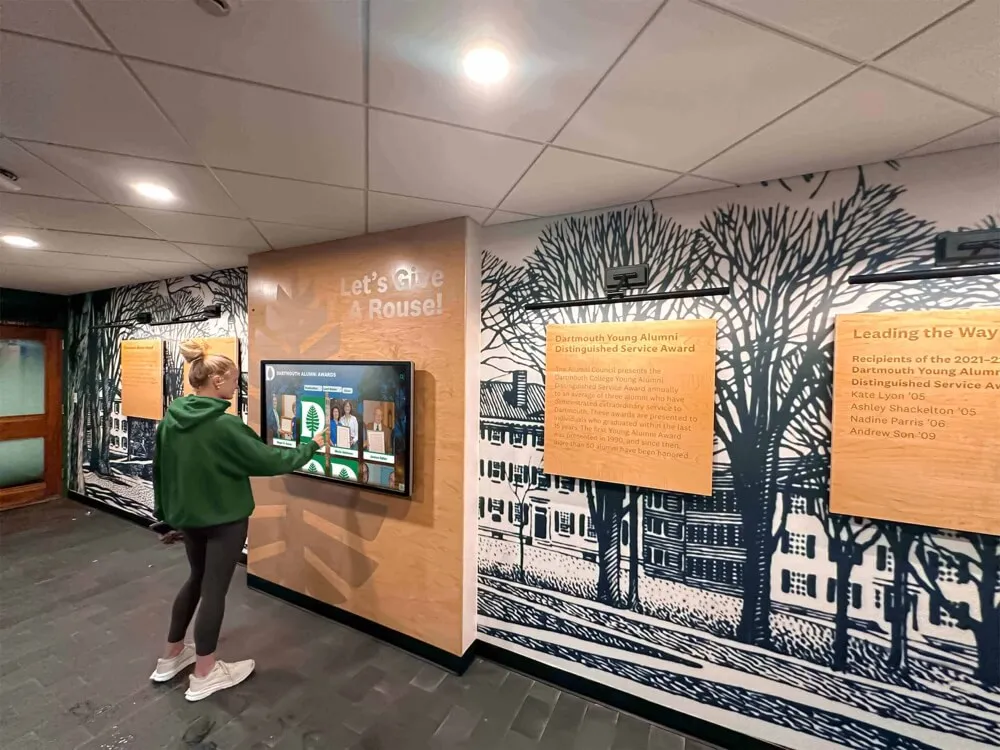
Once digitized, yearbook content becomes accessible through interactive displays enabling exploration impossible with physical books
Document Cameras as Budget-Friendly Alternatives
High-quality document cameras provide more affordable options for small-scale digitization projects. These devices mount cameras on articulated arms above flat surfaces, capturing images without physical contact with materials.
While lacking the specialized book cradles of dedicated book scanners, document cameras enable non-contact capture when operators carefully support pages at appropriate angles. Some models include foot pedals allowing hands-free triggering, keeping both hands available for gentle page support and positioning.
Quality document cameras suitable for yearbook digitization range from $200-$800. Organizations selecting this approach should prioritize models offering at least 8-megapixel resolution, adjustable focus and exposure, consistent lighting, and minimal geometric distortion.
Professional Digitization Services
Many institutions choose professional digitization services that specialize in historical materials and bound volumes. These providers use commercial-grade equipment, employ trained technicians familiar with fragile materials handling, maintain quality control processes, provide archival-quality file formats, and often include metadata creation and organization.
Professional yearbook digitization typically costs $5-$15 per book for standard-sized volumes, though pricing varies based on condition, page count, resolution requirements, and turnaround time. Some services offer pickup and delivery, while others require shipping books to digitization facilities.
When evaluating professional services, verify their experience with bound materials, request references from similar projects, understand insurance coverage for materials in transit and during scanning, and confirm file delivery formats and resolution specifications meet your hall of fame display requirements.
Explore digital history archive approaches that organizations use to preserve and present institutional materials.
Safe Handling Practices for Fragile Yearbooks
Regardless of digitization method selected, proper handling techniques protect books throughout the process.
Environmental Preparation
Create appropriate working conditions by maintaining moderate temperature and humidity, providing clean work surfaces, ensuring adequate but not excessive lighting, minimizing dust and contaminants, and allowing books to acclimate if moved from different storage conditions.
Avoid digitizing in direct sunlight, near food or beverages, in high-humidity environments, or in spaces where books might be bumped or knocked over during work.
Physical Handling Guidelines
When working with old yearbooks, always wash and dry hands thoroughly before handling, avoid eating, drinking, or applying hand lotion during sessions, support book weight from underneath rather than gripping spines, turn pages gently from top corners, and never force books open beyond their natural flexibility.
For extremely fragile volumes, consider wearing cotton gloves to prevent oil transfer, though some preservation experts note that clean bare hands often provide better tactile feedback and control than gloves.
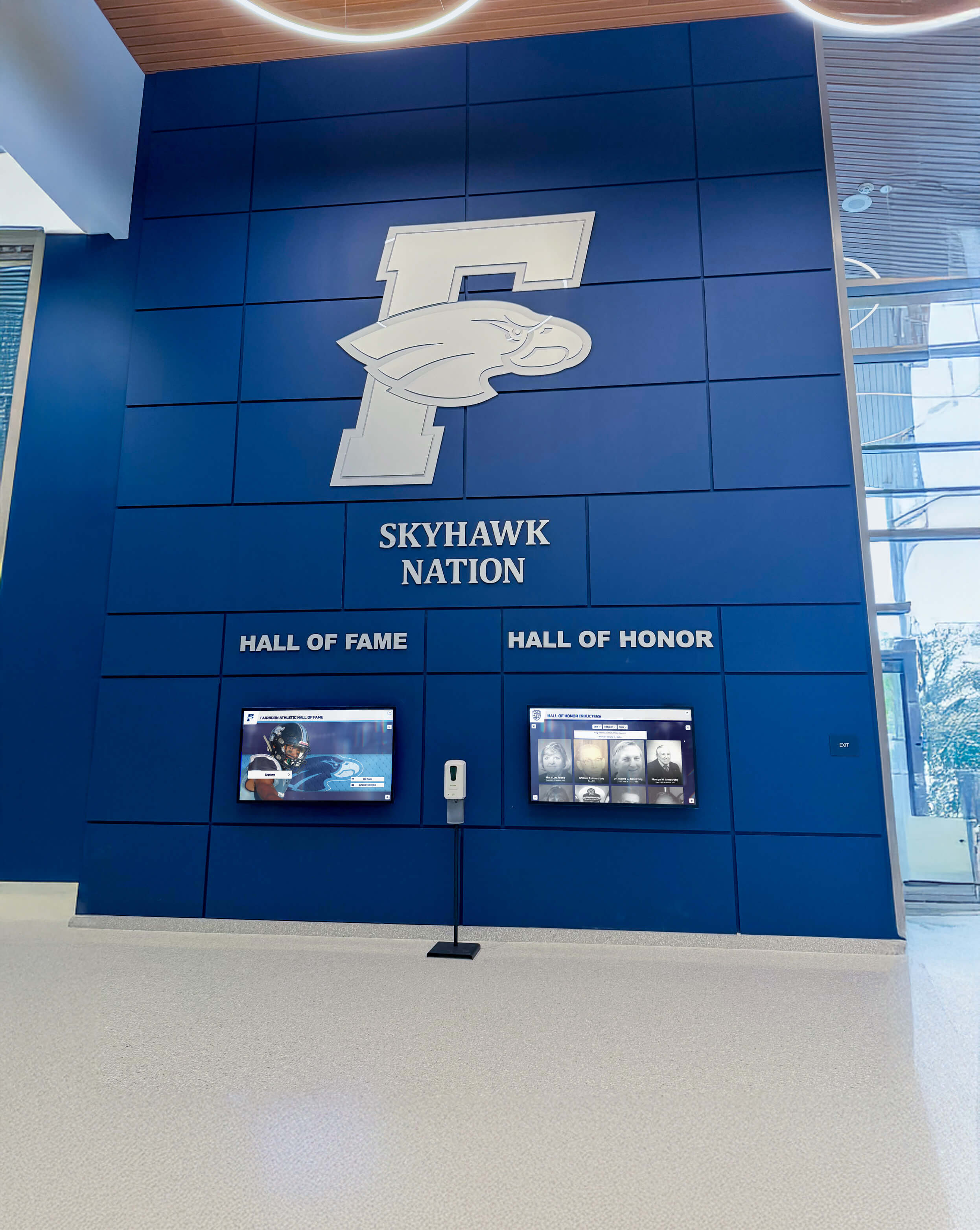
Modern hall of fame installations display digitized historical content alongside contemporary recognition
Page Turning Techniques
Proper page turning significantly reduces damage risk. Turn pages slowly and deliberately, supporting the page edge as it lifts, allowing pages to fall naturally rather than forcing them flat, checking for stuck pages before turning, and giving bindings time to relax between page turns.
If pages stick together due to humidity or aging adhesive, never force separation. Professional conservators can safely separate stuck pages using appropriate tools and techniques, or you may need to skip problematic pages temporarily.
Recognizing When to Stop
Know when to pause or seek professional assistance including when bindings show active cracking or separation, pages tear despite gentle handling, adhesive actively transfers to adjacent pages, unusual odors indicate chemical degradation, or visible mold or insect damage appears.
Continuing digitization when encountering these conditions risks causing permanent damage. Professional conservators can often stabilize materials before digitization proceeds.
Technical Specifications for Hall of Fame-Ready Images
Capturing appropriate image quality ensures digitized yearbook content works effectively in hall of fame displays without requiring re-scanning.
Resolution Requirements
Different uses demand different resolution levels. For interactive touchscreen displays showing full yearbook pages, scan at 300-400 DPI producing clear readable text and images. For extracting individual photographs that will display at larger sizes, scan at 600 DPI or higher ensuring sufficient detail for enlargement.
For archival purposes where you want flexibility to use content in various future applications, capture at 600 DPI as a standard approach balancing quality with file size.
Higher resolutions create larger files requiring more storage space and longer processing times. However, inadequate resolution forces re-scanning if later needs emerge—defeating the goal of protecting books by minimizing handling.
Color Depth and Mode
Scan yearbooks in full color (24-bit RGB) even if pages appear black and white. Color capture preserves subtle information about paper condition and aging, reveals faded inscriptions invisible in grayscale, enables digital color correction improving readability, and provides flexibility for various presentation approaches.
Some very old yearbooks used spot color for school colors or special pages—capturing in color mode ensures these details aren’t lost.
File Format Considerations
Select appropriate file formats for different purposes. Save archival master files as uncompressed TIFF preserving maximum quality without compression artifacts. Create access copies as high-quality JPEG (quality setting 90-95%) balancing quality with smaller file sizes for web and display use. For hall of fame display systems, confirm specific format requirements with your display platform provider.
Organizations typically maintain both archival TIFFs and access JPEGs, using TIFFs for creating derivative versions and JPEGs for actual display and distribution.
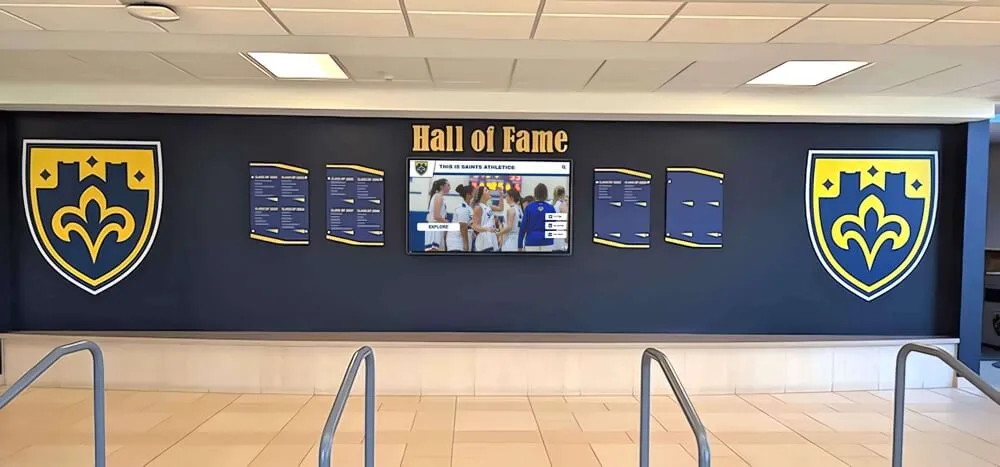
Digital screens enable displaying hundreds of historical photos from yearbooks in spaces where physical displays would be impractical
Image Correction and Enhancement
Raw scans often benefit from post-processing including rotation correction ensuring pages align properly, cropping removing excess borders and scanner backgrounds, contrast adjustment improving readability of faded text, color correction compensating for aged yellowed paper, and spot removal for dust or small defects.
Balance enhancement with authenticity—the goal is improving legibility and presentation while maintaining historical accuracy rather than creating artificially pristine modern-looking results.
For interactive touchscreen displays, consistent image quality across materials from different years creates more professional appearances than mixing heavily edited and minimally processed content.
Extracting Individual Photos from Digitized Pages
Once complete yearbook pages exist as digital files, organizations need strategies for extracting specific photographs for hall of fame use.
Manual Extraction Methods
For smaller projects, manual extraction provides precise control. Using image editing software, open scanned pages, use selection tools to carefully outline desired photographs, copy selections to new files, crop and adjust each image individually, and save with descriptive filenames identifying the person and year.
This approach works well when extracting dozens of photos but becomes impractical for projects requiring hundreds of individual images.
Automated Cropping Tools
Various software tools offer semi-automated approaches to extracting individual photos from composite pages. Some image processing applications can detect photo boundaries within pages, separate distinct images automatically, and export each as individual files.
These tools work best with yearbook layouts using consistent spacing and alignment. Pages with overlapping images, irregular layouts, or creative design elements may require manual intervention.
Maintaining Context and Attribution
As you extract individual photos, maintain information connecting images to their sources including yearbook year, page number, original caption text, surrounding context, and other individuals appearing in group photos.
This documentation proves valuable for verification, enables researchers to locate original context, supports copyright and usage rights determinations, and provides information that enriches hall of fame biographical content.
Create consistent file naming conventions that embed key information, such as: 1985-Yearbook-p42-JohnSmith-Football.jpg. Supplement filenames with metadata stored in spreadsheets or database systems linking to the files.
Quality Assessment for Display Use
Evaluate extracted images for hall of fame suitability by checking resolution adequacy for intended display sizes, ensuring sufficient contrast and clarity, confirming proper focus in original photo, verifying face visibility and recognition, and assessing whether background or composition works well for display presentation.
Some yearbook photos reproduce poorly in enlarged hall of fame formats due to original quality limitations. In these cases, organizations may need to seek alternative photos from other sources or use yearbook images at smaller sizes where quality suffices.

Interactive kiosks enable visitors to search digitized yearbooks finding specific individuals, teams, and years instantly
Organizing Digitized Content for Hall of Fame Systems
Systematic organization transforms raw digital files into usable assets for recognition displays.
Folder Structure Best Practices
Create logical hierarchies organizing files by year with subfolders for pages, extracted photos, and special sections, by category such as athletics, academics, activities, and administration, by individual once extracted and identified, and by usage purpose including archival masters and display-ready copies.
Consistent structures make finding specific content straightforward years after initial digitization when different staff members access files.
Metadata and Naming Conventions
Develop and document naming conventions that embed essential information while remaining manageable. Include year, source type (yearbook, program, newspaper), page or section identifier, subject description, and version designation (master, display, thumbnail).
Beyond filenames, maintain spreadsheet or database records linking files to detailed information including full names with proper spelling, graduation year or class, activities and achievements, biographical details, rights and permissions information, and relationships to other individuals or content.
Rich metadata enables sophisticated searching within hall of fame display systems where visitors need to find specific individuals quickly.
Explore digital yearbook approaches that maximize the value of digitized historical materials.
Creating Master Files vs. Display Derivatives
Maintain separate versions for different purposes. Archival masters at highest resolution and quality remain untouched after initial capture and corrections, serving as sources for creating all derivative versions. Display copies tailored for specific platforms balance quality with file size and loading speed appropriate for touchscreens, websites, or printed materials. Thumbnail versions provide quick-loading preview images for search results and galleries.
This approach protects archival masters while enabling refined viewing experiences across different presentation contexts.
Rights and Permissions Documentation
Document copyright and usage rights for all digitized content including source information and date, copyright status determinations, permissions obtained for use, restrictions on distribution or display, and attribution requirements.
For yearbooks published by your institution, usage rights typically reside with the organization for internal purposes, though photographs contributed by professional photographers may carry separate copyright considerations. When digitizing materials from other sources or when creating public-facing displays, verify appropriate permissions exist.
Integrating Digitized Yearbooks into Hall of Fame Displays
The true value of digitization emerges when content becomes accessible through engaging display formats.
Interactive Touchscreen Applications
Modern hall of fame displays using interactive touchscreen technology create multiple access points to digitized yearbook content. Visitors can browse complete yearbook pages with zoom functionality enabling detailed viewing, search by name finding individuals across multiple years, filter by sport, activity, or achievement type, view related content connecting individuals to teams and events, explore timelines showing program evolution, and save favorites or share discoveries.
Solutions like Rocket Alumni Solutions provide comprehensive platforms specifically designed for integrating historical archives with contemporary recognition, enabling organizations to celebrate both legacy and current achievement within unified systems that present decades of content through intuitive touch interfaces.
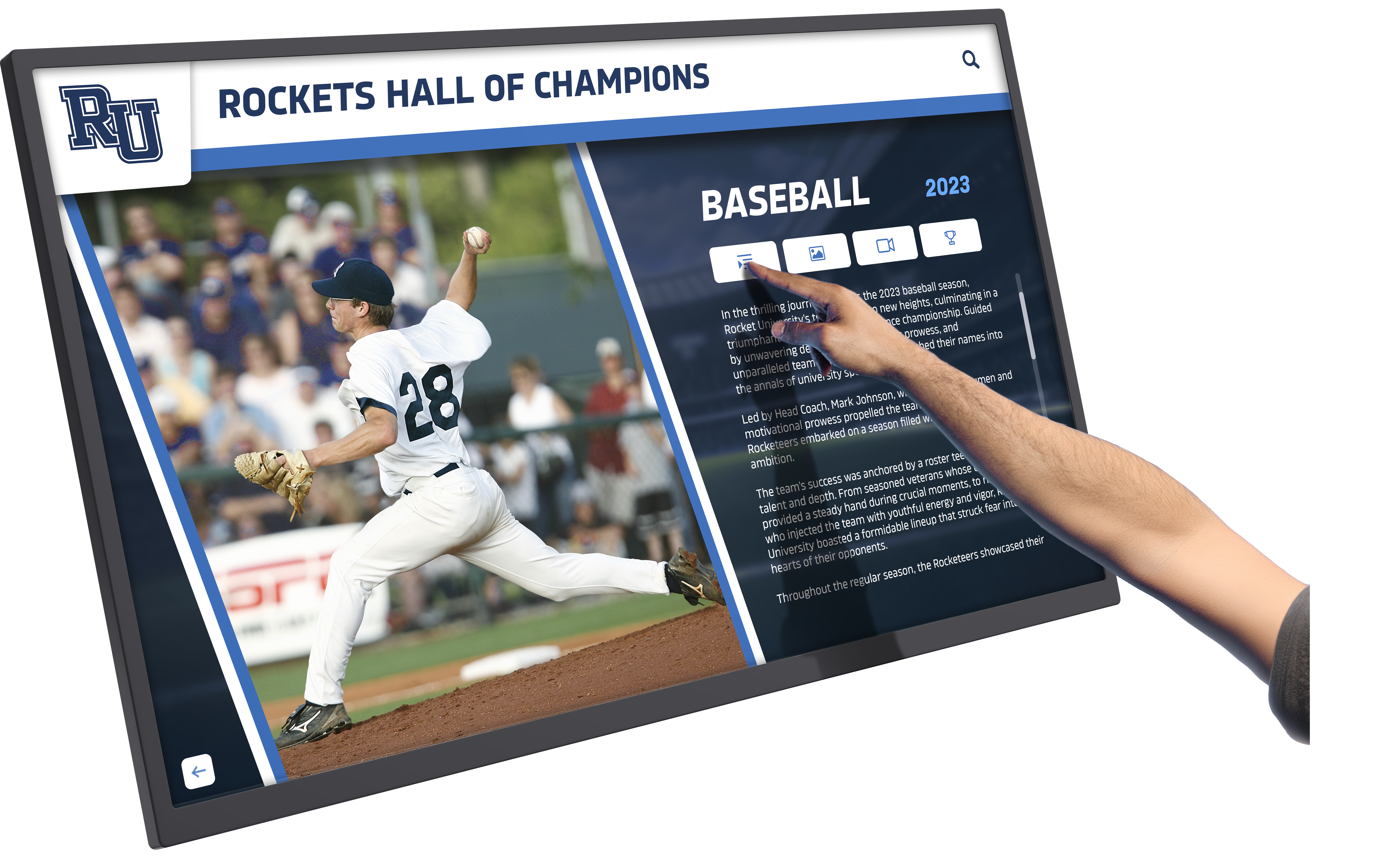
Touch-based navigation enables visitors to explore extensive yearbook archives finding specific people and moments
Display Design Considerations
When presenting yearbook content in hall of fame contexts, balance historical authenticity with modern design aesthetics, provide sufficient biographical context surrounding photos, use consistent cropping and framing across different year sources, consider black and white versus color presentation depending on original materials, and include clear date attribution for all historical content.
Some organizations scan yearbook pages in full but extract and enhance individual photos for profile displays, linking back to complete page views for additional context. This approach combines focused recognition with comprehensive documentation.
Combining Historical and Current Content
The most effective hall of fame systems integrate historical yearbook materials with contemporary digital photography and current inductees. Establish consistent templates accommodating different source materials, develop biographical content standards applying across decades, create visual design systems that honor history while appearing modern, and provide context helping visitors understand historical versus current content.
This integration shows institutional continuity and enables including both historical honorees and recent additions within cohesive recognition programs.
Learn about digital hall of fame implementation that brings historical archives to life through interactive displays.
Mobile and Online Access Extensions
Beyond physical hall of fame installations, digitized yearbook content enables broader access through web-based searchable yearbook archives, mobile apps connecting alumni to their class years, virtual hall of fame tours accessible remotely, social media sharing building engagement, and online nomination processes for new inductees.
These digital extensions amplify the impact of initial digitization investments while building community connections that support institutional relationships and fundraising.
Storage and Long-Term Preservation
Digitization protects yearbook content only when proper storage and preservation practices maintain file accessibility across decades.
Backup Strategies
Implement redundant storage following the “3-2-1 rule”—three copies of data, on two different media types, with one copy stored offsite. Maintain primary working copies on network attached storage or institutional servers, create secondary backups on external hard drives or institutional backup systems, and store tertiary copies in cloud storage services providing geographic redundancy.
Test backup integrity regularly ensuring files remain accessible and uncorrupted, replace storage media before failure occurs, and document backup procedures enabling consistent execution by different staff members.
Cloud Storage Solutions
Cloud platforms offer particular benefits for yearbook archives including automatic redundancy and disaster protection, accessibility from multiple locations for collaboration, scalability growing with collections, and professional infrastructure management.
Services specifically designed for archival content include Amazon S3 Glacier for long-term preservation, Google Cloud Storage with nearline tiers, Backblaze B2 for economical storage, and specialized platforms like Preservica for cultural heritage materials.
Monthly costs typically range from $1-$5 per terabyte for infrequently accessed archival storage, with additional costs for retrieval and data transfer.
File Format Migration
Digital preservation requires proactive format management as technology evolves. Monitor file format viability by tracking preservation community recommendations, watching for format obsolescence warnings, and noting when software support diminishes.
Plan periodic migrations when formats face obsolescence, creating new preservation masters in current formats, maintaining original archival files even after migration, documenting all migration activities comprehensively, and verifying quality and completeness after migration.
Most organizations review format strategies every 3-5 years, though migration becomes necessary only when specific risk factors emerge rather than on fixed schedules.

Wall-mounted digital displays transform hallways into engaging spaces celebrating historical and current achievements
Building Sustainable Digitization Programs
One-time digitization projects create immediate value, but sustainable programs ensure continued growth and maintenance.
Phased Implementation Approaches
Most organizations benefit from phasing digitization work by starting with highest-priority years or individuals, processing manageable batches (5-10 yearbooks), demonstrating value before major investment, building skills and refining workflows, and systematically expanding coverage over multiple years.
This approach spreads costs across budget cycles, enables learning from early phases, maintains momentum with visible progress, and prevents overwhelming staff with massive initial projects.
Volunteer and Student Involvement
Many institutions successfully engage volunteers and students in digitization efforts by providing training on equipment and handling, assigning supervised scanning sessions, involving alumni in photo identification, recruiting students for metadata entry, and creating work-study positions for ongoing projects.
Volunteer involvement builds community connections while spreading workload beyond limited professional staff, though adequate supervision and quality control remain essential.
Ongoing Addition of New Materials
Plan for continuous growth by annually digitizing newest yearbooks after publication, accepting donated materials from alumni filling collection gaps, capturing ceremony photos and programs for current-year additions, rescanning improved-quality copies when better sources emerge, and refreshing early digitization as equipment and techniques improve.
Sustainable programs view digitization as ongoing processes rather than discrete completed projects, ensuring archives remain comprehensive and current.
Explore school historical timeline development that incorporates digitized materials into engaging narratives.
Funding Strategies
Support ongoing digitization through alumni donation campaigns specifically for preservation, memorial gifts honoring individuals with digitization funding, grant applications to preservation and education foundations, percentage allocation from general operating budgets, fee-for-service models where individuals pay for priority scanning, and capital campaign components including archive development.
Frame digitization as legacy preservation connecting donors emotionally to protecting institutional memory, and demonstrate impact through accessible displays showing digitization results.
Legal and Ethical Considerations
Digitizing and displaying yearbook content requires attention to privacy, copyright, and ethical responsibilities.
Copyright Framework
Yearbooks published by your institution typically vest copyright in the organization, enabling internal digitization and display for institutional purposes. However, individual photographs within yearbooks may carry separate copyright considerations when contributed by professional photographers.
For hall of fame displays serving internal audiences (students, alumni, visitors), educational institutions generally have clear usage rights. Public online access to complete yearbooks may require additional permissions depending on jurisdiction and specific circumstances.
Document copyright research decisions, obtain permissions for known third-party content, provide takedown mechanisms for objections, and include appropriate attribution and usage terms.
Privacy and Consent
While yearbooks represent published materials, individuals pictured decades ago may have privacy concerns about contemporary digital display. Consider providing opt-out mechanisms for individuals requesting removal, redacting sensitive information visible in yearbook pages like addresses, limiting online access to authenticated community members when appropriate, and respecting reasonable privacy requests even when legal rights support display.
Balance historical documentation value with individual privacy preferences through transparent policies and responsive procedures.
Ethical Display Practices
Present historical content responsibly by providing appropriate context for outdated terminology or practices, acknowledging problematic historical content without censoring documentation, representing diverse community members proportionally, correcting identified errors in historical records, and inviting community input on presentation approaches.
Yearbooks document institutional history authentically, including elements that may not align with current values. Responsible digitization includes this content while adding context helping contemporary audiences understand historical contexts.
Measuring Success and Impact
Assess digitization program effectiveness through quantitative and qualitative indicators.
Usage Metrics
Track engagement through hall of fame display interaction statistics, online yearbook archive page views, search queries revealing interest patterns, content downloads or shares, community contributions identifying photos, and social media engagement with yearbook content.
Increasing usage demonstrates value and supports continued investment in expanded digitization.
Community Feedback
Gather qualitative insights through surveys of alumni accessing archives, visitor comments and testimonials, reunion committee feedback, donor responses to historical content, student reports on research value, and staff observations of community engagement.
Personal stories about discovering relatives, reconnecting with classmates, or exploring institutional history often provide the most compelling evidence of digitization impact.
Preservation Outcomes
Document protection value including original books removed from circulation, deterioration prevented through reduced handling, materials preserved before further damage, content recovered from failing physical media, and research enabled that physical access limitations prevented.
These preservation metrics justify investments even when direct financial returns remain difficult to quantify.
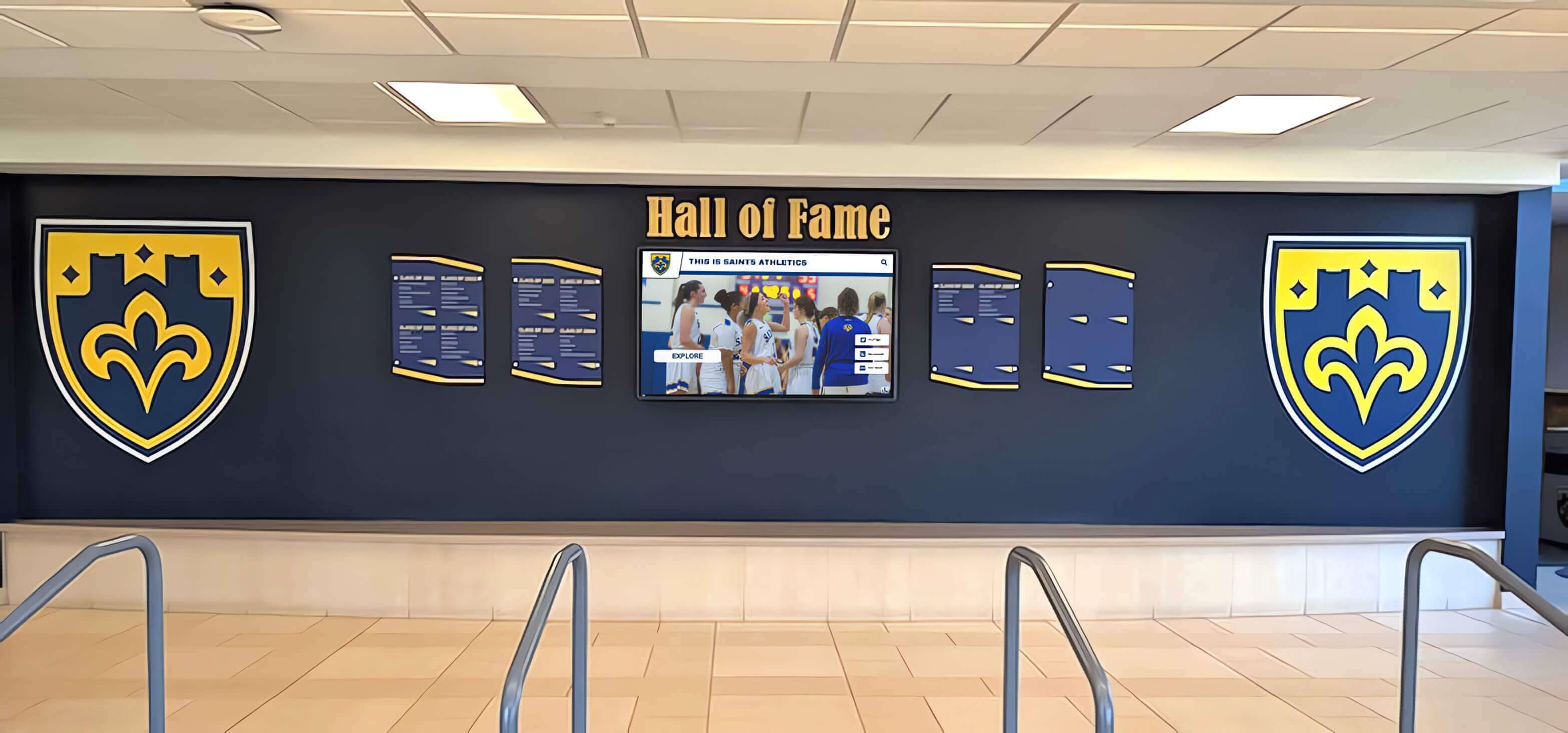
Modern hall of fame installations integrate digital capabilities while respecting traditional recognition aesthetics
Conclusion: Preserving History While Building Recognition
Digitizing old yearbooks for hall of fame displays requires balancing competing priorities—capturing high-quality images while protecting fragile materials, extracting specific content while preserving complete context, investing appropriately while managing limited budgets, and honoring historical authenticity while creating engaging modern presentations.
Organizations succeeding in these efforts recognize that yearbook digitization represents more than a technical project—it’s a commitment to institutional memory, community connection, and ongoing recognition that honors both past and present achievements. The methods, equipment, and workflows described throughout this guide enable systematic approaches protecting irreplaceable materials while transforming locked-away content into accessible resources serving multiple organizational purposes simultaneously.
Transform Your Yearbook Archives Into Interactive Recognition
Discover how to integrate digitized yearbook content with modern hall of fame displays that celebrate historical achievements alongside contemporary recognition through engaging touchscreen experiences designed specifically for schools and organizations.
See Digital Hall of Fame SolutionsModern interactive touchscreen platforms like Rocket Alumni Solutions enable organizations to present digitized yearbook content alongside current recognition within unified systems featuring intuitive search and browsing, high-resolution image display, contextual biographical information, related content connections, and scalable platforms accommodating continuous growth. These solutions transform static historical archives into engaging discovery experiences where alumni find themselves, students explore institutional history, and communities celebrate legacy and achievement together.
Start where current circumstances allow—perhaps digitizing a single decade most relevant to upcoming hall of fame inductees, or processing materials from years represented by active donors and volunteers. Build systematic workflows, document procedures, train staff and volunteers, establish quality standards, and create organizational habits ensuring digitization continues beyond initial enthusiasm. Every yearbook page captured, every photograph extracted, and every individual identified represents history preserved and recognition enabled.
Your institution’s legacy deserves protection and celebration. With appropriate equipment, careful handling, systematic organization, and thoughtful display integration, you can transform yearbook archives into accessible recognition resources serving community connection, fundraising support, educational value, and institutional pride for generations.
Ready to see how digitized yearbook content can enhance your hall of fame displays? Talk to our team to explore interactive touchscreen solutions designed specifically for presenting historical and contemporary recognition within engaging platforms that bring institutional heritage to life.































