



Nonprofits face constant pressure to communicate mission impact, recognize supporters, and keep communities informed about upcoming events—all while managing limited budgets and minimal staff capacity. Traditional communication approaches like printed posters, bulletin boards, and static signage require continuous manual updates, offer no flexibility for last-minute changes, and fail to capture attention in spaces where community members gather.
Digital wall mount displays offer nonprofits an affordable, flexible solution for highlighting community partnerships, honoring veterans and volunteers, promoting upcoming events, and communicating program impact in real-time. These mounted TV-type screens provide the visual impact of professional digital signage without requiring massive investments or technical expertise, making them accessible for organizations of all sizes.
This guide explores pricing, features, implementation requirements, and practical considerations for nonprofits evaluating digital wall mount displays. Whether you operate a veterans service organization, community center, food bank, or local nonprofit serving your neighborhood, you’ll discover how modern display technology can help communicate your mission more effectively while staying within nonprofit budget constraints.
Small-scale digital displays deliver significant impact for nonprofits by providing dynamic communication that printed materials cannot match. Research on digital signage effectiveness shows that digital displays generate 3-5 times more attention than static posters, with viewers retaining information longer when presented through dynamic visual media compared to printed materials.

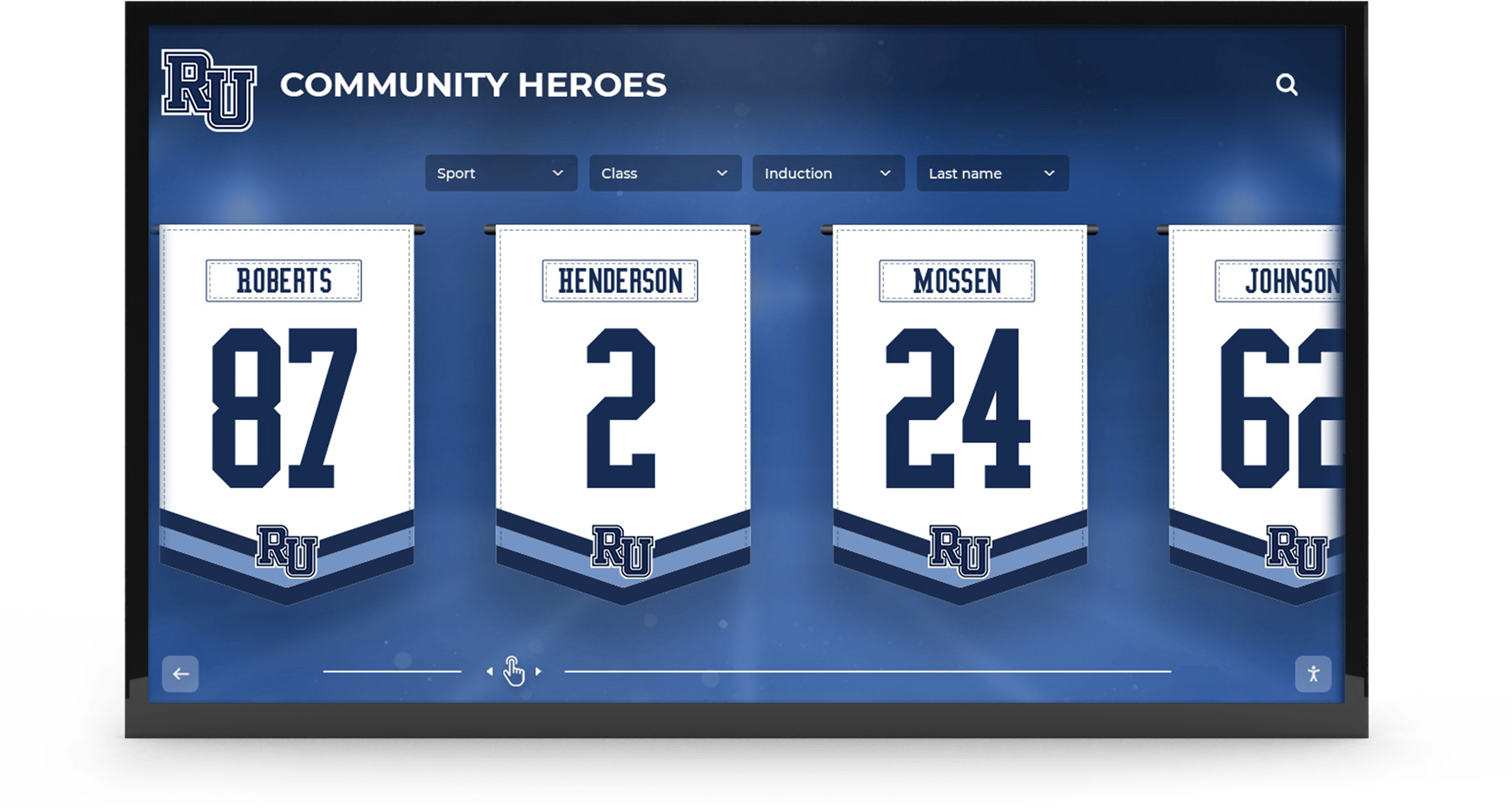
Digital displays effectively highlight community partnerships, volunteer recognition, and program participants in engaging visual formats
Understanding Digital Wall Mount Display Options for Nonprofits
Before exploring specific pricing and features, understanding available display types helps nonprofits select solutions matching their communication needs, technical capabilities, and budget constraints.
Basic Digital Signage vs. Interactive Touchscreen Displays
Simple Content Display Systems
Basic digital signage represents the most affordable entry point for nonprofits, typically consisting of a commercial-grade television or display screen, a content player device (small computer or media stick), and software controlling what appears on screen. These systems excel at rotating through announcements, event calendars, partnership recognitions, and program impact stories without requiring viewer interaction.
Cost range: $800-$2,500 for complete basic system including display, player, and basic software subscription.
Basic digital signage works well for nonprofits primarily needing to broadcast information in lobbies, waiting areas, or community rooms where people naturally spend time observing rather than interacting. Content updates typically happen through cloud-based dashboards accessible from any computer, enabling staff to change displays remotely without physically accessing mounted screens.
Organizations can explore digital signage content strategies that maximize engagement for various types of community organizations.
Interactive Touchscreen Platforms
Interactive touchscreen displays add engagement capabilities enabling viewers to explore content, search directories, browse event calendars, or access detailed information about programs and services. These displays function like giant tablets mounted on walls, inviting community members to actively engage rather than passively observe.
Cost range: $3,000-$8,000 for interactive touchscreen systems including commercial-grade display, mounting hardware, and content management platform.
Touchscreen displays prove particularly valuable for nonprofits with complex information to communicate—service directories, program eligibility details, volunteer opportunities, donor recognition databases, or historical archives documenting organizational impact over decades. The interactive format enables depth impossible through rotating content slides while allowing visitors to explore areas matching their specific interests.
Display Size Considerations for Nonprofit Spaces
Selecting Appropriate Screen Size
Display effectiveness depends heavily on matching screen size to viewing distances and space configuration where screens will be mounted.
Small Format Displays (32-43 inches)
Smaller displays work well in intimate spaces where viewers stand or sit within 6-8 feet of screens—reception desks, small waiting rooms, office areas, or hallway alcoves. These compact displays cost less initially ($300-$800 for commercial units) while requiring less wall space in cramped nonprofit facilities where every square foot matters.
However, text and images on smaller displays become difficult to read beyond 8-10 feet, limiting effectiveness in larger community rooms or lobbies where people circulate at greater distances.
Medium Format Displays (50-65 inches)
Medium displays represent the sweet spot for most nonprofit applications, providing readable content from 10-15 feet while remaining affordable and manageable to install. These screens work effectively in typical nonprofit lobbies, community rooms, multipurpose spaces, and program areas where groups gather.
Commercial-grade displays in this range typically cost $800-$2,000 depending on brand, warranty, and features. This size category offers the best balance between visibility, budget, and space requirements for organizations implementing first digital displays.
Large Format Displays (70-85+ inches)
Large displays create dramatic visual impact in spacious lobbies, auditoriums, or multipurpose rooms where viewing distances exceed 15 feet. While impressive, these displays cost significantly more ($2,500-$6,000+) and require robust mounting systems supporting substantial weight.
Most nonprofits find medium-format displays sufficient for communication needs unless facilities feature large gathering spaces where smaller screens would disappear visually or require viewers to approach closely to read content.

Touchscreen kiosks provide interactive experiences enabling visitors to explore programs, search directories, and discover organizational impact
Complete Pricing Breakdown: What Nonprofits Actually Pay
Realistic budget planning requires understanding complete implementation costs beyond advertised display prices, accounting for hardware, software, installation, content creation, and ongoing operational expenses.
Initial Hardware Investment
Essential Equipment Components
Commercial Display Screen
Nonprofits should invest in commercial-grade displays engineered for continuous operation rather than consumer televisions designed for intermittent residential use. Commercial displays offer longer warranties (3-5 years vs. 1 year), durability for 16+ hour daily operation, brighter screens remaining visible in ambient lighting, and commercial software compatibility.
- 43-inch commercial display: $500-$900
- 50-inch commercial display: $700-$1,200
- 55-inch commercial display: $900-$1,500
- 65-inch commercial display: $1,200-$2,500
Touchscreen Premium
Adding touchscreen capability increases display costs $1,500-$3,000 depending on size and technology quality. Organizations should carefully evaluate whether interactive capabilities justify additional investment or whether basic content display meets communication needs adequately.
Media Player or Computer
Basic digital signage requires content player devices generating visual output displayed on screens.
- Streaming media sticks (Roku, Fire TV): $40-$120 (limited functionality)
- Dedicated signage players (BrightSign, ChromeBit): $150-$400 (purpose-built)
- Small form factor computers (Intel NUC, Mac Mini): $400-$800 (most flexible)
Mounting Hardware
Professional wall mounting ensures displays remain secure, level, and properly positioned for optimal viewing.
- Fixed wall mounts: $50-$150 (screens remain stationary)
- Tilting mounts: $80-$200 (vertical angle adjustment)
- Articulating mounts: $150-$350 (pull out and adjust positioning)
- Freestanding kiosk enclosures: $800-$2,500 (no wall mounting required)
Cables and Accessories
Don’t overlook supporting infrastructure connecting displays to power and networks.
- HDMI cables (high quality): $20-$50
- Power cables and surge protectors: $30-$80
- Network cables (if not using WiFi): $15-$40
- Cable management channels: $30-$100
Software and Platform Costs
Content Management Systems
Digital displays require software controlling what appears on screens and enabling content updates without technical expertise.
Free/Low-Cost Options
- Google Slides in presentation mode: $0 (requires manual updates on-site)
- ScreenCloud Free tier: $0 (limited features, 1 display)
- Open-source platforms (Screenly OSE): $0 (requires technical setup)
Professional Nonprofit Digital Signage
- Entry-level platforms: $10-$30/month per display
- Mid-tier solutions: $30-$80/month per display with enhanced features
- Comprehensive platforms: $80-$200/month for unlimited displays and full features
Interactive Touchscreen Software
Interactive displays require specialized platforms beyond basic signage software.
- Template-based solutions: $50-$150/month
- Custom interactive platforms: $150-$500/month depending on features
- Enterprise solutions: $500-$2,000+/month for multiple locations
Organizations seeking to recognize supporters and display impact should consider donor recognition display platforms designed specifically for nonprofit recognition needs.
Professional Installation Costs
Labor and Technical Services
While handy volunteers can mount displays on walls, professional installation ensures optimal results and prevents expensive mistakes.
DIY Installation
Confident nonprofits with skilled volunteers can self-install displays, purchasing mounting hardware and following manufacturer instructions. This approach eliminates labor costs but requires tools, time, and acceptance of risk if installation goes poorly.
Total DIY cost: $50-$200 for mounting hardware and cables.
Professional TV Mounting Services
Local AV installers or handyman services can mount displays professionally.
- Basic wall mounting (studs accessible): $150-$350
- Complex mounting (metal studs, brick, concrete): $300-$600
- Multiple displays or large screens: $400-$1,000+
Professional installation typically includes mounting, cable management, testing, and basic operation training ensuring staff can update content independently after installation completes.
Comprehensive System Integration
Organizations wanting turnkey solutions can contract with digital signage providers offering complete installation including all hardware, mounting, network configuration, software setup, content template creation, and staff training.
Complete integration: $2,000-$5,000 for single display with full service.
While expensive compared to DIY approaches, comprehensive integration eliminates nonprofit staff time requirements and technical learning curves, often proving cost-effective when accounting for volunteer and staff opportunity costs.

Strategic placement in high-traffic lobbies ensures maximum visibility for partnership recognition, event announcements, and program information
Content Creation and Ongoing Expenses
Initial Content Development
Displays require compelling visual content communicating organizational messaging effectively.
Professional Design Services
- Template customization: $200-$800 (one-time)
- Custom content package (10-20 slides): $500-$2,000
- Photography and video production: $1,000-$5,000 depending on scope
DIY Content Creation
Staff and volunteers can create content using free tools like Canva, Google Slides, or PowerPoint, then upload to digital signage platforms. This approach requires design skills and time but eliminates outsourcing expenses.
Ongoing Operational Costs
- Software subscriptions: $10-$200/month (detailed above)
- Content updates: Staff time or contracted services
- Electricity: Approximately $5-$15/month per display
- Internet connectivity: Usually existing infrastructure
- Technical support: $0-$500/year depending on platform and needs
Total Budget Examples
Budget-Conscious Basic System
- 50" commercial display: $800
- Media player: $200
- Wall mount and cables: $120
- DIY installation: $0
- Free software (Google Slides): $0
- DIY content creation: Staff time
- Total initial investment: $1,120
- Ongoing monthly cost: $10 electricity
Mid-Range Professional System
- 55" commercial display: $1,200
- SignageOS player: $300
- Professional mounting: $300
- Mid-tier software: $50/month
- Template design: $500
- Total initial investment: $2,300
- Ongoing monthly cost: $60 (software + electricity)
Interactive Touchscreen System
- 55" touchscreen display: $3,500
- Windows Mini PC: $500
- Professional installation: $500
- Interactive platform: $150/month
- Custom content development: $1,500
- Total initial investment: $6,000
- Ongoing monthly cost: $165 (software + electricity)
Essential Features for Nonprofit Digital Displays
Beyond basic functionality, certain features significantly enhance digital display effectiveness and operational efficiency for nonprofit organizations.
Remote Content Management Capabilities
Cloud-Based Updates
The ability to update display content remotely without physical access proves essential for busy nonprofit staff managing multiple responsibilities. Cloud-based content management systems enable authorized users to upload new announcements, modify event calendars, or adjust partnership recognitions from any computer, smartphone, or tablet with internet access.
This remote capability proves particularly valuable when displays are mounted in locked facilities after business hours, when staff work remotely, or when multiple locations require coordinated messaging. Organizations can schedule content updates days or weeks in advance, ensuring timely communication without requiring staff presence at exact posting times.
Multi-Display Management
Nonprofits operating multiple locations or deploying several displays throughout facilities benefit from platforms managing all screens from single dashboards. This centralized control enables consistent messaging across locations while allowing location-specific content tailored to particular audiences or programs.
For example, a nonprofit with three community centers could display consistent organizational branding and messaging while customizing event calendars, volunteer spotlights, and program information specific to each location’s services and schedules.
Content Scheduling and Automation
Time-Based Content Display
Advanced scheduling features enable nonprofits to plan content calendars displaying different information based on time of day, day of week, or specific dates.
Practical scheduling applications include displaying volunteer shift schedules during morning hours when volunteers arrive, showing program activities during afternoon community center peak usage, highlighting upcoming events during evening hours when families visit facilities, and automatically activating special holiday messages on relevant dates without manual intervention.
This automation reduces staff workload by eliminating daily content adjustments while ensuring appropriate information displays when relevant audiences are present.
Event-Driven Updates
Some platforms offer conditional logic displaying content based on external triggers—weather alerts during emergencies, fundraising thermometers updating as donations arrive, or attendance counters showing current occupancy helping manage facility capacity.
These dynamic capabilities make displays more engaging and useful beyond static messaging that quickly becomes stale and ignored.
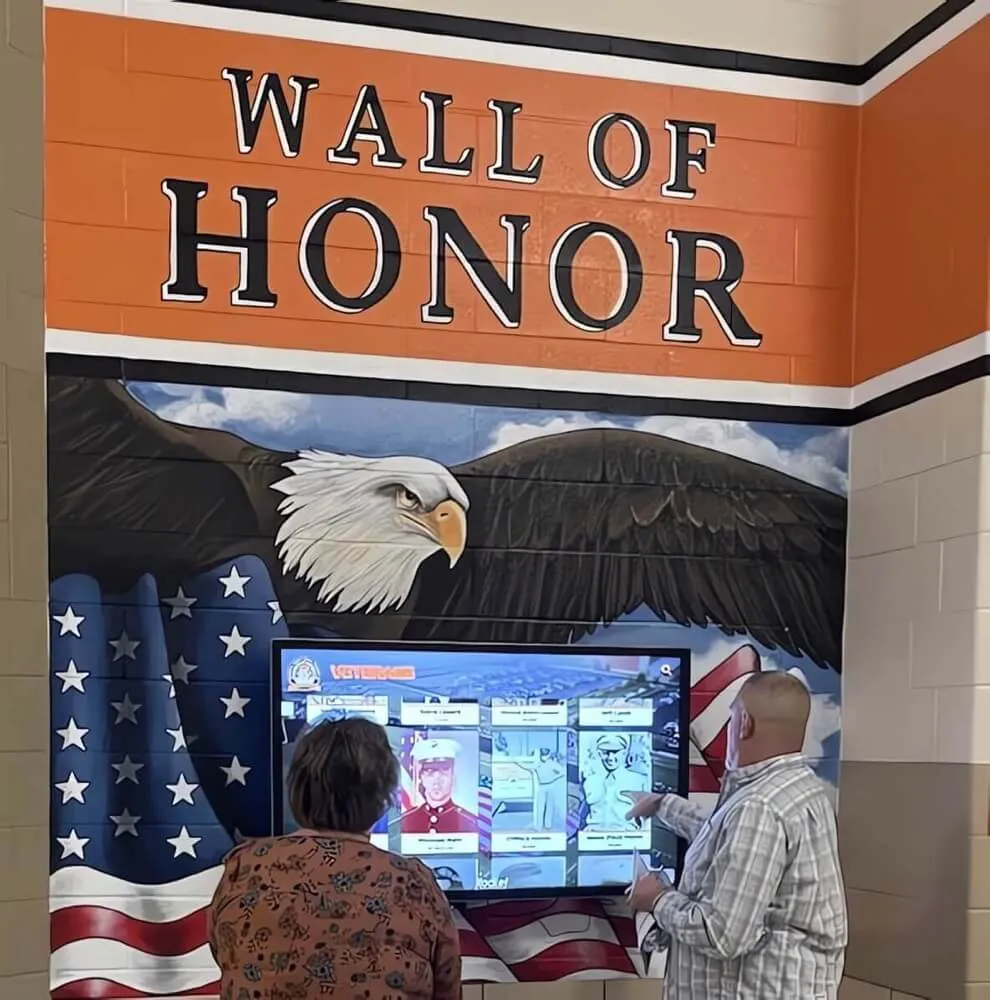
Digital displays can honor veterans and military families with updated service records, military service branch information, and family contributions
Design Templates and Content Libraries
Nonprofit-Specific Templates
Quality digital signage platforms provide pre-designed templates addressing common nonprofit communication needs—event announcements, volunteer recognition, donation appeals, program impact stories, partnership acknowledgments, and community testimonials.
These templates enable nonprofits without graphic design expertise to create professional-looking content quickly by simply adding text, uploading photos, and customizing colors to match organizational branding. Template availability dramatically reduces content creation time and eliminates needs for expensive design services.
Stock Media Libraries
Integrated access to licensed stock photography, video clips, and graphics enables nonprofits to create visually compelling content without copyright concerns or photography expenses. Look for platforms offering nonprofit-appropriate imagery rather than generic business stock photos that feel disconnected from community service contexts.
Organizations highlighting community partnerships should explore recognition display best practices applicable to partnership acknowledgment and volunteer appreciation.
Accessibility Features
ADA Compliance Considerations
Digital displays serving public facilities should consider accessibility requirements ensuring information reaches all community members regardless of disabilities or language preferences.
Important accessibility features include adjustable text sizing enabling reading from various distances and by visitors with visual impairments, high contrast display modes improving visibility for viewers with reduced vision, closed captioning for video content serving deaf and hard-of-hearing audiences, and multilingual content options serving diverse communities where English may not be primary languages.
Universal Design Principles
Beyond compliance requirements, thoughtful accessibility design serves broader audiences more effectively. Simple language free of jargon makes content accessible to community members with varied educational backgrounds and literacy levels. Clear visual hierarchies guide attention to most important information. Generous display times ensure viewers have adequate opportunity to read content before slides advance.
These inclusive design approaches ensure nonprofit messaging reaches entire communities rather than only those who can quickly process complex visual information.
Practical Implementation Guide for Nonprofits
Successfully implementing digital displays requires systematic planning addressing technical, operational, and organizational considerations ensuring investments deliver intended communication benefits.
Site Assessment and Planning
Location Selection
Display effectiveness depends heavily on strategic placement within nonprofit facilities.
High-Traffic Area Identification
Prioritize locations where community members naturally congregate or wait—main entrances and lobbies ensuring all visitors encounter displays immediately upon arrival, waiting areas where people have time to observe content while anticipating appointments or services, community rooms hosting programs, meetings, and gatherings, and volunteer workspaces recognizing contributor efforts and communicating organizational appreciation.
Avoid locations where displays would be ignored—back hallways rarely traversed, storage areas accessible only to staff, or spaces where other activities demand complete attention making display observation impossible.
Environmental Considerations
Survey proposed locations for factors affecting display visibility and operation.
Assess ambient lighting to ensure screens remain visible without glare from windows or overhead fixtures washing out content. Evaluate available wall space confirming sufficient mounting area without blocking doors, emergency equipment, or accessibility paths. Verify electrical outlet accessibility avoiding expensive wiring extensions across rooms. Check network connectivity ensuring WiFi signals reach locations or planning wired ethernet connections where wireless proves unreliable.
These environmental factors significantly impact display functionality and should be confirmed before purchasing equipment or scheduling installation.
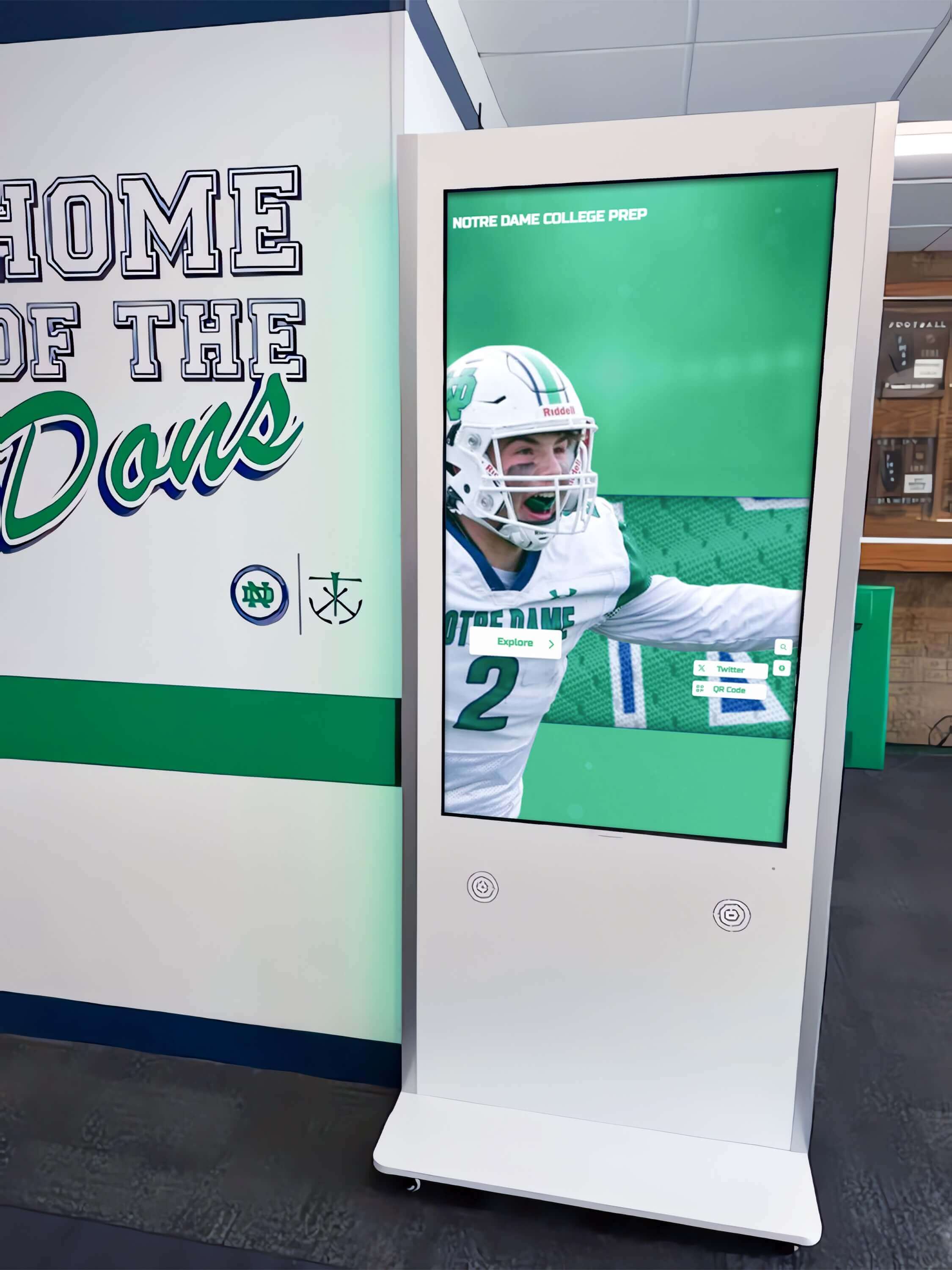
Hallway installations capture attention of all visitors moving through facilities while providing information without requiring staff intervention
Content Strategy Development
Defining Communication Priorities
Before creating specific content, clarify primary communication objectives guiding display usage.
Key Message Categories
Nonprofits typically use displays to communicate several core message types. Upcoming events and programs including dates, times, locations, registration information, and participation requirements keep communities informed about opportunities. Partnership recognition acknowledging businesses, foundations, government agencies, and community organizations supporting mission delivery strengthens relationships and inspires continued collaboration. Volunteer and donor appreciation publicly thanking supporters making programs possible while inspiring others to contribute. Program impact stories documenting outcomes, sharing success stories, and demonstrating how community support creates meaningful change. Service information explaining programs, eligibility requirements, application processes, and how to access support.
Defining relative priority among these categories helps allocate content time and guides creation efforts toward highest-value messaging.
Content Calendar Planning
Establish regular content update schedules preventing displays from becoming stale with outdated information.
Weekly updates keep event calendars current and maintain community engagement through fresh content. Monthly updates allow rotating volunteer spotlights, partnership recognitions, and program impact stories systematically acknowledging various supporters. Seasonal updates incorporate holiday messaging, seasonal program promotion, and time-sensitive campaigns. As-needed updates address emergencies, last-minute event changes, or time-critical communications requiring immediate display.
Scheduled content planning reduces staff stress by establishing predictable workflows rather than reactive last-minute content scrambles as displays grow outdated.
Staff Training and Capability Building
Content Management Training
Digital displays only benefit nonprofits when staff can confidently update content without dependence on technical experts or vendors.
Core Competencies
Ensure at least 2-3 staff members can access content management systems using appropriate credentials, upload and format content following platform-specific procedures, schedule content displays and create time-based playlists, troubleshoot common problems like displays showing incorrect content or offline status, and know when and how to contact technical support for issues beyond their expertise.
Cross-training multiple team members prevents situations where displays remain outdated because the one person who knows how to update content is unavailable due to vacation, illness, or staff turnover.
Documentation and Procedures
Create simple written procedures documenting content update processes with screenshots and step-by-step instructions. Store these documents where all relevant staff can access them easily—shared drives, operations manuals, or cloud documentation platforms.
Clear documentation enables staff to reference procedures as needed, reduces reliance on institutional memory, and facilitates training new team members as staffing changes occur over time.
Organizations implementing comprehensive recognition systems should review digital recognition implementation guides applicable to nonprofit contexts.
Use Cases: How Nonprofits Use Digital Wall Displays
Real-world applications demonstrate how organizations implement digital displays solving specific communication challenges while engaging communities effectively.
Veterans Service Organizations
Honoring Military Service
Veterans nonprofits use digital displays to recognize service members and military families through visual tributes impossible with static plaques.
Display applications include rotating profiles highlighting individual veterans with service photographs, military branch information, deployment histories, and personal stories. Interactive databases enable visitors to search for specific veterans by name, conflict, service branch, or hometown, making comprehensive recognition accessible beyond limited physical space. Timeline displays contextualize service within broader military history showing how local veterans participated in national and global events. Upcoming veterans events including support groups, benefits workshops, commemorative ceremonies, and social gatherings keep communities connected to resources.
According to organizations implementing digital recognition, veterans recognition displays strengthen community connections while providing families with meaningful ways to honor service members publicly.

Interactive displays invite community exploration and engagement, creating memorable experiences while communicating organizational impact
Community Centers and Recreation Facilities
Program Promotion and Recognition
Community centers leverage displays to keep visitors informed about programs, classes, events, and services available to neighborhood residents.
Practical applications include daily activity schedules showing current and upcoming programs, classes, and room availability helping visitors plan participation. Facility directories guiding visitors to specific services, offices, or program areas reducing confusion in large multi-purpose buildings. Registration information promoting upcoming classes and programs with enrollment instructions and fee details. Community partner spotlights acknowledging businesses and organizations supporting center operations and programs. Success stories highlighting program participants, youth achievements, and positive outcomes demonstrating community impact.
These communication approaches keep communities engaged while reducing staff time answering repetitive questions about schedules, locations, and program details that displays communicate automatically.
Food Banks and Social Service Organizations
Client Information and Donor Recognition
Social service nonprofits use displays to communicate critical information while acknowledging supporters making services possible.
Display content includes service hours, eligibility requirements, and application processes explaining how to access assistance. Multilingual content serving diverse populations with limited English proficiency ensuring equitable access to information. Distribution schedules showing food distribution dates, times, and locations. Nutrition education sharing healthy recipes, meal planning tips, and wellness information. Donor and volunteer appreciation recognizing supporters publicly while maintaining client privacy and dignity.
These applications ensure clients receive essential information while celebrating community members who make services possible through financial contributions, food donations, and volunteer service.
Youth Development Organizations
Program Promotion and Achievement Recognition
Youth-serving nonprofits use displays to communicate program opportunities while celebrating participant achievements inspiring continued engagement.
Content applications include after-school program schedules promoting academic support, mentoring, arts programs, and recreational activities available to youth. Scholarship opportunities highlighting educational funding available to program participants encouraging academic achievement. Success stories celebrating youth accomplishments, college acceptances, career achievements, and positive life outcomes. Volunteer opportunities recruiting mentors, tutors, and program supporters. Partnership recognition thanking schools, businesses, and community organizations supporting youth development mission.
These recognition approaches inspire youth participants while demonstrating program effectiveness to communities and funders evaluating impact and determining continued support.
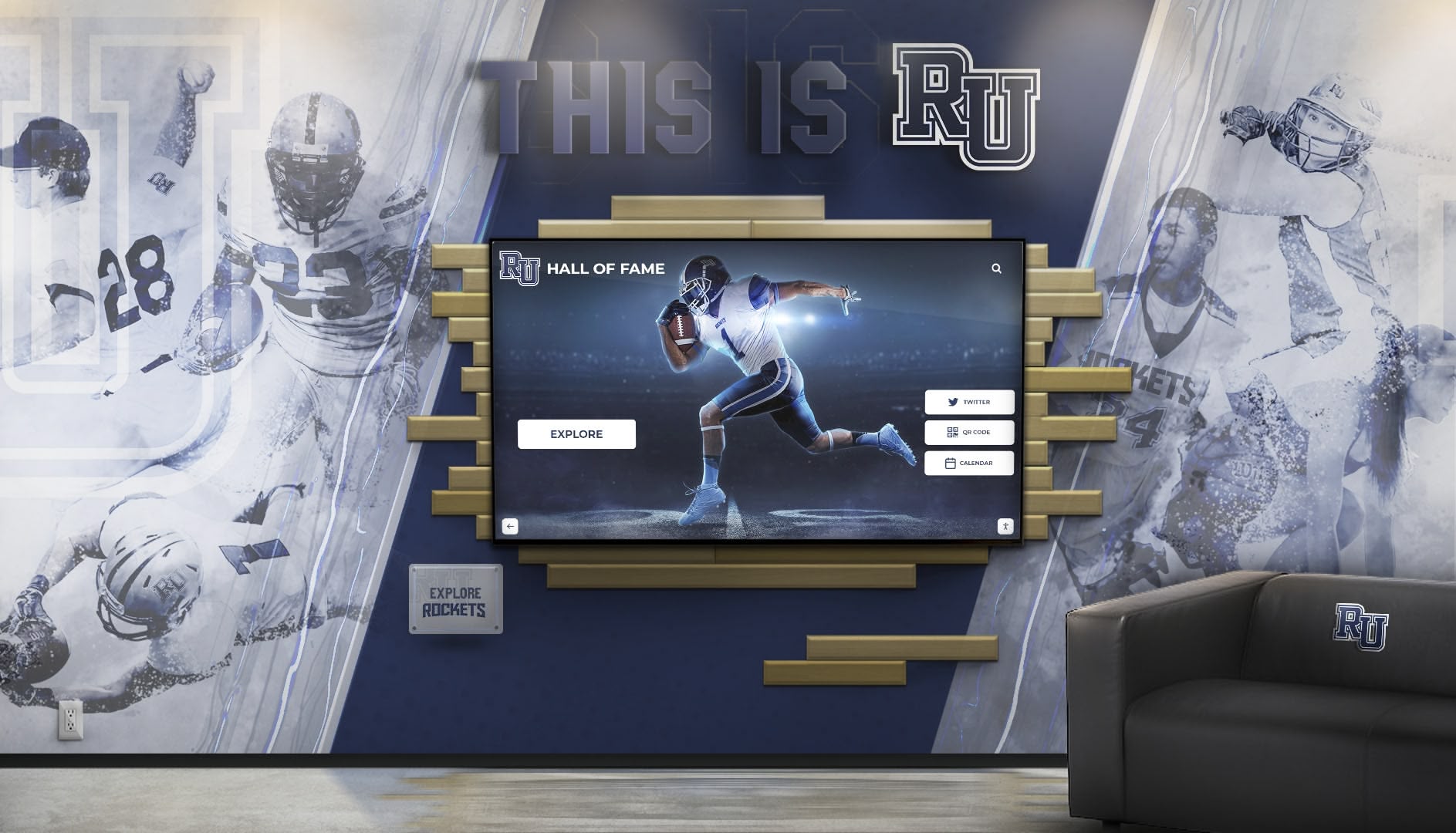
Combining traditional design elements with digital displays creates cohesive environments honoring heritage while providing modern communication capabilities
Budget-Friendly Implementation Strategies
Nonprofit budget constraints require creative approaches maximizing communication impact while minimizing financial investment and ongoing operational costs.
Phased Implementation Approach
Starting Small and Expanding
Rather than implementing comprehensive multi-display systems immediately, nonprofits can begin with modest pilot installations demonstrating value before expanding.
Phase 1: Single Display Pilot
Start with one display in the highest-traffic location using basic hardware and free or low-cost software. This pilot demonstrates communication benefits, builds staff confidence with technology, and reveals practical challenges and unexpected considerations before committing to larger investments.
Budget: $1,000-$2,500 for quality pilot installation.
Phase 2: Content Refinement
Spend 3-6 months developing content library, establishing update workflows, and refining messaging based on community response and staff experience. Use this learning period to identify what works well and what requires adjustment before replicating approaches across additional displays.
Budget: Primarily staff time, minimal financial investment.
Phase 3: Strategic Expansion
Add displays in additional locations based on pilot success, applying lessons learned to implementation planning. Leverage existing content across multiple displays reducing per-display content creation requirements. Negotiate volume pricing for hardware and software when purchasing multiple displays simultaneously.
Budget: $800-$2,000 per additional display leveraging existing content assets.
This phased approach reduces risk, builds organizational capability systematically, and enables learning from initial implementations before committing substantial resources to comprehensive deployments.
Leveraging In-Kind Donations and Partnerships
Securing Donated Equipment and Services
Nonprofits skilled at securing in-kind donations can apply these capabilities to digital display implementation.
Corporate Technology Donations
Approach local businesses upgrading conference room technology asking about donated displays being replaced. While used equipment may not offer latest features or warranties, functional displays serve nonprofit needs adequately at zero cost beyond installation and software.
Contact corporate giving programs of display manufacturers (Samsung, LG, NEC) inquiring about nonprofit donation programs. Many technology companies provide substantial discounts or donated equipment to qualifying 501(c)(3) organizations particularly when installations demonstrate community impact.
Professional Service Donations
Recruit professional AV installers, electricians, or IT consultants to donate installation services as community service or board contributions. Many professionals enthusiastically donate skills when direct service reduces cash expenses enabling nonprofits to extend limited financial resources further.
Engage marketing professionals, graphic designers, or advertising agencies to donate content creation services developing professional templates, designing branded content, or producing video materials nonprofits lack internal expertise to create.
Partnership Opportunities
Organizations can explore community partnership showcasing strategies that acknowledge supporters while advancing mission communication.
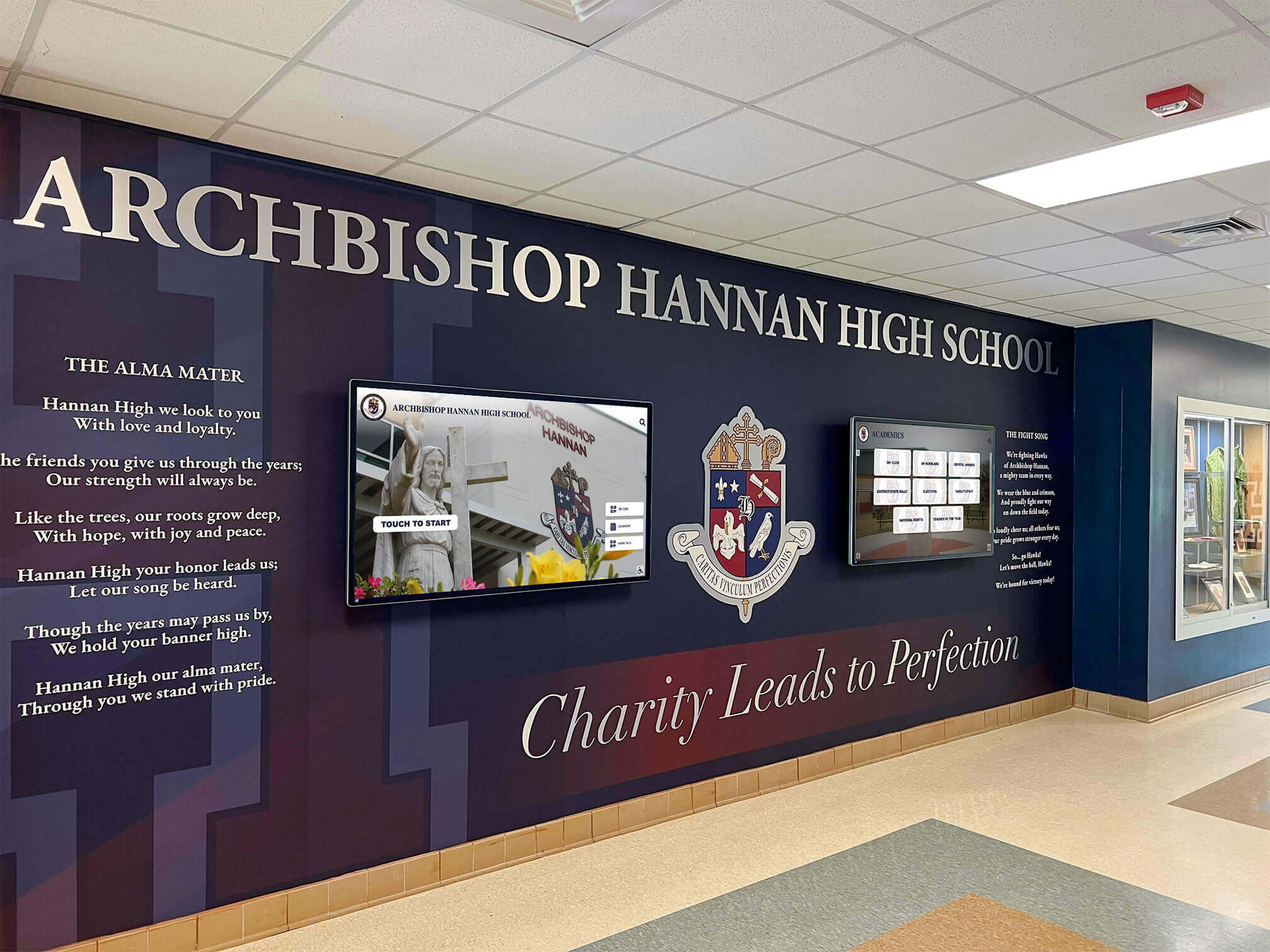
Thoughtful integration ensures digital technology enhances rather than conflicts with existing architectural elements and organizational identity
Cost-Saving Tips and Strategies
Practical Budget Management
Consumer vs. Commercial Displays
Consumer televisions cost 30-50% less than commercial displays with similar specifications. For nonprofits with very limited budgets, quality consumer TVs from reputable manufacturers can serve adequately with understanding of tradeoffs—shorter warranties, less brightness, and shorter operational lifespans. This compromise enables display implementation when commercial pricing proves prohibitive.
However, commercial displays justify premium costs for organizations planning extensive use (10+ hours daily) or implementing multiple displays where reliability and longevity matter substantially.
Software Selection Strategy
Begin with free platforms like Google Slides or Canva presentations displayed through streaming devices, then upgrade to paid digital signage software only when specific features prove necessary. This progression prevents paying for unnecessary capabilities while enabling organizations to understand exact requirements through actual usage experience.
Many nonprofits find basic solutions sufficient for communication needs without requiring sophisticated scheduling, multi-display management, or interactive capabilities justifying premium software costs.
Content Creation Efficiencies
Develop reusable content templates once, then populate with different information repeatedly rather than creating unique designs for every message. This template approach dramatically reduces ongoing content creation time while maintaining professional visual consistency.
Involve community members, volunteers, or program participants in content creation through storytelling, testimonials, or photography reducing staff production burden while building community ownership and engagement.
Technical Troubleshooting and Maintenance
Successful long-term operation requires understanding common technical issues and establishing maintenance protocols keeping displays functional and content current.
Common Technical Issues and Solutions
Display Connection Problems
Symptom: Display shows “No Signal” or blank screen despite being powered on.
Solutions: Verify media player is powered on and connected to correct display input. Check HDMI cable connections ensuring secure attachment at both display and player. Test different HDMI ports if display offers multiple input options. Replace HDMI cable testing whether connection problem stems from cable failure. Restart media player by disconnecting power for 30 seconds then reconnecting.
Content Not Updating
Symptom: New content uploaded to content management system fails to appear on display.
Solutions: Verify display is connected to internet checking network connection status. Confirm content was published and scheduled correctly in management system. Check player storage space ensuring sufficient capacity for new content downloads. Restart media player forcing fresh content sync. Review scheduling settings confirming content should display during current time period. Verify correct display selected when publishing content in systems managing multiple screens.
Poor Display Quality
Symptom: Content appears pixelated, blurry, or poorly formatted on display.
Solutions: Verify content created at display’s native resolution (typically 1920x1080 for HD displays). Adjust player output resolution matching display specifications. Review source content quality ensuring original files meet resolution standards. Modify content aspect ratio matching display proportions preventing stretched or cropped images.
Preventive Maintenance Protocols
Regular Operational Checks
Establish weekly or bi-weekly protocols verifying displays operate properly.
Maintenance Checklist
Verify displays show current content according to schedule. Check for error messages, unusual behavior, or visual artifacts indicating problems. Clean display screens removing dust, fingerprints, or smudges affecting visibility. Inspect mounting hardware ensuring displays remain securely attached. Test content updates confirming management system functions properly. Review analytics (if available) tracking display uptime and performance.
These brief checks catch problems early before they become significant issues affecting communication effectiveness or requiring expensive repairs.
Long-Term Replacement Planning
Commercial displays typically last 5-7 years with continuous operation before brightness degradation, component failures, or obsolescence warrant replacement. Nonprofits should budget for eventual hardware refresh establishing replacement reserves rather than treating display purchases as one-time expenses lasting indefinitely.
Plan for software platform changes every 3-5 years as technology evolves, vendors change business models, or organizational needs shift requiring different capabilities than initial platforms provided.
Making the Final Decision: Is a Digital Display Right for Your Nonprofit?
After examining pricing, features, implementation requirements, and practical considerations, nonprofits must evaluate whether digital displays align with organizational communication needs and capabilities justifying investment.
Key Decision Factors
Communication Volume and Frequency
Organizations with frequent updates—multiple events weekly, rotating volunteer recognition, changing program information—benefit substantially from digital displays enabling quick updates versus reprinting materials continuously. Conversely, nonprofits with relatively static messaging may find traditional signage adequate without requiring dynamic display capabilities.
Visual Communication Importance
Missions communicated effectively through images, video, and visual storytelling benefit from display formats supporting rich media. Organizations primarily communicating text-based information may find digital displays provide minimal advantages over printed materials.
Visitor Traffic and Dwell Time
Displays deliver greatest value in spaces where community members naturally spend time observing—waiting areas, lobbies where people linger, or program spaces with regular gatherings. Facilities with brief transactional visits may not provide sufficient viewing time for displays to effectively communicate messaging.
Technical Capacity and Interests
Realistic assessment of staff technical comfort and time availability determines implementation feasibility. Organizations with staff enthusiastic about technology and willing to learn content management typically succeed with displays. Nonprofits lacking technical interest or capacity may struggle with ongoing content updates causing displays to grow stale and ineffective.
Budget Reality Check
Initial investments of $1,000-$6,000 plus ongoing monthly costs of $20-$200 should fit within organizational budgets without compromising core mission delivery. Displays that strain finances or divert resources from direct services may represent poor investments regardless of communication benefits.
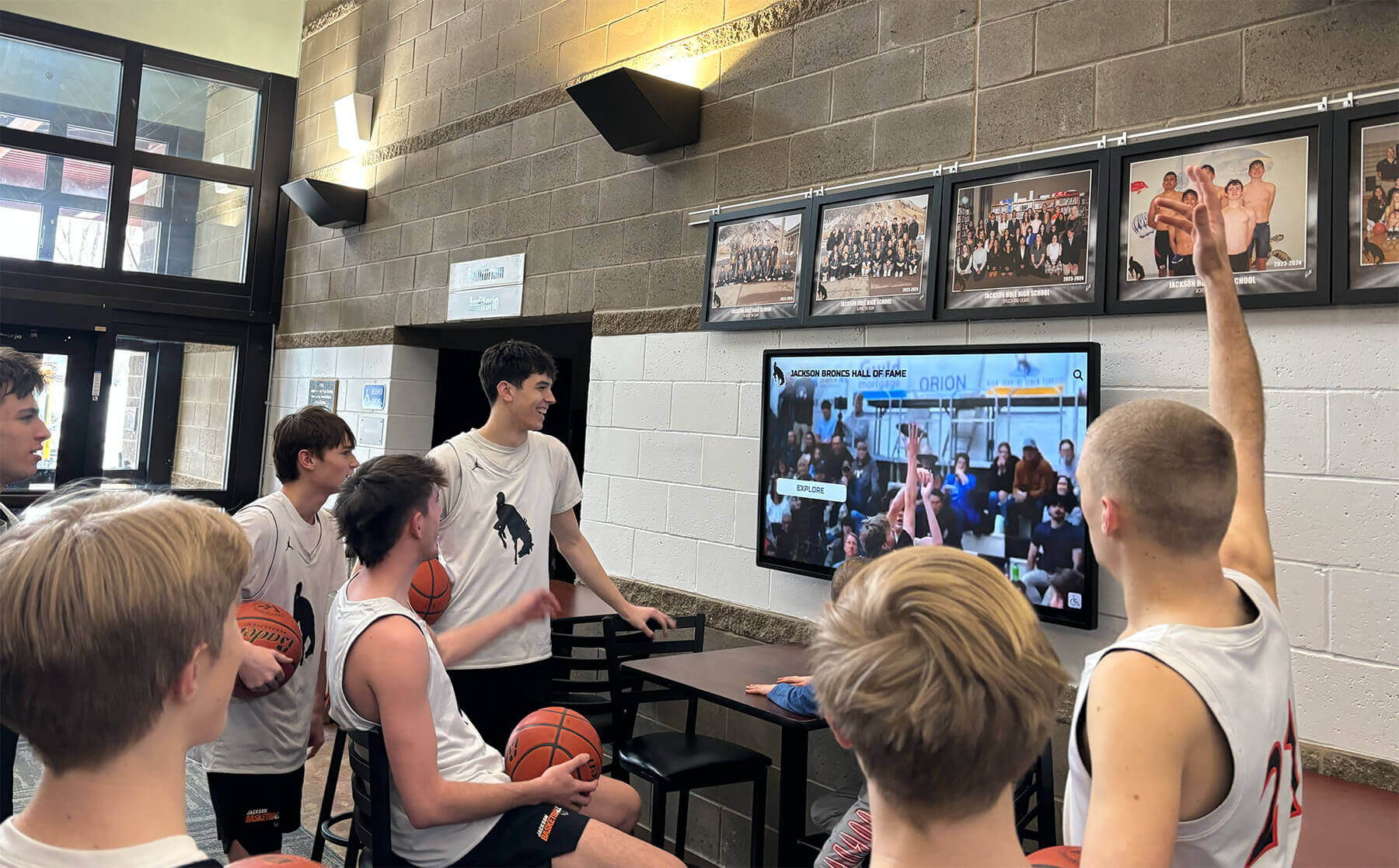
Engaging content attracts attention and encourages group viewing, creating shared community experiences around organizational messaging
Next Steps for Interested Nonprofits
Organizations determining displays align with needs and capabilities can move forward systematically.
Step 1: Define Communication Objectives
Clarify exactly what you hope to accomplish with displays—specific messages to communicate, audiences to reach, and problems to solve. Clear objectives guide technology selection and implementation planning.
Step 2: Site Assessment
Survey facilities identifying optimal display locations considering traffic patterns, viewing distances, mounting feasibility, electrical access, and network connectivity. Photograph proposed locations for reference during equipment selection.
Step 3: Budget Development
Develop realistic budgets accounting for complete costs—hardware, mounting, software, installation, content creation, and ongoing operational expenses. Identify funding sources and secure necessary approvals before proceeding.
Step 4: Platform Research
Research software platforms comparing features, pricing, user reviews, and nonprofit-specific capabilities. Request demonstrations or free trials testing platforms before committing to subscriptions.
Step 5: Vendor Consultations
Contact display vendors, installation services, or comprehensive providers offering turnkey solutions. Request quotes, discuss nonprofit-specific needs, and negotiate pricing or in-kind contributions.
Step 6: Pilot Implementation
Start with single display in highest-priority location, taking time to refine content and workflows before expanding. Document lessons learned informing future installations.
Organizations ready to explore comprehensive recognition and communication platforms can book a demo discovering how specialized solutions serve nonprofit communication needs effectively.
Conclusion: Transforming Nonprofit Communication Through Digital Displays
Digital wall mount displays offer nonprofits powerful, flexible communication tools highlighting community partnerships, honoring veterans and volunteers, showcasing upcoming events, and demonstrating program impact in engaging visual formats that printed materials cannot match. With prices ranging from $1,000-$6,000 for complete systems and ongoing costs as low as $20-$60 monthly, modern display technology has become accessible for organizations of all sizes and budget levels.
The most successful implementations start small with focused pilots in high-traffic locations, develop systematic content update workflows preventing displays from becoming stale, leverage templates and reusable assets reducing ongoing content creation burden, and expand strategically based on demonstrated value and community response. Nonprofits willing to invest modest time learning content management and commit to regular updates discover displays become indispensable communication tools that staff and communities quickly depend upon.
Whether you operate a veterans service organization seeking to honor military service comprehensively, a community center promoting programs and recognizing partnerships, a social service agency communicating critical client information, or any local nonprofit serving your neighborhood, digital displays enable dynamic communication that static signage cannot achieve. Your community partnerships, volunteers, program participants, and donors deserve recognition that reflects their ongoing contributions—not outdated bulletin boards covered with yellowed paper announcements and faded photographs from years past.
Small-scale mounted TV-type screens provide exactly what local nonprofits need: affordable technology highlighting what matters most—the people, partnerships, and programs making mission delivery possible. Strategic display implementation improves community engagement, strengthens supporter relationships, increases program participation, and communicates impact in compelling visual formats that inspire continued community investment in your vital mission.
Ready to explore how digital displays can transform communication at your nonprofit? Talk to our team to discover affordable solutions designed specifically for community organizations seeking to recognize supporters, promote programs, and communicate impact effectively through modern digital technology.































