Digital Time Capsule Ideas: How Schools Preserve Memories for Tomorrow's Alumni
- Home /
- Blog Posts /
- Digital Time Capsule Ideas: How Schools Preserve Memories for Tomorrow's Alumni
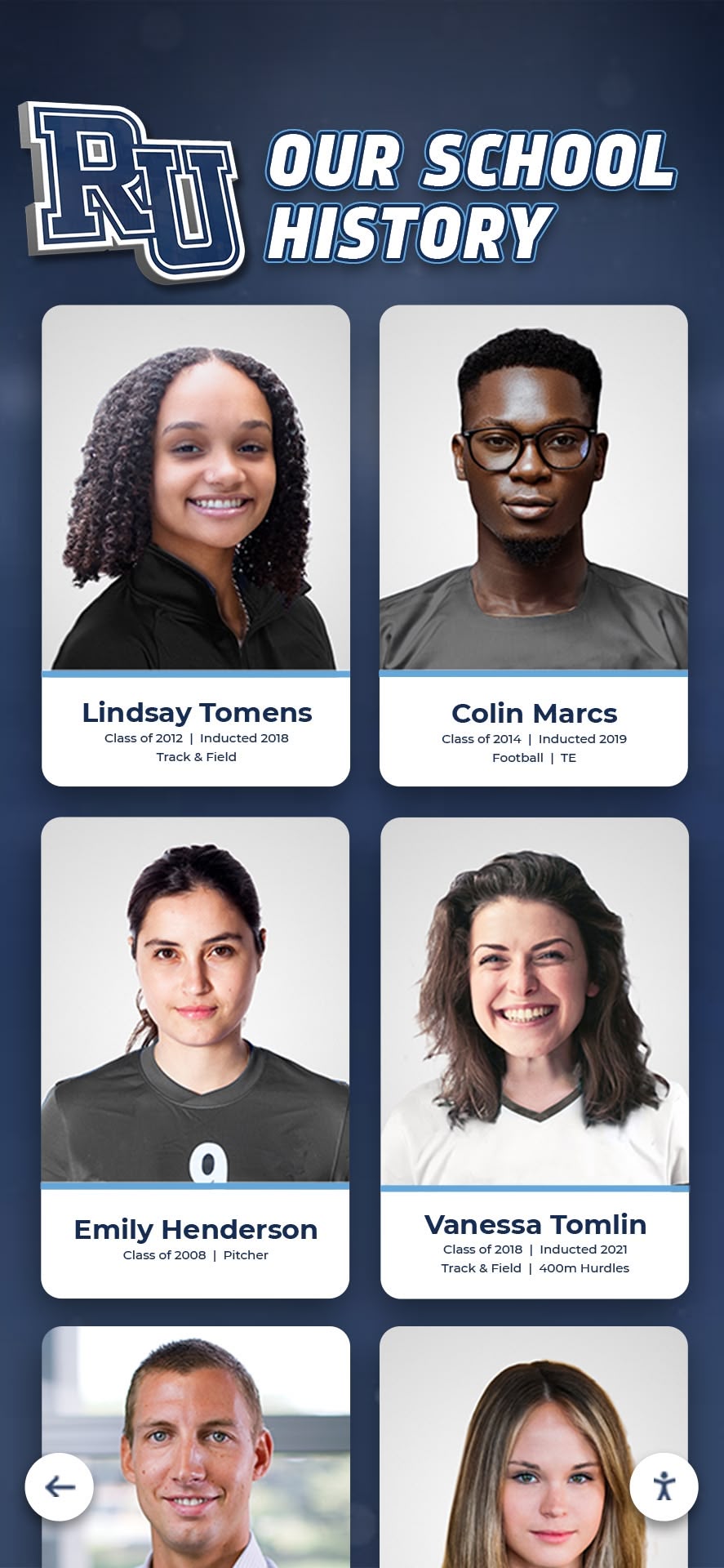
The Easiest Touchscreen Solution




Live Example: Rocket Alumni Solutions Touchscreen Display
Interact with a live example (16:9 scaled 1920x1080 display). All content is automatically responsive to all screen sizes and orientations.
Time capsule traditions at schools go back generations—a shoebox of newspaper clippings buried under the gym floor, a jar of class predictions sealed behind a cornerstone, a manila envelope locked in the principal’s drawer until the 20th reunion. The impulse behind every one of them is the same: to send something real from who we are today forward to whoever we’ll become. What’s changed is the technology available to do it well.
Physical time capsules have an irreplaceable charm. They also have a tendency to flood, mold, get lost in renovations, and surface at reunions where half the contents are unidentifiable. Digital time capsule ideas solve the preservation problem without sacrificing the emotional weight—and they add something traditional capsules never could: the ability for students, teachers, and alumni to interact with preserved memories at any point, not just on an arbitrary “opening date” decades away.
This guide covers the full spectrum of digital time capsule approaches for schools—what to preserve, how to organize it, which technologies actually work in educational settings, and how forward-thinking institutions are using interactive displays to transform one-time capsule events into living archives that serve students, alumni, and communities year after year.
A well-designed school time capsule does something that a physical box buried in the ground simply cannot: it remains accessible, searchable, and emotionally resonant from the day it’s created. When a senior records a two-minute video message for the class of 2040, that message can be visible in the school lobby tomorrow and unsealed with ceremony 14 years from now—both things, simultaneously. That dual presence is what makes digital preservation so compelling for schools trying to connect generations.

Digital preservation transforms scattered historical photos, records, and student memories into searchable archives that outlast any physical time capsule
Why Digital Time Capsules Outperform Physical Ones for Schools
The problems with traditional physical time capsules aren’t theoretical. Schools that have tried to retrieve buried capsules regularly encounter them damaged beyond use, missing entirely from records after building renovations, or perfectly preserved but completely forgotten—no one remembered where they were or when they were supposed to be opened.
Digital alternatives solve the access problem. They also introduce something more interesting: the possibility of a time capsule that functions as both a sealed vault and a living display simultaneously.
The Limitations Physical Capsules Can’t Overcome
Degradation over time: Paper yellows. Photos fade. Magnetic media fails. Even carefully sealed physical containers struggle against decades of humidity and temperature cycling in school building walls or courtyards.
Lost institutional memory: When the administrator who organized the original capsule retires, the location and opening date often leave with them. Schools routinely discover physical time capsules during renovations with no one alive who knows what’s inside or when it was supposed to be opened.
Single-access model: A physical time capsule has one opening event. Everything inside is experienced once, by whoever is present, and then typically disperses. There’s no ongoing value, no way to share contents with alumni who couldn’t attend, and no archive that builds across multiple capsule generations.
Inaccessibility to current students: By definition, a sealed physical time capsule offers nothing to the students currently enrolled. It serves only the future audience, which makes it a poor investment of school resources relative to what the same effort invested in digital preservation could accomplish.
Digital time capsule ideas address every one of these constraints, creating preservation systems that serve today’s students, tomorrow’s alumni, and the school community for decades—without a single shovel required.
What Belongs in a School’s Digital Time Capsule
Before choosing a platform or format, the most important design decision is content: what does your school actually want to preserve? The most meaningful digital time capsules capture not just achievements but texture—the specific, transient details of what it was like to be a student in this place at this particular moment.
Student Voice and Personal Reflection
The single most valuable content in any time capsule is direct student voice. Written reflections, audio recordings, and video messages from students describing their experience—their anxieties, their friendships, their ambitions, their sense of humor—create the emotional core that makes future retrieval genuinely moving rather than merely nostalgic.
Class prediction archives: Ask graduating seniors to record or write predictions for their own lives and for the school at specific future intervals—5 years, 10 years, 25 years. Sealed from public view until those dates, predictions become the closest thing a digital system can offer to the traditional “open in X years” experience.
Day-in-the-life documentation: Have students document a single ordinary school day—not a championship game or graduation ceremony, but a Tuesday in March. What’s for lunch. What’s playing in the common area. Who’s working on what in the library. The ordinary details that feel boring now and will feel extraordinary to alumni three decades later.
Senior reflections by cohort year: A structured format that captures the same set of questions for every graduating class—“What was the hardest thing about your four years?” “What are you most proud of?” “What do you wish you’d known as a freshman?"—creates a comparative archive that grows more valuable with each passing year as the answers evolve.
Teacher and administrator time messages: Faculty perspectives often go unpreserved in student-focused time capsule projects. Messages from teachers and administrators describing what they observed about a particular class, what they hoped for them, and what the school was going through institutionally during those years add a dimension that student-only archives miss.
Visual and Media Documentation
Yearbook digitization: For schools with physical yearbooks stretching back decades, systematic digitization transforms that collection from locked cabinet to searchable archive accessible to alumni worldwide. This is among the highest-value investments in school memory preservation, and it connects naturally to digital time capsule infrastructure. The digitizing old yearbooks and hall of fame displays guide covers the complete process from scanning protocols to display integration.
Candid photo archives by year: Official event photography captures the polished version of school life. Building a candid archive—hallway moments, study sessions, pre-game rituals, the real texture of daily experience—requires deliberate collection, but produces documentation that feels more authentic than any posed official photo.
Video walk-throughs of the school building: A complete video tour of every classroom, hallway, and common space, recorded annually, becomes one of the most emotionally evocative documents a school can preserve. Buildings change. Spaces get repurposed. A locker-lined hallway that current seniors take for granted will look completely different to their grandchildren.
Championship documentation and athletic records: Season records, championship banners, athlete achievement walls—these form the competitive history of the school and deserve preservation in formats that remain accessible and searchable. Explore how schools approach this in the high school wall of fame guide for display and archival frameworks.
Institutional Snapshot Data
Beyond personal content, the most useful time capsules for future historians include factual snapshots that document the school’s objective state at a given moment:
- Total enrollment and demographic breakdown
- Faculty roster with photos and teaching years
- Course catalog and extracurricular offerings
- Major news events of the year, local and national
- Average cost of attendance (for independent schools)
- Current school leadership and administration
- Active clubs, teams, and programs with current rosters
These data points feel mundane when collected and deeply fascinating 25 years later when they can be compared against the present reality.
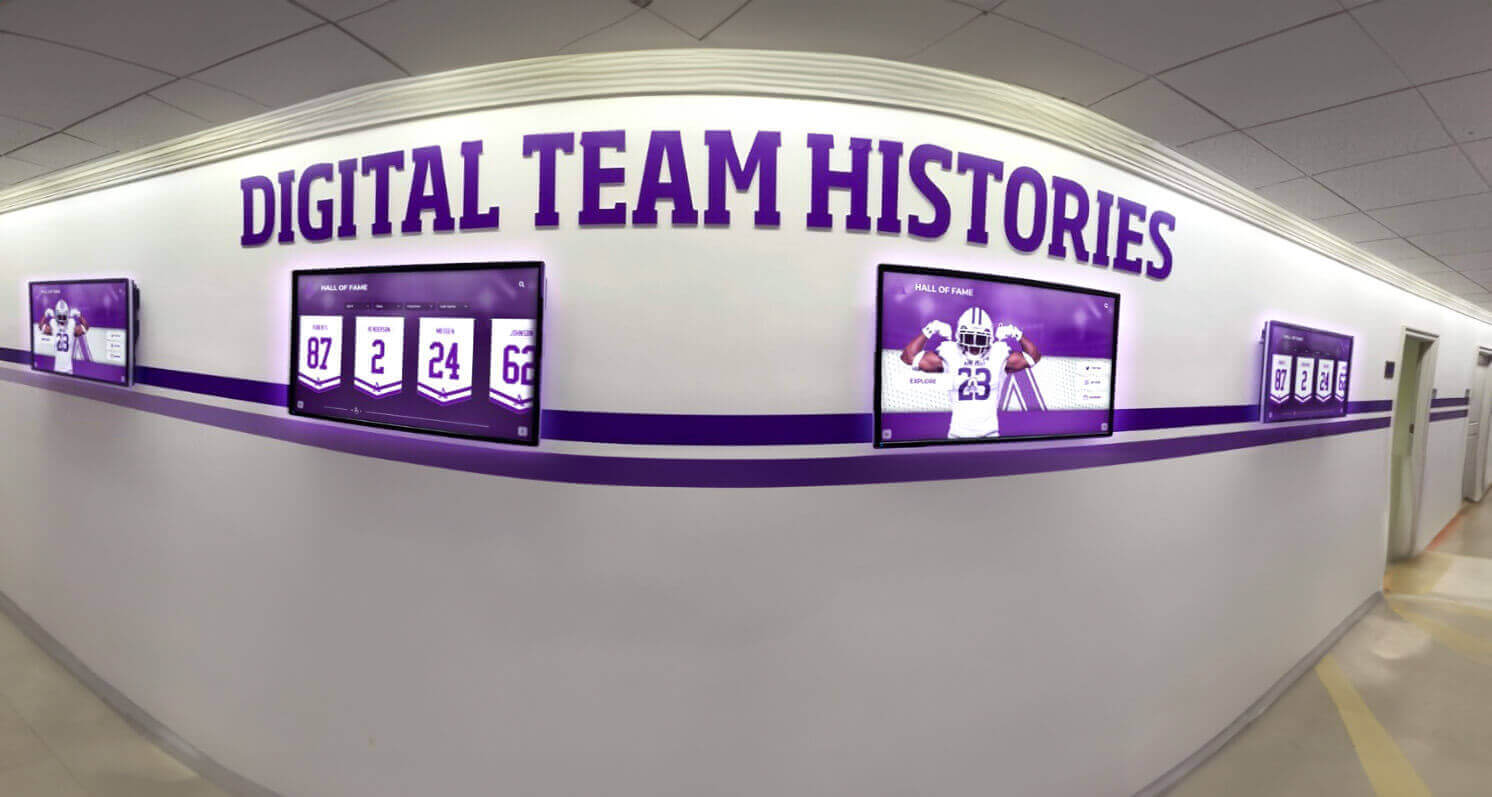
Interactive hallway displays organized by year allow students and alumni to explore school history as a browsable archive rather than a buried vault
Digital Time Capsule Formats: From Simple to Sophisticated
Not every school has the same resources, and not every time capsule needs the same level of investment. The formats below are organized roughly by complexity and cost, from approaches any school can implement immediately to comprehensive systems that serve as permanent institutional infrastructure.
Format 1: Cloud-Based Video Message Archive
The most accessible digital time capsule format is a structured video message archive stored in cloud services. Students record short videos—typically one to three minutes—answering a set of guided questions. Videos are uploaded, tagged by year and student, and sealed behind a date-locked access control that prevents viewing until a specified future date.
What this requires: A recording device (phones work fine), cloud storage with access control features, and a consistent collection protocol coordinated through the school’s senior class advisor or alumni office.
Strengths: Low cost, immediately implementable, deeply personal content, easily shareable with alumni who can’t attend an in-person opening event.
Limitations: Without a structured display system, access can become disorganized over time; long-term storage depends on maintaining accounts and permissions across staff turnover.
For schools looking to build student participation into the collection process, student engagement strategies for schools offers frameworks for making content contribution feel meaningful rather than obligatory.
Format 2: Interactive Digital Display as Living Archive
The most sophisticated digital time capsule format for schools is an interactive touchscreen display system that functions simultaneously as a sealed vault and a living archive. This approach changes the fundamental logic of what a time capsule is and does.
Rather than a one-time deposit with a one-time retrieval, an interactive display creates a permanent public-facing archive where:
- Current content lives openly: Student recognition, achievement records, faculty profiles, and current-year highlights are accessible to anyone in the building
- Sealed content is flagged and dated: Prediction videos, senior messages, and time-capsule-designated content carry visible seal dates and are accessible only after those dates unlock
- Historical layers accumulate: Each passing year adds a new data layer to the display, so a student browsing in 2035 can explore what the school looked like in 2020, 2025, and every year between
This format transforms the time capsule concept from a single artifact into an ongoing institutional practice. When alumni return for reunion events, they can explore decades of school history on a touchscreen wall in the lobby—their own class photos alongside their children’s records, championship teams from every era, and the video messages classmates recorded at graduation. The high school reunion display board explores exactly this kind of layered historical display for reunion contexts.
Format 3: Structured Online Portal
A dedicated website or portal gives alumni, students, and families a single location to access preserved content. This approach works well for schools with strong digital literacy programs or media departments capable of building and maintaining a web presence.
Key features to include:
- Year-indexed browsing so users can jump directly to specific graduating classes
- Search functionality across photos, names, and events
- Gated sections for sealed content with date-based unlock
- Submission forms for alumni to contribute their own post-graduation content
- Mobile-responsive design for smartphone access
Content organization models:
- By graduating class: Each class has its own section, browsable by alumni from that year
- By category: Athletic, academic, arts, and student life archives organized by type
- By timeline: Chronological school history from founding to present
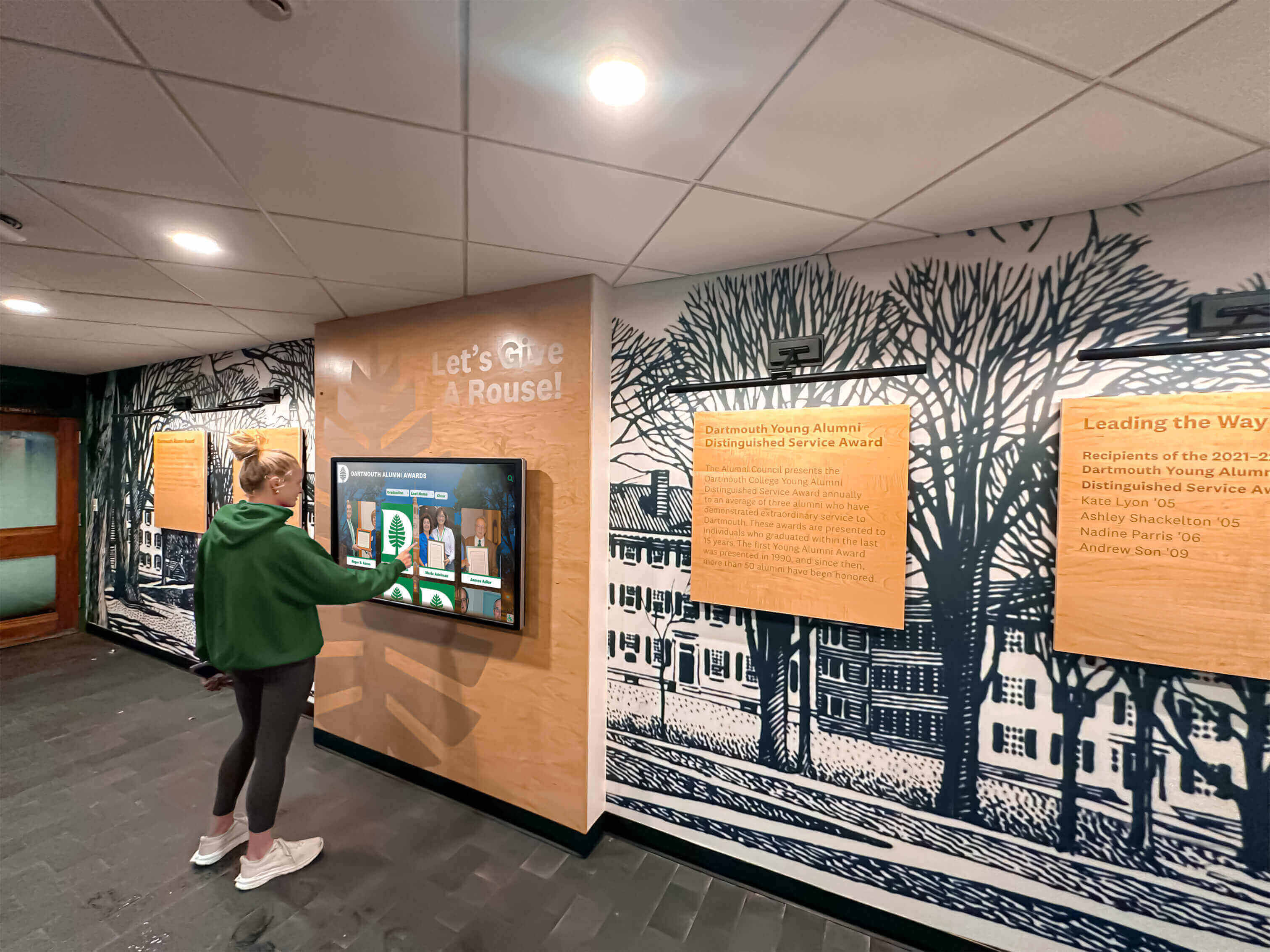
Interactive touchscreen displays in school hallways let students explore layered historical archives in the same physical space where those histories were made
Format 4: Digital Yearbook Integration
Rather than creating a separate time capsule system, some schools integrate time capsule content directly into a digital yearbook platform. This approach reduces the organizational burden of maintaining two separate archives and leverages infrastructure the school may already have.
The yearbook serves as the primary year-end document, supplemented with time-capsule-specific content—prediction pages, message-to-future-self sections, and “snapshot of the year” documentation—that lives within the yearbook format but carries the emotional weight of a time capsule. For ideas on how to structure yearbook content that functions as a time capsule, elementary school yearbook ideas with creative themes and sections offers specific section concepts that apply at any grade level.
Making the Time Capsule Interactive: Technology and Platform Selection
The difference between a digital archive and a digital time capsule that students actually use often comes down to interface quality. Content buried behind confusing navigation or locked inside file formats that become obsolete over 20 years defeats the purpose. Interactive, touchscreen-native platforms address both problems.
What to Look for in a Digital Preservation Platform
Long-term format stability: Content stored in proprietary formats becomes inaccessible as software evolves. Look for platforms that store video, images, and text in widely supported, open formats that are likely to remain readable decades from now.
Cloud-based content management: The ability to update content remotely—adding new cohort photos, unsealing a prediction archive on a specific date, uploading new video messages—without requiring physical access to a display is essential for sustainable long-term management.
Date-controlled access: For sealed time capsule content, the platform needs reliable date-locked access control that automatically makes content available when a specified date arrives, without requiring manual administrator action. This is the digital equivalent of the envelope that says “Do Not Open Until 2040.”
Touchscreen interface optimization: Content designed for finger-based navigation on large public displays requires different interface design than web content. Look for platforms built specifically for educational touchscreen deployments rather than adapting general-purpose web portals to a physical display.
For a comprehensive comparison of platform options, the best touchscreen software guide comparing web-based and native app approaches covers the trade-offs between different technical architectures in educational display contexts.
Search and discovery: A 30-year archive with thousands of photos, videos, and records is only valuable if users can find what they’re looking for. Robust search by name, year, activity, and keyword transforms a static archive into an interactive experience.
Touchscreen Walls as the Gold Standard for School Time Capsules
Interactive touchscreen wall systems represent the most engaging format for school time capsule display because they combine several capabilities that matter specifically for this use case:
Public visibility: A touchscreen display in the school lobby isn’t hidden in a server room or accessible only to people who know the URL. It’s visible every day to students, families, visitors, and returning alumni—making the archive an active part of school culture rather than a back-room record.
Intuitive navigation: Large-format touchscreen interfaces designed for school audiences require no technical knowledge to use. A returning alumnus can walk up to a display and find their class photos in under a minute without creating an account or downloading anything.
Multimedia integration: Photo, video, audio, text, and data can coexist in a single cohesive interface. A senior’s prediction video sits alongside their student profile, athletic records, and academic honors in a single portrait—a richer representation than any physical time capsule artifact could achieve.
Scalable content addition: Adding new graduating classes, new sports seasons, and new achievement records to an interactive display takes minutes. There’s no physical modification, no reprint, no redesign—just updated content that appears automatically on the existing display hardware.
Platforms like Rocket Alumni Solutions build interactive touchscreen display systems specifically for educational institutions, combining large-format hardware with cloud-based content management that allows schools to build comprehensive alumni archives, student recognition systems, and time capsule-style historical displays that update remotely as each new class graduates. The guide to effectively implementing a digital wall of fame covers the implementation process for this kind of permanent interactive installation.
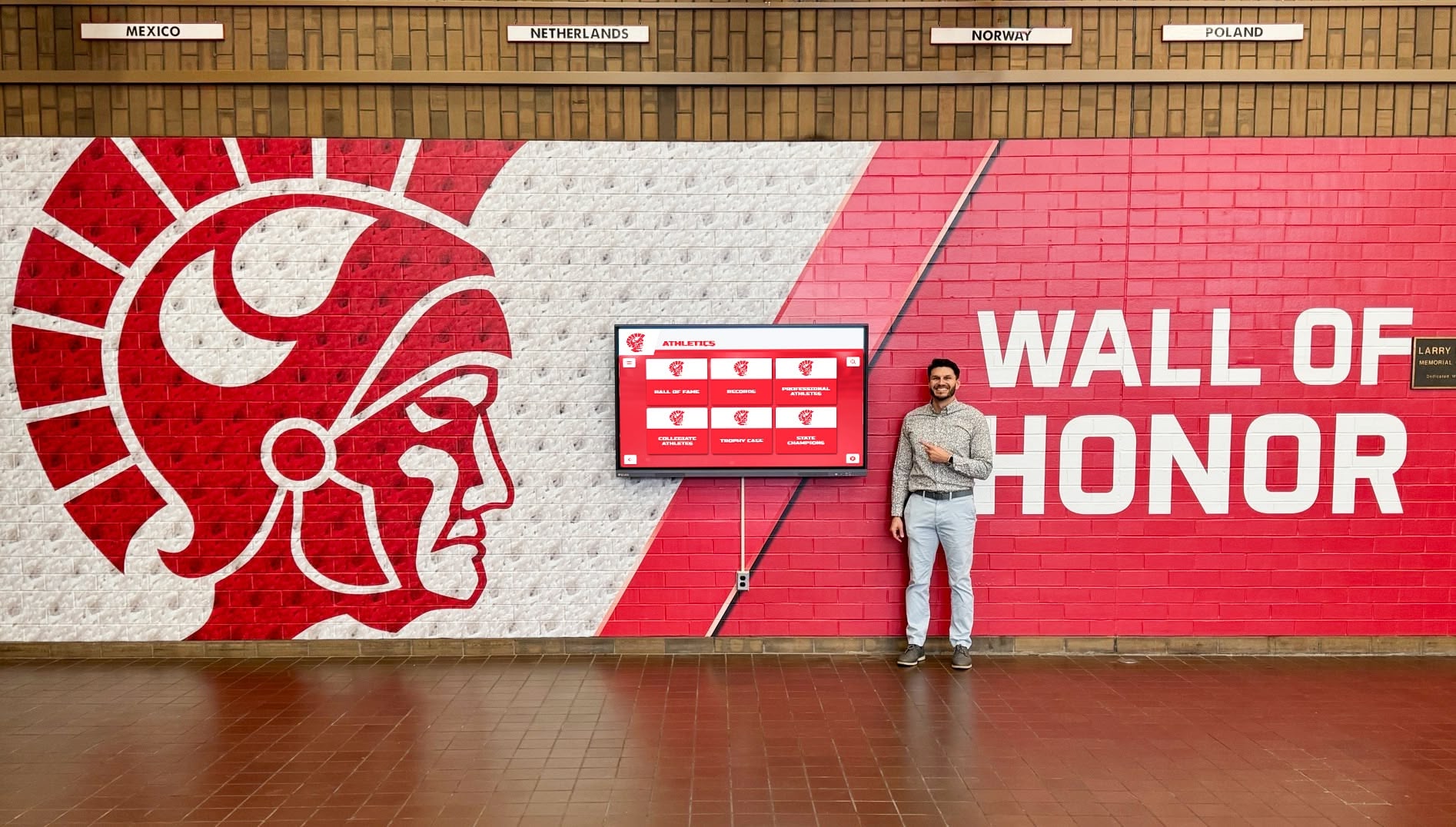
Wall of honor displays in main school hallways make historical records visible to every visitor, not just the alumni who know to go looking for them
Creative Time Capsule Ideas That Go Beyond the Basics
Once the technical infrastructure is in place, the most interesting design questions are content-focused: what specific ideas produce the most emotionally resonant time capsule experiences?
The Senior Prediction Wall
A structured prediction exercise where graduating seniors answer questions about their own futures—sealed by year and opened at 5, 10, and 25-year reunions—creates one of the most compelling ongoing time capsule experiences available to schools.
Design the prediction format around three time horizons:
- 5-year predictions: Where will you be living? What will you be doing for work? Will you be in contact with your three closest friends today?
- 10-year predictions: What will be the most surprising thing that happened to you in the last decade? Where do you predict the school will be?
- 25-year predictions: What do you hope to say about your life at this point? What do you hope has changed in the world?
Storing predictions in a digital platform with date-locked access means a returning graduate can sit at a touchscreen kiosk at a 10-year reunion and open their own sealed predictions—a deeply personal moment that no physical time capsule could replicate with equivalent reliability.
The Teacher Legacy Archive
Faculty members who spend decades at a school accumulate institutional memory that exists nowhere else. A teacher legacy archive systematically captures that memory through structured video interviews before retirement.
Questions designed to draw out genuine institutional memory:
- What was the school like when you first arrived, compared to today?
- Which students do you think about when you remember your best years of teaching?
- What do you hope the school never loses?
- What advice would you give to a student walking through these doors today?
These recordings, stored in a time capsule-style archive and made accessible to alumni through the school’s display system, create an ongoing faculty heritage that connects students across generations through the shared experience of knowing the same teachers.
The Annual Class Portrait Series
Beyond the formal class photo, a structured annual portrait series—asking the same questions of each graduating class, photographed in the same location, in the same format, year after year—creates a visual time capsule that documents the school’s evolution through its students.
When alumni visit a school with 20 years of annual portrait series accessible on a touchscreen display, they don’t just see their own class—they see a school that has been consistently paying attention. That consistency is itself a form of institutional character.
The Championship and Record Archive
Athletic and academic achievement records form one of the most frequently visited sections of any school archive. For schools with strong athletic traditions, a comprehensive championship time capsule—organized by sport and year, including historical team photos, record progressions, and coach profiles—creates exactly the kind of living history that recruits, alumni, and current students want to explore.
For recognition programs that connect current student achievement with historical context in this way, national merit scholars touchscreen recognition programs demonstrates how academic achievement archives can be organized with the same depth as athletic records.
The Alumni Where-Are-They-Now Layer
The most powerful time capsule addition that most schools underutilize is the retrospective layer: content contributed by alumni who are living the future that current students are trying to imagine.
When a school creates pathways for alumni to contribute video updates, career reflections, and “what my time here meant” segments to the existing archive, the time capsule becomes bidirectional. Current students can browse not just what past students predicted but what they actually experienced—a feedback loop that makes the archive more valuable with every passing year.
The School Spirit Documentation Archive
School spirit—the mascots, the chants, the homecoming traditions, the inside jokes that define a school culture—is among the least documented and most rapidly lost elements of institutional memory. A dedicated spirit documentation archive preserves it intentionally.
Content to preserve:
- Video recordings of full fight songs, cheers, and traditions as performed (not just lyrics on a page)
- Documentation of homecoming themes and traditions year by year
- Archive of school mascot history and design evolution
- Recording of graduation ceremony formats and traditions
- Collection of informal school culture—the nicknames, the rituals, the places that matter
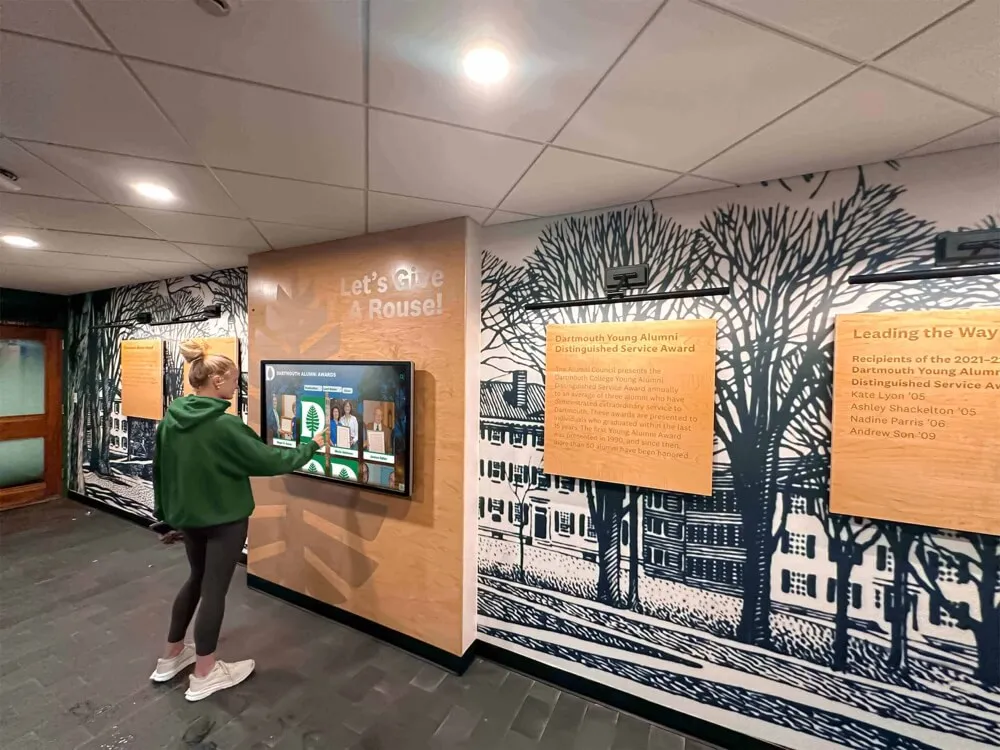
Alumni hallway displays that combine institutional murals with interactive touchscreens create spaces where school history and memory are physically embedded in the building
Organizing and Structuring Your Digital Time Capsule
Content without organization isn’t a time capsule—it’s a pile. The structure you build around your preserved content determines whether it remains accessible and meaningful across decades or becomes another version of the disorganized basement archive that physical time capsules so often become.
Taxonomies That Work Across Time
Good archive taxonomy remains interpretable without explanation, even for someone who wasn’t part of creating it. Three organizing principles that hold up well across long timeframes:
By graduating class year: The most intuitive navigation for alumni, who primarily want to find their own class content before exploring anything else. Every piece of content is tagged with the graduating class most associated with it.
By category: Athletic achievement, academic recognition, arts and performance, student life, faculty and staff, school news. Categories allow exploration by interest rather than cohort, useful for current students and casual browsers.
By content type: Photos, videos, documents, records, and data as separate browse options for users who know what format they’re looking for.
The combination of these three taxonomies—class year, category, and content type—creates a navigation system where any user can find specific content through their preferred orientation within a few clicks.
Metadata Standards for Long-Term Accessibility
Every piece of content in a digital time capsule should carry consistent metadata that makes it findable and interpretable decades later:
- Date created: Not just the event date but the date the content was digitally created or uploaded
- Names of people featured: Tagged and searchable, critical for alumni reunion access
- School year and graduating class: The primary organizational tag
- Content type and format: Photo, video, document, data
- Creator or contributor: Who created or submitted the content
- Access status: Open, sealed with unlock date, or restricted
These metadata standards take time to implement consistently at the beginning of a program but become invaluable as the archive grows. A school with 10 years of consistently tagged content is dramatically more navigable than one with 10 years of unstructured files.
Planning the Time Capsule Opening as an Event
Digital time capsules don’t eliminate the event experience—they enhance it. Instead of a box dug up from the ground, a digital opening can be a designed ceremony with more reliable content, better accessibility for alumni who can’t be present physically, and the ability to replay and share the experience afterward.
Designing the Opening Ceremony
The reveal format: Rather than opening everything simultaneously, a structured reveal—sealed predictions unlocking one at a time, projected on a display while alumni gather in a reunited group—creates pacing and ceremony. The technology enables this in ways physical capsules simply cannot.
Remote participation: Alumni who can’t attend in person can watch a livestream of the opening, submit their own responses in real time, and access the unsealed content from anywhere immediately after the reveal date. This dramatically expands who benefits from each opening event.
Multi-class openings: A school running digital time capsules continuously can organize reunion events that simultaneously unseal content for multiple graduating classes—the 10-year predictions for one class and the 25-year predictions for another—creating events that serve multiple alumni cohorts at once.
For schools designing comprehensive reunion experiences that incorporate digital displays and historical archives, capital campaign best practices for school advancement offers planning frameworks applicable to events that use time capsule reveals as alumni fundraising occasions.
Connecting the Digital Time Capsule to Alumni Engagement
The most strategically valuable framing of a school time capsule is as an alumni engagement tool, not just a preservation project. A well-designed digital archive gives alumni a reason to stay connected to the school—checking back to see new content added since their last visit, contributing their own updates and reflections, and eventually sharing access with their children who may attend the same institution.
How the Archive Drives Ongoing Alumni Engagement
Annual class reunion integration: Alumni relations offices increasingly use digital archives as centerpieces of reunion programming. A 25th reunion where alumni can browse their high school photos, watch their senior prediction videos, and compare their actual careers against their stated ambitions creates engagement that generic reunion programming can’t match.
Giving campaign alignment: Schools that frame digital time capsule investments as legacy gifts—“help us preserve our history for the next 50 years”—find strong donor response, particularly from alumni who are themselves reaching legacy-giving ages. The connection between personal preservation and institutional legacy resonates with donors in ways that general technology upgrades do not.
Student recruitment: Prospective families touring a school with a comprehensive, interactive archive in the lobby see immediately what kind of institution they’re considering—one that pays attention over time, that takes its students seriously enough to document and preserve their experience, that values continuity across generations. That signal is among the most powerful available in school marketing.
Intergenerational connection: When multiple generations of a family have attended the same school, a time capsule archive becomes a family artifact. Parents and children can browse the archive together, with parents showing students what the school looked like before they arrived and students discovering grandparents in decades-old photos. This kind of intergenerational resonance is genuinely rare and builds the kind of deep institutional loyalty that drives sustained engagement.

Touchscreen archive systems allow alumni to locate specific classmates, explore career paths, and interact with decades of school history through an intuitive interface requiring no technical knowledge
Implementation: Building Your Digital Time Capsule Program
Starting a digital time capsule program doesn’t require solving every technical and organizational question simultaneously. A phased approach lets schools begin preserving immediately while building toward more comprehensive infrastructure over time.
Phase 1: Start Preserving Now
The most urgent priority is stopping the ongoing loss of institutional memory. Every year without a systematic digital preservation program is a year of student voice, photo documentation, and institutional snapshot data that is lost permanently.
Start with what you have:
- Assign a staff member to photograph or video document a full ordinary school day before this academic year ends
- Collect senior reflections using whatever recording equipment is available—phone video is adequate as a start
- Create a shared cloud folder with a clear naming convention and begin uploading historical photos you already have
This minimal program creates something to build on. It also creates institutional pressure to invest in better infrastructure, because once staff see how easy it is to collect and how valuable the content becomes even after just a few years, the case for expanded investment becomes obvious.
Phase 2: Build Organizational Infrastructure
Before content volume becomes unmanageable, establish the metadata standards, naming conventions, and access control systems that will govern the archive long-term. This is significantly easier to do with two years of content than with twenty.
Key decisions to standardize:
- File naming convention for photos, videos, and documents
- Required metadata fields for every uploaded item
- Access categories (open, sealed, restricted) and who controls each
- Review process for alumni-contributed content
- Retention policy for different content types
Phase 3: Invest in Display Infrastructure
Once the archive has content and organizational structure, the decision about how to make it accessible is worth significant investment consideration. Interactive touchscreen display systems designed for educational settings—rather than repurposed commercial signage—provide the interface quality that transforms an archive into an experience.
The platforms best suited for this application are built around school community use cases: browsing by graduating class, displaying achievement records alongside personal profiles, and managing content through a simple CMS that non-technical staff can update without IT support. Best-of-category digital signage software options for schools in 2026 provides a current overview of platform options relevant to school archive and display contexts.
Phase 4: Activate Alumni Contribution
An archive that only contains content created by the school is less valuable than one that includes alumni contributions. Building pathways for graduates to submit their own retrospective content—career updates, family photos, reflections on how school shaped their life—creates an archive that grows richer over time rather than simply accumulating school-generated records.
Alumni contribution typically requires:
- A clear submission process with format guidelines and metadata requirements
- A review step before content goes public (to manage quality and appropriateness)
- Recognition for contributors, so submitting content feels like being honored rather than donating labor
- Periodic outreach to alumni associations with specific contribution requests (“We’re building the class of 2010 archive—what would you like to add?”)
Build a Time Capsule Your Alumni Will Come Back For
Rocket Alumni Solutions builds interactive touchscreen display systems that serve as living institutional archives—combining large-format displays with cloud-based content management that schools update remotely. Explore how a digital time capsule and alumni recognition wall can serve your school community for generations.
Explore Digital Time Capsule SolutionsThe time capsule tradition endures because the human impulse behind it is genuine: we want to leave something of ourselves for the people who come after us, and we want future selves to be able to look back and understand who we were. Digital infrastructure doesn’t diminish that impulse—it finally gives schools the tools to fulfill it reliably.
A senior who records a two-minute video for the class of 2040 is doing exactly what every time capsule contributor has always done. The difference is that her video won’t mold, won’t get lost in a renovation, and won’t require anyone to remember where it’s buried. It will be there—searchable, playable, and waiting—whenever the future arrives to claim it.
Live Example: Rocket Alumni Solutions Touchscreen Display
Interact with a live example (16:9 scaled 1920x1080 display). All content is automatically responsive to all screen sizes and orientations.