




Digital signage services have evolved from simple single-screen displays into comprehensive multi-screen management platforms capable of coordinating dozens of touchscreen kiosks and displays simultaneously. Organizations managing multiple locations, large facilities, or complex communication needs now require sophisticated yet accessible solutions that enable split-screen layouts, customizable widget integration, and dynamic content without requiring programming expertise.
The fundamental challenge facing schools, businesses, healthcare facilities, and public spaces isn’t finding digital signage services—hundreds of vendors offer platforms claiming to solve every display management need. The real challenge lies in identifying services that genuinely deliver intuitive multi-screen coordination, flexible widget-based content assembly, and responsive touchscreen experiences through interfaces accessible to non-technical staff rather than requiring dedicated developers for every content update.
This comprehensive guide examines what organizations should expect from professional digital signage services managing multiple screens and clients, explores the specific capabilities required for split-screen layouts with embedded widgets, evaluates the difference between truly programming-free platforms and those merely claiming simplicity, and provides systematic evaluation frameworks ensuring your selected service delivers sustainable value rather than initial promise followed by ongoing frustration.
Managing content across multiple digital displays simultaneously represents a distinct challenge from single-screen applications. Whether coordinating wayfinding kiosks throughout a campus, maintaining consistent messaging across distributed retail locations, or managing recognition displays in different athletic facilities, professional digital signage services must provide centralized control enabling both unified management and location-specific customization without overwhelming administrators.

Modern digital signage services power multi-screen environments through cloud-based management platforms
Understanding Multi-Screen Digital Signage Service Requirements
Organizations deploying digital signage across multiple screens face fundamentally different requirements than single-display implementations, necessitating services specifically designed for distributed management.
Centralized Content Management Across Multiple Clients
Professional multi-screen digital signage services provide unified platforms controlling distributed displays from single management interfaces, dramatically simplifying operations compared to managing each screen independently.
Essential Centralized Capabilities
Effective platforms enable:
- Single dashboard visibility showing status and content across all connected displays
- Group management tools organizing screens by location, purpose, or content type
- Bulk content deployment pushing updates to multiple displays simultaneously
- Template synchronization maintaining consistent layouts across screen groups
- Scheduled publishing coordinating content releases across distributed networks
- Remote monitoring tracking display status without physical site visits
- Role-based permissions enabling distributed content contribution with centralized oversight
Cloud-based architectures make centralized management practical by eliminating on-premises server requirements while providing reliable connectivity to distributed displays across buildings, campuses, or geographic regions.
Organizations managing interactive touchscreen kiosks throughout facilities benefit significantly from centralized platforms that enable coordinated updates while allowing location-specific content customization addressing unique needs of different display contexts.
Location-Specific Customization
While centralization simplifies management, effective services balance consistency with flexibility:
- Individual display content overrides for location-specific information
- Geographic scheduling adjusting content by time zone automatically
- Campus or building specific templates maintaining location identity
- Department-level permissions enabling localized content management
- Custom widget configurations addressing unique location requirements
- Conditional content rules displaying information based on display location
This balance ensures organizations maintain brand consistency and operational efficiency while enabling necessary customization that makes displays genuinely useful for specific environments rather than forcing one-size-fits-all content across diverse contexts.
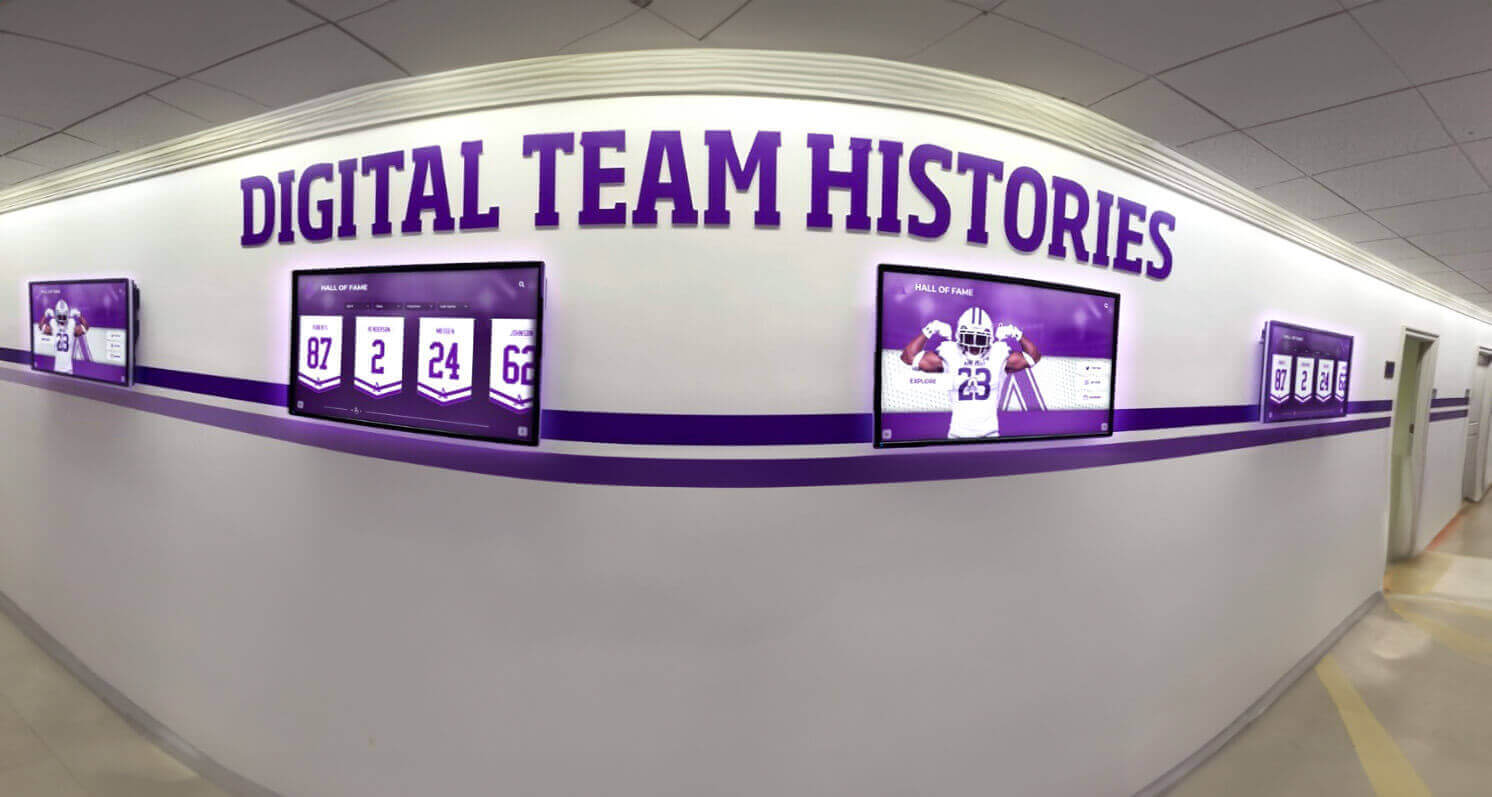
Professional services coordinate content across multiple displays while enabling location-specific customization
Real-Time Synchronization and Updates
Managing multiple screens requires sophisticated synchronization ensuring content updates propagate reliably across distributed displays without requiring manual intervention at each location.
Synchronization Architecture
Professional digital signage services provide:
- Automatic content propagation pushing updates to all displays within minutes of publishing
- Offline resilience enabling displays to continue operation during connectivity interruptions
- Progressive updates downloading large media files incrementally without disrupting playback
- Version control ensuring all displays show consistent content versions
- Rollback capabilities enabling quick recovery from problematic updates
- Bandwidth optimization managing large file transfers across limited network connections
These capabilities prevent situations where displays show outdated content, mixed versions across locations, or blank screens during update processes—maintaining professional presentation quality regardless of network conditions or display distribution.
Real-Time Content Integration
Modern services enable dynamic content updating automatically:
- Live data feeds updating statistics, scores, and metrics continuously
- Social media integration displaying current posts and engagement
- Weather information reflecting local conditions at each display location
- News feeds showing relevant headlines and breaking updates
- Calendar synchronization displaying current schedules and events
- Emergency messaging overriding regular content instantly when critical alerts occur
These real-time capabilities transform digital signage from static presentations into dynamic information resources that remain continuously relevant rather than requiring constant manual updates to maintain currency.
Explore real-time content strategies in digital signage content ideas with comprehensive implementation approaches.
Split-Screen Layout Capabilities Without Programming
Split-screen functionality enables single displays to show multiple content types simultaneously, maximizing information density while maintaining organized presentation that audiences can parse easily without overwhelming cognitive load.
Visual Layout Builders for Multi-Zone Displays
Programming-free split-screen implementation requires intuitive visual tools that enable non-technical staff to create sophisticated layouts through drag-and-drop interfaces rather than coding.
Essential Layout Tools
Professional services provide:
- Grid-based layout systems dividing screens into configurable zones
- Percentage-based sizing enabling precise control over zone dimensions
- Snap-to-grid positioning ensuring professional alignment and spacing
- Responsive templates adapting layouts to different screen sizes automatically
- Preview modes showing exactly how layouts appear on actual displays
- Saved layout templates enabling quick reuse of successful designs
- Zone-specific content assignment directing different content to each screen area
These visual tools enable creating layouts like 70/30 splits with main content in primary zones and supplementary information in secondary areas, or equal quadrants displaying four distinct content types simultaneously—all without writing a single line of code.
Pre-Built Layout Templates
Quality digital signage services accelerate implementation through professionally designed templates:
- Standard split-screen configurations for common use cases
- Industry-specific layouts optimized for schools, healthcare, retail, or corporate environments
- Orientation options supporting landscape and portrait displays
- Animated transitions between content zones maintaining visual interest
- Accessibility-compliant layouts ensuring universal content access
- Customizable templates enabling branding while preserving functional layouts
Templates provide starting points that organizations customize rather than designing from blank canvases, dramatically reducing time from concept to deployed content while ensuring professional presentation quality.

Split-screen layouts enable multiple content types on single displays without requiring programming expertise
Content Zone Management and Scheduling
Split-screen displays require sophisticated zone management enabling different content, schedules, and update frequencies in each screen area while maintaining coordinated overall presentation.
Independent Zone Control
Professional platforms enable:
- Zone-specific content assignment directing different media to each display area
- Independent scheduling rotating content in specific zones on different timelines
- Priority hierarchies determining which content takes precedence when conflicts occur
- Zone-specific interactivity enabling touchscreen interaction with particular screen areas
- Conditional zone display showing or hiding zones based on schedules or data conditions
- Performance optimization managing resource allocation across multiple simultaneous content streams
This granular control enables creating displays where main zones show institutional content rotating every few minutes while side zones display real-time data updating continuously and bottom zones show permanent navigation or branding elements—all managed independently through single platforms.
Coordinated Multi-Zone Updates
While zones operate independently, effective services coordinate updates maintaining visual coherence:
- Synchronized transitions preventing multiple zones from changing simultaneously
- Content duration coordination ensuring zones change at appropriate intervals
- Theme consistency tools maintaining unified visual presentation across zones
- Conflict prevention when multiple administrators manage different zones
- Bulk zone updates applying changes across multiple zones simultaneously
- Audit trails tracking zone-specific content changes for accountability
These coordination features prevent split-screen displays from appearing chaotic or overwhelming while enabling the flexibility that makes multi-zone layouts valuable for complex information presentation.
Widget-Based Content Integration: Weather, News, Social Media, and Data
Widget functionality transforms digital signage from static content displays into dynamic information platforms pulling real-time data from multiple sources and presenting it cohesively without custom development.
Pre-Built Widget Libraries for Common Data Sources
Professional digital signage services provide extensive widget libraries enabling straightforward integration of external data sources through simple configuration rather than API programming.
Essential Widget Categories
Comprehensive platforms include:
Weather Widgets
- Local weather conditions with current temperature and conditions
- Multi-day forecasts showing upcoming weather patterns
- Severe weather alerts highlighting important safety information
- Location-specific forecasts for multi-campus organizations
- Customizable visual styles matching overall display design
- Automatic data updates maintaining current information
News and Information Feeds
- RSS feed integration displaying news headlines and summaries
- Topic filtering showing relevant news for specific audiences
- Multiple news source aggregation providing diverse perspectives
- Automated content rotation through available headlines
- Click-through capabilities on interactive displays enabling story exploration
- Content moderation tools filtering inappropriate material
Social Media Integration
- Live Twitter/X feeds displaying institutional accounts or hashtags
- Instagram photo galleries showing recent posts and engagement
- Facebook page content including posts and community updates
- LinkedIn company updates for professional environments
- YouTube channel integration displaying recent video content
- Moderation capabilities filtering inappropriate user content before display
Data Visualization Widgets
- Real-time statistics displaying key performance indicators
- Chart and graph generators visualizing data dynamically
- Countdown timers for upcoming events or deadlines
- Progress meters showing campaign or goal achievement
- Leaderboard displays presenting competitive metrics
- Live polling results showing community input
These pre-built widgets eliminate the technical complexity of API integration, data parsing, and visual presentation development—enabling organizations to deploy sophisticated dynamic content through simple configuration interfaces requiring no programming knowledge.
Learn about comprehensive widget strategies in digital signage content implementation with extensive widget application examples.
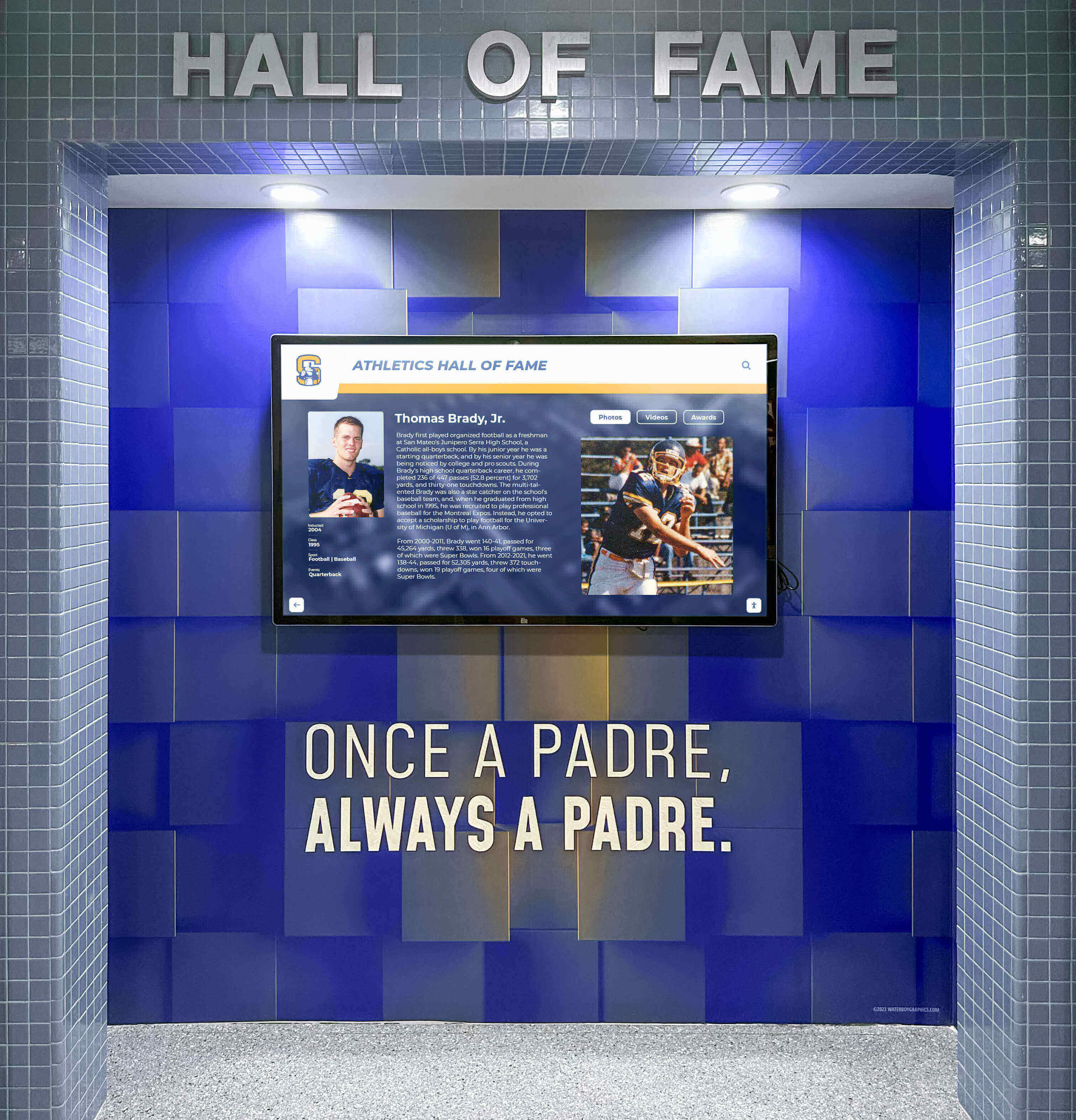
Widget-based systems enable real-time data display without programming or custom development
Custom Data Source Integration Options
Beyond pre-built widgets, quality digital signage services enable organizations to integrate proprietary data sources and custom information systems without requiring extensive development resources.
No-Code Integration Methods
Accessible integration approaches include:
- Spreadsheet imports pulling data from Excel or Google Sheets automatically
- CSV file uploads enabling bulk data updates through simple file formats
- Web URL embedding displaying external web content in display zones
- Calendar integrations connecting Google Calendar, Outlook, or other scheduling systems
- Database connectors linking to SQL databases through visual configuration
- API integrations connecting custom systems through assisted setup wizards
- Third-party service connections via platforms like Zapier or IFTTT enabling workflow automation
These methods enable displaying custom organizational data—student achievement information, donor recognition details, event schedules, facility availability, or departmental announcements—through straightforward configuration processes accessible to staff without development backgrounds.
Data Refresh and Update Management
Professional platforms handle data synchronization automatically:
- Configurable refresh intervals updating data on appropriate schedules
- Automated error handling when data sources become temporarily unavailable
- Data validation ensuring information meets display requirements before publishing
- Cache management balancing currency with performance and bandwidth
- Fallback content displaying when primary data sources fail
- Update notification alerting administrators to data integration issues
This automated management ensures displays show current information while preventing technical failures from creating blank screens or error messages that undermine professional presentation quality.
Touchscreen Interactivity for Multi-Screen Environments
Touchscreen capabilities transform passive digital signage into engaging interactive experiences, but managing interactivity across multiple kiosk locations requires specialized service features beyond standard content management.
Interactive Navigation and Content Exploration
Touchscreen kiosks enable visitors to actively explore content rather than passively viewing rotating information, fundamentally changing engagement depth and information retention.
Essential Interactive Features
Professional touchscreen services provide:
- Touch-optimized interfaces designed specifically for finger interaction rather than mouse navigation
- Multi-touch gesture support enabling pinch-to-zoom, swipe, and other natural interactions
- Search functionality allowing visitors to find specific information instantly
- Content filtering tools enabling exploration by category, date, or custom attributes
- Hierarchical navigation organizing deep content libraries logically
- Bookmark and sharing features allowing visitors to save or send content digitally
- Session management automatically resetting displays after inactivity periods
- Accessibility modes ensuring universal access regardless of physical ability
These capabilities prove essential for applications like interactive recognition displays showcasing extensive achievement histories, campus directories with hundreds of locations and departments, or information kiosks presenting complex institutional resources.
Solutions like Rocket Alumni Solutions specialize in interactive touchscreen applications specifically for recognition and engagement contexts, providing intuitive exploration interfaces designed for schools, athletic programs, and nonprofit organizations celebrating achievement through accessible interactive experiences.
Multi-Kiosk Experience Consistency
Organizations deploying multiple interactive kiosks require services ensuring consistent experiences across all touchpoints:
- Identical navigation patterns preventing confusion as visitors move between kiosks
- Synchronized content ensuring all locations show current information
- Coordinated interface updates applying improvements across all kiosks simultaneously
- Performance optimization maintaining responsive interaction regardless of kiosk location
- Analytics aggregation combining engagement data from distributed kiosks
- Remote troubleshooting diagnosing interaction issues without site visits
This consistency ensures visitors receive reliable, professional experiences regardless of which kiosk they encounter—building confidence in the information and engagement systems while reflecting positively on institutional professionalism.
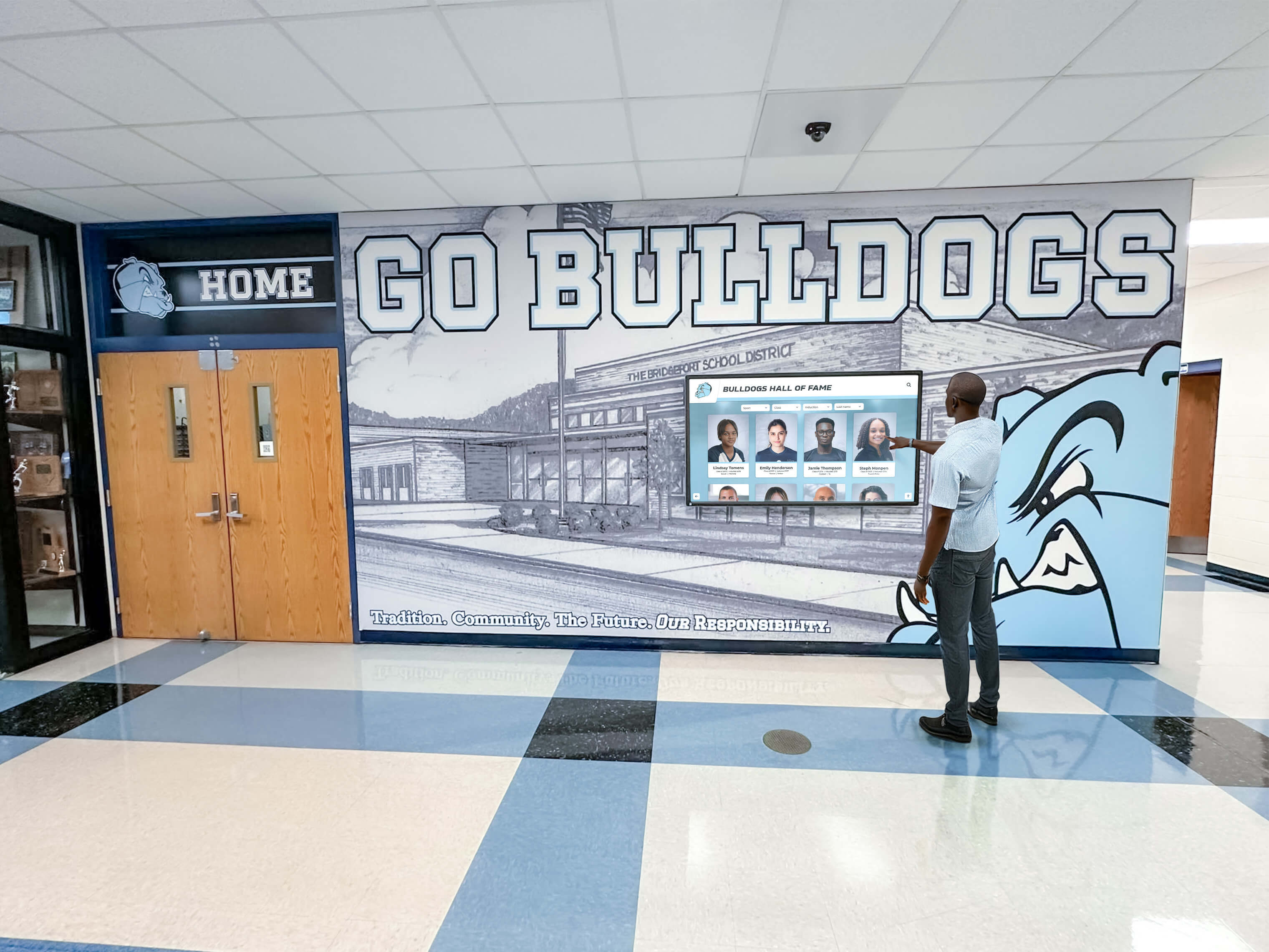
Interactive touchscreen services enable deep content exploration across distributed kiosk networks
Analytics and Engagement Tracking Across Multiple Displays
Understanding how visitors interact with touchscreen kiosks across multiple locations provides insights enabling content optimization and demonstrating return on digital signage investment.
Comprehensive Analytics Capabilities
Professional services track:
- Interaction frequency showing daily usage patterns across all kiosks
- Session duration revealing how long visitors engage with content
- Content popularity identifying which information generates most interest
- Search patterns showing how visitors navigate and discover content
- Geographic usage comparing engagement across different kiosk locations
- Peak usage times informing optimal content scheduling and kiosk placement
- Path analysis revealing how visitors move through content hierarchies
- Abandonment points identifying where visitors disengage from experiences
These metrics enable data-driven decisions about content strategy, interface design, kiosk placement, and feature priorities rather than relying on subjective impressions about what seems effective.
Multi-Location Comparative Analysis
Organizations with distributed kiosks benefit from comparative insights:
- Location performance differences identifying optimal placement characteristics
- Content variation testing comparing engagement across different approaches
- Time-based trend analysis revealing seasonal or situational engagement patterns
- Hardware performance comparison identifying technical issues affecting specific kiosks
- Demographic pattern analysis when visitor identification capabilities exist
- ROI calculation demonstrating value relative to implementation and operational costs
This analytical sophistication separates professional digital signage services from basic platforms, enabling organizations to continuously refine implementations based on objective engagement evidence rather than anecdotal feedback.
Evaluating “Programming-Free” Claims in Digital Signage Services
Many digital signage vendors claim their platforms require “no programming” or “no technical expertise,” but the practical reality often falls short of marketing promises. Systematic evaluation separates genuinely accessible services from those requiring substantial technical capability despite claims otherwise.
True Visual Configuration Versus Hidden Coding Requirements
The distinction between authentic visual configuration and platforms requiring technical knowledge despite simplified interfaces represents a critical evaluation criterion.
Genuine No-Code Characteristics
Truly programming-free platforms enable:
- Complete content creation through web browsers without specialized software
- Drag-and-drop layout design without touching CSS or HTML
- Widget configuration through forms and dropdown menus rather than code editing
- Template customization through visual tools rather than markup languages
- Conditional logic setup through visual rule builders rather than scripting
- Integration configuration through guided wizards rather than API documentation
- Troubleshooting through clear error messages rather than technical logs
These characteristics indicate platforms designed from the ground up for non-technical users rather than developer tools wrapped in simplified interfaces that still require technical understanding when moving beyond basic functionality.
Hidden Complexity Warning Signs
Platforms claiming simplicity but actually requiring technical expertise reveal themselves through:
- Documentation referencing HTML, CSS, JavaScript, or other programming concepts
- “Advanced features” requiring code editing for essential functionality
- Integration requiring API documentation interpretation
- Troubleshooting demanding log file analysis or console inspection
- Customization requiring contacting developers for “simple” modifications
- Template editing exposing underlying code rather than visual controls
- Community forums dominated by technical discussions and code snippets
Organizations should conduct hands-on evaluations attempting realistic scenarios—creating split-screen layouts, configuring widgets, scheduling content across multiple displays, and troubleshooting common issues—to assess whether platforms genuinely deliver on accessibility claims or require technical expertise despite marketing suggesting otherwise.
Explore platform evaluation strategies in digital signage software comparison guides with comprehensive assessment frameworks.
Training Requirements and Long-Term Management Complexity
Even platforms with genuinely intuitive interfaces require evaluation of ongoing management complexity and training burden placed on staff responsible for sustained operation.
Reasonable Training Expectations
Professional services should enable confident operation through:
- Initial training sessions of 2-4 hours for typical content contributors
- Written documentation with screenshots for reference
- Video tutorials demonstrating common tasks step-by-step
- Ongoing support access for occasional questions and troubleshooting
- Gradual learning enabling productive work before mastering all features
- Champion user success enabling peer support supplementing vendor resources
Organizations should be skeptical of platforms requiring multi-day training programs, extensive technical prerequisites, or ongoing dependence on vendor professional services for routine content management—these characteristics indicate complexity inconsistent with true programming-free operation.
Long-Term Management Sustainability
Effective evaluation considers ongoing operational realities:
- Can typical staff members manage content independently after initial training?
- Does routine content update require vendor assistance or specialized expertise?
- Can organizations recover from staff turnover without extensive retraining investments?
- Do new feature releases require relearning core workflows?
- Can multiple staff members contribute content without central coordination bottlenecks?
- Does troubleshooting common issues require technical support intervention?
Platforms truly designed for non-technical operation remain manageable across staff changes, feature updates, and organizational evolution—enabling sustainable long-term operation without growing technical burden or vendor dependence over time.
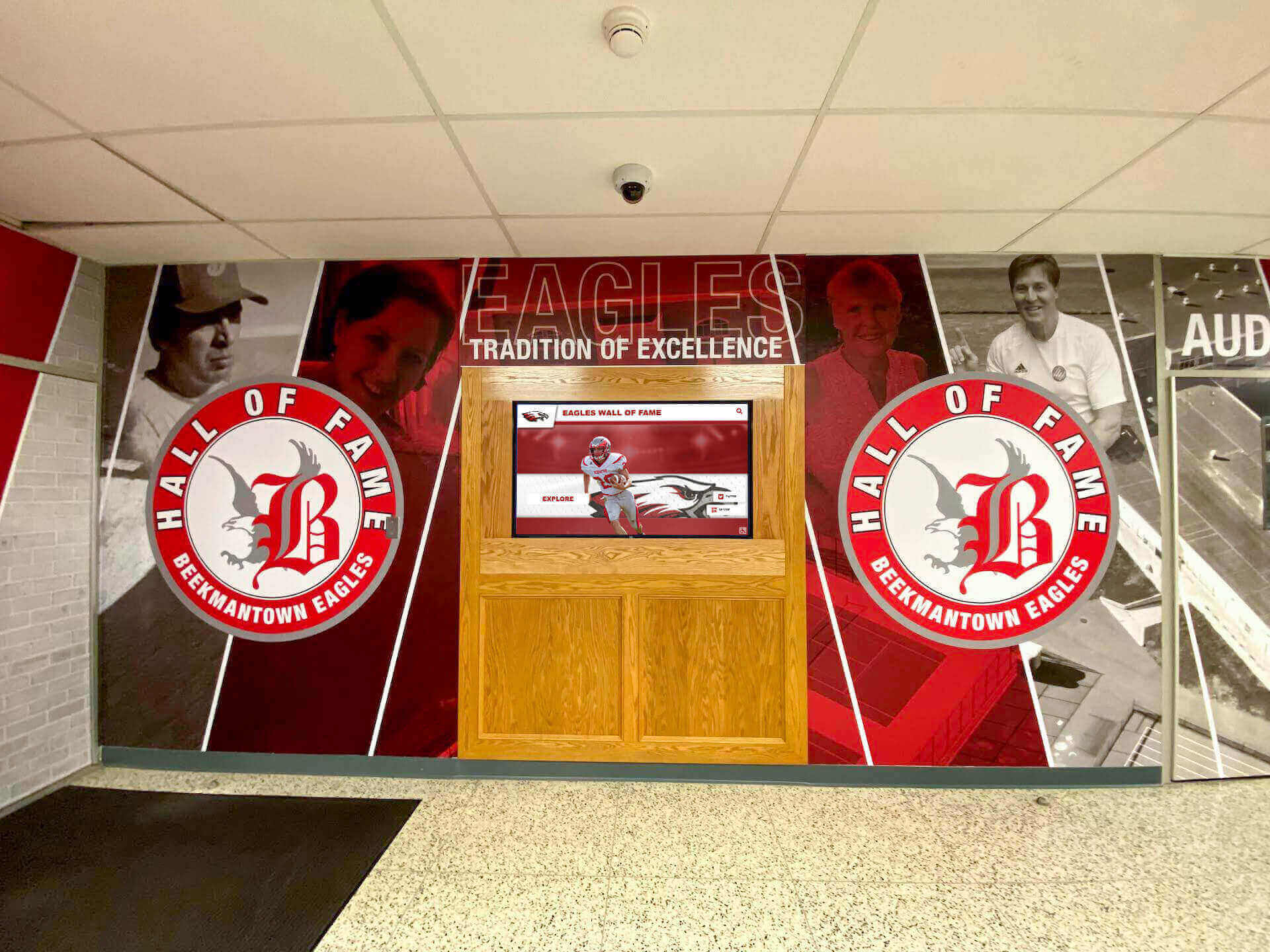
Genuinely programming-free services enable non-technical staff to manage sophisticated displays independently
Cloud-Based Architecture Benefits for Multi-Screen Management
Cloud-based digital signage services offer distinctive advantages for organizations managing multiple screens and distributed display networks compared to traditional on-premises systems.
Centralized Management Without On-Premises Infrastructure
Cloud architecture eliminates server hardware, networking infrastructure, and IT resource requirements that make on-premises solutions impractical for many organizations.
Infrastructure Elimination Benefits
Cloud services provide:
- No server purchase or maintenance eliminating capital expenses and technical burden
- No VPN configuration enabling remote access through standard internet connectivity
- Automatic software updates maintaining current features without manual upgrades
- Redundant hosting preventing single points of failure
- Professional security management protecting data without internal expertise
- Scalable architecture accommodating growth without infrastructure investments
- Predictable operational costs through subscription pricing rather than unpredictable maintenance
These characteristics make sophisticated multi-screen digital signage accessible for schools, small businesses, and nonprofit organizations lacking dedicated IT departments while enabling enterprise organizations to focus technical resources on core business systems rather than digital signage infrastructure.
Remote Access and Distributed Management
Cloud platforms enable:
- Content management from any internet-connected device including phones and tablets
- Distributed content contribution by staff across departments and locations
- Real-time updates taking effect within minutes of publishing
- Instant emergency messaging capability from anywhere
- Troubleshooting and support without physical display access
- Analytics review and reporting from office, home, or mobile contexts
This flexibility proves particularly valuable for organizations managing displays across multiple buildings, campuses, or geographic locations where physical access to displays for every update would be operationally impractical.
Reliability and Redundancy for Mission-Critical Displays
Organizations depend on digital signage for critical communications—emergency alerts, wayfinding, schedules, and public information—requiring reliable operation exceeding what typical on-premises systems deliver.
Professional Hosting Infrastructure
Quality cloud services provide:
- Redundant data centers preventing regional outages from affecting service
- Content delivery networks (CDNs) ensuring fast media delivery to distributed displays
- Automated backup systems protecting content from data loss
- 99.9%+ uptime guarantees backed by service level agreements
- Professional monitoring detecting and addressing issues proactively
- Disaster recovery systems enabling rapid service restoration after catastrophic failures
- DDoS protection preventing service disruption from attacks
These enterprise-grade hosting characteristics exceed what individual organizations can economically implement through on-premises infrastructure, providing reliability that positions digital signage as dependable institutional communication channels rather than supplementary nice-to-have systems.
Offline Resilience Features
Professional cloud platforms address connectivity interruptions gracefully:
- Local caching enabling displays to continue operation during network outages
- Progressive content downloads preventing playback interruption during large file updates
- Automatic reconnection and synchronization when connectivity restores
- Health monitoring alerting administrators to extended offline periods
- Configurable fallback content displaying when cloud connectivity fails
- Status dashboards showing which displays operate normally versus offline
These resilience features ensure temporary connectivity issues don’t create blank screens or error messages—maintaining professional presentation even when network problems occur.
Explore cloud platform advantages in school digital signage implementation guides with comprehensive cloud architecture discussions.
Hardware Considerations for Multi-Screen Touchscreen Deployments
Digital signage services provide software infrastructure, but successful multi-screen implementations require appropriate hardware selections supporting service capabilities while delivering reliable long-term operation.
Commercial Display Specifications for Continuous Operation
Consumer televisions and monitors fail quickly when subjected to continuous digital signage operation, making commercial-grade displays essential for reliable multi-screen deployments.
Critical Commercial Display Features
Professional displays provide:
- Continuous operation ratings supporting 16-24 hour daily operation
- Enhanced thermal management preventing overheating during extended use
- Commercial warranties covering 3-5 years rather than 90-day consumer guarantees
- Higher brightness ratings (350-500 nits) maintaining visibility in ambient lighting
- Landscape and portrait mounting supporting various installation orientations
- Professional aesthetics with minimal bezels and consistent appearance
- Integrated System-on-Chip options eliminating separate media player requirements
These specifications translate to displays costing more initially than consumer alternatives but delivering years of reliable service rather than premature failures that create ongoing replacement costs exceeding initial savings.
Touchscreen Technology Selection
Interactive applications require specific touch technology choices:
- Capacitive touch provides responsive multi-touch interaction for consumer-like experiences
- Infrared touch offers large-format capabilities and durability for high-traffic public spaces
- Touch sensor calibration maintaining accuracy across display life
- Anti-glare treatments reducing reflection interference with visibility and touch accuracy
- Vandal-resistant options for unsupervised public installations
- Glove and stylus compatibility when relevant for specific use contexts
Organizations should evaluate touch technology based on specific application requirements—museum installations have different needs than retail environments or school hallways—rather than selecting based solely on cost or vendor recommendations.
Media Player and Network Infrastructure Requirements
Cloud-based digital signage services require computing devices at each display location for content playback and internet connectivity enabling cloud communication.
Media Player Options
Several architectures serve different contexts:
System-on-Chip (SoC) Displays
- Computing integrated directly into commercial displays
- Eliminates separate media player hardware and cable management
- Typically runs Android or Tizen operating systems
- Appropriate for installations valuing simplicity and clean aesthetics
- Limits upgrade flexibility since computing and display are coupled
External Media Players
- Dedicated computing devices connecting to standard displays
- Enables display and computing upgrades independently
- Options from $100 Raspberry Pi devices to $500+ professional players
- Supports Windows, Android, Linux, or Chrome OS based on requirements
- Appropriate for installations prioritizing flexibility and component longevity
PC-Based Systems
- Leverages existing Windows or Mac computers as media players
- Cost-effective when computers already exist at display locations
- Provides maximum compatibility with diverse software requirements
- May appear less professional with visible computer equipment
- Appropriate for office environments with existing IT infrastructure
Organizations should consult digital signage service providers about supported hardware and recommended configurations rather than purchasing displays and players before confirming compatibility with selected services.
Network Infrastructure Requirements
Cloud-based services require reliable internet connectivity:
- Minimum 10-25 Mbps bandwidth per display for smooth video playback
- Wired Ethernet connections preferred for reliability and performance
- WiFi acceptable when wired infrastructure is impractical or cost-prohibitive
- Network segmentation separating displays from other institutional systems
- Firewall configuration allowing cloud service communication
- Power over Ethernet (PoE) options simplifying installation in some contexts
Organizations should assess existing network infrastructure capacity before implementing multi-screen digital signage, potentially requiring upgrades ensuring adequate bandwidth and reliability supporting professional operation across all displays simultaneously.
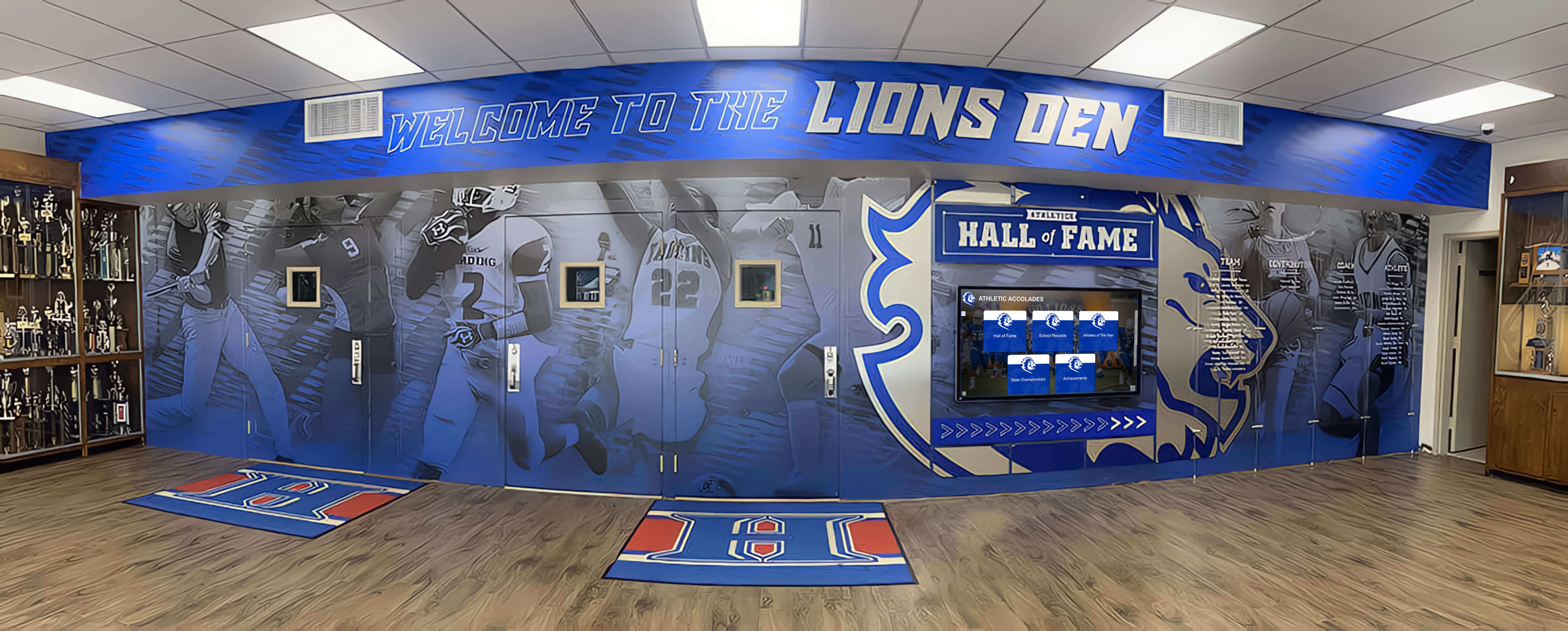
Professional hardware selections ensure reliable multi-screen operation supporting sophisticated digital signage services
Implementation Planning for Multi-Screen Digital Signage Projects
Successful digital signage service deployments require systematic planning addressing content strategy, technical infrastructure, organizational readiness, and change management beyond simply purchasing platforms and hardware.
Phased Rollout Strategies for Large-Scale Deployments
Organizations implementing multiple screens simultaneously across distributed locations benefit from phased approaches enabling learning and refinement before full-scale deployment.
Pilot Phase Implementation
Starting with limited deployments provides advantages:
- Single location testing validating service capabilities in actual environments
- Content strategy refinement identifying what works before scaling broadly
- Staff training enabling confident operation before adding complexity
- Technical troubleshooting resolving infrastructure issues in controlled contexts
- Stakeholder feedback gathering input informing broader rollout planning
- Budget validation confirming actual costs align with projections before major commitments
Pilot implementations might involve 1-3 displays in a single high-traffic location, operated for 2-3 months while systematically evaluating performance, engagement, reliability, and management complexity before proceeding with broader deployment.
Expansion Phase Planning
Successful pilots inform systematic expansion:
- Prioritize highest-impact locations rather than uniform distribution
- Schedule installations in manageable phases avoiding overwhelming staff
- Establish content creation workflows supporting multiple displays sustainably
- Train additional staff members preventing single-person dependencies
- Document lessons learned from pilot informing remaining deployments
- Budget for discovered needs and refined requirements from pilot experience
This phased approach reduces risk by validating assumptions and refining approaches before major investments while enabling organizations to demonstrate value to stakeholders through early successes that build support for broader initiatives.
Content Strategy Development for Distributed Displays
Hardware and software provide infrastructure, but engaging content determines whether digital signage achieves intended objectives or becomes expensive decoration quickly ignored by intended audiences.
Content Category Planning
Effective multi-screen strategies balance diverse content types:
- Recognition and celebration highlighting achievements and contributions
- Current information providing schedules, announcements, and timely updates
- Wayfinding and navigation helping visitors find destinations and resources
- Historical context connecting present to institutional legacy
- Emergency messaging enabling critical communication during urgent situations
- Promotional content encouraging participation in programs and events
- Educational resources supporting mission-relevant learning and information
Organizations should define content priorities aligned with institutional objectives rather than attempting to serve every possible use case simultaneously—focused strategies deliver better results than diffuse approaches trying to accomplish everything.
Learn about comprehensive content planning in digital signage content strategy guides with extensive implementation frameworks.
Content Development and Management Workflows
Sustainable operation requires systematic processes:
- Designate specific staff responsible for each content category
- Establish content submission processes for distributed contributors
- Create approval workflows ensuring quality and appropriateness
- Develop update schedules maintaining currency without constant manual intervention
- Implement quality standards for photography, video, and written content
- Schedule regular content audits removing outdated material
- Monitor engagement analytics identifying successful content and opportunities
Organizations should budget adequate staff time for content management rather than assuming digital signage requires minimal ongoing attention after initial implementation—sustained engagement requires sustained management investment aligned with communication importance.
Explore Purpose-Built Multi-Screen Digital Signage Solutions
Discover how specialized platforms designed specifically for managing multiple touchscreen displays can help you coordinate content, integrate widgets seamlessly, and engage audiences across distributed locations—all without programming expertise.
Book a DemoCost Considerations for Multi-Screen Digital Signage Services
Understanding complete financial implications requires examining initial implementation costs, ongoing operational expenses, and total cost of ownership across expected system lifespans rather than focusing solely on advertised subscription prices.
Initial Implementation Investment Components
Complete startup costs span software, hardware, installation, and content development—all contributing to total implementation investment requiring realistic budgeting.
Software Service Costs
Initial platform expenses include:
- Setup or onboarding fees ranging from $0-2,000 depending on service
- First year subscription costs typically $500-3,000 per display annually
- Content development tools or template purchases if required
- Integration configuration for data sources and external systems
- Training program fees for staff education on platform operation
- Content migration costs if replacing existing digital signage systems
Organizations should request detailed pricing covering all initial software-related costs rather than comparing only subscription rates that exclude essential implementation components.
Hardware Investment Requirements
Physical equipment represents significant initial investment:
- Commercial displays: $800-5,000 per screen depending on size and features
- Interactive touchscreens: $3,000-10,000 per unit for quality commercial solutions
- Media players: $100-800 per display if separate players required
- Mounting hardware: $100-500 per display for professional installations
- Network infrastructure upgrades if existing capacity insufficient
- Power requirements including electrical work for new display locations
Total hardware investment for modest 3-5 display implementations typically ranges $10,000-30,000 depending on display quality, touchscreen requirements, and installation complexity—representing the largest single cost component for most organizations.
Professional Services and Installation
Expert assistance ensures successful launches:
- Professional installation services: $500-2,500 per display
- Content development assistance: $2,000-10,000 depending on volume and complexity
- Design services for custom templates and branding: $1,000-5,000
- Network assessment and configuration: $1,000-3,000
- Staff training programs: $500-2,000 depending on scale and depth
- Project management coordinating complex deployments: $2,000-10,000
Organizations with internal IT capabilities may reduce professional service costs by handling some implementation aspects internally, though expert assistance typically accelerates deployment while avoiding common mistakes that delay launches or undermine effectiveness.
Ongoing Operational Costs and Total Cost of Ownership
Sustained operation requires continuing investment beyond initial implementation, necessitating realistic ongoing budget allocation.
Annual Operational Expenses
Continued operation includes:
- Software subscription renewals: $500-3,000 per display annually
- Technical support and maintenance contracts: $200-1,000 per display annually
- Content management labor: variable based on update frequency and complexity
- Electricity costs for continuous display operation: $50-150 per display annually
- Internet bandwidth costs for cloud connectivity
- Hardware replacement reserves for displays reaching end of operational life
- Service upgrades and feature enhancements as platforms evolve
Over typical 5-7 year display lifespans, operational costs often equal or exceed initial implementation investment—emphasizing the importance of selecting reliable services and quality hardware that minimize ongoing support and replacement costs.
Return on Investment Considerations
Organizations should evaluate digital signage value beyond cost alone:
- Communication effectiveness improvements compared to previous methods
- Staff efficiency gains from centralized management versus manual processes
- Audience engagement quality measurable through analytics and feedback
- Institutional pride and cultural impact from professional recognition systems
- Recruitment and fundraising benefits from enhanced facility presentation
- Space utilization efficiency by replacing physical displays with digital alternatives
While difficult to quantify precisely, these benefits often justify investments in professional digital signage services that deliver sustained value across years of operation rather than selecting solely based on minimizing upfront costs.
Security and Compliance Considerations for Digital Signage Services
Organizations displaying public content and managing distributed screen networks must address security risks and regulatory compliance requirements that affect service selection and operational policies.
Data Privacy and Student Information Protection
Educational institutions and organizations displaying information about individuals face specific privacy obligations requiring careful service evaluation and configuration.
FERPA and Privacy Compliance
Schools must ensure digital signage services:
- Protect student education records according to FERPA requirements
- Provide appropriate access controls limiting who can view sensitive information
- Enable content approval workflows preventing unauthorized information display
- Support appropriate information disclosure based on individual permissions
- Maintain audit trails documenting who accessed and modified student information
- Provide data residency controls if regulations specify storage locations
Organizations should explicitly discuss privacy compliance with prospective service providers, requesting documentation of security practices, compliance certifications, and specific features supporting regulatory requirements rather than assuming generic platforms address specialized educational privacy obligations.
Data Collection and Analytics Privacy
Services tracking engagement through analytics must address:
- Anonymous analytics avoiding personally identifiable information collection
- Clear privacy policies explaining what data platforms collect and how organizations use it
- Compliance with GDPR or CCPA if serving European or California audiences
- Cookie and tracking technology disclosures for web-accessible content
- Data retention policies automatically purging analytics after appropriate periods
- Export and deletion capabilities enabling compliance with data subject requests
Professional services designed for educational and nonprofit contexts typically incorporate appropriate privacy protections by design rather than requiring extensive customization addressing regulatory requirements.
Network Security and Access Control
Cloud-connected displays represent network endpoints requiring security attention preventing unauthorized access or use as attack vectors.
Essential Security Features
Professional services provide:
- Encrypted communication between displays and cloud services
- Strong authentication preventing unauthorized management access
- Role-based permissions limiting functionality based on user responsibilities
- Network segmentation recommendations isolating displays from critical systems
- Regular security updates addressing discovered vulnerabilities
- Intrusion detection monitoring for anomalous activity
- Compliance certifications demonstrating security program maturity
Organizations should evaluate service provider security practices as carefully as functional capabilities—security failures can compromise institutional networks, expose sensitive information, or enable malicious content display undermining trust and creating liability.
Explore security considerations in interactive display implementation guides addressing comprehensive security frameworks.
Vendor Evaluation and Service Provider Selection
Selecting appropriate digital signage services requires systematic evaluation of vendor capabilities, stability, support quality, and long-term viability beyond comparing advertised features and pricing.
Assessing Vendor Experience and Customer Base
Provider track records reveal operational maturity and market acceptance better than marketing claims suggest.
Experience Indicators
Organizations should evaluate:
- Years in business indicating stability versus startup risk
- Total customer count demonstrating market validation
- Installation quantity showing operational scale
- Industry specialization or vertical expertise relevant to your context
- Case studies and reference customers with similar applications
- Geographic presence relevant for support and installation services
- Financial stability indicators suggesting sustainability
Established vendors with substantial customer bases operating for many years present lower risk than new entrants with limited operational history—though emerging providers may offer innovations unavailable from established platforms.
Customer Reference Validation
Direct customer feedback provides insights marketing materials never reveal:
- Request references from organizations with similar applications and contexts
- Ask specifically about post-sale support quality and responsiveness
- Inquire about unexpected costs or limitations discovered after implementation
- Question whether they would select the same service again knowing what they’ve learned
- Explore how vendors handle feature requests and enhancement suggestions
- Understand contract flexibility and what happens if organizations decide to switch providers
Vendors confident in service quality willingly provide multiple references and encourage thorough due diligence—reluctance to provide customer contacts raises significant concerns about satisfaction and operational reality.
Support Quality and Service Level Agreements
Ongoing support quality determines whether organizations receive help when issues arise or struggle with unresponsive vendors leaving critical displays offline.
Support Service Evaluation
Quality support programs provide:
- Multiple support channels including phone, email, chat, and web portals
- Reasonable response time commitments for different severity issues
- Knowledgeable support staff understanding both technical and application contexts
- Proactive monitoring identifying issues before organizations notice problems
- Regular service updates communicating platform changes and enhancements
- Customer success programs ensuring organizations achieve intended objectives
Organizations should specifically request service level agreements (SLAs) documenting support commitments rather than accepting vague assurances about responsive service—written commitments enable accountability when support quality falls short of expectations.
Conclusion: Selecting the Right Multi-Screen Digital Signage Service
Choosing appropriate digital signage services for managing multiple screens and touchscreen kiosks requires systematically evaluating capabilities against specific organizational needs rather than selecting based on marketing claims, aggressive sales, or superficial feature comparisons. No single service serves every use case optimally—the right choice depends entirely on whether you’re implementing interactive recognition systems, managing communication across distributed locations, coordinating wayfinding networks, or serving other specialized applications.
Organizations requiring sophisticated multi-screen coordination with split-screen layouts, embedded widgets, and touchscreen interactivity—all without programming expertise—must carefully evaluate whether platforms genuinely deliver on accessibility claims or require substantial technical capability despite simplified marketing. Hands-on evaluation attempting realistic scenarios reveals whether services enable non-technical staff to independently manage content or necessitate ongoing developer involvement for routine operations.
For institutions implementing interactive recognition displays celebrating achievement across athletic programs, academic excellence, alumni engagement, or donor acknowledgment, purpose-built platforms like Rocket Alumni Solutions deliver specialized capabilities that general digital signage services don’t prioritize. The recognition-focused templates, unlimited profile capacity, sophisticated search functionality, and intuitive management interfaces specifically address requirements that matter most for effective recognition programs without forcing organizations to adapt generic tools to specialized applications.
The strategies explored throughout this guide provide comprehensive frameworks for evaluating digital signage services against genuine operational requirements spanning initial implementation through years of sustained operation. From understanding total cost of ownership through assessing vendor viability and measuring engagement effectiveness, these evaluation criteria enable confident decisions delivering long-term value rather than regrettable investments requiring replacement after disappointing results fail to meet inflated expectations.
Start wherever current situations demand—whether enhancing existing single-screen displays, exploring multi-screen networks, implementing interactive touchscreen kiosks, or coordinating comprehensive digital signage across complex facilities—then systematically expand as needs evolve and budgets permit. Every organization deserves digital signage services that reliably serve their specific purposes while remaining manageable within technical capabilities and financial constraints rather than overwhelming staff with complexity masquerading as sophisticated functionality.
Ready to explore digital signage services for your multi-screen environment? Learn more about interactive touchscreen kiosk solutions specialized for recognition applications, discover comprehensive digital signage implementation strategies for educational institutions, or book a demo with Rocket Alumni Solutions to discuss purpose-built platforms designed specifically for managing multiple interactive displays celebrating achievement through engaging touchscreen experiences.































