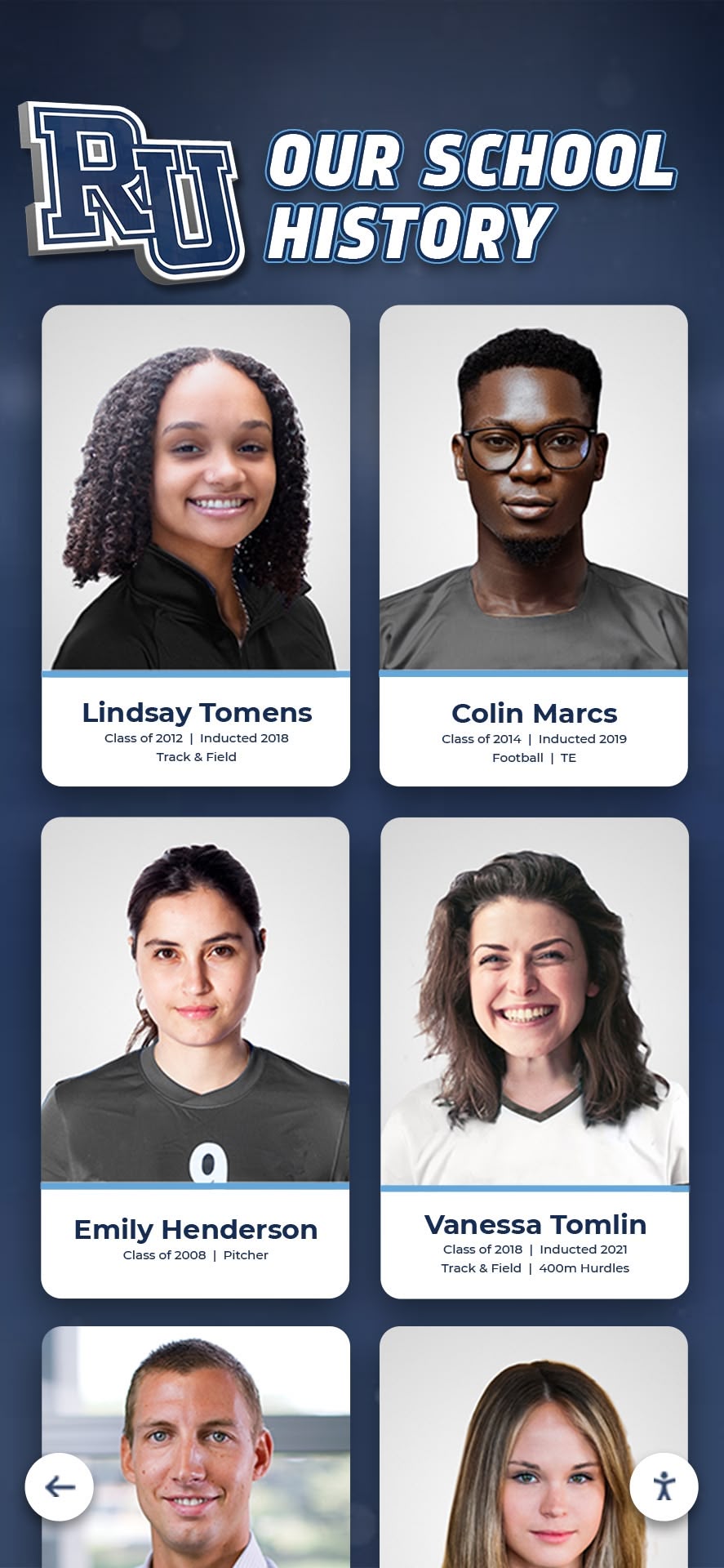




Historical records define institutional identity. Every photograph, document, artifact, and story documents the people, achievements, and moments that shaped communities across generations. Yet many organizations struggle with deteriorating physical collections, inaccessible storage systems, and limited ways for communities to engage with their heritage. Digital history archives address these challenges by preserving materials in stable formats while creating interactive platforms where anyone can explore institutional legacy.
Modern digital archiving extends beyond simple document scanning. Comprehensive systems combine preservation technology with engaging display platforms, searchable databases, and interactive touchscreen experiences that bring history to life. Organizations implementing effective digital history archives protect irreplaceable materials from loss while building tools that strengthen community connection, support research, enhance education, and celebrate institutional identity.
This guide examines practical approaches to creating digital history archives—from initial planning and digitization strategies through storage solutions, interactive display implementation, and long-term sustainability practices that ensure your institution’s story remains accessible for generations.
Organizations maintain historical materials because these collections tell stories about identity, achievement, growth, and community. Digital archives amplify this value by making history accessible to broader audiences, enabling deeper engagement, and protecting materials from deterioration and loss.

Digital preservation transforms fragile historical materials into accessible resources that connect current communities with institutional legacy
Understanding Digital History Archives
Digital history archives represent organized collections of historical materials converted to digital formats and made accessible through technology platforms that enable discovery, exploration, and engagement.
Core Components of Effective Digital Archives
Comprehensive digital history archives include several interconnected elements working together to preserve and share institutional memory.
Digitized Content Collections
The foundation consists of historical materials converted to digital formats including photographs documenting people, events, facilities, and activities across decades, documents such as yearbooks, newsletters, programs, and administrative records, audiovisual materials like recordings of speeches, performances, ceremonies, and oral histories, artifacts captured through photography or three-dimensional scanning, maps and architectural drawings showing facility evolution, and newspaper clippings preserving external documentation of institutional milestones.
According to preservation experts, materials printed before 1980 face significant deterioration risk without climate-controlled storage, making digitization a preservation priority rather than optional enhancement.
Metadata and Organization Systems
Raw digital files become searchable archives through structured metadata describing dates, people depicted, locations, events, subjects and keywords, original physical format, and relationships to other materials. This descriptive information enables sophisticated searching and filtering that makes large collections navigable.
Access and Display Platforms
Digital content reaches audiences through multiple channels including online databases with search and filtering capabilities, interactive touchscreen displays in physical locations, mobile-responsive interfaces for smartphone access, integration with institutional websites, and social media sharing enabling community engagement.
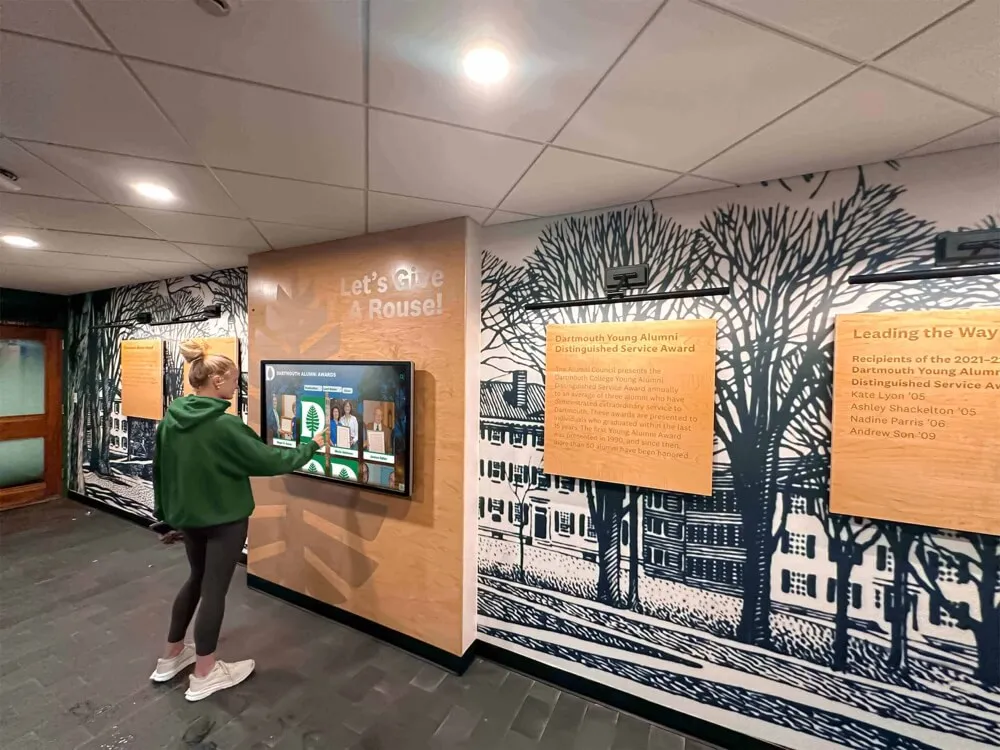
Interactive touchscreen displays create engaging access points where communities can explore institutional history through intuitive interfaces
Why Organizations Need Digital History Archives
Understanding the benefits driving digital archive adoption helps organizations prioritize resources and build support for preservation investments.
Preservation and Risk Mitigation
Physical materials face inevitable deterioration. Paper degrades from acidic content and environmental conditions, photographs fade from light exposure, audiovisual formats become obsolete, and disasters destroy irreplaceable collections. Digitization creates preservation copies protecting against these risks while enabling continued access when originals become too fragile for handling.
A comprehensive study of institutional collections found that over 60% of organizations have already lost significant historical materials to deterioration, disposal, or disaster—losses that digital preservation could have prevented.
Enhanced Accessibility and Community Engagement
Digital archives expand access dramatically. Alumni worldwide explore institutional history without traveling to campus, researchers access primary sources remotely, community members investigate local history connections, and students incorporate historical materials into projects and presentations.
Organizations implementing searchable digital archives report 10-20x increases in archive use compared to physical-only access as geographic and scheduling barriers disappear.
Educational Applications
History becomes tangible when students can interact with primary sources. Digital archives support classroom instruction, enable student research projects, illustrate institutional evolution, demonstrate change over time, and connect current students with those who came before them. According to educational research, students using primary sources develop stronger critical thinking skills and deeper understanding compared to those learning exclusively from textbooks.
Institutional Identity and Fundraising
Historical materials strengthen institutional identity and support development efforts. Digital archives provide content for anniversary celebrations, enable recognition of historical donors and supporters, illustrate institutional mission consistency, demonstrate program longevity and excellence, and create emotional connections that support fundraising campaigns.
Learn about historical photos archive approaches that organizations use to preserve and showcase visual heritage.
Planning Your Digital History Archive
Successful digital archiving requires systematic planning before beginning digitization work.
Assessment and Inventory
Understanding What You Have
Begin by surveying all historical materials regardless of current location. Many organizations discover materials scattered across offices, storage rooms, closets, and even personal collections of longtime staff or volunteers. Create comprehensive inventories documenting material types, date ranges, quantities, current condition, and storage locations.
This assessment reveals the full scope of your archiving project while identifying materials requiring immediate attention due to deterioration or unique value.
Prioritization Frameworks
Few organizations can digitize everything simultaneously. Establish clear priorities based on materials in poorest condition facing immediate loss risk, unique items existing in single copies, frequently requested materials by researchers and community, collections supporting specific strategic initiatives, materials with known community interest, and items that tell complete stories rather than fragmented pieces.
Setting Clear Goals
Define specific objectives guiding implementation decisions including which materials require digitization first, what preservation standards ensure long-term accessibility, how archives will integrate with existing systems, which audiences the archive should serve, what metrics demonstrate success, and how much budget and time the project requires.
Written goals prevent mission creep while ensuring all stakeholders share common expectations.
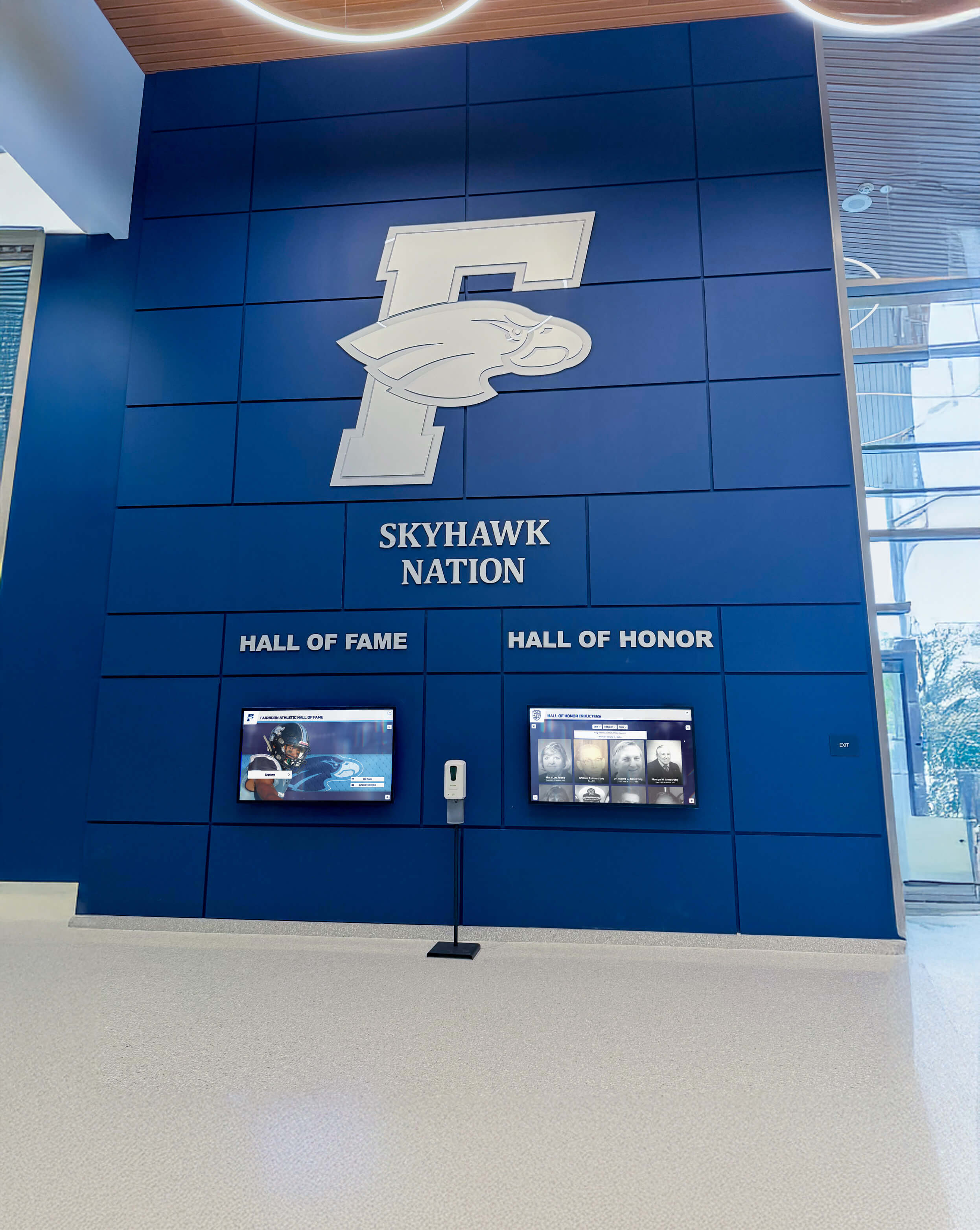
Modern facilities integrate digital history displays with contemporary recognition creating comprehensive celebration of institutional legacy
Budget and Resource Planning
Cost Components
Digital archiving requires multiple resource categories including equipment for scanning and processing, software for asset management and access, storage infrastructure or cloud subscriptions, personnel time for preparation and scanning, professional services if outsourcing work, and ongoing operational costs for maintenance and expansion.
Small organizations typically invest $3,000-$15,000 initially plus $500-$3,000 annually, while larger institutions may spend $25,000-$100,000+ for comprehensive systems with ongoing costs of $5,000-$20,000+ annually depending on collection size and feature requirements.
Phased Implementation Approaches
Most organizations benefit from phased implementations starting with highest-priority collections and expanding systematically. This approach enables learning from early phases, demonstrates value to stakeholders before major investments, spreads costs across multiple budget cycles, and allows technology choices to evolve as standards improve.
Begin with a pilot project digitizing one significant collection—perhaps a decade of yearbooks or a specific program history—to establish workflows and demonstrate benefits before committing to comprehensive archiving.
Digitization Methods and Quality Standards
Selecting appropriate digitization approaches significantly impacts both project efficiency and long-term archive value.
Scanning Technologies
Flatbed Scanners for Documents and Photographs
Flatbed scanners provide versatile solutions for most flat materials. Quality scanners appropriate for archival work typically cost $300-$2,000 and should offer 600 DPI minimum optical resolution, 11"x17" scan bed for larger documents, 24-bit true color depth, and specialized book cradles for bound volumes.
These specifications balance quality requirements with file size and processing time, creating digital copies suitable for both preservation and display purposes.
Document Cameras for High-Volume Projects
Overhead document cameras scan materials without physical contact, preventing handling damage while dramatically increasing speed. Professional systems cost $3,000-$15,000 but capture images in 2-3 seconds compared to 30-60 seconds for flatbed scanning—a significant advantage for large collections.
Specialized Equipment for Unique Materials
Different materials require appropriate technologies including large-format scanners for architectural drawings and maps, dedicated film scanners for negatives and slides, audio digitization equipment for recordings, video transfer systems for obsolete formats, and photogrammetry or 3D scanning for artifacts and three-dimensional objects.
For specialized formats, professional digitization services often prove more economical than equipment purchases, particularly for smaller collections.

Freestanding interactive kiosks enable flexible archive display placement in lobbies, hallways, and community spaces
Resolution and File Format Standards
Archival Master Files
Create preservation masters at high resolution in uncompressed formats including text documents at 400-600 DPI saved as TIFF, photographs at 600-1200 DPI saved as TIFF or PNG, negatives and slides at 2400-4000 DPI, and large format materials at 300-400 DPI to maintain reasonable file sizes.
These archival masters ensure you can create any future derivative copies needed as technology and display requirements evolve.
Access Copies
Generate separate access copies optimized for viewing and sharing including web display copies at 150-300 DPI as JPEG, interactive display copies at 300 DPI as JPEG, and print-on-demand copies at 300 DPI. Access copies balance quality with file size enabling fast loading and efficient storage.
File Naming and Organization
Systematic naming prevents chaos as collections grow. Use consistent conventions like Collection_Series_Date_Item_PageNumber.extension. For example: Yearbooks_1980s_1985-Annual_p001.tif for archival masters and Yearbooks_1980s_1985-Annual_p001.jpg for access copies.
Maintain hierarchical folder structures, use leading zeros for proper sorting, employ consistent date formats like YYYY-MM-DD, and document your conventions comprehensively so future staff understand organizational logic.
Metadata Creation
Essential Descriptive Information
Rich metadata transforms simple digital files into discoverable resources. Document title or description, creation date or date range, creator or photographer, subject keywords, people depicted when identifiable, location or building, physical dimensions of originals, copyright status and restrictions, related items or collections, and technical digitization specifications.
According to archival standards research, comprehensive metadata increases archive usage by 300-400% compared to minimally documented collections because users can actually find relevant materials within large databases.
Standardized Frameworks
Use established metadata standards like Dublin Core ensuring interoperability and future-proofing your investment. These frameworks provide consistent structures recognized across cultural heritage institutions worldwide.
Discover public library digital archive approaches demonstrating effective metadata and organization strategies.
Storage Solutions and Digital Preservation
Proper storage infrastructure protects digital investments while enabling reliable long-term access.
Cloud Storage Platforms
Remote Storage Advantages
Cloud platforms offer significant benefits for archival storage including geographic redundancy protecting against local disasters, professional infrastructure with high reliability, scalability growing with collections, automatic backup capabilities, anywhere access for remote work, and no local hardware maintenance.
Services like Amazon S3 Glacier, Google Cloud Storage, Microsoft Azure, and Backblaze B2 provide economical archival storage at $1-$5 per terabyte monthly with various tiers balancing cost against access speed.
Considerations and Trade-offs
Cloud storage involves ongoing subscription costs accumulating over decades, large collection upload times potentially extending weeks, privacy policies requiring evaluation, and bandwidth requirements for high-resolution access. Evaluate total cost of ownership across expected archive lifespan when comparing options.
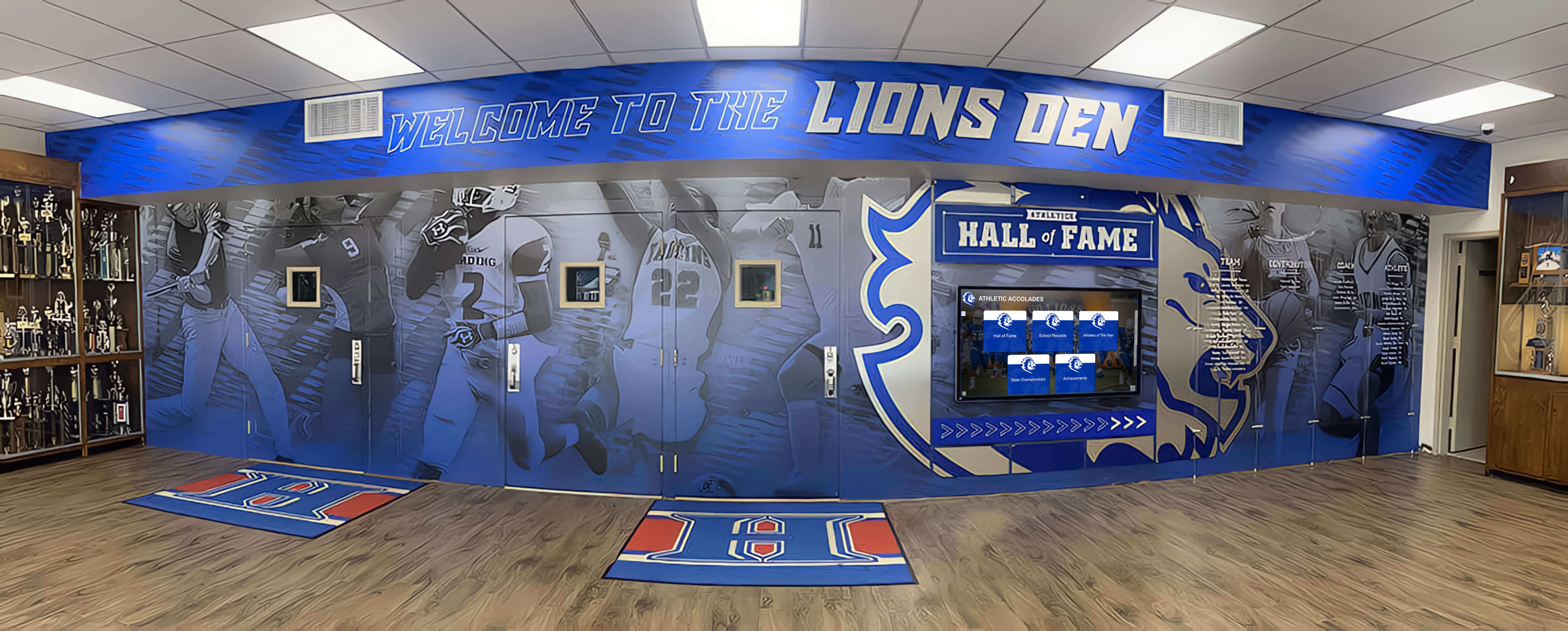
Integrated recognition environments combine digital archive displays with traditional trophy cases creating comprehensive institutional heritage showcases
Local Network Storage
On-Premise Infrastructure
Network-attached storage (NAS) provides institutional control with centralized campus-wide access, RAID protection against drive failure, one-time hardware investment rather than recurring fees, and faster local access without internet limitations.
Quality NAS systems cost $500-$10,000 depending on capacity and performance requirements, with enterprise systems reaching $100,000+ for massive collections.
Hybrid Approaches
Most institutions benefit from combining local and cloud storage implementing the preservation community’s recommended “3-2-1 backup strategy”—three copies of data, on two different media types, with one copy offsite.
Use local NAS for primary working storage and frequently accessed materials, cloud storage for offsite backup and disaster recovery, and content delivery networks for public access improving global performance.
File Format Longevity
Preservation Format Selection
Choose file formats with long-term viability including TIFF or PNG for images, PDF/A for documents, FLAC for audio, and open-source codecs for video. These formats have broad support, non-proprietary specifications, and strong preservation community adoption.
Maintain archival masters in preservation formats while creating access copies in widely-supported formats like JPEG, MP3, and MP4 balancing long-term security with immediate usability.
Migration Planning
Digital preservation requires proactive technology management including monitoring for format obsolescence warnings, planning periodic format migrations as technology evolves, maintaining original archival masters always, documenting all migrations comprehensively, and budgeting annually for technology refresh.
Institutions should allocate 10-15% of archive operational budgets for technology evolution ensuring continued accessibility across decades.
Interactive Display Integration
Digital archives reach communities most effectively when combined with engaging display platforms in physical locations.
Touchscreen Kiosk Applications
Bringing Archives to High-Traffic Locations
Interactive touchscreen displays transform static archives into engaging experiences positioned strategically in main lobbies welcoming visitors with accessible history, library reading rooms supporting research, alumni centers facilitating reunion exploration, community gathering spaces enabling casual browsing, and hallways where people naturally congregate and have time for discovery.
Solutions like Rocket Alumni Solutions specialize in interactive touchscreen platforms that integrate archival content with contemporary recognition, enabling organizations to celebrate both historical legacy and current achievement within unified systems.
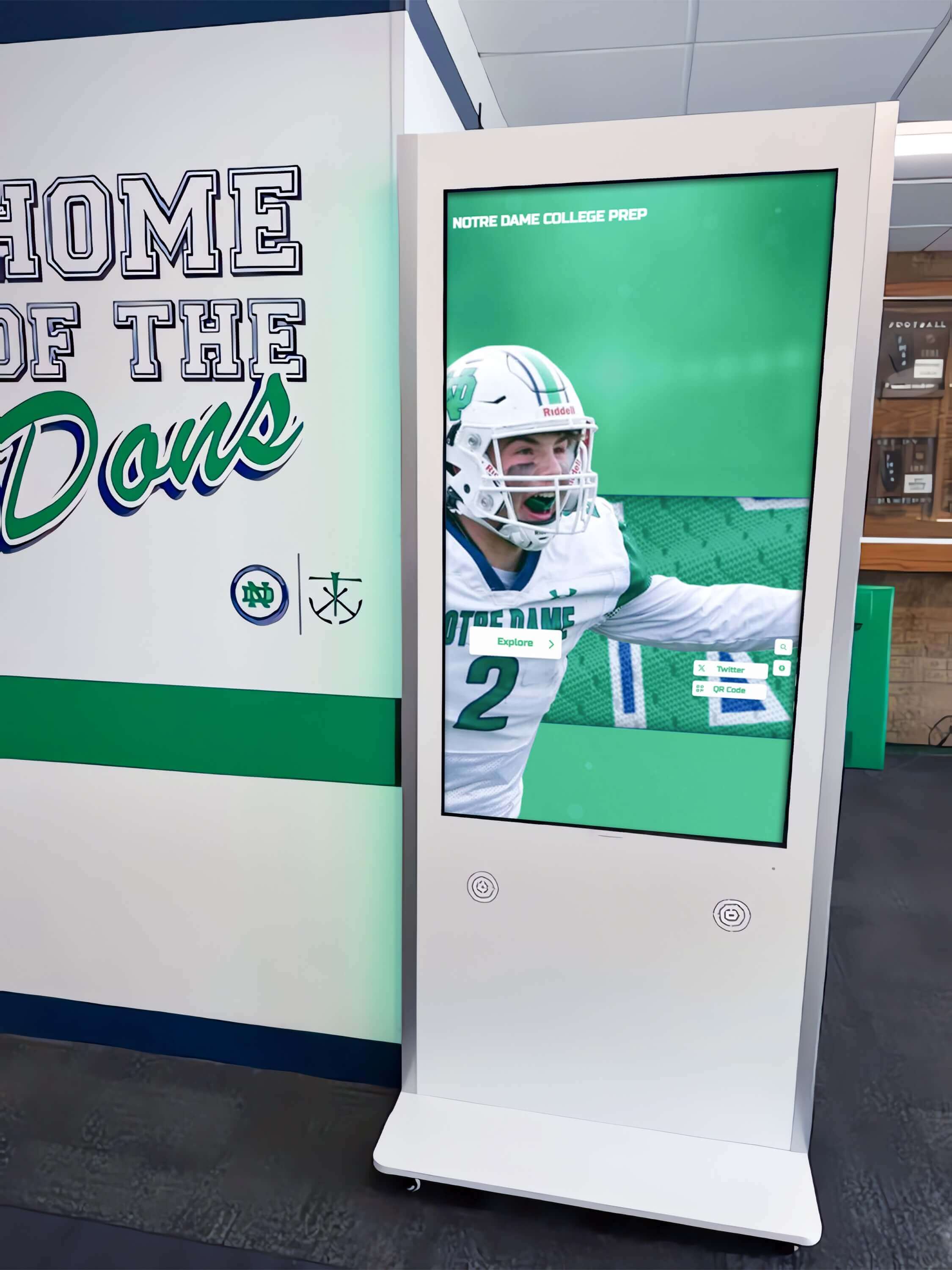
Strategically placed interactive kiosks enable visitors to explore history during natural circulation through facilities
Interactive Features That Drive Engagement
Beyond Simple Image Galleries
Effective interactive displays offer rich exploration capabilities including browsing yearbooks with page-turning animations, searching names across all digitized materials, exploring timelines showing institutional evolution, filtering by date range, topic, or person, viewing related content suggestions, accessing detailed item information, and sharing discoveries through social media.
According to user engagement studies, visitors spend an average of 8-12 minutes exploring well-designed interactive history displays compared to under one minute viewing traditional plaques—demonstrating how interactivity transforms passive viewing into active discovery.
Hardware Considerations
Quality installations require commercial-grade touchscreens (43"-75") designed for continuous operation, capacitive multi-touch technology for responsive interaction, appropriate viewing heights meeting accessibility requirements, wall-mounted or freestanding enclosures depending on space, and professional installation ensuring security and reliability.
Learn about developing college history timelines that work effectively on interactive displays.
Online Archive Platforms
Web-Based Access Systems
Online platforms extend archive reach globally through searchable databases with advanced filtering, user-friendly interfaces for browsing collections, high-resolution image viewers with zoom capabilities, download options for personal use or research, collection sharing through permanent links, and responsive design working across all devices.
Purpose-built platforms like CONTENTdm, Omeka, and specialized school archive systems provide features specifically designed for historical collections rather than generic content management requiring extensive customization.
Mobile Optimization
Communities increasingly access archives through smartphones requiring touch-friendly navigation, simplified interfaces prioritizing essential features, fast loading on mobile networks, vertical scrolling patterns matching mobile conventions, and QR code integration connecting physical displays to mobile archives.
According to web analytics, over 60% of archive access now occurs on mobile devices—making mobile optimization essential rather than optional.
Legal Compliance and Ethical Considerations
Digital archives must balance access with appropriate privacy protection and copyright compliance.
Copyright Assessment
Understanding Rights
United States copyright creates complex frameworks with public domain materials (freely usable) including works published before 1928, U.S. government documents, and works with expired protection, while copyrighted materials require permissions including many photographs, publications, audio recordings, and donated materials.
Recommended Approaches
Document copyright research for all materials, obtain written permissions for donated collections, restrict access to authenticated community members when necessary, provide takedown procedures for copyright complaints, and include copyright notices and usage terms on archive pages.
Educational institutions may claim fair use for certain applications, but should consult legal counsel before relying solely on fair use for public archives.
Privacy and Student Records
FERPA Compliance for Educational Institutions
Family Educational Rights and Privacy Act (FERPA) protects student educational records while generally allowing directory information like names, photographs, dates of attendance, degrees and awards, and athletic participation—typically information appearing in yearbooks and programs.
Protected information requiring consent includes grades, disciplinary records, medical information, and identification numbers.
Establish clear policies defining public accessibility, provide opt-out mechanisms for privacy preferences, obtain appropriate consents for detailed biographical information, and review policies regularly ensuring continued compliance.
Ethical Considerations Beyond Legal Requirements
Consider broader implications including respecting subject privacy even when legally permissible, providing content removal mechanisms for individuals, considering cultural sensitivity in historical materials, acknowledging problematic historical content with appropriate context, and balancing transparency with individuals’ information control rights.

Athletic departments benefit significantly from digital archives showcasing complete program histories impossible with limited trophy case space
Building Sustainable Archive Programs
Successful archives require sustained attention extending long beyond initial digitization projects.
Workflow and Staffing
Organizational Structure
Assign clear responsibilities including digital archivist for overall management, scanning technicians for material preparation (often students), metadata specialists for cataloging, IT support for infrastructure maintenance, outreach coordinators for community engagement, and copyright researchers for compliance.
Smaller organizations combine roles while larger institutions build specialized archive departments.
Ongoing Digitization Processes
Maintain steady progress through quarterly batches of priority materials, annual addition of recently retired yearbooks and publications, community contribution campaigns collecting alumni materials, systematic backfill of historical gaps, and continuous improvement rescanning early low-quality work.
Community Engagement Programs
Crowdsourced Enhancement
Leverage community knowledge improving archives through identification campaigns where alumni tag themselves in photographs, material donations filling collection gaps, story contributions adding personal memories, and correction submissions improving accuracy.
Moderation review ensures quality before contributions become public while recognition systems thank active contributors.
Explore alumni where are they now programs that engage communities with historical content.
Technology Evolution
Format Migration Planning
Digital preservation requires proactive management with migration triggers including format obsolescence warnings, storage platform end-of-life, dramatically improved technology, security vulnerabilities, and compatibility problems.
Maintain original archival masters always, document all migrations comprehensively, verify quality after migration, test file integrity through checksums, and budget annually for technology refresh.
Platform Updates
Archive platforms require periodic modernization including user interface refreshes, search algorithm improvements, mobile optimization as usage patterns shift, accessibility enhancements meeting universal design standards, and integration with new institutional systems.
Advanced Archive Features
Artificial Intelligence Applications
AI dramatically reduces manual cataloging burden through automatic face recognition identifying individuals, object recognition tagging content elements, handwriting recognition enabling search of handwritten documents, audio transcription creating searchable text, and language translation making multilingual materials accessible.
These capabilities enable comprehensive metadata creation at scales impossible through purely manual approaches.
Virtual and Augmented Reality
Emerging technologies create new engagement including virtual tours of historical environments, immersive browsing of artifact collections, reconstructed historical events, interactive timelines navigated through virtual space, mobile apps overlaying historical photos on current locations, and QR code connections from physical displays to expanded digital content.
Learn about interactive museum displays demonstrating advanced archive presentation techniques.
Integration with Institutional Systems
Unified Digital Ecosystems
Connect archives with broader platforms including student information systems, advancement and fundraising platforms, learning management systems, and alumni engagement networks. Solutions like Rocket Alumni Solutions provide comprehensive platforms addressing archive preservation while building broader capabilities supporting community engagement, recognition, and connection objectives simultaneously within integrated systems.
This approach delivers compounding value where each feature strengthens others, creating effects impossible with isolated single-purpose systems.
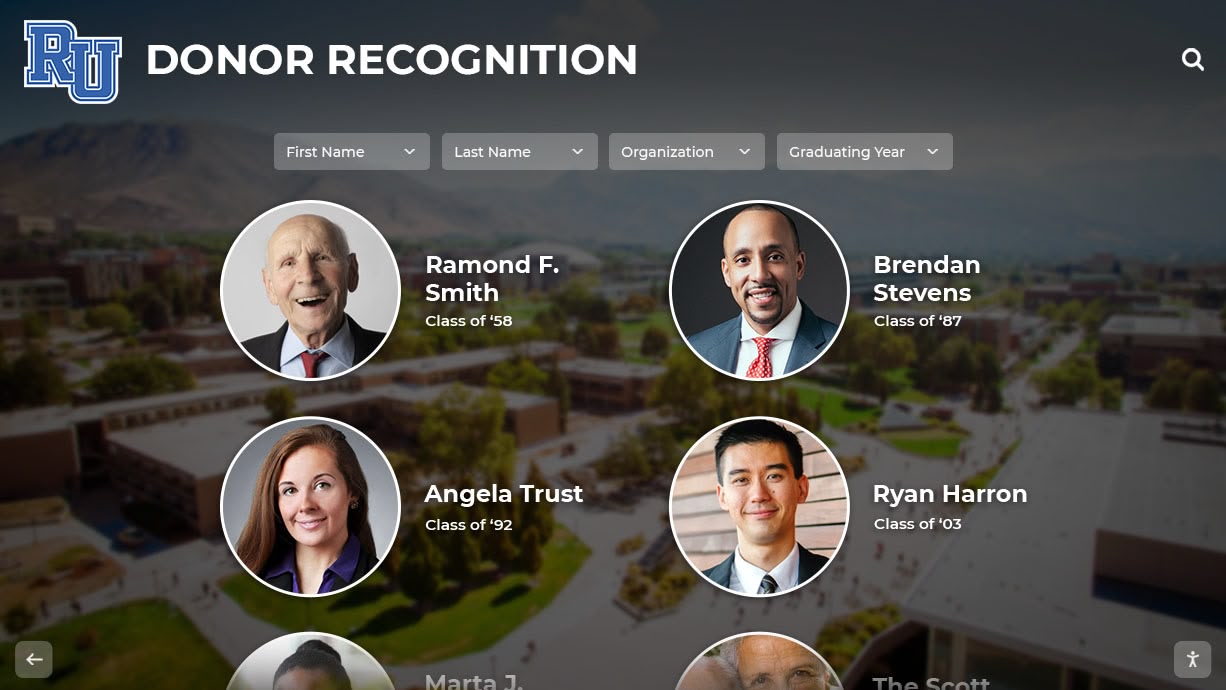
Modern digital displays blend archival photographs with contemporary imagery creating connections between institutional history and current identity
Promoting Your Digital Archive
Creating archives means little if communities remain unaware of available resources.
Launch Campaigns
Generate excitement through teaser social media posts highlighting discoveries, email campaigns to alumni announcing resources, presentations demonstrating research potential, media coverage through local news outlets, and launch events with demonstrations and interactive kiosk unveiling.
Ongoing Awareness
Maintain engagement through weekly social media features, monthly newsletter highlights, faculty updates about research materials, student orientation inclusion, integration into campus tours, and reunion support providing class-specific materials.
Content Marketing Strategies
Leverage archive content for institutional storytelling including anniversary milestone recognition, historical context for current events, alumni spotlight features, documentary-style video productions, and podcast series exploring institutional history.
These applications demonstrate archive value while building awareness and appreciation supporting continued investment.
Explore digital storytelling approaches that bring historical content to life for contemporary audiences.
Conclusion: Preserving Legacy Through Digital Innovation
Digital history archives represent investments in institutional memory, community connection, research infrastructure, and cultural preservation that strengthen organizational mission while honoring the people, achievements, and moments that built institutional legacy. Organizations implementing comprehensive digital archiving systems thoughtfully—with appropriate technical standards, sustainable workflows, engaging access platforms, and active community engagement—create permanent resources serving diverse constituencies for generations.
Modern archives extend beyond simple digitization to encompass interactive touchscreen displays, sophisticated search tools, mobile-optimized access, AI-enhanced metadata, and integration with comprehensive engagement platforms. These approaches transform static historical collections into active community resources supporting research, education, alumni relations, fundraising, and cultural celebration simultaneously.
Ready to Preserve Your Institutional Legacy?
Discover how comprehensive digital archive solutions can help you preserve historical materials while creating engaging interactive displays that connect communities to heritage through intuitive touchscreen experiences.
Explore Digital Archive SolutionsThe systematic approaches explored in this guide provide frameworks for implementing digital archives regardless of organizational size, available resources, or collection scope—from initial assessment and prioritization through digitization workflows, storage infrastructure, access platform selection, and long-term sustainability strategies. These methodologies enable institutions to protect irreplaceable historical documentation while creating accessible platforms delivering lasting value across multiple strategic objectives.
Start wherever current circumstances allow—whether scanning a single collection of greatest preservation concern or planning comprehensive historical digitization covering decades—then systematically expand to create the archive program your institutional legacy deserves. Every document converted to accessible digital format, every photograph preserved from deterioration, and every voice recording transcribed represents memories saved, research enabled, and community connections strengthened.
Your institution’s story deserves protection and accessibility ensuring current and future generations can explore and celebrate this rich heritage. With thoughtful planning, appropriate technical choices, sustainable workflows, and systematic implementation, you can create digital archives becoming treasured institutional resources for decades to come.
Ready to begin your digital archive journey? Book a demo to explore how Rocket Alumni Solutions can help you create comprehensive systems preserving institutional history while integrating archival content with modern interactive recognition displays celebrating both legacy and contemporary achievement.































