



Visual fragmentation destroys recognition programs from within—gradually eroding brand integrity, undermining user experience, and creating maintenance nightmares as dozens of one-off design decisions accumulate into incoherent systems that confuse visitors, frustrate administrators, and reflect poorly on institutional quality standards. Yet schools and organizations constantly face the uncomfortable tradeoff between enforcing visual consistency through rigid templates and granting creative freedom that risks chaos.
Traditional recognition platforms force this binary choice: either accept static templates that limit creativity and eventually feel generic and restrictive, or invest in fully custom systems that provide complete design control but require ongoing maintenance, technical expertise, and vigilant governance to prevent the experience from drifting off-brand with every content update.
Neither option serves institutions well. Rigid templates constrain creative expression and prevent recognition programs from reflecting each organization’s unique identity and needs. Fully bespoke systems deliver initial flexibility but create unsustainable technical debt, accessibility risks, and the constant danger of fragmentation as multiple administrators make independent design decisions over time without coordination.
Modern recognition platforms solve this paradox through a fundamentally different approach: expanding shared component libraries that enable genuine creative freedom while maintaining platform-level design governance. This architecture delivers custom outcomes without custom maintenance burdens, allowing organizations to move quickly while staying on-brand with confidence.

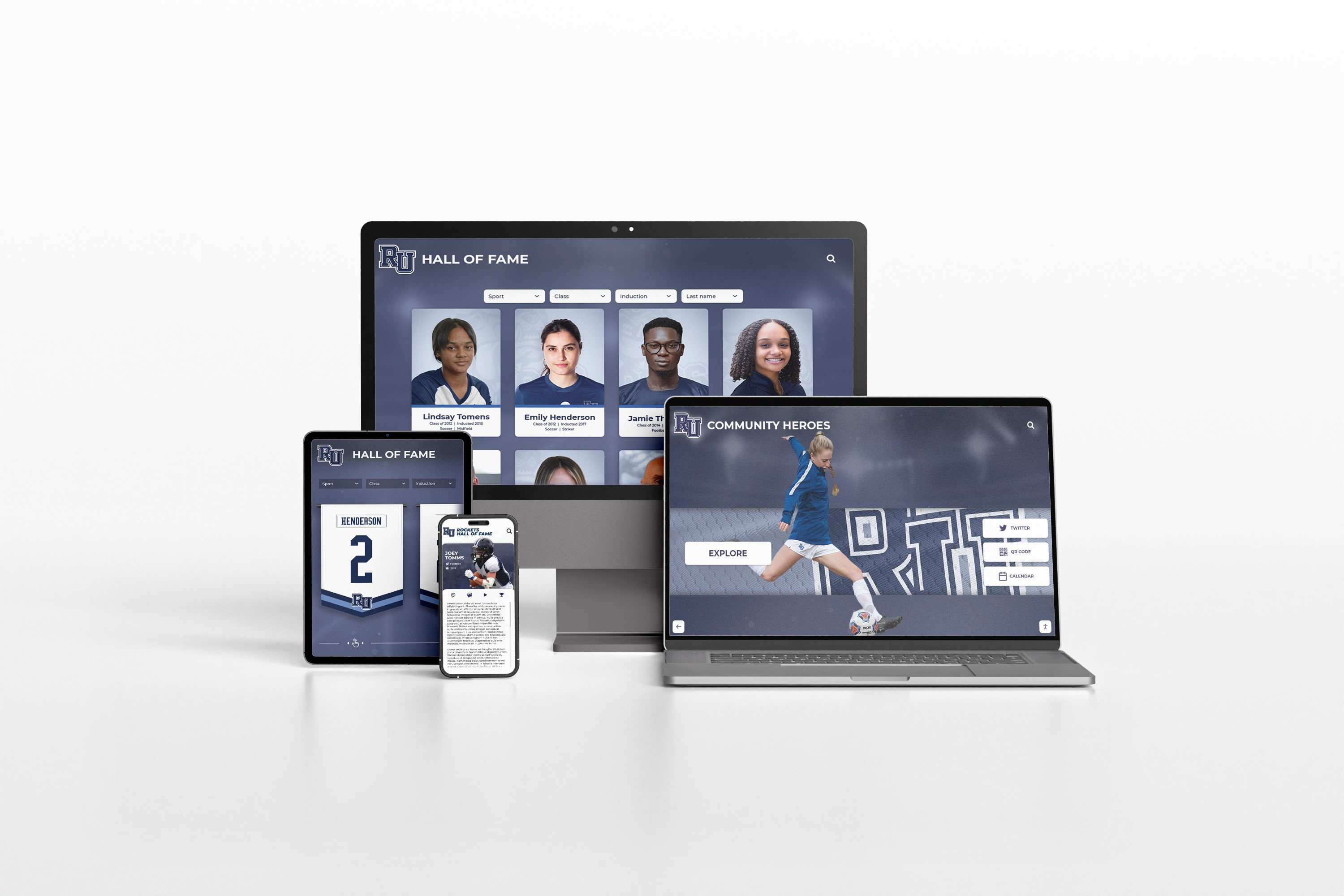
Platform design systems maintain visual consistency and professional quality across devices while enabling layout customization
The False Tradeoff Between Templates and Custom Development
Most institutions evaluate recognition technology as a choice between two flawed approaches—each solving one problem while creating others.
The Template Trap: Security Without Flexibility
Template-based systems promise simplicity through constraint.
How Static Templates Work
Traditional template platforms offer:
- Pre-designed page layouts with fixed component arrangements
- Limited customization options confined to colors, fonts, and content
- Consistent visual appearance enforced through design restrictions
- Minimal technical expertise required for content management
- Predictable outcomes that look similar across implementations
- Lower initial costs compared to custom development
These systems prevent fragmentation by eliminating flexibility entirely. When administrators can only populate predefined fields within locked layouts, maintaining consistency becomes trivial—because meaningful variation is impossible.
Where Templates Fail Institutions
The simplicity comes with severe limitations:
When recognition needs evolve beyond what templates anticipate, schools discover they’re constrained by someone else’s assumptions about how recognition should work. Athletic programs with unique traditions, academic honors that don’t fit standard categories, or donor recognition requiring custom presentation simply can’t be accommodated.
Template systems eventually feel generic because they are generic. When dozens or hundreds of institutions use identical layouts, recognition experiences blend together without expressing institutional identity or character. The display that was supposed to differentiate and celebrate uniqueness ends up looking like every other implementation.
As programs mature and stakeholder expectations grow, template limitations become increasingly frustrating. The system that seemed adequate during purchase evaluation feels restrictive within months as administrators encounter needs the templates can’t address. But changing platforms requires replacing the entire investment—hardware, software, content, and training.
Visual consistency achieved through constraint isn’t governance—it’s simply the absence of options. This approach prevents bad design by preventing any design, which serves neither institutional identity nor user experience.
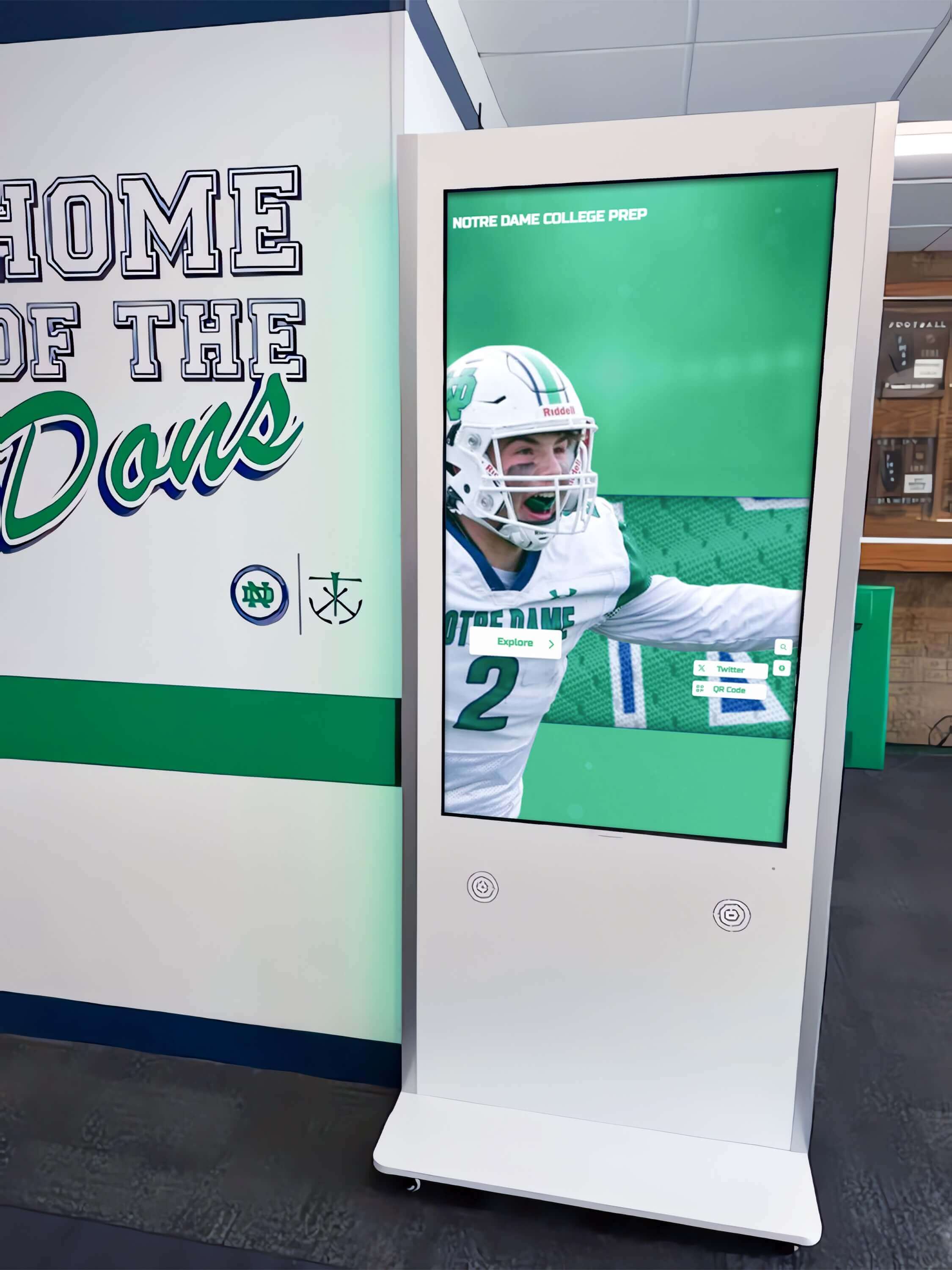
Recognition displays need flexibility to integrate meaningfully with diverse institutional environments and program requirements
The Custom Development Burden: Freedom Without Guardrails
Fully bespoke recognition systems deliver complete creative control by building everything from scratch.
The Promise of Custom Development
Custom-built systems offer:
- Unlimited design possibilities matching exact institutional vision
- Layouts specifically tailored to unique content and user needs
- Complete brand alignment without template compromises
- Differentiation from other institutions through unique experiences
- Perfect integration with existing systems and workflows
- No constraints on feature requirements or interaction patterns
This approach appeals to institutions with sophisticated needs, strong design sensibilities, or substantial technical resources willing to invest in creating exactly what they envision.
The Hidden Costs of Bespoke Systems
Custom freedom creates ongoing obligations:
Organizations that build custom recognition systems own responsibility for every aspect competitors include as platform features. Responsive design across devices becomes a testing burden rather than inherited capability. Accessibility compliance requires constant attention as standards evolve. New browser versions may break layouts that worked perfectly when originally developed.
What Custom Development Requires
Building and maintaining bespoke systems demands:
- Significant upfront development investment creating initial designs
- Ongoing technical resources maintaining code and dependencies
- Accessibility expertise ensuring compliance as standards evolve
- Responsive design testing across device and browser combinations
- Security updates as platforms and libraries receive patches
- Feature parity maintaining competitive capabilities over time
- Documentation helping future administrators understand the system
- Quality assurance catching issues before they reach users

Platform-supported custom layouts maintain professional quality without custom maintenance requirements
The Fragmentation Risk
Custom systems face constant danger of visual incoherence:
Without platform-level design systems enforcing consistency, every content update risks introducing subtle variations. Different administrators apply inconsistent spacing, choose conflicting fonts, select incompatible colors, or make layout decisions that gradually undermine the cohesive experience the custom system was built to deliver.
Typography drifts as different team members use similar but not identical fonts. Spacing becomes irregular as some sections receive careful attention while others are quickly populated. Color usage proliferates beyond brand guidelines as administrators pick “close enough” shades rather than approved palette values. Component behavior becomes unpredictable as different pages implement similar functionality through different patterns.
The result resembles design-by-committee chaos—only worse, because changes accumulate gradually over time rather than emerging from explicit committee decisions. By the time fragmentation becomes obvious, dozens or hundreds of content pages have inconsistent design that would require massive effort to systematically correct.
Explore related implementation challenges in digital interactive class composite displays that examines platform presentation options.
How Platform-Expanded Libraries Enable Real Creative Freedom
Modern recognition platforms resolve the template-versus-custom dilemma through a fundamentally different architecture: treating layout components as shared resources that expand based on customer needs.
The Library Expansion Model
Instead of forcing choices between rigid templates and bespoke development, platforms like Rocket Alumni Solutions build new layouts as first-class components available to all customers.
How Expandable Libraries Work
Platform library systems operate through collaborative enhancement:
When institutions request layouts or features that don’t exist in the current library, the platform team evaluates whether the need represents broader value. Requests that serve multiple potential use cases—even if currently unique to one customer—become candidates for library addition.
The platform team designs and develops new components using the same professional resources and quality standards that built the core library. New layouts receive identical attention to responsive behavior, accessibility compliance, interaction patterns, and visual polish that existing components provide.
Once completed, new layouts become available to the entire customer base as standard platform features. The requesting institution receives exactly the customization they need, while all customers benefit from expanded options they can deploy without custom development.
This approach transforms “custom” from an expensive exception requiring ongoing maintenance into a natural platform evolution that increases value for everyone. One customer’s specific need becomes every customer’s available option.
The Economic Model That Makes This Sustainable
Library expansion works because the economics align for both platforms and customers:
Platforms benefit from richer feature sets that increase competitive positioning and customer retention. Rather than building features speculatively and hoping they prove valuable, platforms receive clear signals about what customers actually need through direct requests demonstrating demand.
Customers receive truly custom outcomes without paying ongoing custom maintenance costs. Instead of budgeting for years of technical support maintaining one-off solutions, institutions pay standard subscription or licensing fees that cover continuous platform evolution benefiting all users.
The shared cost model enables professional implementation of features that would be economically impractical as one-off custom work. A layout that might cost $15,000-25,000 to develop, test, and maintain as bespoke code becomes available for standard platform fees when development costs are distributed across the customer base.
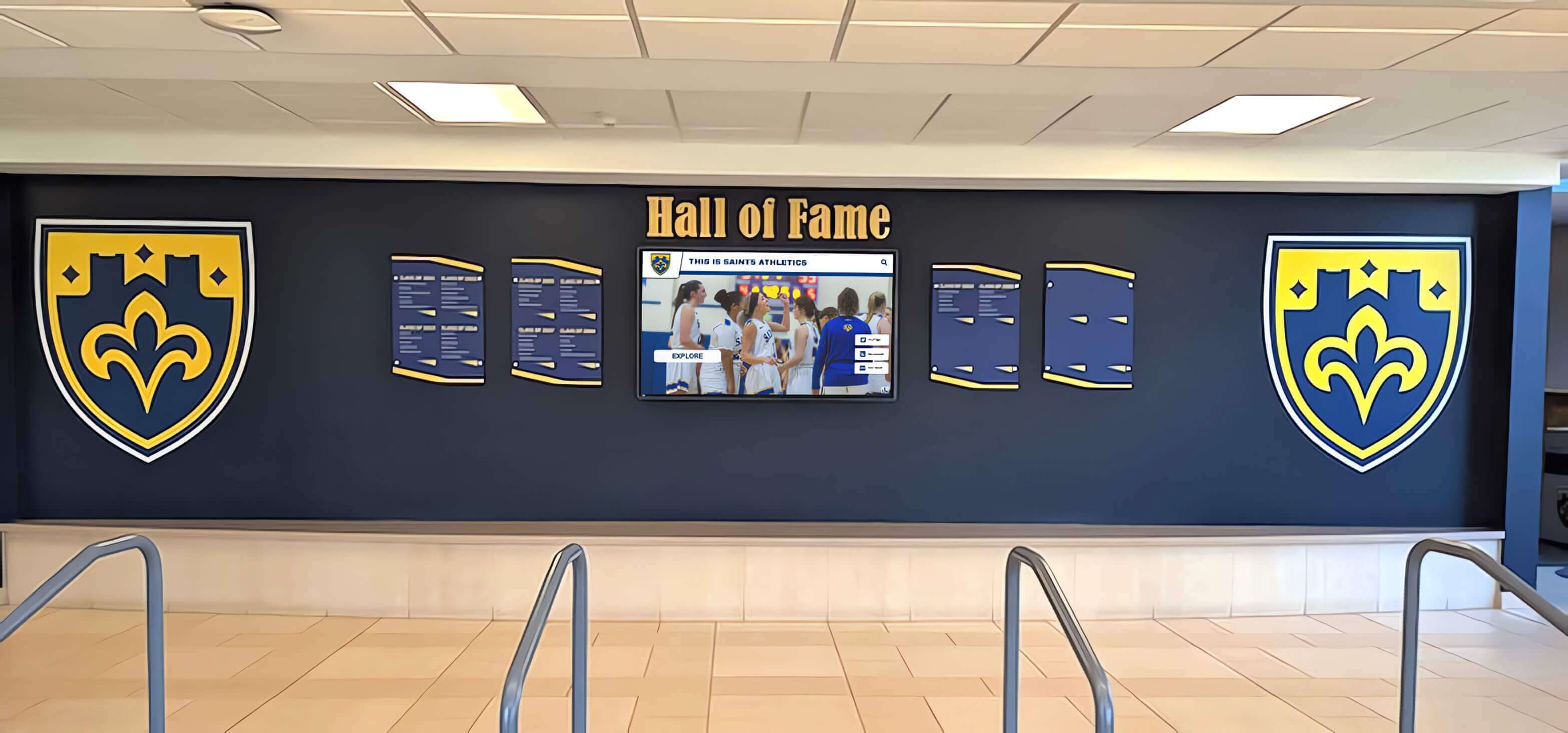
Platform-developed custom layouts deliver unique presentation while inheriting all platform reliability guarantees
Custom Layouts as First-Class Platform Components
The crucial distinction in library expansion models is treating custom-requested layouts identically to original platform components.
What First-Class Component Status Means
Layouts developed through customer requests receive identical platform investment:
Platform Guarantees for All Layouts
Every component in expanded libraries includes:
- Responsive behavior across screen sizes from smartphones to large displays
- Accessibility compliance meeting current WCAG standards
- Consistent interaction patterns matching platform conventions
- Integration with all platform features like search, filtering, and navigation
- Ongoing compatibility as platform capabilities evolve
- Professional quality assurance before release
- Documentation helping administrators understand capabilities
- Support from platform teams who built the component
These guarantees prevent the brittleness that custom development creates. When platforms maintain components, updates happen centrally and deploy automatically rather than requiring customer action. Browser changes, accessibility standard updates, and device proliferation become platform responsibilities rather than customer burdens.
How This Prevents Technical Debt
Traditional custom development creates technical debt because code ages:
Dependencies need updates. Security vulnerabilities require patches. New browser versions may interpret CSS differently. Accessibility standards evolve. Device capabilities expand. Each change potentially requires code modifications that custom system owners must identify, schedule, and implement.
Platform-maintained components eliminate this burden because the platform handles it centrally. One update to a component benefits every customer using it. Security patches deploy automatically. Accessibility improvements flow to all implementations. Responsive behavior adapts to new device categories without customer action.
The technical debt that would accumulate in custom systems simply doesn’t exist when components live as platform features. Organizations receive perpetual maintenance as standard platform operation rather than paying separately for ongoing technical support.
Rapid Implementation Timelines
Library expansion happens surprisingly quickly:
Rocket routinely delivers requested custom layouts within a week when requests represent straightforward extensions of existing component patterns. More complex layouts requiring novel interaction patterns or integration with new data sources may require two to three weeks.
These timelines rival or exceed custom development speed while delivering superior outcomes. Bespoke development might match initial implementation speed but then requires ongoing maintenance that platform components receive automatically. The total lifecycle cost and risk comparison overwhelmingly favors platform-expanded libraries.
Learn about platform feature depth in digital class composites interactive displays that evaluates comprehensive presentation capabilities.
Design Governance Prevents Fragmentation Without Limiting Creativity
The second crucial element preventing visual fragmentation is platform-level design systems that enforce consistency across all components while enabling substantial customization.
What Design Systems Actually Govern
Design systems aren’t about limiting options—they’re about maintaining coherence across the elements that create professional, accessible, predictable experiences.
Typography Systems
Platform design systems define:
- Font families selected for readability and brand appropriateness
- Type scales establishing proportional size relationships
- Line height ratios optimizing reading comfort
- Letter spacing appropriate for digital display
- Font weights available for hierarchy creation
- Responsive typography rules adapting to screen size
These systems ensure text remains readable, hierarchies stay clear, and typographic choices support rather than distract from content—regardless of which layout components administrators choose or how they customize content.
Spacing and Layout Grids
Consistent spacing creates visual rhythm:
- Standardized spacing units preventing arbitrary gaps
- Grid systems aligning elements predictably
- Padding and margin scales maintaining proportion
- Component spacing rules creating visual grouping
- Responsive spacing adjustments for different screens
- Layout constraints preventing awkward arrangements
Systematic spacing makes interfaces feel coherent and professional even when combining components designed independently. Users intuitively understand relationships between elements because spatial patterns remain consistent.
Color Systems and Contrast
Platform color governance ensures:
- Accessible contrast ratios meeting WCAG requirements
- Brand palette application across components
- Semantic color usage (success, warning, error states)
- Dark mode compatibility where applicable
- Color blindness considerations in critical interactions
- Consistent application of accent and neutral colors
Color systems prevent the palette proliferation that creates visual chaos while ensuring all users can effectively perceive interface elements regardless of vision capabilities.

Design systems maintain visual coherence across custom layouts through systematic typography, spacing, and color governance
Component Behavior and Interaction Patterns
Beyond visual consistency, design systems govern how elements behave and respond to user actions.
Standardized Interaction Patterns
Consistent behavior across components includes:
- Touch target sizes appropriate for finger interaction
- Hover and focus states indicating interactivity
- Animation timing and easing curves
- Loading state indicators during content retrieval
- Error messaging and recovery guidance
- Navigation patterns users recognize across sections
- Search and filtering interfaces that work predictably
When interaction patterns remain consistent, users build mental models that transfer across different sections and features. They don’t need to relearn how filtering works or discover where navigation controls live because platform conventions apply everywhere.
Mobile and Responsive Behavior
Design systems define responsive transformation rules:
- Breakpoints determining layout shifts
- Component stacking orders on narrow screens
- Touch gesture support beyond basic tapping
- Orientation change handling
- Font and spacing adjustments for readability
- Navigation pattern shifts for mobile contexts
These rules ensure quality remains consistent whether users engage on large touchscreen kiosks, desktop computers, tablets, or smartphones. Responsive behavior isn’t per-layout custom work—it’s inherited governance.
The Freedom Within Constraints
Design systems create constraints that feel liberating rather than limiting:
Just as sonnet forms enable creativity through structure rather than preventing it, design system constraints establish the foundation that makes rapid, confident customization possible. Administrators can focus on content arrangement, layout selection, and feature combination without worrying whether choices will break accessibility, create visual chaos, or produce awkward mobile experiences.
The system handles technical compliance and visual coherence automatically, freeing creative energy for decisions that actually matter: what content to feature, how to organize information, which stories to highlight, and what experience will best serve the intended audience.
Review platform reliability considerations in rocket alumni solutions hardware setup reviews complete service examining implementation support.
AI-Assisted Quality Control: Catching Common Degradation Patterns
Even with robust design systems, human administrators working quickly can accidentally introduce quality issues. Modern platforms use AI assistance to prevent common failure modes before they reach users.
What AI Design Agents Monitor
Intelligent quality control systems watch for patterns that degrade user experience.
Visual Consistency Checks
AI agents detect:
- Inconsistent font selections outside design system
- Colors deviating from approved brand palette
- Spacing variations breaking systematic rhythm
- Alignment issues creating visual tension
- Hierarchy problems reducing content scanability
- Element sizing that breaks component proportions
These checks catch mistakes like accidentally selecting similar-but-wrong fonts, picking colors that appear close to brand values but fail accessibility contrast requirements, or creating spacing that looks fine in isolation but breaks systematic patterns visible across multiple pages.
Image Quality and Presentation
Automated image analysis identifies:
- Low-resolution images appearing pixelated at display sizes
- Awkward cropping cutting off important visual elements
- Poor contrast between images and overlaid text
- Aspect ratio distortion stretching photos unnaturally
- File size issues causing slow loading
- Missing alternative text reducing accessibility
Schools often struggle with photo quality because source images come from multiple contributors over years or decades. AI assistance catches quality issues before publication rather than after stakeholders notice problems in production.
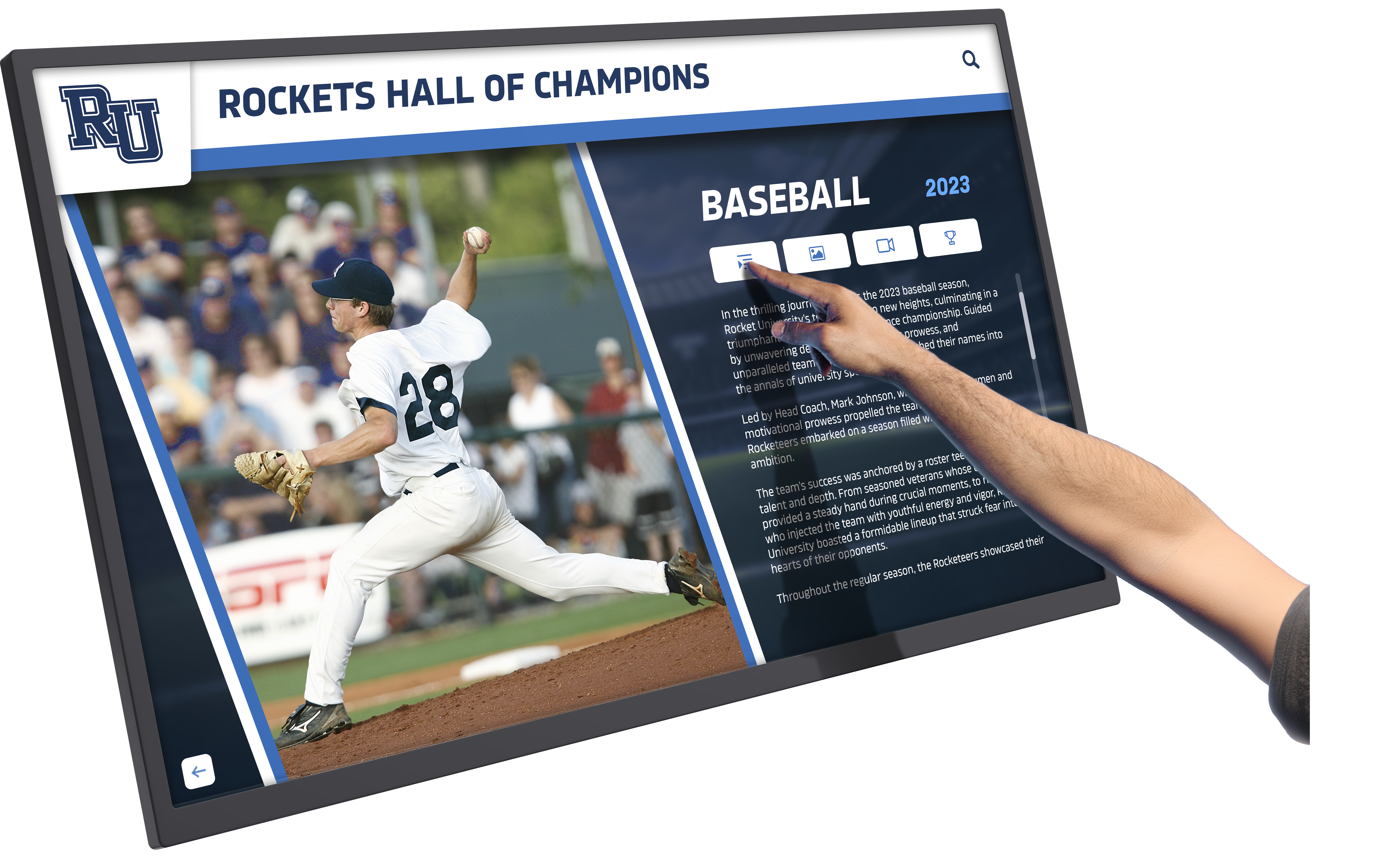
AI quality control prevents common image presentation issues that degrade recognition display professionalism
Content Density and Information Architecture
AI agents also monitor information architecture decisions that affect usability.
Layout Density Analysis
Automated checks warn about:
- Overcrowded pages attempting too much content in limited space
- Insufficient white space creating visual claustrophobia
- Text blocks too long for comfortable reading
- Component combinations creating competing focal points
- Navigation depth requiring excessive clicking
- Search result volumes overwhelming users
These patterns often emerge gradually as administrators add “just one more” element to pages that were originally well-balanced. AI agents provide objective perspective on when accumulation crosses from comprehensive into overwhelming.
Brand Alignment Scoring
Advanced systems evaluate:
- Visual consistency with established institutional identity
- Tone alignment in automated text generation
- Color palette adherence across custom elements
- Photography style consistency
- Typography choices matching brand guidelines
- Overall impression alignment with quality standards
This analysis helps ensure recognition displays consistently reflect institutional character and quality expectations even as multiple administrators contribute content over time without direct coordination.
The Human-AI Collaboration Model
AI quality control works best as guidance rather than enforcement.
How Intelligent Assistance Functions
Effective systems:
- Flag potential issues with clear explanations
- Suggest specific corrections rather than just identifying problems
- Provide visual previews showing recommended improvements
- Allow administrator override when context justifies exceptions
- Learn from correction patterns to improve relevance
- Escalate only significant issues rather than nitpicking details
The goal isn’t preventing administrators from publishing—it’s providing expert guidance that helps non-designers make professional decisions confidently. Most suggestions take seconds to implement and produce obviously better outcomes once administrators see the comparison.
Preventing the Drift Toward Mediocrity
Quality degradation rarely happens through dramatic mistakes—it accumulates through small compromises:
One administrator uses a slightly different shade because it’s easier than finding the exact brand color. Another picks a similar font that’s already installed rather than loading the correct typeface. Someone else adds one more element to a page that was already dense. Each decision seems insignificant in isolation.
Over months and years, these micro-compromises compound into noticeable degradation. The display that launched with professional polish gradually feels cluttered, inconsistent, and amateur—not through intentional changes but through accumulated drift.
AI quality control prevents this drift by catching small issues immediately when correction requires seconds rather than waiting until accumulation creates major remediation projects.
Examine related implementation considerations in school digital signage complete implementation guide covering deployment strategies.
The Real Cost Comparison: Building Freedom vs. Borrowing It
Understanding the actual tradeoffs requires honest assessment of what achieving creative freedom truly costs under different approaches.
What Building Your Own System Really Means
Organizations that pursue fully custom recognition systems own every aspect competitors receive as platform features.
Upfront Development Investment
Custom development requires:
- Design phase creating visual systems and component specifications
- Development building layouts, interactions, and content management
- Testing across devices, browsers, and accessibility requirements
- Content migration from existing systems or historical sources
- Training for administrators managing the custom platform
- Documentation enabling future staff to maintain the system
- Quality assurance catching issues before launch
Depending on scope and complexity, initial custom development typically costs $50,000-150,000 for comprehensive recognition platforms with content management, responsive design, and professional polish. Simpler implementations might start around $25,000 but often require expansion as needs emerge.
Ongoing Technical Maintenance
After launch, custom systems need continuous attention:
Annual Maintenance Requirements
Organizations must budget for:
- Developer retainer ensuring technical support availability
- Security updates as dependencies receive patches
- Browser compatibility testing and fixes
- Accessibility compliance as standards evolve
- Mobile device testing as new models launch
- Platform updates (iOS, Android, Windows, etc.)
- Feature additions maintaining competitive parity
- Bug fixes when issues emerge
Depending on complexity, annual maintenance commonly costs $10,000-30,000 even when no major features are added. Organizations that skip maintenance discover that systems degrade—security vulnerabilities accumulate, browser updates break functionality, accessibility compliance lapses, and the experience feels increasingly dated.
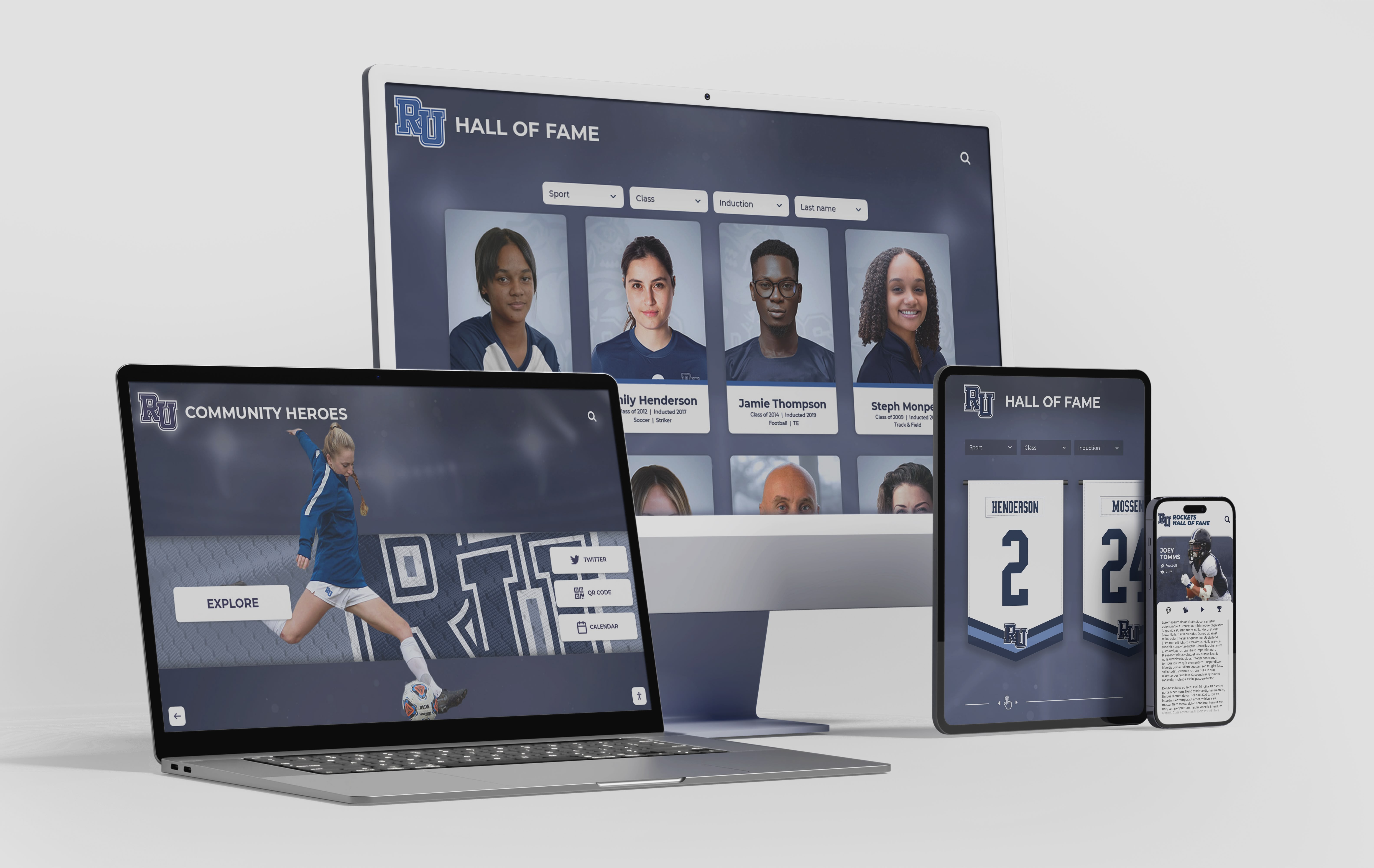
Platform subscription models include perpetual maintenance across all devices and platforms that custom systems require separate budgeting
What Belongs to Institutions vs. What They’re Borrowing
The fundamental economic question is which elements organizations need to own versus which they should access as shared platform capabilities.
What Organizations Should Own
Institutional ownership makes sense for:
- Content reflecting unique history, achievements, and individuals
- Brand identity elements expressing institutional character
- Strategic decisions about what recognition to emphasize
- Relationships with stakeholders who contribute content
- Recognition program policies and governance
- Community connections that drive engagement
These elements are genuinely unique to each organization and create lasting value that no platform can replicate. Investment here produces differentiation and meaning.
What Organizations Should Borrow
Platform access makes sense for:
- Technical infrastructure handling responsive design
- Accessibility compliance implementation
- Security and performance optimization
- Feature development maintaining competitive capabilities
- Quality assurance across devices and contexts
- Documentation and administrator training
- Ongoing maintenance as technologies evolve
These elements are essentially commodity technical capabilities that every recognition platform needs but that provide no competitive differentiation between institutions. One school’s responsive design implementation doesn’t need to differ from another’s—it just needs to work reliably.
The Platform Bargain: Custom Outcomes With Shared Infrastructure
Modern platforms deliver an economically superior approach.
What Platforms Actually Provide
Subscription or licensing fees cover:
- Access to comprehensive component libraries
- Custom layout development when requested
- Perpetual platform maintenance and evolution
- Security updates and compliance management
- New feature access as capabilities expand
- Technical support from teams who built the system
- Professional quality assurance before releases
- Training and documentation for administrators
Typical platform pricing for schools ranges from $2,000-8,000 annually depending on institution size and feature requirements. This includes everything listed above—not as optional add-ons but as standard platform operation.
The Economic Comparison
Compare five-year total costs:
Custom Development Approach
- Initial development: $75,000
- Year 1-5 maintenance: $100,000 (5 × $20,000)
- Total five-year cost: $175,000
- Plus: staff time managing vendors and technical issues
- Plus: risk of system abandonment if developers become unavailable
Platform Subscription Approach
- Initial setup: included in first-year subscription
- Year 1-5 subscription: $25,000 (5 × $5,000)
- Total five-year cost: $25,000
- Includes: custom layouts, perpetual maintenance, new features
- Plus: reduced staff burden with platform handling technical concerns
The economics overwhelmingly favor platform approaches for the vast majority of institutions—even before accounting for risk reduction, feature velocity advantages, and opportunity cost of internal resources managing custom systems.
When Custom Development Makes Sense
Platform approaches aren’t universally optimal—specific circumstances justify custom development:
Appropriate Custom Development Scenarios
Consider building custom when:
- Requirements are genuinely unique with no platform serving the use case
- Organization has substantial permanent technical staff
- Integration with proprietary internal systems is critical
- Strategic value justifies premium investment
- Long-term internal maintenance is realistically sustainable
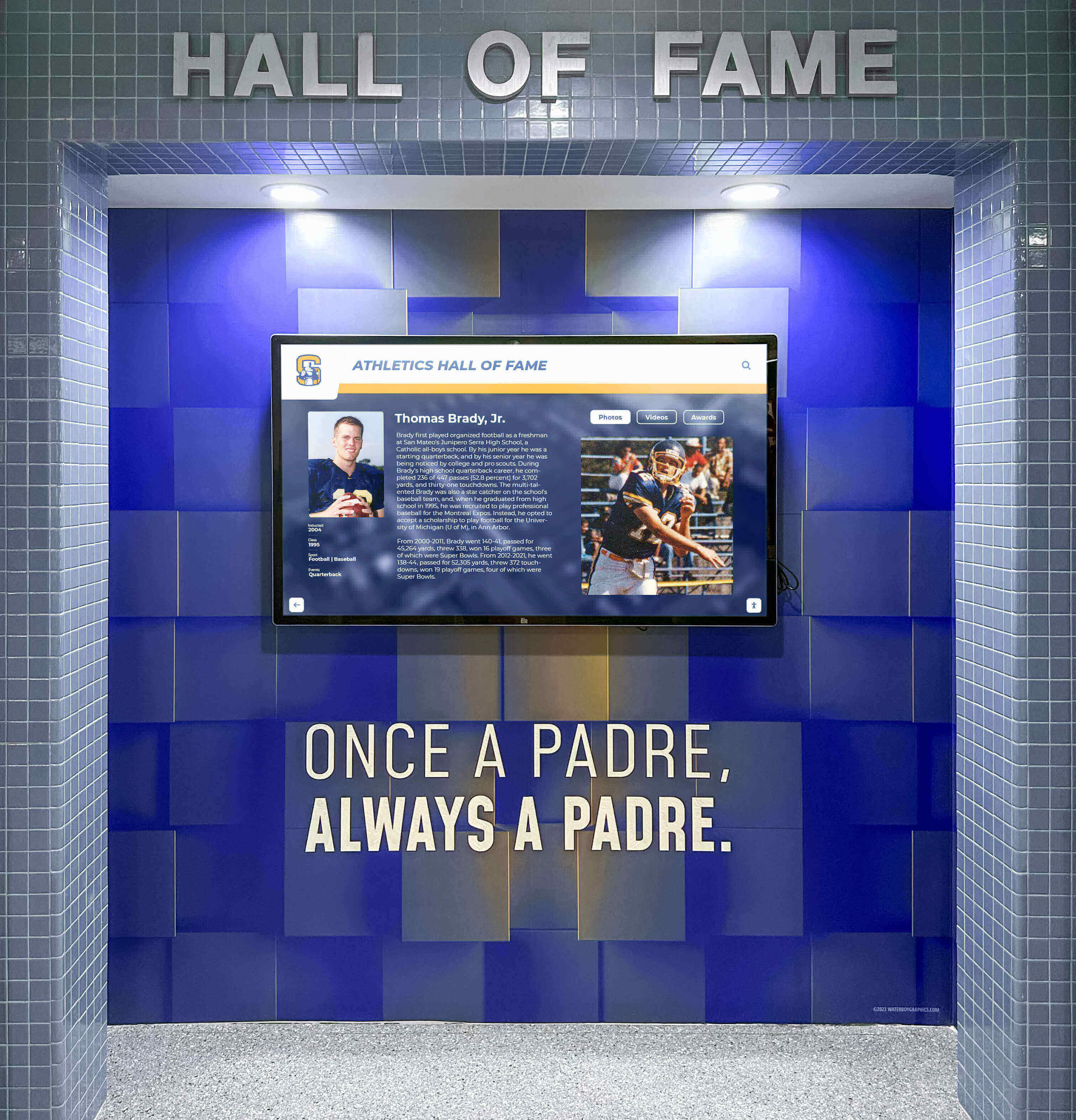
Evaluate whether unique requirements justify custom development versus platform customization
These scenarios genuinely exist—typically at large institutions with significant technical capabilities and truly distinctive requirements that platforms can’t reasonably accommodate. For most schools and organizations, however, platform approaches deliver superior outcomes at dramatically lower total cost and risk.
Explore platform selection criteria in digital hall of fame guide examining comprehensive evaluation factors.
How Custom Requests Become Shared Platform Features
Understanding the actual workflow from customer request to platform feature deployment reveals how library expansion delivers value.
The Request and Evaluation Process
Platform feature expansion begins when customers articulate needs current capabilities don’t address.
How Requests Typically Emerge
Custom layout needs surface through:
- Implementation discussions when customers describe recognition programs
- Feedback from administrators managing content discovering limitations
- Competitive evaluations identifying capabilities other platforms offer
- Stakeholder requirements demanding specific presentation approaches
- Creative vision that existing layouts don’t quite achieve
Effective platforms maintain close relationships with customers specifically to surface these needs. Regular check-ins, user conferences, feedback channels, and implementation support conversations all generate insights about where current capabilities fall short.
Evaluation Criteria for Library Addition
Platforms assess requests against several factors:
Key Decision Criteria
- Applicability: Does this serve needs multiple customers likely share?
- Technical feasibility: Can this be built as reliable platform component?
- Design coherence: Does this align with platform design system?
- Maintenance implications: Can this be supported sustainably?
- Competitive positioning: Does this address market expectations?
- Resource requirements: What development investment does this require?
Requests serving broad applicability receive priority even when currently unique to one customer. Platforms recognize that today’s unique need often becomes tomorrow’s common requirement as recognition practices evolve across the market.

Customer requests identifying unmet needs drive platform evolution serving entire customer base
Development and Deployment Workflow
Once approved, feature development follows platform engineering processes rather than one-off custom implementation.
Professional Platform Development
New components receive:
- Design phase establishing visual approach and interaction patterns
- Development using platform frameworks and component architecture
- Accessibility testing ensuring WCAG compliance
- Responsive testing across device categories and orientations
- Browser compatibility verification
- Integration testing with existing platform features
- Performance optimization
- Code review by platform engineering teams
- Quality assurance before release
- Documentation creation for administrators
This comprehensive process produces components with identical quality and reliability as original platform features because the same teams using the same standards build them.
Deployment to All Customers
Completed components become available platform-wide:
New layouts appear in administrator component libraries where any customer can select and deploy them. No special access or custom pricing applies—they’re standard platform features from the moment they launch.
Documentation explains capabilities and provides implementation guidance. Support teams learn new components so they can assist any customer using them. The requesting customer receives exactly what they needed while the entire customer base benefits from expanded options.
Continuous Evolution Through Customer Feedback
Platform development never truly ends because customer needs continuously evolve:
As recognition practices advance, technology capabilities expand, and institutional expectations grow, platforms incorporating customer feedback into feature roadmaps stay relevant and competitive. The requesting customer gets immediate value while contributing to broader platform evolution benefiting everyone.
This model creates alignment between individual customer needs and collective platform improvement that proprietary custom development can never achieve.
Practical Implementation: Moving Fast While Staying On-Brand
The theoretical benefits of design systems and expandable libraries only matter if they actually enable rapid, confident customization in practice.
How Administrators Actually Work With Platform Systems
Real-world content management reveals whether platforms deliver on promises of controlled flexibility.
Typical Administrator Workflows
Content creators:
- Select layouts from component library matching content needs
- Populate content fields without touching design code
- Preview changes across device sizes before publishing
- Receive quality suggestions from AI assistance
- Publish updates that automatically maintain responsive behavior
- Monitor engagement analytics understanding user behavior
These workflows require no design expertise, coding knowledge, or technical specialization. Administrators focus on content decisions—what to feature, how to organize information, which stories to highlight—while platforms handle technical implementation.
Where Customization Actually Happens
Flexibility exists in meaningful content decisions:
- Layout selection from expanding component library
- Content organization and information architecture
- Media selection and curation
- Feature emphasis and prominence
- Navigation structure and categorization
- Search and filtering capabilities
These choices create substantially different user experiences and recognition program character while remaining within design system guardrails that prevent fragmentation.
What Administrators Don’t Need to Manage
Platform governance handles:
- Responsive behavior across screen sizes
- Accessibility compliance implementation
- Browser compatibility maintenance
- Touch interaction patterns
- Typography and spacing consistency
- Color palette adherence
- Component behavior standards
- Performance optimization
By removing these technical concerns from administrator responsibility, platforms enable confident, rapid content work without requiring constant consultation with technical specialists.
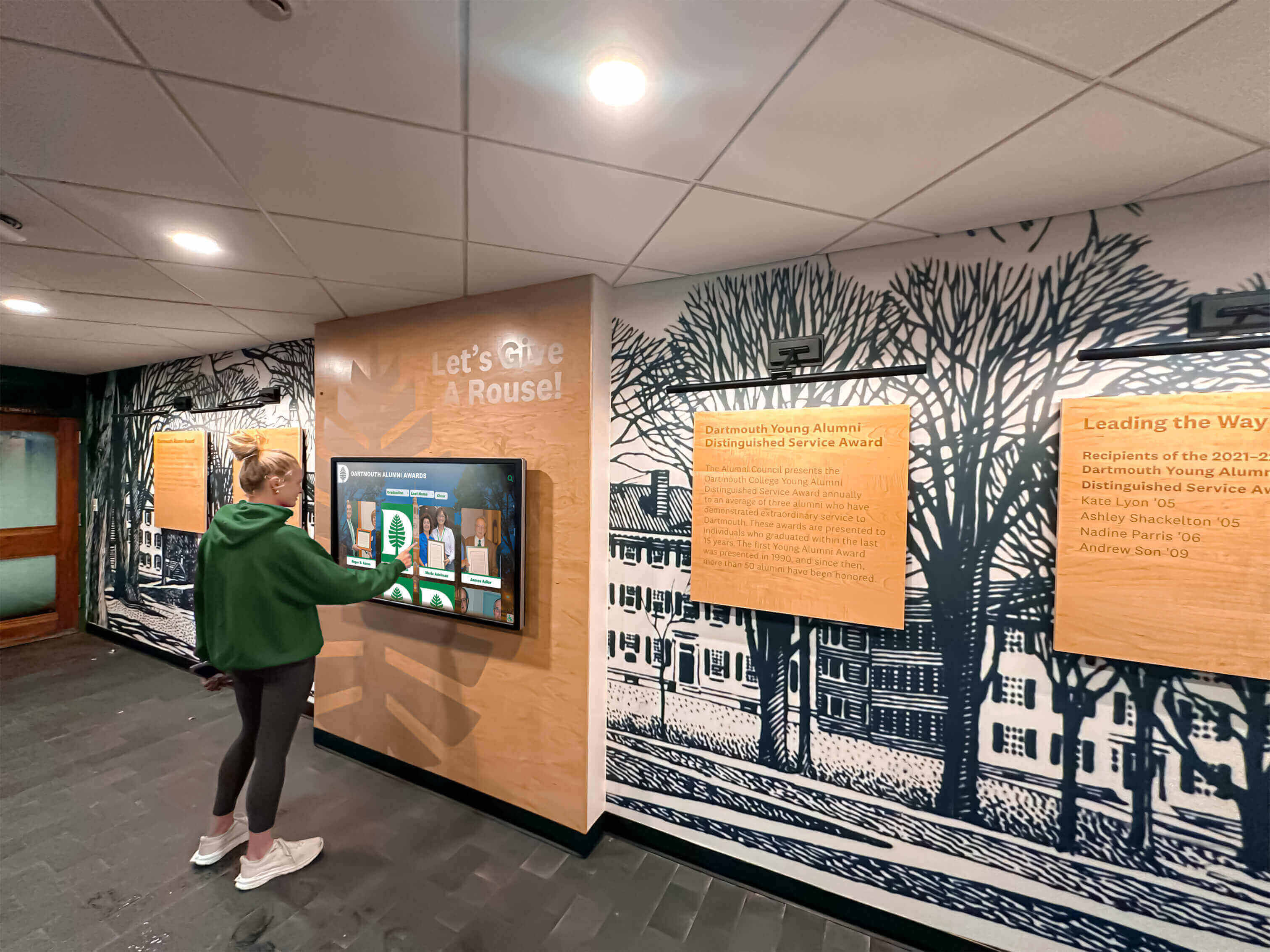
Platform design systems create intuitive, accessible experiences users navigate confidently
Real-World Speed: What “Moving Fast” Actually Means
Platform advantages only matter if they produce measurable velocity improvements in practice.
Content Update Timelines
Well-designed platforms enable:
- New recognition profiles published in minutes
- Layout changes requiring seconds to preview and deploy
- Content reorganization completed during single editing sessions
- Media updates processed automatically with quality checks
- Bulk imports adding hundreds of profiles efficiently
- Scheduled publishing coordinating launches with events
Compare these timelines to custom systems where seemingly simple changes require developer consultation, code modifications, testing cycles, and deployment processes stretching updates from minutes to days or weeks.
Feature Deployment Speed
When organizations request new capabilities:
- Platform-expanded library features: often delivered within 1-2 weeks
- Custom development features: typically require 2-3 months minimum
- Ongoing maintenance after deployment: included vs. ongoing cost
The velocity difference becomes more pronounced over time. Platforms continuously add features benefiting all customers while custom systems only receive updates when organizations specifically budget for them.
Reduced Cognitive Load
Perhaps the most valuable speed improvement is psychological:
Administrators working within well-designed platform systems don’t spend mental energy worrying about whether their changes will break something, degrade accessibility, look awkward on mobile devices, or drift off-brand. The platform handles these concerns automatically.
This confidence enables faster decision-making and more creative exploration. Instead of carefully checking every choice against technical constraints they don’t fully understand, administrators focus on content strategy and stakeholder value—the areas where their expertise actually matters.
Review platform feature comprehensiveness in recognition solutions complete guide exploring capability categories.
Conclusion: Templates Are Quality Frameworks, Not Creative Ceilings
The language surrounding platform architecture often misleads. Terms like “templates” suggest limitation—predetermined formats constraining creativity and forcing generic outcomes. This characterization made sense for first-generation systems that truly offered only rigid options.
Modern recognition platforms flip this paradigm. Their “templates” function as quality frameworks establishing the technical foundations and design governance that enable rather than prevent creative freedom. Schools can request custom layouts matching unique institutional needs, and platforms like Rocket routinely build them quickly—often within a week—before adding them to shared libraries as first-class features available to all customers.
This approach delivers genuine creative freedom without the crushing maintenance burden and fragmentation risks that custom development creates. Every new layout inherits comprehensive platform guarantees: responsive behavior across all devices, accessibility alignment with current standards, integration with all platform features, and perpetual maintenance as technologies evolve.
Design systems and AI quality checks work together preventing the visual fragmentation that destroys both custom systems and template platforms over time. Rather than constraining creativity, these governance mechanisms create the stable foundation that makes confident, rapid customization possible.
The fundamental choice isn’t between limiting templates and expensive custom freedom—it’s between building your own creative flexibility from scratch or borrowing Rocket’s platform-grade infrastructure while still achieving custom outcomes. For most schools and organizations, platform approaches deliver dramatically superior economics, velocity, and risk profiles while maintaining genuine design flexibility.
You can move fast and stay on brand with confidence when platform systems handle the technical complexity that custom development would force you to manage yourself. The templates aren’t ceilings—they’re the quality floor enabling you to build upward without worrying the foundation will crumble beneath you.
Ready to explore how platform-supported creative freedom could serve your recognition program? Book a demo to see how design governance and expandable libraries deliver custom outcomes without custom maintenance burdens.































