




Dental office digital displays transform patient experiences and practice operations through engaging visual communication that educates, entertains, and informs throughout every touchpoint of the dental visit journey. These interactive systems replace outdated poster boards and static signage with dynamic content that reduces perceived wait times, communicates treatment options effectively, promotes preventive care, and showcases practice expertise in ways that build trust and encourage treatment acceptance.
Walk into most dental practices during afternoon appointments and you’ll witness familiar scenarios: patients anxiously flipping through outdated magazines while stealing glances at wall clocks, reception staff repeatedly answering the same questions about office hours and insurance policies, treatment coordinators struggling to explain complex procedures without effective visual aids, and missed opportunities to educate patients about preventive care or promote additional services that could improve oral health outcomes and practice revenue.
This comprehensive video guide explores dental office digital display implementation through detailed visual demonstrations, installation walkthroughs, and real-world content examples showing how modern practices leverage these systems to create more comfortable patient experiences, streamline staff communication workflows, enhance case acceptance rates through better patient education, and establish their practices as modern, technology-forward healthcare providers that patients confidently recommend to family and friends.
Modern dental practice displays don’t simply show appointment schedules or promotional videos—they create comprehensive communication ecosystems integrating patient education, entertainment, practice marketing, operational efficiency, and community engagement capabilities that serve multiple practice objectives simultaneously while meeting patient expectations shaped by digital experiences in their daily lives.

Interactive digital displays in healthcare waiting rooms provide engaging patient education and entertainment while creating modern, professional first impressions
Understanding Dental Office Digital Display Technology
Before exploring specific implementation strategies through video demonstrations, understanding the core technology components and content capabilities that differentiate professional dental practice systems from basic consumer televisions helps practices make informed decisions aligned with patient engagement goals and operational priorities.
Essential Display Hardware for Dental Practices
Professional dental office installations require commercial-grade equipment designed for continuous daily operation in healthcare environments with specific needs around hygiene, reliability, and patient safety.
Commercial Display Requirements for Healthcare
Unlike residential televisions that fail quickly under institutional usage patterns, purpose-built healthcare displays must deliver reliable performance including commercial-grade panels rated for 16-24 hour daily operation without image retention or burn-in, anti-microbial screen coatings supporting regular sanitation protocols in healthcare settings, high-brightness displays (350-500 nits minimum) ensuring content visibility under dental office lighting conditions, and low-profile mounting options that don’t interfere with wheelchair accessibility or create hazards in patient circulation areas.
According to healthcare technology research, commercial displays typically cost 40-60% more than consumer equivalents but deliver 3-5 times longer operational lifespan with significantly lower failure rates—making professional equipment essential for sustainable dental practice infrastructure requiring reliable multi-year performance without frequent replacement expenses or patient-facing equipment failures that undermine professional image.
Strategic Display Placement Considerations
Where you position digital displays dramatically impacts their effectiveness for patient engagement and practice communication:
- Reception area displays greeting arriving patients with welcome messages and general practice information
- Waiting room screens providing entertainment and educational content during appointment wait times
- Treatment room displays explaining procedures and showing patient imaging during consultations
- Checkout area screens promoting services, confirming next appointments, and thanking departing patients
- Staff areas communicating schedule updates, training content, and operational information
Display sizes typically range from 32-43 inches for reception desks and treatment rooms to 55-65 inches for main waiting areas where visibility from various seating positions enhances content consumption and patient engagement.
Explore professional installation approaches in interactive healthcare displays demonstrating comprehensive patient communication implementations.
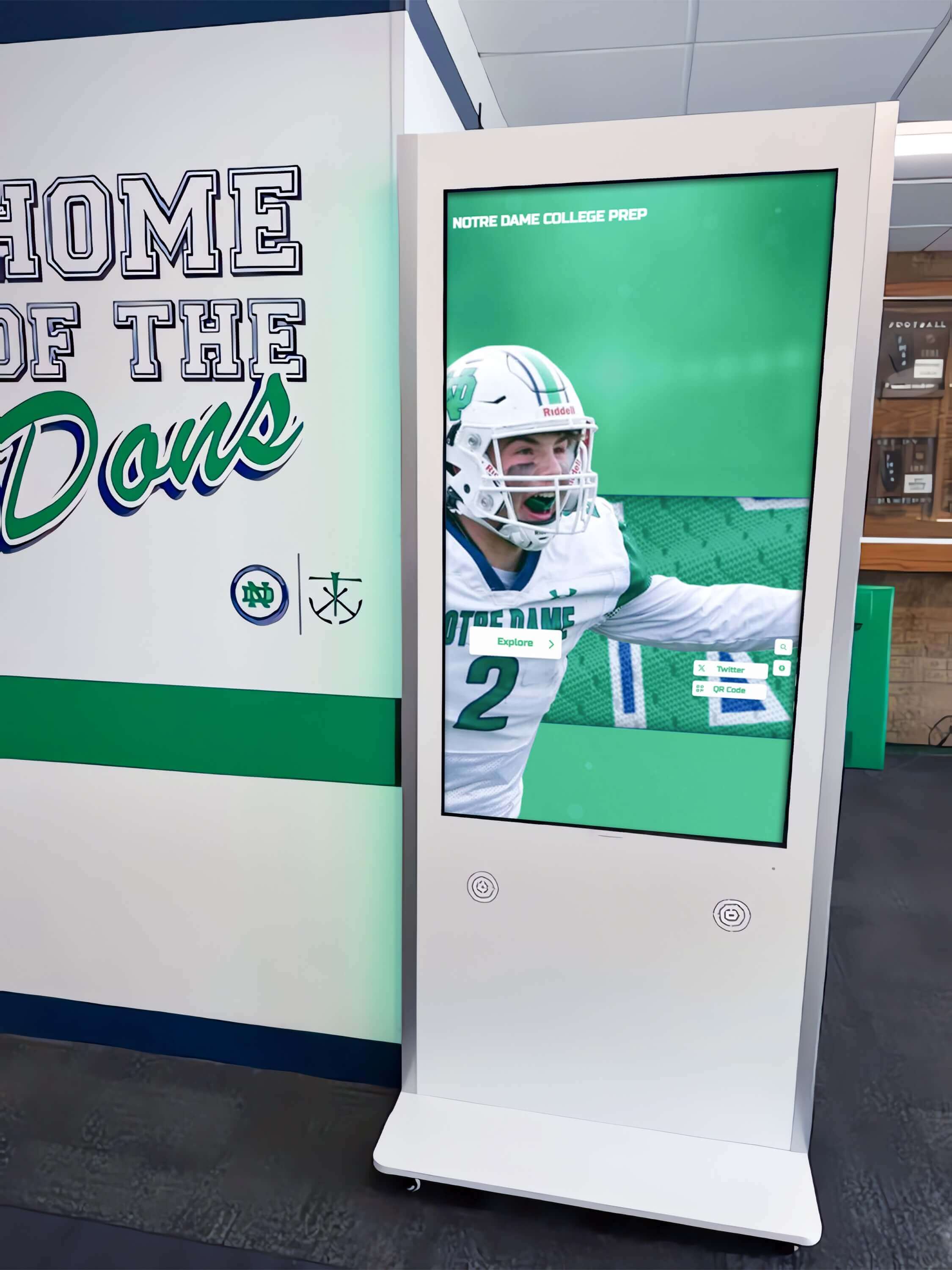
Strategically positioned displays throughout facilities provide information and engagement opportunities at multiple patient touchpoints
Cloud-Based Content Management Platforms
The software platform powering display content delivery determines administrative efficiency and content quality far more than hardware specifications alone.
Purpose-Built Healthcare vs Generic Signage Solutions
Many dental practices initially consider adapting generic digital signage systems or consumer streaming devices for practice displays—an approach that typically creates frustration through inadequate healthcare-specific capabilities. Purpose-built dental practice platforms offer specialized features including HIPAA-compliant content management protecting patient privacy, pre-built dental education video libraries covering common procedures and preventive care, automated scheduling integration displaying real-time appointment information without manual updates, patient feedback and survey integration gathering satisfaction data and online reviews, and dental-specific content templates designed specifically for oral health communication rather than generic business messaging.
Generic signage platforms designed for retail or restaurant environments lack the healthcare compliance, educational focus, and practice-specific workflows essential for effective dental office communication—resulting in limited patient engagement value and potential compliance risks despite technology investments.
Remote Management and Update Workflows
Cloud-based administration transforms display management from time-consuming manual updates to simple remote content changes including browser-based interfaces requiring no technical expertise or specialized software training, instant content publishing reflecting schedule changes and new service offerings immediately across all displays, daypart scheduling automatically rotating content appropriate for morning, afternoon, and evening patient demographics, and multi-location management enabling dental groups to maintain brand consistency while allowing office-specific customization.
Practices implementing cloud-managed displays report 80-90% reductions in time spent maintaining waiting room communication compared to traditional poster printing and manual content updates requiring staff time away from patient care activities.
Video Walkthrough: Patient Waiting Room Experience
Understanding how patients interact with dental office displays helps practices design content strategies that reduce anxiety, improve education, and create positive experiences that differentiate practices from competitors.
Scene-by-Scene Patient Journey Demonstration
Opening Scene: Patient Arrival (0:00-0:30)
Camera opens on a modern dental practice reception area during busy morning hours. A patient enters—appearing slightly nervous about an upcoming procedure—and approaches the reception desk for check-in. After confirming their appointment, the receptionist gestures toward the waiting area where several patients are seated.
On-screen text overlay: “73% of dental patients report anxiety about appointments, making waiting room experience critical for practice perception”
The patient notices a large 55-inch display mounted prominently on the waiting room wall showing calming nature imagery with practice branding and a warm “Welcome to [Practice Name]” message. Gentle instrumental music plays in the background. The display then transitions to show the day’s dental team members with friendly photos and brief introductions—immediately personalizing the experience and reducing anonymity anxiety.
Educational Content Scene: Learning About Procedures (0:30-2:00)
After the welcome sequence, the display transitions to patient education content. A professionally produced video begins explaining dental implants—the very procedure this patient is scheduled for—using clear 3D animations showing the implant placement process, healing timeline, and expected outcomes.
Narration prompt: “Visual procedure explanations reduce patient anxiety by demystifying treatments and setting realistic expectations before consultation discussions”
The patient becomes visibly more relaxed as they watch the educational content, understanding the procedure sequence and seeing before-and-after examples that build confidence in treatment outcomes. The video includes text highlighting key benefits: “Permanent solution,” “Natural appearance,” “Preserves jawbone health,” and “95% success rate over 10 years”—specific information that addresses common patient concerns.
Between educational segments, the display shows brief practice testimonials from actual patients who have completed similar procedures, creating social proof and peer validation that clinical explanations alone cannot provide.
Entertainment and Engagement Scene (2:00-3:00)
The content strategy balances education with entertainment. The display transitions to a trivia game titled “Test Your Dental Knowledge” with fun, lighthearted questions about oral health history and common dental myths. Patients in the waiting room smile at questions like “True or False: George Washington had wooden teeth?” (False—they were actually ivory, gold, and lead).
Production note: Close-up shots emphasizing patient facial expressions shifting from anxiety to engagement—demonstrating how content strategy affects emotional state
Entertainment content serves a strategic purpose beyond distraction: reducing perceived wait time. Research consistently shows that engaged patients perceive waiting periods as 30-40% shorter than actual elapsed time, significantly improving satisfaction scores even when actual wait times remain unchanged.
Learn about engagement strategies in community showcase displays demonstrating content that captures attention and provides value.

Interactive content options enable patients to explore topics of personal interest, creating more engaging and personalized waiting experiences
Practice Marketing and Service Awareness Scene (3:00-4:00)
The display seamlessly incorporates practice marketing without feeling overly promotional. A segment highlights the practice’s orthodontic services with text: “Did you know we offer Invisalign? Ask about our free consultation.” The message includes striking before-and-after photos and a QR code enabling immediate appointment scheduling from patient smartphones.
Another segment promotes the practice’s dental membership plan for uninsured patients, explaining monthly payment options and included services. This strategic positioning introduces services during receptive moments when patients are already engaged with practice content rather than trying to capture attention with physical brochures that often go unread.
On-screen text overlay: “Practices using digital displays report 25-40% increases in awareness for ancillary services compared to print materials alone”
Community Connection Scene (4:00-4:30)
The content strategy includes community engagement elements building local connection and practice reputation. The display shows photos from the practice’s recent participation in a local health fair, team members volunteering at a school dental health education event, and the practice’s sponsorship of a local youth sports team.
These community connection segments accomplish multiple objectives: humanizing the dental team beyond clinical roles, demonstrating commitment to community health beyond revenue generation, creating conversation opportunities between staff and patients about shared community involvement, and differentiating the practice as an invested local institution rather than impersonal healthcare commodity.
Discover community engagement approaches in local business recognition displays showing how organizations build local connections.
Treatment Room Display Implementation Video
Beyond waiting rooms, treatment room displays serve critical roles in patient education, case presentation, and consultation effectiveness—directly impacting treatment acceptance rates and practice revenue.
Treatment Room Technology Setup
Hardware Installation Scene (0:00-1:30)
Camera follows a technology integrator installing a 32-inch display in a dental treatment room. Strategic positioning proves critical: mounting the display on the wall opposite the dental chair ensures patient visibility when reclined, positioning at appropriate height maintaining comfortable viewing angle without neck strain, and avoiding placement that interferes with overhead procedure lighting or creates obstacles for dental team movement during treatments.
Technical specifications overlay:
- Display size: 32-43 inches optimal for treatment room viewing distances
- Mounting: Articulating arm allowing angle adjustment for different chair positions
- Connectivity: HDMI from intraoral camera and computer for imaging display
- Power: Dedicated circuit preventing interference with dental equipment
The installer demonstrates connecting the display to the practice’s intraoral camera system, enabling real-time imaging display during examinations. This integration transforms patient consultations by allowing patients to see exactly what the dentist sees—making explanations concrete rather than abstract and significantly improving understanding and treatment acceptance.
Content System Configuration Scene (1:30-3:00)
With hardware installed, the scene transitions to software configuration. A practice manager demonstrates loading procedure explanation videos, before-and-after treatment galleries, and patient-specific imaging into the display system organized by treatment type for easy access during consultations.
The system includes:
- Procedure video library searchable by treatment category
- 3D imaging and animation showing treatment processes
- Integrated patient imaging from intraoral cameras and x-rays
- Cost comparison calculators showing treatment investment and payment options
- Patient education PDFs and take-home materials available via QR code
Narration prompt: “Integrated treatment room displays enable seamless transitions between general education, specific patient imaging, and treatment planning discussions within single consultations”
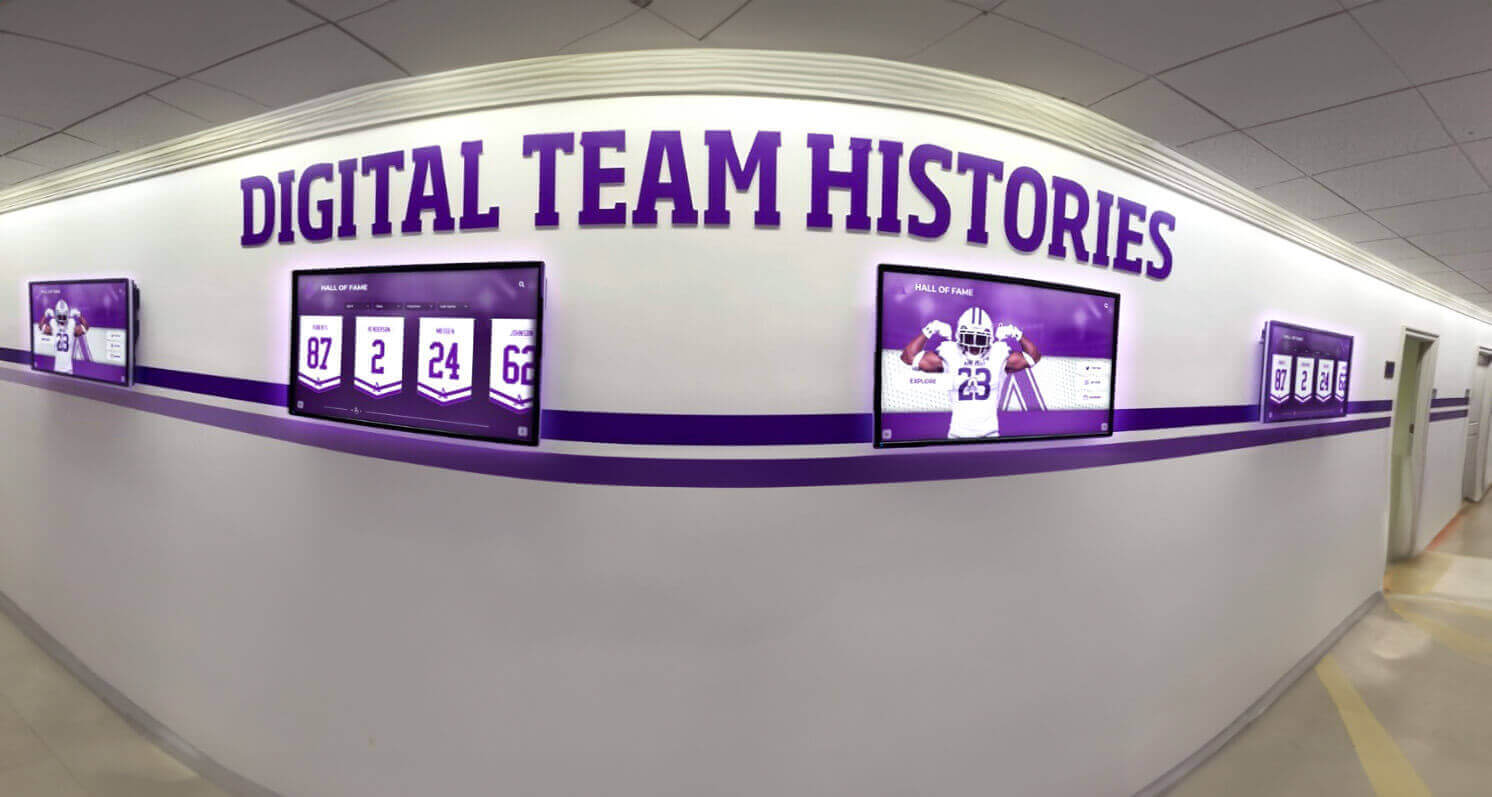
Coordinated displays throughout practices ensure consistent messaging and create cohesive environments that reinforce professional branding
Patient Consultation Enhancement
Case Presentation Scene (3:00-5:00)
Camera captures a dentist conducting a crown consultation using the treatment room display. The presentation flows systematically: displaying the patient’s intraoral photos showing the damaged tooth requiring treatment, transitioning to a 3D animation explaining crown preparation and placement process, showing before-and-after examples from actual practice cases, presenting treatment timeline and appointment requirements, and displaying cost breakdown with insurance coverage estimation and payment plan options.
Throughout the presentation, the dentist uses a wireless remote to control content flow while maintaining face-to-face patient connection rather than turning away to computer screens—preserving the consultation relationship while enhancing communication with visual support.
On-screen data: “Practices using visual case presentations report treatment acceptance rates 40-60% higher than verbal explanations alone”
The patient asks questions about crown material options. The dentist immediately displays comparison charts showing porcelain, gold, and zirconia options with durability data, aesthetic considerations, and cost differences—providing concrete information that empowers informed decision-making rather than relying solely on verbal descriptions patients struggle to remember and evaluate.
Imaging Integration Scene (5:00-6:00)
The consultation transitions to showing the patient’s specific x-rays and intraoral imaging. The dentist uses annotation tools to highlight areas of concern, circle the affected tooth, and draw on the image to show proposed treatment boundaries—making clinical findings clearly understandable for patients without dental training.
Split-screen comparisons show current condition alongside predicted outcomes after treatment, creating compelling visual motivation for proceeding with recommended care. The dentist captures annotated images and emails them to the patient with treatment plan documentation—ensuring information remains accessible after leaving the office when making final treatment decisions.
Explore consultation enhancement techniques in digital healthcare communication showing how visual information improves understanding and decision-making.
Content Strategy and Programming Video Tutorial
Display hardware enables communication, but thoughtful content strategy determines whether dental practice systems achieve intended patient engagement, education, and marketing objectives.
Building Comprehensive Content Libraries
Content Planning Scene (0:00-2:00)
Camera follows a dental practice administrator and marketing coordinator developing their display content strategy. They systematically categorize content types needed: patient education covering common procedures from cleanings to implants, practice marketing highlighting services, special offers, and team expertise, community engagement showing local involvement and patient testimonials, operational information including office hours, insurance accepted, and emergency contact procedures, and entertainment content providing distraction and reducing perceived wait times.
Content allocation framework overlay:
- Patient Education: 40% of display time
- Entertainment: 30% of display time
- Practice Marketing: 20% of display time
- Community/Testimonials: 10% of display time
This balanced approach ensures displays provide genuine value to patients through education and entertainment rather than feeling like constant advertising—building goodwill and attention that makes marketing messages more effective when they do appear.
Video Production Scene (2:00-4:00)
The scene transitions to the practice recording custom content. A team dentist appears on camera in a treatment room setting, recording a brief educational video about the importance of regular dental checkups. Professional but approachable presentation style—avoiding excessive clinical jargon while maintaining credibility—makes content accessible to general audiences.
Production quality checklist appearing on screen:
- Proper lighting ensuring professional appearance without harsh shadows
- Clear audio with lapel microphone eliminating background noise
- Branded background showing practice environment without HIPAA violations
- Concise runtime (60-90 seconds) maintaining attention without oversaturation
- Clear call-to-action directing next patient steps
The practice creates a library of these short videos covering common patient questions, allowing displays to answer inquiries automatically and freeing staff from repetitive explanations while ensuring consistent, accurate information delivery.
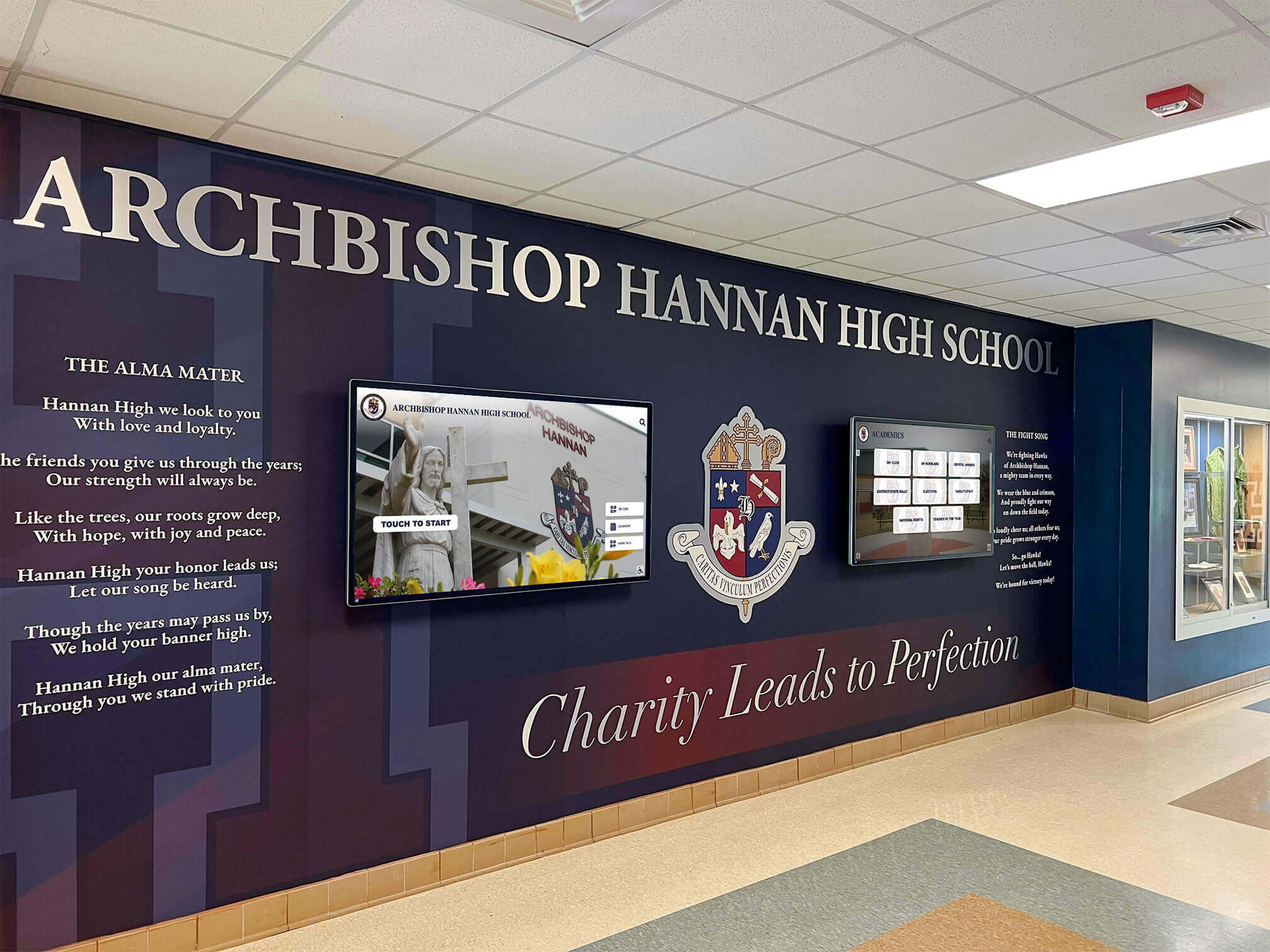
Professional installations integrate displays with practice branding and design aesthetics, creating cohesive environments that enhance brand perception
Optimizing Content Scheduling and Rotation
Daypart Programming Scene (4:00-5:30)
The practice manager demonstrates scheduling different content for different times of day based on typical patient demographics and needs. Morning content (7-11 AM) targets working professionals with quick-read health tips and service information fitting compressed appointment windows. Midday programming (11 AM-2 PM) includes more detailed educational content for patients with flexible schedules. Afternoon slots (2-5 PM) incorporate family-focused content reaching parents with children for orthodontic messaging and preventive care education.
This strategic scheduling ensures content relevance matches audience composition throughout the day rather than displaying generic programming that may miss demographic-specific interests and needs.
Seasonal Content Updates Scene (5:30-7:00)
The scene shows planning seasonal content variations. During back-to-school periods, displays feature children’s dental health content, orthodontic treatment information, and sports mouthguard promotion. Holiday seasons incorporate messages about gift certificates, flexible spending account deadline reminders, and maintaining oral health during sugar-heavy celebrations.
Tax season content reminds patients about maximizing remaining insurance benefits before year-end and using FSA/HSA funds before expiration—strategic timing that drives appointment scheduling during historically slower periods while providing genuine patient value through financial planning reminders they appreciate.
ROI insight overlay: “Practices implementing strategic seasonal messaging report 15-25% increases in ancillary service bookings compared to static content approaches”
Learn about content planning in digital signage strategy exploring comprehensive programming approaches.
Patient Feedback and Interactive Features Video
Modern display systems extend beyond passive content to enable interactive patient engagement, feedback collection, and service enhancement that traditional static signage cannot achieve.
Interactive Kiosk Implementation
Check-In Kiosk Scene (0:00-2:00)
Camera demonstrates an interactive touchscreen kiosk positioned in the reception area. Arriving patients use the self-service system to check in for appointments, update contact information and insurance details, complete health history updates and COVID screening questions, and review and sign consent forms electronically.
This automation serves multiple purposes: reducing reception desk workload allowing staff to focus on complex patient needs, minimizing wait times through streamlined administrative processes, improving data accuracy through patient-entered rather than staff-transcribed information, and reducing physical paperwork supporting hygiene and environmental goals.
Efficiency data overlay: “Practices using self-service check-in report average time savings of 3-5 minutes per patient, accumulating to 10-15 hours weekly for typical practice volumes”
Feedback Collection Scene (2:00-3:30)
After completing check-in, the kiosk prompts patients to rate their previous visit experience on a simple 5-star scale with optional comment text. This immediate post-visit feedback collection captures responses while experiences remain fresh and achieves significantly higher participation rates than email surveys sent days later when patients have moved on mentally.
The system includes smart routing: 5-star ratings trigger requests to post reviews on Google and Facebook, helping practices build online reputation. Lower ratings route to practice management for private follow-up before patients post negative public reviews—turning potential reputation damage into service recovery opportunities.
Positive feedback appears on waiting room displays (with patient permission), creating social proof and showcasing practice quality to current and prospective patients through authentic peer testimonials rather than practice-written promotional content.
Discover feedback systems in community engagement displays showing interactive participation approaches.
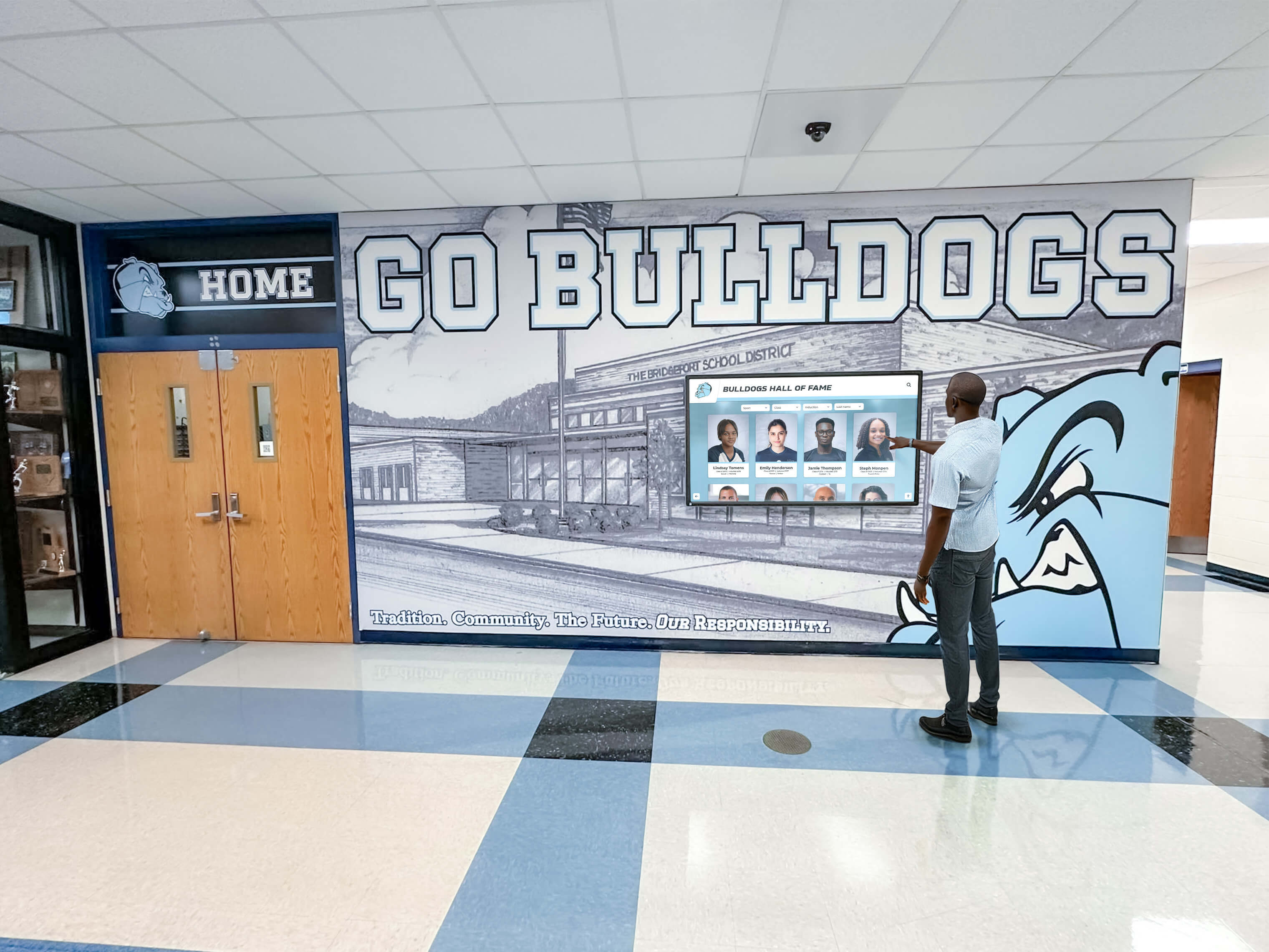
Interactive displays enable active patient participation rather than passive content consumption, increasing engagement and information retention
Patient Education Exploration
Interactive Education Scene (3:30-5:00)
The scene demonstrates interactive patient education content allowing self-directed exploration. Patients can browse procedure libraries by category, watch detailed explanation videos about treatments they’re considering, view cost estimates and insurance coverage information, and access oral health education on topics of personal interest from gum disease prevention to teeth whitening options.
This patient-controlled exploration provides information at individual comfort levels and interest areas rather than forcing standardized content on all patients regardless of relevance. Patients concerned about periodontal disease dive deeply into that topic, while those interested in cosmetic options explore whitening and veneers—customization impossible with static posters or passive video loops.
The system tracks popular content topics, providing practice management with insights about patient interests and concerns that inform future marketing focus, staff training priorities, and service expansion decisions based on actual demonstrated patient demand rather than assumptions.
Cost Considerations and ROI Video Analysis
Understanding financial investment and return expectations helps dental practices make informed technology decisions aligned with budget constraints and growth objectives.
Investment Requirements and Options
Hardware Cost Scene (0:00-2:00)
Camera shows a practice manager reviewing digital display investment options with cost breakdowns. Entry-level implementations using single waiting room displays with media players and basic content subscriptions range $2,000-4,000 for initial setup. Mid-range solutions incorporating multiple displays throughout the practice with cloud management platforms and custom content cost $6,000-12,000. Comprehensive systems including interactive kiosks, treatment room integration, and advanced analytics range $15,000-30,000+ depending on practice size and feature requirements.
Financing options overlay:
- Cash purchase: Full upfront payment, practice owns equipment
- Leasing: Monthly payments (typically $100-500 depending on system complexity)
- Subscription models: Bundled hardware, software, and content for monthly fees
- Gradual implementation: Starting with waiting room, expanding to treatment rooms over time
Most dental practices find monthly subscription or lease arrangements fit more comfortably within cash flow compared to large upfront capital expenditures, while providing flexibility to upgrade technology as capabilities improve.
Ongoing Operational Costs Scene (2:00-3:30)
Beyond initial investment, practices need to budget for ongoing costs including content platform subscriptions ($50-300 monthly depending on features and display quantity), content creation or licensing for custom videos and procedure animations, electricity consumption (typically $5-15 monthly per display), occasional hardware maintenance or replacement, and staff time for content management and updates (typically 1-3 hours weekly).
Total cost of ownership for typical practice implementations generally ranges $200-600 monthly including amortized hardware costs and operational expenses—substantial investment requiring demonstration of corresponding return through improved practice outcomes.
Quantifying Return on Investment
Revenue Impact Analysis Scene (3:30-5:30)
The practice manager builds an ROI model examining display system contributions to practice revenue. Primary revenue sources include increased case acceptance from visual education and consultation tools (estimated 10-20% improvement equals $3,000-10,000+ monthly for average practices), improved ancillary service awareness driving additional appointments and procedures ($1,000-3,000+ monthly), and new patient acquisition through enhanced practice reputation and modern image (3-5 additional patients monthly worth $500-1,500+ monthly revenue).
Conservative ROI projections show typical implementations achieving positive return within 6-12 months, with substantial ongoing benefits accumulated over multi-year periods as systems continue generating incremental revenue.
Financial impact overlay: “Practices investing in comprehensive patient communication systems report average revenue increases of 8-15% within first year of implementation”
Operational Efficiency Gains Scene (5:30-7:00)
Beyond direct revenue, displays generate substantial operational savings. Staff time formerly spent answering repetitive questions, printing and updating wall posters, and explaining procedures verbally reduces by estimated 5-10 hours weekly—worth $2,000-4,000+ annually in salary costs. Reduced no-show rates through automated appointment reminders displayed on screens save thousands in lost production. Improved patient experience and satisfaction scores reduce staff turnover and recruitment costs in chronically tight dental job markets.
When comprehensive direct and indirect benefits are quantified, dental practice digital displays typically prove among highest-return technology investments practices can make—delivering measurable improvements across patient experience, practice revenue, operational efficiency, and competitive positioning.
Transform Your Dental Practice Patient Experience
Discover how modern digital display solutions can help your practice improve patient education, reduce anxiety, increase treatment acceptance, and create memorable experiences that drive referrals and practice growth. Request a video demonstration customized to your practice needs.
Book a DemoImplementation Best Practices and Common Pitfalls
Understanding what distinguishes successful dental practice display deployments from disappointing implementations helps practices avoid predictable mistakes while maximizing patient engagement and operational value.
Success Factors for Dental Display Projects
Content Quality Over Quantity
The most common implementation failure involves installing impressive hardware but populating displays with generic stock content lacking dental relevance or practice-specific information. Successful projects allocate appropriate resources to content development: licensing high-quality dental education videos professionally produced with accurate information and engaging presentation, creating custom content featuring actual practice team members and local patient testimonials, maintaining content freshness through regular updates preventing repetitive loops that patients stop noticing, and ensuring accuracy particularly for educational content where misinformation could undermine clinical credibility.
Displays showing engaging, relevant, regularly-updated content command patient attention and deliver intended benefits. Generic filler content results in ignored screens providing minimal value despite hardware investment—essentially expensive wallpaper rather than powerful communication tools.
Strategic Volume and Placement Balance
Display effectiveness depends heavily on appropriate volume levels and positioning ensuring content enhances rather than overwhelms patient experiences. Considerations include audio levels set appropriately for ambient awareness without interfering with reception conversations or treatment room consultations, display positioning visible from patient seating without creating focal points that dominate entire environments, content brightness and motion appropriate for relaxing healthcare settings versus attention-demanding retail environments, and quantity balance providing information without creating cluttered environments that increase rather than reduce patient stress.
Many practices initially position displays too prominently with excessive volume and brightness—creating sensory overload counterproductive to calming dental office atmospheres. Subtle integration proves more effective than aggressive deployment.
HIPAA Compliance and Privacy Protection
Healthcare environments require stringent attention to patient privacy that generic business implementations don’t face. Critical considerations include avoiding patient names, appointment times, or any protected health information on public displays, securing content management systems with appropriate access controls and audit logging, positioning treatment room displays preventing viewing by patients in hallways or adjacent rooms, and disabling display cameras and microphones (if present) unless specifically required and properly disclosed.
HIPAA violations create substantial regulatory risk and patient trust damage far exceeding any benefit from non-compliant display usage. Practices should consult healthcare compliance advisors when implementing display systems containing any patient information.
Explore healthcare compliance in healthcare facility digital displays examining privacy-protected implementations.
Common Implementation Mistakes to Avoid
Neglecting Content Management Planning
Practices sometimes purchase display hardware and software without designating clear responsibility for ongoing content management—resulting in neglected systems showing outdated information or repetitive content patients ignore. Successful implementations require designated staff responsibility with adequate time allocation, systematic content review and update workflows, staff training ensuring multiple team members can manage systems, and vendor support resources providing assistance when internal expertise proves insufficient.
Without clear management processes, displays gradually become stale and ineffective—eventually reaching states where outdated content makes them counterproductive to practice image and patient communication objectives.
Choosing Consumer-Grade Equipment
Budget-conscious practices sometimes attempt using residential televisions and consumer streaming devices rather than commercial healthcare displays—creating numerous problems including rapid hardware failure under continuous operation, inadequate brightness making screens unreadable under dental office lighting, lack of commercial warranties leaving practices without recourse when failures occur, and missing features like integrated patient management system connectivity and HIPAA-compliant content platforms.
Commercial equipment costs more initially but delivers dramatically lower total cost of ownership through longer operational lifespan, fewer failures, and appropriate feature sets—making professional-grade hardware essential for sustainable implementations.
Ignoring Patient Preferences and Feedback
Some practices implement displays based solely on vendor recommendations or personal preferences without assessing actual patient reception. Successful projects incorporate patient feedback mechanisms discovering whether content engages or annoys, whether volume levels feel appropriate or excessive, and which content types patients find valuable versus irrelevant.
Systematic patient feedback enables optimization toward actual preferences rather than assumptions—ensuring displays achieve intended patient experience improvements rather than creating unintended irritations that harm rather than help practice perception.
Future Trends and Emerging Capabilities
Understanding evolving display technologies and patient communication trends helps dental practices plan investments remaining relevant as expectations and capabilities continue advancing.
Artificial Intelligence and Personalization
Next-generation display systems will incorporate AI capabilities enhancing patient experiences through personalized content recommendations based on patient demographics and treatment history (shown only after check-in authentication), natural language interfaces allowing voice interaction with educational content libraries, predictive analytics identifying optimal content timing and placement for maximum engagement, and sentiment analysis monitoring patient feedback patterns and automatically adjusting content strategies.
These intelligent features will dramatically improve content relevance without requiring extensive manual customization—creating more effective patient communication at scale through automation rather than labor-intensive personalization.
Integrated Practice Management
Emerging capabilities will create seamless connections between display systems and core practice management software enabling real-time schedule display showing current appointment status and wait times without HIPAA violations, automated patient journey content triggering relevant information based on appointment types and patient records, billing integration displaying remaining insurance benefits and promoting year-end appointment scheduling, and outcome tracking connecting display investments to specific revenue and patient satisfaction improvements through integrated analytics.
These integrations will transform displays from standalone communication tools to integrated components of comprehensive practice management ecosystems delivering operational efficiency alongside patient engagement benefits.
Virtual and Augmented Reality
Future dental practices may incorporate immersive technologies including VR headsets providing distracting entertainment during anxiety-producing procedures, AR visualization allowing patients to see proposed cosmetic treatment outcomes on their actual faces, virtual practice tours enabling prospective patients to explore offices remotely before scheduling visits, and procedure simulations letting patients experience treatments virtually before committing to actual procedures.
While currently experimental, these immersive approaches show promise for further reducing dental anxiety and improving patient education beyond what traditional displays can achieve.
Explore emerging technologies in interactive display innovation examining next-generation patient engagement.
Production Notes: Creating Dental Practice Display Videos
For practices developing their own content videos for displays, training, or marketing purposes, these production considerations ensure professional results that enhance rather than undermine practice credibility.
Equipment and Technical Requirements
Video Production Essentials
- 4K camera providing professional image quality appropriate for healthcare branding
- Tripod ensuring stable, professional framing without distracting camera movement
- External microphone capturing clear audio without echoing common in dental offices
- LED lighting panels providing consistent, flattering illumination for team member appearances
- Branded backdrop or treatment room setting providing authentic practice environment
Recording Best Practices
Demonstrate expertise while maintaining accessibility through conversational tone avoiding excessive clinical jargon patients don’t understand, concise presentation respecting short attention spans with 60-90 second videos, visual demonstrations using models, imaging, or animations rather than verbal-only explanations, and inclusive representation featuring diverse team members and patient examples reflecting community composition.
Content Development Guidelines
Educational Video Structure
Effective patient education videos follow consistent structure: clear opening establishing topic and relevance (“Many patients ask about…”), explanation using simple language and visual aids demonstrating concepts, addressing common concerns and misconceptions about topics, and specific call-to-action directing patients to next steps (schedule consultation, ask staff, etc.).
Authentic Testimonial Capture
Patient testimonial videos prove most effective when featuring genuine patients rather than scripted actors, capturing authentic reactions and conversational language rather than rehearsed presentations, showing before-and-after results demonstrating actual outcomes, obtaining proper HIPAA authorization for using patient images and information, and keeping recordings brief focusing on emotional impact rather than detailed clinical descriptions.
Authentic, concise testimonials create powerful social proof that clinical explanations alone cannot match—building trust and confidence through peer validation that prospects find more credible than practice-generated marketing claims.
Conclusion: Visual Communication for Modern Dental Practices
Dental office digital displays represent fundamental advances in patient communication and practice operations—transforming anxious waiting experiences into engaging education opportunities, improving case presentation and treatment acceptance through powerful visual explanations, and positioning practices as modern, technology-forward healthcare providers that patients confidently choose and enthusiastically recommend.
This comprehensive video guide provides visual frameworks for understanding display technology, content strategy, and implementation approaches through demonstrations impossible to communicate effectively through text alone. From installation walkthroughs showing professional deployment practices to patient journey demonstrations revealing engagement impact to content development tutorials enabling effective video production, these resources support successful display projects delivering lasting practice value.
The most effective implementations view displays not as isolated technology additions but as integrated components of comprehensive patient communication strategies serving practice growth, patient education, operational efficiency, and competitive differentiation objectives simultaneously through multi-purpose platforms maximizing return on investments.
Solutions like Rocket Alumni Solutions provide platforms designed for visual communication and engagement, offering capabilities that enable sustainable, impactful implementations serving diverse communication needs across facility types and practice scales—though dental-specific platforms tailored to healthcare compliance and oral health education typically prove most appropriate for dental practice implementations.
Whether your practice needs comprehensive multi-display systems throughout all patient areas or targeted implementations in specific high-impact locations like waiting rooms and treatment rooms, modern display technology makes professional, engaging patient communication accessible and achievable through systematic planning and appropriate platform selection.
The strategies, demonstrations, and production guidance explored in this video guide provide comprehensive frameworks for implementing displays that reduce patient anxiety, improve treatment understanding and acceptance, enhance practice reputation, and create memorable experiences that differentiate your practice in competitive dental markets. From cloud-based content management and treatment room integration to patient feedback systems and community engagement features, these capabilities address fundamental limitations of traditional poster-based communication while creating experiences meeting modern patient expectations.
Start wherever your current situation demands—whether replacing outdated waiting room bulletin boards or creating entirely new patient communication infrastructure—then systematically expand to create the comprehensive visual communication your patients deserve. Every patient who feels more comfortable, better informed, and more confident in treatment decisions experiences improved dental health outcomes—precisely the results practices need for both patient welfare and practice success.
Your practice deserves communication infrastructure that demonstrates the quality care and modern approach your team provides. With thoughtful planning, appropriate technology investments, and systematic implementation guided by best practices and proven approaches, you can create display systems that become valued assets serving multiple practice priorities while creating welcoming, informative environments for all patients.
Ready to see dental practice display systems in action? Explore interactive campus technology or learn about digital wayfinding implementation through comprehensive visual guides demonstrating professional display applications.
This content was produced by Rocket Alumni Solutions. All information is based on publicly available data as of December 2025.































