DAM for Schools: Complete Guide to Digital Asset Management in Education
- Home /
- Blog Posts /
- DAM for Schools: Complete Guide to Digital Asset Management in Education

The Easiest Touchscreen Solution




Live Example: Rocket Alumni Solutions Touchscreen Display
Interact with a live example (16:9 scaled 1920x1080 display). All content is automatically responsive to all screen sizes and orientations.
Schools generate thousands of digital assets every year—photos from athletic events, videos of performances, scanned yearbooks, recognition certificates, historical documents, donor acknowledgments, and countless other files. Without proper organization, these valuable assets become scattered across personal devices, forgotten in email attachments, lost in shared drives with cryptic folder structures, or worse, deleted when staff members leave.
The result? Schools waste hours searching for last year’s team photo, struggle to maintain consistent recognition displays, miss opportunities to celebrate current achievements because past examples disappeared, and gradually lose institutional memory as digital content vanishes into organizational chaos.
Digital Asset Management (DAM) systems solve these problems by providing centralized platforms for storing, organizing, searching, and distributing digital content. This comprehensive guide explores how schools can implement DAM solutions that preserve institutional memory, streamline content workflows, and ensure valuable digital assets remain accessible for years to come.
Educational institutions face unique content management challenges that generic file storage solutions fail to address. Schools need systems designed specifically for managing recognition content, preserving historical records, and making digital assets accessible to appropriate stakeholders while maintaining privacy and security requirements.

Modern DAM systems enable schools to organize and display digital recognition content through interactive displays that make institutional memory accessible
Understanding Digital Asset Management for Schools
Digital Asset Management represents a fundamental shift from scattered file storage to systematic content organization and distribution.
What Constitutes a Digital Asset in Educational Settings
Schools manage diverse digital content types requiring specialized organization:
Recognition and Achievement Content
- Student and alumni photos with associated biographical information
- Athletic achievement records and team photographs
- Academic honor roll listings and scholarship recipients
- Award ceremony videos and recognition event documentation
- Hall of fame inductee profiles and historical achievements
- Donor recognition content and fundraising campaign materials
Historical and Archival Materials
- Digitized yearbooks spanning decades or centuries
- Historical photographs and institutional records
- School history timelines and milestone documentation
- Retired jersey numbers and championship banners
- Legacy documents and founding materials
- Commemorative publications and anniversary content
Operational and Marketing Assets
- School logos, mascots, and brand elements
- Event photography and promotional videos
- Social media content and website graphics
- Marketing materials and recruitment publications
- Presentation templates and communication resources
- Facility photos and campus maps
Each content type requires specific metadata, access controls, and distribution workflows that traditional file storage systems struggle to accommodate effectively.
Why Generic File Storage Falls Short for Schools
Standard cloud storage and shared drives create problems that compound over time:
Organization Breakdown
- Personal folder naming conventions creating inconsistent structures
- Duplicate files stored in multiple locations without version control
- Unclear file ownership when staff members change roles or leave
- Missing context about when photos were taken or who appears in them
- Difficult searches requiring users to remember specific file names or locations
- No standardized metadata making content discovery nearly impossible
Security and Access Challenges
- Overly broad sharing permissions violating student privacy requirements
- Inability to grant time-limited access for specific projects
- No audit trails showing who accessed or downloaded sensitive content
- Difficulty revoking access when staff or volunteers leave
- Inadequate compliance with FERPA and other privacy regulations
Content Loss and Obsolescence
- Files deleted accidentally or during periodic “cleanup” efforts
- Storage tied to individual accounts creating loss risk when accounts close
- Format obsolescence making older files unreadable over time
- Lack of preservation workflows ensuring long-term accessibility
- Institutional knowledge loss when key personnel depart
These limitations explain why schools increasingly adopt specialized DAM platforms designed for educational content management rather than continuing to rely on consumer-grade file storage solutions.
Learn about systematic content organization in digital history archive guide demonstrating archival best practices.
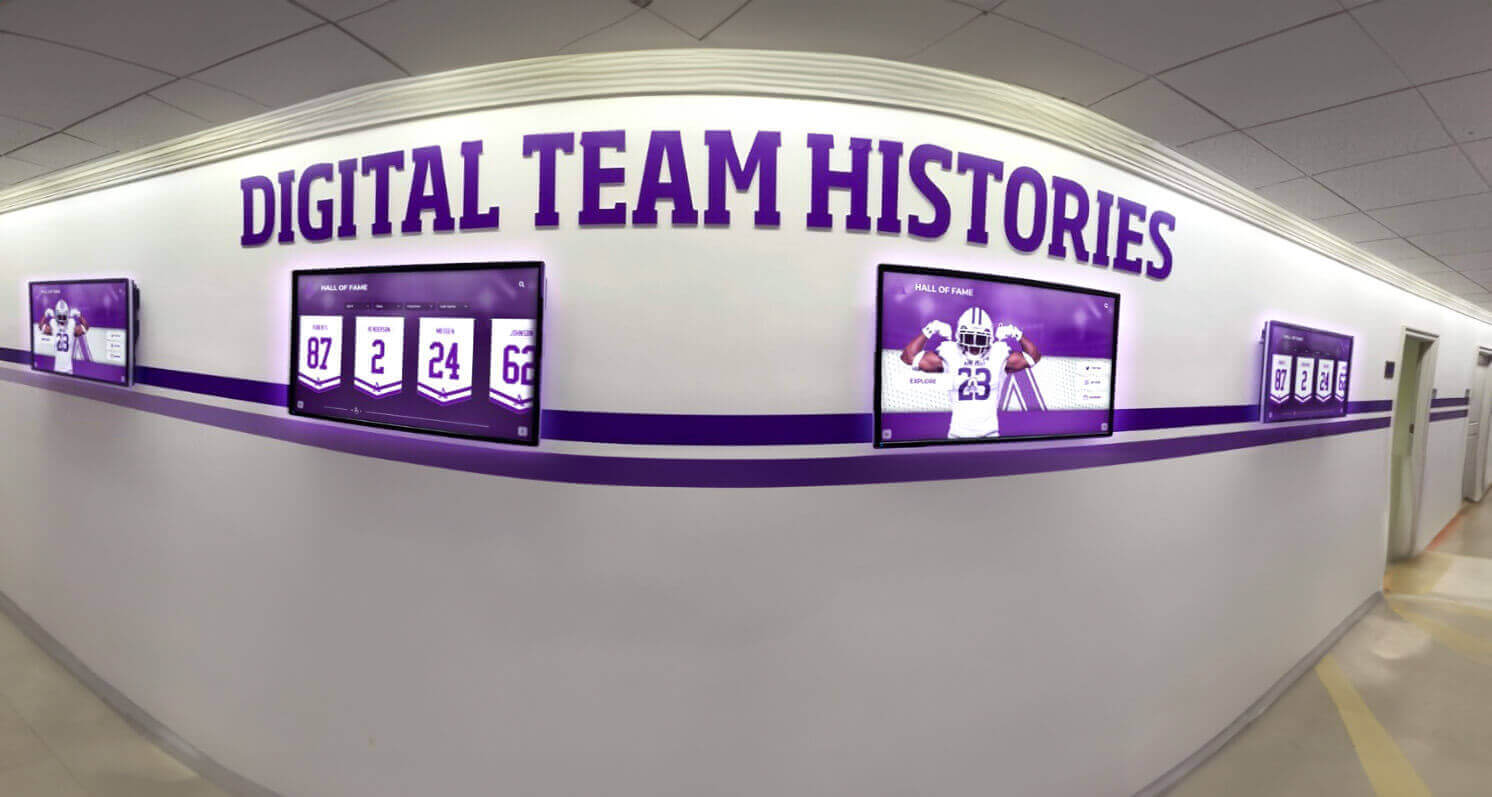
DAM systems organize content for consistent display across multiple screens throughout campus facilities
Core Features of School-Focused DAM Systems
Effective educational DAM platforms provide specialized capabilities addressing school-specific requirements.
Centralized Storage with Smart Organization
Modern DAM systems move beyond simple folder structures:
Metadata-Driven Organization
- Automatic tagging of upload dates, file types, and source information
- Custom fields for graduation years, sports, academic subjects, or departments
- Geographic tags linking content to specific campus buildings or facilities
- Event association connecting assets to specific ceremonies or occasions
- People tagging identifying students, staff, or alumni appearing in content
- Rights management tracking permissions and usage restrictions
This metadata enables powerful search capabilities. Instead of navigating through nested folders, users search “basketball 2024” or “honor roll spring 2025” to instantly find relevant content regardless of where files were originally stored.
Automated Classification
- Rule-based filing automatically organizing uploads into appropriate categories
- Duplicate detection preventing redundant storage of identical files
- Format recognition suggesting appropriate metadata based on file type
- Batch processing allowing simultaneous organization of large content sets
- Collection management grouping related assets for specific projects or campaigns
Version Control and History
- Automatic versioning preserving previous iterations when files are updated
- Change tracking showing who modified files and when
- Rollback capabilities restoring earlier versions if needed
- Derivative tracking linking edited versions to original source files
- Approval workflows ensuring appropriate review before content publication
These organizational features transform chaotic file collections into systematically managed content libraries that remain useful as institutional needs evolve over time.
Advanced Search and Discovery
Finding specific content becomes straightforward with DAM platforms:
Multi-Criteria Searching
- Full-text search across filenames, descriptions, and embedded metadata
- Filter combinations narrowing results by date ranges, content types, or categories
- Saved searches creating instant access to frequently needed content sets
- Visual browsing with thumbnail previews accelerating identification
- AI-powered facial recognition identifying specific individuals across photo collections
- Related content suggestions helping users discover relevant materials

DAM-powered displays make historical content immediately accessible rather than buried in file systems
Smart Collections and Dynamic Grouping
- Automatic collections based on metadata criteria updating as new content uploads
- Manual curation capabilities for special projects or featured content
- Hierarchical organization supporting both broad categories and specific subcategories
- Cross-referencing allowing single assets to appear in multiple collections
- Thematic grouping for events, campaigns, or recognition initiatives
These discovery features ensure that valuable content actually gets used rather than sitting forgotten in digital archives.
Secure Access Control and Permissions
Schools require granular control over who can view and use specific content:
Role-Based Permissions
- Administrative access for technology staff managing the entire system
- Department-level access for coaches, teachers, or club advisors managing their content
- Contributor permissions allowing upload without edit capabilities
- Viewer access providing search and download without modification rights
- Guest access enabling time-limited sharing with external stakeholders
Content-Level Security
- Privacy flags restricting access to sensitive student information
- Graduated release dates making content available at scheduled times
- Download restrictions preventing local storage of protected files
- Watermarking applied automatically to downloaded files when appropriate
- Usage tracking monitoring how and where assets are being utilized
Compliance Support
- FERPA-compliant handling of student images and information
- Audit logs documenting all access and modification activities
- Automated expiration of outdated content requiring periodic review
- Consent tracking ensuring proper permissions for student image usage
- Data retention policies aligning with institutional and legal requirements
Proper security ensures that DAM systems protect privacy while making appropriate content accessible to authorized users.
Explore recognition management in hall of fame induction criteria guide showing systematic content organization.
Specialized DAM Applications for Schools
Different educational use cases benefit from DAM capabilities in specific ways.
Recognition and Achievement Content Management
Schools generate enormous volumes of recognition-related digital assets requiring systematic organization:
Hall of Fame and Historical Recognition
- Inductee photographs with biographical information and achievement summaries
- Historical team photos and championship documentation
- Award ceremony videos and recognition event recordings
- Scanned plaques and physical recognition artifacts
- Historical records and statistical achievements
- Legacy content spanning decades or longer institutional histories
Current Achievement Tracking
- Athletic record boards and statistical achievements
- Academic honor roll listings updated each marking period
- Scholarship recipient information and award amounts
- Student leadership positions and organization officers
- Performance and competition results across activities
- Service hours and volunteer recognition tracking
Solutions like Rocket Alumni Solutions provide specialized DAM capabilities designed specifically for recognition content. The platform organizes photos, achievement data, biographical information, and historical records into searchable databases that power interactive displays, mobile applications, and web-based recognition walls. This specialized approach ensures that recognition content remains systematically organized and readily accessible rather than scattered across disconnected systems.

Recognition-focused DAM platforms organize achievement content for display across multiple channels and touchpoints
Yearbook and Historical Archive Digitization
Many schools undertake yearbook digitization projects creating massive digital collections:
Digitization Workflows
- Batch scanning processes converting physical yearbooks to searchable digital files
- OCR (Optical Character Recognition) making text searchable within scanned pages
- Page-level indexing enabling direct navigation to specific content
- Name extraction identifying individuals across multiple yearbook editions
- Graduation year association organizing content by class cohorts
- Preservation-quality file formats ensuring long-term accessibility
Access and Discovery
- Public access portals allowing alumni to browse and search yearbooks online
- Download capabilities providing personal copies of relevant pages
- Social sharing features enabling alumni to share memories with classmates
- Search interfaces finding specific names across entire yearbook collections
- Integration with alumni databases linking yearbook content to current contact information
Learn about yearbook digitization in yearbook digitization service guide covering best practices for preservation.
Marketing and Communications Asset Libraries
Schools produce substantial marketing content requiring organized storage:
Brand Asset Management
- Official logos in multiple formats and color variations
- Typography guidelines and approved font files
- Color palette specifications and brand standards documentation
- Photo libraries of campus facilities and student life
- Video assets for recruitment and promotional purposes
- Template libraries for presentations, publications, and communications
Campaign-Specific Collections
- Fundraising campaign materials and donor recognition content
- Enrollment marketing assets organized by recruitment cycles
- Event-specific content for homecoming, reunions, or ceremonies
- Social media content calendars and approved posting materials
- Crisis communication templates and approved messaging
Distribution and Usage Tracking
- Download links providing approved assets to authorized users
- Usage guidelines ensuring consistent brand application
- Expiration tracking for time-sensitive content
- Analytics showing which assets generate most engagement
- Rights management preventing inappropriate content usage
This organized approach ensures brand consistency while making approved assets easily accessible to everyone who needs them.
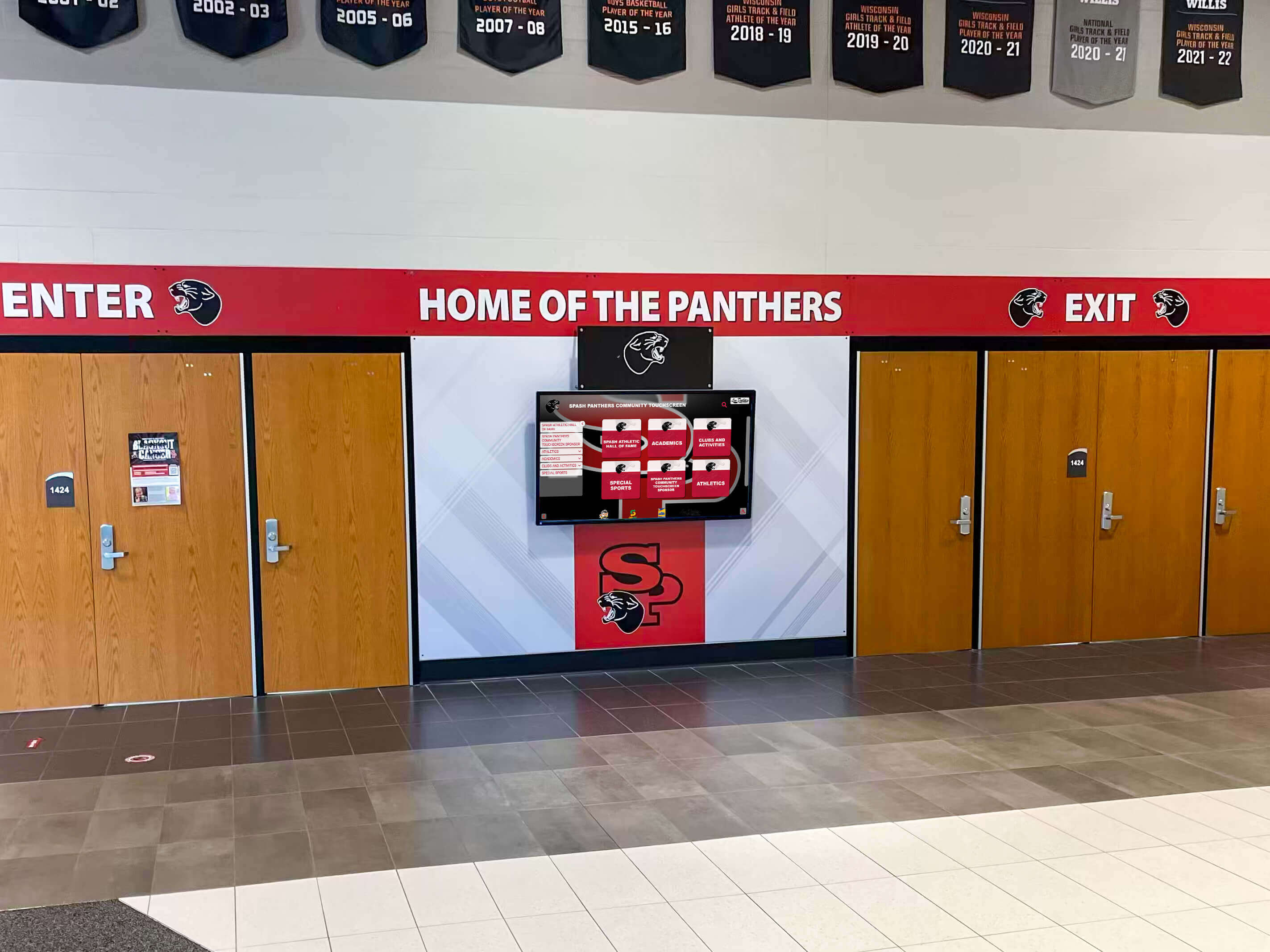
DAM systems ensure consistent content delivery across all campus touchpoints and digital displays
Implementation Strategies for School DAM Systems
Successfully deploying DAM requires systematic planning and phased implementation.
Assessing Current Content and Requirements
Begin by understanding your existing digital asset landscape:
Content Audit
- Inventory existing file storage locations across all systems
- Estimate total file counts and storage volume requirements
- Identify content types and organizational categories
- Assess current metadata quality and consistency
- Determine who currently creates, manages, and uses digital content
- Document existing workflows and pain points requiring solutions
Stakeholder Requirements
- Survey administrators about reporting and compliance needs
- Understand athletic department requirements for historical records and current achievements
- Assess development office needs for donor recognition and campaign materials
- Determine alumni relations requirements for historical content access
- Evaluate marketing and communications asset management needs
- Identify technical requirements and integration necessities
Priority Determination
- Identify highest-value content requiring immediate organization
- Determine quick wins demonstrating early DAM value
- Assess long-term digitization projects requiring extended timelines
- Balance immediate access needs against comprehensive organization goals
This assessment phase ensures that selected DAM solutions actually address institutional priorities rather than creating new systems that fail to meet real requirements.
Selecting Appropriate DAM Platforms
Different schools require different solutions based on specific needs:
Evaluation Criteria
- Storage capacity accommodating current content plus growth projections
- Metadata flexibility supporting school-specific organizational needs
- Search capabilities meeting user discovery requirements
- Permission systems providing necessary access control granularity
- Integration options connecting with existing school systems
- User interface design supporting various technical skill levels
- Vendor stability and long-term platform viability
- Total cost of ownership including licensing, storage, and maintenance
Specialized vs. Generic Solutions
- General-purpose DAM platforms offering maximum flexibility
- Education-focused systems providing pre-configured workflows
- Recognition-specific platforms like Rocket Alumni Solutions designed for achievement content
- Hybrid approaches combining multiple tools for different content types
The right choice depends on your primary use cases. Schools primarily managing recognition and historical content benefit from specialized platforms designed specifically for those applications, while institutions requiring broad marketing asset management might prioritize general-purpose DAM systems with maximum flexibility.
Explore digital recognition systems in digital hall of fame implementation guide showing practical deployment approaches.
Content Migration and Organization
Moving existing content into DAM systems requires systematic approaches:
Preparation Phase
- Clean up existing file collections removing duplicates and obsolete content
- Standardize naming conventions before migration
- Prepare metadata spreadsheets for batch import
- Establish folder structures and classification schemes
- Document special cases requiring individual attention
Migration Execution
- Begin with highest-priority content delivering immediate value
- Use batch upload tools for large file collections
- Apply consistent metadata during initial import
- Verify successful transfer and proper organization
- Establish ongoing upload workflows for new content
- Train users on proper tagging and categorization practices
Quality Control
- Audit random sample of migrated content verifying accuracy
- Test search functionality confirming discoverability
- Validate permissions ensuring appropriate access control
- Document exceptions requiring special handling
- Establish maintenance schedules for ongoing content review
Successful migration transforms disorganized file collections into systematically managed content libraries supporting diverse institutional needs.
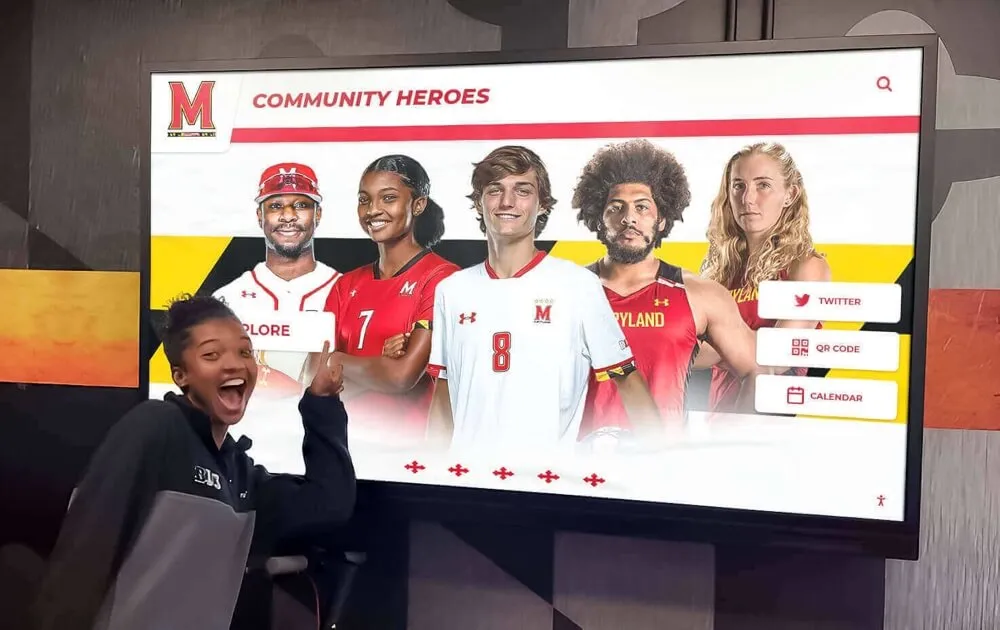
Properly organized DAM systems make content instantly accessible to students, staff, and visitors
Maximizing DAM Value Through Integration
DAM systems deliver greatest value when integrated with other institutional systems and workflows.
Recognition Display Integration
Connect DAM content directly to public-facing recognition displays:
Automated Content Delivery
- Recognition displays pulling directly from DAM databases
- Automatic updates when new achievements are uploaded
- Scheduled rotation cycles ensuring fresh content presentation
- Dynamic filtering showing relevant content for specific locations
- Mobile app synchronization providing consistent experiences across channels
Multi-Channel Publishing
- Website integration displaying recognition content from central DAM
- Social media connections facilitating easy content sharing
- Digital signage throughout campus showing curated collections
- Email newsletter content drawn from organized asset libraries
- Print publications sourcing from DAM master files
This integration eliminates manual content updates while ensuring consistency across all recognition touchpoints.
Alumni Engagement Platforms
Link DAM systems with alumni relations tools:
Profile Enhancement
- Alumni database connections associating historical photos with current contact records
- Yearbook integration showing relevant pages for each graduate’s class
- Achievement histories displaying honors and recognition throughout school years
- Reunion content collections organizing materials by graduation year cohorts
- Legacy tracking connecting family members across multiple generations
Engagement Opportunities
- Crowdsourced content campaigns inviting alumni to contribute photos and memories
- Historical content sharing enabling graduates to access and download relevant materials
- Reunion planning tools providing organizers with era-appropriate content
- Memorial tributes organizing recognition content for deceased alumni
- Anniversary celebrations drawing on comprehensive institutional archives
These connections transform DAM from internal management tool into alumni engagement driver creating meaningful touchpoints with graduate communities.
Review comprehensive platforms in alumni management platform guide exploring integrated approaches.
Development and Fundraising Support
Connect recognition content with donor stewardship efforts:
Donor Recognition Content
- Campaign materials organizing recognition assets by giving levels
- Naming rights documentation tracking facility dedications and donor walls
- Stewardship reports incorporating relevant photos and achievement updates
- Legacy giving marketing featuring historical content and multi-generational stories
- Impact documentation showing how contributions support student achievement
Recognition Integration
- Donor walls pulling content from centralized DAM systems
- Capital campaign progress displays showing updated donation totals
- Scholarship recipient recognition featuring supported students
- Facility dedication ceremonies documented and preserved
- Annual reports sourcing from organized content libraries
This integration ensures that donor recognition remains current and compelling while reducing administrative burden on development staff.
Long-Term DAM Governance and Sustainability
Successful DAM requires ongoing attention beyond initial implementation.
Establishing Content Standards and Policies
Create clear guidelines ensuring consistent content quality:
Upload Standards
- Minimum file resolution requirements ensuring usability
- Preferred file formats balancing quality and compatibility
- Naming convention guidelines creating consistency
- Metadata requirements defining mandatory vs. optional fields
- Rights documentation confirming permission to use content
- Privacy compliance verifying appropriate consent for student images
Content Lifecycle Policies
- Review schedules ensuring periodic content evaluation
- Retention requirements specifying how long content remains active
- Archival procedures for historical content requiring long-term preservation
- Deletion criteria determining when content can be permanently removed
- Succession planning ensuring continuity when staff members change
Quality Control Processes
- Approval workflows for content requiring review before publication
- Accuracy verification for biographical information and achievement records
- Consistency checks ensuring proper categorization and tagging
- Audit procedures identifying gaps or errors requiring correction
Clear policies prevent DAM systems from devolving back into disorganized repositories over time.
Training and User Adoption
Technology succeeds only when people actually use it effectively:
Role-Specific Training
- Administrator instruction covering system configuration and maintenance
- Power user training for staff managing department-specific content
- Contributor guidance for occasional uploaders needing basic skills
- End user education helping people search and find content
- Student worker training ensuring consistent content handling
Ongoing Support
- Quick-reference guides providing common workflow instructions
- Video tutorials demonstrating specific procedures
- Help desk resources answering questions as they arise
- Regular refresher sessions reinforcing best practices
- Champions network identifying enthusiastic users supporting peers
Adoption Monitoring
- Usage analytics identifying active vs. inactive users
- Content quality audits revealing training gaps
- User satisfaction surveys gathering improvement suggestions
- Success stories demonstrating positive outcomes and use cases
Sustained training investment ensures that DAM capabilities are actually utilized rather than remaining underutilized infrastructure.
Explore comprehensive digital systems in school digital signage benefits guide showing broader technology adoption strategies.
Measuring DAM Success and ROI
Quantify value to justify continued investment and identify improvement opportunities.
Efficiency Metrics
Track time savings and workflow improvements:
Search and Retrieval Time
- Average time to locate specific content before vs. after DAM implementation
- Reduction in duplicate requests for commonly needed assets
- Decrease in “we used to have that but can’t find it” situations
- Staff hours recovered from manual content hunting
Content Production Acceleration
- Faster creation of recognition displays with readily accessible content
- Reduced timeline for marketing material production with organized asset libraries
- Quicker event planning with immediate access to previous years’ content
- Streamlined publication development drawing from centralized resources
Reduced Redundancy
- Fewer duplicate photo shoots when existing assets are discoverable
- Decreased duplicate storage costs with single source of truth
- Lower technology burden managing fewer disjointed systems
Usage and Engagement Metrics
Monitor how content reaches audiences:
Distribution Analytics
- Download volume indicating content utility
- Search query patterns revealing discovery paths
- Collection access frequency showing popular content types
- User engagement metrics for recognition displays powered by DAM
- Alumni portal usage statistics for historical content access
Content Coverage
- Percentage of students/alumni with recognition profiles
- Years of yearbooks digitized and accessible
- Athletic records documented and searchable
- Donor recognition content organized and current
Institutional Impact Indicators
Connect DAM to broader organizational outcomes:
Alumni Engagement Improvements
- Increased event attendance attributed to improved historical content access
- Higher giving participation among graduates engaging with recognition displays
- Greater survey response rates from alumni feeling connected to institutional memory
- More volunteer applications from graduates inspired by visible achievement legacies
Marketing Effectiveness
- Enrollment inquiry increases following improved marketing asset availability
- Brand consistency improvements measurable through external perception studies
- Social media engagement growth with readily accessible shareable content
Preservation Success
- Institutional knowledge retained rather than lost during personnel transitions
- Historical content saved from format obsolescence through proper preservation
- Compliance achievement meeting archival and privacy requirements
These metrics justify DAM investment while identifying areas requiring continued attention or enhancement.
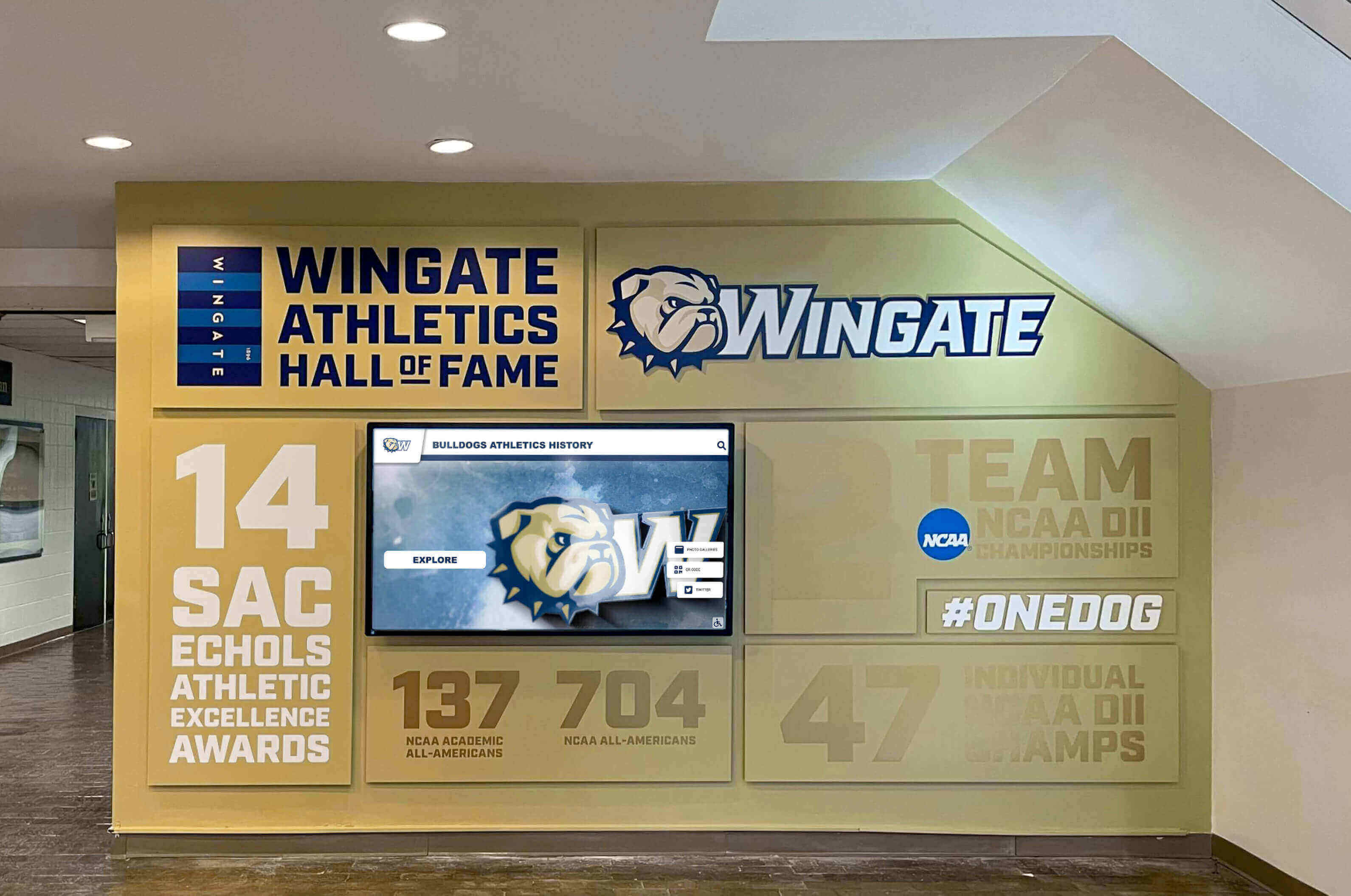
DAM systems ensure that recognition content remains organized and accessible for decades of institutional memory preservation
Common DAM Implementation Challenges and Solutions
Anticipating obstacles enables proactive problem-solving.
Overcoming Initial Resistance
Staff members comfortable with existing workflows may resist change:
Change Management Strategies
- Start with enthusiastic early adopters demonstrating success
- Highlight specific pain points that DAM directly addresses
- Provide adequate training reducing learning curve frustration
- Celebrate quick wins showing immediate value
- Solicit feedback and address concerns transparently
- Avoid mandating wholesale changes before demonstrating value
Demonstrating Value
- Quantify time savings from improved search capabilities
- Show before/after comparisons of content organization
- Feature success stories from similar institutions
- Provide hands-on trial periods letting skeptics experience benefits firsthand
Addressing Technical Integration Challenges
Connecting DAM with existing systems requires coordination:
Integration Approaches
- Prioritize highest-value integrations delivering immediate benefits
- Work with vendors supporting API connections to institutional systems
- Accept manual workarounds for low-frequency processes initially
- Plan phased integration allowing incremental connectivity improvements
- Document integration requirements clearly for vendor coordination
Platform Selection Criteria
- Evaluate integration capabilities during vendor selection
- Request demonstrations of specific integration scenarios relevant to your environment
- Reference check with similar institutions about integration experiences
- Build integration costs and timelines into project planning
Maintaining Content Quality Over Time
Initial migration enthusiasm can fade, degrading content quality:
Sustainability Strategies
- Automate metadata application where possible reducing manual effort
- Implement validation rules preventing incomplete uploads
- Schedule periodic content audits identifying quality issues
- Distribute ownership across departments rather than centralizing all burden
- Recognize and reward consistent content contribution
- Refresh training periodically addressing quality gaps
- Monitor analytics identifying underutilized content requiring attention
Regular attention prevents DAM systems from becoming digital junkyards as initial organization efforts degrade over time.
Review accessibility considerations in WCAG compliance guide ensuring inclusive content management.
Future Trends in Educational DAM
Emerging technologies promise enhanced DAM capabilities.
AI-Powered Organization and Tagging
Artificial intelligence reduces manual metadata work:
Automatic Tagging
- Image recognition identifying objects, settings, and contexts
- Facial recognition suggesting people tags for verification
- Text extraction from documents and images creating searchable content
- Audio transcription making video content searchable by spoken words
- Smart categorization suggesting appropriate classification based on content analysis
Enhanced Discovery
- Visual similarity search finding images based on composition rather than tags
- Contextual recommendations suggesting related content based on usage patterns
- Predictive search completing queries based on common requests
- Natural language queries allowing conversational search interactions
Advanced Analytics and Content Intelligence
DAM systems increasingly provide insights beyond simple storage:
Usage Analytics
- Content performance metrics showing which assets generate most engagement
- Gap analysis identifying underrepresented topics or time periods
- Trend identification revealing changing content needs over time
- Optimization recommendations suggesting improvements based on usage patterns
Preservation Monitoring
- Format obsolescence warnings flagging files requiring migration
- Duplicate detection identifying redundant storage
- Quality analysis identifying degraded or corrupted files needing replacement
- Rights expiration tracking ensuring continued legal usage permission
Extended Reality and Immersive Experiences
DAM content powers emerging experiential technologies:
Virtual Campus Tours
- Historical photo integration showing facilities across different eras
- Alumni story integration featuring graduate experiences and achievements
- Interactive timeline experiences drawing on comprehensive archives
- 360-degree environment documentation preserving campus evolution
Augmented Reality Applications
- Campus wayfinding overlaying historical photos on current locations
- Recognition displays bringing static plaques to life with multimedia content
- Interactive exhibits allowing exploration of institutional history
- Memorial experiences honoring legacy community members
As these technologies mature, well-organized DAM systems position schools to adopt immersive experiences without requiring separate content development efforts.
Taking the Next Step with School DAM
Digital Asset Management represents essential infrastructure for modern educational institutions managing ever-growing volumes of digital content while striving to preserve institutional memory and maintain meaningful connections with extended communities.
The right approach depends on your specific needs. Schools primarily focused on recognition and achievement content benefit from specialized platforms designed specifically for those applications, while institutions requiring broad marketing asset management might prioritize general-purpose DAM systems.
Rocket Alumni Solutions provides specialized DAM capabilities designed for recognition content—organizing photos, achievements, biographical information, and historical records into searchable databases that power interactive displays, mobile apps, and web-based recognition walls. This focused approach ensures that recognition content receives proper organization and remains accessible for decades while delivering immediate value through modern presentation channels.
Whether you choose specialized recognition platforms, general-purpose DAM systems, or hybrid approaches combining multiple tools, the important step is moving from scattered file storage to systematic content management that preserves institutional memory while making valuable digital assets accessible when and where they’re needed.
The schools that thrive in coming decades will be those that successfully preserve and organize digital content now, creating institutional memory that strengthens community connections and informs future generations.
Book a demo to explore how specialized recognition DAM platforms can organize your achievement content and preserve your institutional legacy.
Live Example: Rocket Alumni Solutions Touchscreen Display
Interact with a live example (16:9 scaled 1920x1080 display). All content is automatically responsive to all screen sizes and orientations.