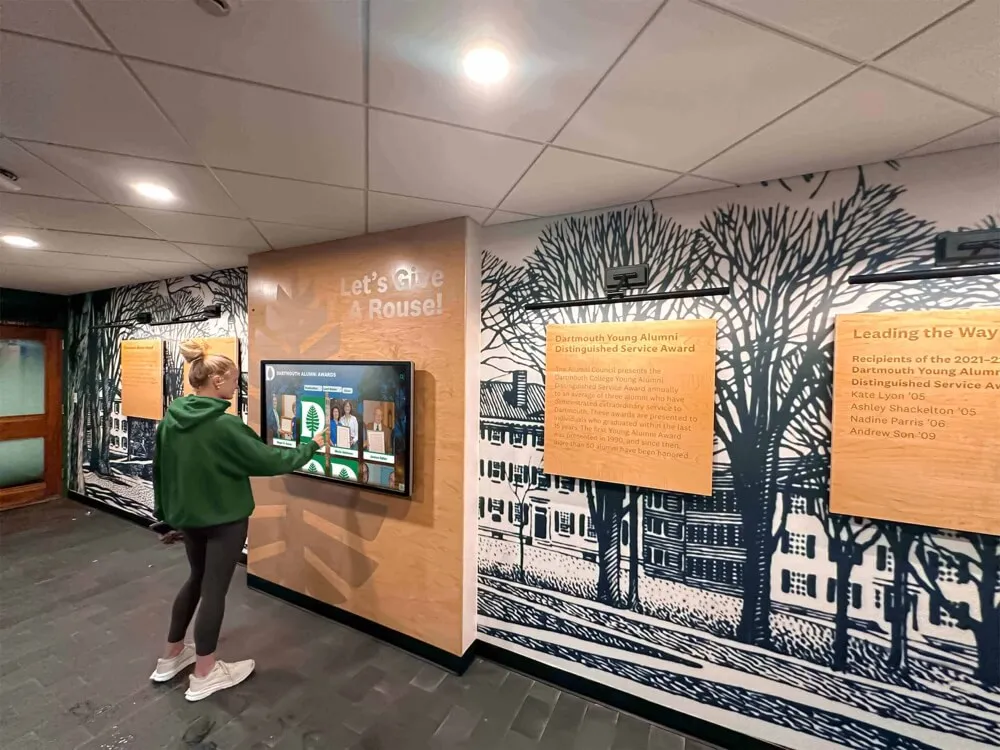




College campuses present unique navigation challenges that can frustrate prospective students, visiting families, guest speakers, conference attendees, and even current students navigating expansive facilities for the first time. Traditional static directory boards with outdated paper listings and confusing building maps fail to meet modern expectations for intuitive, accessible wayfinding—creating poor first impressions precisely when institutions most need to showcase organizational excellence.
Walk through most college campuses during peak admissions season and you’ll witness the same scenario repeatedly: confused visitors studying unhelpful wall maps, families asking passing students for directions to admissions buildings, prospective students arriving late to scheduled tours after getting lost, and staff members spending significant time providing routine directional assistance that could be automated through better wayfinding infrastructure.
This comprehensive guide explores how interactive touchscreen directory displays transform campus wayfinding and visitor experiences by providing intuitive navigation that reduces confusion and arrival stress, showcasing institutional achievements and campus highlights simultaneously with directional assistance, creating positive first impressions that influence enrollment decisions, and freeing staff to focus on meaningful relationship building rather than routine directional questions.
Modern touchscreen directory systems don’t simply replace static building directories—they create comprehensive campus information hubs that serve wayfinding, recognition, communication, and engagement purposes simultaneously, delivering value across multiple institutional objectives while meeting visitor expectations shaped by smartphone-enabled navigation experiences in daily life.

Interactive touchscreen directories provide intuitive campus navigation while showcasing institutional achievements, creating positive visitor experiences that influence enrollment decisions
Understanding the Campus Wayfinding Challenge
Before implementing touchscreen directory solutions, understanding why campus navigation proves so challenging helps institutions evaluate whether interactive displays address their specific visitor experience needs.
The Complexity of College Campus Layouts
Unlike commercial buildings with straightforward floor-by-floor layouts, college campuses present uniquely complex navigation environments that confuse visitors.
Multi-Building Campus Sprawl
Most college campuses encompass dozens of buildings spread across many acres, connected by pathways, roads, and green spaces without obvious organizational logic to first-time visitors. Buildings may have similar architectural styles making visual differentiation difficult, inconsistent numbering or naming conventions across different campus areas, historical buildings with names unfamiliar to visitors, and multiple entrances to single buildings creating confusion about proper entry points.
According to wayfinding research, visitors to unfamiliar environments experience elevated stress levels and cognitive load when navigation proves difficult—precisely the opposite of the welcoming, comfortable impression colleges want to create during recruitment and campus visits. Studies show that venues incorporating digital directories witness a 40% increase in customer satisfaction, demonstrating the direct connection between wayfinding quality and visitor experience.
The Cost of Poor Campus Wayfinding
Inadequate campus navigation systems create tangible problems affecting institutional operations and visitor impressions.
Visitor Experience and First Impressions
Campus visits significantly influence enrollment decisions, making first impressions critically important. When prospective students and families arrive for scheduled tours or admissions appointments, navigation difficulties create immediate negative impressions including frustration before interactions even begin, arriving late to scheduled appointments creating unfavorable first contacts, stress replacing excitement about campus exploration, and unfavorable comparisons to competitor institutions with superior wayfinding systems.
Research from the College Board indicates that campus visit experiences directly correlate with enrollment decisions—prospective students who report positive campus visits demonstrate significantly higher enrollment rates than those with neutral or negative visit experiences. Poor wayfinding represents an entirely preventable contributor to negative visit impressions.
Staff Time and Resource Costs
Beyond visitor experience, inadequate wayfinding consumes significant staff time and resources. Reception desk staff, security personnel, and campus workers spend substantial time providing directional assistance—time that could be spent on higher-value interactions. Institutions implementing touchscreen directory systems report that these systems handle 60-80% of routine wayfinding questions, saving 10-20 hours per week of staff time that can be redirected toward meaningful visitor engagement.
Learn about comprehensive approaches to campus visitor experience demonstrating how technology enhances prospective student engagement.

Strategic lobby placement ensures every campus visitor encounters intuitive wayfinding assistance immediately upon arrival, reducing navigation stress and creating positive first impressions
Limitations of Traditional Campus Directory Systems
Most campuses rely on wayfinding approaches designed decades ago that fail to meet modern visitor expectations and needs.
Static Building Directories
Traditional building directories—printed building maps with room listings behind glass or acrylic—present fundamental limitations including outdated information requiring manual reprinting for any changes, limited space forcing abbreviations and incomplete listings that confuse visitors, no ability to provide route guidance or directional instructions, and inability to accommodate diverse accessibility needs or multilingual visitors.
These static systems assume visitors possess baseline familiarity with campus layouts and conventions—assumptions that don’t reflect reality for first-time visitors who lack institutional knowledge.
Paper Maps and Printed Materials
Printed campus maps distributed at visitor centers or admissions offices quickly become outdated, get discarded or misplaced during visits, provide limited detail forcing visitors to ask for additional assistance, and represent ongoing printing costs as information changes.
Modern visitors accustomed to smartphone GPS navigation expect interactive, real-time wayfinding assistance rather than static printed materials requiring map-reading skills and spatial orientation abilities.
How Touchscreen Directory Displays Transform Campus Wayfinding
Interactive touchscreen technology addresses fundamental limitations of traditional directory systems while creating engagement opportunities impossible with static approaches.
Intuitive, Self-Service Navigation
The most immediate benefit touchscreen directories provide is elimination of staff dependency for routine wayfinding questions.
Interactive Visual Mapping
Modern touchscreen directories present campus layouts through interactive maps that visitors can explore intuitively including zooming in and out to understand building relationships and specific room locations, rotating and panning to match physical orientation with map representation, searching by building name, room number, department, or person name, viewing current location relative to desired destinations, and receiving turn-by-turn route instructions from directory location to destination.
According to campus technology research, wayfinding kiosks reduce the average time students spend searching for locations by 30%, while colleges utilizing touchscreen directories report a 25% improvement in visitor satisfaction scores. These measurable improvements demonstrate how intuitive navigation directly enhances campus experience.
Multiple Search and Browse Methods
Effective directories accommodate different visitor information needs through multiple access methods:
Alphabetical Department Listings: Visitors searching for specific departments (Admissions, Financial Aid, Registrar) can browse alphabetical listings without needing to know building names or locations.
Building and Room Searches: Those who already know destination building names or room numbers can search directly rather than browsing through comprehensive listings.
Person/Faculty Searches: Visitors scheduled to meet specific faculty members or staff can search by name, receiving not only office locations but also contact information and office hours when integrated with campus directory systems.
Facility Type Filtering: Visitors looking for specific amenities—restrooms, elevators, accessibility features, dining locations, parking—can filter by facility type rather than navigating comprehensive maps.
This flexibility ensures touchscreen directories serve diverse visitor needs without requiring staff interpretation or assistance for routine inquiries.
Explore comprehensive wayfinding strategies in digital building directories demonstrating systematic navigation approaches.
Accessibility and Inclusive Design
Modern campuses serve diverse populations requiring wayfinding systems that accommodate varying abilities, languages, and technology comfort levels.
ADA Compliance and Universal Design
Touchscreen directories designed with universal accessibility principles serve all visitors effectively including adjustable mounting heights accommodating wheelchair users and individuals of different statures, high-contrast display modes for visitors with visual impairments, text-to-speech audio guidance for users who cannot read screens, tactile controls and physical buttons supplementing touchscreen interfaces, and clear, large typography optimized for readability at various distances.
Institutions implementing accessible directories demonstrate commitment to inclusion while ensuring compliance with Americans with Disabilities Act requirements and creating welcoming environments for all campus community members and visitors.
Multilingual Support
College campuses increasingly serve international student populations and host visitors from diverse linguistic backgrounds. Touchscreen directories can provide multilingual interfaces allowing users to select preferred languages including Spanish, Mandarin, French, Arabic, and other languages reflecting institutional community composition, automatic translation of building names and department descriptions, and culturally appropriate icons and visual communication supplementing text.
This linguistic accessibility ensures international students, visiting families, and conference attendees can navigate campuses independently regardless of English proficiency—particularly important as institutions pursue international enrollment growth.
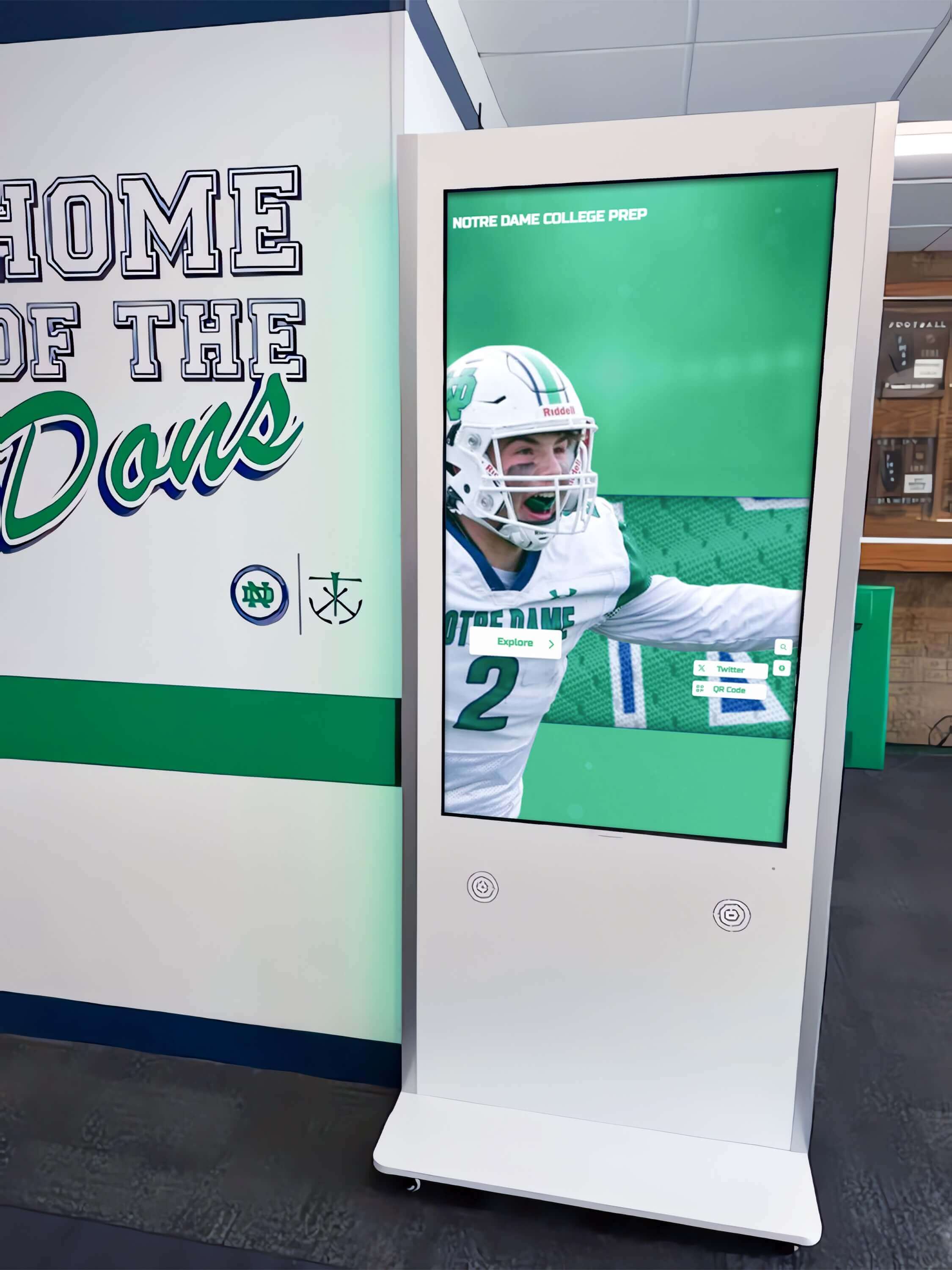
Freestanding kiosks positioned throughout campus provide distributed wayfinding access ensuring visitors can orient themselves at multiple decision points during navigation
Real-Time Information and Dynamic Updates
Unlike static directories requiring physical updating, digital touchscreen systems provide continuously current information reflecting campus changes in real-time.
Cloud-Based Content Management
Modern touchscreen directory platforms utilize cloud-based content management systems enabling instant updates without physical display access including room assignment changes reflected immediately across all directories, temporary location changes during renovations communicated to all visitors, event-specific wayfinding information added for conferences or special programs, emergency notifications and building closures displayed prominently, and departmental contact information maintained current automatically through integration with campus systems.
Solutions like Rocket Alumni Solutions provide intuitive cloud-based interfaces enabling non-technical staff to update directory content from any internet-connected device—eliminating delays between information changes and directory updates that plague traditional systems.
Integration with Campus Systems
Advanced directory implementations integrate with existing campus technology infrastructure including course scheduling systems displaying current classroom usage, event management platforms showing real-time room assignments for conferences and special events, campus security systems displaying building access status and emergency information, and employee directory databases automatically updating staff locations and contact information.
This systems integration eliminates manual data entry and ensures consistency between touchscreen directories and authoritative institutional information sources—reducing errors while minimizing administrative burden.
Showcasing Campus Excellence Simultaneously
Effective directory systems serve dual purposes—providing navigation assistance while showcasing institutional achievements and campus highlights.
Achievement and Recognition Displays
Smart implementations integrate wayfinding with recognition content including student achievement showcases celebrating academic honors and athletic success, alumni success stories demonstrating career outcomes and institutional impact, campus facility highlights featuring new buildings and renovated spaces, and faculty accomplishments recognizing research achievements and community contributions.
This integration ensures every wayfinding interaction also reinforces institutional excellence and community pride—transforming utilitarian directories into marketing and engagement tools.
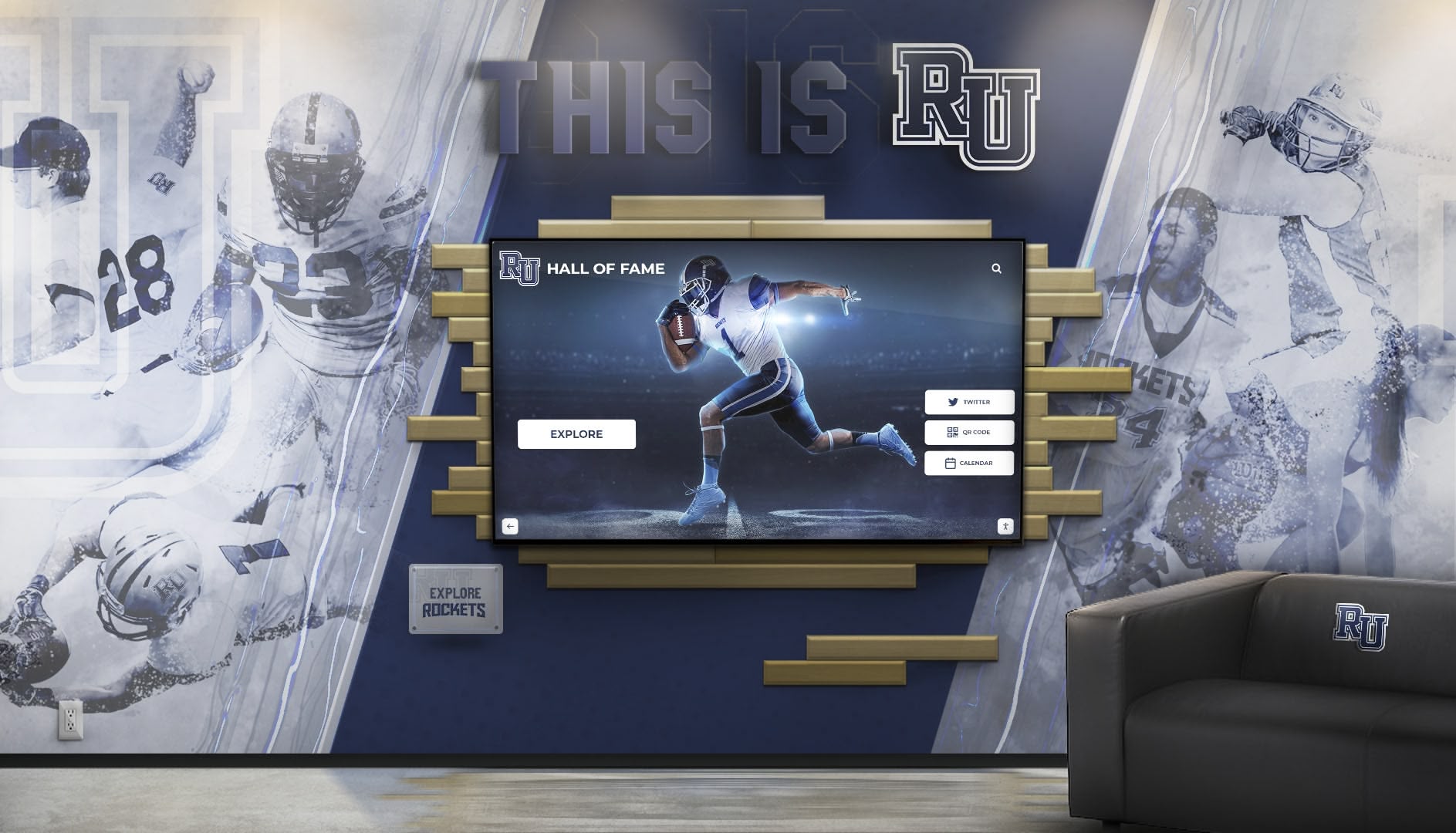
Integrated systems combine wayfinding functionality with recognition displays, maximizing value from single installations while showcasing institutional excellence
Learn about integrated recognition approaches in interactive campus displays demonstrating multi-purpose digital installations.
Essential Features for College Tour Directory Systems
Effective campus directory implementations require specific capabilities that distinguish purpose-built wayfinding solutions from generic digital signage systems.
Comprehensive Location Database
The foundation of any directory system is comprehensive, accurate location data covering all campus destinations visitors might seek.
Building and Room Information
Complete directory databases include all academic buildings with official names and common references, administrative buildings housing student services and institutional operations, residence halls and student housing facilities, dining locations including cafeterias, food courts, and campus restaurants, athletic facilities encompassing gymnasiums, stadiums, and recreation centers, and special facilities such as libraries, theaters, galleries, and student centers.
For each location, effective directories provide multiple identifiers including official building names, historical or colloquial names, building numbers or codes, and specific room numbers with department or purpose descriptions.
Points of Interest and Amenities
Beyond offices and classrooms, visitors need to locate essential campus amenities including restrooms with accessibility features clearly indicated, elevators and stair locations for multi-story building navigation, emergency exits and safety stations, parking areas and transportation stops, outdoor gathering spaces and campus landmarks, and accessibility features throughout campus.
Comprehensive amenity mapping demonstrates institutional attention to visitor needs while reducing staff time spent answering routine location questions.
Intuitive User Interface Design
Even comprehensive data proves useless if visitors struggle to navigate directory interfaces.
Clear Visual Hierarchy
Effective directory interfaces present information with clear visual organization including prominent search functions allowing immediate destination queries, large, readable text appropriate for viewing at arm’s length distances, high-contrast colors ensuring readability in varied lighting conditions, intuitive icon systems communicating facility types universally, and logical information grouping matching how visitors mentally organize campus spaces.
According to user experience research, visitors spend an average of 15-45 seconds interacting with directory systems—interfaces must communicate effectively within brief engagement windows without requiring extensive learning curves.
Touch-Optimized Controls
Touchscreen directories must accommodate diverse user interaction patterns including large touch targets sized appropriately for finger activation, clear visual feedback confirming selections and system responses, simple gesture controls limited to familiar actions like scrolling and pinching, minimal text entry requirements through predictive search and autocomplete, and home screen returns enabling quick session resets for subsequent users.
These design considerations ensure directories serve users ranging from tech-savvy young students to older visitors less familiar with touchscreen interfaces.

Intuitive interfaces with large touch targets and clear visual feedback ensure directory systems serve visitors of all ages and technology comfort levels
Route Guidance and Turn-by-Turn Directions
Simply showing destination locations provides limited value—effective directories guide visitors from current location to desired destinations through clear routing.
Visual Route Display
Advanced directory systems provide route visualization through highlighted pathway overlays on campus maps showing recommended walking routes, distance and time estimates helping visitors plan arrival timing, intermediate landmark identification providing reference points during navigation, and alternative route options when multiple reasonable paths exist.
This visual guidance transforms directories from static references into active navigation aids comparable to smartphone GPS applications visitors use in daily life.
Mobile Integration and QR Codes
Modern implementations bridge physical directories and personal devices through QR code generation enabling visitors to transfer route information to smartphones, text message delivery of directions for reference during navigation, mobile-responsive web versions allowing continued exploration beyond physical directories, and integration with campus mobile apps maintaining consistent information across platforms.
This mobile connectivity extends directory utility beyond fixed installation locations while meeting visitor preferences for personal device navigation.
Strategic Placement for Maximum Impact
Directory effectiveness depends heavily on strategic placement ensuring visitors encounter wayfinding assistance at critical decision points throughout campus navigation.
Primary Campus Entry Points
The most critical directory locations are primary campus entry points where visitors first arrive and begin orientation.
Main Entrance Lobbies
Directories positioned immediately inside primary building entrances serve visitors at the moment they most need orientation including campus welcome centers where tours begin and initial information is gathered, admissions buildings where prospective students and families start visit experiences, student union buildings serving as central campus hubs, and parking garage lobbies where commuting students and visitors enter campus daily.
Strategic entrance placement ensures no visitor enters facilities without encountering clear wayfinding assistance—preventing confusion before it starts rather than remedying problems after visitors become lost.
Campus Boundary Locations
For campuses without single central entrances, directories positioned at campus perimeter entry points help visitors orient themselves as they arrive from various directions including major parking lot entrances where most visitors begin campus exploration, pedestrian pathways connecting campuses to adjacent neighborhoods, and public transportation stops serving campus communities.
These boundary installations provide crucial orientation for visitors arriving from multiple directions without obvious institutional entry sequences.
High-Traffic Corridor Intersections
Beyond entry points, directories positioned at major pathway intersections help visitors reorient during navigation and make routing decisions.
Building Connector Locations
Large campuses often feature climate-controlled corridors connecting multiple buildings. Directory installations at major corridor intersections enable wayfinding without requiring visitors to exit and consult exterior campus maps including multi-building complex central points where several structures connect, elevator lobbies serving multiple building floors and zones, and large atrium spaces serving as circulation hubs.
These interior locations prove particularly valuable during inclement weather when visitors prefer navigating through connected buildings rather than exterior pathways.
Decision Point Positioning
Strategic directory placement at locations where visitors must choose between multiple navigation options provides timely guidance including major pathway intersections where routes diverge toward different campus areas, building entrance lobbies where visitors must select correct floors or wings, and large open spaces where multiple destinations appear equally plausible.
Positioning directories precisely where visitors need guidance—rather than simply where space permits—maximizes navigation assistance value.
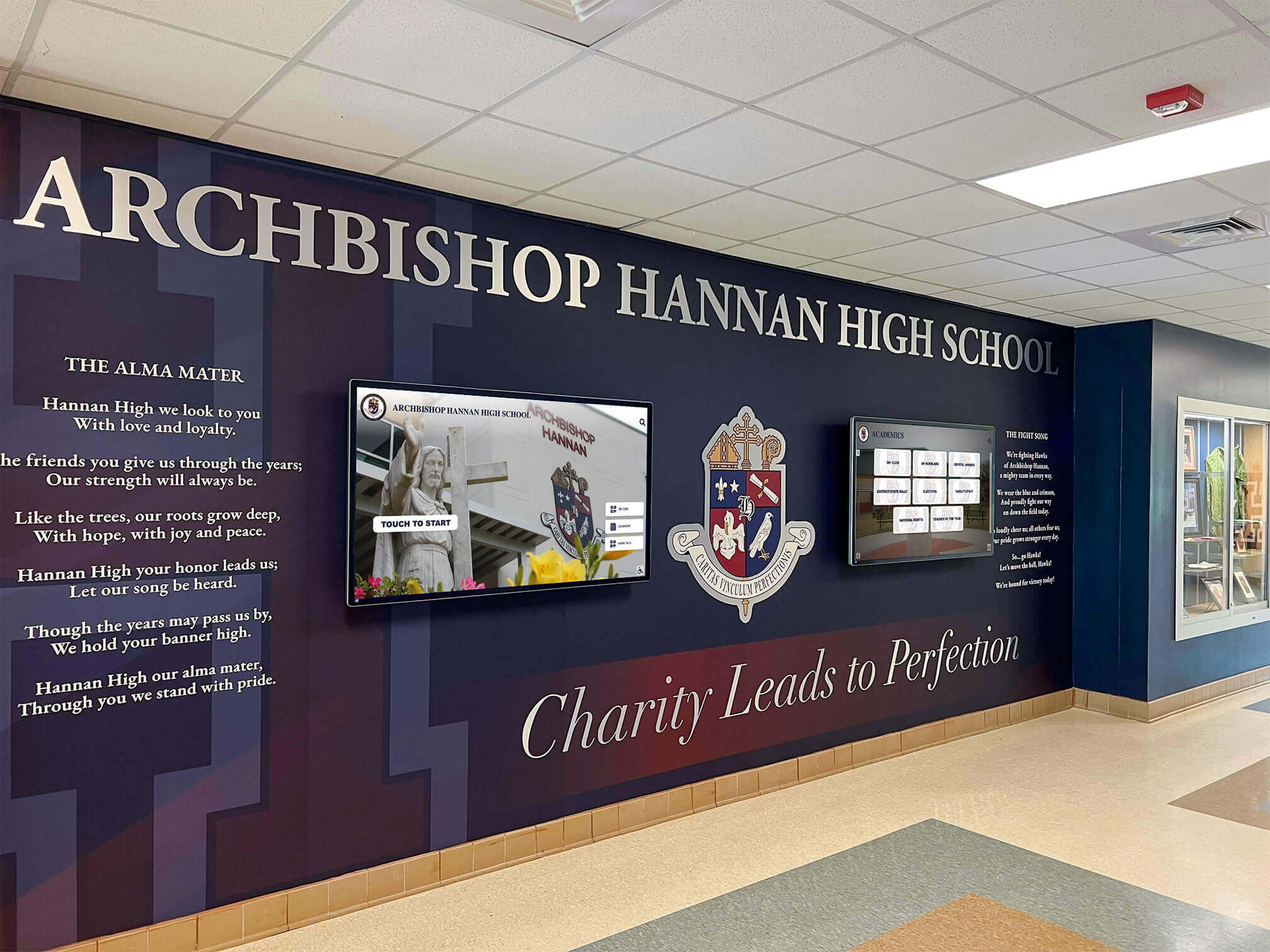
Professional installations integrate wayfinding technology with architectural design and institutional branding, creating cohesive environments that enhance campus aesthetics while providing functional navigation
Specialized Facility Locations
Certain campus facilities warrant dedicated directory installations due to complexity or visitor volume.
Multi-Building Academic Complexes
Large academic complexes housing numerous departments across multiple connected buildings particularly benefit from dedicated directories including science buildings with dozens of laboratories and research spaces, medical and health science facilities with clinical and educational areas, engineering complexes encompassing multiple specialized facilities, and arts buildings containing galleries, theaters, studios, and classrooms.
These specialized installations can focus primarily on internal building navigation rather than entire campus orientation—providing detailed floor plans and departmental layouts supporting complex intra-building wayfinding.
Conference and Event Facilities
Campus spaces regularly hosting external conferences, athletic events, and community programming need robust wayfinding for unfamiliar visitors including conference centers hosting professional meetings and events, performing arts centers serving community patrons, athletic stadiums and arenas hosting sporting events, and continuing education facilities serving non-traditional students.
These visitor-focused spaces benefit from directories emphasizing amenities (restrooms, concessions, accessibility features) and event-specific information beyond standard campus navigation.
Implementation Strategies and Best Practices
Successful directory implementations require systematic planning addressing technology selection, content development, and ongoing management.
Technology Platform Selection
Directory effectiveness depends on choosing appropriate technology platforms matching institutional needs and technical capabilities.
Hardware Considerations
Critical hardware specifications include commercial-grade touchscreen displays rated for continuous operation, screen sizes (typically 32"-55") appropriate for viewing distances and content complexity, high-brightness displays readable in varied lighting conditions including naturally lit lobbies, responsive touch technology supporting multi-touch gestures, and durable construction appropriate for high-traffic public spaces.
Institutions should budget $4,000-$10,000 per installation including hardware, mounting, and installation—with volume purchasing reducing per-unit costs for multi-display implementations.
Software Platform Requirements
Purpose-built wayfinding platforms should provide cloud-based content management requiring no technical expertise for updates, unlimited location capacity supporting comprehensive campus coverage, responsive design displaying properly across all screen sizes, integration capabilities connecting with campus systems, analytics revealing usage patterns and popular destinations, and robust security protecting campus information and system integrity.
Solutions like Rocket Alumni Solutions provide comprehensive platforms designed specifically for educational institutions, offering advantages over generic digital signage systems adapted for directory purposes including specialized support understanding educational wayfinding needs, proven reliability across hundreds of educational installations, and favorable pricing reflecting educational budget constraints.
Content Development and Data Management
Hardware and software establish infrastructure, but comprehensive, accurate content determines whether directories achieve intended wayfinding objectives.
Initial Data Collection
Comprehensive directory launches require systematic location data gathering including official building names from campus planning documents, common building references from campus culture and historical usage, complete room numbering with department assignments, accessibility feature documentation for ADA compliance, amenity locations including restrooms, elevators, and emergency facilities, and parking and transportation information supporting arrival planning.
Institutions should allocate 60-120 hours for comprehensive initial data collection and organization depending on campus size and documentation availability—foundational investment ensuring directory accuracy from launch.
Ongoing Data Maintenance
Directories remain useful only when content stays current with campus changes through designated staff responsibility for content updates and accuracy, systematic processes for collecting room reassignments and organizational changes, semester or annual comprehensive audits verifying data accuracy, and emergency notification procedures updating directories during building closures or crises.
Cloud-based platforms enable remote updates from any internet-connected device—dramatically reducing administrative burden compared to traditional directories requiring physical access for manual updating.
Explore content management strategies in digital campus displays demonstrating systematic update approaches.

Multi-purpose installations combine wayfinding, recognition, and information display functions, maximizing return on technology investments while serving diverse campus community needs
Enhancing Campus Tours and Prospective Student Experiences
While touchscreen directories serve all campus constituents, they provide particular value during admissions tours and prospective student visits—critical moments influencing enrollment decisions.
Supporting Self-Guided Campus Exploration
Not all prospective families schedule formal tours—many conduct preliminary campus visits to determine whether to invest time in applications and formal tours.
Independent Campus Discovery
Comprehensive touchscreen directories enable meaningful self-guided exploration including detailed building information explaining academic programs and facilities, points of interest highlighting campus landmarks and special features, facility hours and access information managing visit expectations, and virtual tour content supplementing physical exploration with multimedia presentations.
This self-service access ensures informal visits provide substantive institutional exposure even when admissions staff aren’t available to conduct formal tours—capturing prospective student interest that might otherwise be lost to competitors with superior self-exploration options.
Learn about comprehensive admissions strategies in high school touchscreen tours demonstrating technology-enhanced recruitment approaches.
Augmenting Guided Tour Experiences
For scheduled admissions tours, directories supplement rather than replace personal guide interactions.
Pre-Tour Orientation
Directories positioned in admissions office lobbies enable productive engagement during wait times before tours begin including campus overview providing geographic context before physical exploration, identifying buildings and facilities visitors will see during tours, and highlighting questions visitors want to ensure tours address.
This pre-tour orientation helps families maximize limited tour time by arriving with baseline campus understanding and prioritized questions—enabling guides to focus on relationship building and nuanced institutional culture communication rather than basic geographic orientation.
Post-Tour Extended Exploration
After formal tours conclude, directories enable families to independently explore additional interests including specific academic buildings not included in general tours, athletic facilities when students have sports interests, and specialized programs like honors colleges or study abroad offices.
This extended exploration capability accommodates diverse family interests without requiring customized tour experiences for every visitor—enabling personalized discovery within structured admissions visit programs.
Measuring Impact on Enrollment Decisions
Forward-thinking institutions track directory impact on admissions outcomes and visitor satisfaction.
Visitor Experience Assessment
Post-visit surveys should include questions about wayfinding ease and directory utility, incorporation of directory usage into overall visit satisfaction metrics, comparison of visitor satisfaction before and after directory implementation, and tracking of specific feedback about campus navigation experiences.
According to research, colleges utilizing touchscreen directories report a 25% improvement in visitor satisfaction scores—measurable evidence of navigation system impact on institutional impressions.
Conversion Rate Analysis
More sophisticated assessment examines whether improved wayfinding correlates with enrollment outcomes including campus visit-to-application conversion rates, application-to-enrollment yield rates, and prospective student feedback about factors influencing college selection decisions.
While attribution remains imperfect—many factors influence enrollment—positive trends following directory implementation suggest technology contributes to improved visitor experiences and enrollment outcomes.
Integrating Directories with Comprehensive Campus Communication
Maximum directory value comes from integration into broader campus communication ecosystems rather than isolated wayfinding implementations.
Event Management and Conference Support
Beyond daily campus navigation, directories provide valuable event support for conferences, athletic competitions, and special programs attracting external visitors.
Event-Specific Wayfinding
Dynamic directory systems can temporarily highlight event-relevant information including conference registration and meeting room locations, athletic event parking and stadium entrances, performance venues and theater seating information, and temporary wayfinding for events in non-traditional campus spaces.
This event support capability increases perceived directory value among campus stakeholders beyond admissions offices—building broader institutional support for wayfinding technology investments.
Learn about event support strategies in campus digital displays demonstrating dynamic information systems.
Emergency Notification and Safety Communication
Directory infrastructure supports campus safety communication beyond routine wayfinding.
Emergency Alert Capabilities
Directory systems can display emergency notifications including building evacuation instructions and assembly points, campus closure information during weather emergencies or security events, shelter-in-place guidance during active threats, and emergency contact information for campus security and local authorities.
This safety communication capability provides additional justification for directory investments beyond wayfinding benefits alone—contributing to comprehensive campus safety infrastructure.
Campus Community Engagement
Directories serving external visitors also provide value for campus community members including current students navigating unfamiliar buildings, faculty and staff locating meetings in non-routine locations, and event attendees finding specific campus destinations.
Community Features
Student-focused directory features include dining hall menus and hours of operation, campus event calendars promoting student activities, campus transportation schedules and routes, and campus resource locations including tutoring centers and health services.
This community utility ensures directories remain actively used year-round rather than serving primarily seasonal admissions purposes—maximizing return on technology investments through diverse use cases.
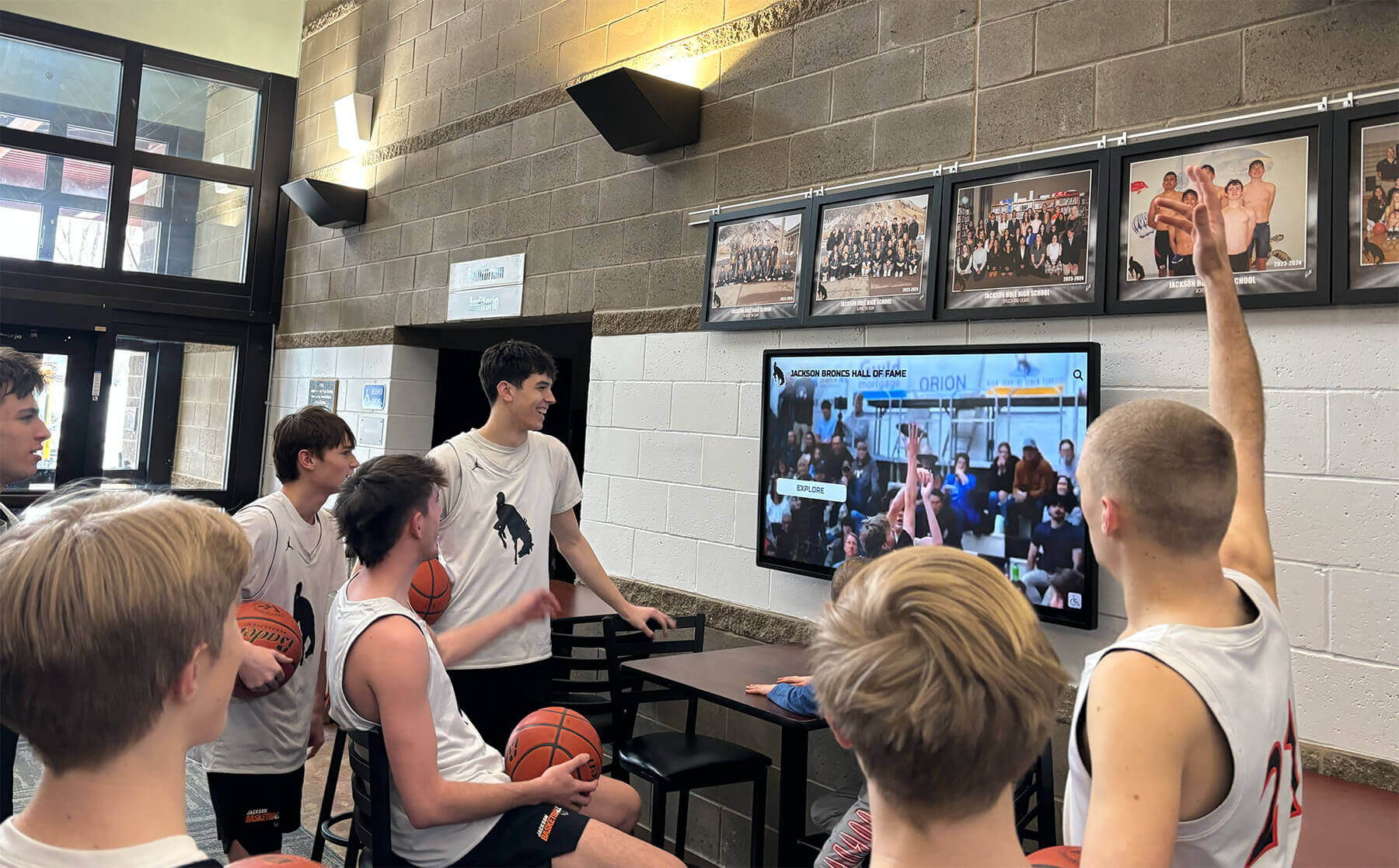
Multi-functional displays serve wayfinding, recognition, and communication purposes simultaneously, creating value for diverse campus constituencies beyond prospective student visitors
Budget Planning and Return on Investment
Touchscreen directory implementations require financial investment delivering returns across multiple institutional priorities and stakeholder benefits.
Total Cost of Ownership
Understanding complete implementation costs enables realistic budget planning.
Initial Implementation Costs
- Commercial-grade touchscreen displays: $3,500-$7,000 per unit
- Professional installation and mounting: $800-$2,000 per location
- Directory software platform (initial setup): $3,000-$8,000
- Initial content development and data entry: $4,000-$10,000
- Custom design and branding integration: $2,000-$5,000
Typical single-display implementation: $13,300-$32,000 Typical multi-display campus implementation (5-8 directories): $50,000-$110,000
Ongoing Annual Costs
- Platform subscription and hosting: $2,500-$6,000 per year
- Content management (staff time): 20-40 hours per year
- Technical support and maintenance: $800-$2,000 per year
- Periodic hardware refresh (5-7 year cycles): Reserve $1,000-$1,500 annually
Typical annual operating costs: $4,300-$9,500 per year
These investments deliver value across multiple objectives simultaneously—wayfinding assistance, visitor experience, admissions recruitment, campus safety communication, and community engagement—making per-objective costs reasonable when benefits are comprehensively assessed.
Quantifiable Benefits
Directory systems deliver measurable returns across multiple dimensions.
Staff Time Savings
Institutions report that directory systems handle 60-80% of routine wayfinding questions, saving 10-20 hours per week of staff time. At typical administrative salary rates ($25-$40/hour including benefits), annual staff time savings range from $13,000-$41,600—potentially exceeding annual operating costs through efficiency gains alone.
Improved Visitor Satisfaction
Research demonstrates that colleges utilizing touchscreen directories report a 25% improvement in visitor satisfaction scores, while venues incorporating digital directories witness a 40% increase in customer satisfaction. In competitive admissions environments, superior visitor experiences translate to measurable enrollment advantages—though precise financial attribution remains challenging.
Reduced Signage and Printing Costs
Digital directories eliminate ongoing costs for printed directory updates, temporary event signage, and replacement of damaged or outdated wayfinding materials—typically $2,000-$5,000 annually for multi-building campuses.
Enhanced Institutional Image
Modern, intuitive wayfinding technology demonstrates institutional investment in visitor experience and technological sophistication—intangible benefits contributing to overall institutional reputation that influences enrollment, fundraising, and community relations outcomes.
Addressing Common Implementation Concerns
Institutions evaluating touchscreen directories frequently raise predictable concerns deserving thoughtful responses.
“Our Campus Isn’t That Large—Do We Need This?”
Value Regardless of Size
Directory benefits extend beyond campus acreage to serve information needs and visitor experience objectives relevant to institutions of all sizes. Small campuses still host visitors unfamiliar with layouts who benefit from self-service navigation, still pursue competitive admissions requiring excellent visitor experiences, and still employ staff who could redirect time from routine directions to meaningful engagement.
Many smaller institutions report that professional directory installations significantly enhance perceived institutional sophistication—creating impressions of larger scale and resource availability than physical facilities alone might suggest.
“Can’t Visitors Just Use Their Smartphones?”
Complementary Rather Than Redundant
While smartphone GPS navigation serves many purposes, campus-specific touchscreen directories provide advantages personal devices cannot including immediate availability without requiring app downloads or cellular connectivity, campus-specific detail exceeding what commercial mapping services provide, no dependence on personal device battery life or data plans, and accessibility for visitors who don’t carry smartphones or prefer not to rely on them.
Directory systems complement rather than duplicate smartphone navigation—serving visitors who prefer fixed references while offering mobile integration for those who want personal device routing.
“How Do We Keep Content Current?”
Sustainable Management Through Cloud Systems
Content management burden concerns are valid but addressable through systematic processes including cloud-based platforms enabling updates from any device without technical expertise, designated staff responsibility with adequate time allocation, integration with campus information systems reducing manual data entry, and scheduled quarterly review cycles rather than requiring continuous attention.
Institutions implementing these approaches report that ongoing content management requires 20-40 hours annually—manageable investment for substantial wayfinding benefits.
“What About Accessibility and ADA Compliance?”
Universal Design Benefits All Users
Modern directory systems designed with universal accessibility principles serve all visitors more effectively while ensuring regulatory compliance including adjustable mounting heights accommodating wheelchair users, high-contrast modes supporting visitors with visual impairments, audio guidance for users who cannot read screens, and intuitive interfaces requiring no specialized knowledge.
These accessibility features benefit all users, not just those with disabilities—creating simpler, more intuitive wayfinding for everyone while demonstrating institutional commitment to inclusion.
Transform Your Campus Wayfinding Experience
Discover how interactive touchscreen directory solutions can help your institution provide intuitive navigation, enhance visitor experiences, and showcase campus excellence through comprehensive digital wayfinding systems.
Explore Campus Directory SolutionsFuture Trends in Campus Wayfinding Technology
Understanding emerging developments helps institutions plan investments remaining relevant long-term as technology and visitor expectations evolve.
Mobile Integration and Augmented Reality
Next-Generation Navigation
Evolving wayfinding platforms incorporate enhanced mobile capabilities including augmented reality overlays providing directional arrows through smartphone cameras, indoor positioning systems offering turn-by-turn guidance inside buildings, integration with campus mobile apps maintaining consistent information, and beacon technology triggering location-specific information as visitors move through campus.
These innovations will continue expanding wayfinding possibilities while creating seamless experiences across physical directories and personal devices.
Artificial Intelligence and Predictive Assistance
Smart Wayfinding Features
Emerging AI capabilities may enable directories that anticipate visitor needs including natural language processing enabling conversational wayfinding queries, predictive suggestions based on time of day and visitor patterns, personalized recommendations for prospective students based on expressed interests, and adaptive interfaces adjusting to individual user preferences and abilities.
These intelligent systems could dramatically enhance wayfinding personalization without requiring manual customization for each visitor—creating more relevant experiences at scale.
Comprehensive Campus Data Integration
Connected Campus Ecosystems
Future directory systems increasingly integrate with comprehensive campus data including real-time space availability showing which buildings and rooms are currently in use, occupancy data guiding visitors toward less crowded campus areas, environmental data including air quality and temperature in various locations, and accessibility information including elevator status and accessible route conditions.
These integrated ecosystems reduce administrative burden while creating comprehensive information support serving students, visitors, and campus operations simultaneously.
Conclusion: Wayfinding as Strategic Campus Investment
Interactive touchscreen directory displays represent far more than navigation assistance tools—they’re comprehensive campus communication platforms that transform visitor experiences, reduce operational costs, support admissions recruitment, and demonstrate institutional commitment to accessibility and user experience excellence.
When institutions implement directories thoughtfully—with comprehensive content, strategic placement, intuitive interfaces, and sustained management—they create wayfinding systems that eliminate navigation confusion and arrival stress, free staff to focus on meaningful relationship building, create positive first impressions influencing enrollment decisions, showcase campus achievements and institutional excellence, and support diverse campus communication needs beyond wayfinding alone.
The most successful institutions view directories not as isolated technology projects but as integral components of comprehensive strategies serving admissions, student experience, campus safety, and operational efficiency objectives simultaneously.
Solutions like Rocket Alumni Solutions provide purpose-built platforms designed specifically for educational wayfinding and recognition, offering capabilities, support, and ease of use that enable sustainable, impactful directory implementations. Whether your campus encompasses dozens of buildings or a compact single-building facility, whether you’re starting with basic wayfinding or expanding comprehensive systems, modern touchscreen technology makes professional, engaging campus navigation accessible and achievable.
The strategies explored in this guide provide comprehensive frameworks for implementing directories that serve visitor needs while remaining sustainable, engaging, and aligned with institutional goals. From eliminating physical directory limitations to enabling multimedia campus showcases to creating accessibility for all visitors, these capabilities overcome traditional wayfinding limitations while creating experiences that meet visitor expectations shaped by consumer technology in daily life.
Start wherever your current situation demands—whether replacing outdated building directories or creating entirely new wayfinding infrastructure—then systematically expand to create navigation assistance your campus community and visitors deserve. Every visitor who navigates your campus easily and arrives at destinations confidently experiences reduced stress and enhanced satisfaction—precisely the positive impressions institutions need during recruitment, events, and community engagement.
Your campus deserves wayfinding infrastructure that honors the excellence your institution represents. With thoughtful planning, appropriate technology investments, and systematic implementation, you can create touchscreen directory systems that become valued assets serving multiple institutional priorities while creating welcoming, navigable environments for all campus community members and visitors.
Ready to begin? Explore how Rocket Alumni Solutions can help you create comprehensive touchscreen directory systems that transform campus wayfinding while supporting the visitor experience, operational efficiency, and institutional excellence objectives essential to modern higher education success.
This content was produced by Rocket Alumni Solutions. All information is based on publicly available data as of November 2025.































