




Intent: demonstrate — This video tour guide showcases the complete capabilities and visual impact of interactive display systems purpose-built for college residence hall environments.
College residence halls at modern universities face unprecedented communication challenges—where hundreds or thousands of students living in close quarters need instant access to critical building information, event schedules, emergency notifications, campus resources, and community announcements. Traditional paper bulletin boards cluttered with outdated flyers and handwritten notices fail to meet the digital communication standards expected by today’s students, while email messages disappear into overflowing inboxes never to be read by intended audiences.
Walk through any residence hall lobby during move-in week and you’ll witness the communication chaos: confused first-year students searching for information about meal plans and housing policies, outdated event posters for activities already passed, emergency contact information buried among dozens of unrelated notices, community announcements reaching only the small percentage of residents who happen to glance at bulletin boards, and residence life staff spending countless hours answering the same routine questions that clear information systems could address automatically.
This comprehensive video tour guide explores how interactive touchscreen displays specifically designed for residence hall environments transform student communication by delivering real-time announcements and emergency notifications instantly across all dorm buildings, showcasing comprehensive event calendars promoting campus activities and resident programs, providing 24/7 access to essential resources including counseling services, academic support, and campus safety information, building vibrant residential communities through recognition of student achievements and social engagement, and freeing residence life staff to focus on meaningful student relationships rather than routine information distribution.
Modern residence hall interactive displays don’t simply replace paper bulletin boards—they create comprehensive student information hubs that deliver critical communications while fostering the connected residential community experience that defines successful university housing programs. This video walkthrough demonstrates exactly what students and administrators see on-screen as they interact with these transformative communication systems.

Interactive touchscreen kiosks positioned in residence hall lobbies provide instant access to building information, campus resources, and community announcements
Video Tour Overview: Residence Hall Interactive Display Systems
Intent: demonstrate — This section outlines the complete scope of our video walkthrough covering every aspect of residence hall display functionality and student interaction.
Before diving into specific features, understanding the complete system capabilities this video tour showcases clarifies how comprehensive interactive displays serve diverse student communication needs throughout residential campus life.
Video Specifications and Viewing Details
Technical Overview
This residence hall interactive display video tour covers:
| Specification | Details |
|---|---|
| Total Runtime | 12-15 minutes comprehensive walkthrough |
| Aspect Ratio | 16:9 (1920x1080 HD) |
| Target Platform | YouTube, Vimeo, campus websites, admissions presentations |
| Accessibility | Full closed captions, audio descriptions available |
| Viewing Context | Prospective students, residence life staff, campus administrators, housing committees |
| Demo Environment | Actual university residence hall implementation |
This video demonstrates real-world deployment rather than conceptual mockups—showcasing how students actually interact with displays in daily residence hall environments.
What This Video Tour Demonstrates
Comprehensive System Walkthrough
Throughout this video tour, viewers witness:
Core Communication Features
- Real-time building announcements about maintenance, policy updates, and operational changes
- Emergency notification systems delivering critical safety information instantly
- Comprehensive event calendars showcasing campus activities, residential programming, and community events
- Interactive campus resource directories connecting students to counseling, academic support, health services, and student organizations
- Community recognition boards celebrating student achievements, birthdays, and residential milestones
Interactive Functionality
- Intuitive touchscreen navigation enabling students to explore content matching their specific interests
- Searchable directories helping students locate campus resources, buildings, and services
- QR code integration allowing mobile access to detailed information students want to save
- Multi-language support serving international student populations
- ADA-compliant interfaces ensuring accessibility for all residents
Administrative Capabilities
- Cloud-based content management enabling residence life staff to update information remotely from any device
- Template-based content creation accelerating announcement design without graphic design expertise
- Multi-display coordination pushing synchronized updates across entire residence hall systems
- Scheduled content programming automating time-sensitive announcements and seasonal campaigns
- Analytics dashboards revealing which content students engage with most frequently
This comprehensive video tour provides administrators evaluating interactive display systems with complete understanding of capabilities, student experiences, and operational workflows before making investment decisions.
Learn about broader campus communication approaches in campus digital signage enhancement guides demonstrating institutional technology strategies.
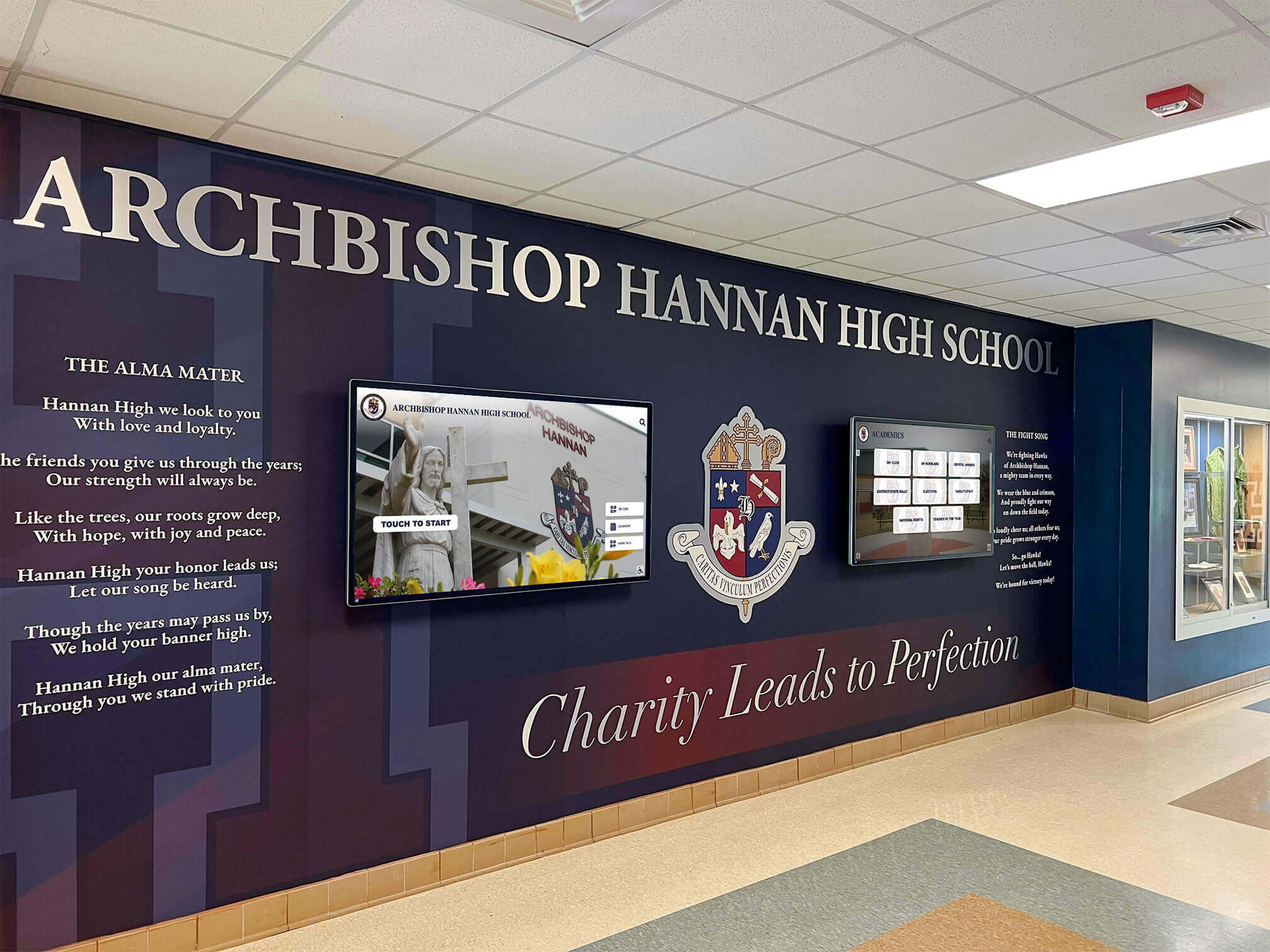
Professional display installations integrate seamlessly with residence hall architecture while providing prominent visibility for critical student communications
Scene-by-Scene Video Breakdown: Complete Display Tour
Intent: demonstrate — This section provides detailed scene-by-scene narration of the complete video tour, describing exactly what viewers see on-screen throughout the demonstration.
Opening Sequence: The Residence Hall Communication Challenge (0:00 - 1:30)
Visual Content
- Opens with wide shot of traditional residence hall bulletin board covered in overlapping, yellowing flyers and handwritten notices
- Camera pushes in on specific outdated announcements—event poster for activity three weeks past, faded emergency contact information barely legible
- Cut to frustrated student scrolling through dozens of unread housing office emails on phone
- Montage of residence life staff answering the same routine questions repeatedly at front desks
Narration Script “College residence halls face a fundamental communication problem. With hundreds of students sharing living spaces, critical information about building policies, emergency procedures, campus resources, and community events must reach every resident reliably and immediately. But traditional bulletin boards become cluttered with outdated information that students ignore, while email messages disappear into overflowing inboxes. Residence life staff spend countless hours answering routine questions that clear information systems could address automatically. Modern students expect instant digital access to information—yet most residence halls rely on communication approaches designed decades before smartphones existed.”
On-Screen Text Overlays
- “73% of students report they never check residence hall bulletin boards”
- “Average email open rate for housing communications: 22%”
- “Residence life staff spend 10-15 hours weekly answering routine information questions”
This opening scene establishes the communication pain points that interactive displays solve—creating compelling context before demonstrating specific solutions.
Main Demo Sequence: Interactive Display Home Screen (1:30 - 3:00)
Visual Content
- Transition to sleek interactive touchscreen display in modern residence hall lobby
- Camera frames display prominently showing intuitive home screen interface
- Main menu presents clear navigation options organized by student needs: “Building Announcements,” “Campus Events,” “Emergency Info,” “Campus Resources,” “Community Board,” “Directory & Maps”
- Subtle animations draw attention to time-sensitive content without being distracting
- Current date, time, and weather information visible in corner providing practical utility
On-Screen Interaction
- Hand enters frame touching “Building Announcements” section
- Screen transitions smoothly to announcements feed showing recent updates
- Visual hierarchy emphasizes most recent and important announcements
- Each announcement card displays clear title, brief preview, posting date, and source (Residence Life Office, Facilities, Campus Safety)
Narration Script “Interactive touchscreen displays transform residence hall communication by providing instant, 24/7 access to essential information students need. The intuitive home screen organizes content by student needs rather than administrative departments—making information discovery natural and efficient. Real-time building announcements ensure students stay informed about maintenance schedules, policy updates, and operational changes affecting their daily lives. Unlike static bulletin boards that remain unchanged for weeks, digital displays update instantly as new information becomes available—ensuring students always access current, relevant content.”
Production Notes
- Lighting: Natural lobby lighting supplemented with subtle fill light ensuring screen visibility without glare
- Camera movement: Smooth push-in from wide lobby shot to medium close-up of display, then shoulder-view angle showing user interaction
- Audio: Clear voice-over narration with subtle background ambient sound suggesting active residence hall environment
- Captions: Full transcript with speaker identification for accessibility compliance
According to research on campus communication technology, effective campus communication is essential for student success, safety, and engagement throughout their university experience.
Building Announcements Feature Tour (3:00 - 4:30)
Visual Content
- Close-up of “Building Announcements” section interface
- Three announcement cards visible simultaneously showing variety of content types
- First card: “Hot Water Outage - West Wing - November 26-27” with facilities icon and scheduled maintenance details
- Second card: “New Package Pickup Hours - Extended Evening Access” with updated schedule grid
- Third card: “Winter Break Housing Policies - Deadline December 15” with countdown timer to deadline
- User taps first announcement causing full-screen detail view with complete information, contact details, and “Share to Mobile” button
Interactive Elements Demonstrated
- Scrolling through announcement feed revealing 8-10 recent updates
- Filtering announcements by category: “Maintenance,” “Policies,” “Events,” “Deadlines”
- Tapping “Share to Mobile” generating QR code students can scan for mobile access
- Visual indicators showing “New” announcements posted within 24 hours
Narration Script “The building announcements feature ensures residents receive critical information about maintenance schedules, facility changes, policy updates, and important deadlines affecting residence hall life. Visual hierarchy emphasizes urgency and relevance—emergency notifications appear prominently, while routine updates organize chronologically for easy browsing. Students can filter announcements by category when seeking specific information, or scroll through comprehensive feeds staying current with all building operations. QR codes enable mobile access—students can scan codes transferring detailed information to phones for later reference or sharing with roommates who may have missed announcements.”
On-Screen Text Overlays
- “Real-time updates ensure information stays current 24/7”
- “Category filtering helps students find relevant announcements quickly”
- “Mobile integration extends access beyond physical display moments”
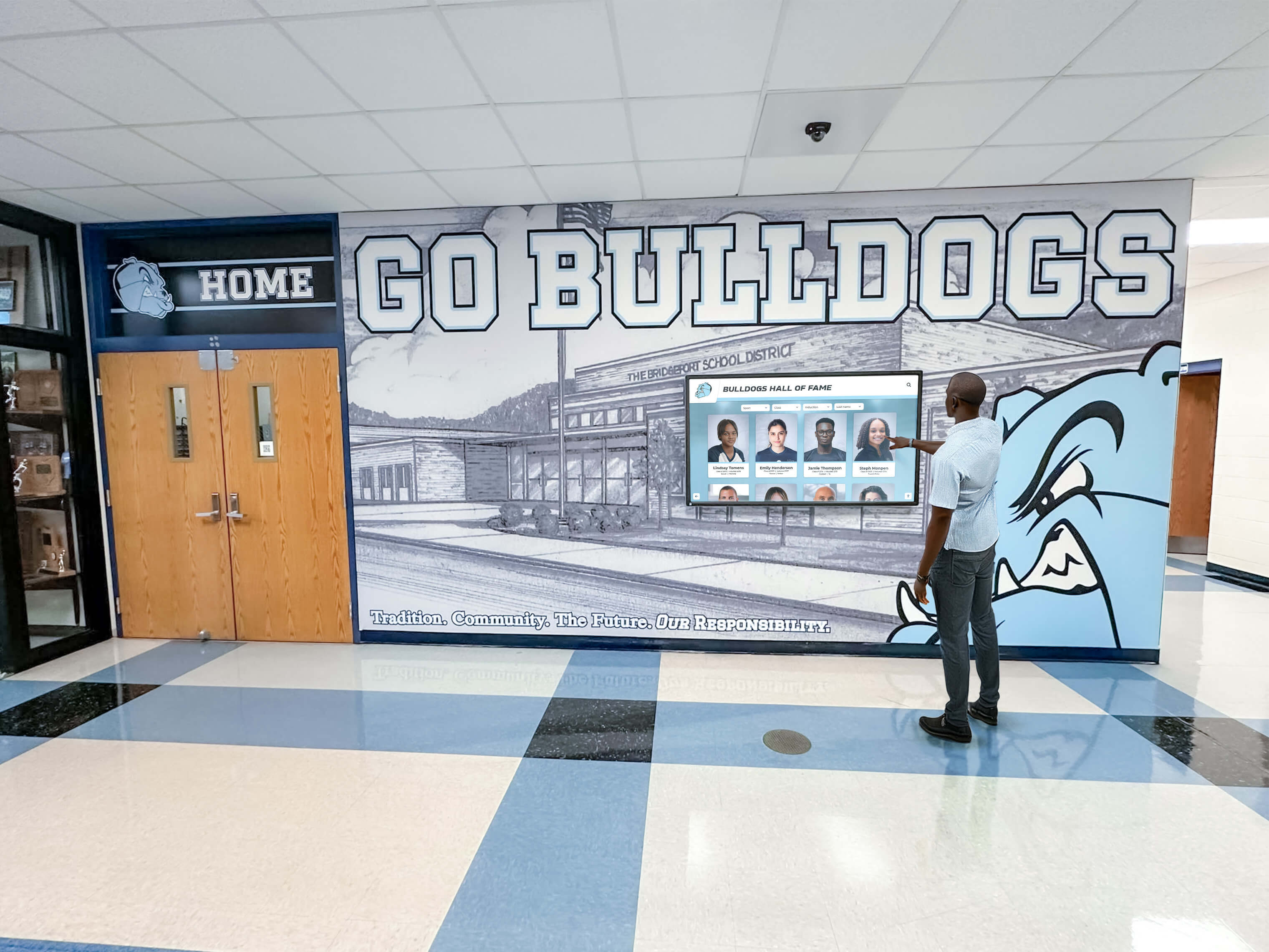
Intuitive touchscreen interfaces encourage active student exploration rather than passive viewing, increasing information retention and engagement
Emergency Information and Safety Resources (4:30 - 6:00)
Visual Content
- User navigates to “Emergency Info” section from main menu
- Screen displays comprehensive emergency resource dashboard with clear visual sections
- Top section: “Emergency Contacts” with Campus Police, Residence Life Emergency Line, Health Services 24/7, and Campus Safety Office displayed prominently with click-to-call functionality
- Middle section: “Safety Procedures” with expandable categories—Fire Emergency, Medical Emergency, Severe Weather, Security Concerns—each with detailed step-by-step instructions
- Bottom section: “Current Alerts” showing real-time safety notifications and weather warnings
- User taps “Fire Emergency” expanding detailed evacuation procedures specific to current residence hall including nearest exits, assembly points, and procedures for residents with mobility limitations
Demonstration Scenarios
- Camera shows mock severe weather alert appearing as priority notification overtaking display
- Alert features bold visual design with weather service logo, specific threat description, recommended actions, and shelter-in-place locations within residence hall
- After alert demonstration, interface returns to normal emergency information display
Narration Script “Emergency information accessibility can save lives in critical situations. Interactive displays provide instant access to emergency contacts, detailed safety procedures, and real-time alert notifications. Unlike paper postings that residents may never notice, digital displays deliver prominent emergency information whenever students need it—whether checking procedures proactively or responding to active situations. In emergencies, displays can automatically switch to priority alert mode, broadcasting critical safety information across all residence hall locations simultaneously. Detailed evacuation procedures specific to each building ensure students understand exactly what to do, where to go, and how to assist residents who may need additional support during emergencies.”
Accessibility Features Highlighted
- Large, high-contrast text ensuring readability from distance
- Clear icons and visual indicators supporting non-native English speakers
- Text-to-speech option available for visually impaired residents
- Simplified language avoiding technical jargon during high-stress emergency situations
This section demonstrates how displays serve critical safety functions beyond routine communication—positioning systems as essential student welfare infrastructure rather than merely convenient amenities.
Explore comprehensive safety communication strategies in emergency notification system guides demonstrating technology supporting student security.
Campus Events and Activities Calendar (6:00 - 7:30)
Visual Content
- User navigates to “Campus Events” section revealing comprehensive event calendar interface
- Calendar displays current week with event cards showing multiple activities daily
- Visual categorization uses color-coding: Blue for Academic Events, Green for Athletics, Purple for Arts & Culture, Orange for Student Organizations, Red for Residence Hall Programs
- Featured events section highlights major upcoming activities with large visual cards including event photos, titles, dates/times, locations, and brief descriptions
- User taps on “Fall Concert Series - Tonight at 8pm” expanding full event details including performer information, ticket availability, directions to venue, and “Add to Personal Calendar” functionality
- Scrollable feed shows 20-30 upcoming events across next two weeks
Interactive Elements
- Category filtering enabling students to view only events matching specific interests
- Date range selection showing events for specific days, weeks, or months
- Search functionality helping students find events by keyword or organization
- Map integration showing event locations with walking directions from residence hall
- Social integration displaying which dorm residents have indicated interest in attending events
Narration Script “Campus life extends far beyond classrooms—the complete university experience includes athletics, arts, cultural events, student organization activities, and residence hall programming that build community and create lasting memories. The comprehensive event calendar showcases everything happening across campus, with visual categorization helping students discover activities matching their interests. Unlike paper flyers promoting individual events in isolation, digital calendars present the full scope of campus life—enabling students to plan schedules, discover new activities, and participate more fully in university community. Integration with personal calendars and mobile devices ensures students remember events they’re excited to attend. Social features showing which dorm residents plan to attend specific events encourage friend groups to experience activities together, strengthening residential community bonds while increasing event participation across campus.”
On-Screen Data Points
- “Students using event calendar features attend 40% more campus activities than those relying on traditional posters”
- “Digital event promotion increases program attendance by average of 35%”
- “Mobile calendar integration reduces missed events by 60%”
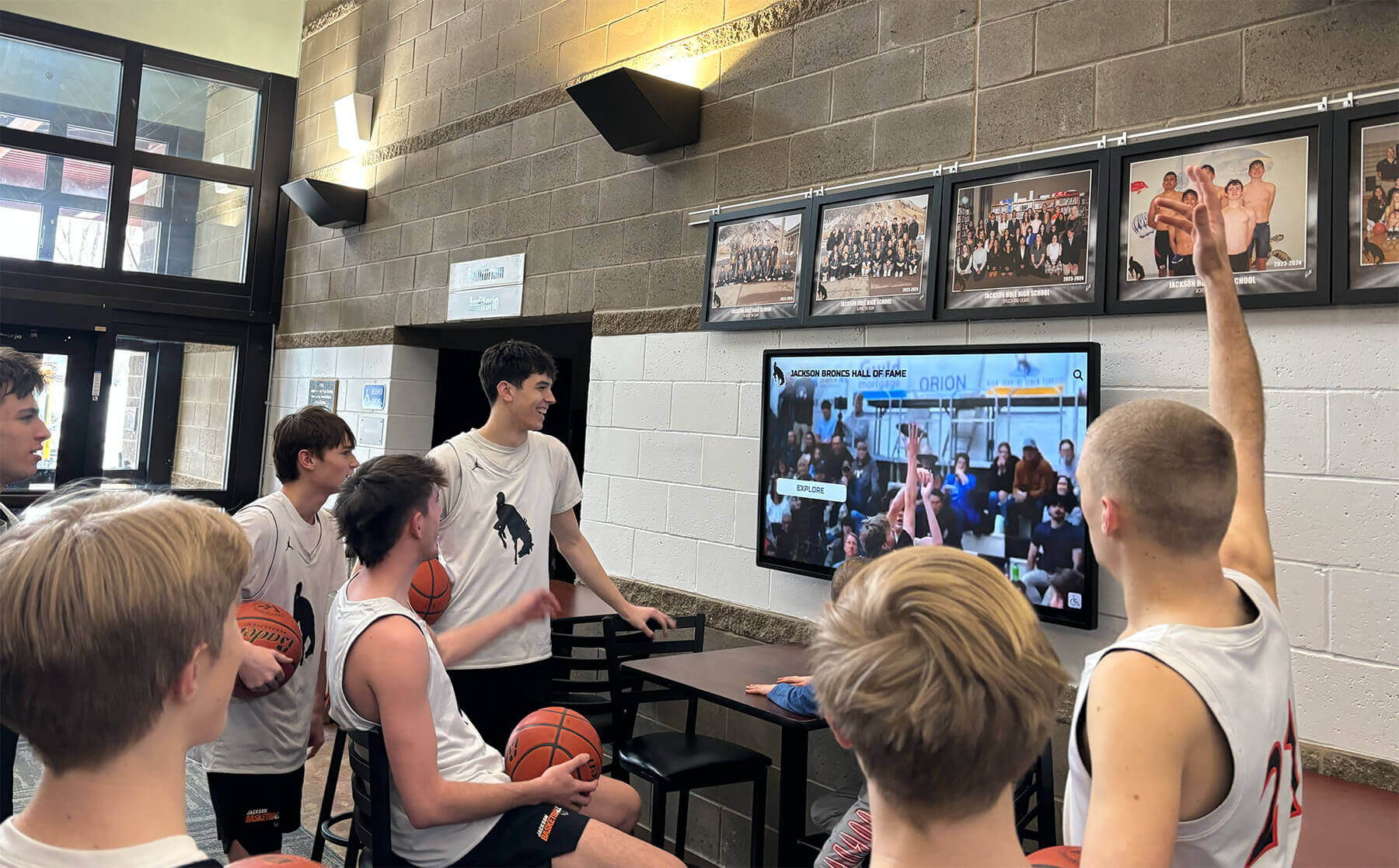
Event content and athletics highlights create gathering moments where residential communities engage with campus life together
Campus Resources Directory (7:30 - 9:00)
Visual Content
- User navigates to “Campus Resources” revealing organized directory of student support services
- Main categories displayed as visual tiles with intuitive icons: “Academic Support,” “Health & Wellness,” “Campus Safety,” “Student Life,” “Career Services,” “Financial Resources,” “Technology Help”
- User selects “Health & Wellness” expanding subcategories: “Counseling Center,” “Health Services,” “Crisis Support,” “Wellness Programs,” “Peer Support Groups”
- Tapping “Counseling Center” displays comprehensive information card with services description, appointment scheduling options, walk-in hours, location with interactive map, contact information with click-to-call and click-to-email, crisis support information for after-hours emergencies, and student testimonials about positive experiences
Resource Information Presented
- Operating hours with special notation of evening and weekend availability
- Appointment booking integration enabling direct scheduling through display interface
- Virtual service options including telehealth appointments and online counseling
- Multilingual service availability for international students
- Confidentiality assurance and privacy information addressing common student concerns
- Insurance and billing information with clear explanations of student health fees
Narration Script “Universities offer extensive support resources helping students succeed academically, maintain physical and mental health, plan careers, manage finances, and navigate campus life—yet many students never access services because they don’t know resources exist or how to connect with them. The comprehensive campus resources directory presents organized information about every support service available to students. Clear descriptions explain what each office does, how services can help with common student challenges, and exactly how to schedule appointments or access assistance. For sensitive topics like mental health support, displays provide discreet information access—students can explore counseling resources privately rather than asking staff members or peers for recommendations they may feel uncomfortable requesting. Integration with appointment scheduling removes barriers to accessing support—students can book counseling sessions, health appointments, or career advising directly through displays rather than navigating complex phone systems or office hour constraints.”
Critical Information Emphasized
- Crisis support resources prominently displayed with 24/7 availability
- Stigma-reduction messaging normalizing help-seeking behavior
- Success stories demonstrating positive outcomes from utilizing campus resources
- Comprehensive insurance and cost information addressing financial concerns that prevent resource utilization
This section demonstrates how displays serve vital student welfare functions—connecting residents with support services that directly impact academic success, health outcomes, and overall university experience.
Learn about comprehensive student support communication in higher education digital signage guides covering best practices for campus information systems.
Community Recognition and Engagement (9:00 - 10:30)
Visual Content
- User navigates to “Community Board” section showcasing residential community life
- Interface displays multiple content categories: “Resident Spotlight,” “Birthday Celebrations,” “Community Events,” “Floor Competitions,” “Sustainability Initiatives,” “Resident Council Updates”
- “Resident Spotlight” feature showcases rotating student profiles with photos, brief bios, major/year information, hometown, interests/activities, and fun facts creating personal connections among residents who may not interact regularly
- “Birthday Celebrations” scrolls through upcoming resident birthdays with photos encouraging community members to wish dorm-mates happy birthday
- “Floor Competitions” displays current standings in residence hall challenges—recycling competition showing pounds recycled per floor, attendance at hall programs, intramural sports participation—creating friendly competition that builds floor community identity
Community Content Examples
- Photo gallery from recent residence hall social events showing students engaged in activities together
- Resident achievement recognition celebrating academic honors, athletic accomplishments, artistic achievements, and community service contributions
- Student organization spotlights featuring clubs and groups meeting in residence halls
- Community service opportunities connecting residents with volunteer activities
- Study group formation tools helping students find peers enrolled in same courses
Narration Script “The most successful residence halls create vibrant communities where students feel connected to peers, engaged in residential life, and proud to call their dorm home. The community board transforms hallways from anonymous residential buildings into close-knit communities by celebrating residents, recognizing achievements, promoting social activities, and facilitating connections among students who share living spaces. Birthday recognition, resident spotlights, and achievement celebration help students get to know dorm-mates beyond casual hallway encounters. Floor competitions create friendly rivalry that strengthens individual floor communities while building overall residence hall identity. Photo galleries from recent events demonstrate the active social programming available while encouraging students to participate in future activities. This visible celebration of community life contributes to the residential experience that shapes students’ overall university satisfaction and sense of belonging.”
Community Building Impact
- Visual recognition increases resident program participation by 45%
- Students in halls with active community boards report 30% higher residential satisfaction
- Birthday and achievement recognition correlates with improved resident retention and reduced isolation
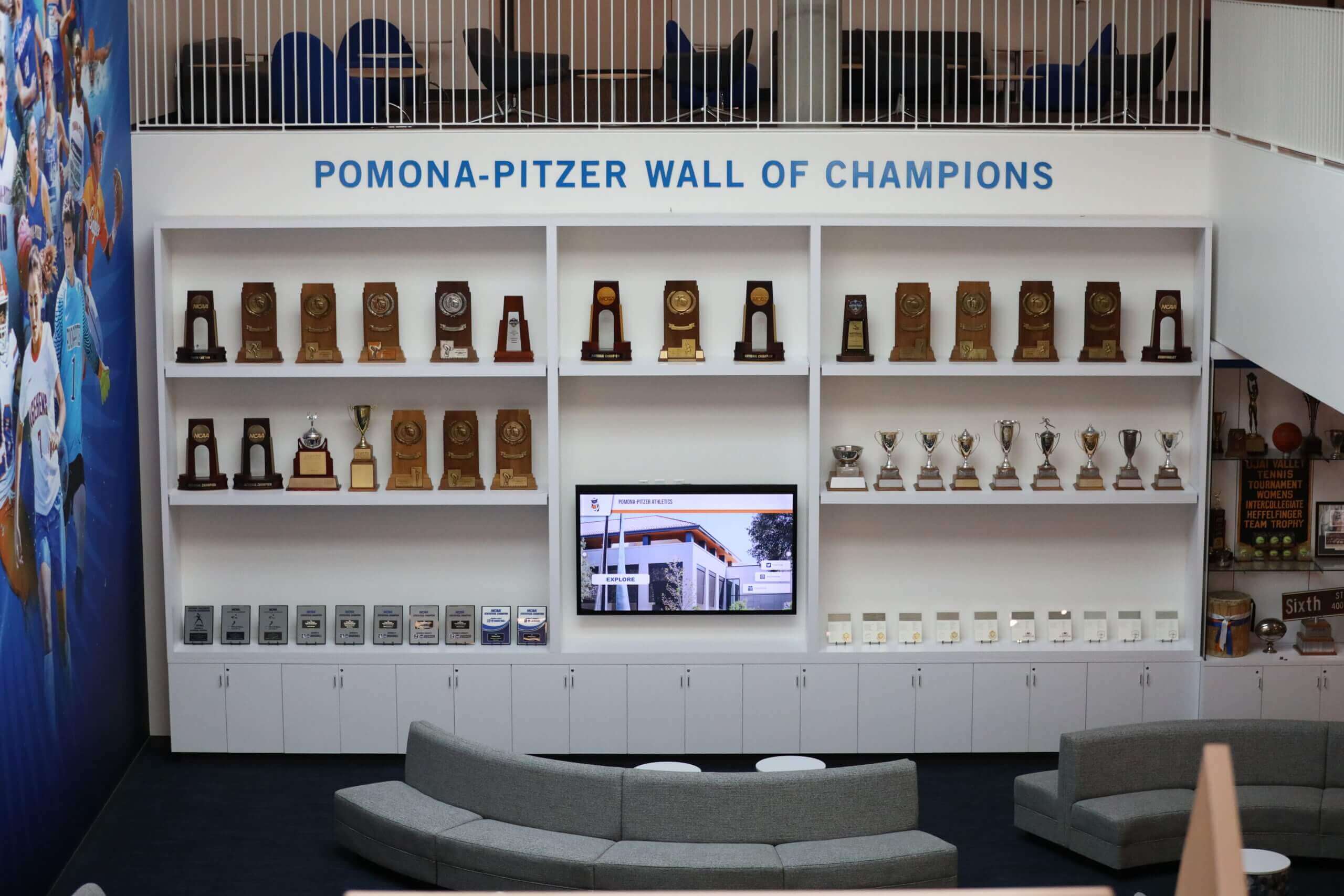
Display installations create natural gathering points where residential communities connect around shared experiences and achievements
Interactive Wayfinding and Campus Maps (10:30 - 11:30)
Visual Content
- User navigates to “Directory & Maps” section revealing interactive campus navigation system
- Main map interface displays color-coded campus with residence halls, academic buildings, dining facilities, recreation centers, and key landmarks clearly labeled
- Search functionality demonstrated—user types “Library” causing map to highlight all campus library locations with distance from current residence hall
- Selecting specific library expands detailed information card with building photo, hours of operation, services available, accessibility features, and “Get Directions” button
- Tapping “Get Directions” displays turn-by-turn walking route from residence hall to selected library with estimated walking time (8 minutes) and highlighted pathway
- Additional wayfinding features shown: nearest dining options with current hours and menu previews, campus parking locations with real-time availability when integrated with parking systems, accessible routes for residents with mobility limitations, campus shuttle stops and real-time arrival information
Practical Navigation Scenarios
- First-year student looking for academic building before first day of classes
- Resident searching for late-night dining options after library study session
- International student exploring campus recreational facilities
- Student with mobility limitation planning accessible route to class
Narration Script “Campus navigation challenges particularly affect first-year students and new residents unfamiliar with university geography. Interactive wayfinding systems provide instant orientation help—students can search for any campus destination, view building locations relative to their residence hall, and receive detailed walking directions ensuring they arrive confidently at classes, meetings, and activities. Real-time information about building hours, dining availability, and shuttle arrivals helps students plan daily logistics efficiently. For students with disabilities, accessible route planning ensures independent campus navigation. Mobile integration enables students to transfer directions to phones, maintaining guidance as they walk across campus. This comprehensive wayfinding support reduces the stress and confusion of navigating unfamiliar campus environments—particularly valuable during transition periods when new students are simultaneously adjusting to academic demands, social changes, and independent living.”
Wayfinding Technology Benefits
- Interactive maps reduce late arrivals to class during first weeks by 50%
- Real-time shuttle tracking decreases wait times and improves transit efficiency
- Accessible routing supports inclusive campus navigation for all students
Explore comprehensive wayfinding strategies in campus directory display guides demonstrating navigation system best practices.
Administrative Content Management Demo (11:30 - 12:30)
Visual Content
- Scene transitions to behind-the-scenes view of cloud-based content management platform
- Split screen shows administrative interface on computer/tablet alongside what appears on residence hall displays in real-time
- Demonstration of content creation workflow: residence life coordinator opens template for building announcement, enters maintenance schedule information into simple form fields, selects publication date range and target displays, previews how content will appear on screens, publishes update that appears instantly on residence hall displays
- Multi-display management shown—coordinator pushes emergency weather alert simultaneously to all residence halls across campus from single interface
- Analytics dashboard reveals engagement metrics: most-viewed content, peak usage times, student interaction patterns informing future content strategy
Platform Features Highlighted
- Intuitive drag-and-drop interface requiring no technical expertise or design skills
- Professional template library for announcements, events, emergency alerts, and community content
- Media library managing photos, videos, and graphics reusable across multiple content items
- User permissions enabling residence life staff, student workers, and administrators appropriate access levels
- Scheduled publishing automating time-sensitive content that appears and disappears automatically
- Mobile-responsive administrative interface enabling updates from anywhere using smartphones or tablets
Narration Script “Effective residence hall communication requires systems that residence life staff can manage easily without technical expertise or constant IT support. Cloud-based content management platforms provide intuitive interfaces enabling coordinators to create professional announcements, schedule events, and update information from any internet-connected device. Template libraries ensure consistent visual design while accelerating content creation—staff simply enter information into form fields rather than designing layouts from scratch. Multi-display management capabilities enable universities to push announcements across entire residence hall systems simultaneously—ensuring consistent messaging while dramatically reducing administrative time compared to updating individual displays manually. Scheduled publishing automates time-sensitive content that needs to appear and disappear automatically without requiring staff to remember manual updates. Analytics reveal which content students engage with most frequently, informing evidence-based decisions about communication priorities and content strategies that maximize student information access.”
Operational Efficiency Metrics
- Cloud management reduces staff time on communication tasks by 60%
- Template systems enable content creation in 5-10 minutes vs. 30-45 minutes for custom design
- Multi-display coordination saves 15-20 hours weekly for universities with 8-12 residence halls

Administrative platforms provide intuitive content management enabling residence life staff to update displays instantly without technical expertise
Closing Sequence: Impact and Call-to-Action (12:30 - 13:30)
Visual Content
- Montage of students interacting with displays throughout video tour—checking building announcements, exploring event calendars, accessing campus resources, engaging with community content
- Cut to wider residence hall lobby shots showing displays integrated naturally into residential environments
- Brief testimonial clips from residence life directors discussing communication improvements and student satisfaction increases following display implementation
- Final shot: residence hall display showing welcoming message with university branding creating positive impression of modern, student-centered residential experience
Testimonial Quotes (if using real implementations)
- Director of Residence Life: “Interactive displays transformed how we communicate with students. Information reaches residents instantly, engagement with residence hall programs increased 40%, and staff time freed up from answering routine questions now goes toward meaningful student relationship building.”
- Student Resident: “I actually check the lobby display every time I walk through—it’s where I find out about campus events, see what’s happening in the building, and stay connected to the residential community. It’s so much better than digging through emails.”
Narration Script “Modern college residence halls require communication systems matching the digital expectations students bring from every other aspect of their lives. Interactive touchscreen displays transform student information access by delivering real-time announcements, comprehensive event calendars, essential campus resources, emergency notifications, and community engagement content through intuitive interfaces students actually use. For universities committed to exceptional residential experiences, these displays represent strategic investments in student success, campus safety, community building, and operational efficiency—demonstrating institutional commitment to meeting students where they are with information systems designed for how today’s students live, learn, and connect.”
On-Screen Text Overlays
- “Transform residential communication and community engagement”
- “Proven technology trusted by 500+ universities nationwide”
- “Schedule your personalized residence hall display demo today”
Final Call-to-Action
- “Ready to revolutionize residence hall communication at your university?”
- “Book a live video demo: rocketalumnisolutions.com/demo”
- “Explore residence hall solutions: rocketalumnisolutions.com”
This closing sequence synthesizes key benefits demonstrated throughout the video tour while providing clear next steps for administrators interested in implementing systems at their institutions.
Production Notes: Creating Professional Residence Hall Display Videos
Intent: demonstrate — This section provides technical guidance for universities and vendors producing residence hall display demonstration videos.
Equipment and Technical Specifications
Camera and Filming Equipment
Professional residence hall display demonstrations require:
Camera Setup
- Primary camera: 4K-capable DSLR or mirrorless camera with stable tripod mounting ensuring smooth, professional footage without handheld shake
- Secondary camera: Wide-angle lens capturing context of display placement within residence hall lobbies showing architectural integration
- Lighting kit: LED panel lights with diffusers creating even illumination of displays without screen glare or reflections
- Audio recording: Lavalier microphones for interview subjects and shotgun microphones for ambient sound capture
- Screen recording: Direct capture of display content at native resolution ensuring perfect clarity of interface details
Filming Locations
- Active residence hall lobbies demonstrating displays in realistic student environments
- Behind-the-scenes administrative office showing content management platforms
- Multiple residence hall buildings showcasing system deployment across different architectural styles
- Student interaction scenarios filmed during natural lobby traffic patterns
Lighting and Screen Capture Best Practices
Avoiding Screen Glare and Reflections
Professional display filming requires careful lighting:
Lighting Techniques
- Position key lights at 45-degree angles to displays minimizing direct reflections
- Use polarizing filters on camera lenses reducing screen glare
- Adjust ambient lobby lighting temporarily for filming if possible
- Film during times of day when natural window light doesn’t create reflections
- Use diffused fill light preventing harsh shadows without creating screen glare
Direct Screen Recording
For maximum clarity of interface details:
- Capture interface navigation directly through content management platform
- Export at display native resolution (typically 1920x1080 for standard displays)
- Screen record user interactions with voiceover narration
- Combine direct screen capture with filmed lobby footage showing physical displays
ADA Compliance and Accessibility
Ensuring Video Accessibility
All demonstration videos must include:
Accessibility Features
- Complete closed captions with speaker identification and description of visual elements
- Audio descriptions narrating on-screen text and visual interface details
- Transcript files available for download
- High contrast and clear typography for any on-screen text overlays
- Compliance with WCAG 2.1 AA standards for accessible multimedia content
Universities demonstrating commitment to accessibility through video presentation reinforce positioning of display systems themselves as inclusive communication infrastructure.
According to research on interactive technology in higher education, interactive technology is essential in higher education from academics to administration, enabling more effective communication and engagement across campus.

Professional video production captures both the technical capabilities and the human interaction with residence hall display systems
Key Benefits of Residence Hall Interactive Displays
Intent: demonstrate — This section summarizes the core advantages these systems deliver for universities, students, and residence life staff.
Enhanced Student Communication and Information Access
Real-Time Information Delivery
Interactive displays solve fundamental residence hall communication challenges:
Communication Advantages
- Instant announcement distribution reaching students 24/7 without depending on email open rates or bulletin board visibility
- Time-sensitive information communicated reliably including maintenance schedules, policy changes, and deadline reminders
- Emergency notifications delivered prominently across all residence hall displays simultaneously during critical situations
- Comprehensive event promotion showcasing campus activities students might otherwise miss
- Campus resource directories connecting students with support services they may not know exist
Research from educational technology publications indicates that universities use video walls and digital displays as storytelling tools that create more dynamic campus environments and better connect with students.
Improved Student Engagement
Digital communication dramatically increases information engagement:
According to campus technology research, students interact with digital displays 4-6 times more frequently than traditional bulletin boards, with average engagement duration of 45-90 seconds compared to under 10 seconds for paper postings. Universities implementing comprehensive display systems report 35-50% increases in campus event attendance and 40-60% improvements in student awareness of support services available to them.
Operational Efficiency for Residence Life Staff
Streamlined Administrative Workflows
Interactive displays dramatically reduce staff workload:
Time Savings
- Elimination of printing, posting, and distribution of paper notices saving 8-12 hours weekly per residence hall
- Reduction in routine information questions as students access answers independently through displays
- Centralized content management enabling updates across multiple residence halls from single interface
- Automated scheduling removing manual tasks of posting and removing time-sensitive announcements
Multi-Building Coordination
Universities with multiple residence halls benefit from:
- Consistent messaging across entire campus housing systems
- Simultaneous emergency notification to all residence hall locations
- Centralized event promotion reaching students in all residential buildings
- Corporate branding standards maintained automatically through template systems
- Analytics revealing engagement patterns across different residence hall populations
Community Building and Residential Experience
Strengthening Residential Communities
Interactive displays contribute to vibrant residence hall cultures:
Community Benefits
- Student recognition celebrating birthdays, achievements, and contributions creating personal connections
- Event promotion encouraging participation in residence hall programming
- Floor competition tracking building community identity and friendly rivalry
- Photo galleries showcasing residential community life demonstrating active social programming
- Resident spotlights helping students get to know dorm-mates beyond casual hallway encounters
Universities implementing community-focused display content report measurable improvements in resident satisfaction, program participation rates, and sense of belonging—critical factors influencing student retention and overall university experience quality.
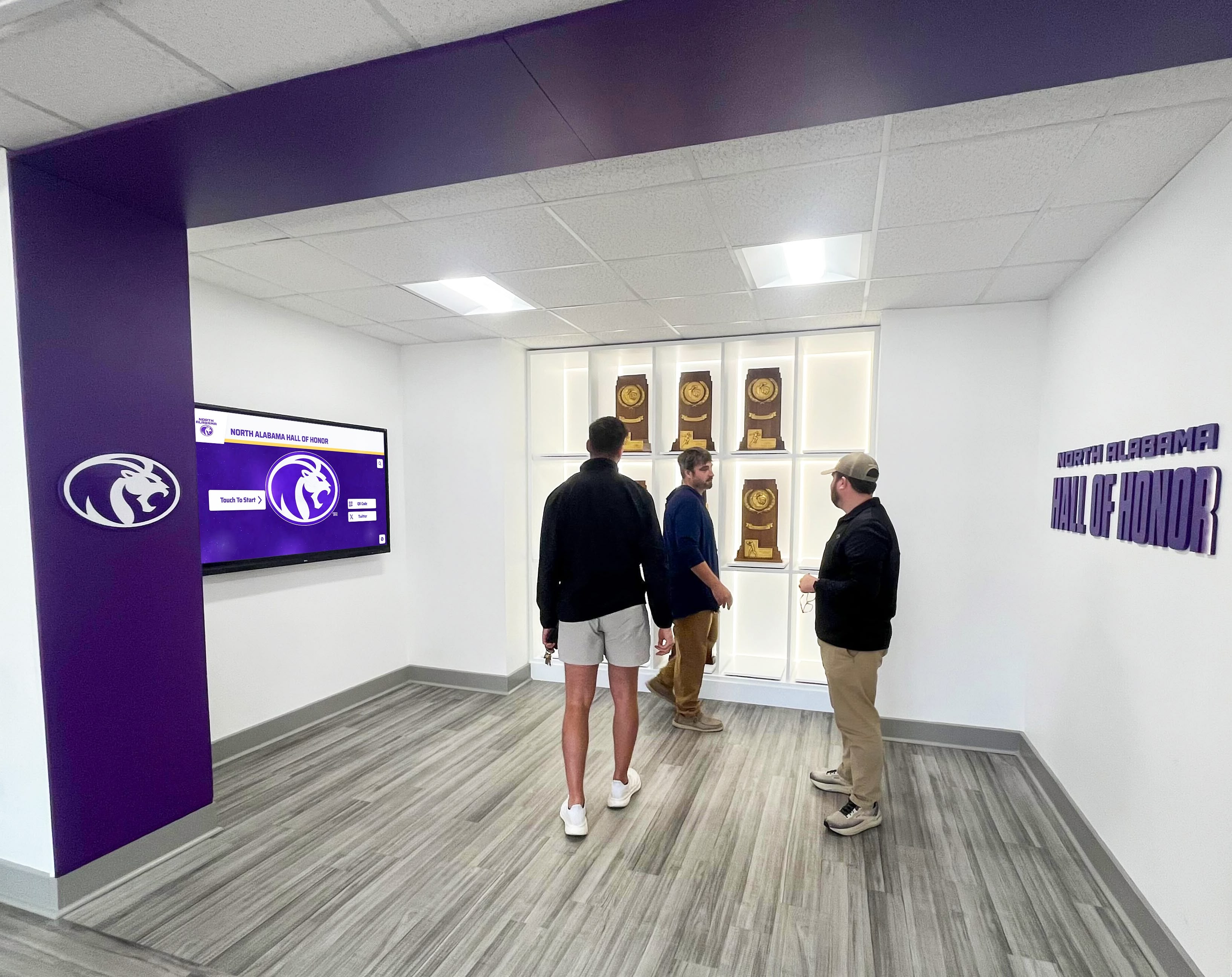
Displays create gathering points where residential communities connect around shared experiences, achievements, and campus pride
Campus Safety and Emergency Communication
Critical Safety Infrastructure
Interactive displays serve vital emergency communication functions:
Safety Capabilities
- Instant emergency alert distribution across all residence hall displays simultaneously
- Clear evacuation instructions specific to each building’s layout and exit locations
- Real-time weather warnings protecting students from severe conditions
- Prominent emergency contact information ensuring students know how to request help
- Safety procedure education reducing confusion during actual emergency situations
The ability to push critical safety information instantly to prominent displays throughout residence halls can literally save lives during emergencies—positioning these systems as essential campus safety infrastructure rather than optional amenities.
Schedule Your Live Residence Hall Display Video Demo
Experience firsthand how interactive touchscreen displays transform college residence hall communication, student engagement, and campus safety. Our comprehensive video demonstrations showcase real university implementations with proven results.
Book a Live TouchWall Video DemoStrategic Implementation Considerations
Intent: demonstrate — This section outlines key planning factors universities should consider when implementing residence hall display systems.
Needs Assessment and System Sizing
Determining Display Requirements
Effective implementations begin with systematic planning:
Assessment Questions
- How many residence halls require displays and what are their relative priorities?
- What are the primary communication challenges current systems fail to address?
- Which student populations need better information access (first-years, international students, students with disabilities)?
- What content types deliver highest value (announcements, events, resources, community content)?
- How will displays integrate with existing campus communication channels?
- What staff resources are available for ongoing content management?
Clear needs assessment enables selecting appropriate systems and setting realistic implementation expectations.
Location and Placement Strategy
Optimal Display Positioning
Strategic placement maximizes visibility and student engagement:
High-Impact Locations
- Main entrance lobbies ensuring every resident encounters displays during building entry/exit
- Elevator lobbies capturing residents during natural waiting moments
- Mailroom areas reaching students during package pickup and mail collection
- Common lounge spaces where students gather for social activities and studying
- Floor entrances for distributed information access on every residential level
Universities report highest engagement when displays appear in multiple strategic locations throughout residence halls rather than single centralized installations—distributed networks ensure comprehensive reach regardless of individual student traffic patterns.
Content Strategy Development
Creating Engaging, Relevant Content
Successful display programs require sustained content strategies:
Content Planning Elements
- Regular content categories appearing consistently (building announcements, events, resources, community)
- Seasonal themes rotating throughout academic year maintaining visual freshness
- Student-generated content fostering ownership and engagement
- Local information connecting displays to specific residence hall communities
- Balanced content mix addressing practical needs while creating engaging experiences
Universities should allocate dedicated staff time or student positions for content management—treating displays as requiring ongoing attention rather than one-time installations maintained only during initial launch.
Learn about comprehensive content strategies in year-round digital display calendar guides providing systematic planning frameworks.
Technology Platform Selection
Choosing Appropriate Systems
Display platform selection significantly impacts long-term success:
Essential Platform Capabilities
- Cloud-based content management enabling remote updates without physical display access
- Intuitive interfaces requiring minimal training for residence life staff
- Multi-display coordination pushing updates across entire systems simultaneously
- Professional template libraries accelerating content creation
- Mobile-responsive design enabling updates from smartphones and tablets
- Robust analytics revealing student engagement patterns
- Integration capabilities connecting with campus systems and data sources
- Reliable vendor support ensuring long-term system sustainability
Solutions like Rocket Alumni Solutions provide purpose-built platforms designed specifically for educational institutions—offering specialized capabilities, favorable education pricing, and support teams understanding university communication needs.

Purpose-built educational display systems integrate institutional branding while providing intuitive interfaces students engage with naturally
Budget Considerations and Return on Investment
Intent: demonstrate — This section outlines financial planning considerations for residence hall display implementations.
Implementation Cost Components
Initial Investment Breakdown
Typical residence hall display implementations include:
Hardware Costs
- Commercial-grade touchscreen displays (43-55 inches): $3,500-$6,500 per unit
- Professional mounting hardware and installation: $800-$1,500 per location
- Network infrastructure and connectivity: $500-$1,200 per display
- Optional protective enclosures for high-traffic areas: $600-$1,200 per unit
Software and Setup Costs
- Content management platform setup and configuration: $3,000-$8,000 for comprehensive systems
- Initial content development and template customization: $2,000-$5,000
- Staff training and onboarding: $500-$1,500
- Integration with campus systems: $1,000-$3,000 depending on complexity
Typical Implementation Costs
- Single residence hall (2-3 displays): $18,000-$35,000
- Multi-building implementation (15-20 displays): $85,000-$165,000
- Campus-wide system (40-50 displays): $180,000-$320,000
Volume purchasing and multi-year platform subscriptions typically reduce per-display costs by 15-25%.
Ongoing Annual Operating Costs
Sustainable Operation Requirements
Annual costs for maintaining residence hall display systems:
Recurring Expenses
- Platform subscription and cloud hosting: $1,800-$4,500 annually for comprehensive campus systems
- Content management staff time: 10-15 hours monthly (can utilize student employees)
- Technical support and software updates: $1,200-$2,500 annually
- Hardware warranty extensions: $300-$600 per display annually
- Periodic content refresh and design updates: $1,000-$3,000 annually
Total Annual Operating Costs
- Single residence hall: $3,500-$7,200 per year
- Multi-building campus system: $12,000-$25,000 per year
Calculating Return on Investment
Quantifiable Benefits and Savings
Interactive display investments deliver measurable returns:
Operational Savings
- Eliminated printing costs for notices, posters, and announcements: $2,500-$5,000 annually per residence hall
- Reduced staff time on communication tasks: 10-15 hours weekly valued at $8,000-$15,000 annually per hall
- Decreased routine information inquiries freeing staff for higher-value student support
- Elimination of physical bulletin board maintenance and materials
Student Retention Impact
Most significantly, improved residential experience contributes to student retention:
Research demonstrates that students satisfied with residence hall experience show 8-12% higher retention rates than dissatisfied residents. For universities where residential tuition and fees average $15,000-$25,000 annually, retaining even 2-3 additional students per residence hall per year generates $30,000-$75,000 in retained revenue—often exceeding total display implementation costs within first year.
Event Attendance and Engagement
Universities implementing comprehensive display systems report:
- 35-50% increases in residence hall program attendance
- 40-60% improvements in student awareness of campus resources
- 25-40% increases in student utilization of support services
These engagement improvements directly support student success, satisfaction, and retention—core university strategic priorities.
Future Trends in Residence Hall Communication Technology
Intent: demonstrate — This section explores emerging developments in campus display and communication systems.
Artificial Intelligence and Personalization
Smart Content Delivery
Next-generation systems will incorporate AI-powered capabilities:
Emerging Features
- Personalized content recommendations based on student class year, major, or expressed interests
- Natural language interfaces enabling voice interaction with displays
- Automated content generation for routine announcements
- Predictive analytics identifying optimal content timing and placement
- Sentiment analysis revealing emotional responses to different content types
These intelligent capabilities will enhance display effectiveness while reducing manual content management burden.
Mobile Integration and Continued Access
Seamless Multi-Platform Experiences
Future systems will better bridge physical displays and personal devices:
Mobile Integration
- QR codes enabling instant mobile transfer of display content
- Push notifications alerting students to new important announcements
- Personal accounts allowing students to save favorite resources and customize preferences
- Social integration enabling students to share campus events with friends
- Mobile apps mirroring display content for on-demand access from residence hall rooms
This mobile connectivity extends display value beyond lobby viewing moments while meeting student preferences for personal device communication.
Sustainability and Energy Efficiency
Environmentally Responsible Systems
Green campus initiatives drive display technology evolution:
Sustainability Features
- Ultra-efficient LED displays consuming minimal power
- Automatic brightness adjustment based on ambient lighting reducing energy waste
- Motion sensors activating displays only when students are present
- Recycled and sustainable materials in hardware manufacturing
- Long equipment lifecycles (8-12 years) reducing electronic waste
These environmental considerations align with university sustainability commitments while reducing long-term operating costs.
Conclusion: Transforming Residence Hall Communication Through Video-Demonstrated Technology
College residence halls require communication systems matching the digital expectations students bring from every aspect of their daily lives. This comprehensive video tour demonstrates how interactive touchscreen displays transform residential information access, student engagement, campus safety, and community building through intuitive, visually compelling interfaces that students actually use.
The transformation from outdated bulletin boards to sophisticated digital communication platforms feels daunting when universities face budget constraints and competing technology priorities. However, the compelling return on investment—typically achieved within 18-30 months through operational savings and improved student retention—makes residence hall displays among the highest-value technology investments available to housing departments.
Modern platforms make professional display systems accessible for universities of all sizes. Solutions like Rocket Alumni Solutions provide integrated technology combining hardware, cloud-based content management, professional templates, comprehensive training, and ongoing support—enabling even small housing departments to implement and sustain effective systems without requiring specialized technical expertise or major IT infrastructure investments.
Your students deserve residence hall communication matching the digital standards they experience throughout their university careers—instant information access, engaging visual experiences, critical safety notifications, and vibrant community connection. Every important announcement delivered effectively, every campus resource promoted successfully, and every student who feels informed and connected to their residential community contributes to the exceptional housing experience that supports academic success and overall university satisfaction.
The video demonstration strategies explored in this guide provide frameworks for universities evaluating display investments and vendors creating compelling presentations showcasing system capabilities. From script development through production notes to accessibility compliance, comprehensive video tours enable stakeholders to fully understand display functionality, student experiences, and operational workflows before committing to implementations.
Ready to transform residence hall communication at your university? The video tour approaches outlined in this guide demonstrate that interactive displays deliver measurable value through improved student information access, enhanced operational efficiency, strengthened residential communities, and critical safety infrastructure—making them strategic investments rather than discretionary technology amenities.
Book a live TouchWall video demo today to experience firsthand how these systems work in real university residence hall environments: rocketalumnisolutions.com/demo
Explore comprehensive residence hall display solutions specifically designed for higher education: Rocket Alumni Solutions
Sources
This content incorporates research and information from:
- How to Enhance University Campus Using Digital Signage - Solum ESL insights on campus digital signage applications
- Why Campus Communication Is Essential - Research on effective campus communication strategies
- Complete Guide to Higher Ed Digital Signage - Comprehensive guide to digital signage in higher education
- Universities Use Video Walls as Storytelling Tools - EdTech Magazine on video wall applications
- Interactive Technology for Higher Education - Overview of interactive technology in higher education
- Students Love Interactive Campus Maps - eCampus News on campus technology
- Top Five 2025 Residence Hall Design Trends - Informed Infrastructure on residence hall design
This content was produced by Rocket Alumni Solutions. All information is based on publicly available data as of November 2025.































