




Campus directory touchscreen displays transform how students, visitors, and staff navigate college and university facilities. These interactive wayfinding systems replace outdated printed directories and confusing static maps with intuitive, engaging digital experiences that reduce navigation stress while showcasing institutional excellence through integrated recognition and information displays.
Walk through most college campuses during peak admissions season and you’ll witness the same frustrating scenario: prospective families studying unhelpful wall maps with faded text, international students struggling to find academic buildings without multilingual support, campus visitors arriving late to important meetings after getting lost in multi-building complexes, and administrative staff spending countless hours providing repetitive directional assistance that could be automated through better wayfinding technology.
This comprehensive video guide explores campus directory touchscreen implementation through detailed visual demonstrations, installation walkthroughs, and real-world deployment examples showing how digital wayfinding systems deliver intuitive navigation that enhances visitor experiences, reduces staff workload, and creates positive first impressions that influence enrollment decisions and campus community engagement.
Modern campus directory systems don’t simply digitize building floor plans—they create comprehensive information hubs combining wayfinding, recognition, event promotion, and emergency communication capabilities that serve multiple institutional objectives simultaneously while meeting visitor expectations shaped by smartphone navigation experiences in daily life.

Interactive campus directory touchscreens provide intuitive wayfinding while creating professional first impressions for prospective students and campus visitors
Understanding Campus Directory Touchscreen Technology
Before exploring implementation strategies through video demonstrations, understanding the core technology components and capabilities that differentiate professional campus directory systems from basic digital signage helps institutions make informed selection decisions aligned with wayfinding goals and visitor experience priorities.
Essential Hardware Components for Campus Directories
Professional campus directory installations require commercial-grade equipment designed for continuous daily operation in high-traffic public environments.
Commercial Touchscreen Display Requirements
Unlike consumer televisions that fail quickly under institutional usage patterns, purpose-built directory displays must deliver reliable performance including commercial-grade panels rated for 16-24 hour daily operation without burn-in or image retention, capacitive or infrared multi-touch technology supporting intuitive gesture controls, high-brightness displays (350-500 nits minimum) ensuring readability in naturally lit lobbies and entrance areas, and tempered glass construction with vandal-resistant design appropriate for unsupervised public spaces.
According to digital signage industry research, commercial displays typically cost 40-60% more than consumer equivalents but deliver 3-5 times longer operational lifespan with significantly lower failure rates—making professional equipment essential for sustainable campus wayfinding infrastructure requiring reliable multi-year performance.
Installation and Mounting Considerations
Strategic physical deployment dramatically impacts directory accessibility and effectiveness:
- Wall-mounted installations save floor space while integrating cleanly into architectural environments
- Freestanding kiosks create dedicated wayfinding destinations in large lobbies and open circulation areas
- ADA-compliant mounting heights ensuring accessibility for wheelchair users and individuals of varying abilities
- Anti-glare positioning minimizing reflections from windows and overhead lighting that reduce screen readability
- Secure mounting hardware meeting safety standards for public environments with appropriate theft deterrence
Display sizes typically range from 43-55 inches for smaller reception areas to 65-75 inches for large lobbies and high-traffic entrance locations where visibility from greater distances enhances wayfinding utility.
Learn about professional installation approaches in college tour directory displays demonstrating comprehensive campus wayfinding implementations.
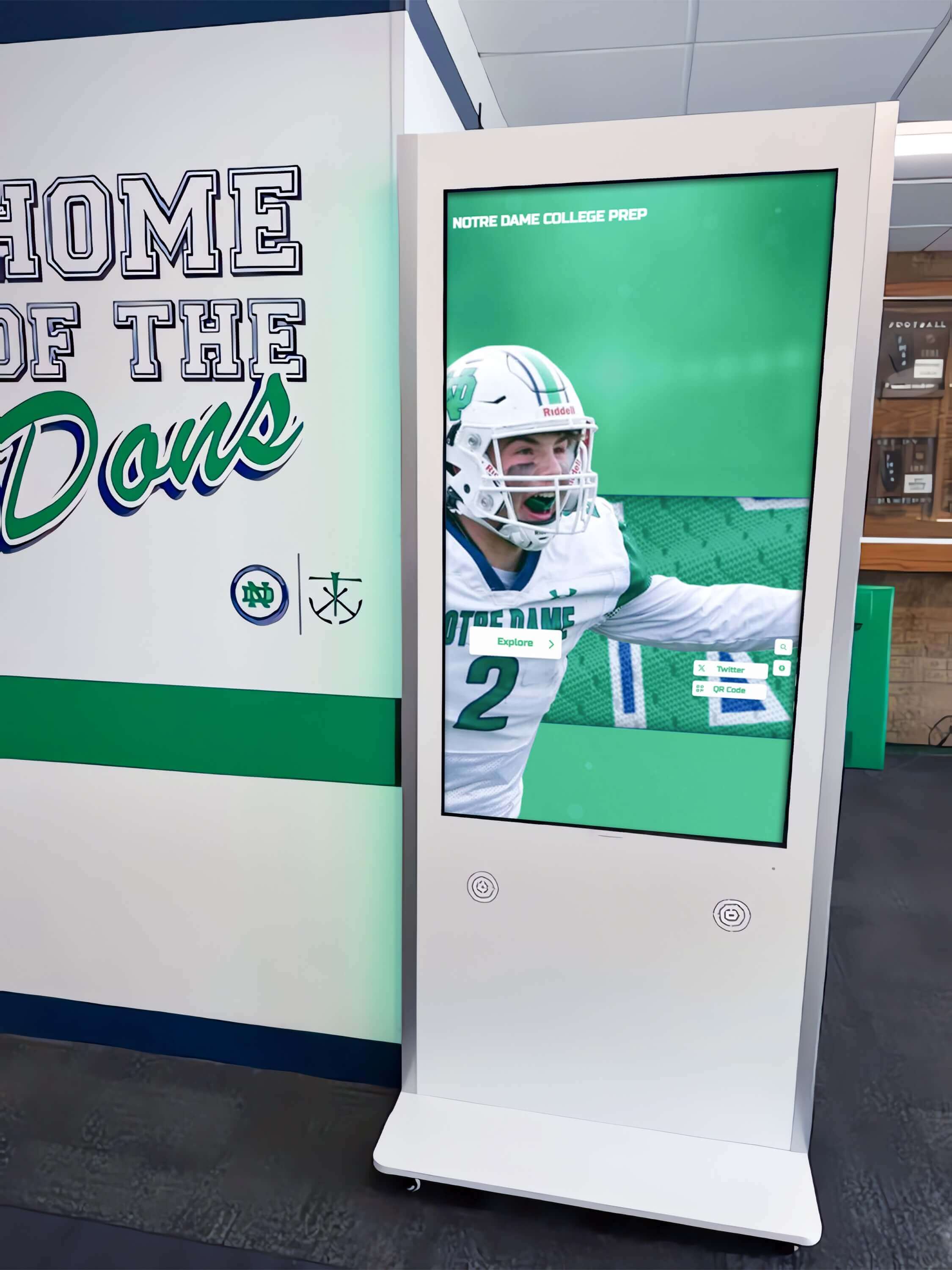
Freestanding kiosks positioned at corridor intersections provide distributed wayfinding access throughout campus facilities
Cloud-Based Content Management Platforms
The software platform powering directory content delivery determines administrative efficiency and long-term sustainability far more than hardware specifications alone.
Purpose-Built vs. Generic Signage Solutions
Many institutions initially consider adapting generic digital signage systems for directory purposes—an approach that typically creates frustration through inadequate capabilities. Purpose-built directory platforms like solutions from Rocket Alumni Solutions offer specialized features including interactive mapping with zoom, pan, and search functionality, comprehensive location databases supporting buildings, rooms, departments, and amenities, multi-language support serving international students and diverse campus visitors, real-time content updates enabling immediate changes without physical display access, and mobile integration extending wayfinding beyond fixed installation locations.
Generic signage platforms designed for passive content display lack the deep interactivity and structured navigation essential for effective directory experiences—resulting in visitor frustration and limited wayfinding value despite significant technology investments.
Remote Management and Update Workflows
Cloud-based administration transforms directory maintenance from time-consuming physical updates to simple remote modifications including browser-based interfaces requiring no technical expertise or specialized software, instant content publishing reflecting room reassignments and organizational changes immediately across all displays, scheduled content rotation automating seasonal information and featured content updates, and multi-user access with role-based permissions enabling distributed content responsibility across departments.
Institutions implementing cloud-managed directories report 75-90% reductions in time spent maintaining wayfinding information compared to traditional printed directories or locally-managed digital systems requiring on-site access for every update.
Explore content management strategies in digital campus displays demonstrating systematic update approaches.
Video Walkthrough: Interactive Directory User Experience
Understanding how campus visitors interact with touchscreen directories helps institutions design intuitive navigation experiences serving diverse user needs from prospective students to international scholars to community event attendees.
Scene-by-Scene Directory Interaction Demonstration
Opening Scene: Visitor Arrival (0:00-0:30)
Camera opens on a college main entrance lobby during busy morning hours. A prospective family enters—parents and teenage student—looking somewhat uncertain about navigation. They immediately notice a large 55-inch touchscreen directory kiosk positioned prominently near the entrance with clear “Campus Directory & Wayfinding” signage above.
On-screen text overlay: “78% of prospective students cite campus visit experience as influential in enrollment decisions”
The student approaches the display, which shows an attractive attract loop featuring campus aerial photography, rotating building highlights, and current student achievements. Large, clear text reads “Touch to Begin” with an arrow icon suggesting interaction.
Navigation Scene: Searching for Admissions (0:30-1:15)
The student taps the screen, triggering an immediate response. The interface transitions to a main menu with large, easily readable options:
- Search by Building
- Search by Department
- Search by Person
- Campus Map
- Amenities & Services
- Today’s Events
Narration prompt: “Intuitive menu design ensures visitors with no prior campus knowledge can immediately find relevant information without staff assistance”
The student selects “Search by Department” and begins typing “Admissions” using the large, touch-optimized keyboard. Predictive text displays suggestions after just three letters. Selecting “Admissions Office” immediately displays:
- Building name and photo
- Current location to destination route highlighted on campus map
- Walking distance and estimated time (4 minutes)
- QR code to transfer directions to smartphone
- Office hours and contact information
Route Visualization Scene (1:15-2:00)
The camera shows the interactive map in detail. The family can zoom in and out using pinch gestures, rotate the map to match their physical orientation, and tap intermediate landmarks along the route for additional context about what they’ll pass.
Production note: Close-up shot emphasizing smooth, responsive touch interaction—critical for demonstrating professional-grade hardware quality
A parent asks, “Where are the restrooms?” The student navigates back and selects “Amenities & Services,” then “Restrooms.” The map immediately highlights all accessible restrooms between their current location and the admissions office, with accessibility icons clearly indicated.

Responsive touch interfaces with large targets and clear feedback ensure accessibility for users of all ages and technical comfort levels
Multi-Language Support Scene (2:00-2:30)
The scene transitions to show an international student approaching the same directory. Camera focuses on the language selector icon in the upper corner—a globe symbol with “English” text.
The student taps the language selector, revealing options: Spanish, Mandarin, French, Arabic, Japanese, and others. Selecting “Mandarin” immediately translates all interface text while maintaining consistent navigation structure.
On-screen text overlay: “Multi-language support serves growing international student populations while demonstrating institutional commitment to inclusion”
The student searches for “国际学生办公室” (International Student Office) using the Chinese keyboard, successfully locating the building with directions and translated building descriptions.
Mobile Integration Scene (2:30-3:00)
Camera shows a student using a smartphone camera to scan the QR code displayed on the directory. Their phone immediately opens a mobile-responsive version of the campus map with their selected route, enabling continued navigation without remaining at the fixed directory.
Narration prompt: “Bridging physical directories and personal devices extends wayfinding utility throughout campus navigation journeys”
The student receives the route on their phone and confidently begins walking toward their destination, consulting the mobile map periodically for turn-by-turn guidance.
Discover mobile integration features in interactive campus technology demonstrating connected wayfinding experiences.
Installation Video Tour: Professional Deployment
Effective campus directory implementation requires systematic planning addressing location selection, infrastructure requirements, and integration with existing architectural environments and technology systems.
Installation Planning and Site Preparation
Pre-Installation Assessment Scene (0:00-1:00)
Camera follows a facilities manager and technology coordinator conducting site surveys throughout campus. They evaluate potential directory locations with specific criteria:
Checklist overlay appearing on screen:
- High-traffic visibility ensuring maximum encounter rate
- Adequate electrical infrastructure or proximity to power sources
- Reliable network connectivity (ethernet or strong Wi-Fi signal)
- Appropriate ceiling heights and architectural clearances
- ADA-compliant accessibility without obstructing pathways
- Natural lighting conditions to assess glare and screen positioning
The team measures specific locations, tests network signal strength, photographs sight lines from various approach angles, and documents electrical and network infrastructure proximity—systematic preparation ensuring successful installations.
Infrastructure Requirements Scene (1:00-2:00)
Scene transitions to detailed infrastructure preparation. An electrician runs dedicated circuits to directory locations ensuring stable power delivery and proper grounding for sensitive equipment. Network technicians verify ethernet connections or configure dedicated Wi-Fi access points providing reliable connectivity for content delivery and remote management.
Technical specifications overlay:
- Power: Dedicated 120V circuit, 15A minimum
- Network: 100Mbps ethernet preferred; Wi-Fi 802.11ac minimum
- Mounting: Wall studs or concrete anchors rated for display weight plus 3x safety factor
- Clearance: Minimum 36" wheelchair approach space per ADA guidelines
Production note emphasizes professional-grade installation practices that ensure reliable long-term operation rather than consumer-level mounting approaches prone to failure.
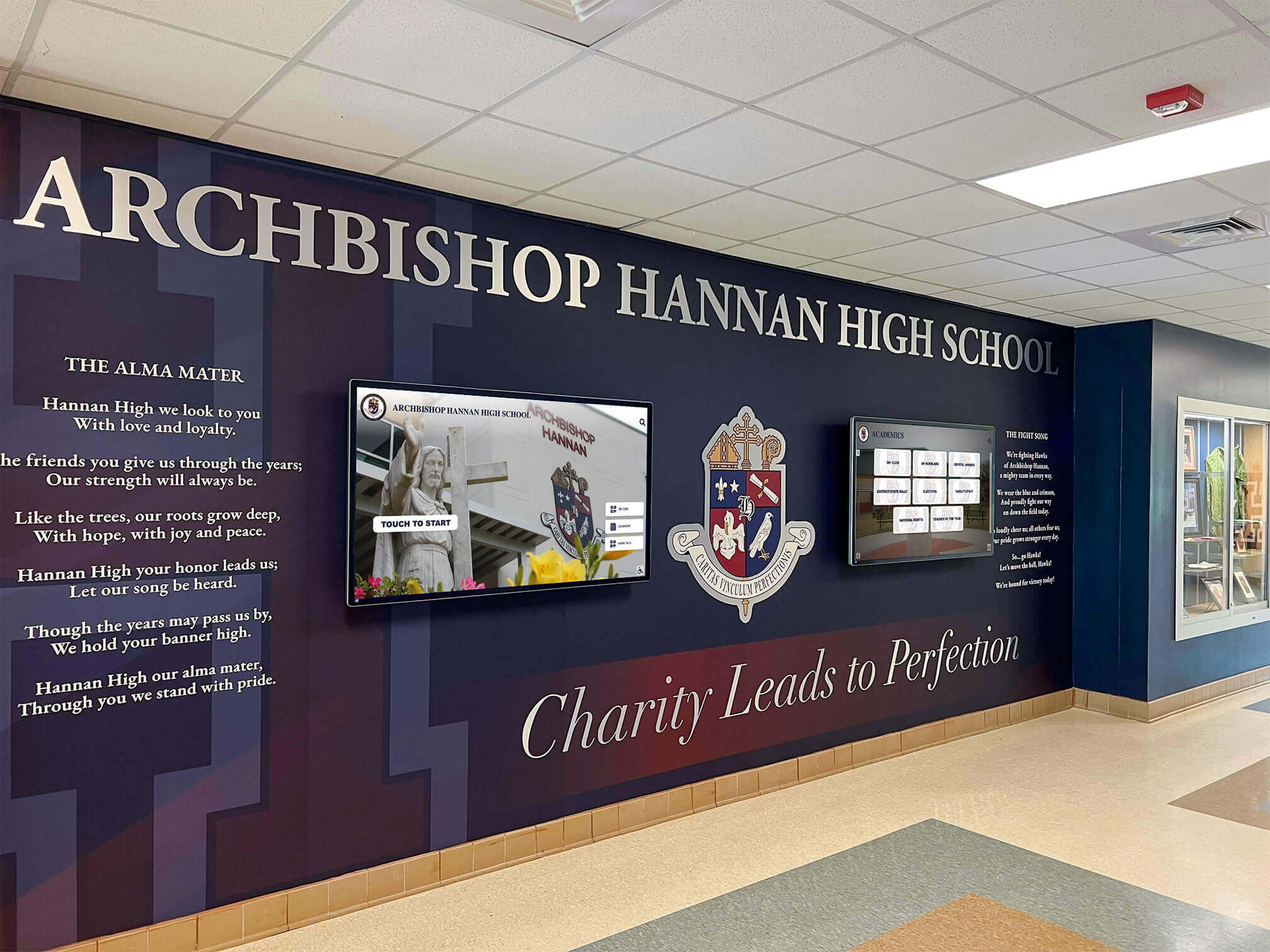
Professional installations integrate wayfinding technology with architectural design and institutional branding, creating cohesive environments that enhance campus aesthetics
Physical Installation and Configuration
Mounting and Hardware Setup Scene (2:00-3:30)
Camera documents professional installation technicians mounting a freestanding kiosk in a main lobby. Close-up shots emphasize secure anchor installation, cable management practices maintaining clean appearances, and anti-theft hardware protecting valuable equipment in unsupervised public spaces.
For wall-mounted installations, the scene shows technicians locating structural supports, installing professional-grade articulating mounts allowing service access, and integrating cables within walls for invisible routing that maintains architectural aesthetics.
Safety note overlay: “Professional installation meets all applicable building codes, fire safety requirements, and ADA accessibility standards”
Software Configuration Scene (3:30-5:00)
With hardware installed, the scene transitions to initial software setup. A technology coordinator connects to the display’s administrative interface remotely using a laptop from their office across campus—demonstrating cloud-based management capabilities.
Configuration steps shown include:
- Network connectivity verification and bandwidth testing
- Initial content platform setup and account configuration
- Campus map import and location database population
- Interface customization with institutional branding and colors
- Content scheduling and featured rotation setup
- Analytics and usage tracking activation
Narration prompt: “Modern cloud platforms enable complete configuration without physical display access—dramatically simplifying ongoing management”
The coordinator demonstrates making a content change from their office laptop and immediately seeing that update appear on the directory screen across campus, illustrating real-time remote management capabilities.
Learn about configuration best practices in touchscreen software implementation with systematic setup approaches.
Content Development Video Tutorial
Directory hardware and software provide infrastructure, but comprehensive, accurate content determines whether wayfinding systems achieve intended navigation and visitor experience objectives.
Building Comprehensive Location Databases
Data Collection Scene (0:00-1:30)
Camera follows a student worker and administrator conducting systematic campus documentation. They photograph building exterances from multiple angles, document official building names and historical colloquial references students actually use, inventory room numbers with department occupants for every space, locate and photograph amenity locations including restrooms, elevators, and accessibility features, and identify parking areas, transportation stops, and outdoor gathering spaces.
On-screen data organization structure:
- Buildings: Official name, common nicknames, construction date, primary departments
- Rooms: Number, department, function, capacity, accessibility features
- Amenities: Restrooms (gender-inclusive, accessible), elevators, water fountains, emergency equipment
- Outdoor: Pathways, parking lots, transportation stops, gathering spaces
- Points of Interest: Landmarks, public art, historic sites
The team uses a tablet with a database app, systematically documenting each location with photos, coordinates, and descriptive information—comprehensive data collection ensuring directory accuracy from launch.
Map Integration Scene (1:30-2:30)
Scene transitions to a graphic designer working with campus facilities maps. They import official architectural drawings, simplify them for clarity removing unnecessary technical details visitors don’t need, annotate buildings and pathways with clear labels, add visual hierarchy emphasizing primary navigation routes and major buildings, and integrate aerial photography providing realistic visual context helping visitors orient themselves.
The designer demonstrates layering information—allowing users to toggle between simplified schematic maps for quick navigation and detailed floor plans for specific room locations within complex multi-story buildings.
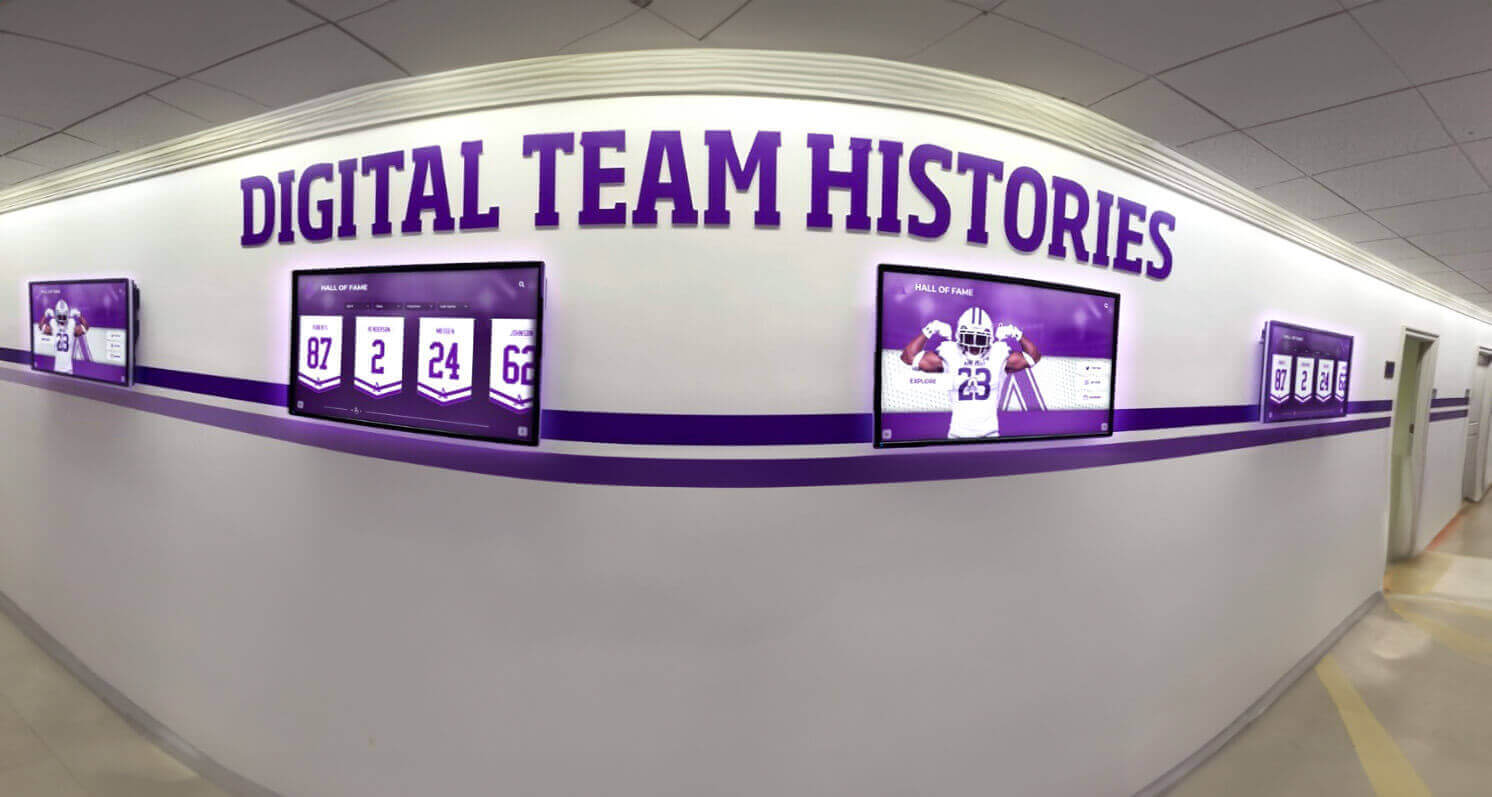
Distributed directory installations throughout campus provide wayfinding access at multiple decision points during navigation
Creating Engaging Directory Content
Writing Location Descriptions Scene (2:30-3:30)
Camera shows a content writer developing department descriptions for the directory. Rather than simply listing building names and room numbers, they craft engaging descriptions that help visitors understand what they’ll find including department purposes and services provided, notable programs or achievements that might interest prospective students, affiliated faculty or resources that distinguish programs, and visitor amenities like student lounges or exhibition spaces.
Example overlay showing before/after content:
Before: “Smith Hall, Room 213, Biology Department”
After: “Biology Department – Smith Hall, Room 213. Home to undergraduate biology programs and cutting-edge research labs. Features student study areas and the campus herbarium collection. Faculty include renowned ecology researchers and medical school preparation advisors.”
This enhanced content transforms directories from simple room finders into campus discovery tools that educate visitors about institutional excellence and available opportunities.
Accessibility Content Scene (3:30-4:30)
The writer specifically develops accessibility information ensuring inclusive navigation. Camera shows documentation of accessible building entrances (not always the main entrance), elevator locations and operational status, accessible restroom locations throughout campus, wheelchair-accessible routes between buildings, assistive listening systems in auditoriums and classrooms, and accessibility services office location and contact information.
Narration prompt: “Comprehensive accessibility content demonstrates institutional commitment to universal access while providing essential information for community members with diverse mobility needs”
Explore content quality standards in digital building directories demonstrating professional wayfinding content.
Advanced Features Video Demonstration
Beyond basic wayfinding functionality, sophisticated campus directory systems offer enhanced capabilities that extend utility and institutional value through integration and intelligent features.
Event Management and Dynamic Content
Event Integration Scene (0:00-1:30)
Camera shows a campus events coordinator preparing for a large conference. Using the directory content management system, they create event-specific information including conference registration location with directional signage, session room assignments throughout multiple buildings, parking directions and designated conference visitor lots, dining options and meal venues, and sponsor recognition displays integrated with wayfinding.
The coordinator schedules this event content to automatically activate on the conference start date and deactivate when the event concludes—no manual updating required. During the conference, camera shows external visitors using directories to navigate confidently without requiring staff assistance.
ROI calculation overlay: “Conference directors report 40% reduction in wayfinding questions and visitor assistance time when professional directory systems support event navigation”
Emergency Communication Scene (1:30-2:30)
Scene demonstrates emergency notification capabilities. A campus safety administrator uses the directory system’s alert function to immediately push emergency information to all directory displays throughout campus including building evacuation instructions and assembly point locations, weather emergency shelter-in-place guidance and designated safe areas, campus closure notifications during security events, and emergency contact information for campus security and local authorities.
Camera shows directories immediately switching from normal wayfinding content to full-screen emergency alerts with clear, large text and unmissable visual design—ensuring critical safety information reaches everyone on campus regardless of their usual communication channels.
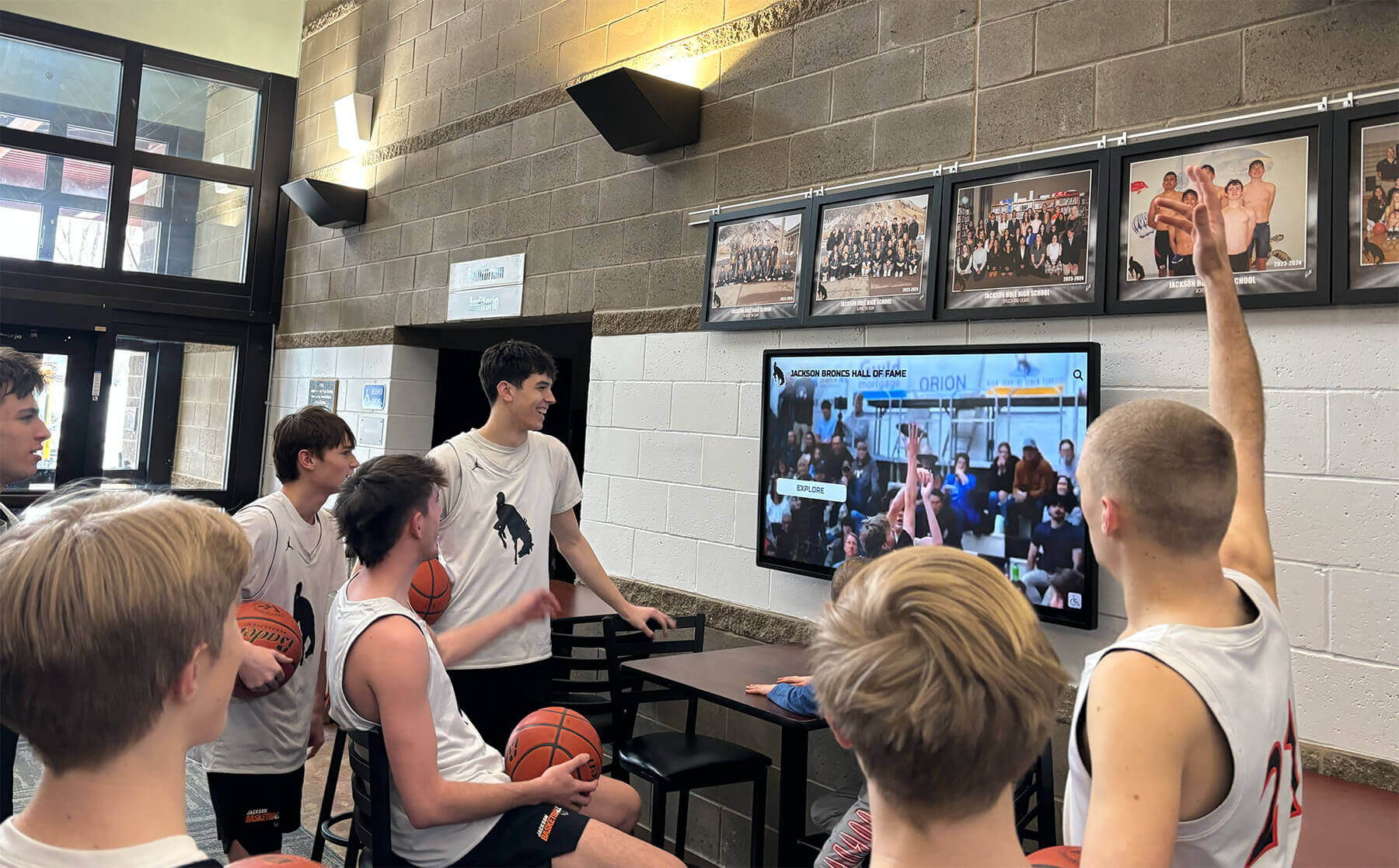
Multi-functional displays serve wayfinding, recognition, and communication purposes simultaneously, maximizing return on technology investments
Recognition and Community Engagement Integration
Achievement Showcase Scene (2:30-3:30)
Camera demonstrates how solutions like Rocket Alumni Solutions integrate recognition with wayfinding functionality. When directories aren’t actively being used for navigation, they automatically display rotating content including recent student achievements and academic honors, athletic accomplishments and championship celebrations, distinguished alumni profiles and success stories, faculty research highlights and publications, and campus facility improvements and renovation updates.
A student approaches the display to search for a classroom location. After completing their wayfinding session, the display returns to showing student achievements after 30 seconds of inactivity—ensuring recognition content reaches maximum audience while maintaining primary wayfinding utility.
Narration prompt: “Multi-purpose displays deliver greater return on investment by serving recognition, wayfinding, and communication objectives simultaneously through single installations”
Alumni Connection Features Scene (3:30-4:30)
Scene shows an alumni visiting campus for reunion weekend. They use the directory not only for navigation but also to explore their era’s achievements preserved in the digital archive. Touch interface enables browsing by graduation year, viewing teammate rosters and championship teams, watching historic game footage and performance videos, and reading alumni update submissions sharing post-graduation success.
The alumnus uses the directory’s QR code feature to transfer content to their smartphone for sharing on social media—extending recognition reach far beyond campus through organic alumni promotion.
Discover integrated recognition approaches in high school wall of fame displays demonstrating multi-purpose implementations.
Analytics and Optimization Video Guide
Systematic assessment demonstrates directory value while identifying improvement opportunities ensuring wayfinding systems achieve intended objectives and deliver measurable returns on institutional investments.
Usage Analytics Dashboard Walkthrough
Analytics Interface Tour (0:00-1:30)
Camera shows a technology coordinator accessing the directory analytics dashboard from their office. The interface reveals comprehensive usage data including total daily interactions tracking overall engagement levels, peak usage times identifying when visitors most need wayfinding assistance, most-searched destinations revealing high-demand locations, average session duration indicating engagement depth versus quick lookups, search query analysis showing how users describe locations they’re seeking, and filter usage patterns demonstrating discovery preferences.
Heat mapping visualization shows which directory screens throughout campus receive highest traffic, informing decisions about where additional installations might deliver greatest value.
Data-driven insight overlay: “Institutions implementing directory analytics report 60% improvement in wayfinding service delivery through systematic optimization based on actual usage patterns rather than assumptions”
Optimization Decision-Making Scene (1:30-2:30)
Using analytics insights, the coordinator identifies improvement opportunities. Analytics reveal many visitors search for “financial aid office” but the directory lists it officially as “Student Financial Services”—causing search failures and visitor frustration.
The coordinator immediately adds “financial aid” as a synonym directing to the correct location, updates the listing to include both official and common names, and creates signage recommendations using terminology visitors actually use. These data-driven improvements happen within minutes rather than remaining undiscovered through traditional management approaches.

Successful implementations create intuitive experiences where visitors confidently navigate facilities independently without requiring staff assistance
Measuring Wayfinding Impact
Satisfaction Assessment Scene (2:30-3:30)
Scene shows the coordinator implementing systematic feedback collection. QR codes on directories link to brief satisfaction surveys asking about wayfinding ease, information comprehensiveness, and overall visitor experience. Response data reveals 92% of visitors rate the directory as “helpful” or “very helpful” for navigation.
Campus admissions office reports prospective student families consistently mention impressive wayfinding technology during post-visit surveys—contributing to positive institutional impressions that influence enrollment decisions.
ROI Documentation Scene (3:30-4:30)
Camera shows an administrator preparing annual budget justification for directory system renewal. They document quantifiable benefits including staff time savings as directories handle 70-80% of routine wayfinding questions (valued at $15,000-25,000 annually in salary costs), improved visitor satisfaction scores increasing 35% after directory implementation, reduced printed map and signage costs ($2,000-4,000 annually), and enhanced institutional image supporting admissions and fundraising objectives (difficult to quantify but consistently cited in stakeholder feedback).
Financial summary overlay demonstrating typical 3-5 year ROI on directory investments when benefits are comprehensively assessed across multiple institutional objectives
Learn about impact measurement approaches in digital recognition assessment with comprehensive evaluation frameworks.
Implementation Best Practices and Common Pitfalls
Understanding what distinguishes successful campus directory deployments from disappointing implementations helps institutions avoid predictable mistakes while maximizing wayfinding value.
Success Factors for Directory Projects
Comprehensive Initial Content Development
The most common implementation failure involves launching directories with incomplete or low-quality content. Successful projects allocate 60-120 hours for comprehensive initial location documentation, accurate map integration, thoughtful description writing, and thorough accuracy review before public launch.
Directories launched with inadequate content create visitor frustration—undermining confidence in institutional attention to detail and defeating the primary purpose of improved navigation assistance. Front-loading content development ensures positive experiences from day one rather than gradual improvement as deficiencies are discovered through user complaints.
Strategic Location Selection
Directory effectiveness depends heavily on placement ensuring visitors encounter wayfinding assistance precisely when needed including main entrance lobbies where all visitors arrive and begin orientation, major corridor intersections where navigation decisions must be made, building connector locations for multi-structure campus navigation, and distributed locations throughout large facilities providing reorientation opportunities during complex navigation.
Many institutions initially plan single-directory installations in main administration buildings—insufficient coverage for comprehensive campus wayfinding requiring multiple strategically positioned displays reaching diverse visitor entry points and navigation decision moments.
Sustainable Management Processes
Long-term directory success requires designated administrative responsibility with adequate time allocation, systematic update workflows ensuring content remains current, scheduled content audits verifying accuracy and completeness, and staff training maintaining institutional knowledge beyond single individuals who might leave positions.
Directories without clear management responsibility gradually become outdated and unreliable—eventually reaching states where inaccurate information makes them worse than no directory at all, severely damaging institutional credibility and visitor trust.
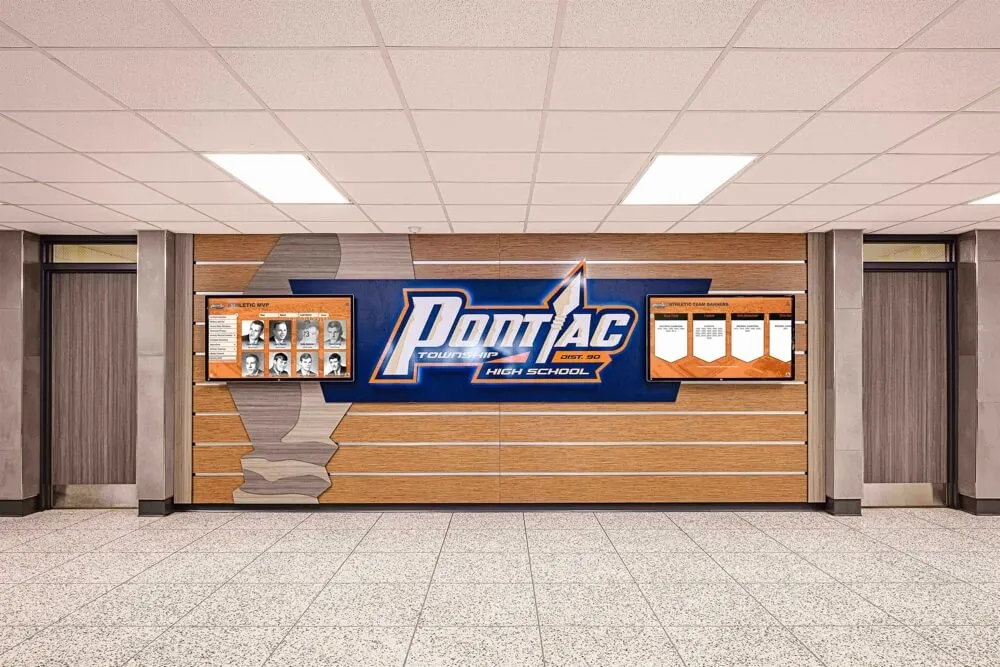
Integrated environments combining recognition, wayfinding, and architectural design create comprehensive campus experience destinations
Common Implementation Mistakes to Avoid
Adapting Consumer-Grade Hardware
Budget-conscious institutions sometimes attempt using consumer televisions with touchscreen overlays rather than commercial directory displays—creating numerous problems including rapid hardware failure under continuous operation, poor touch responsiveness frustrating users and undermining credibility, inadequate brightness making screens unreadable in naturally lit spaces, and lack of commercial warranties leaving institutions without recourse when inevitable failures occur.
Professional-grade hardware costs more initially but delivers dramatically lower total cost of ownership through longer operational lifespan and significantly reduced failure rates—making commercial equipment essential for sustainable implementations.
Insufficient Network Infrastructure
Directories require reliable connectivity for content delivery and remote management. Installations on congested Wi-Fi networks or unstable connections create persistent problems including failed content updates leaving outdated information displayed, intermittent functionality confusing users and undermining system reliability, inability to access real-time features like event calendars and emergency alerts, and extensive troubleshooting time consuming technology staff resources.
Successful installations either use dedicated ethernet connections or ensure robust Wi-Fi coverage with adequate bandwidth and priority network access for directory systems.
Neglecting Accessibility Requirements
ADA compliance isn’t optional—directories must serve all community members and visitors including appropriate mounting heights for wheelchair access, high-contrast display modes supporting visitors with visual impairments, audio guidance options for users who cannot read screens, and large, easily activated touch targets accommodating users with limited dexterity.
Beyond regulatory requirements, universal design principles ensure directories serve all users more effectively while demonstrating institutional commitment to inclusion—strengthening community culture and public perception.
Explore accessibility best practices in inclusive digital displays demonstrating universal design principles.
Transform Your Campus Wayfinding Experience
Discover how interactive touchscreen directory solutions can help your institution provide intuitive navigation, enhance visitor experiences, and showcase campus excellence through comprehensive digital wayfinding systems. Request a video demonstration customized to your campus needs.
Book a Video DemoFuture Trends in Campus Directory Technology
Understanding emerging developments helps institutions plan directory investments remaining relevant long-term as technology and visitor expectations continue evolving.
Artificial Intelligence and Personalization
Next-generation directory systems will incorporate AI capabilities that enhance user experiences through natural language processing enabling conversational wayfinding queries (“Where can I find the biology labs?”), predictive suggestions based on time of day and visitor patterns (featuring dining options during meal times), personalized recommendations based on expressed interests (suggesting relevant academic buildings for prospective students), and adaptive interfaces adjusting to individual user preferences and abilities automatically.
These intelligent features will dramatically improve wayfinding relevance and efficiency without requiring manual customization for each visitor—creating more effective experiences at scale.
Augmented Reality Integration
Emerging AR capabilities will bridge physical and digital wayfinding through smartphone camera overlays providing directional arrows visible through device screens, indoor positioning systems offering turn-by-turn guidance inside complex buildings, integration with campus mobile apps maintaining consistent information across platforms, and virtual tours enabling remote campus exploration before physical visits.
These innovations will create seamless wayfinding experiences spanning directory kiosks, personal devices, and physical environments—meeting visitor expectations for comprehensive navigation assistance throughout entire campus journeys.
Enhanced Accessibility Features
Universal design will continue advancing through voice control enabling hands-free interaction for all users, advanced screen reader compatibility ensuring full functionality for blind and low-vision users, adjustable interfaces accommodating diverse cognitive and motor abilities, multilingual support expanding to dozens of languages serving global communities, and sensory-friendly modes benefiting neurodiverse users requiring different interaction approaches.
These inclusive features will ensure directories serve all community members and visitors effectively while demonstrating institutional commitment to accessibility and universal design principles.
Explore future capabilities in digital signage innovation examining emerging technologies.
Production Notes: Creating Campus Directory Videos
For institutions developing their own directory demonstration videos for training, marketing, or stakeholder communication, these production considerations ensure professional results.
Equipment and Technical Requirements
Filming Equipment
- 4K camera providing crisp detail essential for demonstrating screen clarity
- Tripod or gimbal stabilizer ensuring smooth, professional camera movement
- External microphone capturing clear narration and ambient audio
- LED lighting panels providing consistent illumination for screen recording
- Polarizing filter reducing screen glare and reflections in footage
Screen Recording
Combine physical filming with direct screen capture for maximum clarity. Record directory interface interactions directly from the system while simultaneously filming users interacting with physical displays—enabling editing that shows both user actions and detailed screen responses.
Filming Best Practices
Demonstrating Touch Interaction
- Close-up shots emphasizing responsive touch feedback and smooth animations
- Multiple angles showing complete gesture sequences (tap, swipe, pinch to zoom)
- Slow-motion effects highlighting precision and interface responsiveness
- Clear lighting ensuring hands don’t cast shadows on screens during interaction
Accessibility Demonstrations
Document universal design features through varied user demonstrations including individuals of different heights accessing appropriately mounted displays, demonstrations of high-contrast modes and text size adjustments, voice guidance feature showcases with audio clearly captured, and multilingual interface demonstrations showing seamless language switching.
Before/After Comparisons
Effectively communicate directory value through contrast showing confused visitors consulting unhelpful static maps (before), same visitors confidently navigating with digital directories (after), administrative staff overwhelmed answering directional questions (before), and staff engaging in meaningful visitor relationship building (after).
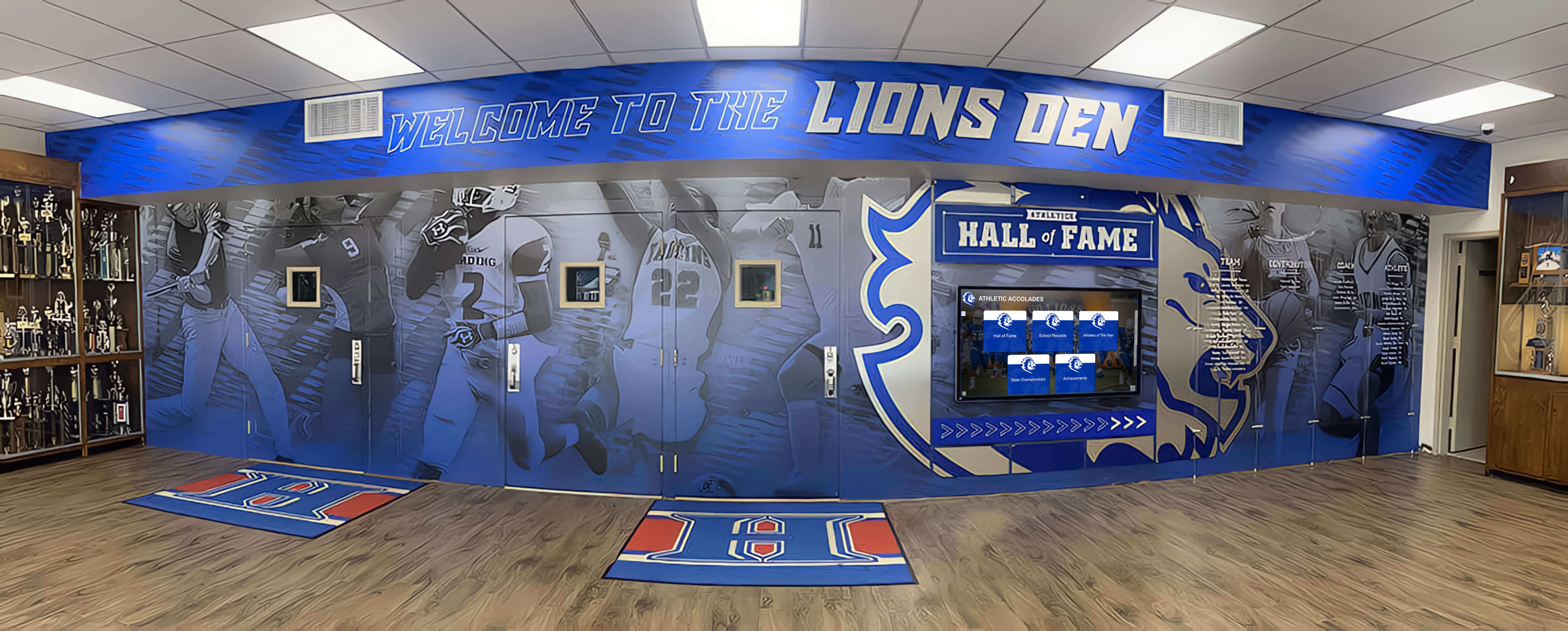
Professional campus environments integrate wayfinding technology with institutional branding and recognition displays, creating cohesive spaces that honor tradition while embracing innovation
Conclusion: Visual Storytelling for Campus Wayfinding
Campus directory touchscreen displays represent fundamental advances in institutional wayfinding—transforming frustrating navigation experiences into intuitive, engaging interactions that reduce visitor stress while showcasing campus excellence and freeing staff to focus on meaningful relationship building rather than repetitive directional assistance.
This comprehensive video guide provides visual frameworks for understanding directory technology, implementation strategies, and optimization approaches through demonstrations impossible to communicate effectively through text alone. From installation walkthroughs showing professional deployment practices to user experience demonstrations revealing intuitive navigation to analytics tutorials enabling data-driven optimization, these visual resources support successful directory projects delivering lasting institutional value.
The most effective implementations view directories not as isolated technology projects but as integrated components of comprehensive strategies serving admissions recruitment, visitor experience enhancement, campus safety communication, and community engagement objectives simultaneously through multi-purpose platforms maximizing return on investments.
Solutions like Rocket Alumni Solutions provide purpose-built platforms designed specifically for educational wayfinding and recognition, offering capabilities, ease of use, and professional support that enable sustainable, impactful directory implementations serving diverse institutional needs across facility types and campus scales.
Whether your institution needs comprehensive campus-wide wayfinding infrastructure or targeted directory deployments in specific high-traffic facilities, modern touchscreen technology makes professional, engaging navigation accessible and achievable through systematic planning and appropriate platform selection.
The strategies, demonstrations, and production guidance explored in this video guide provide comprehensive frameworks for implementing directories that eliminate navigation confusion while creating positive visitor impressions influencing enrollment decisions, community perception, and institutional success. From unlimited location capacity and intuitive touch interfaces to cloud-based remote management and mobile integration, these capabilities address fundamental limitations of traditional wayfinding approaches while creating experiences meeting modern visitor expectations.
Start wherever your current situation demands—whether replacing outdated building directories or creating entirely new wayfinding infrastructure—then systematically expand to create navigation assistance your campus community and visitors deserve. Every visitor who navigates your campus easily and arrives at destinations confidently experiences reduced stress and enhanced satisfaction—precisely the positive impressions institutions need during recruitment, events, and community engagement.
Your campus deserves wayfinding infrastructure that demonstrates the excellence your institution represents. With thoughtful planning, appropriate technology investments like Rocket Alumni Solutions, and systematic implementation guided by visual demonstrations and best practices, you can create touchscreen directory systems that become valued assets serving multiple institutional priorities while creating welcoming, navigable environments for all campus community members and visitors.
Ready to see campus directory systems in action? Explore video demonstrations of interactive campus technology or learn about digital wayfinding implementation through comprehensive visual guides.
This content was produced by Rocket Alumni Solutions. All information is based on publicly available data as of December 2025.































