




Digital signage software has evolved dramatically from simple content rotation systems into sophisticated platforms powering everything from retail advertising networks to interactive recognition displays in schools and corporate environments. As organizations increasingly recognize the power of visual communication, selecting the right digital signage software in 2026 requires understanding not just current capabilities, but emerging trends that will shape how institutions engage audiences through dynamic displays.
Whether you’re deploying information kiosks in a university campus, creating interactive touchscreen recognition systems for athletic programs, managing content across distributed retail locations, or coordinating wayfinding displays in healthcare facilities, the digital signage software you choose fundamentally determines what’s possible—and what remains frustratingly out of reach.
This comprehensive guide examines the best digital signage software platforms available in 2026, exploring specialized solutions for different use cases, key features that separate professional systems from consumer alternatives, pricing models that align with various budgets, and critical selection criteria ensuring your investment delivers lasting value rather than buyer’s remorse within months of implementation.
Modern digital signage software serves purposes far beyond simple slideshow displays. Today’s leading platforms enable cloud-based content management, interactive touchscreen experiences, real-time data integration, remote monitoring across distributed installations, sophisticated scheduling and targeting, and comprehensive analytics revealing how audiences actually engage with displayed content.

Professional digital signage software powers engaging interactive experiences from recognition displays to information kiosks
Understanding Digital Signage Software Categories in 2026
Before evaluating specific platforms, understanding the distinct categories of digital signage software helps organizations identify which type aligns with their specific needs, technical capabilities, and strategic objectives.
Cloud-Based Digital Signage Platforms
Cloud-based digital signage software represents the dominant architecture in 2026, offering remote management, automatic updates, and distributed content delivery without requiring on-premises server infrastructure.
Core Characteristics
Cloud platforms deliver content and management capabilities through internet connectivity:
- Remote content management from any internet-connected device
- Automatic software updates ensuring latest features without manual intervention
- Centralized control managing hundreds of displays from single interface
- Redundant infrastructure preventing single points of failure
- Scalable architecture accommodating growth without hardware investments
- Subscription pricing spreading costs across time rather than large upfront purchases
These characteristics make cloud-based solutions ideal for organizations lacking dedicated IT infrastructure, those managing distributed display networks across multiple locations, and institutions prioritizing ease of management over absolute control of every technical element.
According to industry research from Digital Signage Today, approximately 78% of new digital signage deployments in 2025 utilized cloud-based platforms, demonstrating the architecture’s dominance for modern applications.
Advantages for Different Organizations
Educational institutions benefit from cloud platforms through simple content updates accessible to non-technical staff, while retail chains leverage centralized management for consistent branding across locations. Small businesses appreciate avoiding server maintenance, and growing organizations value scalability that accommodates expansion without platform migration.
Interactive Touchscreen Digital Signage Systems
Interactive digital signage software transforms passive displays into engaging experiences where users actively explore content through touch interaction, fundamentally changing how organizations communicate information and celebrate achievements.
Interactive Capabilities
Purpose-built interactive platforms provide:
- Touch-optimized interfaces designed for finger interaction rather than mouse navigation
- Search functionality enabling users to find specific information instantly
- Content filtering allowing exploration by category, date, or attribute
- Multimedia integration coordinating video, photos, and text seamlessly
- Session management automatically resetting displays after user inactivity
- Accessibility features ensuring universal access regardless of ability
Interactive systems prove particularly valuable for applications requiring deep content exploration—digital hall of fame displays showcasing hundreds of profiles, information kiosks with extensive institutional history, and recognition systems celebrating diverse achievements across multiple categories.
Solutions like Rocket Alumni Solutions specialize in interactive touchscreen applications for recognition and engagement, providing intuitive content management specifically designed for schools, athletic programs, and nonprofit organizations celebrating achievement.
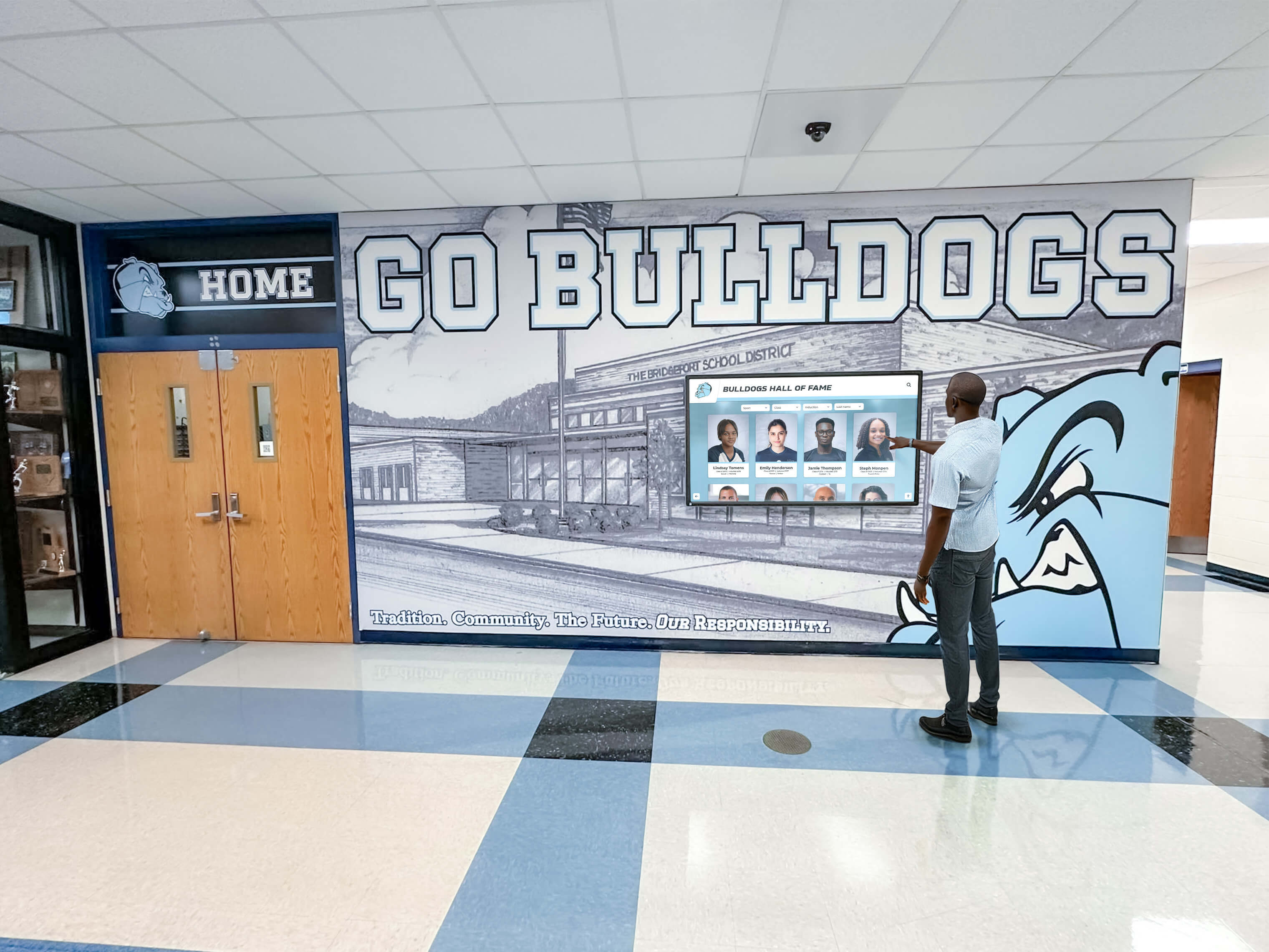
Interactive digital signage software enables engaging exploration rather than passive viewing
Traditional Content Rotation Systems
Traditional digital signage software focuses on displaying rotating content—images, videos, and basic information—without interactive capabilities, serving applications where passive viewing meets organizational needs.
Appropriate Use Cases
Content rotation systems work well for:
- Menu boards in restaurants displaying offerings and pricing
- Promotional displays in retail environments showing products and sales
- Announcement boards sharing brief updates and information
- Wayfinding displays providing directions and building information
- Emergency communication systems broadcasting alerts
These simpler systems typically cost less than interactive platforms and require minimal content complexity, making them appropriate when organizations need straightforward visual communication without extensive content depth or user interaction.
Essential Features in Professional Digital Signage Software
Distinguishing professional digital signage platforms from consumer alternatives requires evaluating core capabilities that determine long-term satisfaction and operational success.
Content Management System (CMS) Quality
The content management system fundamentally determines how easy—or frustrating—ongoing display management becomes after initial implementation enthusiasm fades.
Intuitive Interface Requirements
Professional CMS platforms provide:
- Visual content builders enabling drag-and-drop layout creation without coding
- Media library organization with tagging, folders, and search functionality
- Template systems accelerating content creation for common formats
- Preview capabilities showing exactly how content appears on actual displays
- Revision history enabling recovery from mistakes and content comparison
- Role-based permissions controlling who can edit, approve, and publish content
Organizations should evaluate CMS quality through hands-on demonstrations, not promotional videos. Request access to actual management interfaces and attempt common tasks—uploading media, creating layouts, scheduling content, and publishing updates—to assess whether systems match advertised simplicity.
Multi-User Collaboration
Enterprise environments require sophisticated collaboration enabling multiple staff members to contribute content while maintaining quality control:
- Workflow approval processes ensuring content review before publication
- Content contributor roles allowing submissions without direct publishing
- Department-specific permissions separating content administration
- Activity logging tracking changes for accountability
- Conflict prevention when multiple users edit simultaneously
These capabilities prove essential for larger organizations where content responsibility distributes across departments rather than residing with single administrators.

Professional CMS platforms enable straightforward content management without technical expertise
Scheduling and Automation Capabilities
Advanced scheduling transforms digital signage from manual content management into automated communication systems requiring minimal ongoing intervention.
Comprehensive Scheduling Options
Professional platforms enable:
- Date/time-based scheduling displaying specific content during defined periods
- Dayparting automatically switching content by time of day
- Calendar integration coordinating displays with institutional schedules
- Conditional content showing weather-dependent or event-triggered messaging
- Priority systems allowing emergency messages to override regular content
- Playlist management defining content sequences and durations
Schools benefit from scheduling that automatically displays different content during class periods, lunch, and after-school activities. Retail environments schedule promotions coordinated with sales events, while corporate offices display department-specific content in appropriate areas during working hours.
Explore scheduling strategies in interactive announcements feed systems demonstrating automated content delivery approaches.
Hardware Compatibility and Player Support
Digital signage software compatibility with display hardware determines deployment flexibility and potential lock-in risks requiring careful evaluation.
Player Architecture Options
Different architectures suit different deployment contexts:
- System-on-Chip (SoC) displays with built-in computing eliminate separate media players
- External media players connecting to standard displays provide hardware flexibility
- PC-based systems leveraging existing computers reduce hardware costs
- Mobile device support enabling tablets as displays for specific applications
- Streaming capabilities pushing content to smart displays without dedicated players
System-on-Chip displays integrate everything into single units simplifying installation, while external media players enable upgrading displays independently from computing components. Organizations should evaluate which architecture aligns with existing infrastructure, technical capabilities, and future flexibility requirements.
Operating System Support
Multi-platform support prevents vendor lock-in:
- Windows compatibility for existing PC infrastructure
- Android support for cost-effective media players
- Linux options for technical organizations preferring open systems
- Chrome OS for educational institutions standardized on Chromebooks
- Fire TV support for budget-conscious deployments
The best digital signage software platforms support multiple operating systems, ensuring organizations can select hardware based on cost, preference, and availability rather than software constraints.
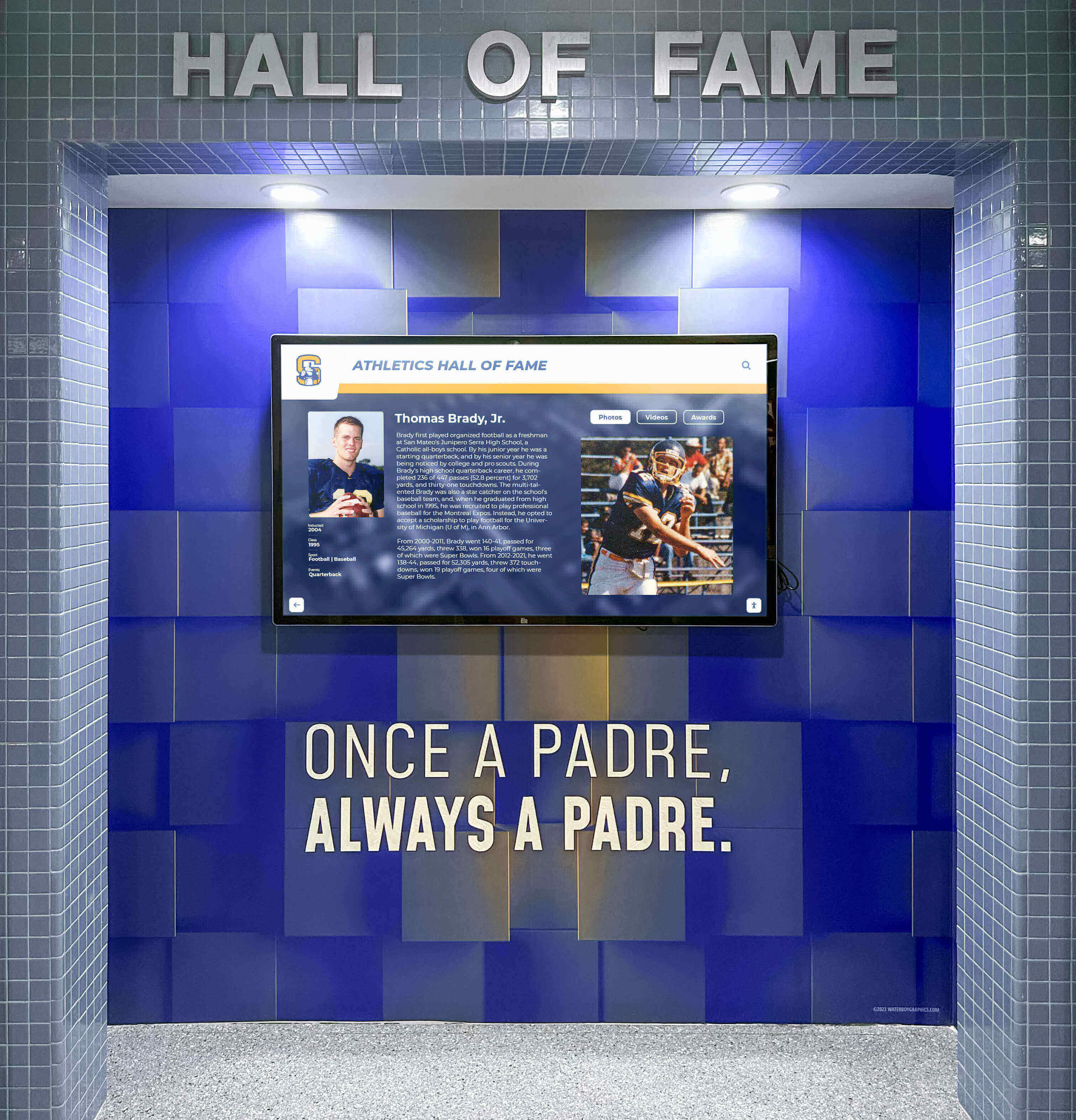
Hardware compatibility ensures deployment flexibility across different display environments and budgets
Remote Monitoring and Management
Professional deployments require sophisticated remote capabilities ensuring reliable operation across distributed display networks without constant on-site intervention.
Monitoring Capabilities
Enterprise-grade platforms provide:
- Display status monitoring showing which screens are online, offline, or experiencing issues
- Content verification confirming correct content displays on each screen
- Performance metrics tracking uptime, connectivity, and playback quality
- Automated alerts notifying administrators of failures requiring attention
- Remote troubleshooting enabling problem diagnosis without site visits
- Bandwidth monitoring tracking network utilization preventing connectivity issues
Organizations managing displays across multiple buildings or locations require these capabilities preventing situations where displays show outdated content, blank screens, or error messages without administrators’ awareness.
Remote Control Features
Beyond monitoring, remote control enables:
- Content updates propagating instantly to all displays
- Display power management on defined schedules
- Software updates deployed automatically overnight
- Configuration changes applied remotely without physical access
- Emergency messaging overriding regular content instantly
- Screenshot capture verifying display status visually
These remote capabilities dramatically reduce administrative burden while ensuring consistent quality across distributed installations. Solutions designed for educational and nonprofit applications, like those offered by Rocket Alumni Solutions, prioritize straightforward remote management accessible to non-technical staff rather than requiring dedicated IT support.
Best Digital Signage Software for Interactive Recognition Displays
Organizations implementing recognition and engagement applications require specialized digital signage software emphasizing interactivity, content depth, and user experience rather than simple content rotation.
Rocket Alumni Solutions: Purpose-Built for Recognition
Rocket Alumni Solutions provides interactive digital signage software specifically designed for schools, athletic programs, and nonprofit organizations celebrating achievement through touchscreen displays.
Specialized Recognition Features
Unlike general-purpose digital signage platforms, Rocket Alumni Solutions focuses entirely on recognition applications:
- Unlimited profile capacity celebrating thousands of individuals without space constraints
- Multimedia integration coordinating photos, videos, statistics, and biographical content
- Advanced search functionality enabling instant discovery of specific honorees
- Category organization separating athletic, academic, alumni, and donor recognition
- Timeline visualizations showing program history chronologically
- Social sharing capabilities allowing honorees to celebrate recognition digitally
- Web-responsive design extending engagement beyond physical displays
- Privacy controls appropriate for student and minor information
These specialized capabilities address recognition-specific requirements general digital signage platforms don’t prioritize, making purpose-built solutions significantly more effective for digital hall of fame applications than adapting generic systems.
Content Management for Non-Technical Staff
Recognition content management requires no technical expertise:
- Intuitive profile templates with clear fields for biographical information
- Drag-and-drop media upload directly in web browsers
- Preview capabilities showing exactly how content appears on displays
- Scheduled publishing for coordinated unveiling during induction events
- Collaborative permissions enabling distributed content contribution
- Engagement analytics revealing which profiles generate most interest
This accessibility ensures recognition programs remain current rather than becoming static due to management complexity overwhelming volunteer coordinators or busy administrators.

Purpose-built recognition software enables comprehensive multimedia storytelling celebrating achievements appropriately
Implementation and Support
Comprehensive implementation services ensure successful launches:
- Planning consultation clarifying objectives and requirements
- Content development assistance gathering historical information
- Professional installation coordinating hardware setup
- Staff training ensuring confident ongoing management
- Ongoing technical support addressing questions and issues
- Regular platform enhancements driven by customer feedback
These services prove particularly valuable for educational and nonprofit organizations lacking dedicated IT resources, providing expert guidance throughout implementation and sustained operation.
Discover recognition implementation strategies in digital recognition display buyer guides with comprehensive planning frameworks.
Comparing Interactive Digital Signage Solutions
When evaluating interactive digital signage software for recognition applications, several platforms warrant consideration based on specific organizational needs and priorities.
Key Evaluation Criteria
Organizations should assess:
- Recognition specialization - Does software address recognition-specific requirements or require adaptation?
- Content capacity - Can platforms accommodate hundreds or thousands of profiles without performance degradation?
- User experience quality - How intuitive and engaging are touchscreen interfaces for actual visitors?
- Management simplicity - Can non-technical staff confidently add and update content independently?
- Educational pricing - Do vendors offer favorable pricing reflecting school and nonprofit budget realities?
- Implementation support - What services ensure successful launches beyond simply licensing software?
- Long-term viability - Will vendors continue developing platforms or abandon products after initial sales?
Purpose-built recognition platforms like Rocket Alumni Solutions excel across these criteria specifically because they focus exclusively on recognition applications rather than attempting to serve every possible digital signage use case.
Best General-Purpose Digital Signage Software Platforms
Organizations requiring flexible digital signage for diverse applications beyond specialized recognition systems should evaluate general-purpose platforms offering broad capabilities across multiple use cases.
Rise Vision: Education-Focused Cloud Platform
Rise Vision provides cloud-based digital signage software with particular strength in educational environments, offering free plans for schools alongside paid enterprise options.
Core Capabilities
- Template library with education-specific layouts
- Google Drive integration for content from familiar tools
- Schedule-based content rotation
- Multi-display management
- Remote monitoring and alerts
- Chromebox player optimization
Pricing Structure
Rise Vision offers tiered pricing:
- Free tier for single displays with basic features
- Professional plans starting around $10-20/month per display
- Enterprise options with advanced features and support
- Educational discounts for qualifying institutions
The free tier makes Rise Vision accessible for schools testing digital signage before committing to paid platforms, though feature limitations encourage upgrades as needs grow.
ScreenCloud: User-Friendly Cloud Solution
ScreenCloud emphasizes simplicity and ease of use, targeting small businesses and organizations wanting straightforward digital signage without technical complexity.
Key Features
- Intuitive drag-and-drop content builder
- Pre-built apps for common content sources
- Social media integration displaying live feeds
- Digital menu board templates
- Team collaboration capabilities
- Analytics showing content performance
Pricing Model
ScreenCloud uses subscription pricing:
- Plans typically $20-40/month per screen
- Annual payment discounts available
- 14-day free trial enabling evaluation
- Educational and nonprofit pricing programs
The platform’s emphasis on simplicity makes it appropriate for organizations prioritizing ease of use over advanced customization capabilities.
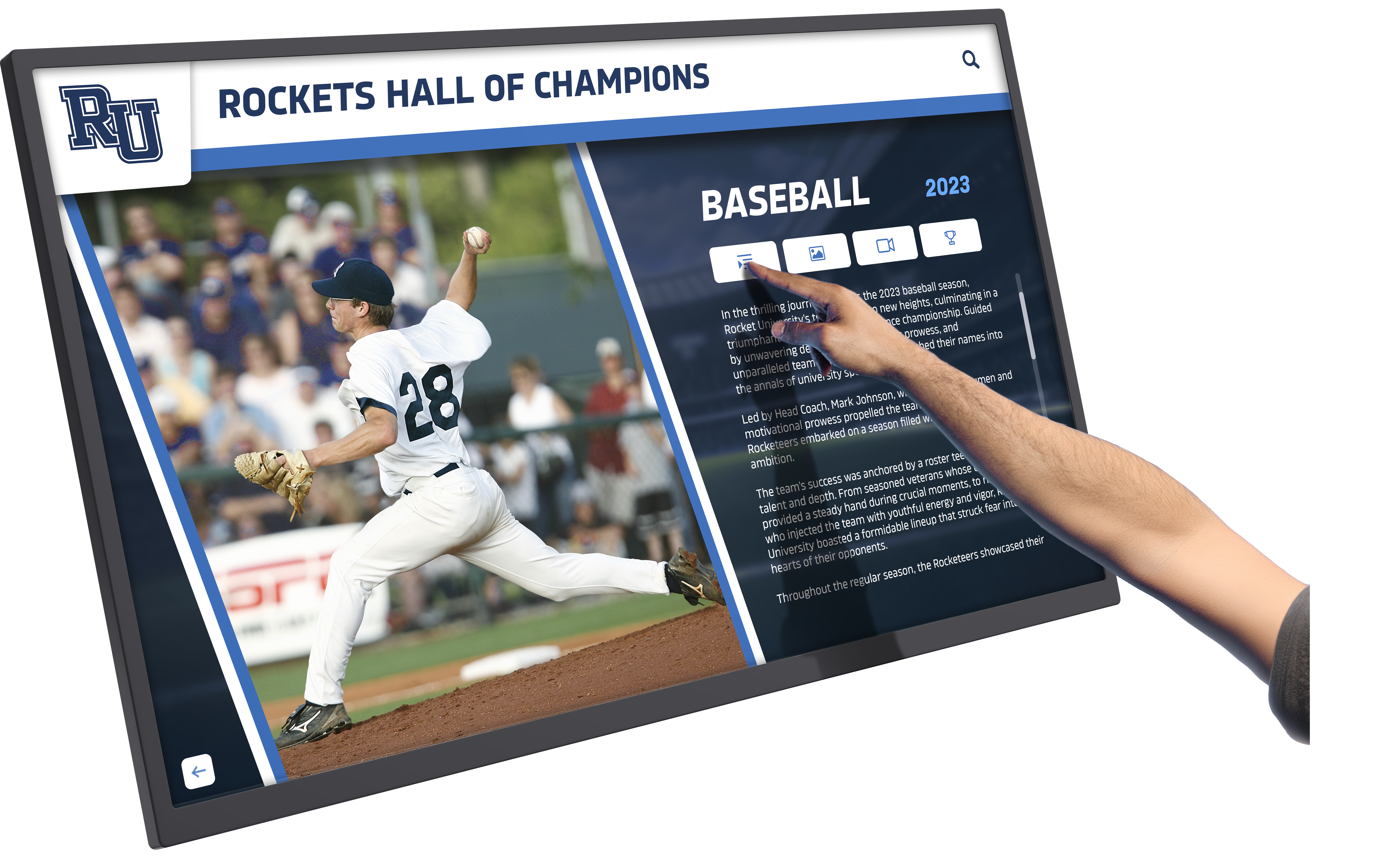
Cloud-based platforms enable content management from any internet-connected device without specialized software
Yodeck: Cost-Effective Raspberry Pi Solution
Yodeck differentiates through support for Raspberry Pi media players, dramatically reducing hardware costs while maintaining professional software capabilities.
Notable Features
- One display free forever with full features
- Raspberry Pi player support ($60-80 hardware cost)
- Also supports Android, Fire TV, and SoC displays
- Scheduling and playlist management
- Remote monitoring across all displays
- Template library and layout tools
Pricing Approach
Yodeck’s pricing encourages adoption:
- First display completely free indefinitely
- Additional displays $7.99/month each
- Annual payment for modest discount
- No contracts or long-term commitments
- Budget-friendly option for cost-conscious organizations
The free single-display option enables organizations to test full platform capabilities without financial risk, while the low per-display pricing makes Yodeck highly competitive for multi-display deployments.
Learn about hardware considerations in touchscreen kiosk software guides examining platform and player compatibility.
Digital Signage Software Selection Criteria
Choosing the best digital signage software requires systematic evaluation of capabilities against specific organizational requirements rather than selecting platforms based on marketing claims or superficial feature comparisons.
Defining Your Specific Use Case
Different applications demand different capabilities, making clear use case definition essential before evaluating platforms.
Recognition and Engagement Applications
Organizations implementing digital hall of fame displays, alumni recognition systems, or donor walls require:
- Interactive touchscreen capabilities for content exploration
- Unlimited content capacity for comprehensive recognition
- Sophisticated search and filtering functionality
- Multimedia integration coordinating diverse content types
- Purpose-built recognition templates and layouts
- Simple content management for non-technical staff
For these applications, purpose-built recognition platforms like Rocket Alumni Solutions deliver significantly better results than adapting general-purpose digital signage software not designed for deep content exploration.
Communication and Announcements
Schools and businesses using digital signage for announcements, schedules, and general communication need:
- Easy content updates from multiple contributors
- Schedule-based automatic content rotation
- Emergency message override capabilities
- Template systems for consistent branding
- Calendar and data source integration
- Multi-display content coordination
General-purpose cloud platforms excel for these communication-focused applications where content changes frequently but remains relatively simple.
Wayfinding and Information
Campuses and facilities deploying wayfinding systems require:
- Interactive map capabilities with touch navigation
- Building directory with search functionality
- Event schedules with real-time updates
- Multilingual content for diverse audiences
- Accessibility compliance features
- Reliable operation without constant maintenance
Specialized wayfinding platforms or interactive-capable general solutions serve these applications better than simple content rotation systems.
Evaluating Total Cost of Ownership
Understanding complete financial implications requires looking beyond advertised subscription prices to total costs spanning initial implementation through years of operation.
Initial Implementation Costs
Complete startup investments include:
- Software licensing or setup fees - Initial platform access costs
- Display hardware - Commercial touchscreens or standard displays ($500-5,000+ per display)
- Media players - Computing devices running software ($100-800 per player if needed)
- Installation services - Professional mounting and configuration ($500-2,500 per display)
- Content development - Initial content creation and media preparation (varies significantly)
- Training - Staff education ensuring confident management
Total initial investment for single-display implementations typically ranges $3,000-10,000 depending on hardware quality, software selection, and whether organizations utilize professional installation versus internal IT resources.
Ongoing Annual Costs
Sustained operation requires:
- Software subscriptions - Monthly or annual platform access fees ($120-600+ per display annually)
- Content management labor - Staff time updating and maintaining content
- Technical support - Vendor assistance resolving issues
- Hardware maintenance - Display and player replacement over time
- Connectivity costs - Internet bandwidth for cloud platforms
- Software updates - Platform upgrades (often included in subscriptions)
Organizations should request detailed pricing covering all cost components, not just advertised per-display subscription rates that exclude essential elements affecting total ownership costs.
Explore cost considerations in digital trophy case implementation guides examining complete investment requirements.

Professional installations integrate digital signage seamlessly with existing environments and institutional branding
Assessing Vendor Viability and Support
Platform capabilities matter little if vendors abandon products or provide inadequate support when organizations encounter inevitable issues.
Vendor Evaluation Factors
Organizations should assess:
- Company history and stability - How long has vendor operated? Financial stability indicators?
- Customer base size - How many active installations demonstrate market acceptance?
- Development investment - Does vendor actively enhance platforms or maintain minimal updates?
- Customer references - Will vendor provide contacts with similar organizations sharing experiences?
- Support responsiveness - How quickly does vendor respond to inquiries and issues?
- Educational expertise - Does vendor understand institutional environments and constraints?
- Contract terms - What commitments and exit options exist?
Request references from organizations with similar applications, asking specifically about post-implementation support quality, vendor responsiveness to enhancement requests, and whether they’d select the same platform knowing what they’ve learned through actual usage.
Implementation Best Practices for Digital Signage Software
Successful digital signage deployments require more than purchasing appropriate software—systematic implementation ensures platforms deliver intended value rather than disappointing after initial enthusiasm fades.
Strategic Placement and Hardware Selection
Software capabilities mean nothing if displays are poorly positioned or hardware proves unreliable for continuous operation in institutional environments.
Optimal Placement Locations
Digital signage achieves maximum engagement when strategically positioned:
- Main entrance lobbies ensuring all visitors encounter displays
- High-traffic corridors where people naturally pause and gather
- Waiting areas with extended dwell time enabling content exploration
- Athletic facilities creating immediate recognition atmosphere
- Alumni centers facilitating connection and engagement
- Multiple distributed locations reaching diverse audiences throughout facilities
Organizations report dramatically different engagement based purely on placement—displays in high-traffic locations with natural dwell time generate 3-5x more interaction than those in transition spaces where people rush past without stopping.
Discover placement strategies in athletic hall of fame displays with optimal positioning guidelines.
Commercial-Grade Hardware Requirements
Consumer televisions fail quickly under continuous operation demands:
- Commercial displays rated for 16-24 hour daily operation
- Minimum 43-55 inch sizes for individual viewing; 65-75 inches for group viewing
- 1080p minimum resolution; 4K preferred for large displays and future-proofing
- 350-500 nit brightness for typical indoor environments
- 3-year minimum warranties appropriate for institutional installations
- Capacitive or infrared touch for interactive applications requiring responsive multi-touch
Attempting to save money through consumer displays results in premature failures, screen burn-in, and ongoing replacement costs exceeding initial savings from lower purchase prices.
Content Development and Quality Standards
Hardware and software establish infrastructure, but engaging content determines whether digital signage achieves intended objectives or becomes ignored background noise.
Professional Content Guidelines
Recognition content deserves professional quality:
- High-resolution photography (minimum 1920x1080 for featured images)
- Professional video editing with titles, context, and captions
- Consistent visual style across profiles and categories
- Factual accuracy verified through multiple sources
- Engaging storytelling beyond statistics alone
- Appropriate length balancing depth with visitor attention spans
Organizations should budget adequate time for content development rather than rushing implementations with placeholder content intended for “later” enhancement that rarely materializes once displays launch.
Ongoing Content Management
Digital signage remains engaging only through regular updates:
- Designate specific staff responsible for content management
- Create standard processes for gathering new achievement information
- Schedule regular content review ensuring accuracy and currency
- Rotate featured content highlighting different achievements periodically
- Monitor engagement analytics identifying popular content and opportunities
- Gather stakeholder feedback about recognition effectiveness
Cloud-based platforms dramatically simplify ongoing management compared to systems requiring physical display access for every update, making sustained engagement practical rather than administratively overwhelming.
Explore content strategies in digital yearbook displays with comprehensive content management approaches.

Engaging content and intuitive interfaces transform digital signage from background decoration into actively explored resources
Training and Change Management
Technology capabilities matter little if staff members lack confidence using systems or feel threatened by new responsibilities displacing familiar processes.
Comprehensive Training Approaches
Successful implementations include:
- Hands-on training sessions with actual content management practice
- Written documentation with screenshots for reference
- Video tutorials demonstrating common tasks step-by-step
- Ongoing support access when questions arise
- Champion identification of enthusiastic early adopters helping colleagues
- Gradual rollout enabling learning before full-scale deployment
Organizations should allocate adequate training time rather than assuming “intuitive” software requires no education—even simple platforms benefit from structured introduction ensuring staff develops confidence before taking independent responsibility.
Measuring Digital Signage Software Effectiveness
Assessment demonstrates platform value while identifying optimization opportunities ensuring displays achieve intended objectives rather than becoming expensive decoration administrators tolerate but don’t actively maintain.
Quantitative Engagement Metrics
Modern digital signage software provides concrete engagement data revealing how audiences actually interact with displays.
Key Performance Indicators
Professional platforms track:
- Display interaction frequency showing daily usage patterns
- Average session duration revealing engagement depth
- Most-viewed content identifying audience interests
- Search patterns showing how users navigate content
- Peak usage times informing content scheduling optimization
- Geographic access for web-accessible platforms
- Social sharing frequency demonstrating organic promotion
These metrics enable data-driven decisions about content strategy, display placement, and feature priorities rather than relying on subjective impressions about what seems to work.
Comparative Analysis
Sophisticated evaluation examines:
- Engagement trends over time showing growth or decline
- Content type comparisons revealing which formats resonate
- Location performance differences identifying optimal placement
- Feature utilization rates justifying investment in capabilities
- Visitor demographic patterns when audience identification possible
Organizations should establish baseline metrics at implementation, then monitor trends revealing whether interventions improve engagement or changes inadvertently reduce effectiveness.
Qualitative Impact Assessment
Numbers reveal what happens, but qualitative feedback explains why and identifies opportunities quantitative data alone can’t surface.
Stakeholder Feedback Collection
Regular input provides insights beyond metrics:
- Student and staff surveys assessing awareness and engagement
- Alumni responses to enhanced recognition visibility
- Visitor reactions during tours and community events
- Leadership perspectives on cultural impact and institutional pride
- Content contributor experiences with management platforms
- Technical staff feedback about reliability and support quality
This qualitative feedback reveals whether digital signage achieves intended cultural impacts beyond simple usage metrics—strengthening institutional pride, improving recognition culture, enhancing community connection, and supporting strategic objectives.
Discover assessment strategies in donor recognition evaluation guides examining comprehensive impact measurement approaches.
Future Trends in Digital Signage Software
Understanding emerging developments helps organizations select platforms positioned for continued relevance rather than approaching obsolescence shortly after implementation.
Artificial Intelligence and Personalization
AI capabilities are transforming digital signage from one-size-fits-all displays into adaptive experiences adjusting content based on audience characteristics and behaviors.
Emerging AI Applications
Next-generation platforms incorporate:
- Audience analytics recognizing viewer demographics adjusting content appropriately
- Content recommendations suggesting related profiles based on viewing patterns
- Automated content generation creating summaries and highlights from source data
- Predictive scheduling optimizing content timing based on historical engagement
- Natural language processing enabling voice-controlled navigation
- Image recognition automatically tagging and organizing media libraries
These AI capabilities will progressively separate advanced platforms from basic alternatives, though organizations should evaluate whether emerging features address genuine needs or represent technology seeking applications.
Enhanced Accessibility and Inclusion
Modern digital signage software increasingly emphasizes accessibility ensuring universal engagement regardless of ability or background.
Accessibility Advances
Leading platforms provide:
- Multiple language support reaching diverse communities
- Screen reader compatibility for visually impaired users
- Adjustable text sizes and high-contrast modes
- Closed captioning for all video content
- Alternative text for images supporting assistive technologies
- Keyboard navigation alternatives to touch interaction
- Voice control options for hands-free operation
These inclusive features ensure recognition serves entire communities rather than privileging certain populations—demonstrating institutional commitment to accessibility while potentially satisfying compliance requirements.
Integration with Broader Institutional Systems
Digital signage platforms increasingly connect with comprehensive institutional technology ecosystems rather than operating as isolated systems.
System Integration Opportunities
Modern platforms enable:
- Student information system connections automating achievement recognition
- Donor management integration coordinating giving acknowledgment
- Social media synchronization amplifying recognition reach
- Mobile application coordination extending content beyond physical displays
- Analytics platform consolidation providing unified engagement insights
- Calendar system integration coordinating displays with schedules
Solutions like Rocket Alumni Solutions provide integration capabilities supporting comprehensive engagement strategies—enabling organizations to address recognition while building broader capabilities supporting multiple institutional objectives simultaneously.
Explore Purpose-Built Interactive Touchscreen Solutions
Discover how specialized digital signage software designed specifically for recognition applications can help you celebrate every achievement, engage your entire community, and preserve institutional legacy with professional interactive displays.
Schedule Your Platform DemoConclusion: Selecting the Best Digital Signage Software for Your Needs
Choosing the best digital signage software in 2026 requires matching platform capabilities to specific organizational applications rather than selecting based on feature lists, marketing claims, or pricing alone. No single platform serves every use case optimally—the best choice depends entirely on whether you’re implementing recognition displays, communication systems, wayfinding solutions, or promotional content across different institutional contexts.
For organizations implementing interactive recognition displays celebrating achievement through touchscreen exploration, purpose-built platforms like Rocket Alumni Solutions deliver dramatically better results than adapting general-purpose digital signage software not designed for deep content engagement. The specialized features, recognition-focused templates, straightforward content management, and implementation support specifically address requirements that matter most for effective recognition programs.
General communication applications—announcements, schedules, promotional content—work well with flexible cloud platforms emphasizing ease of management, scheduling sophistication, and multi-display coordination. Organizations prioritizing cost-effectiveness find value in platforms like Yodeck supporting inexpensive hardware, while those valuing educational expertise benefit from Rise Vision’s institution-focused approach.
The strategies explored in this guide provide comprehensive frameworks for evaluating digital signage software against genuine organizational needs rather than superficial comparisons. From understanding total cost of ownership through assessing vendor viability and measuring platform effectiveness, these evaluation criteria enable confident decisions delivering long-term value rather than regrettable investments requiring replacement after disappointing results.
Start wherever current situations demand—whether enhancing existing communication systems, exploring interactive recognition displays, or coordinating signage across distributed locations—then systematically expand as needs grow and budgets allow. Every organization deserves digital signage software that reliably serves their specific purposes while remaining manageable within technical capabilities and financial constraints.
Ready to explore digital signage options for your specific application? Learn more about interactive touchscreen software specialized for recognition systems, discover touchscreen display implementation strategies, or contact Rocket Alumni Solutions to discuss purpose-built recognition platforms designed specifically for schools, athletic programs, and nonprofit organizations celebrating achievement through engaging interactive displays.































