




America’s 250th anniversary in 2026 represents an extraordinary opportunity for museums, historical societies, schools, and civic institutions to engage communities with the nation’s complex heritage. Traditional glass-case displays and static interpretive panels that served cultural institutions for generations no longer meet visitor expectations shaped by smartphones, streaming media, and interactive experiences encountered daily. As millions of Americans prepare to commemorate the semiquincentennial—the 250th anniversary of the Declaration of Independence—institutions face a pressing question: how can we honor history authentically while presenting it in formats that genuinely engage contemporary audiences, particularly younger generations whose connection to American history increasingly depends on compelling, interactive experiences?
Museum history touchscreens offer a powerful answer. These interactive displays combine intuitive touch interfaces with rich multimedia content—high-resolution historical imagery, primary source documents, oral histories, archival video footage, and interactive timelines—creating immersive exploration experiences impossible with traditional exhibit methods. Visitors can examine digitized founding documents in detail, explore interactive maps showing territorial expansion, watch historical footage brought to life through colorization and enhancement, hear firsthand accounts from diverse voices across American history, and discover personal connections to national narratives through searchable databases of names, places, and events spanning 250 years.
Yet many institutions struggle with implementation challenges: limited budgets competing with conservation priorities, uncertainty about which technologies deliver genuine educational value versus superficial novelty, concerns about maintaining sophisticated systems long-term, and questions about whether digital presentations respect the authenticity and contemplative qualities traditional museum experiences provide.
This comprehensive guide explores how museum history touchscreens are transforming America’s 250th celebration—examining practical technologies, content strategies, implementation considerations, and best practices enabling cultural institutions to honor the past while engaging present and future generations with interactive experiences worthy of this historic milestone.
The most successful America 250 implementations will balance tradition and innovation—using interactive technology to make history more accessible and engaging while respecting the complexity, dignity, and multiple perspectives that characterize authentic historical understanding appropriate for this significant national moment.

Interactive touchscreen exhibits are attracting significant attention as museums prepare new displays for America's 250th anniversary celebration
Understanding America’s 250th Anniversary Context
Before exploring specific touchscreen technologies and exhibit strategies, understanding the scope and significance of America’s semiquincentennial helps institutions develop meaningful commemorative experiences aligned with community needs and educational objectives.
The Semiquincentennial: A Once-in-a-Lifetime Opportunity
Historic Milestone Context
July 4, 2026 marks exactly 250 years since the Continental Congress adopted the Declaration of Independence in Philadelphia, Pennsylvania. This quarter-millennium milestone provides rare opportunities for:
- Comprehensive reflection on American historical development across two and a half centuries
- Examination of founding principles and their evolution through changing contexts
- Recognition of diverse voices and experiences that shaped national development
- Assessment of how far the nation has progressed toward stated ideals
- Engagement with complex questions about national identity and future direction
- Multi-generational dialogue connecting past, present, and future
- Community gathering around shared heritage despite contemporary divisions
Unlike annual commemorations or even centennial observations, the 250-year milestone invites especially comprehensive historical engagement that acknowledges both achievements and failures, celebrated moments and painful legacies, inspiring progress and ongoing challenges characterizing authentic national narratives.
Federal and Community Planning
The congressionally established U.S. Semiquincentennial Commission has been coordinating planning across federal, state, and local levels since 2016, focusing on themes of reflection, commemoration, and inspiration that encourage thoughtful engagement rather than superficial patriotic pageantry. This coordinated approach means thousands of museums, historical societies, schools, civic organizations, and communities nationwide are simultaneously developing commemorative programs creating unprecedented opportunities for cultural institutions to contribute to national dialogue while serving local educational missions.
Why Interactive Technology Matters for Historical Commemoration
Meeting Contemporary Audience Expectations
Younger visitors who will experience America 250 events grew up with smartphones and tablets, expecting to interact with information rather than passively observe it. According to museum visitor studies, institutions implementing interactive displays report that visitors spend 4-6 times longer at exhibits featuring touchscreen interactivity compared to traditional text-panel presentations, demonstrating that technology genuinely enhances rather than distracts from content engagement when implemented thoughtfully.
Families with children seek experiences accommodating varied attention spans and learning styles that single-mode static displays struggle to satisfy. Interactive history touchscreens transform museum visits from exercises in keeping children quiet into engaging discovery experiences where younger visitors actively explore and question, making historical institutions more welcoming to family audiences who might otherwise find traditional museums intimidating or irrelevant to their lives.
Addressing Historical Complexity Appropriately
America’s 250-year history encompasses extraordinary complexity—inspiring achievements alongside painful injustices, inclusive ideals developed through exclusive processes, democratic principles alongside persistent inequalities. Traditional exhibit labels accommodating perhaps 100-200 words cannot provide the contextual depth, multiple interpretive perspectives, and nuanced narratives necessary for visitors to genuinely understand this complexity rather than receiving simplified versions inadequate for meaningful historical comprehension.
Interactive touchscreens eliminate these constraints, providing layered information where casual visitors access brief engaging overviews, interested visitors explore moderate detail about aspects capturing attention, and serious students access comprehensive documentation including primary sources, scholarly citations, and multiple interpretive perspectives—all from the same hardware serving diverse engagement levels simultaneously without overwhelming less-interested visitors.
Discover how similar engagement principles apply to digital interactive museum displays across various institutional contexts.

Touchscreen kiosks enable hands-on historical exploration that transforms passive observation into active learning experiences appropriate for America 250 commemorations
Core Technologies for America 250 Museum History Exhibits
Multiple proven technologies enable interactive historical experiences for America’s 250th celebration, each offering distinct capabilities serving specific educational objectives within commemorative contexts.
Large-Format Interactive Touchscreen Displays
Intuitive Multi-User History Exploration
Large touchscreen displays represent the most versatile and widely adopted interactive technology for America 250 exhibits, combining intuitive tablet-like interfaces with screen sizes enabling multiple simultaneous users and group exploration particularly appropriate for commemorative events drawing crowds.
Essential Technical Specifications
Museum-grade interactive touchscreens for historical exhibits require:
- Commercial durability engineered for 16-24 hour daily operation during peak anniversary year traffic
- Multi-touch responsiveness supporting simultaneous interaction by multiple visitors exploring together
- High resolution displays (4K or 8K) revealing fine details in historical documents, photographs, and maps
- Anti-glare screen treatments ensuring readability under varied lighting conditions
- Tempered glass protection withstanding continuous public use in high-traffic environments
- Integrated content management systems enabling curators to update exhibits remotely
- Accessibility features including adjustable height, screen reader compatibility, and large touch targets
- Network connectivity supporting cloud-based content delivery and real-time updates
Display sizes typically range from 55 inches for individual exploration stations to 75-85 inches for group-oriented exhibits, with some installations featuring video walls combining multiple displays into massive timeline canvases showing 250 years of American history at appropriate scale.
America 250 Application Scenarios
Museums deploy touchscreen displays specifically for semiquincentennial exhibits including:
- Interactive timelines spanning 1776-2026 with searchable events, figures, and movements
- Digitized founding document viewers providing unprecedented access to Declaration of Independence, Constitution, Bill of Rights, and related materials with zoom capabilities revealing details impossible to see in traditional glass-case presentations
- Comparative displays showing how founding principles evolved through constitutional amendments, Supreme Court decisions, and legislative milestones
- Geographic exploration interfaces tracing territorial expansion, migration patterns, and demographic changes
- Oral history archives making recorded interviews searchable by theme, community, or time period
- Primary source collections enabling visitors to examine letters, speeches, newspaper articles, and documents in original formats
- Video galleries presenting archival footage, documentary clips, and commemorative content
- Interactive civics education explaining governmental structures, democratic processes, and civic participation
Solutions like Rocket Alumni Solutions that specialize in heritage and recognition displays provide museum-appropriate content management systems designed for cultural institutions rather than generic digital signage unsuited for scholarly content presentation and complex media integration required for substantive historical exhibits.
Learn about comprehensive approaches in museum kiosk design applicable to America 250 contexts.
Digital Timeline Interfaces for Historical Navigation
Making 250 Years Comprehensible
Quarter-millennium timelines present unique visualization challenges—how do you make 250 years of history navigable and comprehensible when different visitors care about different periods, themes, and perspectives?
Effective Timeline Design Principles
Successful America 250 timeline interfaces incorporate:
- Multi-scale navigation enabling visitors to view entire 250-year span at once then zoom into specific decades or years for detailed exploration
- Thematic filtering allowing focus on political, social, cultural, economic, technological, or military history
- Geographic filtering revealing how different regions experienced national developments differently
- Demographic perspectives showing how various communities experienced American history from distinct vantage points
- Search functionality enabling instant location of specific events, figures, or movements
- Comparative views displaying simultaneous developments in different spheres
- Connection visualization revealing relationships between seemingly separate events or movements
- Multimedia integration providing images, documents, video, and audio at relevant timeline points
These interactive capabilities transform overwhelming chronological information into navigable explorations where visitors discover patterns and connections rather than simply receiving sequential facts passively—particularly valuable when dealing with the complexity and scope of 250 years spanning colonial era through digital age.
Similar timeline approaches used for institutional history preservation apply effectively to broader American history contexts.
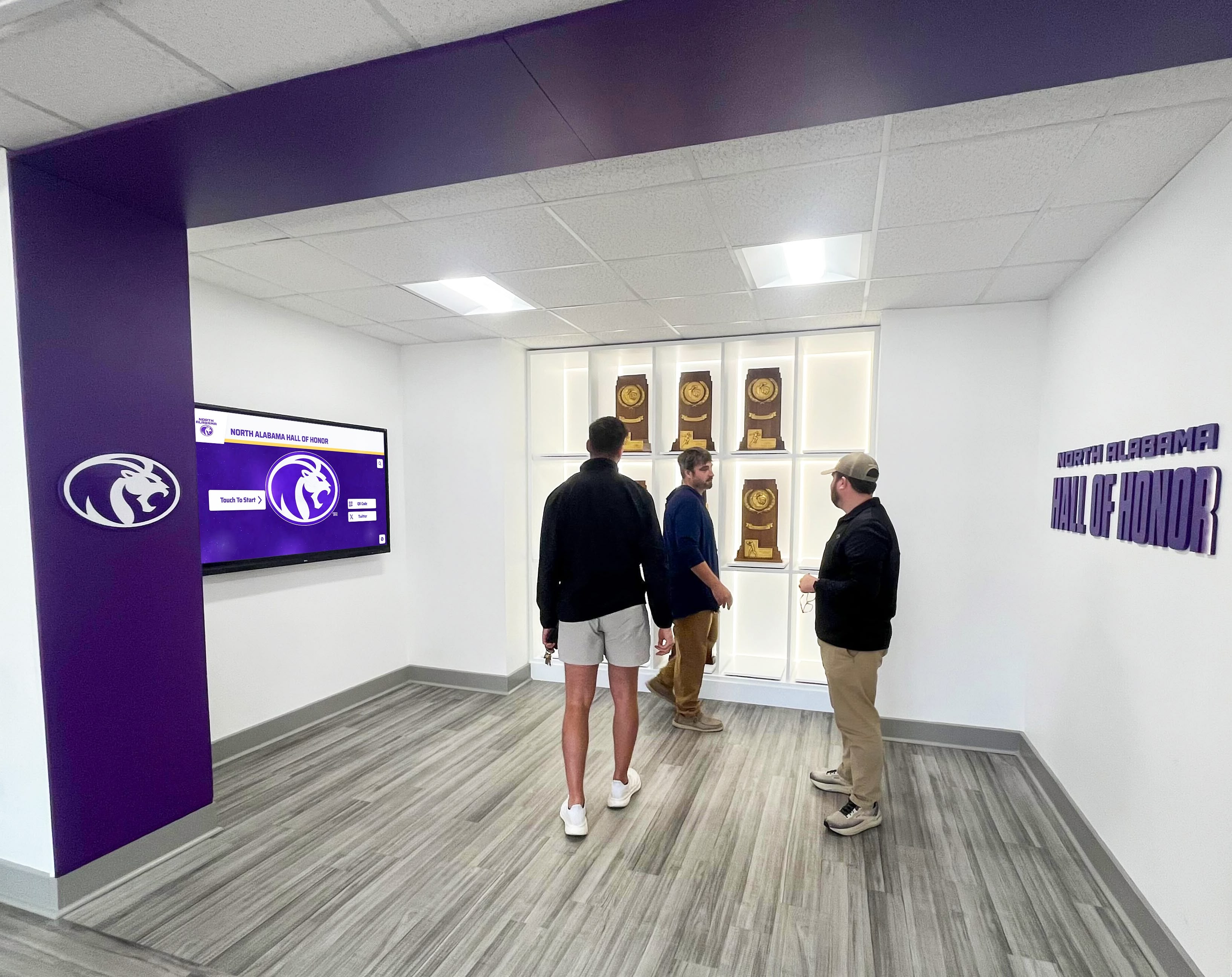
Well-designed interactive spaces encourage group exploration and discussion, making museums social experiences rather than isolated individual viewing appropriate for commemorative occasions
Primary Source Document Viewers
Bringing Founding Documents to Life
America’s founding documents—Declaration of Independence, Constitution, Bill of Rights, Federalist Papers, and related materials—represent central touchstones for 250th anniversary commemorations. Interactive touchscreen viewers enable unprecedented public access to these historically significant documents in ways traditional glass-case display cannot match.
Document Viewing Capabilities
High-resolution document viewers provide:
- Ultra-high-resolution scans (often 300+ DPI) supporting extreme zoom revealing individual pen strokes, paper texture, and details invisible at normal viewing distances
- Layer controls showing original documents, enhanced readability versions, and modern transcriptions
- Annotation features highlighting significant passages with explanatory context
- Comparison views showing draft versions, revisions, and final ratified documents
- Signers’ biographies accessible by touching individual signatures
- Historical context explaining circumstances surrounding document creation
- Analysis tools explaining language, principles, and contemporary debates
- Related documents connecting founding materials to subsequent historical developments
These capabilities transform brief glances at documents behind protective glass into extended examination sessions where visitors genuinely engage with founding principles and language at depth impossible with traditional display methods—particularly valuable for educational programs accompanying America 250 commemorations.
Geographic Information System (GIS) Mapping Interfaces
Visualizing Territorial and Demographic Change
America’s geographic transformation from thirteen colonies to fifty states across 250 years provides compelling visualization opportunities that static maps cannot adequately communicate.
Interactive Mapping Features
GIS-based history exhibits enable:
- Animated territorial expansion showing how national boundaries changed decade by decade
- Migration pattern visualization tracking population movements across centuries
- Comparative demographics revealing how communities grew, moved, and changed composition
- Economic development mapping showing industrial, agricultural, and technological changes geographically
- Transportation network evolution displaying how roads, railroads, and infrastructure connected the nation
- Environmental change documentation showing landscape alterations over 250 years
- Cultural geography exploration examining how different regions developed distinct identities
- Historic site locations helping visitors understand where significant events occurred
Interactive maps transform static geography lessons into dynamic explorations revealing how physical space and human activity intersected throughout American development—particularly engaging for visitors who understand history better through spatial rather than purely chronological organization.
Explore geographic approaches in digital archives for schools applicable to broader historical contexts.
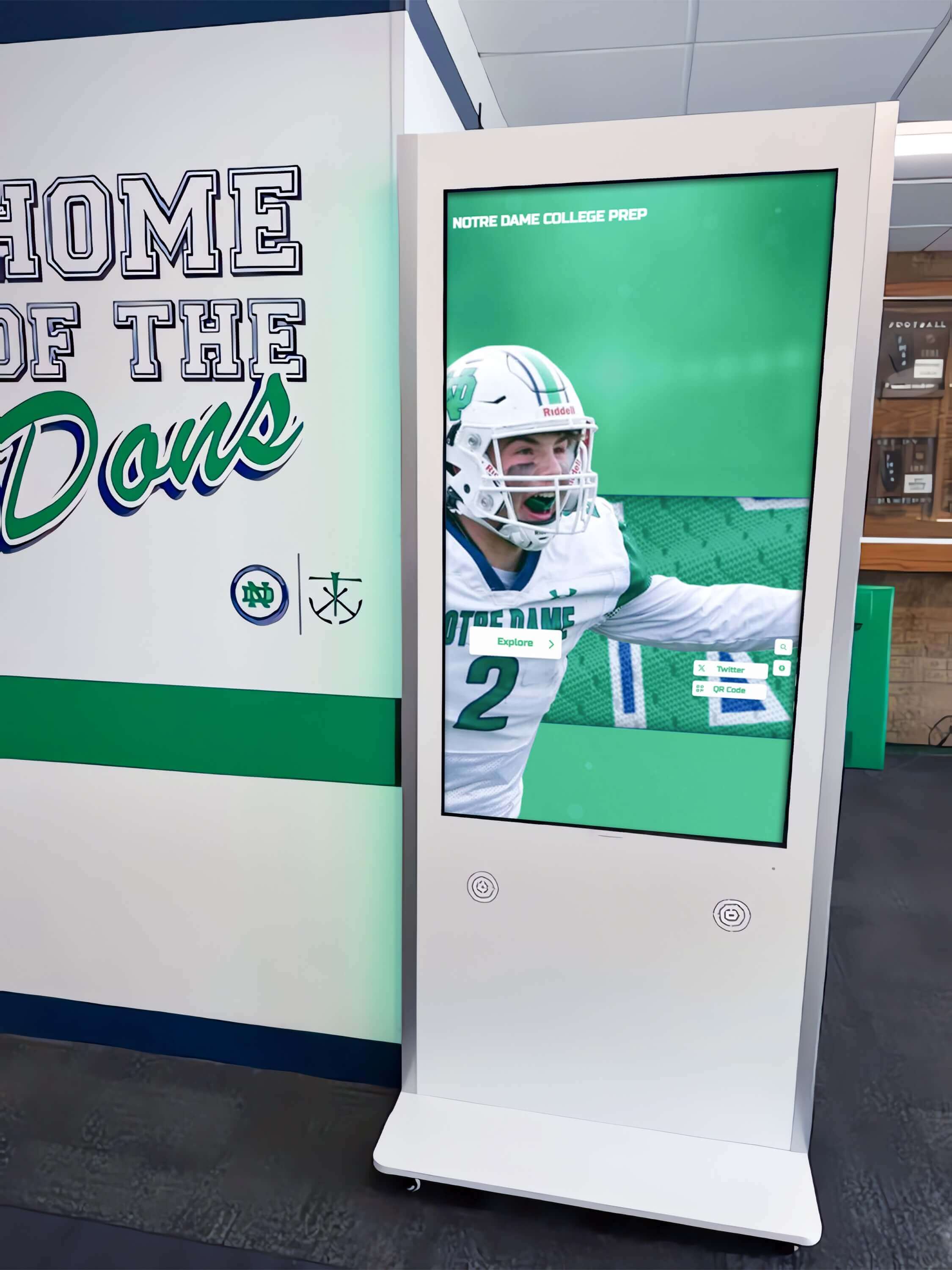
Strategic hallway placement ensures high visibility for America 250 exhibits while enabling extended exploration without blocking circulation during peak visitation
Content Development for America 250 History Touchscreens
Technology provides infrastructure, but compelling content determines whether interactive exhibits achieve educational objectives and create memorable commemorative experiences worthy of this historic milestone.
Thematic Framework Development
Organizing 250 Years Meaningfully
Comprehensive historical coverage requires clear thematic organization enabling visitors to explore according to interests rather than confronting overwhelming information without navigational structure.
Core America 250 Themes
Institutions developing touchscreen exhibits typically organize content around major themes including:
Founding Principles and Their Evolution
- Declaration ideals versus historical realities
- Constitutional development through amendments and interpretation
- Expansion of rights and citizenship over time
- Democratic participation and civic engagement evolution
- Federal system development and state-federal relationships
Diverse American Experiences
- Indigenous peoples’ experiences before and after colonization
- African American history from enslavement through civil rights and beyond
- Immigration waves and ethnic community development
- Women’s changing roles and rights movements
- Regional identities and cultural variations
- Religious diversity and freedom of conscience
- LGBTQ+ experiences and rights development
Economic and Technological Transformation
- Agricultural to industrial to information economy transitions
- Labor movements and workplace evolution
- Innovation and entrepreneurship
- Transportation and communication revolutions
- Environmental impacts and conservation movements
Wars, Conflicts, and Diplomacy
- Independence through contemporary military history
- International relationships and global influence
- Peace movements and conscientious objection
- Veteran experiences and military service
- Diplomacy and foreign policy evolution
Arts, Culture, and Social Movements
- American artistic and literary traditions
- Popular culture and entertainment
- Education access and development
- Social reform movements
- Sports and recreation
- Architecture and urban development
This thematic organization enables visitors to pursue interests deeply rather than attempting superficial coverage of everything, making 250 years of history genuinely explorable rather than overwhelming.
Multimedia Content Standards
Professional Production Quality
America 250 exhibits representing institutions publicly require professional-quality multimedia content honoring historical significance and institutional credibility.
Photography and Image Standards
Historical photography for touchscreen exhibits demands:
- High resolution (minimum 4K, 8K preferred) supporting extreme zoom without pixelation
- Professional digitization of historical photographs using appropriate archival scanning standards
- Color correction and enhancement making historical images viewable while maintaining authenticity
- Proper rights clearance ensuring legal compliance for public exhibition
- Complete metadata documenting image sources, dates, subjects, and permissions
- Consistent presentation style across different eras and source materials
Video Production Requirements
Video content for America 250 exhibits requires:
- HD or 4K quality matching display capabilities
- Professional editing with appropriate pacing for contemplative museum environments
- Closed captioning for accessibility compliance and quiet gallery viewing
- Appropriate length (typically 2-5 minutes maximum) respecting visitor attention spans
- Historical accuracy verified through scholarly review
- Rights clearance for music, archival footage, and other third-party content
- Balanced perspectives acknowledging historical complexity
Primary Source Digitization
Documents, manuscripts, and historical materials require:
- Archival-quality scanning (300+ DPI minimum for documents)
- Proper handling protocols preventing damage to original materials
- Transcription providing searchable text alongside original images
- Context explanation helping visitors understand historical language and references
- Citation standards enabling scholarly verification
- Permission documentation for materials under copyright
These quality standards ensure touchscreen exhibits honor America’s 250th anniversary appropriately while maintaining presentation standards reflecting institutional commitment to historical integrity.
Accessibility and Universal Design
Inclusive Historical Engagement
America 250 commemorations should welcome all visitors regardless of physical ability, language proficiency, age, or background knowledge.
Essential Accessibility Features
Touchscreen exhibits must provide:
- ADA-compliant mounting heights enabling wheelchair access
- Alternative text for all visual content supporting screen readers
- Closed captioning and transcripts for video and audio content
- Adjustable text sizes accommodating visual impairments
- High contrast modes for visitors with visual sensitivities
- Multilingual content reaching diverse communities
- Simplified explanations alongside scholarly detail
- Clear navigation enabling visitors to find content without confusion
Universal design approaches creating inherently accessible experiences serve all visitors better than treating accessibility as compliance checklist addressing minimum requirements—particularly important for commemorative events meant to engage entire communities.
Discover accessibility approaches in interactive museum displays applicable to cultural institutions.

Systematic digitization of historical photographs and documents creates searchable archives making complete collections accessible for America 250 exhibits
Implementation Strategies for America 250 Touchscreen Exhibits
Successful implementation requires systematic planning addressing technical, financial, and operational considerations ensuring touchscreen exhibits deliver lasting value beyond the anniversary year itself.
Planning Timeline Considerations
Coordinating with Anniversary Schedule
Institutions planning America 250 touchscreen exhibits should consider realistic development timelines:
12-18 Months Before Launch
- Define exhibit goals, themes, and target audiences
- Secure funding through grants, sponsorships, or institutional budgets
- Select technology platforms and vendors
- Begin content development and historical research
- Plan physical space modifications if required
6-12 Months Before Launch
- Complete content development and multimedia production
- Procure and install hardware displays
- Develop and test interactive software applications
- Train staff on content management and maintenance
- Conduct accessibility testing and user experience evaluation
3-6 Months Before Launch
- Finalize all content and technical testing
- Conduct staff training on visitor assistance
- Develop marketing and promotional materials
- Create educational programming around exhibits
- Plan opening events and media coverage
Launch and Ongoing
- Monitor visitor engagement and technical performance
- Collect feedback and make iterative improvements
- Plan content updates for anniversary year events
- Develop sustainability strategies beyond 2026
Budget and Funding Considerations
Total Cost of Ownership
Initial Implementation Costs
America 250 touchscreen exhibit projects typically include:
- Hardware costs: $5,000-$20,000 per display depending on size and capabilities
- Professional installation: $2,000-$8,000 per display for museum-grade mounting
- Content development: $15,000-$150,000+ depending on scope and multimedia production
- Software platforms: $3,000-$12,000 initial setup for museum-specific systems
- Physical space modifications: $5,000-$50,000+ depending on facility requirements
Typical single America 250 touchscreen installation: $25,000-$60,000 Comprehensive gallery with multiple interactive stations: $200,000-$750,000+
Ongoing Annual Costs
Operating costs include:
- Software subscriptions: $2,400-$8,000 per year for cloud-based museum platforms
- Content updates and maintenance: staff time or contract services
- Technical support: $2,000-$10,000 per year
- Hardware replacement reserves: planning for 5-7 year equipment lifecycles
- Utilities: minimal for displays, significant for projection systems
Funding Sources
Museums fund America 250 exhibits through:
- Federal America 250 grants from Semiquincentennial Commission and related agencies
- State humanities councils and historical commissions
- Private foundations supporting historical preservation and education
- Corporate sponsorships from companies seeking association with commemorative events
- Individual donations from community members invested in historical commemoration
- Admission revenue increases from enhanced visitor experiences
Learn about funding strategies in donor recognition for cultural institutions applicable to museum funding models.
Technical Infrastructure Requirements
Supporting Reliable Operation
America 250 exhibits require robust infrastructure ensuring reliable operation during peak anniversary year visitation when technical problems would be especially problematic.
Network and Connectivity
Museums need:
- Reliable high-speed internet supporting content delivery to multiple displays
- Secure network separation preventing visitor device connections from compromising institutional systems
- Sufficient bandwidth supporting high-resolution video streaming and imagery
- Network redundancy preventing single point failures during critical commemorative events
- Remote management capabilities enabling off-hours updates
Content Management Systems
Museums need cloud-based platforms enabling:
- Remote content updates without physical display access
- User-friendly interfaces allowing curators to update exhibits without programming expertise
- Version control tracking content changes with rollback capabilities
- Scheduled publishing for anniversary-year content updates
- Analytics revealing usage patterns informing content strategy
- Multi-user access with role-based permissions for staff teams
Solutions like Rocket Alumni Solutions provide museum-appropriate content management specifically designed for cultural heritage presentation rather than generic digital signage systems lacking features museums require for scholarly content and complex media integration necessary for substantive America 250 exhibits.
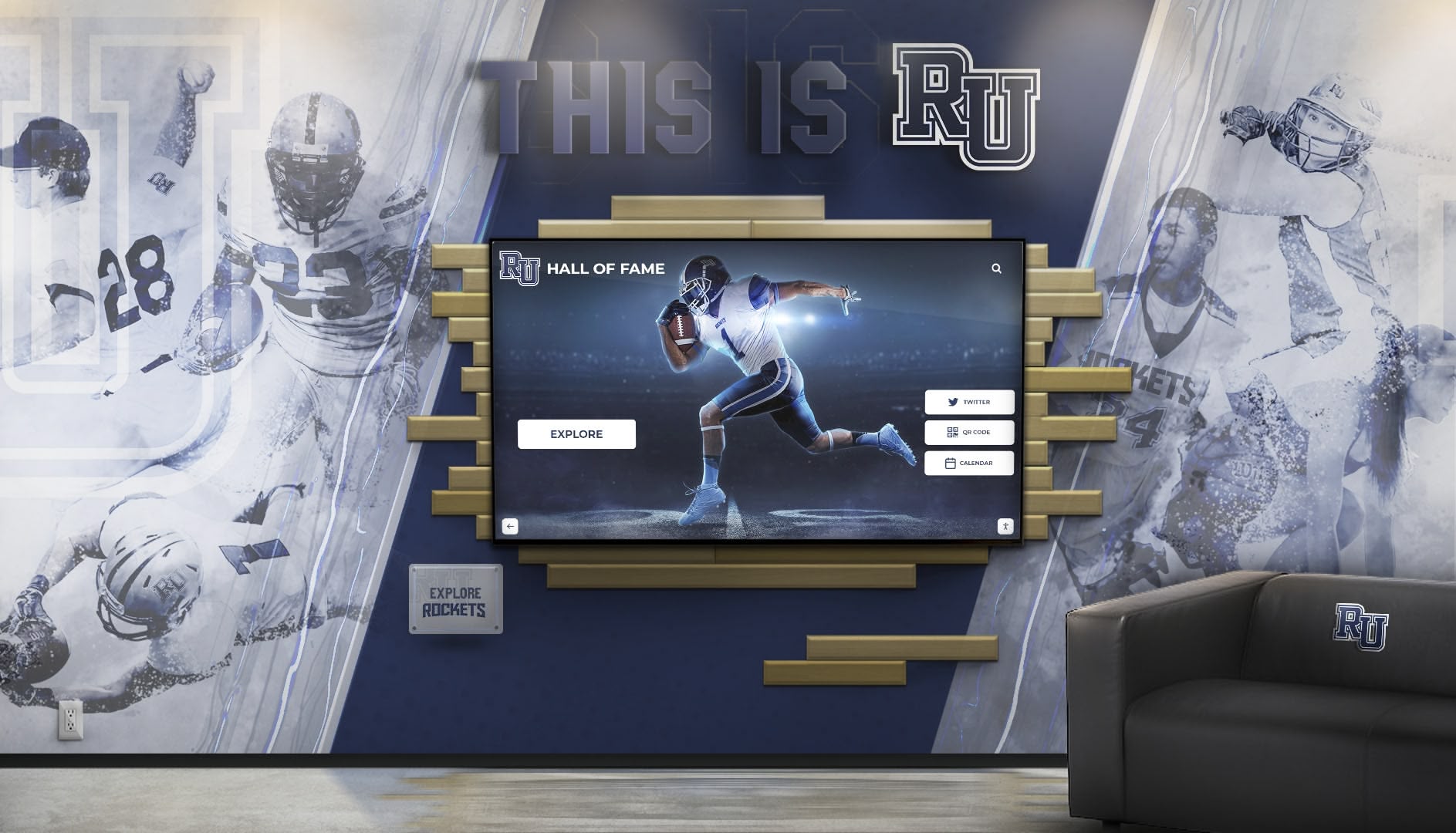
Integrated environments combining traditional murals with interactive screens demonstrate how digital technology complements rather than replaces traditional display methods
Educational Programming Around America 250 Touchscreens
Interactive exhibits deliver maximum value when integrated into broader educational programming rather than functioning as isolated technology installations.
School Group Integration
Curriculum-Aligned Experiences
Touchscreen exhibits offer exceptional opportunities for school groups visiting during America 250 commemorations:
Structured Learning Activities
- Guided exploration assignments directing students to specific content
- Comparison exercises examining how different communities experienced history
- Primary source analysis using digitized documents
- Timeline construction activities helping students understand chronology
- Biographical research examining diverse historical figures
- Civics education exploring governmental structures and processes
- Critical thinking exercises analyzing historical evidence and interpretations
Teacher Resources
- Pre-visit materials preparing students for interactive exhibit engagement
- Standards-aligned lesson plans connecting exhibits to curriculum requirements
- Post-visit activities extending learning beyond museum experiences
- Assessment tools measuring learning outcomes
- Professional development helping teachers maximize exhibit educational value
Public Programming
Engaging Diverse Audiences
America 250 touchscreen exhibits support varied programming appealing to different community segments:
- Lecture series featuring historians discussing themes explored in exhibits
- Panel discussions examining contemporary relevance of historical topics
- Family days with age-appropriate activities using touchscreen content
- Senior programs accommodating older adults’ learning preferences and accessibility needs
- Community dialogue sessions using historical context for contemporary conversations
- Special commemorative events throughout anniversary year
- Virtual programming extending exhibit access to remote audiences
Community Contribution Opportunities
Participatory History
Interactive exhibits can incorporate community-contributed content:
- Oral history collection campaigns gathering local perspectives
- Family history research connecting individuals to national narratives
- Photo contribution projects expanding historical image collections
- Document digitization volunteers helping preserve community records
- Story collection initiatives gathering diverse experiences
- Veteran interview programs preserving military service accounts
These participatory approaches transform museums from authoritative institutions telling visitors what history means into collaborative spaces where communities contribute interpretation and meaning-making—particularly appropriate for America 250 commemorations emphasizing inclusive engagement with national heritage.
Measuring Success and Sustaining Beyond 2026
Assessment demonstrates whether America 250 touchscreen exhibits deliver intended benefits while planning ensures investments continue providing value beyond the anniversary year itself.
Engagement Metrics
Quantitative Performance Indicators
Modern interactive systems provide concrete usage data including:
- Interaction frequency showing daily usage levels during anniversary year
- Average session duration revealing engagement depth
- Most-viewed content identifying compelling topics resonating with visitors
- Navigation paths revealing how visitors explore information architecture
- Peak usage times informing staffing decisions during high visitation
- Demographic data when collected appropriately showing who engages with exhibits
- Comparative analytics showing engagement differences before and after implementation
Museums implementing touchscreen exhibits for America 250 consistently report visitors spending 5-10x longer with interactive content compared to traditional text panels, demonstrating technology genuinely increases engagement rather than simply digitizing existing passive approaches.
Educational Impact Assessment
Learning and Satisfaction Outcomes
Beyond usage statistics, institutions should assess whether exhibits improve visitor understanding:
- Exit surveys measuring visitor comprehension and satisfaction
- Pre/post knowledge assessments embedded in interactive experiences
- Observation studies watching how visitors actually use displays
- Teacher feedback on school group experiences
- Community perception surveys measuring cultural impact
- Long-term follow-up studying sustained engagement beyond single visits
These varied metrics provide comprehensive assessment ensuring technology investments deliver genuine educational value aligned with institutional missions rather than simply adding impressive technology without measurable benefits.
Post-2026 Sustainability Planning
Long-Term Value Beyond Anniversary Year
America 250 touchscreen exhibits should provide lasting value beyond 2026 itself:
Content Adaptation
- Transition anniversary-specific content to permanent historical exhibits
- Regular updates keeping exhibits current and relevant
- Seasonal content rotation maintaining visitor interest
- Integration of ongoing historical commemoration beyond 250th anniversary
Technical Maintenance
- Equipment refresh planning for eventual hardware replacement
- Software updates maintaining security and functionality
- Vendor relationships ensuring long-term technical support
- Staff training ensuring sustainable in-house management capacity
Programming Evolution
- Continued educational programming using exhibits as anchors
- Community engagement maintaining participatory relationships
- Research applications supporting ongoing scholarship
- Tourism marketing incorporating exhibits into visitor promotion
Thoughtful sustainability planning ensures America 250 investments deliver decades of educational value rather than becoming obsolete installations requiring expensive removal after anniversary year excitement fades.
Explore sustainability approaches in long-term museum technology planning applicable to cultural institutions.
America 250 Touchscreen Success Stories
While respecting that institutions are still implementing exhibits for 2026, examining approaches developed by museums preparing for the semiquincentennial provides valuable insights for organizations still in planning phases.
National Museums and Major Institutions
Large-Scale Implementation Approaches
Major historical institutions preparing America 250 exhibits are deploying comprehensive interactive strategies including:
- Multi-gallery installations creating immersive historical environments
- Coordinated touchscreen networks sharing content across multiple displays
- Mobile integration enabling visitors to continue exploration after leaving physical spaces
- Virtual reality experiences recreating historical settings and moments
- AI-powered interfaces enabling natural language questions about history
- Real-time updates incorporating anniversary year events as they occur
These sophisticated approaches demonstrate possibilities when substantial resources support comprehensive interactive visions—though smaller institutions can achieve meaningful impact with more modest implementations focused on specific themes or communities.
Regional and Community Museums
Locally-Focused America 250 Exhibits
Smaller museums developing touchscreen exhibits for America 250 often focus on local connections to national history:
- Community-specific timelines showing how national events affected local areas
- Biographical databases highlighting local residents’ contributions to national developments
- Oral history collections preserving local perspectives on historical events
- Document collections featuring locally-held materials unavailable elsewhere
- Geographic focus on regional experiences during different historical periods
These locally-focused approaches create exhibits that resonate powerfully with community audiences while contributing unique perspectives to broader national commemorations—demonstrating that effective America 250 touchscreen exhibits don’t require comprehensive coverage of all American history but rather thoughtful engagement with specific aspects connecting communities to national narratives.
Educational Institutions
School and University America 250 Initiatives
Educational institutions implementing touchscreen exhibits for America 250 often emphasize:
- Curriculum integration connecting exhibits to specific learning standards
- Student research opportunities for historical investigation
- Alumni connections highlighting graduates’ contributions to national development
- Campus history relating institutional development to broader American story
- Civic education preparing students for engaged citizenship
Educational settings provide particularly valuable contexts for interactive historical exhibits since sustained engagement over academic years enables deeper learning than single museum visits allow.
Conclusion: Honoring History Through Innovation
America’s 250th anniversary represents an extraordinary opportunity for museums, historical societies, schools, and civic institutions to engage communities with national heritage in ways that honor historical complexity while meeting contemporary audience expectations. Museum history touchscreens provide powerful tools for this commemoration—enabling interactive exploration of 250 years of American development through intuitive interfaces combining rich multimedia content, primary source access, multiple interpretive perspectives, and engaging experiences impossible with traditional exhibit methods alone.
When cultural institutions implement touchscreen exhibits thoughtfully—with clear educational objectives, historically accurate content, accessible design, sustainable management, and integration into broader commemorative programming—they create systems that expand historical understanding beyond what traditional text panels and glass cases can achieve while respecting authentic artifacts and contemplative engagement that remain central to museum experiences.
The most effective America 250 implementations balance tradition and innovation, using interactive technology to make history more accessible and engaging while maintaining scholarly rigor, acknowledging complexity, presenting diverse perspectives, and creating experiences worthy of this significant national milestone. These exhibits won’t simply digitize existing displays but will fundamentally reimagine how institutions present history for contemporary audiences shaped by ubiquitous interactive technology in daily life.
Create Memorable America 250 Exhibits with Interactive Touchscreens
Discover how purpose-built museum history touchscreen platforms can help your institution create engaging America's 250th anniversary exhibits that honor national heritage while meeting contemporary visitor expectations with interactive exploration, multimedia storytelling, and accessible experiences appropriate for this historic milestone.
Explore Museum Display SolutionsAs America approaches its 250th anniversary, the stories your institution preserves—local histories, community contributions, regional perspectives, and connections to national developments—deserve presentation formats engaging contemporary audiences while honoring historical authenticity and complexity. With thoughtful implementation of interactive touchscreen technology designed specifically for cultural institutions, you can create exhibits that welcome diverse visitors, accommodate varied learning preferences, provide depth impossible through traditional methods, and create memorable commemorative experiences connecting present generations to the past while inspiring future civic engagement.
Start wherever your current situation permits—whether comprehensive gallery renovations with multiple coordinated displays or modest single-display pilots testing approaches before major commitments—then systematically build toward comprehensive systems worthy of this once-in-a-lifetime commemorative opportunity. America’s 250th anniversary won’t happen again for another 250 years; the exhibits you create now will shape how your community remembers and understands this historic milestone for generations.
Ready to explore how interactive touchscreen technology can enhance your America 250 exhibits and visitor engagement? Talk to our team to discover museum-specific solutions that make national heritage accessible, exhibits engaging, and commemorative experiences meaningful across diverse visitor populations as America celebrates 250 years of history.































